ignition MAZDA MODEL 3 5-DOOR 2017 Repair Manual
[x] Cancel search | Manufacturer: MAZDA, Model Year: 2017, Model line: MODEL 3 5-DOOR, Model: MAZDA MODEL 3 5-DOOR 2017Pages: 612
Page 185 of 612
4–55
When Driving
Switches and Controls
*Some models.
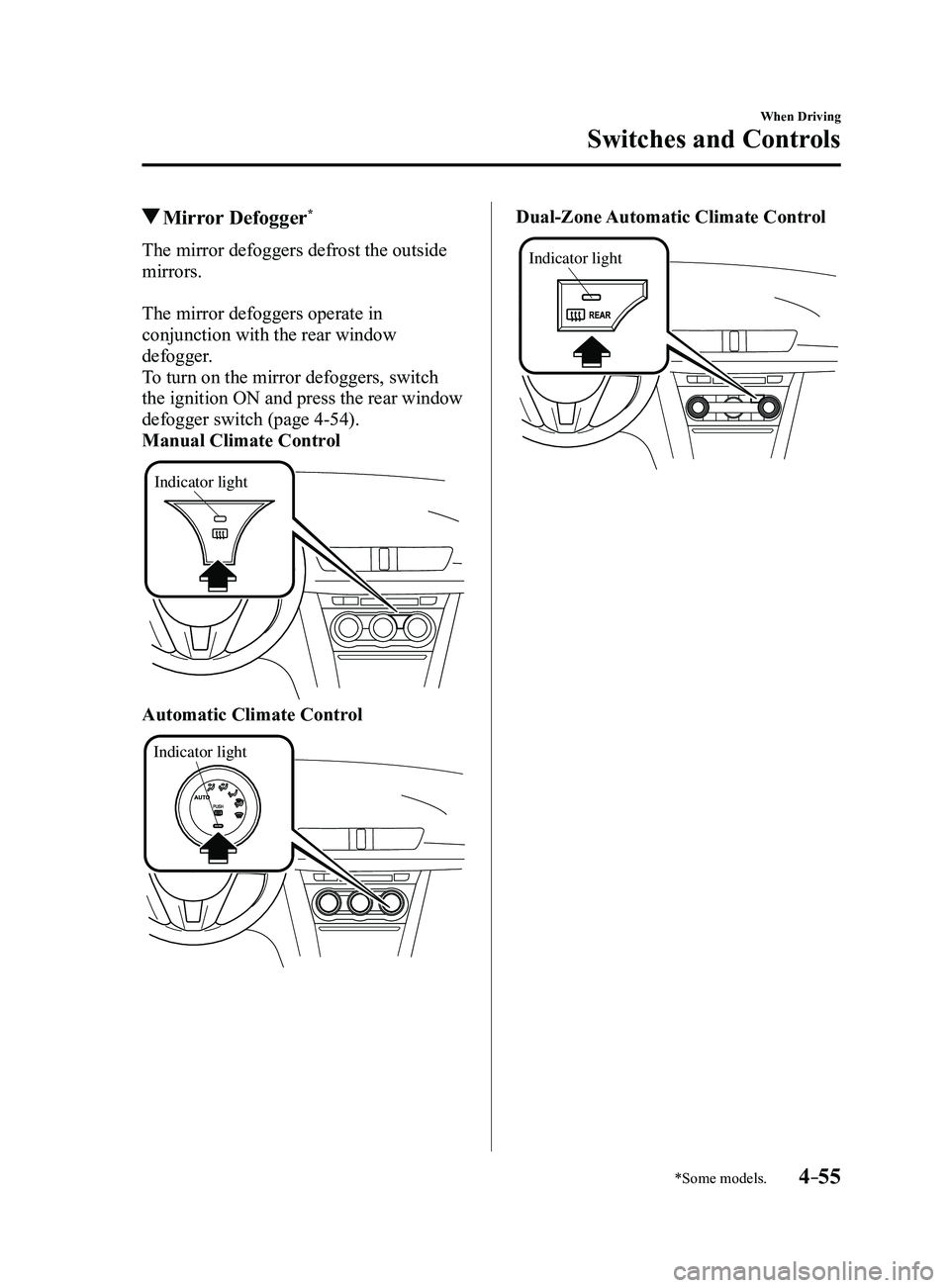
Mirror Defogger*
The mirror defoggers defrost the outside
mirrors.
The mirror defoggers operate in
conjunction with the rear window
defogger.
To turn on the mirror defoggers, switch
the ignition ON and press the rear window
defogger switch (page
4-54).
Manual Climate Control
Indicator light
Automatic Climate Control
Indicator light
Dual-Zone Automatic Climate Control
Indicator light
Mazda3_8FL6-EA-16F_Edition2.indb 552016/08/10 17:36:23
Page 194 of 612
4–64
When Driving
Brake
NOTE
The electric parking brake cannot be
applied or released while the vehicle
battery is dead.
An operation sound occurs when
applying or releasing the electric
parking brake, however, this does not
indicate a malfunction.
If the electric parking brake is not
used for long periods, an automatic
inspection of the system is performed
while the vehicle is parked. An
operation sound can be heard, however,
this does not indicate a problem.
When the electric parking brake is
applied and the ignition is switched
OFF, an operation sound can be heard,
however, this does not indicate a
problem.
The brake pedal may move while the
electric parking brake is being applied
or released, however, this does not
indicate a problem.
If the electric parking brake switch is
continually pulled while driving the
vehicle, the electric parking brake will
be applied and the electric parking
brake warning beep will be activated.
When the switch is released, the electric
parking brake is released and the beep
stops.
If the electric parking brake is applied
with the ignition switched off or in ACC,
the brake system warning light in the
instrument cluster and the indicator
light in the switch may turn on for 15
seconds.
When running the vehicle through an
automatic car wash, it may be necessary
to switch the ignition off with the
parking brake released depending on
the type of automatic car wash.
When applying the electric parking
brake
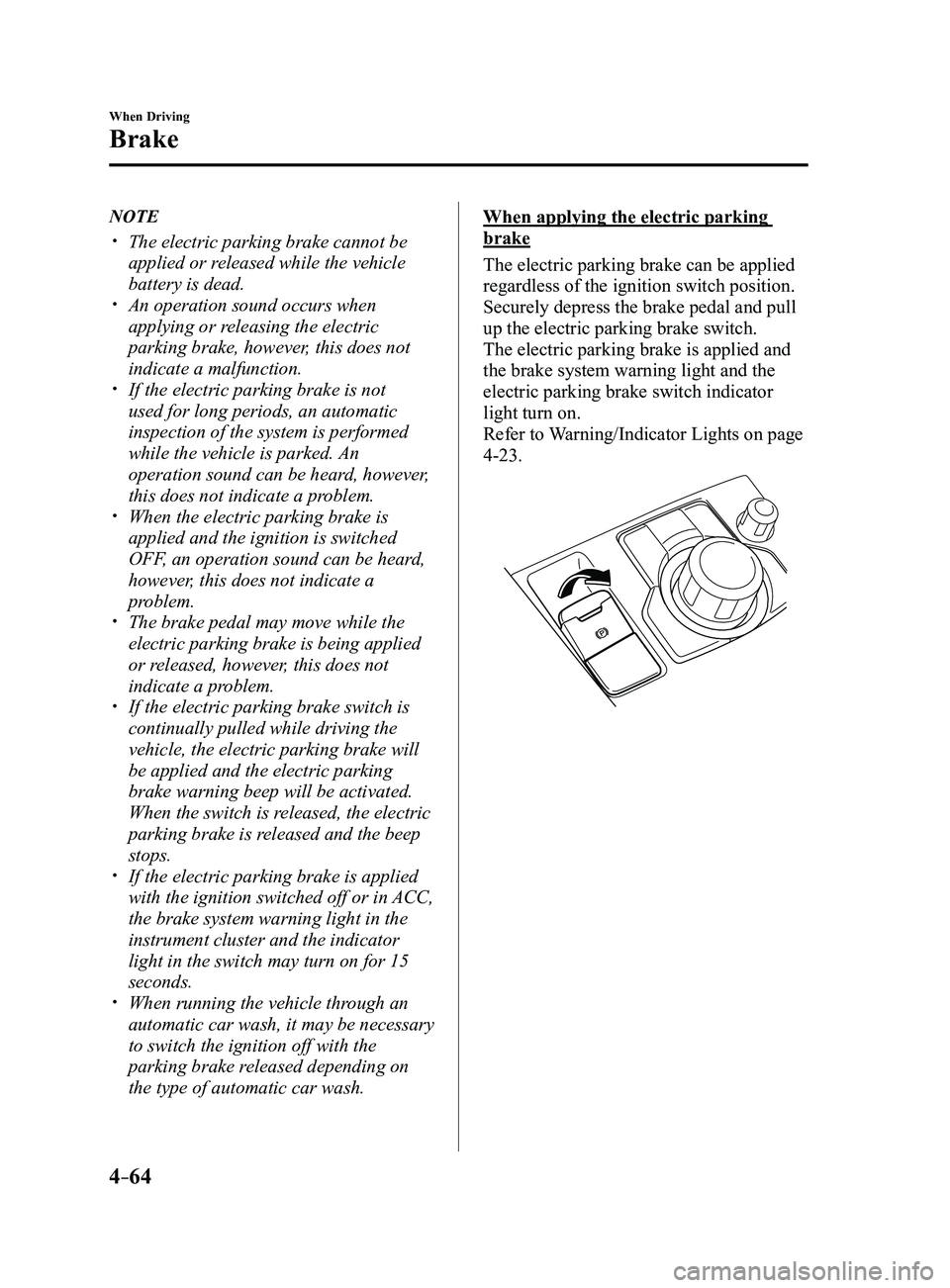
The electric parking brake can be applied
regardless of the ignition switch position.
Securely depress the brake pedal and pull
up the electric parking brake switch.
The electric parking brake is applied and
the brake system warning light and the
electric parking brake switch indicator
light turn on.
Refer to Warning/Indicator Lights on page
4-23.
Mazda3_8FL6-EA-16F_Edition2.indb 642016/08/10 17:36:27
Page 195 of 612
4–65
When Driving
Brake
When releasing the electric parking
brake
The electric parking brake can be released
while the ignition is switched ON or
the engine is running. When the electric
parking brake is released, the brake system
warning light and the electric parking
brake switch indicator light turn off.
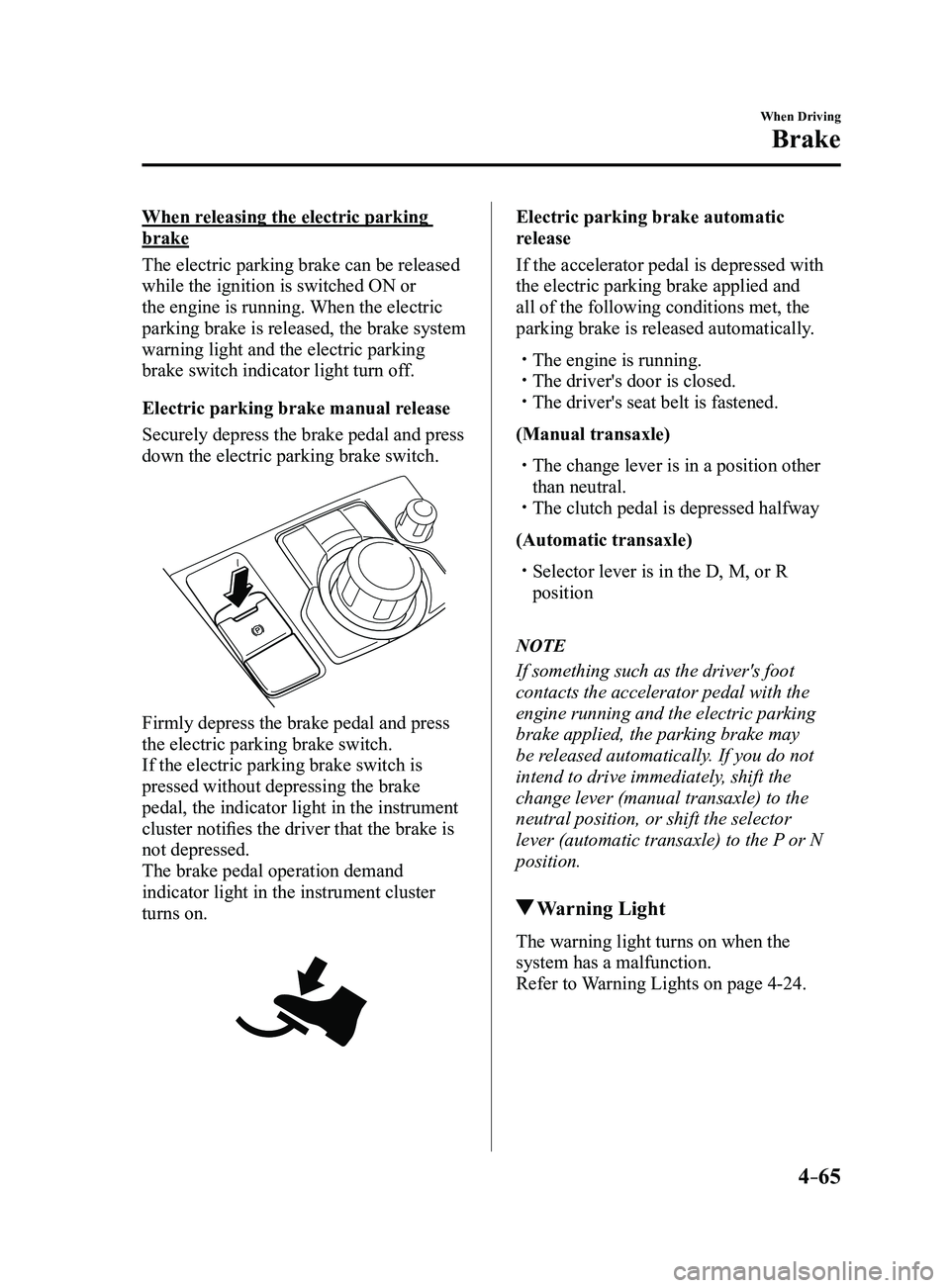
Electric parking brake manual release
Securely depress the brake pedal and press
down the electric parking brake switch.
Firmly depress the brake pedal and press
the electric parking brake switch.
If the electric parking brake switch is
pressed without depressing the brake
pedal, the indicator light in the instrument
cluster notifies the driver that the brake is
not depressed.
The brake pedal operation demand
indicator light in the instrument cluster
turns on.
Electric parking brake automatic
release
If the accelerator pedal is depressed with
the electric parking brake applied and
all of the following conditions met, the
parking brake is released automatically.
The engine is running. The driver's door is closed. The driver's seat belt is fastened.
(Manual transaxle)
The change lever is in a position other
than neutral. The clutch pedal is depressed halfway
(Automatic transaxle)
Selector lever is in the D, M, or R
position
NOTE
If something such as the driver's foot
contacts the accelerator pedal with the
engine running and the electric parking
brake applied, the parking brake may
be released automatically. If you do not
intend to drive immediately, shift the
change lever (manual transaxle) to the
neutral position, or shift the selector
lever (automatic transaxle) to the P or N
position.
Warning Light
The warning light turns on when the
system has a malfunction.
Refer to Warning Lights on page
4-24.
Mazda3_8FL6-EA-16F_Edition2.indb 652016/08/10 17:36:27
Page 199 of 612
4–69
When Driving
ABS/TCS/DSC
Traction Control System
(TCS)
The Traction Control System (TCS)
enhances traction and safety by controlling
engine torque and braking. When the TCS
detects driving wheel slippage, it lowers
engine torque and operates the brakes to
prevent loss of traction.
This means that on a slick surface, the
engine adjusts automatically to provide
optimum power to the drive wheels,
limiting wheel spin and loss of traction.
The warning light turns on when the
system has a malfunction.
Refer to Warning Lights on page
4-24.
WARNING
Do not rely on the Traction Control
System (TCS) as a substitute for safe
driving:The Traction Control System (TCS)
cannot compensate for unsafe and
reckless driving, excessive speed,
tailgating (following another vehicle
too closely), and hydroplaning
(reduced tire friction and road contact
because of water on the road surface).
You can still have an accident.
Use snow tires or tire chains and drive at
reduced speeds when roads are covered
with ice and/or snow: Driving without proper traction devices
on snow and/or ice-covered roads
is dangerous. The Traction Control
System (TCS) alone cannot provide
adequate traction and you could still
have an accident.
NOTE
To turn off the TCS, press the DSC OFF
switch (page
4-71).
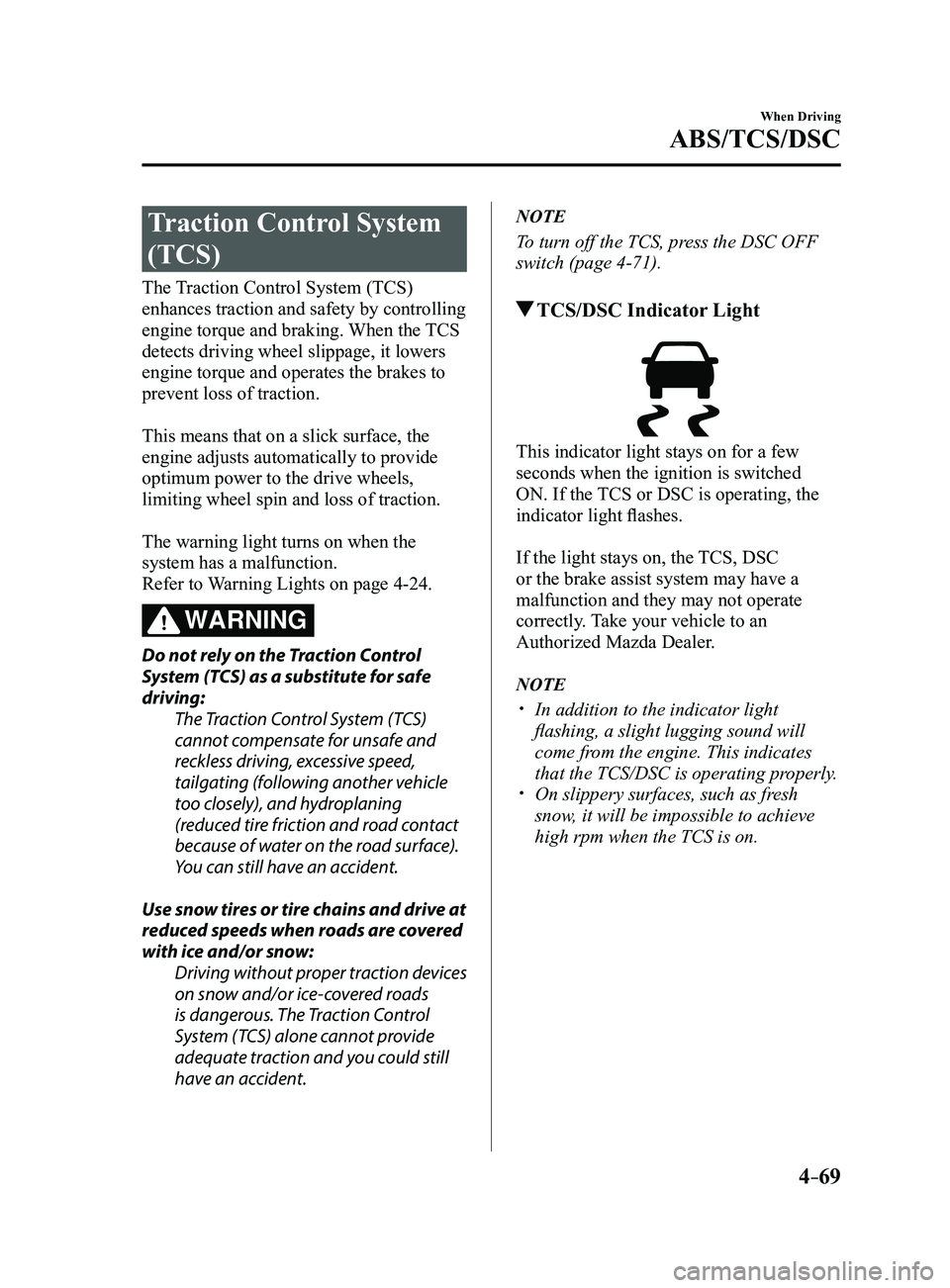
TCS/DSC Indicator Light
This indicator light stays on for a few
seconds when the ignition is switched
ON. If the TCS or DSC is operating, the
indicator light flashes.
If the light stays on, the TCS, DSC
or the brake assist system may have a
malfunction and they may not operate
correctly. Take your vehicle to an
Authorized Mazda Dealer.
NOTE
In addition to the indicator light
flashing, a slight lugging sound will
come from the engine. This indicates
that the TCS/DSC is operating properly.
On slippery surfaces, such as fr esh
snow, it will be impossible to achieve
high rpm when the TCS is on.
Mazda3_8FL6-EA-16F_Edition2.indb 692016/08/10 17:36:29
Page 200 of 612
4–70
When Driving
ABS/TCS/DSC
Dynamic Stability
Control (DSC)
The Dynamic Stability Control (DSC)
automatically controls braking and engine
torque in conjunction with systems such
as ABS and TCS to help control side slip
when driving on slippery surfaces, or
during sudden or evasive maneuvering,
enhancing vehicle safety.
Refer to ABS (page
4-68) and TCS
(page
4-69).
DSC operation is possible at speeds
greater than 20 km/h (12 mph).
The warning light turns on when the
system has a malfunction.
Refer to Warning Lights on page
4-24.
WARNING
Do not rely on the Dynamic Stability
Control as a substitute for safe driving: The Dynamic Stability Control (DSC)
cannot compensate for unsafe and
reckless driving, excessive speed,
tailgating (following another vehicle
too closely), and hydroplaning
(reduced tire friction and road contact
because of water on the road surface).
You can still have an accident.
CAUTION
The DSC may not operate correctly
unless the following are observed:
Use tires of the correct size specified
for your Mazda on all four wheels. Use tires of the same manufacturer,
brand and tread pattern on all four
wheels.
Do not mix worn tires.
The DSC may not operate correctly when
tire chains are used or a temporary spare
tire is installed because the tire diameter
changes.
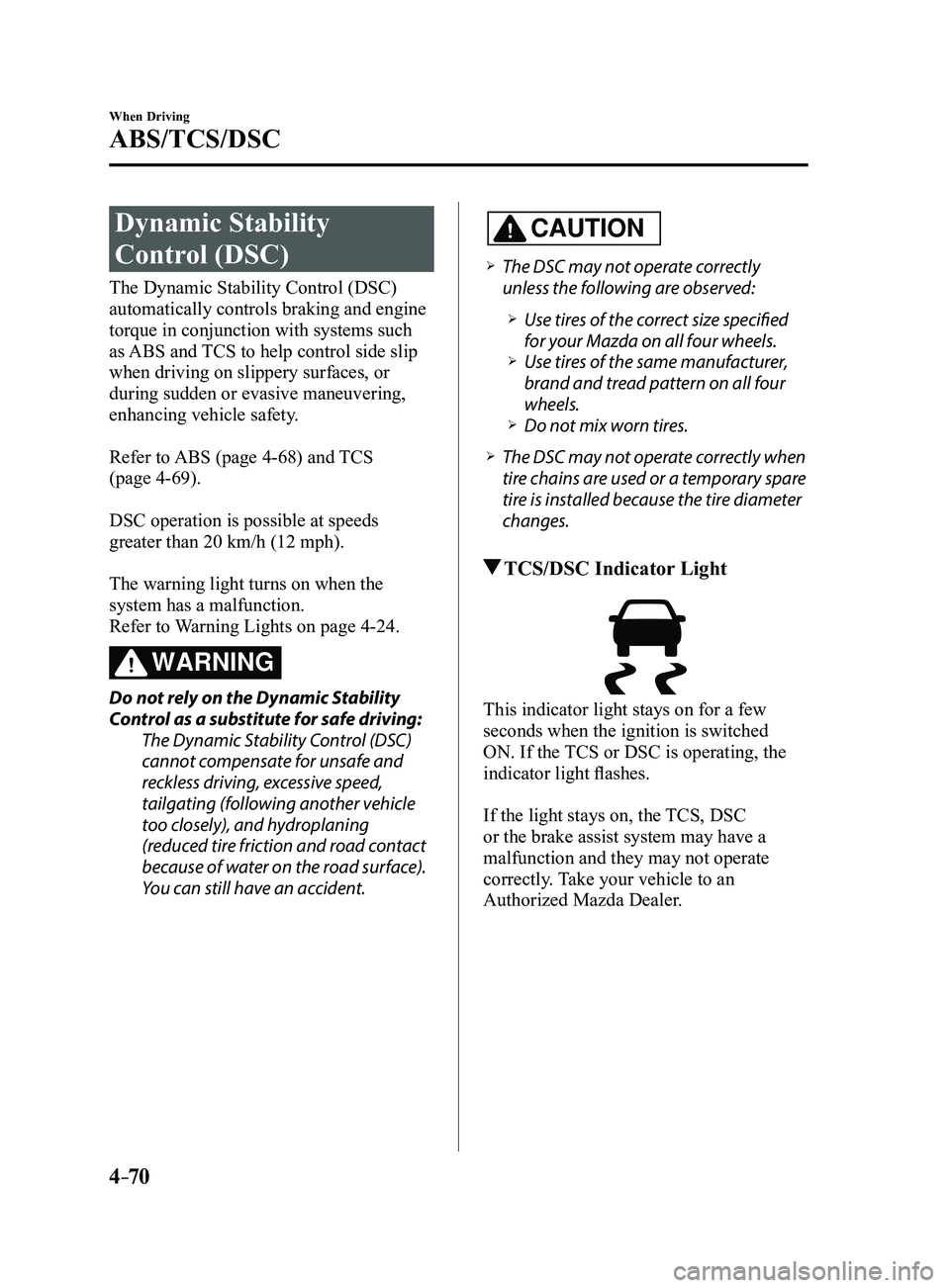
TCS/DSC Indicator Light
This indicator light stays on for a few
seconds when the ignition is switched
ON. If the TCS or DSC is operating, the
indicator light flashes.
If the light stays on, the TCS, DSC
or the brake assist system may have a
malfunction and they may not operate
correctly. Take your vehicle to an
Authorized Mazda Dealer.
Mazda3_8FL6-EA-16F_Edition2.indb 702016/08/10 17:36:29
Page 201 of 612
4–71
When Driving
ABS/TCS/DSC
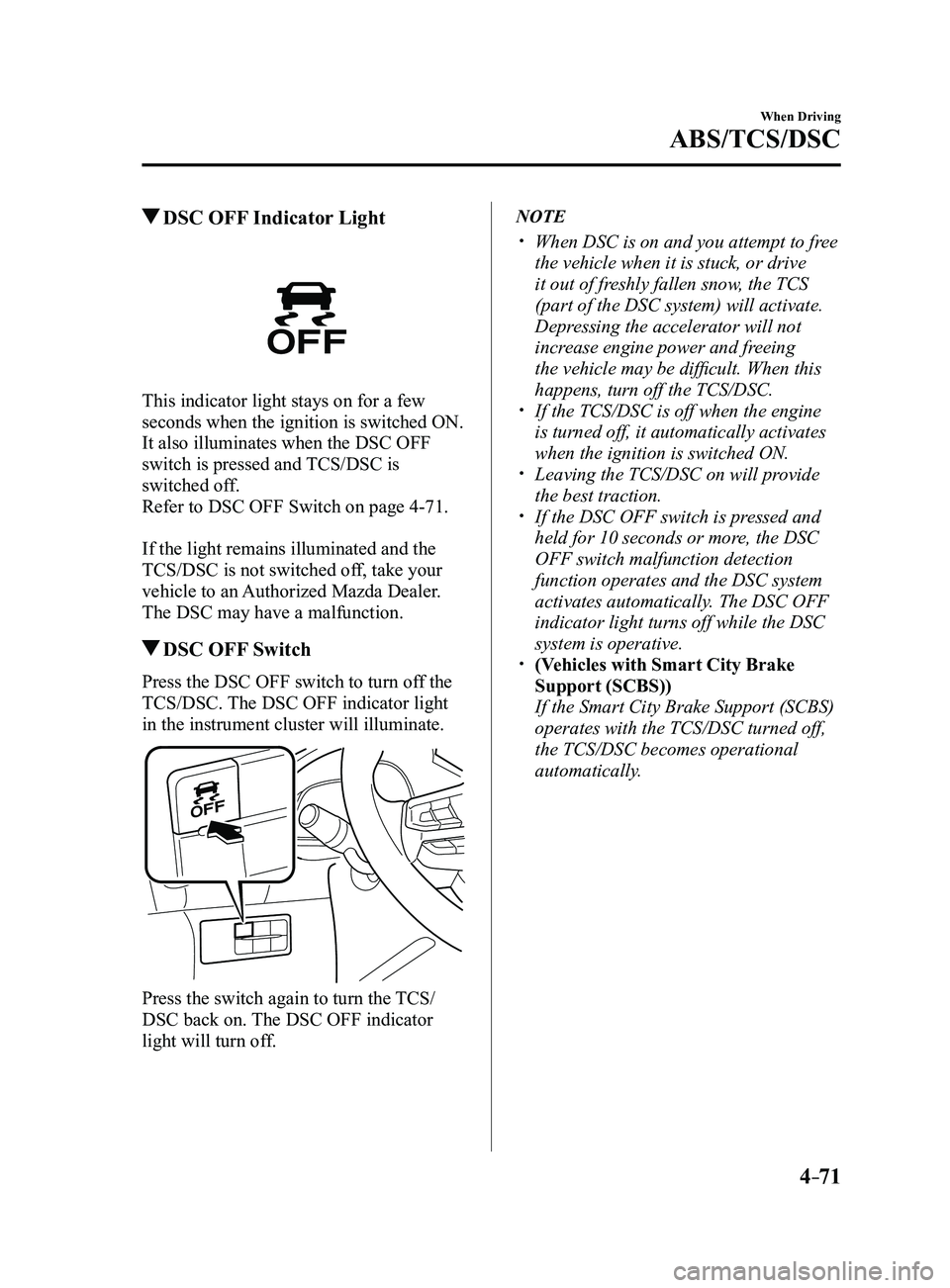
DSC OFF Indicator Light
This indicator light stays on for a few
seconds when the ignition is switched ON.
It also illuminates when the DSC OFF
switch is pressed and TCS/DSC is
switched off.
Refer to DSC OFF Switch on page
4-71.
If the light remains illuminated and the
TCS/DSC is not switched off, take your
vehicle to an Authorized Mazda Dealer.
The DSC may have a malfunction.
DSC OFF Switch
Press the DSC OFF switch to turn off the
TCS/DSC. The DSC OFF indicator light
in the instrument cluster will illuminate.
Press the switch again to turn the TCS/
DSC back on. The DSC OFF indicator
light will turn off.
NOTE
When DSC is on and you attempt to fr ee
the vehicle when it is stuck, or drive
it out of freshly fallen snow, the TCS
(part of the DSC system) will activate.
Depressing the accelerator will not
increase engine power and freeing
the vehicle may be difficult. When this
happens, turn off the TCS/DSC.
If the TCS/DSC is off when the engine
is turned off, it automatically activates
when the ignition is switched ON.
Leaving the TCS/DSC on will provide
the best traction. If the DSC OFF switch is pressed and
held for 10 seconds or more, the DSC
OFF switch malfunction detection
function operates and the DSC system
activates automatically. The DSC OFF
indicator light turns off while the DSC
system is operative.
(Vehicles with Smart City Brake
Support (SCBS))
If the Smart City Brake Support (SCBS)
operates with the TCS/DSC turned off,
the TCS/DSC becomes operational
automatically.
Mazda3_8FL6-EA-16F_Edition2.indb 712016/08/10 17:36:30
Page 209 of 612
4–79
When Driving
Drive Selection
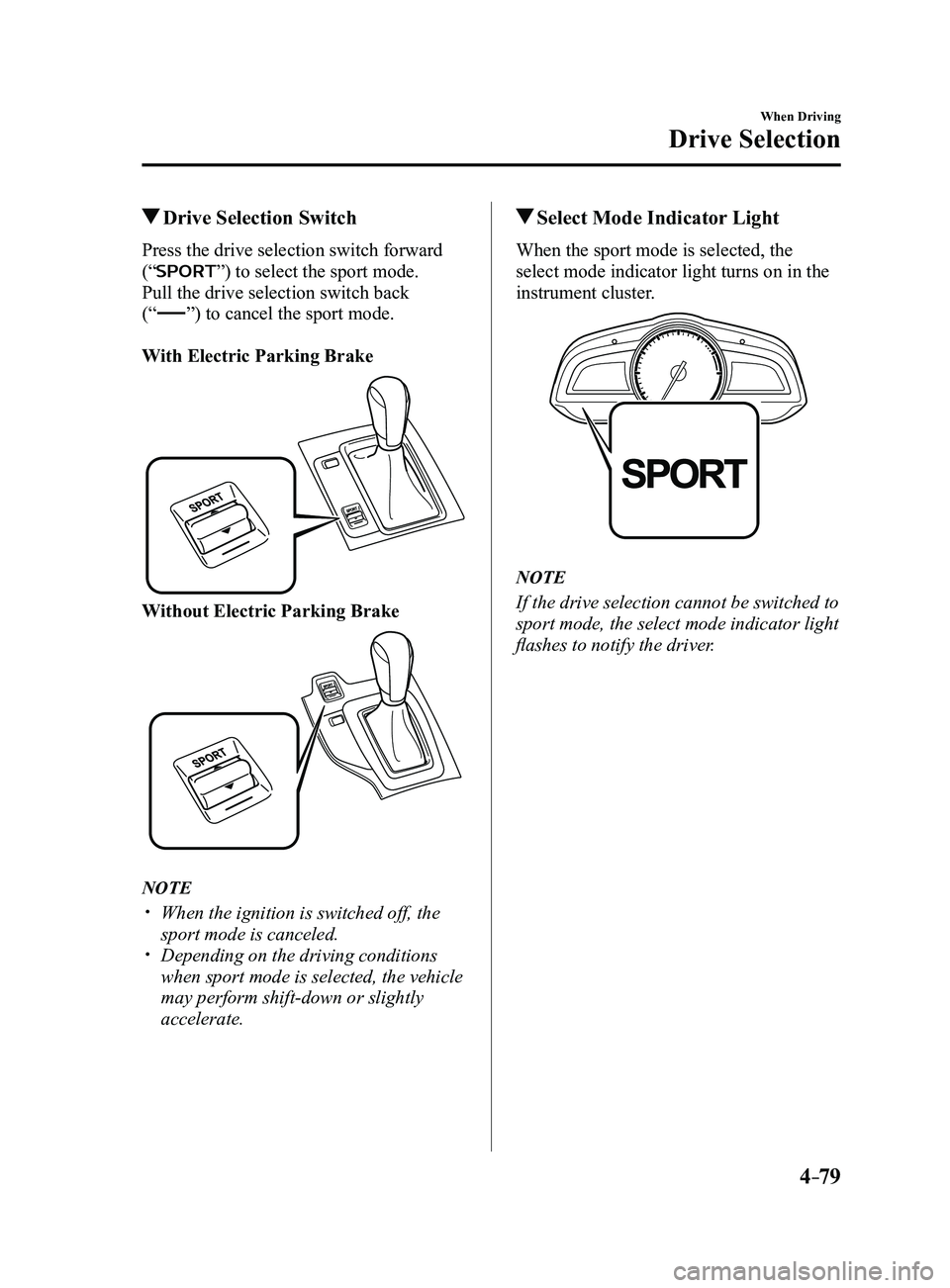
Drive Selection Switch
Press the drive selection switch forward
(“
”) to select the sport mode.
Pull the drive selection switch back
(“
”) to cancel the sport mode.
With Electric Parking Brake
Without Electric Parking Brake
NOTE
When the ignition is switched off, the
sport mode is canceled. Depending on the driving conditions
when sport mode is selected, the vehicle
may perform shift-down or slightly
accelerate.
Select Mode Indicator Light
When the sport mode is selected, the
select mode indicator light turns on in the
instrument cluster.
NOTE
If the drive selection cannot be switched to
sport mode, the select mode indicator light
flashes to notify the driver.
Mazda3_8FL6-EA-16F_Edition2.indb 792016/08/10 17:36:35
Page 217 of 612
4–87
When Driving
i-ACTIVSENSE
To Operate the System
The High Beam Control System (HBC)
operates to switch the headlights
automatically between high and low
beams after the ignition is switched ON
and the headlight switch is in the AUTO
and high beam position.
The High Beam Control System (HBC)
determines that it is dark based on the
brightness of the surrounding area. At the
same time, the High Beam Control System
(HBC) indicator light (green) in the
instrument cluster illuminates.
NOTE
When the vehicle speed is about 30
km/h (19 mph) or more, the headlights
automatically switch to high beams
when there are no vehicles ahead or
approaching in the opposite direction.
When the vehicle speed is less than
about 20 km/h (12 mph), the High Beam
Control System (HBC) switches the
headlights to low beams.
The low beams may not switch to high
beams when cornering. Operation of the High Beam Control
System (HBC) function can be disabled.
Refer to Personalization Features on
page
9-12.
Manual Switching
Switching to low beams
Shift the lever to the low beam position.
The High Beam Control System (HBC)
indicator light (green) turns off.
Switching to high beams
Turn the headlight switch to the
position.
The High Beam Control System (HBC)
indicator light (green) turns off and the
is illuminated.
Mazda3_8FL6-EA-16F_Edition2.indb 872016/08/10 17:36:37
Page 219 of 612
 will operate when all of the following\
conditions are
met:
The ignition is switched ON. The Blind Spot Monitoring (B")
4–89
When Driving
i-ACTIVSENSE
NOTE
The Blind Spot Monitoring (BSM) will operate when all of the following\
conditions are
met:
The ignition is switched ON. The Blind Spot Monitoring (BSM) OFF indicator light in the instrument \
cluster is
turned off. The vehicle speed is about 10 km/h (6.3 mph) or faster.
The Blind Spot Monitoring (BSM) will not operate under the following c\
ir cumstances.
The vehicle speed falls below about 10 km/h (6.3 mph) even though the \
Blind Spot
Monitoring (BSM) OFF switch indicator light is turned off. The shift lever (manual transaxle)/selector lever (automatic transaxl\
e) is shifted to
reverse (R) and the vehicle is reversing.
In the following cases, the Blind Spot Monitoring (BSM) warning indica\
tion/warning
light turns on and operation of the system is stopped. If the Blind Spot\
Monitoring (BSM)
warning indication/warning light remains illuminated, have the vehicle inspected at an
Authorized Mazda Dealer as soon as possible.
Some problem with the system including the Blind Spot Monitoring (BSM) warnin\
g
indicator lights is detected. A large deviation in the installation position of a radar sensor (rear) on the vehicle has
occurred. There is a large accumulation of snow or ice on the rear bumper near a radar sensor
(rear). Remove any snow, ice or mud on the rear bumper. Driving on snow-covered roads for long periods. The temperature near the radar sensors (rear) becomes extremely hot due to driving
for long periods on slopes during the summer. The battery voltage has decr eased.
Under the following conditions, the radar sensors (r ear) cannot detect target objects or it
may be difficult to detect them.
A vehicle is in the detection area at the rear in an adjacent driving lane but it does not
approach. The Blind Spot Monitoring (BSM) determines the condition based o\
n radar
detection data.
A vehicle is traveling alongside your vehicle at nearly the same speed fo\
r an extended
period of time. Vehicles approaching in the opposite direction. A vehicle in an adjacent driving lane is attempting to pass your vehicle.\
A vehicle is in an adjacent lane on a road with extremely wide driving lanes. The
detection area of the radar sensors (rear) is set at the road width of expressways.
Mazda3_8FL6-EA-16F_Edition2.indb 892016/08/10 17:36:37
Page 221 of 612
4–91
When Driving
i-ACTIVSENSE
The radar sensors (rear) of the Blind Spot Monitoring (BSM) may be regulated under
the radio wave related laws of the country where the vehicle is driven. The sensors
in this system are approved for use in the U.S.A. (including territories), Canada, and
Mexico. If a vehicle with a Blind Spot Monitoring (BSM) is driven in a\
country other
than the U.S.A., Canada, or Mexico, the system has to be turned off usin\
g the Blind Spot
Monitoring (BSM) OFF switch.
The system switches to the Rear Cr oss Traffic Alert function when the shift lever (manual
transaxle) or the selector lever (automatic transaxle) is shifted to \
the reverse (R) position.
Refer to Rear Cross Traffic Alert (RCTA) on page 4-103.
Blind Spot Monitoring (BSM) Warning Indicator Lights/Blind Spot
Monitoring (BSM) Warning Beep
The Blind Spot Monitoring (BSM) or Rear Cross Traffic Alert (RCTA) system notifies the
driver of the presence of vehicles in adjacent lanes or at the rear of t\
he vehicle using the
Blind Spot Monitoring (BSM) warning indicator light, the warning sound and the display
indicator (vehicles with active driving display) while the systems are\
operational.
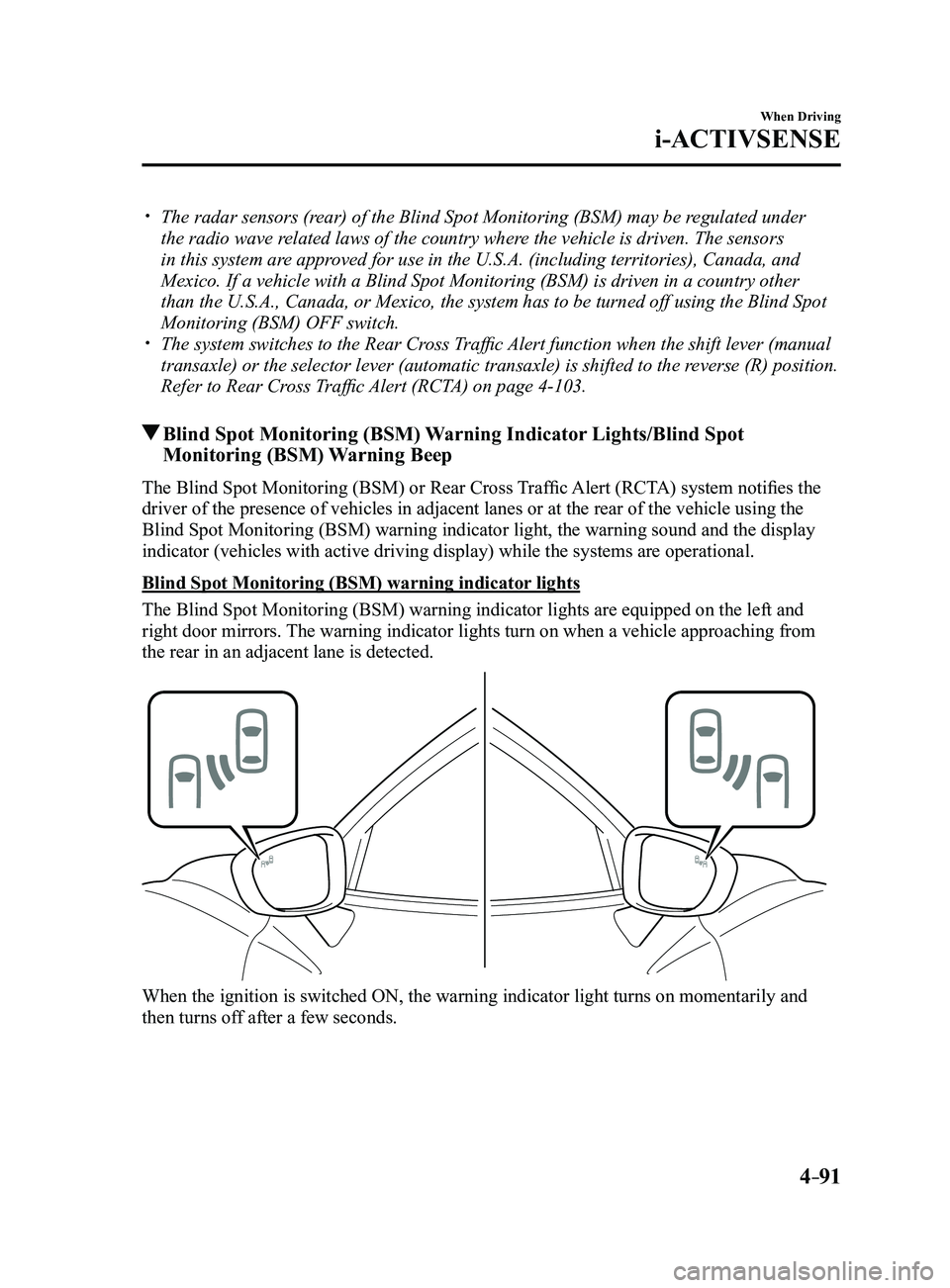
Blind Spot Monitoring (BSM) warning indicator lights
The Blind Spot Monitoring (BSM) warning indicator lights are equipped on the left and
right door mirrors. The warning indicator lights turn on when a vehicle approaching from
the rear in an adjacent lane is detected.
When the ignition is switched ON, the warning indicator light turns on momentarily and
then turns off after a few seconds.
Mazda3_8FL6-EA-16F_Edition2.indb 912016/08/10 17:36:38