brake MAZDA MODEL 3 HATCHBACK 2020 (in English) User Guide
[x] Cancel search | Manufacturer: MAZDA, Model Year: 2020, Model line: MODEL 3 HATCHBACK, Model: MAZDA MODEL 3 HATCHBACK 2020Pages: 598, PDF Size: 89.37 MB
Page 141 of 598

Driving In Flooded Area
▼Driving In Flooded Area
WA R N I N G
Dry off brakes that have become wet by
driving slowly, releasing the accelerator
pedal and lightly applying the brakes
several times until the brake performance
returns to normal:
Driving with wet brakes is dangerous.
Increased stopping distance or the vehicle
pulling to one side when braking could
result in a serious accident. Light braking
will indicate whether the brakes have been
affected.
CAUTION
Do not drive the vehicle on flooded roads
as it could cause short circuiting of
electrical/electronic parts, or engine
damage or stalling from water absorption.
If the vehicle has been immersed in water,
consult an Authorized Mazda Dealer.
Overloading
▼Overloading
WA R N I N G
Be careful not to overload your vehicle:
The gross axle weight rating (GAWR) and
the gross vehicle weight rating (GVWR) of
the vehicle are on the Motor Vehicle Safety
Standard Label on the driver's door frame.
Exceeding these ratings can cause an
accident or vehicle damage. You can
estimate the weight of the load by
weighing the items (or people) before
putting them in the vehicle.
Before Driving
Driving Tips
3-49
Mazda3_8HZ1-EA-19G_Edition1_old
2019-5-17 13:49:03
Page 145 of 598
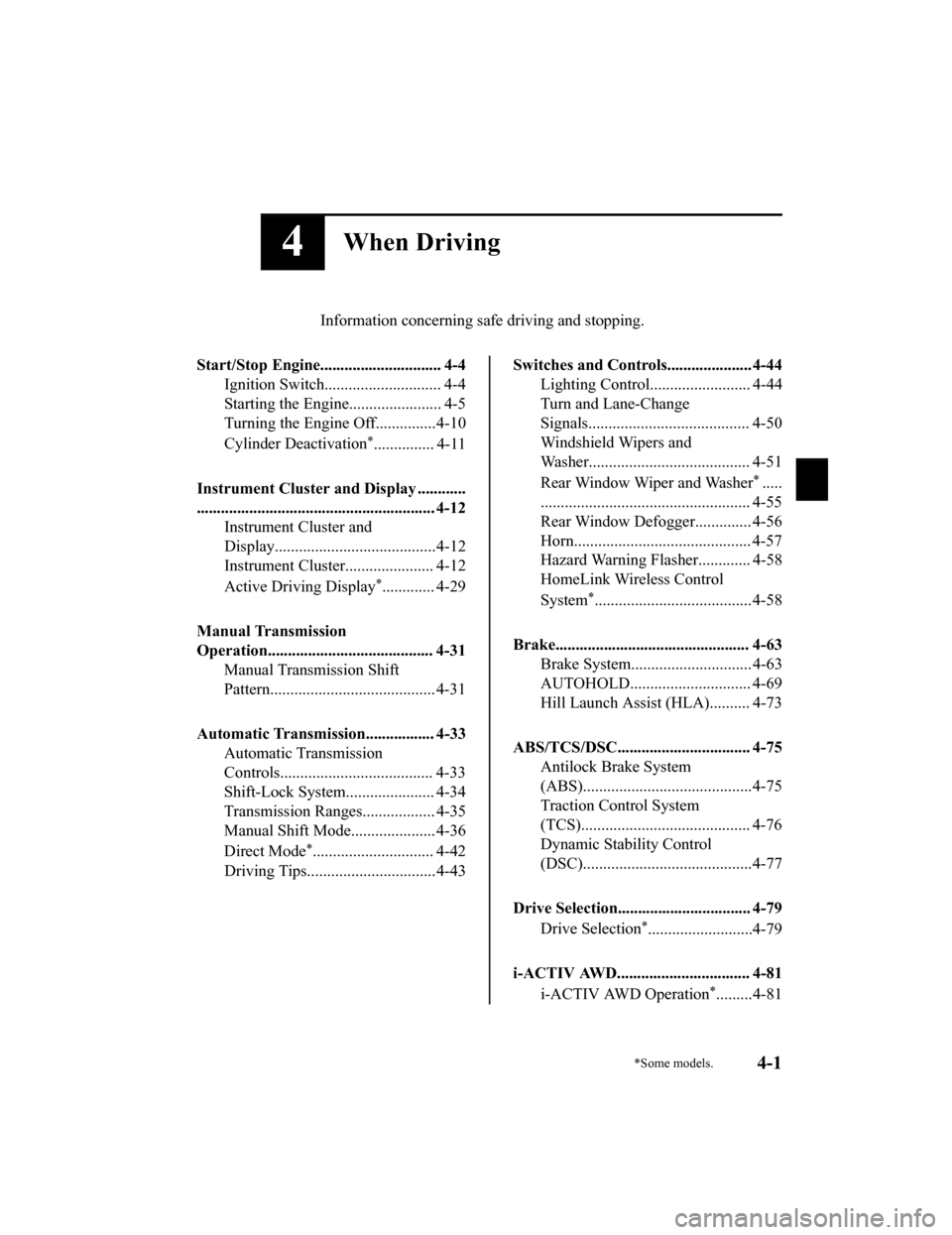
4When Driving
Information concerning safe driving and stopping.
Start/Stop Engine.............................. 4-4 Ignition Switch........ ..................... 4-4
Starting the Engine....................... 4-5
Turning the Engine Off...............4-10
Cylinder Deactivation
*............... 4-11
Instrument Cluster and Display ............
........................................................... 4-12 Instrument Cluster and
Display........................................4-12
Instrument Cluster...................... 4-12
Active Driving Display
*............. 4-29
Manual Transmission
Operation......................................... 4-31 Manual Transmission Shift
Pattern......................................... 4-31
Automatic Transmission................. 4-33 Automatic Transmission
Controls...................................... 4-33
Shift-Lock System...................... 4-34
Transmission Ranges.................. 4-35
Manual Shift Mode..................... 4-36
Direct Mode
*.............................. 4-42
Driving Tips................................4-43
Switches and Controls..................... 4-44 Lighting Control......................... 4-44
Turn and Lane-Change
Signals........................................ 4-50
Windshield Wipers and
Washer........................................ 4-51
Rear Window Wiper and Washer
*.....
.................................................... 4-55
Rear Window Defogg er.............. 4-56
Horn............................................ 4-57
Hazard Warning Flasher............. 4-58
HomeLink Wireless Control
System
*.......................................4-58
Brake................................................ 4-63 Brake System.............................. 4-63
AUTOHOLD.............................. 4-69
Hill Launch Assist (HLA).......... 4-73
ABS/TCS/DSC................................. 4-75 Antilock Brake System
(ABS)..........................................4-75
Traction Control System
(TCS).......................................... 4-76
Dynamic Stability Control
(DSC)..........................................4-77
Drive Selection................................. 4-79 Drive Selection
*..........................4-79
i-ACTIV AWD................................. 4-81 i-ACTIV AWD Operation
*.........4-81
*Some models.4-1
Mazda3_8HZ1-EA-19G_Edition1_old 2019-5-17 13:49:03
Page 146 of 598
Power Steering................................. 4-82Power Steering............................4-82
i-ACTIVSENSE............................... 4-83 i-ACTIVSENSE
*........................4-83
Adaptive Front Lighting System
(AFS)
*........................................ 4-88
High Beam Control System
(HBC)
*........................................4-88
Lane Departure Warning System
(LDWS)
*.................................... 4-90
Blind Spot Monitoring (BSM)
*.........
.................................................... 4-94
Traffic Sign Recognition System
(TSR)
*........................................ 4-99
Distance & Speed Alert (DSA)
*........
.................................................. 4-106
Driver Attenti on Alert (DAA)
*..........
.................................................. 4-107
Driver Monitoring (DM)
*.........4-109
Front Cross Traffic Alert
(FCTA)
*.................................... 4-111
Rear Cross Traffic Alert (RCTA)
*.....
.................................................. 4-114
Mazda Radar Cruise Control
(MRCC) (Manual Transmission)
*.....
.................................................. 4-118
Mazda Radar Cruise Control with
Stop & Go function (MRCC with
Stop & Go function) (Automatic
Transmission)
*.......................... 4-126
Traffic Jam Assist (TJA)
*.........4-137
Lane-keep Assist System (LAS)*......
.................................................. 4-151
Smart Brake Support (SBS)
*.... 4-155
Smart Brake Support [Rear] (SBS-
R)
*............................................ 4-157
Smart Brake Support [Rear
Crossing] (SBS-RC)
*............... 4-161
360° View Monitor
*................. 4-166
Forward Sensing Camera (FSC)
*......
.................................................. 4-200
Front Radar Sensor
*................. 4-204
Front Side Radar Sensor
*......... 4-206
Rear Side Radar Sensor
*.......... 4-208
Rear/Rear corner/Rear Side
Ultrasonic Sensor
*....................4-209
Front Camera/Side Cameras/Rear
Camera
*.................................... 4-210
Driver Monitoring Camera
*......4-211
Cruise Control............................... 4-212 Cruise Control
*.........................4-212
Tire Pressure Monitoring System
(TPMS)........................................... 4-216 Tire Pressure Monitoring System
(TPMS)..................................... 4-216
Rear View Monitor....................... 4-220 Rear View Monitor
*................. 4-220
Parking Sensor System................. 4-235 Parking Sensor System
*........... 4-235
4-2*Some models.
Mazda3_8HZ1-EA-19G_Edition1_old 2019-5-17 13:49:03
Page 148 of 598
Ignition Switch
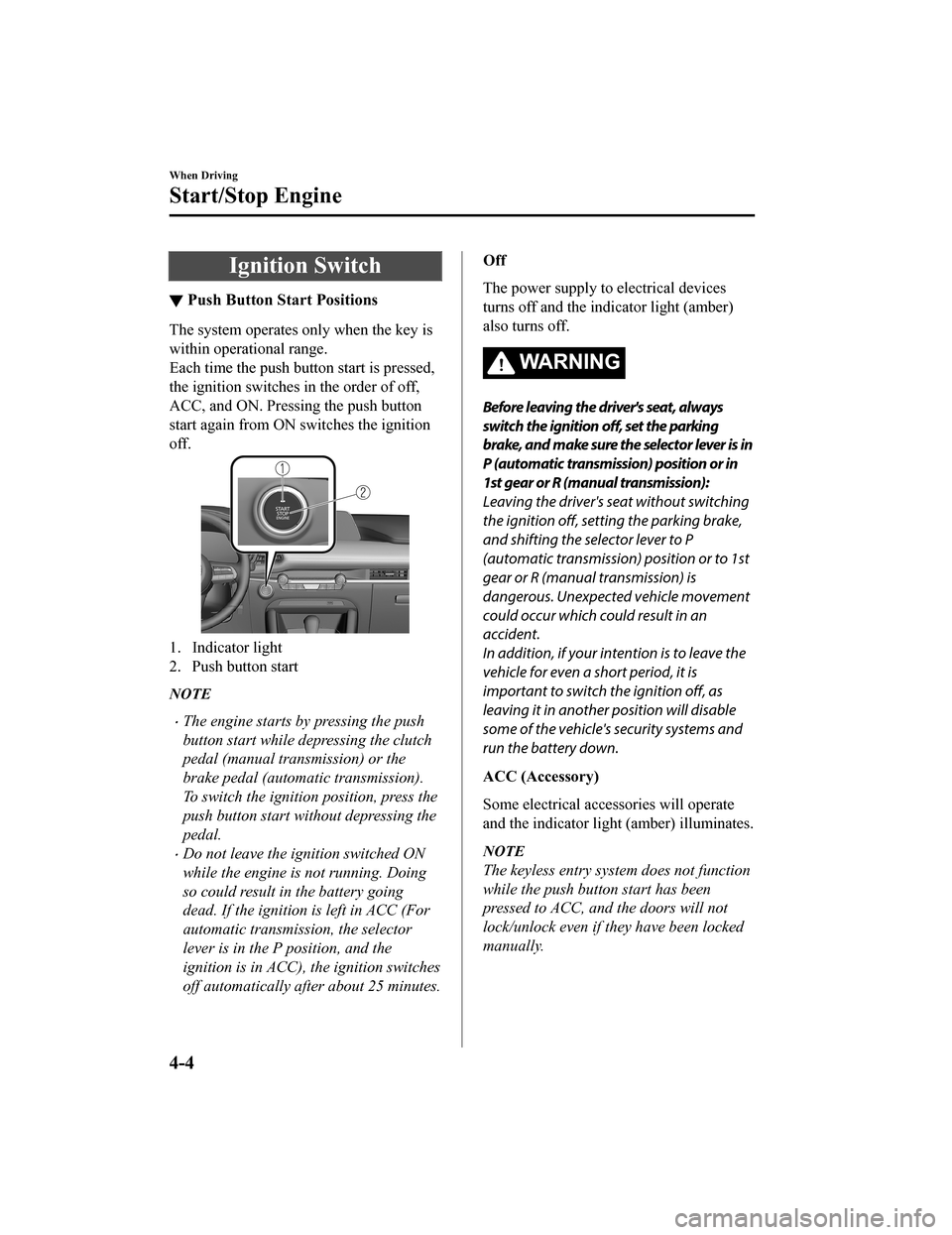
▼Push Button Start Positions
The system operates only when the key is
within operational range.
Each time the push button start is pressed,
the ignition switches
in the order of off,
ACC, and ON. Pressing the push button
start again from ON switches the ignition
off.
1. Indicator light
2. Push button start
NOTE
The engine starts by pressing the push
button start while depressing the clutch
pedal (manual transmission) or the
brake pedal (automatic transmission).
To switch the ignition position, press the
push button start without depressing the
pedal.
Do not leave the ignition switched ON
while the engine is not running. Doing
so could result in the battery going
dead. If the ignition is left in ACC (For
automatic transmission, the selector
lever is in the P position, and the
ignition is in ACC), the ignition switches
off automatically af ter about 25 minutes.
Off
The power supply to electrical devices
turns off and the indicator light (amber)
also turns off.
WA R N I N G
Before leaving the driver's seat, always
switch the ignition off, set the parking
brake, and make sure the selector lever is in
P (automatic transmission) position or in
1st gear or R (manual transmission):
Leaving the driver's seat without switching
the ignition off, setting the parking brake,
and shifting the selector lever to P
(automatic transmission) position or to 1st
gear or R (manual transmission) is
dangerous. Unexpected vehicle movement
could occur which could result in an
accident.
In addition, if your intention is to leave the
vehicle for even a short period, it is
important to switch the ignition off, as
leaving it in another position will disable
some of the vehicle's security systems and
run the battery down.
ACC (Accessory)
Some electrical accessories will operate
and the indicator light (amber) illuminates.
NOTE
The keyless entry system does not function
while the push button start has been
pressed to ACC, and the doors will not
lock/unlock even if they have been locked
manually.
When Driving
Start/Stop Engine
4-4
Mazda3_8HZ1-EA-19G_Edition1_old 2019-5-17 13:49:03
Page 150 of 598
After starting a cold engine, the engine
speed increases and a whining sound
from the engine compartment can be
heard.
This is for improved exhaust gas
purification and does not indicate any
parts defect.
Engine-starting is controlled by the
spark ignition system.
This system meets all Canadian
Interference-Causing Equipment
Standard requirements regulating the
impulse electrical field strength of radio
noise.
1. Make sure you are carrying the key.
2. Occupants should fasten their seat belts.
3. Make sure the parking brake is on.
4. Continue to depress the brake pedal firmly until the engine has completely
started.
5. (Manual transmission)
Continue to depress the clutch pedal
firmly until the engine has completely
started.
(Automatic transmission)
Put the vehicle in park (P). If you must
restart the engine while the vehicle is
moving, shift into neutral (N).
NOTE
(Manual transmission)
The starter will not operate if the
clutch pedal is not depressed
sufficiently.
(Automatic transmission)
The starter will not operate if the
selector lever is not in P or N
position and the brake pedal is not
depressed sufficiently.
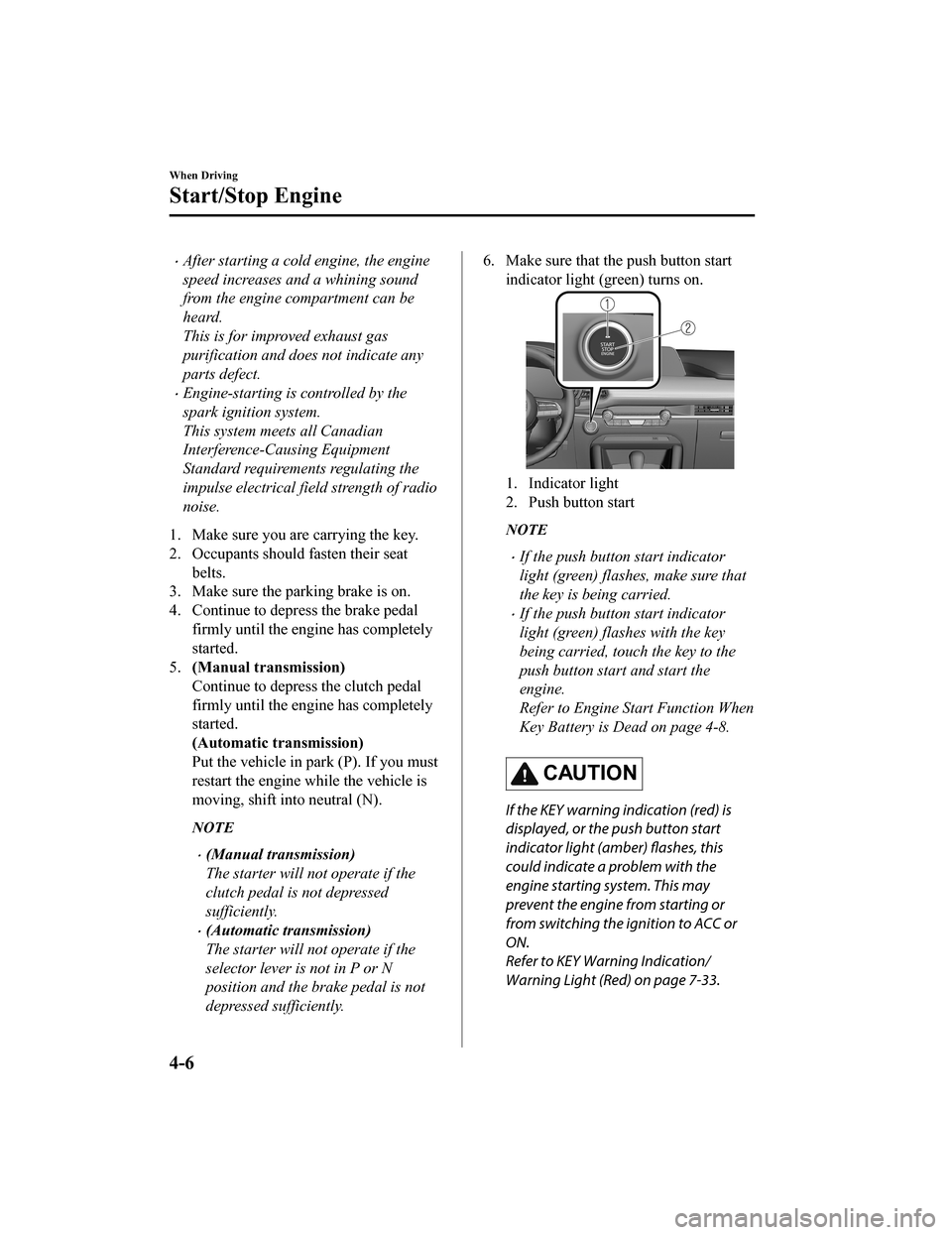
6. Make sure that the push button start
indicator light (green) turns on.
1. Indicator light
2. Push button start
NOTE
If the push button start indicator
light (green) flashes, make sure that
the key is being carried.
If the push button start indicator
light (green) flashes with the key
being carried, touch the key to the
push button start and start the
engine.
Refer to Engine Start Function When
Key Battery is Dead on page 4-8.
CAUTION
If the KEY warning indication (red) is
displayed, or the push button start
indicator light (amber) flashes, this
could indicate a problem with the
engine starting system. This may
prevent the engine from starting or
from switching the ignition to ACC or
ON.
Refer to KEY Warning Indication/
Warning Light (Red) on page 7-33.
When Driving
Start/Stop Engine
4-6
Mazda3_8HZ1-EA-19G_Edition1_old 2019-5-17 13:49:03
Page 151 of 598
Have your vehicle inspected at an
Authorized Mazda Dealer as soon as
possible.
NOTE
Under the following conditions, the
KEY warning indication (red) is
displayed after the push button start
is pressed. This informs the driver
that the push button start will not
switch to ACC, even if it is pressed
from off (page 7-33).
The key battery is dead.
The key is out of operational
range.
The key is placed in areas where it
is difficult for the system to detect
the signal (page 3-7).
A key from another manufacturer
similar to the key is in the
operational range.
(Forced engine starting method)
If the KEY warning indication (red)
is displayed, or the push button start
indicator ligh t (amber) flashes, this
could indicate that the engine may
not start using the usual starting
method (page 7-33). Have your
vehicle inspected at an Authorized
Mazda Dealer as soon as possible. If
this occurs, the engine can be
force-started. Press and hold the
push button start until the engine
starts. Other procedures necessary
for starting the engine, such as
having the key in the cabin, and
depressing the clutch pedal (manual
transmission) or the brake pedal
(automatic transmission) are
required.
When the engine is force-started, the
KEY warning indication (red)
remains displayed and the push
button start indicator light (amber)
remains flashing.
(Automatic transmission)
When the selector lever is in the
neutral (N) position, the push button
start indicator light (green) does not
turn on.
7. Press the push button start after the
push button start indi cator light (green)
turns on.
NOTE
After starting the engine, the push
button start indicator light (amber)
turns off and the ignition switches to
the ON position.
After pressing the push button start
and before the engine starts, the
operation sound of the fuel pump
motor from near the fuel tank can be
heard, however, this does not
indicate a malfunction.
8. After starting the engine, let it idle for about 10 seconds.
NOTE
Whether the engine is cold or warm,
it should be started without the use
of the accelerator.
If the engine does not start the first
time, refer to Starting a Flooded
Engine under Emergency Starting. If
the engine still does not start, have
your vehicle inspected by an
Authorized Mazda Dealer (page
7-20).
When Driving
Start/Stop Engine
4-7
Mazda3_8HZ1-EA-19G_Edition1_old 2019-5-17 13:49:03
Page 152 of 598

▼Engine Start Fun
ction When Key
Battery is Dead
CAUTION
When starting the engine by holding the
transmitter over the push button start due
to a dead key battery or a malfunctioning
key, be careful not to allow the following,
otherwise the signal from the key will not
be received correctly and the engine may
not start.
Metal parts of other keys or metal objects
touch the key.
Spare keys or keys for other vehicles
equipped with an immobilizer system
touch or come near the key.
Devices for electronic purchases, or
security passage touch or come near the
key.
If the engine cannot be started due to a
dead key battery, the engine can be started
using the following procedure:
1. Continue to depress the brake pedal firmly until the engine has completely
started.
2. (Manual transmission)
Continue to depress the clutch pedal
firmly until the engine has completely
started.
(Automatic transmission)
Put the vehicle in park (P). If you must
restart the engine while the vehicle is
moving, shift into neutral (N).
3. Make sure that the push button start
indication light (green) flashes.
4. Align the center area of the emblem on the transmitter with t he center area of
the push button st art while the push
button start indicator light (green)
flashes.
1. Indicator light
2. Push button start
3. Transmitter
4. Emblem
5. Make sure that the push button start
indicator light (green) turns on.
6. Press the push butt on start to start the
engine.
NOTE
The engine cannot be started unless
the clutch pedal is fully depressed
(manual transmission) or the brake
pedal is fully depressed (automatic
transmission).
When Driving
Start/Stop Engine
4-8
Mazda3_8HZ1-EA-19G_Edition1_old 2019-5-17 13:49:03
Page 153 of 598
If there is a malfunction with the
push button start function, the push
button start indicator light (amber)
flashes. In this case, the engine may
start, however, have the vehicle
checked at an Authorized Mazda
Dealer as soon as possible.
If the push button start indicator
light (green) does not illuminate,
perform the operation from the
beginning again. If it does not
illuminate, have the vehicle checked
at an Authorized Mazda Dealer.
To switch the ignition position
without starting the engine, perform
the following operations after the
push button start indicator light
(green) turns on.
1. Release the clutch pedal (manual transmission) or brake pedal
(automatic transmission).
2. Press the push button start to switch the ignition position. The
ignition switches in the order of
ACC, ON, and off each time the
push button start is pressed. To
switch the igni tion position
again, perform the operation
from the beginning.
▼ Emergency Operation for Starting
the Engine
If the KEY warning indication (red) is
displayed, or the push button start
indicator light (amber) flashes, this could
indicate that the engine may not start using
the usual starting method. Have your
vehicle inspected at an Authorized Mazda
Dealer as soon as poss
ible. If this occurs,
the engine can be force-started. Press and
hold the push button start until the engine
starts. Other procedures necessary for
starting the engine such as having the key
in the cabin, and depressing the clutch
pedal (manual transmi ssion) or the brake
pedal (automatic transmission) are
required.
When Driving
Start/Stop Engine
4-9
Mazda3_8HZ1-EA-19G_Edition1_old 2019-5-17 13:49:03
Page 154 of 598
Turning the Engine Off
▼Turning the Engine Off
WA R N I N G
Do not stop the engine while the vehicle is
moving:
Stopping the engine while the vehicle is
moving for any reason other than in an
emergency is dangerous. Stopping the
engine while the vehicle is moving will
result in reduced braking ability due to the
loss of power braking, which could cause
an accident and serious injury.
1. Stop the vehicle completely.
2.
(Manual transmission)
Shift into neutral an d set the parking
brake.
(Automatic transmission)
Shift the selector lever to the P
position and set the parking brake.
3. Press the push button start to turn off
the engine. The ignition position is off.
CAUTION
When leaving the vehicle, make sure the
push button start is off.
NOTE
The cooling fan in the engine
compartment could turn on for a few
minutes after the i gnition is switched
from ON to OFF, whether or not the A/C
is on or off, to cool the engine
compartment quickly.
If the system detects that the remaining
battery power of the key is low when the
ignition is switched from ON to ACC or
OFF, the following is indicated.
Replace with a new battery before the
key becomes unusable.
Refer to Key Battery Replacement on
page 6-28.
A message is indicated in the display of
the instrument cluster.
Refer to KEY Warning Indication/
Warning Light (Red) on page 7-33.
(Automatic transmission)
If the engine is turned off while the
selector lever is in a position other than
P, the ignition switches to ACC.
▼ Emergency Engine Stop
Continuously pressing the push button
start or quickly pressi
ng it any number of
times while the engin e is running or the
vehicle is being drive n will turn the engine
off immediately. The ignition switches to
ACC.
When Driving
Start/Stop Engine
4-10
Mazda3_8HZ1-EA-19G_Edition1_old 2019-5-17 13:49:03
Page 165 of 598

The average fuel economy for TRIP A is
indicated by a red arrow.
NOTE
Indicates the 0 position when the vehicle
speed is about 5 km/h (3 mph) or slower.
▼ i-ACTIVSENSE Display*
Displays the system status.
Refer to Lane Departure Warning
System (LDWS) on page 4-93.
Refer to Blind Spot Monitoring (BSM)
on page 4-97.
Refer to Traffic Sign Recognition
System (TSR) on page 4-102.
Refer to Distance & Speed Alert (DSA)
on page 4-107.
Refer to Driver Atte
ntion Alert (DAA)
on page 4-109.
Refer to Driver Monitoring (DM) on
page 4-110.
Refer to Front Cross Traffic Alert
(FCTA) on page 4-111.
Refer to Mazda Radar Cruise Control
(MRCC) on page 4-120.
Refer to Mazda Radar Cruise Control
with Stop & Go function (MRCC with
Stop & Go function) on page 4-129.
Refer to Traffic Jam Assist (TJA) on
page 4-141.
Refer to Lane-keep Assist System
(LAS) on page 4-154.
Refer to Smart Brake Support (SBS) on
page 4-156.
Refer to Smart Brake Support [Rear]
(SBS-R) on page 4-160.
Refer to Smart Brake Support [Rear
Crossing] (SBS-RC) on page 4-165.
Refer to Cruise Con trol on page 4-213.
▼Compass Display
The direction the vehicle is moving is
displayed in one of eight directions while
the vehicle is being driven.
Display
Direction
NN orth
SS outh
EE ast
WW est
NE Northeast
NW Northwest
SE Southeast
SW Southwest
When Driving
Instrument Cluster and Display
*Some models.4-21
Mazda3_8HZ1-EA-19G_Edition1_old 2019-5-17 13:49:03