Insta MAZDA MODEL 3 HATCHBACK 2020 (in English) Service Manual
[x] Cancel search | Manufacturer: MAZDA, Model Year: 2020, Model line: MODEL 3 HATCHBACK, Model: MAZDA MODEL 3 HATCHBACK 2020Pages: 598, PDF Size: 89.37 MB
Page 95 of 598

1. Transmitter (page 3-5)
Auxiliary key
There is a removable auxiliary key inside
the transmitter.
Removing the auxiliary key
1. Remove the lower cover whilepressing the knob in the direction of
the arrow.
2. Remove the auxiliary key.
Installing the auxiliary key
1. Install the auxiliary key as theillustration.
2. Insert the tabs of t he lower cover into
the slots of the transmitter and install
the lower cover.
Key code number plate
A code number is stamped on the plate
attached to the key set; detach this plate
and store it in a safe place (not in the
vehicle) for use if you need to make a
replacement key (auxiliary key).
Also write down the code number and
keep it in a separate safe and convenient
place, but not in the vehicle.
If your key (auxiliary key) is lost, consult
an Authorized Mazda Dealer and have
your code number ready.
1. Key code number plate
Before Driving
Keys
3-3
Mazda3_8HZ1-EA-19G_Edition1_old 2019-5-17 13:49:03
Page 96 of 598
Keyless Entry System
▼Keyless Entry System
This system uses the key buttons to
remotely lock and unlock the doors,
liftgate, and fuel-fill
er lid, and opens the
trunk lid.
The system can start the engine without
having to take the key out of your purse or
pocket.
It can also help you s ignal for attention or
help.
Operating the theft-deterrent system is
also possible on theft-deterrent
system-equipped vehicles.
System malfunctions or warnings are
indicated by the fo llowing warning lights
or beeps.
Check the displaye d message for more
information and, if necessary, have the
vehicle inspected at an Authorized Mazda
Dealer, according to the indication.
KEY Warning Indicat ion/Warning Light
(Red)
Refer to KEY Warning Indication/
Warning Light (Red) on page 7-33.
Ignition Not Switched Off (STOP)
Warning Beep
Refer to Ignition Not Switched Off
(STOP) Warning Beep on page 7-42.
Key Removed from Vehicle Warning
Beep
Refer to Key Removed from Vehicle
Warning Beep on page 7-42.
If you have a problem with the key,
consult an Authorized Mazda Dealer.
If your key is lost or stolen, consult an
Authorized Mazda Dealer as soon as
possible for a replacement and to make the
lost or stolen key inoperative.
CAUTION
Radio equipment like this is governed by
laws in the United States.
Changes or modifications not expressly
approved by the party responsible for
compliance could void the user's authority
to operate the equipment.
NOTE
The keyless entry system operation may
vary due to local conditions.
The keyless entry system is fully
operational when the ignition is
switched off. The system does not
operate if the ignition is switched to any
position other than off.
If the key does not operate when
pressing a button or the operational
range becomes too small, the battery
may be weak. To install a new battery,
refer to Key Battery Replacement (page
6-28).
Battery life is about 1 year. Replace the
battery with a new one if the messages
are displayed in the instrument cluster.
Replacing the battery about once a year
is recommended because the KEY
warning indication may not display
depending on the rate of battery
depletion.
Before Driving
Keys
3-4
Mazda3_8HZ1-EA-19G_Edition1_old 2019-5-17 13:49:03
Page 121 of 598
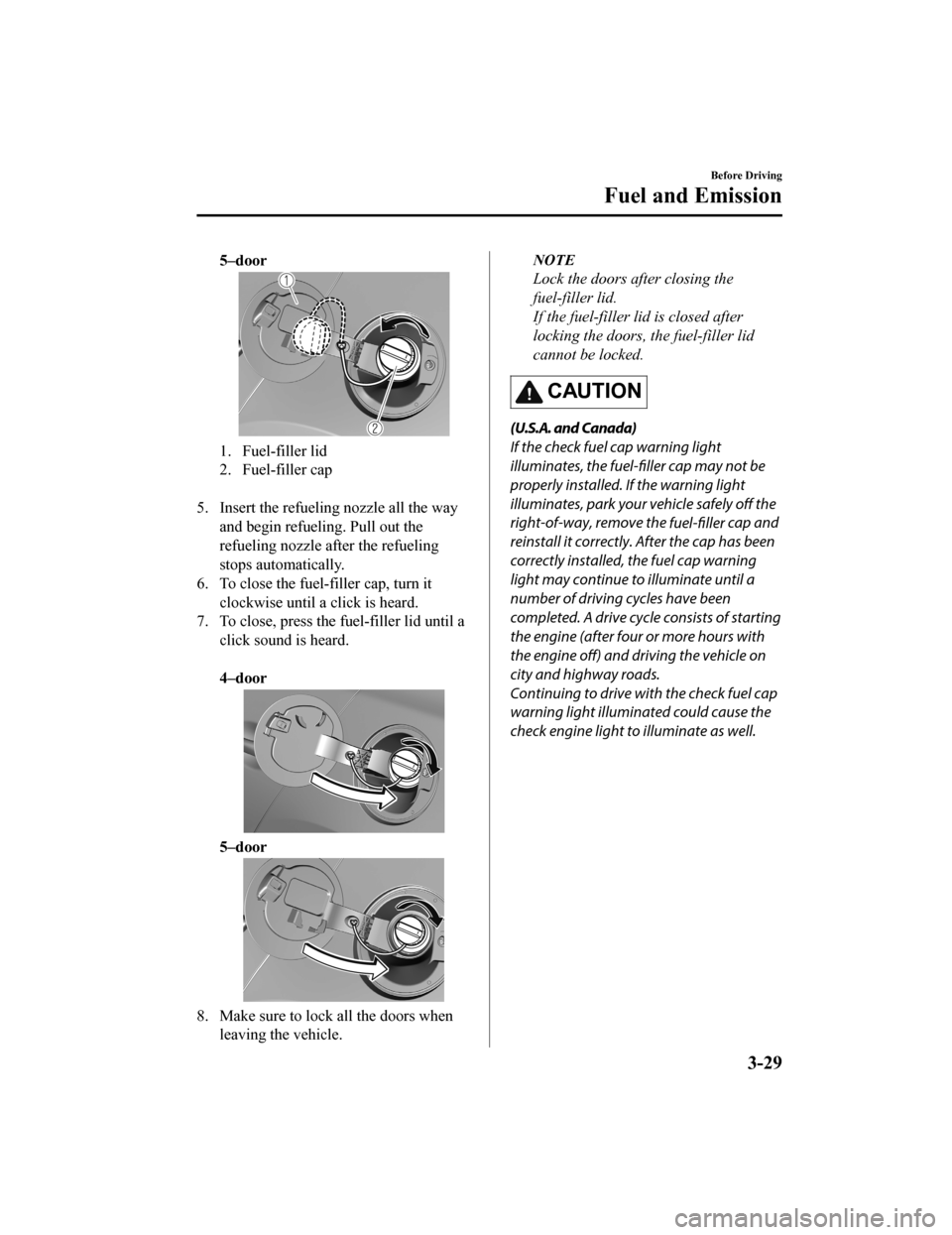
5–door
1. Fuel-filler lid
2. Fuel-filler cap
5. Insert the refuelin g nozzle all the way
and begin refueling. Pull out the
refueling nozzle after the refueling
stops automatically.
6. To close the fuel-filler cap, turn it clockwise until a click is heard.
7. To close, press the fuel-filler lid until a
click sound is heard.
4–door
5–door
8. Make sure to lock all the doors whenleaving the vehicle.
NOTE
Lock the doors after closing the
fuel-filler lid.
If the fuel-filler lid is closed after
locking the doors, the fuel-filler lid
cannot be locked.
CAUTION
(U.S.A. and Canada)
If the check fuel cap warning light
illuminates, the fuel-filler cap may not be
properly installed. If the warning light
illuminates, park your vehicle safely off the
right-of-way, remove the fuel-filler cap and
reinstall it correctly. After the cap has been
correctly installed, the fuel cap warning
light may continue to illuminate until a
number of driving cycles have been
completed. A drive cycle consists of starting
the engine (after four or more hours with
the engine off) and driving the vehicle on
city and highway roads.
Continuing to drive with the check fuel cap
warning light illuminated could cause the
check engine light to illuminate as well.
Before Driving
Fuel and Emission
3-29
Mazda3_8HZ1-EA-19G_Edition1_old 2019-5-17 13:49:03
Page 132 of 598
Modification and Add-OnEquipment
▼Modification and Add-On
Equipment
Mazda cannot guarantee the immobilizer
and the theft-deterrent systems' operation
if the system has been modified or if any
add-on equipment has been installed.
CAUTION
To avoid damage to the vehicle, do not
modify the system or install any add-on
equipment to the immobilizer and the
theft-deterrent systems or the vehicle.
Immobilizer System
▼ Immobilizer System
The immobilizer system allows the engine
to start only with a key the system
recognizes.
If someone attempts to start the engine
with an unrecognized key, the engine will
not start, thereby helping to prevent
vehicle theft.
If you have a pr
oblem with the
immobilizer system or the key, consult an
Authorized Mazda Dealer.
CAUTION
Radio equipment like this is governed by
laws in the United States.
Changes or modifications not expressly
approved by the party responsible for
compliance could void the user's
authority to operate the equipment.
To avoid damage to the key, do not:
Drop the key.
Get the key wet.
Expose the key to any kind of magnetic
field.
Expose the key to high temperatures
on places such as the dashboard or
hood, under direct sunlight.
If the engine does not start with the
correct key, and the security indicator
light keeps illuminating or flashing, the
system may have a malfunction. Consult
an Authorized Mazda Dealer.
Before Driving
Security System
3-40
Mazda3_8HZ1-EA-19G_Edition1_old 2019-5-17 13:49:03
Page 138 of 598
Floor Mat
▼Floor Mat
We recommend the use of Genuine
Mazda floor mats.
WA R N I N G
Make sure the
floor mats are hooked on the
retention pins to prevent them from
bunching up under the foot pedals:
Using a floor mat that is not secured is
dangerous as it will interfere with the
accelerator and brake pedal operation,
which could result in an accident.
Do not install two floor mats, one on top of
the other, on the driver's side:
Installing two floor mats, one on top of the
other, on the driver's side is dangerous as
the retention pins can only keep one floor
mat from sliding forward.
Loose floor mat(s) will interfere with the
foot pedals and could result in an accident.
If using an all-weather mat for winter use
always remove the original floor mat.
When setting a floor mat, position the
floor mat so that its grommets are inserted
over the pointed end of the retention posts.
Rocking the Vehicle
▼Rocking the Vehicle
WA R N I N G
Do not spin the wheels at more than 56
km/h (35 mph), and do not allow anyone
to stand behind a wheel when pushing the
vehicle:
When the vehicle is stuck, spinning the
wheels at high speed is dangerous. The
spinning tire could
overheat and explode.
This could cause serious injuries.
CAUTION
Too much rocking may cause engine
overheating, transmission failure, and tire
damage.
If you must rock the vehicle to free it from
snow, sand or mud, depress the accelerator
slightly and slowly mo ve the shift lever/
selector lever from 1 (D) to R position.
Before Driving
Driving Tips
3-46
Mazda3_8HZ1-EA-19G_Edition1_old 2019-5-17 13:49:03
Page 140 of 598
WA R N I N G
Use only the same size and type tires (snow,
radial, or non-radial) on all 4 wheels:
Using tires different in size or type is
dangerous. Your vehicle's handling could
be greatly affected and result in an
accident.
CAUTION
Check local regulations before using
studded tires.
NOTE
The tire pressure monitoring system may
not function correctly when using tires
with steel wire reinforcement in the
sidewalls (page 4-217).
▼ Tire Chains
Check local regulations before using tire
chains.
CAUTION
Chains may
affect handling.
Do not go faster than 50 km/h (30 mph)
or the chain manufacturer's
recommended limit, whichever is lower.
Drive carefully and avoid bumps, holes,
and sharp turns.
Avoid locked-wheel braking.
Do not use chains on a temporary spare
tire; it may result in damage to the
vehicle and to the tire.
Do not use chains on roads that are free
of snow or ice. The tires and chains could
be damaged.
Chains may scratch or chip aluminum
wheels.
NOTE
The tire pressure monitoring system may
not function correctly when using tire
chains.
Install the chains on the front tires only.
Do not use chains on the rear tires.
Please consult an Authorized Mazda
Dealer.
Installing the chains
1. If your vehicle is equipped with wheel covers remove them, otherwise the
chain bands will scratch them.
2. Secure the chains on the front tires as tightly as possible.
Always follow the chain
manufacturer's instructions.
3. Retighten the chains after driving 1/2―1 km (1/4―1/2 mile).
Before Driving
Driving Tips
3-48
Mazda3_8HZ1-EA-19G_Edition1_old 2019-5-17 13:49:03
Page 160 of 598
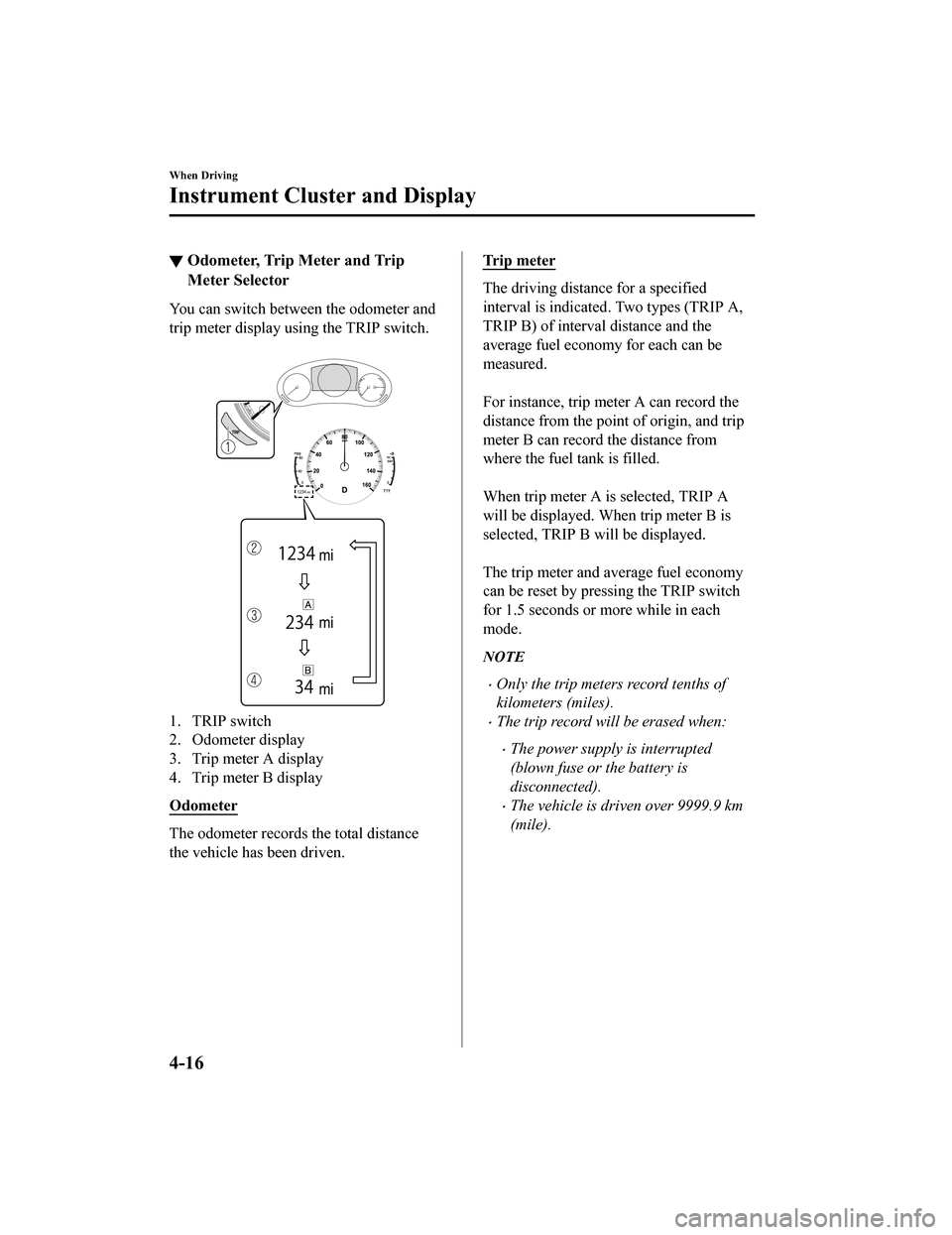
▼Odometer, Trip Meter and Trip
Meter Selector
You can switch between the odometer and
trip meter display usi
ng the TRIP switch.
1. TRIP switch
2. Odometer display
3. Trip meter A display
4. Trip meter B display
Odometer
The odometer records the total distance
the vehicle has been driven.
Tr i p m e t e r
The driving distance for a specified
interval is indicated . Two types (TRIP A,
TRIP B) of interva l distance and the
average fuel economy for each can be
measured.
For instance, trip meter A can record the
distance from the point of origin, and trip
meter B can record the distance from
where the fuel tank is filled.
When trip meter A is selected, TRIP A
will be displayed. Wh en trip meter B is
selected, TRIP B will be displayed.
The trip meter and average fuel economy
can be reset by pressi ng the TRIP switch
for 1.5 seconds or more while in each
mode.
NOTE
Only the trip meters record tenths of
kilometers (miles).
The trip record will be erased when:
The power supply is interrupted
(blown fuse or the battery is
disconnected).
The vehicle is driven over 9999.9 km
(mile).
When Driving
Instrument Cluster and Display
4-16
Mazda3_8HZ1-EA-19G_Edition1_old 2019-5-17 13:49:03
Page 164 of 598
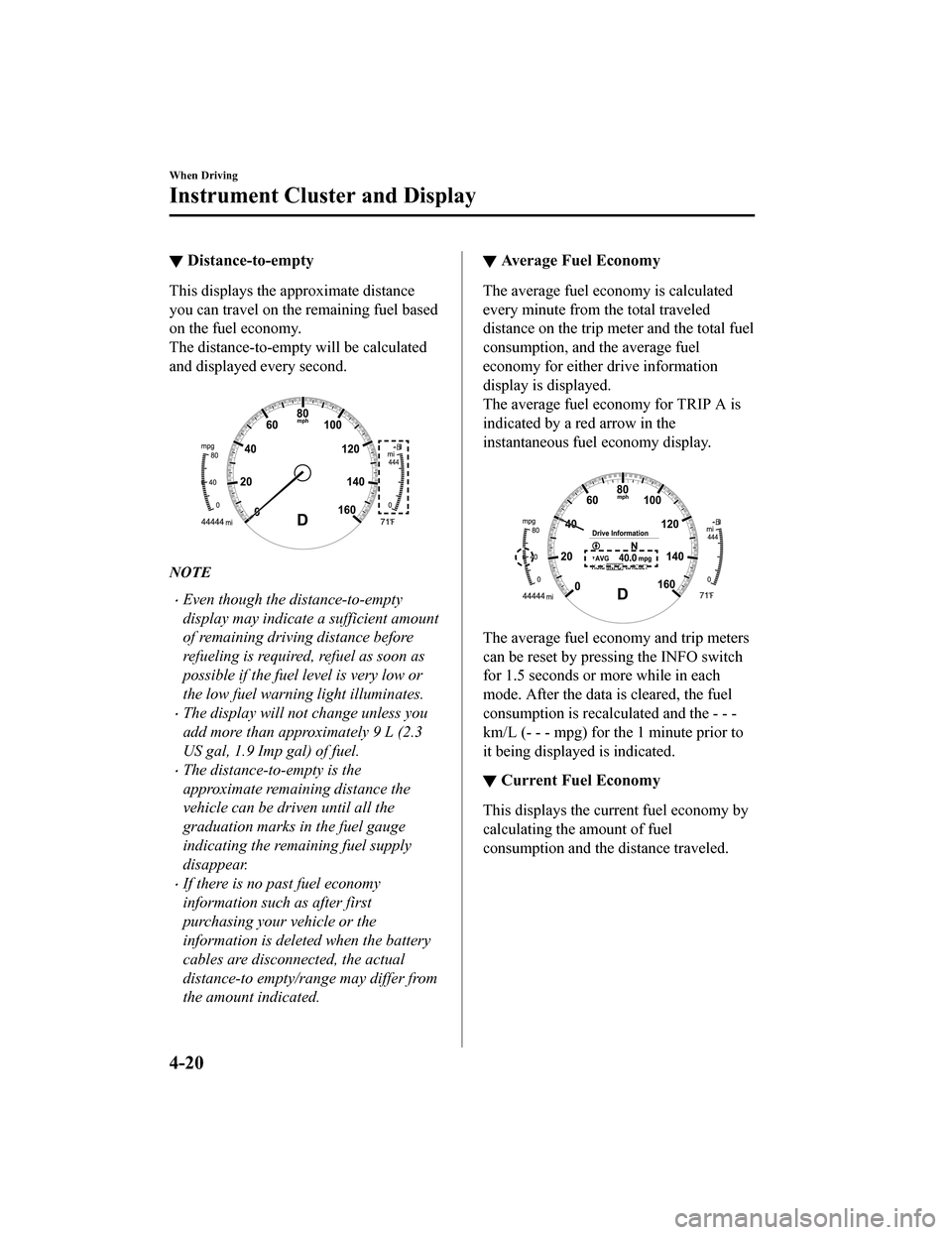
▼Distance-to-empty
This displays the approximate distance
you can travel on the remaining fuel based
on the fuel economy.
The distance-to-empty will be calculated
and displayed every second.
NOTE
Even though the distance-to-empty
display may indicate a sufficient amount
of remaining driving distance before
refueling is required
, refuel as soon as
possible if the fuel level is very low or
the low fuel warning light illuminates.
The display will not change unless you
add more than approximately 9 L (2.3
US gal, 1.9 Imp gal) of fuel.
The distance-to-empty is the
approximate remaining distance the
vehicle can be driven until all the
graduation marks in the fuel gauge
indicating the remaining fuel supply
disappear.
If there is no past fuel economy
information such as after first
purchasing your vehicle or the
information is deleted when the battery
cables are disconnected, the actual
distance-to empty/range may differ from
the amount indicated.
▼ Average Fuel Economy
The average fuel economy is calculated
every minute from the total traveled
distance on the trip meter and the total fuel
consumption, and the average fuel
economy for either drive information
display is displayed.
The average fuel economy for TRIP A is
indicated by a red arrow in the
instantaneous fuel economy display.
The average fuel economy and trip meters
can be reset by pressi
ng the INFO switch
for 1.5 seconds or more while in each
mode. After the data is cleared, the fuel
consumption is recalculated and the - - -
km/L (- - - mpg) for the 1 minute prior to
it being displayed is indicated.
▼ Current Fuel Economy
This displays the current fuel economy by
calculating the amount of fuel
consumption and the distance traveled.
When Driving
Instrument Cluster and Display
4-20
Mazda3_8HZ1-EA-19G_Edition1_old
2019-5-17 13:49:03
Page 173 of 598
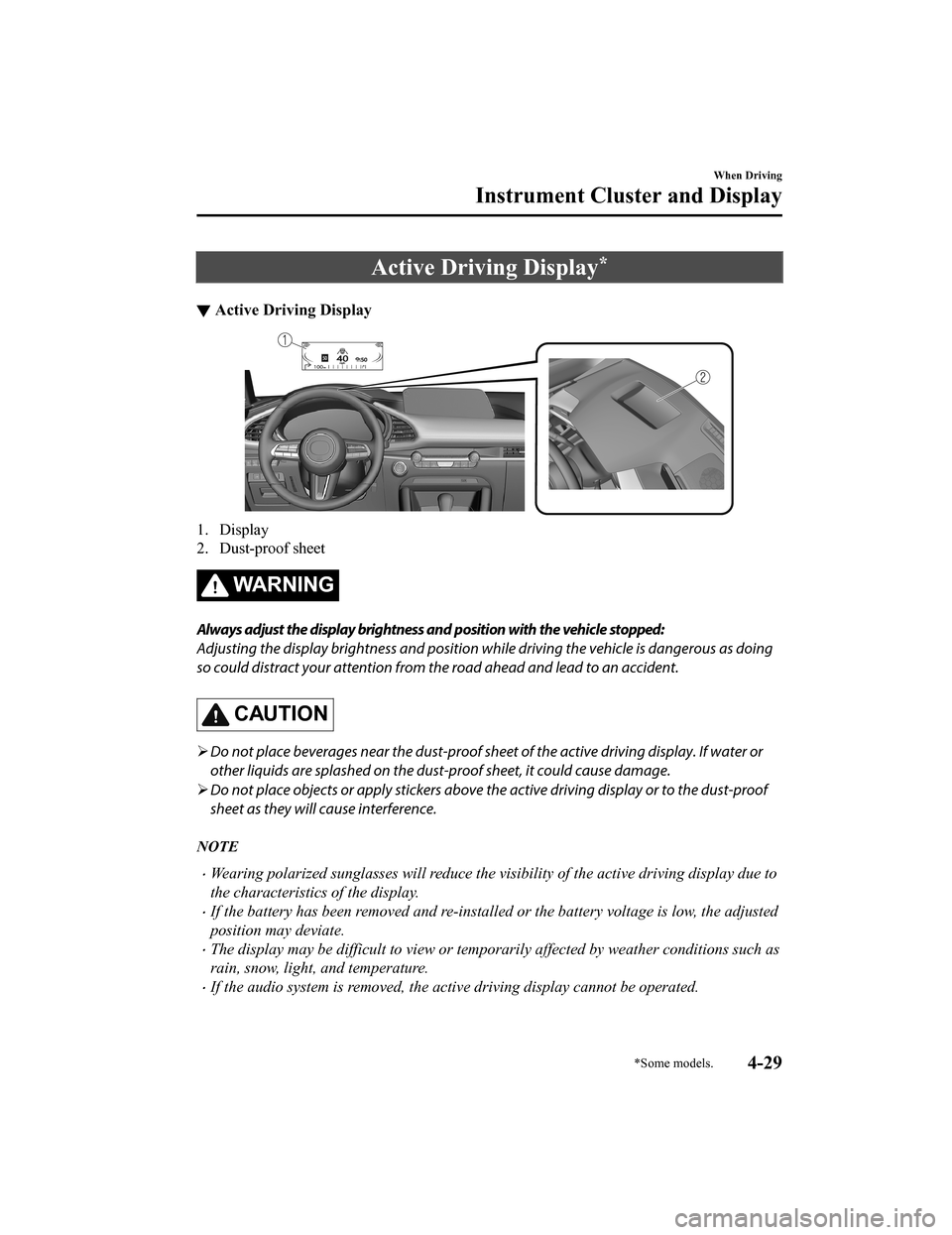
Active Driving Display*
▼Active Driving Display
1. Display
2. Dust-proof sheet
WA R N I N G
Always adjust the display brightness and position with the vehicle stopped:
Adjusting the display brightness and position wh
ile driving the vehicle is dangerous as doing
so could distract your attention from the road ahead and lead to an accident.
CAUTION
Do not place beverages near the dust-proof shee t of the active driving display. If water or
other liquids are splashed on the dust-proof sheet, it could cause damage.
Do not place objects or apply stickers above th e active driving display or to the dust-proof
sheet as they will cause interference.
NOTE
Wearing polarized sunglasses will reduce the visibility of the active driving display due to
the characteristics of the display.
If the battery has been removed and re-installed or the battery voltage is low, the adjusted
position may deviate.
The display may be difficult to view or temporarily affected by weather conditions such as
rain, snow, light, and temperature.
If the audio system is removed, the active driving display cannot be operated.
When Driving
Instrument Cluster and Display
*Some models.4-29
Mazda3_8HZ1-EA-19G_Edition1_old 2019-5-17 13:49:03
Page 221 of 598
Dynamic Stability Control(DSC)
▼Dynamic Stability Control (DSC)
The Dynamic Stability Control (DSC)
automatically controls braking and engine
torque in conjunction with systems such as
ABS and TCS to help control side slip
when driving on slippery surfaces, or
during sudden or evasive maneuvering,
enhancing vehicle safety.
Refer to ABS (page 4
-75) and TCS (page
4-76).
DSC operation is possible at speeds
greater than 20 km/h (12 mph).
The warning light turns on when the
system has a malfunction.
Refer to TCS/DSC Indication/Indicator
Light (Turns on) on page 7-32.
WA R N I N G
Do not rely on the Dynamic Stability
Control as a substitute for safe driving:
The Dynamic Stability Control (DSC)
cannot compensate for unsafe and reckless
driving, excessive speed, tailgating
(following another vehicle too closely), and
hydroplaning (reduced tire friction and
road contact because of water on the road
surface). You can still have an accident.
CAUTION
The DSC may not operate correctly
unless the following are observed:
Use tires of the correct size
specified for
your Mazda on all 4 wheels.
Use tires of the same manufacturer,
brand and tread pattern on all 4
wheels.
Do not mix worn tires.
The DSC may not operate correctly when
tire chains are used or a temporary spare
tire is installed because the tire diameter
changes.
NOTE
If there is a problem with the DSC, the Hill
Launch Assist (HLA) may not operate.
Refer to Hill Launch Assist (HLA) on page
4-73.
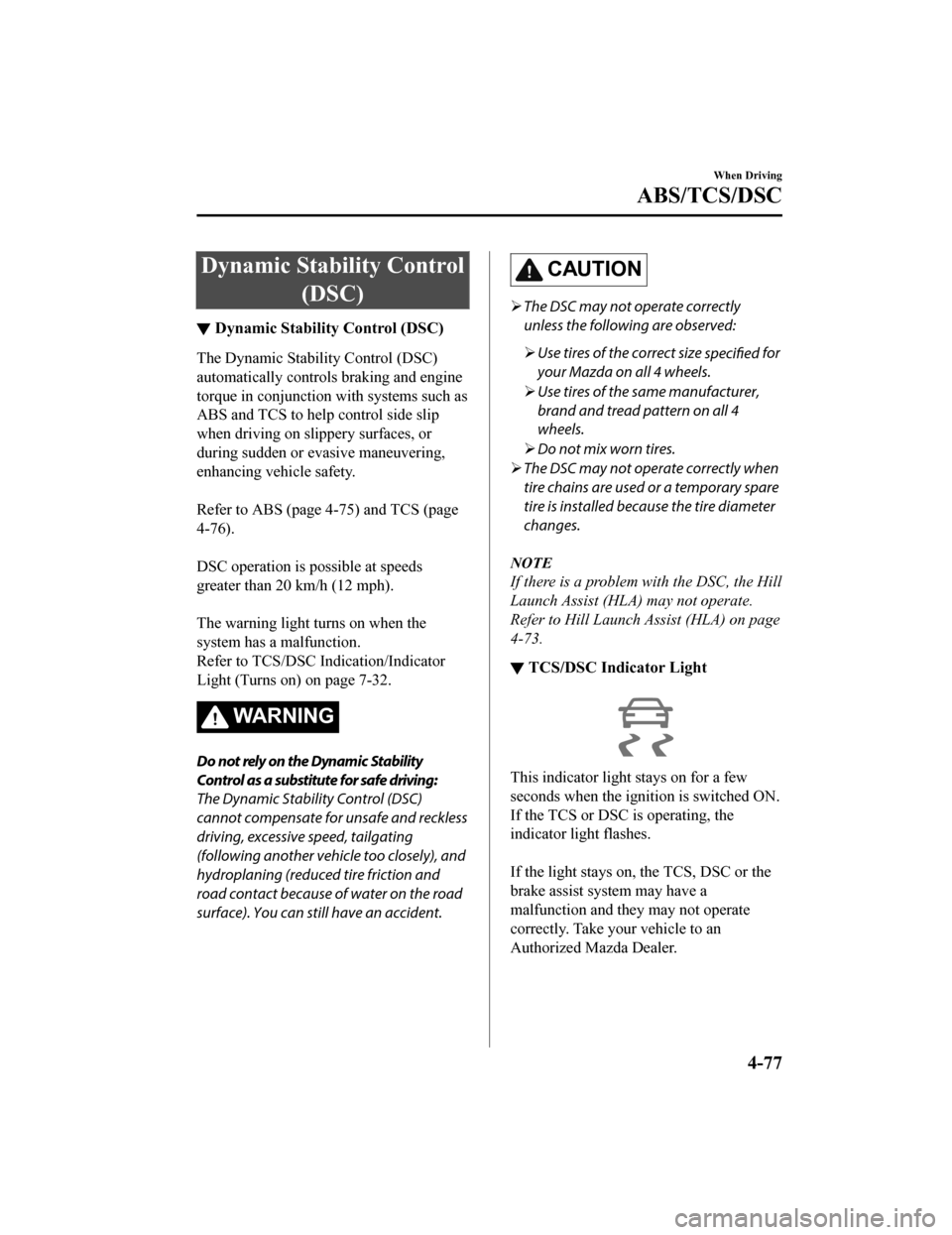
▼ TCS/DSC Indicator Light
This indicator light stays on for a few
seconds when the ignition is switched ON.
If the TCS or DSC
is operating, the
indicator light flashes.
If the light stays on, the TCS, DSC or the
brake assist system may have a
malfunction and they may not operate
correctly. Take your vehicle to an
Authorized Mazda Dealer.
When Driving
ABS/TCS/DSC
4-77
Mazda3_8HZ1-EA-19G_Edition1_old 2019-5-17 13:49:03