lock MAZDA MODEL 5 2010 Repair Manual
[x] Cancel search | Manufacturer: MAZDA, Model Year: 2010, Model line: MODEL 5, Model: MAZDA MODEL 5 2010Pages: 392, PDF Size: 4.81 MB
Page 139 of 392
Black plate (139,1)
When changing tires yourself
If you or someone else changes tires, you
or someone else can also undertake the
steps for the TPMS to complete the ID
signal code registration.
1. After tires have been changed, turn theignition switch to the ON position, then
turn it back to the ACC or LOCK
position.
2. Wait for about 15 minutes.
3. After about 15 minutes, drive the vehicle at a speed of at least 25 km/h
(16 mph) for 10 minutes and the tire
pressure sensor ID signal code will be
registered automatically.
NOTE
If the vehicle is driven within about 15 minutes
of changing tires, the tire pressure monitoring
system warning light will flash because the
sensor ID signal code would not have been
registered. If this happens, park the vehicle for
about 15 minutes, after which the sensor ID
signal code will register upon driving the
vehicle for 10 minutes.
Replacing tires and wheels
CAUTION
Ø When replacing/repairing the tires
or wheels or both, have the work
done by an Authorized Mazda
Dealer, or the tire pressure sensors
may be damaged.
Ø The wheels equipped on your
Mazda are specially designed for
installation of the tire pressure
sensors. Do not use non-genuine
wheels, otherwise it may not be
possible to install the tire pressure
sensors. Be sure to have the tire pressure sensors
installed whenever tires or wheels are
replaced.
When having a tire or wheel or both
replaced, the following types of tire
pressure sensor installations are possible.
lThe tire pressure sensor is removed
from the old wheel and installed to the
new one.
lThe same tire pressure sensor is used
with the same wheel. Only the tire is
replaced.
lA new tire pressure sensor is installed
to a new wheel.
NOTE
lThe tire pressure sensor ID signal code
must be registered when a new tire pressure
sensor is purchased. For purchase of a tire
pressure sensor and registration of the tire
pressure sensor ID signal code, consult an
Authorized Mazda Dealer.
lWhen reinstalling a previously removed tire
pressure sensor to a wheel, replace the
grommet (seal between valve body/sensor
and wheel) for the tire pressure sensor.
Driving Your Mazda
Starting and Driving
5-31
Mazda5_8AU7-EA-09H_Edition4 Page139
Tuesday, March 30 2010 1:10 PM
Form No.8AU7-EA-09H
Page 141 of 392

Black plate (141,1)
qSpeedometer
The speedometer indicates the speed of
the vehicle.
qOdometer, Trip Meter and Trip
Meter Selector
The display mode can be changed
between trip meter A and trip meter B by
pressing the selector while one of them is
displayed. The selected mode will be
displayed.
Selector
Trip meter Odometer
Trip meter B
Press the selector
Press the selector
Trip meter A Odometer
Odometer
NOTE
When the ignition switch is in the ACC or
LOCK position, the odometer or trip meters
cannot be displayed, however, pressing the
selector button can inadvertently switch the
trip meters or reset them during an
approximate ten-minute period in the following
cases:
lAfter the ignition switch is turned to the
ACC or LOCK position from the ON
position.
lAfter the driver's door is opened.
Odometer
The odometer records the total distance
the vehicle has been driven.
Trip meter
The trip meter can record the total
distance of two trips. One is recorded in
trip meter A, and the other is recorded in
trip meter B.
Driving Your Mazda
Instrument Cluster and Indicators
5-33
Mazda5_8AU7-EA-09H_Edition4 Page141
Tuesday, March 30 2010 1:10 PM
Form No.8AU7-EA-09H
Page 144 of 392

Black plate (144,1)
To cancel the illumination dimmer, rotate
the knob clockwise fully. You will hear a
beep sound and the illumination dimmer
will be canceled.
NOTE
lThis symbol () indicates the knob to
adjust the brightness of the dashboard
illumination.
lIf the dashboard illumination knob is kept
at the illumination dimmer cancel position,
the instrument cluster and the information
display will not dim when the headlight
switch is turned to the
orposition
again.
5-36
Driving Your Mazda
Instrument Cluster and Indicators
Mazda5_8AU7-EA-09H_Edition4 Page144
Tuesday, March 30 2010 1:10 PM
Form No.8AU7-EA-09H
Page 148 of 392

Black plate (148,1)
NOTE
When the engine is jump-started to charge the
battery, uneven rpm occurs and the ABS
warning light may illuminate. If this occurs, it
is the result of the weak battery and does not
indicate an ABS malfunction.
Recharge the battery.
qElectronic Brake Force
Distribution System Warning
If the electronic brake force distribution
control unit determines that some
components are operating incorrectly, the
control unit may illuminate the brake
system warning light and the ABS
warning light on simultaneously. The
problem is likely to be the electronic
brake force distribution system.
WARNING
Do not drive with both the ABS warning
light and brake warning light
illuminated. Have the vehicle towed to
an Authorized Mazda Dealer to have
the brakes inspected as soon as
possible:
Driving when the brake system
warning light and ABS warning light
are illuminated simultaneously is
dangerous.
When both lights are illuminated, the
rear wheels could lock more quickly
in an emergency stop than under
normal circumstances.
qCharging System Warning Light
This warning light illuminates when the
ignition switch is turned to the ON
position and turns off when the engine is
started.
If the warning light illuminates while
driving, it indicates a malfunction of the
alternator or of the charging system.
Drive to the side of the road and park off
the right-of-way. Consult an Authorized
Mazda Dealer.
CAUTION
Do not continue driving when the
charging system warning light is
illuminated because the engine could
stop unexpectedly.
qEngine Oil Pressure Warning Light
This warning light illuminates when the
ignition switch is turned to the ON
position and turns off when the engine is
started.
This warning light indicates low engine
oil pressure.
5-40
Driving Your Mazda
Warning/Indicator Lights and Beep Sounds
Mazda5_8AU7-EA-09H_Edition4 Page148
Tuesday, March 30 2010 1:10 PM
Form No.8AU7-EA-09H
Page 157 of 392
Black plate (157,1)
qTurn-Signal/Hazard Warning
Indicator Lights
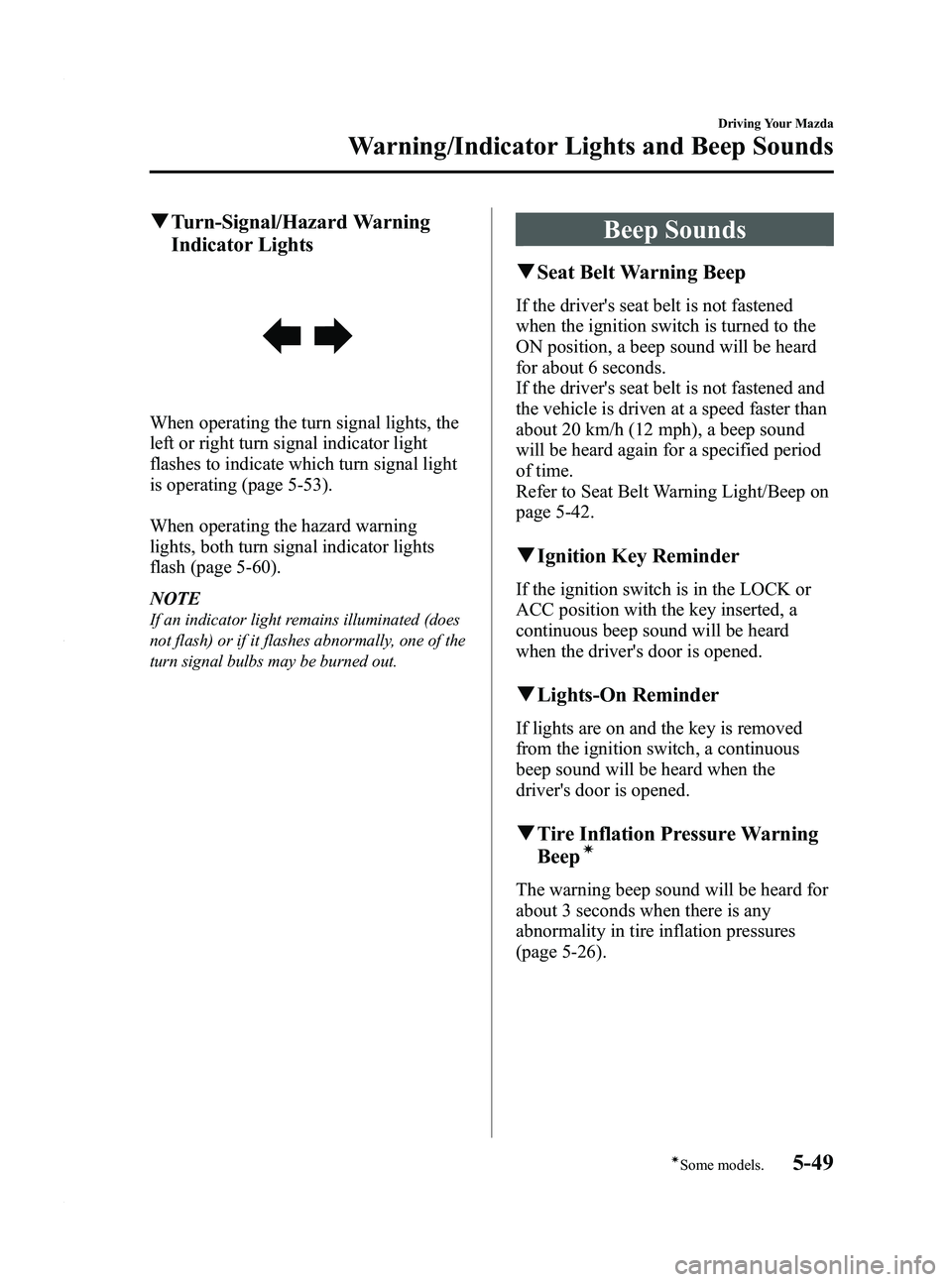
When operating the turn signal lights, the
left or right turn signal indicator light
flashes to indicate which turn signal light
is operating (page 5-53).
When operating the hazard warning
lights, both turn signal indicator lights
flash (page 5-60).
NOTE
If an indicator light remains illuminated (does
not flash) or if it flashes abnormally, one of the
turn signal bulbs may be burned out.
Beep Sounds
qSeat Belt Warning Beep
If the driver's seat belt is not fastened
when the ignition switch is turned to the
ON position, a beep sound will be heard
for about 6 seconds.
If the driver's seat belt is not fastened and
the vehicle is driven at a speed faster than
about 20 km/h (12 mph), a beep sound
will be heard again for a specified period
of time.
Refer to Seat Belt Warning Light/Beep on
page 5-42.
qIgnition Key Reminder
If the ignition switch is in the LOCK or
ACC position with the key inserted, a
continuous beep sound will be heard
when the driver's door is opened.
qLights-On Reminder
If lights are on and the key is removed
from the ignition switch, a continuous
beep sound will be heard when the
driver's door is opened.
qTire Inflation Pressure Warning
Beepí
The warning beep sound will be heard for
about 3 seconds when there is any
abnormality in tire inflation pressures
(page 5-26).
Driving Your Mazda
Warning/Indicator Lights and Beep Sounds
5-49íSome models.
Mazda5_8AU7-EA-09H_Edition4 Page157
Tuesday, March 30 2010 1:10 PM
Form No.8AU7-EA-09H
Page 159 of 392
Black plate (159,1)
CAUTION
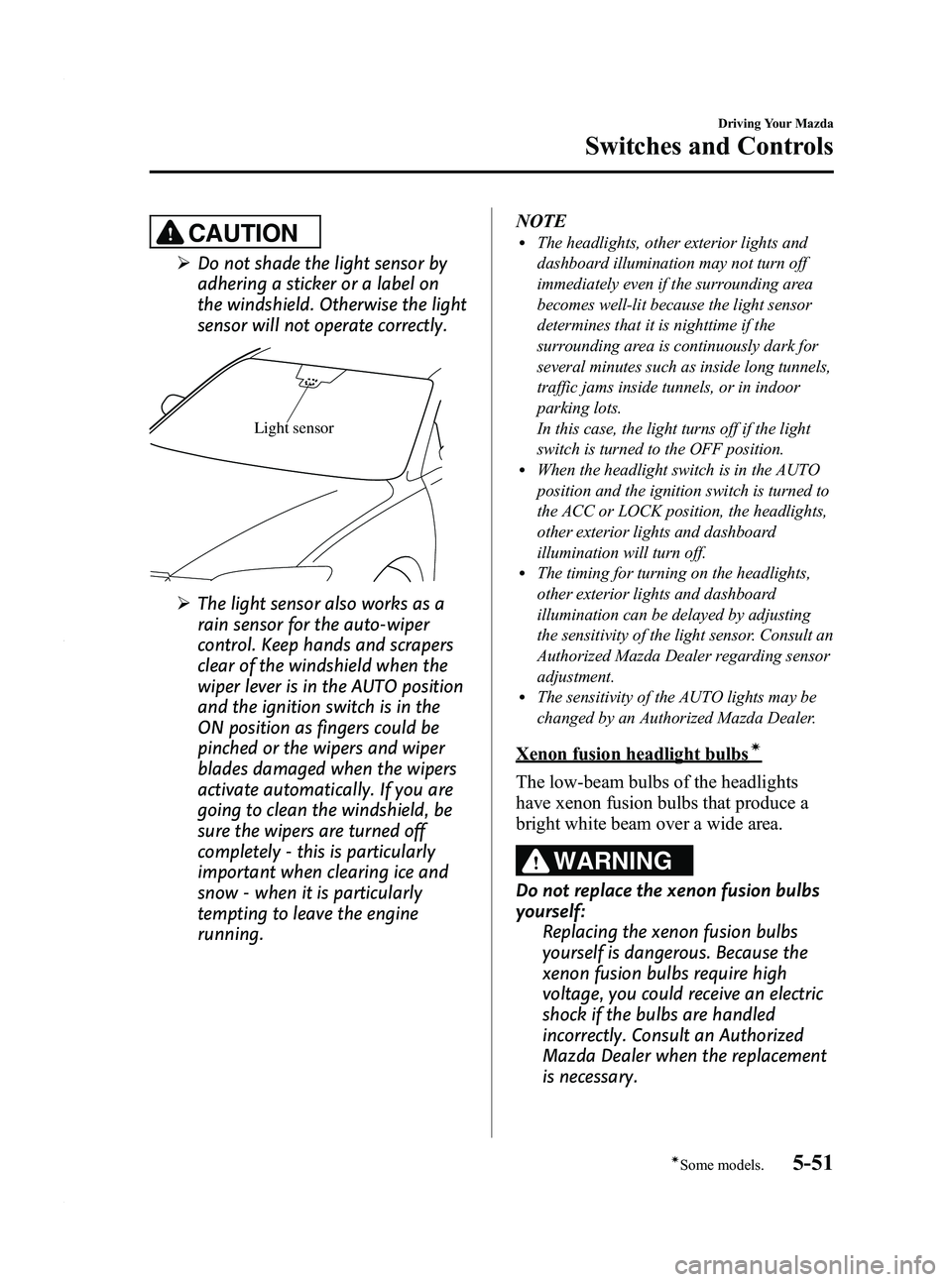
ØDo not shade the light sensor by
adhering a sticker or a label on
the windshield. Otherwise the light
sensor will not operate correctly.
Light sensor
ØThe light sensor also works as a
rain sensor for the auto-wiper
control. Keep hands and scrapers
clear of the windshield when the
wiper lever is in the AUTO position
and the ignition switch is in the
ON position as fingers could be
pinched or the wipers and wiper
blades damaged when the wipers
activate automatically. If you are
going to clean the windshield, be
sure the wipers are turned off
completely - this is particularly
important when clearing ice and
snow - when it is particularly
tempting to leave the engine
running. NOTE
lThe headlights, other exterior lights and
dashboard illumination may not turn off
immediately even if the surrounding area
becomes well-lit because the light sensor
determines that it is nighttime if the
surrounding area is continuously dark for
several minutes such as inside long tunnels,
traffic jams inside tunnels, or in indoor
parking lots.
In this case, the light turns off if the light
switch is turned to the OFF position.
lWhen the headlight switch is in the AUTO
position and the ignition switch is turned to
the ACC or LOCK position, the headlights,
other exterior lights and dashboard
illumination will turn off.
lThe timing for turning on the headlights,
other exterior lights and dashboard
illumination can be delayed by adjusting
the sensitivity of the light sensor. Consult an
Authorized Mazda Dealer regarding sensor
adjustment.
lThe sensitivity of the AUTO lights may be
changed by an Authorized Mazda Dealer.
Xenon fusion headlight bulbsí
The low-beam bulbs of the headlights
have xenon fusion bulbs that produce a
bright white beam over a wide area.
WARNING
Do not replace the xenon fusion bulbs
yourself:
Replacing the xenon fusion bulbs
yourself is dangerous. Because the
xenon fusion bulbs require high
voltage, you could receive an electric
shock if the bulbs are handled
incorrectly. Consult an Authorized
Mazda Dealer when the replacement
is necessary.
Driving Your Mazda
Switches and Controls
5-51íSome models.
Mazda5_8AU7-EA-09H_Edition4 Page159
Tuesday, March 30 2010 1:10 PM
Form No.8AU7-EA-09H
Page 162 of 392
Black plate (162,1)
Fog Lightsí
The fog lights help you to see as well as
to be seen.
The headlights must be turned on to turn
on the fog lights.
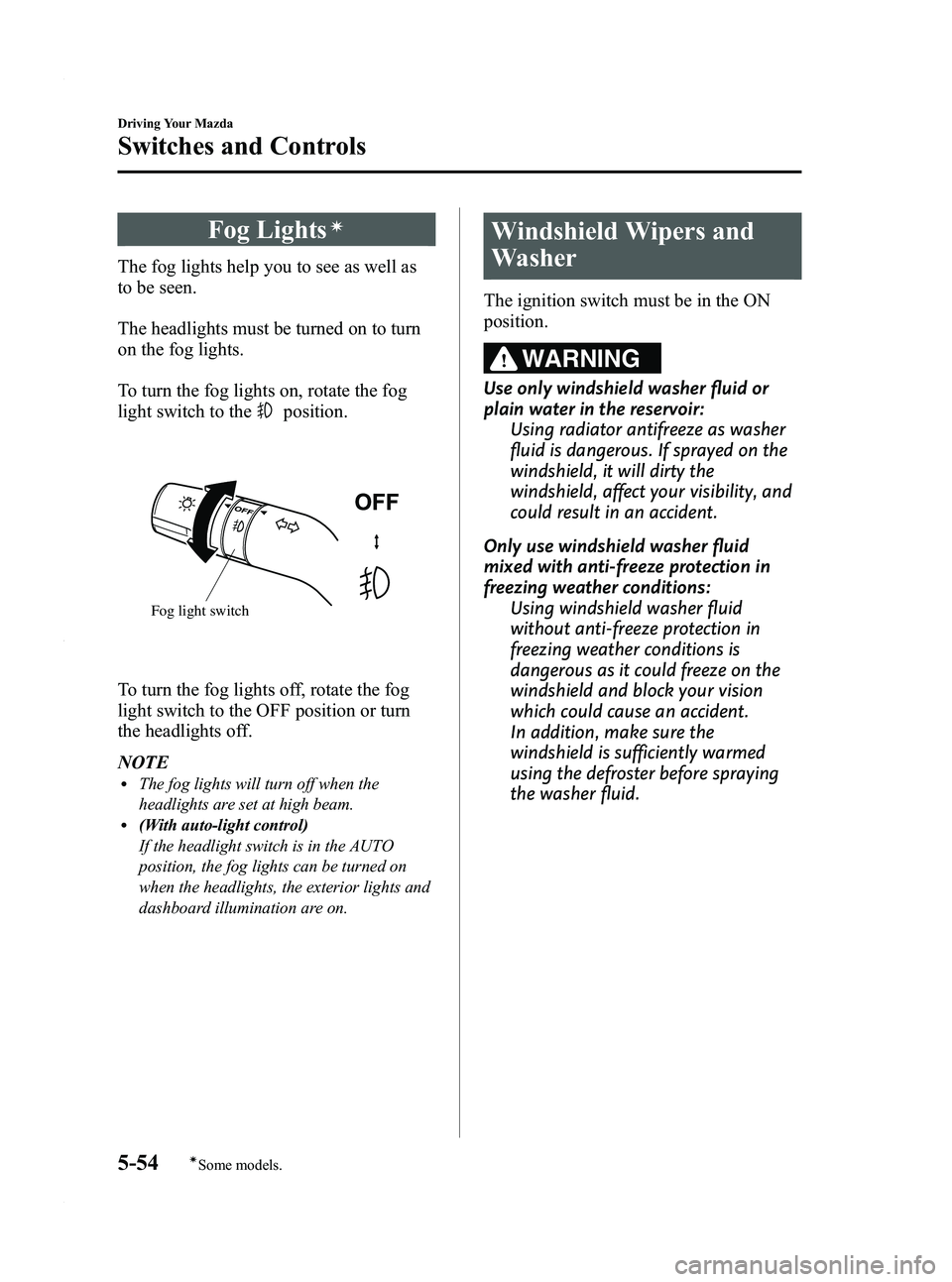
To turn the fog lights on, rotate the fog
light switch to the
position.
Fog light switch
To turn the fog lights off, rotate the fog
light switch to the OFF position or turn
the headlights off.
NOTE
lThe fog lights will turn off when the
headlights are set at high beam.
l(With auto-light control)
If the headlight switch is in the AUTO
position, the fog lights can be turned on
when the headlights, the exterior lights and
dashboard illumination are on.
Windshield Wipers and
Washer
The ignition switch must be in the ON
position.
WARNING
Use only windshield washer fluid or
plain water in the reservoir:Using radiator antifreeze as washer
fluid is dangerous. If sprayed on the
windshield, it will dirty the
windshield, affect your visibility, and
could result in an accident.
Only use windshield washer fluid
mixed with anti-freeze protection in
freezing weather conditions: Using windshield washer fluid
without anti-freeze protection in
freezing weather conditions is
dangerous as it could freeze on the
windshield and block your vision
which could cause an accident.
In addition, make sure the
windshield is sufficiently warmed
using the defroster before spraying
the washer fluid.
5-54
Driving Your Mazda
íSome models.
Switches and Controls
Mazda5_8AU7-EA-09H_Edition4 Page162
Tuesday, March 30 2010 1:10 PM
Form No.8AU7-EA-09H
Page 174 of 392
Black plate (174,1)
Manual Typeí
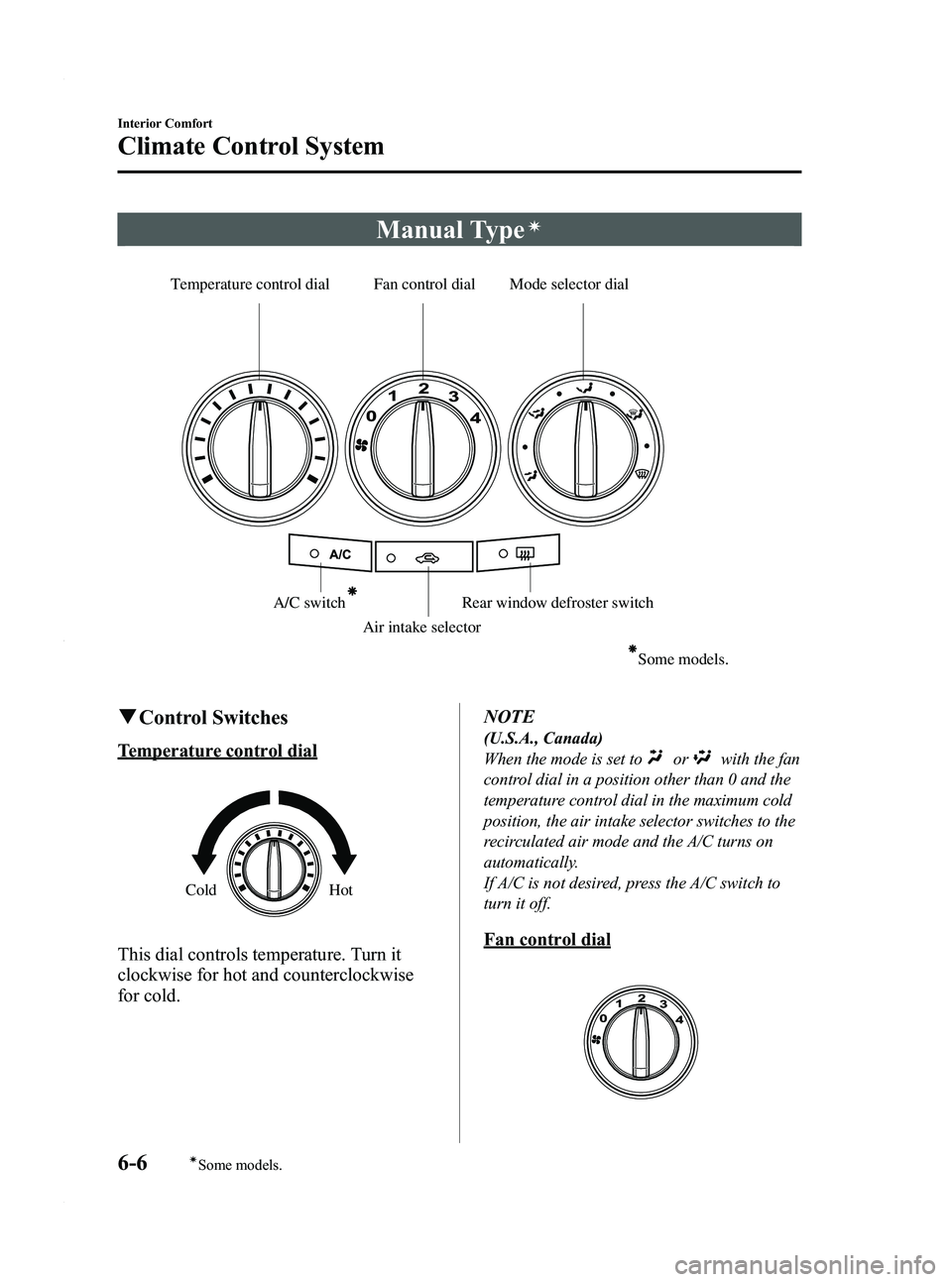
Temperature control dial Fan control dial Mode selector dialA/C switchAir intake selector
Some models.
Rear window defroster switch
qControl Switches
Temperature control dial
Cold Hot
This dial controls temperature. Turn it
clockwise for hot and counterclockwise
for cold. NOTE
(U.S.A., Canada)
When the mode is set to
orwith the fan
control dial in a position other than 0 and the
temperature control dial in the maximum cold
position, the air intake selector switches to the
recirculated air mode and the A/C turns on
automatically.
If A/C is not desired, press the A/C switch to
turn it off.
Fan control dial
6-6
Interior Comfort
íSome models.
Climate Control System
Mazda5_8AU7-EA-09H_Edition4 Page174
Tuesday, March 30 2010 1:10 PM
Form No.8AU7-EA-09H
Page 180 of 392

Black plate (180,1)
Temperature control dial
Without rear ventilation system
ColdHot
With rear ventilation system
ColdHot
This dial controls temperature.Turn it
clockwise for hot and counterclockwise
for cold.
Fan control dial
Without rear ventilation system
Slow
Fast
With rear ventilation system
Slow Fast
The fan has seven speeds. The selected
speed will be displayed.
Mode selector switch
The desired airflow mode can be selected
(page 6-4).
NOTE
lWith the airflow mode set toposition
and the temperature control dial set at a
medium temperature, heated air is directed
to the feet and a comparably lower air
temperature will flow through the central,
left and right vents.
lTo set the air vent to, press the
windshield defroster switch.
6-12
Interior Comfort
Climate Control System
Mazda5_8AU7-EA-09H_Edition4 Page180
Tuesday, March 30 2010 1:10 PM
Form No.8AU7-EA-09H
Page 185 of 392
Black plate (185,1)
Antenna
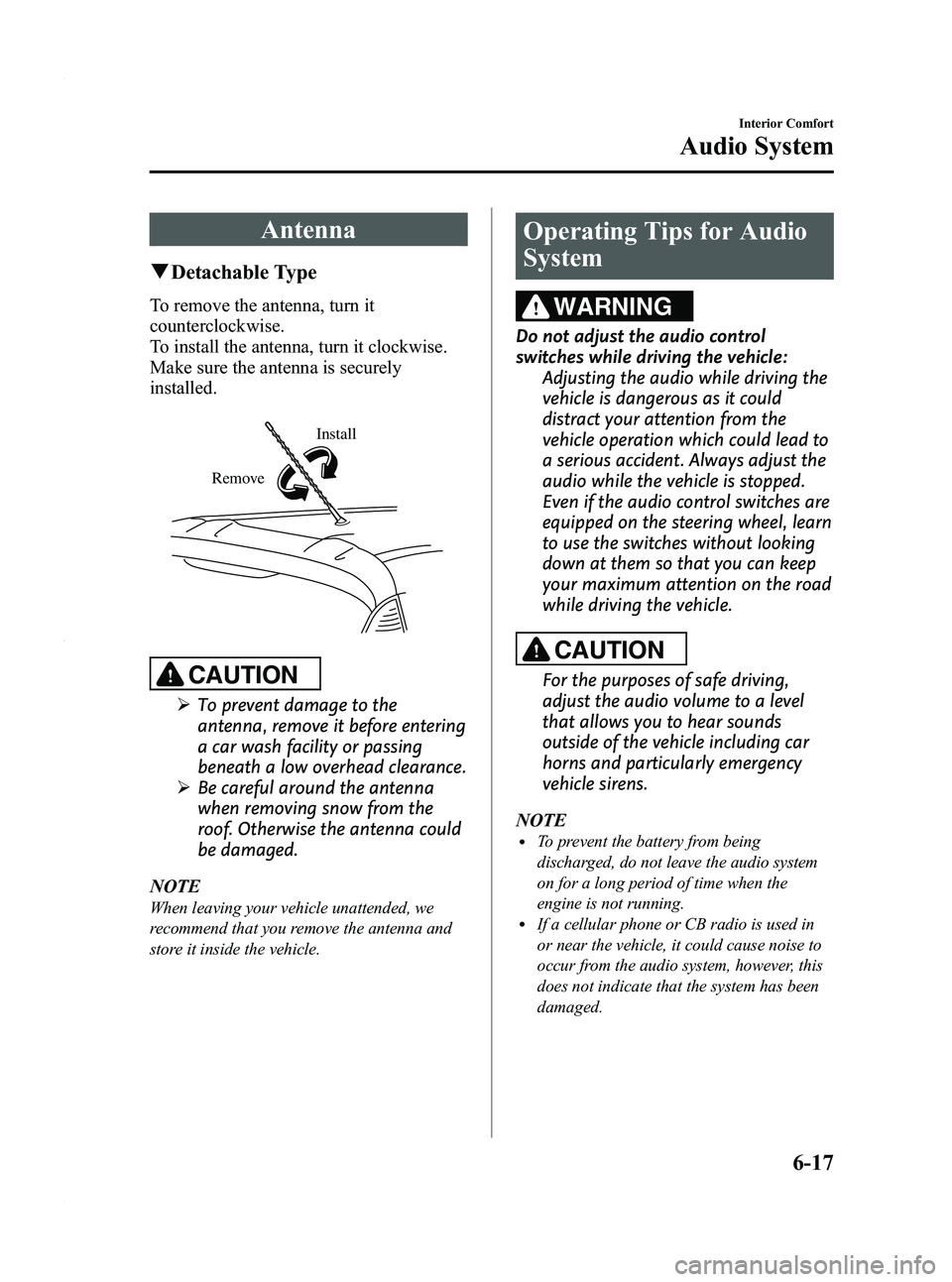
qDetachable Type
To remove the antenna, turn it
counterclockwise.
To install the antenna, turn it clockwise.
Make sure the antenna is securely
installed.
Install
Remove
CAUTION
Ø To prevent damage to the
antenna, remove it before entering
a car wash facility or passing
beneath a low overhead clearance.
Ø Be careful around the antenna
when removing snow from the
roof. Otherwise the antenna could
be damaged.
NOTE
When leaving your vehicle unattended, we
recommend that you remove the antenna and
store it inside the vehicle.
Operating Tips for Audio
System
WARNING
Do not adjust the audio control
switches while driving the vehicle: Adjusting the audio while driving the
vehicle is dangerous as it could
distract your attention from the
vehicle operation which could lead to
a serious accident. Always adjust the
audio while the vehicle is stopped.
Even if the audio control switches are
equipped on the steering wheel, learn
to use the switches without looking
down at them so that you can keep
your maximum attention on the road
while driving the vehicle.
CAUTION
For the purposes of safe driving,
adjust the audio volume to a level
that allows you to hear sounds
outside of the vehicle including car
horns and particularly emergency
vehicle sirens.
NOTE
lTo prevent the battery from being
discharged, do not leave the audio system
on for a long period of time when the
engine is not running.
lIf a cellular phone or CB radio is used in
or near the vehicle, it could cause noise to
occur from the audio system, however, this
does not indicate that the system has been
damaged.
Interior Comfort
Audio System
6-17
Mazda5_8AU7-EA-09H_Edition4 Page185
Tuesday, March 30 2010 1:10 PM
Form No.8AU7-EA-09H