wheel MAZDA MODEL 6 2014 (in English) Service Manual
[x] Cancel search | Manufacturer: MAZDA, Model Year: 2014, Model line: MODEL 6, Model: MAZDA MODEL 6 2014Pages: 576, PDF Size: 8.58 MB
Page 264 of 576

Black plate (264,1)
qViewing the Display
Guide lines which indicate the width of the vehicle (yellow) are displayed on the screen as
a reference to the approximate width of the vehicle in comparison to the width of the
parking space you are about to back into.
Use this display view for parking your vehicle in a parking space or garage.
b
a
a) Vehicle width guide lines (yellow)
Guide lines serve as a reference to the approximate width of the vehicle.
b) Distance guide lines
These guide lines indicate the approximate distance to a point measured from the
vehicle's rear (from the end of the bumper).
The red and yellow lines indicate the points about 50 cm (19 in) for the red line and 100
cm (39.3 in) for the yellow lines from the rear bumper (at the center point of each of the
lines).
CAUTION
The guide lines on the screen are fixed lines. They are not synced to the driver's
turning of the steering wheel. Always be careful and check the area to the vehicle's
rear and the surrounding area directly with your eyes while backing up.
qRear View Monitor Operation
The operation of the rear view monitor when reversing the vehicle varies depending on the
traffic, road, and vehicle conditions. The amount of steering and the timing also varies
depending on conditions, so confirm the surrounding conditions directly with your eyes
and steer the vehicle in accordance with the conditions.
Be well aware of the above cautions prior to using the rear view monitor.
NOTE
Images displayed on the monitor from the rear view parking camera are reversed images (mirror
images).
1. Shift the shift lever to R to switch the display to the rear view monitor display.
4-140
When Driving
Rear View Monitor
Mazda6_8DQ8-EA-13L_Edition3 Page264
Friday, June 13 2014 6:21 PM
Form No.8DQ8-EA-13L
Page 265 of 576

Black plate (265,1)
2. Confirming the surrounding conditions, reverse the vehicle.
(Display condition) (Vehicle condition)
3. After your vehicle begins entering the parking space, continue backing up slowly so that
the distance between the vehicle width lines and the sides of the parking space on the
left and right are roughly equal.
4. Continue to adjust the steering wheel until the vehicle width guide lines are parallel to
the left and right sides of the parking space.
When Driving
Rear View Monitor
4-141
Mazda6_8DQ8-EA-13L_Edition3 Page265
Friday, June 13 2014 6:21 PM
Form No.8DQ8-EA-13L
Page 266 of 576

Black plate (266,1)
5. Once they are parallel, straighten the wheels and back your vehicle slowly into the
parking space. Continue checking the vehicle's surroundings and then stop the vehicle in
the best possible position. (If the parking space has division lines, check whether the
vehicle width guide lines are parallel to them.)
(Display condition) (Vehicle condition)
6. When the shift lever is shifted from R to another shift lever position, the screen returns
to the previous display.
4-142
When Driving
Rear View Monitor
Mazda6_8DQ8-EA-13L_Edition3 Page266
Friday, June 13 2014 6:21 PM
Form No.8DQ8-EA-13L
Page 285 of 576

Black plate (285,1)
Antenna
qAM/FM Radio Antenna
The antenna is embedded into the window
glass.
CAUTION
When washing the inside of the
window which has an antenna, use a
soft cloth dampened in lukewarm
water, gently wiping the antenna
lines.
Use of glass cleaning products could
damage the antenna.
qSatellite Radio Antennaí
The satellite radio antenna receives
SIRIUS signals.
Satellite radio antenna
Operating Tips for Audio
System
WARNING
Always adjust the audio while the
vehicle is stopped:
Do not adjust the audio control
switches while driving the vehicle.
Adjusting the audio while driving the
vehicle is dangerous as it could
distract your attention from the
vehicle operation which could lead to
a serious accident.
Even if the audio control switches are
equipped on the steering wheel, learn
to use the switches without looking
down at them so that you can keep
your maximum attention on the road
while driving the vehicle.
CAUTION
For the purposes of safe driving,
adjust the audio volume to a level
that allows you to hear sounds
outside of the vehicle including car
horns and particularly emergency
vehicle sirens.
NOTE
lTo prevent the battery from being
discharged, do not leave the audio system
on for a long period of time when the
engine is not running.
lIf a cellular phone or CB radio is used in
or near the vehicle, it could cause noise to
occur from the audio system, however, this
does not indicate that the system has been
damaged.
Interior Features
Audio System
5-13íSome models. Mazda6_8DQ8-EA-13L_Edition3 Page285
Friday, June 13 2014 6:22 PM
Form No.8DQ8-EA-13L
Page 328 of 576

Black plate (328,1)
Sound
Refer to Power/Volume/Display/Sound
Controls on page 5-36.
Vehicle
lDoor LockslLight ControllWipers Control
1. Press the setup button (
).
2. Touch the
on-screen tab to
display the vehicle setting screen.
3. Touch the desired setting item.
4. Select the desired setup item from the
list by touching it.
5. Touch the
on-screen button.
Language
1. Press the setup button (
).
2. Touch the
on-screen tab to
display the language setting screen.
3. Touch the desired language from the
list.
4. Touch the
on-screen button.
NOTE
Only the available languages are displayed.
Default (Vehicle settings only)
1. Press the setup button (
).
2. Touch the
on-screen tab.
3. Touch the
on-screen button.
4. Touch the
on-screen button.
5. Touch the
on-screen button.
NOTE
The settings for display, sound, and language
cannot be initialized.
Audio Control Switch
Operation
When the audio unit is turned on,
operation of the audio unit from the
steering wheel is possible.
NOTE
lBecause the audio unit will be turned off
under the following conditions, the switches
will be inoperable.
lWhen the ignition is switched off.lWhen the power button on the audio unit
is pressed and the audio unit is turned
off.
lMazda has installed this system to prevent
distraction while driving the vehicle and
using audio controls on the dashboard.
Always make safe driving your first priority.
Without Bluetooth®Hands-Free
5-56
Interior Features
Audio System
Mazda6_8DQ8-EA-13L_Edition3 Page328
Friday, June 13 2014 6:22 PM
Form No.8DQ8-EA-13L
Page 351 of 576

Black plate (351,1)
Bluetooth®í
Bluetooth®Hands-Free outline
When a Bluetooth
®device (mobile phone) is connected to the vehicle's Hands-Free unit
via radio wave transmission, a call can be made or received by pressing the talk button,
pick-up button, hang-up button, or voice command on the steering wheel, or by operating
the panel. For example, even if a device (mobile phone) is in your coat pocket, a call can
be made without taking the device (mobile phone) out and operating it directly.
Bluetooth®audio outline
When a portable audio unit equipped with the Bluetooth
®communication function is
programmed to the Bluetooth®unit, you can listen to music recorded on the programmed
portable audio device from the vehicle's speakers. It is not necessary to connect the
portable audio device to the vehicle's external input terminal. After programming, operate
the vehicle audio control panel to play/stop the audio.
Applicable Bluetooth
®specification
Ver. 2.0 or higher
Response profile
lHFP (Hands-Free Profile) Ver. 1.5lDUN (Dial-up Networking Profile) Ver. 1.1lPBAP (Phone Book Access Profile) Ver. 1.0lOPP (Object Push Profile) Ver. 1.1lMAP (Message Access Profile) Ver. 1.0
Interior Features
Bluetooth®
5-79íSome models. Mazda6_8DQ8-EA-13L_Edition3 Page351
Friday, June 13 2014 6:22 PM
Form No.8DQ8-EA-13L
Page 352 of 576

Black plate (352,1)
qComponent Parts
Microphone Talk button, Pick-up button and Hang-up button
Microphone
Talk button
Hang-up button Pick-up button
Audio unit
Audio unit (Type B)
The audio unit (Type B) is used for volume adjustment and touch panel operation.
Bluetooth
®information is displayed in the display. The screen is switched by touching the
tab for each function to be used.
Do not press the panel strongly or press it with a sharp-pointed object.
Microphone (Hands-Free)
The microphone is used for speaking voice commands or exchanging conversation.
Talk button, Pick-Up button and Hang-Up button (Hands-Free)
The basic functions of Bluetooth
®Hands-Free can be used for such things as making calls
or hanging up using the talk button, pick-up button and hang-up button on the steering
wheel.
NOTE
The talk button, pick-up button, and hang-up button are operable with the audio unit turned off.
Volume adjustment
The power/volume dial of the audio unit is used to adjust the volume. Turn the dial to the
right to increase volume, to the left to decrease it.
The volume can also be adjusted using the volume button on the steering wheel.
5-80
Interior Features
Bluetooth®
Mazda6_8DQ8-EA-13L_Edition3 Page352
Friday, June 13 2014 6:22 PM
Form No.8DQ8-EA-13L
Page 362 of 576
Black plate (362,1)
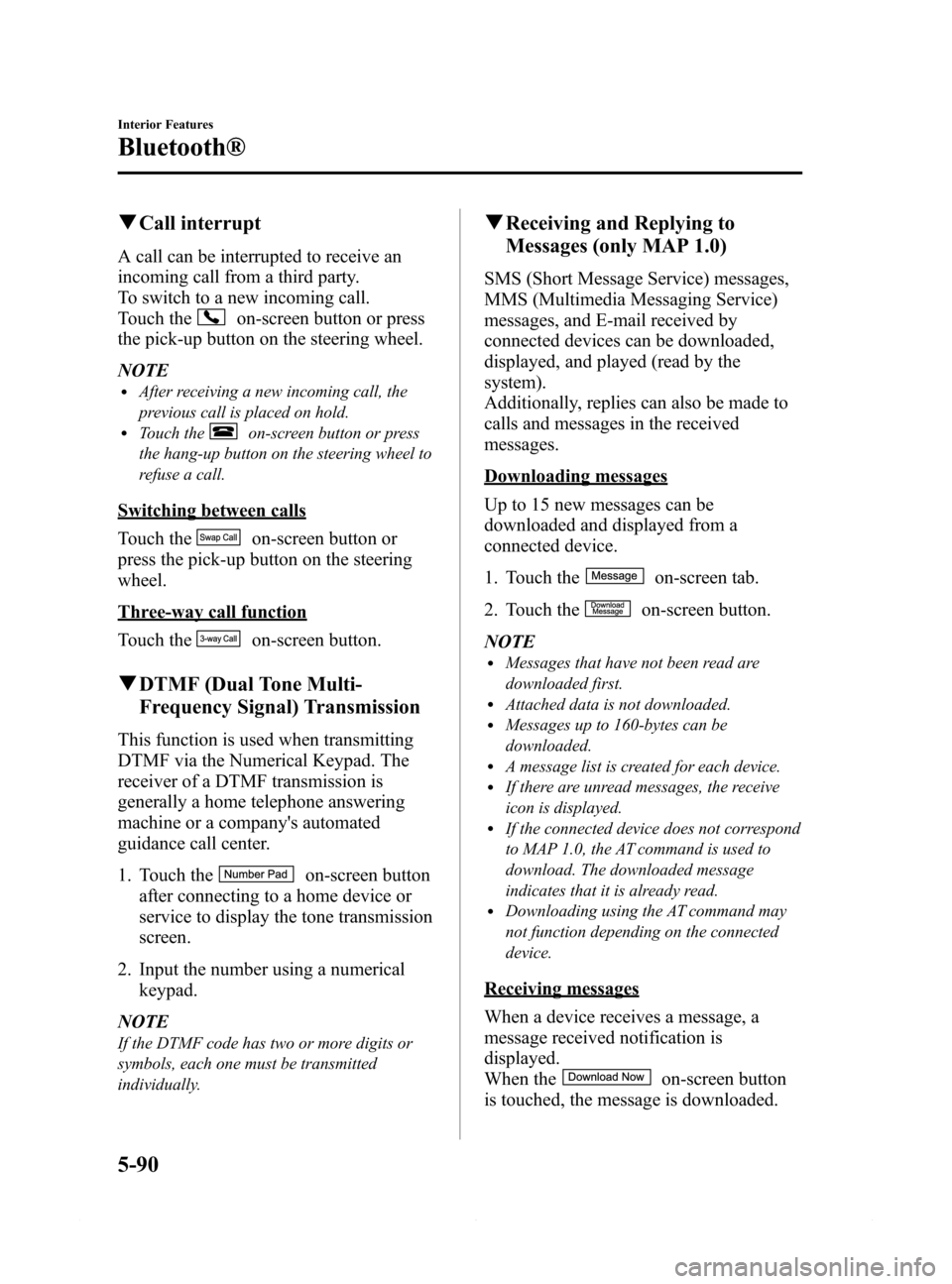
qCall interrupt
A call can be interrupted to receive an
incoming call from a third party.
To switch to a new incoming call.
Touch the
on-screen button or press
the pick-up button on the steering wheel.
NOTE
lAfter receiving a new incoming call, the
previous call is placed on hold.
lTouch theon-screen button or press
the hang-up button on the steering wheel to
refuse a call.
Switching between calls
Touch the
on-screen button or
press the pick-up button on the steering
wheel.
Three-way call function
Touch the
on-screen button.
qDTMF (Dual Tone Multi-
Frequency Signal) Transmission
This function is used when transmitting
DTMF via the Numerical Keypad. The
receiver of a DTMF transmission is
generally a home telephone answering
machine or a company's automated
guidance call center.
1. Touch the
on-screen button
after connecting to a home device or
service to display the tone transmission
screen.
2. Input the number using a numerical
keypad.
NOTE
If the DTMF code has two or more digits or
symbols, each one must be transmitted
individually.
qReceiving and Replying to
Messages (only MAP 1.0)
SMS (Short Message Service) messages,
MMS (Multimedia Messaging Service)
messages, and E-mail received by
connected devices can be downloaded,
displayed, and played (read by the
system).
Additionally, replies can also be made to
calls and messages in the received
messages.
Downloading messages
Up to 15 new messages can be
downloaded and displayed from a
connected device.
1. Touch the
on-screen tab.
2. Touch the
on-screen button.
NOTE
lMessages that have not been read are
downloaded first.
lAttached data is not downloaded.lMessages up to 160-bytes can be
downloaded.
lA message list is created for each device.lIf there are unread messages, the receive
icon is displayed.
lIf the connected device does not correspond
to MAP 1.0, the AT command is used to
download. The downloaded message
indicates that it is already read.
lDownloading using the AT command may
not function depending on the connected
device.
Receiving messages
When a device receives a message, a
message received notification is
displayed.
When the
on-screen button
is touched, the message is downloaded.
5-90
Interior Features
Bluetooth®
Mazda6_8DQ8-EA-13L_Edition3 Page362
Friday, June 13 2014 6:22 PM
Form No.8DQ8-EA-13L
Page 399 of 576

Black plate (399,1)
qSchedule 1
Maintenance IntervalNumber of months or kilometers (miles), whichever comes first
Months 6 12 18 24 30 36 42 48
×1000 km 12 24 36 48 60 72 84 96
×1000 miles 7.5 15 22.5 30 37.5 45 52.5 60
ENGINE
Drive belts I
Engine oilRRRRRRRR
Engine oil filterRRRRRRRR
COOLING SYSTEM
Engine coolantFL22 type
*1Replace at first 192,000 km (120,000 miles) or 10 years; after
that, every 96,000 km (60,000 miles) or 5 years
OthersReplace at first 96,000 km (60,000 miles) or 4 years; after that,
every 2 years
FUEL SYSTEM
Air filter R
Fuel lines and hoses
*2II
Hoses and tubes for emission*2I
IGNITION SYSTEM
Spark plugs Replace every 120,000 km (75,000 miles)
CHASSIS and BODY
Brake lines, hoses and connections I I
Disc brakesIIII
Tire (Rotation) Rotate every 12,000 km (7,500 miles)
Steering operation and linkages I I
Front and rear suspension, ball joints and wheel
bearing axial playII
Driveshaft dust boots I I
Bolts and nuts on chassis and body T T
Exhaust system and heat shields Inspect every 72,000 km (45,000 miles) or 5 years
All locks and hingesLLLLLLLL
Maintenance and Care
Scheduled Maintenance
6-5
Mazda6_8DQ8-EA-13L_Edition3 Page399
Friday, June 13 2014 6:22 PM
Form No.8DQ8-EA-13L
Page 401 of 576

Black plate (401,1)
qSchedule 2
Maintenance IntervalNumber of months or kilometers (miles), whichever comes first
Months 4 8 12 16 20 24 28 32 36 40 44 48
×1000 km 8 16 24 32 40 48 56 64 72 80 88 96
×1000 miles 5 10 15 20 25 30 35 40 45 50 55 60
ENGINE
Drive belts I
Engine oilPuerto Rico Replace every 5,000 km (3,000 miles) or 3 months
OthersRRRRRRRRRRRR
Engine oil filterRRRRRRRRRRRR
COOLING SYSTEM
Engine coolantFL22 type
*1Replace at first 192,000 km (120,000 miles) or 10 years; after
that, every 96,000 km (60,000 miles) or 5 years
OthersReplace at first 96,000 km (60,000 miles) or 4 years; after that,
every 2 years
Engine coolant levelIIIIIIIIIIII
FUEL SYSTEM
Air filterPuerto Rico R R
Others R
Fuel lines and hoses
*2II
Hoses and tubes for emission*2I
IGNITION SYSTEM
Spark plugs Replace every 120,000 km (75,000 miles)
ELECTRICAL SYSTEM
Function of all lightsIIIIIIIIIIII
CHASSIS and BODY
Brake lines, hoses and connections I I
Brake and clutch fluid levelIIIIIIIIIIII
Disc brakesIIII
Tire (Rotation) Rotate every 8,000 km (5,000 miles)
Tire inflation pressure and tire wearIIIIIIIIIIII
Steering operation and linkages I I
Front and rear suspension, ball joints and wheel
bearing axial playII
Driveshaft dust boots I I
Bolts and nuts on chassis and body T T
Body condition
*3
(for rust, corrosion and perforation)IIII
Exhaust system and heat shields Inspect every 72,000 km (45,000 miles) or 5 years
All locks and hingesLLLLLLLLLLLL
Washer fluid levelIIIIIIIIIIII
Maintenance and Care
Scheduled Maintenance
6-7
Mazda6_8DQ8-EA-13L_Edition3 Page401
Friday, June 13 2014 6:23 PM
Form No.8DQ8-EA-13L