change MAZDA MODEL 6 2017 (in English) Owner's Guide
[x] Cancel search | Manufacturer: MAZDA, Model Year: 2017, Model line: MODEL 6, Model: MAZDA MODEL 6 2017Pages: 578, PDF Size: 54.72 MB
Page 164 of 578
4–40
When Driving
Manual Transaxle Operation
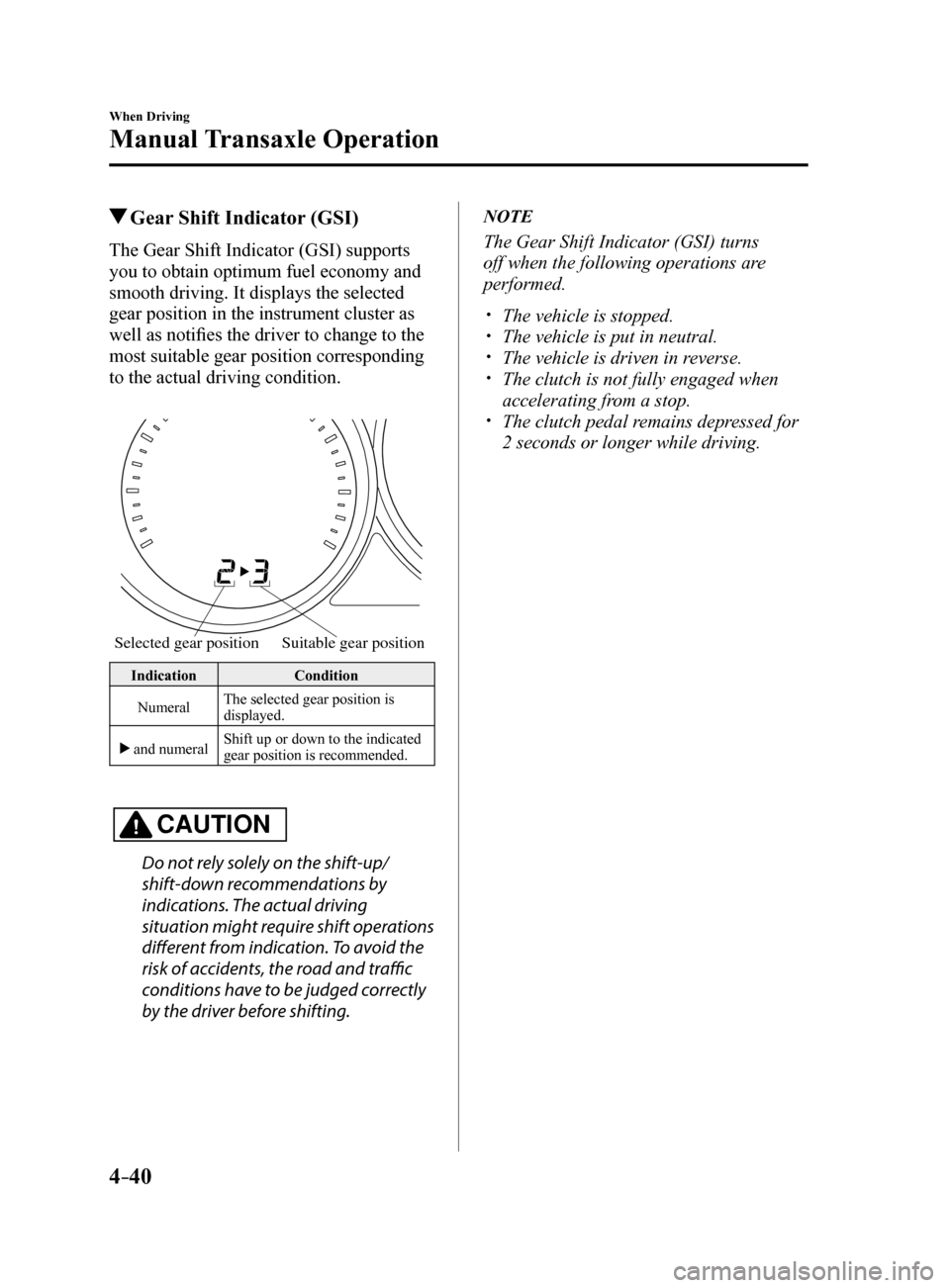
Gear Shift Indicator (GSI)
The Gear Shift Indicator (GSI) supports
you to obtain optimum fuel economy and
smooth driving. It displays the selected
gear position in the instrument cluster as
well as notifies the driver to change to the
most suitable gear position corresponding
to the actual driving condition.
Selected gear positionSuitable gear position
Indication Condition
Numeral The selected gear position is
displayed.
and numeral Shift up or down to the indicated
gear position is recommended.
CAUTION
Do not rely solely on the shift-up/
shift-down recommendations by
indications. The actual driving
situation might require shift operations
different from indication. To avoid the
risk of accidents, the road and traffic
conditions have to be judged correctly
by the driver before shifting.
NOTE
The Gear Shift Indicator (GSI) turns
off when the following operations are
performed.
The vehicle is stopped. The vehicle is put in neutral. The vehicle is driven in reverse. The clutch is not fully engaged when
accelerating from a stop.
The clutch pedal remains depressed for
2 seconds or longer while driving.
Mazda6_8FH2-EA-16F_Edition2.indb 402016/07/07 13:44:50
Page 169 of 578
4–45
When Driving
Automatic Transaxle
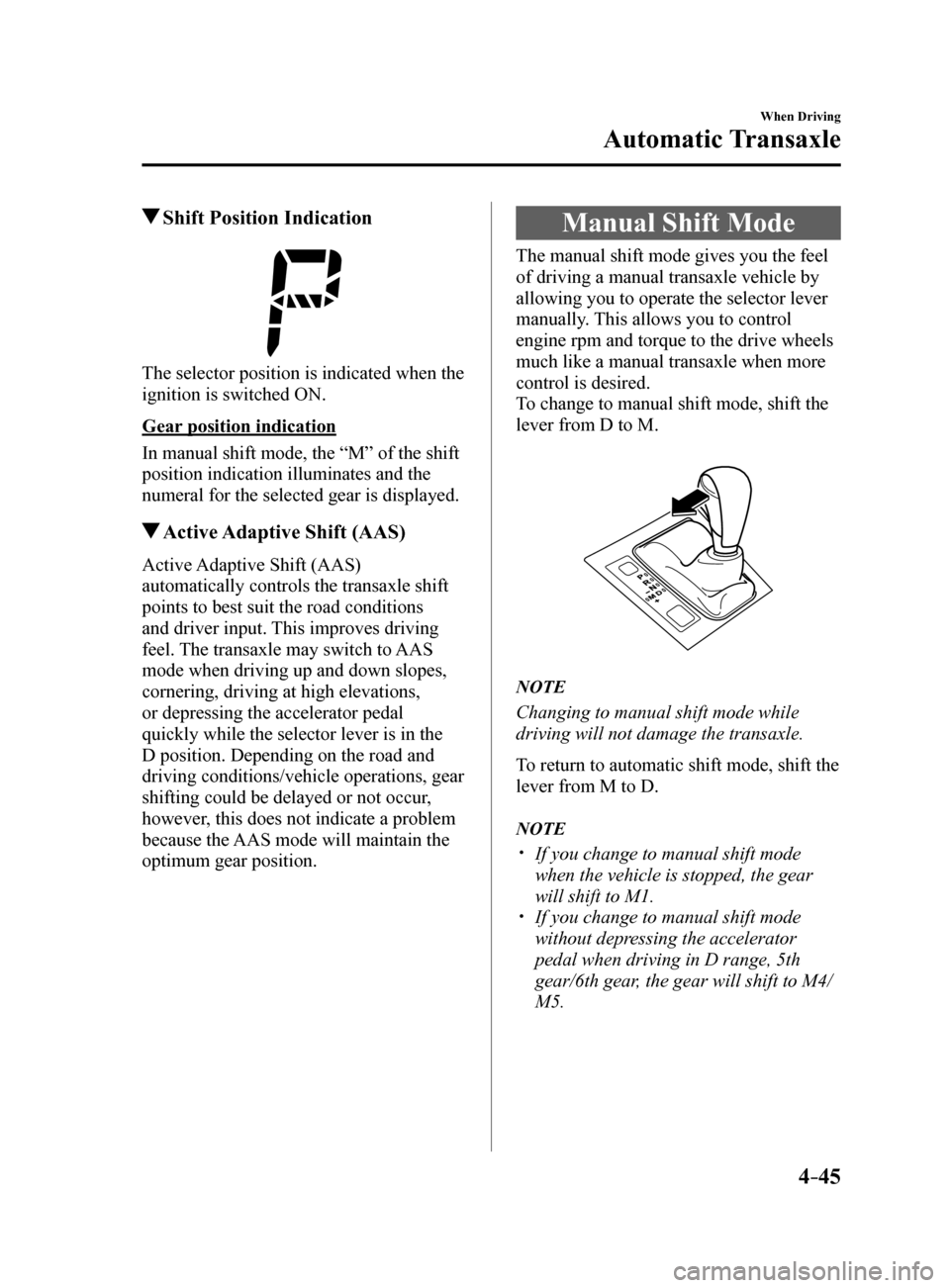
Shift Position Indication
The selector position is indicated when the
ignition is switched ON.
Gear position indication
In manual shift mode, the “M” of the shift
position indication illuminates and the
numeral for the selected gear is displayed.
Active Adaptive Shift (AAS)
Active Adaptive Shift (AAS)
automatically controls the transaxle shift
points to best suit the road conditions
and driver input. This improves driving
feel. The transaxle may switch to AAS
mode when driving up and down slopes,
cornering, driving at high elevations,
or depressing the accelerator pedal
quickly while the selector lever is in the
D position. Depending on the road and
driving conditions/vehicle operations, gear
shifting could be delayed or not occur,
however, this does not indicate a problem
because the AAS mode will maintain the
optimum gear position.
Manual Shift Mode
The manual shift mode gives you the feel
of driving a manual transaxle vehicle by
allowing you to operate the selector lever
manually. This allows you to control
engine rpm and torque to the drive wheels
much like a manual transaxle when more
control is desired.
To change to manual shift mode, shift the
lever from D to M.
NOTE
Changing to manual shift mode while
driving will not damage the transaxle.
To return to automatic shift mode, shift the
lever from M to D.
NOTE
If you change to manual shift mode
when the vehicle is stopped, the gear
will shift to M1.
If you change to manual shift mode
without depressing the accelerator
pedal when driving in D range, 5th
gear/6th gear, the gear will shift to M4/
M5.
Mazda6_8FH2-EA-16F_Edition2.indb 452016/07/07 13:44:51
Page 172 of 578
4–48
When Driving
Automatic Transaxle
WARNING
Do not use engine braking on slippery
road surfaces or at high speeds:Shifting down while driving on wet,
snowy, or frozen roads, or while driving
at high speeds causes sudden engine
braking, which is dangerous. The
sudden change in tire speed could
cause the tires to skid. This could
lead to loss of vehicle control and an
accident.
Keep your hands on the steering wheel
rim when using fingers on the steering
shift switches: Putting your hands inside the rim of
the steering wheel when using the
steering shift switches is dangerous.
If the driver's air bag were to deploy
in a collision, your hands could be
impacted causing injury.
NOTE
When driving at high speeds, the gear
may not shift down.
During deceleration, the gear may
automatically shift down depending on
vehicle speed.
When depressing the accelerator fully,
the transaxle will shift to a lower gear,
depending on vehicle speed. However,
the gears do not kickdown while the
DSC is turned off.
Second Gear Fixed Mode
When the selector lever is moved back
while the vehicle speed is about 10 km/h
(6.2 mph) or less, the transaxle is set in the
second gear fixed mode. The gear is fixed
in second while in this mode for easier
acceleration from a stop and driving on
slippery roads such as snow-covered
roads.
If the selector lever is moved back
or
forward
while in the second gear fixed
mode, the mode will be canceled.
Mazda6_8FH2-EA-16F_Edition2.indb 482016/07/07 13:44:53
Page 176 of 578
4–52
When Driving
Automatic Transaxle
Driving Tips
WARNING
Do not let the vehicle move in a
direction opposite to the direction
selected by the selector lever:Do not let the vehicle move backward
with the selector lever in a forward
position, or do not let the vehicle
move forward with the selector lever
in the reverse position. Otherwise, the
engine may stop, causing the loss of
the power brake and power steering
functions, and make it difficult to
control the vehicle which could result
in an accident.
Passing
For extra power when passing another
vehicle or climbing steep grades, depress
the accelerator fully. The transaxle will
shift to a lower gear, depending on vehicle
speed.
NOTE
The accelerator pedal may initially feel
heavy as it is being depressed, then feel
lighter as it is depressed further. This
change in pedal force aids the engine
control system in determining how
much the accelerator pedal has been
depressed for performing kickdown,
and functions to control whether or not
kickdown should be performed.
While the selector lever is in the M
position and the DSC is turned off,
manual shift mode does not switch
to automatic shift mode even if the
accelerator pedal is completely
depressed. Operate the selector lever.
Climbing steep grades from a stop
To climb a steep grade from a stopped
position:
1. Depress the brake pedal.
2. Shift to D or M1, depending on the
load weight and grade steepness.
3. Release the brake pedal while gradually
accelerating.
Descending steep grades
When descending a steep grade, shift to
lower gears, depending on load weight and
grade steepness. Descend slowly, using the
brakes only occasionally to prevent them
from overheating.
Mazda6_8FH2-EA-16F_Edition2.indb 522016/07/07 13:44:53
Page 177 of 578
 Owners Guide 4–53
When Driving
Switches and Controls
Lighting Control
Headlights
Turn the headlight switch to turn the headlights and other exterior light\
s on or off.
When the lights are turned on, the lights")
4–53
When Driving
Switches and Controls
Lighting Control
Headlights
Turn the headlight switch to turn the headlights and other exterior light\
s on or off.
When the lights are turned on, the lights-on indicator light in the inst\
rument cluster turns on.
NOTE
If the light switch is left on, the lights will automatically switch off\
approximately 30
seconds after switching the ignition off.
The time setting can be changed.
Refer to Personalization Features on page 9-10.
To prevent discharging the battery, do not leave the lights on while the engine is off unless
safety requires them.
Without auto-light control
Switch Position
Ignition Position ONACC or
OFF ONACC or
OFF ONACC or
OFF
Headlights OffOffOffOff OnOn
*2
Daytime running lights On*1OffOn*1Off OffOff
Taillights
Parking lights
License lights
Side-marker lights Off
Off OnOn
*2OnOn*2
*1 The lights are turned on while the vehicle is driven.
*2 The lights are turned on for the specified period by the auto headlight off function.
Mazda6_8FH2-EA-16F_Edition2.indb 532016/07/07 13:44:54
Page 179 of 578
4–55
When Driving
Switches and Controls
*Some models.
Auto-light control*
When the headlight switch is in the position and the ignition is switched ON, the light
sensor senses the surrounding lightness or darkness and automatically tu\
rns the headlights
and other exterior lights on or off.
CAUTION
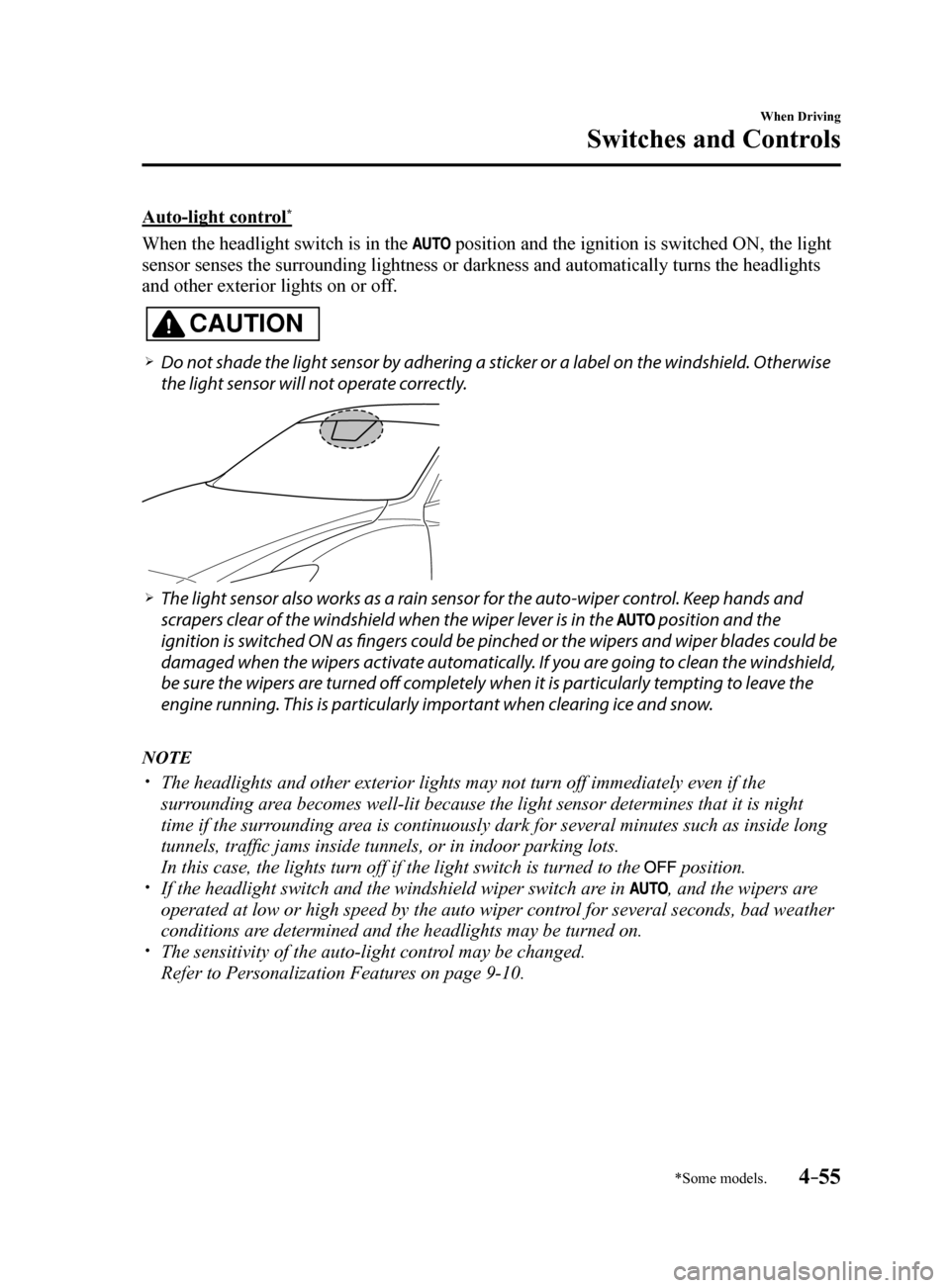
Do not shade the light sensor by adhering a sticker or a label on the windshield. Otherwise
the light sensor will not operate correctly.
The light sensor also works as a rain sensor for the auto-wiper control. Keep hands and
scrapers clear of the windshield when the wiper lever is in the
position and the
ignition is switched ON as fingers could be pinched or the wipers and wiper blades could be
damaged when the wipers activate automatically. If you are going to clean the windshield,
be sure the wipers are turned off completely when it is particularly tempting to leave the
engine running. This is particularly important when clearing ice and snow.
NOTE
The headlights and other exterior lights may not turn off immediately ev\
en if the
surrounding area becomes well-lit because the light sensor determines that it is night\
time if the surrounding area is continuously dark for several minutes such as inside long
tunnels, traffic jams inside tunnels, or in indoor parking lots.
In this case, the lights turn off if the light switch is turned to the
position. If the headlight switch and the windshield wiper switch are in , and the wipers are
operated at low or high speed by the auto wiper control for several seconds, bad weather
conditions are determined and the headlights may be turned on.
The sensitivity of the auto-light control may be changed.
Refer to Personalization Features on page 9-10.
Mazda6_8FH2-EA-16F_Edition2.indb 552016/07/07 13:44:54
Page 181 of 578
4–57
When Driving
Switches and Controls
Coming Home Light
The coming home light turns on the
headlights (low beams) when the lever is
operated.
To turn on the lights
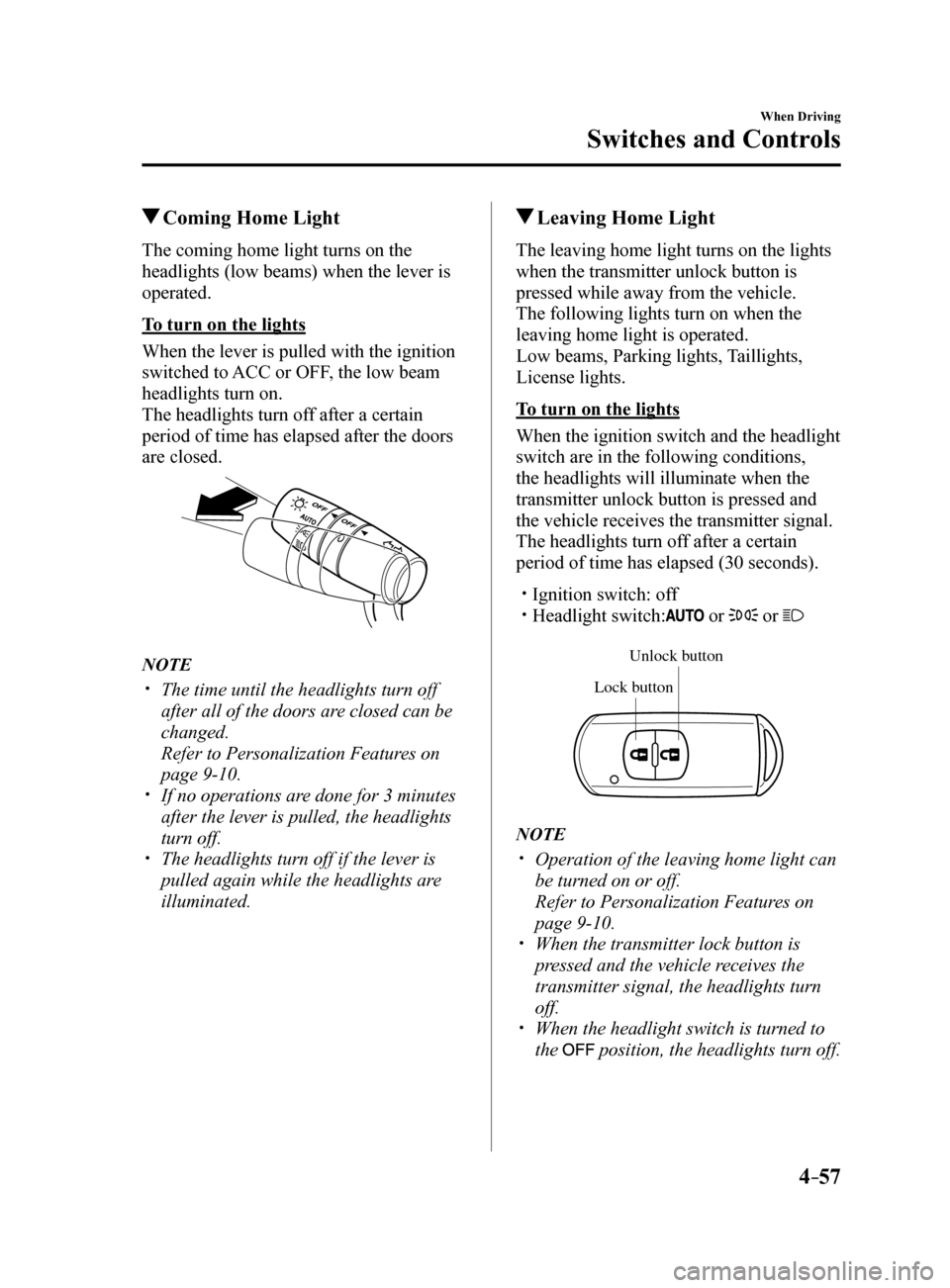
When the lever is pulled with the ignition
switched to ACC or OFF, the low beam
headlights turn on.
The headlights turn off after a certain
period of time has elapsed after the doors
are closed.
NOTE
The time until the headlights turn off
after all of the doors are closed can be
changed.
Refer to Personalization Features on
page 9-10.
If no operations are done for 3 minutes
after the lever is pulled, the headlights
turn off.
The headlights turn off if the lever is
pulled again while the headlights are
illuminated.
Leaving Home Light
The leaving home light turns on the lights
when the transmitter unlock button is
pressed while away from the vehicle.
The following lights turn on when the
leaving home light is operated.
Low beams, Parking lights, Taillights,
License lights.
To turn on the lights
When the ignition switch and the headlight
switch are in the following conditions,
the headlights will illuminate when the
transmitter unlock button is pressed and
the vehicle receives the transmitter signal.
The headlights turn off after a certain
period of time has elapsed (30 seconds).
Ignition switch: off Headlight switch: or or
Unlock b utton
Lock button
NOTE
Operation of the leaving home light can
be turned on or off.
Refer to Personalization Features on
page 9-10.
When the transmitter lock button is
pressed and the vehicle receives the
transmitter signal, the headlights turn
off.
When the headlight switch is turned to
the
position, the headlights turn off.
Mazda6_8FH2-EA-16F_Edition2.indb 572016/07/07 13:44:55
Page 182 of 578
4–58
When Driving
Switches and Controls
*Some models.
Headlight Leveling*
The number of passengers and weight of
cargo in the luggage compartment change
the angle of the headlights.
The angle of the headlights will be
automatically adjusted when turning on
the headlights.
Daytime Running Lights
Some countries require moving vehicles
to have their lights on (daytime running
lights) during the daytime.
The daytime running lights turn on when
the vehicle is driven and turn off when the
parking brake is operated or the selector
lever is shifted to the P position (automatic
vehicle).
NOTE
(Except Canada)
The daytime running lights can be
deactivated.
Refer to Personalization Features on page
9-10.
Fog Lights*
The fog lights can be turned on with the
ignition switched ON and the headlights
turned on.
Use this switch to turn on the fog lights.
The fog lights will improve visibility at
night and during foggy conditions.
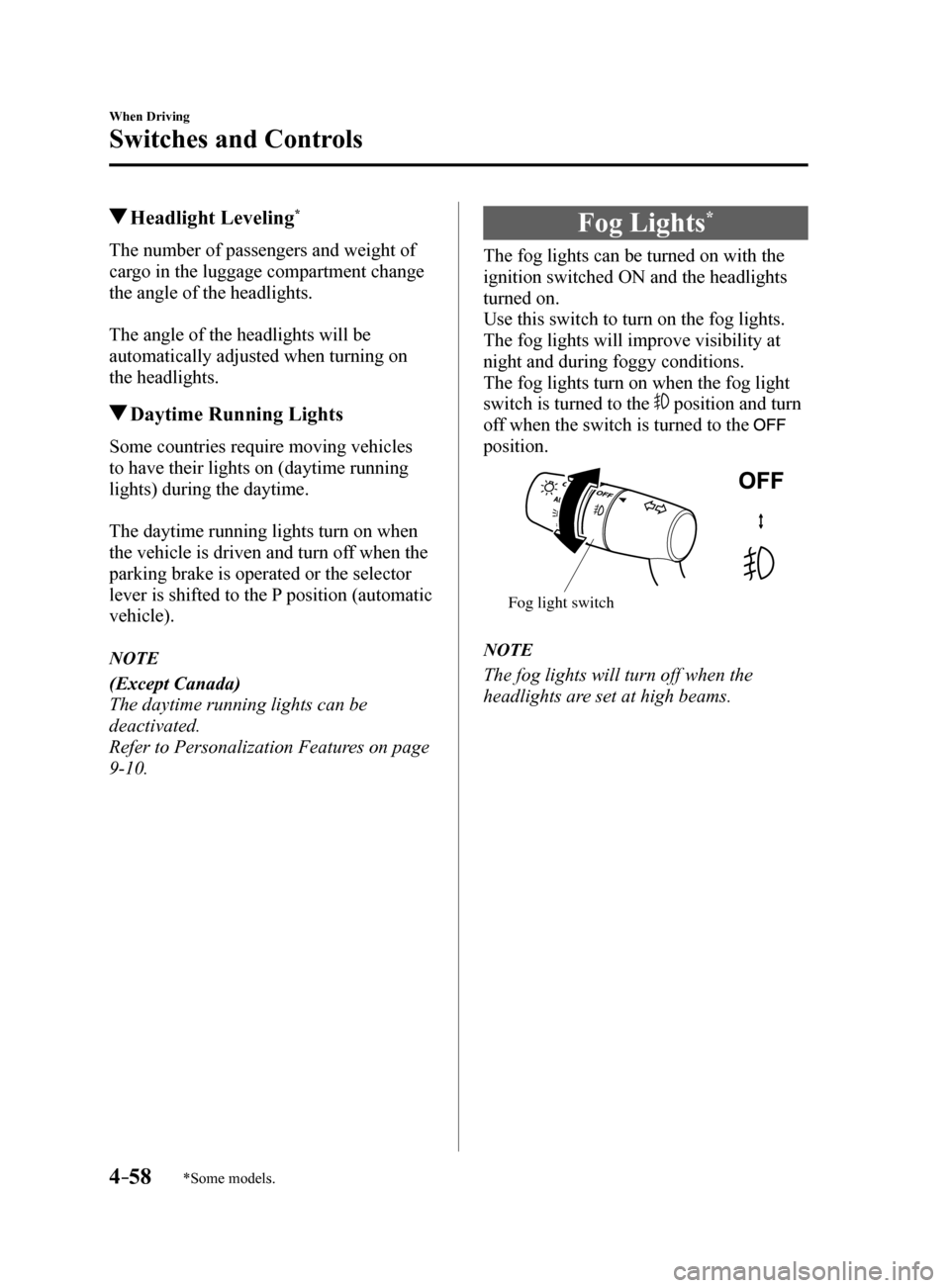
The fog lights turn on when the fog light
switch is turned to the
position and turn
off when the switch is turned to the
position.
Fog light switch
NOTE
The fog lights will turn off when the
headlights are set at high beams.
Mazda6_8FH2-EA-16F_Edition2.indb 582016/07/07 13:44:55
Page 183 of 578
4–59
When Driving
Switches and Controls
Turn and Lane-Change
Signals
The ignition must be switched ON to use
the turn and lane-change signals.
Turn Signals
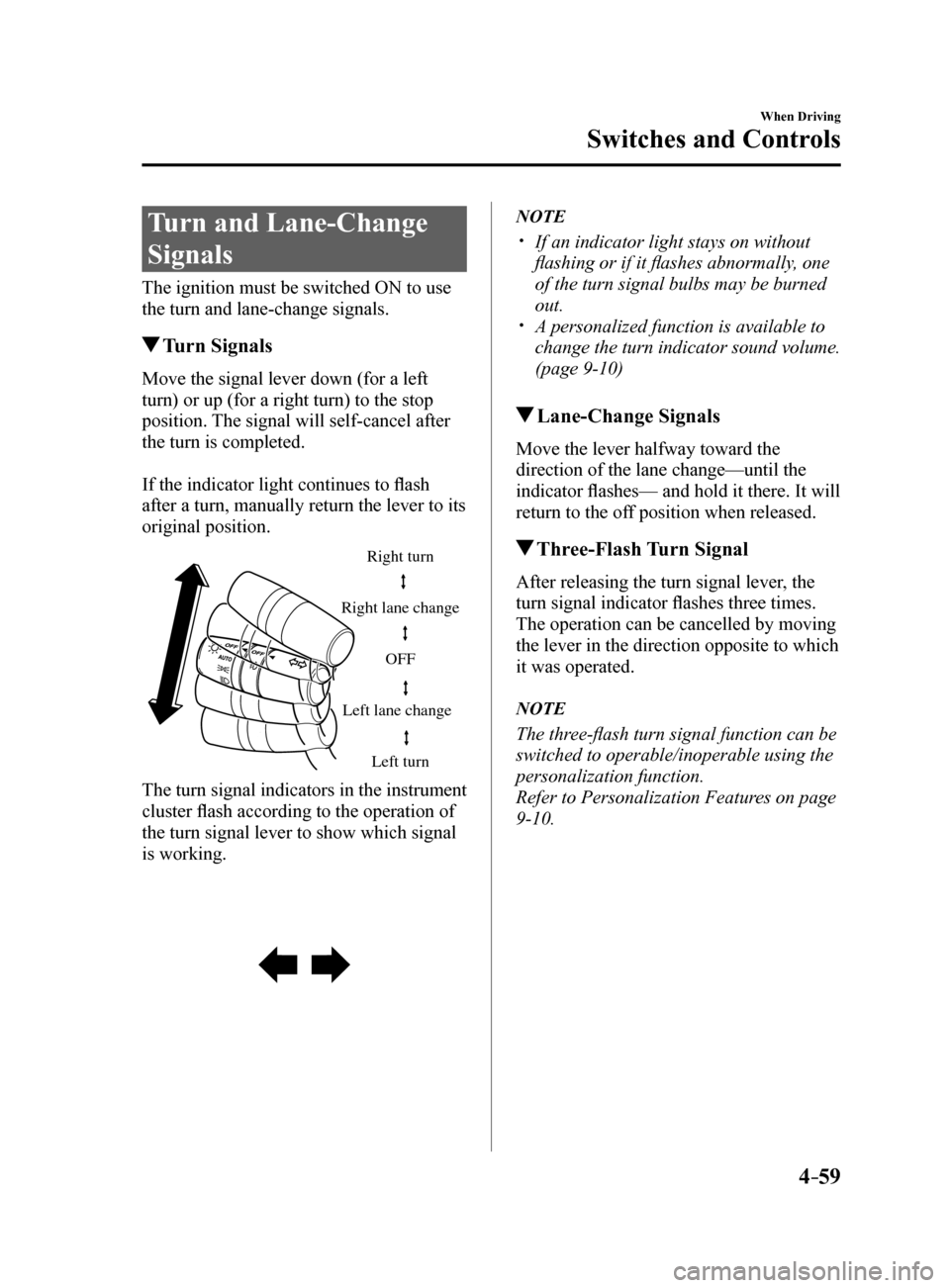
Move the signal lever down (for a left
turn) or up (for a right turn) to the stop
position. The signal will self-cancel after
the turn is completed.
If the indicator light continues to flash
after a turn, manually return the lever to its
original position.
Right turn
Left turn
Right lane change
Left lane change OFF
The turn signal indicators in the instrument
cluster flash according to the operation of
the turn signal lever to show which signal
is working.
NOTE
If an indicator light stays on without
flashing or if it flashes abnormally, one
of the turn signal bulbs may be burned
out.
A personalized function is available to
change the turn indicator sound volume.
(page 9-10)
Lane-Change Signals
Move the lever halfway toward the
direction of the lane change—until the
indicator flashes— and hold it there. It will
return to the off position when released.
Three-Flash Turn Signal
After releasing the turn signal lever, the
turn signal indicator flashes three times.
The operation can be cancelled by moving
the lever in the direction opposite to which
it was operated.
NOTE
The three-flash turn signal function can be
switched to operable/inoperable using the
personalization function.
Refer to Personalization Features on page
9-10.
Mazda6_8FH2-EA-16F_Edition2.indb 592016/07/07 13:44:56
Page 188 of 578
4–64
When Driving
Switches and Controls
*Some models.
CAUTION
Do not use sharp instruments or
window cleaners with abrasives to
clean the inside of the rear window
surface. They may damage the
defogger grid inside the window.
NOTE
This defogger is not designed
for melting snow. If there is an
accumulation of snow on the rear
window, remove it before using the
defogger.
The rear window defogger setting
can be changed. After changing the
setting, the rear window defogger
stops automatically after 15 minutes
have elapsed and when the ambient
temperature is high. When the ambient
temperature is low, it continues to
operate until the switch is pressed
again.
Refer to Personalization Features on
page 9-10.
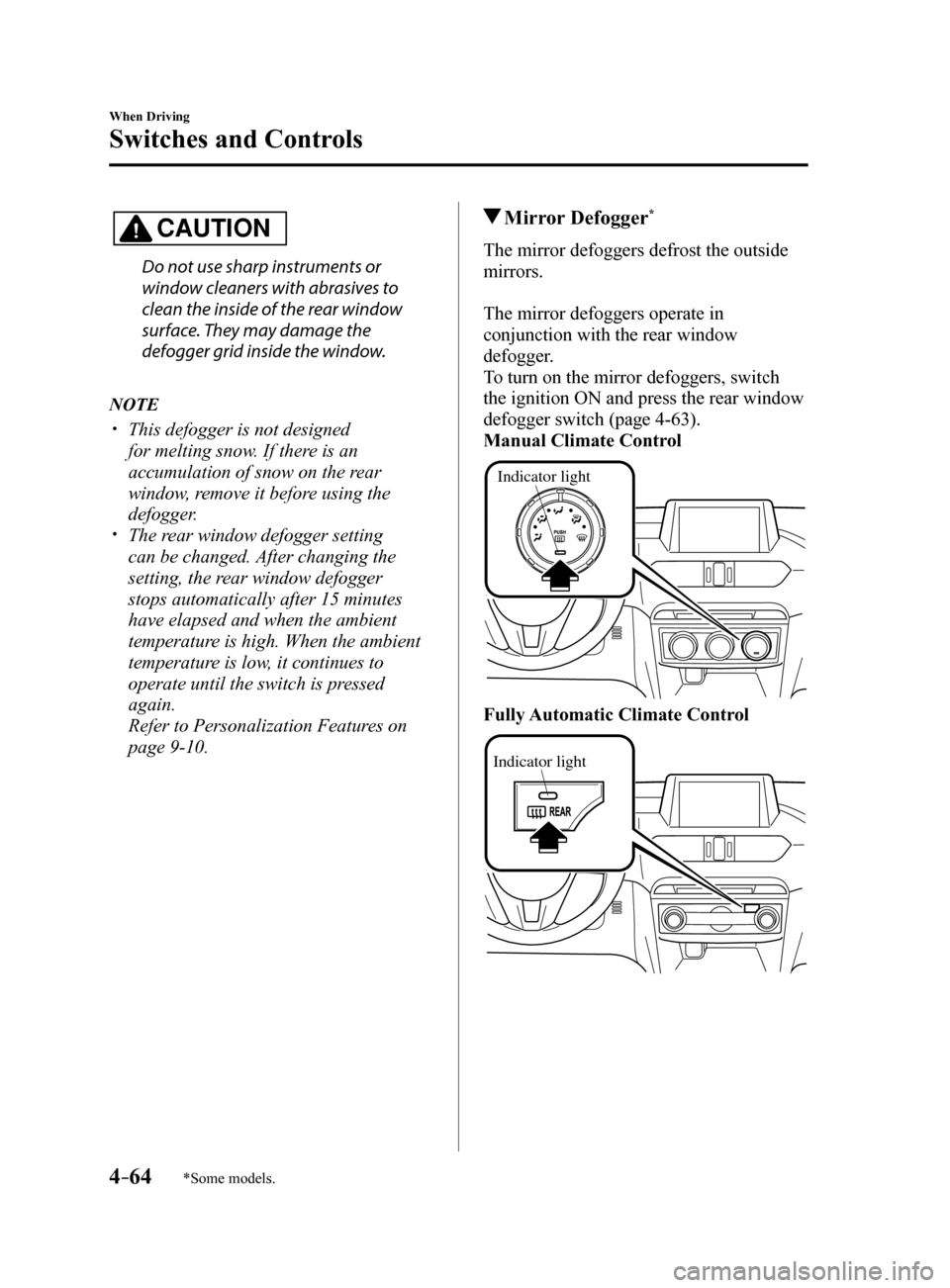
Mirror Defogger*
The mirror defoggers defrost the outside
mirrors.
The mirror defoggers operate in
conjunction with the rear window
defogger.
To turn on the mirror defoggers, switch
the ignition ON and press the rear window
defogger switch (page 4-63).
Manual Climate Control
Indicator light
Fully Automatic Climate Control
Indicator light
Mazda6_8FH2-EA-16F_Edition2.indb 642016/07/07 13:44:58