change MAZDA MODEL 6 2017 (in English) Service Manual
[x] Cancel search | Manufacturer: MAZDA, Model Year: 2017, Model line: MODEL 6, Model: MAZDA MODEL 6 2017Pages: 578, PDF Size: 54.72 MB
Page 192 of 578
4–68
When Driving
Switches and Controls
4. After the HomeLink indicator light
changes from a slow to a rapidly
blinking light, release both the
HomeLink and hand-held transmitter
buttons.
NOTE
If the HomeLink indicator light does not
change to a rapidly blinking light, contact
HomeLink at www.homelink.com or call
1-800-355-3515 for assistance.
5. Connect the power to the garage door
opener or gate programmed to the
hand-held transmitter.
6. Firmly press and hold the programmed
HomeLink button for five seconds,
and then release it. Perform this
operation two times to activate the door
or gate. If the door or gate does not
activate, press and hold the just-trained
HomeLink button and observe the
indicator light.
If the indicator light stays on
constantly, programming is complete
and your device should activate when
the HomeLink button is pressed and
released.
NOTE
To program the remaining two HomeLink
buttons, begin with “Programming”—
step 1
If the indicator light blinks rapidly
for two seconds and then turns
to a constant light, continue with
“Programming” steps 7—9 to
complete the programming of a rolling
code equipped device (most commonly
a garage door opener). 7.
At the garage door opener receiver
(motor-head unit) in the garage, locate
the “learn” or “smart” button. This can
usually be found where the hanging
antenna wire is attached to the motor-
head unit.
8. Firmly press and release the “learn” or
“smart” button. (The name and color of
the button may vary by manufacturer.)
NOTE
Complete the programming within 30
seconds.
9. Return to the vehicle and firmly press,
hold for two seconds and release the
programmed HomeLink button. Repeat
the “press/hold/release” sequence a
second time, and, depending on the
brand of the garage door opener (or
other rolling code equipped device),
repeat this sequence a third time to
complete the programming process.
HomeLink should now activate your
rolling code equipped device.
NOTE
To program the remaining two HomeLink
buttons, begin with “Programming”—
step 1
For questions or comments, please contact
HomeLink at www.homelink.com or 1-
800-355-3515.
Mazda6_8FH2-EA-16F_Edition2.indb 682016/07/07 13:44:59
Page 197 of 578
4–73
When Driving
Brake
Electric parking brake automatic
release
If the accelerator pedal is depressed with
the electric parking brake applied and
all of the following conditions met, the
parking brake is released automatically.
The engine is running. The driver's door is closed. The driver's seat belt is fastened.
(Manual transaxle)
The change lever is in a position other
than neutral.
The clutch pedal is depressed halfway
(Automatic transaxle)
Selector lever is in the D, M, or R
position
NOTE
If something such as the driver's foot
contacts the accelerator pedal with the
engine running and the electric parking
brake applied, the parking brake may
be released automatically. If you do not
intend to drive immediately, shift the
change lever (manual transaxle) to the
neutral position, or shift the selector
lever (automatic transaxle) to the P or N
position.
Warning Light
The warning light turns on when the
system has a malfunction.
Refer to Warning Indication/Warning
Lights on page 4-33.
Brake Pad Wear Indicator
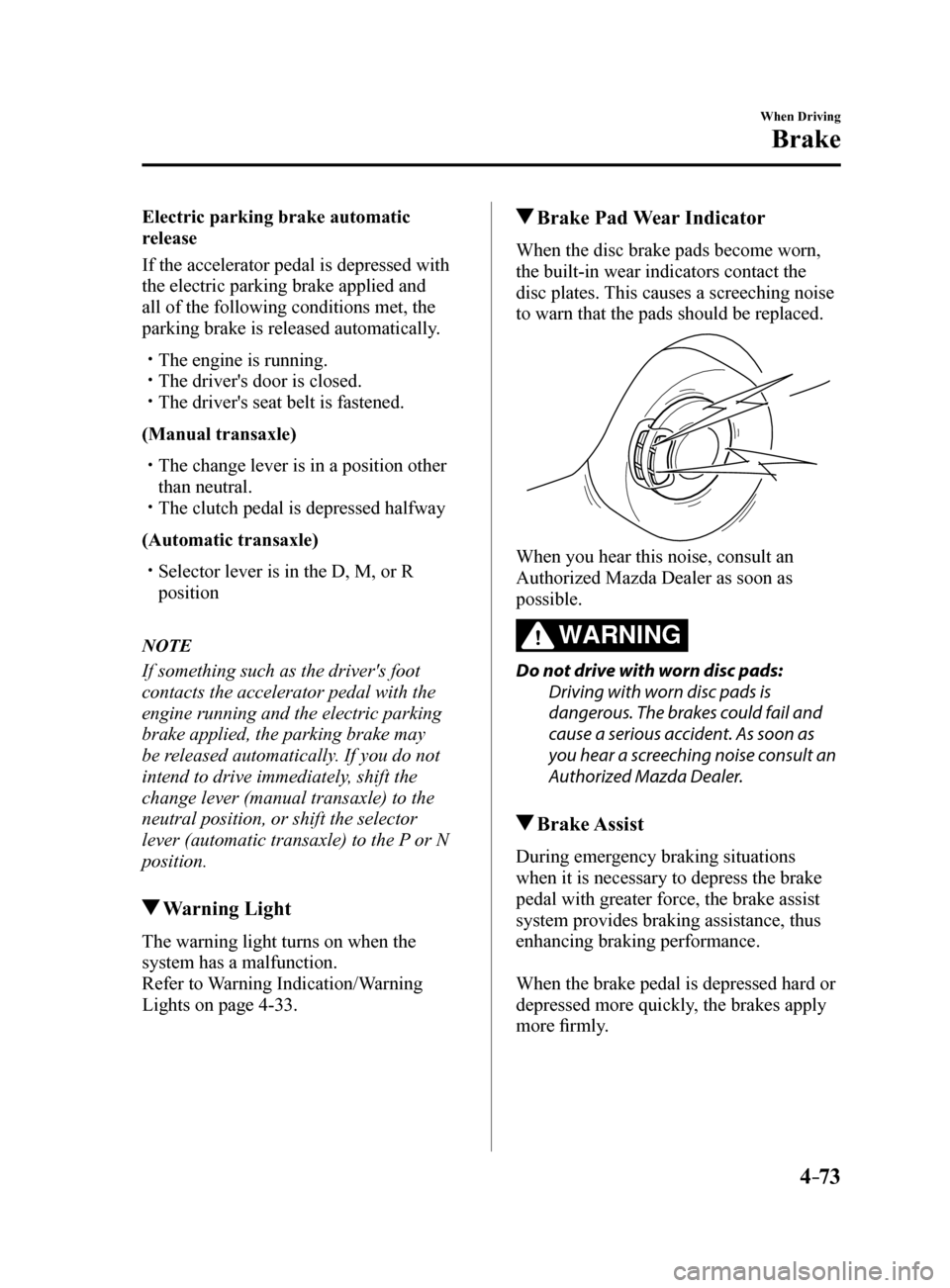
When the disc brake pads become worn,
the built-in wear indicators contact the
disc plates. This causes a screeching noise
to warn that the pads should be replaced.
When you hear this noise, consult an
Authorized Mazda Dealer as soon as
possible.
WARNING
Do not drive with worn disc pads:
Driving with worn disc pads is
dangerous. The brakes could fail and
cause a serious accident. As soon as
you hear a screeching noise consult an
Authorized Mazda Dealer.
Brake Assist
During emergency braking situations
when it is necessary to depress the brake
pedal with greater force, the brake assist
system provides braking assistance, thus
enhancing braking performance.
When the brake pedal is depressed hard or
depressed more quickly, the brakes apply
more firmly.
Mazda6_8FH2-EA-16F_Edition2.indb 732016/07/07 13:45:00
Page 199 of 578
4–75
When Driving
Brake
WARNING
Do not rely completely on Hill Launch
Assist (HLA):Hill Launch Assist (HLA) is an auxiliary
device for accelerating from a stop
on a slope. The system only operates
for about two seconds and therefore,
relying only on the system, when
accelerating from a stop is dangerous
because the vehicle may move (roll)
unexpectedly and cause an accident.
The vehicle could roll depending on
the vehicle's load or if it is towing
something. In addition, for vehicles
with a manual transaxle, the vehicle
could still roll depending on how the
clutch pedal or the accelerator pedal is
operated.
Always confirm the safety around the
vehicle before starting to drive the
vehicle.
NOTE
Hill Launch Assist (HLA) does not
operate on a gentle slope. In addition,
the gradient of the slope on which the
system will operate changes depending
on the vehicle's load.
Hill Launch Assist (HLA) does not
operate if the parking brake is applied,
the vehicle has not stopped completely,
or the clutch pedal is released.
While Hill Launch Assist (HLA) is
operating, the brake pedal may feel
stiff and vibrate, however, this does not
indicate a malfunction.
Hill Launch Assist (HLA) does not
operate while the TCS/DSC indicator
light is illuminated.
Refer to Warning/Indicator Lights on
page 4-32.
Hill Launch Assist (HLA) does not
turn off even if the DSC OFF switch is
pressed to turn off the TCS/DSC.
Mazda6_8FH2-EA-16F_Edition2.indb 752016/07/07 13:45:00
Page 202 of 578
4–78
When Driving
ABS/TCS/DSC
Dynamic Stability
Control (DSC)
The Dynamic Stability Control (DSC)
automatically controls braking and engine
torque in conjunction with systems such
as ABS and TCS to help control side slip
when driving on slippery surfaces, or
during sudden or evasive maneuvering,
enhancing vehicle safety.
Refer to ABS (page 4-76) and TCS
(page 4-77).
DSC operation is possible at speeds
greater than 20 km/h (12 mph).
The warning light turns on when the
system has a malfunction.
Refer to Warning Indication/Warning
Lights on page 4-33.
WARNING
Do not rely on the Dynamic Stability
Control as a substitute for safe driving:The Dynamic Stability Control (DSC)
cannot compensate for unsafe and
reckless driving, excessive speed,
tailgating (following another vehicle
too closely), and hydroplaning
(reduced tire friction and road contact
because of water on the road surface).
You can still have an accident.
CAUTION
The DSC may not operate correctly
unless the following are observed:
Use tires of the correct size specified
for your Mazda on all four wheels.
Use tires of the same manufacturer,
brand and tread pattern on all four
wheels.
Do not mix worn tires.
The DSC may not operate correctly when
tire chains are used or a temporary spare
tire is installed because the tire diameter
changes.
TCS/DSC Indicator Light
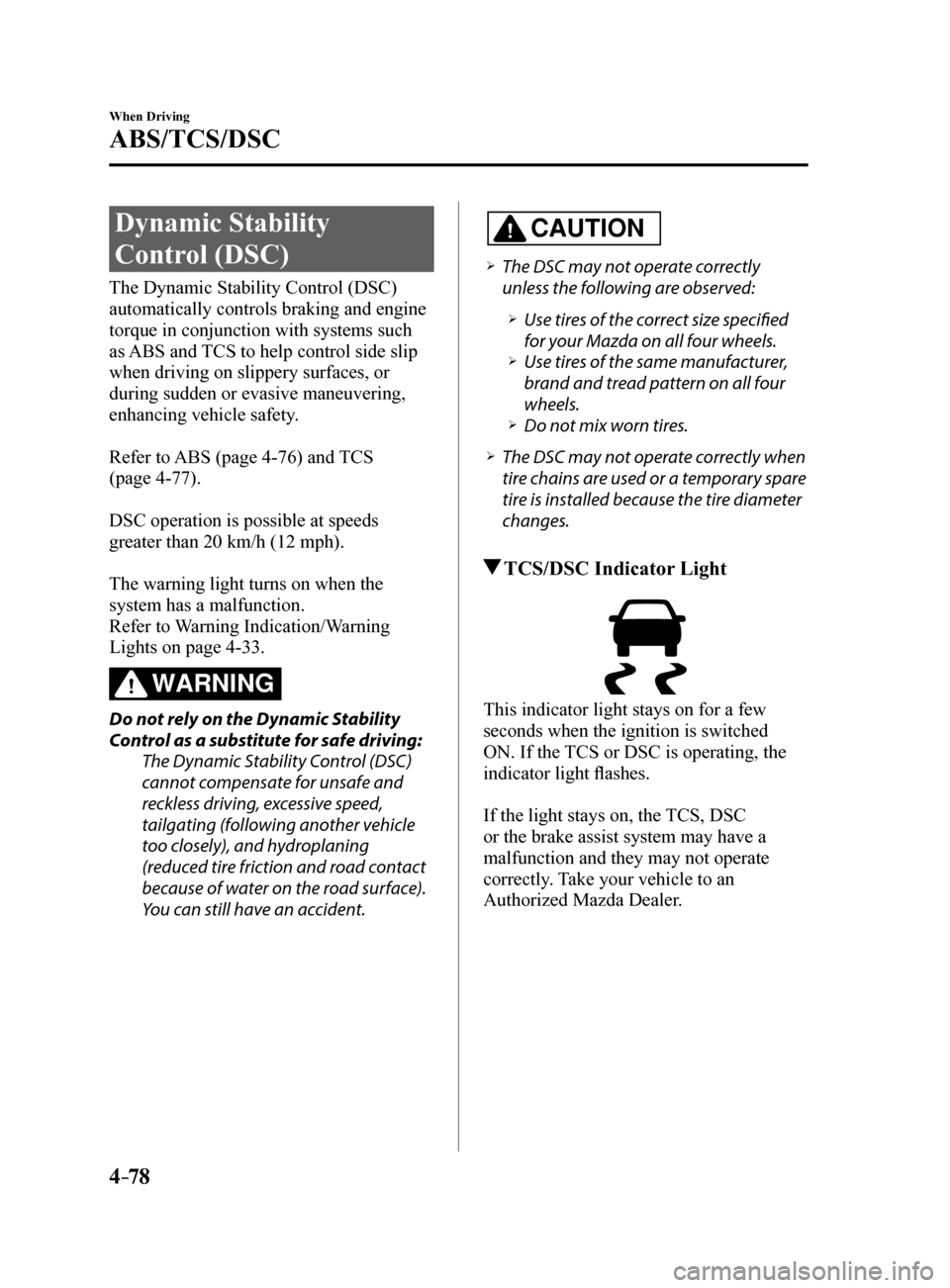
This indicator light stays on for a few
seconds when the ignition is switched
ON. If the TCS or DSC is operating, the
indicator light flashes.
If the light stays on, the TCS, DSC
or the brake assist system may have a
malfunction and they may not operate
correctly. Take your vehicle to an
Authorized Mazda Dealer.
Mazda6_8FH2-EA-16F_Edition2.indb 782016/07/07 13:45:01
Page 207 of 578
 Service Manual 4–83
When Driving
Fuel Economy Monitor
Fuel Economy Monitor
The Control Status and Fuel Consumption are switched and displayed by op\
erating each
icon in the display.
In addition, after completing")
4–83
When Driving
Fuel Economy Monitor
Fuel Economy Monitor
The Control Status and Fuel Consumption are switched and displayed by op\
erating each
icon in the display.
In addition, after completing a trip, the total energy efficiency to date is displayed in the
ending display when the ending display is turned on.
1. Select the
icon on the home screen to display the applications screen.
2. Select the “Fuel Economy Monitor”.
3. Operate the commander switch or touch the screen and display the menu.
NOTE
When the menu is displayed by touching the screen, the display is hidden automatically after
6 seconds.
4. Select the icon in the menu and perform the operation. Each icon operates as follows:
Indication on display Control status
Hides the menu display.
Displays the application screen.
Switches the Fuel Economy Monitor in the order of
Control Status and Fuel Consumption.
Resets the fuel economy data.
Displays the following setting screen.
Ending display on/off switching On/off switching for function which synchronizes
reset fuel economy data to trip meter (Trip A)
NOTE
The fuel economy monitor screen after the ignition is switched from ON to OFF is changed
to the original fuel economy monitor screen when the ignition is switched ON the next time.
Mazda6_8FH2-EA-16F_Edition2.indb 832016/07/07 13:45:02
Page 210 of 578
4–86
When Driving
Drive Selection
*Some models.
Drive Selection*
Drive selection is a system to switch the vehicle's drive mode. When the sport mode
is selected, vehicle's response against accelerator operation is enhance\
d. This provides
additional quick acceleration which may be needed to safely make maneuvers such as lane
changes, merging onto freeways, or passing other vehicles.
CAUTION
Do not use the sport mode when driving on slippery roads such as wet or snow-covered
roads. It may cause tire slipping.
NOTE
When the sport mode is selected, driving at higher engine speeds increases and it may
increase fuel consumption. Mazda recommends that you cancel the sport mode on normal
driving.
Drive mode cannot be switched in the following conditions:
ABS/TCS/DSC is operating The Mazda Radar Cruise Control (MRCC) system/cruise control is operating. Steering wheel is being operated abruptly
Drive Selection Switch
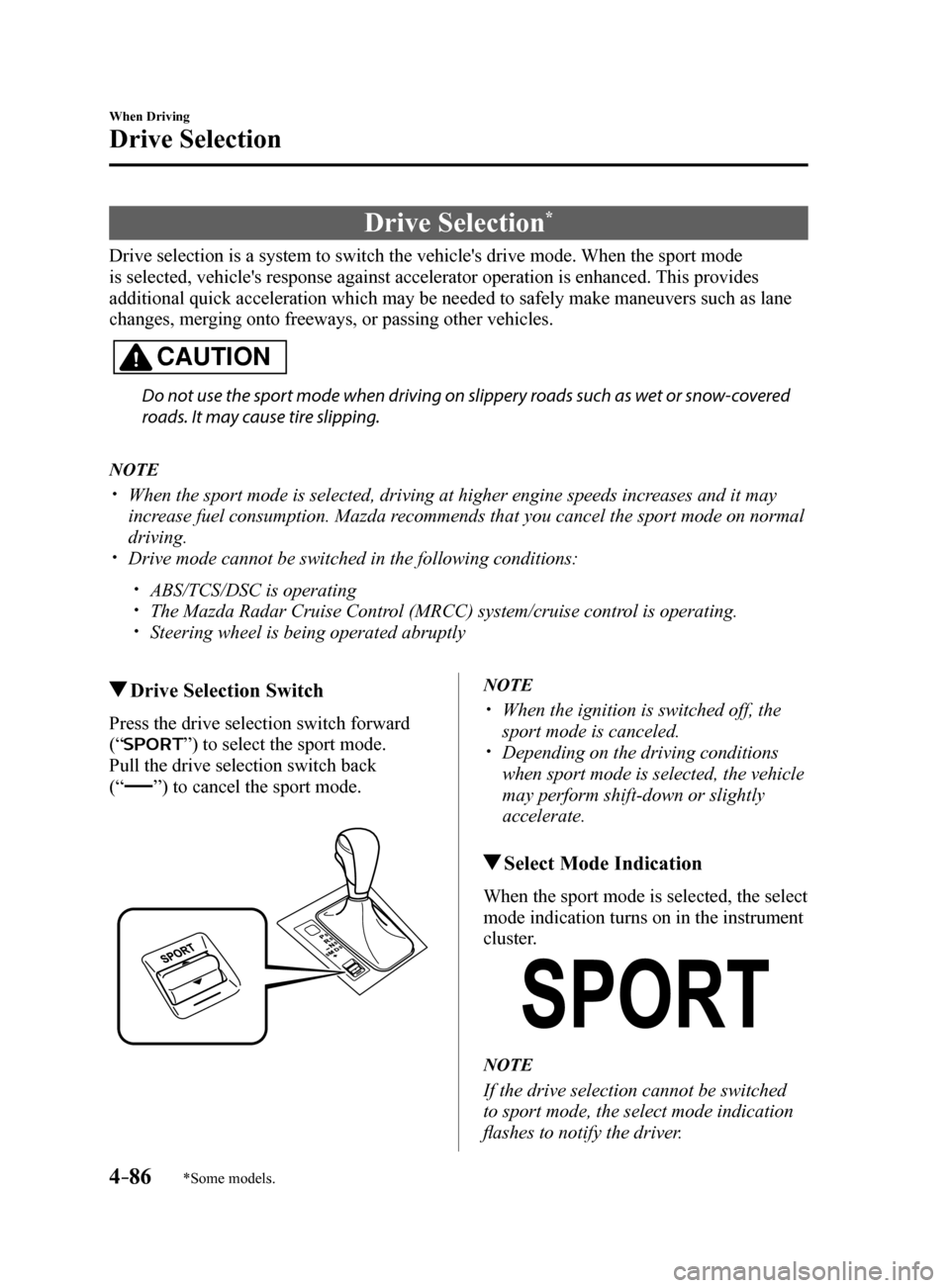
Press the drive selection switch forward
(“
”) to select the sport mode.
Pull the drive selection switch back
(“”) to cancel the sport mode.
NOTE
When the ignition is switched off, the
sport mode is canceled.
Depending on the driving conditions
when sport mode is selected, the vehicle
may perform shift-down or slightly
accelerate.
Select Mode Indication
When the sport mode is selected, the select
mode indication turns on in the instrument
cluster.
NOTE
If the drive selection cannot be switched
to sport mode, the select mode indication
flashes to notify the driver.
Mazda6_8FH2-EA-16F_Edition2.indb 862016/07/07 13:45:04
Page 216 of 578
 Service Manual 4–92
When Driving
i-ACTIVSENSE
NOTE
The timing in which the system switches the headlights changes under the\
following
conditions. If the system does not switch the headlights appropriately, manu")
4–92
When Driving
i-ACTIVSENSE
NOTE
The timing in which the system switches the headlights changes under the\
following
conditions. If the system does not switch the headlights appropriately, manually switch
between high and low beams according to the visibility as well as road and traffic
conditions.
When there are sources of light in the area such as street lamps, illuminated signboards,
and traffic signals.
When there are reflective objects in the surrounding area such as reflective plates and
signs.
When visibility is reduced under rain, snow and foggy conditions. When driving on roads with sharp turn or hilly terrain. When the headlights/rear lamps of vehicles in front of you or in the opposite lane are dim
or not illuminated.
When there is sufficient darkness such as at dawn or dusk. When the luggage compartment is loaded with heavy objects or the rear passenger seats
are occupied.
When visibility is reduced due to a vehicle in front of you spraying water from its tires
onto your windshield.
Mazda6_8FH2-EA-16F_Edition2.indb 922016/07/07 13:45:05
Page 218 of 578

4–94
When Driving
i-ACTIVSENSE
*Some models.
Blind Spot Monitoring (BSM)*
The Blind Spot Monitoring (BSM) is designed to assist the driver in checking the area to the
rear of the vehicle on both sides during lane changes by notifying the d\
river of the presence
of vehicles approaching from the rear in an adjacent lane.
The Blind Spot Monitoring (BSM) detects vehicles approaching from the rear while
traveling in the forward direction at a speed of 10 km/h (6.3 mph) or faster and notifies
the driver by turning on the Blind Spot Monitoring (BSM) warning indicator light and
displaying the vehicle detection screen (vehicles with multi-informatio\
n display and active
driving display).
If the turn signal lever is operated to signal a turn in the direction in which the Blind Spot
Monitoring (BSM) warning indicator light is illuminated while the approaching vehicle is
detected, the Blind Spot Monitoring (BSM) notifies the driver of possible danger by turning
on the Blind Spot Monitoring (BSM) warning indicator light, and by activating the warning
sound and the warning screen indicator display (vehicles with multi-inf\
ormation display and
active driving display).
The detection area on this system covers the driving lanes on both sides\
of the vehicle and
from the rear part of the front doors to about 50 m (164 ft) behind th\
e vehicle.
Detection areas
Your vehicle
WARNING
Always check the surrounding area visually before making an actual lane change:The system is only designed to assist you in checking for vehicles at your rear when
making a lane change. Due to certain limitations with the operation of this system, the
Blind Spot Monitoring (BSM) warning indicator light, the warning sound and the warning
screen indicator display may not activate or they might be delayed even though a vehicle
is in an adjacent driving lane. Always make it your responsibility as a driver to check the
rear.
Mazda6_8FH2-EA-16F_Edition2.indb 942016/07/07 13:45:05
Page 220 of 578
4–96
When Driving
i-ACTIVSENSE
In the following case, the flashing of the Blind Spot Monitoring (BSM) warning indicator
light, and the activation of the warning sound and the warning screen indicator display
may not occur or they may be delayed.
A vehicle makes a lane change from a driving lane two lanes over to an adjacent lane. Driving on steep slopes. Crossing the summit of a hill or mountain pass. The turning radius is small (making a sharp turn, turning at intersecti\
ons). When there is a difference in the height between your driving lane and the adjacent
lane.
Directly after the Blind Spot Monitoring (BSM) system becomes operable by\
changing
the setting.
If the road width is extremely narrow, vehicles two lanes over may be detected.
The detection area of the radar sensors (rear) is set according to the road width of
expressways.
The Blind Spot Monitoring (BSM) warning indicator light may turn on an\
d the vehicle
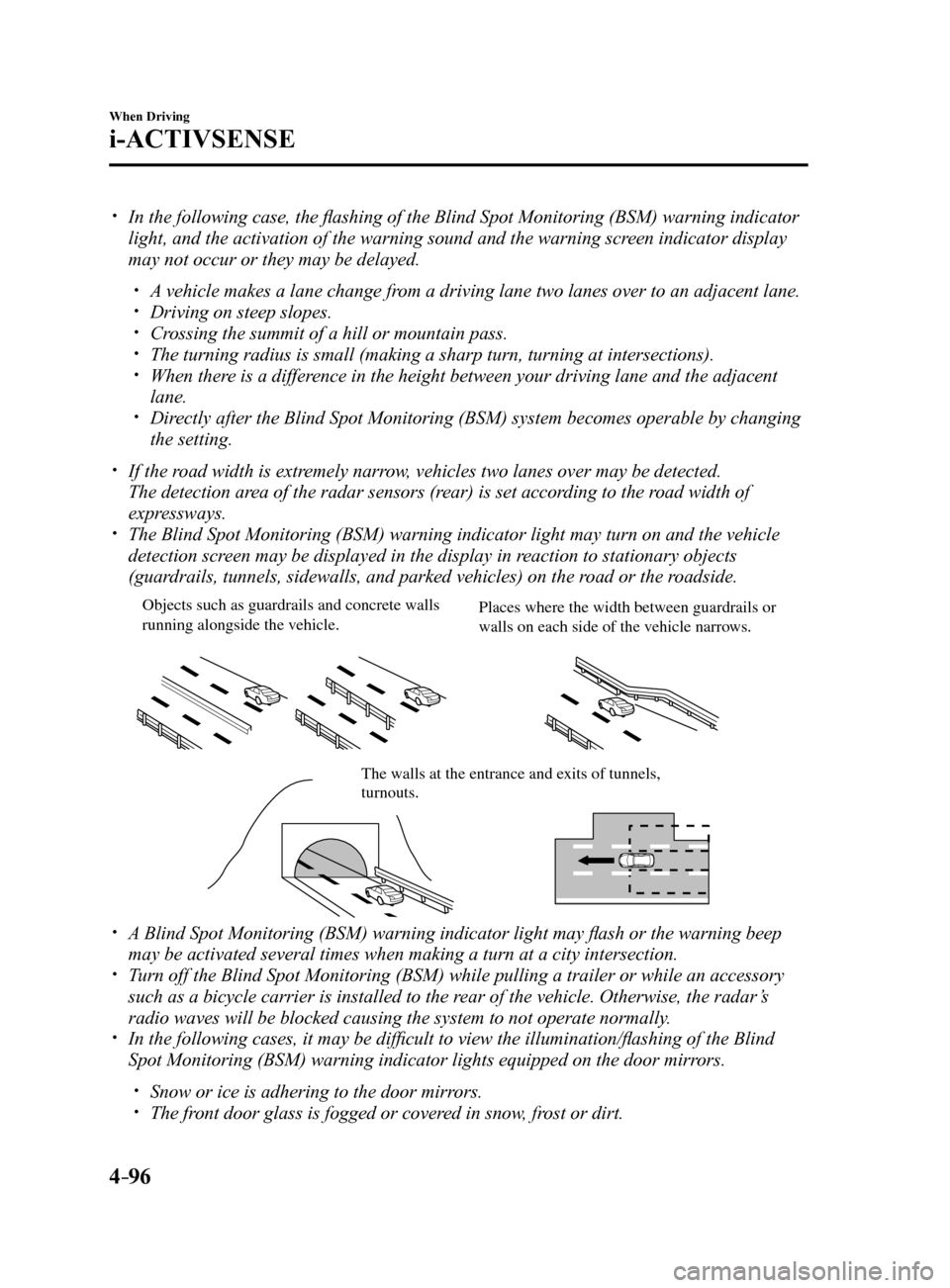
detection screen may be displayed in the display in reaction to stationary objects
(guardrails, tunnels, sidewalls, and parked vehicles) on the road or the roadside.
Objects such as guardrails and concrete walls
running alongside the v ehicle.Places where the width between guardrails or
walls on each side of the v ehicle narrows.
The walls at the entrance and e xits of tunnels, turnouts.
A Blind Spot Monitoring (BSM) warning indicator light may flash or the warning beep
may be activated several times when making a turn at a city intersection\
.
Turn off the Blind Spot Monitoring (BSM) while pulling a trailer or whi\
le an accessory
such as a bicycle carrier is installed to the rear of the vehicle. Otherwise, the radar’s
radio waves will be blocked causing the system to not operate normally.
In the following cases, it may be difficult to view the illumination/flashing of the Blind
Spot Monitoring (BSM) warning indicator lights equipped on the door mi\
rrors.
Snow or ice is adhering to the door mirrors. The front door glass is fogged or covered in snow, frost or dirt.
Mazda6_8FH2-EA-16F_Edition2.indb 962016/07/07 13:45:06
Page 222 of 578
4–98
When Driving
i-ACTIVSENSE
Reverse driving (Rear Cross Traffic Alert (RCTA) system operation)
The Rear Cross Traffic Alert (RCTA) system detects vehicles approaching from the left and
right of your vehicle and flashes the Blind Spot Monitoring (BSM) warning indicator lights.
Function for cancelling illumination dimmer
If the Blind Spot Monitoring (BSM) warning indicator lights turn on when the parking lights
are turned on, the brightness of the Blind Spot Monitoring (BSM) warning indicator lights is
dimmed.
If the Blind Spot Monitoring (BSM) warning indicator lights are difficult to see due to
glare from surrounding brightness when traveling on snow-covered roads o\
r under foggy
conditions, press the dimmer cancellation button to cancel the dimmer an\
d increase the
brightness of Blind Spot Monitoring (BSM) warning indicator lights when they turn on.
Refer to Dashboard Illumination on page 4-17.
Display indicator (Vehicles with multi-information display and active driving display)
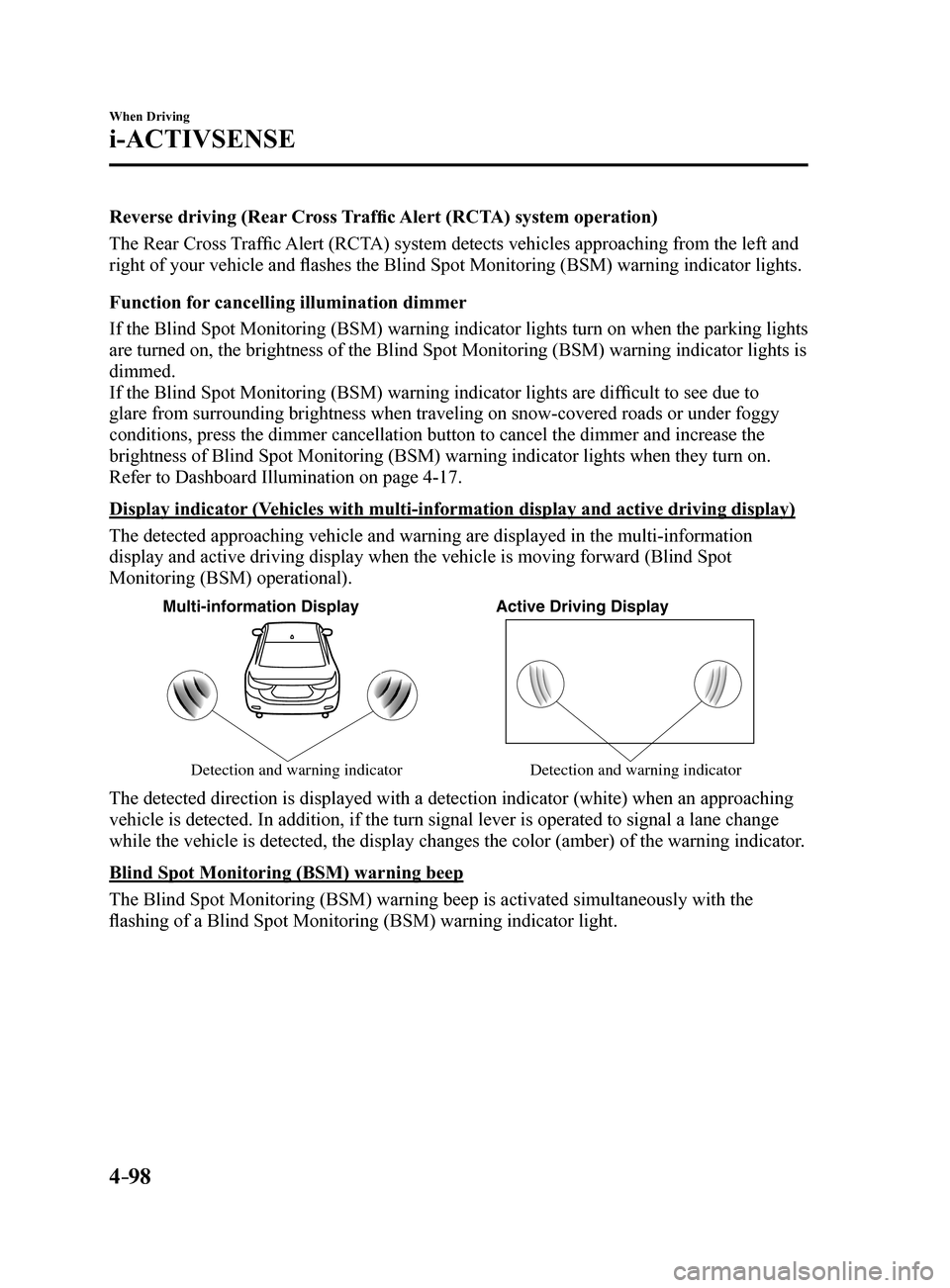
The detected approaching vehicle and warning are displayed in the multi-\
information
display and active driving display when the vehicle is moving forward (Blind Spot
Monitoring (BSM) operational).
Multi-information DisplayActive Driving Display
Detection and warning indicator Detection and warning indicator
The detected direction is displayed with a detection indicator (white)\
when an approaching
vehicle is detected. In addition, if the turn signal lever is operated t\
o signal a lane change
while the vehicle is detected, the display changes the color (amber) o\
f the warning indicator.
Blind Spot Monitoring (BSM) warning beep
The Blind Spot Monitoring (BSM) warning beep is activated simultaneously with the
flashing of a Blind Spot Monitoring (BSM) warning indicator light.
Mazda6_8FH2-EA-16F_Edition2.indb 982016/07/07 13:45:06