Mazda connect MAZDA MODEL CX-50 2023 Repair Manual
[x] Cancel search | Manufacturer: MAZDA, Model Year: 2023, Model line: MODEL CX-50, Model: MAZDA MODEL CX-50 2023Pages: 583, PDF Size: 85.63 MB
Page 389 of 583

No. MenuExplanation
(1) Information Fuel Efficiency Monitor:
Monitor fuel
efficiency in real time and view fuel
efficiency history.
SiriusXM Travel Link
*:
Access traffic information, weather, fuel prices, parking information
and sports scores.
Vehicle Status Monitor:
View important vehicle maintenance messages, information, and inter-
vals.
(2) Entertainment FM
AM
SiriusXM
*
Pandora*
Bluetooth
USB1 Audio/USB2 Audio
USB1 Video/USB2 Video
Audio
Off
(3) Notifications Displays text messages received by the mobile device paired to Mazda
Connect and notifications from the vehicle.
(4) Communication By connecting your mobile device,
such as a Smartphone, to Mazda
Connect via Bluetooth
®, you can use the hands-free call and short mes-
sage functions.
(5) Navigation The navigation system (vehicles with navigation system) can be used
when the SD card for the navigation system is inserted.
If the SD card for the navigation system is not inserted, the compass in-
dicating the direction in which the ve
hicle is moving is displayed. The
compass may not indicate the correct bearing when the vehicle is stop-
ped or traveling at a slow speed.
For the navigation system operation, refer to the navigation system
manual.
Interior Features
Mazda Connect
5-16*Some models.
CX-50_8KB8-EA-22A_Edition2_new 2022-1-6 14:55:18
Page 390 of 583
No. MenuExplanation
(6) Settings You can change the settings for the Mazda Connect screen, sound set-
tings, and the vehicle functions.
In-Vehicle Displays:
Configures settings and content for all in-vehicle displays.
Sound Settings:
Configures
the in-vehicle listening experience.
Safety Settings:
Configures safety and driver assistance features.
Ve h i c l e S e t t i n g s :
Configures vehicle convenience features.
Connectivity Settings:
Configures Bluetooth and other device connectivity settings.
System Settings:
Configures language, time, and other general settings.
(7) Apple CarPlay You can use Apple CarPlay™ by connecting an iPhone
® compatible with
Apple CarPlay™.
(8) Android Auto You can use Android Auto™ by connecting an Android™ Smartphone
compatible with Android Auto™.
WARNING
Always adjust Mazda Connect while the vehicle is stopped:
Do not adjust Mazda Connect with th
e Commander switch while driving the
vehicle. Adjusting Mazda Connect with the Commander switch while driving the
vehicle is dangerous as it could distract your attention from the vehicle operation
which could lead to a serious accident.
Even if the audio remote control switches are equipped on the steering wheel, learn
to use the switches without looking down at them so that you can keep your
maximum attention on the road while driving the vehicle.
Do not allow the connection plug cord to get tangled with the selector lever:
Allowing the plug cord to become tangled with the selector lever is dangerous as it
could interfere with driving , resulting in an accident.
Interior Features
Mazda Connect
5-17
CX-50_8KB8-EA-22A_Edition2_new 2022-1-6 14:55:18
Page 391 of 583

Do not adjust a mobile device or a similar product while driving the vehicle:
Adjusting a mobile device or a similar produ ct while driving the vehicle is dangerous
as it could distract your attention from the vehicle operation which could lead to a
serious accident. Always adjust a mobile device or a similar product while the
vehicle is stopped.
CAUTION
For the purposes of safe driving, adjust the audio volume to a level that allows you
to hear sounds outside of the vehicle including car horns and particularly emergency
vehicle sirens.
NOTE
Do not use Mazda Connect for a long ti me with the engine stopped. Otherwise,
the battery power could be depleted.
If a mobile phone or CB radio is used in or near the vehicle, it could cause noise to
occur from the audio system. However, this does not indicate a problem.
Interior Features
Mazda Connect
5-18
CX-50_8KB8-EA-22A_Edition2_new 2022-1-6 14:55:18
Page 392 of 583
Mazda Connect Basic Operations
▼Mazda Connect Basic Operations
NOTE
The explanation of functions described in this manual may differ from the actual
operation, and the shapes of screens and buttons and the letters and characters
displayed may also differ from the actual appearance.
Additionally, depending on future software updates, the content may successively
change without notice.
▼Commander Switch Operation
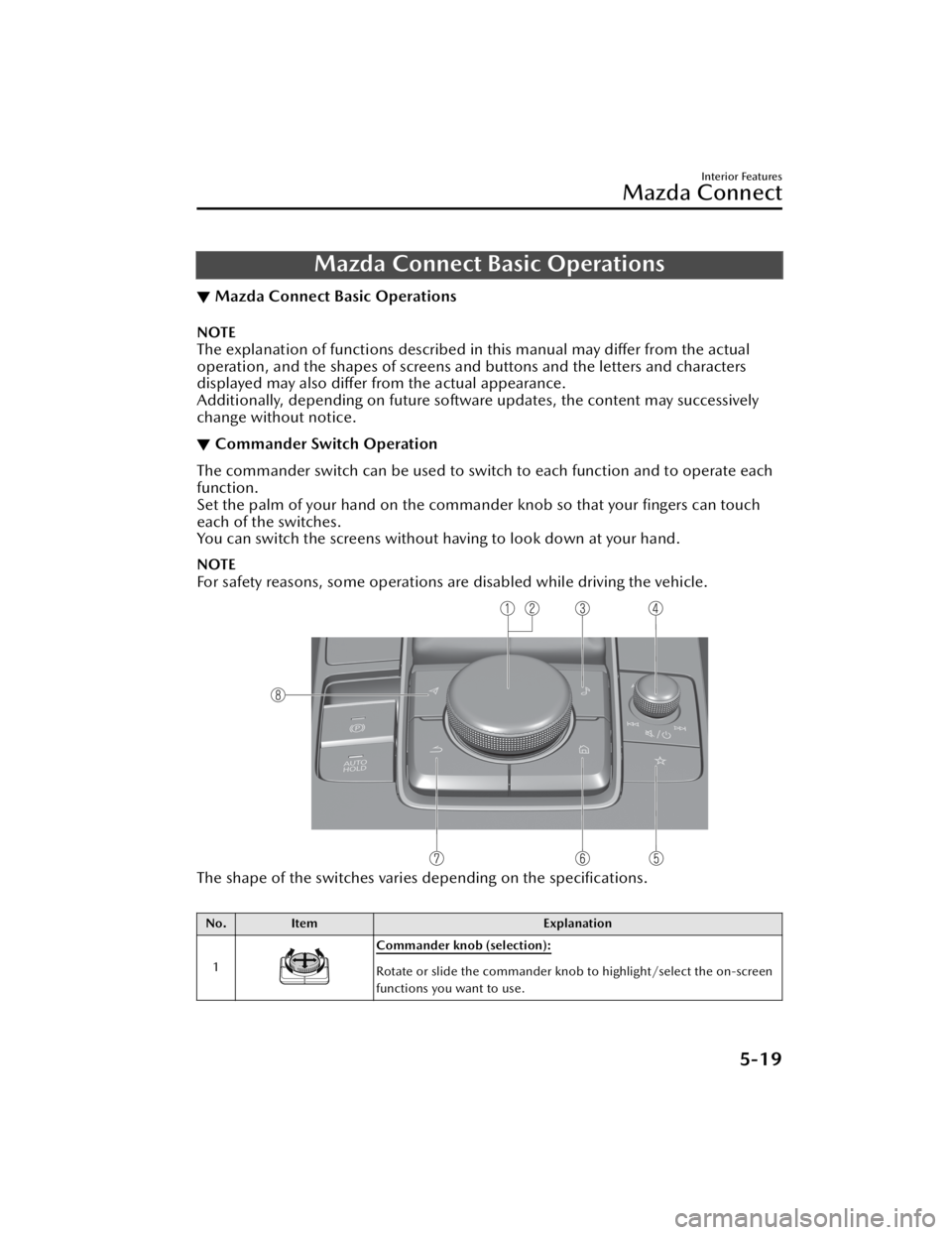
The commander switch can be used to swit
ch to each function and to operate each
function.
Set the palm of your hand on the comman der knob so that your fingers can touch
each of the switches.
You can switch the screens without ha ving to look down at your hand.
NOTE
For safety reasons, some operations are disabled while driving the vehicle.
The shape of the switches varies depending on the specifications.
No.Item Explanation
1
Commander knob (selection):
Rotate or slide the commander knob to highlight/select the on-screen
functions you want to use.
Interior Features
Mazda Connect
5-19
CX-50_8KB8-EA-22A_Edition2_new 2022-1-6 14:55:18
Page 393 of 583
No.Item Explanation
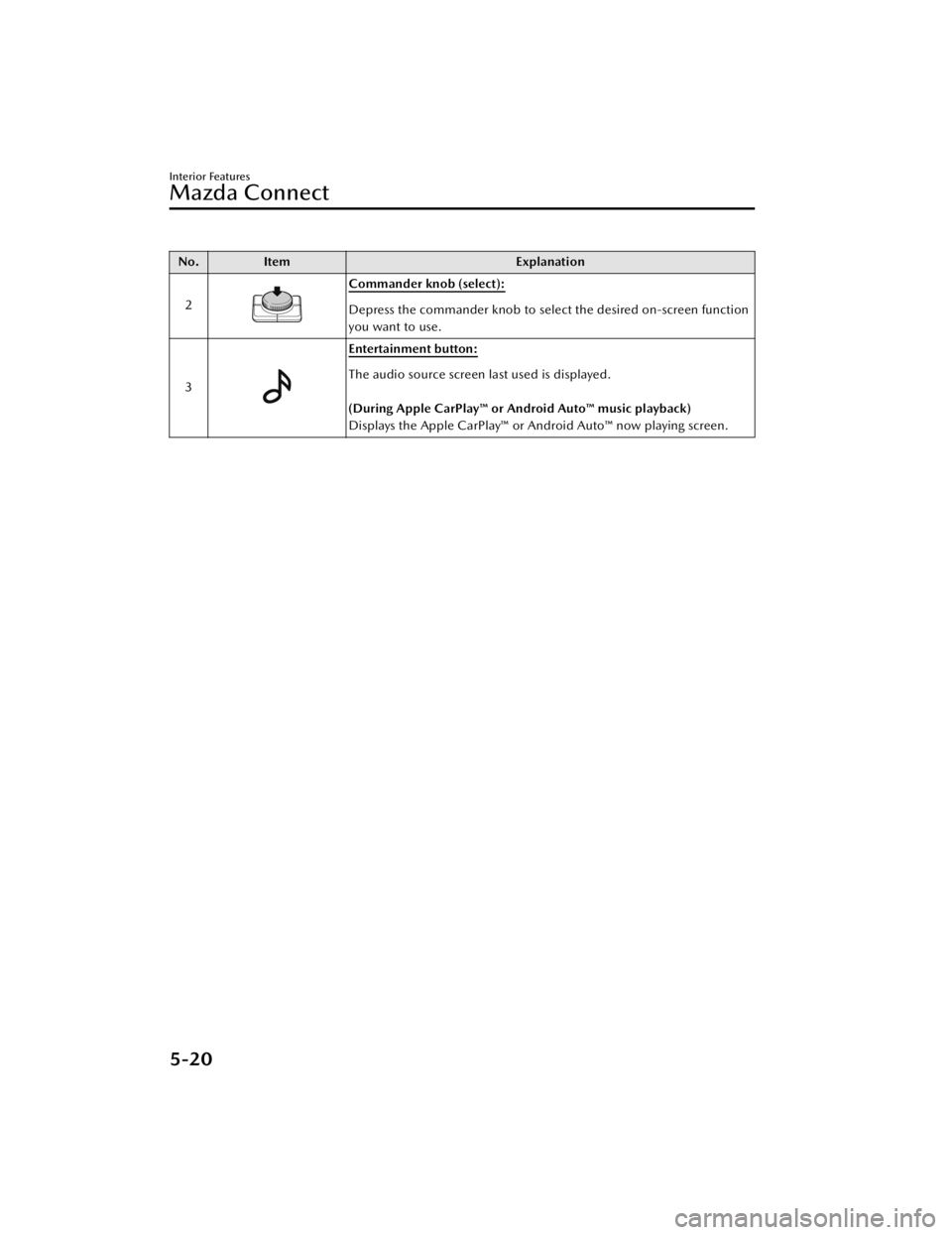
2
Commander knob (select):
Depress the commander knob to select the desired on-screen function
you want to use.
3
Entertainment button:
The audio source screen last used is displayed.
(During Apple CarPlay™ or Android Auto™ music playback)
Displays the Apple CarPlay™ or Android Auto™ now playing screen.
Interior Features
Mazda Connect
5-20
CX-50_8KB8-EA-22A_Edition2_new 2022-1-6 14:55:18
Page 394 of 583
No.Item Explanation
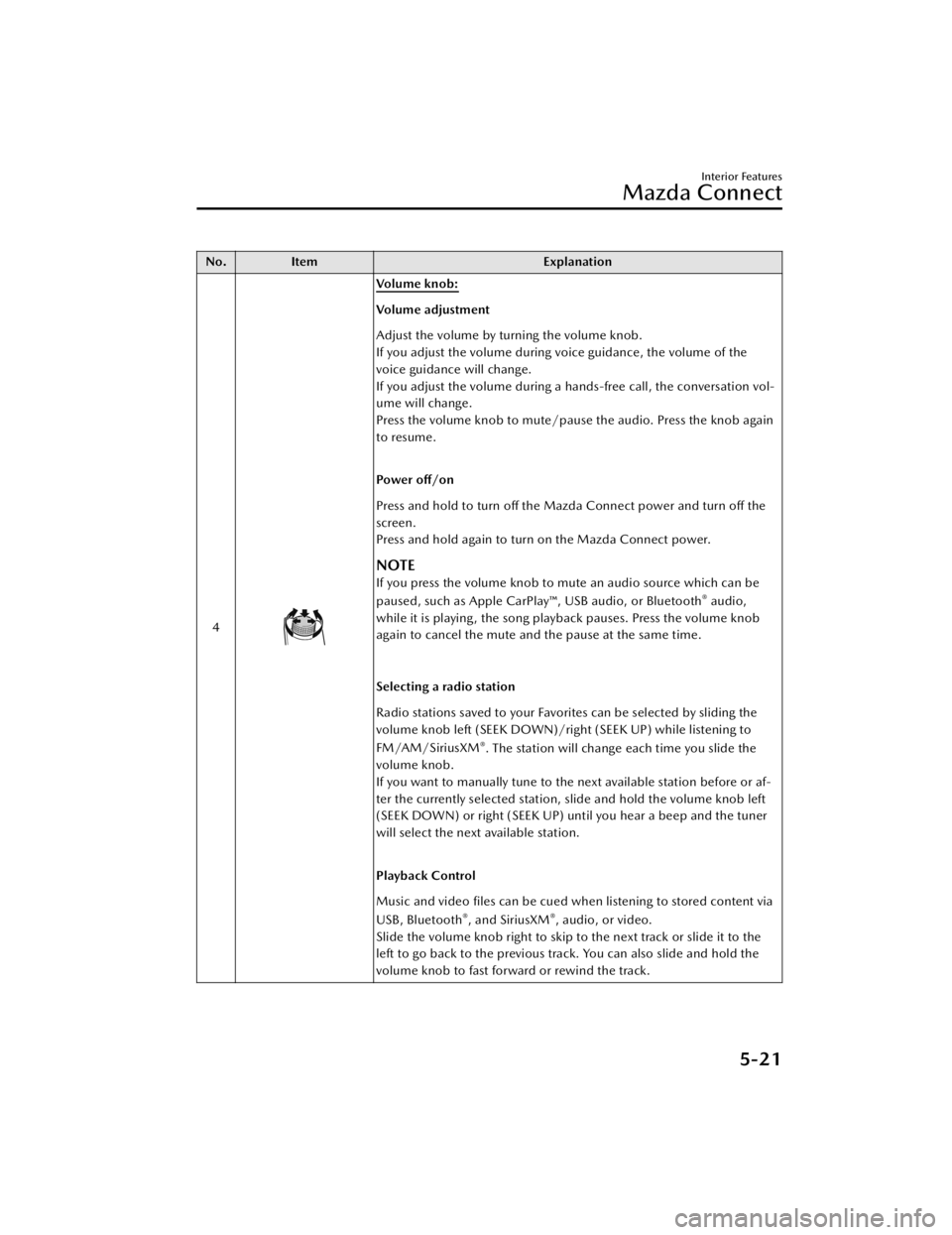
4
Vo l u m e k n o b :
Volume adjustment
Adjust the volume by turning the volume knob.
If you adjust the volume during voice guidance, the volume of the
voice guidance will change.
If you adjust the volume during a hands-free call, the conversation vol-
ume will change.
Press the volume knob to mute/pause the audio. Press the knob again
to resume.
Po we r o ff /o n
Press and hold to turn off the Mazda Connect power and turn off the
screen.
Press and hold again to turn on the Mazda Connect power.
NOTE
If you press the volume knob to mute an audio source which can be
paused, such as Apple CarPlay™, USB audio, or Bluetooth® audio,
while it is playing, the song playback pauses. Press the volume knob
again to cancel the mute and the pause at the same time.
Selecting a radio station
Radio stations saved to your Favorites can be selected by sliding the
volume knob left (SEEK DOWN)/right (SEEK UP) while listening to
FM/AM/SiriusXM
®. The station will change each time you slide the
volume knob.
If you want to manually tune to the next available station before or af-
ter the currently selected station, slide and hold the volume knob left
(SEEK DOWN) or right (SEEK UP) until you hear a beep and the tuner
will select the next available station.
Playback Control
Music and video files can be cued when listening to stored content via
USB, Bluetooth
®, and SiriusXM®, audio, or video.
Slide the volume knob right to skip to the next track or slide it to the
left to go back to the previous track. You can also slide and hold the
volume knob to fast forward or rewind the track.
Interior Features
Mazda Connect
5-21
CX-50_8KB8-EA-22A_Edition2_new 2022-1-6 14:55:18
Page 395 of 583
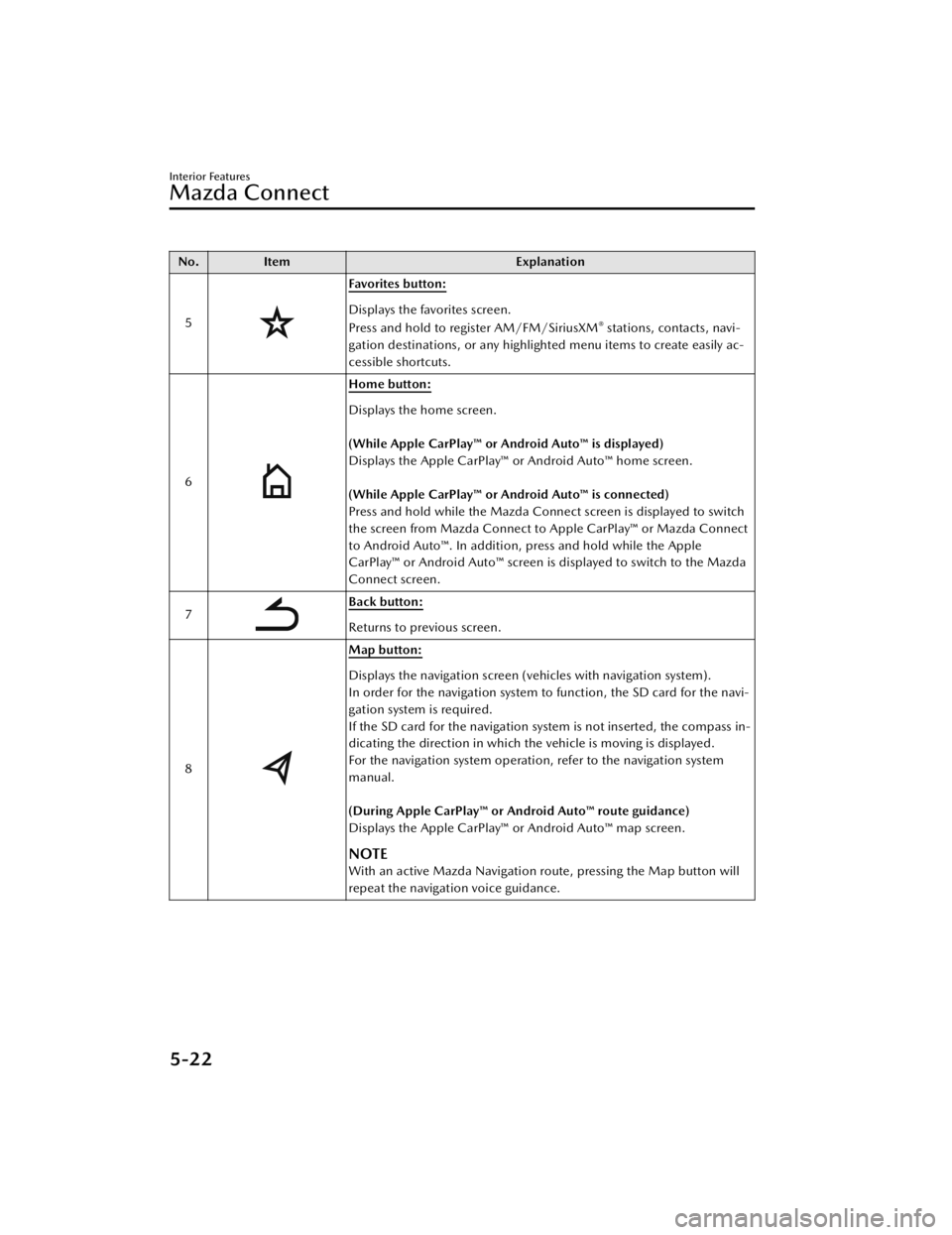
No.Item Explanation
5
Favorites button:
Displays the favorites screen.
Press and hold to register AM/FM/SiriusXM® stations, contacts, navi-
gation destinations, or any highlighted menu items to create easily ac-
cessible shortcuts.
6
Home button:
Displays the home screen.
(While Apple CarPlay™ or Android Auto™ is displayed)
Displays the Apple CarPlay™ or Android Auto™ home screen.
(While Apple CarPlay™ or Android Auto™ is connected)
Press and hold while the Mazda Connect screen is displayed to switch
the screen from Mazda Connect to Apple CarPlay™ or Mazda Connect
to Android Auto™. In addition, press and hold while the Apple
CarPlay™ or Android Auto™ screen is displayed to switch to the Mazda
Connect screen.
7
Back button:
Returns to previous screen.
8
Map button:
Displays the navigation screen (vehicles with navigation system).
In order for the navigation system to function, the SD card for the navi-
gation system is required.
If the SD card for the navigation system is not inserted, the compass in-
dicating the direction in which the vehicle is moving is displayed.
For the navigation system operation, refer to the navigation system
manual.
(During Apple CarPlay™ or Android Auto™ route guidance)
Displays the Apple CarPlay™ or Android Auto™ map screen.
NOTE
With an active Mazda Navigation route, pressing the Map button will
repeat the navigation voice guidance.
Interior Features
Mazda Connect
5-22
CX-50_8KB8-EA-22A_Edition2_new 2022-1-6 14:55:18
Page 396 of 583
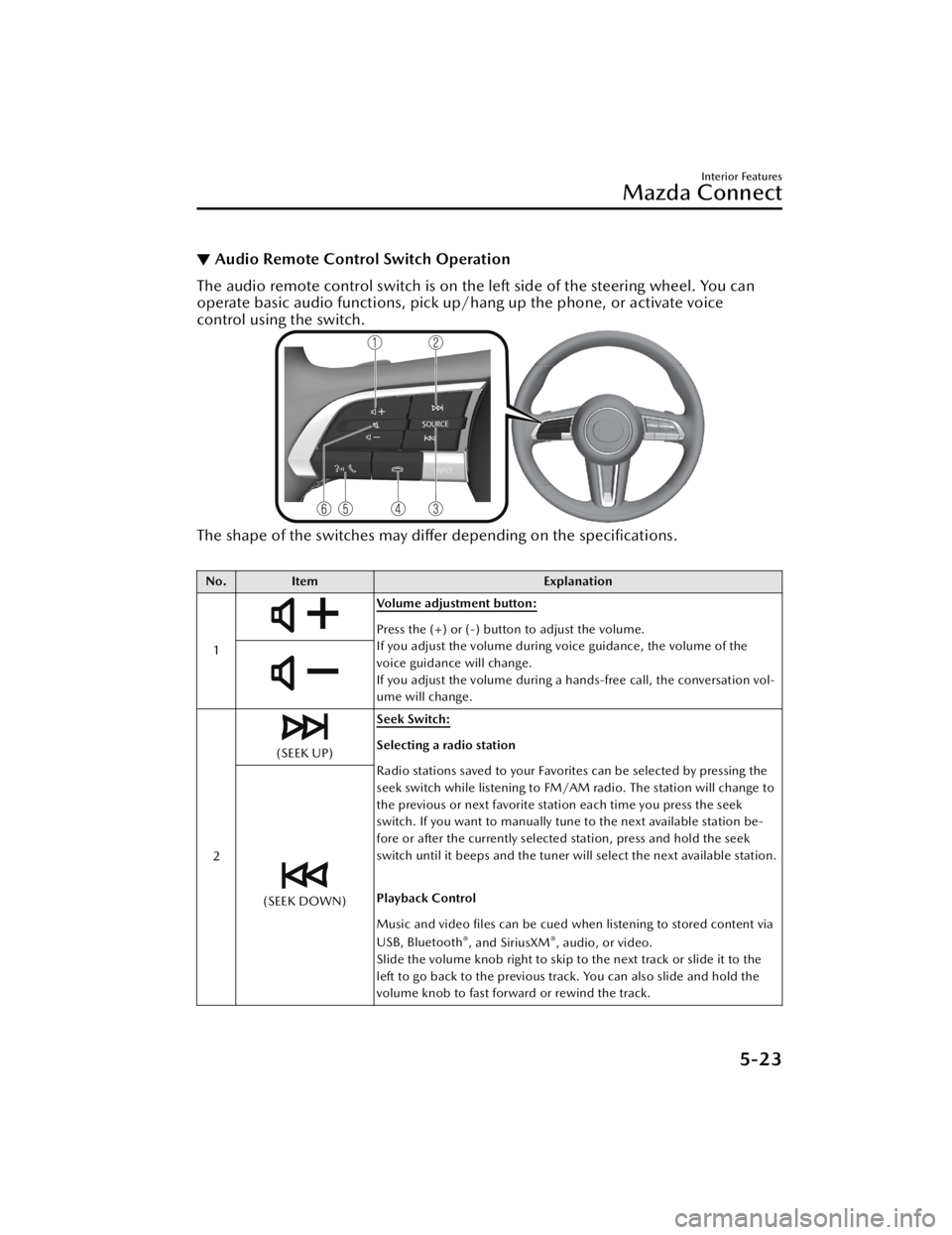
▼Audio Remote Control Switch Operation
The audio remote control switch is on the left side of the steering wheel. You can
operate basic audio functions, pick up/h
ang up the phone, or activate voice
control using the switch.
The shape of the switches may differ depending on the
specifications.
No. Item Explanation
1
Volume adjustment button:
Press the (+) or (-) button to adjust the volume.
If you adjust the volume during voice guidance, the volume of the
voice guidance will change.
If you adjust the volume during a hands-free call, the conversation vol-
ume will change.
2
(SEEK UP) Seek Switch:Selecting a radio station
Radio stations saved to your Favorites can be selected by pressing the
seek switch while listening to FM/AM radio. The station will change to
the previous or next favorite station each time you press the seek
switch. If you want to manually tune to the next available station be-
fore or after the currently selected station, press and hold the seek
switch until it beeps and the tuner will select the next available station.
Playback Control
Music and video files can be cued when listening to stored content via
USB, Bluetooth
®, and SiriusXM®, audio, or video.
Slide the volume knob right to skip to the next track or slide it to the
left to go back to the previous track. You can also slide and hold the
volume knob to fast forward or rewind the track.
(SEEK DOWN)
Interior Features
Mazda Connect
5-23
CX-50_8KB8-EA-22A_Edition2_new 2022-1-6 14:55:18
Page 397 of 583
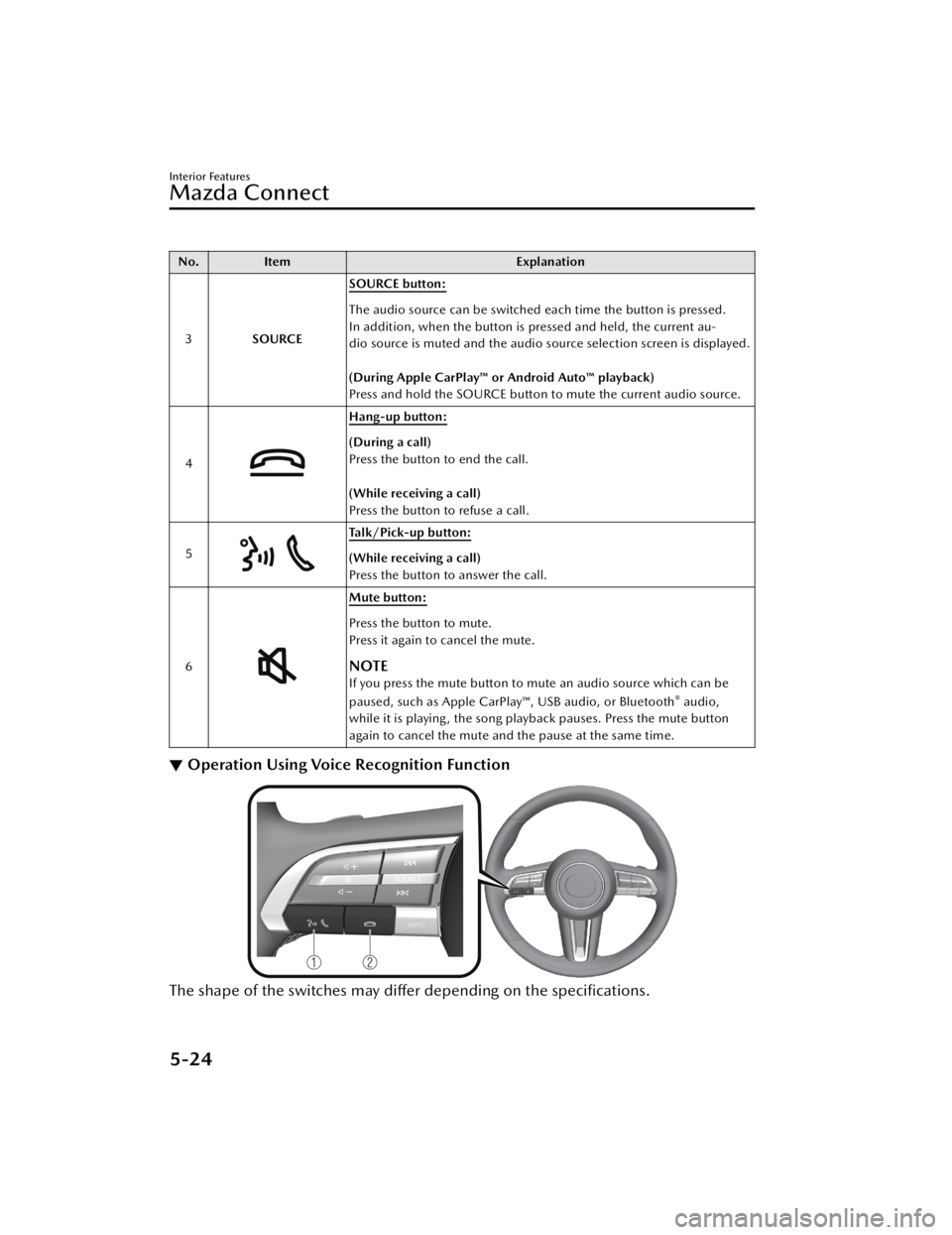
No.Item Explanation
3 SOURCE SOURCE button:
The audio source can be switched each time the button is pressed.
In addition, when the button is pressed and held, the current au-
dio source is muted and the audio source selection screen is displayed.
(During Apple CarPlay™ or Android Auto™ playback)
Press and hold the SOURCE button to mute the current audio source.
4
Hang-up button:
(During a call)
Press the button to end the call.
(While receiving a call)
Press the button to refuse a call.
5
Talk/Pick-up button:
(While receiving a call)
Press the button to answer the call.
6
Mute button:
Press the button to mute.
Press it again to cancel the mute.
NOTE
If you press the mute button to mute an audio source which can be
paused, such as Apple CarPlay™, USB audio, or Bluetooth® audio,
while it is playing, the song play back pauses. Press the mute button
again to cancel the mute and the pause at the same time.
▼ Operation Using Voice Recognition Function
The shape of the switches may differ depending on the specifications.
Interior Features
Mazda Connect
5-24
CX-50_8KB8-EA-22A_Edition2_new
2022-1-6 14:55:18
Page 398 of 583
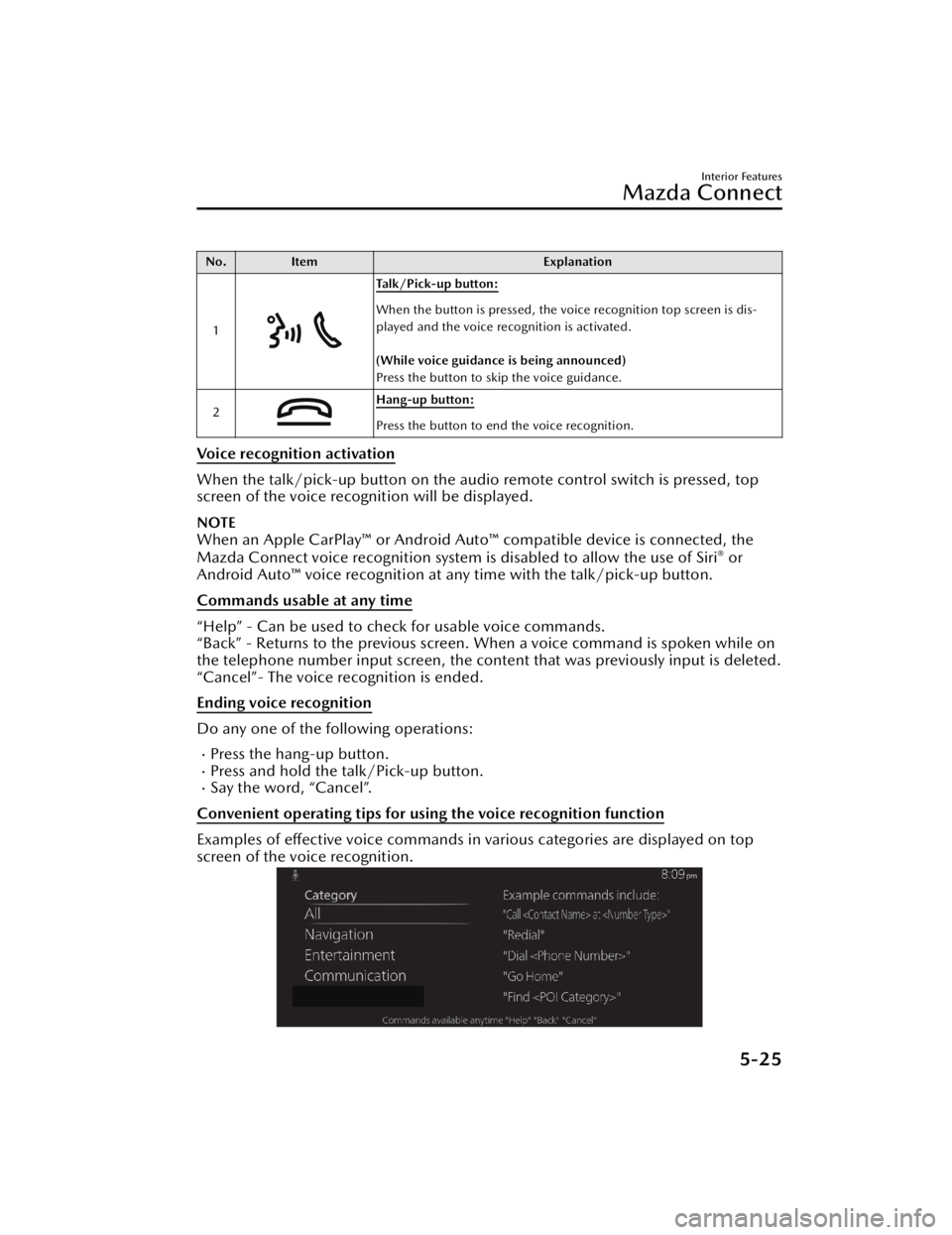
No.Item Explanation
1
Ta l k / P i c k - u p b u t t o n :
When the button is pressed, the voice recognition top screen is dis-
played and the voice recognition is activated.
(While voice guidance is being announced)
Press the button to skip the voice guidance.
2
Hang-up button:
Press the button to end the voice recognition.
Voice recognition activation
When the talk/pick-up button on the audio remote control switch is pressed, top
screen of the voice recognition will be displayed.
NOTE
When an Apple CarPlay™ or Android Auto ™ compatible device is connected, the
Mazda Connect voice recognition system is disabled to allow the use of Siri® or
Android Auto™ voice recognition at an y time with the talk/pick-up button.
Commands usable at any time
“Help” - Can be used to check for usable voice commands.
“Back” - Returns to the previous screen. When a voice command is spoken while on
the telephone number input screen, the content that was previously input is deleted.
“Cancel”- The voice recognition is ended.
Ending voice recognition
Do any one of the fo llowing operations:
Press the hang-up button.Press and hold the talk/Pick-up button.Say the word, “Cancel”.
Convenient operating tips for using the voice recognition function
Examples of effective voice commands in various categories are displayed on top
screen of the voice recognition.
Interior Features
Mazda Connect
5-25
CX-50_8KB8-EA-22A_Edition2_new 2022-1-6 14:55:18