change MAZDA MODEL CX-9 2010 (in English) Owner's Manual
[x] Cancel search | Manufacturer: MAZDA, Model Year: 2010, Model line: MODEL CX-9, Model: MAZDA MODEL CX-9 2010Pages: 592
Page 155 of 592
Black plate (155,1)
Hazardous Driving
qDriving on Slippery Surface
WARNING
Be extremely careful if it is necessary to
downshift on slippery surfaces:
Downshifting into lower gear while
driving on slippery surfaces is
dangerous. The sudden change in tire
speed could cause the tires to skid.
This could lead to loss of vehicle
control and an accident.
Do not rely on ABS or RSC as a
substitute for safe driving:
The ABS and RSC cannot compensate
for unsafe and reckless driving,
excessive speed, tailgating (following
another vehicle too closely), driving
on ice and snow, and hydroplaning
(reduced tire friction and road
contact because of water on the road
surface). You can still have an
accident.
When driving on ice or in water, snow,
mud, sand, or similar hazards:
lBe cautious and allow extra distance
for braking.
lAvoid sudden braking and sudden
maneuvering.
lDo not pump the brakes. Continue to
press down on the brake pedal.
lIf you get stuck, select a lower gear and
accelerate slowly. Do not spin the front
wheels.
lDo not perform abrupt maneuvers
when the road surface changes (such as
from a paved road to gravel) because
the reaction of the vehicle against the
driving operation changes.
lFor more traction in starting on
slippery surfaces such as ice or packed
snow, use sand, rock salt, chains,
carpeting, or other nonslip material
under the front wheels.
NOTE
Use snow chains only on the front wheels.
Before Driving Your Mazda
Driving Tips
4-7
CX-9_8AU2-EA-09G_Edition5 Page155
Thursday, May 6 2010 4:52 PM
Form No.8AU2-EA-09G
Page 165 of 592
Black plate (165,1)
WARNING
Always make sure the trailer hitch is securely attached before departure:
An unsecured trailer hitch is dangerous as it causes greater trailer sway from
crosswinds, rough roads or other causes, resulting in loss of control and a serious
accident.
Examine all trailer-hitch mounting bolts regularly and tighten any that are loose. If
the hitch is removed, seal any open mounting holes to prevent exhaust, dust, water,
dirt and other foreign elements from filtering in, possibly endangering personal
safety and damaging your vehicle.
Do not install a hitch that stiffens the bumper as it will reduce the bumper's
performance.
Make sure there are no exhaust gas leaks into the passenger compartment if any
mounting bolts are connected to the body:
Modifying your vehicle exhaust system is dangerous. Exhaust gas entering the
vehicle could cause loss of consciousness or even death.
When mounting the trailer hitch, make no modifications to the vehicle exhaust
system.
CAUTION
ØMake all hitch adjustments with actual loads. Do not load and unload vehicle
while adjusting hitch. This action will change the vehicle height.
ØDo not use an axle-mounted hitch. This may damage the axle and related parts.
qTires
When towing a trailer, make sure all tires are inflated to the recommended cold-tire
pressure, as indicated on the tire pressure chart on the driver's door frame. Trailer tire size,
load rating, and inflation pressures should conform to tire manufacturer specifications.
WARNING
Never use the temporary spare tire when towing:
Using the temporary spare tire on your vehicle when towing a trailer is dangerous as
it could result in tire failure, loss of control, and injury to vehicle occupants.
Before Driving Your Mazda
Towing
4-17
CX-9_8AU2-EA-09G_Edition5 Page165
Thursday, May 6 2010 4:52 PM
Form No.8AU2-EA-09G
Page 167 of 592
Black plate (167,1)
The three main causes of vehicle-trailer accidents are driver error, excessive speed, and
improper trailer loading.
Before driving
lHave your cooling and braking system checked by an Authorized Mazda Dealer.lBefore starting out, inspect the operation of all vehicle and trailer lights and all vehicle-
to-trailer connections. Stop and re-inspect all lights and connections after driving a short
distance.
Driving
lYour Mazda will handle differently with a trailer in tow, so practice turning, backing,
and stopping in a traffic-free area.
lTake time to get accustomed to the extra weight and length.lAllow more room between your vehicle and the one in front because braking distance
increases with a trailer. For each 16 km/h (10 mph) of speed, allow at least one vehicle
and trailer length between your Mazda and the vehicle ahead.
lAvoid jerky starts or sudden acceleration.lAvoid sudden braking. It may cause loss of control and result in jackknifing, especially
so on wet or slippery roads.
lShift the shift lever to the D position when towing a trailer in hilly terrain or when
heavily loaded.
The D position will allow operating the vehicle without frequent shifting.
Lane changes and turning
Avoid quick lane changes, sudden turns, and tight turns. Slow down before turning to
avoid the need of sudden braking.
A turning trailer will make a tighter arc than the tow vehicle. Compensate with turns that
are larger than normal.
Passing
Plan well ahead to pass other vehicles, and provide plenty of room before changing lanes.
Crosswinds from passing vehicles, especially larger ones, and the effects of rough roads
will affect handling.
If swaying occurs, firmly grip the steering wheel and reduce speed immediately, but
gradually.
Steer straight ahead. If no extreme correction of steering or braking is made, the
combination of less speed and firm steering will result in stability.
Backing up
Backing a vehicle with a trailer requires practice and patience. Back slowly, and have a
helper outside at the rear of the trailer to reduce the risk of an accident.
To turn the trailer, place your hand at the bottom of the steering wheel and turn it in the
direction you want the trailer to go. Make only slight movements to prevent sharp or
prolonged turning.
Before Driving Your Mazda
Towing
4-19
CX-9_8AU2-EA-09G_Edition5 Page167
Thursday, May 6 2010 4:52 PM
Form No.8AU2-EA-09G
Page 171 of 592
Black plate (171,1)
5Driving Your Mazda
Explanation of instruments and controls.
Starting and Driving ..................................................................... 5-2
Ignition Switch .......................................................................... 5-2
Starting the Engine .................................................................... 5-4
Turning Off the Engine ............................................................. 5-5
Brake System ............................................................................ 5-5
Automatic Transaxle Controls ................................................. 5-11
Power Steering ........................................................................ 5-17
All-Wheel Drive (AWD) Operation
í..................................... 5-17
Cruise Control ......................................................................... 5-20
Traction Control System (TCS) .............................................. 5-23
Dynamic Stability Control (DSC)/Roll Stability Control
(RSC) ...................................................................................... 5-26
Tire Pressure Monitoring System
í......................................... 5-28
Blind Spot Monitoring (BSM) Systemí................................. 5-34
Instrument Cluster and Indicators ............................................ 5-39
Meters and Gauges .................................................................. 5-39
Warning/Indicator Lights and Beep Sounds ............................ 5-44
Warning/Indicator Lights ........................................................ 5-44
Beep Sounds ........................................................................... 5-59
Switches and Controls ................................................................ 5-61
Lighting Control ..................................................................... 5-61
Turn and Lane-Change Signals ............................................... 5-65
Fog Lights
í............................................................................ 5-66
Windshield Wipers and Washer .............................................. 5-67
Rear Window Wiper and Washer ............................................ 5-72
Rear Window Defroster ........................................................... 5-73
Horn ........................................................................................ 5-74
Hazard Warning Flasher .......................................................... 5-74
HomeLink Wireless Control System
í.................................... 5-75
5-1íSome models.
CX-9_8AU2-EA-09G_Edition5 Page171
Thursday, May 6 2010 4:52 PM
Form No.8AU2-EA-09G
Page 183 of 592
Black plate (183,1)
qActive Adaptive Shift (AAS)
Active Adaptive Shift (AAS)
automatically controls the transaxle shift
points to best suit the road conditions and
driver input. This optimizes engine
performance and improves driving
comfort. When cornering the vehicle,
AAS mode will hold the transaxle in the
gear the vehicle was in before entering the
curve, allowing the vehicle to be
accelerated from the same gear after
exiting the curve.
If the driver accelerates rapidly, or
accelerates and decelerates rapidly by
operating the accelerator and brake pedal
for a certain period of time while the
selector lever is in the D position, AAS
mode could activate. When this occurs,
AAS mode will maintain the transaxle in
the optimum gear and the driver may
sense that the transaxle is not shifting,
however this does not indicate an
abnormality.
qShift-Lock System
The shift-lock system prevents shifting
out of P unless the brake pedal is
depressed.
To shift from P:
1. Depress and hold the brake pedal.
2. Start the engine.
3. Move the shift lever.NOTE
lWhen the ignition switch is in the LOCK
position, the shift lever cannot be shifted
from P.
lTo be sure the vehicle is in park,the
ignition key cannot be removed unless the
shift lever is in P.
l(With Advanced Key)
The ignition switch cannot be turned from
the ACC to the LOCK position when the
shift lever is not in P.
qManual Shift Mode
This mode gives you the feel of driving a
manual transaxle vehicle by operating the
shift lever and allows you to control
engine rpm and torque to the drive wheels
much like a manual transaxle when more
control is desired.
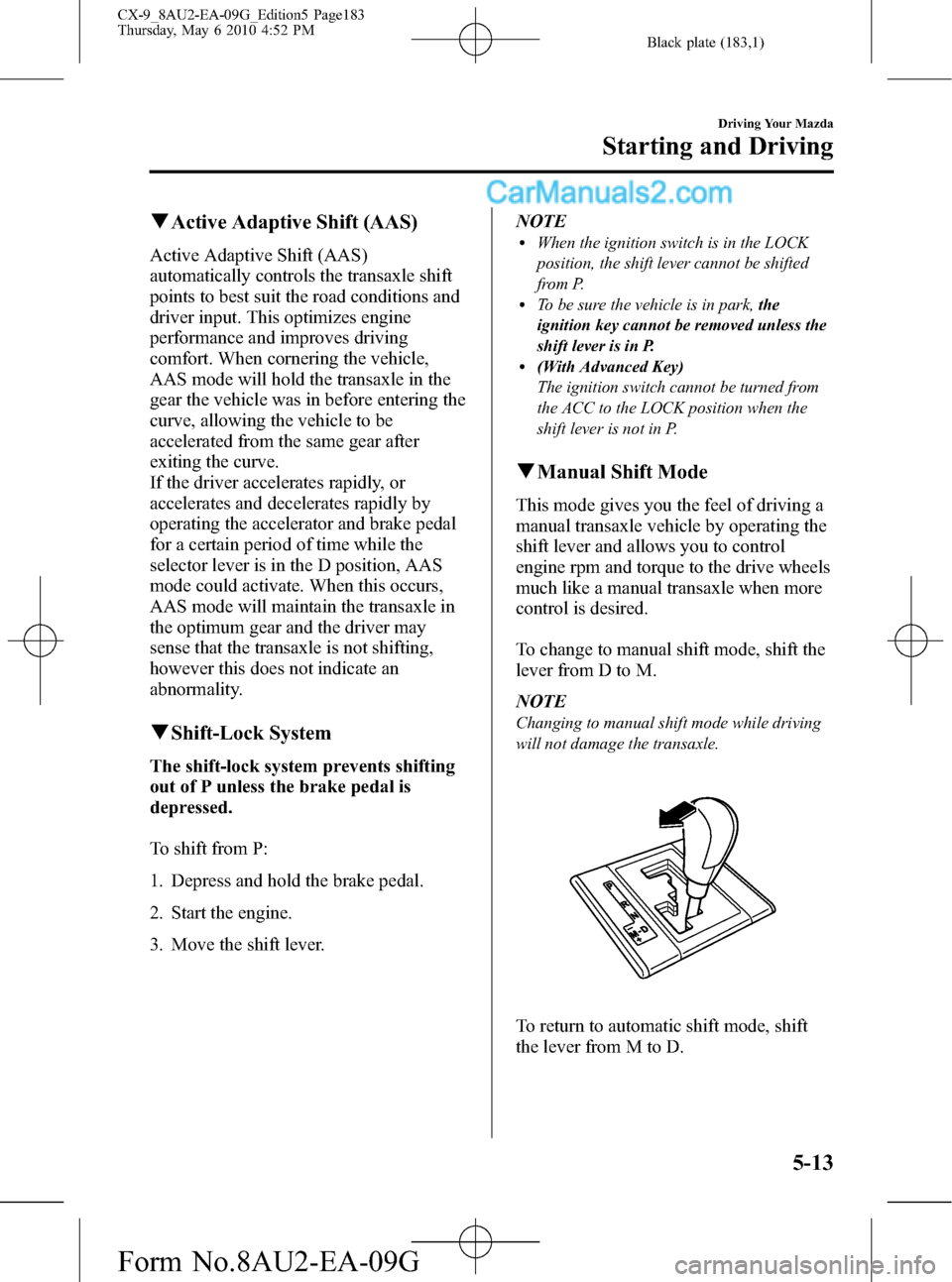
To change to manual shift mode, shift the
lever from D to M.
NOTE
Changing to manual shift mode while driving
will not damage the transaxle.
To return to automatic shift mode, shift
the lever from M to D.
Driving Your Mazda
Starting and Driving
5-13
CX-9_8AU2-EA-09G_Edition5 Page183
Thursday, May 6 2010 4:52 PM
Form No.8AU2-EA-09G
Page 184 of 592

Black plate (184,1)
NOTElIf you change to manual shift mode when
the vehicle is stopped, the gear will shift to
M1.
lIf you change to manual shift mode without
depressing the accelerator pedal when
driving in D range, 5th gear, the gear will
shift to M4.
lIf you change to manual shift mode without
depressing the accelerator pedal when
driving in D range, 6th gear, the gear will
shift to M5.
Indicators
Shift position indicator
In manual shift mode, the“M”of the shift
position indicator in the instrument panel
illuminates.
Gear position indicator
The numeral for the selected gear
illuminates.
Shift position indicator
Gear position indicator
NOTE
If the gears cannot be shifted down when
driving at higher speeds, the gear position
indicator will flash twice to signal that the
gears cannot be shifted down (to protect the
transaxle).
Shifting
Manually Shifting up
(M1→M2→M3→M4→M5→M6)
To shift up to a higher gear, tap the shift
lever back (
) once.
NOTElWhen driving slowly, the gears may not
shift up depending on vehicle speed.
lIn manual shift mode, gears do not shift up
automatically. Do not run the engine with
the tachometer needle in the RED ZONE. If
the tachometer needle enters the RED
ZONE, you may feel engine-braking
because the fuel delivery will be stopped to
protect the engine. However, this does not
indicate an abnormality.
lWhen depressing the accelerator fully, the
transaxle will shift to a lower gear,
depending on vehicle speed.
5-14
Driving Your Mazda
Starting and Driving
CX-9_8AU2-EA-09G_Edition5 Page184
Thursday, May 6 2010 4:52 PM
Form No.8AU2-EA-09G
Page 185 of 592

Black plate (185,1)
Manually Shifting down
(M6→M5→M4→M3→M2→
M1)
To shift down to a lower gear, tap the shift
lever forward (
) once.
WARNING
Do not use engine braking on slippery
road surfaces or at high speeds:
Shifting down while driving on wet,
snowy, or frozen roads, or while
driving at high speeds causes sudden
engine braking, which is dangerous.
The sudden change in tire speed
could cause the tires to skid. This
could lead to loss of vehicle control
and an accident.
NOTE
lWhen driving at high speeds, the gear may
not shift down depending on vehicle speed.
lDuring deceleration, the gear may
automatically shift down depending on
vehicle speed.
lWhen depressing the accelerator fully, the
transaxle will shift to a lower gear,
depending on vehicle speed.
Second gear fixed mode
When the shift lever is tapped back (
)
while the vehicle is stopped, the transaxle
is set in the second gear fixed mode. The
gear is fixed in second while in this mode
for easier starting and driving on slippery
roads. If the shift lever is tapped back (
)
or forward (
) while in the second gear
fixed mode, the mode will be canceled.
Shifting specification
Shifting up
If the vehicle speed is lower than the
speed specified for each gear, the gear
cannot be shifted up to a higher gear.
Gear Vehicle speed
M1→M2You can shift up to M2 whether the
vehicle is stopped or moving.
M2→M3 15 km/h (10 mph)
M3→M4 29 km/h (19 mph)
M4→M5 40 km/h (25 mph)
M5→M6 50 km/h (32 mph)
Shifting down
If the vehicle speed is higher than the
speed specified for each gear, the gear
cannot be shifted to a lower gear so as to
protect the transaxle.
Gear Vehicle speed
M6→M5 230 km/h (142 mph)
M5→M4 201 km/h (124 mph)
M4→M3 150 km/h (93 mph)
M3→M2 96 km/h (59 mph)
M2→M1 49 km/h (30 mph)
NOTE
Regarding the vehicle speed at the highest
gear indicated above, achieving this speed
may not actually be possible depending on
various driving conditions such as the wind,
upslope, and road surface.
Driving Your Mazda
Starting and Driving
5-15
CX-9_8AU2-EA-09G_Edition5 Page185
Thursday, May 6 2010 4:52 PM
Form No.8AU2-EA-09G
Page 192 of 592

Black plate (192,1)
To increase speed using accelerator
pedal
Depress the accelerator pedal to accelerate
to the desired speed.
Press down or press up on the cruise
control SET
/SET - switch and release
it immediately.
Cruise control
switch
NOTE
Accelerate if you want to speed up temporarily
when the cruise control is on. Greater speed
will not interfere with or change the set speed.
Take your foot off the accelerator to return to
the set speed.
qTo Decrease Cruising Speed
Press down the cruise control SET -
switch and hold it. The vehicle will
gradually slow.
Release the switch at the speed you want.
Cruise control
switch
Your vehicle has a tap-down feature that
allows you to decrease your current speed
in decrements of 1.6 km/h (1 mph) by a
momentary tap of the cruise control SET -
switch. Multiple taps will decrease your
vehicle speed 1.6 km/h (1 mph) for each
tap.
qTo Resume Cruising Speed at
More Than 30 km/h (19 mph)
If some other method besides the OFF
switch was used to cancel cruising speed
(such as applying the brake pedal) and the
system is still activated, the most recent
set speed will automatically resume when
the RES switch is pressed.
If vehicle speed is below 30 km/h (19
mph), increase the vehicle speed up to 30
km/h (19 mph) or more and press the RES
switch.
qTo Cancel
To cancel the system, useoneof these
methods:
lPress the OFF switch.lSlightly depress the brake pedal.
5-22
Driving Your Mazda
Starting and Driving
CX-9_8AU2-EA-09G_Edition5 Page192
Thursday, May 6 2010 4:52 PM
Form No.8AU2-EA-09G
Page 197 of 592
Black plate (197,1)
CAUTION
ØThe DSC/RSC may not operate
correctly unless the following are
observed:
ØUse tires of the correct size
specified for your Mazda on all
four wheels.
ØUse tires of the same
manufacturer, brand and tread
pattern on all four wheels.
ØDo not mix worn tires.
ØThe DSC/RSC may not operate
correctly when tire chains are used
or a temporary spare tire is
installed because the tire diameter
changes.
ØDo not modify the suspension,
steering wheel, and tires. It may
affect the DSC/RSC.
ØDo not install non-genuine
speakers since their vibration may
affect the DSC/RSC sensors.
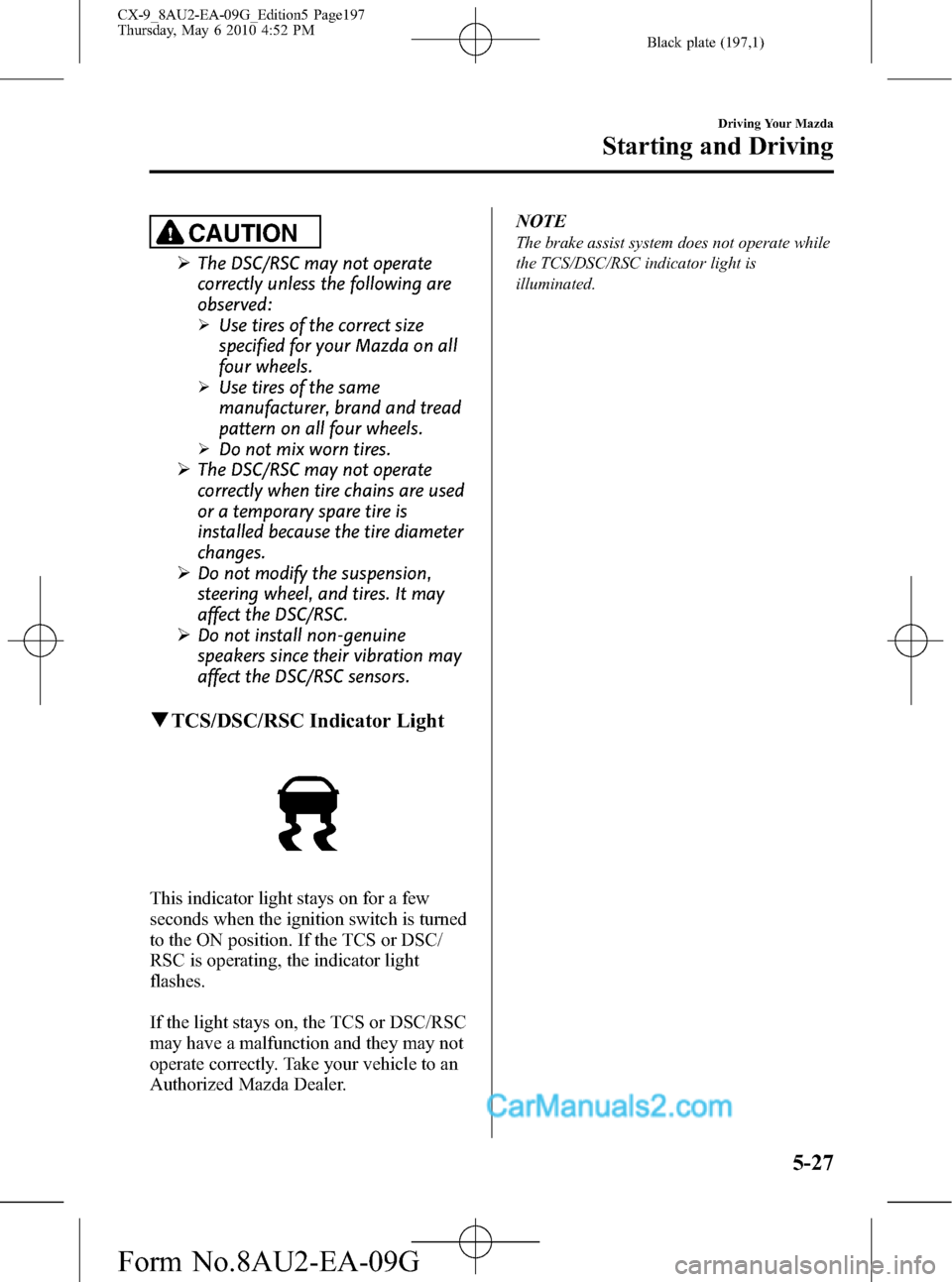
qTCS/DSC/RSC Indicator Light
This indicator light stays on for a few
seconds when the ignition switch is turned
to the ON position. If the TCS or DSC/
RSC is operating, the indicator light
flashes.
If the light stays on, the TCS or DSC/RSC
may have a malfunction and they may not
operate correctly. Take your vehicle to an
Authorized Mazda Dealer.NOTE
The brake assist system does not operate while
the TCS/DSC/RSC indicator light is
illuminated.
Driving Your Mazda
Starting and Driving
5-27
CX-9_8AU2-EA-09G_Edition5 Page197
Thursday, May 6 2010 4:52 PM
Form No.8AU2-EA-09G
Page 198 of 592
Black plate (198,1)
Tire Pressure Monitoring Systemí
The tire pressure monitoring system (TPMS) monitors the pressure for each tire.
If tire pressure is too low in one or more tires, the system will inform the driver via the
warning light in the instrument panel and by the warning beep sound.
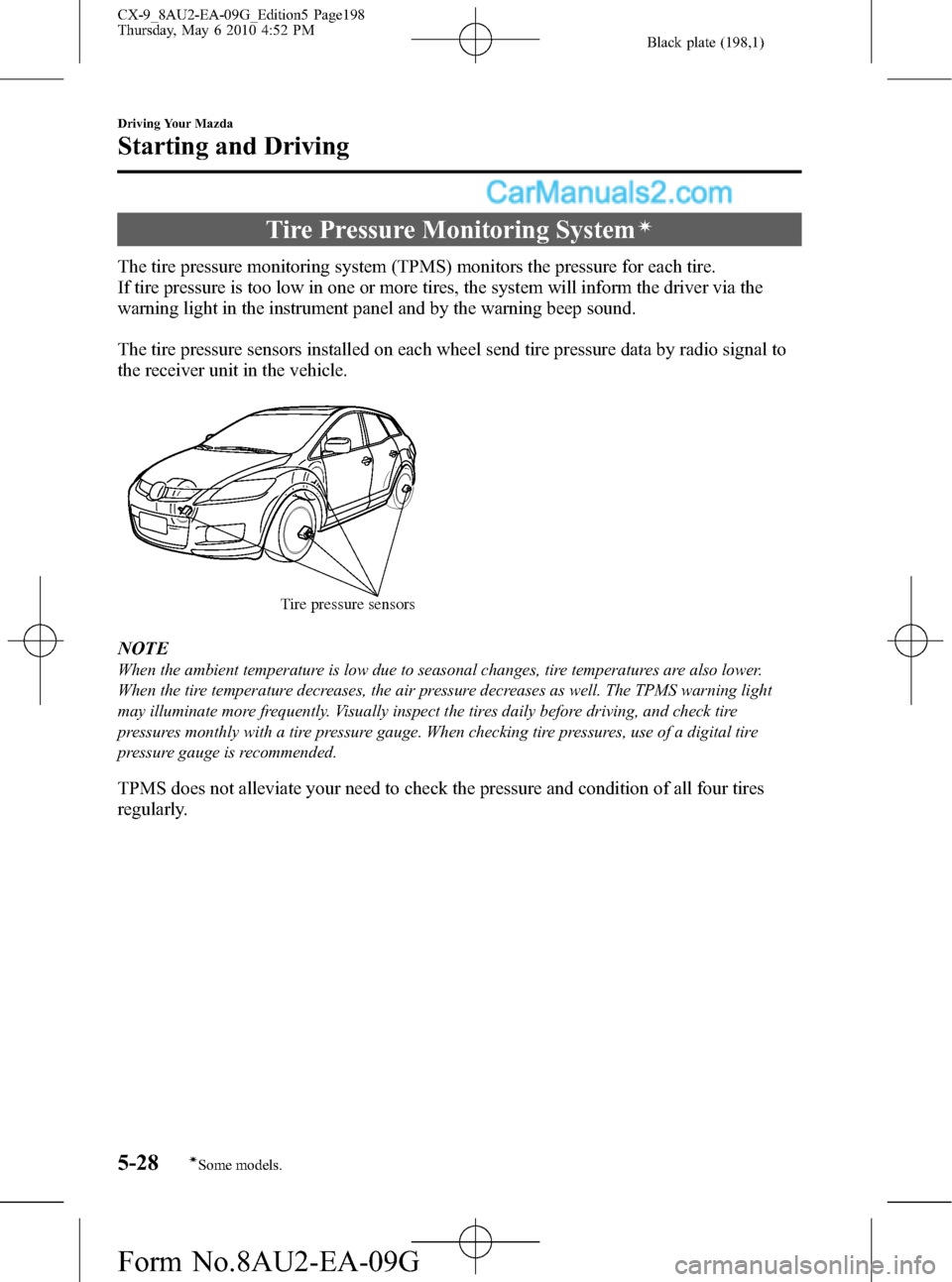
The tire pressure sensors installed on each wheel send tire pressure data by radio signal to
the receiver unit in the vehicle.
Tire pressure sensors
NOTE
When the ambient temperature is low due to seasonal changes, tire temperatures are also lower.
When the tire temperature decreases, the air pressure decreases as well. The TPMS warning light
may illuminate more frequently. Visually inspect the tires daily before driving, and check tire
pressures monthly with a tire pressure gauge. When checking tire pressures, use of a digital tire
pressure gauge is recommended.
TPMS does not alleviate your need to check the pressure and condition of all four tires
regularly.
5-28
Driving Your Mazda
íSome models.
Starting and Driving
CX-9_8AU2-EA-09G_Edition5 Page198
Thursday, May 6 2010 4:52 PM
Form No.8AU2-EA-09G