change MAZDA MODEL CX-9 2010 (in English) Service Manual
[x] Cancel search | Manufacturer: MAZDA, Model Year: 2010, Model line: MODEL CX-9, Model: MAZDA MODEL CX-9 2010Pages: 592
Page 246 of 592
Black plate (246,1)
NOTE
FCC ID: NZLOBIHL3
CANADA:4112A-OBIHL3
This device complies with FCC rules part 15.
Operation is subject to the following
conditions:
1- This device may not cause any harmful
interference and
2- This device must accept any interference
that may be received including interference
that may cause undesired operation.
NOTE
The programming will not be erased even if
the battery is disconnected.
qPre-programming the HomeLink
System
NOTE
It is recommended that a new battery be
placed in the hand-held transmitter of the
device being programmed to HomeLink for
quicker training and accurate transmission of
the radio-frequency signal.
lVerify that there is a remote control
transmitter available for the device you
would like to program.
lDisconnect the power to the device.
qProgramming the HomeLink System
CAUTION
When programming a garage door
opener or a gate, disconnect the
power to these devices before
performing programming, as
continuous operation of the devices
could damage the motor.The HomeLink system provides 3 buttons
which can be individually selected and
programmed using the transmitters for
current, on-market devices as follows:
1. Press and hold the two outer
HomeLink buttons (buttons one and
three)―releasing only when the
indicator light begins to flash (after 20
seconds).Do nothold the buttons for
longer than 30 seconds anddo not
repeat step 1to program a second and/
or third hand-held transmitter to the
remaining two HomeLink buttons.
2. Position the end of your hand-held
transmitter 2.5―7.5 cm (1―3 inches)
away from the HomeLink button you
wish to program while keeping the
indicator light in view.
3. Simultaneously press and hold both the
chosen HomeLink and hand-held
transmitter buttons.Do not release the
buttons until step 4 has been
completed.
NOTE
Some gate operators and garage door openers
may require you to replace this Programming
Step 3 with procedures noted in the“Gate
Operator/Canadian Programming”section.
4. After the HomeLink indicator light
changes from a slow to a rapidly
blinking light, release both the
HomeLink and hand-held transmitter
buttons.
NOTE
If the HomeLink indicator light does not
change to a rapidly blinking light, contact
HomeLink atwww.homelink.comor call1-
800-355-3515for assistance.
5-76
Driving Your Mazda
Switches and Controls
CX-9_8AU2-EA-09G_Edition5 Page246
Thursday, May 6 2010 4:53 PM
Form No.8AU2-EA-09G
Page 250 of 592
Black plate (250,1)
Operating Tips
qOperating the Climate Control
System
Operate the climate control system with
the engine running.
NOTE
To prevent the battery from being discharged,
do not leave the fan control dial on for a long
period of time with the ignition switch in the
ON position when the engine is not running.
qClearing the Air Inlet
Clear all obstructions such as leaves,
snow and ice from the hood and the air
inlet in the cowl grille to improve the
system efficiency.
qFoggy Windows
The windows may fog up easily in humid
weather. Use the climate control system to
defog the windows.
To help defog the windows, operate the
air conditioner to dehumidify the air.
NOTE
The air conditioner may be used along with the
heater to dehumidify the air.
qOutside/Recirculated Air Position
Use the outside air position in normal
conditions. The recirculated air position
should be used only when driving on
dusty roads or for quick cooling of the
interior.
qParking in Direct Sunlight
If the vehicle has been parked in direct
sunlight during hot weather, open the
windows to let warm air escape, then run
the climate control system.
qNot Using for a Long Period
Run the air conditioner about 10 minutes
at least once a month to keep internal
parts lubricated.
qCheck the Refrigerant before the
Weather Gets Hot
Have the air conditioner checked before
the weather gets hot. Lack of refrigerant
may make the air conditioner less
efficient. Consult an Authorized Mazda
Dealer for refrigerant inspection.
The air conditioner is filled with
HFC134a (R134a), a refrigerant that will
not damage the ozone layer.
If the air conditioner is low on refrigerant
or has a malfunction, consult an
Authorized Mazda Dealer.
qReplacement of the Cabin Air Filter
If your vehicle is equipped with an air
filter for the air conditioner, it is necessary
to change the filter periodically as
indicated in scheduled maintenance (page
8-3). Consult an Authorized Mazda
Dealer for replacement of the cabin air
filter.
6-2
Interior Comfort
Climate Control System
CX-9_8AU2-EA-09G_Edition5 Page250
Thursday, May 6 2010 4:53 PM
Form No.8AU2-EA-09G
Page 255 of 592
Black plate (255,1)
qControl Switches
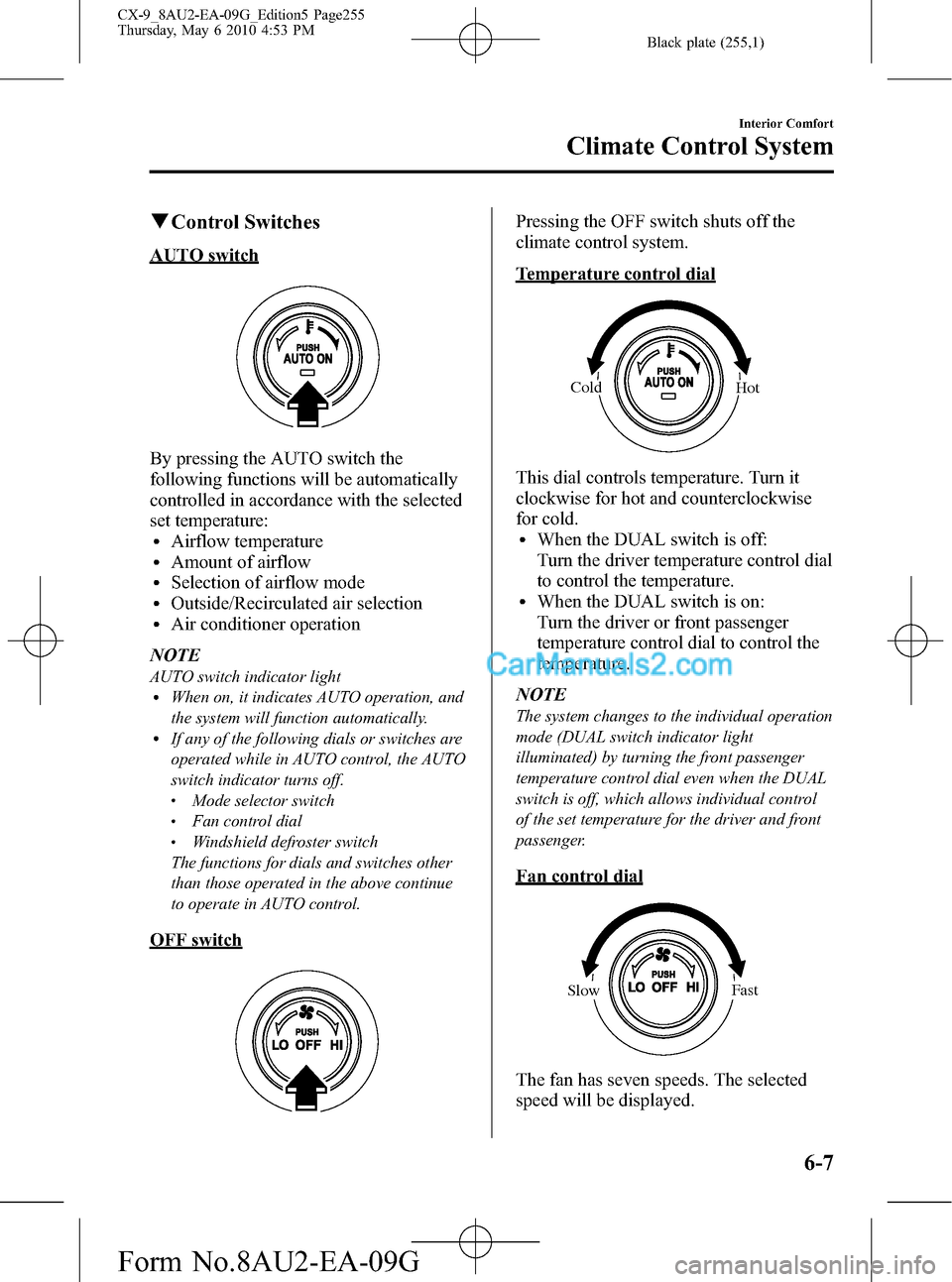
AUTO switch
By pressing the AUTO switch the
following functions will be automatically
controlled in accordance with the selected
set temperature:
lAirflow temperaturelAmount of airflowlSelection of airflow modelOutside/Recirculated air selectionlAir conditioner operation
NOTE
AUTO switch indicator lightlWhen on, it indicates AUTO operation, and
the system will function automatically.
lIf any of the following dials or switches are
operated while in AUTO control, the AUTO
switch indicator turns off.
lMode selector switchlFan control diallWindshield defroster switch
The functions for dials and switches other
than those operated in the above continue
to operate in AUTO control.
OFF switch
Pressing the OFF switch shuts off the
climate control system.
Temperature control dial
Cold
Hot
This dial controls temperature. Turn it
clockwise for hot and counterclockwise
for cold.
lWhen the DUAL switch is off:
Turn the driver temperature control dial
to control the temperature.
lWhen the DUAL switch is on:
Turn the driver or front passenger
temperature control dial to control the
temperature.
NOTE
The system changes to the individual operation
mode (DUAL switch indicator light
illuminated) by turning the front passenger
temperature control dial even when the DUAL
switch is off, which allows individual control
of the set temperature for the driver and front
passenger.
Fan control dial
SlowFast
The fan has seven speeds. The selected
speed will be displayed.
Interior Comfort
Climate Control System
6-7
CX-9_8AU2-EA-09G_Edition5 Page255
Thursday, May 6 2010 4:53 PM
Form No.8AU2-EA-09G
Page 256 of 592
Black plate (256,1)
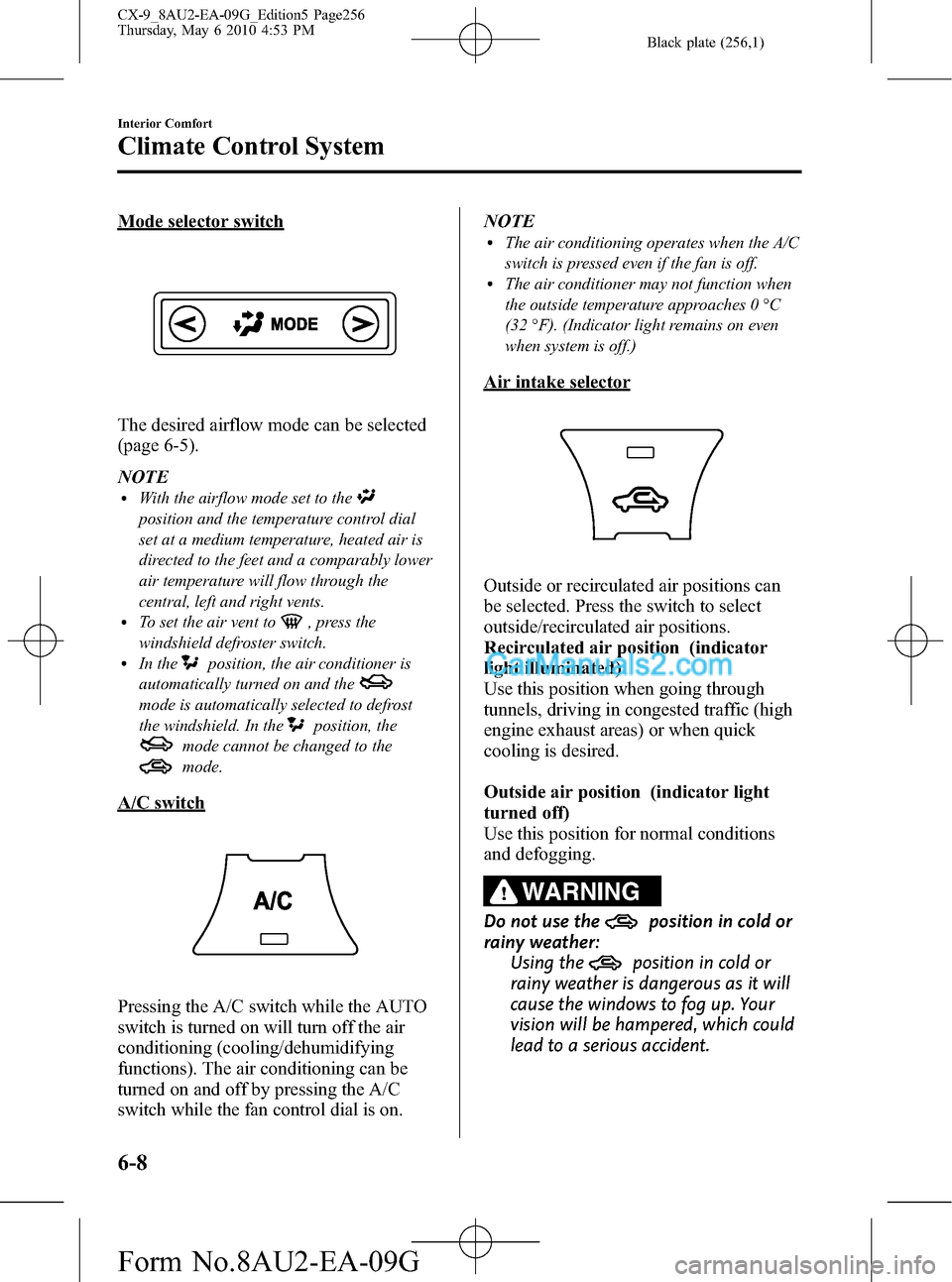
Mode selector switch
The desired airflow mode can be selected
(page 6-5).
NOTE
lWith the airflow mode set to the
position and the temperature control dial
set at a medium temperature, heated air is
directed to the feet and a comparably lower
air temperature will flow through the
central, left and right vents.
lTo set the air vent to, press the
windshield defroster switch.
lIn theposition, the air conditioner is
automatically turned on and the
mode is automatically selected to defrost
the windshield. In the
position, the
mode cannot be changed to the
mode.
A/C switch
Pressing the A/C switch while the AUTO
switch is turned on will turn off the air
conditioning (cooling/dehumidifying
functions). The air conditioning can be
turned on and off by pressing the A/C
switch while the fan control dial is on.NOTE
lThe air conditioning operates when the A/C
switch is pressed even if the fan is off.
lThe air conditioner may not function when
the outside temperature approaches 0 °C
(32 °F). (Indicator light remains on even
when system is off.)
Air intake selector
Outside or recirculated air positions can
be selected. Press the switch to select
outside/recirculated air positions.
Recirculated air position (indicator
light illuminated)
Use this position when going through
tunnels, driving in congested traffic (high
engine exhaust areas) or when quick
cooling is desired.
Outside air position (indicator light
turned off)
Use this position for normal conditions
and defogging.
WARNING
Do not use theposition in cold or
rainy weather:
Using the
position in cold or
rainy weather is dangerous as it will
cause the windows to fog up. Your
vision will be hampered, which could
lead to a serious accident.
6-8
Interior Comfort
Climate Control System
CX-9_8AU2-EA-09G_Edition5 Page256
Thursday, May 6 2010 4:53 PM
Form No.8AU2-EA-09G
Page 257 of 592

Black plate (257,1)
OUTSIDE (Ambient Temperature)
switch
Press the OUTSIDE switch to display the
ambient temperature.
NOTE
lThe displayed ambient temperature may
vary from the actual ambient temperature
depending on the surrounding area and
vehicle conditions.
lPress the OUTSIDE switch for three
seconds or longer to switch the display
from Fahrenheit to Centigrade or vice
versa.
lPress the OUTSIDE switch again to switch
the display from ambient temperature to the
temperature set for the air conditioner.
DUAL switch
Use the DUAL switch to change the mode
between the individual operation (driver
and passenger) and interconnection
modes.Individual operation mode (indicator
light illuminated)
The set temperature can be controlled
individually for the driver and front
passenger.
Interconnection mode (indicator light
turned off)
The set temperature for the driver and
front passenger is controlled
simultaneously.
NOTE
lThe set temperature for the front passenger
changes to that of the driver while in the
interconnected mode.
lis displayed on the information
display while in the individual operation
mode.
lThe system changes to the interconnection
mode automatically if the windshield
defroster switch is pressed. The system will
not change to the individual operation
mode by pressing the DUAL switch or
turning the front passenger temperature
control dial.
Windshield defroster switch
Press the switch to defrost the windshield
and front door windows.
Interior Comfort
Climate Control System
6-9
CX-9_8AU2-EA-09G_Edition5 Page257
Thursday, May 6 2010 4:53 PM
Form No.8AU2-EA-09G
Page 258 of 592

Black plate (258,1)
NOTE
In theposition, the air conditioner is
automatically turned on and the
mode is
automatically selected to defrost the
windshield. In the
position, the
mode cannot be changed to themode.
qOperation of Automatic Air
Conditioning
1. Press the AUTO switch. Selection of
the airflow mode, air intake selector
and amount of airflow will be
automatically controlled.
2. Use the temperature control dial to
select a desired temperature.
Press the DUAL switch or turn the
front passenger temperature control
dial to control the set temperature
individually for the driver and front
passenger.
Cold
Hot
To turn off the system, press the OFF
switch.NOTE
lSetting the temperature to the maximum
high or low will not provide the desired
temperature at a faster rate.
lWhen selecting heat, the system will restrict
airflow until it has warmed to prevent cold
air from blowing out of the vents.
qWindshield Defrosting and Defogging
Press the windshield defroster switch.
In this position, the
position is
automatically selected, and the air
conditioner automatically turns on. The
air conditioner will directly dehumidify
the air to the front windshield and side
windows (page 6-5). Airflow amount will
be increased.
WARNING
Set the temperature control to the hot
or warm position when defogging (
position):
Using the
position with the
temperature control set to the cold
position is dangerous as it will cause
the outside of the windshield to fog
up. Your vision will be hampered,
which could lead to a serious
accident.
6-10
Interior Comfort
Climate Control System
CX-9_8AU2-EA-09G_Edition5 Page258
Thursday, May 6 2010 4:53 PM
Form No.8AU2-EA-09G
Page 259 of 592

Black plate (259,1)
NOTElPress the windshield defroster switch to
change the mode to the interconnection
mode automatically. The system does not
change to the individual operation mode by
pressing the DUAL switch or turning the
front passenger temperature control dial.
lUse the temperature control dial to increase
the air flow temperature and defog the
windshield more quickly.
Interior Comfort
Climate Control System
6-11
CX-9_8AU2-EA-09G_Edition5 Page259
Thursday, May 6 2010 4:53 PM
Form No.8AU2-EA-09G
Page 267 of 592

Black plate (267,1)
Flutter/Skip noise
Signals from an FM transmitter move in
straight lines and become weak in valleys
between tall buildings, mountains, and
other obstacles. When a vehicle passes
through such an area, the reception
conditions may change suddenly, resulting
in annoying noise.
Weak signal noise
In suburban areas, broadcast signals
become weak because of distance from
the transmitter. Reception in such fringe
areas is characterized by sound breakup.
Strong signal noise
This occurs very close to a transmitter
tower. The broadcast signals are
extremely strong, so the result is noise and
sound breakup at the radio receiver.
Station drift noise
When a vehicle reaches the area of two
strong stations broadcasting at similar
frequencies, the original station may be
temporarily lost and the second station
picked up. At this time there will be some
noise from this disturbance.
Station 2
88.3 MHz Station 1
88.1 MHz
Interior Comfort
Audio System
6-19
CX-9_8AU2-EA-09G_Edition5 Page267
Thursday, May 6 2010 4:53 PM
Form No.8AU2-EA-09G
Page 268 of 592

Black plate (268,1)
qOperating Tips for CD Player/In-
Dash CD Changer
Condensation phenomenon
Immediately after turning on the heater
when the vehicle is cold, the CD or
optical components (prism and lens) in the
CD player/In-dash CD changer may
become clouded with condensation. At
this time, the CD will eject immediately
when placed in the unit. A clouded CD
can be corrected simply by wiping it with
a soft cloth. Clouded optical components
will clear naturally in about an hour. Wait
for normal operation to return before
attempting to use the unit.
Handling the CD player/In-dash CD
changer
The following precautions should be
observed.
lDo not spill any liquid on the audio
system.
lDo not insert any objects, other than
CDs, into the slot.
lThe CD revolves at high speed within
the unit. Defective (cracked or badly
bent) CDs should never be used.
lDo not use non-conventional discs
such as heart-shaped, octagonal discs,
etc. The disc may not eject resulting in
a malfunction.
lIf the memory portion of the CD is
transparent or translucent, do not use
the disc.
Transparent
6-20
Interior Comfort
Audio System
CX-9_8AU2-EA-09G_Edition5 Page268
Thursday, May 6 2010 4:53 PM
Form No.8AU2-EA-09G
Page 269 of 592

Black plate (269,1)
lA new CD may have rough edges on
its inner and outer perimeters. If a disc
with rough edges is used, proper
setting will not be possible and the CD
player/In-dash CD changer will not
play the CD. In addition, the disc may
not eject resulting in a malfunction.
Remove the rough edges in advance by
using a ball-point pen or pencil as
shown below. To remove the rough
edges, rub the side of the pen or pencil
against the inner and outer perimeter of
the CD.
lWhen driving over uneven surfaces,
the sound may jump.
lThe CD player/In-dash CD changer has
been designed to play CDs bearing the
identification logo as shown below. No
other discs can be played.
lUse discs that have been legitimately
produced. If illegally-copied discs such
as pirated discs are used, the system
may not operate properly.
lBe sure never to touch the signal
surface when handling the CDs. Pick
up a CD by grasping the outer edge or
the edge of the hole and the outer edge.
lDo not stick paper or tape on the CD.
Avoid scratching the reverse side (the
side without a label). The disc may not
eject resulting in a malfunction.
lDust, finger smudges, and dirt can
decrease the amount of light reflected
from the signal surface, thus affecting
sound quality. If the CD should
become soiled, gently wipe it with a
soft cloth from the center of the CD to
the edge.
Interior Comfort
Audio System
6-21
CX-9_8AU2-EA-09G_Edition5 Page269
Thursday, May 6 2010 4:53 PM
Form No.8AU2-EA-09G