set MAZDA MODEL MX-5 MIATA PRHT 2013 Owner's Manual
[x] Cancel search | Manufacturer: MAZDA, Model Year: 2013, Model line: MODEL MX-5 MIATA PRHT, Model: MAZDA MODEL MX-5 MIATA PRHT 2013Pages: 452, PDF Size: 5.57 MB
Page 158 of 452

Black plate (158,1)
qTransmission Ranges
The shift lever must be in P or N to
operate the starter.
P (Park)
P locks the transmission and prevents the
rear wheels from rotating.
WARNING
Always set the shift lever to P and set
the parking brake:
Only setting the shift lever to the P
position without using the parking
brake to hold the vehicle is
dangerous. If P fails to hold, the
vehicle could move and cause an
accident.
CAUTION
ØShifting into P, N or R while the
vehicle is moving can damage
your transmission.
Ø Shifting into a driving gear or
reverse when the engine is running
faster than idle can damage the
transmission.
R (Reverse)
In position R, the vehicle moves only
backward. You must be at a complete stop
before shifting to or from R, except under
rare circumstances as explained in
Rocking the Vehicle (page 4-8).
N (Neutral)
In N, the wheels and transmission are not
locked. The vehicle will roll freely even
on the slightest incline unless the parking
brake or brakes are on.
WARNING
If the engine is running faster than idle,
do not shift from N or P into a driving
gear:
It's dangerous to shift from N or P
into a driving gear when the engine
is running faster than idle. If this is
done, the vehicle could move
suddenly, causing an accident or
serious injury.
Do not shift into N when driving the
vehicle: Shifting into N while driving is
dangerous. Engine braking cannot be
applied when decelerating which
could lead to an accident or serious
injury.
CAUTION
Do not shift into N when driving the
vehicle. Doing so can cause
transmission damage.
NOTE
Apply the parking brake or depress the brake
pedal before moving the shift lever from N to
prevent the vehicle from moving unexpectedly.
D (Drive)
D is the normal driving position. From a
stop, the transmission will automatically
shift through a 6-gear sequence.
Temporary use of the direct mode is
possible.
Refer to Direct Mode on page 5-19.
M (Manual)
M is the manual shift mode position.
Gears can be shifted up or down by
operating the shift lever or steering shift
switches.
Refer to Manual Shift Mode (page 5-15).
5-14
Driving Your Mazda
Starting and Driving
MX-5_8CM3-EA-12F_Edition2 Page158
Friday, August 31 2012 1:45 PM
Form No.8CM3-EA-12F
Page 162 of 452
Black plate (162,1)
NOTElWhen driving at high speeds, the gear may
not shift down.
lDuring deceleration, the gear may
automatically shift down depending on
vehicle speed.
lWhen depressing the accelerator fully, the
transmission will shift to a lower gear,
depending on vehicle speed (Except M2→
M1).
Second gear fixed mode
When the shift lever is tapped back (
)
while the vehicle is stopped, the
transmission is set in the second gear
fixed mode. The gear is fixed in second
while in this mode for easier starting and
driving on slippery roads. If the shift lever
is tapped back (
) or forward () while
in the second gear fixed mode, the mode
will be canceled.
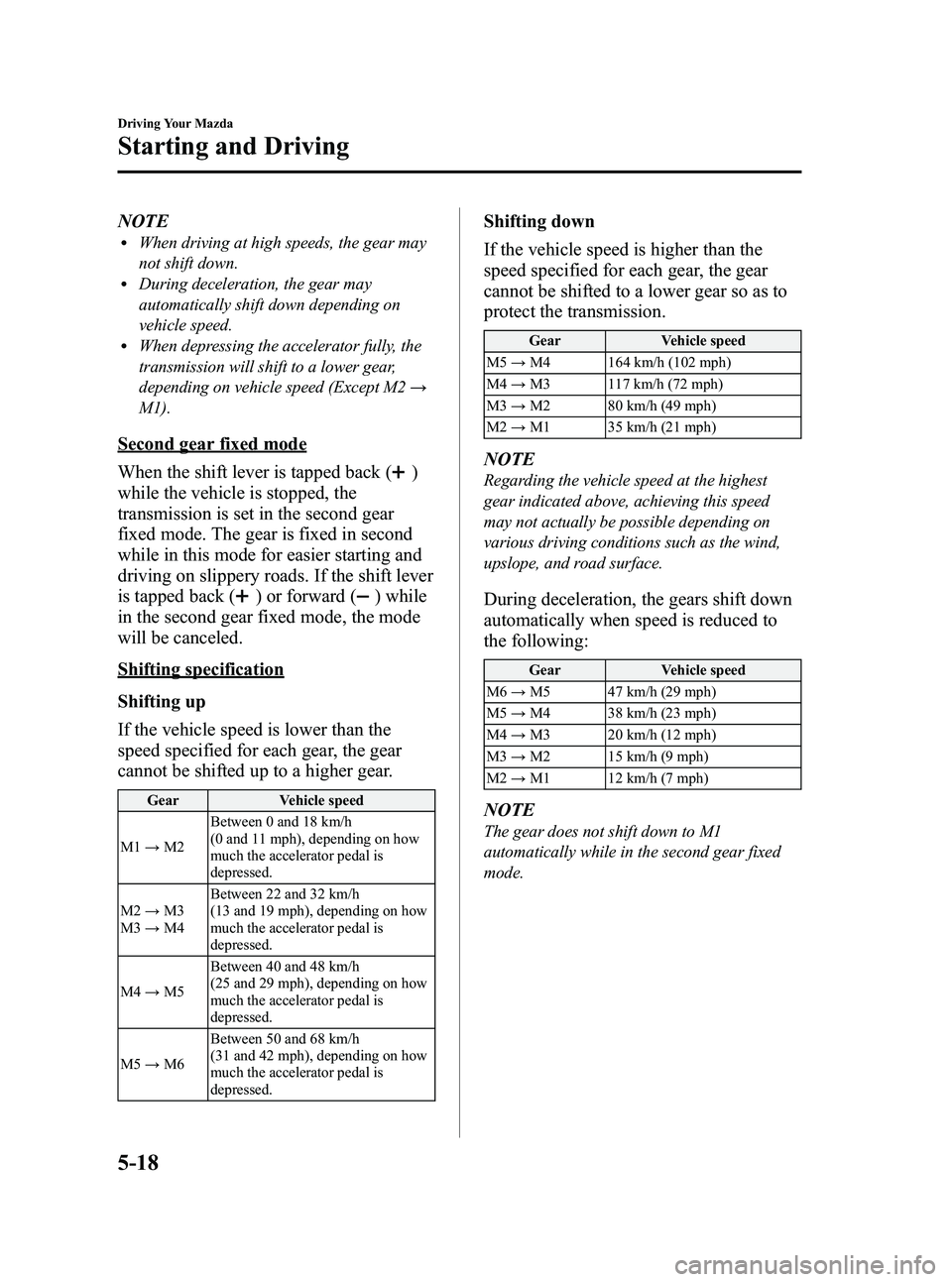
Shifting specification
Shifting up
If the vehicle speed is lower than the
speed specified for each gear, the gear
cannot be shifted up to a higher gear.
Gear Vehicle speed
M1 →M2 Between 0 and 18 km/h
(0 and 11 mph), depending on how
much the accelerator pedal is
depressed.
M2 →M3
M3 →M4 Between 22 and 32 km/h
(13 and 19 mph), depending on how
much the accelerator pedal is
depressed.
M4 →M5 Between 40 and 48 km/h
(25 and 29 mph), depending on how
much the accelerator pedal is
depressed.
M5 →M6 Between 50 and 68 km/h
(31 and 42 mph), depending on how
much the accelerator pedal is
depressed.
Shifting down
If the vehicle speed is higher than the
speed specified for each gear, the gear
cannot be shifted to a lower gear so as to
protect the transmission.
Gear
Vehicle speed
M5 →M4 164 km/h (102 mph)
M4 →M3 117 km/h (72 mph)
M3 →M2 80 km/h (49 mph)
M2 →M1 35 km/h (21 mph)
NOTE
Regarding the vehicle speed at the highest
gear indicated above, achieving this speed
may not actually be possible depending on
various driving conditions such as the wind,
upslope, and road surface.
During deceleration, the gears shift down
automatically when speed is reduced to
the following:
Gear Vehicle speed
M6 →M5 47 km/h (29 mph)
M5 →M4 38 km/h (23 mph)
M4 →M3 20 km/h (12 mph)
M3 →M2 15 km/h (9 mph)
M2 →M1 12 km/h (7 mph)
NOTE
The gear does not shift down to M1
automatically while in the second gear fixed
mode.
5-18
Driving Your Mazda
Starting and Driving
MX-5_8CM3-EA-12F_Edition2 Page162
Friday, August 31 2012 1:45 PM
Form No.8CM3-EA-12F
Page 165 of 452
Black plate (165,1)
Power Steering
Power steering is only operable when the
engine is running. If the engine is off or if
the power steering system is inoperable,
you can still steer, but it requires more
physical effort.
If the steering feels stiffer than usual
during normal driving, consult an
Authorized Mazda Dealer.
CAUTION
Never hold the steering wheel to the
extreme left or right for more than 5
seconds with the engine running.
This could damage the power
steering system.
Cruise Controlí
With cruise control, you can set and
automatically maintain any speed of more
than about 30 km/h (19 mph).
WARNING
Do not use the cruise control under the
following conditions:Using the cruise control under the
following conditions is dangerous
and could result in loss of vehicle
control.
ØHilly terrain
Ø Steep inclines
Ø Heavy or unsteady traffic
Ø Slippery or winding roads
Ø Similar restrictions that require
inconsistent speed
qCruise Main Indicator Light
(Amber)/Cruise Set Indicator
Light (Green)
The indicator light has two colors.
Cruise Main Indicator Light (Amber)
The indicator light illuminates amber
when the ON/OFF switch is pressed and
the cruise control system is activated.
Cruise Set Indicator Light (Green)
The indicator light illuminates green when
a cruising speed has been set.
Driving Your Mazda
Starting and Driving
5-21íSome models.
MX-5_8CM3-EA-12F_Edition2 Page165
Friday, August 31 2012 1:45 PM
Form No.8CM3-EA-12F
Page 166 of 452

Black plate (166,1)
qActivation/Deactivation
To activate the system, press the ON/OFF
switch.
The cruise main indicator light
illuminates.
To deactivate the system, press the switch
again.
The cruise main indicator light turns off.
WARNING
Keep the ON/OFF switch off when
cruise control is not in use:
Leaving the ON/OFF switch on when
not using the cruise control is
dangerous as you may hit one of the
other buttons and put the vehicle in
cruise control unexpectedly. This
could result in loss of vehicle control.
qTo Set Speed
1. Activate the cruise control system by
pressing the ON/OFF switch.
2. Accelerate to the desired speed, which must be more than 30 km/h (19 mph). 3. Press down the cruise control SET/-
switch and release it at the desired
speed. Release the accelerator
simultaneously.
Cruise
control
switch
Do not continue to hold the switch. Until
you release it, the speed will continue to
decrease (unless you continue to
accelerate) and you will miss the desired
speed.
NOTE
lOn a steep grade, the vehicle may
momentarily slow down while ascending,
or speed up while descending.
lCruise control will turn off if the vehicle
speed decreases below 30 km/h (19 mph)
when cruise is activated, such as when
climbing a steep grade.
5-22
Driving Your Mazda
Starting and Driving
MX-5_8CM3-EA-12F_Edition2 Page166
Friday, August 31 2012 1:45 PM
Form No.8CM3-EA-12F
Page 167 of 452

Black plate (167,1)
qTo Increase Cruising Speed
Follow either of these procedures.
To increase speed using cruise control
switch
Press up the cruise control RES/+ switch
and hold it. Your vehicle will accelerate.
Release the switch at the speed you want.
Cruise
control
switch
Your vehicle has a tap-up feature that
allows you to increase your current speed
in increments of 1.6 km/h (1 mph) by a
momentary tap of the cruise control RES/
+ switch. Multiple taps will increase your
vehicle speed 1.6 km/h (1 mph) for each
tap.
To increase speed using accelerator
pedal
Depress the accelerator pedal to accelerate
to the desired speed.
Press down the cruise control SET/-
switch and release it immediately.
Cruise
control
switch
NOTE
Accelerate if you want to speed up temporarily
when the cruise control is on. Greater speed
will not interfere with or change the set speed.
Take your foot off the accelerator to return to
the set speed.
qTo Decrease Cruising Speed
Press down the cruise control SET/-
switch and hold it. The vehicle will
gradually slow.
Release the switch at the desired speed.
Cruise
control
switch
Driving Your Mazda
Starting and Driving
5-23
MX-5_8CM3-EA-12F_Edition2 Page167
Friday, August 31 2012 1:45 PM
Form No.8CM3-EA-12F
Page 168 of 452

Black plate (168,1)
Your vehicle has a tap-down feature that
allows you to decrease your current speed
in decrements of 1.6 km/h (1 mph) by a
momentary tap of the cruise control SET/-
switch. Multiple taps will decrease your
vehicle speed 1.6 km/h (1 mph) for each
tap.
qTo Resume Cruising Speed at
More Than 30 km/h (19 mph)
If some other method besides the ON/
OFF switch was used to cancel cruising
speed (such as applying the brake pedal)
and the system is still activated, the most
recent set speed will automatically resume
when the cruise control RES/+ switch is
pressed up.
If vehicle speed is below 30 km/h (19
mph), increase the vehicle speed up to 30
km/h (19 mph) or more and press up the
cruise control RES/+ switch.
Cruise
control
switch
qTo Cancel
To cancel the system, use oneof these
methods:
lPress the ON/OFF switch.lSlightly depress the brake pedal.lDepress the clutch pedal (Manual
transmission only).
lPress the CANCEL switch.
The system turns off when the ignition is
switched off.
NOTE
Cruise control will cancel at about 15 km/h (9
mph) below the preset speed (such as may
happen when climbing a long, steep grade).
5-24
Driving Your Mazda
Starting and Driving
MX-5_8CM3-EA-12F_Edition2 Page168
Friday, August 31 2012 1:45 PM
Form No.8CM3-EA-12F
Page 176 of 452
Black plate (176,1)
Adjust the tire pressure to the correct tire
pressure. Refer to the specification charts
(page 10-7).
CAUTION
When replacing/repairing the tires or
wheels or both, have the work done
by an Authorized Mazda Dealer, or
the tire pressure sensors may be
damaged.NOTE
lPerform tire pressure adjustment when the
tires are cold. Tire pressure will vary
according to the tire temperature, therefore
let the vehicle stand for 1 hour or only drive
it 1.6 km (1 mile) or less before adjusting
the tire pressures. When pressure is
adjusted on hot tires to the cold inflation
pressure, the TPMS warning light/beep may
turn on after the tires cool and pressure
drops below specification.
Also, an illuminated TPMS warning light,
resulting from the tire air pressure dropping
due to cold ambient temperature, may turn
off if the ambient temperature rises. In this
case, it will also be necessary to adjust the
tire air pressures. If the TPMS warning
light illuminates due to a drop in tire air
pressure, make sure to check and adjust the
tire air pressures.
lAfter adjusting the tire air pressures, it may
require some time for the TPMS warning
light to turn off. If the TPMS warning light
remains illuminated, drive the vehicle at a
speed of at least 25 km/h (16 mph) for 10
minutes, and then verify that it turns off.
lTires lose air naturally over time and the
TPMS cannot tell if the tires are getting too
soft over time or you have a flat. However,
when you find one low tire in a set of four-
that is an indication of trouble; you should
have someone drive the vehicle slowly
forward so you can inspect any low tire for
cuts and any metal objects sticking through
tread or sidewall. Put a few drops of water
in the valve stem to see if it bubbles
indicating a bad valve. Leaks need to be
addressed by more than simply refilling the
trouble tire as leaks are dangerous - take it
to an Authorized Mazda Dealer which has
all the equipment to fix tires, TPMS systems
and order the best replacement tire for your
vehicle.
5-32
Driving Your Mazda
Starting and Driving
MX-5_8CM3-EA-12F_Edition2 Page176
Friday, August 31 2012 1:45 PM
Form No.8CM3-EA-12F
Page 182 of 452
Black plate (182,1)
The trip meter records the total distance
the vehicle is driven until the meter is
again reset. Return it to“0.0 ”by holding
the selector depressed for 1 second or
more. Use this meter to measure trip
distances and to compute fuel
consumption.
NOTE
lOnly the trip meters record tenths of
kilometers (miles).
lThe trip record will be erased when:lThe power supply is interrupted (blown
fuse or the battery is disconnected).
lThe vehicle is driven over 999.9 km
(mile).
Average fuel economy display
This mode displays the average fuel
economy by calculating the total fuel
consumption and the total traveled
distance since purchasing the vehicle, re-
connecting the battery after disconnection,
or resetting the data. The average fuel
economy is calculated and displayed
every minute.
To clear the data being displayed, press
the selector for more than 1 second. After
pressing the selector, - - - L/100 km (- - -
mpg) will be displayed for about 1 minute
before the fuel economy is recalculated
and displayed.
Outside temperature display
This mode displays the outside
temperature. NOTE
l(Temperature unit change function)í
To change the outside temperature display
from Fahrenheit (°F) to Centigrade (°C),
press and hold the selector for several
seconds while the outside temperature is
displayed.
lUnder the following conditions, the ambient
temperature display may differ from the
actual ambient temperature depending on
the surroundings and vehicle conditions:
lSignificantly cold or hot temperatures.lSudden changes in ambient temperature.lThe vehicle is parked.lThe vehicle is driven at low speeds.
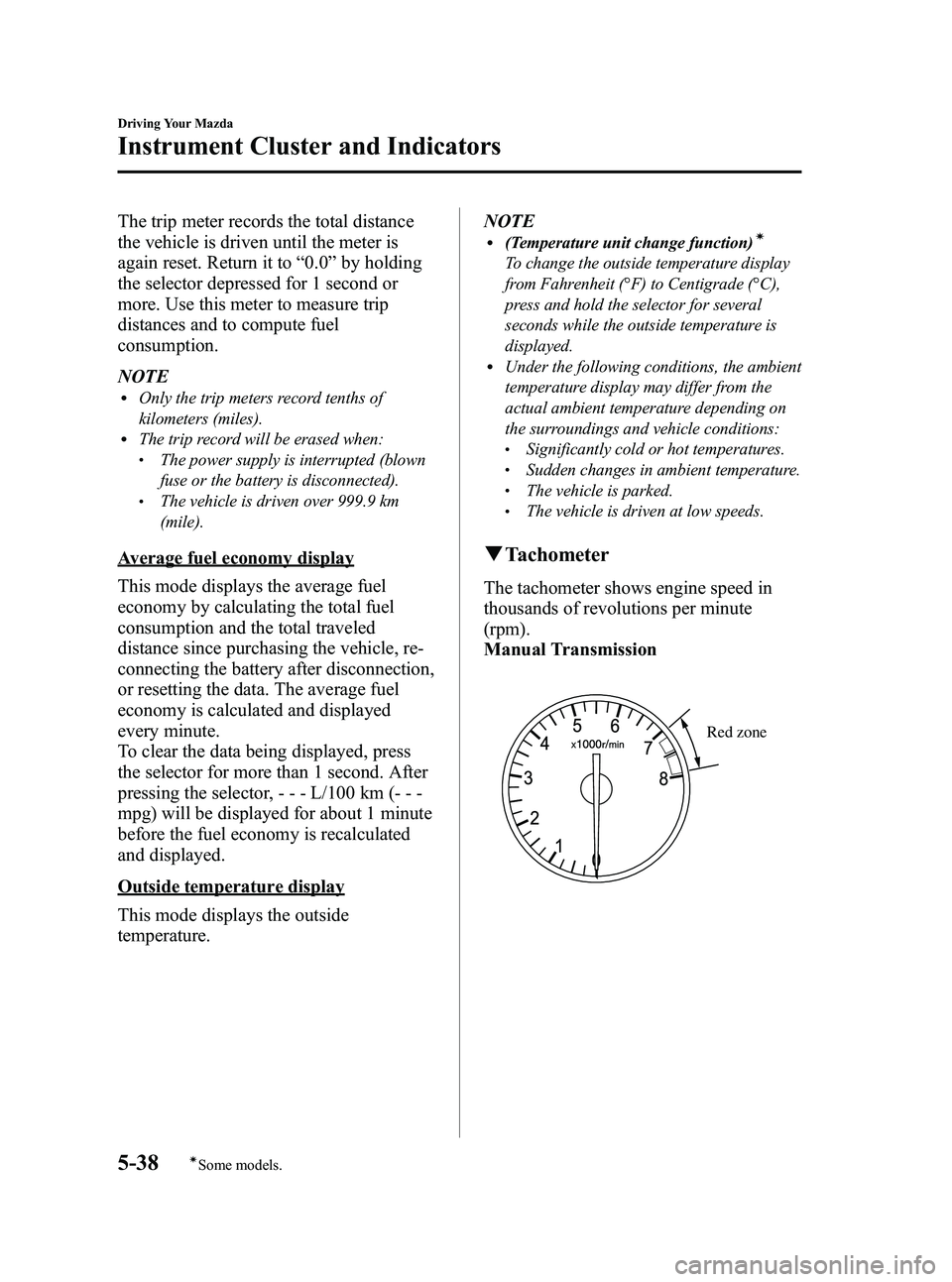
q
Tachometer
The tachometer shows engine speed in
thousands of revolutions per minute
(rpm).
Manual Transmission
Red zone
5-38
Driving Your Mazda
íSome models.
Instrument Cluster and Indicators
MX-5_8CM3-EA-12F_Edition2 Page182
Friday, August 31 2012 1:45 PM
Form No.8CM3-EA-12F
Page 184 of 452
Black plate (184,1)
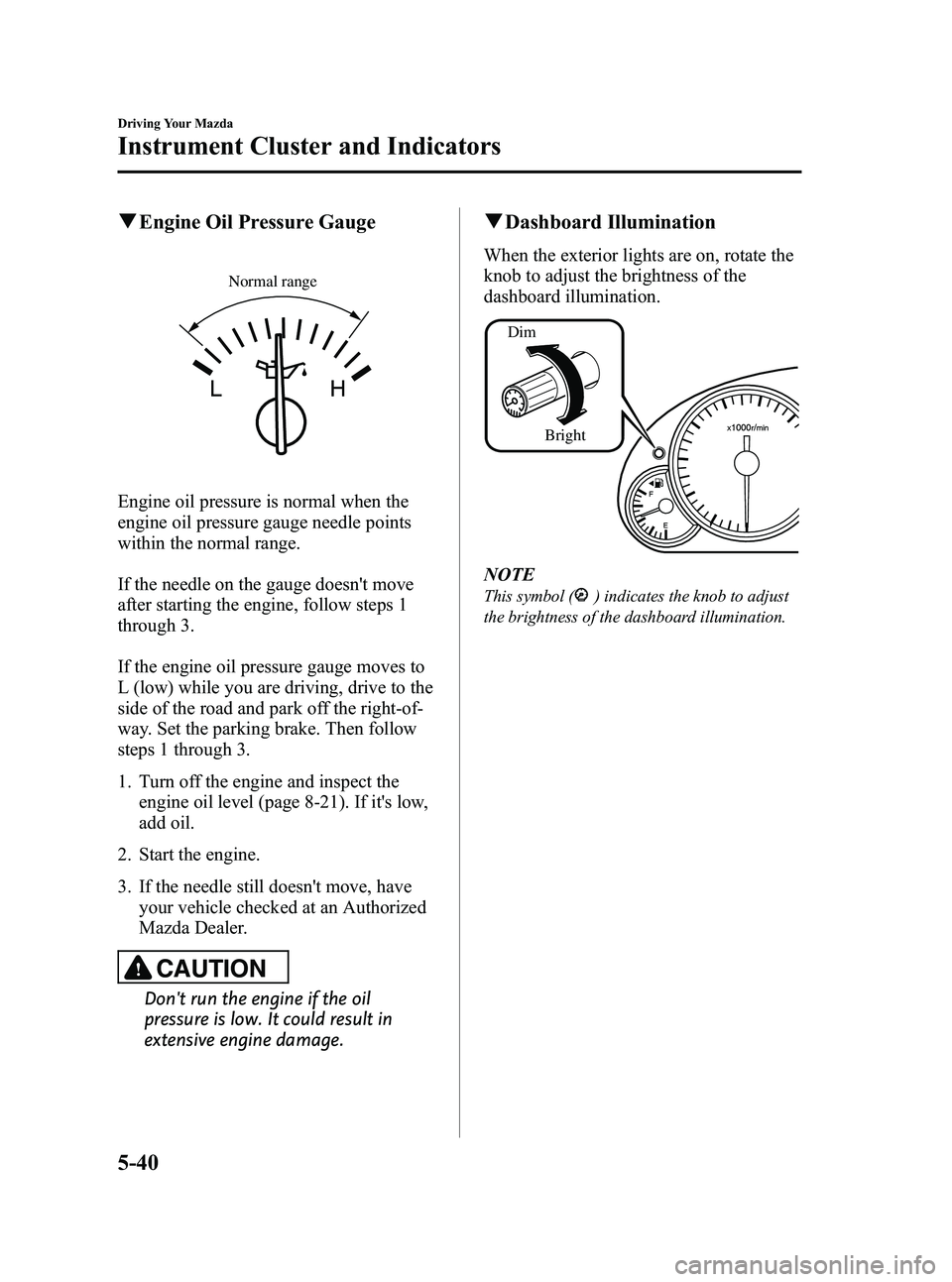
qEngine Oil Pressure Gauge
Normal range
Engine oil pressure is normal when the
engine oil pressure gauge needle points
within the normal range.
If the needle on the gauge doesn't move
after starting the engine, follow steps 1
through 3.
If the engine oil pressure gauge moves to
L (low) while you are driving, drive to the
side of the road and park off the right-of-
way. Set the parking brake. Then follow
steps 1 through 3.
1. Turn off the engine and inspect the
engine oil level (page 8-21). If it's low,
add oil.
2. Start the engine.
3. If the needle still doesn't move, have your vehicle checked at an Authorized
Mazda Dealer.
CAUTION
Don't run the engine if the oil
pressure is low. It could result in
extensive engine damage.
qDashboard Illumination
When the exterior lights are on, rotate the
knob to adjust the brightness of the
dashboard illumination.
Dim
Bright
NOTE
This symbol () indicates the knob to adjust
the brightness of the dashboard illumination.
5-40
Driving Your Mazda
Instrument Cluster and Indicators
MX-5_8CM3-EA-12F_Edition2 Page184
Friday, August 31 2012 1:45 PM
Form No.8CM3-EA-12F
Page 186 of 452
Black plate (186,1)
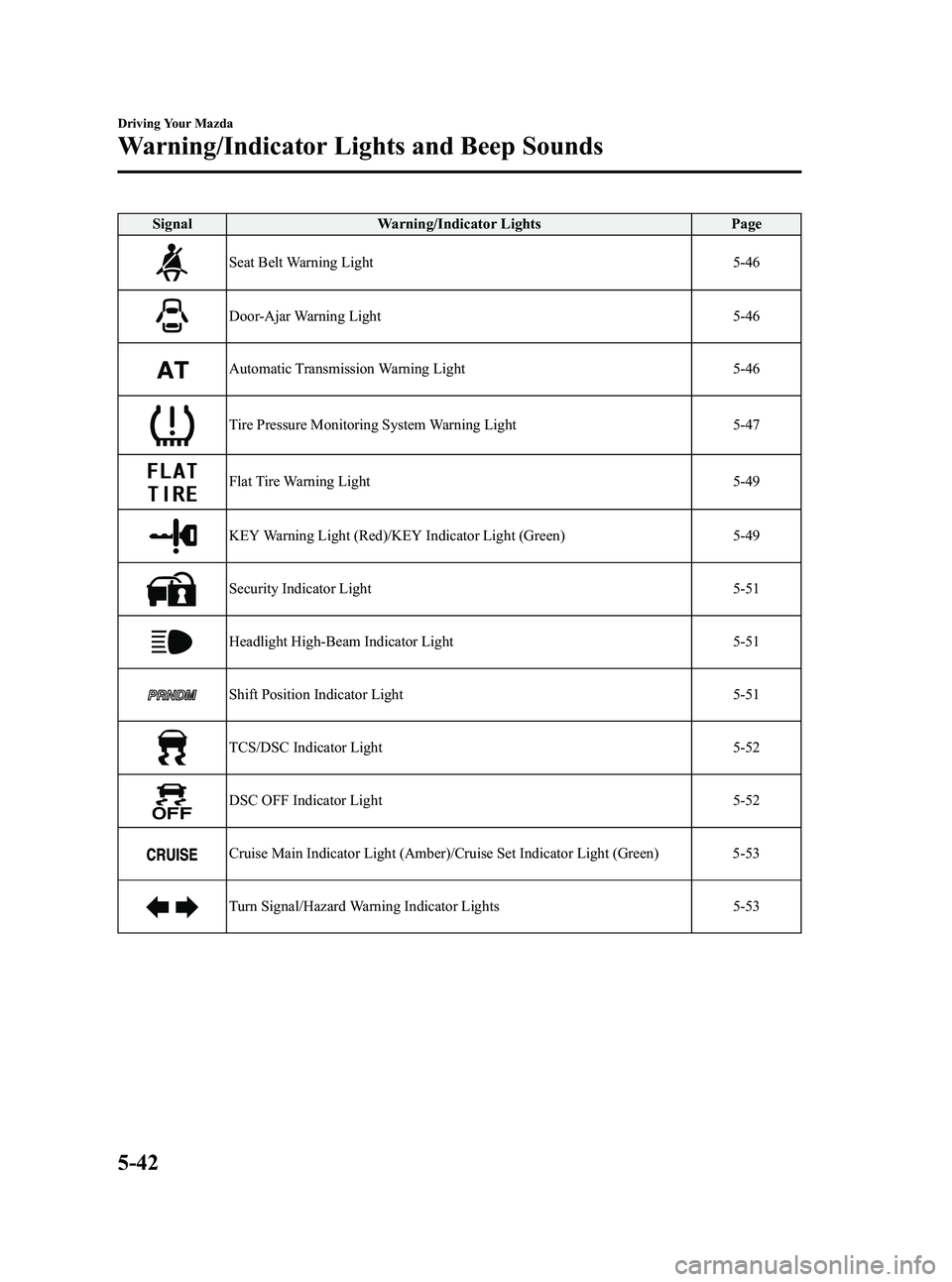
SignalWarning/Indicator Lights Page
Seat Belt Warning Light 5-46
Door-Ajar Warning Light5-46
Automatic Transmission Warning Light5-46
Tire Pressure Monitoring System Warning Light5-47
Flat Tire Warning Light5-49
KEY Warning Light (Red)/KEY Indicator Light (Green)5-49
Security Indicator Light5-51
Headlight High-Beam Indicator Light5-51
Shift Position Indicator Light5-51
TCS/DSC Indicator Light5-52
DSC OFF Indicator Light5-52
Cruise Main Indicator Light (Amber)/Cruise Set Indicator Light (Green) 5-53
Turn Signal/Hazard Warning Indicator Lights5-53
5-42
Driving Your Mazda
Warning/Indicator Lights and Beep Sounds
MX-5_8CM3-EA-12F_Edition2 Page186
Friday, August 31 2012 1:45 PM
Form No.8CM3-EA-12F