key battery MERCEDES-BENZ AMG GT R-ROADSTER 2020 Owners Manual
[x] Cancel search | Manufacturer: MERCEDES-BENZ, Model Year: 2020, Model line: AMG GT R-ROADSTER, Model: MERCEDES-BENZ AMG GT R-ROADSTER 2020Pages: 441, PDF Size: 7.76 MB
Page 65 of 441
pull emer
gency key2 comp lete ly out of the
key. #
Toinser t:push emer gency key2 fully into
th eke y until it en gage s.
Re lease cat ch1 must then be back in the
basic position. Re
placing the key battery &
DANG ER Serious damage tohealth
caused byswallowing batteries
Batteries contain toxic and cor rosive sub‐
st ances. Swallowing bat teries may cause
serious damage tohealth.
There is a risk of fata l injur y. #
Keep batteries out of there ach of chil‐
dren. #
If batteries are swallo wed, seek medical
attention immediately. +
ENVIRONMEN
TALNO TEEnvironmental
dama gedue toimproper disposal of bat‐
te ries Batteries conta
in pollutants. It is
illegal todispose of them with the household
ru bbish. #
Dispose of batteries of in an
environmen tally responsible manner.
Ta ke dischar ged batteries toaqu alified
specialist workshop or toa collection
point for used batteries. Re
quirements:
R Yourequ ire a CR2025 3 V cell batter y.
Mercedes-Benz recommends that you ha vethe
battery replaced at a qualified specialist work‐
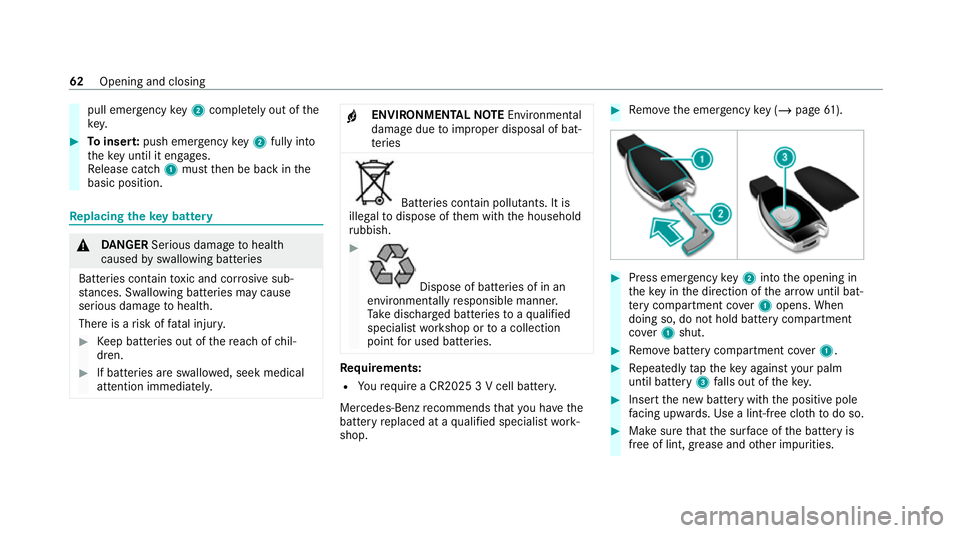
shop. #
Remo vethe emer gency key ( / page 61). #
Press emer gency key2 into the opening in
th eke y in the direction of the ar row until bat‐
te ry compa rtment co ver1 opens. When
doing so, do not hold battery compartment
co ver1 shut. #
Remo vebattery compartment co ver1. #
Repeatedly taptheke y again styour palm
until bat tery 3 falls out of thekey. #
Insert the new battery with the positive pole
fa cing up wards. Use a lint-free clo thtodo so. #
Make sure that the sur face of the battery is
free of lint, grease and other impurities. 62
Opening and closing
Page 66 of 441
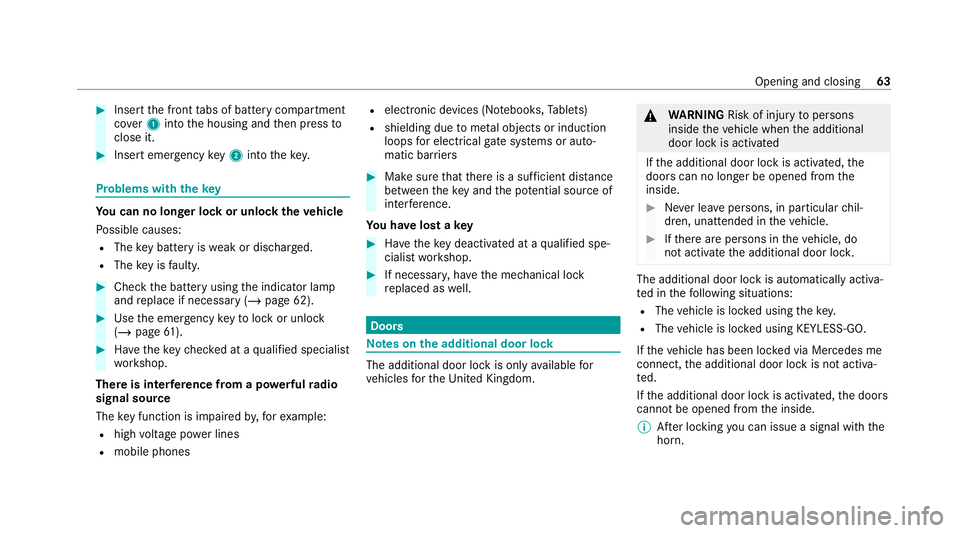
#
Insert the front tabs of battery compartment
co ver1 into the housing and then press to
close it. #
Insert emergency key2 into thekey. Problems with
thekey Yo
u can no lon ger lo ckor unlock theve hicle
Po ssible causes:
R The key bat tery iswe ak or dischar ged.
R The key is faulty. #
Check the battery using the indicator lamp
and replace if necessary (/ page 62).#
Use the emer gency keyto lock or unlock
(/ page 61). #
Have theke ych ecked at a qualified specialist
wo rkshop.
There is inter fere nce from a po werful radio
signal source
The key function is impaired by,fo rex ample:
R high voltage po wer lines
R mobile phones R
electronic devices (No tebooks, Tablets)
R shielding due tome tal objects or induction
loops for electrical gatesystems or auto‐
matic bar riers #
Make sure that there is a suf ficient dist ance
between theke y and the po tential sou rce of
inter fere nce.
Yo u ha velost a key #
Have theke y deactiva ted at a qualified spe‐
cialist workshop. #
If necessar y,ha ve the mechanical lock
re placed as well. Doors
Note
s onthe additional door lock The additional door lock is only
available for
ve hicles forth eUni ted Kingdom. &
WARNING Risk of injury topersons
inside theve hicle when the additional
door lock is activated
If th e additional door lock is activated, the
doors can no longer be opened from the
inside. #
Never lea vepersons, in particular chil‐
dren, unat tended in theve hicle. #
Ifth ere are persons in theve hicle, do
not activate the additional door loc k. The additional door lock is automatically activa‐
te
d in thefo llowing situations:
R The vehicle is loc ked using thekey.
R The vehicle is loc ked using KEYLESS-GO.
If th eve hicle has been loc ked via Mercedes me
connect, the additional door lock is not activa‐
te d.
If th e additional door lock is activated, the doors
cann otbe opened from the inside.
% After locking you can issue a signal with the
horn. Opening and closing
63
Page 68 of 441
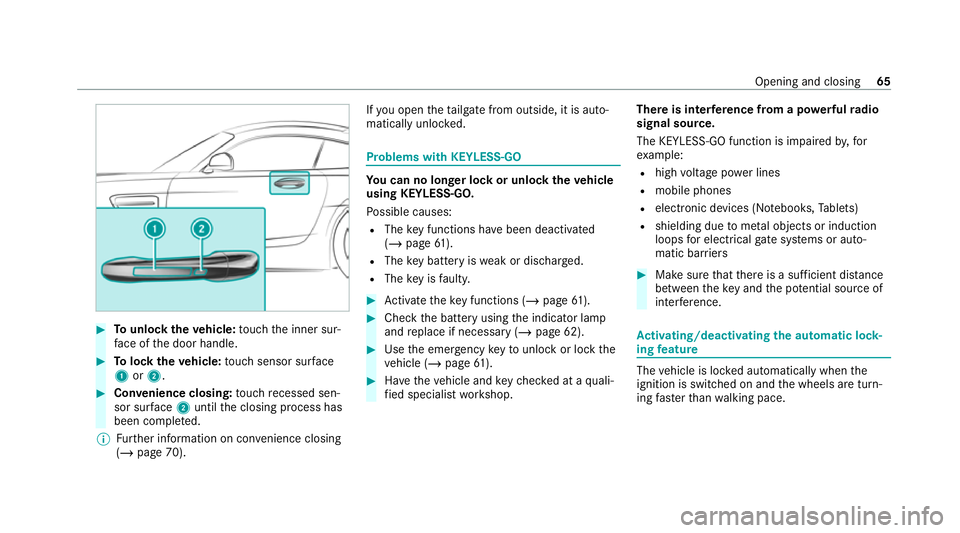
#
Tounlo cktheve hicle: touch the inner sur‐
fa ce of the door handle. #
Tolock theve hicle: touch sensor sur face
1 or2. #
Convenience closing: touch recessed sen‐
sor su rface 2until the closing process has
been comple ted.
% Further information on con venience closing
(/ page 70). If
yo u open theta ilgate from outside, it is auto‐
matically unloc ked. Problems with KEYLESS-GO
Yo
u can no lon ger lo ckor unlock theve hicle
using KEYLESS-GO.
Po ssible causes:
R The key functions ha vebeen deactivated
(/ page 61).
R The key bat tery iswe ak or dischar ged.
R The key is faulty. #
Activate theke y functions (/ page61). #
Check the battery using the indicator lamp
and replace if necessary (/ page 62). #
Use the emer gency keyto unlo ckor lock the
ve hicle (/ page61). #
Have theve hicle and keych ecked at a quali‐
fi ed specialist workshop. There is inter
fere nce from a po werful radio
signal source.
The KEYLESS-GO function is impaired by,for
ex ample:
R high voltage po wer lines
R mobile phones
R electronic devices (No tebooks, Tablets)
R shielding due tome tal objects or induction
loops for electrical gate systems or auto‐
matic bar riers #
Make sure that there is a suf ficient dist ance
between theke y and the po tential sou rce of
inter fere nce. Ac
tivating/deactivating the automatic lo ck‐
ing feature The
vehicle is loc ked automatically when the
ignition is switched on and the wheels are turn‐
ing fast erthan walking pace. Opening and closing
65
Page 74 of 441
#
Make sure that no parts of the body are
in the closing area. #
Tostop the closing process, release the
button or press the button again to
re open the side windo w. A side wind
owcann otbe closed and you can‐
not see the cause. #
Check tosee whe ther any objects are in the
window guide. #
Adjust the side windo ws.
Ad justing the side windo ws
If a side window is obstructed during closing and
re opens again immediately: #
Immediately af terth is, pull the cor respond‐
ing button again until the side window has
closed and hold the button for at least one
more second (re-adjustment).
The side window will be closed without the
automatic reve rsing function.
If th e side window is obstructed again and
re opens again immediately: #
Immediately af terth is, pull the cor respond‐
ing button again until the side window has
closed and hold the button for at least one
more second (follo w-up adjustment).
The side wind owwill be closed without the
automatic reve rsing function.
The side windo wscann otbe opened or
closed using the con venience opening fea‐
ture.
R The key bat tery iswe ak or dischar ged. #
Check the battery using the indicator lamp
and replace if necessary (/ page 62). Anti-theft pr
otection Fu
nction of the immobiliser The immobiliser pr
events your vehicle from
being star ted without the cor rect key.
The immobiliser is automatically activated when
th e ignition is switched off and deactivated when
th e ignition is switched on. ATA
(Anti-Theft Alarm sy stem) Fu
nction of theATA system
If th eATA system is primed, a visual and audible
alarm is triggered in thefo llowing situations:
R when a door is opened
R when theta ilgate is opened
R when the bonn etis opened
R when interior pr otection is triggered
(/ page 73)
R when tow- aw ay protection is triggered
(/ page 72)
The ATA sy stem is primed automatically af ter
appr oximately ten seconds in thefo llowing situa‐
tions:
R afte r locking theve hicle with thekey
R afte r locking theve hicle using KEYLESS-GO Opening and closing
71
Page 107 of 441
Driving
Swit
ching on the po wer supp lyor the igni‐
tion (without engine start) &
WARNING Risk of accident and inju ry
due tochildren left unat tended in the
ve hicle
If ch ildren are left unsupervised in theve hi‐
cle, they could, in part icular:
R open doors, thereby endangering other
persons or road users.
R get out and be stru ck byoncoming traf‐
fi c.
R ope rate ve hicle equipment and become
trapped, forex ample.
In addition, thech ildren could also set the
ve hicle in motion, forex ample by:
R releasing the parking brake.
R change the transmission position.
R start theve hicle. #
Never lea vechildren unat tended in the
ve hicle. #
When leaving theve hicle, alw aysta ke
th eke y with you and lock theve hicle. #
Keep theke y out of reach of children. Also obser
vethe "No tes on pets in theve hicle".
Re quirements:
R theke y is located in theve hicle and thekey
battery is not dischar ged.
R the brake pedal is not depressed. #
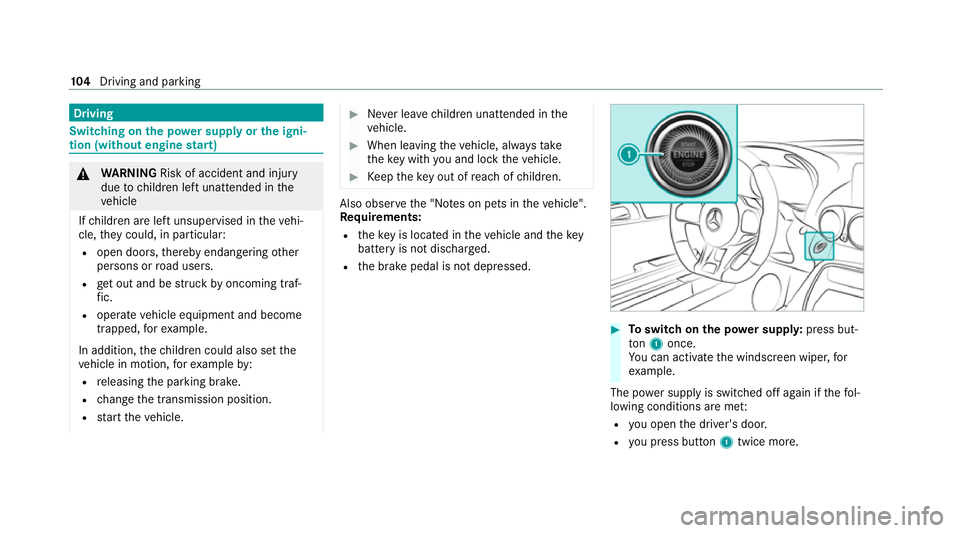
Toswitch on the po wer supp ly:press but‐
to n1 once.
Yo u can activate the windscreen wiper, for
ex ample.
The po wer supp lyis switched off again if thefo l‐
lowing conditions are me t:
R you open the driver's door.
R you press but ton1 twice more. 104
Driving and pa rking
Page 108 of 441

#
Toswitch on the ignition: press button 1
twice.
The indicator lamps in the instrument clus ter
light up.
The ignition is switched off again if one of the
fo llowing conditions is me t:
R you do not start theve hicle within
15 minutes and the transmission is in posi‐
tion jorthe electric parking brake is
applied.
R you press but ton1 once.
% You can also swit chon the po wer supp lyor
th e ignition with theke y in the ignition lock
(/ page 106). St
arting theve hicle St
arting theve hicle with thest art/s top but‐
ton &
DANG ER Risk of death caused by
ex haust gases
Combustion engines emit poisonous exhaust
ga ses such as carbon monoxide. Inhaling
th ese exhaust gases is hazardous tohealth
and leads topoisoning. #
Never lea vethe engine or, if present,
th e auxiliary heating running in an
enclosed space wi thout suf ficient venti‐
lation. &
WARNING Risk offire due toflammable
material in the engine compartment or
th eex haust sy stem
Flammable materials may ignite. #
Therefore, check regularly that there
are no flammable materials in the
engine compartment or on theex haust
sy stem. Re
quirements:
R theke y is located in theve hicle and thekey
battery is not dischar ged. #
Shift the transmission toposition jori. #
Depress the brake pedal and press button
1 once. #
Ifth eve hicle does not star t:switch off non-
essential consumers and press button 1
once. #
Ifth eve hicle still does not start and theKey
not detected display message also appears
in the multifunction display: start theve hicle
with theke y (/ page106).
% You can swit choff the engine while driving
by pressing button 1for about thre e sec‐
onds or bypressing button 1thre e times
within thre e seconds. Be sure toobser vethe
saf ety no tes under "Driving tips"
(/ page 107). Driving and parking
105
Page 355 of 441
Display messages
Possible causes/consequences and M MSolutions
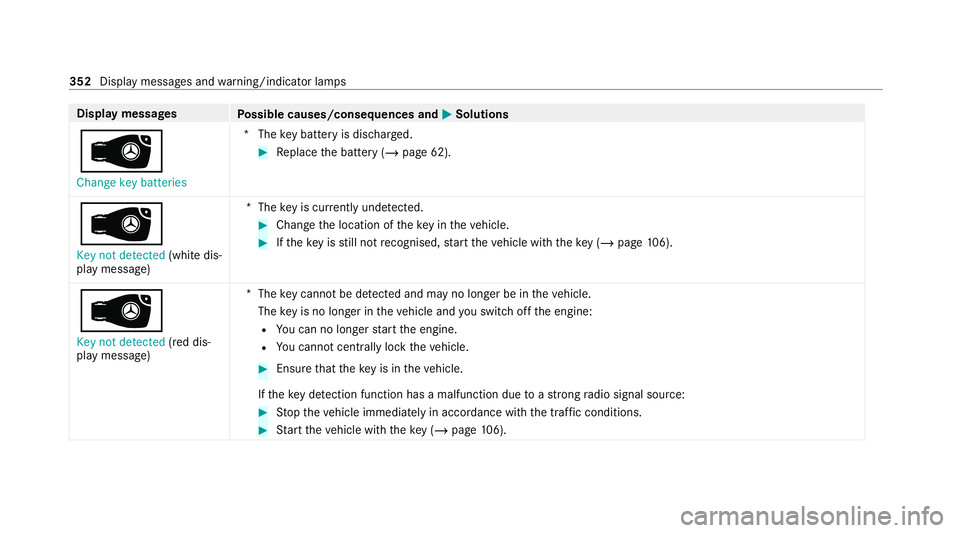
 Change key batteries *T
hekey bat tery is dischar ged. #
Replace the battery (/ page 62).
 Key not detected (white dis‐
play message) *T
hekey is cur rently und etected. #
Change the location of theke y in theve hicle. #
Ifth eke y is still not recognised, start theve hicle with theke y ( / page 106).
Â
Key not detected (red dis‐
pl ay messa ge) *T
hekey cannot be de tected and may no longer be in theve hicle.
The key is no lon ger in theve hicle and you swit choff the engine:
R You can no lon gerst art the engine.
R You cannot centrally lock theve hicle. #
Ensure that theke y is in theve hicle.
If th eke y de tection function has a malfunction due toast ro ng radio signal source: #
Stop theve hicle immediately in accordance with the traf fic conditions. #
Start theve hicle with theke y (/ page106). 352
Displaymessa ges and warning/indicator lamps
Page 409 of 441
Au
tomatic distance control
see Active Dis tance Assi stDISTRONIC
Au tomatic driving lights ........................... 92
Au tomatic engine start (ECO start/
sto p function) ........................................... 111
Au tomatic engine stop (ECO start/
sto p function) ........................................... 111
Au tomatic front passen ger front air‐
bag deacti vation sy stem
see Automatic front passenger front
airbag shutoff
Au tomatic front passen ger front air‐
bag shu toff .......................................... 42, 44
Fu nction of the automatic front
passenger front airbag deactivation
sy stem ................................................... 42
PA SSENGER AIR BAG indicator lamp .... .44
Au tomatic mir rorfo lding function
Ac tivating/deactivating ...................... .100
Au tomatic transmission
Double-clutch function ......................... 121
Drive program display .......................... 11 8
Drive programs .................................... 11 7DY
NA MIC SELECT switch ..................... 11 7
E-SELECT selector le ver ....................... 11 9
Engaging drive position ........................ 121
Engaging neutral .................................. 12 0
Engaging pa rkposition ........................ 12 0
Engaging reve rsege ar ........................ .120
Kickdown ............................................. 12 2
Manual gear changing .......................... 121
St eering wheel gearshift paddles .........1 21
Tr ansmission position display .............. 11 9
Tr ansmission positions .........................1 19
Axle load Perm issible .......................................... 338 B
BA S (Brake Assist Sy stem) .................... .132
Battery Key ........................................................ 62
Battery see Bat tery (vehicle)
Bat tery (vehicle) ...................................... 314
Charging .............................................. 313
No tes ................................................... 310No
tes (s tarting assis tance and
ch arging) .............................................. 311
Re placing .............................................3 14
St arting assis tance .............................. 313
Belt see Seat belt
Blind Spot Assi st..................................... 15 9
Ac tivating/deactivating ...................... .160
Fu nction .............................................. 15 9
Sy stem limitations ...............................1 59
Blue tooth ®
................................................ 191
Information ..........................................1 90
Setting up an Internet connection ....... 258
Switching on/off ................................. 191
Switching profile (DUN/PAN) .............. 260
Blue tooth ®
audio
Ac tivating ............................................ 275
De-authorising (de-regis tering) the
device .................................................. 276
Information ..........................................2 73
Overview ..............................................2 74
Sea rching for a track ........................... 276
Sea rching for and auth orisingthe
device .................................................. 274406
Index
Page 414 of 441
Display messages
¯ - - - km/h .................................. .370
ç - - - km/h ................................... .371
È - - - km/h ................................... 370
# 12V battery See Owner's Man‐
ual ....................................................... 381
5 Add 1 litre engine oil when
next refuelling .................................... .386
é ATTENTION ASSIST inoperative ..373
é ATTENTION ASSIS T:Take a
break! .................................................. 373
: Automatic driving lights inoper‐
ative .................................................... 354
 Change key bat teries ................. 352
J Check brake fluid le vel.............. .369
# Checkbrake pads See Owner's
Manual ................................................ 369
h Check tyre(s) .............................. 384
ÿ Coolant Stop vehicle Switch
engine off ............................................ 361 !
currently una vailable See Own‐
er's Manual .......................................... 376
÷ currently una vailable See Own‐
er's Manual .......................................... 377
5 Engine oil le vel cannot be
measured ............................................ 387
5 Engine oil le velRe duce oil le vel
............................................................. 387
ä Fault Drive at max. 80 km/h ......373
6 Front left malfunction Consult
wo rkshop (e xample)............................ 348
! inoperative See Owner's Man‐
ual ....................................................... 377
÷ inoperative See Owner's Man‐
ual ....................................................... 378
T inoperative See Owner's Man‐
ual ....................................................... 379
G Inoperative .................................3 81
 Insert key .................................. .353 Â
Key not de tected (red displ ay
messa ge).............................................3 52
 Key not de tected (white display
messa ge).............................................3 52
: Left dipped beam (e xamp le) .......3 53
6 Left wind owbag malfunction
Consult workshop (e xample).............. .348
: Malfunction See Owner's Man‐
ual ....................................................... 353
ð Maximum speed exceeded ......... 372
ç Off..............................................3 71
ë Off..............................................3 72
! Parking brake See Owner's
Manual ................................................ 365
Ù Rear axle steering cur rently
una vailable .......................................... 357
Ù Rear axle steering Malfunction
Vi sit workshop .....................................3 57
h Rectify tyre pressure .................. 385
! Release parking brake ................ 368 Index
411
Page 415 of 441
Â
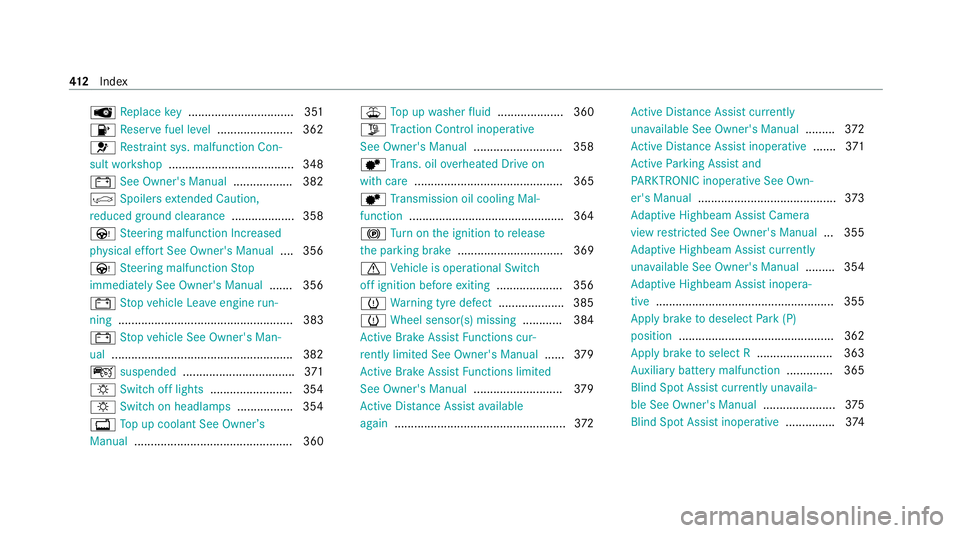
Replace key ................................ 351
8 Reser vefuel le vel...................... .362
6 Restra int sys. malfunction Con‐
sult workshop ...................................... 348
# See Owner's Manual .................. 382
| Spoilers extended Caution,
re duced ground clearance ...................358
Ù Steering malfunction Incre ased
ph ysical ef fort See Owner's Manual .... 356
Ù Steering malfunction Stop
immediately See Owner's Manual .......356
# Stop vehicle Lea veengine run‐
ning ..................................................... 383
# Stop vehicle See Owner's Man‐
ual .......................................................3 82
ç suspended .................................. 371
: Switch off lights ......................... 354
: Switch on headlamps ................. 354
+ Top up coolant See Owner ’s
Manual ................................................ 360 ¥
Top up washer fluid .................... 360
Õ Traction Control inoperative
See Owner's Manual ...........................358
d Trans. oil overheated Drive on
with care ............................................. 365
d Transmission oil cooling Mal‐
function .............................................. .364
! Turn on the ignition torelease
th e parking brake ................................ 369
d Vehicle is operational Switch
off ignition before exiting .................... 356
h Warning tyre defect .................... 385
h Wheel sensor(s) missing ............ 384
Ac tive Brake Assi stFunctions cur‐
re ntly limited See Owner's Manual ......379
Ac tive Brake Assi stFunctions limited
See Owner's Manual ...........................379
Ac tive Dis tance Assi stavailable
again .................................................... 372Ac
tive Dis tance Assi stcur rently
una vailable See Owner's Manual .........372
Ac tive Dis tance Assi stinope rative ....... 371
Ac tive Parking Assist and
PA RKTRONIC inoperati veSee Own‐
er's Manual .......................................... 373
Ad aptive Highbeam Assist Camera
view restricted See Owner's Manual ... 355
Ad aptive Highbeam Assist cur rently
una vailable See Owner's Manual .........354
Ad aptive Highbeam Assist inopera‐
tive ...................................................... 355
App lybrake todeselect Park (P)
position ...............................................3 62
Apply brake toselect R ....................... 363
Au xilia rybattery malfunction .............. 365
Blind Spot Assist cur rently una vaila‐
ble See Owner's Manual ......................375
Blind Spot Assi stinope rative ............... 374 412
Index