warning MERCEDES-BENZ C-CLASS COUPE 2015 Owners Manual
[x] Cancel search | Manufacturer: MERCEDES-BENZ, Model Year: 2015, Model line: C-CLASS COUPE, Model: MERCEDES-BENZ C-CLASS COUPE 2015Pages: 385, PDF Size: 13.12 MB
Page 296 of 385
Warning/
indicator
lamp
N N
Signal type
Possiblec auses/consequences and M
MSolutions X
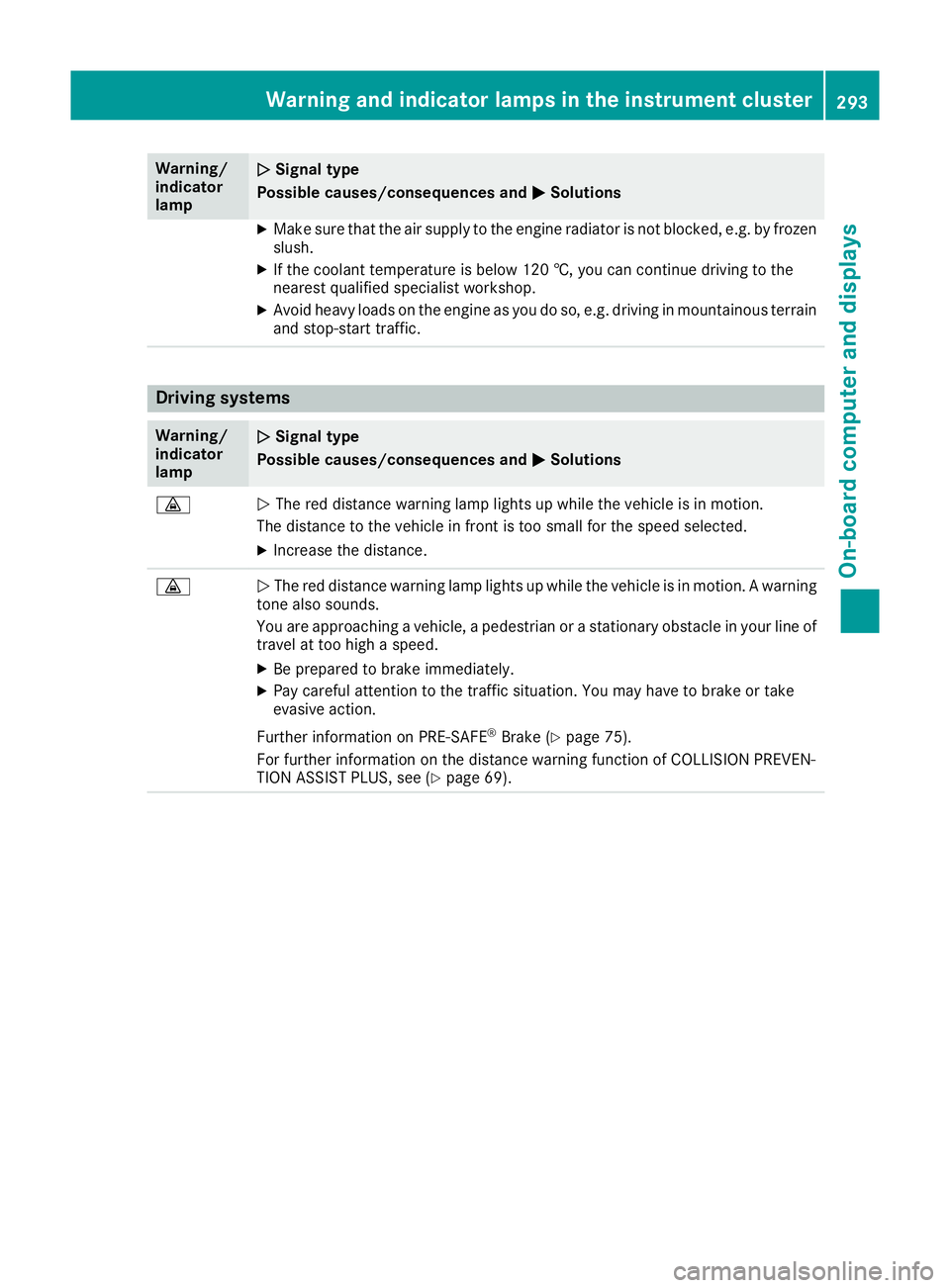
Make sure that the air supply to the engine radiator is not blocked ,e.g. by frozen
slush.
X If the coolant temperature is below 120 †, you can continue driving to the
neares tqualified specialist workshop.
X Avoid heavy loads on the engine as you do so, e.g. driving in mountainous terrain
and stop-start traffic. Driving systems
Warning/
indicator
lamp
N N
Signal type
Possiblec auses/consequences and M
MSolutions ·
N
The red distance warning lamp lights up while the vehicl eisinmotion.
The distance to the vehicl einfront is too smal lfor the spee dselected.
X Increase the distance. ·
N
The red distance warning lamp lights up while the vehicl eisinmotion.Awarning
tone alsos ounds.
You are approaching avehicle, apedestrian or astationary obstacl einyourline of
travel at too high aspeed.
X Be prepared to brake immediately.
X Pay carefu lattention to the traffic situation. You may have to brake or take
evasive action.
Further information on PRE ‑SAFE®
Brake (Y page75).
For further information on the distance warning function of COLLISION PREVEN-
TION ASSIST PLUS, see (Y page69). Warning and indicator lamps in the instrument cluster
293On-board computer and displays Z
Page 297 of 385
Tyres
Warning/
indicator
lamp
N N
Signal type
Possible causes/consequence sand M
MSolutions h
N
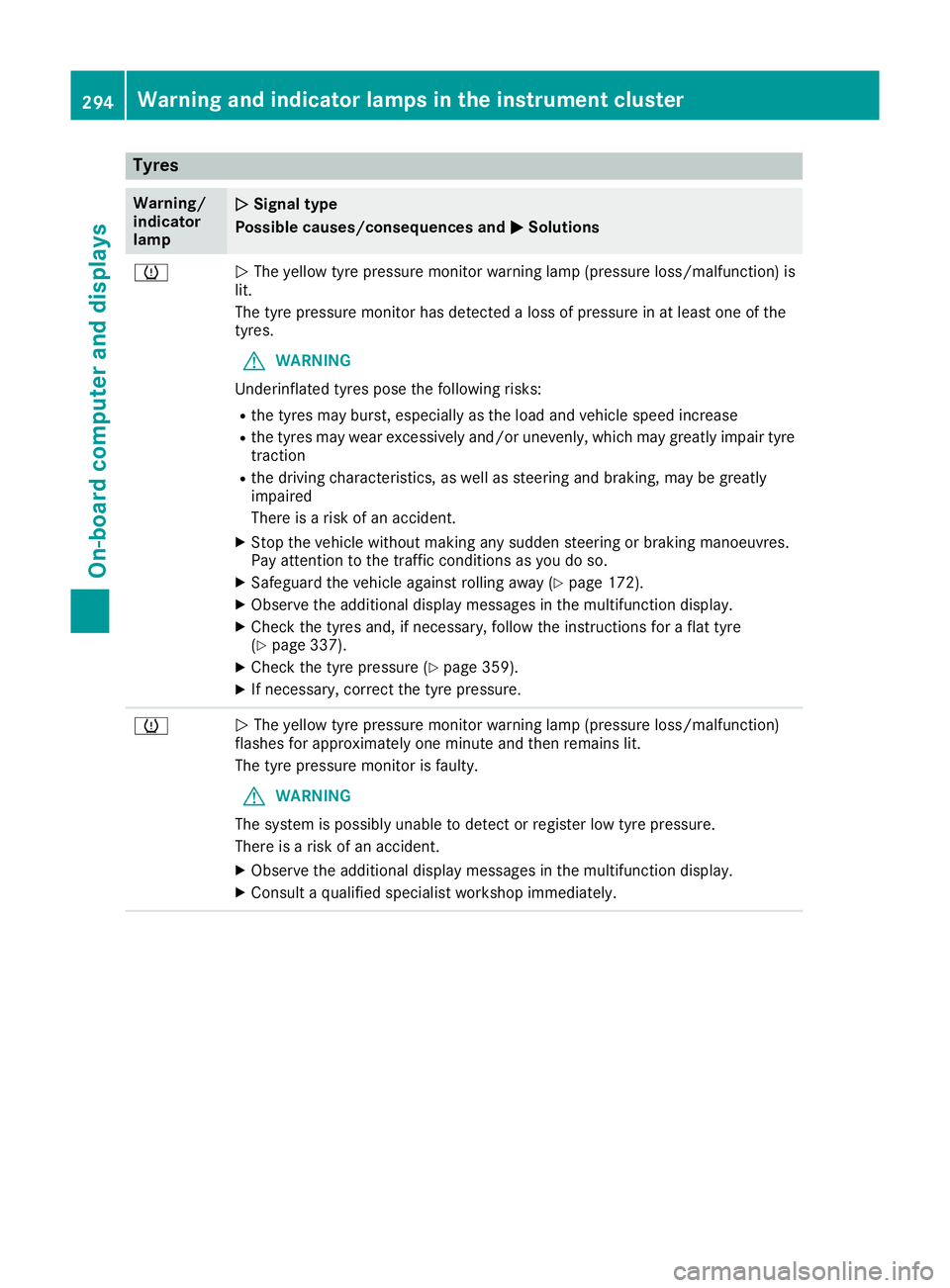
The yellow tyr epressure monitor warning lamp (pressure loss/malfunction) is
lit.
The tyr epressure monitor ha sdetecte dalossofp ressure in at leas tone of the
tyres.
G WARNING
Underinflated tyres pose the following risks:
R the tyres ma yburst, especially as the load and vehicl espeed increase
R the tyres ma yweare xcessivel yand/or unevenly, which ma ygreatl yimpai rtyre
traction
R the drivin gcharacteristics, as well as steerin gand braking ,maybe greatly
impaired
There is ariskofana ccident.
X Stop the vehicl ewithou tmaking any sudden steerin gorbraking manoeuvres.
Pa ya ttentio ntothe traffi cconditions as yo udoso.
X Safeguard the vehicl eagain st rolling away (Y page 172).
X Observe the additional displa ymessage sinthe multifunctio ndisplay.
X Check the tyres and ,ifnecessary ,follo wthe instructions for aflatt yre
(Y page 337).
X Check the tyr epressure (Y page 359).
X If necessary ,correct the tyr epressure. h
N
The yellow tyr epressure monitor warning lamp (pressure loss/malfunction)
flashe sfor approximately one minute and the nremains lit.
The tyr epressure monitor is faulty.
G WARNING
The system is possibl yunabl etod etect or register lo wtyrep ressure.
There is ariskofana ccident.
X Observe the additional displa ymessage sinthe multifunctio ndisplay.
X Consult aquali fied specialis tworkshop immediately. 294
Warning and indicator lamps in the instrument clusterOn-board computer and displays
Page 298 of 385
Vehicle
Warning/
indicator
lamp
N N
Signal type
Possibl ecauses/consequences and M
MSolutions Ð
N
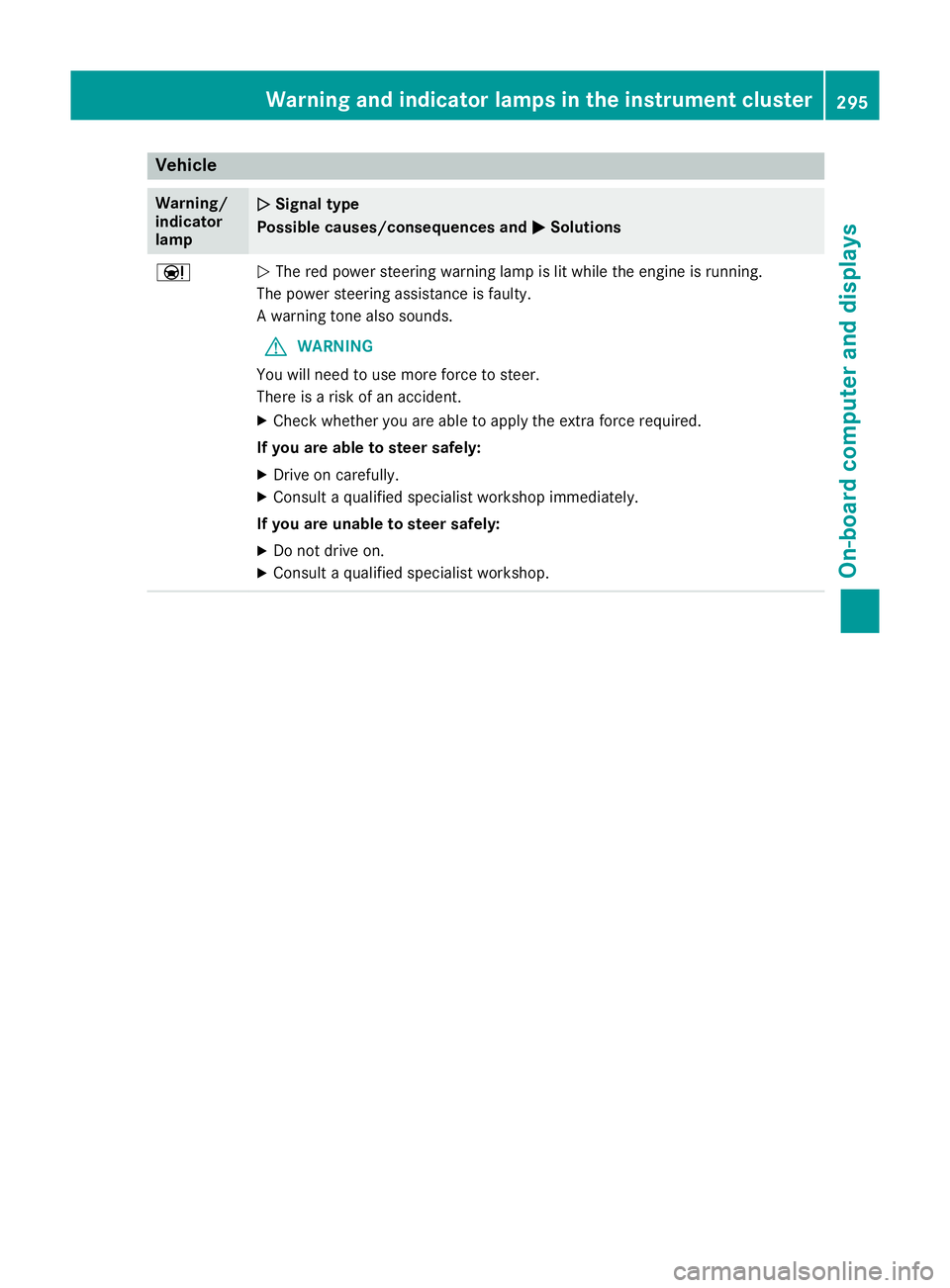
The red powe rsteering warning lamp is li twhile the engine is running.
The powe rsteering assistance is faulty.
Aw arning tone also sounds.
G WARNING
Yo uw illn eedtou semore force to steer.
There is ariskofana ccident.
X Check whethe ryou are able to appl ythe extra force required.
If yo uare abl etosteer safely:
X Driv eonc arefully.
X Consult aquali fied specialist workshop immediately.
If yo uare unable to steer safely:
X Do not drive on.
X Consult aquali fied specialist workshop. Warning and indicator lamps in the instrumen
tcluster
295On-board computer and displays Z
Page 299 of 385
General notes
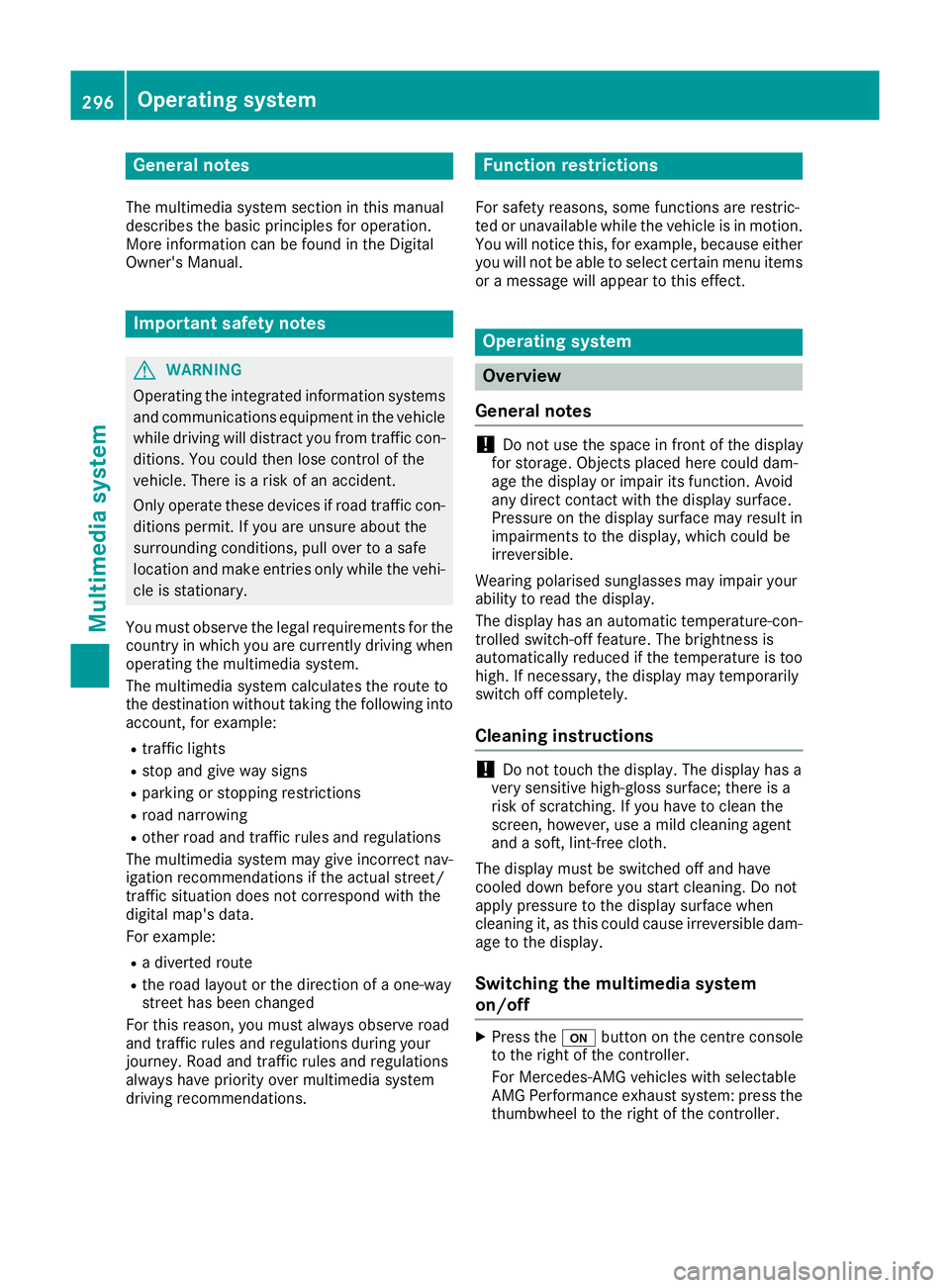
The multimedia system section in this manual
describes the basi cprinciples for operation.
More information can be found in the Digital
Owner's Manual. Important safety notes
G
WARNING
Operating the integrated information systems and communications equipment in the vehicle
whil edriving willd istract you from traffic con-
ditions. You could then lose control of the
vehicle .There is arisk of an accident.
Only operate these devices if road traffic con-
ditions permit. If you are unsure aboutt he
surrounding conditions, pullo ver toasafe
locatio nand make entries only whilet he vehi-
cle is stationary.
You must observe the legalr equirements for the
country in which you are currently driving when operating the multimedia system.
The multimedia system calculates the route to
the destination withou ttaking the following into
account, for example:
R traffic lights
R stop and give way signs
R parking or stopping restrictions
R road narrowing
R other road and traffic rulesa nd regulations
The multimedia system may give incorrect nav-
igation recommendations if the actual street/
traffic situation does not correspond with the
digital map's data.
For example:
R ad iverted route
R the road layout or the direction of aone-way
street has been changed
For this reason, you must alwayso bserve road
and traffic rulesa nd regulations during your
journey. Roada nd traffic rulesa nd regulations
alwaysh ave priority over multimedia system
driving recommendations. Function restrictions
For safety reasons, some functions are restric-
ted or unavailable whilet he vehicle is in motion.
You willn otice this, for example, because either
you willn ot be abletos elect certain menu items
or am essag ewilla ppear to this effect. Operating system
Overview
General notes !
Do not use the space in front of the display
for storage. Objects placed here could dam-
age the display or impair its function. Avoid
any direct contact with the display surface.
Pressure on the display surface may resul tin
impairments to the display,w hich could be
irreversible.
Wearing polarised sunglasses may impair your
ability to read the display.
The display has an automatic temperature-con- trolled switch-off feature .The brightness is
automaticall yreduced if the temperature is too
high. If necessary ,the display may temporarily
switch off completely.
Cleaning instructions !
Do not touch the display.T
he display has a
very sensitive high-gloss surface; there is a
risk of scratching. If you have to clean the
screen, however, use amild cleaning agent
and asoft, lint-free cloth.
The display must be switched off and have
cooled down before you start cleaning. Do not
apply pressure to the display surface when
cleaning it, as this could cause irreversible dam- age to the display.
Switching the multimedia system
on/off X
Press the ubutton on the centre console
to the right of the controller.
For Mercedes-AMG vehicle swith selectable
AMG Performance exhaust system: press the
thumbwheel to the right of the controller. 296
Operating systemMultimedia system
Page 304 of 385
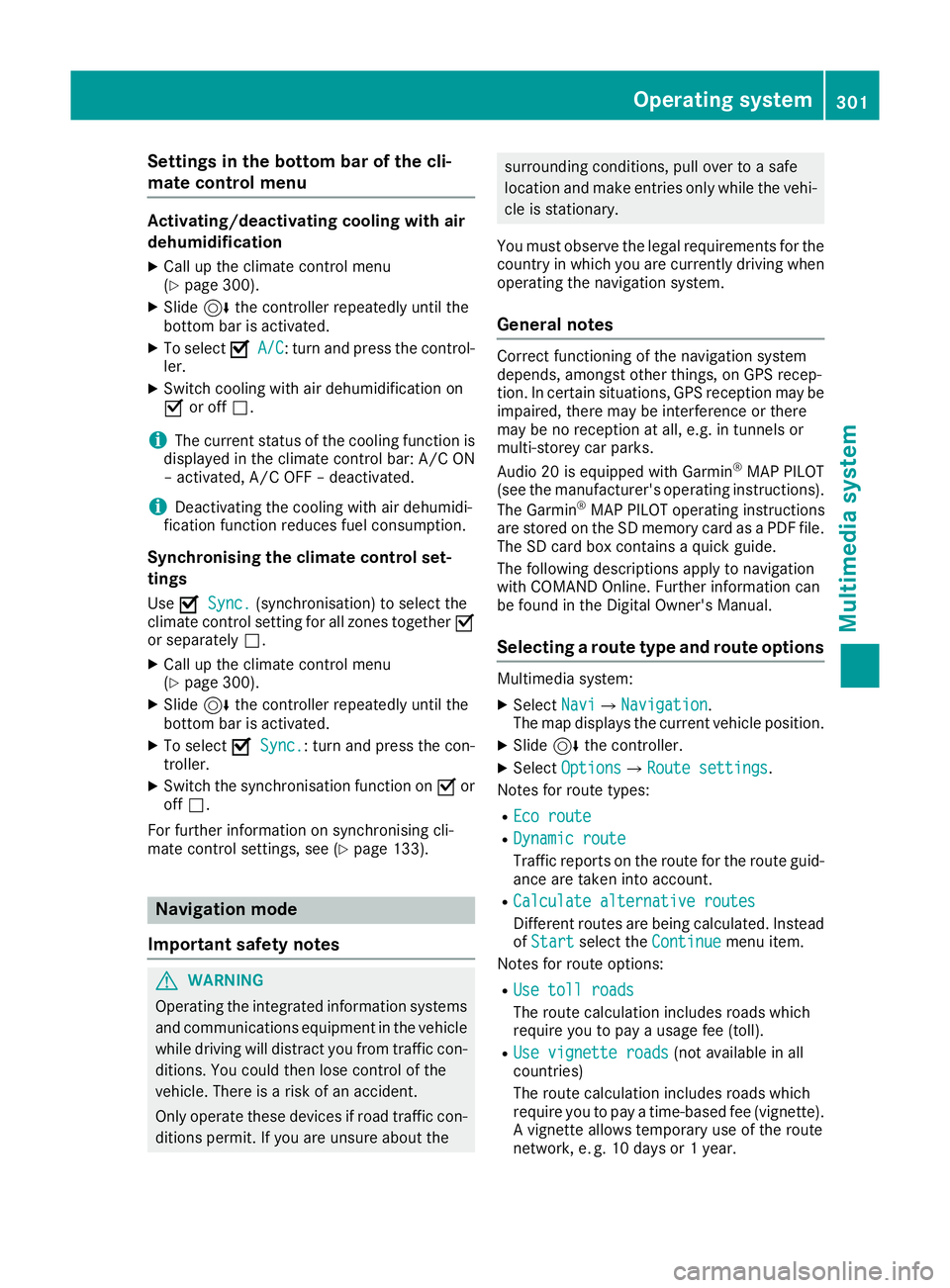
Settings in the bottom bar of the cli-
matec ontrol menu Activating/deactivating cooling with air
dehumidification
X Call up the climate control menu
(Y page 300).
X Slide 6the controller repeatedly until the
bottom bar is activated.
X To select O
O A/C
A/C:t urn and press the control-
ler.
X Switch cooling with air dehumidification on
O or off ª.
i The current status of the cooling function is
displayed in the climate control bar: A/C ON
–a ctivated, A/C OFF –deactivated.
i Deactivating the cooling with air dehumidi-
fication function reduces fuel consumption.
Synchronising the climate control set-
tings Use O
O Sync. Sync. (synchronisation )toselect the
climate control settingf or all zones togetherO
or separately ª.
X Call up the climate control menu
(Y page 300).
X Slide 6the controller repeatedly until the
bottom bar is activated.
X To select O
O Sync. Sync.:t urn and press the con-
troller.
X Switch the synchronisation function on Oor
off ª.
For further information on synchronising cli-
mate control settings, see (Y page 133).Navigation mode
Important safety notes G
WARNING
Operating the integrated information systems and communications equipment in the vehicle
while driving will distract you from traffic con-
ditions. You could then lose control of the
vehicle. There is arisk of an accident.
Only operate these devices if road traffic con-
ditions permit. If you are unsure about the surrounding conditions, pull over to
asafe
location and make entries only while the vehi- cle is stationary.
You must observe the legal requirements for the countryinw hich you are currently driving when
operating the navigation system.
General notes Correct functioning of the navigation system
depends, amongst other things, on GPS recep-
tion. In certain situations, GPS reception may be
impaired, there may be interference or there
may be no reception at all, e.g. in tunnels or
multi-storey car parks.
Audio 20 is equippedw ith Garmin®
MAP PILOT
(see the manufacturer's operating instructions).
The Garmin ®
MAP PILOT operating instructions
are stored on the SD memory card as aPDF file.
The SD card box contains aquick guide.
The following descriptions apply to navigation
with COMAND Online. Further information can
be found in the Digital Owner's Manual.
Selecting aroute type and route options Multimedia system:
X Select Navi NaviQNavigation Navigation.
The map displayst he current vehicle position.
X Slide 6the controller.
X Select Options
OptionsQRoute settings Route settings.
Notes for route types:
R Eco route
Eco route
R Dynamic route
Dynamic route
Traffic reports on the route for the route guid-
ance are taken into account.
R Calculate alternative routes Calculate alternative routes
Differen troutes are being calculated. Instead
of Start Start select the Continue Continue menu item.
Notes for route options:
R Use toll roads
Use toll roads
The route calculation includes roads which
require you to pay ausage fee (toll).
R Use vignette roads
Use vignette roads (not available in all
countries)
The route calculation includes roads which
require you to pay atime-based fee (vignette).
Av ignett eallowst emporary use of the route
network,e .g.10d ays or 1year. Operating system
301Multimedia system Z
Page 310 of 385
i
Information on the single CD/DVD drive or
DVD changer (see the Digital Owner's Man-
ual).
Activating media mode Multimedia system:
X Select Media
MediaQDevices Devices.
The available media sources willbes hown.
The #dot indicates the current setting.
X Select the media source.
Playable files are played back.
Inserting and removing an SD memory
card Important safety notes
G
WARNING
SD memory cards are small parts. They can be swalloweda nd cause asphyxiation. This
poses an increased risk of injury or even fatal injury.
Keep SD memory cards out of the reach of
children. If an SD memory card is swallowed,
seek immediate medica lattention.
! If you are no longer using the SD memory
card, you shouldr emove it and take it out of
the vehicle .High temperature scan damage
the card.
Inserting an SD memory card
The SD card slot is located in the stowage com-
partment under the armrest.
X Insert the SD memory card into the SD card
slot until it engages .The side with the con-
tacts must face downwards.
X Select the media source (Y page 307).
Ejectin ganSDm emory card
X Press the memory card.
The memory card is ejected.
X Remove the memory card.
Connecting USB devices There are two USB ports in the stowage space
under the armrest. X
Connect the USB device to the USB port.
X Select the media source (Y page 307). Operating system
307Multimedia system Z
Page 311 of 385
Stowage areas
Loading guidelines
G
WARNING
Combustion engines emit poisonous exhaust
gases such as carbon monoxide. Exhaust
gases can enter the vehicle interior if the boot
lid is open when the engine is running, espe-
cially if the vehicle is in motion. There is arisk
of poisoning.
Always switch off the engine before opening
the boot lid. Never drive with the boot lid
open. G
WARNING
If objects, luggage or loads are not secured or not secured sufficiently, they could slip, tip
over or be flung around and thereby hit vehicle
occupants. There is arisk of injury, especially
when braking or abruptly changing directions.
Always store objectssot hat they cannot be
flung around. Secure objects, luggage or
loads against slipping or tipping before the
journey. G
WARNING
The exhaust tail pipe and tail pipe trim can
become very hot. If you come into contact
with these parts of the vehicle, you could burn
yourself. There is arisk of injury.
Always be particularly careful around the
exhaust tail pipe and the tail pipe trim. Allow
these components to cool down before touch-
ing them.
The handling characteristics of aladen vehicle
are dependent on the distribution of the load
within the vehicle. For this reason, you should
observe the following notes when transporting a
load:
R never exceed the maximum permissible gross
vehicle weight or the permissible axle loads
for the vehicle (including occupants).
R the boot is the preferred place to store
objects.
R position heavy loads as far forward as possi-
ble and as low down in the boot as possible. R
the load must not protrude above the upper
edge of the seat backrests.
R always place the load behind unoccupied
seats if possible.
R secure the load with sufficiently stronga nd
wear-resistant lashing material. Pad sharp
edges for protection.
i Load restraint
sare available at any qualified
specialist workshop, e.g. aMercedes-Benz
Service Centre. Stowage compartments
Important safety notes G
WARNING
If objectsint he passenger compartmen tare
stowed incorrectly, they can slide or be
thrown around and hit vehicle occupants. In
addition, cupholders, open stowage spaces
and mobile phone brackets cannot always
retain all objectst hey contain. There is arisk
of injury, particularly in the event of sudden
braking or asudden change in direction.
R Always stow objectssot hat they cannot be
thrown around in such situations.
R Always make sure that objectsdon ot pro-
trude from stowage spaces, parcel nets or
stowage nets.
R Close the lockable stowage spaces before
startingaj ourney.
R Always stow and secure heavy, hard, poin-
ted, sharp-edged, fragile or bulky objectsin
the boot.
Observe the loading guidelines (Y page 308).308
Stowage areasStowing and features
Page 313 of 385
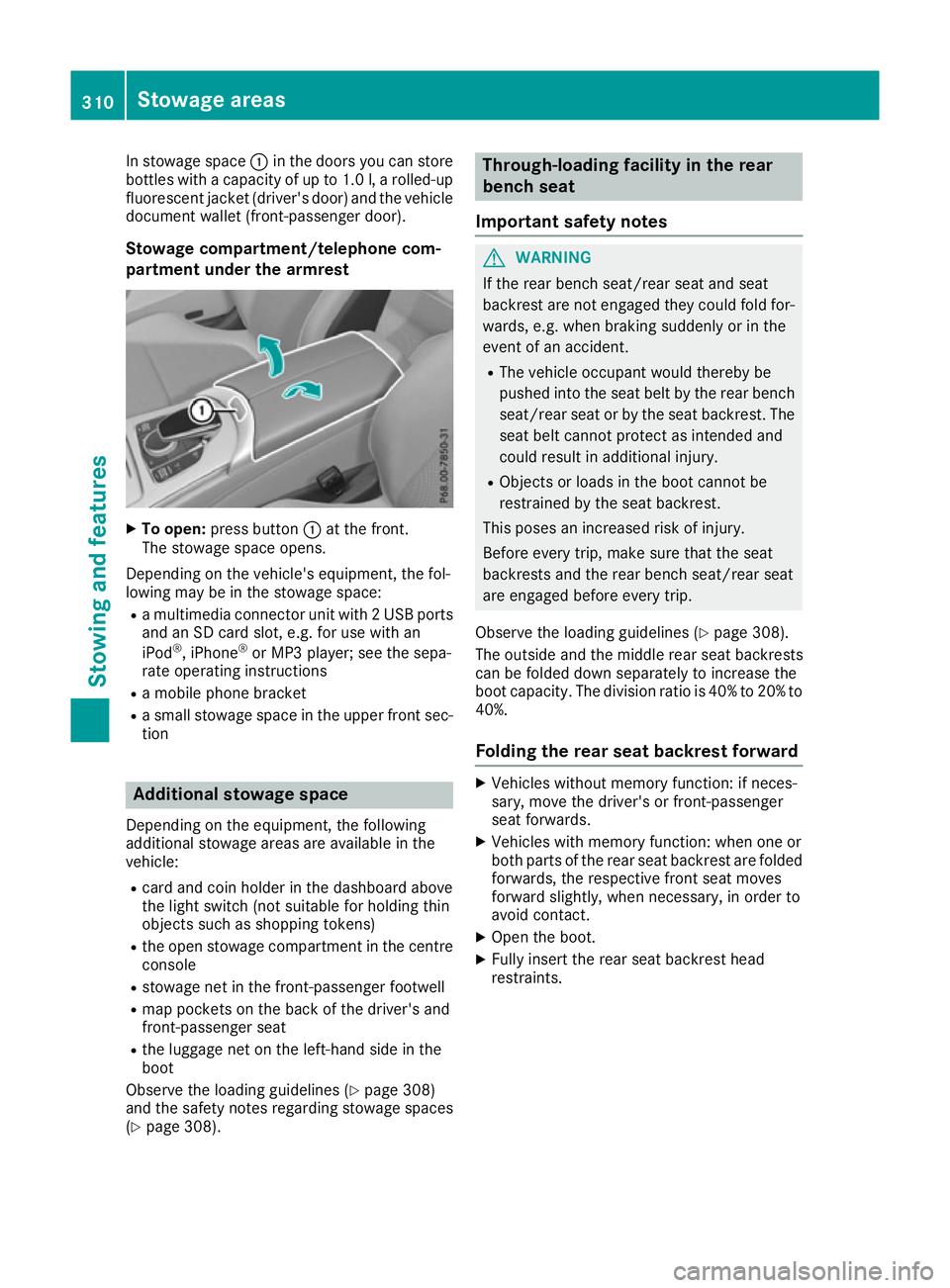
In stowage space
:in the doors you can store
bottles with acapacity of up to 1.0 l,ar olled-up
fluorescent jacke t(driver' sdoor )and th evehicle
documen twallet (front-passenger door).
Stowage compartment/telephone com-
partmen tunder th earmre st X
To open: pressbutton :at th efront.
The stowage spac eopens.
Dependin gonthevehicle's equipment ,the fol-
lowin gmay be in th estowage space:
R am ultimedia connecto runit with 2USBports
and an SD car dslot,e.g.f or use with an
iPod ®
,i Phone ®
or MP3 player; see th esepa-
rat eo peratin ginstructions
R am obile phon ebracket
R as mall stowage spac eintheupper fron tsec-
tion Additional stowage space
Dependin gontheequipment ,the following
additional stowage areas are availabl einthe
vehicle:
R car dand coi nholde rint hedashboard above
th el ight switch (no tsuitable for holding thin
object ssuchass hoppin gtokens)
R theo pen stowage compartmen tinthecentre
console
R stowage net in th efront-pa ssenger footwell
R map pockets on th eback of th edriver' sand
front-passenger seat
R thel uggage net on th eleft-hand side in the
boot
Observ ethe loadin gguidelines (Y page 308)
and th esafety note sregardin gstowage spaces
(Y page 308). Through-loading facilit
yintherear
bench seat
Important safety notes G
WARNING
If th erear bench seat/rear seat and seat
backres tare no tengaged they coul dfold for-
wards ,e.g.w hen braking suddenly or in the
even tofana ccident.
R The vehicle occupant would thereb ybe
pushe dintot he seat belt by th erear bench
seat/rear seat or by th eseat backrest. The
seat belt canno tprotect as intended and
coul dresult in additional injury.
R Object sorloads in th eboot canno tbe
restraine dbytheseat backrest.
This pose sanincreased risk of injury.
Before ever ytrip, mak esure that th eseat
backrests and th erear bench seat/rear seat
are engaged before ever ytrip.
Observ ethe loadin gguidelines (Y page 308).
The outside and th emiddle rear seat backrests
can be folded down separately to increas ethe
boot capacity. The division ratio is 40 %to20%to
40%.
Foldin gthe rea rseat backres tforward X
Vehicle swithout memory function :ifneces-
sary, mov ethe driver' sorfront-pa ssenger
seat forwards.
X Vehicle swith memory function :when on eor
bot hpartsoft herear seat backres tare folded
forwards ,the respectiv efront seat moves
forward slightly, when necessary, in orde rto
avoid contact.
X Open th eboot.
X Fully insert th erear seat backres thead
restraints. 310
Stowage areasStowing and features
Page 314 of 385
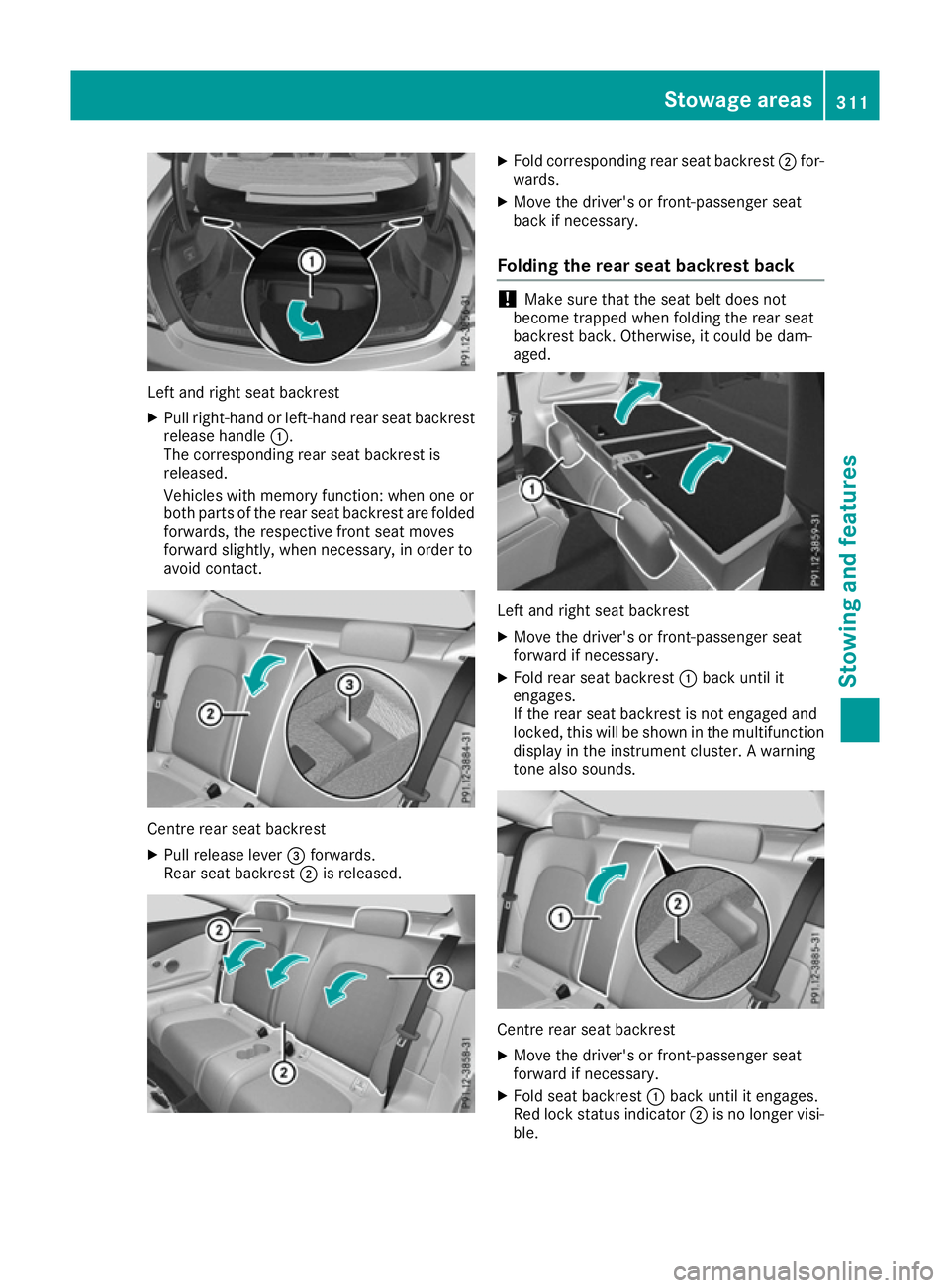
Left and right seat backrest
X Pullr ight-hand or left-hand rear seat backrest
release handle :.
The corresponding rear seat backrest is
released.
Vehicle swith memory function: when one or
both parts of the rear seat backrest are folded
forwards, the respective front seat moves
forward slightly, when necessary ,inorder to
avoid contact. Centre rear seat backrest
X
Pullr elease lever =forwards.
Rears eat backrest ;is released. X
Fold corresponding rear seat backrest ;for-
wards.
X Move the driver's or front-passenger seat
back if necessary.
Folding the rear seat backrest back !
Make sure that the seat belt does not
become trapped when folding the rear seat
backrest back. Otherwise ,itcould be dam-
aged. Left and right seat backrest
X Move the driver's or front-passenger seat
forward if necessary.
X Fold rear seat backrest :back until it
engages.
If the rear seat backrest is not engaged and
locked, this willbes hown in the multifunction
display in the instrument cluster. Awarning
tone also sounds. Centre rear seat backrest
X
Move the driver's or front-passenger seat
forward if necessary.
X Fold seat backrest :back until it engages.
Red lock status indicator ;is no longer visi-
ble. Stowagea
reas
311Stowing and features Z
Page 315 of 385
X
Adjust the hea drestraints if necessary
(Y page 106).
X Mov ethe driver's or front-passenger seat
back if necessary.
If yo udon ot nee dthe through-loading feature,
yo us houl dalway sengag ethe rea rseatb ackr-
ests .Thisw illp revent unauthorised access to
the boot from the vehicl einterior.
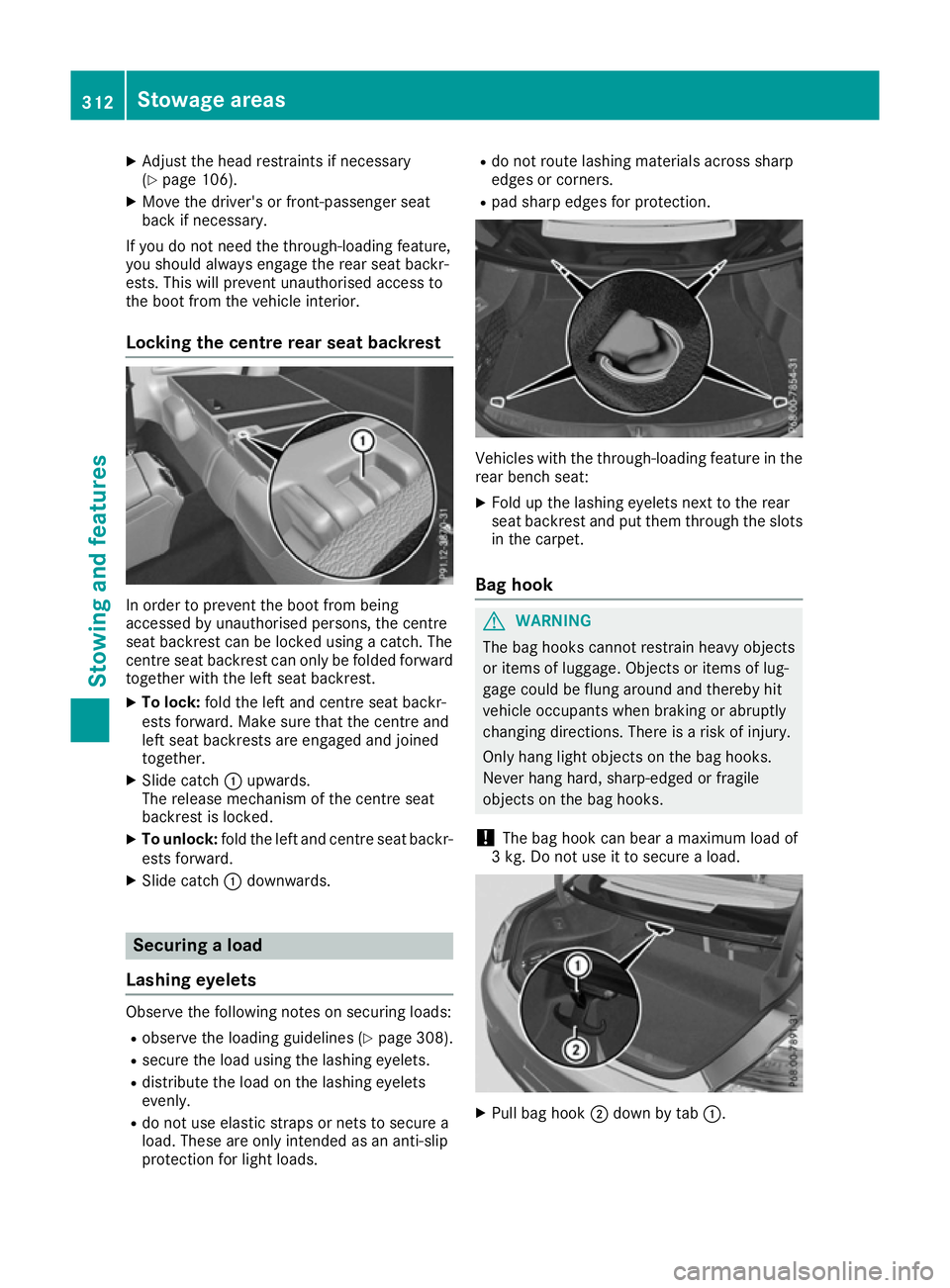
Lockin gthe centre rear seat backrest In order to prevent the boot from being
accesse
dbyunauthorised persons, the centre
sea tbackres tcan be locked using acatch .The
centre sea tbackres tcan onl ybefoldedforward
together with the left sea tbackrest.
X To lock: foldt he left and centre sea tbackr-
ests forward. Make sure tha tthe centre and
left sea tbackrests ar eengaged and joined
together.
X Slide catch :upwards.
The release mechanism of the centre seat
backres tisl oc ked.
X To unlock: foldthe left and centre sea tbackr-
ests forward.
X Slide catch :downwards. Securin
gaload
Lashin geyelets Observ
ethe following notes on securing loads:
R observe the loading guideline s(Ypage 308).
R secur ethe load using the lashing eyelets.
R distribute the load on the lashing eyelets
evenly.
R do not us eelast ic straps or nets to secur ea
load .These ar eonlyi ntende dasana nti-slip
protection for light loads. R
do not route lashing material sacross sharp
edge sorc orners.
R pa ds harp edge sfor protection. Vehicles with the through-loading feature in the
rea rbench seat:
X Fol dupt he lashing eyelets next to the rear
sea tbackres tand pu tthem throug hthe slots
in the carpet.
Bag hook G
WARNING
The ba ghooks canno trestrai nheavy objects
or items of luggage. Objects or items of lug-
gage could be flung around and thereb yhit
vehicl eoccupants when braking or abruptly
changing directions. There is ariskofi njury.
Onl yhanglight objects on the ba ghooks.
Never hang hard, sharp-edged or fragile
objects on the ba ghooks.
! The ba
ghookc an bear amaximu mloadof
3k g. Do not us eittosecureaload. X
Pull ba ghook ;down by tab :.312
Stowage areasSto
wing an dfeatures