steering MERCEDES-BENZ C-Class SEDAN 2015 W205 Owner's Guide
[x] Cancel search | Manufacturer: MERCEDES-BENZ, Model Year: 2015, Model line: C-Class SEDAN, Model: MERCEDES-BENZ C-Class SEDAN 2015 W205Pages: 406, PDF Size: 7.62 MB
Page 119 of 406
The most recent driving position of the steer-
ing wheel is stored if:
R the ignition is switched off.
R the setting is stored with the memory func-
tion (Y page 121).
i The steering wheel only moves upwards if
it has not already reached the upper steer-
ing limiter.
Position of the steering wheel for driv-
ing The steering wheel is moved to the last selec-
ted position when:
R the driver's door is closed and you insert
the SmartKey into the ignition lock
R you close the driver's door when the igni-
tion is switched on
R you press the Start/Stop button once on
vehicles with KEYLESS-GO
i The steering wheel only returns to the last
set position if the driving position is stored
after the seat or steering wheel has been
adjusted (Y page 121).
The most recent driving position of the steer-
ing wheel is stored if:
R the ignition is switched off.
R the setting is stored with the memory func-
tion (Y page 121).
Crash-responsive EASY-EXIT feature If the crash-responsive EASY-EXIT feature is
triggered in an accident, the steering column will move upwards when the driver's door is
opened or the SmartKey is removed from the
ignition lock. This makes it easier to exit the
vehicle and rescue the occupants.
The crash-responsive EASY-EXIT feature is
only operational if the EASY-EXIT/ENTRY fea-
ture is activated in Audio 20/COMAND; see
the separate Audio 20/COMAND operating
instructions. Mirrors
Rear-view mirror
X
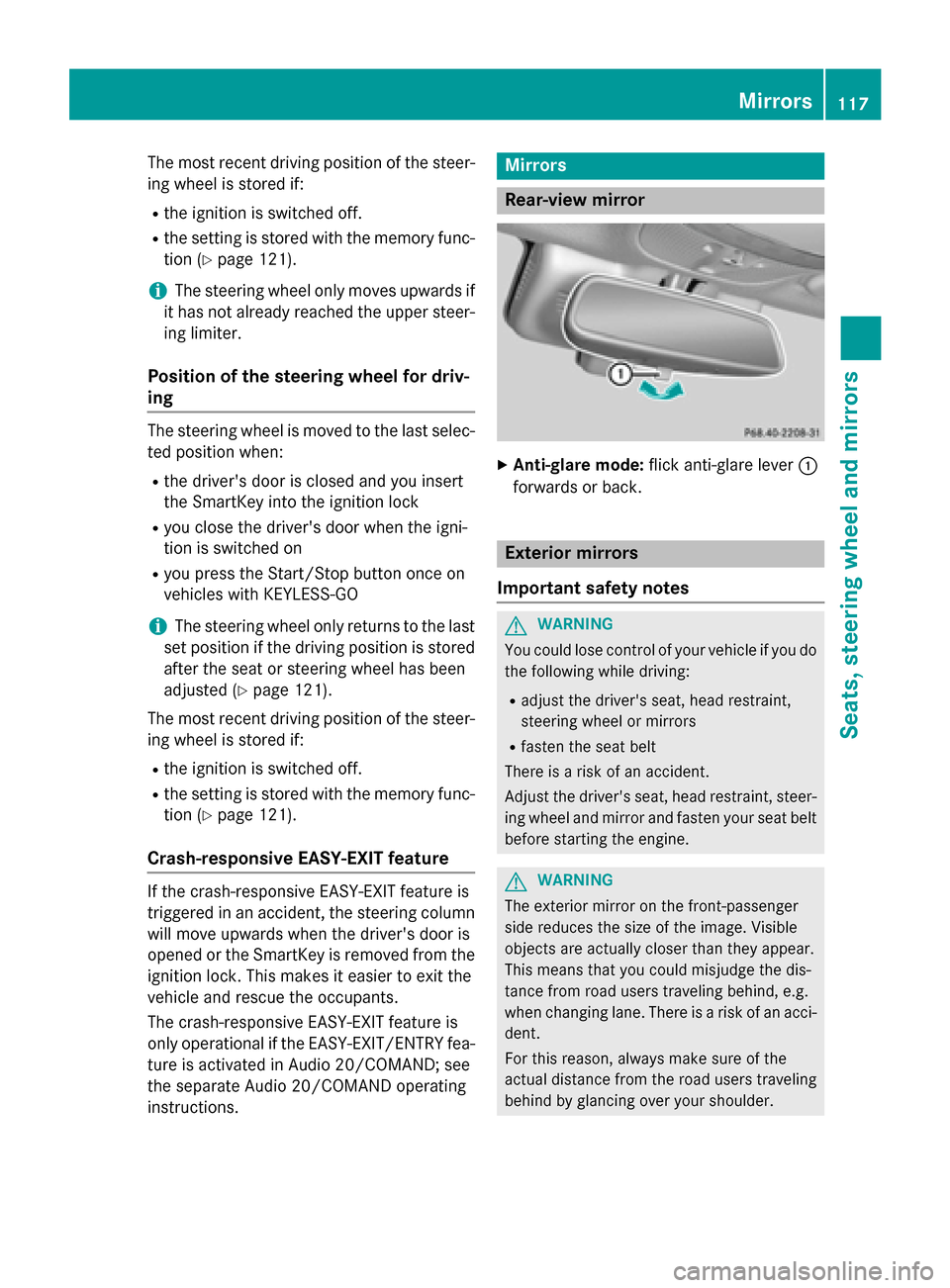
Anti-glare mode: flick anti-glare lever 0043
forwards or back. Exterior mirrors
Important safety notes G
WARNING
You could lose control of your vehicle if you do the following while driving:
R adjust the driver's seat, head restraint,
steering wheel or mirrors
R fasten the seat belt
There is a risk of an accident.
Adjust the driver's seat, head restraint, steer-
ing wheel and mirror and fasten your seat belt before starting the engine. G
WARNING
The exterior mirror on the front-passenger
side reduces the size of the image. Visible
objects are actually closer than they appear.
This means that you could misjudge the dis-
tance from road users traveling behind, e.g.
when changing lane. There is a risk of an acci-
dent.
For this reason, always make sure of the
actual distance from the road users traveling
behind by glancing over your shoulder. Mirrors
117Seats, steering wheel and mirrors Z
Page 120 of 406
Adjusting the exterior mirrors
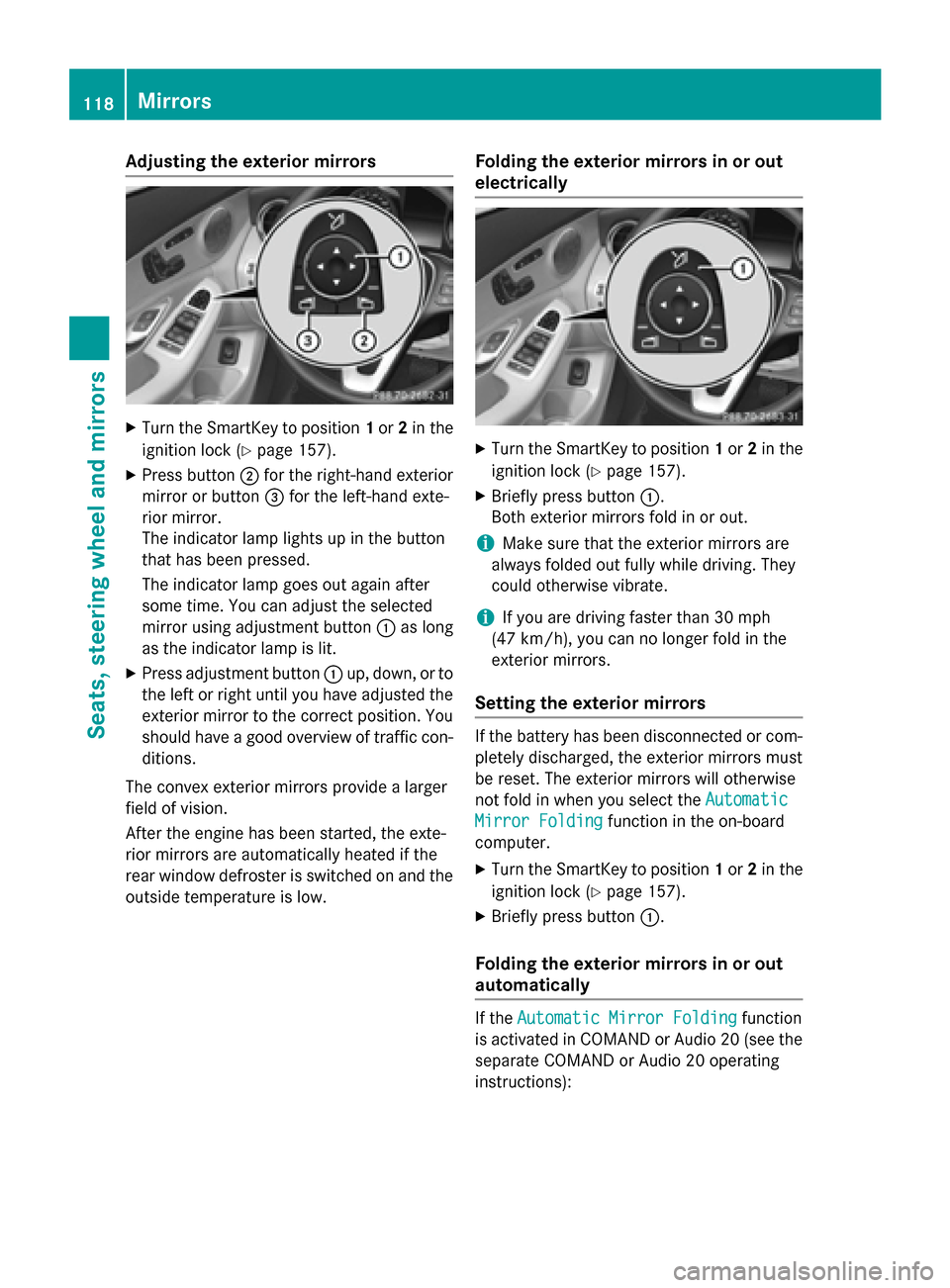
X
Turn the SmartKey to position 1or 2in the
ignition lock (Y page 157).
X Press button 0044for the right-hand exterior
mirror or button 0087for the left-hand exte-
rior mirror.
The indicator lamp lights up in the button
that has been pressed.
The indicator lamp goes out again after
some time. You can adjust the selected
mirror using adjustment button 0043as long
as the indicator lamp is lit.
X Press adjustment button 0043up, down, or to
the left or right until you have adjusted the
exterior mirror to the correct position. You
should have a good overview of traffic con- ditions.
The convex exterior mirrors provide a larger
field of vision.
After the engine has been started, the exte-
rior mirrors are automatically heated if the
rear window defroster is switched on and the
outside temperature is low. Folding the exterior mirrors in or out
electrically X
Turn the SmartKey to position 1or 2in the
ignition lock (Y page 157).
X Briefly press button 0043.
Both exterior mirrors fold in or out.
i Make sure that the exterior mirrors are
always folded out fully while driving. They
could otherwise vibrate.
i If you are driving faster than 30 mph
(47 km/ h), you can no longer fold in the
exterior mirrors.
Setting the exterior mirrors If the battery has been disconnected or com-
pletely discharged, the exterior mirrors must
be reset. The exterior mirrors will otherwise
not fold in when you select the Automatic
Automatic
Mirror Folding Mirror Folding function in the on-board
computer.
X Turn the SmartKey to position 1or 2in the
ignition lock (Y page 157).
X Briefly press button 0043.
Folding the exterior mirrors in or out
automatically If the
Automatic Mirror Folding Automatic Mirror Folding function
is activated in COMAND or Audio 20 (see the separate COMAND or Audio 20 operating
instructions): 118
MirrorsSeats, steering wheel and mirrors
Page 121 of 406
R
the exterior mirrors fold in automatically as
soon as you lock the vehicle from the out-
side.
R the exterior mirrors fold out automatically
again as soon as you unlock the vehicle.
i If the exterior mirrors have been folded in
manually, they do not fold out.
Exterior mirror pushed out of position If an exterior mirror has been pushed out of
position, proceed as follows:
X Vehicles without electrically folding
exterior mirrors: move the exterior mirror
into the correct position manually.
X Vehicles with electrically folding exte-
rior mirrors: press and hold button 0043
until you hear a click and then the mirror
engage in position (Y page 118).
The mirror housing is engaged again and
you can adjust the exterior mirrors as usual (Y page 118). Automatic anti-glare mirrors
G
WARNING
Electrolyte may escape if the glass in an auto- matic anti-glare mirror breaks. The electrolyte
is harmful and causes irritation. It must not
come into contact with your skin, eyes, res-
piratory organs or clothing or be swallowed.
There is a risk of injury.
If you come into contact with the electrolyte,
observe the following:
R Rinse off the electrolyte from your skin
immediately with water.
R Immediately rinse the electrolyte out of
your eyes thoroughly with clean water.
R If the electrolyte is swallowed, immediately
rinse your mouth out thoroughly. Do not
induce vomiting.
R If electrolyte comes into contact with your
skin or hair or is swallowed, seek medical
attention immediately. R
Immediately change out of clothing which
has come into contact with electrolyte.
R If an allergic reaction occurs, seek medical
attention immediately.
The rear-view mirror and the exterior mirror
on the driver's side automatically go into anti- glare mode if the following conditions are met simultaneously:
R the ignition is switched on
R incident light from headlamps strikes the
sensor in the rear-view mirror
The mirrors do not go into anti-glare mode if
reverse gear is engaged or if the interior light-
ing is switched on. Parking position for the exterior mir-
ror on the front-passenger side
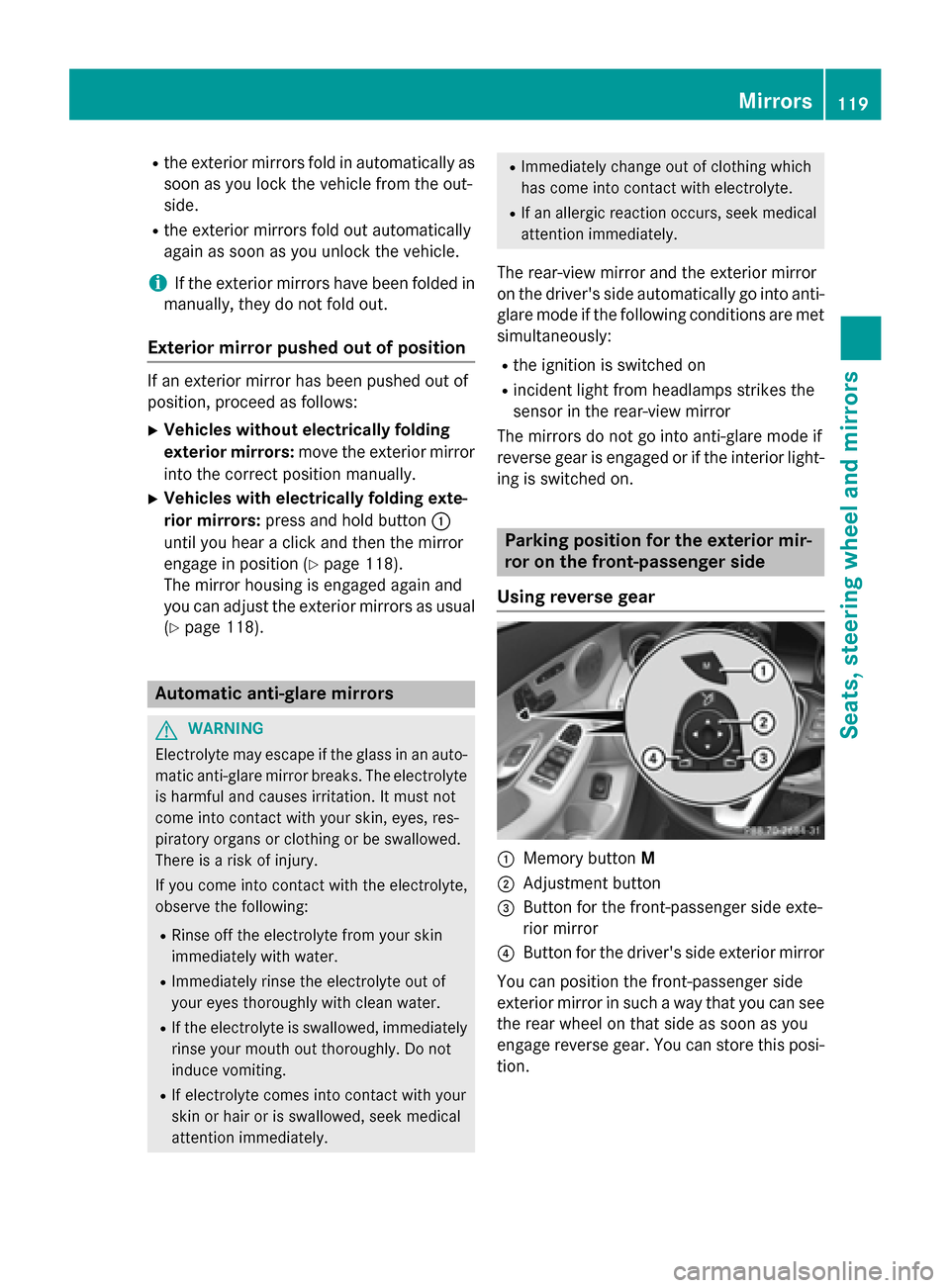
Using reverse gear 0043
Memory button M
0044 Adjustment button
0087 Button for the front-passenger side exte-
rior mirror
0085 Button for the driver's side exterior mirror
You can position the front-passenger side
exterior mirror in such a way that you can see
the rear wheel on that side as soon as you
engage reverse gear. You can store this posi-
tion. Mirrors
119Seats, steering wheel and mirrors Z
Page 122 of 406
X
Turn the SmartKey to position 2in the igni-
tion lock (Y page 157).
X Press button 0087for the exterior mirror on
the front-passenger side.
X Engage reverse gear.
The exterior mirror on the front-passenger
side moves to the preset parking position.
X Use adjustment button 0044to adjust the
exterior mirror to a position that allows you to see the rear wheel and the curb.
The parking position is stored.
i If you shift the transmission to another
position, the exterior mirror on the front-
passenger side returns to the driving posi-
tion.
Using the memory button You can position the front-passenger side
exterior mirror in such a way that you can see
the rear wheel on that side as soon as you
engage reverse gear. This setting can be
stored using memory button M0043.
X Turn the SmartKey to position 2in the igni-
tion lock (Y page 157).
X Press button 0087for the exterior mirror on
the front-passenger side.
X Use adjustment button 0044to adjust the
exterior mirror to a position that allows you to see the rear wheel and the curb.
X Press memory button M0043 and one of the
arrows on adjustment button 0044within
three seconds.
The parking position is stored if the exterior
mirror does not move.
X If the mirror moves out of position, repeat
the steps. Calling up a stored parking position set-
ting X
Turn the SmartKey to position 2in the igni-
tion lock (Y page 157).
X Adjust the exterior mirror on the front-
passenger side using button 0087.
X Engage reverse gear.
The exterior mirror on the front-passenger
side moves to the stored parking position.
The exterior mirror on the front-passenger
side moves back to its original position:
R as soon as you exceed a speed of 9 mph
(15 km/h)
R about ten seconds after you have disen-
gaged reverse gear
R if you press button 0085for the exterior mir-
ror on the driver's side Memory function
Important safety notes
G
WARNING
If you use the memory function on the driver's side while driving, you could lose control of
the vehicle as a result of the adjustments
being made. There is a risk of an accident.
Only use the memory function on the driver's
side when the vehicle is stationary. G
WARNING
When the memory function adjusts the seat or steering wheel, you and other vehicle occu-
pants – particularly children – could become
trapped. There is a risk of injury.
While the memory function is making adjust-
ments, make sure that no one has any body
parts in the sweep of the seat or steering
wheel. If somebody becomes trapped, imme-
diately release the memory function position
button. The adjustment process is stopped. 120
Memory functionSeats, steering wheel and
mirrors
Page 123 of 406
G
WARNING
Children could become trapped if they acti-
vate the memory function, particularly when
unattended. There is a risk of injury.
When leaving the vehicle, always take the
SmartKey with you and lock the vehicle. Never leave children unsupervised in the vehicle. Storing settings
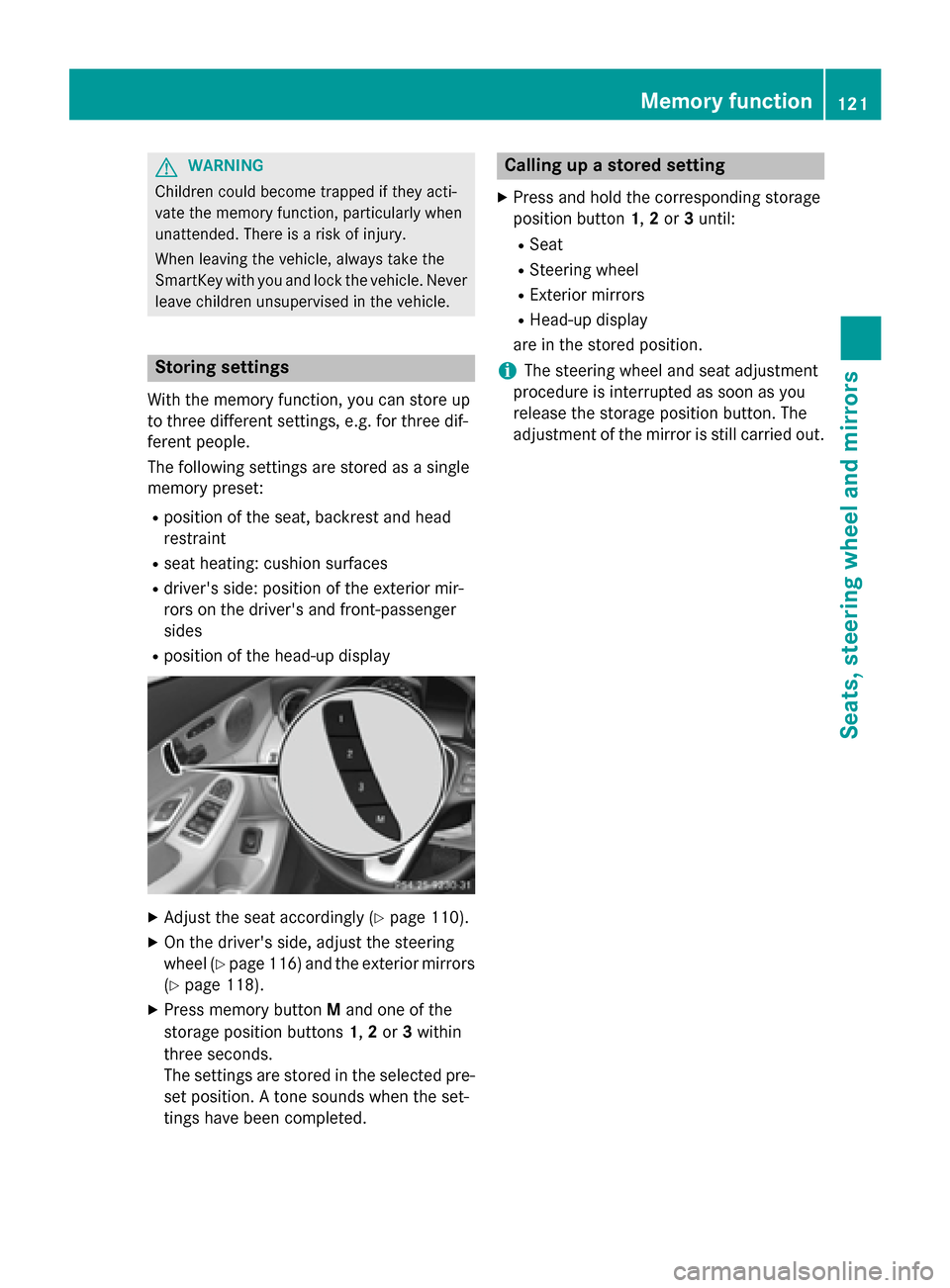
With the memory function, you can store up
to three different settings, e.g. for three dif-
ferent people.
The following settings are stored as a single
memory preset:
R position of the seat, backrest and head
restraint
R seat heating: cushion surfaces
R driver's side: position of the exterior mir-
rors on the driver's and front-passenger
sides
R position of the head-up display X
Adjust the seat accordingly (Y page 110).
X On the driver's side, adjust the steering
wheel (Y page 116) and the exterior mirrors
(Y page 118).
X Press memory button Mand one of the
storage position buttons 1,2or 3within
three seconds.
The settings are stored in the selected pre- set position. A tone sounds when the set-
tings have been completed. Calling up a stored setting
X Press and hold the corresponding storage
position button 1,2or 3until:
R Seat
R Steering wheel
R Exterior mirrors
R Head-up display
are in the stored position.
i The steering wheel and seat adjustment
procedure is interrupted as soon as you
release the storage position button. The
adjustment of the mirror is still carried out. Memory function
121Seats, steering wheel and mirrors Z
Page 129 of 406
Hazard warning lamps
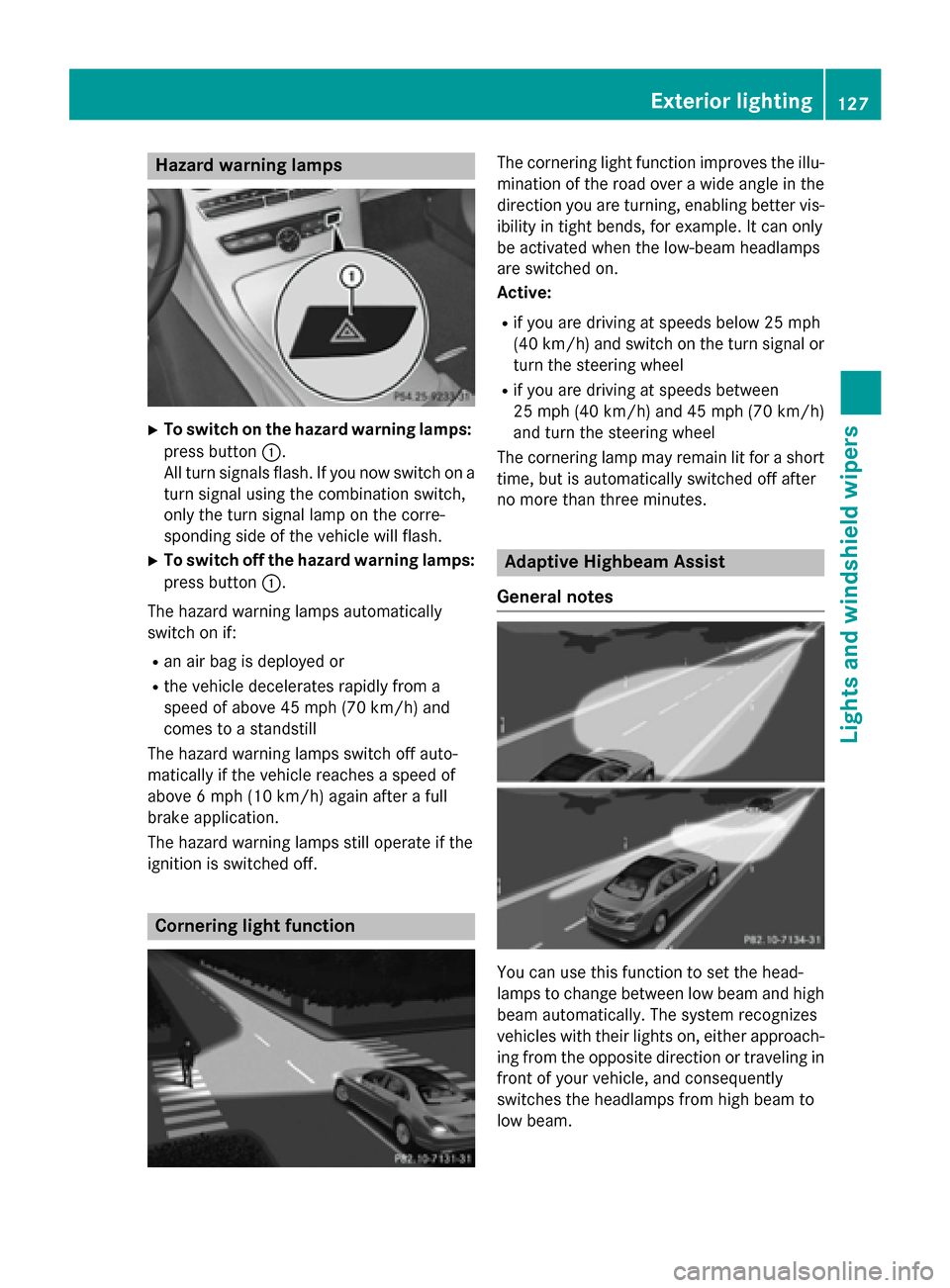
X
To switch on the hazard warning lamps:
press button 0043.
All turn signals flash. If you now switch on a turn signal using the combination switch,
only the turn signal lamp on the corre-
sponding side of the vehicle will flash.
X To switch off the hazard warning lamps:
press button 0043.
The hazard warning lamps automatically
switch on if:
R an air bag is deployed or
R the vehicle decelerates rapidly from a
speed of above 45 mph (70 km/h) and
comes to a standstill
The hazard warning lamps switch off auto-
matically if the vehicle reaches a speed of
above 6 mph (10 km/h) again after a full
brake application.
The hazard warning lamps still operate if the
ignition is switched off. Cornering light function The cornering light function improves the illu-
mination of the road over a wide angle in the direction you are turning, enabling better vis-
ibility in tight bends, for example. It can only
be activated when the low-beam headlamps
are switched on.
Active:
R if you are driving at speeds below 25 mph
(40 km/h) and switch on the turn signal or
turn the steering wheel
R if you are driving at speeds between
25 mph (40 km/h) and 45 mph (70 km/h)
and turn the steering wheel
The cornering lamp may remain lit for a short
time, but is automatically switched off after
no more than three minutes. Adaptive Highbeam Assist
General notes You can use this function to set the head-
lamps to change between low beam and high
beam automatically. The system recognizes
vehicles with their lights on, either approach- ing from the opposite direction or traveling in
front of your vehicle, and consequently
switches the headlamps from high beam to
low beam. Exterior lighting
127Lights and windshield wipers Z
Page 158 of 406
Useful information
i This Operator's Manual describes all
models and all standard and optional equip- ment of your vehicle available at the time of
publication of the Operator's Manual.
Country-specific differences are possible.
Please note that your vehicle may not be
equipped with all features described. This
also applies to safety-related systems and
functions.
i Read the information on qualified special-
ist workshops (Y page 26). Notes on breaking-in a new vehicle
Important safety notes
The sensor system of some driving and driv-
ing safety systems adjusts automatically
while a certain distance is being driven after
the vehicle has been delivered or after
repairs. Full system effectiveness is not
reached until the end of this teach-in proce-
dure.
New and replaced brake pads and discs only
reach their optimum braking effect after sev-
eral hundred kilometers of driving. Compen-
sate for this by applying greater force to the
brake pedal. The first 1000 miles (1500 km)
The more you look after the engine when it is
new, the more satisfied you will be with its
performance in the future.
R You should therefore drive at varying vehi-
cle and engine speeds for the first
1000 miles (1500 km).
R Avoid heavy loads, e.g. driving at full throt-
tle, during this period.
R When changing gears manually, change up
in good time, before the tachometer needle reaches 00C3of the way to the red area of the
tachometer. R
Do not manually shift to a lower gear to
brake the vehicle.
R Try to avoid depressing the accelerator
pedal beyond the point of resistance (kick-
down).
After 1000 miles (1500 km), you can increase
the engine speed gradually and accelerate
the vehicle to full speed.
You should also observe these notes on
breaking in if the engine or parts of the drive
train on your vehicle have been replaced.
Always observe the respective speed limits. Driving
Important safety notes
G
WARNING
Objects in the driver's footwell can restrict the pedal travel or obstruct a depressed pedal.
The operating and road safety of the vehicle is
jeopardized. There is a risk of an accident.
Make sure that all objects in the vehicle are
stowed correctly, and that they cannot enter
the driver's footwell. Install the floormats
securely and as specified in order to ensure
sufficient clearance for the pedals. Do not use loose floormats and do not place floormats on
top of one another. G
WARNING
Unsuitable footwear can hinder correct usage of the pedals, e.g.:
R shoes with thick soles
R shoes with high heels
R slippers
There is a risk of an accident.
Wear suitable footwear to ensure correct
usage of the pedals. G
WARNING
If you switch off the ignition while driving,
safety-relevant functions are only available
with limitations, or not at all. This could affect, for example, the power steering and the brake 156
DrivingDriving and parking
Page 166 of 406
Automatic transmission
Important safety notes
G
WARNING
If the engine speed is above the idling speed
and you engage transmission position Dor R,
the vehicle could pull away suddenly. There is a risk of an accident.
When engaging transmission position Dor R,
always firmly depress the brake pedal and do not simultaneously accelerate. G
WARNING
The automatic transmission switches to neu-
tral position Nwhen you switch off the engine.
The vehicle may roll away. There is a risk of an
accident.
After switching off the engine, always switch
to parking position P. Prevent the parked vehi-
cle from rolling away by applying the parking
brake.
Bear in mind that the power transmission
between the engine and the transmission is
interrupted when the engine is switched off.
For this reason, shift the automatic transmis-
sion to Pwhen the engine is switched off and
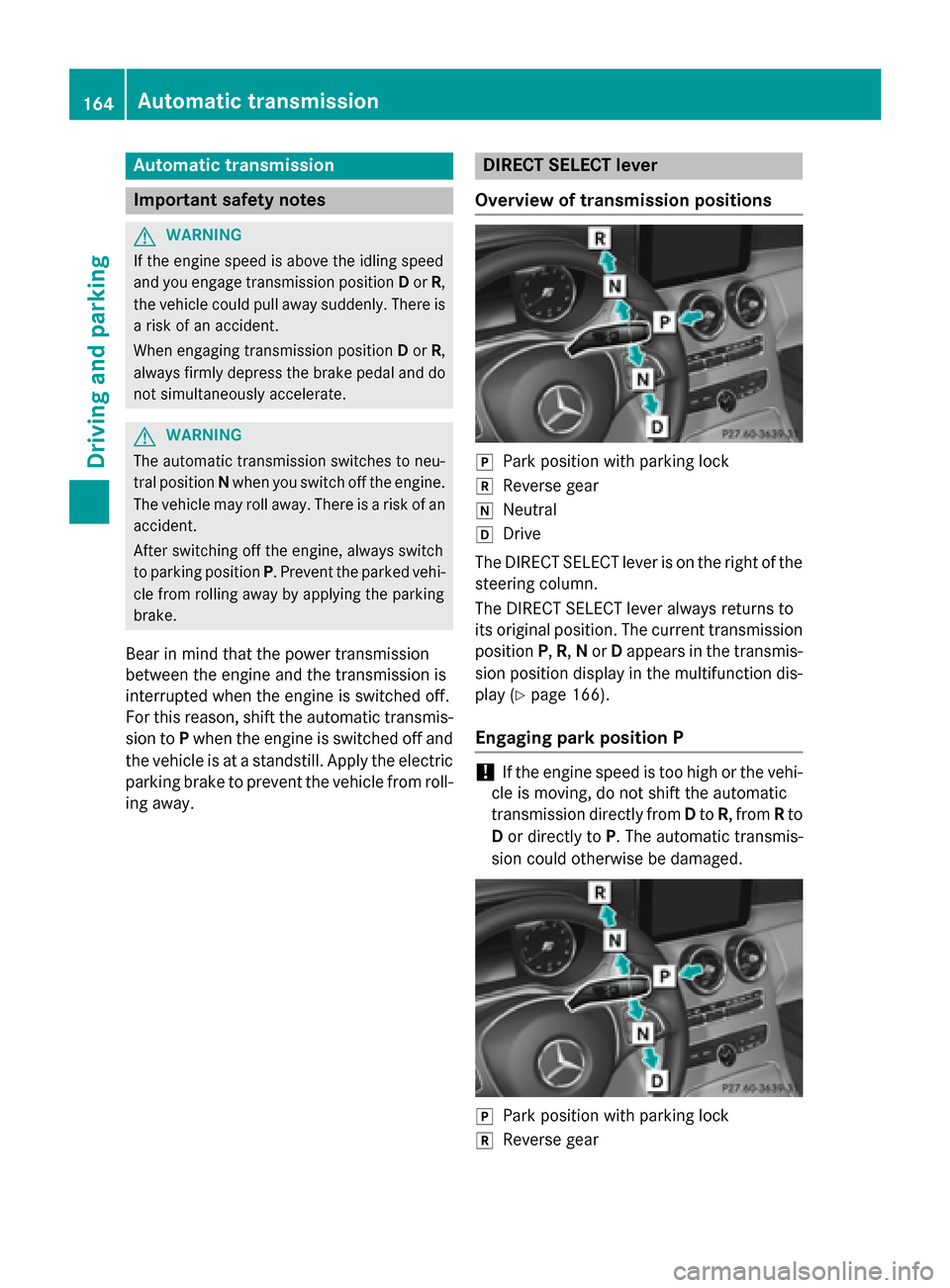
the vehicle is at a standstill. Apply the electric parking brake to prevent the vehicle from roll-ing away. DIRECT SELECT lever
Overview of transmission positions 005D
Park position with parking lock
005E Reverse gear
005C Neutral
005B Drive
The DIRECT SELECT lever is on the right of the
steering column.
The DIRECT SELECT lever always returns to
its original position. The current transmission position P,R, Nor Dappears in the transmis-
sion position display in the multifunction dis- play (Y page 166).
Engaging park position P !
If the engine speed is too high or the vehi-
cle is moving, do not shift the automatic
transmission directly from Dto R, from Rto
D or directly to P. The automatic transmis-
sion could otherwise be damaged. 005D
Park position with parking lock
005E Reverse gear 164
Automatic trans
missionDriving and parking
Page 169 of 406
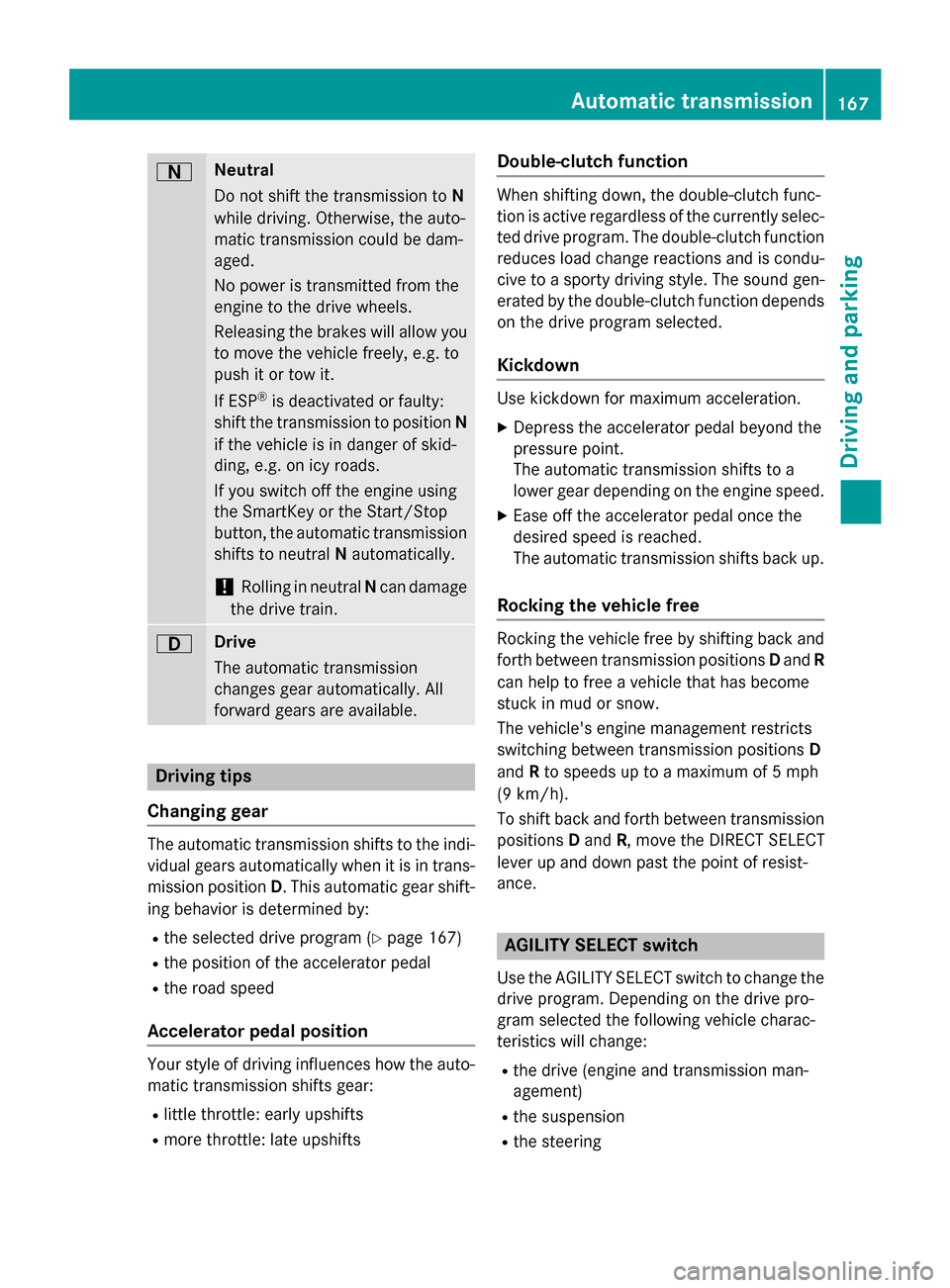
0044 Neutral
Do not shift the transmission to
N
while driving. Otherwise, the auto-
matic transmission could be dam-
aged.
No power is transmitted from the
engine to the drive wheels.
Releasing the brakes will allow you
to move the vehicle freely, e.g. to
push it or tow it.
If ESP ®
is deactivated or faulty:
shift the transmission to position N
if the vehicle is in danger of skid-
ding, e.g. on icy roads.
If you switch off the engine using
the SmartKey or the Start/Stop
button, the automatic transmission shifts to neutral Nautomatically.
! Rolling in neutral
Ncan damage
the drive train. 003A Drive
The automatic transmission
changes gear automatically. All
forward gears are available.
Driving tips
Changing gear The automatic transmission shifts to the indi-
vidual gears automatically when it is in trans-
mission position D. This automatic gear shift-
ing behavior is determined by:
R the selected drive program (Y page 167)
R the position of the accelerator pedal
R the road speed
Accelerator pedal position Your style of driving influences how the auto-
matic transmission shifts gear:
R little throttle: early upshifts
R more throttle: late upshifts Double-clutch function When shifting down, the double-clutch func-
tion is active regardless of the currently selec-
ted drive program. The double-clutch functionreduces load change reactions and is condu-cive to a sporty driving style. The sound gen-
erated by the double-clutch function depends
on the drive program selected.
Kickdown Use kickdown for maximum acceleration.
X Depress the accelerator pedal beyond the
pressure point.
The automatic transmission shifts to a
lower gear depending on the engine speed.
X Ease off the accelerator pedal once the
desired speed is reached.
The automatic transmission shifts back up.
Rocking the vehicle free Rocking the vehicle free by shifting back and
forth between transmission positions Dand R
can help to free a vehicle that has become
stuck in mud or snow.
The vehicle's engine management restricts
switching between transmission positions D
and Rto speeds up to a maximum of 5 mph
(9 km/h).
To shift back and forth between transmission
positions Dand R, move the DIRECT SELECT
lever up and down past the point of resist-
ance. AGILITY SELECT switch
Use the AGILITY SELECT switch to change the
drive program. Depending on the drive pro-
gram selected the following vehicle charac-
teristics will change:
R the drive (engine and transmission man-
agement)
R the suspension
R the steering Automatic transmission
167Driving and parking Z
Page 170 of 406
R
the availability of the ECO start/stop func-
tion (Y page 161)
R the climate control settings
- Dual-zone automatic climate control
(Y page 140)
- vehicles for Canada: three-zone auto-
matic climate control (Y page 142)
R the rear window defroster operation period
(Y page 148)
R the performance of the seat heating
(Y page 112)
Each time you start the engine using the
SmartKey or the Start/Stop button, drive pro-
gram Cis activated. For further information
about starting the engine, see (Y page 159).X
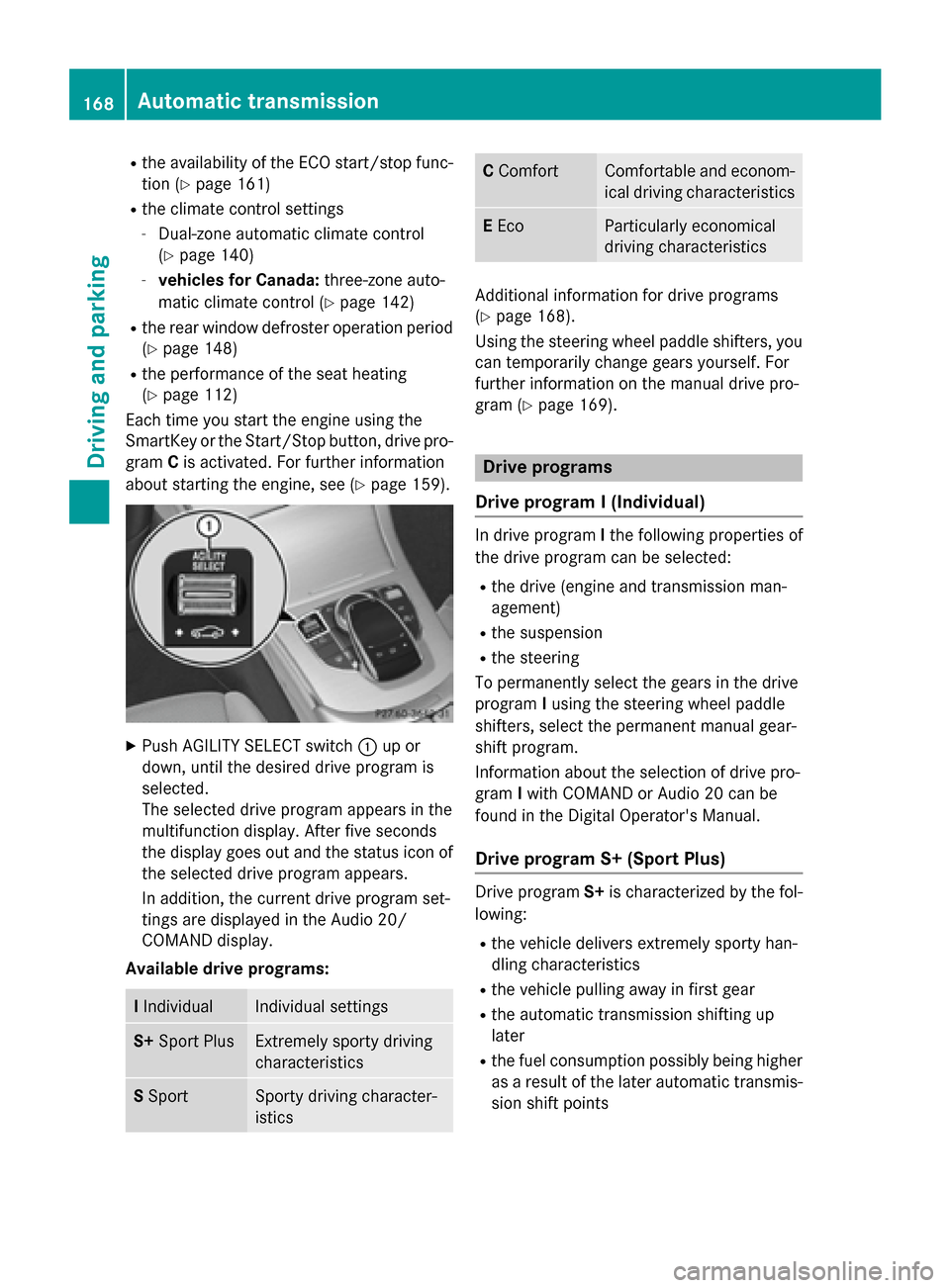
Push AGILITY SELECT switch 0043up or
down, until the desired drive program is
selected.
The selected drive program appears in the
multifunction display. After five seconds
the display goes out and the status icon of the selected drive program appears.
In addition, the current drive program set-
tings are displayed in the Audio 20/
COMAND display.
Available drive programs: I
Individual Individual settings
S+
Sport Plus Extremely sporty driving
characteristics
S
Sport Sporty driving character-
istics C
Comfort Comfortable and econom-
ical driving characteristics E
Eco Particularly economical
driving characteristics
Additional information for drive programs
(Y page 168).
Using the steering wheel paddle shifters, you can temporarily change gears yourself. For
further information on the manual drive pro-
gram (Y page 169). Drive programs
Drive program I (Individual) In drive program
Ithe following properties of
the drive program can be selected:
R the drive (engine and transmission man-
agement)
R the suspension
R the steering
To permanently select the gears in the drive
program Iusing the steering wheel paddle
shifters, select the permanent manual gear-
shift program.
Information about the selection of drive pro-
gram Iwith COMAND or Audio 20 can be
found in the Digital Operator's Manual.
Drive program S+ (Sport Plus) Drive program
S+is characterized by the fol-
lowing:
R the vehicle delivers extremely sporty han-
dling characteristics
R the vehicle pulling away in first gear
R the automatic transmission shifting up
later
R the fuel consumption possibly being higher
as a result of the later automatic transmis- sion shift points 168
Automatic transmissionDriving an
d parking