lock MERCEDES-BENZ CL COUPE 2009 Owners Manual
[x] Cancel search | Manufacturer: MERCEDES-BENZ, Model Year: 2009, Model line: CL COUPE, Model: MERCEDES-BENZ CL COUPE 2009Pages: 421, PDF Size: 10.78 MB
Page 174 of 421
X
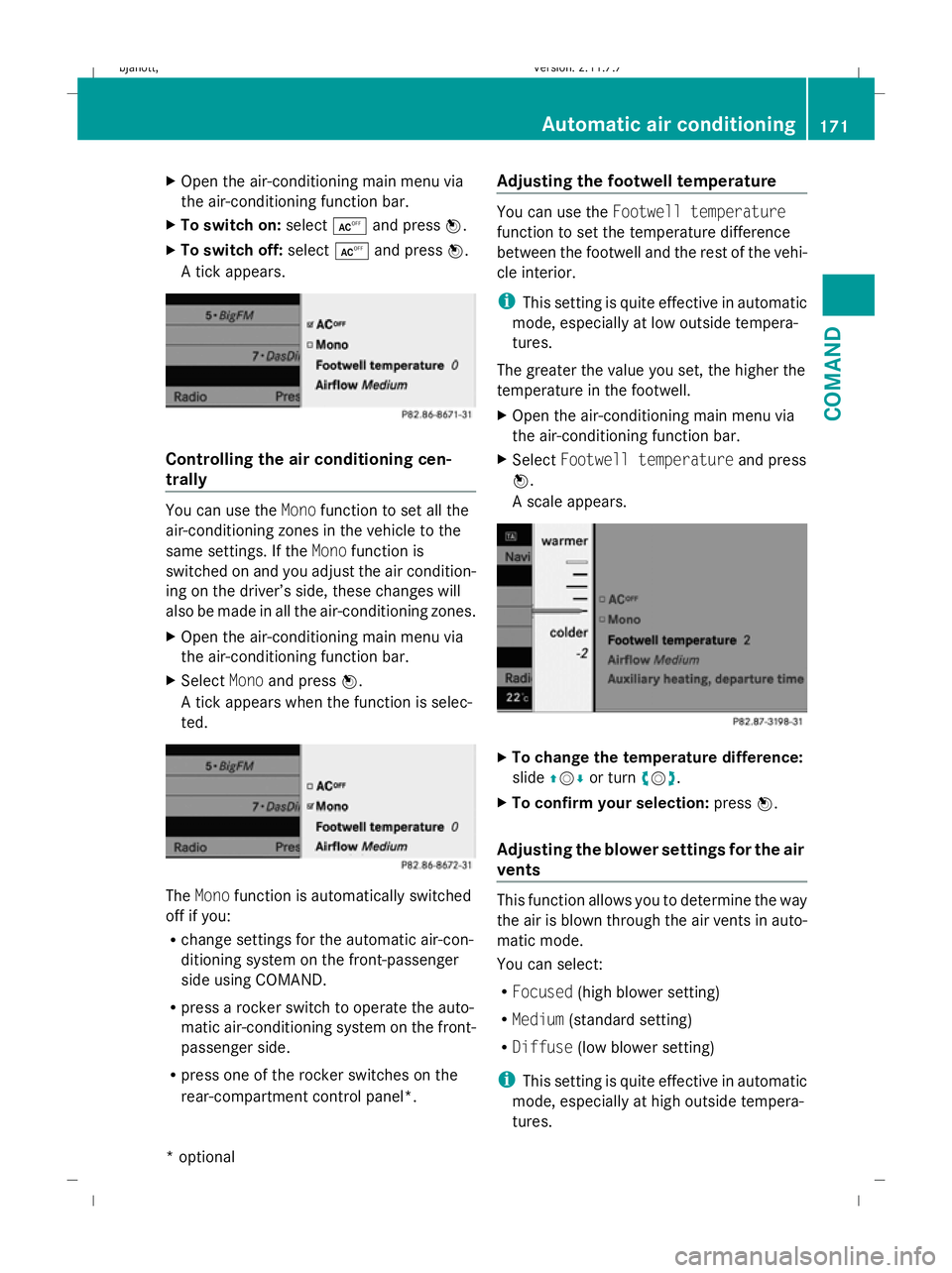
Open the air-conditioning main menu via
the air-conditioning function bar.
X To switch on: selectÆand press W.
X To switch off: selectÆand press W.
A tick appears. Controlling the air conditioning cen-
trally
You can use the
Monofunction to set all the
air-conditioning zones in the vehicle to the
same settings. If the Monofunction is
switched on and you adjust the air condition-
ing on the driver’s side, these changes will
also be made in all the air-conditioning zones.
X Open the air-conditioning main menu via
the air-conditioning function bar.
X Select Monoand press W.
A tick appears when the function is selec-
ted. The
Mono function is automatically switched
off if you:
R change settings for the automatic air-con-
ditioning system on the front-passenger
side using COMAND.
R press a rocker switch to operate the auto-
matic air-conditioning system on the front-
passenger side.
R press one of the rocker switches on the
rear-compartment control panel*. Adjusting the footwell temperature You can use the
Footwell temperature
function to set the temperature difference
between the footwell and the rest of the vehi-
cle interior.
i This setting is quite effective in automatic
mode, especially at low outside tempera-
tures.
The greater the value you set, the higher the
temperature in the footwell.
X Open the air-conditioning main menu via
the air-conditioning function bar.
X Select Footwell temperature and press
W.
A scale appears. X
To change the temperature difference:
slide ZVÆ or turn cVd.
X To confirm your selection: pressW.
Adjusting the blower settings for the air
vents This function allows you to determine the way
the air is blown through the air vents in auto-
matic mode.
You can select:
R
Focused (high blower setting)
R Medium (standard setting)
R Diffuse (low blower setting)
i This setting is quite effective in automatic
mode, especially at high outside tempera-
tures. Automatic air conditioning
171COMAND
* optional
216_AKB; 2; 3, en-GB
bjanott,
Version: 2.11.7.7 2009-02-27T14:54:17+01:00 - Seite 171 Z
Dateiname: 6515230602_buchblock.pdf; erzeugt am 04. Mar 2009 11:15:32; WK
Page 175 of 421
If the vehicle has become very warm and the
automatic air-conditioning system is cooling
the interior, the blower settings are briefly
suspended.
X Open the air-conditioning main menu via
the air-conditioning function bar.
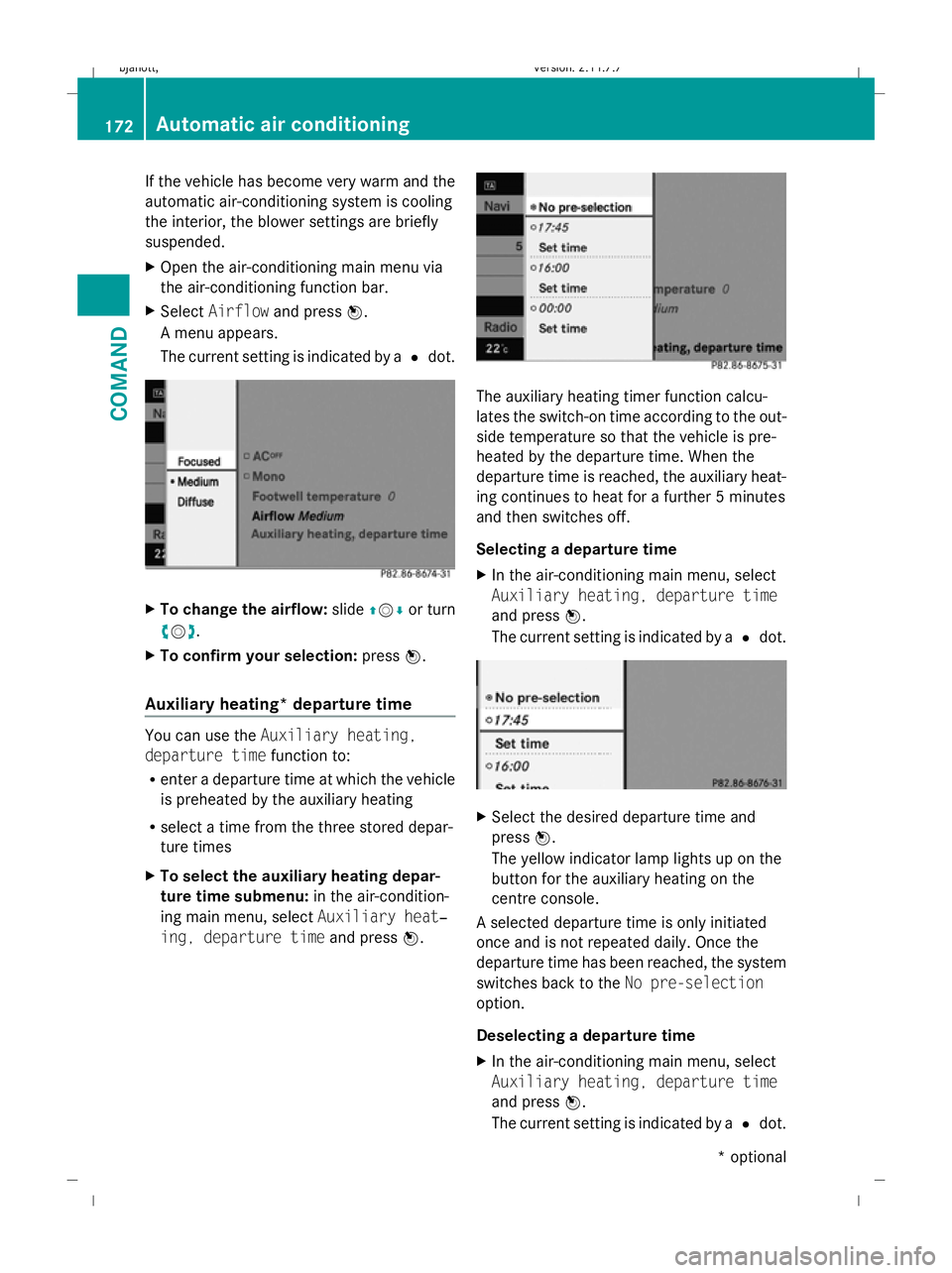
X Select Airflow and press W.
A menu appears.
The current setting is indicated by a #dot. X
To change the airflow: slideZVÆ or turn
cVd.
X To confirm your selection: pressW.
Auxiliary heating* departure time You can use the
Auxiliary heating,
departure time function to:
R enter a departure time at which the vehicle
is preheated by the auxiliary heating
R select a time from the three stored depar-
ture times
X To select the auxiliary heating depar-
ture time submenu: in the air-condition-
ing main menu, select Auxiliary heat‐
ing, departure time and pressW. The auxiliary heating timer function calcu-
lates the switch-on time according to the out-
side temperature so that the vehicle is pre-
heated by the departure time. When the
departure time is reached, the auxiliary heat-
ing continues to heat for a further 5 minutes
and then switches off.
Selecting a departure time
X In the air-conditioning main menu, select
Auxiliary heating, departure time
and press W.
The current setting is indicated by a #dot. X
Select the desired departure time and
press W.
The yellow indicator lamp lights up on the
button for the auxiliary heating on the
centre console.
A selected departure time is only initiated
once and is not repeated daily. Once the
departure time has been reached, the system
switches back to the No pre-selection
option.
Deselecting a departure time
X In the air-conditioning main menu, select
Auxiliary heating, departure time
and press W.
The current setting is indicated by a #dot. 172
Automatic air conditioningCOMAND
* optional
216_AKB; 2; 3, en-GB
bjanott,
Version: 2.11.7.7 2009-02-27T14:54:17+01:00 - Seite 172
Dateiname: 6515230602_buchblock.pdf; erzeugt am 04. Mar 2009 11:15:32; WK
Page 176 of 421
X
Select No pre-selection and pressW.
Entering a departure time
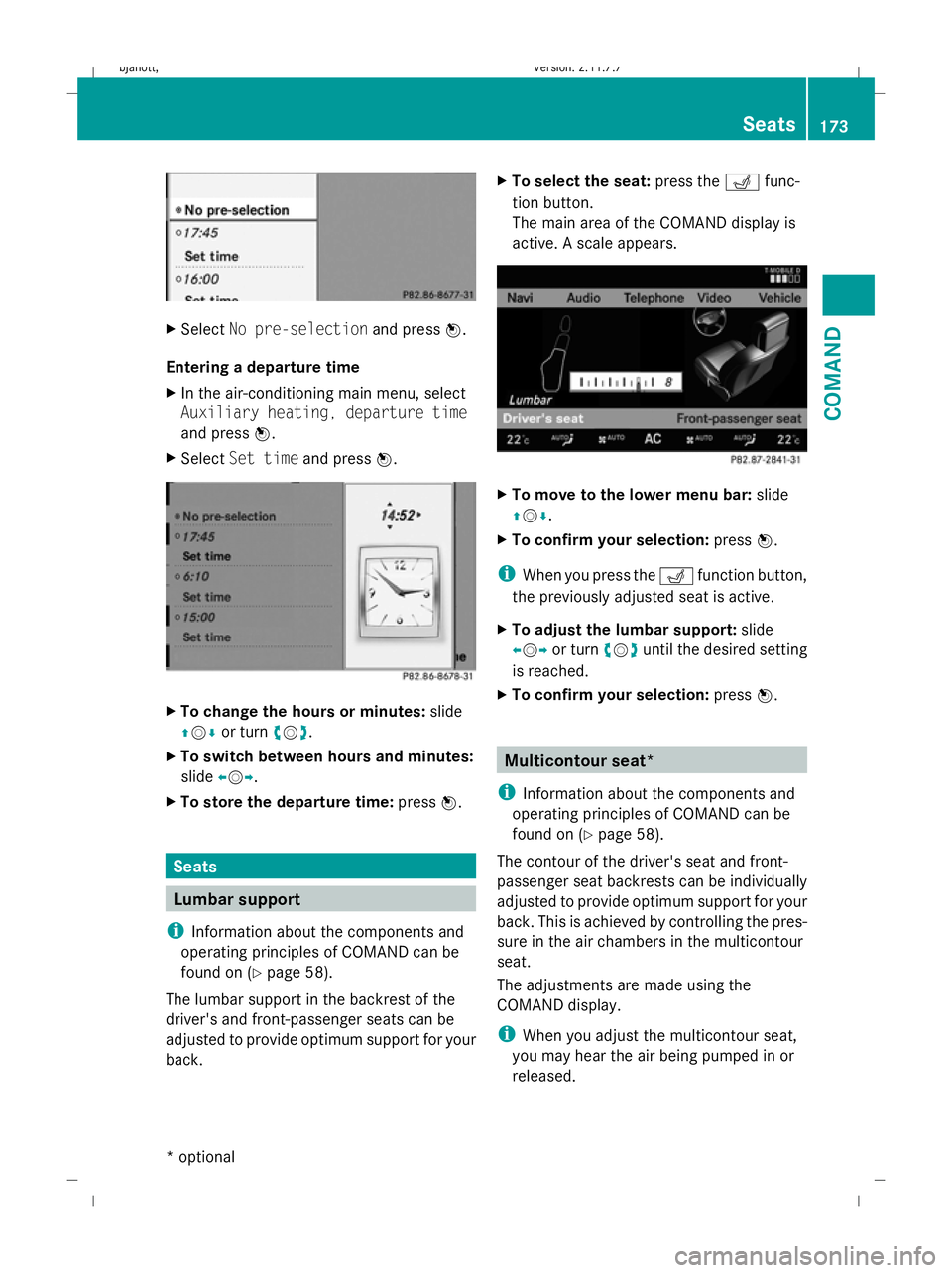
X In the air-conditioning main menu, select
Auxiliary heating, departure time
and press W.
X Select Set time and pressW. X
To change the hours or minutes: slide
ZVÆ or turn cVd.
X To switch between hours and minutes:
slide XVY.
X To store the departure time: pressW. Seats
Lumbar support
i Information about the components and
operating principles of COMAND can be
found on (Y page 58).
The lumbar support in the backrest of the
driver's and front-passenger seats can be
adjusted to provide optimum support for your
back. X
To select the seat: press theTfunc-
tion button.
The main area of the COMAND display is
active. A scale appears. X
To move to the lower menu bar: slide
ZVÆ .
X To confirm your selection: pressW.
i When you press the Tfunction button,
the previously adjusted seat is active.
X To adjust the lumbar support: slide
XVY or turn cVduntil the desired setting
is reached.
X To confirm your selection: pressW. Multicontour seat*
i Information about the components and
operating principles of COMAND can be
found on (Y page 58).
The contour of the driver's seat and front-
passenger seat backrests can be individually
adjusted to provide optimum support for your
back. This is achieved by controlling the pres-
sure in the air chambers in the multicontour
seat.
The adjustments are made using the
COMAND display.
i When you adjust the multicontour seat,
you may hear the air being pumped in or
released. Seats
173COMAND
* optional
216_AKB; 2; 3, en-GB
bjanott,
Version: 2.11.7.7 2009-02-27T14:54:17+01:00 - Seite 173 Z
Dateiname: 6515230602_buchblock.pdf; erzeugt am 04. Mar 2009 11:15:33; WK
Page 177 of 421
You can adjust the following air cushions:
R seat side bolsters
R seat backrest side bolsters
R backrest curvature in the lumbar region
R backrest curvature in the upper back
region
X Make sure that the key is in position 2in
the ignition lock.
X Press the Tfunction button.
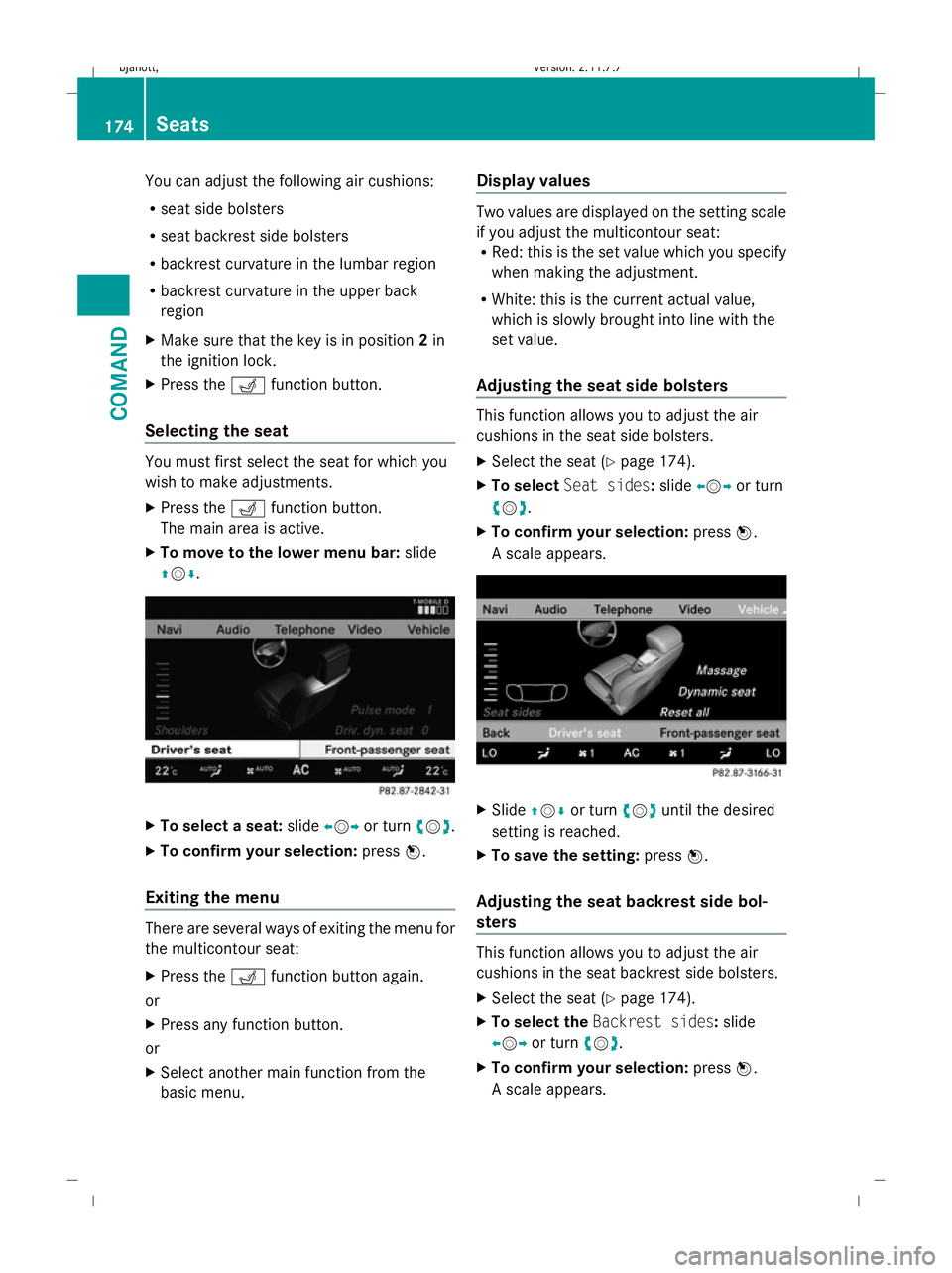
Selecting the seat You must first select the seat for which you
wish to make adjustments.
X Press the Tfunction button.
The main area is active.
X To move to the lower menu bar: slide
ZVÆ. X
To select a seat: slideXVY or turn cVd.
X To confirm your selection: pressW.
Exiting the menu There are several ways of exiting the menu for
the multicontour seat:
X Press the Tfunction button again.
or
X Press any function button.
or
X Select another main function from the
basic menu. Display values Two values are displayed on the setting scale
if you adjust the multicontour seat:
R Red: this is the set value which you specify
when making the adjustment.
R White: this is the current actual value,
which is slowly brought into line with the
set value.
Adjusting the seat side bolsters This function allows you to adjust the air
cushions in the seat side bolsters.
X
Select the seat (Y page 174).
X To select Seat sides: slideXVY or turn
cVd.
X To confirm your selection: pressW.
A scale appears. X
Slide ZVÆ or turn cVduntil the desired
setting is reached.
X To save the setting: pressW.
Adjusting the seat backrest side bol-
sters This function allows you to adjust the air
cushions in the seat backrest side bolsters.
X
Select the seat (Y page 174).
X To select the Backrest sides: slide
XVY or turn cVd.
X To confirm your selection: pressW.
A scale appears. 174
SeatsCOMAND
216_AKB; 2; 3, en-GB
bjanott
,V ersion: 2.11.7.7
2009-02-27T14:54:17+01:00 - Seite 174
Dateiname: 6515230602_buchblock.pdf; erzeugt am 04. Mar 2009 11:15:34; WK
Page 178 of 421
X
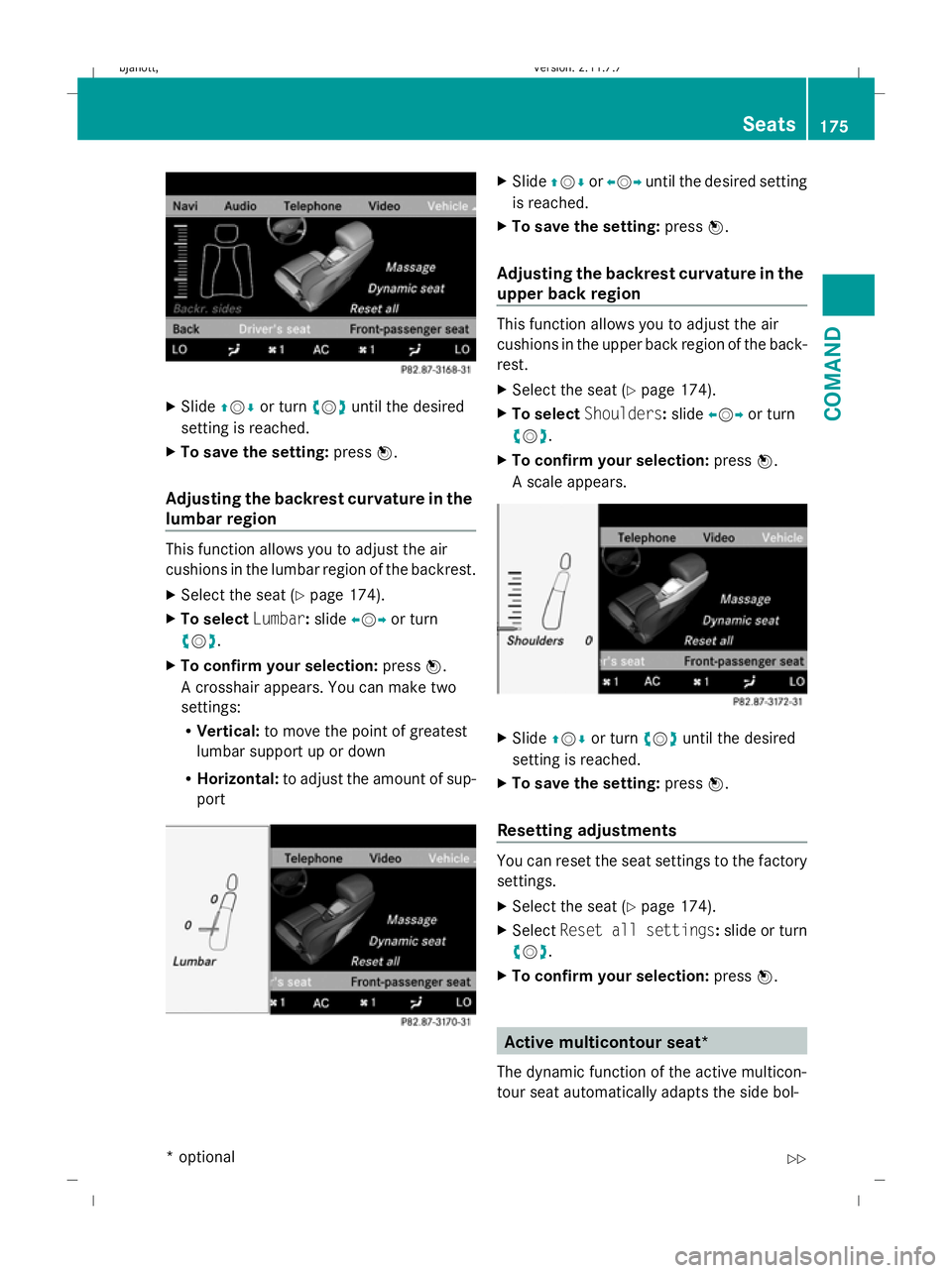
Slide ZVÆ or turn cVduntil the desired
setting is reached.
X To save the setting: pressW.
Adjusting the backrest curvature in the
lumbar region This function allows you to adjust the air
cushions in the lumbar region of the backrest.
X
Select the seat ( Ypage 174).
X To select Lumbar:slide XVY or turn
cVd .
X To confirm your selection: pressW.
A crosshair appears. You can make two
settings:
R Vertical: to move the point of greatest
lumbar support up or down
R Horizontal: to adjust the amount of sup-
port X
Slide ZVÆ orXVY until the desired setting
is reached.
X To save the setting: pressW.
Adjusting the backrest curvature in the
upper back region This function allows you to adjust the air
cushions in the upper back region of the back-
rest.
X
Select the seat ( Ypage 174).
X To select Shoulders :slide XVY or turn
cVd .
X To confirm your selection: pressW.
A scale appears. X
Slide ZVÆ or turn cVduntil the desired
setting is reached.
X To save the setting: pressW.
Resetting adjustments You can reset the seat settings to the factory
settings.
X
Select the seat ( Ypage 174).
X Select Reset all settings :slide or turn
cVd .
X To confirm your selection: pressW. Active multicontour seat*
The dynamic function of the active multicon-
tour seat automatically adapts the side bol- Seats
175COMAND
* optional
216_AKB; 2; 3, en-GB
bjanott,
Version: 2.11.7.7 2009-02-27T14:54:17+01:00 - Seite 175 Z
Dateiname: 6515230602_buchblock.pdf; erzeugt am 04. Mar 2009 11:15:34; WK
Page 179 of 421
sters of the backrest to your current driving
style.
X Select the seat (Y page 174).
X To select Driv. dyn. seat :slide XVY or
turn cVd.
X To confirm your selection: pressW.
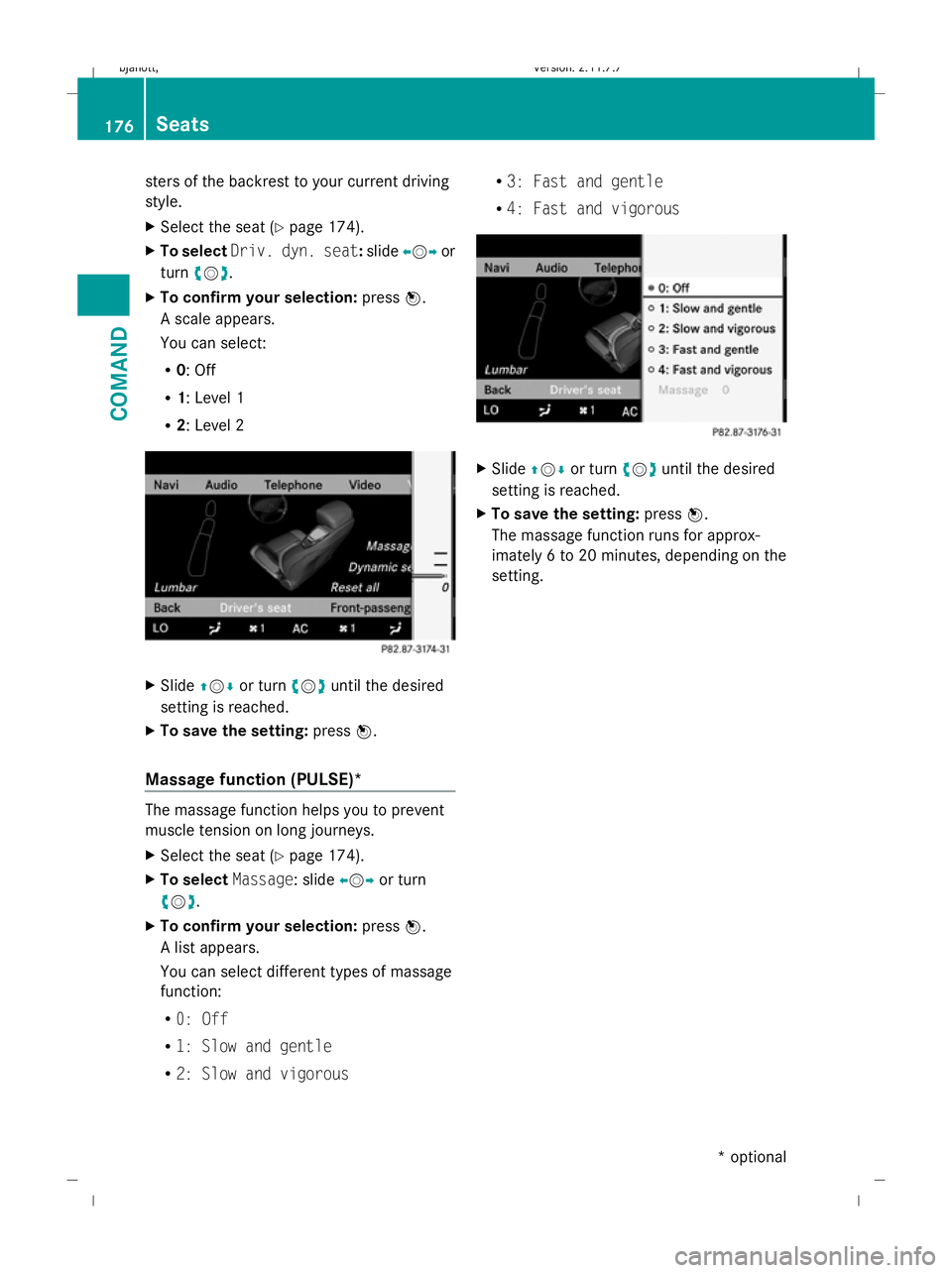
A scale appears.
You can select:
R 0: Off
R 1: Level 1
R 2: Level 2 X
Slide ZVÆ or turn cVduntil the desired
setting is reached.
X To save the setting: pressW.
Massage function (PULSE)* The massage function helps you to prevent
muscle tension on long journeys.
X Select the seat (Y page 174).
X To select Massage: slide XVYor turn
cVd.
X To confirm your selection: pressW.
A list appears.
You can select different types of massage
function:
R 0: Off
R 1: Slow and gentle
R 2: Slow and vigorous R
3: Fast and gentle
R 4: Fast and vigorous X
Slide ZVÆ or turn cVduntil the desired
setting is reached.
X To save the setting: pressW.
The massage function runs for approx-
imately 6 to 20 minutes, depending on the
setting. 176
SeatsCOMAND
* optional
216_AKB; 2; 3, en-GB
bjanott,
Version: 2.11.7.7 2009-02-27T14:54:17+01:00 - Seite 176
Dateiname: 6515230602_buchblock.pdf; erzeugt am 04. Mar 2009 11:15:34; WK
Page 180 of 421
Opening and closing
.........................178
Boot .................................................... 180
Key positions .................................... 182
Seats .................................................. 183
Steering wheel .................................. 187
Mirrors ............................................... 189
Memory function .............................. 190
Seat belts ........................................... 191
Lights ................................................. 194
Windscreen wipers ...........................199
Side windows .................................... 200
Driving and parking ..........................202
Automatic transmission ...................206
Instrument cluster ............................212
On-board computer ..........................213
Driving systems ................................ 227
Air conditioning ................................. 262
Sliding sunroof .................................. 274
Loading and stowing ........................275
Features ............................................. 280 177Controls
216_AKB; 2; 3, en-GB
bjanott,
Version: 2.11.7.7 2009-02-27T14:54:17+01:00 - Seite 177
Dateiname: 6515230602_buchblock.pdf; erzeugt am 04. Mar 2009 11:15:35; WK
Page 181 of 421
Opening and closing
Key
The key centrally locks/unlocks:
R the doors
R the boot lid
R the fuel filler flap G
Risk of accident
If children are left unsupervised in the vehicle,
they could:
R open a door from the inside at any time,
even if it has been locked
R start the vehicle using a key which has been
left in the vehicle
R release the parking brake
They could thereby endanger themselves and
others. Never leave children unsupervised in
the vehicle. Always take the key with you
when leaving the vehicle, even if you are only
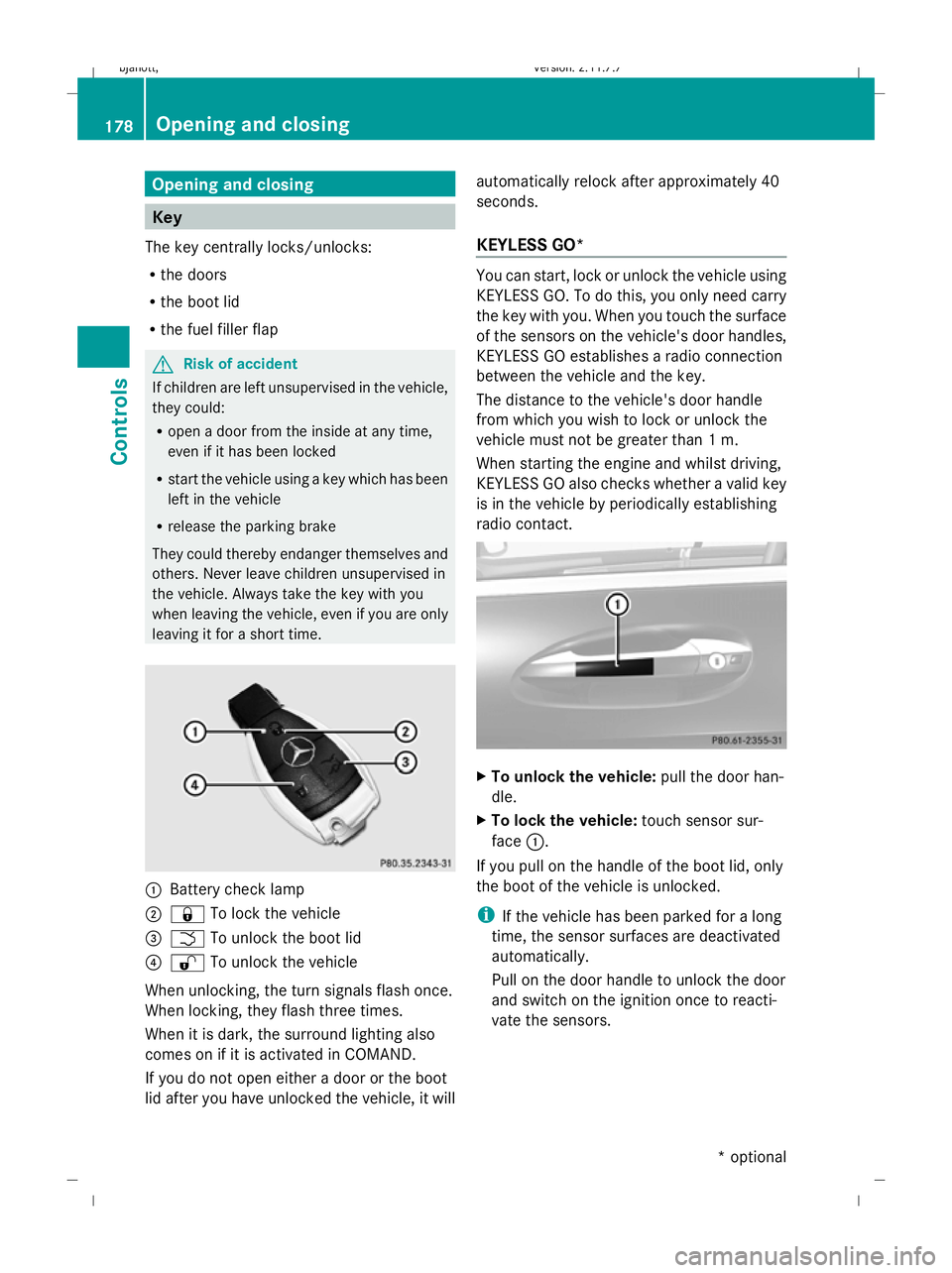
leaving it for a short time. :
Battery check lamp
; & To lock the vehicle
= F To unlock the boot lid
? % To unlock the vehicle
When unlocking, the turn signals flash once.
When locking, they flash three times.
When it is dark, the surround lighting also
comes on if it is activated in COMAND.
If you do not open either a door or the boot
lid after you have unlocked the vehicle, it will automatically relock after approximately 40
seconds.
KEYLESS GO* You can start, lock or unlock the vehicle using
KEYLESS GO. To do this, you only need carry
the key with you. When you touch the surface
of the sensors on the vehicle's door handles,
KEYLESS GO establishes a radio connection
between the vehicle and the key.
The distance to the vehicle's door handle
from which you wish to lock or unlock the
vehicle must not be greater than 1 m.
When starting the engine and whilst driving,
KEYLESS GO also checks whether a valid key
is in the vehicle by periodically establishing
radio contact. X
To unlock the vehicle: pull the door han-
dle.
X To lock the vehicle: touch sensor sur-
face :.
If you pull on the handle of the boot lid, only
the boot of the vehicle is unlocked.
i If the vehicle has been parked for a long
time, the sensor surfaces are deactivated
automatically.
Pull on the door handle to unlock the door
and switch on the ignition once to reacti-
vate the sensors. 178
Opening and closingControls
* optional
216_AKB; 2; 3, en-GB
bjanott,
Version: 2.11.7.7 2009-02-27T14:54:17+01:00 - Seite 178
Dateiname: 6515230602_buchblock.pdf; erzeugt am 04. Mar 2009 11:15:36; WK
Page 182 of 421
Individual settings
You can change the setting of the locking
system in such a way that only the driver's
door and the fuel filler flap are unlocked. This
could be useful if you frequently travel on your
own.
X To change the setting: press the%
and & buttons simultaneously for
approximately six seconds until the battery
check lamp flashes twice.
The key now functions as follows:
X To unlock the driver's door: press the
% button once.
X To unlock centrally: press the%but-
ton twice.
X To lock centrally: press the&button.
The KEYLESS GO* function is changed as fol-
lows:
X To unlock the driver's door : pull the door
handle on the driver's door.
X To unlock centrally: pull the door handle
on the front-passenger door or on the rear
doors.
X To lock centrally: touch sensor sur-
face :on one of the door handles.
Restoring the factory settings X
Press the %and& buttons simulta-
neously for approximately six seconds until
the battery check lamp flashes twice.
Additional information R
Convenience opening (Y page 201)
R Convenience closing (Y page 201)
R Opening and closing in an emergency
(Y page 365) Opening the doors from the inside
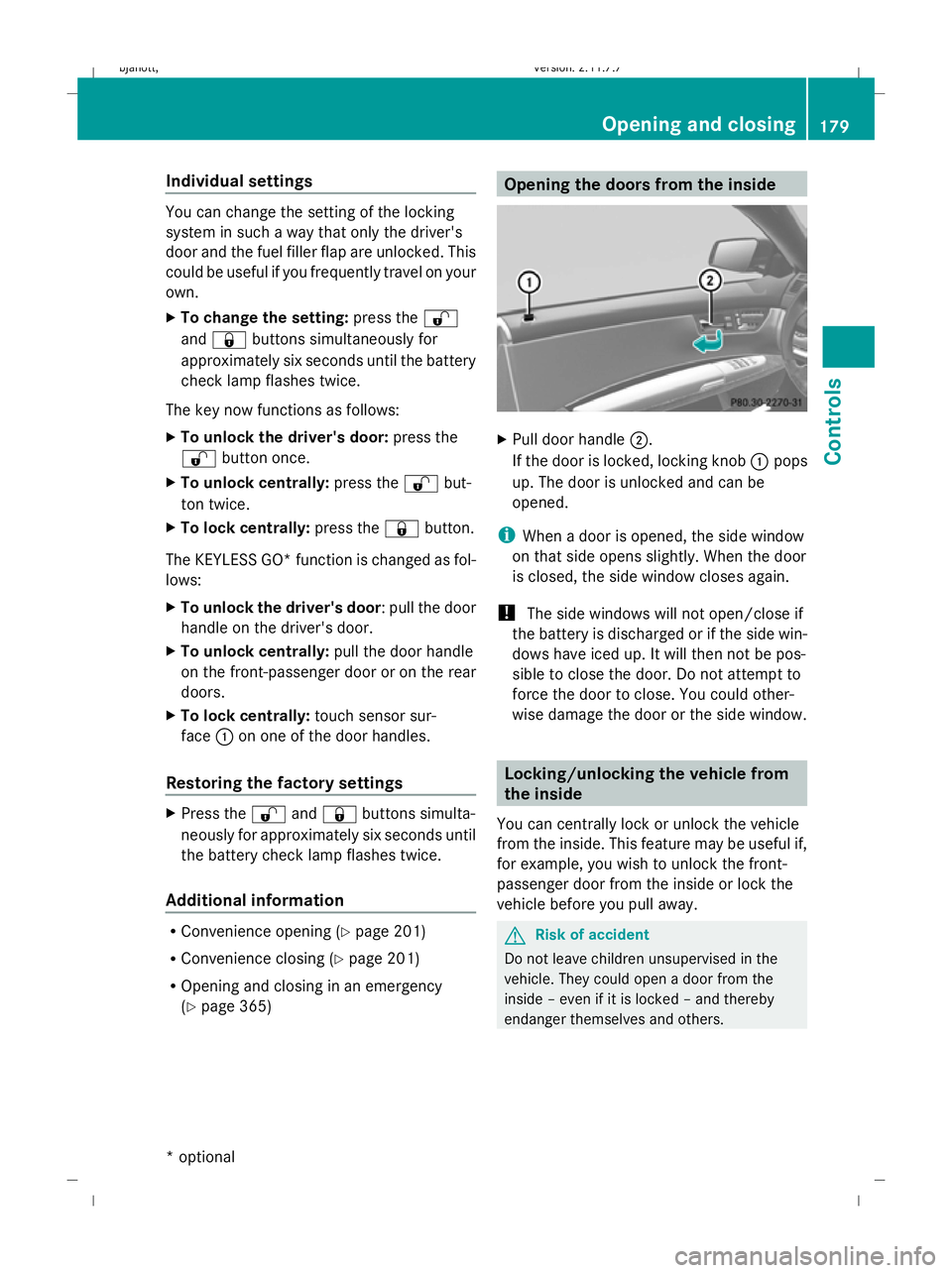
X
Pull door handle ;.
If the door is locked, locking knob :pops
up. The door is unlocked and can be
opened.
i When a door is opened, the side window
on that side opens slightly. When the door
is closed, the side window closes again.
! The side windows will not open/close if
the battery is discharged or if the side win-
dows have iced up. It will then not be pos-
sible to close the door. Do not attempt to
force the door to close. You could other-
wise damage the door or the side window. Locking/unlocking the vehicle from
the inside
You can centrally lock or unlock the vehicle
from the inside. This feature may be useful if,
for example, you wish to unlock the front-
passenger door from the inside or lock the
vehicle before you pull away. G
Risk of accident
Do not leave children unsupervised in the
vehicle. They could open a door from the
inside – even if it is locked – and thereby
endanger themselves and others. Opening and closing
179Controls
* option al
216_AKB; 2; 3, en-GB
bjanott
,V ersion: 2.11.7.7
2009-02-27T14:54:17+01:00 - Seite 179 Z
Dateiname: 6515230602_buchblock.pdf; erzeugt am 04. Mar 2009 11:15:36; WK
Page 183 of 421
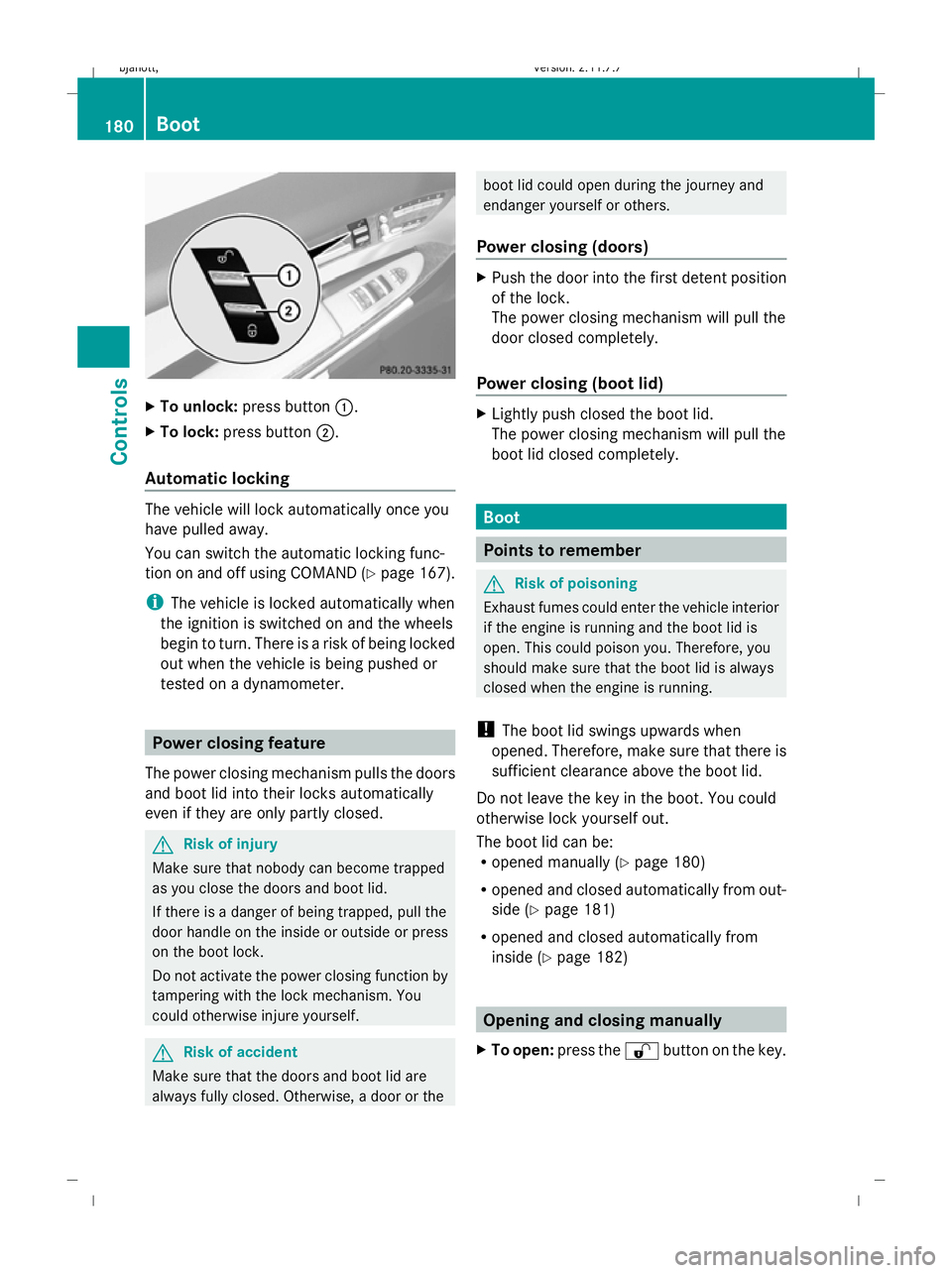
X
To unlock: press button :.
X To lock: press button ;.
Automatic locking The vehicle will lock automatically once you
have pulled away.
You can switch the automatic locking func-
tion on and off using COMAND (Y page 167).
i The vehicle is locked automatically when
the ignition is switched on and the wheels
begin to turn. There is a risk of being locked
out when the vehicle is being pushed or
tested on a dynamometer. Power closing feature
The power closing mechanism pulls the doors
and boot lid into their locks automatically
even if they are only partly closed. G
Risk of injury
Make sure that nobody can become trapped
as you close the doors and boot lid.
If there is a danger of being trapped, pull the
door handle on the inside or outside or press
on the boot lock.
Do not activate the power closing function by
tampering with the lock mechanism. You
could otherwise injure yourself. G
Risk of accident
Make sure that the doors and boot lid are
always fully closed. Otherwise, a door or the boot lid could open during the journey and
endanger yourself or others.
Power closing (doors) X
Push the door into the first detent position
of the lock.
The power closing mechanism will pull the
door closed completely.
Power closing (boot lid) X
Lightly push closed the boot lid.
The power closing mechanism will pull the
boot lid closed completely. Boot
Points to remember
G
Risk of poisoning
Exhaust fumes could enter the vehicle interior
if the engine is running and the boot lid is
open. This could poison you. Therefore, you
should make sure that the boot lid is always
closed when the engine is running.
! The boot lid swings upwards when
opened. Therefore, make sure that there is
sufficient clearance above the boot lid.
Do not leave the key in the boot. You could
otherwise lock yourself out.
The boot lid can be:
R opened manually (Y page 180)
R opened and closed automatically from out-
side (Y page 181)
R opened and closed automatically from
inside (Y page 182) Opening and closing manually
X To open: press the %button on the key. 180
BootControls
216_AKB; 2; 3, en-GB
bjanott,
Version: 2.11.7.7 2009-02-27T14:54:17+01:00 - Seite 180
Dateiname: 6515230602_buchblock.pdf; erzeugt am 04. Mar 2009 11:15:36; WK