boot MERCEDES-BENZ CL COUPE 2009 User Guide
[x] Cancel search | Manufacturer: MERCEDES-BENZ, Model Year: 2009, Model line: CL COUPE, Model: MERCEDES-BENZ CL COUPE 2009Pages: 421, PDF Size: 10.78 MB
Page 171 of 421
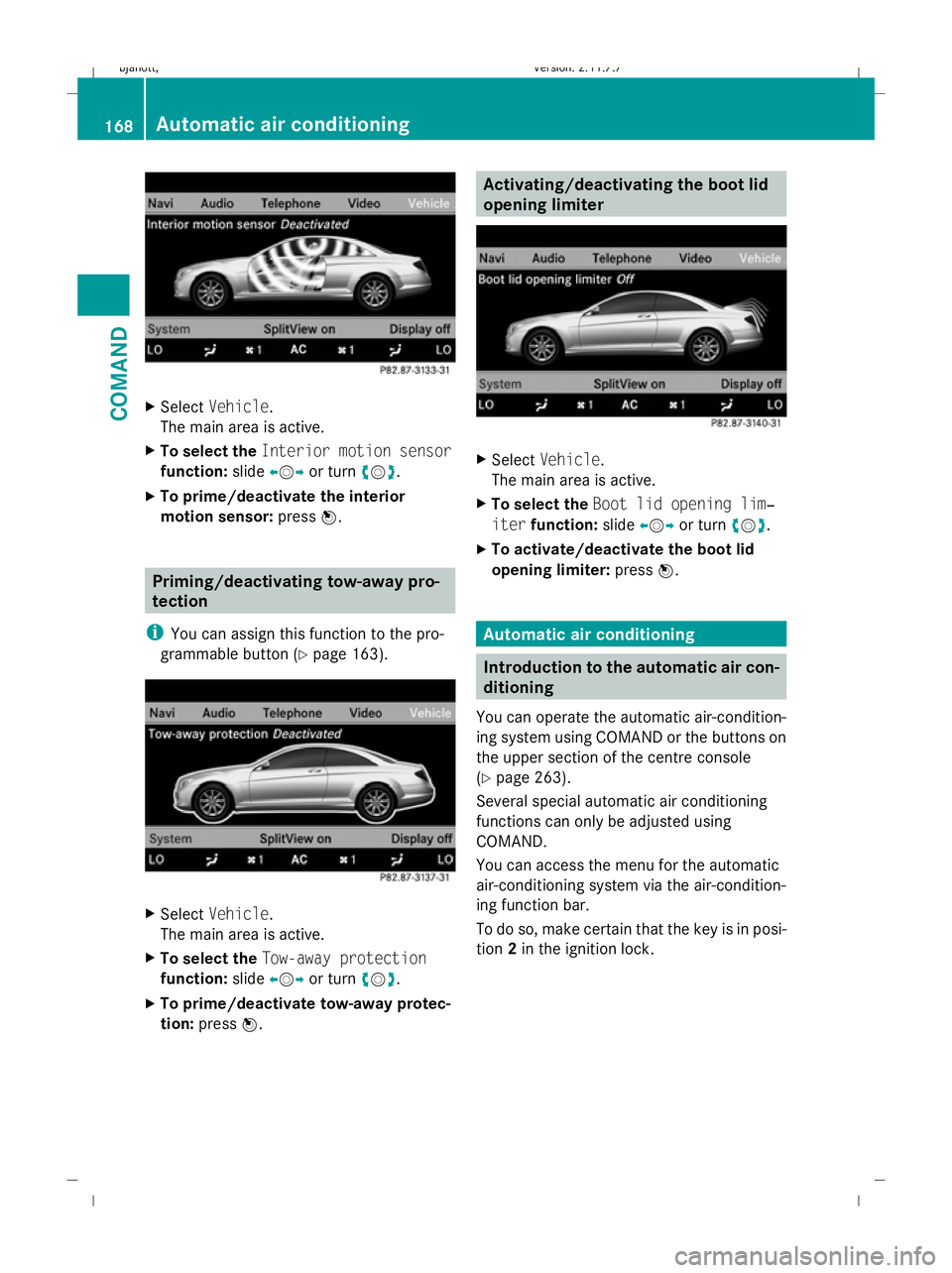
X
Select Vehicle.
The main area is active.
X To select the Interior motion sensor
function: slideXVY or turn cVd.
X To prime/deactivate the interior
motion sensor: pressW. Priming/deactivating tow-away pro-
tection
i You can assign this function to the pro-
grammable button (Y page 163).X
Select Vehicle.
The main area is active.
X To select the Tow-away protection
function: slideXVY or turn cVd.
X To prime/deactivate tow-away protec-
tion: press W. Activating/deactivating the boot lid
opening limiter
X
Select Vehicle.
The main area is active.
X To select the Boot lid opening lim‐
iter function: slideXVY or turn cVd.
X To activate/deactivate the boot lid
opening limiter: pressW. Automatic air conditioning
Introduction to the automatic air con-
ditioning
You can operate the automatic air-condition-
ing system using COMAND or the buttons on
the upper section of the centre console
(Y page 263).
Several special automatic air conditioning
functions can only be adjusted using
COMAND.
You can access the menu for the automatic
air-conditioning system via the air-condition-
ing function bar.
To do so, make certain that the key is in posi-
tion 2in the ignition lock. 168
Automatic air conditioningCOMAND
216_AKB; 2; 3, en-GB
bjanott,
Version: 2.11.7.7 2009-02-27T14:54:17+01:00 - Seite 168
Dateiname: 6515230602_buchblock.pdf; erzeugt am 04. Mar 2009 11:15:30; WK
Page 180 of 421
Opening and closing
.........................178
Boot .................................................... 180
Key positions .................................... 182
Seats .................................................. 183
Steering wheel .................................. 187
Mirrors ............................................... 189
Memory function .............................. 190
Seat belts ........................................... 191
Lights ................................................. 194
Windscreen wipers ...........................199
Side windows .................................... 200
Driving and parking ..........................202
Automatic transmission ...................206
Instrument cluster ............................212
On-board computer ..........................213
Driving systems ................................ 227
Air conditioning ................................. 262
Sliding sunroof .................................. 274
Loading and stowing ........................275
Features ............................................. 280 177Controls
216_AKB; 2; 3, en-GB
bjanott,
Version: 2.11.7.7 2009-02-27T14:54:17+01:00 - Seite 177
Dateiname: 6515230602_buchblock.pdf; erzeugt am 04. Mar 2009 11:15:35; WK
Page 181 of 421
Opening and closing
Key
The key centrally locks/unlocks:
R the doors
R the boot lid
R the fuel filler flap G
Risk of accident
If children are left unsupervised in the vehicle,
they could:
R open a door from the inside at any time,
even if it has been locked
R start the vehicle using a key which has been
left in the vehicle
R release the parking brake
They could thereby endanger themselves and
others. Never leave children unsupervised in
the vehicle. Always take the key with you
when leaving the vehicle, even if you are only
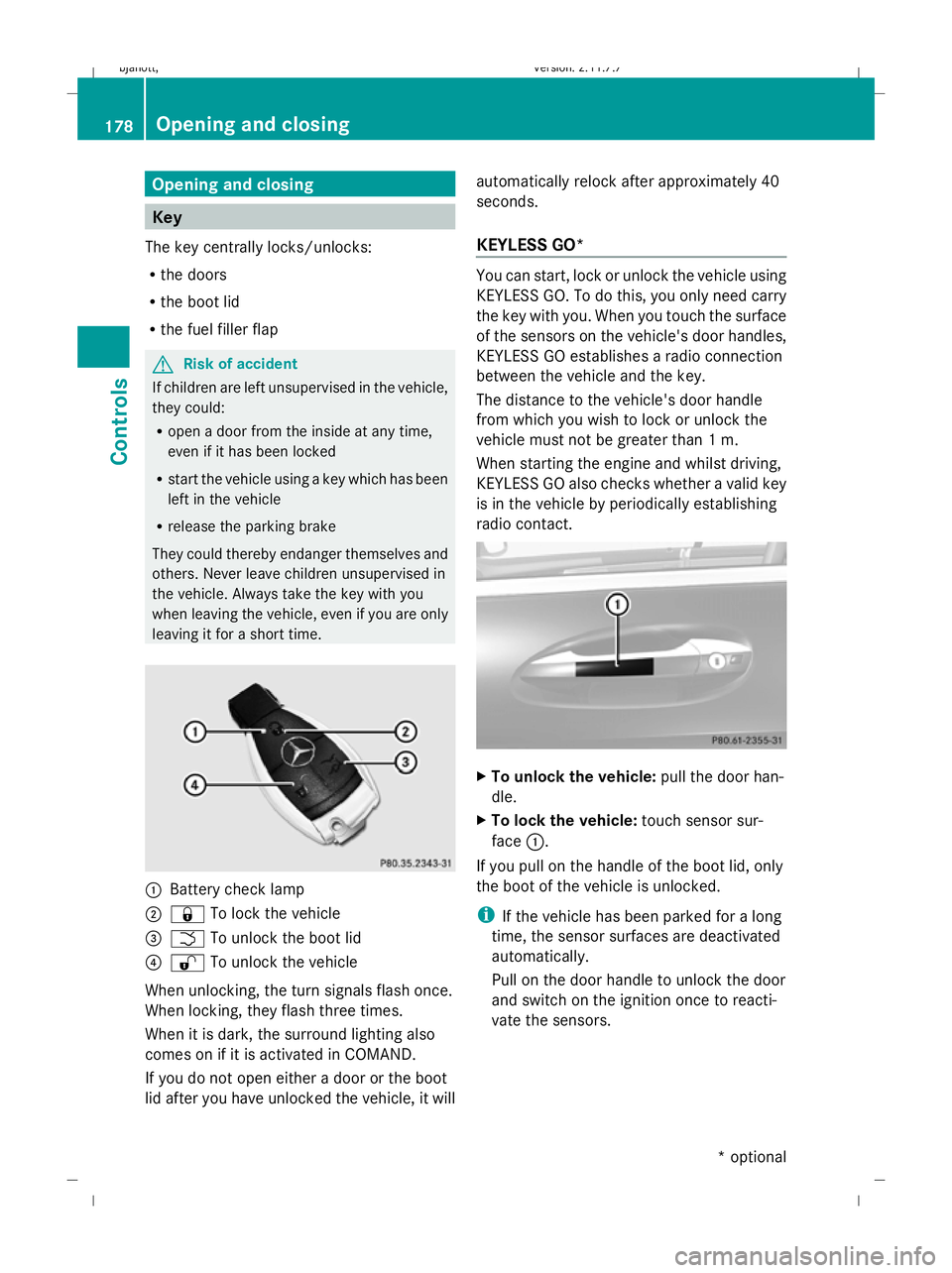
leaving it for a short time. :
Battery check lamp
; & To lock the vehicle
= F To unlock the boot lid
? % To unlock the vehicle
When unlocking, the turn signals flash once.
When locking, they flash three times.
When it is dark, the surround lighting also
comes on if it is activated in COMAND.
If you do not open either a door or the boot
lid after you have unlocked the vehicle, it will automatically relock after approximately 40
seconds.
KEYLESS GO* You can start, lock or unlock the vehicle using
KEYLESS GO. To do this, you only need carry
the key with you. When you touch the surface
of the sensors on the vehicle's door handles,
KEYLESS GO establishes a radio connection
between the vehicle and the key.
The distance to the vehicle's door handle
from which you wish to lock or unlock the
vehicle must not be greater than 1 m.
When starting the engine and whilst driving,
KEYLESS GO also checks whether a valid key
is in the vehicle by periodically establishing
radio contact. X
To unlock the vehicle: pull the door han-
dle.
X To lock the vehicle: touch sensor sur-
face :.
If you pull on the handle of the boot lid, only
the boot of the vehicle is unlocked.
i If the vehicle has been parked for a long
time, the sensor surfaces are deactivated
automatically.
Pull on the door handle to unlock the door
and switch on the ignition once to reacti-
vate the sensors. 178
Opening and closingControls
* optional
216_AKB; 2; 3, en-GB
bjanott,
Version: 2.11.7.7 2009-02-27T14:54:17+01:00 - Seite 178
Dateiname: 6515230602_buchblock.pdf; erzeugt am 04. Mar 2009 11:15:36; WK
Page 183 of 421
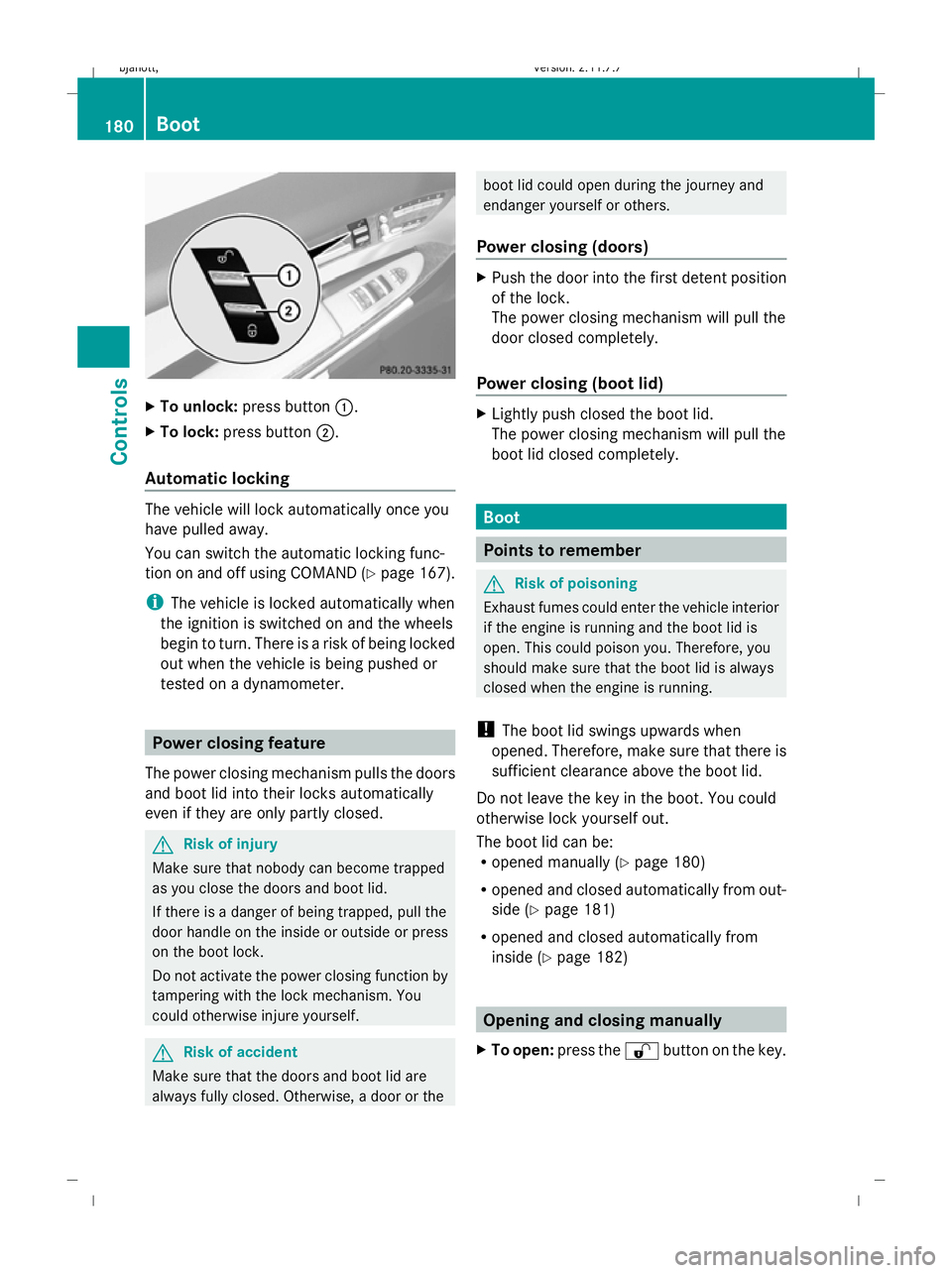
X
To unlock: press button :.
X To lock: press button ;.
Automatic locking The vehicle will lock automatically once you
have pulled away.
You can switch the automatic locking func-
tion on and off using COMAND (Y page 167).
i The vehicle is locked automatically when
the ignition is switched on and the wheels
begin to turn. There is a risk of being locked
out when the vehicle is being pushed or
tested on a dynamometer. Power closing feature
The power closing mechanism pulls the doors
and boot lid into their locks automatically
even if they are only partly closed. G
Risk of injury
Make sure that nobody can become trapped
as you close the doors and boot lid.
If there is a danger of being trapped, pull the
door handle on the inside or outside or press
on the boot lock.
Do not activate the power closing function by
tampering with the lock mechanism. You
could otherwise injure yourself. G
Risk of accident
Make sure that the doors and boot lid are
always fully closed. Otherwise, a door or the boot lid could open during the journey and
endanger yourself or others.
Power closing (doors) X
Push the door into the first detent position
of the lock.
The power closing mechanism will pull the
door closed completely.
Power closing (boot lid) X
Lightly push closed the boot lid.
The power closing mechanism will pull the
boot lid closed completely. Boot
Points to remember
G
Risk of poisoning
Exhaust fumes could enter the vehicle interior
if the engine is running and the boot lid is
open. This could poison you. Therefore, you
should make sure that the boot lid is always
closed when the engine is running.
! The boot lid swings upwards when
opened. Therefore, make sure that there is
sufficient clearance above the boot lid.
Do not leave the key in the boot. You could
otherwise lock yourself out.
The boot lid can be:
R opened manually (Y page 180)
R opened and closed automatically from out-
side (Y page 181)
R opened and closed automatically from
inside (Y page 182) Opening and closing manually
X To open: press the %button on the key. 180
BootControls
216_AKB; 2; 3, en-GB
bjanott,
Version: 2.11.7.7 2009-02-27T14:54:17+01:00 - Seite 180
Dateiname: 6515230602_buchblock.pdf; erzeugt am 04. Mar 2009 11:15:36; WK
Page 184 of 421
X
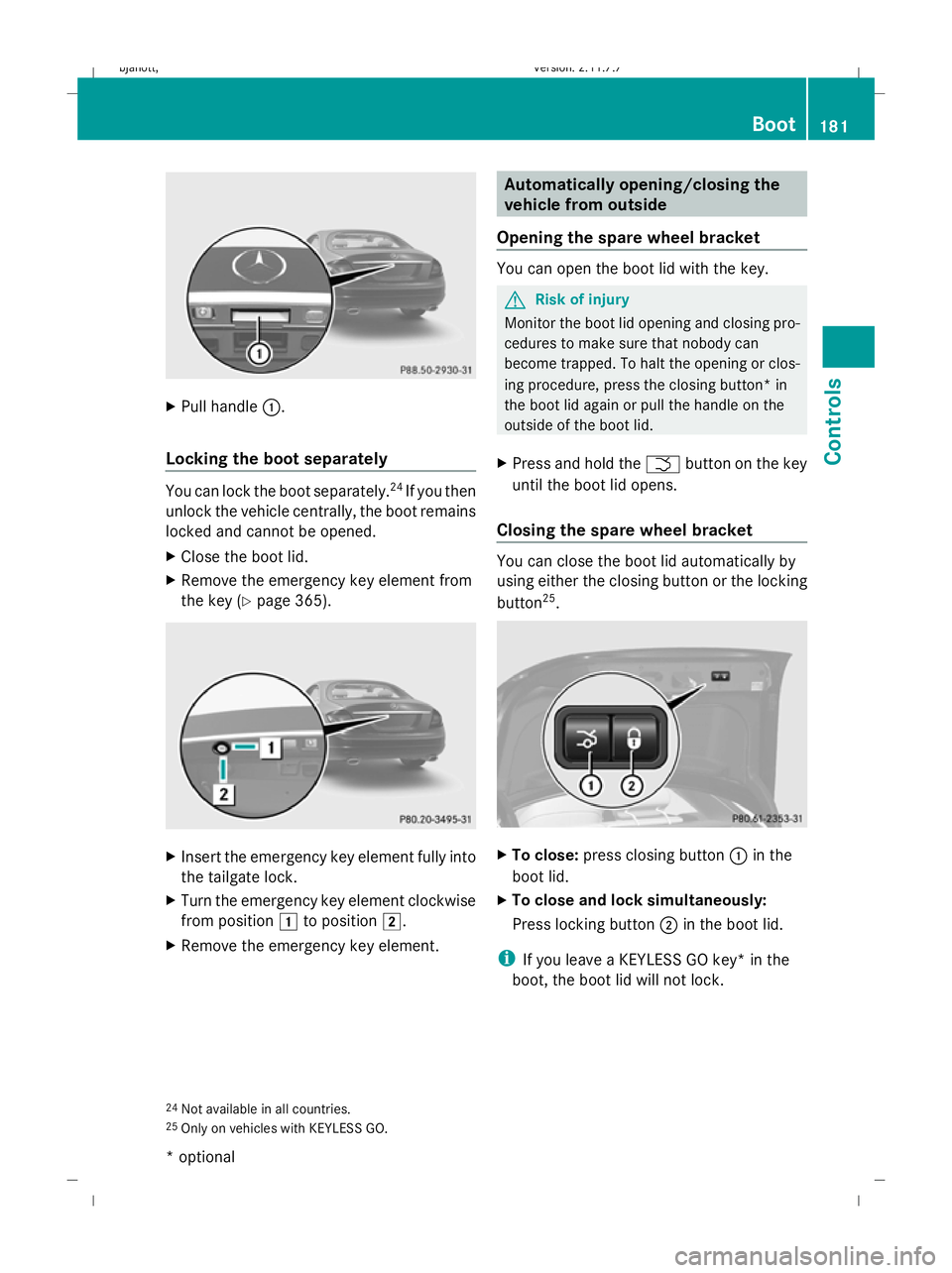
Pull handle :.
Locking the boot separately You can lock the boot separately.
24
If you then
unlock the vehicle centrally, the boot remains
locked and cannot be opened.
X Close the boot lid.
X Remove the emergency key element from
the key (Y page 365). X
Insert the emergency key element fully into
the tailgate lock.
X Turn the emergency key element clockwise
from position 1to position 2.
X Remove the emergency key element. Automatically opening/closing the
vehicle from outside
Opening the spare wheel bracket You can open the boot lid with the key.
G
Risk of injury
Monitor the boot lid opening and closing pro-
cedures to make sure that nobody can
become trapped. To halt the opening or clos-
ing procedure, press the closing button* in
the boot lid again or pull the handle on the
outside of the boot lid.
X Press and hold the Fbutton on the key
until the boot lid opens.
Closing the spare wheel bracket You can close the boot lid automatically by
using either the closing button or the locking
button
25
. X
To close: press closing button :in the
boot lid.
X To close and lock simultaneously:
Press locking button ;in the boot lid.
i If you leave a KEYLESS GO key* in the
boot, the boot lid will not lock.
24 Not available in all countries.
25 Only on vehicles with KEYLESS GO. Boot
181Controls
* optional
216_AKB; 2; 3, en-GB
bjanott,
Version: 2.11.7.7
2009-02-27T14:54:17+01:00 - Seite 181 Z
Dateiname: 6515230602_buchblock.pdf; erzeugt am 04. Mar 2009 11:15:37; WK
Page 185 of 421
Automatically opening/closing* the
vehicle from inside
You can open/close the boot lid from the
driver's seat when the vehicle is stationary. G
Risk of injury
Monitor the boot lid closing procedure to
make sure that nobody can become trapped.
Release the boot lid remote operating button
to stop the closing procedure. X
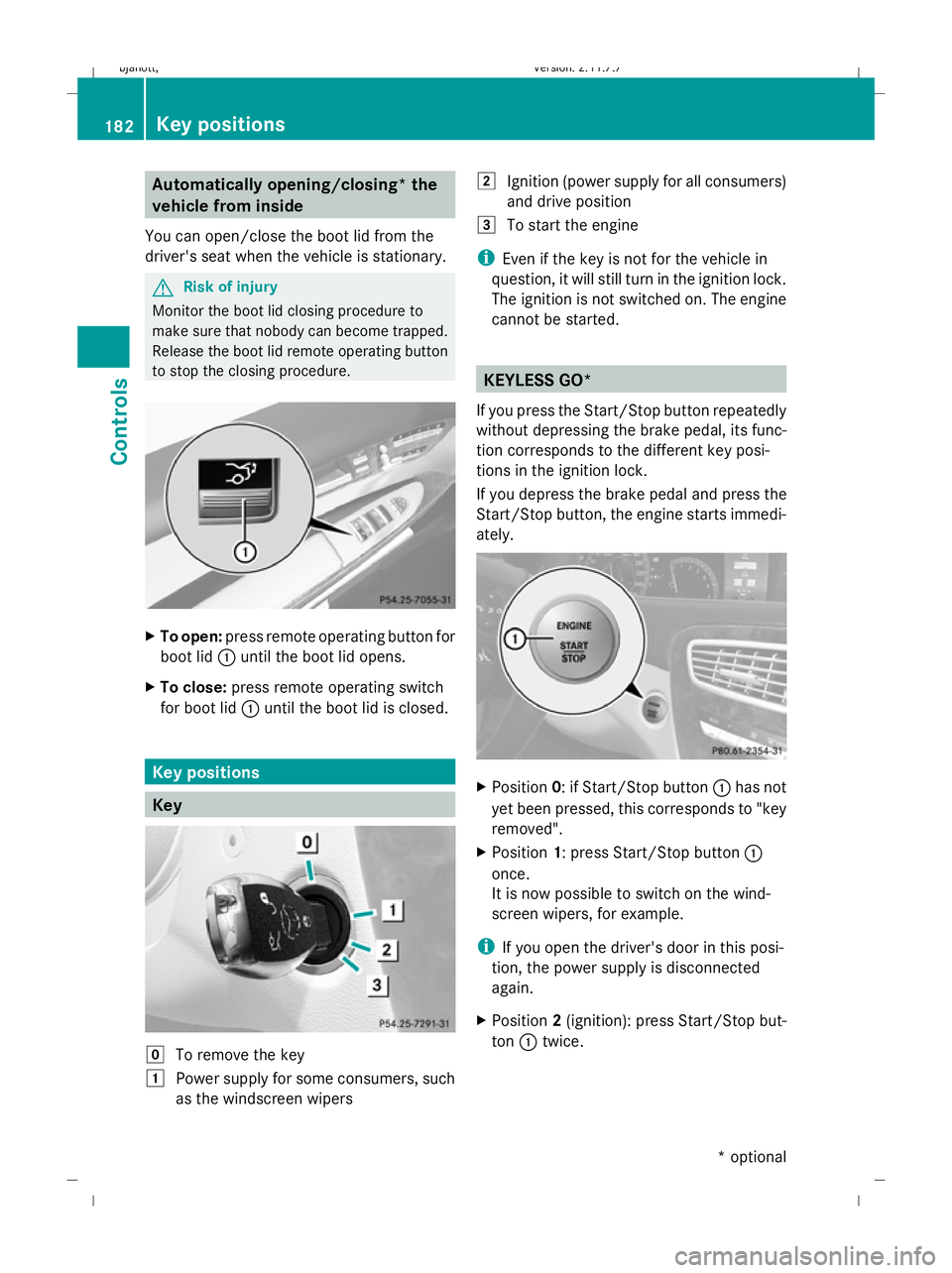
To open: press remote operating button for
boot lid :until the boot lid opens.
X To close: press remote operating switch
for boot lid :until the boot lid is closed. Key positions
Key
g
To remove the key
1 Power supply for some consumers, such
as the windscreen wipers 2
Ignition (power supply for all consumers)
and drive position
3 To start the engine
i Even if the key is not for the vehicle in
question, it will still turn in the ignition lock.
The ignition is not switched on. The engine
cannot be started. KEYLESS GO*
If you press the Start/Stop button repeatedly
without depressing the brake pedal, its func-
tion corresponds to the different key posi-
tions in the ignition lock.
If you depress the brake pedal and press the
Start/Stop button, the engine starts immedi-
ately. X
Position 0: if Start/Stop button :has not
yet been pressed, this corresponds to "key
removed".
X Position 1: press Start/Stop button :
once.
It is now possible to switch on the wind-
screen wipers, for example.
i If you open the driver's door in this posi-
tion, the power supply is disconnected
again.
X Position 2(ignition): press Start/Stop but-
ton :twice. 182
Key positionsCont
rols
* option al
216_AKB; 2; 3, en-GB
bjanott
,V ersion: 2.11.7.7
2009-02-27T14:54:17+01:00 - Seite 182
Dateiname: 6515230602_buchblock.pdf; erzeugt am 04. Mar 2009 11:15:38; WK
Page 208 of 421
Electric parking brake
Releasing the electric parking brake man-
ually
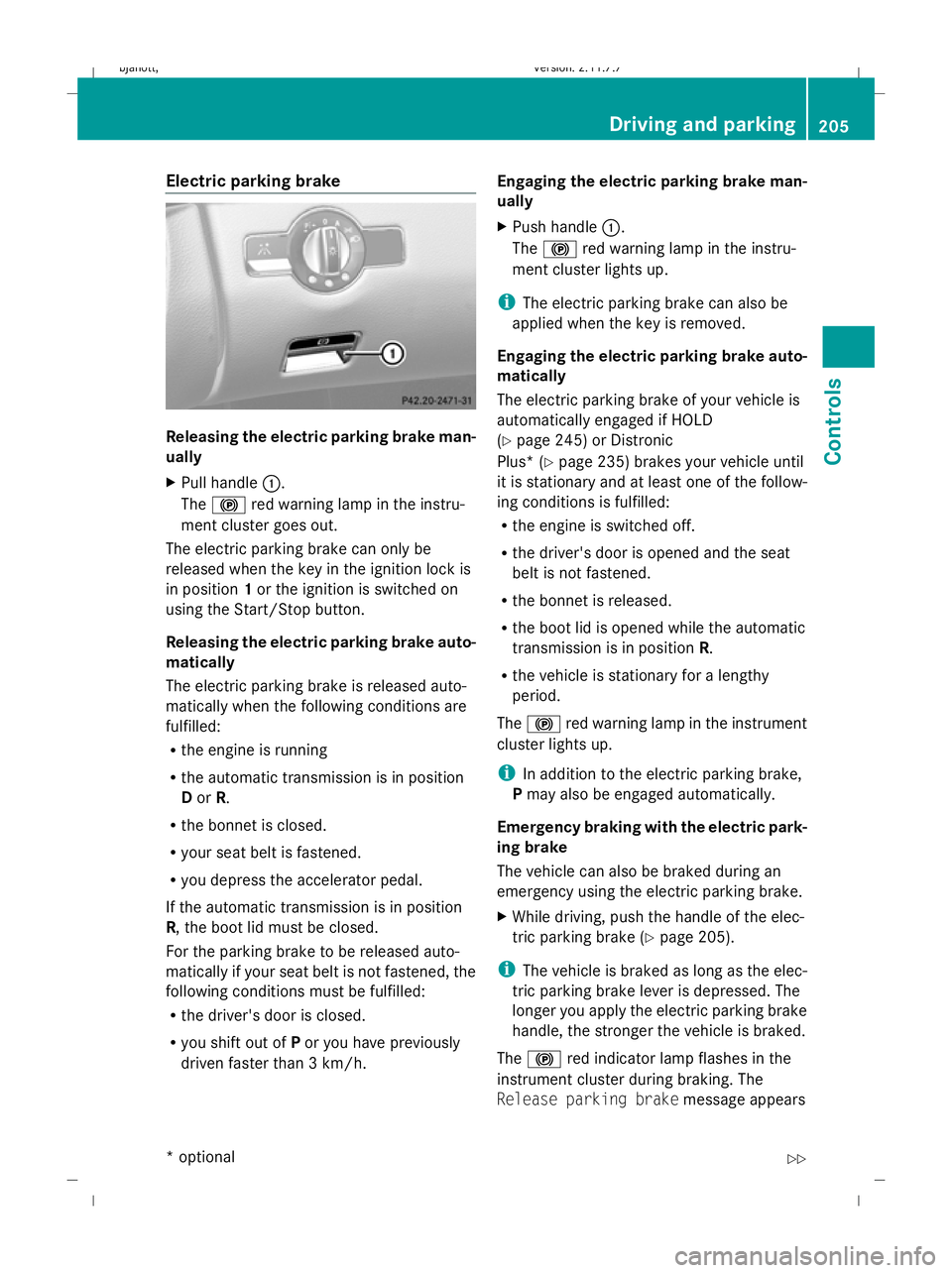
X
Pull handle :.
The ! red warning lamp in the instru-
ment cluster goes out.
The electric parking brake can only be
released when the key in the ignition lock is
in position 1or the ignition is switched on
using the Start/Stop button.
Releasing the electric parking brake auto-
matically
The electric parking brake is released auto-
matically when the following conditions are
fulfilled:
R the engine is running
R the automatic transmission is in position
D or R.
R the bonnet is closed.
R your seat belt is fastened.
R you depress the accelerator pedal.
If the automatic transmission is in position
R, the boot lid must be closed.
For the parking brake to be released auto-
matically if your seat belt is not fastened, the
following conditions must be fulfilled:
R the driver's door is closed.
R you shift out of Por you have previously
driven faster than 3 km/h. Engaging the electric parking brake man-
ually
X
Push handle :.
The ! red warning lamp in the instru-
ment cluster lights up.
i The electric parking brake can also be
applied when the key is removed.
Engaging the electric parking brake auto-
matically
The electric parking brake of your vehicle is
automatically engaged if HOLD
(Y page 245) or Distronic
Plus* ( Ypage 235) brakes your vehicle until
it is stationary and at least one of the follow-
ing conditions is fulfilled:
R the engine is switched off.
R the driver's door is opened and the seat
belt is not fastened.
R the bonnet is released.
R the boot lid is opened while the automatic
transmission is in position R.
R the vehicle is stationary for a lengthy
period.
The ! red warning lamp in the instrument
cluster lights up.
i In addition to the electric parking brake,
P may also be engaged automatically.
Emergency braking with the electric park-
ing brake
The vehicle can also be braked during an
emergency using the electric parking brake.
X While driving, push the handle of the elec-
tric parking brake (Y page 205).
i The vehicle is braked as long as the elec-
tric parking brake lever is depressed. The
longer you apply the electric parking brake
handle, the stronger the vehicle is braked.
The ! red indicator lamp flashes in the
instrument cluster during braking. The
Release parking brake message appears Driving and parking
205Controls
* option al
216_AKB; 2; 3, en-GB
bjanott
,V ersion: 2.11.7.7
2009-02-27T14:54:17+01:00 - Seite 205 Z
Dateiname: 6515230602_buchblock.pdf; erzeugt am 04. Mar 2009 11:15:48; WK
Page 248 of 421
more than 20 km/h from the stored speed.
You will hear a warning tone if this is the case.
G
Risk of accident
It is not possible to deactivate variable Speed-
tronic by braking.
i The last speed stored is cleared when you
switch off the engine.
Permanent Speedtronic i
Permanent Speedtronic is only available
in certain countries.
You can use the on-board computer to limit
the speed permanently to a value between
160 km/h (e.g. for driving with winter tyres)
and the maximum speed.
Just before the stored speed is reached, it
appears in the multi-function display.
Permanent Speedtronic remains active, even
if variable Speedtronic is deactivated.
You cannot exceed the stored limit speed,
even if you depress the accelerator pedal
beyond the pressure point (kickdown).
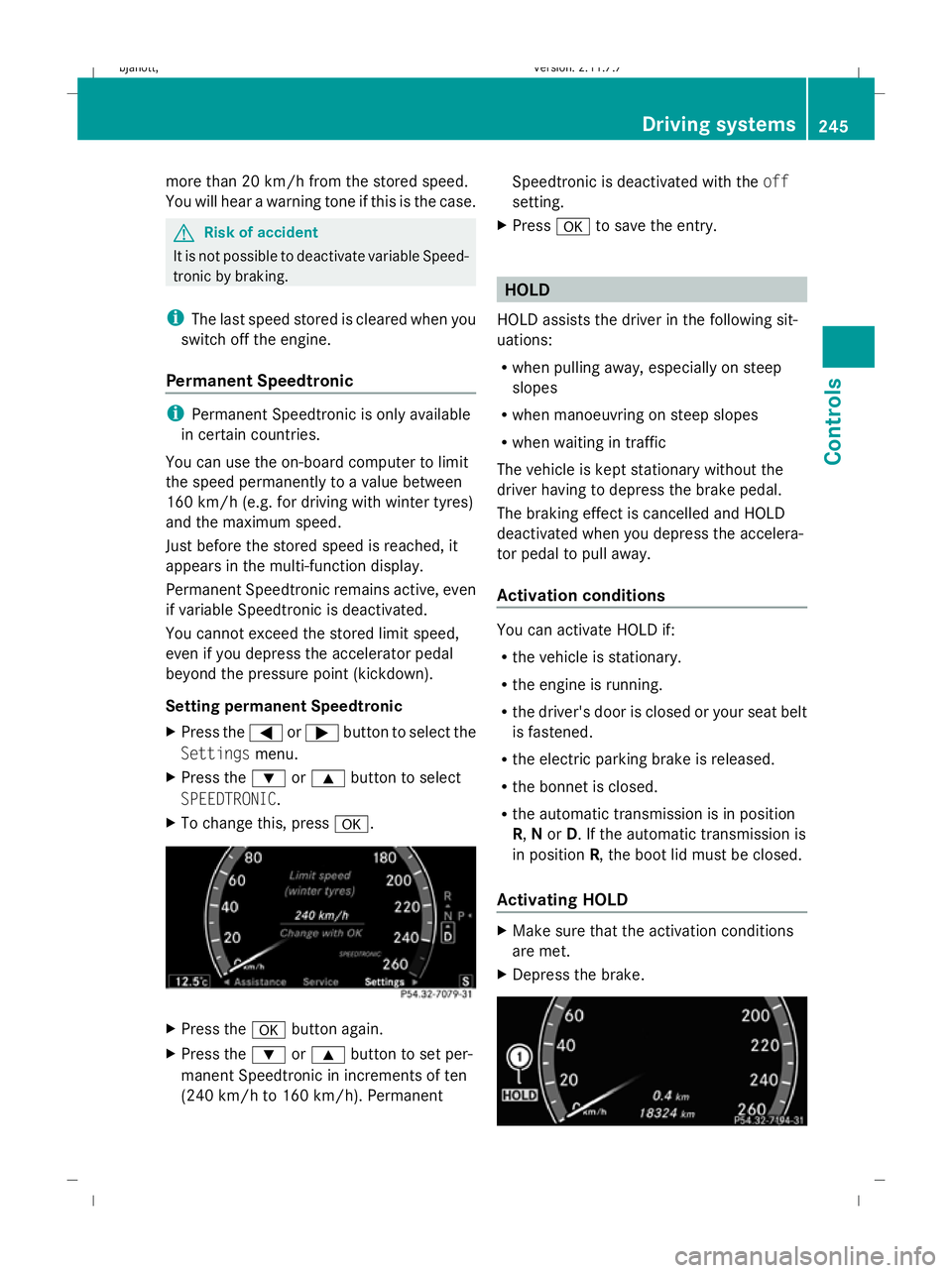
Setting permanent Speedtronic
X Press the =or; button to select the
Settings menu.
X Press the :or9 button to select
SPEEDTRONIC.
X To change this, press a. X
Press the abutton again.
X Press the :or9 button to set per-
manent Speedtronic in increments of ten
(240 km/h to 160 km/h). Permanent Speedtronic is deactivated with the
off
setting.
X Press ato save the entry. HOLD
HOLD assists the driver in the following sit-
uations:
R when pulling away, especially on steep
slopes
R when manoeuvring on steep slopes
R when waiting in traffic
The vehicle is kept stationary without the
driver having to depress the brake pedal.
The braking effect is cancelled and HOLD
deactivated when you depress the accelera-
tor pedal to pull away.
Activation conditions You can activate HOLD if:
R
the vehicle is stationary.
R the engine is running.
R the driver's door is closed or your seat belt
is fastened.
R the electric parking brake is released.
R the bonnet is closed.
R the automatic transmission is in position
R, Nor D. If the automatic transmission is
in position R, the boot lid must be closed.
Activating HOLD X
Make sure that the activation conditions
are met.
X Depress the brake. Driving systems
245Controls
216_AKB; 2; 3, en-GB
bjanott, Version: 2.11.7.7 2009-02-27T14:54:17+01:00 - Seite 245 Z
Dateiname: 6515230602_buchblock.pdf; erzeugt am 04. Mar 2009 11:16:01; WK
Page 260 of 421
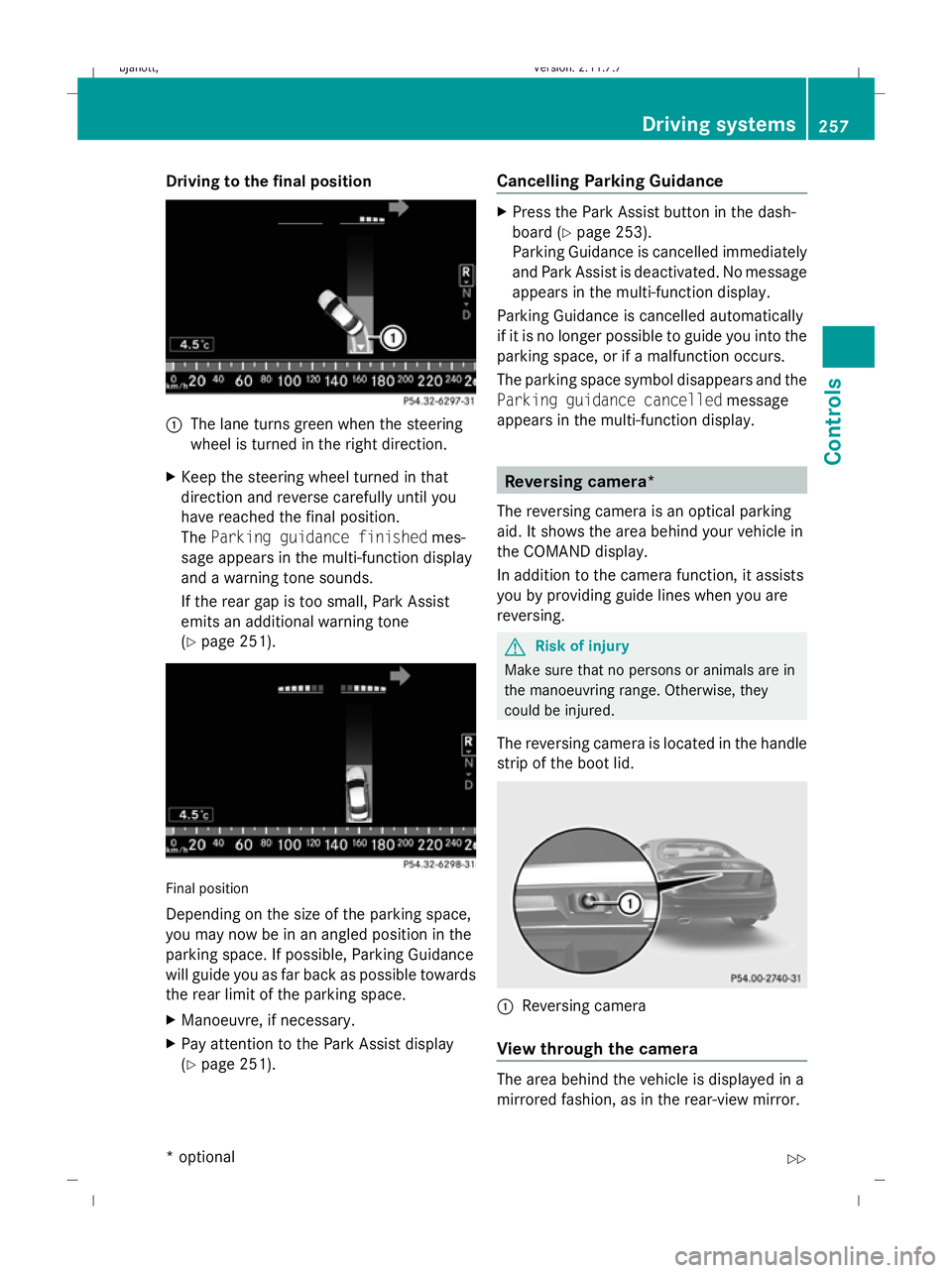
Driving to the final position
1
The lane turns green when the steering
wheel is turned in the right direction.
X Keep the steering wheel turned in that
direction and reverse carefully until you
have reached the final position.
The Parking guidance finished mes-
sage appears in the multi-function display
and a warning tone sounds.
If the rear gap is too small, Park Assist
emits an additional warning tone
(Y page 251). Final position
Depending on the size of the parking space,
you may now be in an angled position in the
parking space. If possible, Parking Guidance
will guide you as far back as possible towards
the rear limit of the parking space.
X
Manoeuvre, if necessary.
X Pay attention to the Park Assist display
(Y page 251). Cancelling Parking Guidance X
Press the Park Assist button in the dash-
board ( Ypage 253).
Parking Guidance is cancelled immediately
and Park Assist is deactivated. No message
appears in the multi-function display.
Parking Guidance is cancelled automatically
if it is no longer possible to guide you into the
parking space, or if a malfunction occurs.
The parking space symbol disappears and the
Parking guidance cancelled message
appears in the multi-function display. Reversing camera*
The reversing camera is an optical parking
aid. It shows the area behind your vehicle in
the COMAND display.
In addition to the camera function, it assists
you by providing guide lines when you are
reversing. G
Risk of injury
Make sure that no persons or animals are in
the manoeuvring range. Otherwise, they
could be injured.
The reversing camera is located in the handle
strip of the boot lid. :
Reversing camera
View through the camera The area behind the vehicle is displayed in a
mirrored fashion, as in the rear-view mirror. Driving syste
ms
257Controls
* option al
216_AKB; 2; 3, en-GB
bjanott
,V ersion: 2.11.7.7
2009-02-27T14:54:17+01:00 - Seite 257 Z
Dateiname: 6515230602_buchblock.pdf; erzeugt am 04. Mar 2009 11:16:06; WK
Page 261 of 421
G
Risk of accident
The reversing camera is only an aid and may
display obstacles in a distorted or incorrect
manner, or may not even display them at all.
The reversing camera does not relieve you of
the responsibility to pay attention. The cam-
era cannot show objects:
R very near to the rear bumper
R below the rear bumper
R in the area immediately above the boot lid
handle
You are always responsible for safety and
must continue to pay attention to your imme-
diate surroundings when parking and
manoeuvring. This applies to the areas
behind, in front of and next to the vehicle. You
could otherwise endanger yourself and oth-
ers. G
Risk of accident
Under the following circumstances, the
reversing camera will not function, or function
in a limited manner:
R if the boot lid is open
R in heavy rain, snow or fog
R at night or in very dark places
R if the camera is exposed to very bright light
R if the area is lit by fluorescent light (the dis-
play may flicker)
R if there is a sudden change in temperature,
e.g. when driving into a heated garage in
winter
R if the camera lens is dirty or obstructed
R if the rear of your vehicle is damaged. In this
event have the camera position and setting
checked at a qualified specialist workshop.
Mercedes-Benz recommends that you use
a Mercedes-Benz Service Centre for this
purpose.
Do not use the reversing camera in these
types of situation. You could otherwise injure others or damage objects and your vehicle
while you are parking.
Activating the reversing camera X
Make sure that the key is in position 2in
the ignition lock.
X Engage reverse gear.
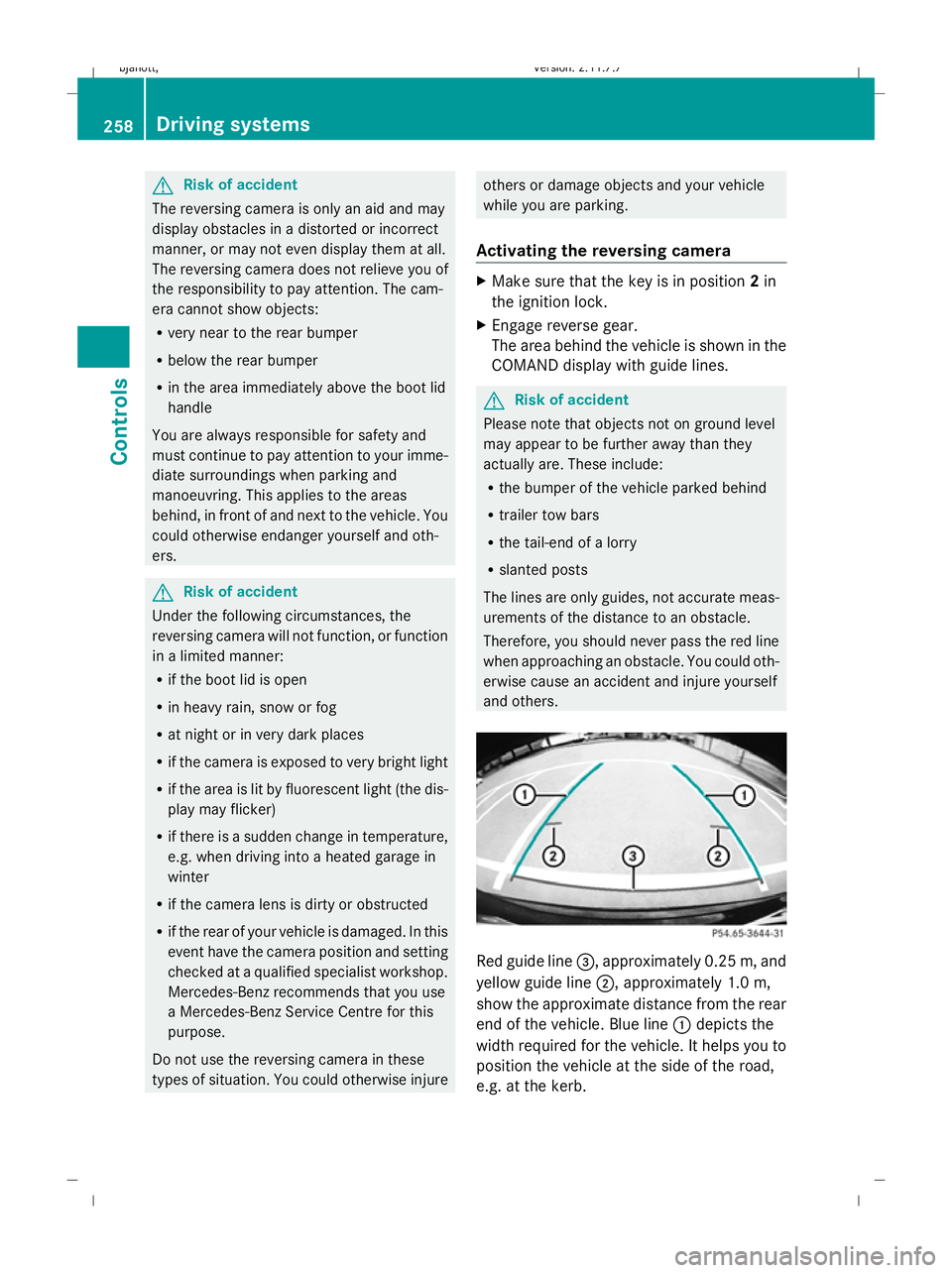
The area behind the vehicle is shown in the
COMAND display with guide lines. G
Risk of accident
Please note that objects not on ground level
may appear to be further away than they
actually are. These include:
R the bumper of the vehicle parked behind
R trailer tow bars
R the tail-end of a lorry
R slanted posts
The lines are only guides, not accurate meas-
urements of the distance to an obstacle.
Therefore, you should never pass the red line
when approaching an obstacle. You could oth-
erwise cause an accident and injure yourself
and others. Red guide line
=, approximately 0.25 m, and
yellow guide line ;, approximately 1.0 m,
show the approximate distance from the rear
end of the vehicle. Blue line :depicts the
width required for the vehicle. It helps you to
position the vehicle at the side of the road,
e.g. at the kerb. 258
Driving systemsControls
216_AKB; 2; 3, en-GB
bjanott,
Version: 2.11.7.7 2009-02-27T14:54:17+01:00 - Seite 258
Dateiname: 6515230602_buchblock.pdf; erzeugt am 04. Mar 2009 11:16:07; WK