display MERCEDES-BENZ CLS COUPE 2012 Repair Manual
[x] Cancel search | Manufacturer: MERCEDES-BENZ, Model Year: 2012, Model line: CLS COUPE, Model: MERCEDES-BENZ CLS COUPE 2012Pages: 373, PDF Size: 9.12 MB
Page 185 of 373
The following vehicle levels are possible:
R
normal
R raised: the vehicle is raised by about
25 mm when compared with the normal
level.
R lowered: the vehicle is lowered by about
10 mm when compared with the normal
level.
The "Normal" and "Raised" vehicle levels can
be set manually.
The "Lowered" vehicle level is set automati-
cally:
R at speeds above 140 km/h
R if you have selected "Comfort tuning"
(Y page 182) and then lock the vehicle
within 60 seconds of the engine being
switched off
R if you have selected "Sports tuning"
(Y page 182)
Setting the vehicle level G
WARNING
Make sure that nobody is in the vicinit yofthe
wheel housing or under the vehicle while low-
ering the vehicle when it is stationary. Other-
wise, limbs could become trapped.
Select the "Normal" setting for normal road
surfaces and "Raised" for driving with snow
chains or on particularly poor road surfaces.
Your selection remains stored even if you
remove the key from the ignition lock.
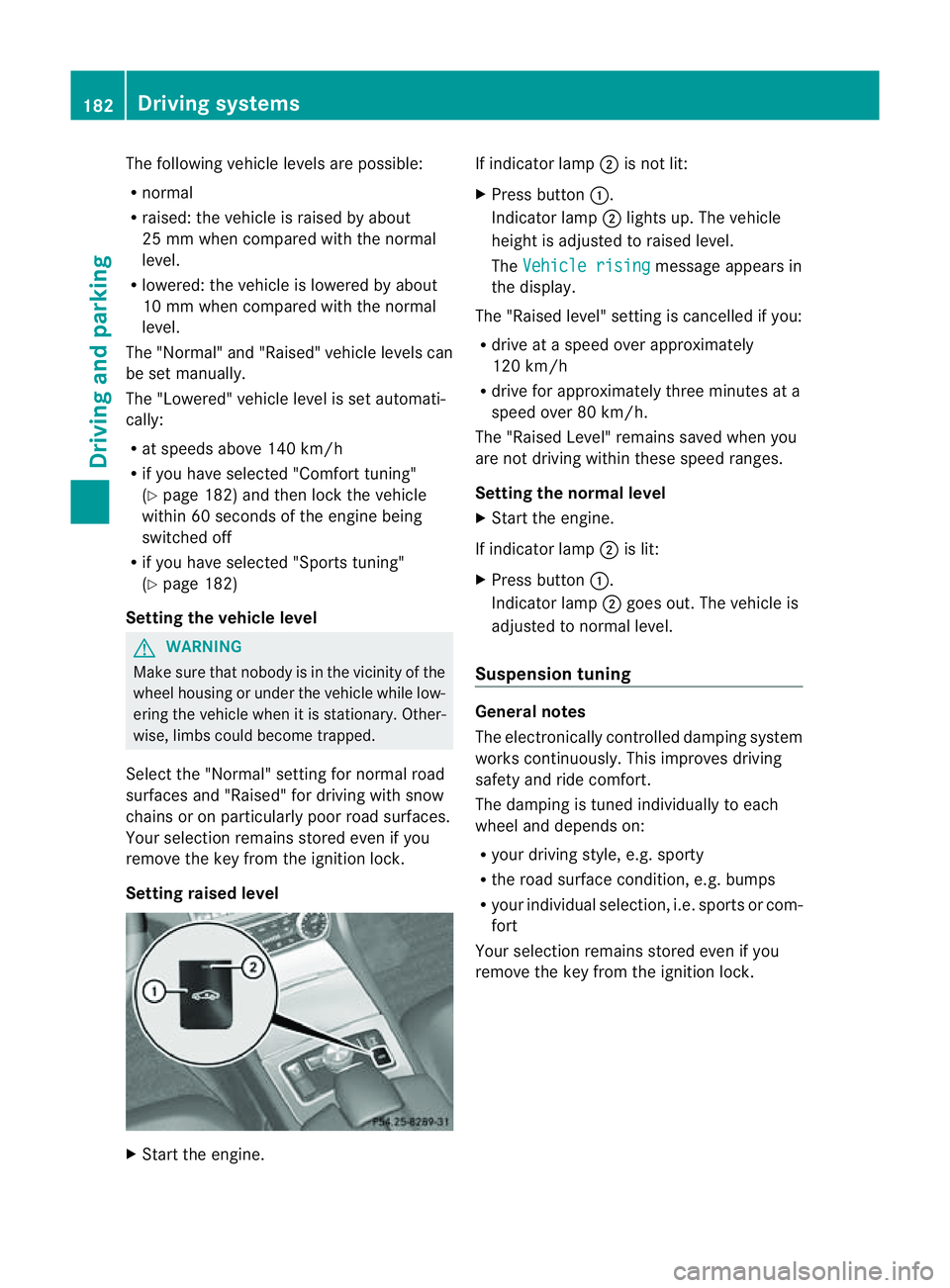
Setting raised level X
Start the engine. If indicator lamp
;is not lit:
X Press button :.
Indicator lamp ;lights up. The vehicle
height is adjusted to raised level.
The Vehicle rising message appears in
the display.
The "Raised level" setting is cancelled if you:
R drive at aspeed over approximately
120 km/h
R drive for approximately three minutes at a
speed over 80 km/h.
The "Raised Level" remains saved when you
are not driving within these speed ranges.
Setting the norma llevel
X Start the engine.
If indicator lamp ;is lit:
X Press button :.
Indicator lamp ;goes out. The vehicle is
adjusted to normal level.
Suspension tuning General notes
The electronically controlled damping system
works continuously. This improves driving
safety and ride comfort.
The damping is tuned individually to each
wheel and depends on:
R
your driving style, e.g. sporty
R the road surface condition, e.g. bumps
R your individual selection ,i.e. sports or com-
fort
Your selection remains stored even if you
remove the key from the ignition lock. 182
Driving systemsDriving and parking
Page 186 of 373
Sportst
uning The firmer suspension tuning in Sport mode
ensures even better contact with the road.
Select this mode when employing asporty
driving style, e.g. on winding countryr oads.
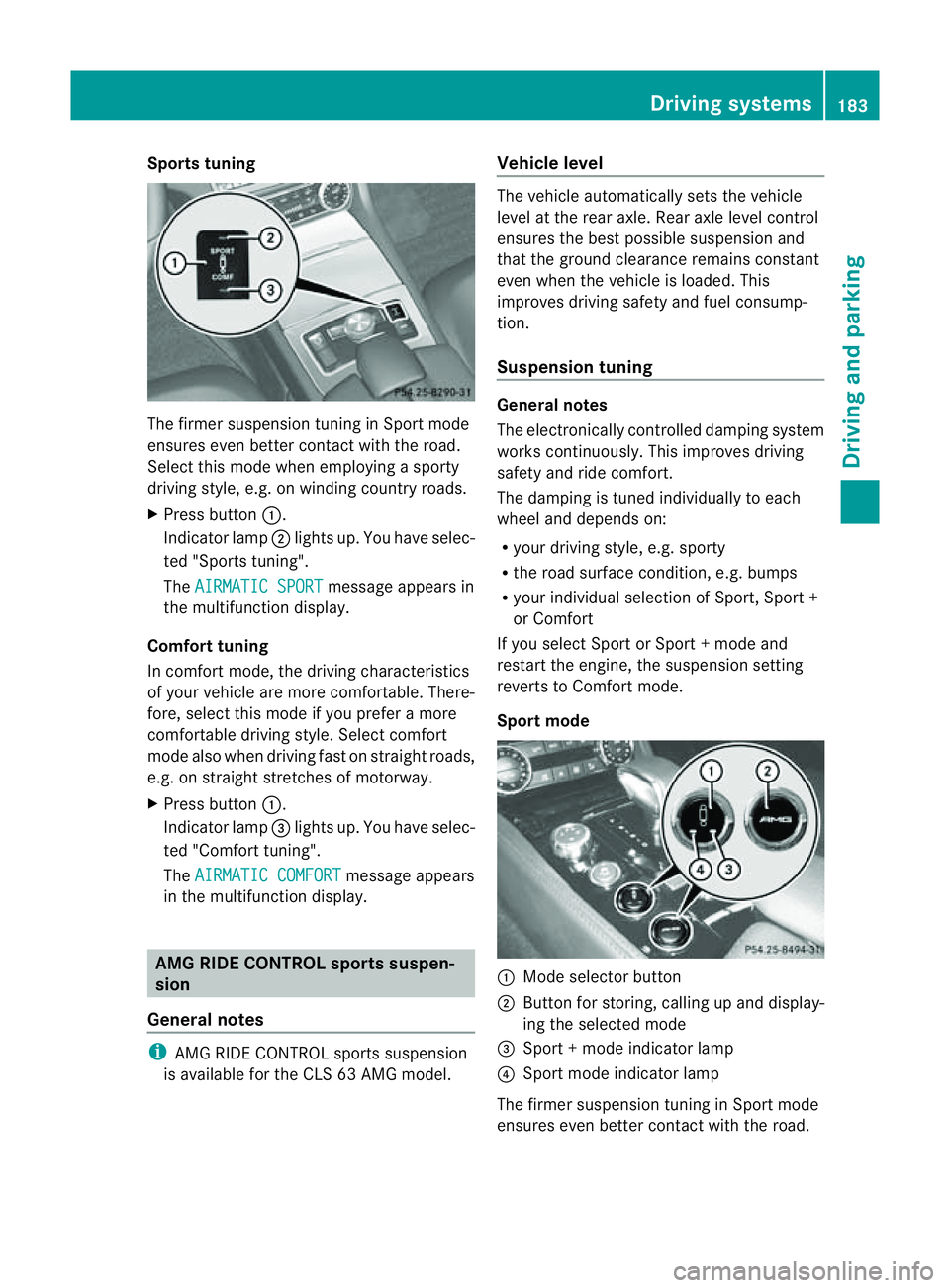
X Press button :.
Indicator lamp ;lights up. You have selec-
ted "Sports tuning".
The AIRMATIC SPORT message appears in
the multifunction display.
Comfort tuning
In comfort mode, the driving characteristics
of your vehicle are more comfortable. There-
fore, select this mode if you prefer amore
comfortable driving style. Select comfort
mode also when driving fast on straight roads,
e.g. on straight stretches of motorway.
X Press button :.
Indicator lamp =lights up. You have selec-
ted "Comfort tuning".
The AIRMATIC COMFORT message appears
in the multifunction display. AMG RIDE CONTROL sportss
uspen-
sion
General notes i
AMG RIDE CONTROL sports suspension
is available for the CLS 63 AMG model. Vehicle level The vehicle automatically sets the vehicle
level at the rear axle. Rear axle level control
ensures the best possible suspension and
that the ground clearance remains constant
even when the vehicle is loaded. This
improves driving safety and fuel consump-
tion.
Suspension tuning
General notes
The electronically controlled damping system
works continuously.T
his improves driving
safety and ride comfort.
The damping is tuned individually to each
wheel and depends on:
R your driving style, e.g. sporty
R the road surface condition,e .g. bumps
R your individual selection of Sport, Spor t+
or Comfort
If you select Sport or Sport +mode and
restart the engine, the suspension setting
revert stoComfort mode.
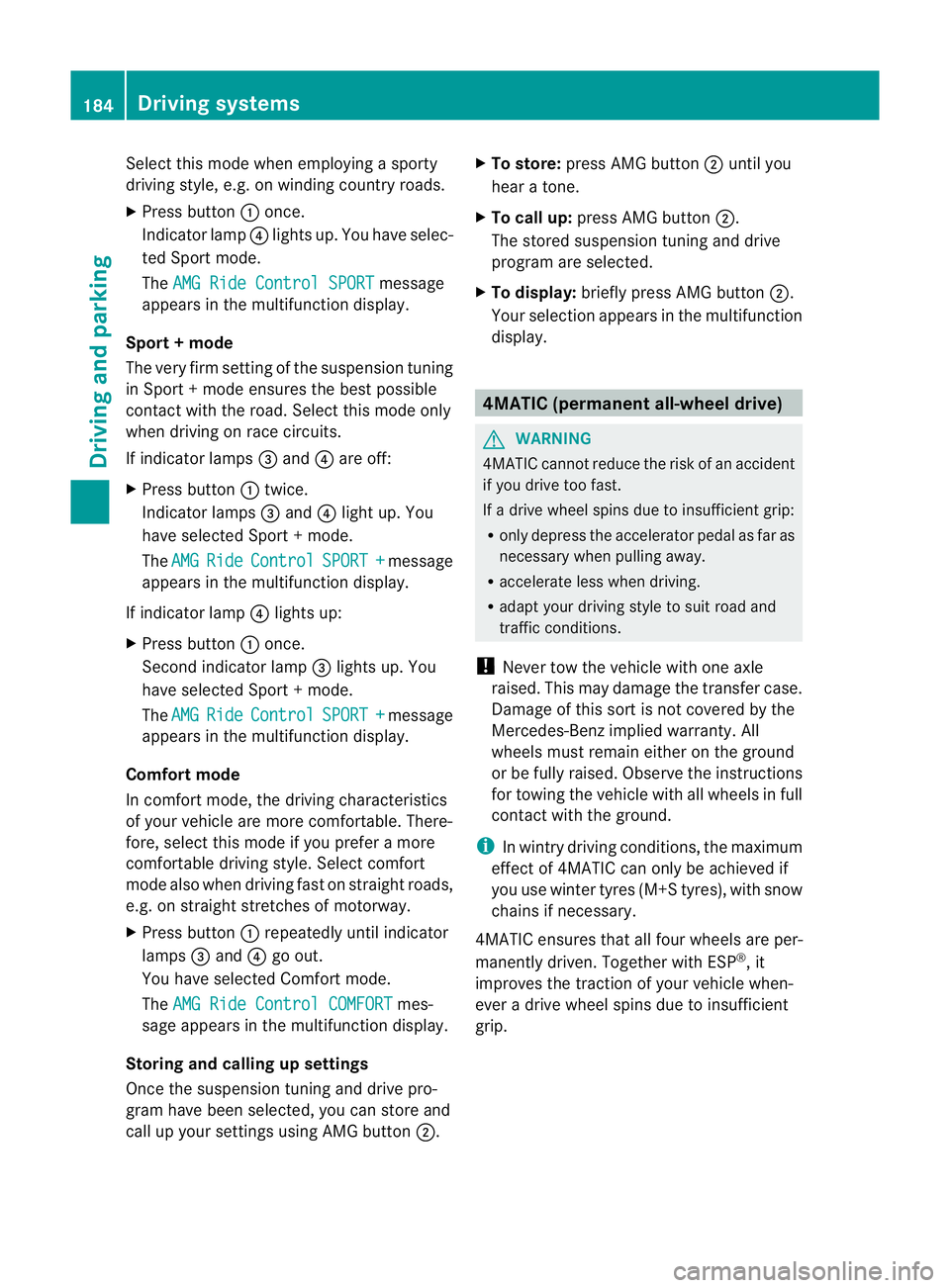
Sport mode :
Mode selector button
; Button for storing, calling up and display-
ing the selected mode
= Sport +mode indicator lamp
? Sport mode indicator lamp
The firmer suspension tuning in Sport mode
ensures even better contact with the road. Driving systems
183Driving and parking Z
Page 187 of 373
Select this mod
ewhene mploying asporty
driving style ,e.g. on winding country roads.
X Press button :once.
Indicato rlamp ?light sup. You have selec-
te dS port mode.
The AMG Rid eContro lSPORT message
appear sinthemultifunction display.
Sport +mode
The ver yfirms etting of the suspension tuning
in Sport +mode ensures the best possible
contact with the road. Select this mode only
when driving on race circuits.
If indicator lamps =and ?are off:
X Press button :twice.
Indicator lamps =and ?light up. You
have selected Sport +mode.
The AMG Ride Control SPORT + message
appears in the multifunction display.
If indicator lamp ?lights up:
X Press button :once.
Secondi ndicator lamp =lights up. You
have selected Sport +mode.
The AMG Ride Control SPORT + message
appears in the multifunction display.
Comfort mode
In comfor tmode, the driving characteristics
of your vehicle are more comfortable. There-
fore, select this mode if you prefer amore
comfortable driving style. Select comfort
mode also when driving fast on straight roads,
e.g. on straight stretches of motorway.
X Press button :repeatedly until indicator
lamps =and ?go out.
You have selected Comfort mode.
The AMG Ride Control COMFORT mes-
sage appears in the multifunction display.
Storing and calling up settings
Once the suspension tuning and drive pro-
gram have been selected, you can store and
call up your settings using AMG button ;.X
To store: press AMG button ;until you
hear atone.
X To call up: press AMG button ;.
The stored suspension tuninga nd drive
program are selected.
X To display: briefly press AMG button ;.
Your selection appears in the multifunction
display. 4MATIC (permanent all-wheel drive)
G
WARNING
4MATIC cannot reduce the risk of an accident
if you drive too fast.
If ad rive wheel spins due to insufficien tgrip:
R only depress the accelerator peda lasfar as
necessary when pulling away.
R accelerate less when driving.
R adapt yourd riving style to suitr oad and
traffic conditions.
! Never tow the vehicle with one axle
raised. This may damage the transfer case.
Damage of this sort is not covered by the
Mercedes-Benz implied warranty. All
wheels must remain either on the ground
or be fully raised. Observe the instructions
for towing the vehicle with all wheels in full
contact with the ground.
i In wintry driving conditions, the maximum
effect of 4MATIC can only be achieved if
you use winter tyres (M+ Styres), wit hsnow
chain sifnecessary.
4MATIC ensures that all four wheels are per-
manentl ydriven .Together wit hESP®
,it
improves th etraction of your vehicl ewhen-
eve rad rive wheel spins due to insufficient
grip. 184
Driving systemsDriving and parking
Page 189 of 373
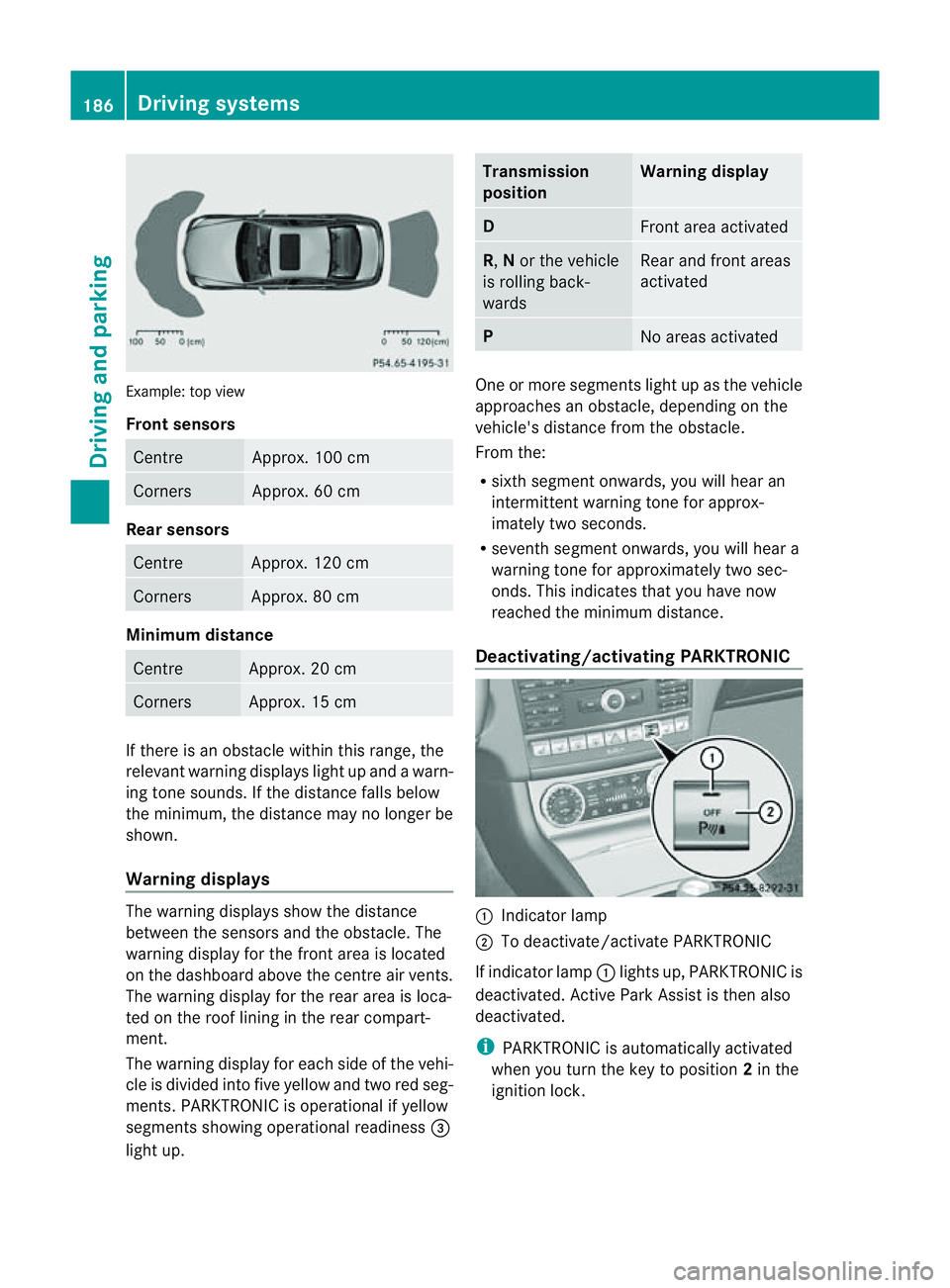
Example: top view
Front sensors
Centre Approx. 100 cm
Corners Approx. 60 cm
Rea
rsensors Centre Approx
.120 cm Corners Approx
.80cm Minimum distance
Centre Approx
.20cm Corners Approx
.15cm If there is an obstacle within this range, the
relevant warning displays light up and awarn-
ing tone sounds. If th edistanc efalls below
the minimum, the distanc emay no longer be
shown.
Warning displays The warning displays sho
wthe distance
between th esensor sand th eobstacle. The
warning display for the fron tarea is located
on the dashboard above the centre air vents.
The warning display for the rear area is loca-
ted on the roof lining in the rear compart-
ment.
The warning display for each side of the vehi-
cle is divided into five yellow and two red seg-
ments. PARKTRONIC is operational if yellow
segments showing operational readiness =
light up. Transmission
position Warning display
D
Front area activated
R,
Nor the vehicle
is rolling back-
wards Reara
nd front areas
activated P
No area
sactivated One or more segments light up as the vehicle
approache
sanobstacle, depending on the
vehicle's distance from the obstacle.
From the:
R sixth segment onwards, you willh earan
intermitten twarnin gtonef or approx-
imately two seconds.
R sevent hsegment onwards, you will hear a
warning tonef or approximately two sec-
onds. This indicates that you have now
reached the minimum distance.
Deactivating/activating PARKTRONIC :
Indicator lamp
; To deactivate/activate PARKTRONIC
If indicator lamp :lights up, PARKTRONIC is
deactivated. Active Park Assist is then also
deactivated.
i PARKTRONIC is automatically activated
when you turn the key to position 2in the
ignition lock. 186
Driving systemsDriving and parking
Page 190 of 373
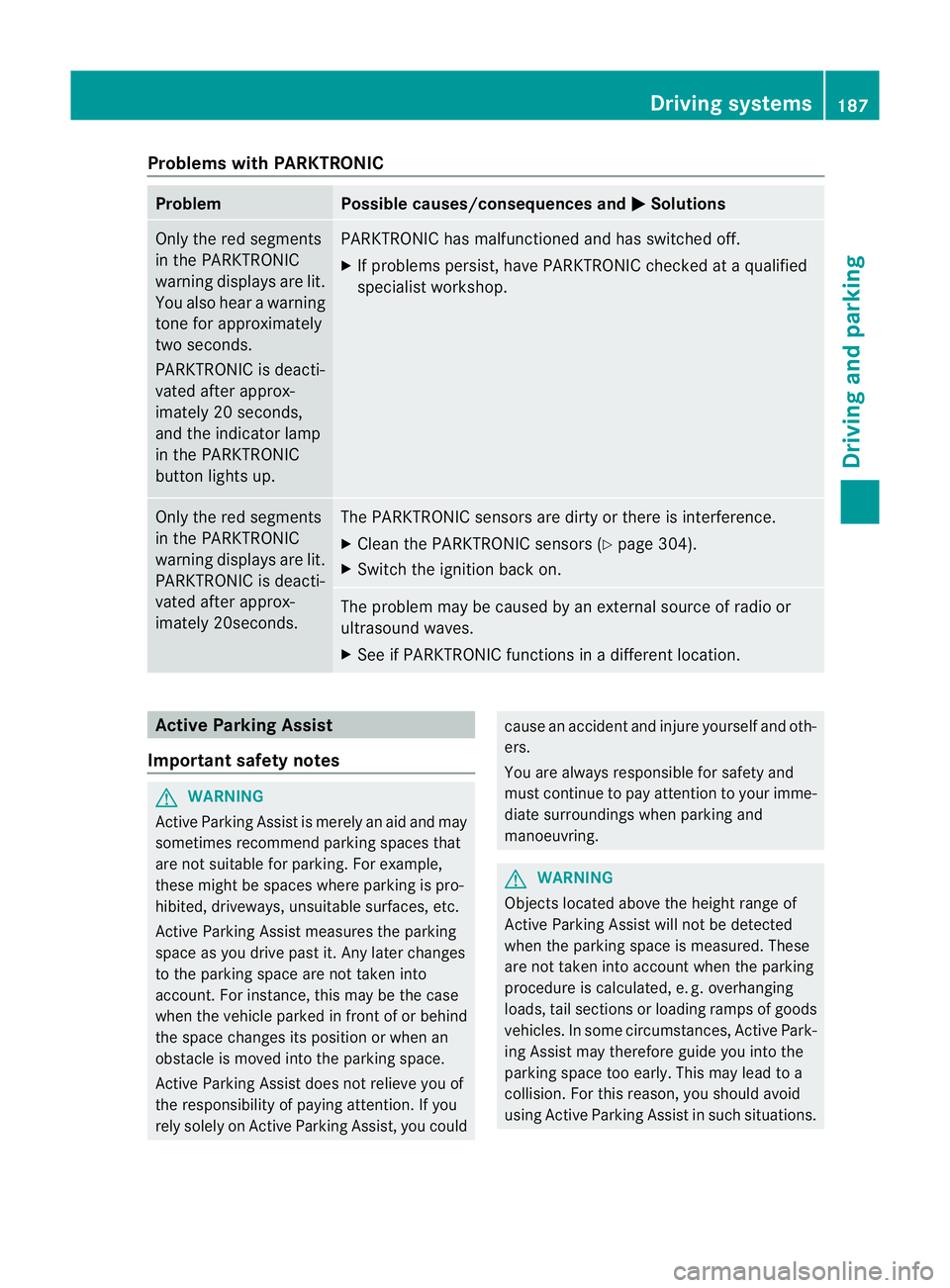
Problems with PARKTRONIC
Problem Possible causes/consequences and
M Solutions
Only the red segments
in the PARKTRONIC
warning displaysa
re lit.
You also hear awarning
tone for approximately
two seconds.
PARKTRONIC is deacti-
vated after approx-
imately 20 seconds,
and the indicator lamp
in the PARKTRONIC
button lights up. PARKTRONIC has malfunctioned and has switched off.
X
If problems persist, have PARKTRONIC checked at aqualified
specialist workshop. Only the red segments
in the PARKTRONIC
warning displaysa
re lit.
PARKTRONIC is deacti-
vated after approx-
imately 20seconds. The PARKTRONIC sensors are dirty or there is interference.
X
Cleant he PARKTRONIC sensors (Y page 304).
X Switch the ignition back on. The problem may be caused by an external source of radio or
ultrasound waves.
X
See if PARKTRONIC functions in adifferent location. Active Parking Assist
Important safety notes G
WARNING
Active Parking Assist is merely an aid and may
sometimes recommendp arking spaces that
are not suitable for parking. For example,
these might be spaces where parking is pro-
hibited, driveways, unsuitable surfaces, etc.
Active Parking Assist measures the parking
space as you drive past it. Any later changes
to the parking space are not taken into
account. For instance, this may be the case
when the vehicle parked in front of or behind
the space changes its position or when an
obstacle is moved into the parking space.
Active Parking Assist does not relieve you of
the responsibility of paying attention. If you
rely solely on Active Parking Assist, you could cause an accident and injure yourself and oth-
ers.
You are always responsible for safety and
must continue to pay attention to your imme-
diate surroundings when parking and
manoeuvring.
G
WARNING
Objectsl ocated above the height range of
Active Parking Assist will not be detected
when the parking space is measured. These
are not taken into account when the parking
procedure is calculated, e. g. overhanging
loads, tail sections or loading ramps of goods
vehicles. In some circumstances, Active Park-
ing Assist may therefore guide you into the
parking space too early. This may lead to a
collision. For this reason, you should avoid
using Active Parking Assist in such situations. Driving systems
187Driving and parking Z
Page 192 of 373
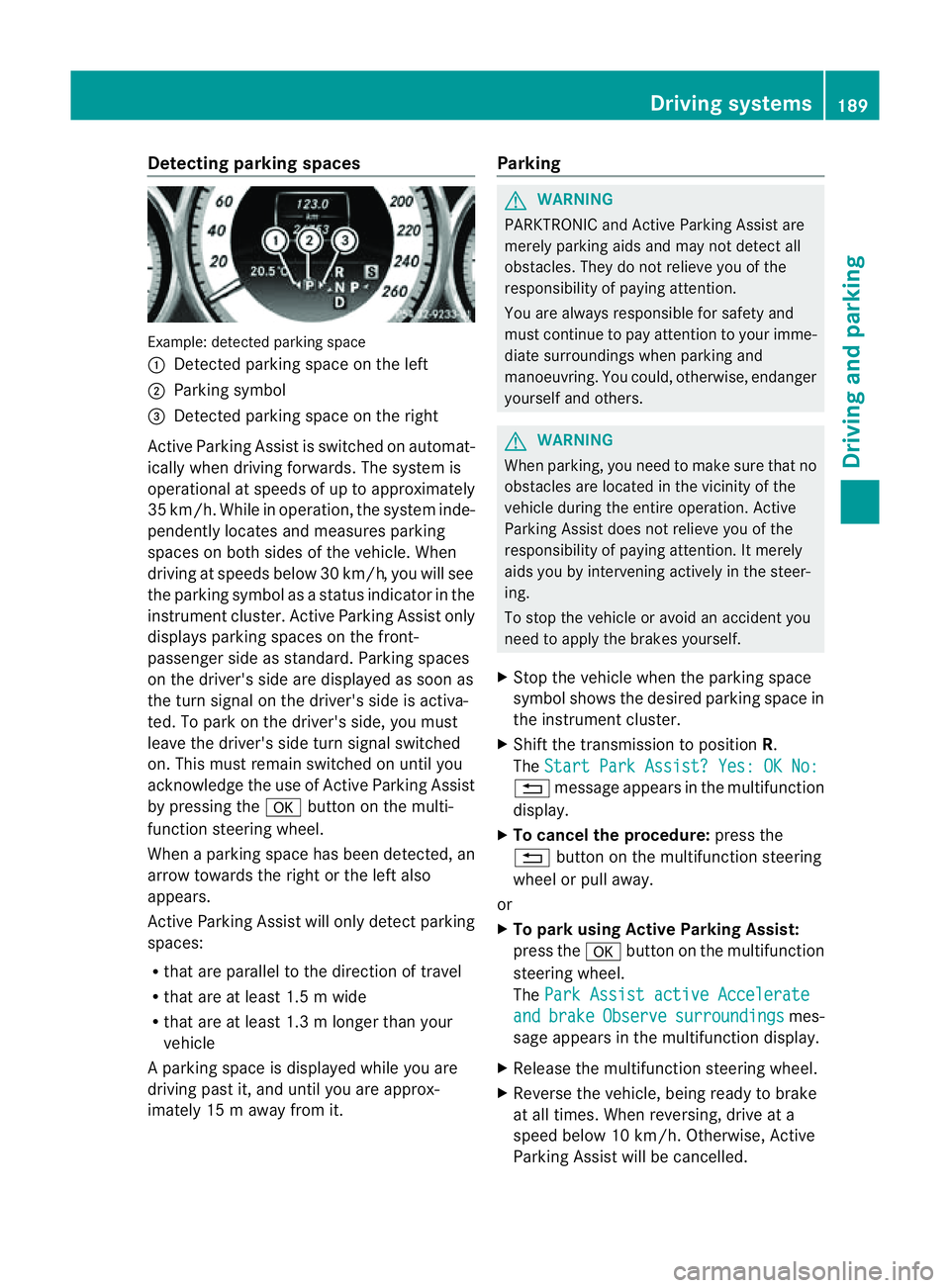
Detecting parking spaces
Example: detecte
dparking space
: Detected parking spac eontheleft
; Parking symbol
= Detected parking spac eontheright
Active Parking Assis tisswitched on automat-
ically when driving forwards. The system is
operational at speed sofuptoapproximately
35 km/h. While in operation, th esystem inde-
pendently locates and measures parking
spaces on bot hsides of th evehicle. When
driving at speeds below 30 km/h, you will see
th ep arkin gsymbol as astatu sind icator in the
instrumen tcluster .Active Parking Assist only
display sparking spaces on the front-
passenger sid easstandard .Parking spaces
on th edriver' sside are displayed as soon as
th et urns ignal on the driver's side is activa-
ted. To park on the driver's side, you must
leave the driver's side tur nsignal switched
on. This must remain switched on until you
acknowledge the use of Activ eParking Assist
by pressing the abutton on the multi-
function steerin gwheel.
When aparking space has been detected, an
arrow towards the right or the left also
appears.
Activ eParking Assist will only detect parking
spaces:
R that are parallel to the direction of travel
R that are at least 1. 5mwide
R that are at least 1. 3mlonger than your
vehicle
Ap arking spac eisdisplayed while you are
driving past it, and until you are approx-
imately 15 maway from it. Parking G
WARNING
PARKTRONIC and Activ eParking Assist are
merely parking aids and may no tdetec tall
obstacles. They do not reliev eyou of the
responsibilit yofpaying attention.
You are always responsible for safet yand
must continue to pay attention to your imme-
diate surroundings when parking and
manoeuvring. You could, otherwise, endanger
yourself and others. G
WARNING
When parking, you need to make sure that no
obstacles are located in the vicinity of the
vehicle durin gthe entire operation. Active
Parking Assist does not reliev eyou of the
responsibilit yofpaying attention. It merely
aids you by intervenin gactively in the steer-
ing.
To sto pthe vehicle or avoid an accident you
need to apply the brakes yourself.
X Stop the vehicle when the parking space
symbol shows the desired parking space in
the instrumen tcluster.
X Shif tthe transmission to position R.
The Start Park Assist? Yes: OK No: %
message appears in the multifunction
display.
X To cancel the procedure: press the
% button on the multifunction steering
wheel or pull away.
or
X To parku sing Active Parking Assist:
press the abutton on the multifunction
steerin gwheel.
The Park Assist active Accelerate and brake Observe surroundings mes-
sage appears in the multifunction display.
X Release the multifunction steerin gwheel.
X Reverse the vehicle, being ready to brake
at all times. When reversing, drive at a
speed below 10 km/h. Otherwise, Active
Parking Assist will be cancelled. Driving systems
189Driving and parking Z
Page 193 of 373
i
In tight parking spaces, you willa chieve
the best parking results by backing up as
far as possible. When doing so, also
observe the PARKTRONIC messages.
X Stop as soon as PARKTRONIC sounds the
continuous warning tone, if not before.
Manoeuvring may be required in tight park-
ing spaces.
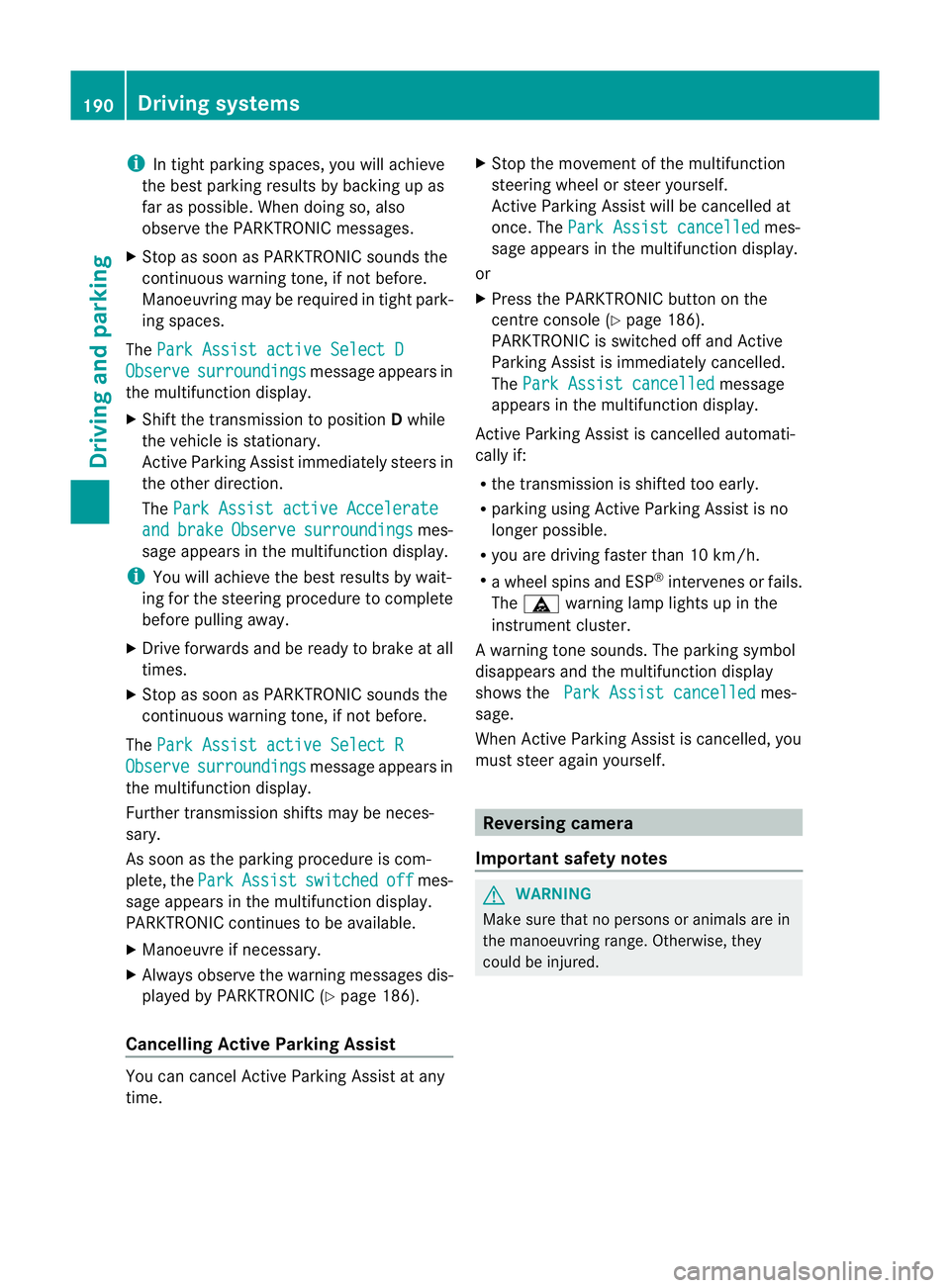
The Park Assist active Select D Observe surroundings messag
eappears in
the multifunction display.
X Shift the transmission to position Dwhile
the vehicle is stationary.
Active Parking Assist immediately steers in
the other direction.
The Park Assist active Accelerate and brake Observe surroundings mes-
sage appears in the multifunction display.
i You willa chieve the best results by wait-
ing for the steering procedure to complete
before pulling away.
X Drive forward sand be ready to brake at all
times.
X Stop as soon as PARKTRONIC sounds the
continuous warning tone, if not before.
The Park Assist active Select R Observe surroundings messag
eappears in
the multifunction display.
Further transmission shifts may be neces-
sary.
As soon as the parking procedure is com-
plete, the Park Assist switched off mes-
sage appears in the multifunction display.
PARKTRONIC continues to be available.
X Manoeuvre if necessary.
X Alwayso bserve the warning messages dis-
played by PARKTRONIC (Y page 186).
Cancelling Active Parking Assist You can cancel Active Parking Assist at any
time. X
Stop the movement of the multifunction
steering wheelors teer yourself.
Active Parking Assist willbec ancelled at
once. The Park Assist cancelled mes-
sage appears in the multifunction display.
or
X Press the PARKTRONIC button on the
centre console (Y page 186).
PARKTRONIC is switched off and Active
Parking Assist is immediately cancelled.
The Park Assist cancelled message
appears in the multifunction display.
Active Parking Assist is cancelled automati-
cally if:
R the transmission is shifted too early.
R parking using Active Parking Assist is no
longer possible.
R you are driving faster than 10 km/h.
R aw hee lspins and ESP ®
intervenes or fails.
The ä warning lamp lights up in the
instrument cluster.
Aw arning tone sounds. The parking symbol
disappears and th emultifunction display
shows the ParkA ssist cancelled mes-
sage.
When Activ eParking Assist is cancelled, you
must steer again yourself. Reversing camera
Important safety notes G
WARNING
Mak esure that no person soranimals are in
th em anoeuvrin grange. Otherwise, they
could be injured. 190
Driving systemsDriving and parking
Page 194 of 373
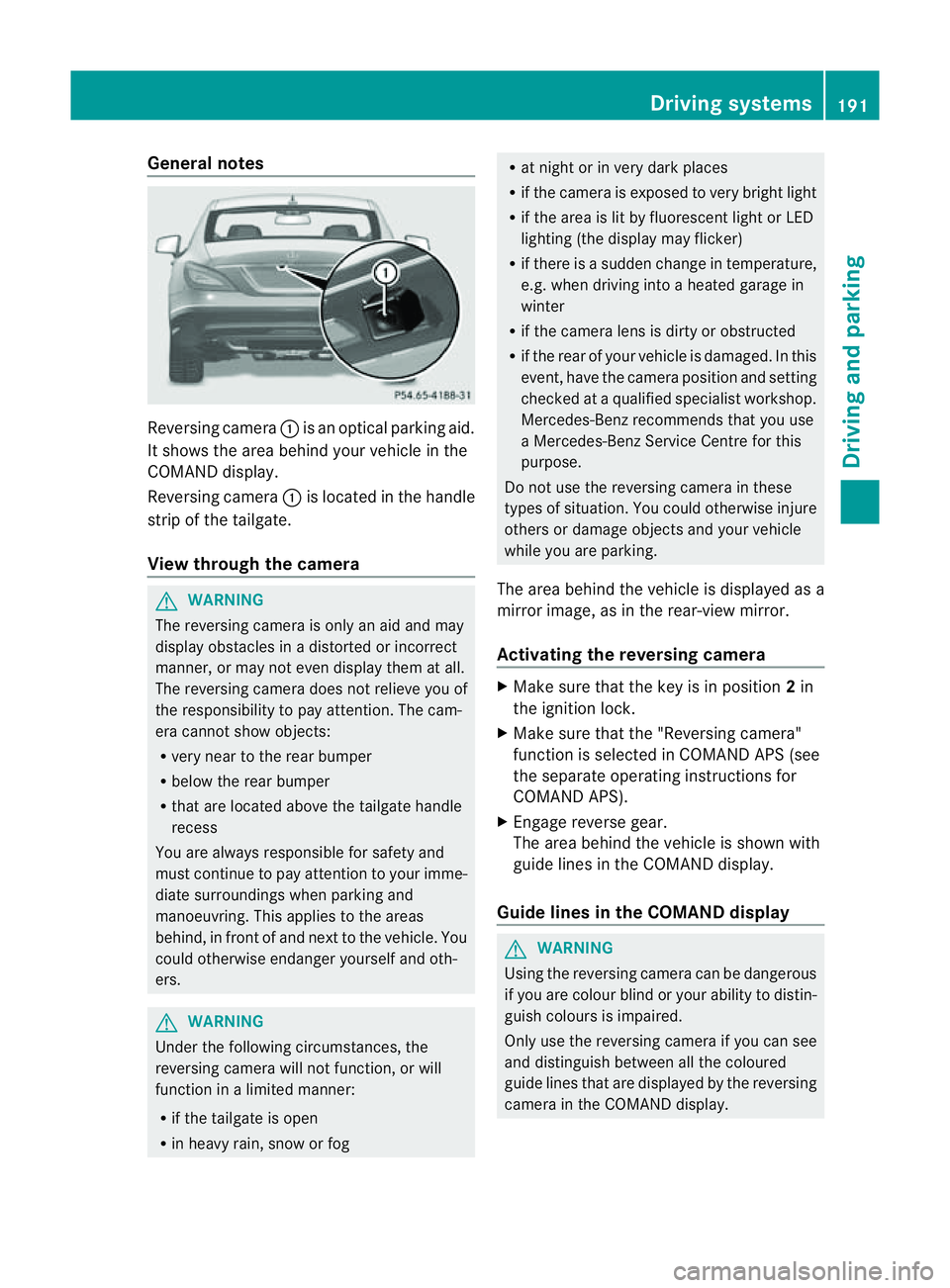
General notes
Reversing camera
:is an optical parking aid.
It shows the area behind yourv ehicle in the
COMAND display.
Reversing camera :is located in the handle
strip of the tailgate.
View through the camera G
WARNING
The reversing camera is only an aid and may
display obstacles in adistorted or incorrect
manner, or may not even display them at all.
The reversing camera does not relieve you of
the responsibility to pay attention .The cam-
era cannot show objects:
R very near to the rear bumper
R below the rear bumper
R that are located above the tailgate handle
recess
You are always responsible for safety and
must continue to pay attention to your imme-
diate surroundings when parking and
manoeuvring. This applies to the areas
behind, in front of and next to the vehicle. You
could otherwise endanger yourself and oth-
ers. G
WARNING
Under the following circumstances, the
reversing camera will not function, or will
function in alimited manner:
R if the tailgate is open
R in heavy rain, snow or fog R
at night or in very dark places
R if the camera is exposed to very bright light
R if the area is lit by fluorescent light or LED
lighting (the display may flicker)
R if there is asudden change in temperature,
e.g. when driving into aheated garage in
winter
R if the camera lens is dirty or obstructed
R if the rear of your vehicle is damaged. In this
event, have the camera position and setting
checked at aqualified specialist workshop.
Mercedes-Ben zrecommends that you use
aM ercedes-Benz Service Centr efor this
purpose.
Do not use the reversin gcamera in these
types of situation .You could otherwise injure
others or damage object sand your vehicle
while you are parking.
The area behind the vehicle is displayed as a
mirror image, as in the rear-view mirror.
Activating the reversing camera X
Make sure that the key is in position 2in
the ignition lock.
X Make sure that the "Reversing camera"
function is selected in COMAND APS (see
the separate operating instructions for
COMAND APS).
X Engage reverse gear.
The area behind the vehicle is shown with
guide lines in the COMAND display.
Guide lines in the COMAND display G
WARNING
Using the reversing camera can be dangerous
if you are colour blind or your ability to distin-
guish colours is impaired.
Only use the reversing camera if you can see
and distinguish between all the coloured
guide lines that are displayed by the reversing
camera in the COMAND display. Driving systems
191Driving and parking Z
Page 195 of 373
G
WARNING
Please note that objects not at ground level
may appear to be further awayt han they
actually are. These include:
R the bumper of avehicl ethat is parked
behind yourv ehicle
R at railer drawbar
R the ball coupling of atrailer tow hitch
R the tail-en dofalorry
R slanted posts
The lines are only guides, not accurat emeas-
urement softhe distanc etoanobstacle.
Therefore, you should never pass the red line
when approaching an obstacle. You could oth-
erwise cause an acciden tand injure yourself
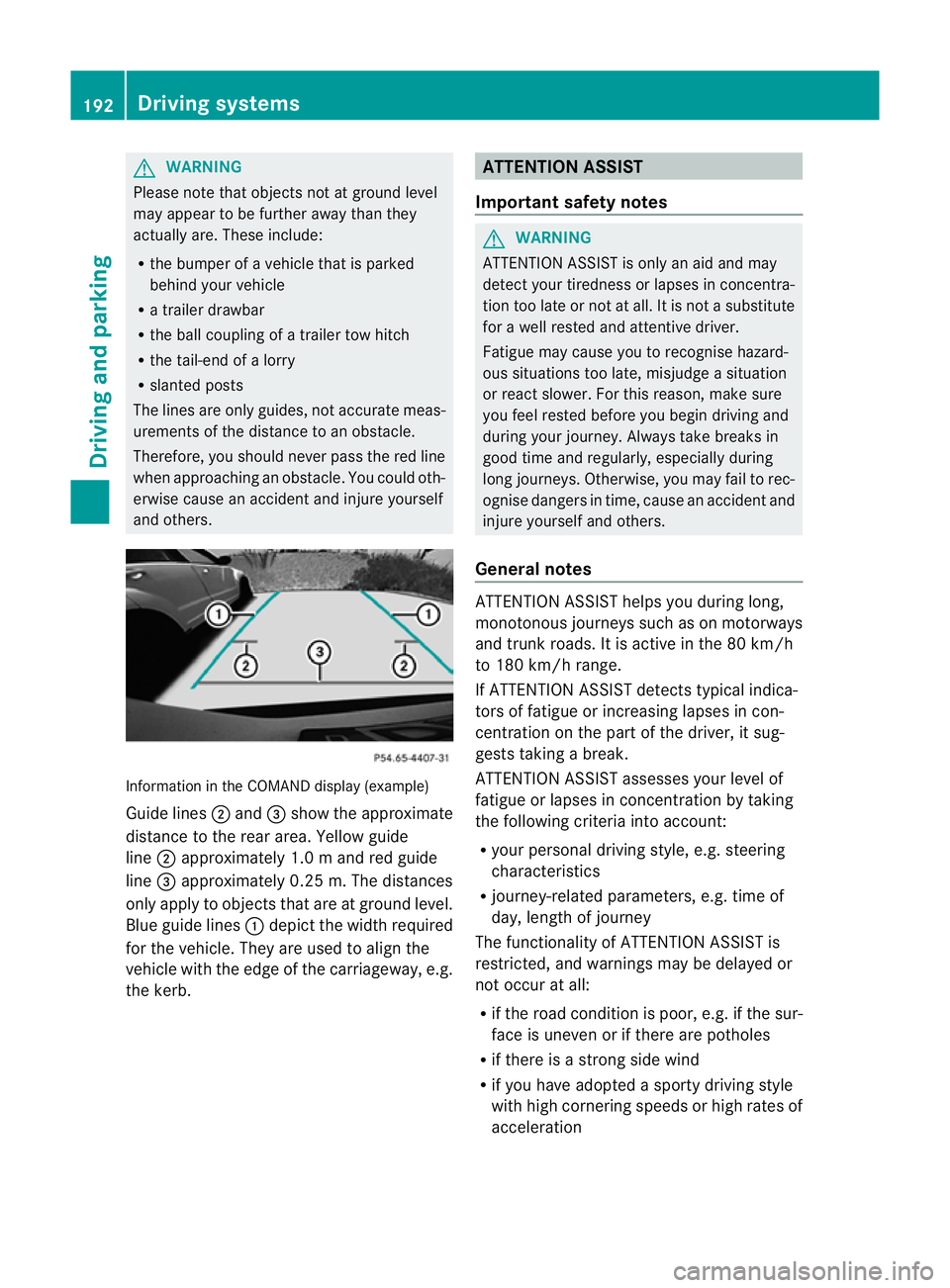
and others. Information in the COMAND display (example)
Guid elines ; and =sho wthe approximate
distance to the rea rarea. Yellow guide
line ;approximatel y1.0ma nd red guide
line =approximatel y0.25 m. Th edistances
only appl ytoobjects that are at ground level.
Blu eguide lines :depict the width required
for the vehicle .They are used to align the
vehicle with the edge of the carriageway ,e.g.
the kerb. ATTENTION ASSIST
Important safety notes G
WARNING
ATTENTIONA SSIST is only an aid and may
detect your tiredness or lapses in concentra-
tion too late or not at all. It is not asubstitute
for aw ell reste dand attentiv edriver.
Fatigue may caus eyou to recognise hazard-
ous situations to olate ,misjudge asituation
or reac tslower. For this reason ,makes ure
you fee lreste dbefore you begin driving and
durin gyour journey. Always tak ebreaks in
good tim eand regularly, especiall yduring
lon gjou rneys. Otherwise, you may fail to rec-
ognise danger sintime, caus eanacciden tand
injure yoursel fand others.
General notes ATTENTIO
NASSIST helps yo uduring long,
monotonou sjourney ssuchasonm otorways
and trunk roads. It is active in the 80 km/h
to 180 km/h range.
If ATTENTIO NASSIST detects typica lindica-
tors of fatigu eorincreasing lapse sincon-
centration on the part of the driver, it sug-
gests taking abreak.
ATTENTIO NASSIST assesses your level of
fatigu eorlapsesinc oncentration by taking
the following criteria into account:
R your persona ldriving style ,e.g. steering
characteristics
R journey-relate dparameters, e.g. time of
day, length of journey
The functionality of ATTENTIO NASSIST is
restricted, and warning smay be delaye dor
not occu ratall:
R if the roa dcondition is poor, e.g. if the sur-
face is uneven or if there are potholes
R if there is astrong sid ewind
R if you have adopted asport ydrivin gstyle
with high cornering speeds or high rates of
acceleration 192
Driving systemsDriving and parking
Page 196 of 373
R
if you are predominantly drivin gslower
than 80 km/h or faster than 180 km/h
R if you are currently using COMAND APS or
making atelephon ecall with COMAND APS
R if the tim ehas been set incorrectly
R in active drivin gsituations, such as when
you change lanes or change your speed
Warning and display messages in the
multifunction display If ATTENTION ASSIS
Tisactive, you will be
warne dnosooner than 20 minutes after your
journey has begun. You the nhear an inter-
mittent warning tonet wice and theAtten‐ tion Assist: Drowsiness detected mes-
sage appears in the multifunction display.
X Activat eATTENTION ASSISTu sing the on-
board computer (Y page 220).
Symbol :appears in the multifunction
display.
X If necessary, take abreak.
X Press the abutton to confirm the mes-
sage.
On long journeys, take regular breaks in good
time to allow yourself to rest properly. If you
do not take abreak, you will be warned again
after 15 minutes at the earliest. This will only
happen if ATTENTION ASSISTs till detects
typical indicators of fatigue or increasing lap-
ses in concentration.
ATTENTION ASSISTisr eset and starts
assessing your tiredness again when you con-
tinue your journey if:
R you switch off the engine.
R you take off your seat belt and open the
driver's door, e.g. for achange of drivers or
to take abreak. Speed Limit Assist
Important safet ynotes G
WARNING
Speed Limit Assist is only an aid and may
detec tspeed limit signs incorrectly or not at
all.
The system may be impaired or may not func-
tion if:
R ther eisp oor visibility, e.g. due to snow,
rain, fog or spray.
R ther eisg lare, e.g. from the sun or from
oncoming traffic.
R the windscreen is dirty, misted up or cov-
ered, for instance by asticker, in the vicinity
of the camera.
R the traffic signs are covered, for instance
by dirt, snow or trees.
R the traffic signs are poorly illuminated.
R ther eare ambiguous traffic signs, for
instance near roadworks or on multi-lane
roads.
Traffic signs always have priorit yover the
Speed Limit Assist display. Speed Limit Assist
cannot detec troad and traffic conditions. It is
not asubstitute for attentive driving.
Always pay attention to traffic condition sand
your surroundings. Otherwise, you may fail to
recognise dangers in time, cause an accident
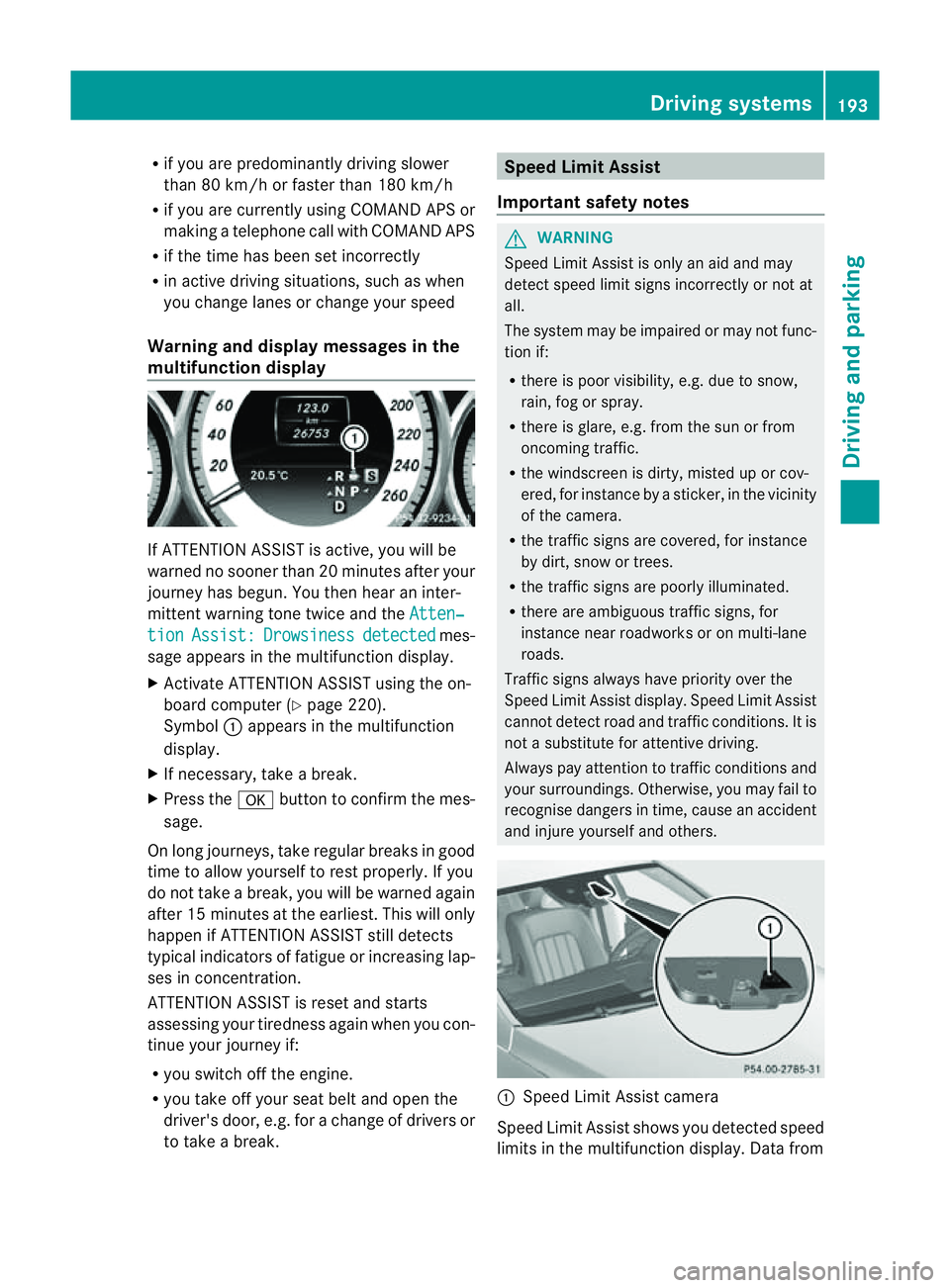
and injure yourself and others. :
Speed Limit Assist camera
Speed Limit Assist shows you detected speed
limits in the multifunction display. Dat afrom Driving systems
193Driving and parking Z