service MERCEDES-BENZ E-CLASS CABRIOLET 2010 Owner's Guide
[x] Cancel search | Manufacturer: MERCEDES-BENZ, Model Year: 2010, Model line: E-CLASS CABRIOLET, Model: MERCEDES-BENZ E-CLASS CABRIOLET 2010Pages: 333, PDF Size: 7.64 MB
Page 204 of 333
up
aB luetooth ®
connection to th eaudio sys-
tem or COMAN DAPS (see the separate oper-
atin ginstructions). G
Risk of accident
Observe the legal requirements of the country
in which you are currently driving regarding
the use of mobile phones in the vehicle.
If it is permitted to use mobile phones while
the vehicle is in motion, you should only use
them whe nthe roa dand traffic conditions
allo w. Ot herwise, you may be distracte dfrom
th et raffi cconditions, cause an accident and
inj urey oursel fand others.
X Switch on the mobil ephone and audi osys-
tem or COMAND APS (see the separate
operating instructions).
X Press the =or; button on the steer-
ing whee ltoselectthe Tel men u.
Yo uw ills ee on eofthe following display mes-
sage sint he multifunctio ndisplay:
R Please ente rPIN:The mobile phone has
been placed in the mobile phone bracket
and the PIN has not been entered.
X Enter the PIN usin gthe mobile phone, LIN-
GUATRONIC ,the audio system or
COMAN DAPS.
The mobil ephone will search for anetwor k.
In the meantime, the Telephone No
Service displaymessage appears in the
multifunction display.
R Telephon eready or thename of the net-
work provider: the mobile phone has found
an etwor kand is ready to receive.
R No Service:Non etworkisa vail able.
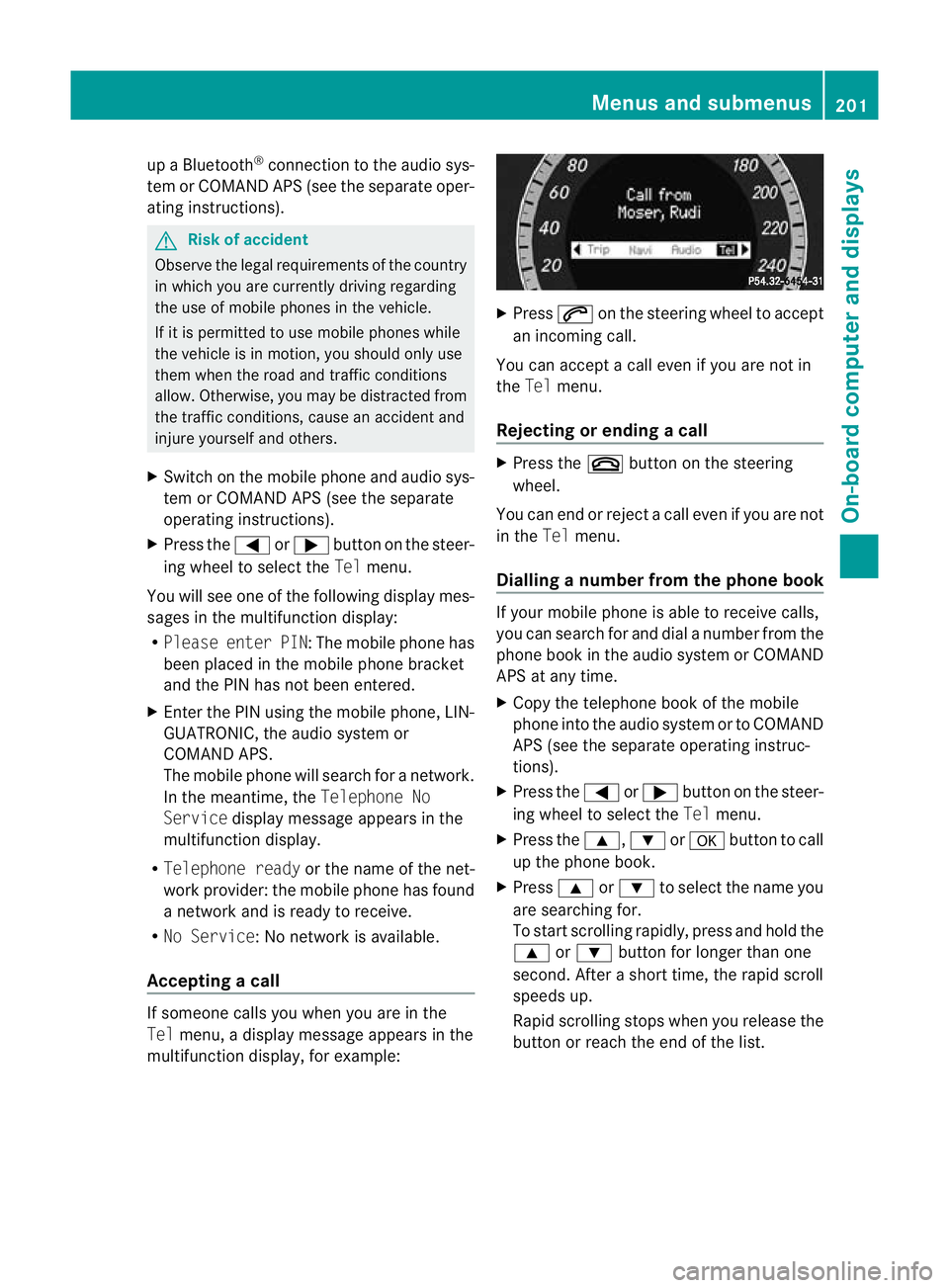
Accepting acall If someone call
syou when you are in the
Tel menu, adisplay message appears in the
multifunction display ,for example: X
Press 6on the steerin gwheel to accept
an incomi ngcall.
You can accep tacall even if you are not in
the Tel menu.
Rejectin gorending acall X
Press the ~buttonont he steering
wheel.
You can end or reject acall even if you are not
in the Telmenu.
Dialling anumbe rfrom the phone book If you
rmobile phone is able to receive calls,
you can search for and dial anumber from the
phone book in the audio system or COMAND
APS at any time.
X Copy the telephone book of the mobile
phone into the audio system or to COMAND
APS (see the separate operating instruc-
tions).
X Press the =or; button on the steer-
ing wheel to select the Telmenu.
X Press the 9,:ora button to call
up the phone book.
X Press 9or: to select the name you
are searching for.
To start scrolling rapidly ,pres sand hol dthe
9 or: button for longer than one
second. After ashort time, the rapid scroll
speeds up.
Rapid scrolling stops when you release the
button or reach the end of the list. Menu
sand submenus
201On-board computer and displays
BA 207ECE ÄJ 2010/1a; 1; 2, en-GB
mkalafa Version: 3.0.2.11 2010-01-26T13:03:22+01:00-Seite 201 Z
Page 207 of 333
X
Press the =or; button on the steer-
ing wheel to select the Assist.menu.
X Press the 9or: button to select
Blin dSpot Asst..
X Press a.
Th ec urren tselection is displayed.
X To activate/deac tivate: press a
again. Servic
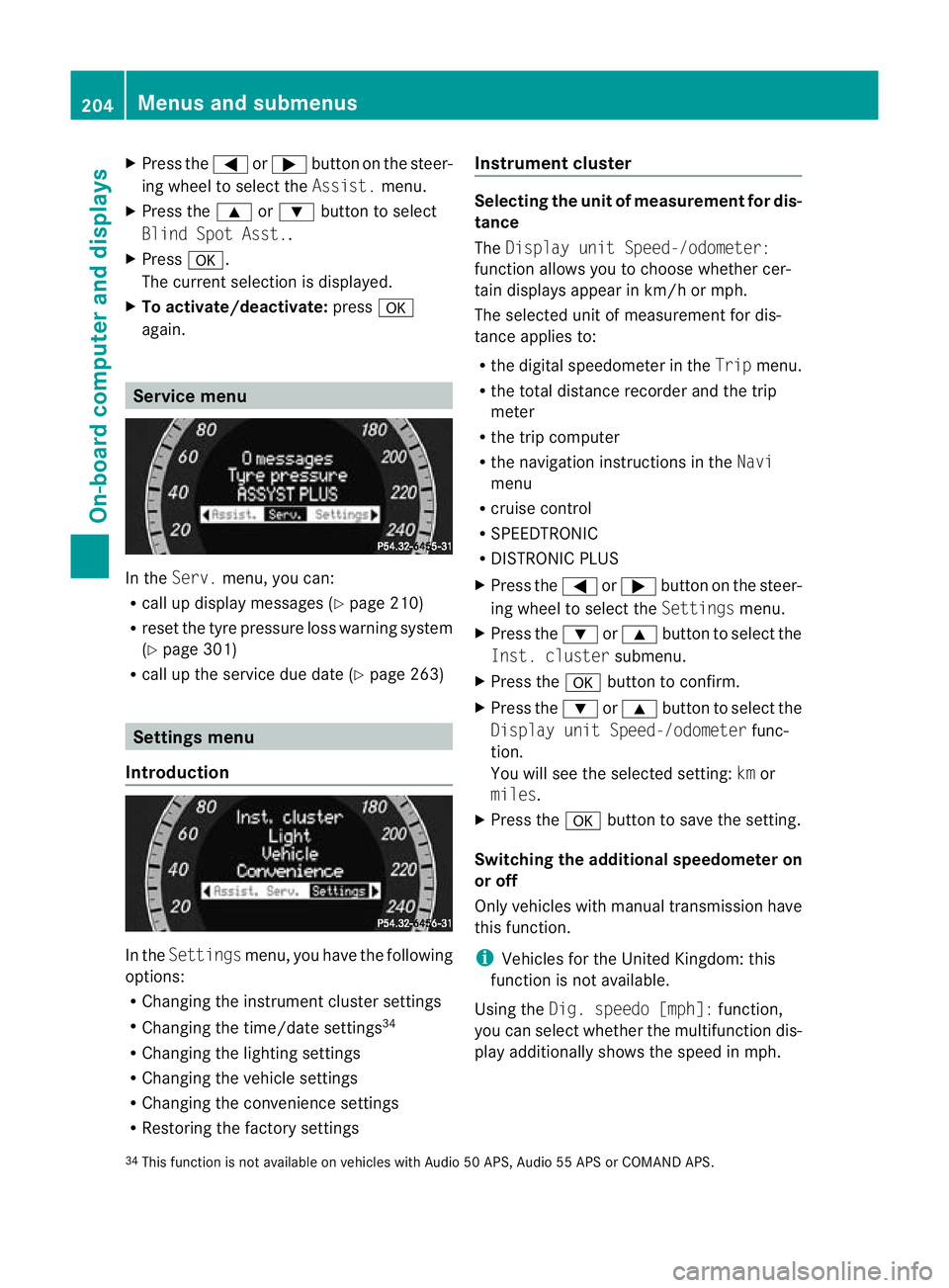
emenu In the
Serv. menu, you can:
R call up display messages (Y page 210)
R reset the tyre pressure loss warnin gsystem
(Y page 301)
R call up the service due date (Y page 263)Settings menu
Introduction In the
Settin gsmenu ,you have the following
options:
R Changing the instrumen tcluster settings
R Changing the time/date settings 34
R Changing the lighting settings
R Changing the vehicle settings
R Changing the convenience settings
R Restorin gthe factory settings Instr
ument cluster Selecting the unit of measurement for dis-
tance
The
Displa yunit Speed-/odometer:
functio nallows you to choose whether cer-
tain displays appear in km/ horm ph.
The selected unit of measuremen tfor dis-
tan ceapplies to:
R the digital speedometer in the Tripmenu.
R the total distance recorder and the trip
meter
R the trip computer
R the navigation instructions in the Navi
menu
R cruise control
R SPEEDTRONIC
R DISTRONIC PLUS
X Press the =or; button on the steer-
ing wheel to select the Settingsmenu.
X Press the :or9 button to select the
Inst .cluster submenu.
X Press the abuttontoc onfirm.
X Press the :or9 button to select the
Displa yunit Speed-/odometer func-
tion.
Yo uw ill see the selected setting: kmor
miles.
X Press the abutton to save the setting.
Switching the additional speedometer on
or off
Only vehicles with manual transmission have
this func tion.
i Vehicles for the United Kingdom: this
func tion is not available.
Usin gthe Dig. speedo [mph]: function,
you can select whether the multifunc tion dis-
play additionally shows the speed in mph.
34 This func tion is not available on vehicles with Audio 50 APS, Audio 55 APS or COMAN DAPS. 204
Menus and submenusOn-board computer and displays
BA 20
7ECE ÄJ 2010 /1a; 1; 2, en-GB
mkalafa Version: 3.0.2.11 2010-01-26T13:03:22+01:00 -Seite 204
Page 213 of 333

Displa
ymessages Hiding display messages
Display message sappear in th emultifunction display.
X Press the aor% button on the steering wheel to hide the display message.
The display message is cleared.
The multifunction display shows high-priority display messages in red.
You cannot hide display messages of the highest priority. The multifunction display shows
these messages con tinuously until the cause sfor the messages have been remedied.
Certain display message sare accompanie dbyanaudible warning tone or acontinuou stone.
Please respon dinaccordance with the displa ymessages and follow the additional notes in
this Owner's Manual.
When you stop and park the vehicle, please observ ethe notes on HOL D(Ypage 172) and
parking (Y page 153). Message memory
The on-boar dcomputer save scertain display messages. You can call up the display messages
in the message memory .
X Press the =or; button on the steerin gwheel to selec tthe Service menu.
If ther eare displa ymessages, the multifunction display shows, for example, 2messages.
X Press the 9or: buttontos elect the entry, e.g. 2messages.
X Confirm with a.
X Using 9or:,s croll through the displa ymessages.
When the ignition is switched off ,all display messages are deleted apart from some high-
priority display messages. Onc ethe causes of the high-priority displa ymessages have been
rec tified, th ecorrespondin gdisplay messages are also deleted. 210
Display messagesOn-bo
ardc omputer and displays
BA 20 7ECE ÄJ 2010/1a; 1; 2, en-GB
mkalafa Version: 3.0.2.11 2010-01-26T13:03:22+01:00-Seite2 10
Page 236 of 333

Displa
ymessages Possible causes/consequences and
M Solutions
D Po
wer
steering
malfunc‐
tio nS ee
Owner's
Manual G
Risk of accident
Th ep owe rsteering assistance is fau lty. Yo uwilln eedtou se
mor eforce to steer.
Aw arning ton ealso sounds.
X Chec kwhether you ar eable to apply the extr aforce
required.
X If yo uare able to steer safely: carefully drive on to a
qualified specialis tworkshop.
X If yo uare unable to steer safely: do not drive on. Contact
the nearest qualified specialis tworkshop. No
service No service Your vehicle is outside the network provider's transmitter/
receive
rrange.
X Wait until the mobile phone operational readiness symbol
appears in the multifunction displ ay.K Converti‐
ble Top
Operation
possible
to 40 km/h If yo
udrive at speeds of more than 40 km/h ,you cannot open
or close the roof.
X Fully open or close the soft top (Y page 77).K To
pl ower‐
ing Th
es oft top is not fully opened or closed. The hydraulics are
depressurised.
X Fully open or close the soft top (Y page 77).K Open/
clos
etop
completely Th
er oof is not locked. If you driv eatspeeds of mor ethan
40 km/h, you cannot open or close the roof.
X If you ar edriving at speeds of more than 40 km/h ,reduce
your speed.
X Push or pull the soft-top switch (Y page 77)until the soft
top is fully ope norclosed. Display messages
233On-board computer and displays
BA 207ECE ÄJ 2010 /1a;1;2,e n-GB
mkalafa Version: 3.0.2.11 2010-01-26T13:03:22+01:00-Seite 233 Z
Page 257 of 333
Mob
ilep hone G
Ris
kofa ccident
Observe the lega lrequirements of the country
in which you are currently driv ingr egarding
operating mobile communications equipment
in av ehicle.
If it is permitted by law to operate communi-
cations equipment while the vehic leis in
motion, you must only do so if the traffic sit-
uation permits. Otherwise, you could be dis-
tracted from the traffic conditions, cause an
accident and injur eyourself and others.
Two-way rad iosa nd fax equipment use dwith-
out low-reflection exter iora erials can inter-
fere with the vehicle's electronics and thereby
jeopardis ethe operating safety of the vehicle
and your safety. Therefore, you must only use
this equipment if it is correctly connected to
as eparate reflection-free exterior aerial. G
Risk of injury
Excessive levels of electromagnetic radiation
may cause damage to your health and the
health of others. Usin ganexterior aerial takes
into account current scientific discussions
relating to the possible health risk posed by
electromagnetic fields.
To ensure optimum reception quality for
mobil ephones in the vehicle and to minimise
mutua linfluences between the vehicl eelec-
tronics and mobile phones, Mercedes-Benz
recommends the use of an approved exterior
aerial. An exterior aerial conduct sthe elec-
tromagnetic fields generated by awireless
device to the exterior of the vehicle; the field
strength within the vehicle interior is lower
than in avehicle that does not have an exte-
rior aerial.
i There are various mobile phone brackets
that may be fit tedtoy our vehicle; in some
cases, these ar ecountry-specific. You can
obtain these mobile phone bracke ts from a
qualified specialist workshop, e.g. a
Mercedes-Benz Servic eCentre. The functions and services available when
you use the phone depend on your mobile
phone model and service provider.
Inserting the mobile phone
X Open the telephone compart ment
(Y page 245).
X Place the mobil ephone bracket int othe
pre-installed bracket ;see the separate
mobile phone bracket installation instruc-
tions.
X Insert the mobile phone into the mobile
phone bracket ;see the separate mobile
phone bracket installation instructions.
If the mobile phone is inser tedint he mobile
phone bracket ,you can speak to the person
you ar ecalling using the hands-free system.
You can operate the telephone using the
6 and~ button sonthe multifunc tion
steerin gwheel. You can operate other mobile
phone func tions via the on-boar dcomputer
(Y page 200).
When you tak ethe key out of the ignition lock,
the mobile phone stay sonb ut you can no
longer use the hands-free system.
If you are making acall and you would like to
take the key out of the ignition lock, first
remove the mobile phone from the bracket.
Otherwise, the call will be ended. Floormat on the driver'
sside G
Risk of accident
Make sure that there is sufficien tclearance
around the pedals when floormats are used,
and that the floormats are properly secured.
The floormats must be correctly secured at all
times using retainer sand press-s tuds.
Befor eyou driv eoff, check the floormat sand
secure if necessary. Afloormat which is not
properly secured can slip and, thereby, inter-
fere with the movemen tofthe pedals.
Do not plac efloormats on top of one another. 254
FeaturesLoading
,stowin gand features
BA 20 7ECE ÄJ 2010/1a; 1; 2, en-GB
mkalafa Version: 3.0.2.11 2010-01-26T13:03:22+01:00 -Seite 254
Page 258 of 333
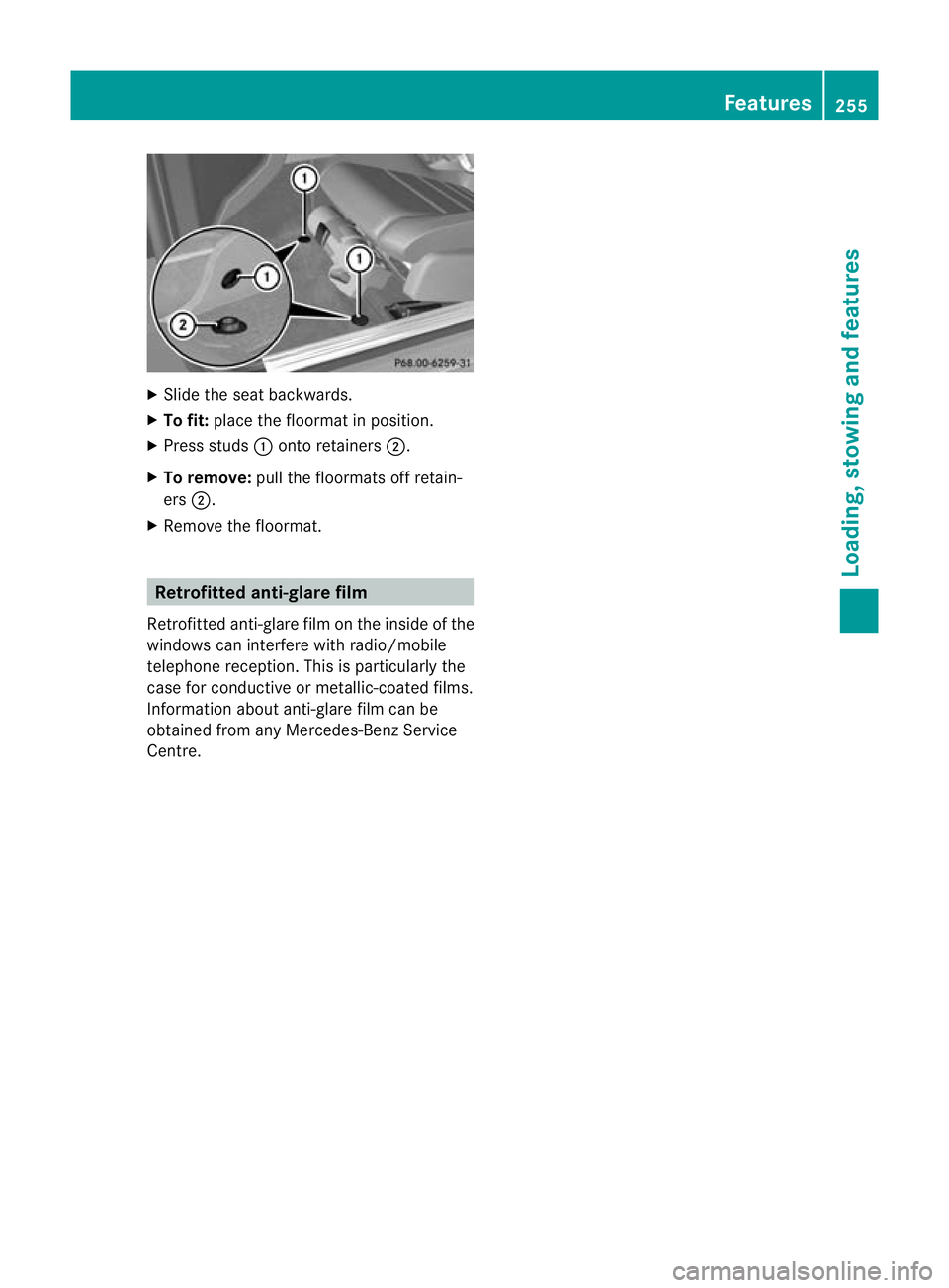
X
Slide the se at backwards.
X To fit: placethe floormat in position.
X Press studs :onto retainers ;.
X To remove: pull the floormats off retain-
ers ;.
X Remove the floormat. Retrofitted anti-glar
efilm
Retrofitted anti-glare film on th einside of the
windows can interfere with radio/mobile
telephone reception. This is particularly the
case for conduc tiveor metallic-coated films.
Infor mation about anti-glare film can be
obtained from any Mercedes-Benz Service
Centre. Features
255Loading,stowin gand features
BA 20 7ECE ÄJ 2010 /1a;1;2,e n-GB
mkalafa Version: 3.0.2.11 2010-01-26T13:03:22+01:00-Seite 255 Z
Page 260 of 333
Vehicl
eequipment ............................ 258
Engine compartment ........................258
Service ............................................... 262
Care .................................................... 263 257Maintenance and care
BA 20
7ECE ÄJ 2010/1a; 1; 2, en-GB
mkalafa Version:3.0.2.11
2010-01-26T13:03:22+01:0
0-Seite 257
Page 264 of 333
Adding engine oil
H
Environmenta
lnote
When toppin guptheoil, tak ecaren ot to spill
any .Ifo il enter sthe soil or waterways, it is
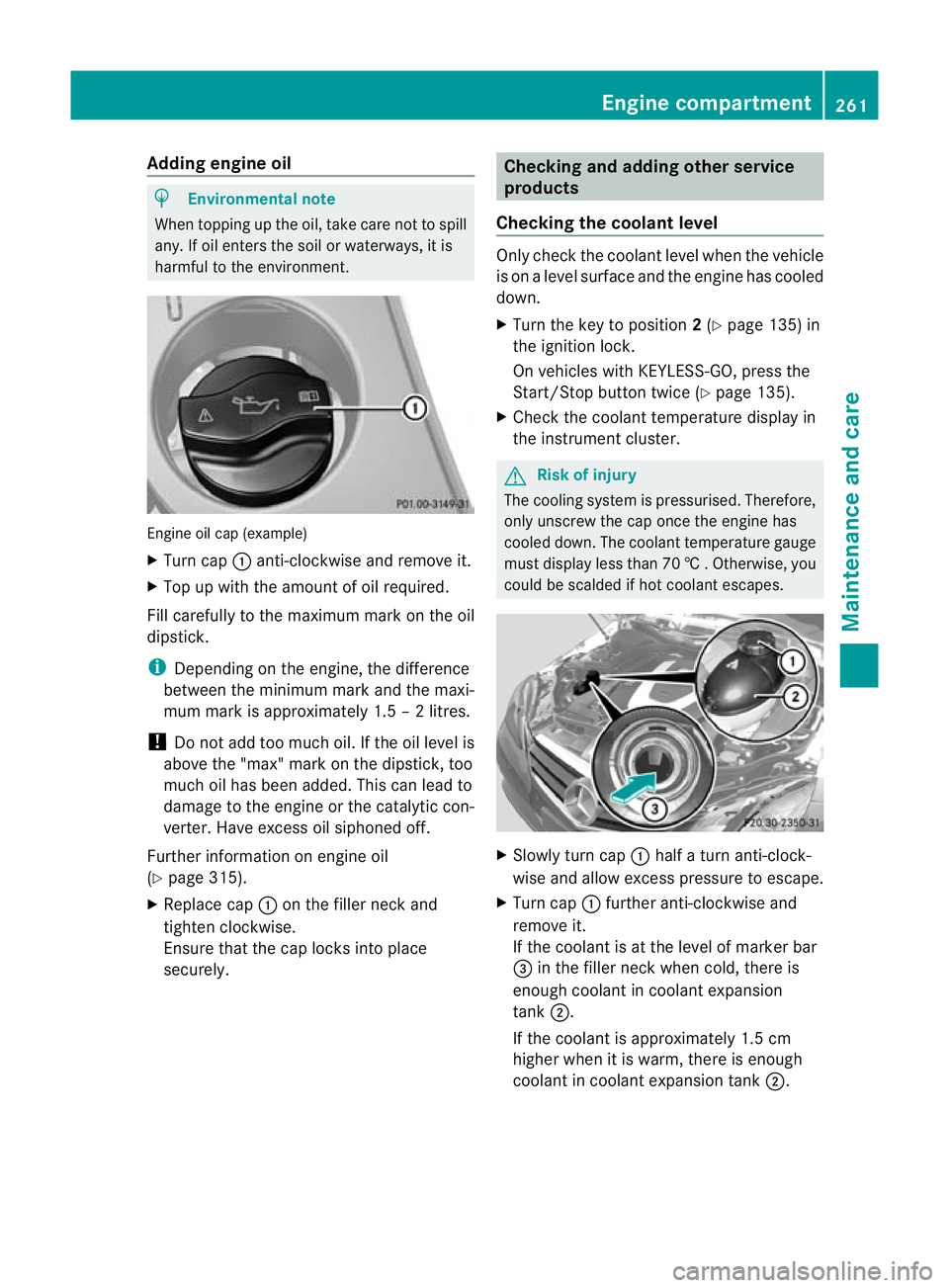
harmful to the environmen t.Engine oil cap (example)
X
Turn cap :anti-clockwise and remove it.
X Top up with the amount of oil required.
Fill carefully to the maximum mark on the oil
dipstick.
i Depending on the engine, the difference
between the minimum mark and the maxi-
mum mark is approximately 1.5 –2litres.
! Do not add too muc hoil. If the oil level is
above the "max "mark on the dipstick, too
much oil has been added. This can lead to
damage to the engine or the catalytic con-
verter .Have excess oil siphoned off.
Further information on engin eoil
(Y page 315).
X Replac ecap : on the filler nec kand
tighten clockwise.
Ensure that the cap locks int oplace
securely. Checking and addin
gother service
products
Checking th ecoolan tlevel Only check th
ecoolant leve lwhen th evehicle
is on alevel surface and th eengine has cooled
dow n.
X Tur nthe ke ytop osition 2(Y page 135) in
th ei gnitio nlock.
On vehicles with KEYLESS -GO, press the
Star t/Stop butto ntwice (Y page 135).
X Check the coolant temperature display in
the instrument cluster. G
Risk of injury
The cooling system is pressurised. Therefore,
only unscrew the cap once the engine has
cooled down. The coolant temperature gauge
must display less than 70 †.Otherwi se,you
could be scalded if ho tcoolant escapes. X
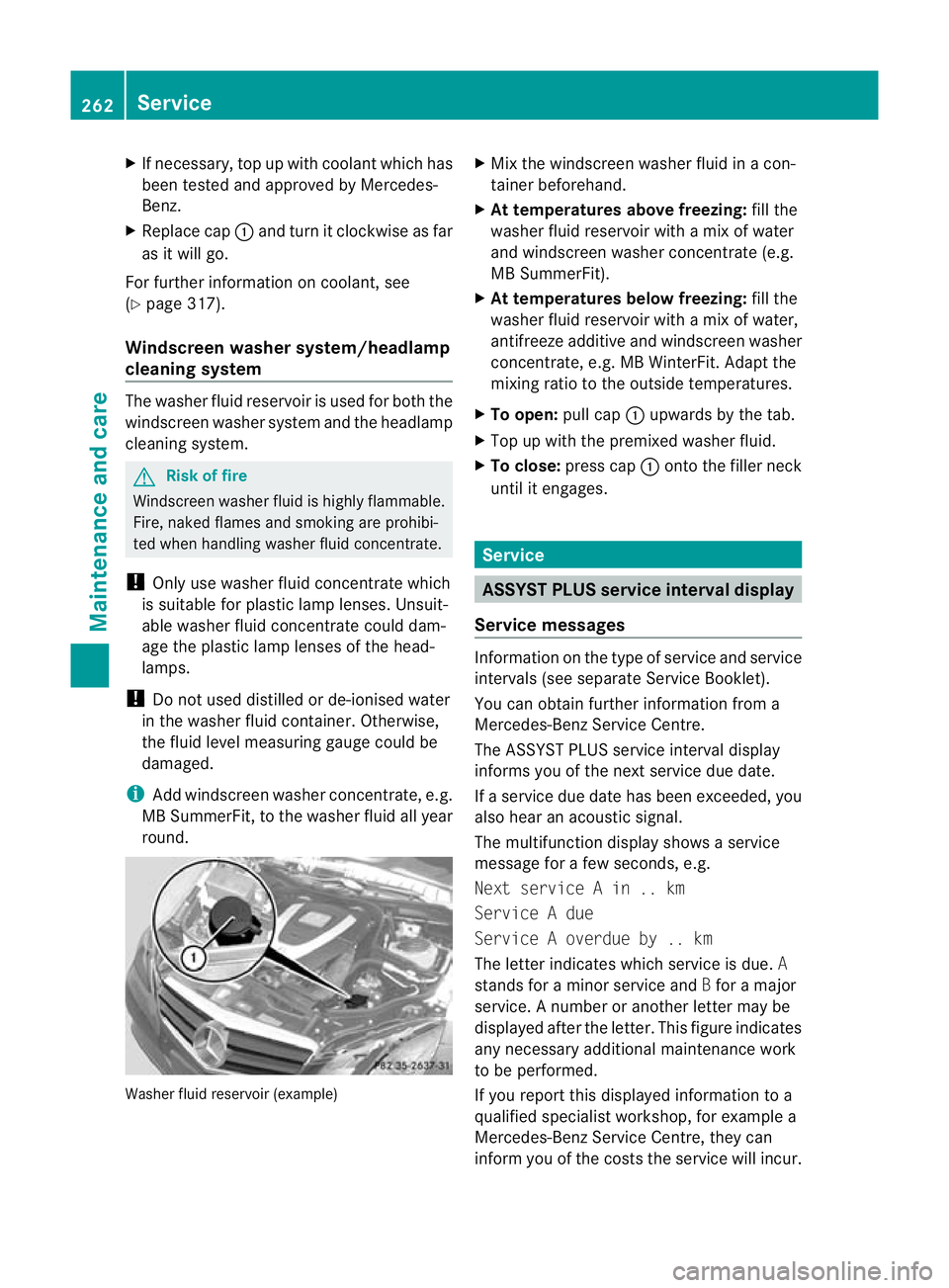
Slowl yturn cap :half aturna nti-clock-
wis eand allo wexcess pressure to escape.
X Turn cap :further anti-clockwis eand
remove it.
If the coolant is at the level of marker bar
= in the filler neck when cold, ther eis
enough coolan tincoolant expansion
tank ;.
If the coolant is approximately 1. 5cm
higher when it is warm, ther eisenough
coolant in coolant expansion tank ;. Engin
ecompartment
261Maintenance and care
BA 207ECE ÄJ 2010/1a; 1; 2, en-GB
mkalafa Version:3.0.2.11
2010-01-26T13:03:22+01:0
0-Seite 261 Z
Page 265 of 333
X
If necessary ,top up with coolant which has
been tested and approved by Mercedes-
Benz.
X Replace cap :and tur nitclockwise as far
as it wil lgo.
For further information on coolant, see
(Y page 317).
Windscreen washer system/headlamp
cleaning system The washer fluid reservoir is used for both the
windscreen washer system and the headlamp
cleaning system. G
Risk of fire
Windscreen washe rfluid is highly flam mable.
Fir e, naked flam es and smoking are prohibi-
ted when handlin gwasher fluid concentrate.
! Only use washe rfluid concentrate which
is suitable for plastic lamp lenses. Unsuit-
able washer fluid concentrate could dam-
age the plastic lamp lenses of the head-
lamps.
! Do not used distilled or de-ionised water
in the washer fluid container. Otherwise,
the fluid level measurin ggauge could be
damaged.
i Add windscreen washe rconcentrate, e.g.
MB Sum merFit, to th ewasher fluid all year
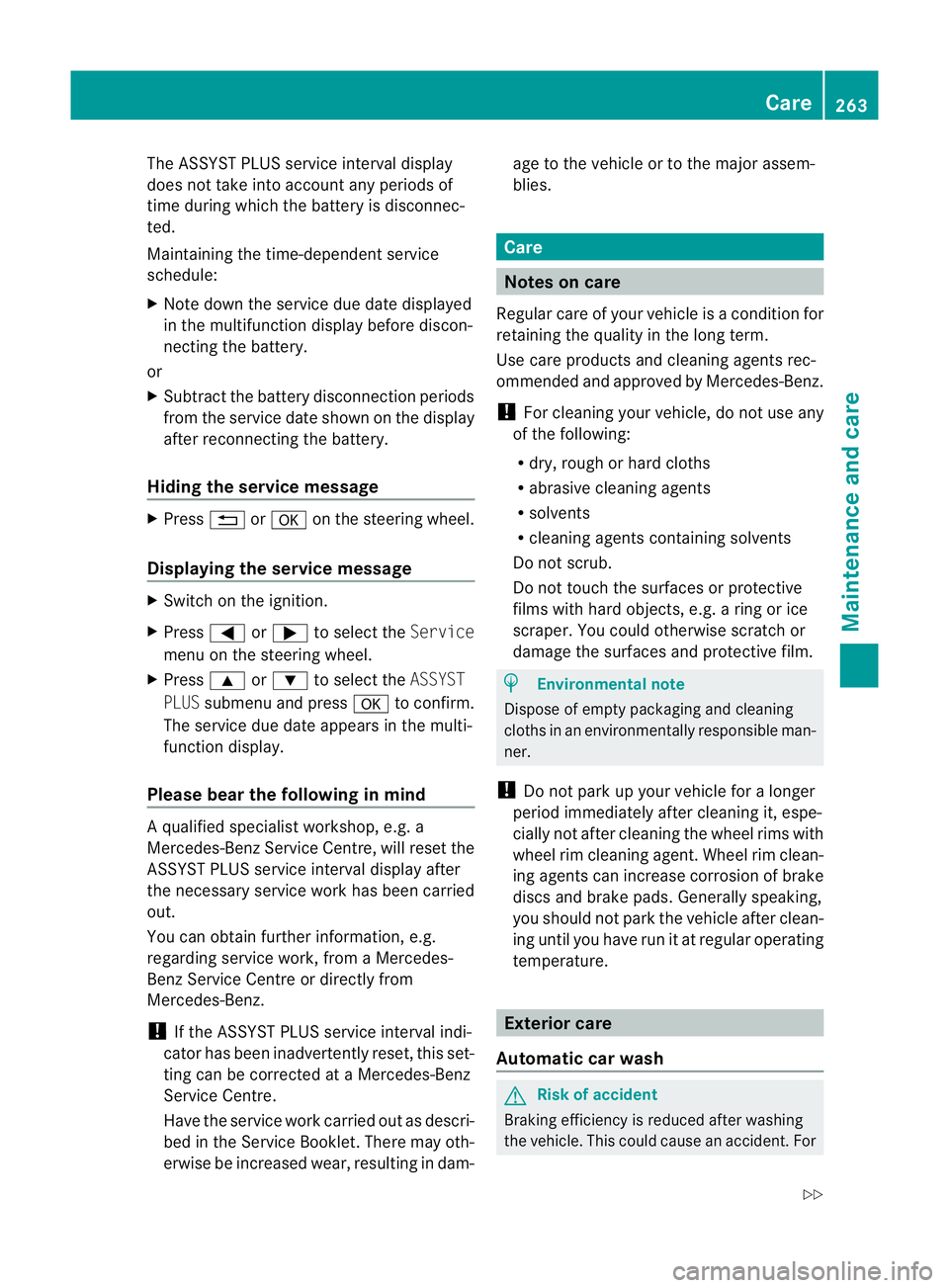
round. Washer fluid reservoir (example) X
Mix the windscreen washe rfluid in acon-
tainer beforehand.
X At temperatures above freezing: fillt he
washer fluid reservoi rwith am ix of water
and windsc reen washer concentrate (e.g.
MB Sum merFit).
X At temperatures belo wfreezing: fill the
washer fluid reservoir with amix of water,
antifreeze additiv eand windscreen washer
concentrate, e.g. MB WinterFit. Adapt the
mixing ratio to the outside temperatures.
X To open: pull cap:upward sbythe tab.
X Top up with the pre mixed washer fluid.
X To close: presscap : ontothe filler neck
until it engages. Service
ASSYST PLUS service interval display
Service messages Informa
tion on the type of service and service
intervals (see separat eServic eBooklet).
You can obtain further information fr om a
Mercedes-Ben zServic eCentre.
The ASSYS TPLUS service interva ldisplay
inform syou of the nex tservice due date.
If as ervic edue date has been exceeded, you
also hear an acoustic signal.
The multifunction display shows aservice
message for afew seconds, e.g.
Next servic eAin..km
Service Adue
Service Aoverdue by .. km
Th eletter indicates which servic eisdue.A
stands for aminor servic eand Bfor am ajor
service. Anumber or another letter may be
displayed after the letter. This figure indicates
any necessary additional maintenanc ework
to be performed.
If you repor tthis displayed information to a
qualified specialist workshop, for example a
Mercedes-Ben zService Cent re,they can
infor myou of the cost sthe service will incur. 262
ServiceMaintenance and care
BA 20
7ECE ÄJ 2010 /1a; 1; 2, en-GB
mkalafa Version: 3.0.2.11 2010-01-26T13:03:22+01:00 -Seite 262
Page 266 of 333
The ASSYST PLU
Sservice interval display
does not take into account any periods of
tim eduring which the battery is disconnec-
ted.
Maintaining the time-dependent service
schedule:
X Note down the service due date displayed
in the multifunction display before discon-
necting the battery.
or
X Subtract the battery disconnection periods
from the service date shown on the display
after reconnecting the battery.
Hiding the service message X
Press %ora on the steering wheel.
Displaying the service message X
Switc hont he ignition.
X Press =or; to selec tthe Service
men uont he steerin gwheel.
X Press 9or: to selec tthe ASSYST
PLUS submenu and press ato con firm.
Th es ervice due date appear sint he multi-
func tion display.
Please bear th efollowing in mind Aq
ualified specialist workshop, e.g. a
Mercedes-Ben zService Cent re,w ill reset the
ASSYST PLU Sservic einterval display after
the necessary service work has bee ncarried
out.
You can obtain further information ,e.g.
regarding servic ework,from aMercedes-
Ben zService Cent reor directly from
Mercedes-Ben z.
! If th eASSYST PLU Sservic einterval indi-
cator has bee ninadvertently reset, this set-
ting can be corrected at aMercedes-Benz
Ser vice Centre.
Have the servic ework carried out as descri-
bed in the Ser vice Boo klet. There may oth-
erwise be inc reased wear, resulting in dam- age to the vehicle or to the major assem-
blies. Care
Notes on care
Regular care of your vehicle is acondition for
retaining the quality in the long ter m.
Use car eproducts and cleaning agent srec-
ommended and approved by Mercedes-Benz.
! For cleanin gyour vehicle, do not use any
of the following:
R dry ,rough or hard cloths
R abrasiv ecleanin gagents
R solven ts
R cleaning agents containing solvents
Do not scrub.
Do not touch the surface sorprotective
films with hard objects ,e.g. aring or ice
scraper .You coul dotherwise scratch or
damage the surfaces and protective film. H
Environmental note
Dispose of empty packaging and cleaning
cloths in an environmentally respo nsible man-
ner.
! Do not park up your vehicle for alonger
period immediately after cleanin git, espe-
cially not after cleaning the whee lrims with
wheel rim cleanin gagent. Wheel rim clean-
ing agent scan increase corrosio nofbrake
discs and brake pads .Generally speaking,
you should not park the vehicle after clean-
ing until you have run it at regula roperating
temperature. Exterior care
Automatic car wash G
Risk of accident
Braking efficiency is reduced after washing
the vehicle. This could cause an accident. For Care
263Maintenance and care
BA 207ECE ÄJ 2010/1a; 1; 2, en-GB
mkalafa Version:3.0.2.11
2010-01-26T13:03:22+01:0
0-Seite 263 Z