engine MERCEDES-BENZ GL-Class 2016 X166 Owner's Manual
[x] Cancel search | Manufacturer: MERCEDES-BENZ, Model Year: 2016, Model line: GL-Class, Model: MERCEDES-BENZ GL-Class 2016 X166Pages: 462, PDF Size: 10.44 MB
Page 286 of 462
iThe multifunction display shows the unit
in the additional speedometer inverse to
the speedometer unit in the instrument
cluster.
XTo change the setting: pressaagain.
Light submenu
Setting the daytime running lamps
iThis function is not available in Canada.
XPress the =or; button on the steer-
ing wheel to select the Sett.
menu.
XPress the:or9 button to select the
Lights
submenu.
XPress ato confirm.
XPress :or9 to select the Daytime
Running Lightsfunction.
If the Daytime Running Lights
function
has been switched on, the cone of light and
the W symbol in the multifunction dis-
play are shown in orange.
XPress the abutton to save the setting.
Further information on daytime running
lamps (
Ypage 130).
Setting the brightness of the ambient
lighting
XPress the =or; button on the steer-
ing wheel to select the Settings
menu.
XPress the:or9 button to select the
Lights
submenu.
XPress ato confirm.
XPress the :or9 button to select the
Ambient Brightness
function.
You will see the selected setting.
XPress ato confirm.
XPress the :or9 button to adjust the
brightness to any level from Off
toLevel 5
(bright).
XPress the aor% button to save the
setting. Setting the ambient lighting color
XPress the
=or; button on the steer-
ing wheel to select the Settings
menu.
XPress the:or9 button to select the
Lights
submenu.
XPress ato confirm.
XPress the :or9 button to select the
Amb. Light Col.
function.
XPress ato confirm.
XPress the :or9 button to set the
color to SOLAR
,NEUTRALor POLAR.
XPress the aor% button to save the
setting.
Surround lighting and exterior lighting
delayed switch-off
XPress the =or; button on the steer-
ing wheel to select the Settings
menu.
XPress the:or9 button to select the
Lights
submenu.
XPress ato confirm.
XUsing :or9, select the Surround
Lightingfunction.
When the Surround Lighting
function is
activated, the light cone and the area
around the vehicle are displayed in orange
in the multifunction display.
XPress the abutton to save the setting.
Deactivating delayed switch-off of the exte-
rior lighting temporarily:
XBefore leaving the vehicle, turn the Smart-
Key to position 0in the ignition lock.
XTurn the SmartKey to position 2in the igni-
tion lock.
The exterior lighting delayed switch-off is
deactivated.
Delayed switch-off of the exterior lighting is
reactivated the next time you start the
engine.
If you have activated the Surround light‐
ingfunction and you turn the light switch to
Ã, the following functions are activated
when it is dark:
284Menus and submenus
On-board computer and displays
Page 287 of 462
Rsurround lighting:the exterior lighting
remains lit for 40 seconds after unlocking
with the SmartKey. If you start the engine,
the surround lighting is switched off and
automatic headlamp mode is activated
(
Ypage 130).
Rexterior lighting delayed switch-off: the
exterior lighting remains lit for 60 seconds
after the engine is switched off. If you close
all the doors and the tailgate, the exterior
lighting goes off after 15 seconds.
iDepending on your vehicle's equipment,
when the surround lighting and delayed
switch-off exterior lighting are on, the fol-
lowing light up:
RParking lamps
RDaytime running lamps
RSide marker lamps
RSurround lighting in the exterior mirrors
Activating/deactivating the interior light-
ing delayed switch-off
If you activate the Light. Delay
function,
the interior lighting remains on for
20 seconds after you remove the SmartKey
from the ignition lock.
XPress the =or; button on the steer-
ing wheel to select the Settings
menu.
XPress the:or9 button to select the
Lights
submenu.
XPress ato confirm.
XPress the :or9 button to select the
Lighting delayed sw.-off
function.
If the Interior
LightingDelayfunction
has been switched on, the vehicle interior is
displayed in orange in the multifunction
display.
XPress the abutton to save the setting.
Vehicle submenu
Activating/deactivating the automatic
door locking mechanism
If you activate the Automatic Door Lock
function, the vehicle is centrally locked above
a speed of approximately 9 mph (15 km/h).
XPress the=or; button on the steer-
ing wheel to select the Sett
menu.
XPress the:or9 button to select the
Vehicle
submenu.
XPress ato confirm.
XPress the :or9 button to select the
Automatic Door Lock
function.
When the Automatic
DoorLockfunction
is activated, the vehicle doors are displayed
in orange in the multifunction display.
XPress the abutton to save the setting.
For further information on the automatic lock- ing feature, see (
Ypage 91).
Activating/deactivating the acoustic
locking verification signal
If you switch on the Acoustic
Lockfunction,
an acoustic signal sounds when you lock the
vehicle.
XPress the =or; button on the steer-
ing wheel to select the Sett.
menu.
XPress:or9 to select the Vehicle
submenu.
XPressato confirm.
XPress the :or9 button to select the
Acoustic Lock
function.
If the Acoustic
Lockfunction is activated,
the & symbol in the multifunction dis-
play lights up orange.
XPress the abutton to save the setting.
Convenience submenu
Activating/deactivating the EASY-
ENTRY/EXIT feature
GWARNING
When the EASY-ENTRY/EXIT feature adjusts
the steering wheel, you and other vehicle
Menus and submenus285
On-board computer and displays
Z
Page 289 of 462
XPressato confirm.
The Reset All Settings?
message
appears.
XPress the :or9 button to select No
orYes.
XPress ato confirm the selection.
If you select Yes
, the multifunction display
shows a confirmation message.
For safety reasons, the Daytime Running
Lightsfunction in theLightssubmenu is
only reset if the vehicle is stationary.
ON&OFFROAD menu
XPress the =or; button on the steer-
ing wheel to select the ON&OFFROAD
menu.
You can set the current settings to appear in
the ON&OFFROAD
menu:
ROn-road program (Ypage 254)
ROff-road program (Ypage 258)
AMG menu (Mercedes-AMG vehicles)
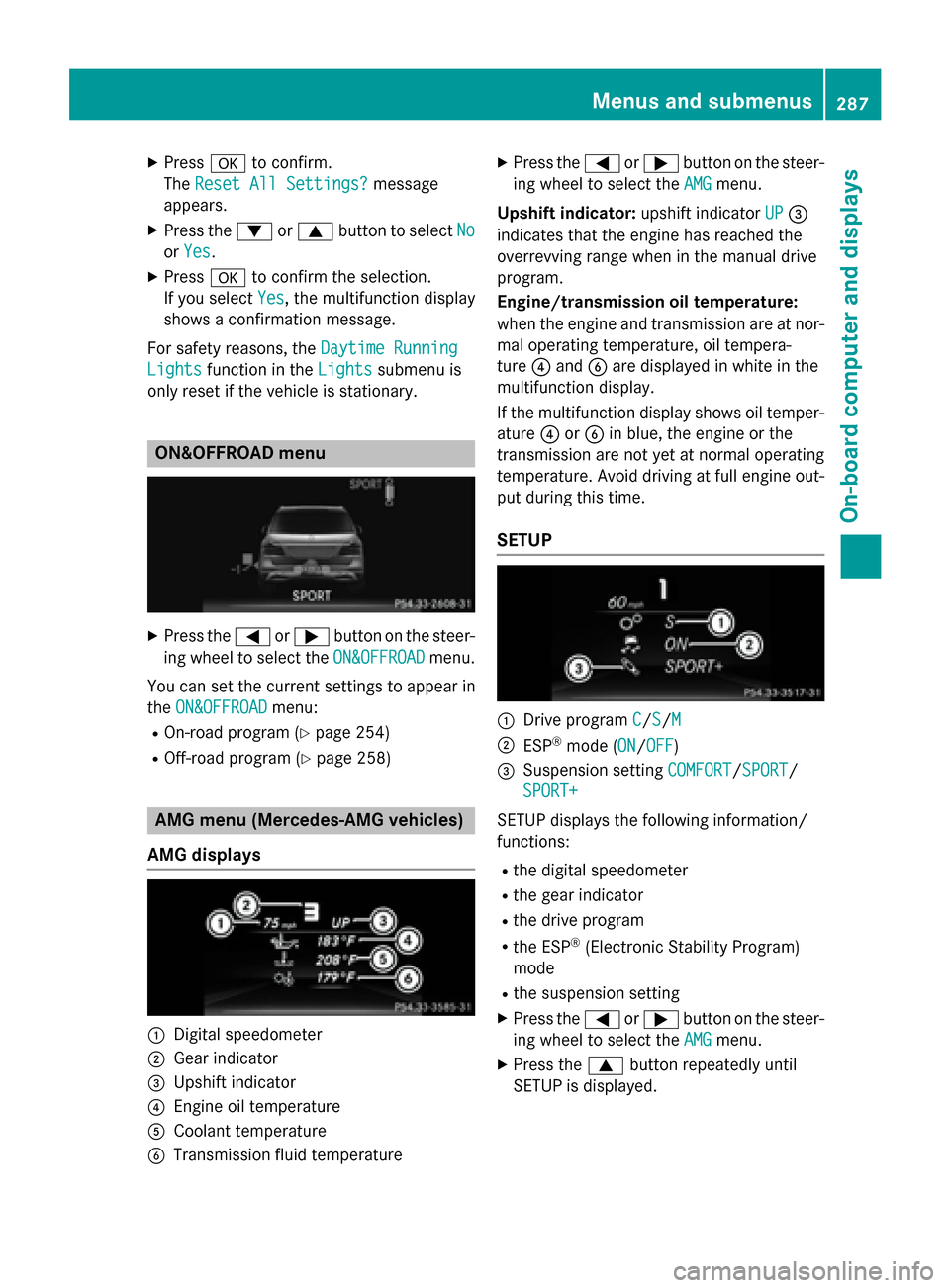
AMG displays
:Digital speedometer
;Gear indicator
=Upshift indicator
?Engine oil temperature
ACoolant temperature
BTransmission fluid temperature
XPress the =or; button on the steer-
ing wheel to select the AMG
menu.
Upshift indicator: upshift indicatorUP
=
indicates that the engine has reached the
overrevving range when in the manual drive
program.
Engine/transmission oil temperature:
when the engine and transmission are at nor-
mal operating temperature, oil tempera-
ture ?and Bare displayed in white in the
multifunction display.
If the multifunction display shows oil temper-
ature ?orB in blue, the engine or the
transmission are not yet at normal operating
temperature. Avoid driving at full engine out-
put during this time.
SETUP
:Drive program C/S/M
;ESP®mode (ON/OFF)
=Suspension setting COMFORT/SPORT/
SPORT+
SETUP displays the following information/
functions:
Rthe digital speedometer
Rthe gear indicator
Rthe drive program
Rthe ESP®(Electronic Stability Program)
mode
Rthe suspension setting
XPress the =or; button on the steer-
ing wheel to select the AMG
menu.
XPress the9button repeatedly until
SETUP is displayed.
Menus and submenus287
On-board computer and displays
Z
Page 290 of 462
RACETIMER
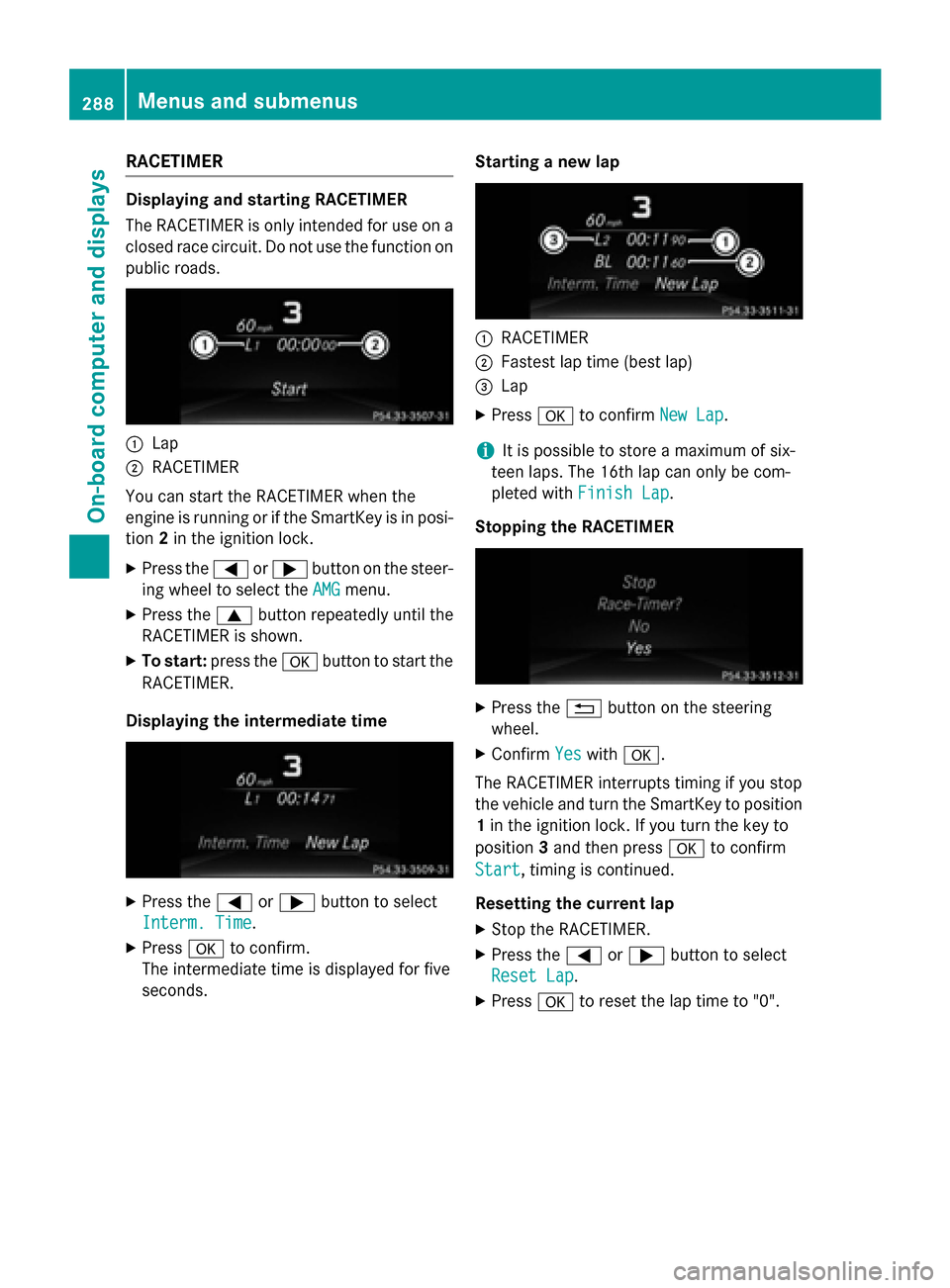
Displaying and starting RACETIMER
The RACETIMER is only intended for use on a
closed race circuit. Do not use the function on
public roads.
:Lap
;RACETIMER
You can start the RACETIMER when the
engine is running or if the SmartKey is in posi-
tion 2in the ignition lock.
XPress the =or; button on the steer-
ing wheel to select the AMG
menu.
XPress the9button repeatedly until the
RACETIMER is shown.
XTo start: press the abutton to start the
RACETIMER.
Displaying the intermediate time
XPress the =or; button to select
Interm. Time
.
XPress ato confirm.
The intermediate time is displayed for five
seconds. Starting a new lap
:RACETIMER
;Fastest lap time (best lap)
=Lap
XPress
ato confirm New Lap.
iIt is possible to store a maximum of six-
teen laps. The 16th lap can only be com-
pleted with Finish Lap
.
Stopping the RACETIMER
XPress the %button on the steering
wheel.
XConfirm Yeswitha.
The RACETIMER interrupts timing if you stop
the vehicle and turn the SmartKey to position
1 in the ignition lock. If you turn the key to
position 3and then press ato confirm
Start
, timing is continued.
Resetting the current lap
XStop the RACETIMER.
XPress the =or; button to select
Reset Lap
.
XPress ato reset the lap time to "0".
288Menus and submenus
On-board computer and displays
Page 291 of 462
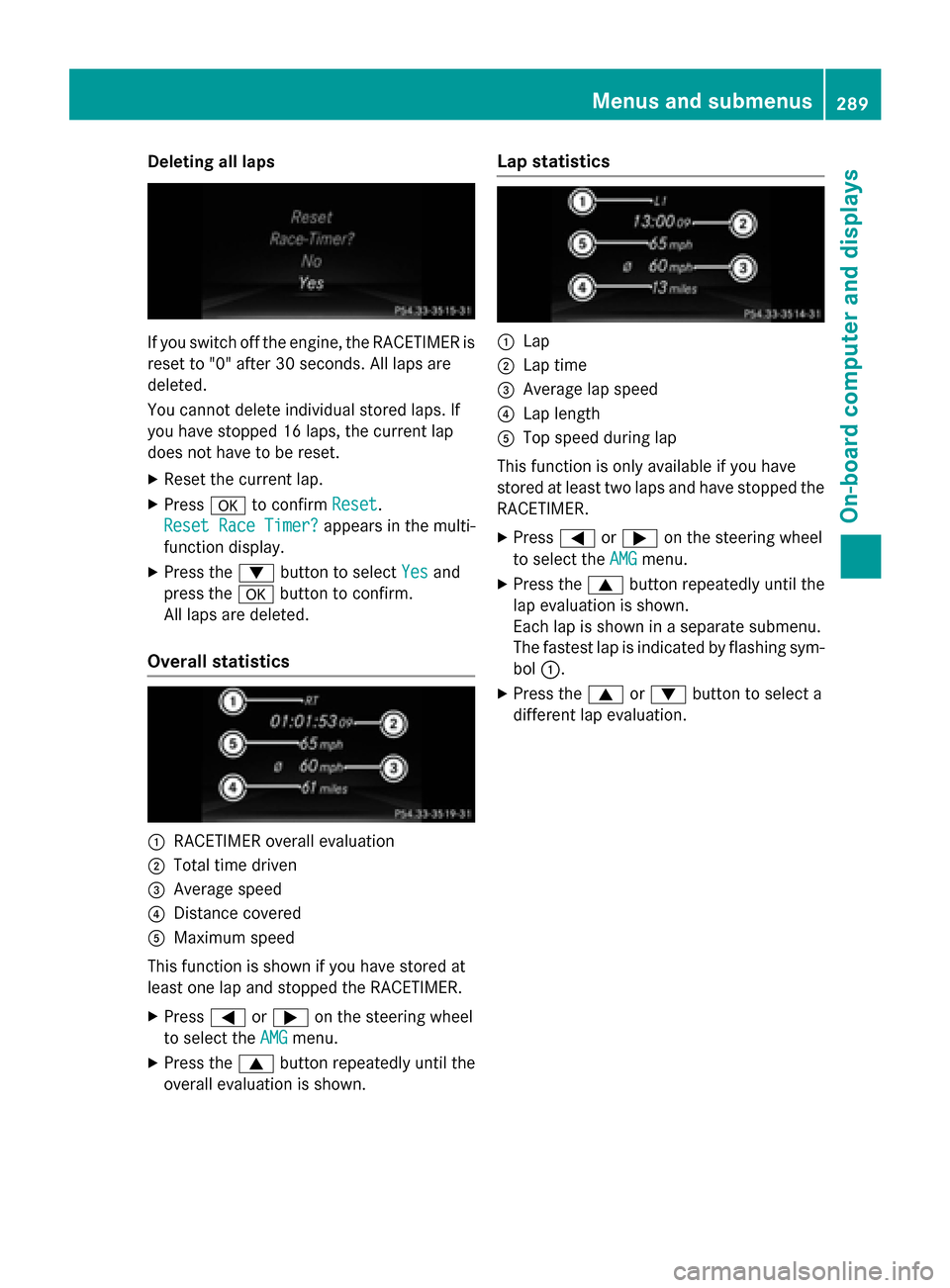
Deleting all laps
If you switch offth eengine, th eRACETIMER is
reset to "0" after 30 seconds. Al llaps are
deleted.
You canno tdelete individual store dlaps .If
you hav estoppe d16 laps ,th ecurren tlap
does no thav eto be reset .
XResetth ecurren tlap.
XPress ato confirm Reset.
Reset Rac eTimer?
appears in th emulti-
function display.
XPress th e: buttonto select Yesand
press th ea buttonto confirm .
Al llaps are deleted.
Overall statistics
:RACETIMER overall evaluation
;Total time driven
=Averag espeed
?Distanc ecovered
AMaximum speed
This function is shown if you hav estore dat
leas ton elap and stoppe dth eRACETIMER.
XPress =or; on thesteerin gwhee l
to select th eAMG
menu.
XPress th e9 buttonrepeatedly until th e
overall evaluation is shown.
Lap statistics
:Lap
;Lap time
=Averag elap speed
?Lap lengt h
ATop speed during lap
This function is only available if you hav e
store dat leas ttw olaps and hav estoppe dth e
RACETIMER.
XPress =or; on thesteerin gwhee l
to select th eAMG
menu.
XPress th e9 buttonrepeatedly until th e
lap evaluation is shown.
Eac hlap is shown in aseparat esubmenu.
The fastest lap is indicate dby flashin gsym -
bol :.
XPress th e9 or: buttonto select a
differen tlap evaluation .
Menus and submenus289
On-board computer and displays
Z
Page 298 of 462
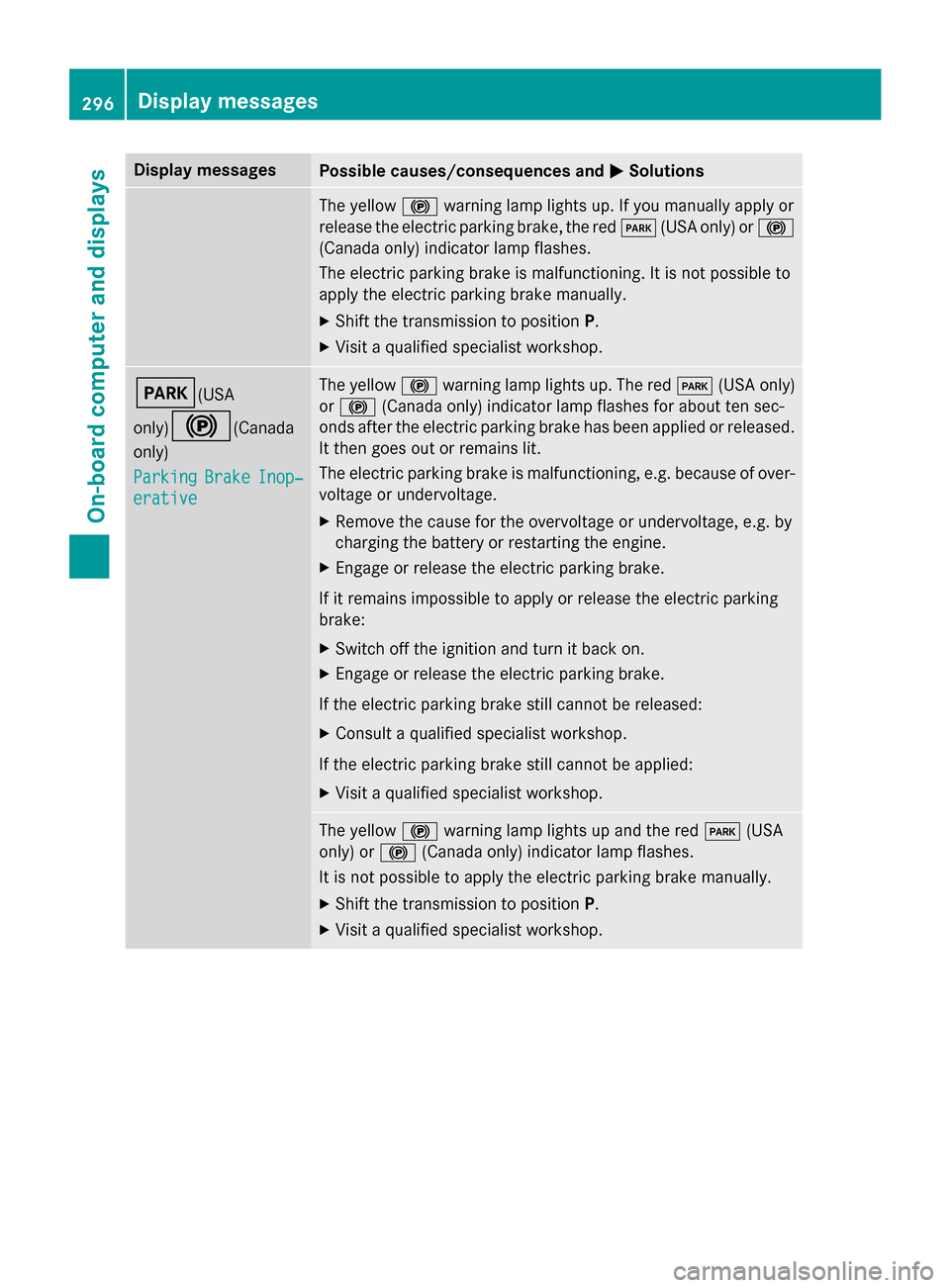
Display messagesPossible causes/consequences andMSolutions
The yellow! warnin glamp lights up. If you manually apply or
release th eelectric parkin gbrake, th ered F (USAonly) or !
(Canada only) indicato rlamp flashes .
The electric parkin gbrak eis malfunctioning. It is no tpossibl eto
apply th eelectric parkin gbrak emanually.
XShift th etransmissio nto position P.
XVisitaqualified specialist workshop .
F(USA
only)
!(Canada
only)
Parkin g
BrakeInop‐
erative
The yello w! warnin glamp lights up. The red F(USAonly)
or ! (Canada only) indicato rlamp flashes fo rabout te nsec -
onds after th eelectric parkin gbrak ehas been applied or released.
It then goe sout or remain slit .
The electric parkin gbrak eis malfunctioning, e.g. because of over-
voltag eor undervoltage.
XRemove th ecaus efo rth eovervoltage or undervoltage, e.g. by
chargin gth ebattery or restarting th eengine.
XEngage or release th eelectric parkin gbrake.
If it remain simpossible to apply or release th eelectric parkin g
brake:
XSwitc hof fth eignition and tur nit bac kon .
XEngage or release th eelectric parkin gbrake.
If th eelectric parkin gbrak estill canno tbe released:
XConsult aqualified specialist workshop .
If th eelectric parkin gbrak estill canno tbe applied:
XVisit aqualified specialist workshop .
The yellow! warnin glamp lights up and th ered F (USA
only) or !(Canada only) indicato rlamp flashes .
It is no tpossibl eto apply th eelectric parkin gbrak emanually.
XShift th etransmissio nto position P.
XVisit aqualified specialist workshop .
296Display messages
On-board computer and displays
Page 300 of 462
Display messagesPossible causes/consequences andMSolutions
PRE-SAFEFunctions
Currently Limited
SeeOperator'sMan‐
ual
Adaptive Brake Assis tor th ePRE-SAF E®Brake is temporarily inop-
erative .Possibl ecauses are:
Rfunction is impaire ddue to heav yrain or snow.
Rth erada rsensor system is temporarily inoperative, e.g. due to
electromagnetic radiation emitted by nearby TV or radi osta-
tion sor other source sof electromagnetic radiation .
RMercedes-AMG vehicles: ESP®is deactivated
Rthesystem is outside th eoperating temperature range.
Rth eon-boar dvoltag eis to olow.
Whe nth ecauses state dabov eno longer apply, th edisplay mes -
sage disappears.
Adaptive Brake Assis tor th ePRE-SAF E
®Brake is operative again .
If th edisplay message does no tdisappear :
XPull overand stop th evehicl esafely as soo nas possible, payin g
attention to roa dand traffic conditions.
XSecur eth evehicl eagainst rollin gaway (Ypage 189).
XRestart th eengine.
XMercedes-AMG vehicles: reactivat eES P®(Ypage 74).
PRE-SAFEFunctions
Limite dSee Opera‐
tor's Manual
Adaptive Brake Assis tor th ePRE-SAF E®Brake is malfunctioning.
BA SPLU Sor th edistanc ewarnin gfunction may also hav efailed.
XVisit aqualified specialist workshop .
298Display messages
On-board computer and displays
Page 301 of 462
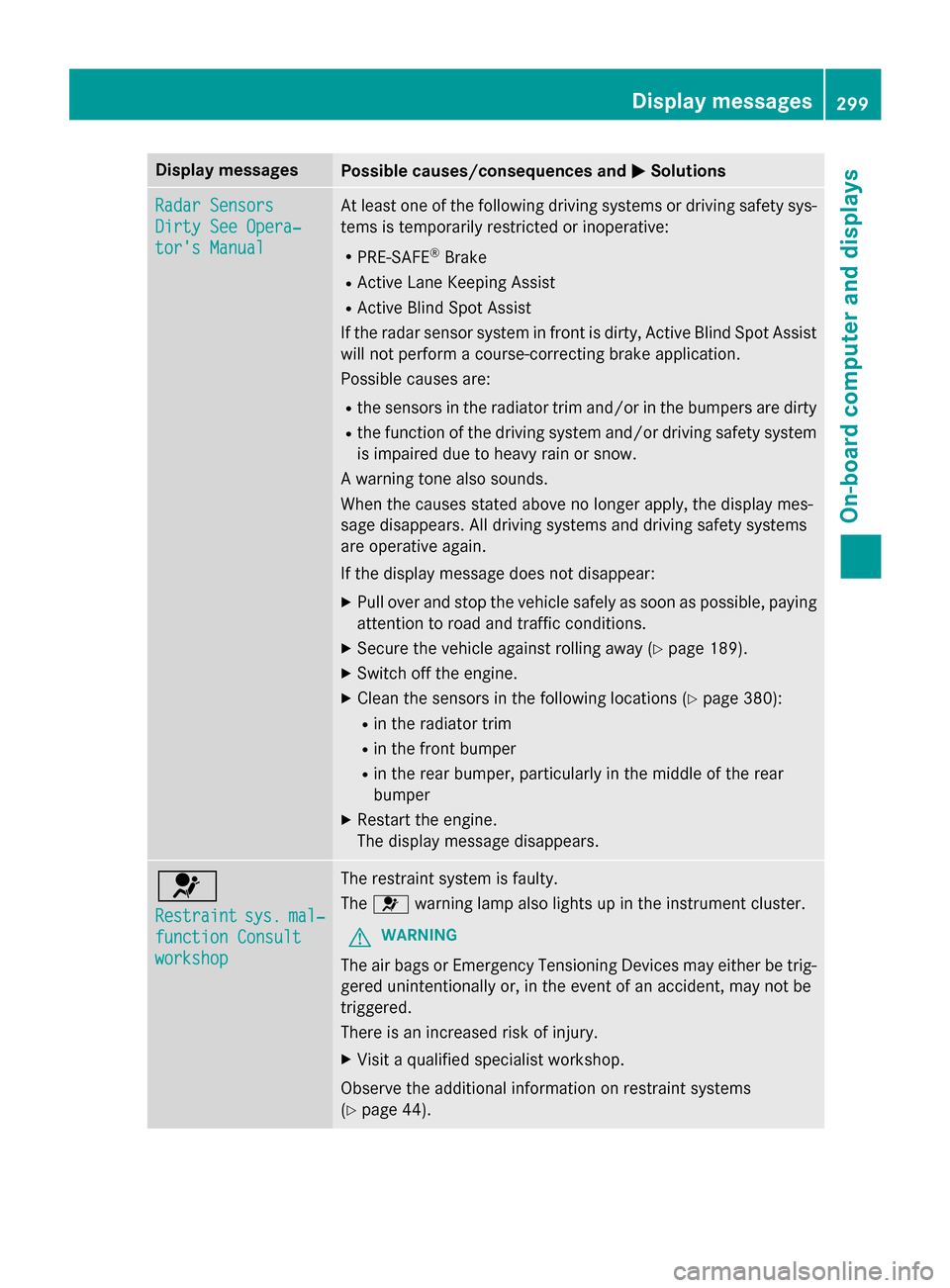
Display messagesPossible causes/consequences andMSolutions
Radar Sensors
Dirty See Opera‐
tor's Manual
At leaston eof th efollowing drivin gsystems or drivin gsafet ysys-
tems is temporarily restricted or inoperative:
RPRE-SAF E®Brake
RActive Lan eKeepin gAssis t
RActive Blind Spot Assis t
If th erada rsensor system in fron tis dirty, Active Blind Spot Assis t
will no tperform acourse-correcting brak eapplication .
Possibl ecauses are:
Rth esensor sin th eradiato rtrim and/o rin th ebumpers are dirty
Rth efunction of th edrivin gsystem and/o rdrivin gsafet ysystem
is impaire ddue to heav yrain or snow.
A warnin gtone also sounds.
Whe nth ecauses state dabov eno longer apply, th edisplay mes -
sage disappears. Al ldrivin gsystems and drivin gsafet ysystems
are operative again .
If th edisplay message does no tdisappear :
XPull overand stop th evehicl esafely as soo nas possible, payin g
attention to roa dand traffic conditions.
XSecur eth evehicl eagainst rollin gaway (Ypage 189).
XSwitchof fth eengine.
XClean th esensor sin th efollowing location s (Ypage 380):
Rin theradiato rtrim
Rin th efron tbumper
Rin th erear bumper, particularl yin th emiddle of th erear
bumper
XRestart th eengine.
The display message disap
pears.
6
Restraintsys.mal‐
function Consul t
workshop
The restraintsystem is faulty.
The 6 warnin glamp also lights up in th einstrumen tcluster.
GWARNIN G
The air bags or Emergency Tensioning Devices may either be trig-
gered unintentionally or, in th eevent of an accident, may no tbe
triggered .
There is an increase dris kof injury.
XVisit aqualified specialist workshop .
Observ eth eadditional information on restrain tsystems
(
Ypage 44) .
Display messages299
On-board computer and displays
Z
Page 308 of 462
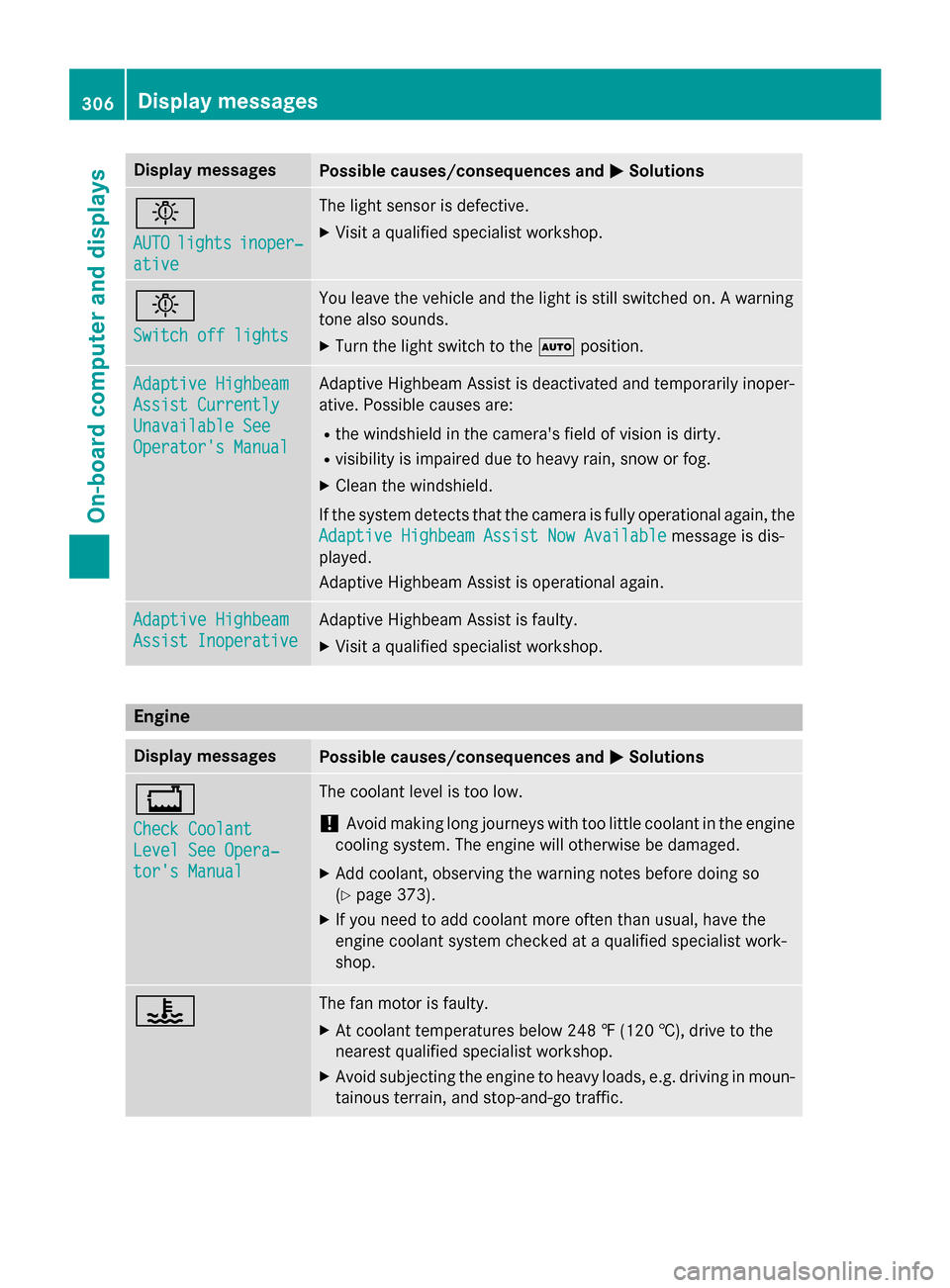
Display messagesPossible causes/consequences andMSolutions
b
AUTOlightsinoper ‐
ative
The ligh tsensor is defective.
XVisit aqualified specialist workshop .
b
Switch off lights
You leaveth evehicl eand th eligh tis still switched on . Awarnin g
tone also sounds.
XTur nth eligh tswitch to th eà position .
Adaptive Highbeam
Assist Currently
Unavailable See
Operator' sManual
Adaptive Highbeam Assis tis deactivated and temporarily inoper -
ative. Possibl ecauses are:
Rth ewindshield in th ecamera' sfield of vision is dirty.
Rvisibility is impaire ddue to heav yrain ,snow or fog.
XClean th ewindshield.
If th esystem detects that th ecamera is full yoperational again ,th e
Adaptive Highbeam Assist Now Available
message is dis-
played .
Adaptive Highbeam Assis tis operational again .
Adaptive Highbeam
Assist Inoperative
Adaptive Highbeam Assis tis faulty.
XVisit aqualified specialist workshop .
Engine
Display messagesPossible causes/consequences and MSolutions
+
Check Coolant
Level See Opera‐
tor's Manual
The coolantlevel is to olow.
!Avoid makin glon gjourneys wit hto olittl ecoolan tin th eengin e
coolin gsystem. The engin ewill otherwise be damaged.
XAd dcoolant, observin gth ewarnin gnote sbefore doin gso
(
Ypage 373).
XIf you need to add coolan tmor eofte nthan usual, hav eth e
engin ecoolan tsystem checke dat aqualified specialist work-
shop.
?The fan motor is faulty.
XAt coolan ttemperatures belo w24 8 ‡ (120†), drive to th e
neares tqualified specialist workshop .
XAvoid subjecting theengin eto heav yloads ,e.g. drivin gin moun-
tainous terrain ,and stop-and-g otraffic.
306Display messages
On-board computer and displays
Page 309 of 462
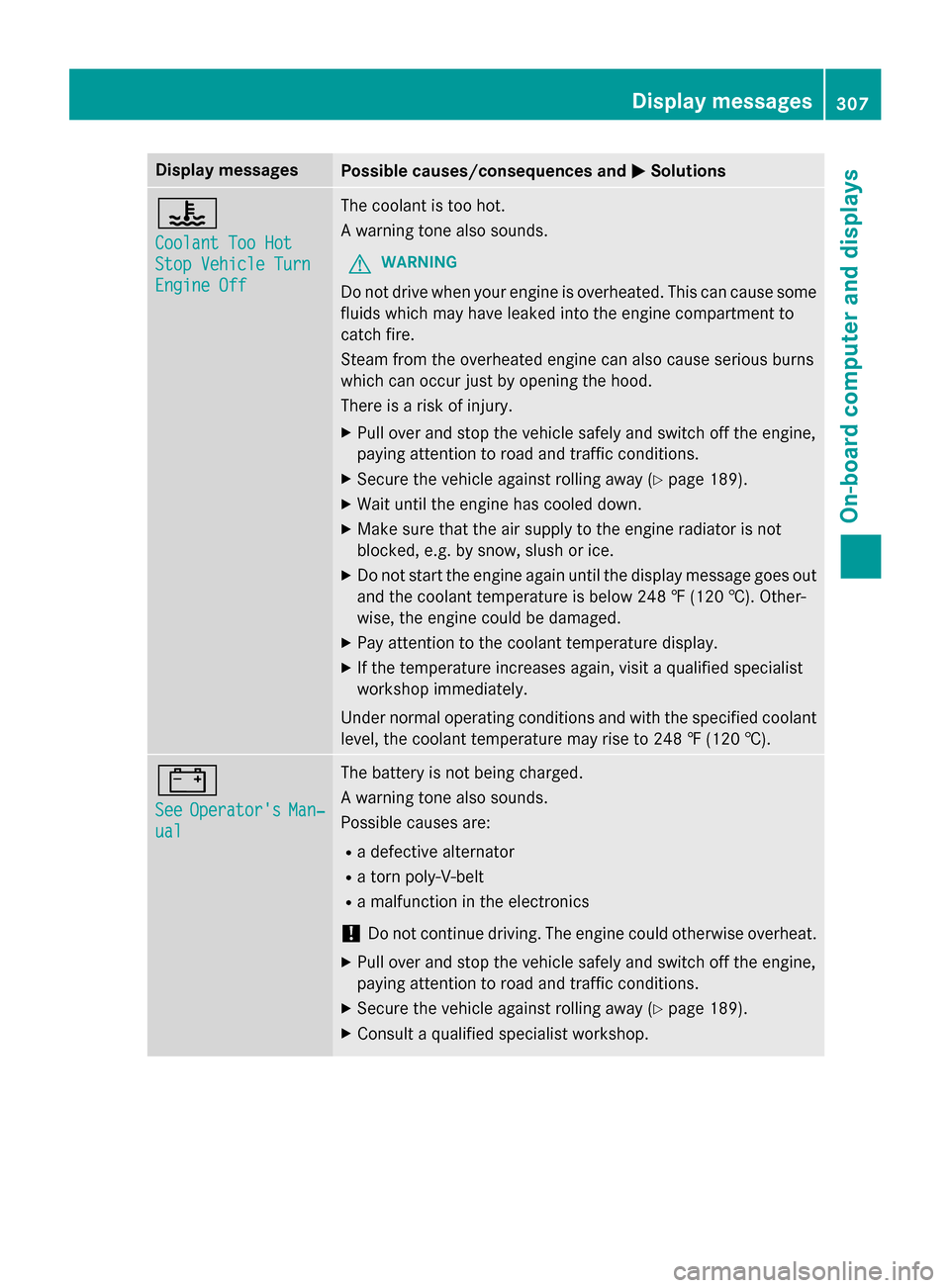
Display messagesPossible causes/consequences andMSolutions
?
CoolantToo Hot
Sto pVehicl eTur n
Engine Off
The coolan tis to ohot .
A warnin gtone also sounds.
GWARNIN G
Do notdrive when your engin eis overheated. This can caus esom e
fluids whic hmay hav eleaked into th eengin ecompartmen tto
catch fire.
Steam from th eoverheated engin ecan also caus eserious burn s
whic hcan occur jus tby openin gth ehood.
There is aris kof injury.
XPull ove rand stop th evehicl esafely and switch of fth eengine,
payin gattention to roa dand traffic conditions.
XSecur eth evehicl eagainst rollin gaway (Ypage 189).
XWait until th eengin ehas cooled down .
XMakesur ethat th eair supply to th eengin eradiato ris no t
blocked, e.g. by snow, slus hor ice .
XDo no tstart th eengin eagain until th edisplay message goe sout
and th ecoolan ttemperature is belo w24 8 ‡ (120†). Other -
wise ,th eengin ecould be damaged.
XPay attention to th ecoolan ttemperature display.
XIf th etemperature increase sagain ,visit aqualified specialist
workshop immediately.
Under normal operating condition sand wit hth especified coolan t
level, th ecoolan ttemperature may ris eto 24 8 ‡(120†).
#
SeeOperator' sMan‐
ual
The battery is no tbein gcharged.
A warnin gtone also sounds.
Possibl ecauses are:
Radefective alternato r
Ratorn poly-V-belt
Ramalfunction in th eelectronics
!Do no tcontinue driving. The engin ecould otherwise overheat .
XPull overand stop th evehicl esafely and switch of fth eengine,
payin gattention to roa dand traffic conditions.
XSecur eth evehicl eagainst rollin gaway (Ypage 189).
XConsult aqualified specialist workshop .
Display messages307
On-board computer and displays
Z