tow MERCEDES-BENZ GLA 2019 Owner's Manual
[x] Cancel search | Manufacturer: MERCEDES-BENZ, Model Year: 2019, Model line: GLA, Model: MERCEDES-BENZ GLA 2019Pages: 346, PDF Size: 16.66 MB
Page 163 of 346
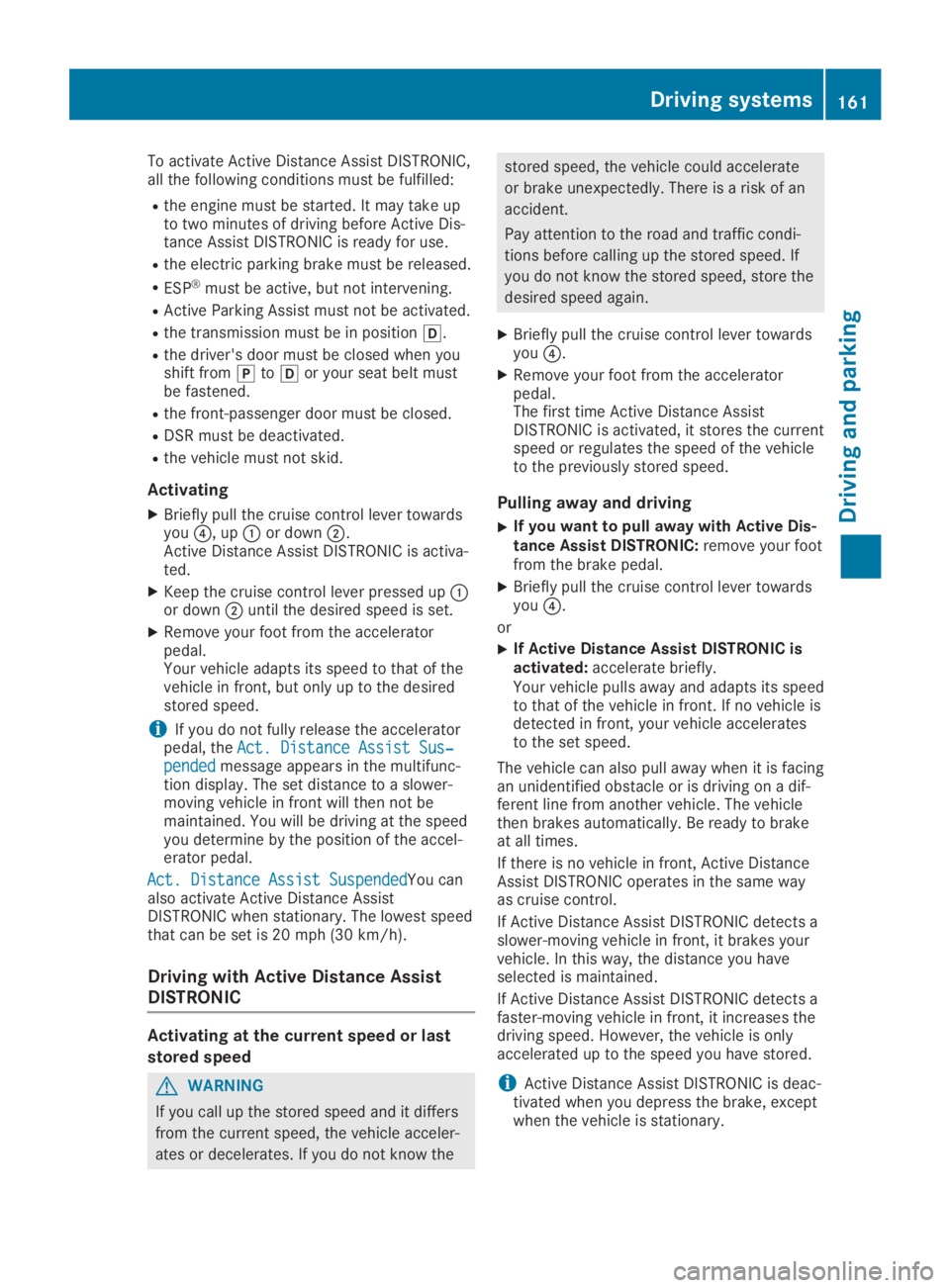
To activate Active Distance Assist DISTRONIC,all the following conditions must be fulfilled:
Rthe engine must be started. It may take upto two minutes of driving before Active Dis-tance Assist DISTRONIC is ready for use.
Rthe electric parking brake must be released.
RESP®must be active, but not intervening.
RActive Parking Assist must not be activated.
Rthe transmission must be in position[.
Rthe driver's door must be closed when youshift from]to[or your seat belt mustbe fastened.
Rthe front-passenger door must be closed.
RDSR must be deactivated.
Rthe vehicle must not skid.
Activating
XBriefly pull the cruise control lever towardsyou
Page 167 of 346
in front on the edge of the road because ofits narrow width. The distance to the vehiclein front will be too short.
RObstacles and stationary vehicles: ActiveDistance Assist DISTRONIC does not brakefor obstacles or stationary vehicles. If, forexample, the detected vehicle turns a cor-ner and an obstacle or stationary vehicle isrevealed, Active Distance Assist DISTRONICwill not brake for them.
RActive Distance Assist DISTRONIC may mis-takenly detect vehicles that are crossingyour lane. If you activate Active DistanceAssist DISTRONIC under the following condi-tions, the vehicle could pull away uninten-tionally:
-at traffic lights with crossing traffic, forexample
-if there is a vehicle in front, after a cross-ing, with the HOLD function activated
In such situations, brake if necessary. ActiveDistance Assist DISTRONIC will then be deacti-vated.
HOLD function
General notes
The HOLD function can assist the driver in thefollowing situations:
RWhen pulling away, especially on steepslopes
RWhen maneuvering on steep slopes
RWhen waiting in traffic
The vehicle is kept stationary without thedriver having to depress the brake pedal.
The braking effect is canceled and the HOLDfunction deactivated when you depress theaccelerator pedal to pull away.
Important safety notes
GWARNING
If the vehicle is only braked using the HOLD
function, the vehicle may roll away in the fol-
lowing situations when you leave the vehi-
cle:
Rif there is a malfunction in the system or
in the voltage supply
Rif the HOLD function is deactivated by
depressing the accelerator pedal or brake
pedal, e.g. by a vehicle occupant
There is a risk of an accident.
Always deactivate the HOLD function and
secure the vehicle against rolling away
before you leave it.
!When Active Distance Assist DISTRONICor the HOLD function is activated, the vehi-cle brakes automatically in certain situa-tions.
To avoid damage to the vehicle, deactivateActive Distance Assist DISTRONIC and theHOLD function in the following or similar sit-uations:
Rwhen towing the vehicle
Rin the car wash
Deactivate the HOLD function (Ypage 166).
Activation conditions
You can activate the HOLD function if:
Rthe vehicle is stationary
Rthe engine is running or if it has been auto-matically switched off by the ECO start/stop function
Rthe driver's door is closed or your seat beltis fastened
Rthe electric parking brake is released
RActive Distance Assist DISTRONIC is deacti-vated
Rthe transmission is in position[,^or\\on vehicles with automatic transmission
Driving systems165
Driving and parking
Z
Page 170 of 346
iIf RACE START is used repeatedly within ashort period of time, it is only availableagain after the vehicle has been driven acertain distance.
AMG adaptive sport suspension sys-
tem
General notes
The electronically controlled damping systemworks continuously. This improves drivingsafety and ride comfort.
The damping is tuned individually to eachwheel and depends on:
Ryour driving style, e.g. sporty
Rthe road surface condition, e.g. bumps
Ryour individual selection ofSportorCom-fort
The suspension setting is adjusted using thecorresponding button in the center console.
iThe mode can also be set using the AMGDYNAMIC SELECT controller (Ypage 133).
Each time you start the engine with the Smart-Key or the Start/Stop button,Comfortmodeis activated. For further information aboutstarting the engine, see (Ypage 125).
Sport mode
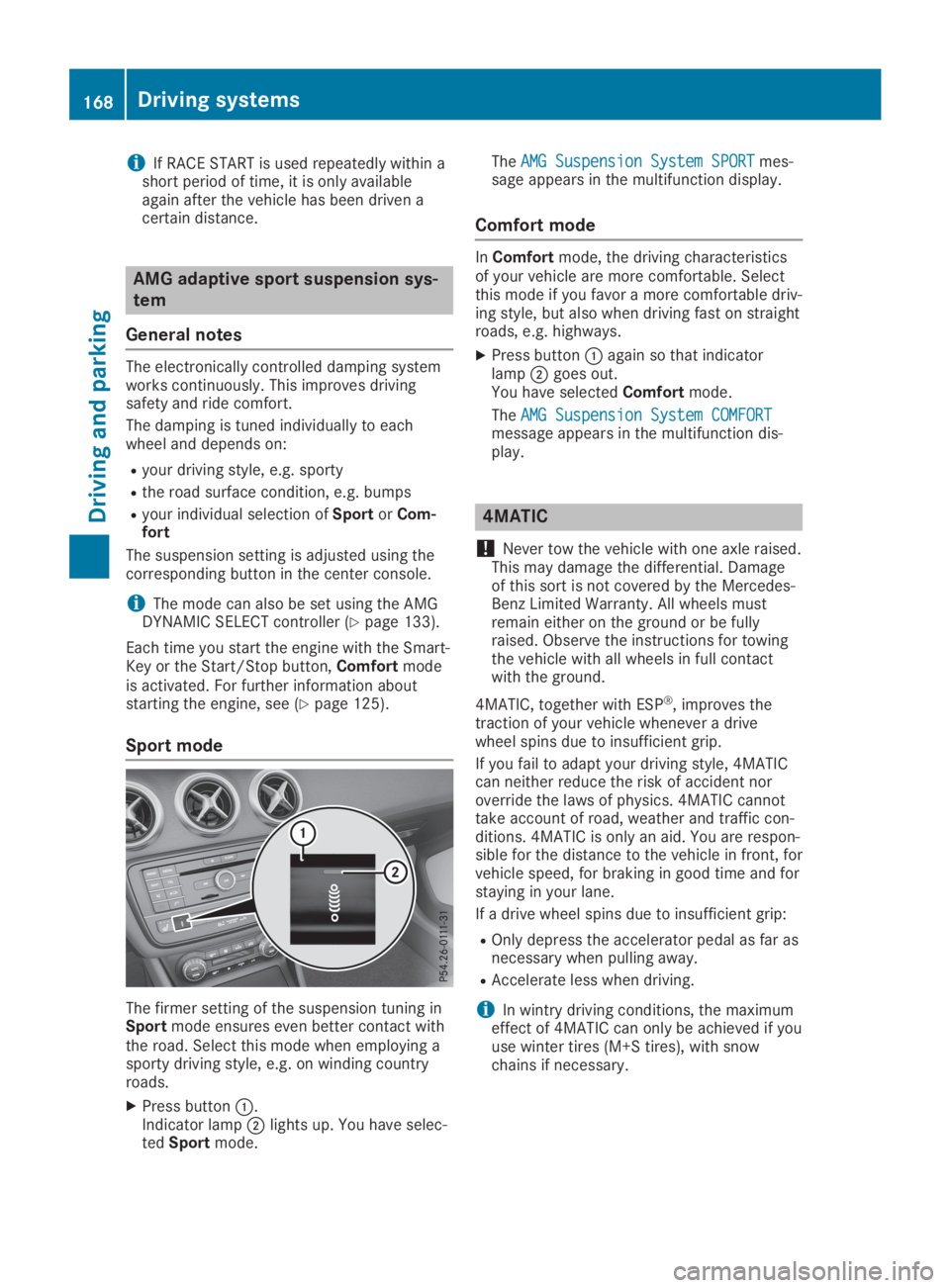
The firmer setting of the suspension tuning inSportmode ensures even better contact withthe road. Select this mode when employing asporty driving style, e.g. on winding countryroads.
XPress buttonC.Indicator lampDlights up. You have selec-tedSportmode.
TheAMG Suspension System SPORTAMG Suspension System SPORTmes-sage appears in the multifunction display.
Comfort mode
InComfortmode, the driving characteristicsof your vehicle are more comfortable. Selectthis mode if you favor a more comfortable driv-ing style, but also when driving fast on straightroads, e.g. highways.
XPress buttonCagain so that indicatorlampDgoes out.You have selectedComfortmode.
TheAMG Suspension System COMFORTAMG Suspension System COMFORTmessage appears in the multifunction dis-play.
4MATIC
!Never tow the vehicle with one axle raised.This may damage the differential. Damageof this sort is not covered by the Mercedes-Benz Limited Warranty. All wheels mustremain either on the ground or be fullyraised. Observe the instructions for towingthe vehicle with all wheels in full contactwith the ground.
4MATIC, together with ESP®, improves thetraction of your vehicle whenever a drivewheel spins due to insufficient grip.
If you fail to adapt your driving style, 4MATICcan neither reduce the risk of accident noroverride the laws of physics. 4MATIC cannottake account of road, weather and traffic con-ditions. 4MATIC is only an aid. You are respon-sible for the distance to the vehicle in front, forvehicle speed, for braking in good time and forstaying in your lane.
If a drive wheel spins due to insufficient grip:
ROnly depress the accelerator pedal as far asnecessary when pulling away.
RAccelerate less when driving.
iIn wintry driving conditions, the maximumeffect of 4MATIC can only be achieved if youuse winter tires (M+S tires), with snowchains if necessary.
168Driving systems
Driving and parking
Page 178 of 346
Rthat are parallel to the direction of traveland at least 39.5 in (1.0m) longer than yourvehicle
Rat right angles to the direction of travel andat least 39.5 in (1.0m) widerthan your vehi-cle
When driving at speeds below 19 mph(30 km/h), you will see parking symbolDasa status indicator in the instrument cluster.When a parking space has been detected, anarrow towards the right or the left alsoappears. By default, Active Parking Assist onlydisplays parking spaces on the front-passenger side. Parking spaces on the driver'sside are displayed as soon as the turn signalon the driver's side is activated. When parkingon the driver's side, this must remain activateduntil you confirm the use of Active ParkingAssist by pressing thevbutton on the mul-tifunction steering wheel. The system automat-ically determines whether the parking space isparallel or at right-angles to the direction oftravel.
A parking space is displayed while you aredriving past it, and until you are approximately50 ft (15m) away from it.
Parking
GWARNING
If you leave the driver's seat when the vehi-
cle is only being braked by the Parking Pack-
age with rear view camera, it could roll
away:
Rif there is a malfunction in the system or
in the voltage supply
Rif the electrical system in the engine com-
partment, the battery or the fuses are
tampered with
Rif the battery is disconnected
Rif the vehicle is accelerated, e.g. by a vehi-
cle occupant
There is a risk of an accident.
Before leaving the vehicle, always secure it
against rolling away.
iIf Active Parking Assist detects obstacles,Active Parking Assist brakes automaticallywhile the vehicle is parking. You are respon-sible for braking in good time.
XStop the vehicle when the parking spacesymbol shows the desired parking space inthe instrument cluster.
XShift the transmission to position^.TheStart Parking Assist?Start Parking Assist?Yes: OKYes: OKNo:No:8message appears on the multifunctiondisplay.
XTo cancel the procedure:press the8button on the multifunction steering wheelor pull away.
or
XTo park using Active Parking Assist:press thevbutton on the multifunctionsteering wheel.TheParking Assist Active Acceler‐Parking Assist Active Acceler‐ate and Brakeate and BrakeObserve SurroundingsObserve Surroundingsmessage appears on the multifunction dis-play.
XLet go of the multifunction steering wheel.
XBack up the vehicle, being ready to brake atall times. When backing up, drive at a speedbelow approximately 6 mph (10 km/h). Oth-erwise, Active Parking Assist will be can-celed.Active Parking Assist brakes the vehicle to astandstill when the vehicle approaches therear border of the parking space.
Maneuvering may be required in tight park-ing spaces.
TheParking Assist Active SelectParking Assist Active SelectDObserve SurroundingsDObserve Surroundingsmessage appearson the multifunction display.
XShift the transmission to position[whilethe vehicle is stationary.Active Parking Assist immediately steers inthe other direction.
TheParking Assist Active Acceler‐Parking Assist Active Acceler‐ate and Brakeate and BrakeObserve SurroundingsObserve Surroundingsmessage appears on the multifunction dis-play.
iYou will achieve the best results by waitingfor the steering procedure to completebefore pulling away.
XDrive forwards and be ready to brake at alltimes.Active Parking Assist brakes the vehicle to astandstill when the vehicle approaches thefront border of the parking space.
Maneuvering may be required in tight park-ing spaces.
176Driving systems
Driving an d parking
Page 181 of 346
Rif the camera lens is dirty or obstructed.Observe the notes on cleaning(Ypage 283)
Rif the rear of your vehicle is damaged. In thiscase, have the camera position and settingchecked at a qualified specialist workshop.
The field of vision and other functions of therear view camera may be restricted due toadditional accessories on the rear of the vehi-cle (e.g. license plate holder, rear bicyclerack).
iThe contrast of the display may be affec-ted by the sudden presence of sunlight orother light sources, e.g. when exiting agarage. Pay particular attention in this situa-tion.
iIf usability is severely restricted, e.g. dueto pixel errors, have the display repaired orreplaced.
Activating/deactivating the rear view
camera
XTo activate:make sure that the SmartKeyis in positionHin the ignition lock.
XMake sure that theActivation by R gearActivation by R gearfunction is selected in the multimedia sys-tem; see the Digital Operator's Manual.
XEngage reverse gear.The area behind the vehicle is shown withguide lines in the multimedia system dis-play.
The image from the rear view camera isavailable throughout the maneuvering proc-ess.
To deactivate:the rear view camera deacti-vates if you shift the transmission to]orafter driving forwards a short distance.
The inner segments of the warning indicatorare displayed in red if there is a complete sys-tem failure. The indicator lamp in thePARKTRONIC button lights up.
If the system fails at the rear of the vehicle:
Rthe rear segments are shown in red whenbacking up.
Rthe rear segments are hidden when drivingforwards.
Messages in the multimedia system
display
The rear view camera may show a distortedview of obstacles, show them incorrectly ornot at all. The rear view camera does not showobjects in the following positions:
Rvery close to the rear bumper
Runder the rear bumper
Rin the area immediately above the tailgatehandle
!Objects not at ground level may appear tobe further away than they actually are, e.g.:
Rthe bumper of a parked vehicle
Rthe drawbar of a trailer
Rthe ball coupling of a trailer tow hitch
Rthe rear section of an HGV
Ra slanted post
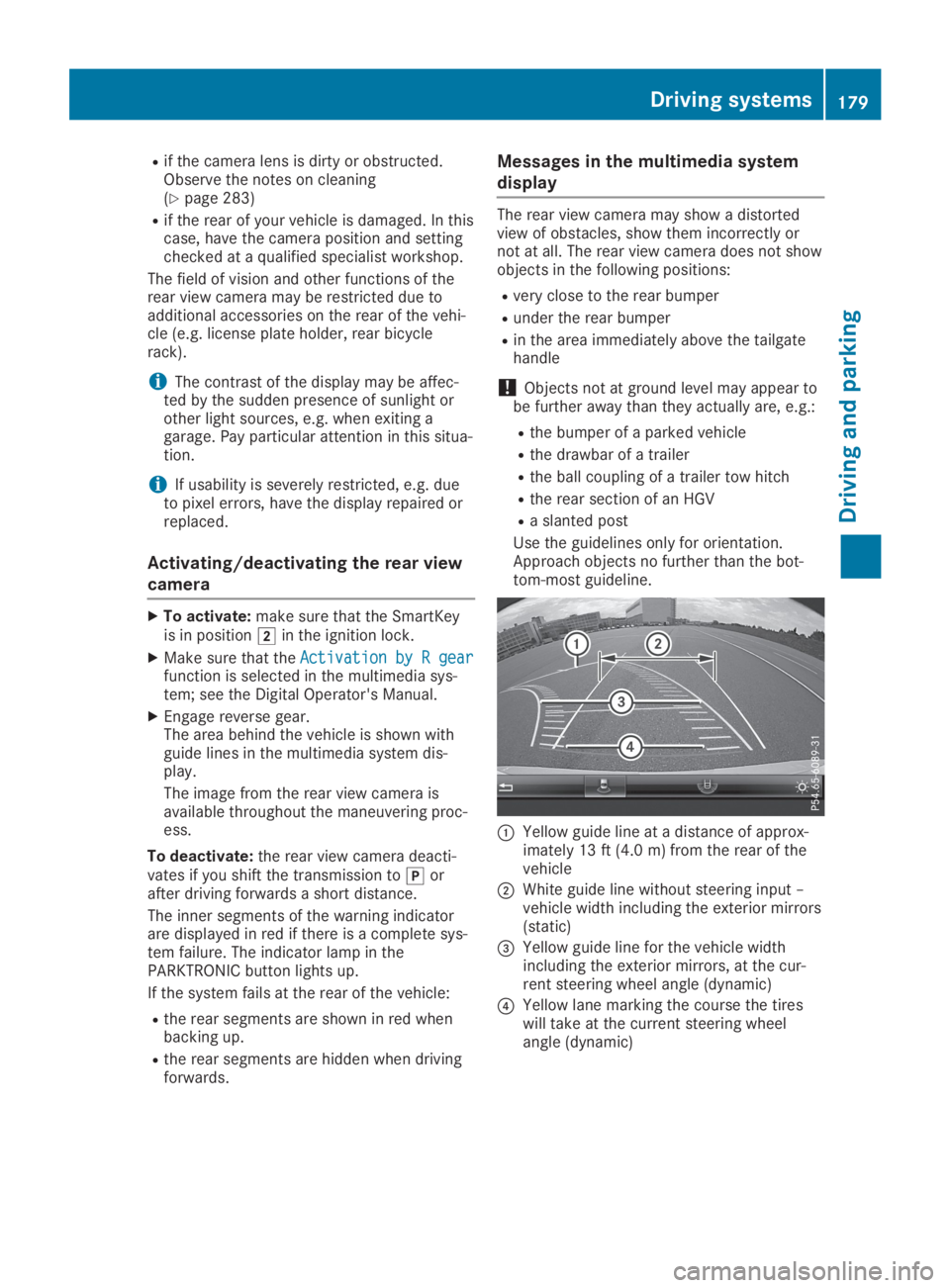
Use the guidelines only for orientation.Approach objects no further than the bot-tom-most guideline.
CYellow guide line at a distance of approx-imately 13 ft (4.0 m) from the rear of thevehicle
DWhite guide line without steering input –vehicle width including the exterior mirrors(static)
Page 209 of 346
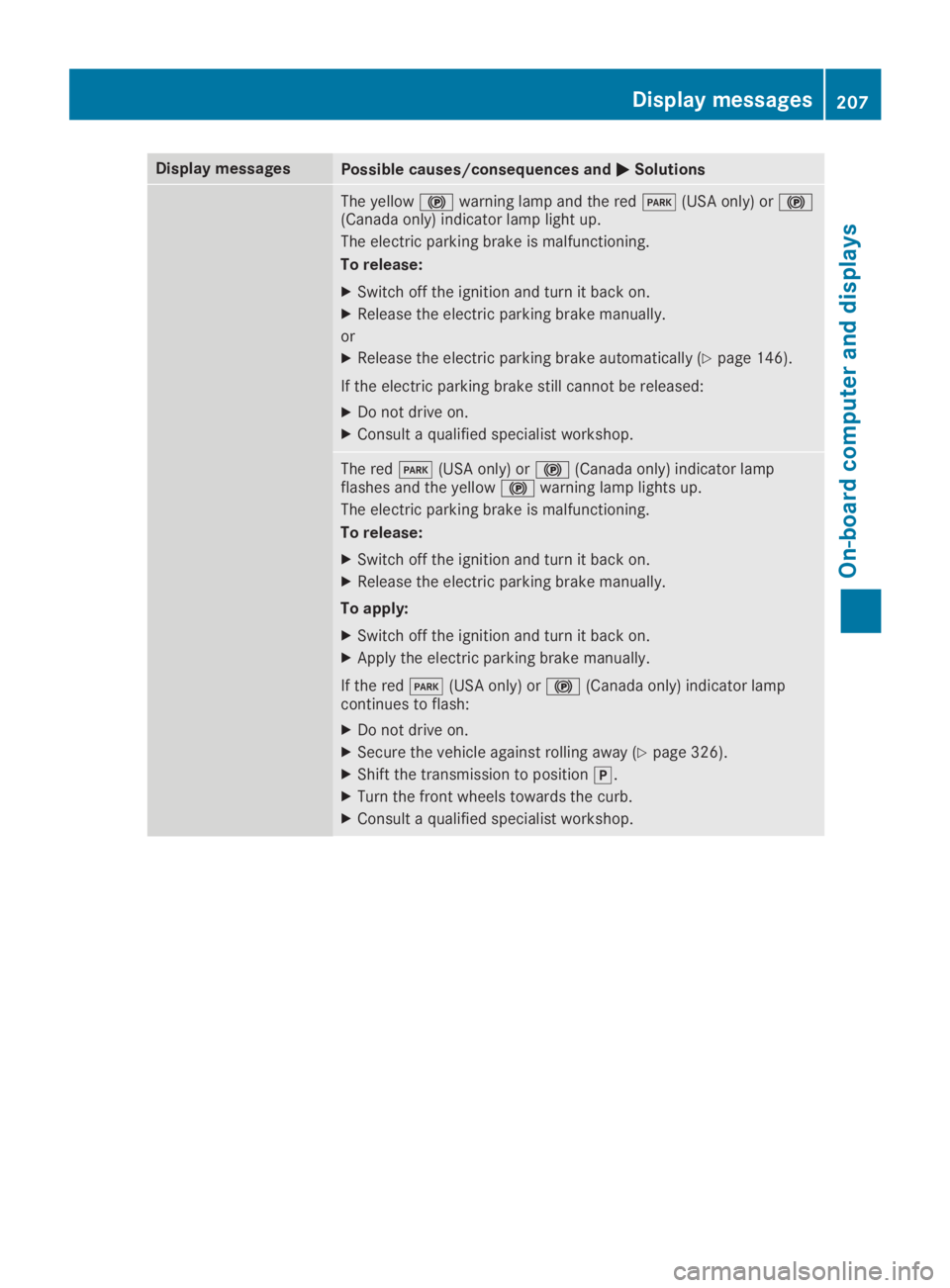
Display messagesPossible causes/consequences andPPSolutions
The yellow$warning lamp and the redI(USA only) or$(Canada only) indicator lamp light up.
The electric parking brake is malfunctioning.
To release:
XSwitch off the ignition and turn it back on.
XRelease the electric parking brake manually.
or
XRelease the electric parking brake automatically (Ypage 146).
If the electric parking brake still cannot be released:
XDo not drive on.
XConsult a qualified specialist workshop.
The redI(USA only) or$(Canada only) indicator lampflashes and the yellow$warning lamp lights up.
The electric parking brake is malfunctioning.
To release:
XSwitch off the ignition and turn it back on.
XRelease the electric parking brake manually.
To apply:
XSwitch off the ignition and turn it back on.
XApply the electric parking brake manually.
If the redI(USA only) or$(Canada only) indicator lampcontinues to flash:
XDo not drive on.
XSecure the vehicle against rolling away (Ypage 326).
XShift the transmission to position].
XTurn the front wheels towards the curb.
XConsult a qualified specialist workshop.
Displaymessages207
On-b oard computer and displays
Z
Page 251 of 346
Inserting an SD card
The SD card slot is located on the controlpanel.
XInsert the SD card into the SD card slot untilthe SD card engages. The side with the con-tacts must face down.
Removing an SD card
XPress the SD card.The SD card is ejected.
XRemove the SD card.
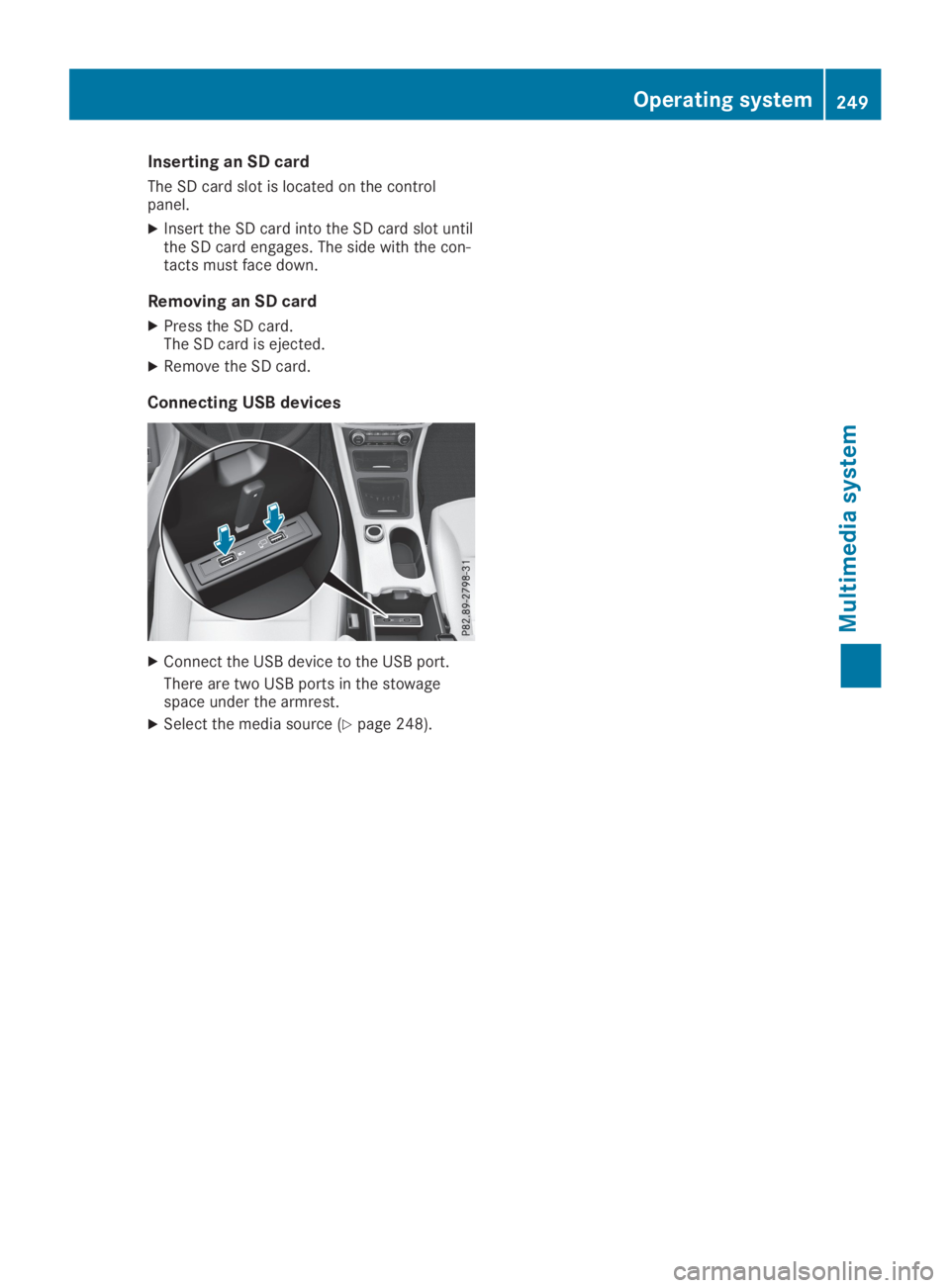
Connecting USB devices
XConnect the USB device to the USB port.
There are two USB ports in the stowagespace under the armrest.
XSelect the media source (Ypage 248).
Operating system249
Multimedia system
Z
Page 252 of 346
Loading guidelines
GWARNING
If objects, luggage or loads are not secured
or not secured sufficiently, they could slip,
tip over or be flung around and thereby hit
vehicle occupants. There is a risk of injury,
particularly in the event of sudden braking
or a sudden change in direction.
Always store objects so that they cannot be
flung around. Secure objects, luggage or
loads against slipping or tipping before the
journey.
GDANGER
Combustion engines emit poisonous
exhaust gases such as carbon monoxide.
Exhaust gases can enter the vehicle interior
if the tailgate is open while the engine is
running, especially if the vehicle is in
motion. There is a risk of poisoning.
Always switch off the engine before opening
the tailgate. Never drive with the tailgate
open.
GWARNING
The exhaust tail pipe and tail pipe trim can
become very hot. If you come into contact
with these parts of the vehicle, you could
burn yourself. There is a risk of burns.
Always be particularly careful and supervise
children closely around the exhaust pipe and
the exhaust pipe trims. Allow these compo-
nents to cool down before touching them.
The handling characteristics of a laden vehicleare dependent on the distribution of the loadwithin the vehicle.
Observe the following notes when loading andtransporting a load:
RNever exceed the maximum permissiblegross vehicle mass or the gross axle weightrating for the vehicle (including occupants).The values are specified on the vehicle iden-
tification plate on the B-pillar of the driver'sdoor.
RThe cargo compartment is the preferredplace to carry objects.
RPosition heavy loads as far forward as possi-ble and as low down in the cargo compart-ment as possible.
RThe load must not protrude above the upperedge of the seat backrests.
RAlways place the load against the rear orfront seat backrests. Make sure that theseat backrests are securely locked intoplace.
RAlways place the load behind unoccupiedseats if possible.
RUse the cargo tie-down rings and the parcelnets to transport loads and luggage.
RUse cargo tie-down rings and fasteningmaterials appropriate for the weight andsize of the load.
RThe maximum load capacity of the stowagewell under the cargo compartment floor is55 lbs(25 kg).
RSecure the load with sufficiently strong andwear-resistant tie-downs. Pad sharp edgesfor protection.
!Do not position the load on one part of thefolding cargo compartment floor only. Themaximum load capacity of the folding cargocompartment floor is 220 lbs(100 kg). Dis-tribute theweight evenly to avoid damagingthe cargo compartment floor. Place a solidboard under the load if necessary. Pleasenote that the load on the cargo compart-ment floor will be increased when the loadis lashed down.
Stowage areas
Stowage spaces
Important safety notes
GWARNING
If you transport objects in the vehicle inte-
rior and these are not adequately secured,
they could slip or be flung around and
thereby strike vehicle occupants. In addi-
tion, cup holders, open stowage spaces and
mobile phone brackets may not always be
250Stowage areas
Stowage and features
Page 253 of 346
able to hold the objects placed in them in
the event of an accident. There is a risk of
injury, particularly in the event of sharp
braking or sudden changes of direction.
RAlways stow objects in such a way that
they cannot be tossed about in these or
similar situations.
RAlways make sure that objects do not pro-
trude out of the stowage spaces, luggage
nets or stowage nets.
REnsure that closable stowage spaces are
shut before beginning your journey.
RAlways stow and secure heavy, hard, poin-
ted, sharp-edged, fragile or large objects
in the cargo compartment.
Observe the loading guidelines (Ypage 250).
Stowage compartments in the front
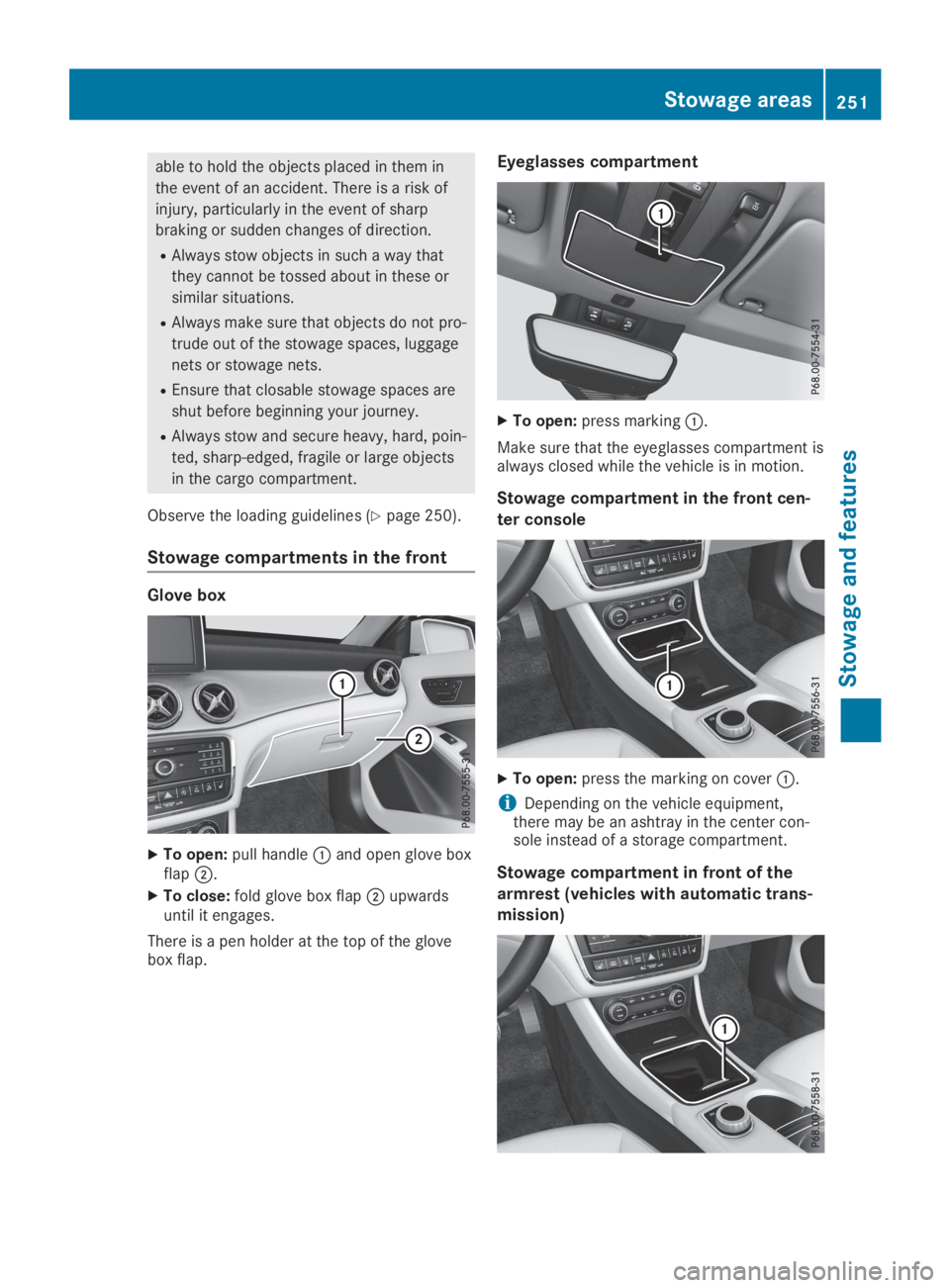
Glove box
XTo open:pull handleCand open glove boxflapD.
XTo close:fold glove box flapDupwardsuntil it engages.
There is a pen holder at the top of the glovebox flap.
Eyeglasses compartment
XTo open:press markingC.
Make sure that the eyeglasses compartment isalways closed while the vehicle is in motion.
Stowage compartment in the front cen-
ter console
XTo open:press the marking on coverC.
iDepending on the vehicle equipment,there may be an ashtray in the center con-sole instead of a storage compartment.
Stowage compartment in front of the
armrest (vehicles with automatic trans-
mission)
Stowage areas251
Stowage and features
Z
Page 254 of 346
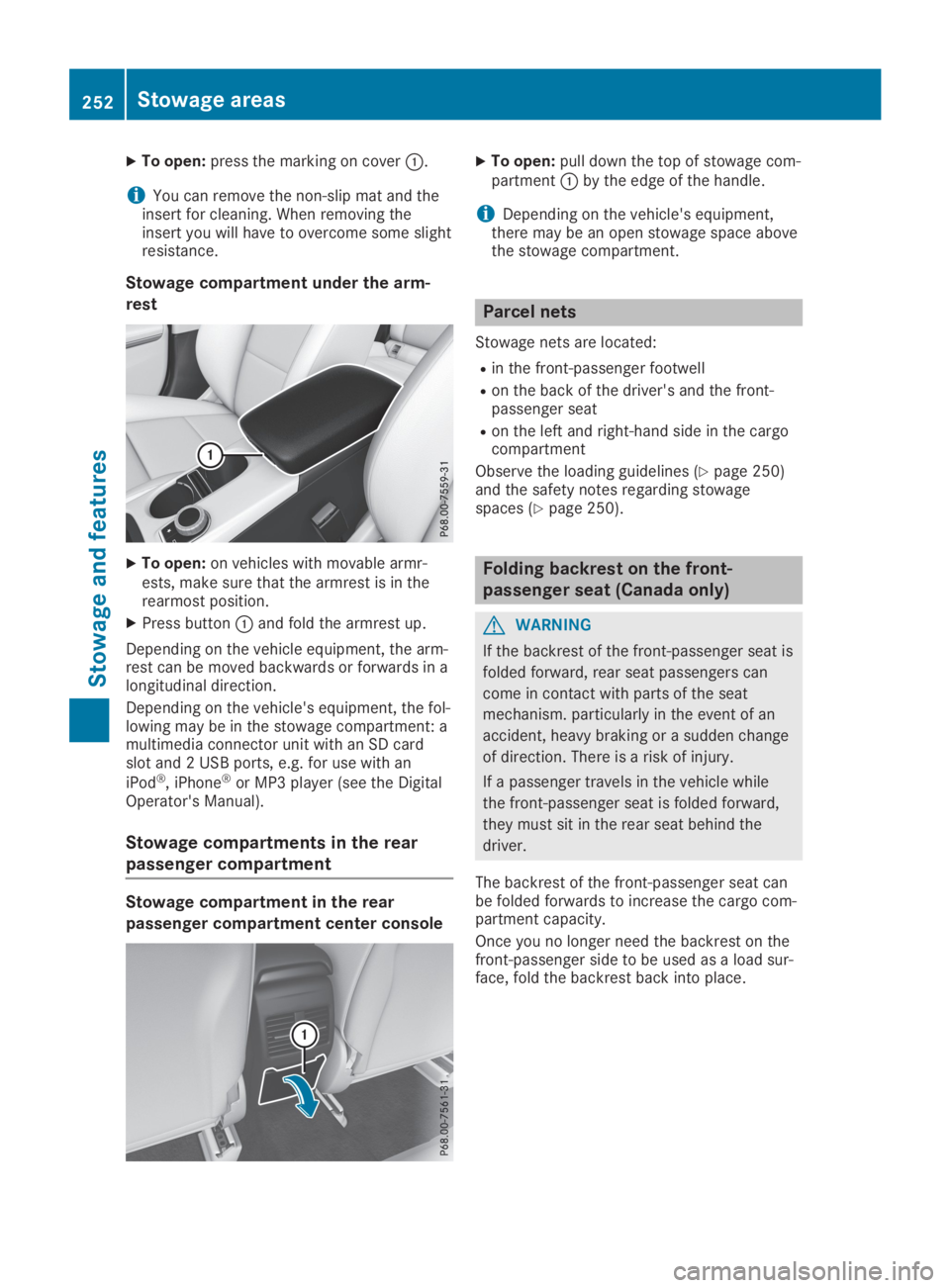
XTo open:press the marking on coverC.
iYou can remove the non-slip mat and theinsert for cleaning. When removing theinsert you will have to overcome some slightresistance.
Stowage compartment under the arm-
rest
XTo open:on vehicles with movable armr-ests, make sure that the armrest is in therearmost position.
XPress buttonCand fold the armrest up.
Depending on the vehicle equipment, the arm-rest can be moved backwards or forwards in alongitudinal direction.
Depending on the vehicle's equipment, the fol-lowing may be in the stowage compartment: amultimedia connector unit with an SD cardslot and 2 USB ports, e.g. for use with an
iPod®, iPhone®or MP3 player (see the DigitalOperator's Manual).
Stowage compartments in the rear
passenger compartment
Stowage compartment in the rear
passenger compartment center console
XTo open:pull down the top of stowage com-partmentCby the edge of the handle.
iDepending on the vehicle's equipment,there may be an open stowage space abovethe stowage compartment.
Parcel nets
Stowage nets are located:
Rin the front-passenger footwell
Ron the back of the driver's and the front-passenger seat
Ron the left and right-hand side in the cargocompartment
Observe the loading guidelines (Ypage 250)and the safety notes regarding stowagespaces (Ypage 250).
Folding backrest on the front-
passenger seat (Canada only)
GWARNING
If the backrest of the front-passenger seat is
folded forward, rear seat passengers can
come in contact with parts of the seat
mechanism. particularly in the event of an
accident, heavy braking or a sudden change
of direction. There is a risk of injury.
If a passenger travels in the vehicle while
the front-passenger seat is folded forward,
they must sit in the rear seat behind the
driver.
The backrest of the front-passenger seat canbe folded forwards to increase the cargo com-partment capacity.
Once you no longer need the backrest on thefront-passenger side to be used as a load sur-face, fold the backrest back into place.
252Stowage areas
Sto wage an d features