display MERCEDES-BENZ GLB SUV 2019 Owners Manual
[x] Cancel search | Manufacturer: MERCEDES-BENZ, Model Year: 2019, Model line: GLB SUV, Model: MERCEDES-BENZ GLB SUV 2019Pages: 689, PDF Size: 11.39 MB
Page 356 of 689
re
cei ptofthe notifications. A route guidance can
be star ted at a later time.
% You can start a global sear chintheNoti fica‐
tions Centre (/ page 354).
Calling up notifications
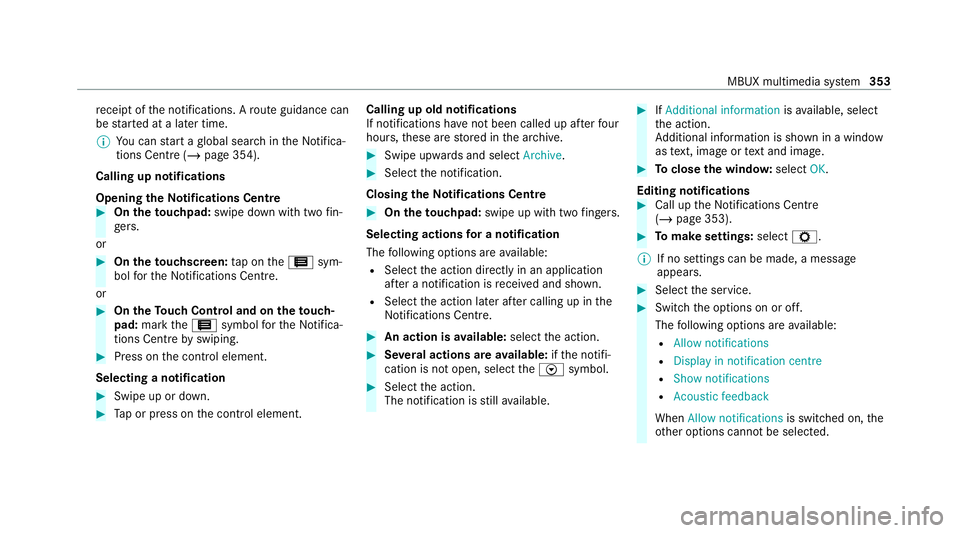
Opening theNo tifications Centre #
On the touchpad: swipe down with two fin‐
ge rs.
or #
On theto uchscreen: tap on the3 sym‐
bol forth e Notifications Centre.
or #
On theTo uch Control and on theto uch‐
pad: mark the3 symbol forth eNoti fica‐
tions Centre byswiping. #
Press on the control element.
Selecting a notification #
Swipe up or down. #
Tap or press on the control element. Calling up old notifications
If notifications ha
venot been called up af terfo ur
hours, these are stored in the ar chive. #
Swipe upwards and select Archive. #
Select the notification.
Closing theNo tifications Centre #
On the touchpad: swipe up with two fingers.
Selecting actions for a notification
The following options are available:
R Select the action directly in an application
af te r a notification is recei ved and shown.
R Select the action later af ter calling up in the
Noti fications Centre. #
An action is available: selectthe action. #
Several actions are available: ifth e notifi‐
cation is not open, select theV symbol. #
Select the action.
The notification is still available. #
IfAdditional information isavailable, select
th e action.
Ad ditional information is shown in a window
as text, ima geortext and ima ge. #
Toclose the windo w:select OK.
Editing notifications #
Call up the Notifications Centre
(/ page 353). #
Tomake settings: selectZ.
% If no settings can be made, a messa ge
appears. #
Select the service. #
Switch the options on or off.
The following options are available:
R Allow notifications
R Display in notification centre
R Show notifications
R Acoustic feedback
When Allow notifications is switched on, the
ot her options cannot be selected. MBUX multimedia sy
stem 353
Page 360 of 689
#
Only operate this equipment when the
traf fic situation permits. #
Ifyo u cannot be sure of this, stop the
ve hicle whilst paying attention toroad
and traf fic conditions and ope rate the
equipment with theve hicle stationar y. Yo
u must obse rveth e legal requirements forthe
country in whi chyou are cur rently driving when
operating the multimedia sy stem.
Re quirements:
R For the handwriting recognition read-
aloud function: the multimedia sy stem is
equipped with a voice control sy stem.
R The read-aloud function is available forthe
selected sy stem language.
R The handwriting recognition read-aloud func‐
tion is activated.
Character ent rycan be car ried out with these
control elements:
R Touch Control R
Touchsc reen (media display)
R Touchpad
Character input can be star ted with a control
element and resumed with ano ther. #
When theke ypad is shown, en terth ech arac‐
te rs on the control element byswiping and
pressing or bytapping (touchscreen).
or #
Write thech aracters on theto uchpad or the
to uchsc reen.
The touchpad suppo rts ch aracter input with the
fo llowing functions:
R Handwriting recognition of fers character sug‐
ge stions.
R Ifth ere ad aloud function is activated for
handwriting recognition then the entered
ch aracters are read aloud.
Examples of character ent ry:
R Renaming a favo urite R
Looking for search results in theglobal
sear ch.
R Entering a de stination address in the naviga‐
tion sy stem
R Ente ring a web address
Entering characters on theto uchpad
Requ irements:
R Ifyo u wish tohave thech aracter input read
aloud: there ad aloud function of the hand‐
writing recognition is switched on
(/ page 335).
R An online connection is requ ired for some
functions. MBUX multimedia sy
stem 357
Page 365 of 689
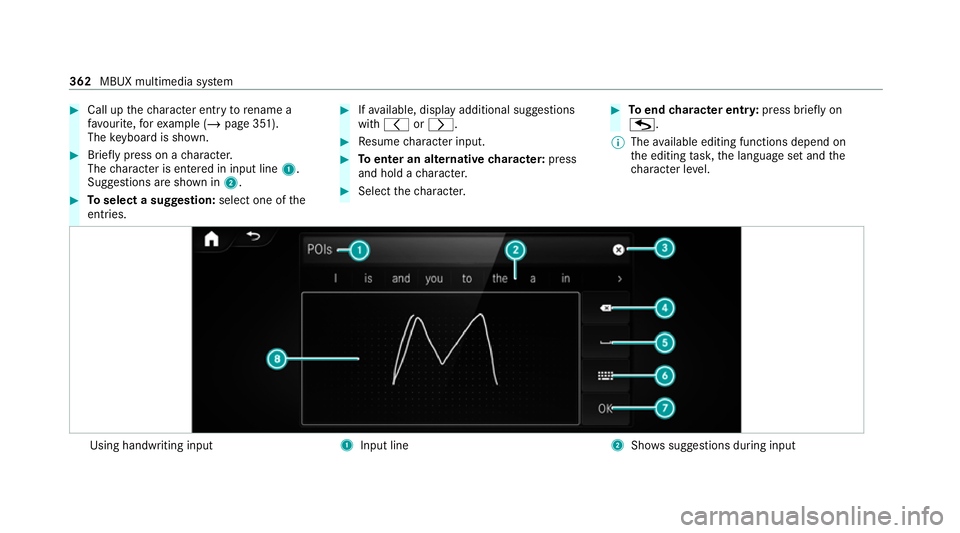
#
Call up thech aracter ent ryto rename a
fa vo urite, forex ample (/ page 351).
The keyboard is shown. #
Brief lypress on a character.
The character is entered in input line 1.
Suggestions are shown in 2.#
Toselect a suggestion: select one ofthe
entri es. #
Ifav ailable, display additional suggestions
with q orr. #
Resume character input. #
Toenter an alternative character: press
and hold a character. #
Select thech aracter. #
Toend character entr y:press briefly on
G.
% The available editing functions depend on
th e editing task, the language set and the
ch aracter le vel. Using handwriting input
1
Input line 2
Showssuggestions during input 362
MBUX multimedia sy stem
Page 366 of 689
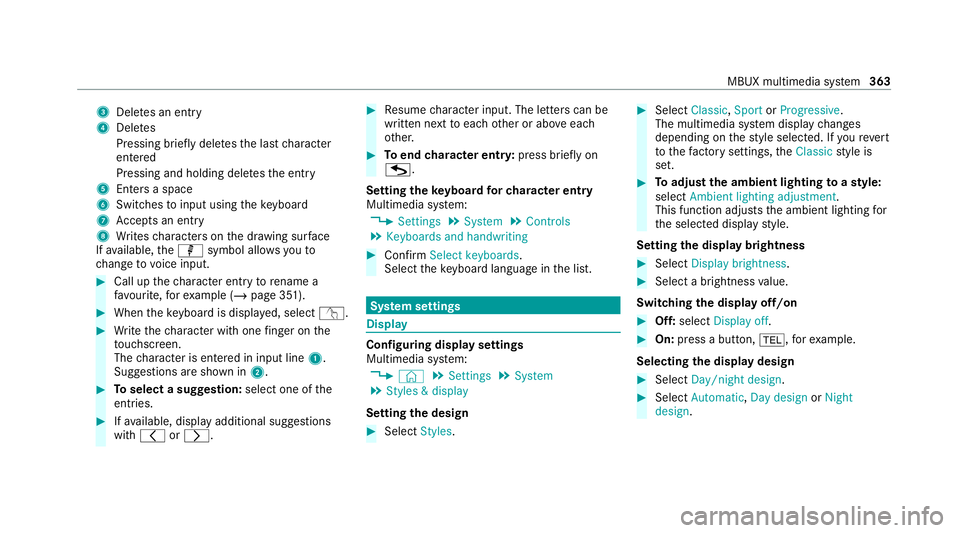
3
Deletes an entry
4 Deletes
Pressing brief lydele testh e last character
entered
Pressing and holding dele testh e entry
5 Enters a space
6 Switches toinput using theke yboard
7 Accepts an entry
8 Writes characters on the dr awing sur face
If av ailable, thep symbol allo wsyouto
ch ange tovoice input. #
Call up thech aracter ent ryto rename a
fa vo urite, forex ample (/ page 351). #
When theke yboard is displa yed, select v. #
Write thech aracter with one finger on the
to uchsc reen.
The character is entered in input line 1.
Suggestions are shown in 2.#
Toselect a suggestion: select one ofthe
entri es. #
Ifav ailable, display additional suggestions
with q orr. #
Resume character input. The letters can be
written next toeach other or abo veeach
ot her. #
Toend character entr y:press briefly on
G.
Setting theke yboard forch aracter entry
Multimedia sy stem:
4 Settings 5
System 5
Controls
5 Keyboards and handwriting #
Confirm Select keyboards.
Select theke yboard language in the list. Sy
stem settings Display
Configuring display settings
Multimedia sy
stem:
4 © 5
Settings 5
System
5 Styles & display
Setting the design #
Select Styles. #
Select Classic ,Sport orProgressive .
The multimedia sy stem display changes
depending on thest yle selected. If youre ve rt
to thefa ctory settings, theClassic style is
set. #
Toadjust the ambient lighting toastyl e:
select Ambient lighting adjustment.
This function adjusts the ambient lighting for
th e selected display style.
Setting the display brightness #
Select Display brightness . #
Select a brightness value.
Switching the display off/on #
Off: select Display off . #
On: press a button, %,forex ample.
Selecting the display design #
Select Day/night design . #
Select Automatic, Day design orNight
design . MBUX multimedia sy
stem 363
Page 371 of 689
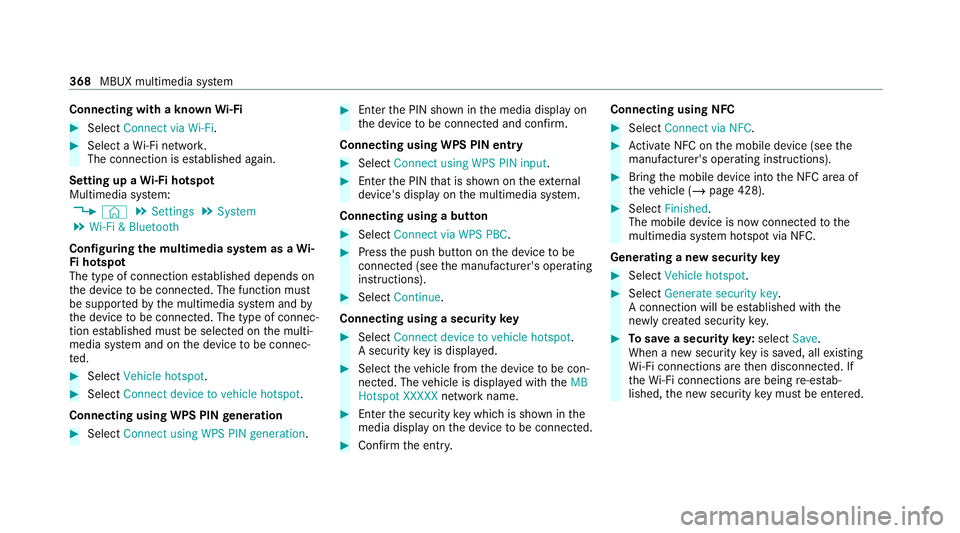
Connecting with a known
Wi-Fi #
Select Connect via Wi-Fi .#
Select a Wi-Fi networ k.
The connection is es tablished again.
Setting up a Wi-Fi hotspot
Multimedia sy stem:
4 © 5
Settings 5
System
5 Wi-Fi & Bluetooth
Configuring the multimedia sy stem as a Wi-
Fi hotspot
The type of connection es tablished depends on
th e device tobe connec ted. The function must
be suppor tedby the multimedia sy stem and by
th e device tobe connec ted. The type of connec‐
tion es tablished must be selected on the multi‐
media sy stem and on the device tobe connec‐
te d. #
Select Vehicle hotspot. #
Select Connect device to vehicle hotspot .
Connecting using WPS PIN generation #
Select Connect using WPS PIN generation. #
Ente rth e PIN shown in the media display on
th e device tobe connec ted and con firm.
Connecting using WPS PIN entry #
Select Connect using WPS PIN input. #
Enterth e PIN that is shown on theex tern al
device's display on the multimedia sy stem.
Connecting using a button #
Select Connect via WPS PBC. #
Press the push button on the device tobe
connec ted (see the manufacturer's operating
instructions). #
Select Continue.
Connecting using a security key #
Select Connect device to vehicle hotspot .
A secu rity key is displa yed. #
Select theve hicle from the device tobe con‐
nec ted. The vehicle is displa yed with theMB
Hotspot XXXXX network name. #
Ente rth e security key which is shown in the
media display on the device tobe connec ted. #
Confirm the entry. Connecting using NFC #
Select Connect via NFC. #
Activate NFC on the mobile device (see the
manufacturer's operating instructions). #
Bring the mobile device into the NFC area of
th eve hicle (/ page 428). #
Select Finished.
The mobile device is now connected tothe
multimedia sy stem hotspot via NFC.
Generating a new security key #
Select Vehicle hotspot. #
Select Generate security key .
A connection will be es tablished with the
newly crea ted security key. #
Tosave a security key:select Save.
When a new security key is sa ved, all existing
Wi -Fi connections are then disconnected. If
th eWi -Fi connections are being re-es tab‐
lished, the new security key must be en tere d. 368
MBUX multimedia sy stem
Page 380 of 689
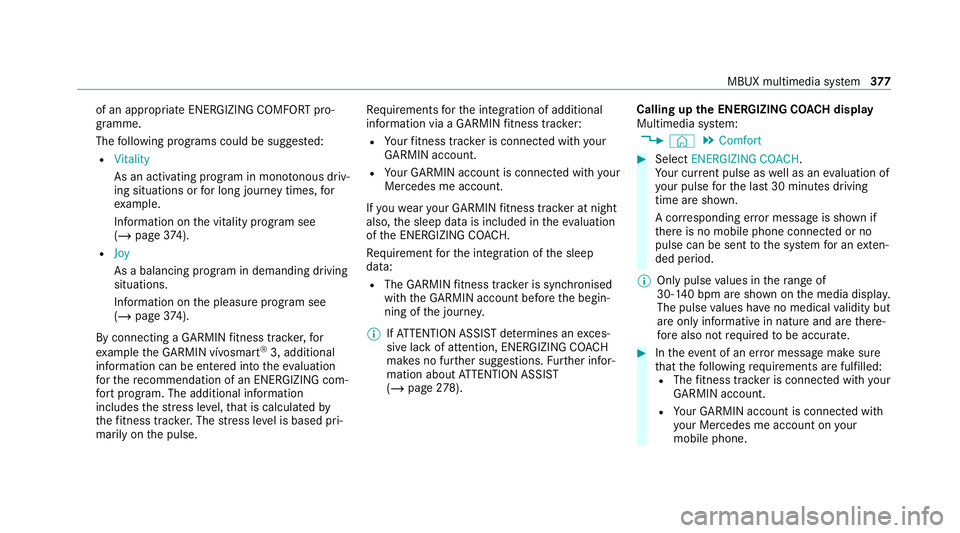
of an appropriate ENERG
IZINGCOMFORT pro‐
gramme.
The following programs could be sugges ted:
R Vitality
As an activating program in mono tonous driv‐
ing situations or for long journey times, for
ex ample.
In fo rm ation on the vitality prog ram see
(/ page 374).
R Joy
As a balancing program in demanding driving
situations.
Information on the pleasure prog ram see
(/ page 374).
By connecting a GARMIN fitness trac ker,for
ex ample the GARMIN vívosmart ®
3, additional
information can be entered into theev aluation
fo rth ere commendation of an ENERGIZING com‐
fo rt program. The additional information
includes thest re ss le vel,th at is calculated by
th efitness trac ker.The stre ss le vel is based pri‐
marily on the pulse. Re
quirements forth e integration of additional
information via a GARMIN fitness trac ker:
R Your fitness trac ker is connected with your
GARMIN account.
R Your GARMIN account is connected with your
Mercedes me account.
If yo uwe aryour GARMIN fitness trac ker at night
also, the sleep data is included in theeva luation
of the ENERG IZINGCOACH.
Re quirement forth e integration of the sleep
data:
R The GARMIN fitness trac ker is synchronised
with the GARMIN account before the begin‐
ning of the journe y.
% IfAT TENTION ASSIST de term ines an exces‐
sive lack of attention, ENERG IZINGCOACH
makes no fur ther suggestions. Further infor‐
mation about ATTENTION ASSIST
(/ page 278). Calling up
the ENERGIZING CO ACH display
Multimedia sy stem:
4 © 5
Comfort #
Select ENERGIZING COACH.
Yo ur cur rent pulse as well as an evaluation of
yo ur pulse forth e last 30 minutes driving
time are shown.
A cor responding er ror messa geis shown if
th ere is no mobile phone connected or no
pulse can be sent tothe sy stem for an exten‐
ded pe riod.
% Only pulse values in thera nge of
30‑140 bpm are shown on the media displa y.
The pulse values ha veno medical validity but
are only informative in nature and are there‐
fo re also not requ ired tobe accura te. #
Intheeve nt of an er ror messa gemake sure
th at thefo llowing requ irements are fulfilled:
R The fitness trac ker is connected with your
GARMIN account.
R Your GARMIN account is connected with
yo ur Mercedes me account on your
mobile phone. MBUX multimedia sy
stem 377
Page 388 of 689
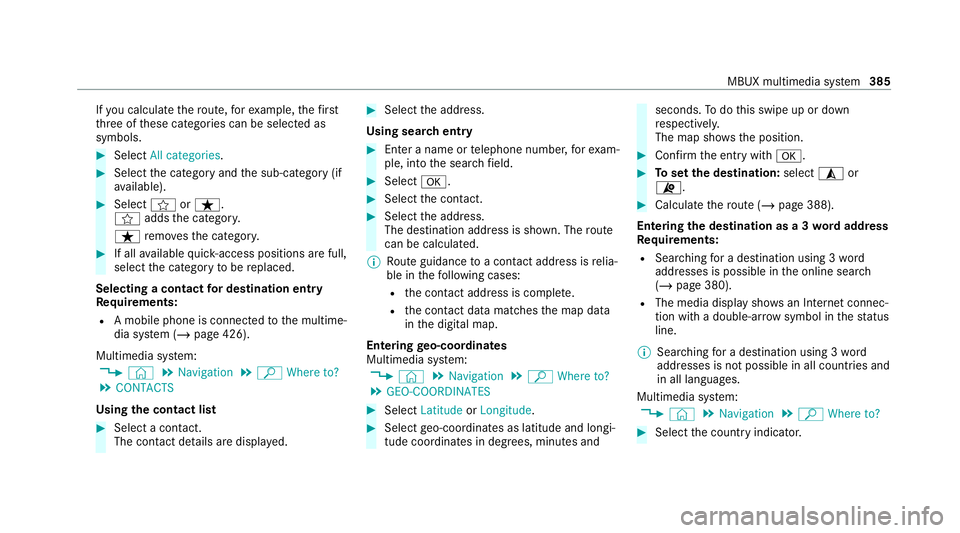
If
yo u calculate thero ute, forex ample, thefirst
th re e of these categories can be selected as
symbols. #
Select All categories. #
Select the category and the sub-category (if
av ailable). #
Select forß.
f addsthe categor y.
ß remo vesth e categor y. #
If all available quick- access positions are full,
select the category tobe replaced.
Selecting a contact for destination entry
Re quirements:
R A mobile phone is connec tedto the multime‐
dia sy stem (/ page 426).
Multimedia sy stem:
4 © 5
Navigation 5
ª Where to?
5 CONTACTS
Using the contact list #
Select a con tact.
The contact de tails are displa yed. #
Select the address.
Using sear chentry #
Enter a name or telephone number, forex am‐
ple, into the sear chfield. #
Select a. #
Select the conta ct. #
Select the address.
The destination address is shown. The route
can be calculated.
% Route guidance toa con tact address is relia‐
ble in thefo llowing cases:
R the conta ct address is compl ete.
R the conta ct datamatches the map data
in the digital map.
Entering geo-coordina tes
Multimedia sy stem:
4 © 5
Navigation 5
ª Where to?
5 GEO-COORDINATES #
Select Latitude orLongitude. #
Select geo-coordinates as latitude and longi‐
tude coordinates in degrees, minutes and seconds.
Todo this swipe up or down
re spectivel y.
The map sho ws the position. #
Confirm the entry witha. #
Toset the destination: select¥or
¦. #
Calculate thero ute (/ page 388).
Entering the destination as a 3 wordaddress
Re quirements:
R Sear ching for a destination using 3 word
addresses is possible in the online sear ch
( / page 380).
R The media display sho wsan In tern et connec‐
tion wi tha double-ar rowsymbol in thest atus
line.
% Sear ching for a destination using 3 word
addresses is not possible in all countries and
in all languages.
Multimedia sy stem:
4 © 5
Navigation 5
ª Where to? #
Select the count ryindicator. MBUX multimedia sy
stem 385
Page 390 of 689
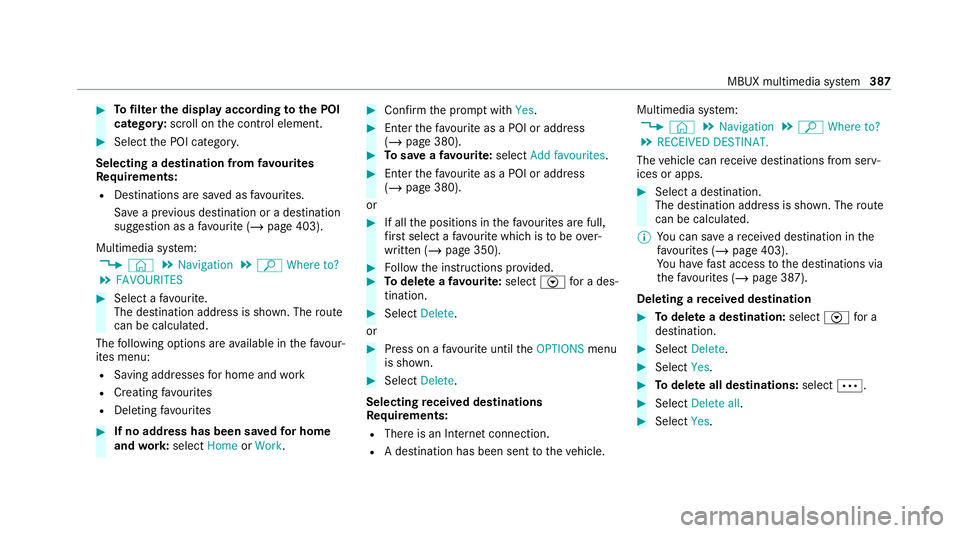
#
Tofilter the display according tothe POI
categor y:scroll on the control element. #
Select the POI categor y.
Selecting a destination from favo urites
Re quirements:
R Destinations are sa ved as favo urites.
Sa ve a pr evious destination or a destination
suggestion as a favo urite (/ page 403).
Multimedia sy stem:
4 © 5
Navigation 5
ª Where to?
5 FAVOURITES #
Select a favo urite.
The destination address is shown. The route
can be calculated.
The following options are available in thefa vo ur‐
ites menu:
R Saving addresses for home and work
R Creating favo urites
R Deleting favo urites #
If no address has been sa vedfo r home
and work:select HomeorWork. #
Confirm the prom ptwith Yes. #
Enterth efa vo urite as a POI or address
(/ page 380). #
Tosave afa vo urite: select Add favourites. #
Enter thefa vo urite as a POI or address
(/ page 380).
or #
If all the positions in thefa vo urites are full,
fi rs t select a favo urite which is tobe ove r‐
written (/ page 350). #
Follow the instructions pr ovided. #
Todel ete a favo urite: select Vfor a des‐
tination. #
Select Delete.
or #
Press on a favo urite until theOPTIONS menu
is shown. #
Select Delete.
Selecting received destinations
Re quirements:
R There is an Internet connection.
R A destination has been sent totheve hicle. Multimedia sy
stem:
4 © 5
Navigation 5
ª Where to?
5 RECEIVED DESTINAT.
The vehicle can recei vedestinations from serv‐
ices or apps. #
Select a destination.
The destination address is shown. The route
can be calculated.
% You can sa veare cei ved destination in the
fa vo urites (/ page 403).
Yo u ha vefast access tothe destinations via
th efa vo urites (/ page 387).
Deleting a received destination #
Todel ete a destination: selectVfor a
destination. #
Select Delete. #
Select Yes. #
Todel ete all destinations: selectÄ. #
Select Delete all. #
Select Yes. MBUX multimedia sy
stem 387
Page 392 of 689
#
Tocall the destination: if atelephone num‐
ber is available, select Call. #
Toshare the destination using NFC or QR
code: select Share via NFC or QR code .#
Hold the NFC area of the mobile phone (see
manufacturer's operating instructions) on the
mat or place the mobile phone on it
(/ page 428).
or #
Hold the mobile phone near tothe multime‐
dia sy stem and scan the QR code. #
Tocall up an Internet address: if aweb
address is available, select www. #
Toshow on the map: selectDisplay on the
map .
Selecting a route type
Multimedia sy stem:
4 © 5
Navigation 5
Z
5 Advanced 5
Route #
Select thero ute type.
If no route has been created, the next route
is calculated on the basis of the new route
type. If a
route has already been created, thero ute
is calculated on the basis of the new route
type.
The following route types are available:
R Fast
Aro ute with a quick journey time is calcula‐
te d.
R Short
Aro ute with a sho rtdriving dis tance is calcu‐
la te d.
R Eco
An economical route is calculated. The jour‐
ney time may be som ewhat longer than for
qu icke rro utes.
R Trailer
The option is available if a trailer has been
coupled with theve hicle.
A prom ptis shown in the multimedia sy stem.
Confirm the prom pt.
The route is optimised for trailer operation
with a maximum speed of 80 km/h. Tr
af fic information can be ta ken into account
fo r the route types: #
Select Dynamic route guidance r. #
Select Automatic, After asking orOff.
Explanation of the options:
R Automatic
The route is calculated with the cur rently set
ro ute type.
Tr af fic messages via Live Traf fic Information
or FM RDS-TMC are take n into account
(/ page 404).
Live Traf fic Information and FM RDS-TMC are
not available in all countries.
R After asking
A prom ptappears when a new route is de tec‐
te d with a shor ter journey time based on traf‐
fi c re ports. You can continue touse the cur‐
re nt route or use the dynamic route ins tead
(/ page 390).
R Off
No tr affic re ports are take n into account for
th ero ute. MBUX multimedia sy
stem 389
Page 393 of 689
Calculating alternative
routes #
Activate Suggest alternative route.
The display button is acti vated. Alternative
ro utes are calculated foreve ryroute. #
Select an alternative route (/ page 393).
Ac cepting a de tour recommendation af ter a
prom pt
Re quirements:
R After asking is switched on (/ page 389) in
th eDYNAMIC ROUTE GUIDANCE menu.
R Route guidance is active.
R There are traf fic re ports forth e cur rent
ro ute.
If a new route with a sho rter driving time is
de term ined, the cur rent and new routes will be
shown.
The notification is shown in ano ther application.
Confirm the notification. #
Toaccept the new route: select Accept rec-
ommended detour. #
Tomaintain the cu rrentroute: select Keep
to current route . Selecting
route options
Multimedia sy stem:
4 © 5
Navigation 5
Z
5 Advanced 5
Route
Av oiding areas #
Select Avoid options. #
Select Avoid areas (/page 414).
Av oiding or using mo torw ays, ferries, tun‐
nels, mo torail trains, unpa vedro ads #
Select Avoid options. #
Activate or deacti vate theavo id option.
To avoid: the display button is activated. The
ro ute avoids mo torw ays, forex ample.
To use: the display button is off. The route
ta ke s mo torw ays into consideration, for
ex ample.
These route options are not available in every
countr y.
The selected route options cannot alw ays be
ta ke n into account. The refore , a route may
include a ferry, for ins tance, eventh ough the
Avoid ferries avoid option is enabled. A mes‐ sage
then appears and you will hear a co rre‐
sponding message.
Av oiding or using tollro ads #
Select Avoid options. #
Select Toll roads. #
Switch Avoid all on or off.
To avoid: the display button is activated. The
ro ute avoids all tollro ads.
To use: the display button is off. The route
ta ke s into account all roads that requ irethe
payment of a usage fee (toll).
or #
Toavoid a type of payment: selectAvoid.
The route avoids all tollro ads with the selec‐
te d me thod of payment. #
Touse a type of payment: selectUse.
The route take s into account all tollro ads
with the selected me thod of payment.
These route options are not available in every
countr y. 390
MBUX multimedia sy stem