mercedes me MERCEDES-BENZ GLE SUV 2018 COMAND Manual
[x] Cancel search | Manufacturer: MERCEDES-BENZ, Model Year: 2018, Model line: GLE SUV, Model: MERCEDES-BENZ GLE SUV 2018Pages: 190, PDF Size: 4.42 MB
Page 1 of 190
COMAND
Supplement
Mercedes-Benz
Order no. P000 0163 13 Part no. 166 584 87 07 Edition B-2018
É1665848707MËÍ1665848707
COMAND Supplement
Page 2 of 190
Publication details
Internet
Further information about Mercedes-Benz vehi-
cles and about Daimler AG can be found on the
following websites:
http://www.mbusa.com (USA only)
http://www.mercedes-benz.ca (Canada only)
Editorial office
You are welcome to forward any queries or sug-
gestions you may have regarding this Operator's
Manual to the technical documentation team at
the following address:
Daimler AG, HPC: CAC, Customer Service,
70546 Stuttgart, Germany
©Daimler AG: Not to be reprinted, translated or
otherwise reproduced, in whole or in part, with-
out written permission from Daimler AG.
Vehicle manufacturer
Daimler AG
Mercedesstra
Page 3 of 190
Welcome to the world of Mercedes-Benz
First of all, familiarize yourself with your multi-
media system. Read these operating instruc-
tions, particularly the safety and warning notes,
before you drive off.
This will help you to obtain the maximum pleas-ure from your multimedia system and avoid
endangering yourself and others.
The equipment level and functions of your mul-
timedia system may differ depending on:
RModel
ROrder
RCountry specification
RAvailability
Mercedes-Benz therefore reserves the right to
introduce changes in the following areas:
Rdesign
Requipment
Rtechnical features
The equipment in your vehicle may therefore
differ from that shown in the descriptions and
illustrations.
Consult an authorized Mercedes-Benz Center if
you have further questions.
The Operator's Manual and all supplements are
integral parts of the vehicle. You should always
keep it in the vehicle and pass it on to the new
owner if you sell the vehicle.
The technical documentation team at
Daimler AG wishes you safe and pleasant motor-
ing.
Mercedes-Benz USA, LLC
Mercedes-Benz Canada, Inc.
A Daimler Company
1665848707
É1665848707MËÍ
Page 4 of 190
Index....................................................... 4
Introduction......................................... 14
Operating safety .................................... 14
Data stored in the vehicle ...................... 15
Information on copyright ...................... .17
Your multimedia system equipment ...... 17
Overview and operation .....................18
Overview ................................................ 18
Touchpad .............................................. .23
Basic functions ...................................... 28
Character entry (telephony) ................... 29
Character entry (navigation) .................. 30
Favorites ................................................ 32
System settings .................................. 34
Your multimedia system equipment ...... 34
Important safety notes .......................... 34
Display settings ..................................... 34
Time settings .........................................3 5
Text reader settings ...............................3 7
Voice Control System settings ............... 37
Wi-Fi ...................................................... 37
Bluetooth
®settings ............................... 40
Setting the system language .................4 1
Callin g up the favorite functions ............ 41
Im porting/exporting data ...................... 42
Reset function ...................................... .43
Vehicle functions ................................ 44
Your multimedia system equipment ...... 44
Important safety notes .......................... 44
Vehicle settings ..................................... 44
Seats ..................................................... 46
360° camera ......................................... 47
Rear view camera .................................. 48
DYNAMIC SELECT .................................. 49
Driving dynamics ................................... 51
Navigation ........................................... 52
Your multimedia system equipment ...... 52
Introduction ........................................... 52
Basic settings ........................................ 54 Destination entry ................................... 56
Personal POIs and routes ...................... 67
Route guidance ...................................... 70
Real-time traffic reports ......................... 76
Storing destinations ............................... 80
Map functions ........................................ 82
Navigation functions .............................. 87
Problems with the navigation system .... 88
Telephone
............................................ 90
Your multimedia system equipment ...... 90
Important safety notes .......................... 90
General notes ........................................ 90
Telephone menu overview ..................... 91
Connecting/disconnecting a mobile
phone .................................................... 91
Setting the reception and transmis-
sion volume ........................................... 95
Using the telephone .............................. 95
Mobile phone voice recognition ............. 99
Phone book ........................................... 99
Address book ...................................... 102
Importing contacts .............................. 107
Call lists ............................................... 109
Speed dial lists .................................... 111
Messages (text messages and e-
mails) ................................................... 111
Dictation function ................................ 117
Apple CarPlay™ ................................... 118
Android Auto ....................................... 120
Online and Internet functions ..........122
Your multimedia system equipment .... 122
Important safety notes ........................ 122
Conditions for access .......................... 122
Establishing/ending the connection .... 122
Mercedes-Benz Apps ........................... 123
Web browser ....................................... 123
Radio .................................................. 128
Your multimedia system equipment .... 128
Switching on the radio ......................... 128
Overview .............................................. 128
Sets the waveband .............................. 129
Station ................................................. 129
Tagging music tracks ........................... 130
2Contents
Page 8 of 190
Entering using geo-coordinates ....... 66
Entering using Mercedes-Benz
Apps ................................................ 66
Keyword search ............................... 59
Saving .............................................. 80
Selecting an address book con-
tact as a destination ........................ 61
Selecting from the list of last des-
tinations ........................................... 60
Dialing a number (telephone) .............96
Display
Selecting th edesign ........................ 34
Switchin gon/off .............................. 35
Displaying energy consumption
and generated electrical energy
(COMAND) ............................................ 45
Driving Dynamics
Displayin g ........................................ 51
DVD
Inserting/loading (DVD changer) ... 139
Inserting/loading (Rear Seat
Entertainment System) .................. 176
Notes on discs ............................... 139
Removing/ejecting (DVD
changer) ........................................ 140
Removing/ejecting (Rear Seat
Entertainment System) .................. 176
DVD video
Rear Seat Entertainment System ... 179
DYNAMIC SELECT
Configuration via the DYNAMIC
SELECT controller ............................ 49
Configuring individual drive pro-
gram ................................................ 49
Configuring using the DYNAMIC
SELECT button ................................. 49
Displaying engine data ..................... 49
Setting options ................................ 50
E
E-mailAnswering ...................................... 116
Calling up the settings menu ......... 112
Changing the name of the e-mail
account .......................................... 113
Configuring an e-mail account ....... 113
Configuring the e-mails displayed .. 112 Deactivating the e-mail function .... 113
Deleting ......................................... 117
Displaying details ........................... 114
Downloading e-mails manually ...... 113
Editing text templates .................... 116
Forwarding ..................................... 116
Inbox .............................................. 114
Reading .......................................... 113
Settings ......................................... 112
Storing the sender as a new entry
in the address book ....................... 117
Using a phone number in the text .. 117
Using text templates ...................... 116
Writing ........................................... 115
Entering the address (example) ......... 57
Entering the city .................................. 57
F
Factory setting (reset function) ......... 43
Favorites
Adding ............................................. 32
Adding (predefined) ......................... 32
Adding (your own) ............................ 32
Deleting ........................................... 33
Displaying and calling up ................. 32
Moving ............................................. 33
Overview .......................................... 32
Renaming ......................................... 33
Favorites (Internet) ........................... 126
Favorites button .................................. 41
Fuel consumption (COMAND) ............ 45
G
GPS reception...................................... 52
Gracenote®Media Database ............ 142
H
Handwriting recognition
Switching text reader function
on/off .............................................. 25
Touchpad ......................................... 25
Harman kardon
®Logic 7®sur-
round sound system
Balance/Fader ............................... 158
Calling up the sound menu ............ 158
Equalizer ........................................ 158
6Index
Page 10 of 190
Categorylist.................................. 144
Current track list ............................ 144
General notes ................................ 143
Keyword search ............................ .144
Music genres ................................. 144
Selecting by cover ......................... 144
Starting the media search .............. 143
Menu overview
CD audio and MP3 mode ...............1 39
Mercedes-Benz Apps
Calling up ....................................... 123
Voice-operated control system ...... 123
Microphone, switching on/off ........... 97
Mobile phone
Authorizing ....................................... 93
Connecting (Bluetooth
®inter-
face) ................................................ 91
Connecting another mobile
phone .............................................. 94
De-authorizing ................................. 95
Displaying Bluetooth
®connection
details .............................................. 95
MP3
Copyright ....................................... 138
Fast forward/fast rewind ...............1 42
Notes ............................................. 137
Safety notes .................................. 137
Stop and playback function ........... 142
N
Navigation
Adjusting the volume of the navi-
gation announcements .................... 28
Alternative route .............................. 74
Avoiding an area .............................. 85
Basic settings .................................. 54
Blocking a route section affected
by a traffic jam ................................. 75
Calling up the compass display ........ 88
Calling up the menu ......................... 87
Entering a destination ...................... 56
Entering a destination using the
map ................................................. 63
Entering a point of interest .............. 61
Entering characters (character
bar) .................................................. 30
GPS reception .................................. 52 Important safety notes .................... 52
Info on navigation ............................ 88
Lane recommendation ..................... 71
Off-road/Off-map (off-road desti-
nation) ............................................. 76
Online map display .......................... 87
Reading out traffic reports ............... 79
Repeating announcements .............. 73
Selecting a destination from the
list of last destinations ..................... 60
Setting route options (avoiding:
highways, toll roads, tunnels, fer-
ries) ................................................. 54
Setting the route type (short
route, fast route, dynamic route or
economic route) ............................... 54
Showing/hiding the menu ............... 53
Starting route calculation ................ 58
Switching announcements
on/off .............................................. 73
Switching to ..................................... 53
Navigation announcements
Switching off .................................... 28
North orientation (navigation) ........... 82
O
Off-road................................................ 76
Online and Internet functions
Ending the connection ................... 123
Establishing a connection .............. 122
Mercedes-Benz Apps ..................... 123
Web browser .................................. 123
P
Pause functionVideo DVD ..................................... 155
Personal POIs and routes
Alert when approaching (personal
POI) .................................................. 67
Editing .............................................. 68
Importing via Mercedes-Benz
Apps ................................................ 68
Recording the route ......................... 69
Saving .............................................. 67
Selecting .......................................... 68
Settings for personal POIs ............... 67
8Index
Page 17 of 190
Canada only:The wireless devices of this vehi-
cle comply with Industry Canada license-
exempt RSS standard(s). Operation is subject to the following two conditions:
1) These devices may not cause interference,
and
2) These devices must accept any interference,
including interference that may cause undesired
operation of the device.
Correct use
You need to observe the following information
when using the multimedia system:
Rthe safety notes in this manual
Rtraffic rules and regulations
Rlaws and safety standards pertaining to motorvehicles
Using roof carriers may impair the correct func-
tioning of a roof antenna (phone, satellite radio,
GPS).
Attaching metalized retrofit film to the wind-
shield may affect radio reception. This can have
a negative impact on all other antennas (e.g.
emergency call antenna) in the vehicle interior.
Protection against theft: this device is equip-
ped with technical provisions to protect it
against theft. Further information on protection
against theft can be obtained from an author-
ized Mercedes-Benz Center.
Qualified specialist workshop
Read the information on qualified specialist
workshops in the vehicle Operator's Manual.
Function restrictions
For safety reasons, some functions are restric-
ted or unavailable while the vehicle is in motion.
You will notice this, for example, because either you will not be able to select certain menu items
or a message will appear to this effect.
Data stored in the vehicle
Data recording
A wide range of electronic components in your
vehicle contain data memories.
These data memories temporarily or perma-
nently store technical information about:
Rthe vehicle's operating state
Revents
Rmalfunctions
In general, this technical information docu-
ments the state of a component, a module, a
system or the surroundings.
These include, for example:
Roperating conditions of system components,
e.g. fluid levels
Rthe vehicle's status messages and those of its
individual components, e.g. number of wheel
revolutions/speed, deceleration in move-
ment, lateral acceleration, accelerator pedal
position
Rmalfunctions and defects in important system
components, e.g. lights, brakes
Rvehicle reactions and operating conditions in
special driving situations, e.g. air bag deploy-
ment, intervention of stability control sys-
tems
Rambient conditions, e.g. outside temperature
This data is of an exclusively technical nature
and can be used to:
Rassist in detecting and rectifying faults and
defects
Ranalyze vehicle functions, e.g. after an acci-
dent
Roptimize vehicle function
The data cannot be used to trace the vehicle's
movements.
When your vehicle is serviced, technical infor-
mation can be read from the event data memory
and fault data memory.
Services include, for example:
Rrepair services
Rservice processes
Rwarranty events
Rquality assurance
The vehicle is read out by employees of the ser-
vice network (including the manufacturer) using
special diagnostic testers. You can obtain more
information there, if required.
Introduction15
Z
Page 18 of 190
After a malfunction has been rectified, the infor-
mation is deleted from the malfunction memory
or is continually overwritten.
When operating the vehicle, situations are con-
ceivable in which this technical data, in connec-
tion with other information (if necessary, after
consultation with an authorized expert), could
be traced to a person.
Examples include:
Raccident reports
Rdamage to the vehicle
Rwitness statements
Further additional functions that have been con- tractually agreed upon with the customer allow
certain vehicle data to be conveyed by the vehi-
cle as well. The additional functions include, for
example, vehicle location in case of an emer-
gency.
COMAND/mbrace
If the vehicle is equipped with COMAND or
mbrace, additional data about the vehicle’s
operation, the use of the vehicle in certain sit-
uations, and the location of the vehicle may be
compiled through COMAND or the mbrace sys-
tem.
For additional information please refer to the
COMAND User Manual and/or the mbrace
Terms and Conditions.
Event data recorders
This vehicle is equipped with an event data
recorder (EDR). The main purpose of an EDR is
to record data that will assist in understanding
how a vehicle’s systems performed in certain
crash or near crash-like situations, such as dur-
ing air bag deployment or when hitting a road
obstacle. The EDR is designed to record data
related to vehicle dynamics and safety systemsfor a short period of time, typically 30 seconds
or less.
The EDR in this vehicle is designed to record
such data as:
Rhow various systems in your vehicle are oper-
ating
Rwhether or not the driver and passenger seat
belts are fastened
Rhow far (if at all) the driver is depressing the
accelerator and/or brake pedal and
Rhow fast the vehicle is traveling
This data can help provide a better understand-
ing of the circumstances in which crashes and
injuries occur. NOTE: EDR data is recorded by
your vehicle only if a non-trivial crash situation
occurs; no data is recorded by the EDR under
normal driving conditions and no personal data
(e.g., name, gender, age, and crash location) are recorded. However, other parties, such as law
enforcement, can combine the EDR data wi th
the ty
pe of personal identification data routinely
acquired during a crash investigation.
To read data recorded by an EDR, special equip- ment is required, and access to the vehicle or
the EDR is needed. In addition to the vehicle
manufacturer, other parties that have the spe-
cial equipment, such as law enforcement, can
read the information by accessing the vehicle or
the EDR.
EDR data may be used in civil and criminal mat-
ters as a tool in accident reconstruction, acci-
dent claims, and vehicle safety. Since the Crash
Data Retrieval CDR tool that is used to extract
data from the EDR is commercially available,
Mercedes-Benz USA, LLC ("MBUSA") expressly
disclaims any and all liability arising from the
extraction of this information by unauthorized
Mercedes-Benz personnel.
MBUSA will not share EDR data with others
without the consent of the vehicle owners or, if
the vehicle is leased, without the consent of the lessee. Exceptions to this representation
include responses to subpoenas by law enforce-
ment; by federal, state or local government; in
connection with or arising out of litigation involv-
ing MBUSA or its subsidiaries and affiliates; or,
as required by law.
Warning: The EDR is a component of the Su
p-
plemental Restraint System ("SRS") Module.
Tampering with, altering, modifying or removing the EDR component may result in a malfunction
of the SRS Module and other systems.
State laws or regulations regarding EDRs that
conflict with federal regulation are pre-empted.
This means that in the event of such conflict, the
federal regulation governs. As of February 2013,13 states have enacted laws relating to EDRs.
16Introduction
Page 19 of 190
Information on copyright
Information on licenses for free and Open
Sourcesoftware used in your vehicl eand in th e
electronic component scan be foun don this
website: http://www.mercedes-benz.com /
opensource .
Your multimedia system equipment
Theseoperating instruction sdescribe all th e
standard and optional equipmen tof your multi-
media system, as available at th etime of goin g
to press. Country-specific difference sare pos -
sible .Bea rin min dthat your vehicl emay no t
feature all function sdescribe dhere. This also
applie sto safety-relevant systems and func-
tions.
Read th einformation on qualified specialist
workshops in th evehicl eOperator's Manual.
Introduction17
Z
Page 21 of 190
RCommunication
-Address book
-Messaging functions (text messages, e-
mail)
-Dictation function
-Apple CarPlay™
-Android Auto
-Internet browser
-Mercedes-Benz Apps with functions, such
as online search, destination and route
download, Facebook, stock prices, and
news
-Mercedes-Benz Mobile Website
-Wi-Fi interface for the connection of a
smartphone to the multimedia system
-Wi-Fi hotspot functionality to connect a
tablet PC or laptop in order to enable
access to the Internet using the customer's
mobile phone
RSIRIUS Weather
-Weather data as an information chart (cur-
rent forecast, 5-day preview, detailed infor-
mation)
-Weather data on the weather map, e.g. rain
radar data, storm characteristics and the
track of tropical cyclones (hurricanes, tor-
nadoes)
RVehicle functions
-Vehicle settings, e.g. fuel consumption
-Ionization
-360° camera
-Rear view camera
-Seat functions
-DYNAMIC SELECT (individual drive pro-
gram)
-Driving dynamics display in the multimedia
system for vehicles with the Off-Road Engi-neering package (see the vehicle Opera-
tor's Manual)
RFavorites button
-Fast access to favorites functions using the
favorites button on the controller
Display
General notes
!Do not use the space in front of the display
for storage. Objects placed here could dam-
age the display or impair its function. Avoid
any direct contact with the display surface.
Pressure on the display surface may result in
impairments to the display, which could be
irreversible.
Wearing polarized sunglasses may impair your
ability to read the display.
The display has an automatic temperature-con-
trolled switch-off feature. The brightness is
automatically reduced if the temperature is too
high. The display may then temporarily switch
off completely.
Overview
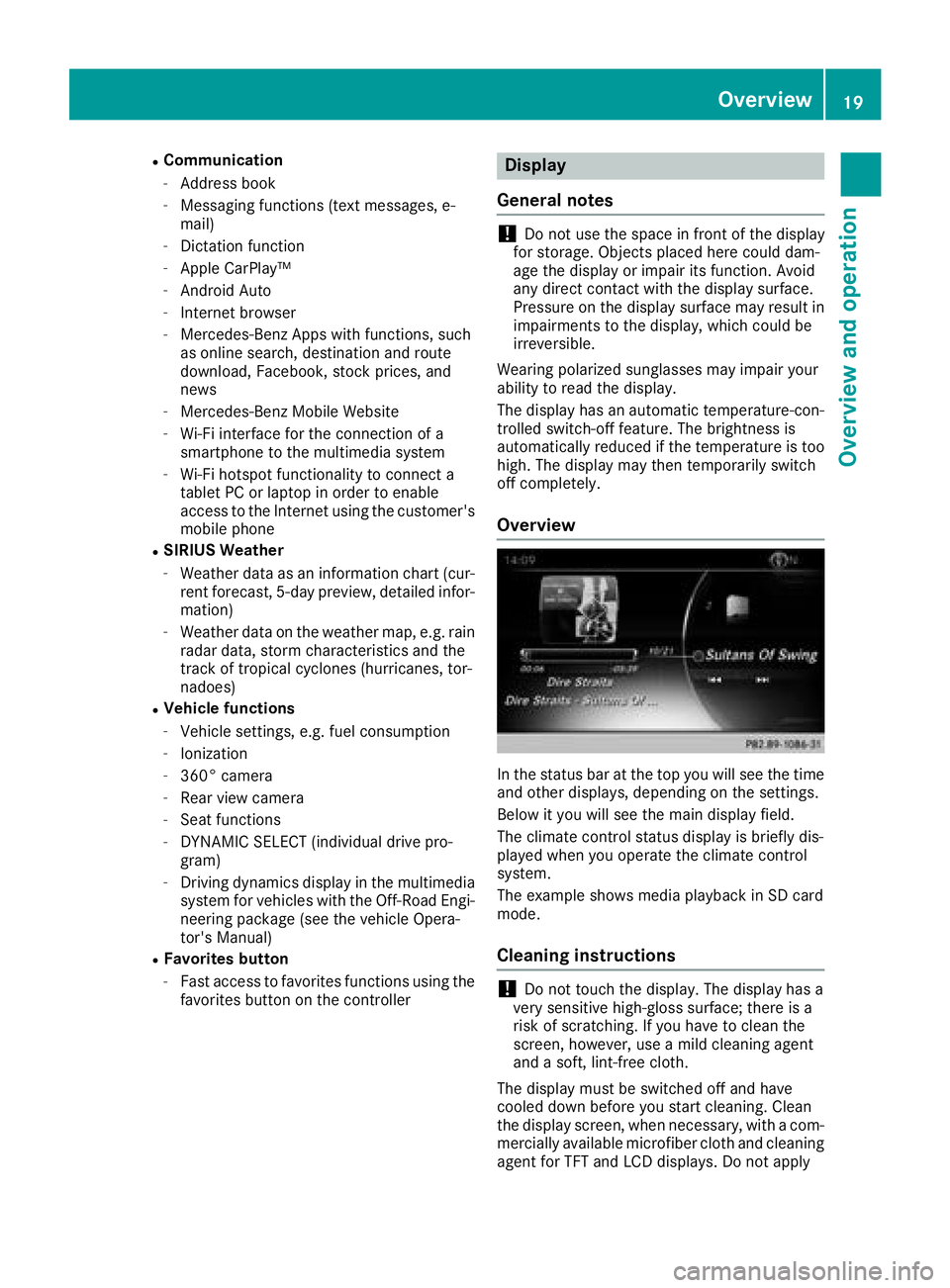
In the status bar at the top you will see the time
and other displays, depending on the settings.
Below it you will see the main display field.
The climate control status display is briefly dis-
played when you operate the climate control
system.
The example shows media playback in SD card
mode.
Cleaning instructions
!Do not touch the display. The display has a
very sensitive high-gloss surface; there is a
risk of scratching. If you have to clean the
screen, however, use a mild cleaning agent
and a soft, lint-free cloth.
The display must be switched off and have
cooled down before you start cleaning. Clean
the display screen, when necessary, with a com-
mercially available microfiber cloth and cleaning
agent for TFT and LCD displays. Do not apply
Overview19
Overview and operation