phone MERCEDES-BENZ GLK-Class 2012 X204 Comand Manual
[x] Cancel search | Manufacturer: MERCEDES-BENZ, Model Year: 2012, Model line: GLK-Class, Model: MERCEDES-BENZ GLK-Class 2012 X204Pages: 182, PDF Size: 4.89 MB
Page 166 of 182
?
Retaining lugs
A Batterie s
The remoteco ntrol contain s2 typ eAA A,
1. 5V bat terie s.
X To ope nth ebat terycom partme nt:
rem ove battery compar tmentco ver =on
th ebac kof therem oteco ntrol .
X To do so, pressdown retain ing lug ;and
tak eoff battery compar tmentco ver =.
X Remo vedisc harged batterie sA from the
tr ay.
X Inser tthe new batteries. Observethe
polarity markings onthe batteries and
battery compartmen twhen doing so.
Left- hand battery: thepositive pole(+)
must faceupwa rds.
Right-hand battery:thepositive pole(+)
must facedownwards.
X To close thebatt erycompart ment:
insert battery compartmen tcover =
startin gwith retaining lugs?into the
battery compartmen tand allow catch
tab ;toengage inplace.
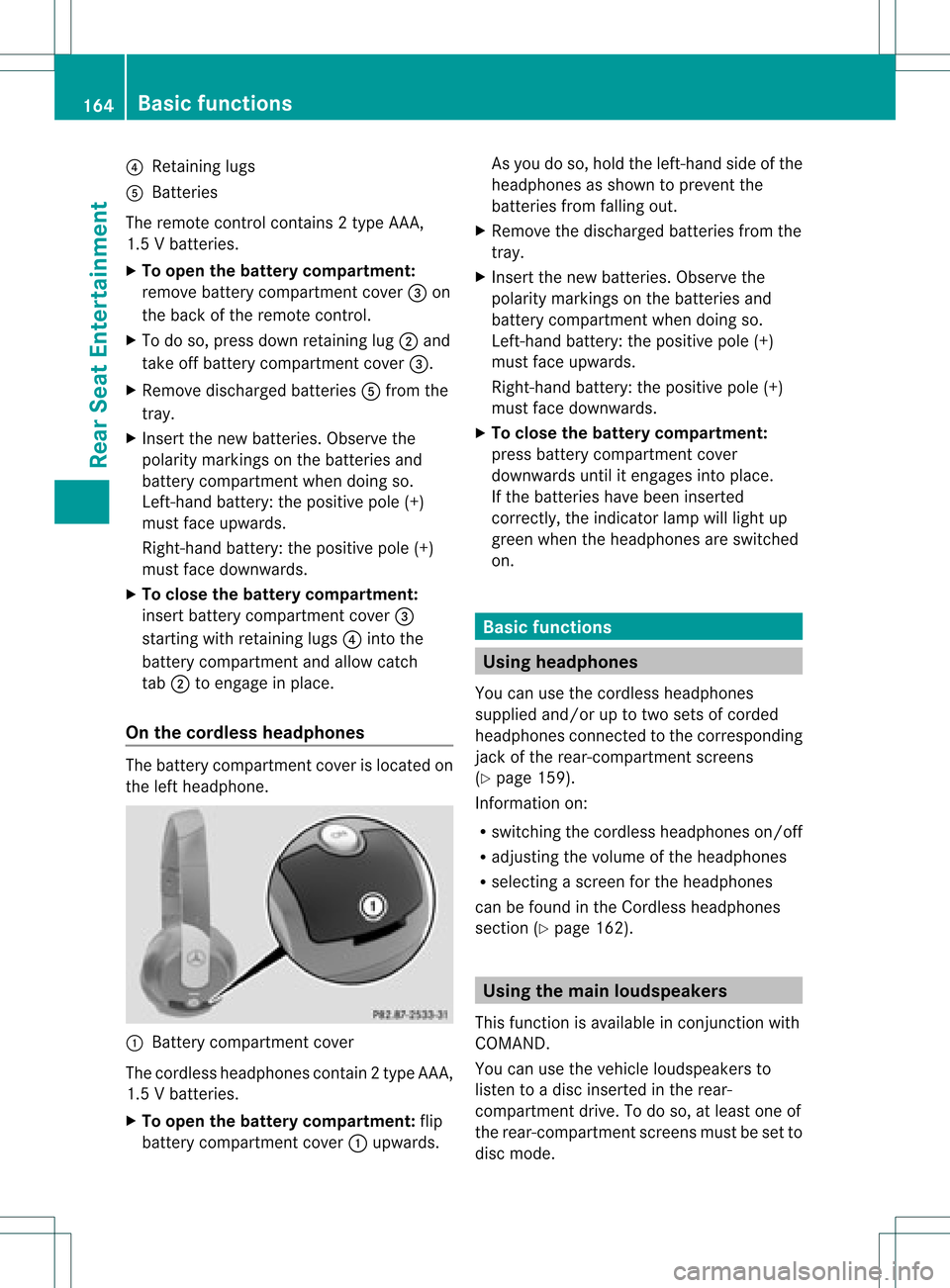
On the cordless headphones The
battery compartmen tcover islocated on
the left headphone. :
Batt erycompart mentcover
The cordless headphones contain2type AAA,
1. 5V bat terie s.
X To ope nth ebat tery com partme nt:fli p
bat tery compar tmentco ver :upwar ds. As
you doso, holdth elef t-han dside ofthe
head phonesas sho wntopre ven tthe
batteries fromfalling out.
X Remove thedischarged batteriesfromthe
tray.
X Insert thenew batteries. Observethe
polarity markings onthe batteries and
battery compartmen twhen doing so.
Left- hand battery: thepositive pole(+)
must faceupwa rds.
Right-hand battery:thepositive pole(+)
must facedownwards.
X To close thebatt erycompart ment:
press battery compartmen tcover
downwards untilitengages intoplace.
If the batteries havebeen inserted
correct ly,the indicator lampwilllight up
green whentheheadphones areswitched
on. Basic
functions Using
headph ones
You canusethecordless headphones
suppli edand/or uptotwo sets ofcorded
headphones connected tothe corresponding
jack ofthe rear-compart mentscreens
(Y page 159).
Inform ationon:
R switching thecordless headphones on/off
R adjusting thevolume ofthe headphones
R selecting ascreen forthe headphones
can befound inthe Cordless headphones
section (Ypage 162). Using
themain loudspeakers
This funct ionisavaila bleinconj unction with
COMAND.
You canusethevehicle loudspea kersto
listen toadisc inserted inthe rear-
compartmen tdrive. Todo so, atlea stone of
the rear-compa rtmentscreens mustbeset to
disc mode. 164
Basic
functio nsRearSeatEntertainment
Page 167 of 182
X
To setu sing COMAND: press,for
example, theefunct ionbutton toswitch
on anaudio mode.
X Select Audio by
sliding ZVtheCOMAND
con troller andpress Wtocon firm.
The Audio menuappears.
X Select Rear by
turn ingcVd theCOMAND
con troller andpress Wtocon firm.
i The headphones' volumesettingdoes not
affect themain loudspeakers. Adju
sting thesound settings
You canselect thesound settings inthe audio
CD/D VD/MP3, video DVDandAUX modes.
X Switc hon anoperating mode(e.g.audio
CD mode) (Ypage 168).
X Select Treble or
Bass using
the :=; buttonson the remot e
con trol and press the9button tocon firm.
An adjustmen tscal eap pea rs.
X Sel ect asetti ngusing the 9:
bu ttons andpressthe 9button toconfi rm. Multi
pleusers
Simul taneoususeofthe rear-
co mpartment discdrive The
two rear-comp artmentscree nscan be
ope rate dalmost entirelyind epe ndentl yfrom
one another. However,there canbeaconfl ict
in some menusif the two scree nsare used
sim ultaneo usly.
If the rear-comp artmentdisc drive isbei ng
us ed for both scree nssim ultaneo usly,
sel ecting certainmenu sor setti ngsonone of
the scree nsalso affe ctsthe othe rscree n.
The followi ng functi onsaffectboth scree ns:
R cha nging play ba ck opti ons
R sel ecting atrack (fromatra cklist or folder)
R us ing the play ,pa useand stopfu nctio ns
R fast for wa rding/r ewind ing orscro lling R
cal ling up the DVD menu andnavigati ng
wi thi nit
R setting thelangua ge,subtitles andcamera
angle
R calling upinteract iveDVD content
The followi ngfunction saffect onlyone
screen:
R audi oand video function sas well aspicture
settings
R switching betweenfullscreen andthe
menu
Switching betweenoperating modes When
youexit anoperating mode(e.g.audio
CD mode), thecurrent settingissaved. Ifyou
call upthis operating modeagainlate r,th ere
are two poss ibilities:
R theoper atingmod ehas been chang edon
th eot her scree n.
R theoper atingmod ehas notb een changed.
In the first case, theoperatin gmode appears
as itis on the other screen .
In the secon dcase, thesett ingappears onthe
screen asitwas when youlast exitedthe
operatin gmode. Pictur
esettings
Overview You
canselect thesesettings invideo DVD
and AUX mode. Instruct ions forAUX mode
are detailed later(Y page 176).
Adju sting thebright ness,contra stand
color X
Switc hon video DVDmode (Ypage 172).
X To show themenu: pressthe9button
on the remot econ trol.
or
X Select Menu while
thenavigation menu
(Y page 152)is shown andpress the9
button tocon firm. Ba
sic functions
165RearSeatEntert ainment Z
Page 180 of 182
In
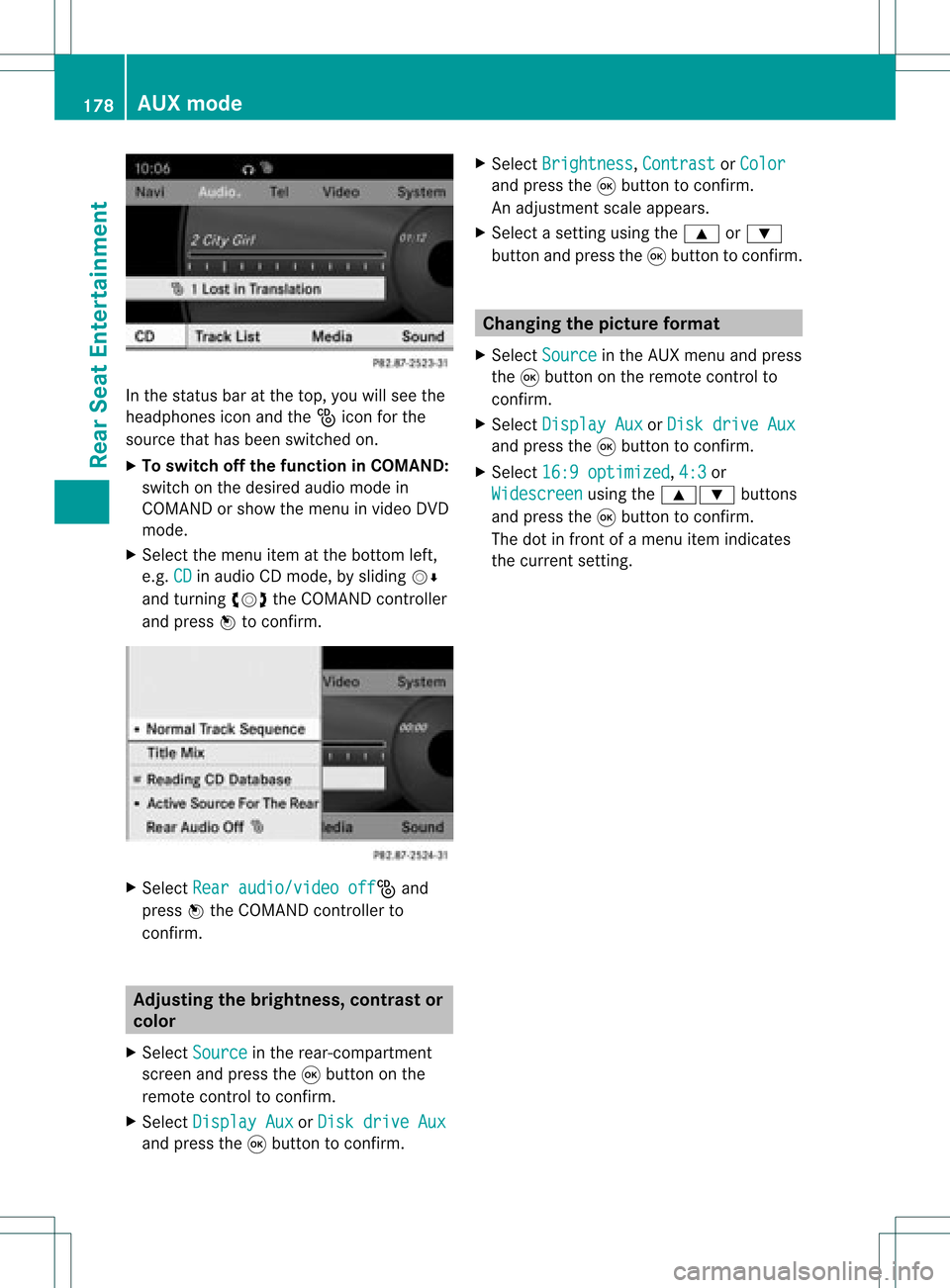
the status baratthe top, youwillsee the
head phones iconandthe_icon forthe
source thathasbeen switched on.
X To swi tch offthe functio nin COMA ND:
switch onthe desire daud iomode in
COMAND orshow themenu invideo DVD
mode.
X Select themenu itematthe bottom left,
e.g. CD in
aud ioCD mode, byslid ing VÆ
and turning cVdtheCOMAND controller
and press Wtoconfirm. X
Select Rearaudio/video off _
and
press Wthe COMAND controller to
confirm. Adjusting
thebrightnes s,con trast or
col or
X Select Source in
the rear-compartment
screen andpress the9button onthe
remote controltoconfirm.
X Select Display Aux or
Disk drive Aux and
press the9button toconfirm. X
Select Brightness ,
Contrast or
Color and
press the9button toconfirm.
An adjus tment scaleappears.
X Select asetting usingthe9 or:
button andpress the9button toconfirm. Changi
ngthe picture format
X Select Source in
the AUX menu andpress
the 9button onthe remote controlto
confirm.
X Select Display Aux or
Disk drive Aux and
press the9button toconfirm.
X Select 16:9optimized ,
4:3 or
Widescreen using
the9: buttons
and press the9button toconfirm.
The dotinfront ofamenu itemindicates
the current setting. 178
AUX
modeRear SeatEntertainment