button MERCEDES-BENZ GLK-Class 2013 X204 Manual Online
[x] Cancel search | Manufacturer: MERCEDES-BENZ, Model Year: 2013, Model line: GLK-Class, Model: MERCEDES-BENZ GLK-Class 2013 X204Pages: 378, PDF Size: 5.03 MB
Page 227 of 378
Activating/deactivating PRE-SAFE
®
Brake PRE-SAFE
®
Brake is only available in vehicles
with DISTRONIC PLUS.
X Press the 0002or0005 button on the
steering wheel to select the DriveAssistmenu.
X Press the 0003or0004 buttonto select
PRE-SAFE Brake .
X Press the 000Bbutton.
The current selection is displayed.
X To activate/deactivate: press the000B
button again.
When PRE-SAFE ®
Brake (Y page 69) is
activated, the multifunction display shows
the 0001 symbol as long as the HOLD
function is not activated (Y page 179).
Vehicles with Parking Guidance: if
PARKTRONIC is activated and you are driving
at a speed below 22 mph (35 km/h), the 0010
Parking Guidance symbol is shown instead of
the 0001 symbol.
If the PRE-SAFE Brake: Sensors Deactivated message appears, the radar
sensor system is deactivated.
X Switch on the radar sensor system
(Y page 229).
For more information on PRE-SAFE ®
Brake,
see (Y page 69).
Activating/deactivating ATTENTION
ASSIST X
Press the 0002or0005 button on the
steering wheel to select the DriveAssistmenu.
X Press the 0003or0004 button to select
Attention Assist .
X Press the 000Bbutton.
The current selection is displayed.
X To activate/deactivate: press the000B
button again. When ATTENTION ASSIST (Y
page 197) is
activated, the 0003symbol appears in the
multifunction display when the ignition is on.
For further information about ATTENTION
ASSIST, see (Y page 197).
Activating/deactivating Blind Spot
Assist X
Press the 0002or0005 button on the
steering wheel to select the DriveAssist menu.
X Press the 0003or0004 button to select
Blind Spot Assist .
X Press the 000Bbutton.
The current selection is displayed.
X To activate/deactivate: press the000B
button again.
If the Blind Spot Assist Sensors Deactivated or
Act. Blind Spot Asst. Sensors Deactivated message appears,
the radar sensor system is deactivated.
X Switch on the radar sensor system
(Y page 229).
For further information about Blind Spot
Assist, see (Y page 198).
For further information about Active Blind
Spot Assist, see (Y page 202).
activating/deactivating Lane Keeping
Assist X
Press the 0002or0005 button on the
steering wheel to select the DriveAssist menu.
X Press the 0003or0004 button to select
Lane Keep. Asst. X
Press the 000Bbutton.
The current selection is displayed.
X Press 000Bto confirm.
X Press the 0004or0003 button to set Off ,
Standard or
Adaptive .
X Press the 000Bbutton to save the setting. Menus and submenus
225On-board computer and displays Z
Page 228 of 378
When Lane Keeping Assist or Active Lane
Keeping Assist is activated, the
0001symbol
appears in the multifunction display when the
ignition is on.
For further information about Lane Keeping
Assist, see (Y page 200).
For further information about Active Lane
Keeping Assist, see (Y page 205).Maintenance menu
In the
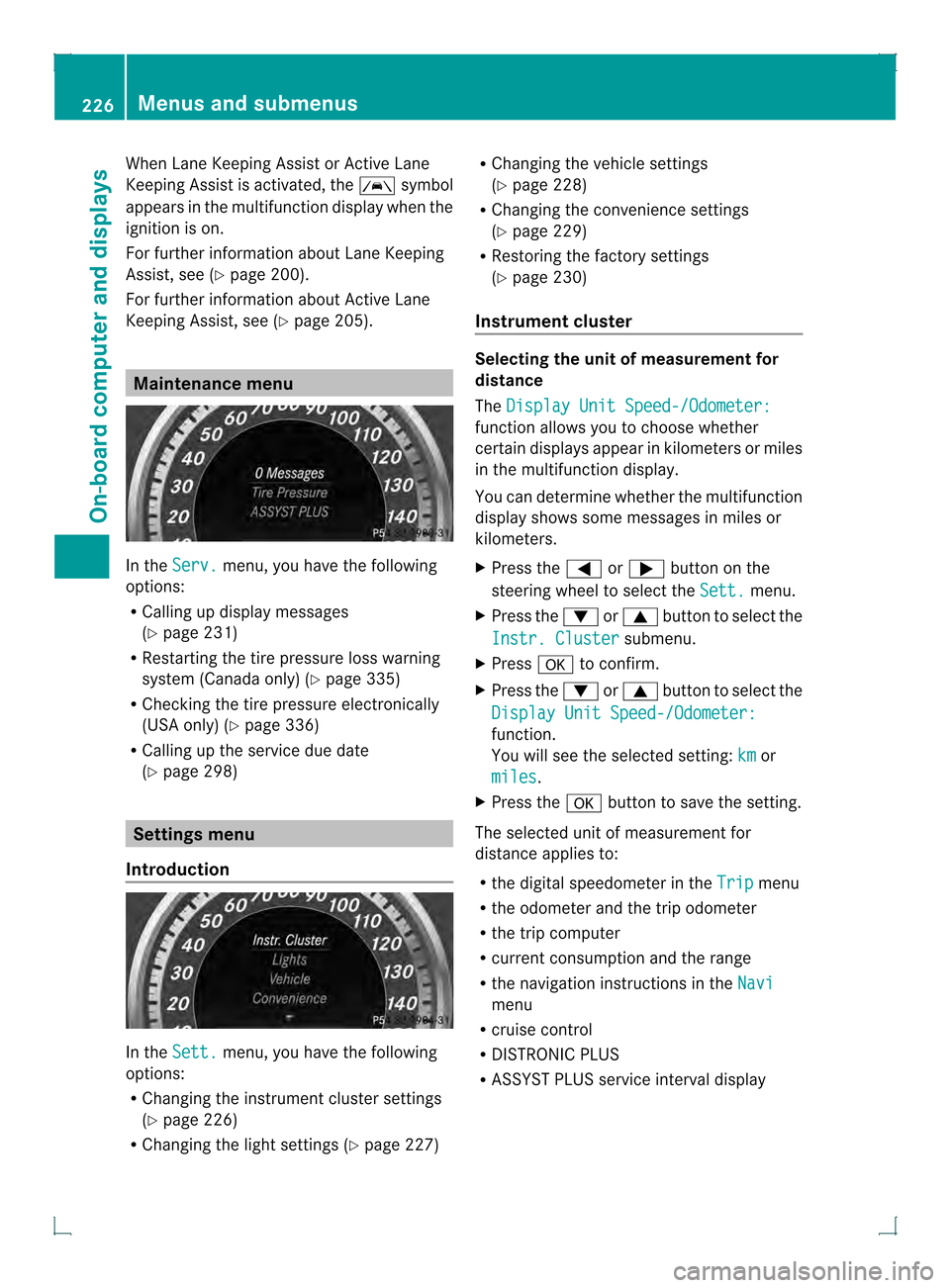
Serv. menu, you have the following
options:
R Calling up display messages
(Y page 231)
R Restarting the tire pressure loss warning
system (Canada only) (Y page 335)
R Checking the tire pressure electronically
(USA only) (Y page 336)
R Calling up the service due date
(Y page 298) Settings menu
Introduction In the
Sett. menu, you have the following
options:
R Changing the instrument cluster settings
(Y page 226)
R Changing the light settings (Y page 227)R
Changing the vehicle settings
(Y page 228)
R Changing the convenience settings
(Y page 229)
R Restoring the factory settings
(Y page 230)
Instrument cluster Selecting the unit of measurement for
distance
The
Display Unit Speed-/Odometer: function allows you to choose whether
certain displays appear in kilometers or miles
in the multifunction display.
You can determine whether the multifunction
display shows some messages in miles or
kilometers.
X Press the 0002or0005 button on the
steering wheel to select the Sett. menu.
X Press the 0004or0003 button to select the
Instr. Cluster submenu.
X Press 000Bto confirm.
X Press the 0004or0003 button to select the
Display Unit Speed-/Odometer: function.
You will see the selected setting:
km or
miles .
X Press the 000Bbutton to save the setting.
The selected unit of measurement for
distance applies to:
R the digital speedometer in the Trip menu
R the odometer and the trip odometer
R the trip computer
R current consumption and the range
R the navigation instructions in the Navi menu
R cruise control
R DISTRONIC PLUS
R ASSYST PLUS service interval display 226
Menus and submenusOn-board computer and displays
Page 229 of 378
Selecting the permanent display function
You can determine whether the multifunction
display permanently shows your speed or the
outside temperature.
X Press the 0002or0005 button on the
steering wheel to select the Sett. menu.
X Press the 0004or0003 button to select the
Instr. Cluster submenu.
X Press 000Bto confirm.
X Press the 0004or0003 button to select the
Permanent Display: function.
You will see the selected setting OutsideTemperature or
Speedometer [km/h] (USA)/Speedometer [mph] (Canada).
X Press the 000Bbutton to save the setting.
i The speed is shown in km/h( USA)/mph
(Canada).
Lights Switching the daytime running lamps on/
off
Daytime running lamps are required by law
(Canada only). You cannot set the "daytime
running lamps" function via the on-board
computer.
X Press the 0002or0005 button on the
steering wheel to select the Sett. menu.
X Press the 0004or0003 button to select the
Lights submenu.
X Press 000Bto confirm.
X Press the 0004or0003 button to select the
Day Lights function.
If the Day Lights function has been
switched on, the cone of light and the
0004 symbol in the multifunction display
are shown in red.
X Press the 000Bbutton to save the setting.
Further information on daytime running
lamps (Y page 111). Setting the brightness of the display/
switch
X
Press the 0002or0005 button on the
steering wheel to select the Sett. menu.
X Press the 0004or0003 button to select the
Lights submenu.
X Press 000Bto confirm.
X Press the 0004or0003 button to select the
Brightness Display/Switches: function.
You will see the selected setting.
X Press 000Bto confirm.
X Press the 0004or0003 button to adjust the
brightness to any level from Level 1 to
Level 5 (bright).
X Press the 000Bor0007 button to save the
setting.
Switching Adaptive Highbeam Assisto n/
off
X Press the 0002or0005 button on the
steering wheel to select the Sett. menu.
X Press the 0004or0003 button to select the
Lights submenu.
X Press 000Bto confirm.
X Press the 0004or0003 button to select the
Adapt. Highbeam function.
If the Adapt. Highbeam function has been
switched on, the cone of light and the
0004 symbol in the upper multifunction
display are shown in red.
X Press the 000Bbutton to save the setting.
For further information about Adaptive
Highbeam Assist, see (Y page 114).
Activating/deactivating surround
lighting and exterior lighting delayed
switch-off
X Press the 0002or0005 button on the
steering wheel to select the Sett. menu.
X Press the 0004or0003 button to select the
Lights submenu.
X Press 000Bto confirm. Menus and submenus
227On-board computer and displays Z
Page 230 of 378
X
Press the 0004or0003 button to select the
Surround Lighting function.
When the Surround Lighting function is
activated, the light cone and the area
around the vehicle are displayed in red in
the multifunction display.
X Press the 000Bbutton to save the setting.
Deactivating delayed switch-off of the
exterior lighting temporarily:
X Before leaving the vehicle, turn the
SmartKey to position 0in the ignition lock.
X Turn the SmartKey to position 2in the
ignition lock.
The exterior lighting delayed switch-off is
deactivated.
Delayed switch-off of the exterior lighting is
reactivated the next time you start the
engine.
If you have activated the SurroundLighting function and the light switch is set
to 0004, the following functions are activated
when it is dark:
R surround lighting: the exterior lighting
remains lit for 40 seconds after unlocking
with the key. If you start the engine, the
surround lighting is switched off and
automatic headlamp mode is activated
(Y page 111).
R exterior lighting delayed switch-off: the
exterior lighting remains lit for
60 seconds after the engine is switched off.
If you close all the doors and the tailgate,
the exterior lighting goes off after
5s econds.
i Depending on your vehicle's equipment,
when the surround lighting and delayed
switch-off exterior lighting are on, the
following light up:
R Parking lamps
R Front fog lamps
R Low-beam headlamps
R Daytime running lamps
R Side marker lamps
R Surround lighting in the exterior mirrors Activating/deactivating the interior
lighting delayed switch-off
If you activate the
Light. Delay function,
the interior lighting remains on for
20 seconds after you remove the key from the
ignition lock.
X Press the 0002or0005 button on the
steering wheel to select the Sett. menu.
X Press the 0004or0003 button to select the
Lights submenu.
X Press 000Bto confirm.
X Press the 0004or0003 button to select the
Light. Delay function.
When the Light. Delay function is
activated, the vehicle interior is displayed
in red in the multifunction display.
X Press the 000Bbutton to save the setting.
Vehicle Activating/deactivating the automatic
door locking mechanism
X
Press the 0002or0005 button on the
steering wheel to select the Sett. menu.
X Press the 0004or0003 button to select the
Vehicle submenu.
X Press 000Bto confirm.
X Press the 0004or0003 button to select the
Auto. Door Locks function.
When the Auto. Door Locks function is
activated, the vehicle doors are displayed
in red in the multifunction display.
X Press the 000Bbutton to save the setting.
If you activate the Auto. Door Locks function, the vehicle is centrally locked above
a speed of around 9 mph (15 km/h).
For further information on the automatic
locking feature, see (Y page 80).
Activating/deactivating the acoustic
locking verification signal
If you switch on the Acoustic Lock function,
an acoustic signal sounds when you lock the
vehicle. 228
Menus and submenusOn-board computer and displays
Page 231 of 378
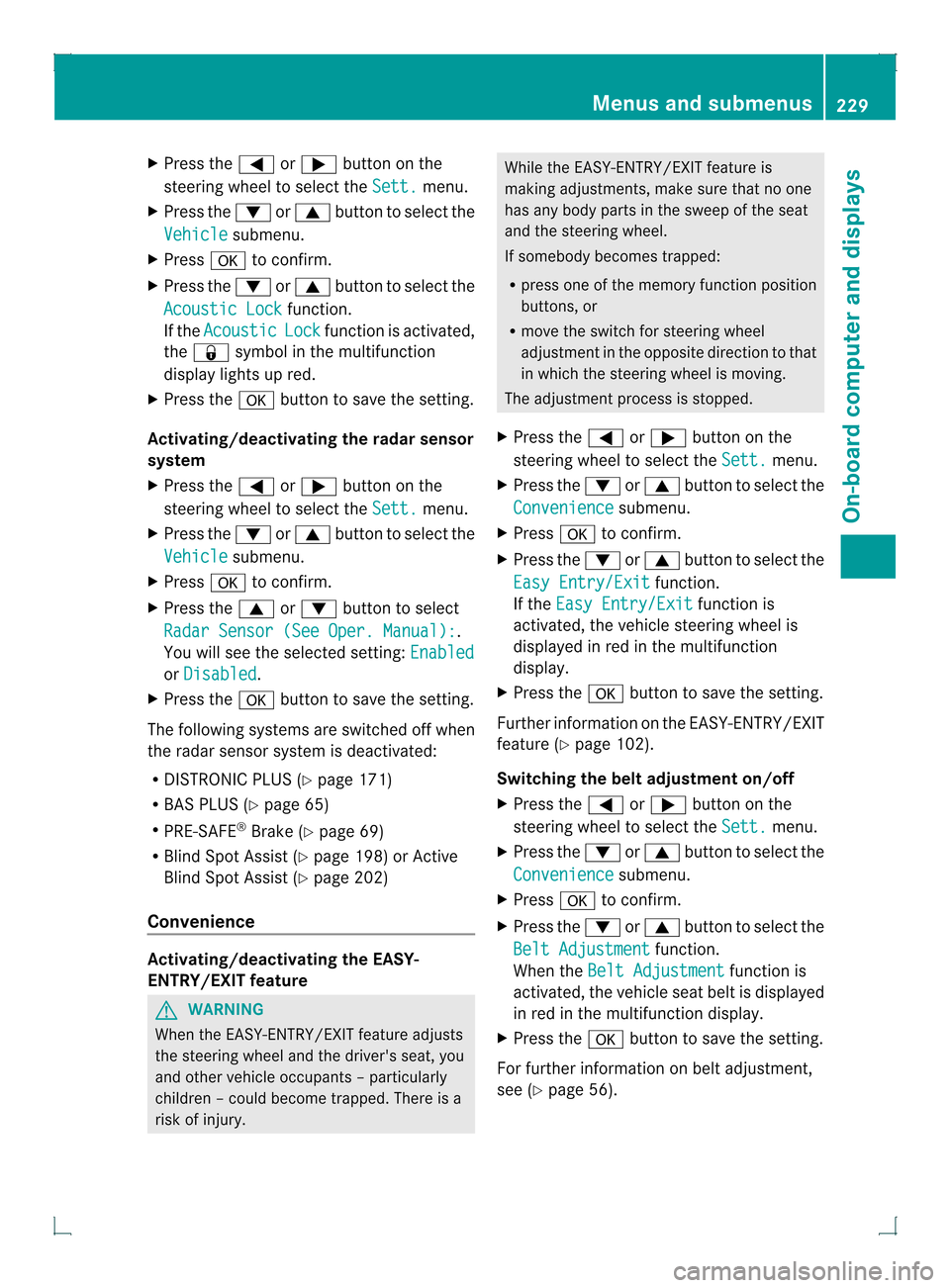
X
Press the 0002or0005 button on the
steering wheel to select the Sett. menu.
X Press the 0004or0003 button to select the
Vehicle submenu.
X Press 000Bto confirm.
X Press the 0004or0003 button to select the
Acoustic Lock function.
If the Acoustic Lock function is activated,
the 000B symbol in the multifunction
display lights up red.
X Press the 000Bbutton to save the setting.
Activating/deactivating the radar sensor
system
X Press the 0002or0005 button on the
steering wheel to select the Sett. menu.
X Press the 0004or0003 button to select the
Vehicle submenu.
X Press 000Bto confirm.
X Press the 0003or0004 button to select
Radar Sensor (See Oper. Manual): .
You will see the selected setting: Enabledor
Disabled .
X Press the 000Bbutton to save the setting.
The following systems are switched off when
the radar sensor system is deactivated:
R DISTRONIC PLUS (Y page 171)
R BAS PLUS (Y page 65)
R PRE-SAFE ®
Brake (Y page 69)
R Blind Spot Assist (Y page 198) or Active
Blind Spot Assist (Y page 202)
Convenience Activating/deactivating the EASY-
ENTRY/EXIT feature
G
WARNING
When the EASY-ENTRY/EXIT feature adjusts
the steering wheel and the driver's seat, you
and other vehicle occupant s–particularly
childre n–could become trapped. There is a
risk of injury. While the EASY-ENTRY/EXIT feature is
making adjustments, make sure that no one
has any body parts in the sweep of the seat
and the steering wheel.
If somebody becomes trapped:
R
press one of the memory function position
buttons, or
R move the switch for steering wheel
adjustmen tinthe opposite direction to that
in which the steering wheel is moving.
The adjustment process is stopped.
X Press the 0002or0005 button on the
steering wheel to select the Sett. menu.
X Press the 0004or0003 button to select the
Convenience submenu.
X Press 000Bto confirm.
X Press the 0004or0003 button to select the
Easy Entry/Exit function.
If the Easy Entry/Exit function is
activated, the vehicle steering wheel is
displayed in red in the multifunction
display.
X Press the 000Bbutton to save the setting.
Further information on the EASY-ENTRY/EXIT
feature (Y page 102).
Switching the belt adjustment on/off
X Press the 0002or0005 button on the
steering wheel to select the Sett. menu.
X Press the 0004or0003 button to select the
Convenience submenu.
X Press 000Bto confirm.
X Press the 0004or0003 button to select the
Belt Adjustment function.
When the Belt Adjustment function is
activated, the vehicle seat belt is displayed
in red in the multifunction display.
X Press the 000Bbutton to save the setting.
For further information on belt adjustment,
see (Y page 56). Menus and submenus
229On-board computer and displays Z
Page 232 of 378
Switching the fold-in mirrors when
locking feature on/off
This function is only available on vehicles with
the memory function (Y
page 106).
This function is only available in Canada.
When you activate the Auto. MirrorFolding function, the exterior mirrors are
folded in when the vehicle is locked. If you
unlock the vehicle and then open a door, the
exterior mirrors fold out again.
X Press the 0002or0005 button on the
steering wheel to select the Sett. menu.
X Press the 0004or0003 button to select the
Convenience submenu.
X Press 000Bto confirm.
X Press the 0004or0003 button to select the
Auto. Mirror Folding function.
If the Auto. Mirror Folding function is
activated, the vehicle's exterior mirror is
displayed in red in the multifunction
display.
X Press the 000Bbutton to save the setting.
If you have switched the Auto. MirrorFolding function on and you fold the exterior
mirrors in using the button on the door
(Y page 104), they will not fold out
automatically. The exterior mirrors can then
only be folded out using the button on the
door.
Restoring the factory settings X
Press the 0002or0005 button on the
steering wheel to select the Sett. menu.
X Press the 0004or0003 button to select the
Factory Setting submenu.
X Press 000Bto confirm.
The Reset All Settings? message
appears. X
Press the 0004or0003 button to select
No or
Yes .
X Press the 000Bbutton to confirm the
selection.
If you have selected Yes , the multifunction
display shows a confirmation message.
For safety reasons, the Day Lights function
in the Lights submenu is only reset if the
vehicle is stationary. 230
Menus and submenusOn-board computer and displays
Page 233 of 378
Display messages
General notes
Display messages appear in th emultifunction display.
Display messages with graphic displays may be shown in simplified for minthe Operator's
Manual and may therefore differ from the multifunction display.
Please respond in accordance with the display messages and follow the additional notes in
this Operator's Manual.
Certain display messages are accompanied by an audible warning tone or a continuous tone.
When the ignition is switched off, all display messages are deleted, apart from some high-
priority display messages. Once the causes of the high-priority display messages have been
rectified, the corresponding display messages are also deleted.
When you stop and park the vehicle, please observe the notes on the HOLD function
(Y page 179) and parking (Y page 160).Hiding display messages
X Press the 000Bor0007 button on the steering wheel to hide the display message.
The display message is cleared.
The multifunction display shows high-priority display messages in red. Some high-priority
display messages cannot be hidden.
The multifunction display shows these messages continuously until the causes for the
messages have been remedied. Message memory
The message memory allows you to call up previous display messages.
X Press the 0002or0005 button on the steering wheel to select the Serv. menu.
If there are display messages, the multifunction displays hows2 messages , for example.
X Press the 0003or0004 button to select the entry, e.g. 2 messages .
X Press 000Bto confirm.
X Press the 0003or0004 button to scroll through the display messages. Display messages
231On-board computer and displays Z
Page 256 of 378
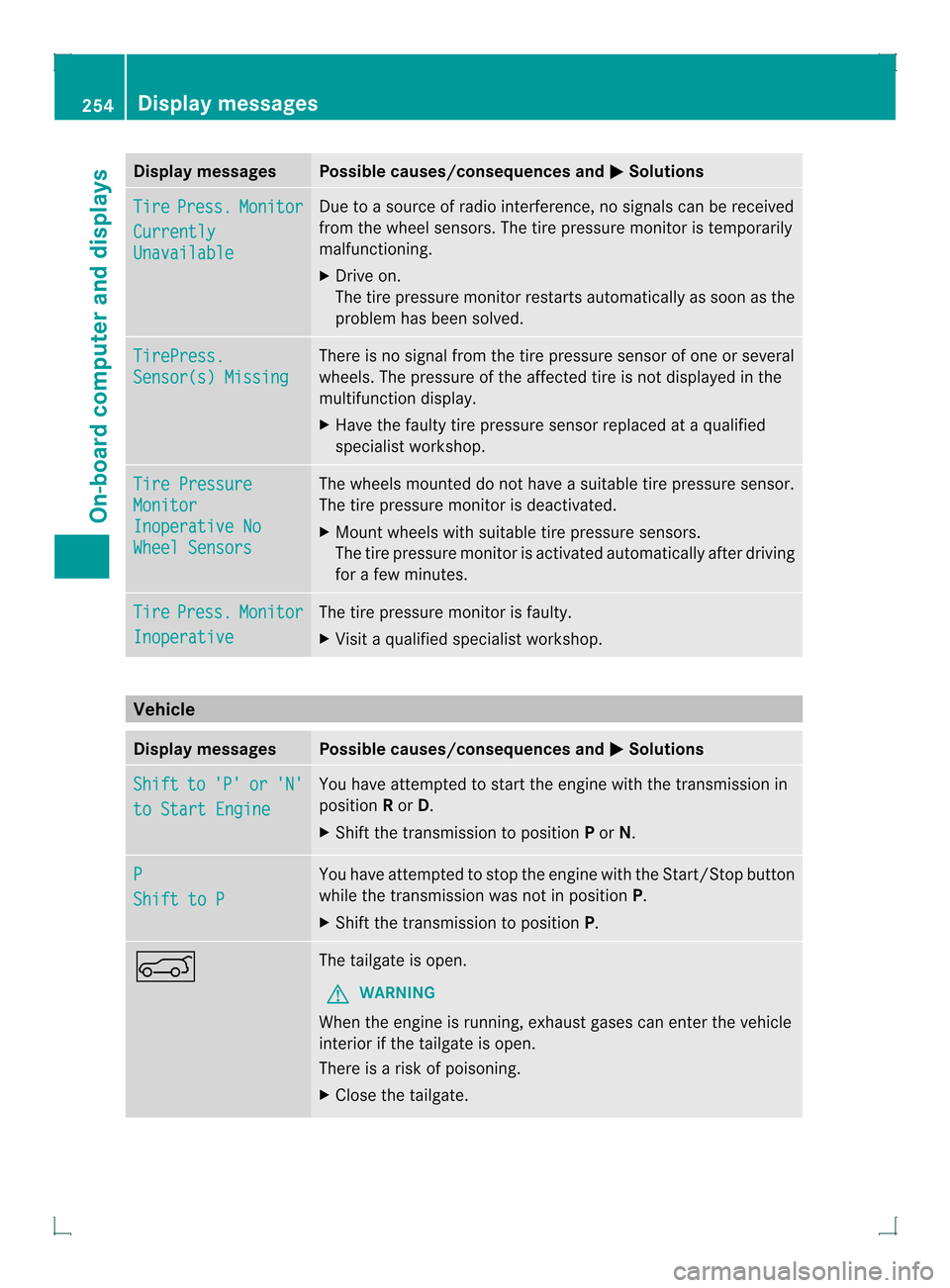
Display messages Possible causes/consequences and
0001 Solutions
Tire Press. Monitor
Currently
Unavailable Due to a source of radi
ointerference, no signals can be received
from the wheel sensors .The tire pressure monitor is temporarily
malfunctioning.
X Drive on.
The tire pressure monitor restarts automatically as soon as the
problem has been solved. TirePress.
Sensor(s) Missing There is no signal from the tire pressure sensor of one or several
wheels. The pressure of the affected tire is not displayed in the
multifunction display.
X
Have the faulty tire pressure sensor replaced at a qualified
specialist workshop. Tire Pressure
Monitor
Inoperative No
Wheel Sensors The wheels mounted do not have a suitable tire pressure sensor.
The tire pressure monitor is deactivated.
X
Mount wheels with suitable tire pressure sensors.
The tire pressure monitor is activated automatically after driving
for a few minutes. Tire Press. Monitor
Inoperative The tire pressure monitor is faulty.
X
Visit a qualified specialist workshop. Vehicle
Display messages Possible causes/consequences and
0001 Solutions
Shift to 'P' or 'N'
to Start Engine You have attempted to start the engine with the transmission in
position
Ror D.
X Shift the transmission to position Por N. P
Shift to P You have attempted to stop the engine with the Start/Stop button
while the transmission was not in position
P.
X Shift the transmission to position P.0006 The tailgate is open.
G WARNING
When the engine is running, exhaust gases can enter the vehicle
interior if the tailgate is open.
There is a risk of poisoning.
X Close the tailgate. 254
Display messagesOn-board computer and displays
Page 259 of 378
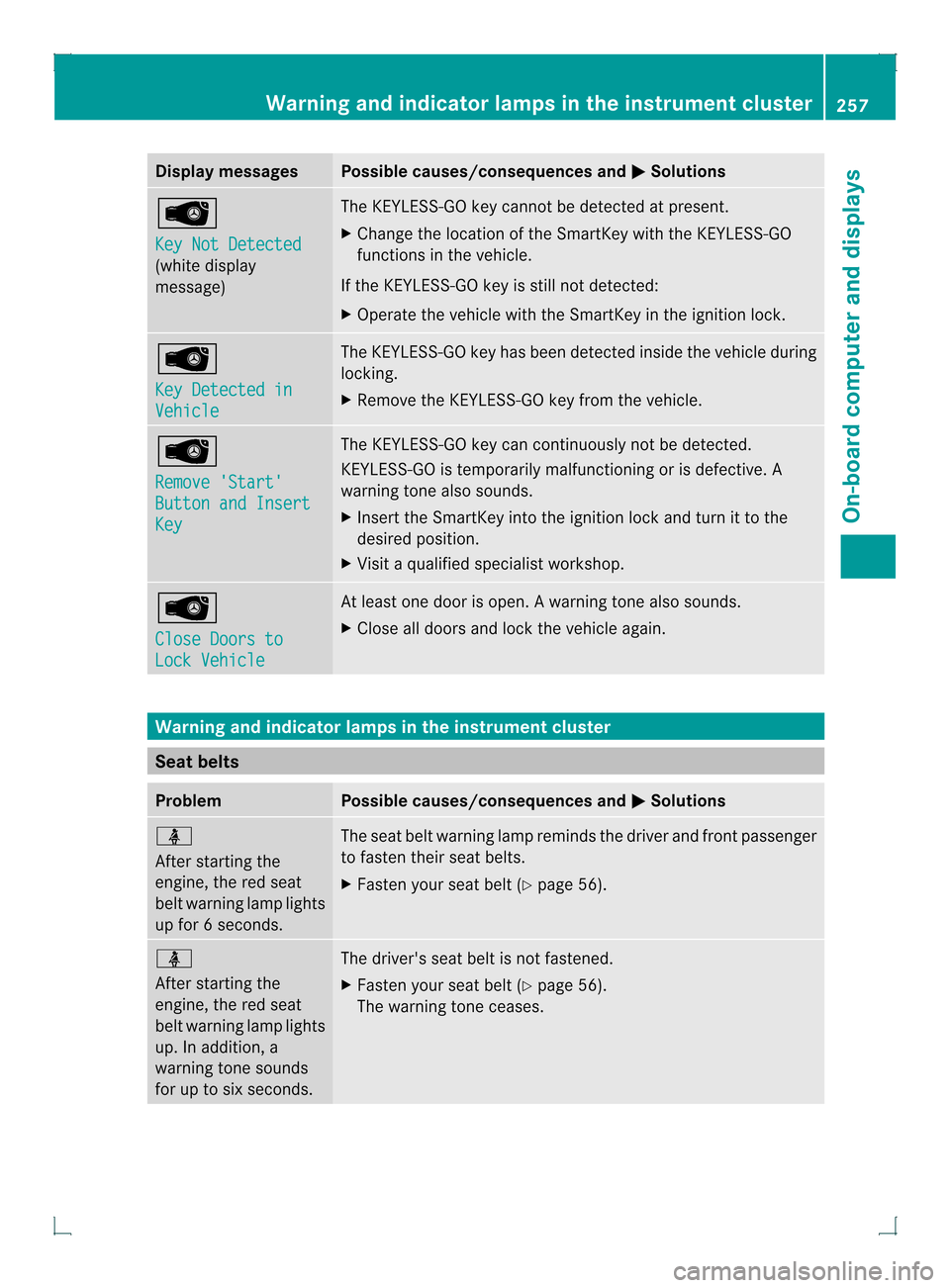
Display messages Possible causes/consequences and
0001 Solutions
0002
Key Not Detected
(white display
message) The KEYLESS-GO key cannot be detected at present.
X
Change the location of the SmartKey wit hthe KEYLESS-GO
functions in the vehicle.
If the KEYLESS-GO key is still not detected:
X Operate the vehicle with the SmartKey in the ignition lock. 0002
Key Detected in
Vehicle The KEYLESS-GO key has been detected inside the vehicle during
locking.
X
Remove the KEYLESS-GO key from the vehicle. 0002
Remove 'Start'
Button and Insert
Key The KEYLESS-GO key can continuously not be detected.
KEYLESS-GO is temporarily malfunctioning or is defective. A
warning tone also sounds.
X
Insert the SmartKey into the ignition lock and turn it to the
desired position.
X Visit a qualified specialist workshop. 0002
Close Doors to
Lock Vehicle At least one door is open.
Awarning tone also sounds.
X Close all doors and loc kthe vehicle again. Warning and indicator lamps in the instrument cluster
Seat belts
Problem Possible causes/consequences and
0001 Solutions
0014
After starting the
engine, the red seat
belt warning lamp lights
up for
6seconds. The seat belt warning lamp reminds the driver and fron
tpassenger
to fasten their seat belts.
X Faste nyour seat belt (Y page 56). 0014
After starting the
engine, the red seat
belt warning lamp lights
up. In addition, a
warning tone sounds
for up to six seconds.
The driver's seat belt is not fastened.
X
Fasten your seat belt (Y page 56).
The warning tone ceases. Warning and indicator lamps in the instrument cluster
257On-board computer and displays Z
Page 273 of 378

Stowage areas
Stowage space
Important safety notes G
WARNING
If objects in the passenger compartment are
stowed incorrectly, they can slide or be
thrown around and hit vehicle occupants.
There is a risk of injury, particularly in the
event of sudden braking or a sudden change
in direction.
R Always stow objects so that they cannot be
thrown around in such situations.
R Always make sure that objects do not
protrude from stowage spaces, parcel nets
or stowage nets.
R Close the lockable stowage spaces while
driving.
R Stow and secure objects that are heavy,
hard, pointy, sharp-edged, fragile or too
large in the cargo compartment.
Observe the loading guidelines (Y page 270).
Stowage compartments in the front Glove box
X
To open: pull handle 0002and open glove box
flap 0003.
X To close: fold glove box flap 0003upwards
until it engages.
The glove box can only be locked and
unlocked using the mechanical key. X
To lock: insert the mechanical key into the
lock and turn it 90° clockwise to position
0005.
X To unlock: insert the mechanical key into
the lock and turn it 90° counter-clockwise
to position 0004.
i The glove box can be ventilated
(Y page 137).
Stowage compartment under the armrest X
To open: press left-hand button 0003or right-
hand button 0002.
The stowage compartmen topens.
i Depending on the vehicle's equipment, a
USB connection and an AUX IN connection
or a Media Interface are installed in the
stowage compartment. A Media Interface
is a universal interface for portable audio
equipment, e.g. for an iPod ®
or MP3 player
(see the separate Audio or COMAND
Operating Instructions). Stowage areas
271Stowage and features Z