service MERCEDES-BENZ M-CLASS SUV 2011 Service Manual
[x] Cancel search | Manufacturer: MERCEDES-BENZ, Model Year: 2011, Model line: M-CLASS SUV, Model: MERCEDES-BENZ M-CLASS SUV 2011Pages: 389, PDF Size: 9.22 MB
Page 246 of 389
You can place your mobile phone in the
mobile phone bracket (Y
page 310), or set
up aB luetooth ®
connection to the audio sys-
tem or COMAN DOnline(see the separate
operating instructions).
i You ca nobtain fur ther information about
suitabl emobile phones and connecting
mobile phones via Bluetooth ®
:
R in any Mercedes Ben zServic eCentre
R on the Internet at http://
www.mercedes-benz.com/connect G
WAR
NING
Observe the lega lrequir ements of the country
in which you are cur rently drivin gregarding
the use of mobile phones in the vehicle.
If it is permitted to use mobile phones while
the vehicle is in motion, you should only use
the mw hen the roa dand traffic conditio ns
allow. Otherwise, you may be distrac tedf rom
th et raffic conditions, caus eanaccident and
injure yourself and others.
X Switch on the mobile phone and audi osys-
tem or COMAND Online (see the separate
operating instructions).
X Press the =or; button on the steer-
ing whee ltoselect the Tel men
u.
Yo uw ills ee one of the following display mes-
sage sint he multifunction display:
R Please enter PIN :t
he mobile phone has
been placed in the mobile phone bracket
and the PIN has not been entered.
X Enter the PIN usin gthe mobile phone, LIN-
GUATRONIC ,the audio system or
COMAN DOnline.
The mobil ephone will search for anetwor k.
R Telephon eready or th
ename of the net-
work provider: the mobile phone has found
an etwor kand is ready to receive.
R Telephone No Service :non
etwor kis
available, or the mobile phone is searching
for anetwor k. Accepting
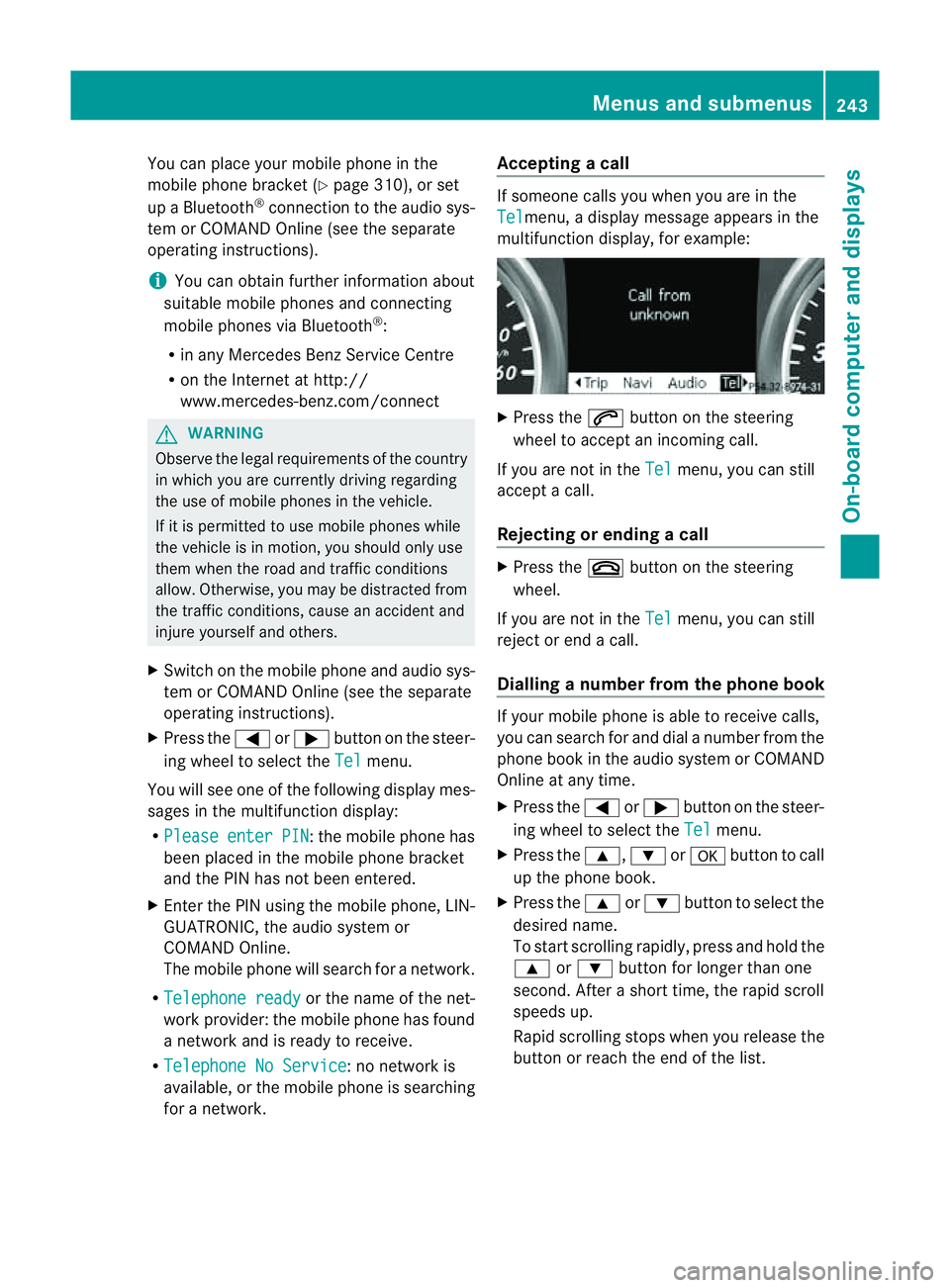
acall If someone call
syou when you are in the
Tel menu,
adisplay message appears in the
multifunction display ,for example: X
Press the 6button on the steering
wheel to accept an incomin gcall.
If you are not in the Tel menu, you can still
accept acall.
Rejecting or ending acall X
Press the ~buttonont he steer ing
wheel.
If you are not in the Tel menu, you can still
reject or end acall.
Dialling anumbe rfrom the phone book If you
rmobile phone is able to receive calls,
you can search for and dial anumber from the
phone book in the audio system or COMAND
Online at any time.
X Press the =or; button on the steer-
ing wheel to select the Tel menu.
X Press the 9,:ora button to call
up the phone book.
X Press the 9or: button to select the
desired name.
To start scrolling rapidly ,pres sand hol dthe
9 or: button for longer than one
second. After ashort time, the rapid scroll
speeds up.
Rapid scrolling stops when you release the
button or reach the end of the list. Menu
sand submenus
243On-boardcomput er anddisplays Z
Page 249 of 389
X
Press :or9 to set Off ,
Standard or
Adaptive .
X Press the abutton to save the setting.
When Lane Keeping Assist or Active Lane
Keeping Assist is activa ted, the Ãsymbol
appear sint he multifunction displa ywhen the
ignition is on. Servic
emenu In the
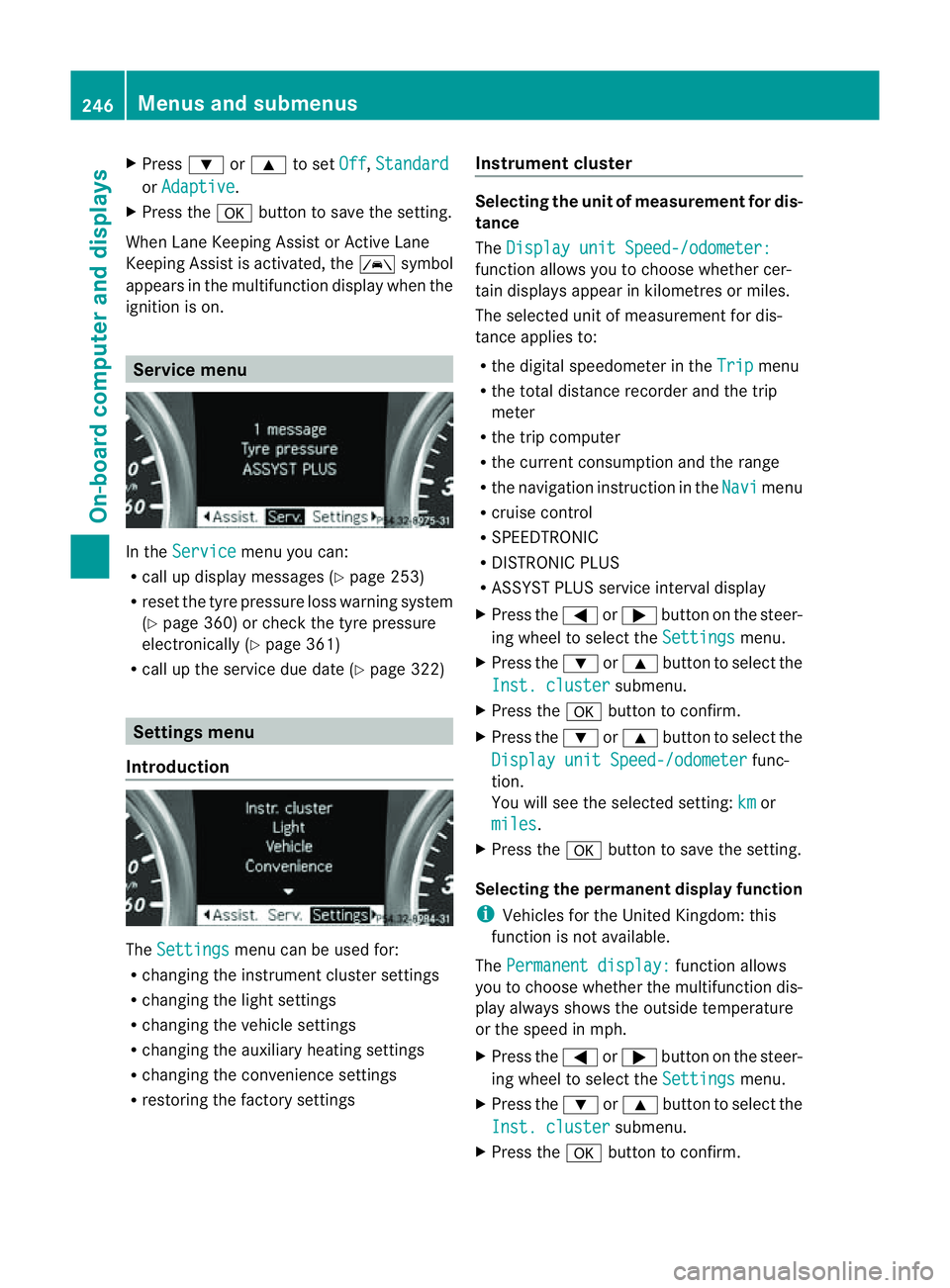
Service menu you can:
R call up display messages (Y page 253)
R reset the tyre pressure loss warnin gsystem
(Y page 360) or check the tyre pressure
electronically (Y page 361)
R call up the service due date (Y page 322)Settings menu
Introduction The
Settings menu can be used for:
R changing the instrument cluster settings
R changing the ligh tsettings
R changin gthe vehicle settings
R changin gthe auxiliary heating settings
R changin gthe con venience set tings
R resto ring the factory settings Instrument cluster Selectin
gthe uni tofmeasurement for dis-
tance
The Displa yunit Speed-/odometer: function allows yo
utochoose whether cer-
tai nd isplays appear in kilometres or miles.
The selected unit of measurement for dis-
tanc eapplies to:
R the digital speedometer in the Trip menu
R the total distanc erecorder and the trip
meter
R the trip computer
R the curren tconsumption and the range
R the navigation instruction in the Navi menu
R cruise con trol
R SPEEDTRONIC
R DIST RONIC PLUS
R ASSYST PLUS service interval display
X Press the =or; button on the steer-
ing whee ltoselect the Settings menu.
X Press the :or9 button to select the
Inst .cluster submenu.
X Press the abuttontoc onfirm.
X Press the :or9 button to select the
Displa yunit Speed-/odometer func-
tion.
Yo uw ill see the selected setting: km or
miles .
X Press the abutton to save the setting.
Selecting the permanent display function
i Vehicles for the United Kingdom: this
func tion is not available.
The Permanen tdisplay: function allows
yo utoc hoose whether the multifunction dis-
play always shows the outside temperature
or the speed in mph.
X Press the =or; button on the steer-
ing wheel to selec tthe Settings menu.
X Press the :or9 button to selec tthe
Inst .cluster submenu.
X Press the abuttontoc onfirm. 246
Menu
sand submenusOn-board computer and displays
Page 285 of 389
Displa
ymessages Possible causes/consequences and
M Solutions
&
in
operative See Owner'
sMan. Th
ea uxiliar yheatin ghasatemporary ma lfunction or is faulty.
X When the vehicl eisonalevel surface and the engin ehas cooled
down, make up to four attempts to switch on the auxiliary heat-
ing, waiting several minutes between each attempt
(Y page 130).
X If the auxiliary heating does not switch on, consult aqualified
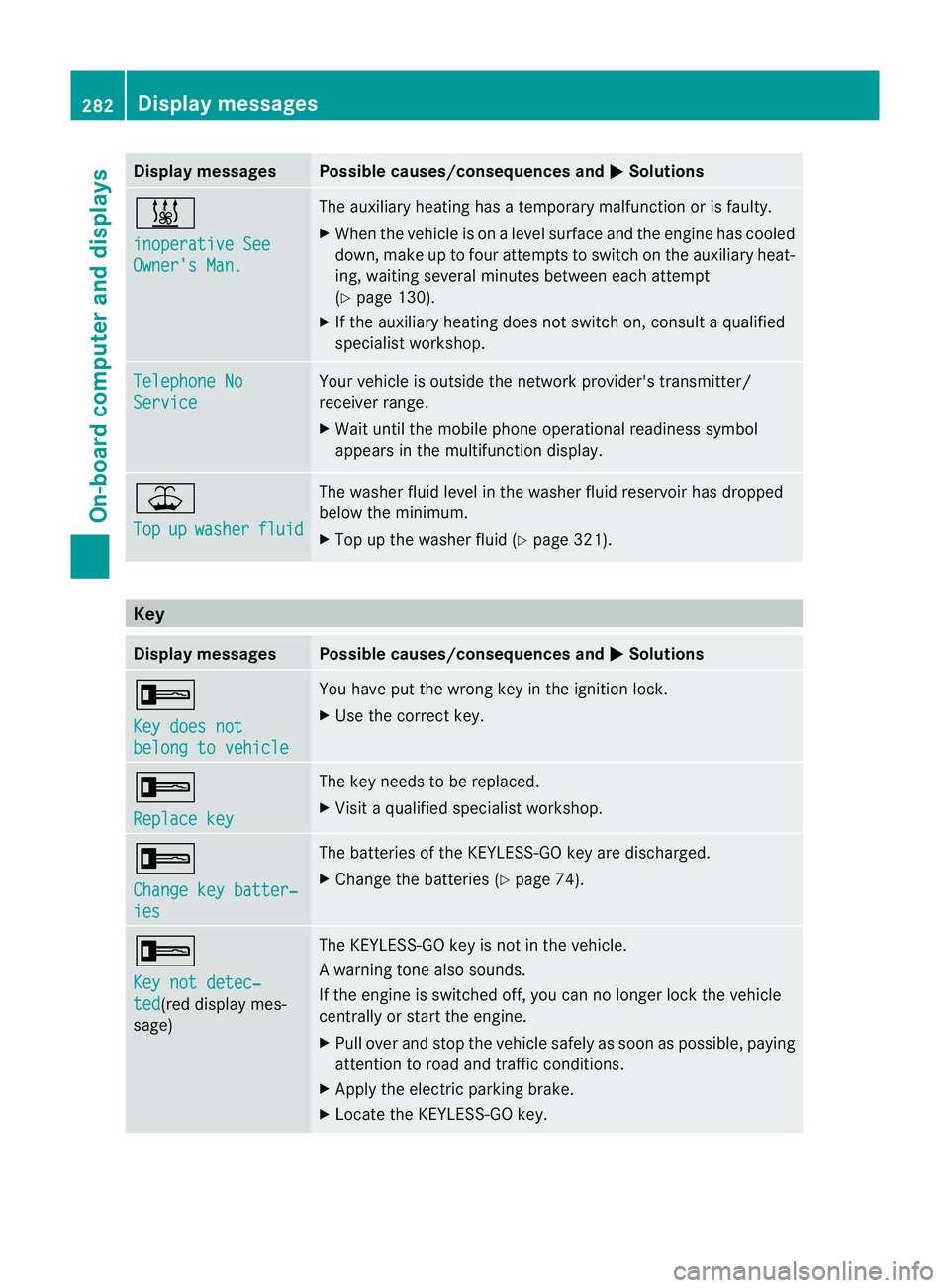
specialist workshop. Teleph
oneNo Service Your vehicl
eisoutside the network provider's transmitter/
receiver range.
X Wait until the mobile phone operational readiness symbol
appears in the multifunction display. ¥
Top
up washer fluid The washe
rfluid level in the washer fluid reservoir has dropped
below the minimum.
X Top up the washer fluid (Y page 321).Key
Display messages Possible causes/consequences and
M Solutions
+
Ke
yd oes not belong to vehicle Yo
uh ave put the wrong key in the ignition lock.
X Use the correct key. +
Replac
ekey Th
ek ey needs to be replaced.
X Visit aqualified specialist workshop. +
Change ke
ybatter‐ ies Th
eb atteries of the KEYLESS-GO key are discharged.
X Change the batteries (Y page 74).+
Ke
yn ot detec‐ ted (re
dd isplay mes-
sage) The KEYL
ESS-GO key is not in the vehicle.
Aw arning ton ealso sounds.
If th eengineiss witched off ,you can no longer loc kthe vehicle
cen trally or start the engine.
X Pull over and stop the vehicle safely as soon as possible ,paying
attention to road and traffic conditions.
X Apply the electric parking brake.
X Locate the KEYLESS-GO key. 282
Display messagesOn-board computer and displays
Page 314 of 389
healt
hofothers. Using an exterior aerial takes
into account current scientific discussions
relating to the possibl ehealth risk posed by
electromagnetic fields.
Mercedes-Ben zrecom mends the use of an
approved exterior aerial .This ensures:
R optimal mobile phone reception quality in
the vehicle
R mutua linfluences between the vehicle
electronics and mobil ephones ar emini-
mised
An exterior aerial has the following advan-
tages:
R it conducts the electromagnetic fields gen-
erated by awireless device to the exterior.
R the field strengt hinthe vehicle interior is
lower than in avehicle that does not have
an exterior aerial.
i There are various mobile phone brac kets
that may be fitted to your vehicle ;insome
cases, these ar ecountry-specific.
i Even if your vehicle is equipped with con-
venience telephony, you can connec ta
Blueto oth®
capable mobil ephone to Audio
20 or COMAND Online via the Bluetooth ®
interfac e.
More information on suitabl emobilephones,
mobile phone brackets and on connecting
Bluetooth ®
capable mobile phones to Audio
20 or COMAND Online can be obtained:
R at your Merc edes-Ben zServ iceC entre
R on the Internet at http://www.mercedes-
benz.com/connect
i The functions and service savailab lewhen
you use the phone depend on you rmobile
phone model and service provider. Inserting th
emobile phone X
Open the telephone compartment
(Y page 298).
X If required by the design of the mobile
phone bracket ,instal lthe slidin gadapter
(Y page 312).
X Insert the mobile phone into the mobile
phone bracket (see the separat emobile
phone bracke tinstallatio ninstructions).
If the mobil ephone is inser tedint he mobile
phone bracket ,you can speak to the person
you ar ecalling using the hands-free system.
i On some mobile phone brackets, you first
have to connect the mobile phone via Blue-
tooth ®
to am obile phone bracke t(see the
separate operating inst ructions for the
mobile phone bracke t).
On these mobile phone brackets, the
mobile phone does not hav etobeinserted
into the bracket for you to be able to use
the telephone functions .Inthis case ,the
charging func tion and aerial func tion are
not available.
Operating th emobile phone You can operate the telephone using the
6 and~ button sonthe multifunc tion
steering wheel. You can operate other mobile
phone func tions via the on-boar dcomputer
(Y page 242).
If you tak ethe key out of the ignition lock ,the
mobile phone stay sonb ut you can no longer
use the hands-free system.
If you are making acall and you would like to
take the key out of the ignition lock, first
remove the mobile phone from the bracket.
Otherwise, the call will be ended.
i When amobile phone bracke tisu sed that
is con nected to the mobile phone via Blue-
tooth ®
:ify ou wan ttocontinue acall in
"Private mode", you have to perform the
necessary steps on the mobile phone (see Features
311Stowingandfeatures Z
Page 319 of 389
Frequencies for th
egarage doo ropener Th
er adio typ eapproval number and th efrequency range for th egarag edoor opener can be
fou ndonthe Interne tat: http://www.mercedes-benz.de/betriebsanleitung. Floormats
G
WARNING
Make sure that there is sufficient clearance
around the pedals when floormats are used,
and that the floormats are properly secured.
The floormats must be correctly secured at all
times using retainer sand press-studs.
Before you drive off ,chec kthe floormats and
secur eifnecessary. Afloormat which is not
properly secured can slip and, thereby, inter-
fere with the movemen tofthe pedals.
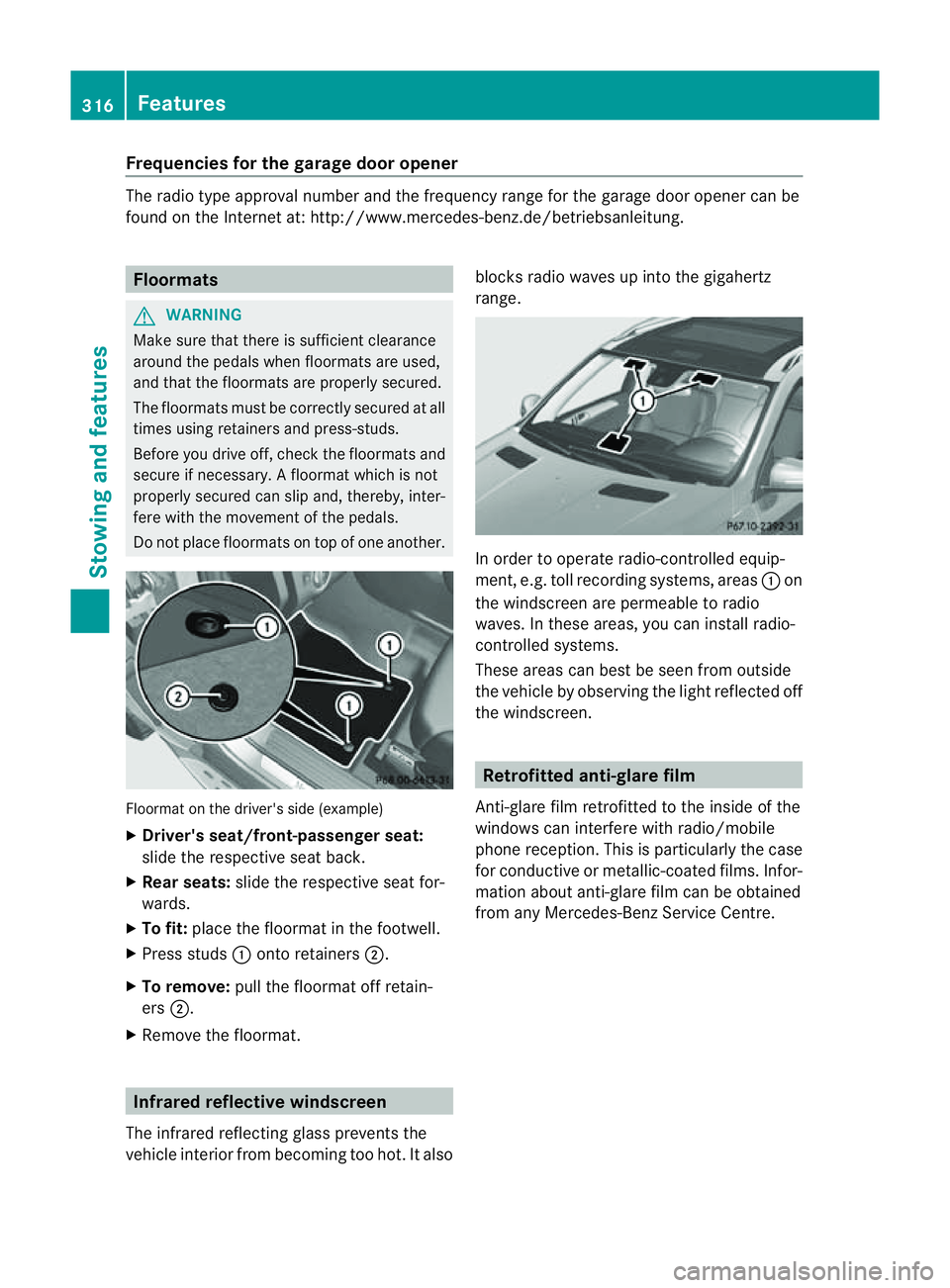
Do not plac efloormats on top of one another. Floormat on the driver's side (example)
X
Driver's seat/front-passenger seat:
slide the respective seat back.
X Rear seats: slide the respective seat for-
wards.
X To fit: place the floorma tinthe footwell.
X Press studs :ontoretainers ;.
X To remove: pull the floormat off retain-
ers ;.
X Remov ethe floormat. Infrared reflective windscreen
The infrared reflecting glass prevents the
vehicle interior from becoming too hot. It also blocks radio waves up int
othe gigahertz
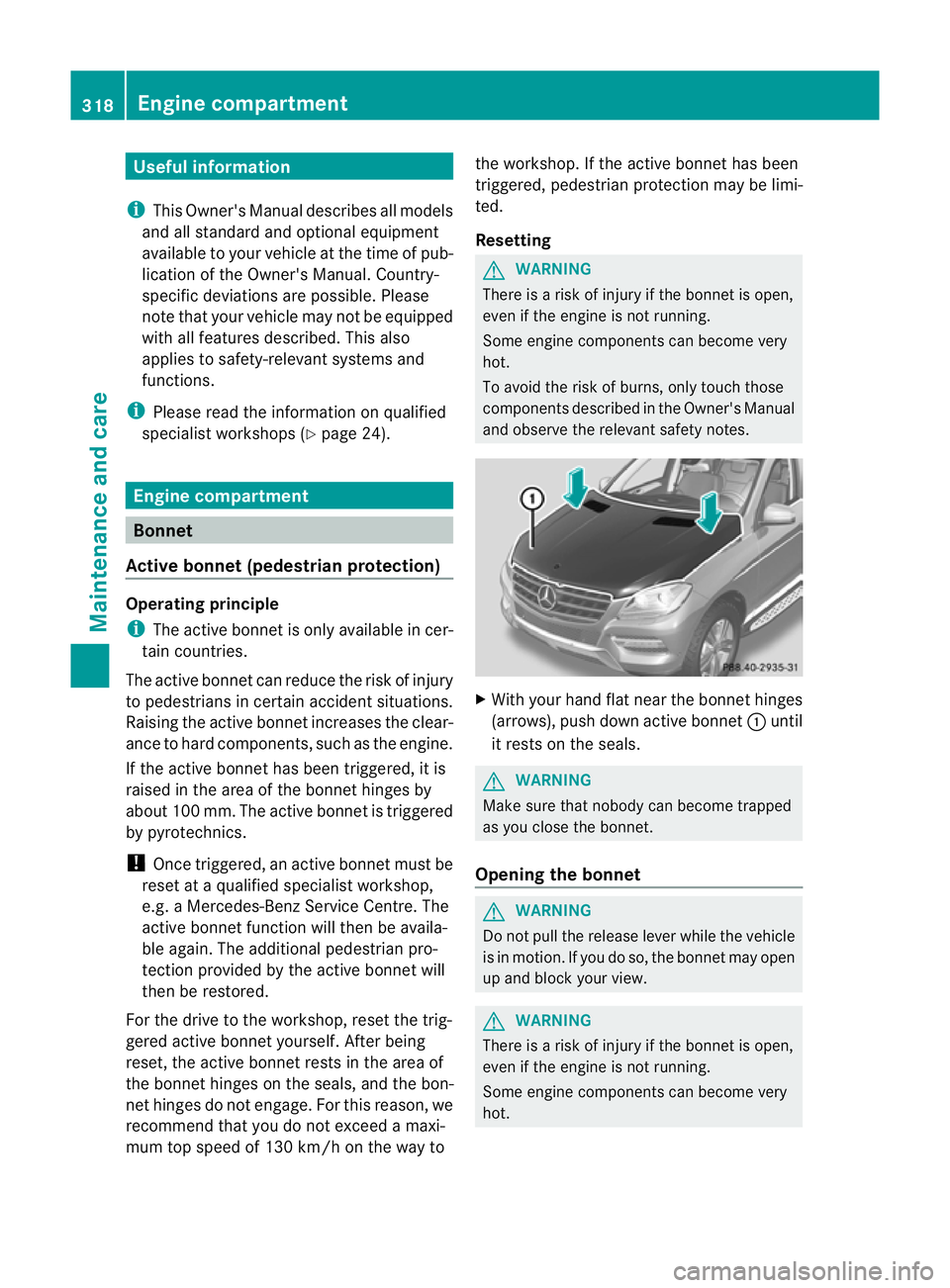
range. In orde
rtooperateradio-controlled equip-
ment, e.g. toll recording systems, areas :on
the windscreen are permeable to radio
waves. In these areas, you can install radio-
controlled systems.
Thes earea scan best be seen from outside
the vehicle by observing the light reflected off
the windscreen. Retrofitted anti-glar
efilm
Anti-glar efilm retrofitted to the inside of the
windows can interfer ewith radio/mobile
phone reception. This is particularly the case
for conductive or metallic-coated films. Infor-
mation about anti-glar efilm can be obtained
from any Mercedes-Ben zService Centre. 316
FeaturesStowing and features
Page 321 of 389
Usefu
linfor mati on
i This Owner's Manual describes all models
and all standard and optional equipment
available to your vehicle at the time of pub-
lication of the Owner's Manual. Country-
specific deviation sare possible .Please
not ethat your vehicle ma ynot be equipped
with all featur es described. This also
applies to safety-releva ntsystems and
functions.
i Please read the information on qualified
specialist workshops (Y page 24).Engine compartment
Bonnet
Active bonnet (pedestrian protection) Operating principle
i The active bonnet is only available in cer-
tai nc ountries.
The active bonnet can reduce the risk of injury
to pedestrians in certain accident situations.
Raising the active bonnet increases the clear-
anc etoh ard components, such as the engine.
If the active bonnet has been triggered, it is
raised in the area of the bonnet hinges by
abou t100 mm. Th eactive bonnet is trigg ered
by pyrotechnics.
! Once triggered, an active bonnet must be
reset at aqualified specialist workshop,
e.g. aMercedes-Ben zService Centre. The
active bonnet function will then be availa-
ble again. The additional pedestrian pro-
tection provided by the active bonnet will
then be restored.
For the driv etot he workshop, reset the trig-
gere dactive bonnet yourself. After being
reset, the active bonnet rest sinthe area of
the bonnet hinges on the seals, and the bon-
net hinges do not engage. For this reason, we
recommend that you do not exceed amaxi-
mum top spee dof130 km/h on the wa ytothe workshop
.Ifthe active bonnet has been
triggered, pedestrian protection ma ybelimi-
ted.
Resetting G
WARNING
There is arisk of injur yifthe bonnet is open,
even if the engin eisnot running.
Som eengine compone ntsc an become very
hot.
To avoid the risk of burns, only touch those
component sdescribed in the Owner's Manual
and observ ethe relevant safety notes. X
With your hand fla tnear the bonnet hinges
(arrows), push down active bonnet :until
it rests on the seals. G
WARNING
Make sure that nobody can becom etrapped
as you close th ebonnet.
Opening th ebonnet G
WARNING
Do not pull the release lever while the vehicle
is in motion. If you do so, the bonnet may open
up and block your view. G
WARNING
There is arisk of injur yifthe bonnet is open,
even if the engin eisnot running.
Som eengine compone ntsc an become very
hot. 318
Eng
inecompartmentMaintenance and care
Page 324 of 389
Examp
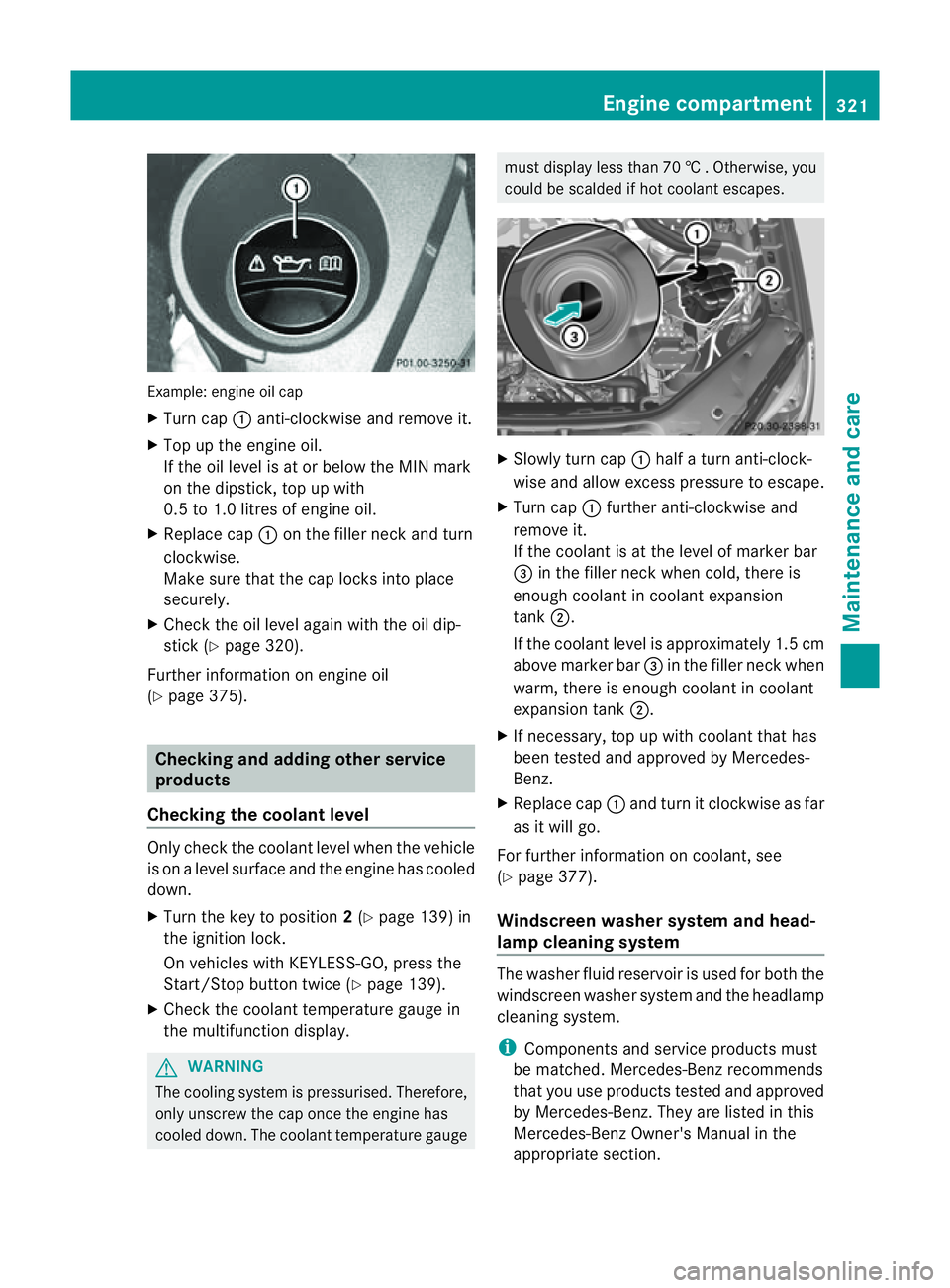
le:e ngine oi lcap
X Turn cap :anti-clockwise and remove it.
X Top up the engine oil.
If the oi llev el is at or belo wthe MIN mark
on the dipstick ,top up with
0. 5to1 .0 litres of engine oil.
X Replace cap :on the fille rneck and turn
clockwise.
Make sure that the cap locks into place
securely.
X Check the oil level agai nwith the oil dip-
stick (Y page 320).
Further information on engine oil
(Y page 375). Checking and adding other service
products
Checking the coolant level Only check the coolant level when the vehicle
is on alevel surface and the engine has cooled
down.
X Turn the key to position 2(Y page 139) in
the ignition lock.
On vehicles with KEYLESS-GO, press the
Start/Stop button twic e(Ypage 139).
X Check the coolant temperatur egauge in
the multifunction displ ay.G
WARNING
Th ec ooling system is pressurised. Therefore,
only unscrew the cap once the engin ehas
cooled down. The coolant temperature gauge must display less than 70
†.Otherwi se,you
could be scalded if ho tcoolant escapes. X
Slowl yturn cap :half aturna nti-clock-
wis eand allo wexcess pressure to escape.
X Turn cap :further anti-clockwis eand
remove it.
If the coolant is at the level of markerbar
= in the filler nec kwhen cold ,ther eis
enough coolan tincoolant expansion
tank ;.
If the coolant leve lisapproximately 1.5 cm
above marker bar =in the filler nec kwhen
warm, ther eisenoughcoolant in coolant
expansion tank ;.
X If necessary ,top up with coolant that has
been tested and approved by Mercedes-
Ben z.
X Replace cap :and turn it clockwise as far
as it will go.
For further information on coolant, see
(Y page 377).
Windscreen washer system and head-
lamp cleanin gsystem Th
ew asher fluid reservoir is used for both the
windscreen washe rsystem and the headlamp
cleaning system.
i Components and service products must
be matched. Mercedes-Benz recommends
that you use products teste dand approved
by Mercedes-Be nz.T hey ar elisted in this
Mercedes-Ben zOwner's Manual in the
appropriat esection. Engine compartment
321Maintenance andcare Z
Page 325 of 389
You can identify service products approved
by Mercedes-Ben
zbythe followin ginscrip-
tions on the container:
R MB-Freigabe (e.g .MB-Freigabe 371.0)
R MB-Approval (e.g .MB-Approval 371.0)
Other labels and recommendation sthat
make reference to quality level or aspeci-
fication accordin gtoanMBSheet no. (e.g.
MB 371.0) ar enot necessarily approved by
Mercedes-Benz.
You can obtain further information from
any Mercedes-Benz Servic eCentre. G
WARNING
Windscreen washer fluid is highly flammable.
Fire, naked flames and smoki ngare prohibi-
ted when handling washer fluid concentrate.
! Only use washe rfluid concentrate which
is suitable for plastic lamp lenses. Unsuit-
able washer fluid concentrate could dam-
age the plastic lamp lenses of the head-
lamps.
! Do not use distilled or de-ionised water in
the washer fluid reservoir. Otherwise, the
level sensor may be damaged.
i Add windscreen washer concentrate, e.g.
MB SummerFit, to the washer fluid all year
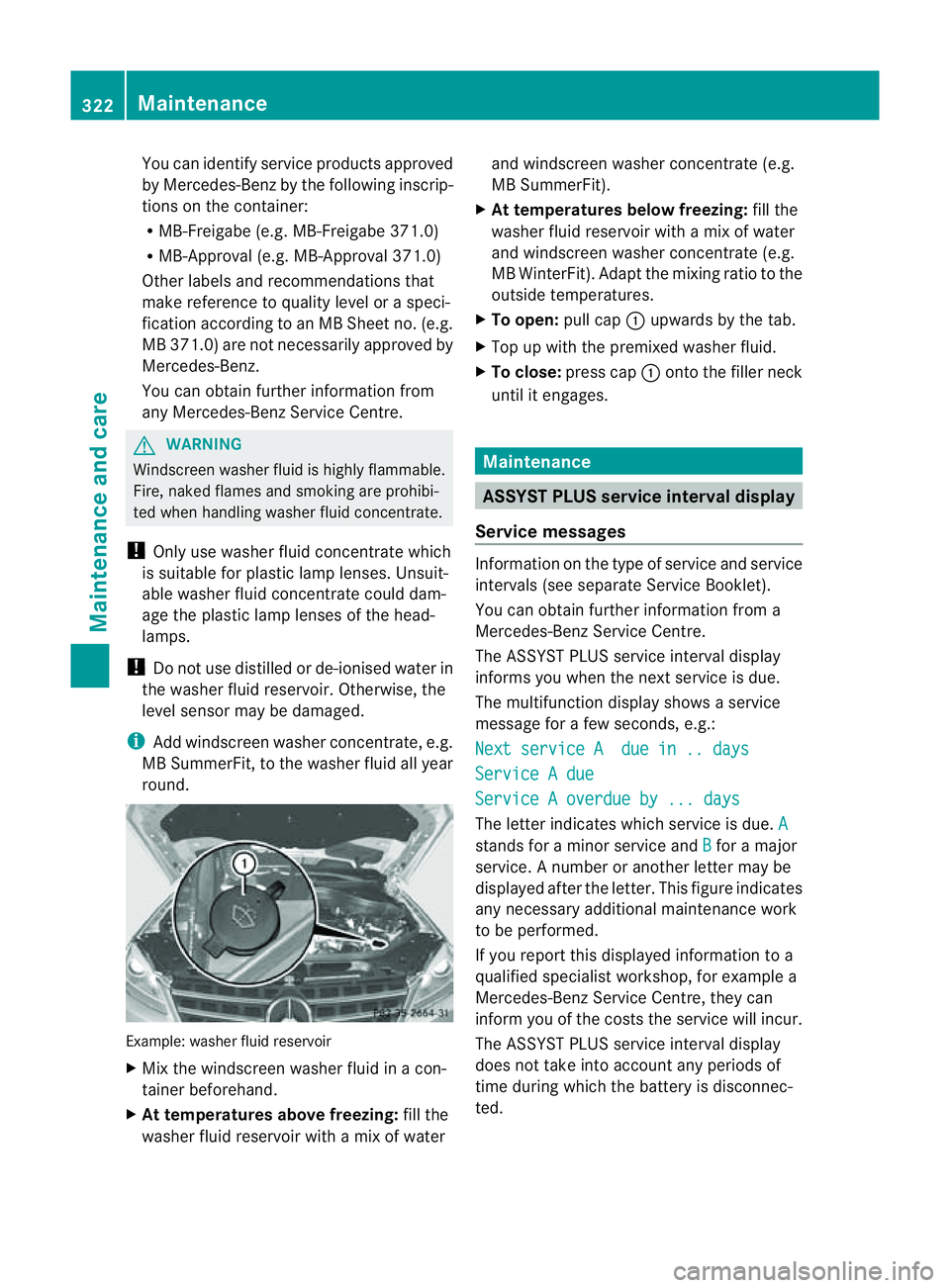
round. Example: washer fluid reservoir
X Mix the windscreen washer fluid in acon-
tainer beforehand.
X At tem peratures above freezing: fill the
washer fluid reservoir with amix of water and windscreen washer concentrate (e.g.
MB SummerFit).
X At temperatures below freezing: fill the
washer fluid reservoir with amix of water
and windsc reen washer concentrate (e.g.
MB WinterFit). Adapt the mixing ratio to the
outside temperatures.
X To open: pull cap:upwards by the tab.
X Top up with the premixed washer fluid.
X To close: press cap :ontothe filler neck
until it engages. Maintenance
ASSYST PLUS service interval display
Service messages Informa
tion on the type of service and service
intervals (see separat eServic eBooklet).
You can obtain further information fr om a
Mercedes-Ben zServic eCentre.
The ASSYS TPLUS service interva ldisplay
inform syou when the nex tservice is due.
The multifunction display shows aservice
message for afew seconds, e.g.:
Next servic eAdue in .. days Service
Adue Service
Aoverdue by ... days Th
eletter indicates which servic eisdue.A stands for
aminor servic eand B for
am ajor
service. Anumber or another letter may be
displayed after the letter. This figure indicates
any necessary additional maintenanc ework
to be performed.
If you repor tthis displayed information to a
qualified specialist workshop, for example a
Mercedes-Ben zService Cent re,they can
infor myou of the cost sthe service will incur.
The AS SYST PLUS service interval display
doe snot tak einto account any periods of
time during which the battery is disconnec-
ted. 322
MaintenanceMaintenance and care
Page 326 of 389
Maintainin
gthe time-dependen tservice
schedule:
X Not edown the service due date displayed
in the multifunc tion display befor ediscon-
necting the battery.
or
X Subtract the battery disconnection periods
from the servic edate shown on the displ ay
after reconnecting the battery.
i The ASSYST PLUS service interval displ ay
does not show any information on the
engine oil level .Observ ethe notes on the
engin eoil level (Y page 320).
Hiding aservice message X
Pres sthe % ora button on th esteer-
ing wheel.
Displaying service messages X
Switch th eignitio non.
X Press =or; on the steering wheel
to select the Serv. menu.
X Press 9or: to select the ASSYST PLUS submenu and press
ato confirm.
The service du edatea ppears in the multi-
function display.
Points to remember Resettin
gthe ASSYS TPLUS service inter-
val display
Aq ualified specialist workshop, e.g. a
Mercedes -Ben zS ervice Cent re,w ill reset the
ASSYST PLU Sservic einterval display after
the service work has bee ncarried out.
You can obtain further information ,e.g.
regarding servic ework,from aMercedes-
Benz Ser vice Centre or directly from
Mercedes-Benz.
! If the ASSYST PLUS servic einterval dis-
play has bee ninadvertently reset, this set-
ting can be corrected at aMercedes-Benz
Ser vice Centre. Have servic
ework carried out as described
in the Ser vice Boo klet. This may otherwise
lead to inc reased wear and damage to the
major assemblies or the vehicle.
Driving abroad
An extensive Mercedes -Ben zS ervice network
is also available in other coun tries. The
Service Hotline's curren ttelephone numbers
for use when you are abroa dare to be found
in th e"Mercedes-Ben zService24h" section
of the Ser vice Boo klet. AdBlue
®
service indicator
i For BlueTE Cvehicles only.
The BlueTE Cexhaus tgas aftertreatment
must be operated with the reducing agent
AdBlue ®
in order for it to function correctly.
Under normal operating conditions, afull tank
of AdBlue ®
should last until the nex tservice
due date.
Depending on how and where the vehicle is
used, there may be an inc rease in the
AdBlue ®
consumption, resulting in the next
servic edue date being brought forward.
Certain display messages sho wthat
AdBlue ®
must be topped up, e.g.
Refill AdBlue at worksh opSee Owner’s Manual
Refill AdBlue at worksho
pNostart in .. km
Aw
arning signal also sounds.
You can no longer star tthe engin ewhen the
AdBlue ®
supply has been used up
(Y page 268).
Top up AdBlue ®
(Y page 157).
Before taking atripw ithy our vehicle outside
Europe, have th eAdBlue ®
suppl ychec kedat
aq ualified specialist workshop. If necessary,
have the AdBlue ®
topped up. Before using
your vehicle for an extended period in coun-
tries outside Europe, con tact aq ualified spe-
cialist workshop.
Obser vethe note sonAdBlue®
(Y page 374). Maintenance
323Maintenanceand care Z
Page 327 of 389
You can obtain fur
ther information about
BlueTE Cexhaus tgas aftertreatmen tand
AdBlue ®
from any Mercedes-Benz Service
Centre. Care
Note
sonc are
Regular care of your vehicle is aconditio nfor
retaining th equalit yint he long term.
Us ec arep roducts and cleani ngagent srec-
ommended and approved by Mercedes-Benz.
! For cleanin gyour vehicle ,donot useany
of the following:
R dry ,rough or hard cloths
R abrasive cleanin gagents
R solvents
R cleanin gagents con taining solvents
Do not scrub.
Do not touch the surfaces or protective
film swith hard objects, e.g. aring or ice
scraper .You coul dotherwis escratch or
damag ethe surfaces and protective film. H
Environmenta
lnote
Dispose of empty packaging and cleaning
cloths in an environmentally responsible man-
ner.
! Do not park up the vehicle for an extended
period straight after cleaning it, particular ly
after having cleaned the wheels with wheel
cleaner. Whee lcleaners could cause
increased corrosion of the brake discs and
brake pads/linings. For this reason, you
should drive for afew minutes after clean-
ing. Brakin gheats the brak ediscs and the
brake pads/linings, thus drying them. The
vehicle can then be parked up. Care of the exterior
Automatic car wash G
WARNING
Braking efficiency is reduced after washing
the vehicle. This could cause an accident. For
this reason, following acar wash, drive with
particular care until the brakes are dry.
You can wash the vehicle in an automatic car
wash from the very start.
If the vehicle is very dirty, pre-wash it before
cleaning it in an automatic car wash.
! In car washe swithatowing mechanism,
make sure that the automatic transmission
is in transmission position N,otherwis ethe
vehicle could be damaged.
R Vehicles with akey:
do not remove the key from the ignition
lock. Do not open the driver' sdoor or
front-passenger door when the engin eis
switched off .Otherwise, the automatic
transmission selects park position P
automaticall yand locks the wheels .You
can prevent this by shifting the auto-
matic transmission to Nbeforehand.
R Vehicles with KEYLE SS-GO:
do not ope nthe driver's door or front-
passenger door when the engin eis
switched off .Otherwise, the automatic
transmission selects park position P
automaticall yand locks the wheels.
Observe the following to make sure that the
automati ctransmission stays in position N:
X Make sure th evehicle is stationary and the
ignition is switched off.
X Turn the key to position 2(Y page 139) in
the ignition lock.
Use the key instead of the Start/Stop but-
ton on vehicles with KEYLE SS-GO.
X Depres sand hol dthe brake pedal.
X Shif tthe automatic transmission to posi-
tion N.
X Release the brake pedal. 324
CareMaintenance and care