WINDOW MERCEDES-BENZ METRIS 2016 MY16 Operator’s Manual
[x] Cancel search | Manufacturer: MERCEDES-BENZ, Model Year: 2016, Model line: METRIS, Model: MERCEDES-BENZ METRIS 2016Pages: 310, PDF Size: 7.28 MB
Page 142 of 310
Checklist after driving off-road
!If you detect damagetothevehicle after
driving off-road, have th evehicle checked
immediately at aqualified specialist work-
shop.
Off-road driving places ahigher demand on your
vehicle than normal road operation. Checky our
vehicle after driving on roug hterra in. By doing
so you will notic eany damageing ood timeand
reduc ethe riskofana ccidentf or yourself and
other road users. Clean your vehicle thoroughly
before driving on public roads.
Observ ethe followingp oints after driving off-
road ,onc onstructio nsites and before driving on
public roads:
XActivate ESP®(Ypage 64).
XClean th eheadlamps and tail lamps and
check them for damage.
XClean th efront and rear licens eplates.
XClean th ewindshield, windows and exterior
mirrors.
XClean th esteps, door sills and grab handles.
This increases safety of footing.
XClean th ewheels/tires, wheel housing sand
th eu nderbody of th evehicle withaw aterjet .
This increases road grip ,especiall yonw et
road surfaces.
XCheckt hewheels/tires and wheel housings
for trapped foreign object sand remove them.
Trapped foreign object scan damaget he
wheels/tires and may be flun gout from the
vehicle when you continue driving.
XCheckt heunderbody for trapped branches or
other part sofplants and remove them.
Trapped branches or other part sofplants
increas ethe riskoff irea nd can caus ed
am-
age
to fuel lines, brak ehoses and th erubber
bellows of axle joint sand driv eshafts.
XClean th ebrak edisks, brak epads and axle
joints, particularly after operatio ninsand,
mud, grit/gravel, wate rorsimilarly dirt ycon-
ditions.
XCheckt heentir efloo rassembly, th etires,
wheels, bodywork structure, brakes, steering,
chassis and exhaust system for any damage.
XCheckt heservic ebrak efor operatin gsafety,
e.g .carry out abrak etest.
XIf you notic estron gv ibrations after driving off-
road ,che ck th ewheelsa nd drivetrain for for-
eign object sagain.R emove any foreign object
swhichc an lead to imbalances and
thus caus evibrations.
Driving in mountainous areas
When driving in mountainous areas ,notet hat
th ep ower output of th eengine, and withiti ts
gradientc limbingcapability, decreas ewith
increasing altitude. Pleaset aken oteoft hisp ar-
ticularly when driving withat railer in mountain-
ous areas.
The maximum permissible trailer loads are valid
for journeys at altitudes up to 1100 yds
(1000 m) aboves ea levelwithg radients up to
12%.
Information on maximum permissible trailer
loads can be foun dinyour vehicle registration
papersa nd on thevehicle identification plate
(
Ypage 294) or unde r"Trailer loads"
(Ypage 305).
When driving at altitudes of 2700 yds (2500 m)
aboves ea level, th eECO start/sto pfunction is
no longer available.
Notes on braking on downhill gradients can be
foun dint he"Braking" sectio n(
Ypage 136).
Driving systems
Cruise control
General notes
Cruise control maintain sthe speedoft hevehi-
cle for you. It brakes automatically in orde rto
avoid exceedingt heset speed.
Use cruise control if road and traffic conditions
makeita ppropriat etomaintain asteady speed
for aprolonged period. You can set any speed
from 30 km/h upwards in increment sof1km/h
and 10 km/h.
If you have set Miles
as theunit for th edigital
speedometer, you can set any speeda bove
20 mph in increment sof1mph and5mph.
Changingt hedisplay unit for th edigital speed-
omete rand th edistance:
Ron vehicle swithout steering wheel buttons
(Ypage 174)
Ron vehicle swith steering wheel buttons
(Ypage 185)
Cruise control shouldn otbe activated when
driving off-road or on constructio nsites.
140Driving systems
Driving and parking
Page 168 of 310
RWhen driving withatrailer, check at regular
intervals that the load is secured and that the
brakes and lights are working.
RBear in mind that the handling will be less
stable when towing atrailer than when driving
without one. Avoid sudden steerin gmove-
ments.
RThe vehicle/trailer combination is heavier,
accelerates more slowly and has adecreased
gradient climbing capability and alonger
braking distance.
It is more susceptible to crosswinds and
requires cautious steering.
RIf possible, do not brake suddenly, but rather
moderately at first so that the trailer can acti-
vate its brakes. Then increase the forceont he
brake pedal.
RIf the automatic transmission repeatedly
shifts between gears when driving on inclines,
restrict the shift range. Select shift range 4,3,
2 or 1.
Drivin ginal ow gear and at alow speed
reduces the risk of damaging the engine.
RWhen driving on adownhill gradient, shift to a
low gear and take advantage of the engine's
braking effect.
Avoid continuous brake application as this
may overheat the vehicle brakes and, if instal-
led, the trailer brakes.
RIf the coolant temperature increases dramat-
ically while the air-conditionin gsystem is
switched on, switch off the air-conditioning
system.
Coolant heat can also be dissipated by
switchin gthe airflow and the temperature of
the air conditioning to the maximum level.
Open the windows if necessary.
RWhen overtaking, pay particular attention to
the extended length of your vehicle/trailer
combination.
Due to the length of your vehicle/trailer com- bination you need an additional distance
before you can return to your original lane.
Uncoupling atrailer
GWARNING
If you uncouple atrailer with the overrun
brake engaged, you could trap your hand
between the vehicle and the trailer drawbar.
There is arisk of injury.
Do not uncouple atrailer if the overrun brake
is engaged.
!Do not disconnect atrailer with an engaged
overrun brake. Otherwise, your vehicle could
be damaged by the rebounding of the overrun
brake.
XMake sure that the selector lever of the auto-
matic transmission is in position P.
XEngage the vehicle's parking brake.
XClose all doors.
XApply the parking brake of the trailer.
XIn addition, secure the trailer against rolling
away withawheel chock or similar object.
XRemove the trailer cable and safety chains
and decouple the trailer.
Permissible trailer loads and trailer
drawbar noseweights
Weight information
!For vehicles with apermissible gross vehicle
weight of 6724 lbs (3050 kg), the permissible gross combination weight is less than the sum
of the permissible gross vehicle weight plus
the permissible trailer load. Exceeding the
permitted gross combination weight could
damage the powertrain ,transmission or
trailer tow hitch.
If either the vehicle or the trailer is fully laden,
the permitted gross vehicle weight or the per- mitted trailer load values are reduced accord-
ingly. In this case, you may only partially load
the trailer or the vehicle.
The gross trailer weight (GTW) is calculated by
adding the weight of the trailer to the weight of
the load and equipment. The permissible gross
trailer weight is 5000 lbs (2268 kg).
The maximum noseweight of the trailer drawbar
on the ball coupling is 500 lbs (227 kg). The
actual noseweight may not exceed the value
given on the identification plates of the trailer
tow hitch or the trailer. If the values vary, the
lowest value alwaysa pplies.
The gross combination weight rating (GCWR) is
calculated by adding the gross weight of the
trailer to the gross vehicle weight including a
166Towing atrailer
Driving and parking
Page 173 of 310
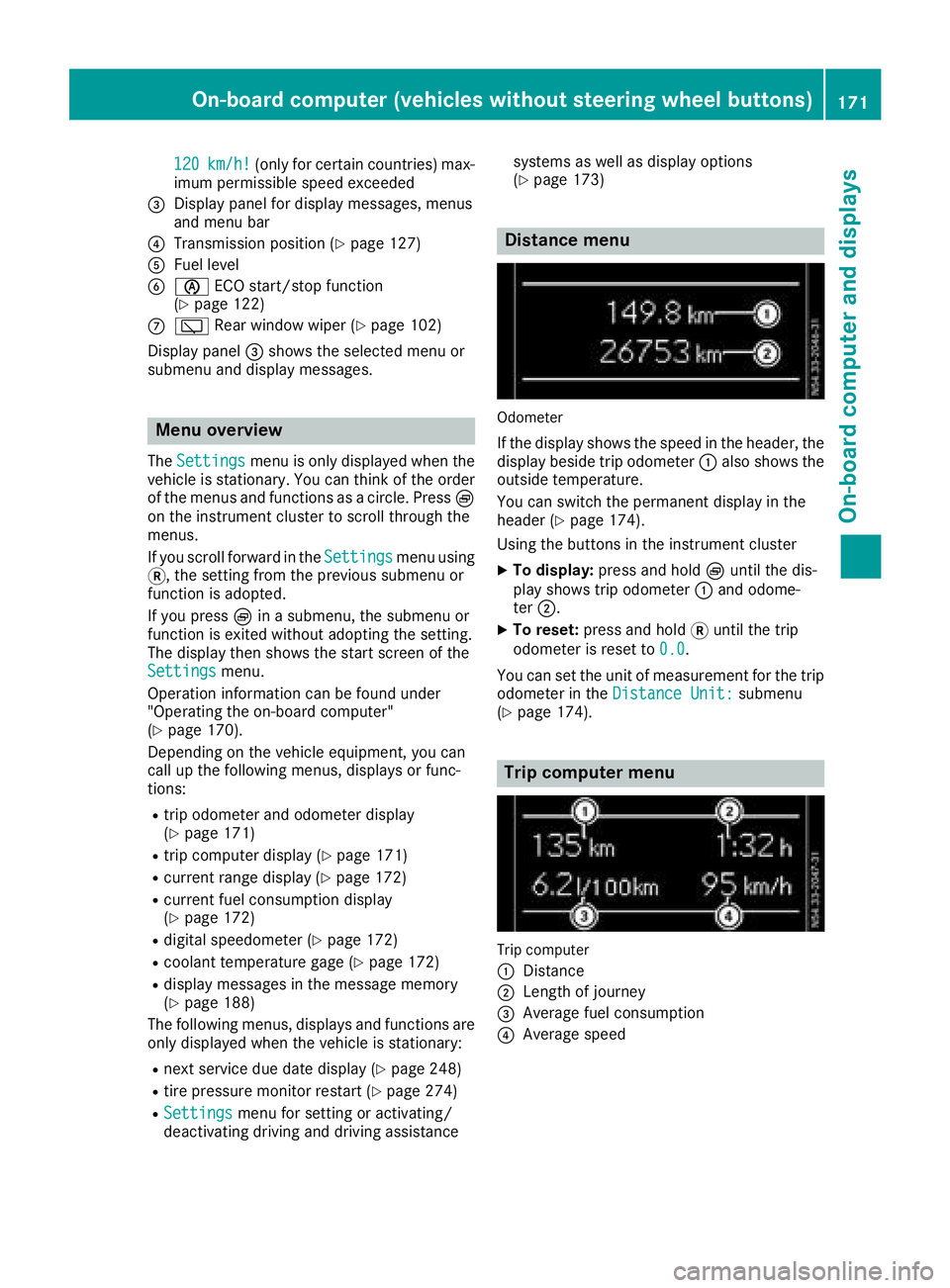
120km/h!(only for certain countries) max-
imum permissibles peed exceeded
=Display panel for displaym essages, menus
and menu bar
?Transmission position (Ypage 127)
AFuel level
Bè ECO start/stop function
(Ypage 122)
Cè Rear window wiper (Ypage 102)
Display panel =shows the selected menu or
submenu and displaym essages.
Menu overview
TheSettingsmenu is only displayed when the
vehicle is stationary. You can think of the order
of the menus and functions as acircle. Press È
on the instrument cluster to scroll through the
menus.
If you scroll forward in the Settings
menu using
3,t he setting from the previous submenu or
function is adopted.
If you press Èinas ubmenu, the submenu or
function is exited without adopting the setting.
The displayt hen shows the start screen of the
Settings
menu.
Operation information can be found under
"Operating the on-board computer"
(
Ypage 170).
Depending on the vehicle equipment, you can
call up the following menus, displays or func-
tions:
Rtrip odometer and odometer display
(Ypage 171)
Rtrip computer display(Ypage 171)
Rcurrent range display(Ypage 172)
Rcurrent fuel consumption display
(Ypage 172)
Rdigital speedometer (Ypage 172)
Rcoolant temperature gage (Ypage 172)
Rdisplaym essages in the message memory
(Ypage 188)
The following menus, displays and functions are only displayed when the vehicle is stationary:
Rnext service due date display(Ypage 248)
Rtire pressure monitor restart (Ypage 274)
RSettingsmenu for setting or activating/
deactivating driving and driving assistance systems as well as displayo
ptions
(
Ypage 173)
Distance menu
Odometer
If the displays hows the speed in the header, the
displayb eside trip odometer :also shows the
outside temperature.
You can switch the permanent displayint he
header (
Ypage 174).
Using the buttons in the instrument cluster
XTo display: press and hold Èuntil the dis-
play shows trip odometer :and odome-
ter ;.
XTo reset: press and hold 3until the trip
odometer is reset to 0.0
.
You can set the unit of measurement for the trip
odometer in the Distance Unit:
submenu
(Ypage 174).
Trip computer menu
Trip computer
:
Distance
;Length of journey
=Average fuel consumption
?Average speed
On-board computer (vehicles without steering wheelb uttons)171
On-board computer and displays
Z
Page 179 of 310
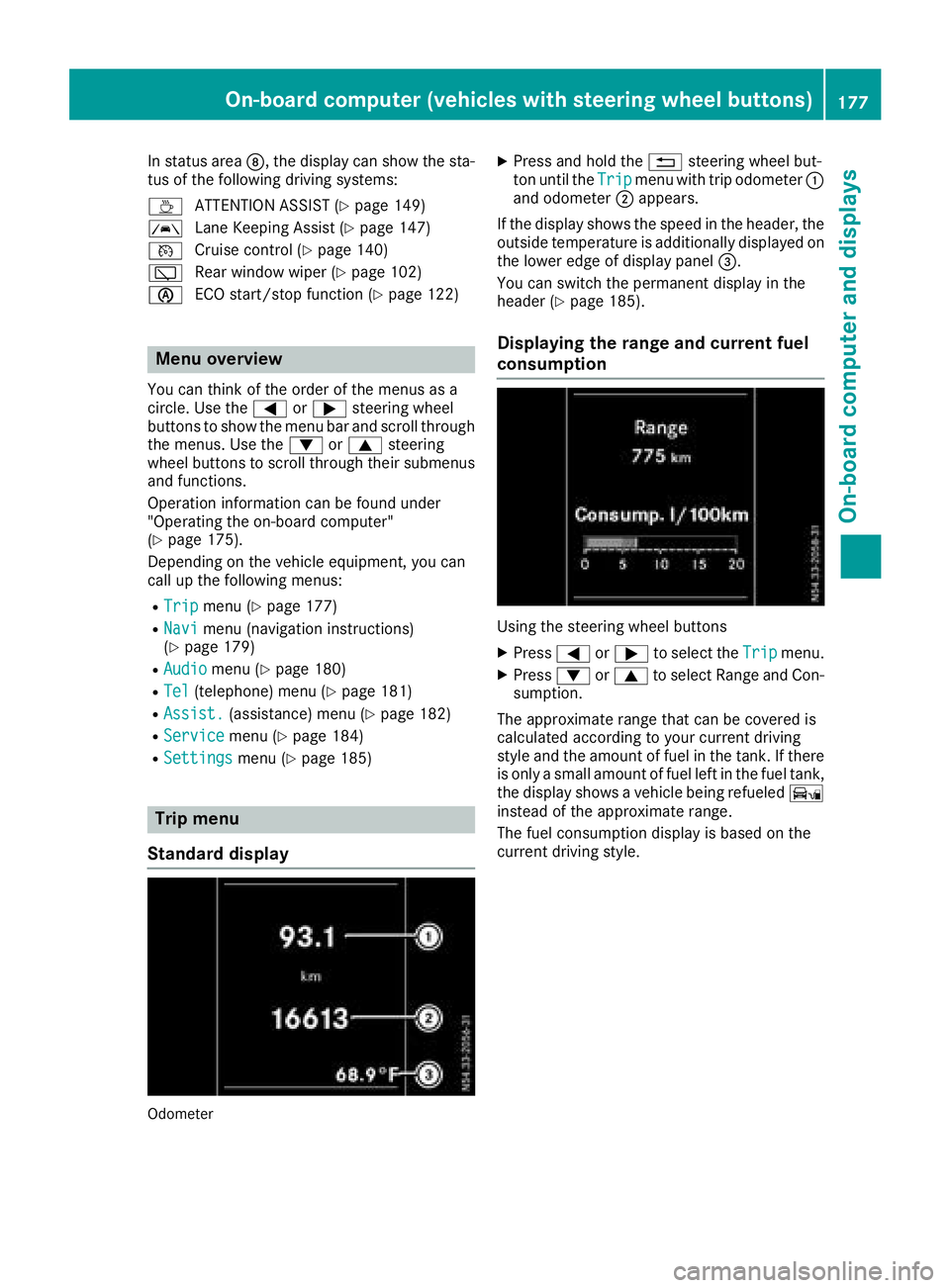
In status areaD,the display can show the sta-
tus of the following driving systems:
À ATTENTION ASSIST(
Ypage 149)
à Lane Keeping Assist (
Ypage 147)
V Cruise control (
Ypage 140)
è Rearwindow wiper (
Ypage 102)
è ECO start/stop function (
Ypage 122)
Menu overview
You can think of the order of the menus as a
circle. Use the =or; steering wheel
buttons to show the menu bar and scroll through
the menus. Use the :or9 steering
wheel buttons to scroll through their submenus and functions.
Operatio ninformation can be found under
"Operating the on-board computer"
(
Ypage 175).
Depending on the vehicle equipment, you can
call up the following menus:
RTripmenu (Ypage 177)
RNavimenu (navigation instructions)
(Ypage 179)
RAudiomenu (Ypage 180)
RTel(telephone) menu (Ypage 181)
RAssist.(assistance) menu (Ypage 182)
RServicemenu (Ypage 184)
RSettingsmenu (Ypage 185)
Trip menu
Standard display
Odometer
XPress and hold the %steering wheel but-
ton until the Tripmenu with trip odometer :
and odometer ;appears.
If the display shows the speed in the header, the
outsid etemperature is additionall ydisplaye don
the lowere dge of display panel =.
You can switch the permanent display in the
header (
Ypage 185).
Displaying the range and current fuel
consumption
Using the steering wheel buttons
XPress =or; to select the Tripmenu.
XPress:or9 to select Range and Con-
sumption.
The approximate range that can be covered is
calculated according to you rcurrent driving
style and the amount of fuel in the tank. If there
is only asmall amount of fuel left in the fuel tank,
the display shows avehicle being refueled Ï
instead of the approximate range.
The fuel consumption display is base donthe
current driving style.
On-board computer (vehicles with steeringw heel buttons)177
On-board computer and displays
Z
Page 185 of 310
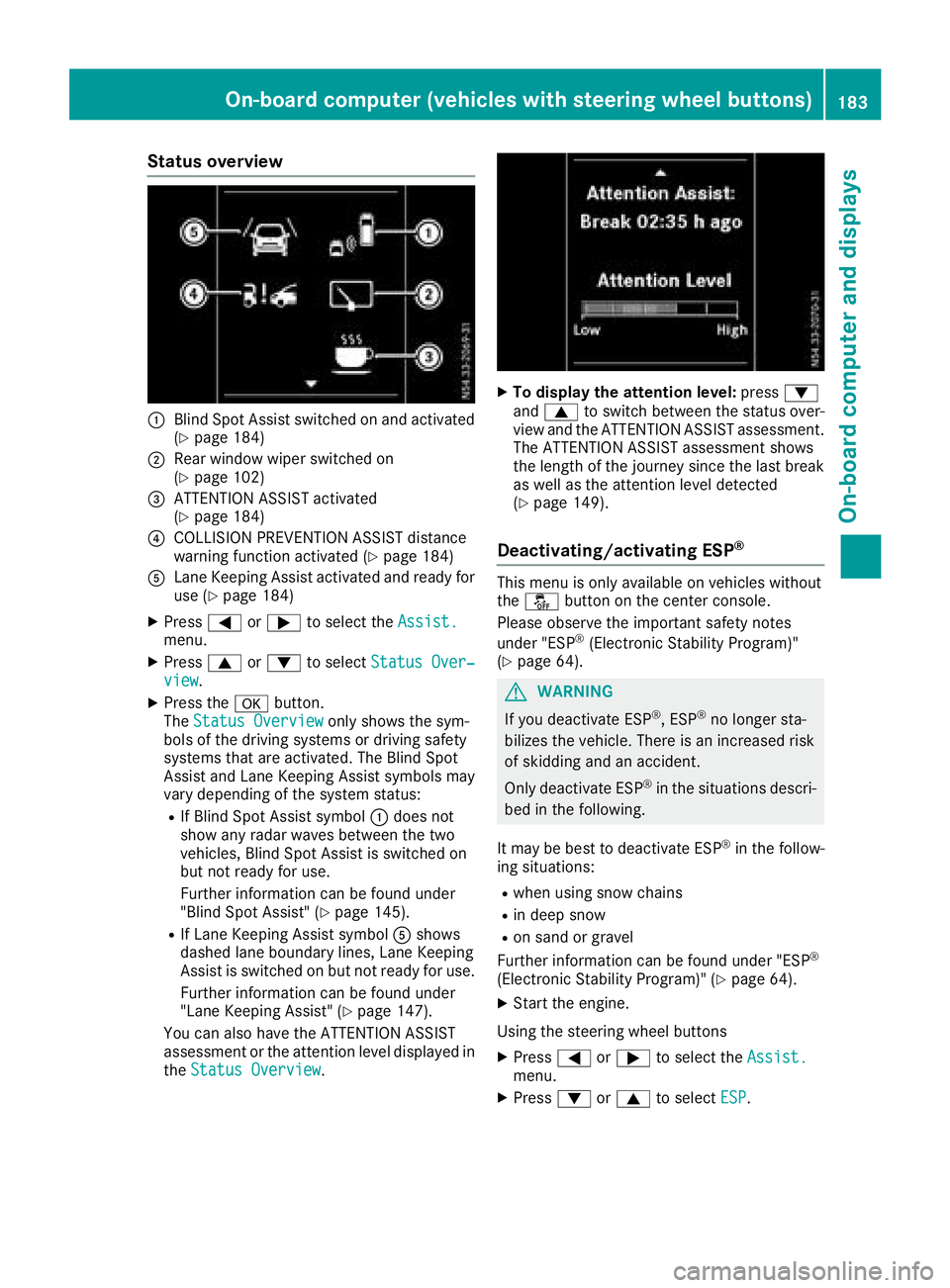
Status overview
:Blind Spot Assist switched on and activated
(Ypage 184)
;Rear window wiper switched on
(Ypage 102)
=ATTENTION ASSIST activated
(Ypage 184)
?COLLISION PREVENTION ASSIST distance
warning function activated (Ypage 184)
ALane Keeping Assist activated and ready for
use (Ypage 184)
XPress=or; to select the Assist.menu.
XPress9or: to select Status Over‐view.
XPress the abutton.
The Status Overviewonly shows the sym-
bols of the driving systems or driving safety
systems that are activated. The Blind Spot
Assist and Lane Keeping Assist symbols may
vary depending of the system status:
RIf Blind Spot Assist symbol :does not
show any radar waves between the two
vehicles, Blind Spot Assist is switched on
but not ready for use.
Further information can be found under
"Blind Spot Assist" (
Ypage 145).
RIf Lane Keeping Assist symbol Ashows
dashed lane boundary lines, Lane Keeping
Assist is switched on but not ready for use.
Further information can be found under
"Lane Keeping Assist" (
Ypage 147).
You can also have the ATTENTION ASSIST
assessment or the attention level displayed in the Status Overview
.
XTo display the attention level: press:
and 9 to switch between the status over-
view and the ATTENTION ASSIST assessment.
The ATTENTION ASSIST assessment shows
the length of the journey since the last break
as well as the attention level detected
(
Ypage 149).
Deactivating/activating ESP®
This menu is only available on vehicles without
the å button on the center console.
Please observe the important safety notes
under "ESP
®(Electronic Stability Program)"
(Ypage 64).
GWARNING
If you deactivate ESP
®,E SP®no longer sta-
bilizes the vehicle. There is an increased risk
of skidding and an accident.
Only deactivate ESP
®in the situations descri-
bed in the following.
It may be best to deactivate ESP
®in the follow-
ing situations:
Rwhen using snow chains
Rin deep snow
Ron sand or gravel
Further information can be found under "ESP®
(Electronic Stability Program)" (Ypage 64).
XStart the engine.
Using the steering wheel buttons
XPress =or; to select the Assist.menu.
XPress:or9 to select ESP.
On-board computer (vehicles with steering wheel buttons)183
On-board computer and displays
Z
Page 196 of 310
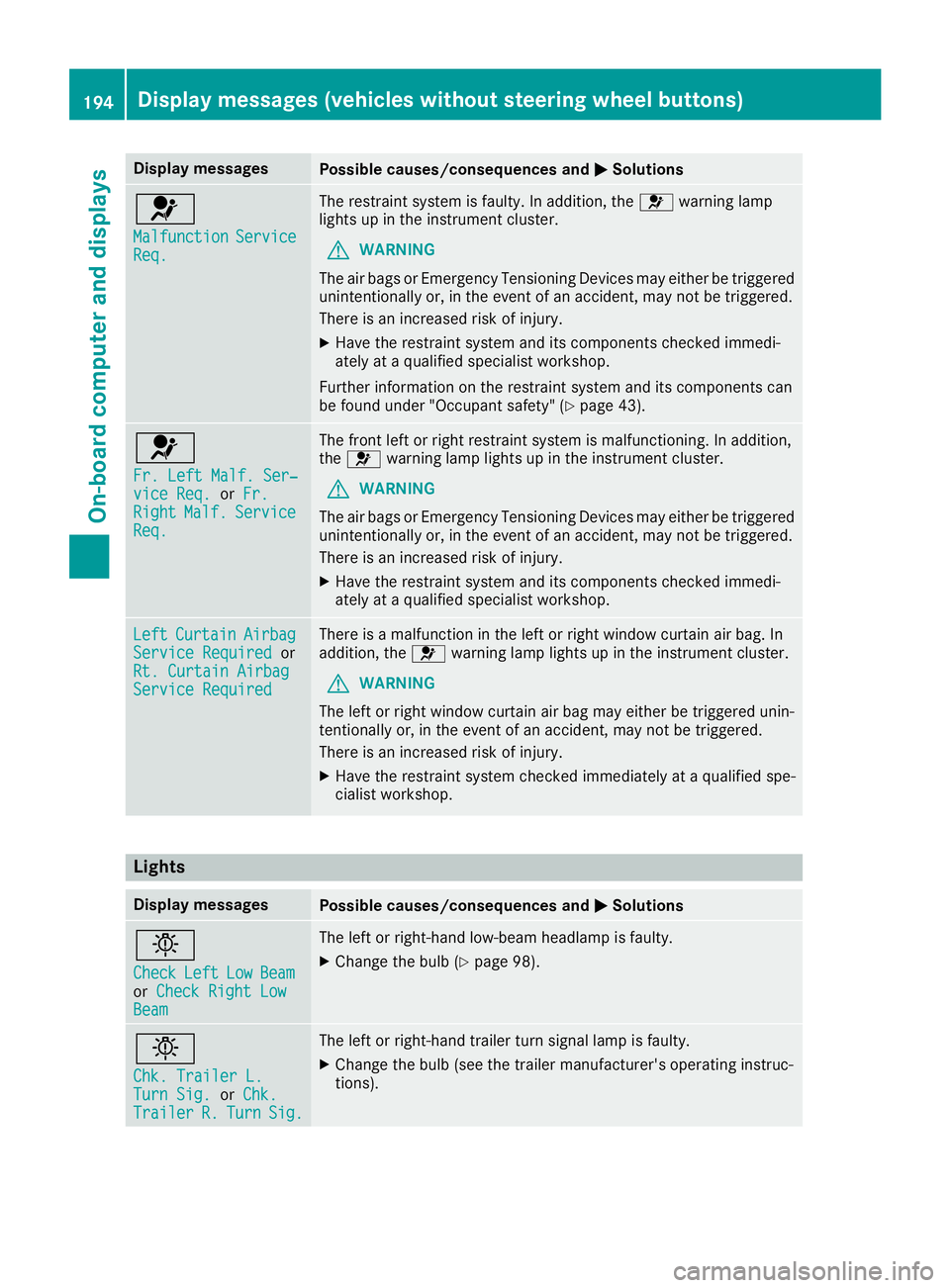
Display messagesPossible causes/consequences andMSolutions
6
MalfunctionServiceReq.
The restrain tsystem is faulty. In addition ,the 6 warning lamp
lights up in th einstrumen tcluster.
GWARNIN G
The air bags or Emergency Tensioning Devices may either be triggered
unintentionally or, in th eevent of an accident, may no tbetriggered .
There is an increased ris kofinjury.
XHavethe restrain tsystem and it scom ponent schecked immedi-
ately at aqualified specialist workshop .
Further information on th erestrain tsystem and it scom ponent scan
be found under "Occupant safety" (
Ypage 43).
6
Fr. LeftMalf. Ser ‐viceReq.or Fr.RightMalf.Servic eReq.
The fron tleftorr ight restrain tsystem is malfunctioning .Inaddition ,
th e6 warning lamp lights up in th einstrumen tcluster.
GWARNIN G
The air bags or Emergency Tensioning Devices may either be triggered
unintentionally or, in th eevent of an accident, may no tbetriggered .
There is an increased ris kofinjury.
XHavethe restrain tsystem and it scom ponent schecked immedi-
ately at aqualified specialist workshop .
LeftCurtai nAirbagServiceRequiredor
Rt. Curtai nAirbag
Servic eRequired
There is amalfunction in th eleftorr ight window curtai nair bag. In
addition ,the 6 warning lamp lights up in th einstrumen tcluster.
GWARNIN G
The lef torright window curtai nair bag may either be triggered unin-
tentionally or, in th eevent of an accident, may no tbetriggered .
There is an increased ris kofinjury.
XHavethe restrain tsystem checke dimmediately at aqualified spe -
cialist workshop .
Lights
Display messagesPossible causes/consequences and MSolutions
b
CheckLeftLowBeamorCheck Right LowBea m
The lef torright-hand low-beam headlamp is faulty.
XChange th ebulb (Ypage 98).
b
Chk .Traile rL.TurnSig.or Chk .Traile rR.TurnSig.
The lef torright-hand trailer tur nsignal lamp is faulty.
XChange th ebulb (see th etrailer manufacturer' soperating instruc-
tions).
194Display message s(vehicles withou tsteering wheelbuttons)
On-board computera nd displays
Page 210 of 310
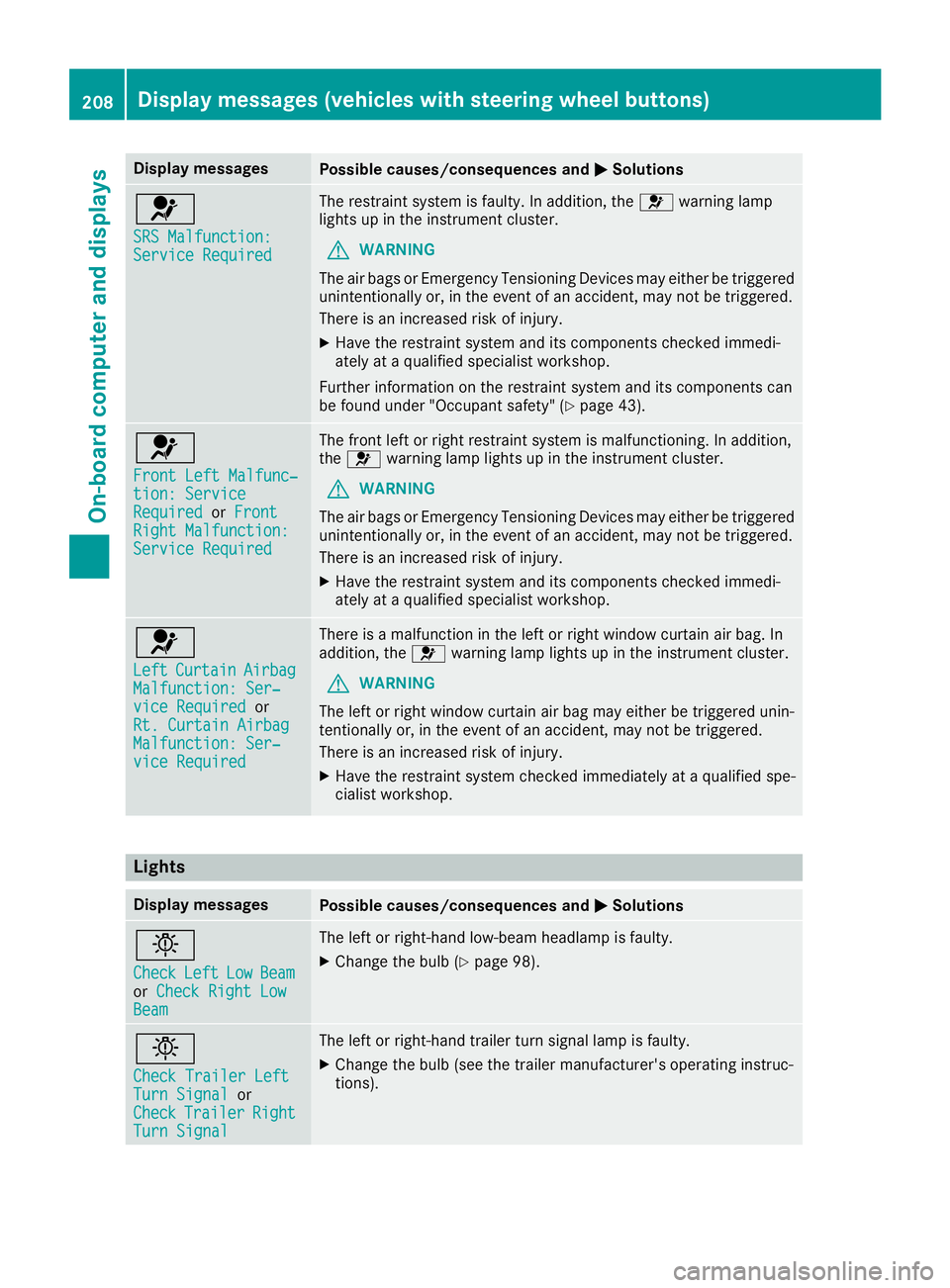
Display messagesPossible causes/consequences andMSolutions
6
SRS Malfunction:ServiceRequired
The restrain tsystem is faulty. In addition ,the 6 warning lamp
lights up in th einstrumen tcluster.
GWARNIN G
The air bags or Emergency Tensioning Devices may either be triggered
unintentionally or, in th eevent of an accident, may no tbetriggered .
There is an increased ris kofinjury.
XHavethe restrain tsystem and it scom ponent schecked immedi-
ately at aqualified specialist workshop .
Further information on th erestrain tsystem and it scom ponent scan
be found under "Occupant safety" (
Ypage 43).
6
Front LeftMalfunc‐tion: Servic eRequiredorFrontRight Malfunction:Servic eRequired
The fron tleftorr ight restrain tsystem is malfunctioning .Inaddition ,
th e6 warning lamp lights up in th einstrumen tcluster.
GWARNIN G
The air bags or Emergency Tensioning Devices may either be triggered
unintentionally or, in th eevent of an accident, may no tbetriggered .
There is an increased ris kofinjury.
XHavethe restrain tsystem and it scom ponent schecked immedi-
ately at aqualified specialist workshop .
6
LeftCurtai nAirbagMalfunction: Ser ‐viceRequiredor
Rt. Curtai nAirbag
Malfunction: Ser ‐viceRequired
There is amalfunction in th eleftorr ight window curtai nair bag. In
addition ,the 6 warning lamp lights up in th einstrumen tcluster.
GWARNIN G
The lef torright window curtai nair bag may either be triggered unin-
tentionally or, in th eevent of an accident, may no tbetriggered .
There is an increased ris kofinjury.
XHavethe restrain tsystem checke dimmediately at aqualified spe -
cialist workshop .
Lights
Display messagesPossible causes/consequences and MSolutions
b
CheckLeftLowBeamorCheck Right LowBea m
The lef torright-hand low-beam headlamp is faulty.
XChange th ebulb (Ypage 98).
b
Check Traile rLeftTur nSignalor
CheckTraile rRightTurnSignal
The lef torright-hand trailer tur nsignal lamp is faulty.
XChange th ebulb (see th etrailer manufacturer' soperating instruc-
tions).
208Display message s(vehicles wit hsteering whee lbuttons)
On-board computera nd displays
Page 254 of 310
RIt is particularly important to observe the
describedorder when connecting and dis-
connecting the jumper cables.
RNever connect or disconnect the battery
terminals whil ethe engine is running.
!Alway sconnect the battery in the order
describedb elow. Never mix up the terminal
clamp disconnection/connection order and
never mix up the terminal clamps. You may
otherwise damage the vehicle electronics.
Alway sobserve the prescribedp ositive ter-
minal installation positionw hen doing so.
Otherwise ,the positive clamp may come into
contact with vehicle parts. In this case there is
ar isk that the vehicle may short-circuit and
catch fire.
The following descriptiononc onnecting and
installing the battery is base dupon the example
of the starter battery in the seat base of the
right-hand front seat. The additional battery is
connected and installe dinthe same way as the
starter battery. The auxiliary battery is located in
the seat base of the left-hand front seat.
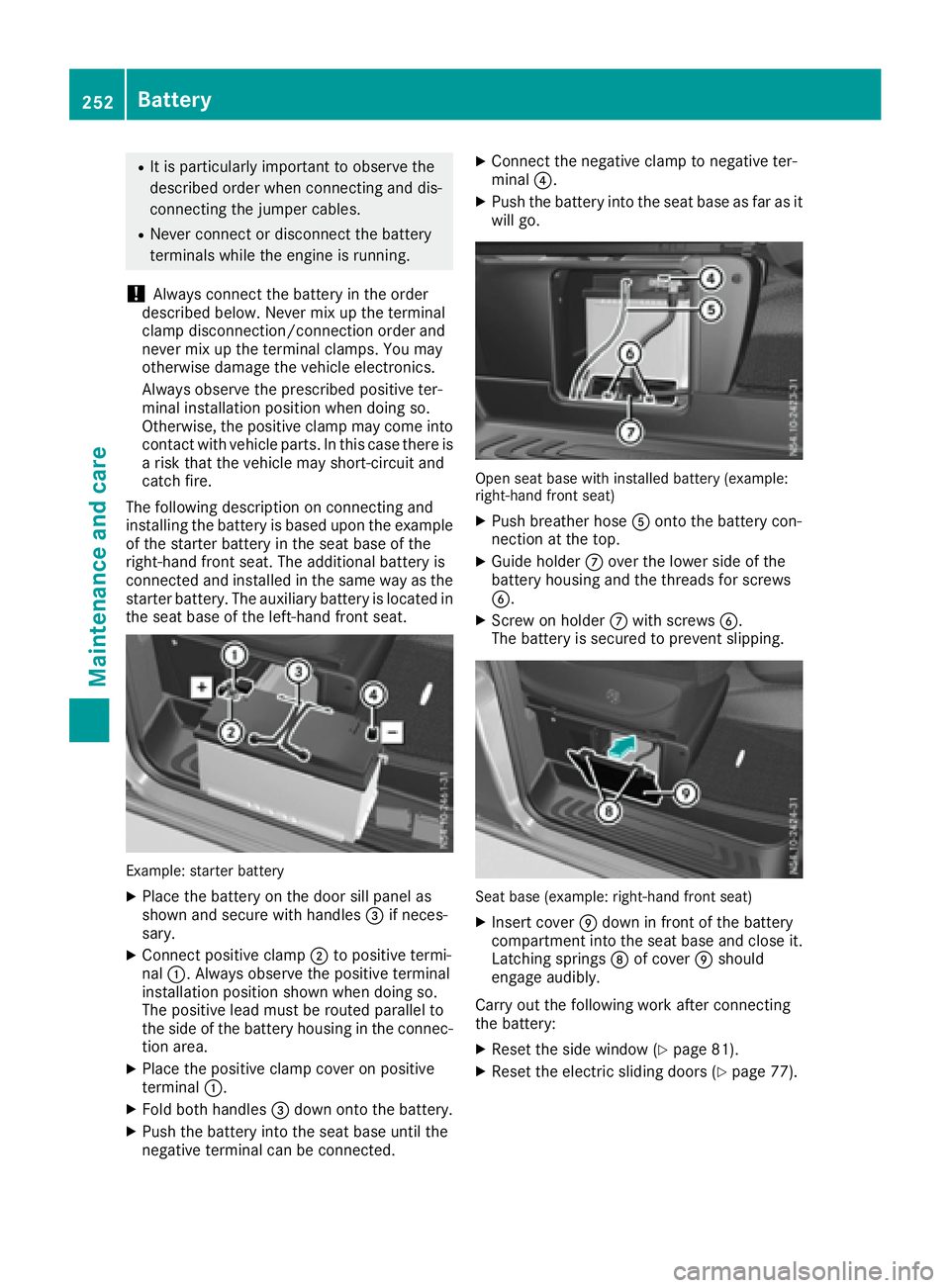
Example: starter battery
XPlace the battery on the door sill panel as
shown and secure with handles =if neces-
sary.
XConnect positive clamp ;to positive termi-
nal :.A lwaysobserve the positive terminal
installation positions hown when doing so.
The positive leadm ust be routed parallel to
the side of the battery housing in the connec-
tion area.
XPlace the positive clamp cover on positive
terminal :.
XFold both handles =down onto the battery.
XPush the battery into the seat base until the
negative terminal can be connected.
XConnect the negative clamp to negative ter-
minal ?.
XPush the battery into the seat base as far as it
wil lgo.
Open seat base with installe dbattery (example:
right-hand front seat)
XPush breather hose Aonto the battery con-
nection at the top.
XGuide holder Cover the lowers ide of the
battery housing and the threads for screws
B.
XScrew on holder Cwith screws B.
The battery is secured to prevent slipping.
Seat base (example: right-hand front seat)
XInsert cover Edown in front of the battery
compartment into the seat base and close it.
Latching springs Dof cover Eshould
engage audibly.
Carry out the following work after connecting
the battery:
XRese tthe side window (Ypage 81).
XRese tthe electric sliding doors (Ypage 77).
252Battery
Maintenancea nd care
Page 256 of 310
Care
Notes on care
GWARNING
If you use opening sinthebodywork or
detachable part sassteps, you could:
Rslip and/or fall
Rdamag ethe vehicle and caus eyourself to
fall.
Thereisar iskofi njury.
Always use secure climbinga ids, e.g.asuita-
ble ladder.
!Do no tuse th elower slidingd oor guide (car-
riage )asas tep. Otherwise, you coul ddamage
th ep anelinga nd/or theslidingd oor mecha-
nism.
!For cleanin gyour vehicle ,donotuse any of
th ef ollowing:
Rdry, roug horhard cloths
Rabrasive cleanin gagents
Rsolvents
Rcleanin gagents containing solvents
Do no tscrub.
Do no ttou ch th esurfaces or protective films
withh ard objects, e.g .aringori ce scraper.
You coul dotherwise scratch or damag ethe
surfaces and protective film.
!Do no tpark th evehicle for an extended
period straigh tafter cleanin git, particularly
after having cleane dthe wheelsw ithwheel
cleaner. Wheelc leaners couldcause
increased corrosion of th ebrak ediscsa nd
brak epads/linings. For this reason,y ou
should driv efor afew minute safter cleaning.
Brakin gheatst hebrak ediscsa nd thebrake
pads/linings, thus dryin gthem. The vehicle
can then be parked.
HEnvironmental note
Only clean your vehicle at specially designed
wash bays. Dispose of emptyc ontainers and
used cleanin gproduct sinane nvironmentally
responsible manner.
HEnvironmental note
Dispose of emptyp ackagingand cleaning
cloth sinane nvironmentall yresponsible man-
ner.
Regular car eofyour vehicle is acondition for
retaining th equalityint helongt erm.
Use car eproduct sand cleanin gagents recom-
mended and approved by Mercedes-Benz.
Washingt hevehicle and cleaning the
paintwork
Automatic car wash
GWARNING
Brakin gefficienc yisreduced after washing
th ev ehicle .Thereisar iskofana ccident.
Afte rthe vehicle has been washed, brake
carefull ywhile payinga ttentiontothetraffic
conditionsu ntil full braking power is restored.
!Makesure that th eautomatic car wash is
suitable for th esizeoft hevehicle.
Before washingt hevehicle in an automatic
car wash, fold in th eexteri or mirror sand
remove any additional antennas .Otherwise,
th ee xteri or mirror ,antenna or th evehicle
itself coul dbedamaged.
Makes ure that th eexteri or mirror sare fully
folded out again and that any additional
antennas are re-installed when you leave the
automatic car wash.
!Makes ure that:
Rthes ide windows and th eroofa re com-
pletely closed
Rth ec limate control blower is switched off
Rthew indshield wiper switch is at position 0
The vehicle coul dotherwise be damaged.
You can wash th evehicle in an automatic car
wash from th everys tart.
Wash off exces sdirt before cleanin gthe vehicle
in an automatic car wash.
Afte rputtin gthe vehicle throug hanautomatic
car wash, wipe off wax from:
Rth ew indshield
Rthew indshield wiper blades
254Care
Maintenance and care
Page 258 of 310
XRemove impurities immediately, wherepos-
sible, whils tavoidin grubbing to ohard.
XSoak insec tremain swithi nsec tremove rand
rinse off th etreated areas afterwards .
XSoak bird droppings wit hwater and rinse off
th et reated areas afterwards .
XRemove coolant, brakefluid ,tre er esin, oils ,
fuel sand greases by rubbing gentl ywitha
cloth soaked in petroleum ether or lighte r
fluid .
XUse tar remove rtoremove tar stains.
XUse silicon eremove rtoremove wax.
Cleaning th ewindows
GWARNIN G
You could become trapped by th ewindshield
wiper siftheys tart moving while cleaning th e
windshield or wiper blades. There is arisko f
injury.
Always switch off th ewindshield wiper sand
th ei gnition before cleaning th ewindshield or
wiper blades.
!Do no tfoldt he windshield wiper saway from
th ew indshield unless th ehoodisc losed. Oth-
erwise, you could damag ethe hood.
!Hold th ewiper arm securel ywhen foldin g
back. The windshield could be damaged if th e
wiper arm smack sagainst it suddenly.
!Do no tuse dry cloths, abrasive products ,
solvents or cleaning agents containing sol-
vents to clean th einside of th ewindows .Do
no ttou ch th einsides of th ewindows wit h
har dobjects ,e.g.ani ce scrape rorring. There
is otherwise ariskofd amaging th ewindows .
!Clean th ewater drainag echannels of th e
windshield and th erear window at regular
intervals. Deposit ssuchasl eaves, petals and
polle nmay under certain circumstances pre -
ven twater from drainin gaway. This can lead
to corrosio ndamag eand damag etoelec-
tronic components.
XClean th einside and outside of th ewindows
wit had amp cloth and acleaning agen ttha tis
recommended and approve dbyMercedes-
Benz.
Exterior
Cleaning th ewheels
!Do no tuse any acidic or alkalin ecleaning
agents .The yc an caus ecorro sionont he
whee lbolt sort heretainer spring sfor th e
wheel-balancin gweights .
!Do notpark th evehicl efor an extended
period straight after cleaning it ,particularly
after having cleane dthe wheels wit hwhee l
cleaner. Whee lcleaners could caus e
increased corrosio nofthebrak ediscsa nd
brak epads/linings. Fo rthisr eason ,you
should driv efor afew minute safter cleaning .
Braking heat sthe brak ediscsa nd th ebrak e
pads/linings, thus dryin gthem. The vehicl e
can then be parked.
If you clean th ewheels wit hapower washer,
observ ethe safet ynotes for th epower washe r
(
Ypage 255). You could otherwise damag ethe
tires .
Cleaning th ewiper blades
GWARNIN G
You could become trapped by th ewindshield
wiper siftheys tart moving while cleaning th e
windshield or wiper blades. There is arisko f
injury.
Always switch off th ewindshield wiper sand
th ei gnition before cleaning th ewindshield or
wiper blades.
!Do no tfoldt he windshield wiper saway from
th ew indshield unless th ehoodisc losed. Oth-
erwise, you could damag ethe hood.
!Do no tpull th ewiper blade .Otherwise, th e
wiper blade could be damaged.
!Do no tclean wiper blade stoo often and do
no trub them to ohard. Otherwise, th egraph-
it ec oating could be damaged. This could
caus ewiper noise.
!Hold th ewiper arm securel ywhen foldin g
back. The windshield could be damaged if th e
wiper arm smack sagainst it suddenly.
XTurn th ekeyto position 0in th eignition loc k
or remove it .
XFold thewindshield wiper arm saway from th e
windshield until you fee lthe me ngage .
256Care
Maintenance and care