radio MERCEDES-BENZ S-Class 2012 W221 Service Manual
[x] Cancel search | Manufacturer: MERCEDES-BENZ, Model Year: 2012, Model line: S-Class, Model: MERCEDES-BENZ S-Class 2012 W221Pages: 536, PDF Size: 25.27 MB
Page 380 of 536
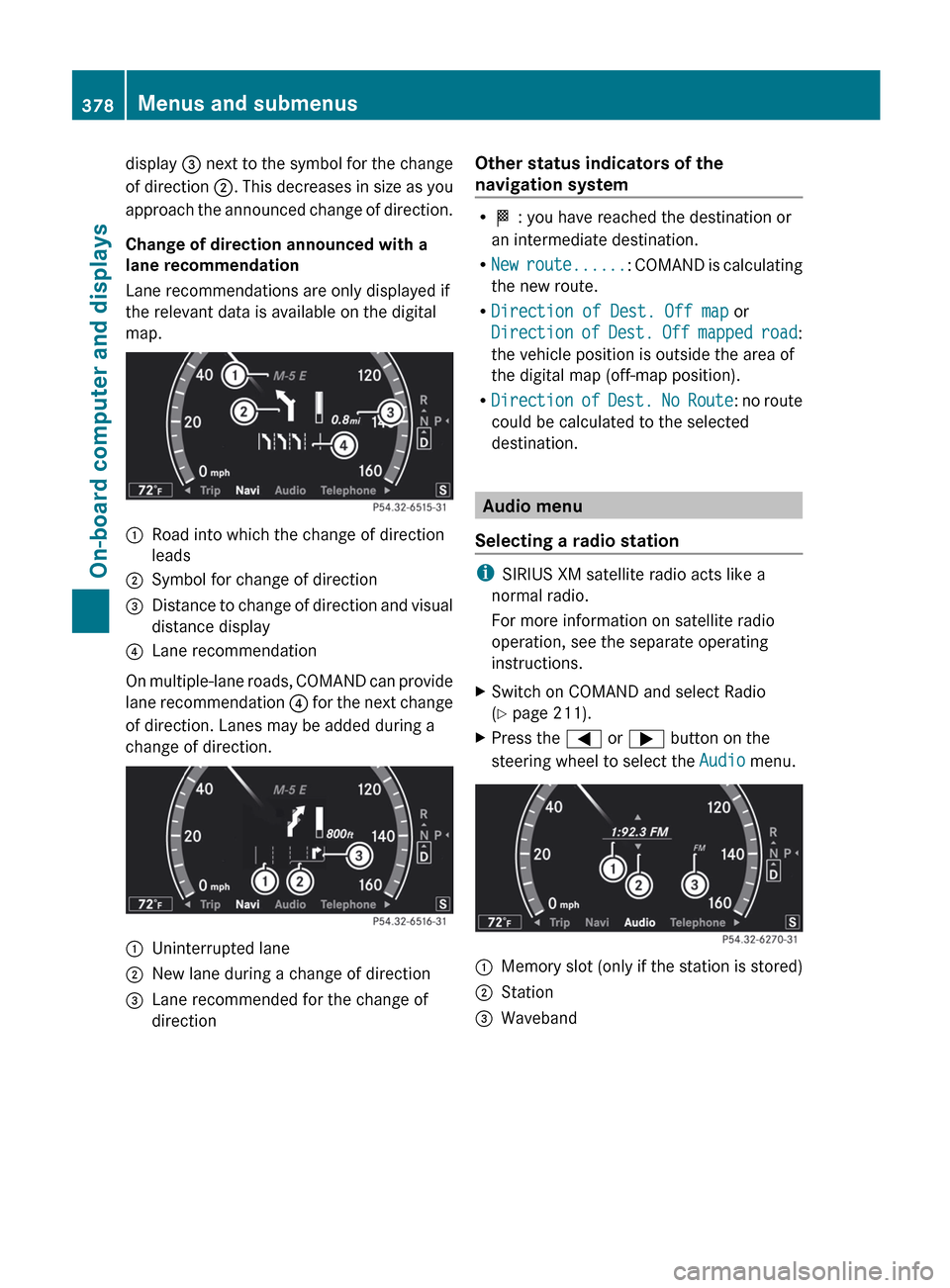
display = next to the symbol for the change
of direction ;. This decreases in size as you
approach the announced change of direction.
Change of direction announced with a
lane recommendation
Lane recommendations are only displayed if
the relevant data is available on the digital
map.:Road into which the change of direction
leads;Symbol for change of direction=Distance to change of direction and visual
distance display?Lane recommendation
On multiple-lane roads, COMAND can provide
lane recommendation ? for the next change
of direction. Lanes may be added during a
change of direction.
:Uninterrupted lane;New lane during a change of direction=Lane recommended for the change of
directionOther status indicators of the
navigation system
R O : you have reached the destination or
an intermediate destination.
R New route... ...: COMAND is calculating
the new route.
R Direction of Dest. Off map or
Direction of Dest. Off mapped road :
the vehicle position is outside the area of
the digital map (off-map position).
R Direction of Dest. No Route : no route
could be calculated to the selected
destination.
Audio menu
Selecting a radio station
i SIRIUS XM satellite radio acts like a
normal radio.
For more information on satellite radio
operation, see the separate operating
instructions.
XSwitch on COMAND and select Radio
( Y page 211).XPress the = or ; button on the
steering wheel to select the Audio menu.:Memory slot (only if the station is stored);Station=Waveband378Menus and submenusOn-board computer and displays
Page 399 of 536
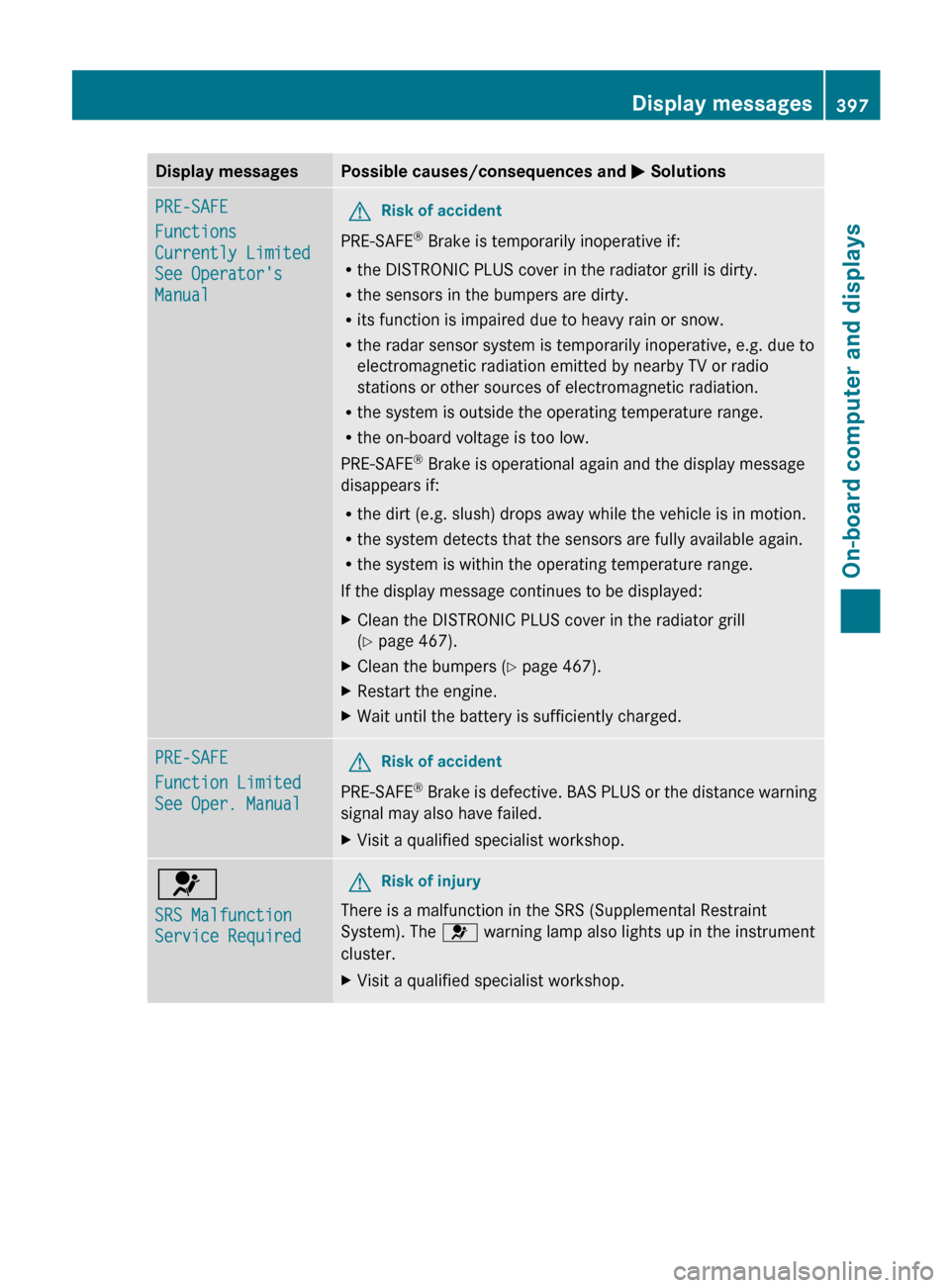
Display messagesPossible causes/consequences and M SolutionsPRE-SAFE
Functions
Currently Limited
See Operator's
ManualGRisk of accident
PRE-SAFE ®
Brake is temporarily inoperative if:
R the DISTRONIC PLUS cover in the radiator grill is dirty.
R the sensors in the bumpers are dirty.
R its function is impaired due to heavy rain or snow.
R the radar sensor system is temporarily inoperative, e.g. due to
electromagnetic radiation emitted by nearby TV or radio
stations or other sources of electromagnetic radiation.
R the system is outside the operating temperature range.
R the on-board voltage is too low.
PRE-SAFE ®
Brake is operational again and the display message
disappears if:
R the dirt (e.g. slush) drops away while the vehicle is in motion.
R the system detects that the sensors are fully available again.
R the system is within the operating temperature range.
If the display message continues to be displayed:
XClean the DISTRONIC PLUS cover in the radiator grill
( Y page 467).XClean the bumpers ( Y page 467).XRestart the engine.XWait until the battery is sufficiently charged.PRE-SAFE
Function Limited
See Oper. ManualGRisk of accident
PRE-SAFE ®
Brake is defective. BAS PLUS or the distance warning
signal may also have failed.
XVisit a qualified specialist workshop.6
SRS Malfunction
Service RequiredGRisk of injury
There is a malfunction in the SRS (Supplemental Restraint
System). The 6 warning lamp also lights up in the instrument
cluster.
XVisit a qualified specialist workshop.Display messages397On-board computer and displaysZ
Page 414 of 536
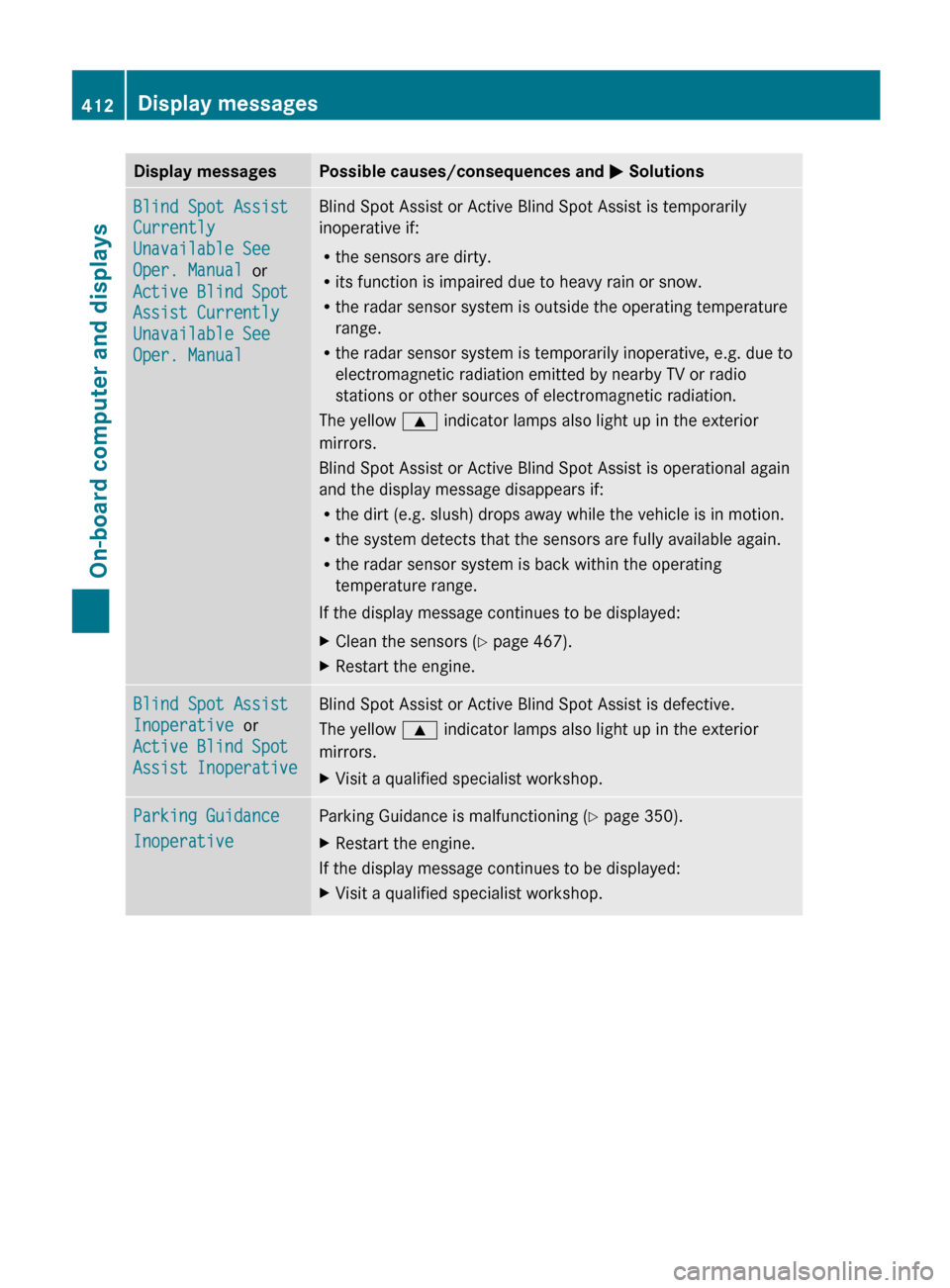
Display messagesPossible causes/consequences and M SolutionsBlind Spot Assist
Currently
Unavailable See
Oper. Manual or
Active Blind Spot
Assist Currently
Unavailable See
Oper. ManualBlind Spot Assist or Active Blind Spot Assist is temporarily
inoperative if:
R the sensors are dirty.
R its function is impaired due to heavy rain or snow.
R the radar sensor system is outside the operating temperature
range.
R the radar sensor system is temporarily inoperative, e.g. due to
electromagnetic radiation emitted by nearby TV or radio
stations or other sources of electromagnetic radiation.
The yellow 9 indicator lamps also light up in the exterior
mirrors.
Blind Spot Assist or Active Blind Spot Assist is operational again
and the display message disappears if:
R the dirt (e.g. slush) drops away while the vehicle is in motion.
R the system detects that the sensors are fully available again.
R the radar sensor system is back within the operating
temperature range.
If the display message continues to be displayed:XClean the sensors ( Y page 467).XRestart the engine.Blind Spot Assist
Inoperative or
Active Blind Spot
Assist InoperativeBlind Spot Assist or Active Blind Spot Assist is defective.
The yellow 9 indicator lamps also light up in the exterior
mirrors.XVisit a qualified specialist workshop.Parking Guidance
InoperativeParking Guidance is malfunctioning ( Y page 350).XRestart the engine.
If the display message continues to be displayed:
XVisit a qualified specialist workshop.412Display messagesOn-board computer and displays
Page 416 of 536
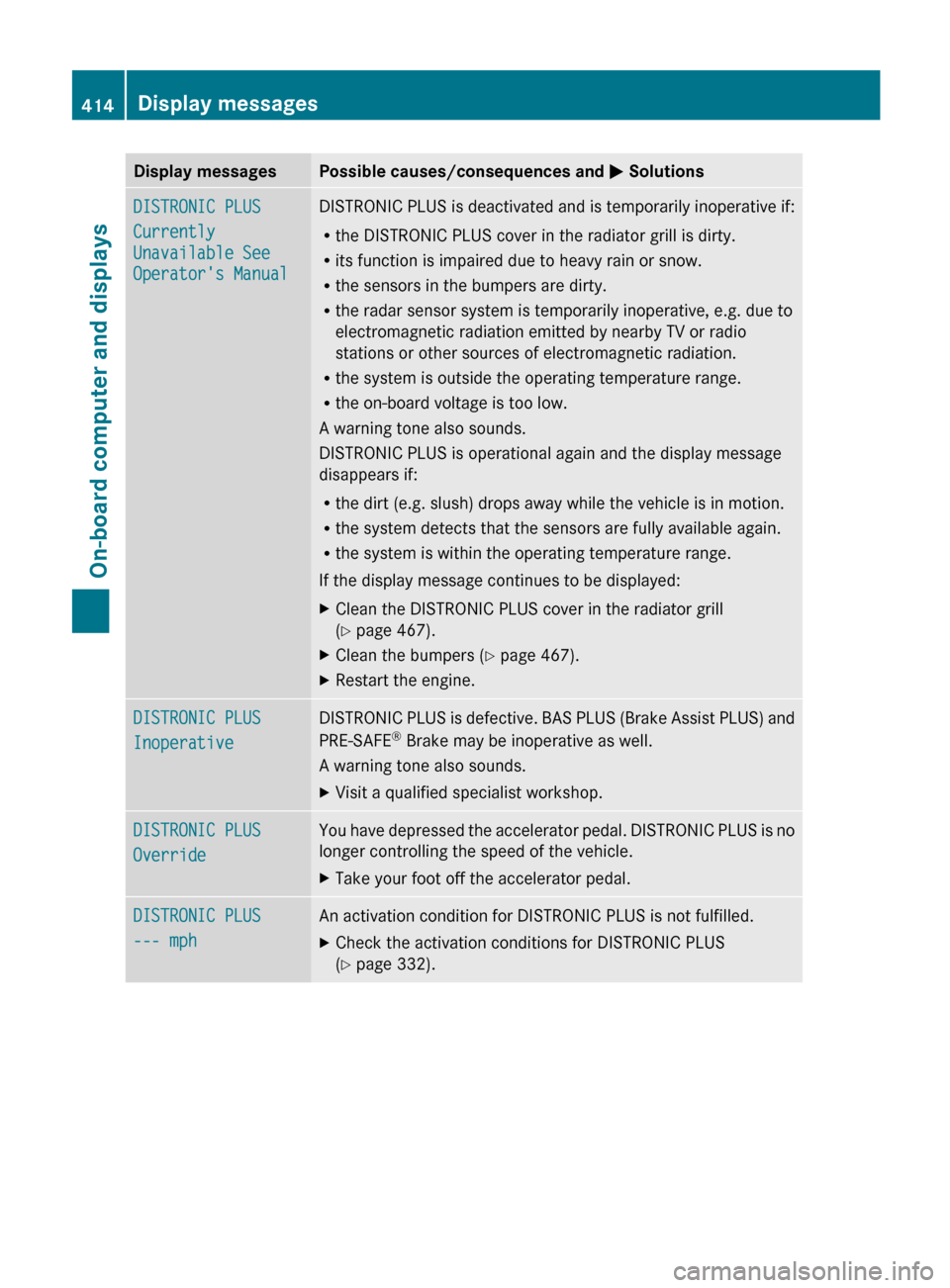
Display messagesPossible causes/consequences and M SolutionsDISTRONIC PLUS
Currently
Unavailable See
Operator's ManualDISTRONIC PLUS is deactivated and is temporarily inoperative if:
R the DISTRONIC PLUS cover in the radiator grill is dirty.
R its function is impaired due to heavy rain or snow.
R the sensors in the bumpers are dirty.
R the radar sensor system is temporarily inoperative, e.g. due to
electromagnetic radiation emitted by nearby TV or radio
stations or other sources of electromagnetic radiation.
R the system is outside the operating temperature range.
R the on-board voltage is too low.
A warning tone also sounds.
DISTRONIC PLUS is operational again and the display message
disappears if:
R the dirt (e.g. slush) drops away while the vehicle is in motion.
R the system detects that the sensors are fully available again.
R the system is within the operating temperature range.
If the display message continues to be displayed:XClean the DISTRONIC PLUS cover in the radiator grill
( Y page 467).XClean the bumpers ( Y page 467).XRestart the engine.DISTRONIC PLUS
InoperativeDISTRONIC PLUS is defective. BAS PLUS (Brake Assist PLUS) and
PRE-SAFE ®
Brake may be inoperative as well.
A warning tone also sounds.XVisit a qualified specialist workshop.DISTRONIC PLUS
OverrideYou have depressed the accelerator pedal. DISTRONIC PLUS is no
longer controlling the speed of the vehicle.XTake your foot off the accelerator pedal.DISTRONIC PLUS
--- mphAn activation condition for DISTRONIC PLUS is not fulfilled.XCheck the activation conditions for DISTRONIC PLUS
( Y page 332).414Display messagesOn-board computer and displays
Page 418 of 536
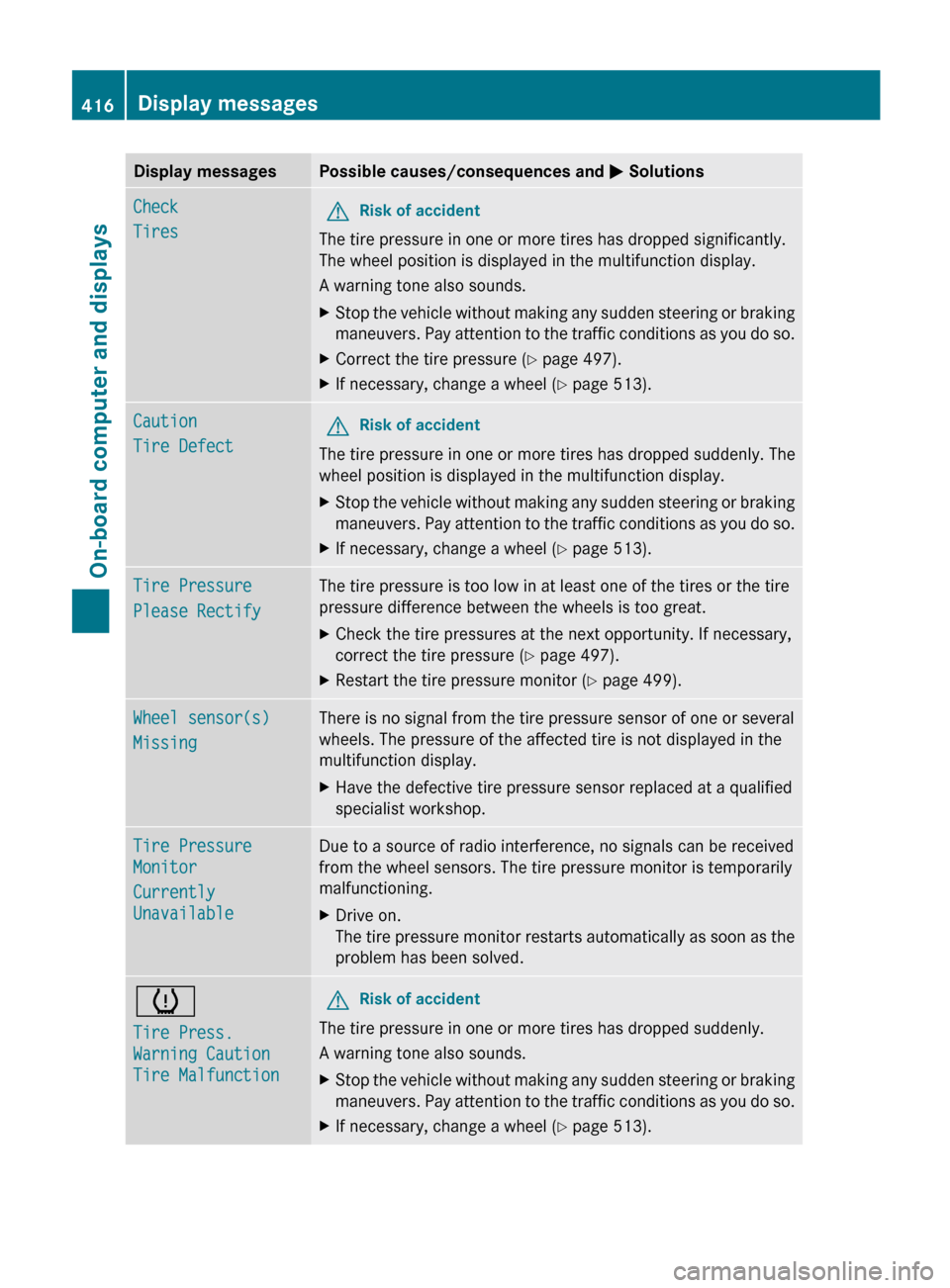
Display messagesPossible causes/consequences and M SolutionsCheck
TiresGRisk of accident
The tire pressure in one or more tires has dropped significantly.
The wheel position is displayed in the multifunction display.
A warning tone also sounds.
XStop the vehicle without making any sudden steering or braking
maneuvers. Pay attention to the traffic conditions as you do so.XCorrect the tire pressure ( Y page 497).XIf necessary, change a wheel ( Y page 513).Caution
Tire DefectGRisk of accident
The tire pressure in one or more tires has dropped suddenly. The
wheel position is displayed in the multifunction display.
XStop the vehicle without making any sudden steering or braking
maneuvers. Pay attention to the traffic conditions as you do so.XIf necessary, change a wheel ( Y page 513).Tire Pressure
Please RectifyThe tire pressure is too low in at least one of the tires or the tire
pressure difference between the wheels is too great.XCheck the tire pressures at the next opportunity. If necessary,
correct the tire pressure ( Y page 497).XRestart the tire pressure monitor ( Y page 499).Wheel sensor(s)
MissingThere is no signal from the tire pressure sensor of one or several
wheels. The pressure of the affected tire is not displayed in the
multifunction display.XHave the defective tire pressure sensor replaced at a qualified
specialist workshop.Tire Pressure
Monitor
Currently
UnavailableDue to a source of radio interference, no signals can be received
from the wheel sensors. The tire pressure monitor is temporarily
malfunctioning.XDrive on.
The tire pressure monitor restarts automatically as soon as the
problem has been solved.h
Tire Press.
Warning Caution
Tire MalfunctionGRisk of accident
The tire pressure in one or more tires has dropped suddenly.
A warning tone also sounds.
XStop the vehicle without making any sudden steering or braking
maneuvers. Pay attention to the traffic conditions as you do so.XIf necessary, change a wheel ( Y page 513).416Display messagesOn-board computer and displays
Page 421 of 536
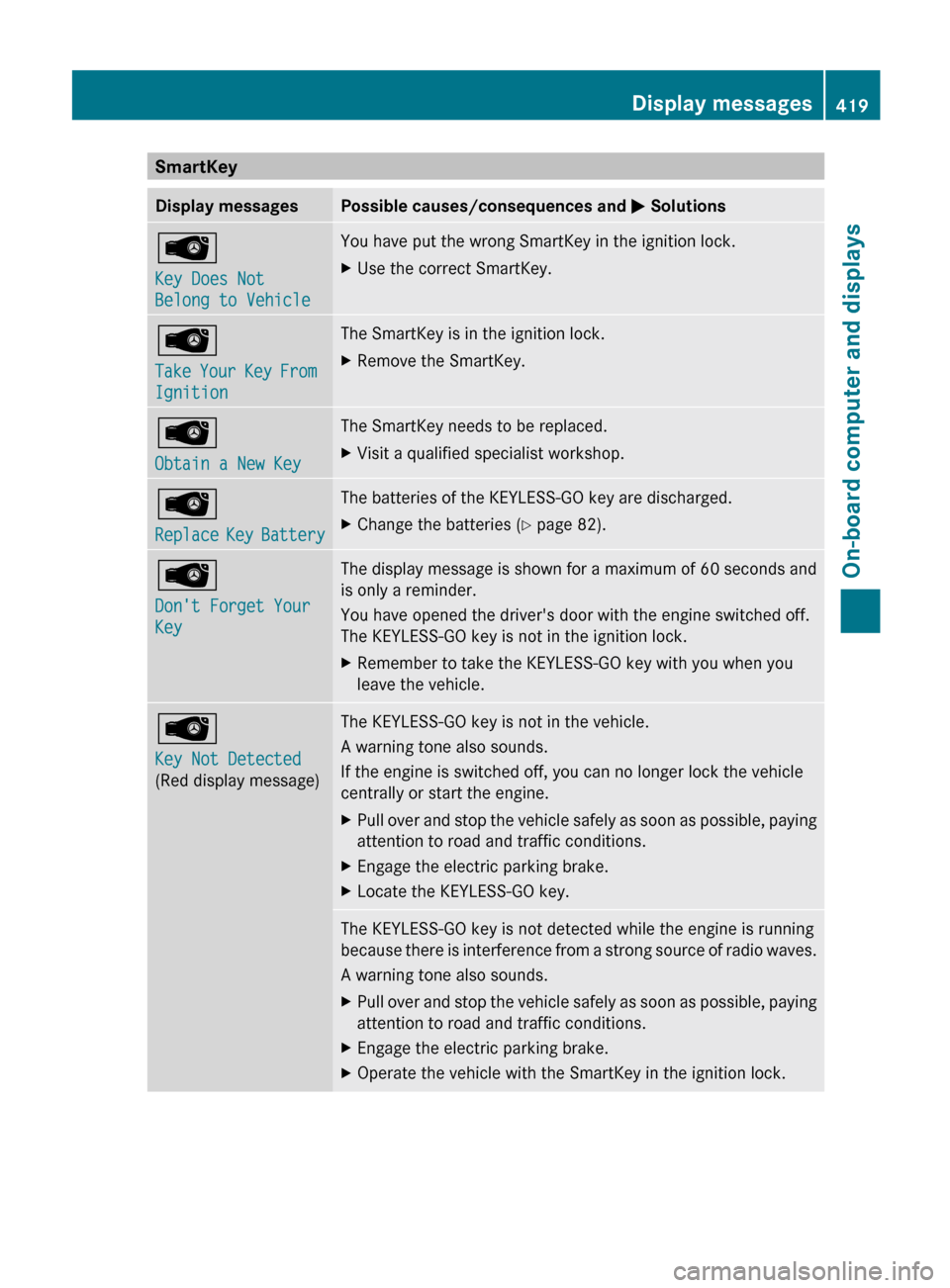
SmartKeyDisplay messagesPossible causes/consequences and M SolutionsÂ
Key Does Not
Belong to VehicleYou have put the wrong SmartKey in the ignition lock.XUse the correct SmartKey.Â
Take Your Key From
IgnitionThe SmartKey is in the ignition lock.XRemove the SmartKey.Â
Obtain a New KeyThe SmartKey needs to be replaced.XVisit a qualified specialist workshop.Â
Replace Key BatteryThe batteries of the KEYLESS-GO key are discharged.XChange the batteries ( Y page 82).Â
Don't Forget Your
KeyThe display message is shown for a maximum of 60 seconds and
is only a reminder.
You have opened the driver's door with the engine switched off.
The KEYLESS-GO key is not in the ignition lock.XRemember to take the KEYLESS-GO key with you when you
leave the vehicle.Â
Key Not Detected
(Red display message)The KEYLESS-GO key is not in the vehicle.
A warning tone also sounds.
If the engine is switched off, you can no longer lock the vehicle
centrally or start the engine.XPull over and stop the vehicle safely as soon as possible, paying
attention to road and traffic conditions.XEngage the electric parking brake.XLocate the KEYLESS-GO key.The KEYLESS-GO key is not detected while the engine is running
because there is interference from a strong source of radio waves.
A warning tone also sounds.XPull over and stop the vehicle safely as soon as possible, paying
attention to road and traffic conditions.XEngage the electric parking brake.XOperate the vehicle with the SmartKey in the ignition lock.Display messages419On-board computer and displaysZ
Page 454 of 536
position for at least 25 seconds before
trying another position.XPress and hold transmitter button B on
garage door remote control A until
indicator lamp : lights up green.
Programming is complete if indicator
lamp : lights up or flashes green.XRelease transmitter button ;, = or ? on
the integrated garage door opener and the
transmitter button on garage door remote
control B.
If indicator lamp : lights up red:
XRepeat the programming procedure for the
transmitter button. When doing so, vary the
distance between the garage door remote
control and the rear-view mirror.
i If the indicator lamp flashes green after
successful programming, the garage door
system is operating on a rolling code. After
programming, you must synchronize the
garage door opener integrated in the rear-
view mirror with the receiver of the garage
door system.
Synchronizing the rolling code
Your vehicle must be within range of the
garage or gate opener drive. Make sure that
neither your vehicle nor any persons/objects
are present within the sweep of the door or
gate.
Observe the safety notes when performing
the rolling code synchronization.
XTurn the SmartKey to position 2 in the
ignition lock.XPress the programming button of the door
or gate drive (see the door or gate drive
operating instructions, e.g. under
"Programming of additional remote
controls").
i You now normally have 30 seconds to
initiate the next step.
XPress the previously programmed
transmitter button of the HomeLink ®integrated garage door opener repeatedly
in succession until the door opens.
The rolling code synchronization is then
complete.
Notes on programming the remote
control
Canadian radio frequency laws require a
"break" (or interruption) of the transmission
signals after broadcasting for a few seconds.
These signals may not therefore last long
enough for the integrated garage door opener
to recognize the signal during programming.
Comparable with Canadian law, some U.S.
garage door openers also have a built-in
"interruption".
If you live in Canada or have difficulties
programming the garage door opener
(regardless of where you live) when using the
programming steps (see above), proceed as
follows:
XPress and hold one of transmitter
buttons ; to ? of the integrated garage
door opener.
Indicator lamp : starts to flash yellow
after a short period.XRelease the transmitter button.XPress transmitter button B of the garage
door remote control and hold for two
seconds, then release for two seconds,
then press again and hold for two seconds.XRepeat this sequence on transmitter
button B of the garage door remote
control until indicator lamp : is green.
Repeat the process if indicator lamp :
turns red.XContinue with the other programming
steps (see above).
Problems when programming
If you are experiencing problems
programming the integrated garage door
opener on the rear-view mirror, take note of
the following instructions:
R check the transmission frequency of
garage door remote control A (usually
452FeaturesStowing and features
Page 456 of 536
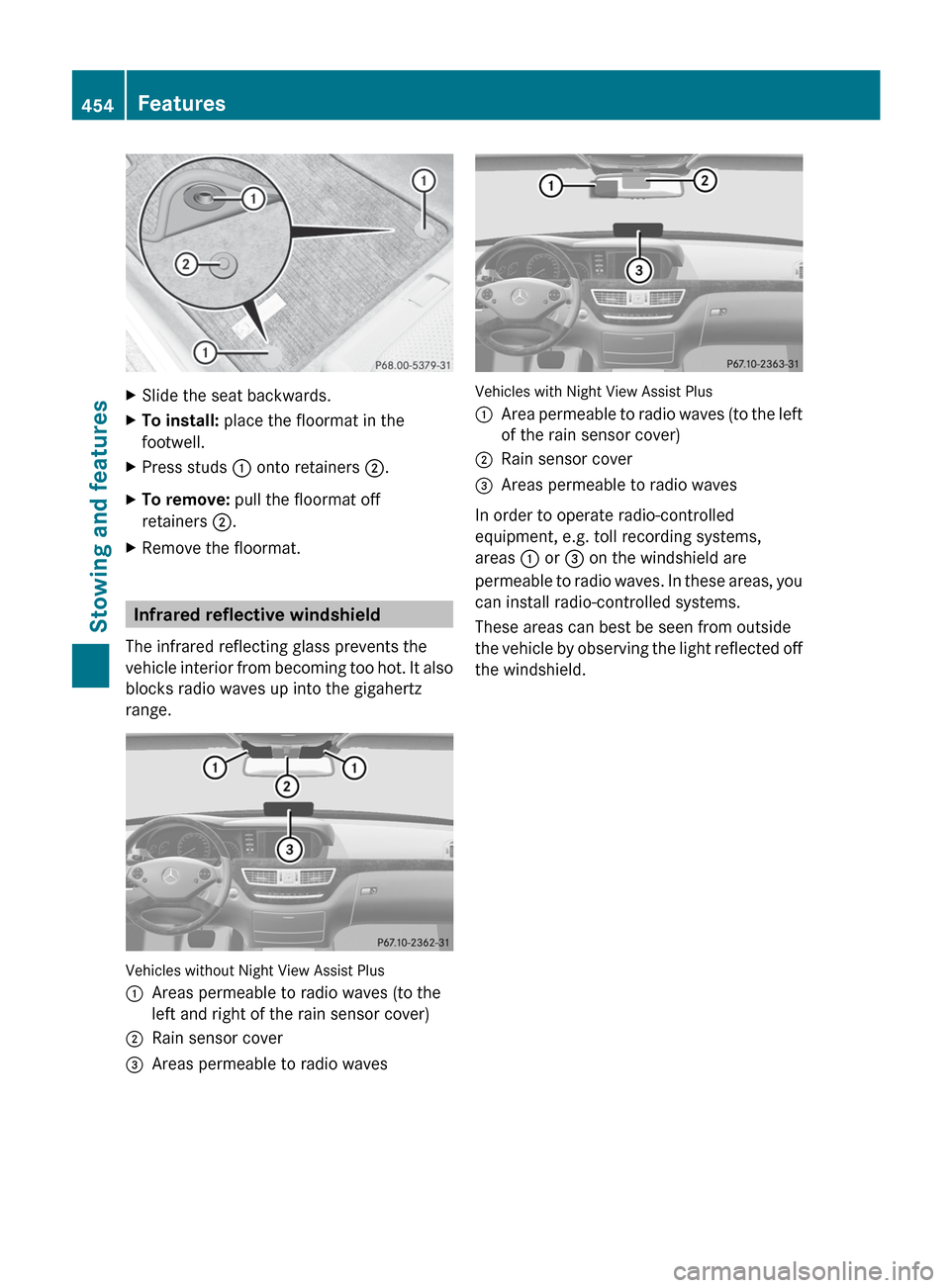
XSlide the seat backwards.XTo install: place the floormat in the
footwell.XPress studs : onto retainers ;.XTo remove: pull the floormat off
retainers ;.XRemove the floormat.
Infrared reflective windshield
The infrared reflecting glass prevents the
vehicle interior from becoming too hot. It also
blocks radio waves up into the gigahertz
range.
Vehicles without Night View Assist Plus
:Areas permeable to radio waves (to the
left and right of the rain sensor cover);Rain sensor cover=Areas permeable to radio waves
Vehicles with Night View Assist Plus
:Area permeable to radio waves (to the left
of the rain sensor cover);Rain sensor cover=Areas permeable to radio waves
In order to operate radio-controlled
equipment, e.g. toll recording systems,
areas : or = on the windshield are
permeable to radio waves. In these areas, you
can install radio-controlled systems.
These areas can best be seen from outside
the vehicle by observing the light reflected off
the windshield.
454FeaturesStowing and features
Page 484 of 536
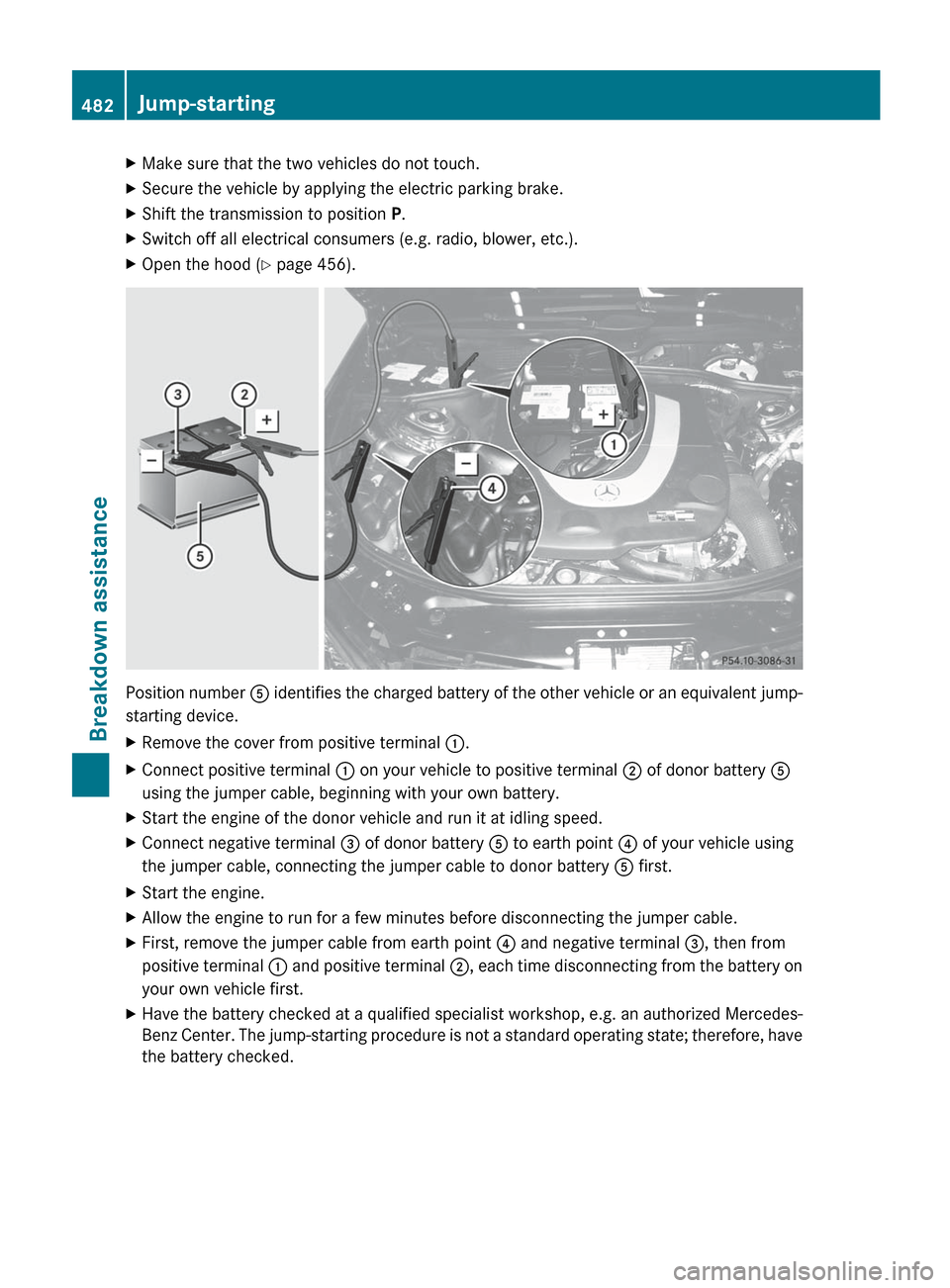
XMake sure that the two vehicles do not touch.XSecure the vehicle by applying the electric parking brake.XShift the transmission to position P.XSwitch off all electrical consumers (e.g. radio, blower, etc.).XOpen the hood ( Y page 456).
Position number A identifies the charged battery of the other vehicle or an equivalent jump-
starting device.
XRemove the cover from positive terminal :.XConnect positive terminal : on your vehicle to positive terminal ; of donor battery A
using the jumper cable, beginning with your own battery.XStart the engine of the donor vehicle and run it at idling speed.XConnect negative terminal = of donor battery A to earth point ? of your vehicle using
the jumper cable, connecting the jumper cable to donor battery A first.XStart the engine.XAllow the engine to run for a few minutes before disconnecting the jumper cable.XFirst, remove the jumper cable from earth point ? and negative terminal =, then from
positive terminal : and positive terminal ;, each time disconnecting from the battery on
your own vehicle first.XHave the battery checked at a qualified specialist workshop, e.g. an authorized Mercedes-
Benz Center. The jump-starting procedure is not a standard operating state; therefore, have
the battery checked.482Jump-startingBreakdown assistance
Page 500 of 536
As an added safety feature, your vehicle has
been equipped with a tire pressure monitoring
system (TPMS) that illuminates a low tire
pressure telltale when one or more of your
tires are significantly underinflated.
Accordingly, when the low tire pressure
telltale illuminates, you should stop and check
your tires as soon as possible, and inflate
them to the proper pressure. Driving on a
significantly underinflated tire causes the tire
to overheat and can lead to tire failure.
Underinflation also reduces fuel efficiency
and tire tread life, and may affect the vehicle's
handling and stopping ability.
Please note that the TPMS is not a substitute
for proper tire maintenance, and it is the
driver's responsibility to maintain correct tire
pressure, even if underinflation has not
reached the level to trigger illumination of the
TPMS low tire pressure telltale.
USA only:
Your vehicle has also been equipped with a
TPMS malfunction indicator to indicate when
the system is not operating properly. The
TPMS malfunction indicator is combined with
the low tire pressure telltale. When the
system detects a malfunction, the telltale will
flash for approximately one minute and then
remain continuously illuminated. This
sequence will be repeated every time the
vehicle is started as long as the malfunction
exists.
When the malfunction indicator is illuminated,
the system may not be able to detect or signal
low tire pressure as intended. TPMS
malfunctions may occur for a variety of
reasons, including the installation of
incompatible replacement or alternate tires
or wheels on the vehicle that prevent the
TPMS from functioning properly. Always
check the TPMS malfunction telltale after
replacing one or more tires or wheels on your
vehicle to ensure that the replacement or
alternate tires and wheels allow the TPMS to
continue to function properly.
i USA only:If the tire pressure monitor is
malfunctioning, it may take more than
10 minutes for the tire pressure warning
lamp to inform you of the malfunction by
flashing for 60 seconds and then remaining
lit.
When the malfunction has been rectified,
the tire pressure warning lamp goes out
after driving for a few minutes.
Information on tire pressures is displayed in
the multifunction display. After a few minutes
of driving, the current tire pressure of each
tire is shown in the multifunction display.
i The tire pressure values indicated by the
on-board computer may differ from those
measured at a gas station with a pressure
gauge. The tire pressures shown by the on-
board computer refer to those measured at
sea level. At high altitudes, the tire pressure
values indicated by a pressure gauge are
higher than those shown by the on-board
computer. In this case, do not reduce the
tire pressures.
i The operation of the tire pressure monitor
can be affected by interference from radio
transmitting equipment (e.g. radio
headphones, two-way radios) that may be
being operated in or near the vehicle.
i USA only:
This device complies with Part 15 of the
FCC Rules. Operation is subject to the
following two conditions:
1. This device may not cause harmful
interference, and
2. this device must accept any interference
received, including interference that may
cause undesired operation.
Any unauthorized modification to this
device could void the user’s authority to
operate the equipment.
i Canada only:
This device complies with the RSS-210 of
Industry Canada. Operation is subject to
the following two conditions:498Tire pressureWheels and tires