key MERCEDES-BENZ S-Class MAYBACH 2017 W222 Comand Manual
[x] Cancel search | Manufacturer: MERCEDES-BENZ, Model Year: 2017, Model line: S-Class MAYBACH, Model: MERCEDES-BENZ S-Class MAYBACH 2017 W222Pages: 230, PDF Size: 8.27 MB
Page 121 of 230
iIf the phone number of the caller is trans-
ferred, it appears in the display. If the phone
number is saved in the phone book, the con-
tact's name is also displayed. If the phone
number is not transferred, Unknown
is shown
in the display.
Rejecting a call
XTo select =Reject: turn and press the
controller.
or
XPress ~on the multifunction steering
wheel.
Making a call
Using the telephone menu
XTo call up the telephone menu: press the
% button.
XTo select the sequence of numbers: turn and
press the controller for each number.
XTo select win the telephone menu: turn
and press the controller.
The call is made.
Further information about ending a call
(
Ypage 122).
Using the touchpad
If your vehicle is equipped with a touchpad, you
can use this function.
XTo call up the telephone menu: press the
% button.
XTo select n: turn and press the controller.
XDraw the sequence of numbers on the touch-
sensitive surface.
XTo select win the telephone menu: turn
and press the controller.
The call is made.
Further information about the touchpad
(
Ypage 30).
Using favorites
This function can be used when a telephone
number has been added as a favorite. Further
information about adding favorites (
Ypage 38).
XPress the favorites button on the controller.
The favorites are displayed.
XTo select a telephone number: turn the con-
troller.
XTo make a call: press the controller.
Using speed dial
Option 1
XTo call up the telephone menu: press the
% button.
XTo highlight a number from the character bar:
turn the controller.
XPress the controller for longer than two sec-
onds.
The telephone menu displays the selected
entry. The number is dialed.
Option 2
XTo call up the telephone menu: press the
% button.
XTo switch to the menu bar: slide 6the con-
troller.
XTo select Call Lists: turn and press the
controller.
XTo select Speed Dial Preset List: turn
and press the controller.
The speed dial list is displayed.
XTo select an entry and make a call: turn and
press the controller.
The telephone menu displays the selected
entry. The number is dialed.
Option 3 (with telephone keypad)
XPress one of the number keys on the tele-
phone keypad for longer than two seconds.
The telephone menu displays the selected
entry. The number is dialed.
Further information on setting up speed dial
(
Ypage 128).
Further information about ending a call
(
Ypage 122).
Using the telephone119
Telephone
Z
Page 122 of 230
Redial
XTo call up the telephone menu: press the
%button.
XTo select win the telephone menu: turn
and press the controller.
The list of outgoing calls is displayed. The
most recently dialed number is at the top.
XTo select an entry and make a call: turn and
press the controller.
For redialing using the multifunction steering
wheel (see the vehicle Operator's Manual).
Further information about ending a call
(
Ypage 122).
Using call lists
XTo call up the telephone menu: press the
% button.
XTo switch to the menu bar: slide 6the con-
troller.
XTo select Call Lists: turn and press the
controller.
XTo select CallsReceivedorCallsDialed:
turn and press the controller.
The relevant list is displayed.
XTo select an entry and make a call: turn and
press the controller.
Selecting and placing a call using the multifunc- tion steering wheel (see vehicle Operator's Man-
ual)
Further information about ending a call
(
Ypage 122).
Using the phone book
XTo call up the telephone menu: press the
% button.
XTo select Namein the telephone menu: turn
and press the controller.
XSearch for a contact (Ypage 124).
XTo make a call: press the controller.
Selecting and placing a call using the multifunc- tion steering wheel (see vehicle Operator's Man-
ual)
Further information about ending a call
(
Ypage 122).
Using the telephone keypad on the con-
troller
If your vehicle is equipped with a telephone key-
pad, you can use this function.
XTo call up the telephone menu: press the
% button.
XEnter the digits using the telephone keypad.
As soon as one of the buttons on the tele-
phone keypad is touched, the corresponding
button is highlighted in the display.
XTo select win the telephone menu: turn
and press the controller.
The call is made.
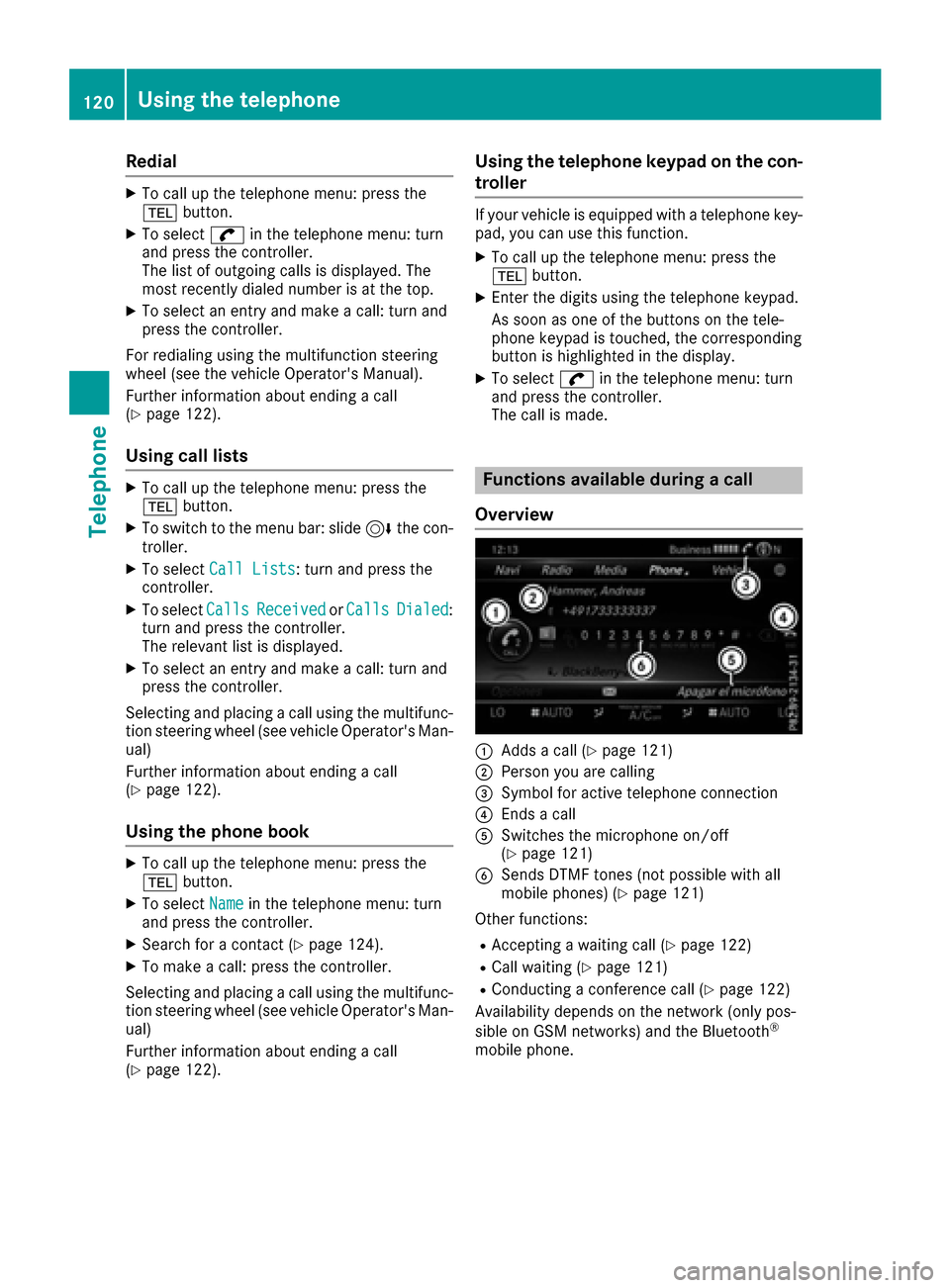
Functions available during a call
Overview
:Adds a call (Ypage 121)
;Person you are calling
=Symbol for active telephone connection
?Ends a call
ASwitches the microphone on/off
(Ypage 121)
BSends DTMF tones (not possible with all
mobile phones) (Ypage 121)
Other functions:
RAccepting a waiting call (Ypage 122)
RCall waiting (Ypage 121)
RConducting a conference call (Ypage 122)
Availability depends on the network (only pos-
sible on GSM networks) and the Bluetooth
®
mobile phone.
120Using the telephone
Telephone
Page 123 of 230
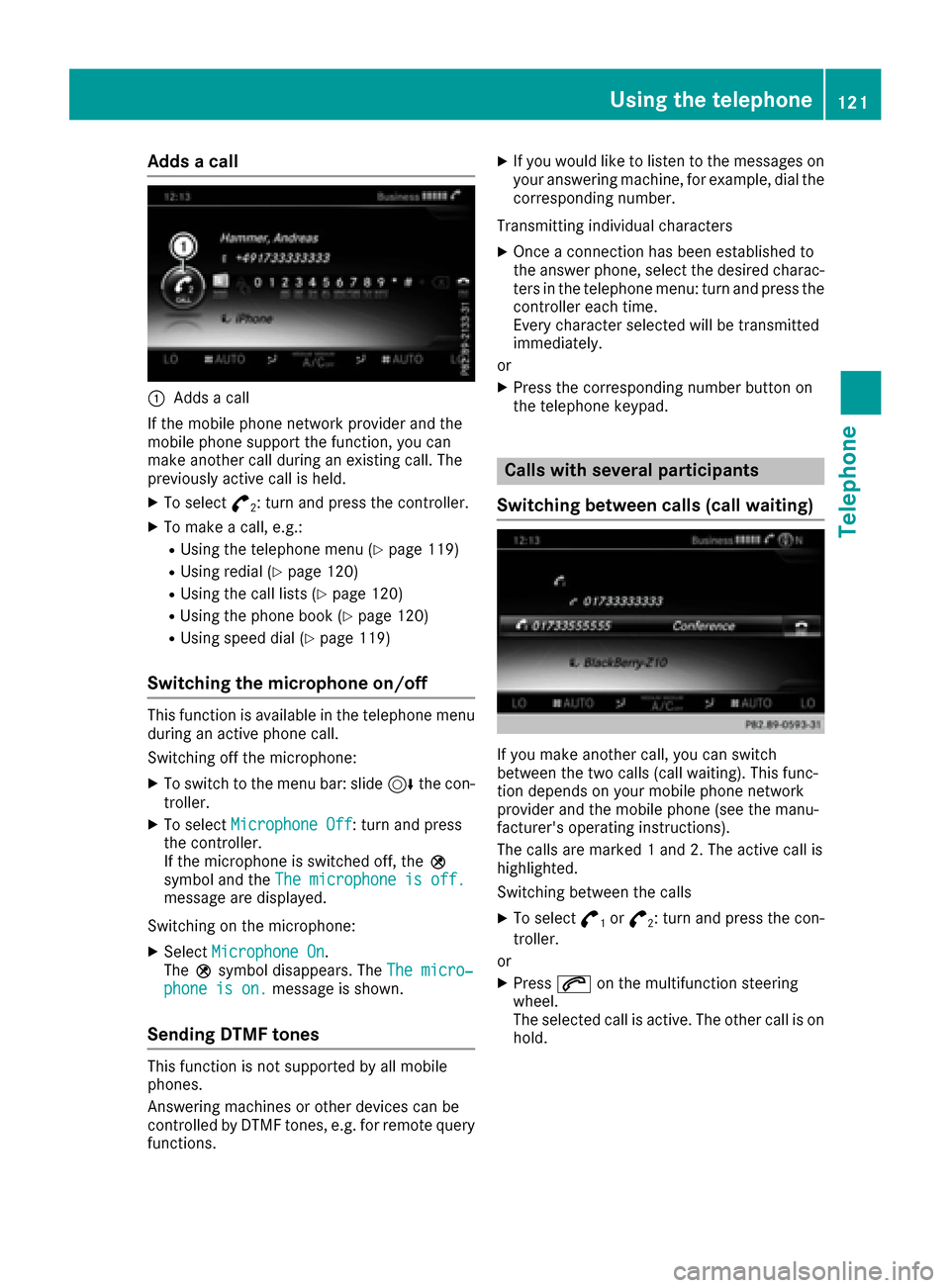
Adds a call
:Addsa call
If th e mobile phone network provider and the
mobile phone support the function, you can
make another call during an existing call. The
previously active call is held.
XTo select °2: turnand press th econtroller.
XTo mak eacall, e.g.:
RUsing th e telephone men u(Ypage 119)
RUsing redial (Ypage 120)
RUsing the call lists(Ypage 120)
RUsing the phone book (Ypage 120)
RUsing speed dial (Ypage 119)
Switching the microphone on/off
This function is available in the telephone menu
during an active phone call.
Switching off the microphone:
XTo switch to th e menu bar: slide 6thecon-
troller.
XTo select Microphon eOff: turn and press
th econtroller.
If th e microphone is switched off, theQ
symbol and the The microphon eis off .
message are displayed.
Switching on the microphone:
XSelect Microphon eOn.
The Qsymbol disappears. The The micro‐
phone is on.message is shown.
Sending DTMF tones
This function is not supported by all mobile
phones.
Answering machines or other devices can be
controlled by DTMF tones, e.g. for remote query
functions.
XIf you would like to listen to the messages on
your answering machine, for example, dial the
corresponding number.
Transmitting individual characters
XOnce a connection has been established to
th e answer phone, select the desired charac-
ters in th e telephone menu: turn and press the
controller each time.
Every characte r selected will be transmitted
immediately.
or
XPress th e corresponding number button on
th e telephone keypad.
Calls with several participants
Switching between calls (call waiting)
If you make another call, you can switch
between the two calls (call waiting). This func-
tion depends on your mobile phone network
provider and the mobile phone (see the manu-
facturer's operating instructions).
The calls are marke d1and 2. The active call is
highlighted.
Switching between the calls
XTo select °1or°2: turn and press th econ-
troller.
or
XPress 6on the multifunction steering
wheel.
The selected call is active. The other call is on
hold.
Using the telephone121
Telephone
Z
Page 126 of 230
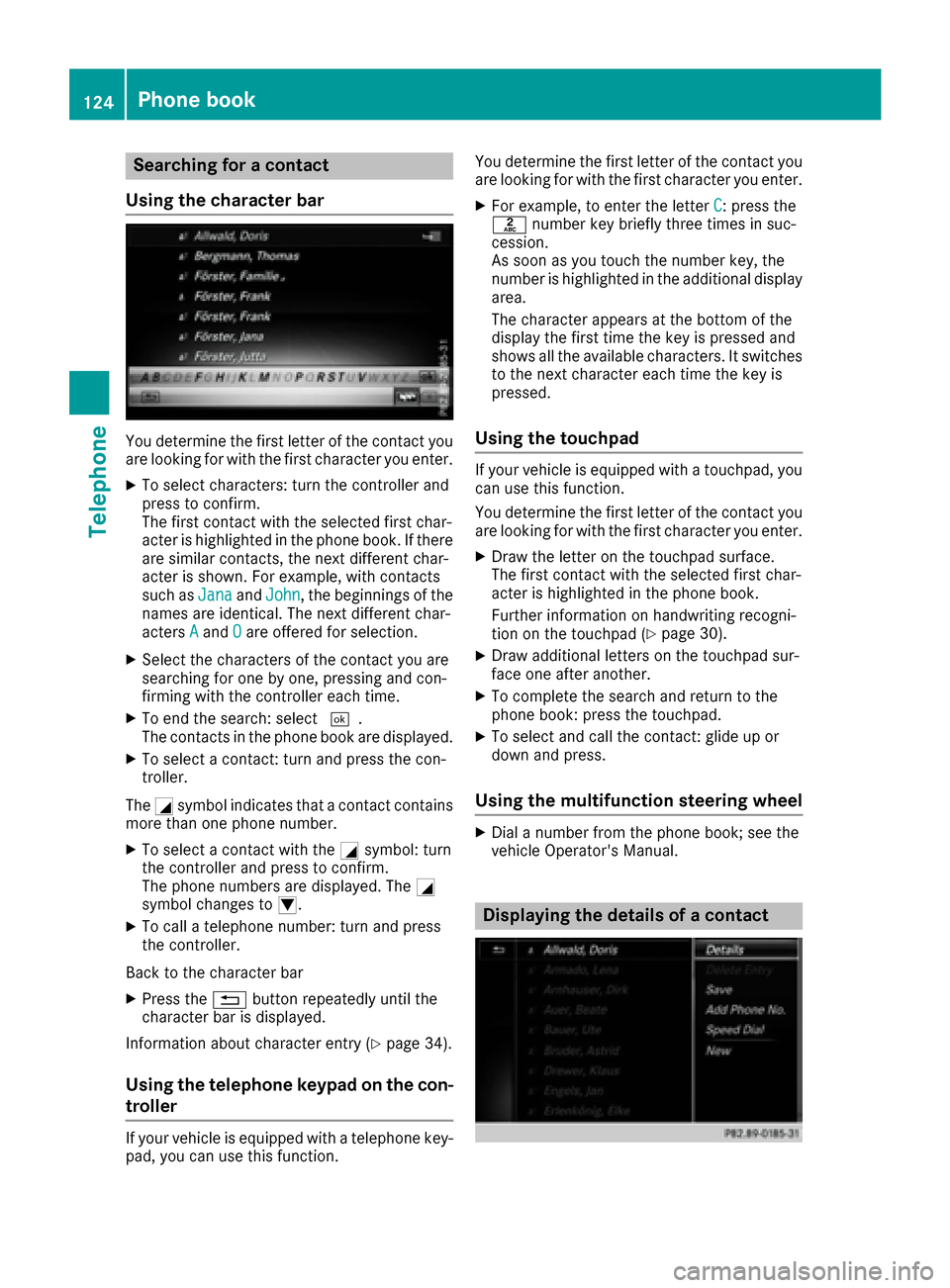
Searching for a contact
Using the character bar
You determine the first letter of the contact you
are looking for with the first character you enter.
XTo select characters: turn the controller and
press to confirm.
The first contact with the selected first char-
acter is highlighted in the phone book. If there
are similar contacts, the next different char-
acter is shown. For example, with contacts
such as Jana
andJohn, the beginnings of the
names are identical. The next different char-
acters A
andOare offered for selection.
XSelect the characters of the contact you are
searching for one by one, pressing and con-
firming with the controller each time.
XTo end the search: select ¬.
The contacts in the phone book are displayed.
XTo select a contact: turn and press the con-
troller.
The Gsymbol indicates that a contact contains
more than one phone number.
XTo select a contact with the Gsymbol: turn
the controller and press to confirm.
The phone numbers are displayed. The G
symbol changes to I.
XTo call a telephone number: turn and press
the controller.
Back to the character bar
XPress the %button repeatedly until the
character bar is displayed.
Information about character entry (
Ypage 34).
Using the telephone keypad on the con-
troller
If your vehicle is equipped with a telephone key-
pad, you can use this function. You determine the first letter of the contact you
are looking for with the first character you enter.
XFor example, to enter the letter C: press the
l number key briefly three times in suc-
cession.
As soon as you touch the number key, the
number is highlighted in the additional display
area.
The character appears at the bottom of the
display the first time the key is pressed and
shows all the available characters. It switches
to the next character each time the key is
pressed.
Using the touchpad
If your vehicle is equipped with a touchpad, you
can use this function.
You determine the first letter of the contact you
are looking for with the first character you enter.
XDraw the letter on the touchpad surface.
The first contact with the selected first char-
acter is highlighted in the phone book.
Further information on handwriting recogni-
tion on the touchpad (
Ypage 30).
XDraw additional letters on the touchpad sur-
face one after another.
XTo complete the search and return to the
phone book: press the touchpad.
XTo select and call the contact: glide up or
down and press.
Using the multifunction steering wheel
XDial a number from the phone book; see the
vehicle Operator's Manual.
Displaying the details of a contact
124Phone book
Telephone
Page 129 of 230
Closing the call list
XTo select&: slide 8and press the con-
troller.
or
XPress the %button.
The list is closed.
Displaying details from a list entry
Abbreviated list entries can also be shown in full.
XTo call up the telephone menu: press the
% button.
XTo switch to the menu bar: slide 6the con-
troller.
XTo select Call Lists: turn and press the
controller.
XTo select CallsReceivedorCallsDialed:
turn and press the controller.
The relevant list is displayed.
XTo highlight the desired entry: turn the con-
troller.
XTo select G: slide 9the controller.
XTo select Details: turn and press the con-
troller.
The details are displayed.
XTo go back to the list: slide 8the controller
repeatedly until the list is highlighted.
Saving telephone numbers
Adding new entries to the address book
XTo call up the telephone menu: press the
% button.
XTo switch to the menu bar: slide 6the con-
troller.
XTo select Call Lists: turn and press the
controller.
XTo select CallsReceivedorCallsDialed:
turn and press the controller.
The relevant list is displayed.
XTo highlight the desired telephone number:
turn the controller.
XTo select G: slide 9the controller.
XTo select Save: turn and press the controller.
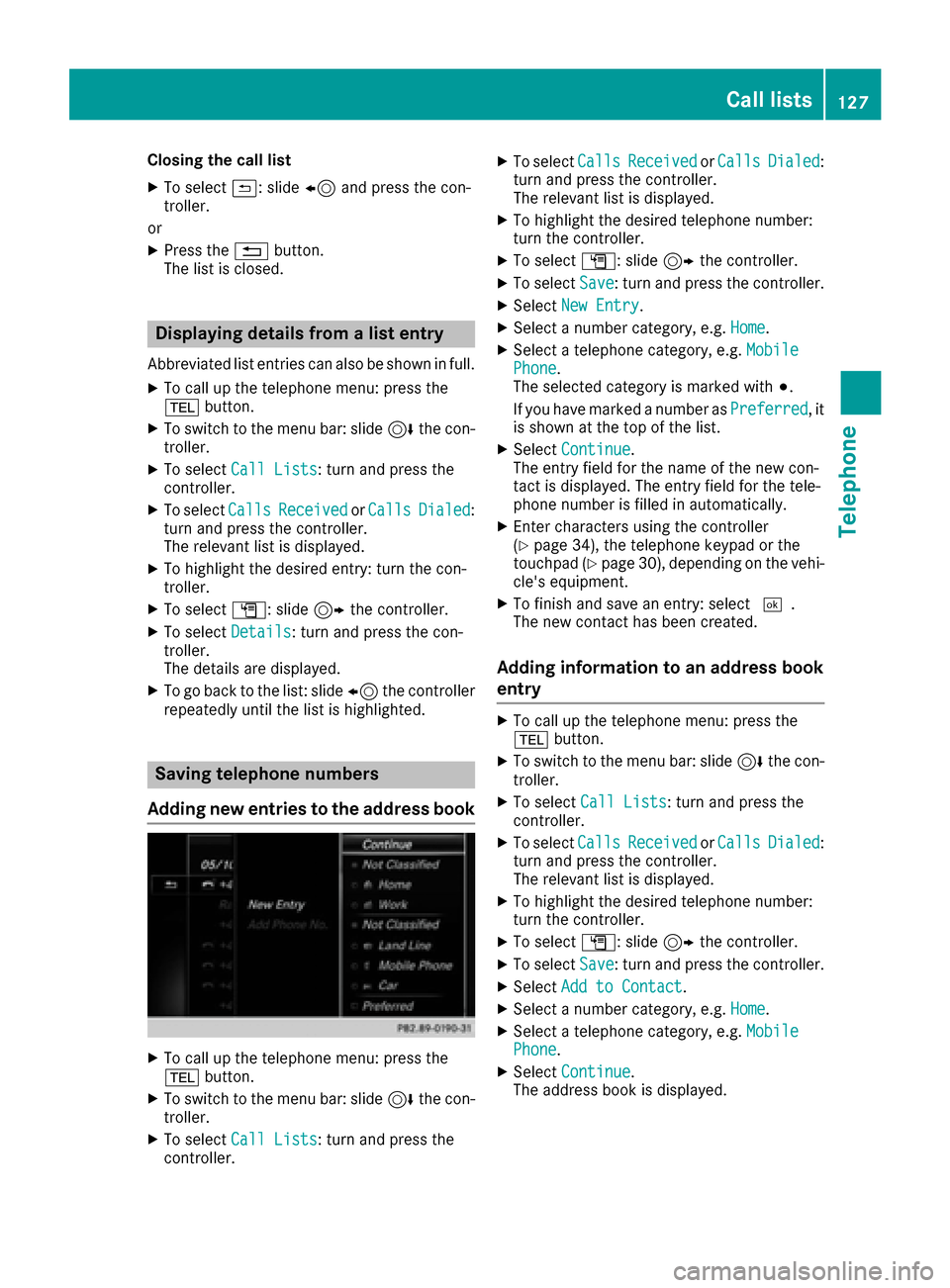
XSelectNew Entry.
XSelect a number category, e.g. Home.
XSelect a telephone category, e.g. MobilePhone.
The selected category is marked with #.
If you have marked a number as Preferred
, it
is shown at the top of the list.
XSelect Continue.
The entry field for the name of the new con-
tact is displayed. The entry field for the tele-
phone number is filled in automatically.
XEnter characters using the controller
(Ypage 34), the telephone keypad or the
touchpad (Ypage 30), depending on the vehi-
cle's equipment.
XTo finish and save an entry: select ¬.
The new contact has been created.
Adding information to an address book
entry
XTo call up the telephone menu: press the
% button.
XTo switch to the menu bar: slide 6the con-
troller.
XTo select Call Lists: turn and press the
controller.
XTo select CallsReceivedorCallsDialed:
turn and press the controller.
The relevant list is displayed.
XTo highlight the desired telephone number:
turn the controller.
XTo select G: slide 9the controller.
XTo select Save: turn and press the controller.
XSelectAdd to Contact.
XSelect a number category, e.g. Home.
XSelect a telephone category, e.g. MobilePhone.
XSelectContinue.
The address book is displayed.
Call lists127
Telephone
Z
Page 134 of 230
iFolders cannot be selected if they are
empty.
Depending on the mobile phone used, the sub-
folder function may be available.
Read-aloud function for messages
XTo start the read-aloud function: press the
controller when the message is displayed.
XTo select Read Aloud: turn and press the
controller.
The multimedia system reads the message
aloud.
XTo cancel the read-aloud function: press the
8 button.
or
XPress the controller, select Cancel Read-Aloud Functionand press the controller
again.
You can set the language (
Ypage 46) and the
speed (Ypage 43) of the read-aloud function.
Displaying details and phone numbers
The multimedia system can also show a short-
ened sender display in full.
XTo call up the telephone menu: press the
% button.
XTo switch to the menu bar: slide 6the con-
troller.
XTo select 1: turn and press the controller.
The message menu is displayed.
XTo switch to the menu bar: slide 6the con-
troller.
XTo select Folder: turn and press the control-
ler.
XTo select Text MessageorE-Mail: turn and
press the controller.
The selected folder is displayed.
XTo highlight the desired message: turn the
controller.
XTo select G: slide 9the controller.
XTo select Details: turn and press the con-
troller.
The detailed view appears.
XTo close the detailed display: slide8 the
controller.
XTo return to the telephone menu: press the
% button.
Writing text messages
Writing a new text message
Observe the requirements for the message func-
tion (Ypage 129).
XTo call up the telephone menu: press the
% button.
XTo switch to the menu bar: slide 6the con-
troller.
XTo select 1: turn and press the controller.
The message menu is displayed.
XTo switch to the menu bar: slide 6the con-
troller.
XTo select New: turn and press the controller.
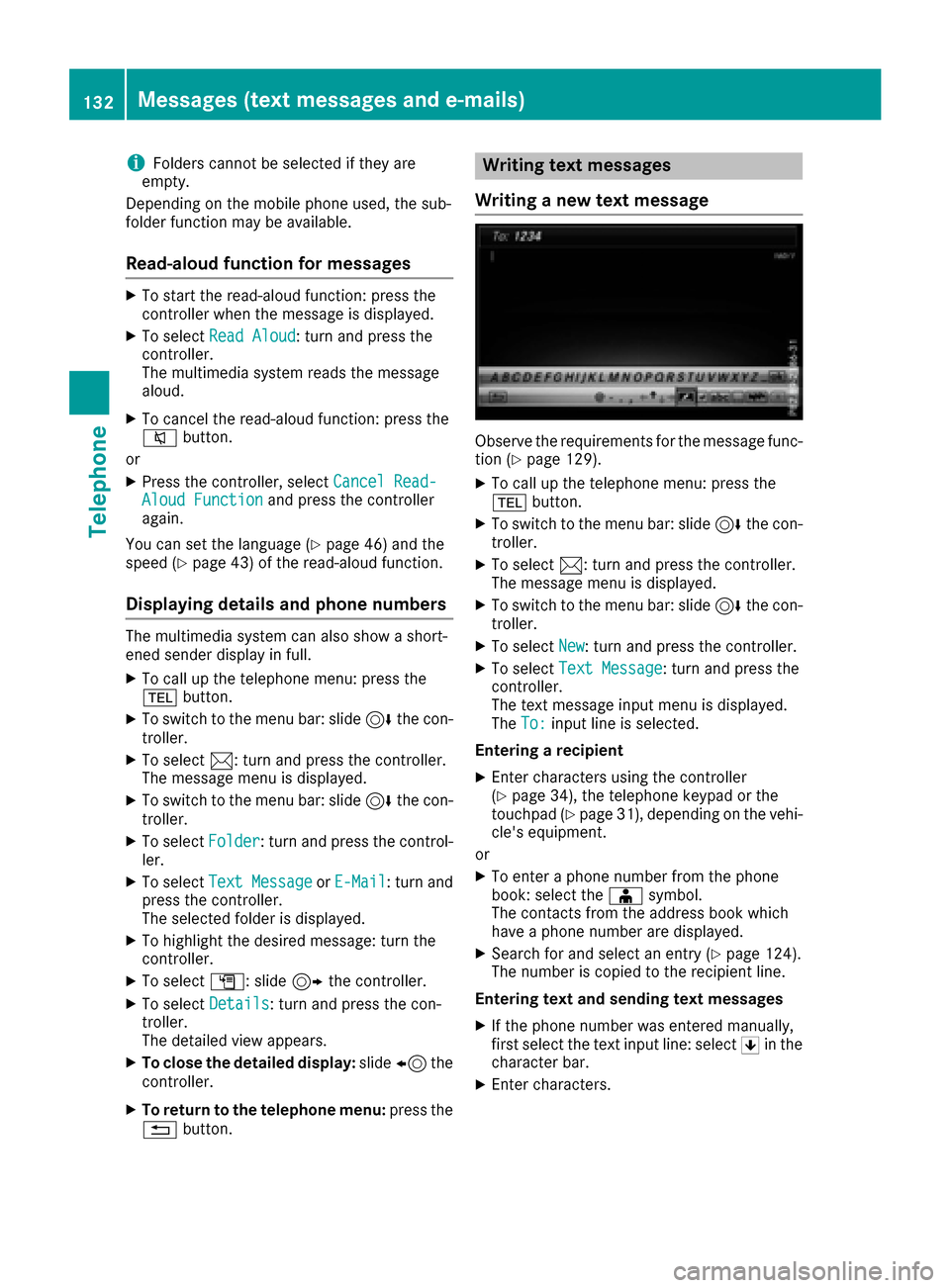
XTo selectText Message: turn and press the
controller.
The text message input menu is displayed.
The To:
input line is selected.
Entering a recipient
XEnter characters using the controller
(Ypage 34), the telephone keypad or the
touchpad (Ypage 31), depending on the vehi-
cle's equipment.
or
XTo enter a phone number from the phone
book: select the Æsymbol.
The contacts from the address book which
have a phone number are displayed.
XSearch for and select an entry (Ypage 124).
The number is copied to the recipient line.
Entering text and sending text messages
XIf the phone number was entered manually,
first select the text input line: select 5in the
character bar.
XEnter characters.
132Messages (text messages and e-mails)
Telephone
Page 135 of 230
The multimedia system contains templates
which you can use to compile your messages
(
Ypage 134).
XTo send the text message: selectOK.
Answering a text message
Observe the requirements for the message func-
tion (Ypage 129).
XDisplay the message (Ypage 131).
XPress the controller.
XTo selectReply: turn and press the controller.
The text message input menu is displayed.
The addressee's details are automatically fil-
led in using the details in the original mes-
sage.
Writing e-mails
Writing a new e-mail
Observe the requirements for the message func-
tion (Ypage 129).
XTo call up the telephone menu: press the
% button.
XTo switch to the menu bar: slide 6the con-
troller.
XTo select 1: turn and press the controller.
The message menu is displayed.
XTo switch to the menu bar: slide 6the con-
troller.
XTo select New: turn and press the controller.
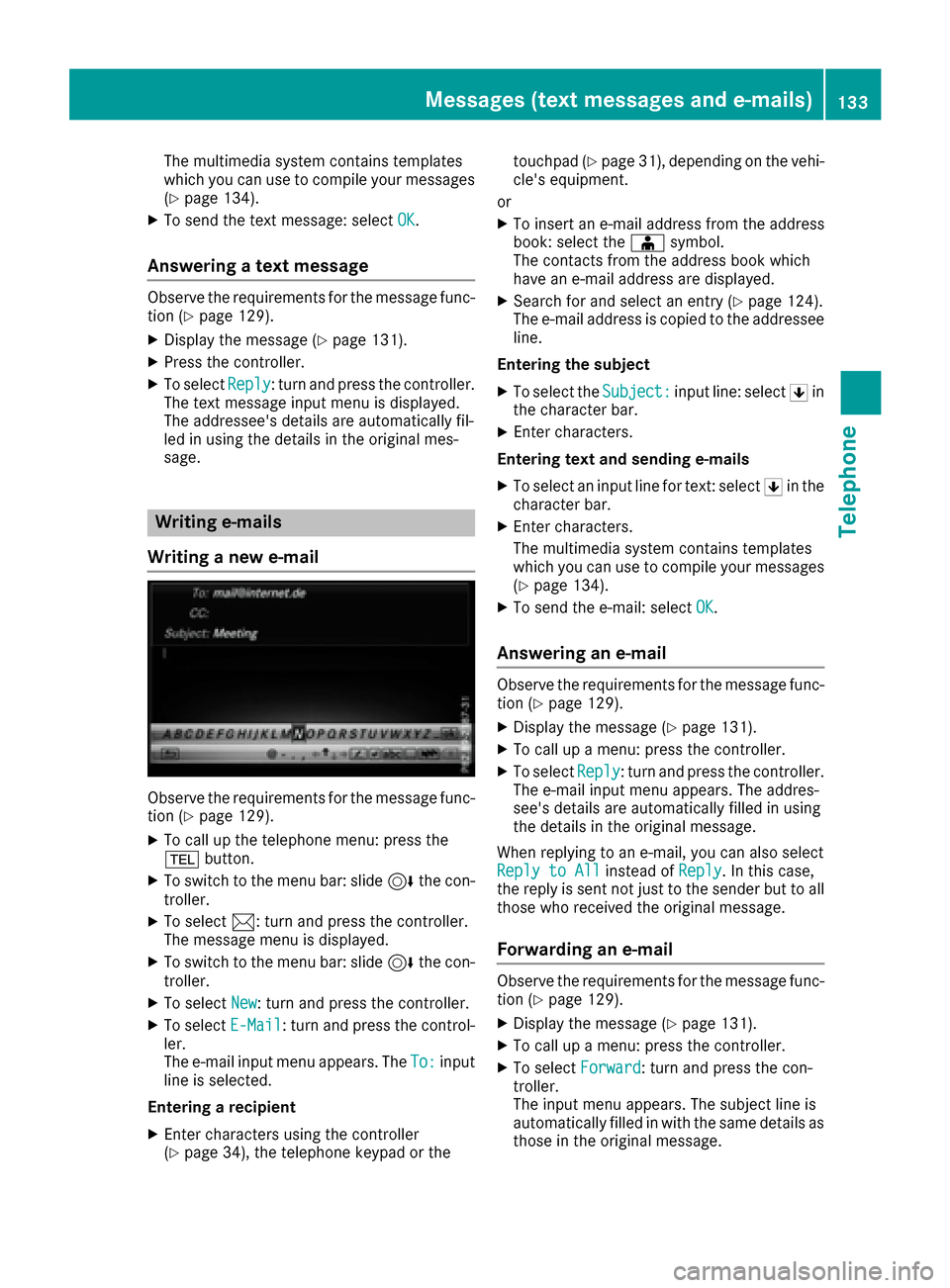
XTo selectE-Mail: turn and press the control-
ler.
The e-mail input menu appears. The To:
input
line is selected.
Entering a recipient
XEnter characters using the controller
(Ypage 34), the telephone keypad or the touchpad (
Ypage 31), depending on the vehi-
cle's equipment.
or
XTo insert an e-mail address from the address
book: select the Æsymbol.
The contacts from the address book which
have an e-mail address are displayed.
XSearch for and select an entry (Ypage 124).
The e-mail address is copied to the addressee
line.
Entering the subject
XTo select the Subject:input line: select 5in
the character bar.
XEnter characters.
Entering text and sending e-mails
XTo select an input line for text: select 5in the
character bar.
XEnter characters.
The multimedia system contains templates
which you can use to compile your messages
(
Ypage 134).
XTo send the e-mail: select OK.
Answering an e-mail
Observe the requirements for the message func-
tion (Ypage 129).
XDisplay the message (Ypage 131).
XTo call up a menu: press the controller.
XTo selectReply: turn and press the controller.
The e-mail input menu appears. The addres-
see's details are automatically filled in using
the details in the original message.
When replying to an e-mail, you can also select
Reply to All
instead of Reply. In this case,
the reply is sent not just to the sender but to all
those who received the original message.
Forwarding an e-mail
Observe the requirements for the message func-
tion (Ypage 129).
XDisplay the message (Ypage 131).
XTo call up a menu: press the controller.
XTo select Forward: turn and press the con-
troller.
The input menu appears. The subject line is
automatically filled in with the same details as
those in the original message.
Messages (text messages and e-mails)133
Telephone
Z
Page 136 of 230
Text templates
Using text templates
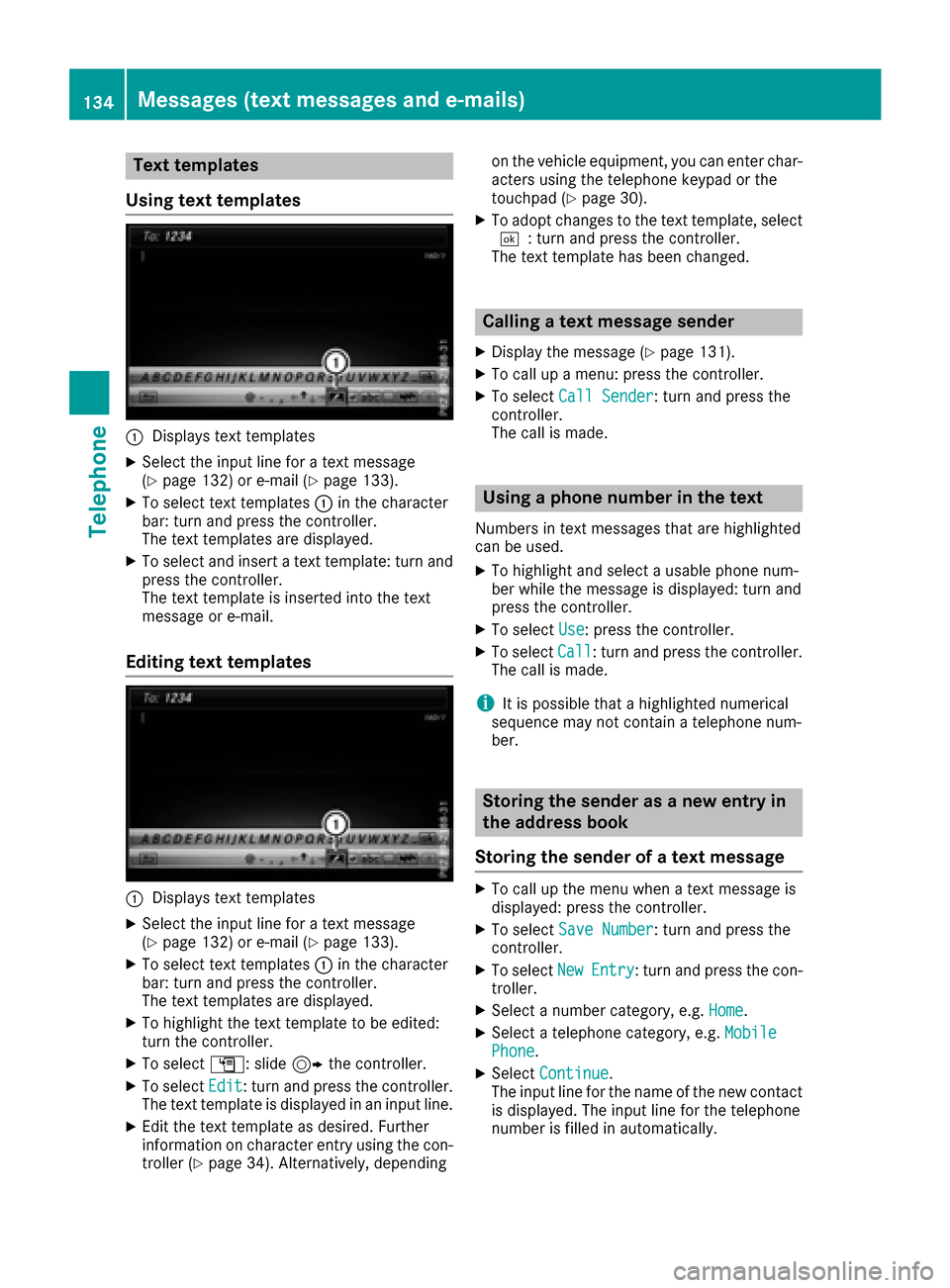
:Displays text templates
XSelect the input line for a text message
(Ypage 132) or e-mail (Ypage 133).
XTo select text templates :in the character
bar: turn and press the controller.
The text templates are displayed.
XTo select and insert a text template: turn and
press the controller.
The text template is inserted into the text
message or e-mail.
Editing text templates
:Displays text templates
XSelect the input line for a text message
(Ypage 132) or e-mail (Ypage 133).
XTo select text templates :in the character
bar: turn and press the controller.
The text templates are displayed.
XTo highlight the text template to be edited:
turn the controller.
XTo select G: slide 9the controller.
XTo select Edit: turn and press the controller.
The text template is displayed in an input line.
XEdit the text template as desired. Further
information on character entry using the con-
troller (
Ypage 34). Alternatively, depending on the vehicle equipment, you can enter char-
acters using the telephone keypad or the
touchpad (
Ypage 30).
XTo adopt changes to the text template, select
¬: turn and press the controller.
The text template has been changed.
Calling a text message sender
XDisplay the message (Ypage 131).
XTo call up a menu: press the controller.
XTo select Call Sender: turn and press the
controller.
The call is made.
Using a phone number in the text
Numbers in text messages that are highlighted
can be used.
XTo highlight and select a usable phone num-
ber while the message is displayed: turn and
press the controller.
XTo select Use: press the controller.
XTo selectCall: turn and press the controller.
The call is made.
iIt is possible that a highlighted numerical
sequence may not contain a telephone num-
ber.
Storing the sender as a new entry in
the address book
Storing the sender of a text message
XTo call up the menu when a text message is
displayed: press the controller.
XTo select Save Number: turn and press the
controller.
XTo select NewEntry: turn and press the con-
troller.
XSelect a number category, e.g. Home.
XSelect a telephone category, e.g. MobilePhone.
XSelectContinue.
The input line for the name of the new contact
is displayed. The input line for the telephone
number is filled in automatically.
134Messages (text messages and e-mails)
Telephone
Page 137 of 230
XEnter characters using the controller
(Ypage 34), the telephone keypad or the
touchpad (Ypage 31), depending on the vehi-
cle's equipment.
XTo finish the entry: select OK.
The new contact has been created.
Saving the sender of an e-mail
XTo call up the menu when an e-mail is dis-
played: press the controller.
XTo select SaveSender'sE-MailAddress:
turn and press the controller.
XTo select NewEntry: turn and press the con-
troller.
XSelect a category, e.g. Home.
XSelectContinue.
The input line for the name of the new contact
is displayed. The input line for the e-mail
address is filled in automatically.
XEnter characters using the controller
(Ypage 34), the telephone keypad or the
touchpad (Ypage 31), depending on the vehi-
cle's equipment.
XTo finish the entry: select OK.
The new contact has been created.
Adding the sender to an address book
entry
Storing the sender of a text message
XTo call up the menu when a text message is
displayed: press the controller.
XTo select Save Number: turn and press the
controller.
XTo select AddPhoneNumber: turn and press
the controller.
XTo select a category for the number, e.g.
Home: turn the controller and press to confirm.
XTo select a telephone category, e.g. MobilePhone: turn the controller and press to con-
firm.
XTo select Continue: turn and press the con-
troller.
The address book is displayed.
XSearch for the desired entry (Ypage 136).
XPress the controller when you have finished
searching.
The telephone number has been added. A maximum of five telephone numbers can be
saved for one contact.
Saving the sender of an e-mail
Up to two e-mail addresses can be saved for one
contact.
XTo call up the menu when an e-mail is dis-
played: press the controller.
XTo select
SaveSender'sE-MailAddress:
turn and press the controller.
XTo select Add: turn and press the controller.
The address book is displayed.
XSearch for the desired entry (Ypage 136).
XPress the controller when you have finished
searching.
The e-mail address has been added.
Deleting messages
XCall up the message folder (Ypage 131).
XTo select the message: turn the controller.
XTo select G: slide 9the controller.
XTo select Delete: turn and press the control-
ler.
XTo select Yes: turn and press the controller.
The message is deleted.
iThis delete function is not supported by all
mobile phones. The Delete failed.mes-
sage then appears.
Address book
Introduction
Always pay attention to traffic conditions.
Familiarize yourself with the address book func-
tions before beginning your journey.
You can use the multimedia system when the
road and traffic conditions permit. You could
otherwise become involved in an accident in
which you or others could be injured.
The address book displays all the contacts from
the various sources (mobile phone, memory
card, USB device, the phone book of the multi-
media system, navigation).
You can use the contacts to make telephone
calls, navigate and to write messages.
Address book135
Telephone
Z
Page 139 of 230
XTo complete the search and return to the
phone book: press the touchpad.
XTo select and call the contact: glide up or
down and press.
Adding a new contact
You can enter address data directly into the
address book. If you store telephone numbers inthe phone book of the multimedia system, these
are also saved in the address book. If you store
a navigation destination, the multimedia system
creates an address book entry that includes the
complete navigable address data.
XCall up the address book (Ypage 136).
XTo switch to the menu bar: slide 6the con-
troller.
XTo select New: turn and press the controller.
The surname and first name input lines are
displayed.
XEnter characters using the controller
(Ypage 34), the telephone keypad or the
touchpad (Ypage 30), depending on the vehi-
cle's equipment.
XTo save surnames and first names: select
¬.
The details for the contact are displayed.
XTo add the desired entry (e.g. Add E-MailAddress): turn and press the controller.
Depending on the type of entry, the corre-
sponding input menu appears.
XEnter characters using the controller
(Ypage 34), the telephone keypad or the
touchpad (Ypage 30), depending on the vehi-
cle's equipment.
XTo finish and save an entry: select ¬.
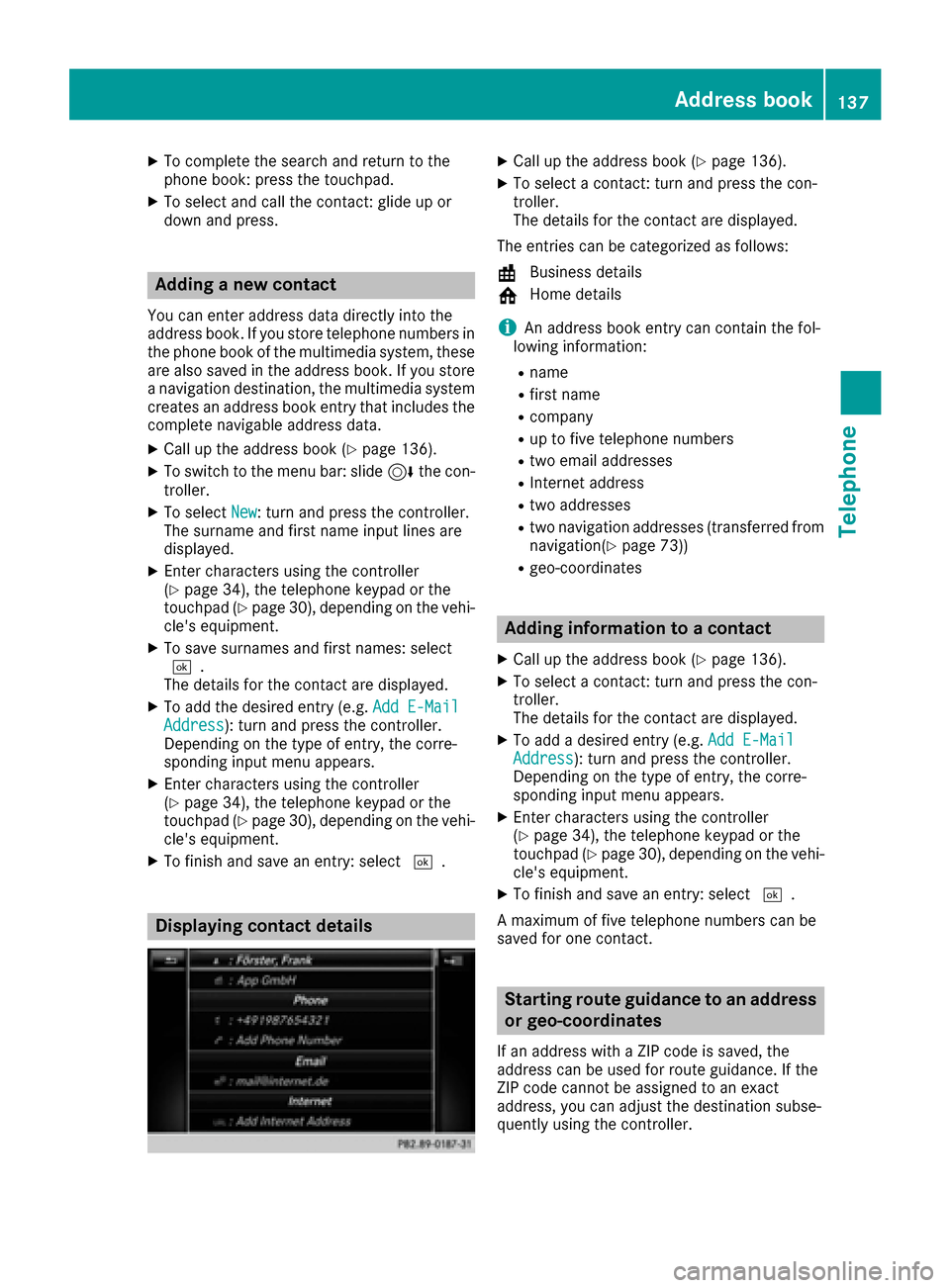
Displaying contact details
XCall up the address book (Ypage 136).
XTo select a contact: turn and press the con-
troller.
The details for the contact are displayed.
The entries can be categorized as follows:
\ Business details
6 Home details
iAn address book entry can contain the fol-
lowing information:
Rname
Rfirst name
Rcompany
Rup to five telephone numbers
Rtwo email addresses
RInternet address
Rtwo addresses
Rtwo navigation addresses (transferred from
navigation(Ypage 73))
Rgeo-coordinates
Adding information to a contact
XCall up the address book (Ypage 136).
XTo select a contact: turn and press the con-
troller.
The details for the contact are displayed.
XTo add a desired entry (e.g. Add E-MailAddress): turn and press the controller.
Depending on the type of entry, the corre-
sponding input menu appears.
XEnter characters using the controller
(Ypage 34), the telephone keypad or the
touchpad (Ypage 30), depending on the vehi-
cle's equipment.
XTo finish and save an entry: select ¬.
A maximum of five telephone numbers can be
saved for one contact.
Starting route guidance to an address
or geo-coordinates
If an address with a ZIP code is saved, the
address can be used for route guidance. If the
ZIP code cannot be assigned to an exact
address, you can adjust the destination subse-
quently using the controller.
Address book137
Telephone
Z