key MERCEDES-BENZ S-Class MAYBACH 2017 W222 Comand Manual
[x] Cancel search | Manufacturer: MERCEDES-BENZ, Model Year: 2017, Model line: S-Class MAYBACH, Model: MERCEDES-BENZ S-Class MAYBACH 2017 W222Pages: 230, PDF Size: 8.27 MB
Page 150 of 230
This enables you to continue navigating to a
destination which is in a pedestrian zone, for
example.
RConversely, a destination can be selected on
the external device and transferred to the
vehicle's multimedia system.
Requirements
Observe the following requirements for using
Mercedes-Benz Companion:
RThe iPhone®must be switched on and logged
into a mobile phone network.
RThe iPhone®must have an IOS version higher
than version 8.0.
RMercedes-Benz Companion must be installed
on the iPhone®and activated (see the manu-
facturer's operating instructions).
RThe iPhone®must be connected to the mul-
timedia system (Ypage 113).
RMercedes-Benz Companion must be author-
ized on the multimedia system (Ypage 148).
RTo use door-to-door navigation, location
access must be enabled on the iPhone®.
RThe Apple Watch®must be connected to the
iPhone®(see the manufacturer's operating
instructions).
Authorizing Mercedes-Benz Compan-
ion
If you wish to use Mercedes-Benz Companion
with the multimedia system, you must first
authorize it.
If you wish to use door-to-door navigation, you
must first enable location finding on your
iPhone
®.
On the multimedia system
XSwitch on the multimedia system.
A prompt appears asking for permission for
Mercedes-Benz Companion to connect with
the vehicle.
XGive authorization. On the iPhone
®
XCall up Mercedes-Benz Companion
A prompt appears asking permission for
Mercedes-Benz Companion to access loca-
tion details.
XAllow access.
Door-to-door navigation using Mercedes-
Benz Companion can now be used.
Door-to-door navigation (transferring
a destination from the vehicle to an
external device)
You can transfer the destination from the vehi-
cle to an iPhone®or Apple Watch®.
This way, you can navigate on foot to a destina- tion that cannot be reached by vehicle.
In the vehicle
XSwitch off the engine and remove the Smart-
Key.
The current destination and the vehicle's
location are transferred from the multimedia
system to the iPhone
®or Apple Watch®.
On the iPhone
®
XSelect the destination and select the pedes-
trian symbol.
XStart navigation.
If using the iPhone®to navigate, you will be
guided to your destination via navigation dis-
plays and spoken instructions.
If you use an Apple Watch
®, navigation is
done via the watch.
The Apple Watch
®assists you with route guid-
ance by vibrating, emitting acoustic signals
and giving spoken commands.
Door-to-door navigation (transferring
a destination from an external device
to the vehicle)
You can transfer the destination from an exter-
nal device to the vehicle's multimedia system:
Rvia the Apple Watch®
Rvia the iPhone®
148Mercedes-Benz Companion
Online and Internet functions
Page 152 of 230
XTo selectwww: turn and press the controller.
An input menu for the web address is dis-
played.
XEnter characters using the controller
(Ypage 34) or the number keypad.
XTo finish entry and call up a website: select
¬.
Selecting a web address from the list
XWhen the character bar is displayed, slide
5 the controller.
XTo select the desired web address: turn and
press the controller.
The web address can still be changed as
desired.
XTo call up a website: select ¬.
The website is called up.
Navigating the website
StepResult
XTurn the controller.Navigates from one
selectable item (e.g.
link, text field or
menu) to the next and
highlights the respec-
tive element on the
website.
Sliding the controller:
XLeft or right 1
XUp or down4
XDiagonally2
Moves the pointer on
the page.
XPress the control-
ler.Opens the selected
item.
XPress%.Calls up the menu.
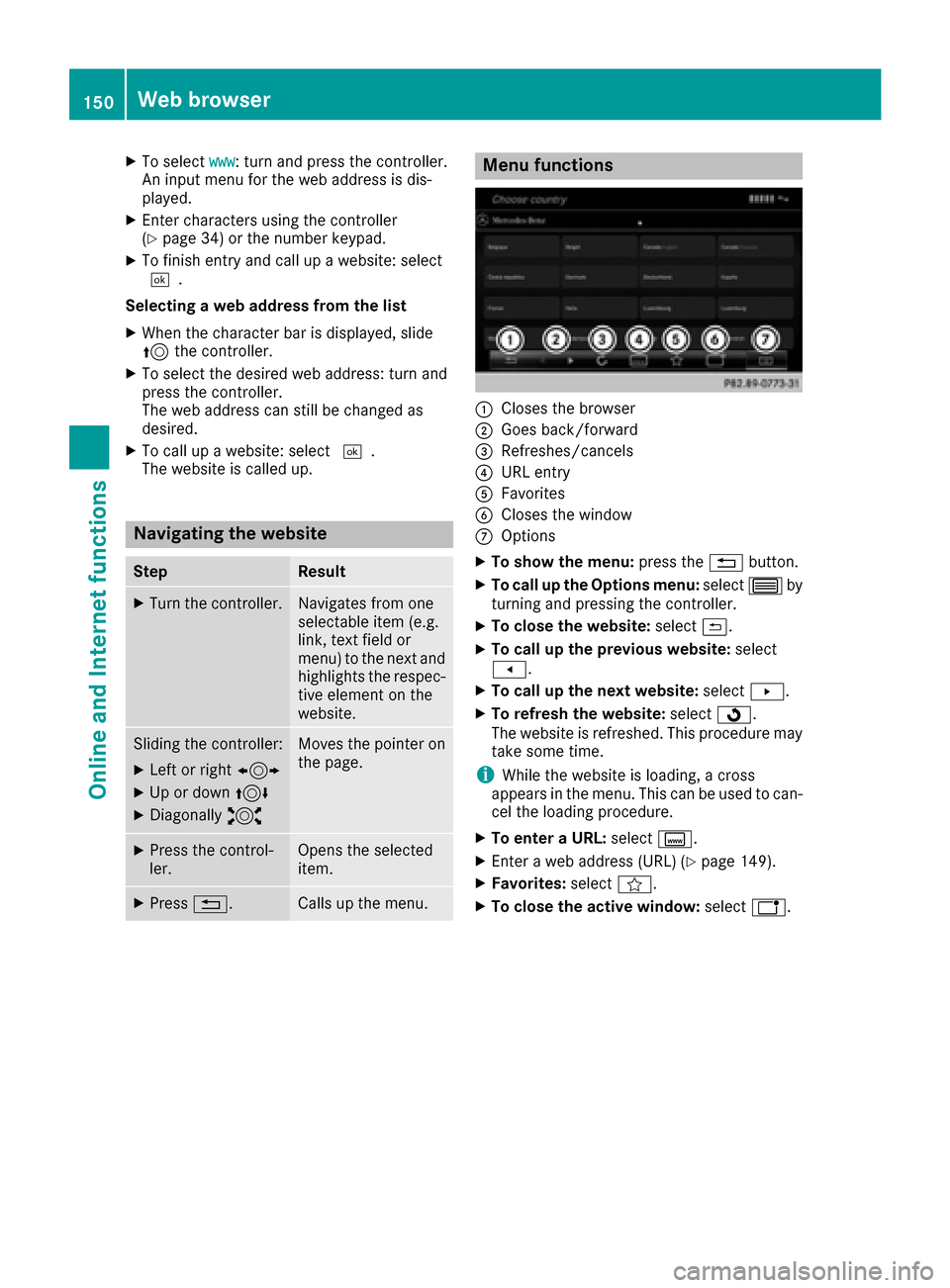
Menu functions
:Closes the browser
;Goes back/forward
=Refreshes/cancels
?URL entry
AFavorites
BCloses the window
COptions
XTo show the menu: press the%button.
XTo call up the Options menu: select3by
turning and pressing the controller.
XTo close the website: select&.
XTo call up the previous website: select
t.
XTo call up the next website: selectu.
XTo refresh the website: selectÎ.
The website is refreshed. This procedure may
take some time.
iWhile the website is loading, a cross
appears in the menu. This can be used to can-
cel the loading procedure.
XTo enter a URL: selectg.
XEnter a web address (URL) (Ypage 149).
XFavorites: selectf.
XTo close the active window: selecth.
150Web browser
Online and Internet functions
Page 158 of 230
Using frequency entry
XIn radio mode: slide6the controller.
XTo select Options: turn and press the con-
troller.
XSelect Enter Frequency.
An additional menu appears.
HD FM radio mode:
XTo select the HDFM Frequencyoption: turn
and press the controller.
XEnter the frequency of the desired station in
the entry field.
HD MW radio mode:
XTo select the HDAM Frequencyoption: turn
and press the controller.
XEnter the frequency of the desired station in
the entry field.
Satellite radio mode:
XSelect the SatRadio Channeloption.
XEnter the number of the desired channel in
the entry field.
Station presets:
XSelect the Radio Station Presetsoption.
XEnter the station preset of the desired station.
Using the search function
XIn radio mode: slide 6the controller.
XSelect èand enter the first letters of the
required station using the controller.
XPress OKto confirm.
The multimedia system displays a list of avail-
able stations.
XTo select stations from the list: turn the con-
troller and press to confirm.
Using station presets
XQuick setting:
Briefly press a number key, e.g. l.
The station stored in second place is set.
Using the preset position
XIn radio mode: slide 6the controller.
XTo select Preset: turn and press the control-
ler.
XTo select Enter Preset: turn and press the
controller.
XEnter the station preset of the desired station.
Station list
XIn radio mode: press the controller.
The station list appears with the stations cur-
rently available.
Saving/deleting a station
Frequencies have already been stored in the
multimedia system. There are 100 preset posi-
tions available.
Quick save
XPress and hold a number key, e.g. l, until
a tone sounds. The station is saved to second
place in the radio station presets.
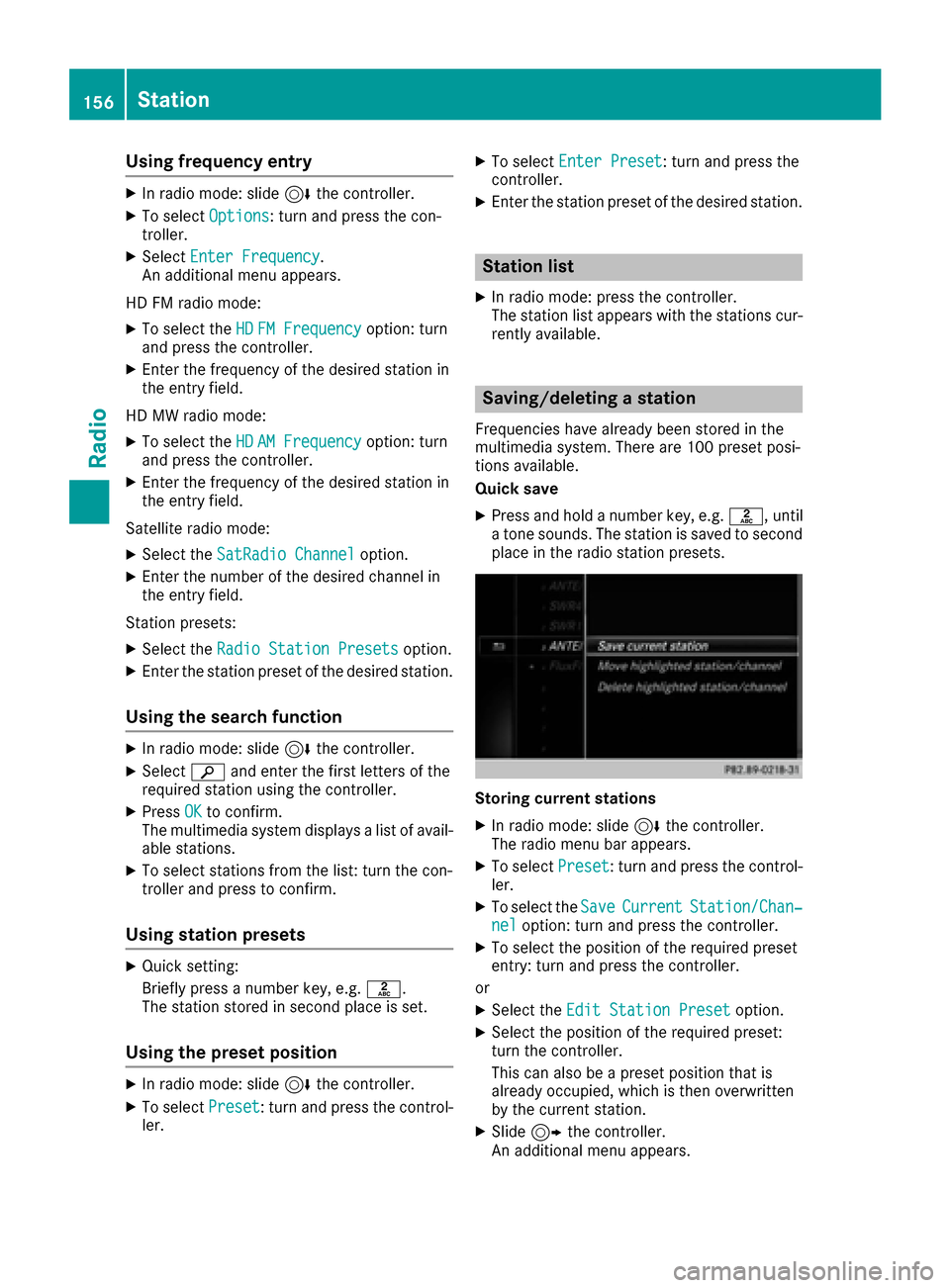
Storing current stations
XIn radio mode: slide 6the controller.
The radio menu bar appears.
XTo select Preset: turn and press the control-
ler.
XTo select the SaveCurrentStation/Chan‐neloption: turn and press the controller.
XTo select the position of the required preset
entry: turn and press the controller.
or
XSelect the Edit Station Presetoption.
XSelect the position of the required preset:
turn the controller.
This can also be a preset position that is
already occupied, which is then overwritten
by the current station.
XSlide9the controller.
An additional menu appears.
156Station
Radio
Page 162 of 230
BKeyword search
COptions menu
DArtist & track
EAdditional display area
Channel information =can be viewed in detail (
Ypage 162).
Additional display area Eshows the specific SIRIUS XM Satellite Radio logos of the different
channels.
Selecting a category
Satellite radio channels are sorted into catego-
ries. You can choose between various catego-
ries such as News/Discussions, Sports and
Country (if available). The category list is sorted
alphabetically. The content of the categories is
sorted by channel numbers.
XTo call up the category list: selectCate‐
goryin the menu bar by turning and pressing
the controller.
The category list appears.
XTo select a category: turn the controller and
press to confirm.
The category selected is shown in the display.
You hear the channel last selected for this
category.
The #dot indicates the current setting.
At the beginning of the category list, the All
Channelscategory appears. This category
enables you to browse all available channels.
Selecting a channel
Channel search
XWhen the display/section window is selec-
ted, slide 8or9 the controller.
The multimedia system searches in both
directions (ascending and descending) and
stops at the next channel found in the selec-
ted category.
Entering channel numbers directly
XIn satellite radio mode, slide 6the control-
ler.
XTo select Options: turn and press the con-
troller.
The satellite radio menu appears.
XTo select Direct Entry: turn and press the
controller.
An input menu appears.
XTo select a channel number: turn and press
the controller.
The multimedia system sets the selected
channel.
iYou can only select currently permitted dig-
its.
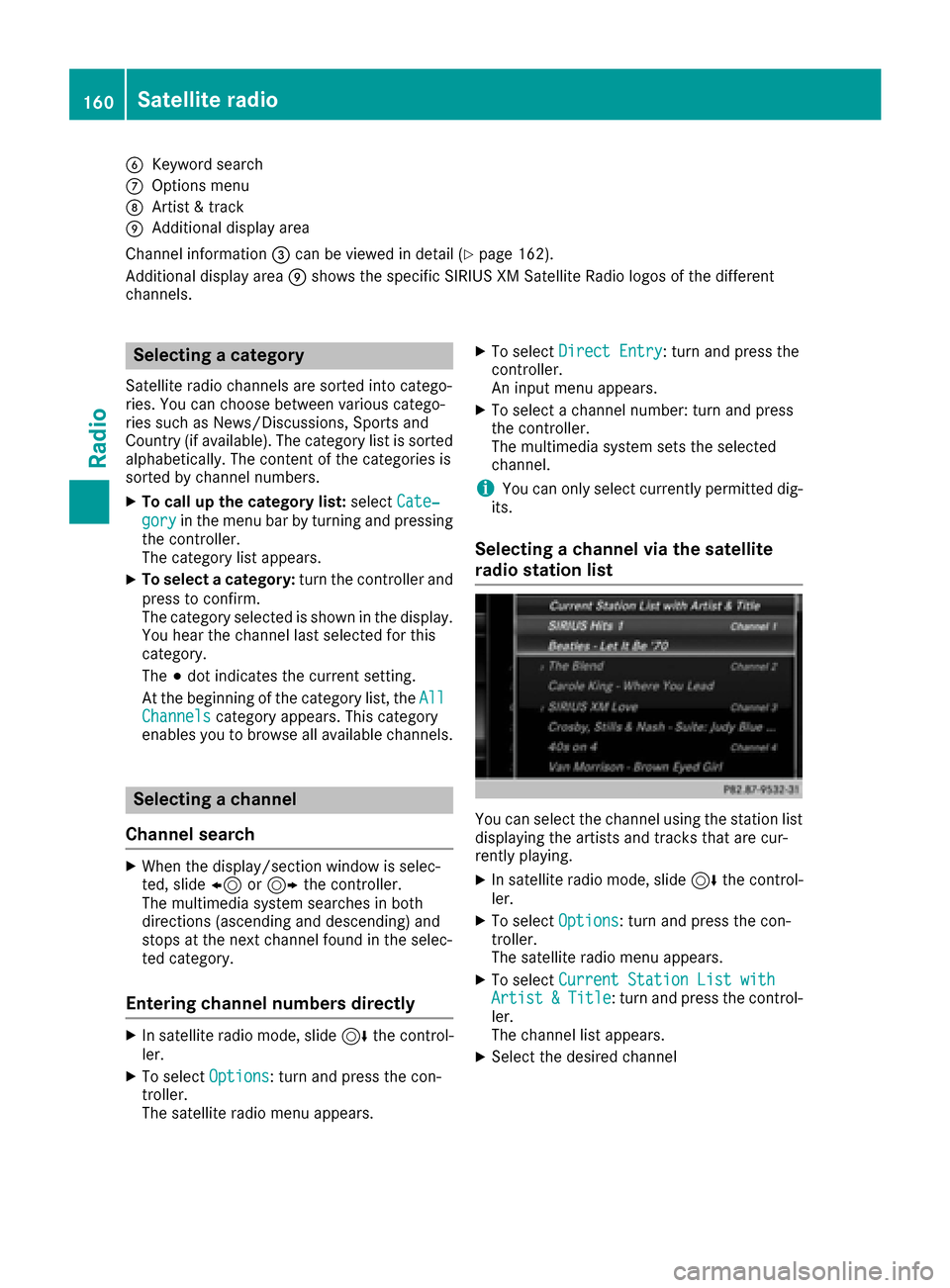
Selecting a channel via the satellite
radio station list
You can select the channel using the station list
displaying the artists and tracks that are cur-
rently playing.
XIn satellite radio mode, slide 6the control-
ler.
XTo select Options: turn and press the con-
troller.
The satellite radio menu appears.
XTo select Current Station List withArtist&Title: turn and press the control-
ler.
The channel list appears.
XSelect the desired channel
160Satellite radio
Radio
Page 163 of 230
Keyword search
XIn satellite radio mode, slide6thecontrol -
ler.
XTo select the keyword search èin the
menu bar: turn and press thecontroller.
XTo enter the required search term : turn and
press th econtroller.
Direc t and indirect results are shown.
XSelect the required result.
The relevant channel is played.
Memory functions
Quick save:
XSe tth e desired channel in satellite radio
mode.
XPress and hold the controller until the preset
list appears.
XTo select the preset number: turn and press
th econtroller.
A tone confirm sthat th estoring process was
successful.
Saving a channel using the edit function:
XIn satellite radio mode, slide 6thecontrol -
ler.
XTo select Preset: turnand press th econtrol -
ler.
XTo select EditStatio nPreset: turn and
press th econtroller.
The list of saved channels appears.
XTo select the preset: turn the controller and
press for about 2 seconds.
The newly saved channel overwrites the exist-
ing preset.
iThere are 100 presets available.
Presets menu view
You can use this function to change to the sta-
tion presets display.
Activating
XIn radio mode: slide 6thecontroller.
XTo select Preset: turnand press th econtrol -
ler.
XTo select StationPreset View: On: turn
and press th econtroller.
The station preset display appears.
XTo switch between the stored stations: turn
th econtroller.
Deactivating
XIn radio mode: slide 6thecontroller.
XTo select Preset: turnand press th econtrol -
ler.
XTo select StationPresetView:Off: turn
and press th econtroller.
A view of the last waveband you listened to
appears.
Music and sports alerts
Gene ral notes
This function makes it possible to storea pro-
gram alert for your favorite artists, tracks or
sporting events.
You can store up to 30 music and sports alerts
(favorites).
Music alerts can only be saved whils tatrack is
being played. You can also specify sports alerts
via th e menu option. The system then continu-
ously searches through all the channels. Ifa
match is found withasaved message, you will
be informed. A window appears with the respec-
tive information.
Setting a music alert
XIn satellite radio mode, slide 6thecontrol -
ler.
XTo select Options: turnand press th econ-
troller.
XTo select Alert for Artist ,Track &SportsEvent: turnand press th econtroller.
A menu appears.
XSelect Add New Alert.
A window wit haprompt appears.
XSelectArtistorTrack.
The alert is set for the current artist or track.
iIf an alert cannot be set, theNo AlertsAvailablemessage appears.
Satellite radio161
Radio
Page 167 of 230
Activating media using themain func-
ti on bar
XTo display the main function bar: slide 5the
controller.
XTo select Media: turnand press th econtroller.
The last media source you have set is dis-
played.
XTo select Mediain media mode: slide 5and
press th econtroller.
The menu appears with the available media
sources.
XTo select the media source: turn thecontrol -
ler and press to confirm .
If th e media source contains music or video
files, these will be played. The corresponding
basic menu will be shown.
Activating media using the number
keypad
i
If you touch a key in the touch-sensitive
number keypad, the number field is displayed
in the additional display area.
XTouch any number key when in media mode.
The number field is shown. The active media
source is highlighted.
XTo select a media source: press thecorre-
sponding number key.
If th e media source contains music or video
files, these will be played. The corresponding
basic menu will be shown.
XTo select a track from th e active media
source: press theg key on the number
keypad.
An input field appears.
XTo ente ratrack number: use the number key-
pad to enter the desired numbers.
The track is played.
XTo sho w track information: press thes
ke y on the number keypad
An additional field appears with thetrack
information.
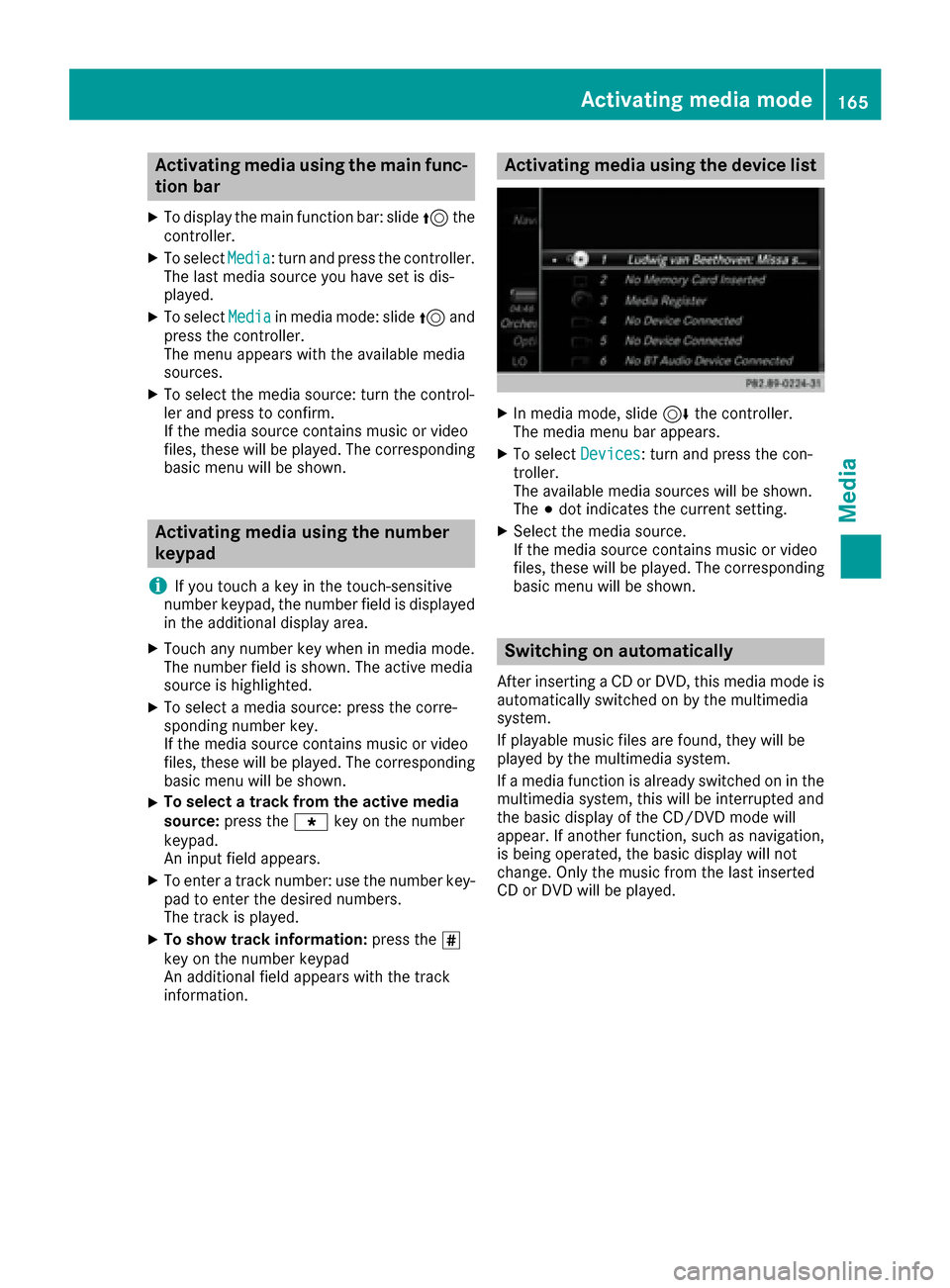
Activating media using the device list
XIn media mode, slide 6thecontroller.
The media menu bar appears.
XTo select Devices: turnand press th econ-
troller.
The available media sources will be shown.
The #dot indicates the current setting.
XSelect the media source.
If th e media source contains music or video
files, these will be played. The corresponding
basic menu will be shown.
Switching on automatically
After inserting a CD or DVD, this media mode is
automatically switched on by the multimedia
system.
If playable music files are found, they will be
played by the multimedia system.
If a media function is already switched on in the
multimedia system, this will be interrupted and
th e basic display of the CD/DVD mode will
appear. If another function, such as navigation,
is being operated, the basic display will not
change. Only the music from the last inserted
CD or DVD will be played.
Activating media mode16 5
Media
Page 173 of 230
Playing similar tracks
XTo selectPlay More Like This: turn and
press the controller.
The multimedia system automatically creates
and plays a track list with similar tracks. If
there are no comparable tracks on the data
carrier, you will see a message to this effect.
XSelect the required track.
Selecting Play mode
XTo select PlaybackMode: turn and press the
controller.
XSelect Normal Track Sequence.
The current track list is played in the order it is
stored on the data medium.
XSelect Random Track List.
The current track list is played in random
order.
XSelect Random Medium.
All tracks on the data medium are played in
random order.
Skip to time
XTo select Skip to Time: turn and press the
controller.
A menu appears.
XTo set the time: turn the controller.
or
XSet the desired time using the number key-
pad.
Selecting an active partition
XTo select Select Active Partition: turn
and press the controller.
With the Select
ActivePartitionoption,
you can select a partition in the USB data car-
rier.
Saving files to Media Register
iWith the SaveFilestoMediaRegisteroption, you can transfer supported audio,
image or video files to the multimedia system
hard drive.
XTo select the Save Files to Media Reg‐isteroption: turn and press the controller.
A menu appears (Ypage 175). Managing Media Register
XDelete or rename individual files in the Media
Register (Ypage 176).
XDelete all files in the Media Register
(Ypage 177).
XCall up information on the preset
(Ypage 177).
Starting the media source from a different
seat
XTo select the Start Application atOtherSeatfunction: turn and press the con-
troller.
The media source can be played back at a dif-
ferent seat: (
Ypage 166).
Showing track information
XTo switch the function Show Track Infor‐mationonO or off ª: turn and press the
controller.
You display or hide information for Track,
Artist and Album in the main display field.
Continuing/stopping playback
XTo stop playback: in audio or video mode,
slide 6the controller.
The media menu bar is shown.
XTo select Ëin the media menu bar: turn
and press the controller.
Playback is interrupted. The display changes
to Ì.
XTo continue playback: in audio or video
mode, slide 6the controller.
The media menu bar is shown.
XTo select Ìin the media menu bar: turn
and press the controller.
Playback is continued from the point of inter-
ruption. The symbol changes to Ë.
Audio/video mode171
Media
Z
Page 174 of 230
Selecting a track
Selecting a track using the current
track list
XTo display the current track list: press the
controller in the basic display.
The category list appears.
XSelect Current Tracklist.
XTo select a track: turn the controller and press
to confirm.
Selecting a track by skipping to a track
XTo skip forward or back to a track: turn or
briefly slide 1the controller in the media
basic display.
Selecting a track using the number key-
pad
XPress the ¯key on the number keypad.
A numerical entry field appears. The number
of positions offered corresponds to the num-
ber of tracks in the current track list. Only
numbers that correspond to a track number in
the current track list can be entered.
XTo enter the track number using the number
keys: briefly press the desired numbers on the
number keypad.
The track plays after the last possible number is entered.
iPressing and holding a number key for more
than two seconds completes the entry, and
the corresponding track is played.
Searching for a track
XIn media mode, slide 6the controller.
The media menu bar is shown.
XTo select Search: turn and press the control-
ler.
The category list is shown.
XSelect a category, e.g. Artists.
Sub-categories appear with the selection of
the main category (depends on the multime-
dia system default settings and the music
tracks available).
XSelect a sub-category.
If the sub-category Artists
contains music
tracks, these will be displayed.
Gracenote®Media Database
General notes
This function is available in CD mode.
There is a version of
Gracenote®music recognition technology,
Emeryville, California, USA on the multimedia
system hard disk. You will recognize this by the
logo in the bottom right-hand corner of certain
audio displays.
If the audio CD does not contain any CD text
information, the multimedia system can use the
Gracenote
®Media Database to identify
unknown audio tracks when in CD mode.
Carrying out an Internet update of met-
adata
The Updating Metadata Via Internetoption allows any missing metadata for an audio
CD (e.g. cover, track, album, artist) to be uploa-
ded retrospectively to the internal Gracenote
®
database.
An Internet connection is required for this
(
Ypage 146).
Selecting Internet update of metadata
XIn media mode, slide 6the controller.
The media menu bar is shown.
XTo select Options: turn and press the con-
troller.
XSelect Updating Metadata Via Internetin the selection list.
A connection with the Gracenote®data server
is established. The missing data is loaded,
saved and displayed in the main display field.
If there is no data found or there is no Internet
connection, a corresponding error message
will appear.
172Audio/video mode
Media
Page 175 of 230
Switching the Gracenote®data display
on/off
XActivate CD mode (Ypage 168).
XTo select Gracenote Media Database: turn
and press the controller.
XShow Track Information: switch function
on O or off ª.
If the function is deactivated, Track 1
is
shown instead of the Gracenote®data in the
basic display, for example.
Media search
Starting the media search
XIn media mode, slide 6the controller.
The media menu bar appears.
XTo select Search: turn and press the control-
ler.
The category list appears.
General notes
The multimedia system plays back files from the following data media:
RDisc (audio CD/DVD)
RMemory card
RMedia Register
RUSB storage device
RApple®devices (folder, year and photos are
not available)
The categories are displayed according to the
data available.
Category list
XIn media mode, slide 6the controller.
The media menu bar is shown.
XTo select Search: turn and press the control-
ler.
The category list is shown.
Depending on the connected media sources and
files, the following categories are listed:
RCurrent Tracklist
RFolder
RSelect By Cover
RKeyword Search
RPlaylists
RArtists
RAlbums
RTrack
RYear
RGenres
RComposers
RVideos
RPhotos
iThe categories are available as soon as the
entire media content has been read and ana-
lyzed.
If the same device is reconnected with
unchanged media content, these categories
are available more quickly.
When connecting Apple
®devices, the cate-
gories “Folder”, “Year” and “Photos” are not
available.
Searching a track using the current
track list
XTo select Current Tracklistin the cate-
gory list (Ypage 173): turn and press the
controller.
The selection list appears.
XSelect the required track.
Searching for a track via a folder
Playable files can be searched for in the active
data medium's directories.
XTo select Folderin the category list
(Ypage 173): turn and press the controller.
The folder list appears.
XSelect the required folder.
The track list appears.
XSelect the required track.
Media search173
Media
Z
Page 176 of 230
Searching for a track via cover view
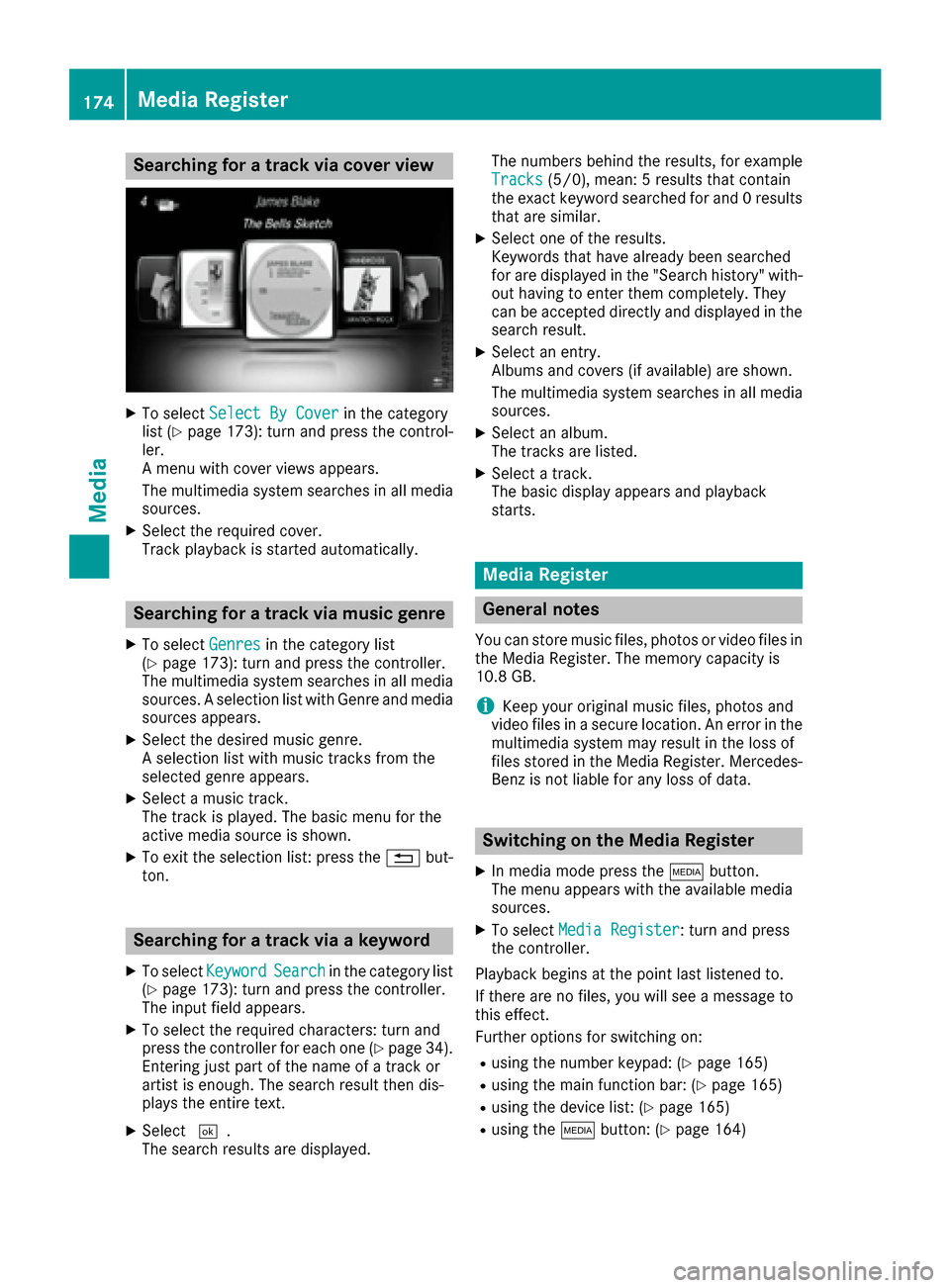
XTo selectSelect By Coverin the category
list (Ypage 173): turn and press the control-
ler.
A menu with cover views appears.
The multimedia system searches in all media sources.
XSelect the required cover.
Track playback is started automatically.
Searching for a track via music genre
XTo select Genresin the category list
(Ypage 173): turn and press the controller.
The multimedia system searches in all media sources. A selection list with Genre and media
sources appears.
XSelect the desired music genre.
A selection list with music tracks from the
selected genre appears.
XSelect a music track.
The track is played. The basic menu for the
active media source is shown.
XTo exit the selection list: press the %but-
ton.
Searching for a track via a keyword
XTo select KeywordSearchin the category list
(Ypage 173): turn and press the controller.
The input field appears.
XTo select the required characters: turn and
press the controller for each one (Ypage 34).
Entering just part of the name of a track or
artist is enough. The search result then dis-
plays the entire text.
XSelect ¬.
The search results are displayed. The numbers behind the results, for example
Tracks
(5/0), mean: 5 results that contain
the exact keyword searched for and 0 results
that are similar.
XSelect one of the results.
Keywords that have already been searched
for are displayed in the "Search history" with- out having to enter them completely. They
can be accepted directly and displayed in the
search result.
XSelect an entry.
Albums and covers (if available) are shown.
The multimedia system searches in all mediasources.
XSelect an album.
The tracks are listed.
XSelect a track.
The basic display appears and playback
starts.
Media Register
General notes
You can store music files, photos or video files inthe Media Register. The memory capacity is
10.8 GB.
iKeep your original music files, photos and
video files in a secure location. An error in the
multimedia system may result in the loss of
files stored in the Media Register. Mercedes- Benz is not liable for any loss of data.
Switching on the Media Register
XIn media mode press the Õbutton.
The menu appears with the available media
sources.
XTo select Media Register: turn and press
the controller.
Playback begins at the point last listened to.
If there are no files, you will see a message to
this effect.
Further options for switching on:
Rusing the number keypad: (Ypage 165)
Rusing the main function bar: (Ypage 165)
Rusing the device list: (Ypage 165)
Rusing the Õbutton: (Ypage 164)
174Media Register
Media