key MERCEDES-BENZ S-Class MAYBACH 2017 W222 Comand Manual
[x] Cancel search | Manufacturer: MERCEDES-BENZ, Model Year: 2017, Model line: S-Class MAYBACH, Model: MERCEDES-BENZ S-Class MAYBACH 2017 W222Pages: 230, PDF Size: 8.27 MB
Page 26 of 230
Touchpad
The multimedia system can be equipped with a
touchpad as an alternative to the telephone key-
pad.
As an alternative to the controller, the touchpad
enables menu items to be selected and charac-
ter entry including handwriting recognition, for
example.
XTo activate the touchpad:press the surface
of the touchpad.
Further information (
Ypage 28).
Basic functions
Switching the multimedia system on/
off
XPress the Übutton on the center console
to the right of the controller.
When you switch the multimedia system on, a
warning message will appear. The multimedia
system calls up the previously selected menu.
If you switch the multimedia system off, play-
back of the current media source will also be
switched off.
Adjusting the volume
Adjusting the volume for media sources
XTurn the thumbwheel to the right of the con-
troller.
or
XPress the WorX button on the multi-
function steering wheel.
The volume of the media source currently
selected changes.
Adjusting the volume for traffic
announcements and navigation
announcements
During traffic or navigation announcements:
XTurn the thumbwheel to the right of the con-
troller.
or
XPress the WorX button on the multi-
function steering wheel.
iYou can set the volume for navigation
announcements to be different from the vol-
ume of the respective media source.
Adjusting the volume for phone calls
You can adjust the volume for hands-free mode
during a telephone call.
XTurn the thumbwheel to the right of the con-
troller.
or
XPress the WorX button on the multi-
function steering wheel.
iSetting the volume for the Voice Control
System voice output; see the separate oper-
ating instructions.
Switching the sound on or off
Media source sound
XPress the thumbwheel beside the controller.
or
XPress the 8button on the multifunction
steering wheel.
iIf the audio output is switched off, the status
line will show the 8symbol. If you switch
the media source or change the volume, the
sound is automatically switched on.
iEven if the sound is switched off, you will still
hear navigation system announcements.
Switching navigation announcements
off and on again
XTo switch off navigation announcements:
press the thumbwheel beside the controller
during the announcement.
The Spoken driving recommendations
have been deactivated.message
appears.
XTo switch navigation announcements on
again: switch the multimedia system off and
then on again (
Ypage 24).
or
XStart a new route calculation (Ypage 74).
24Basic functions
Overview and operation
Page 29 of 230
From the front-passenger side
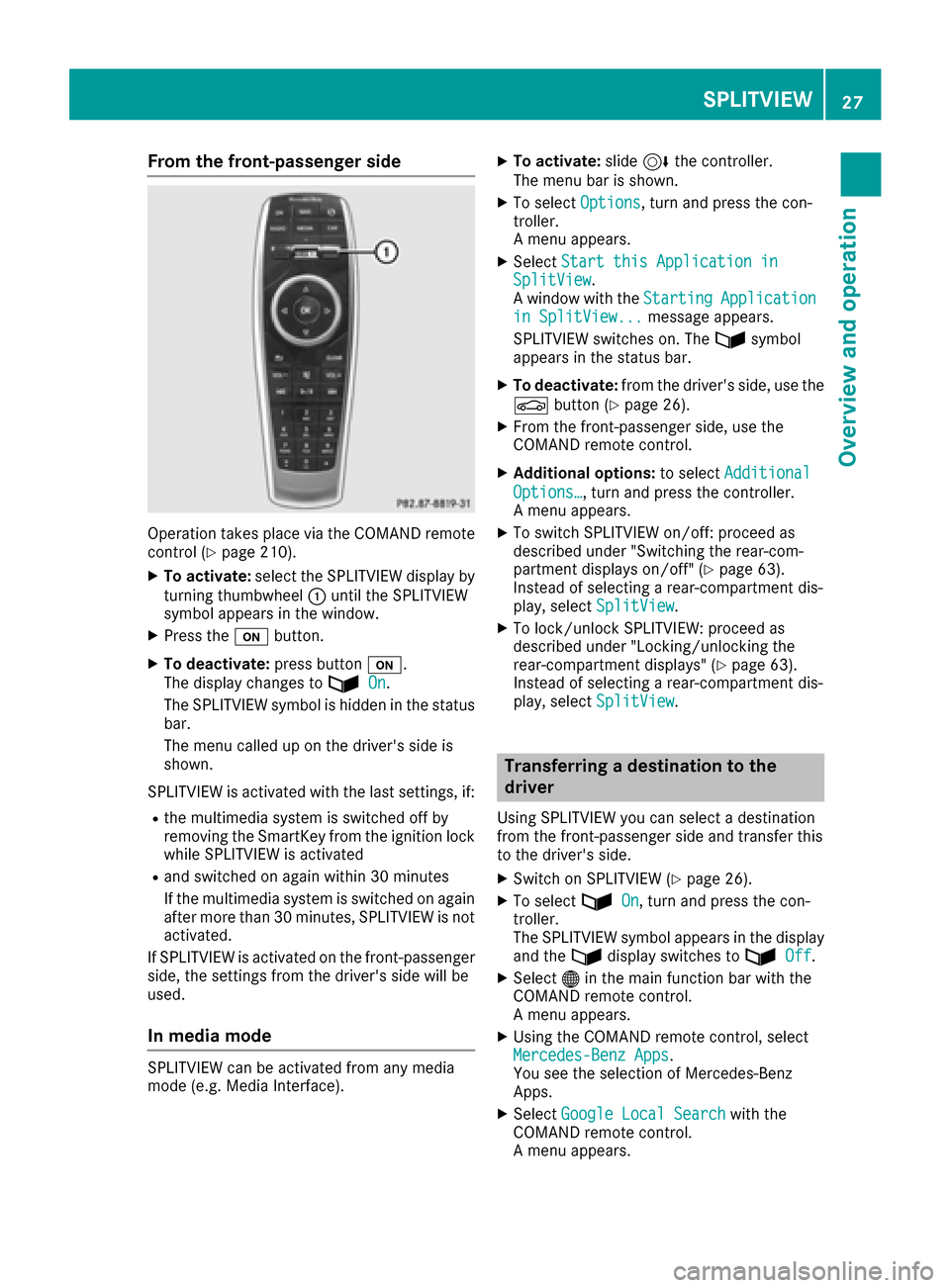
Operation takes placevia the COMAND remote
control (Ypage 210).
XTo activate: select the SPLITVIEW display by
turning thumbwheel :until the SPLITVIEW
symbol appears in the window.
XPress th eu button.
XTo deactivate: press buttonu.
The display changes to ù
On.
The SPLITVIEW symbol is hidden in the status
bar.
The menu called up on the driver's side is
shown.
SPLITVIEW is activated with thelast settings, if:
Rth e multimedia system is switched off by
removing th eSmartKey from th e ignition lock
while SPLITVIEW is activated
Rand switched on again within 30 minutes
If th e multimedia system is switched on again
after more than 30 minutes, SPLITVIEW is no t
activated.
If SPLITVIEW is activated on th e front-passenger
side, thesetting sfrom th e driver's side will be
used.
In media mode
SPLITVIEW can be activated from any media
mode (e.g. Media Interface).
XTo activate:slide6thecontroller.
The menu bar is shown.
XTo select Options, turnand press th econ-
troller.
A menu appears.
XSelect Start thi sApplication inSplitView.
A window with theStartingApplicationin SplitView...message appears.
SPLITVIEW switches on . Theùsymbol
appears in the status bar.
XTo deactivate: from the driver's side, use the
Ø button(Ypage 26).
XFrom th e front-passenger side, use the
COMAND remote control.
XAdditional options: to selectAdditional
Options…, turnand press th econtroller.
A menu appears.
XTo switch SPLITVIEW on/off : proceed as
described under "Switching the rear-com-
partment displays on/off"(
Ypage 63).
Instead of selecting a rear-compartment dis-
play, select SplitView
.
XTo lock/unlock SPLITVIEW: proceed as
described under "Locking/unlocking the
rear-compartment displays" (
Ypage 63).
Instead of selecting a rear-compartment dis-
play, select SplitView
.
Transferring a destination to the
driver
UsingSPLITVIEW you can select a destination
from th e front-passenger side and transfer this
to th e driver's side.
XSwitc hon SPLITVIEW (Ypage 26).
XTo selectùOn, turnand press th econ-
troller.
The SPLITVIEW symbol appears in the display
and th eù display switches to ù
Off.
XSelect®in the main function bar with the
COMAND remote control.
A menu appears.
XUsing the COMAND remote control, select
Mercedes-Benz Apps.
You see the selection of Mercedes-Benz
Apps.
XSelect Google Local Searchwiththe
COMAND remote control.
A menu appears.
SPLITVIEW27
Overview and operation
Page 37 of 230
XTo change the country setting for the
character bar:switch to the bottom line of
the character bar by sliding 6the control-
ler.
XTo select B: turn and press the controller.
The available languages are displayed.
XTo select the language: turn and press the
controller.
The country setting for the character bar has
been changed.
Functions in the character bar
RÄ
Switches between digits and symbols
R*
Switches to upper-case/lower-case letters
RB
Changes the country setting for the character
bar
R
Deletes a character/an entry
R45
Selects the input line
R23
Moves the cursor within the input line
R¬
Confirms an entry
R&
Cancels input
RS
Inserts a paragraph
Character entry (navigation)
Character entry options
You can enter characters using the controller, or the telephone keypad or the touchpad, depend-
ing on the vehicle equipment. With the control-
ler, you enter characters using a character bar.
By pressing the corresponding key one or more
times, you can enter the characters via the tele-
phone keypad. To enter using the touchpad,
draw the character in the entry field. The multi-
media system supports this using a handwriting
recognition function.
Entering characters using the charac-
ter bar
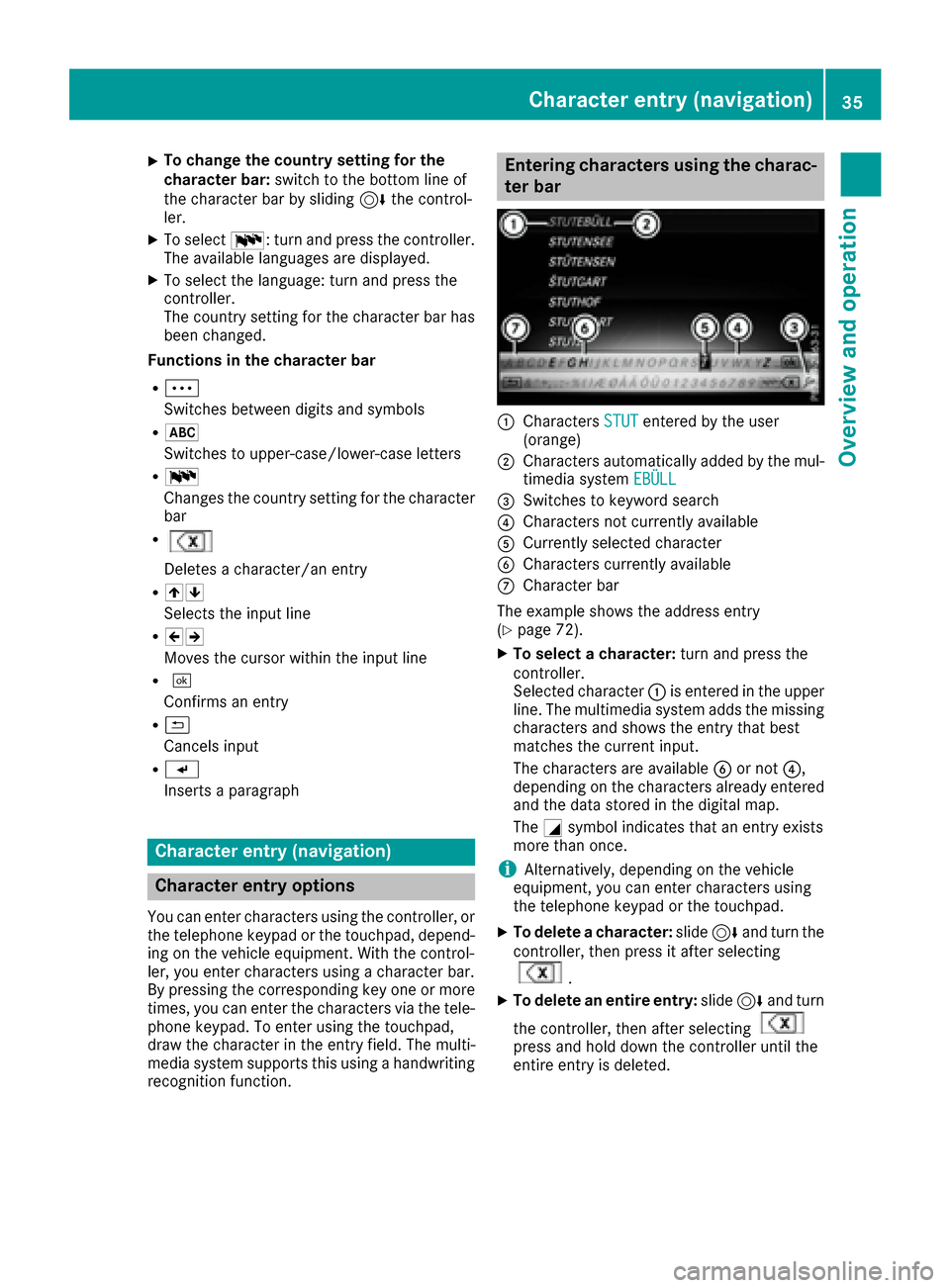
:Characters STUTentered by the user
(orange)
;Characters automatically added by the mul-
timedia system EBÜLL
=Switches to keyword search
?Characters not currently available
ACurrently selected character
BCharacters currently available
CCharacter bar
The example shows the address entry
(
Ypage 72).
XTo select a character: turn and press the
controller.
Selected character :is entered in the upper
line. The multimedia system adds the missing
characters and shows the entry that best
matches the current input.
The characters are available Bor not ?,
depending on the characters already entered and the data stored in the digital map.
The Gsymbol indicates that an entry exists
more than once.
iAlternatively, depending on the vehicle
equipment, you can enter characters using
the telephone keypad or the touchpad.
XTo delete a character: slide6and turn the
controller, then press it after selecting
.
XTo delete an entire entry: slide6and turn
the controller, then after selecting
press and hold down the controller until the
entire entry is deleted.
Character entry (navigation)35
Overview and operation
Page 38 of 230
iAlternatively, you can also delete the entry
using the telephone keypad.
XTo switch to keyword search: slide6and
turn the controller, then press it after select-
ing =(
Ypage 75).
XTo confirm an entry: slide6and turn the
controller, then press it after selecting ¬.
or
XSlide 5the controller repeatedly until the
character bar disappears.
The location selection list appears. The selec-
ted entry is highlighted.
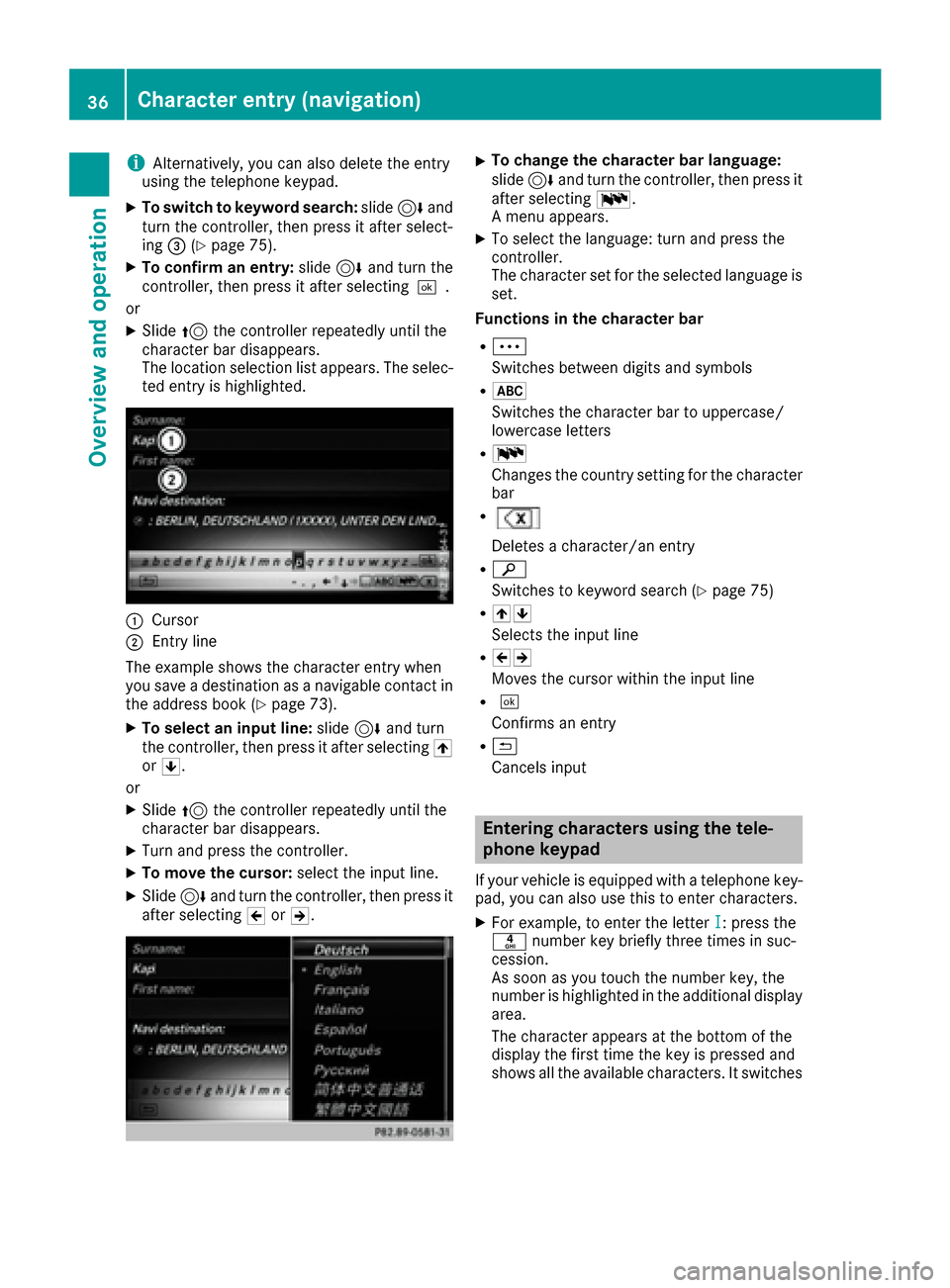
:Cursor
;Entry line
The example shows the character entry when
you save a destination as a navigable contact in
the address book (
Ypage 73).
XTo select an input line: slide6and turn
the controller, then press it after selecting 4
or 5.
or
XSlide 5the controller repeatedly until the
character bar disappears.
XTurn and press the controller.
XTo move the cursor: select the input line.
XSlide6and turn the controller, then press it
after selecting 2or3.
XTo change the character bar language:
slide 6and turn the controller, then press it
after selecting B.
A menu appears.
XTo select the language: turn and press the
controller.
The character set for the selected language is set.
Functions in the character bar
RÄ
Switches between digits and symbols
R*
Switches the character bar to uppercase/
lowercase letters
RB
Changes the country setting for the character
bar
R
Deletes a character/an entry
Rè
Switches to keyword search (
Ypage 75)
R45
Selects the input line
R23
Moves the cursor within the input line
R¬
Confirms an entry
R&
Cancels input
Entering characters using the tele-
phone keypad
If your vehicle is equipped with a telephone key- pad, you can also use this to enter characters.
XFor example, to enter the letter I: press the
n number key briefly three times in suc-
cession.
As soon as you touch the number key, the
number is highlighted in the additional display
area.
The character appears at the bottom of the
display the first time the key is pressed and
shows all the available characters. It switches
36Character entry (navigation)
Overview and operation
Page 39 of 230
to the next character each time the key is
pressed.
XWait until the character display goes out.
The selected character is entered in the input
line.
XTo delete the character: press the$
button.
XTo delete an entire entry: press and hold the
$ button until the entire entry is deleted.
Entering characters using the touch-
pad
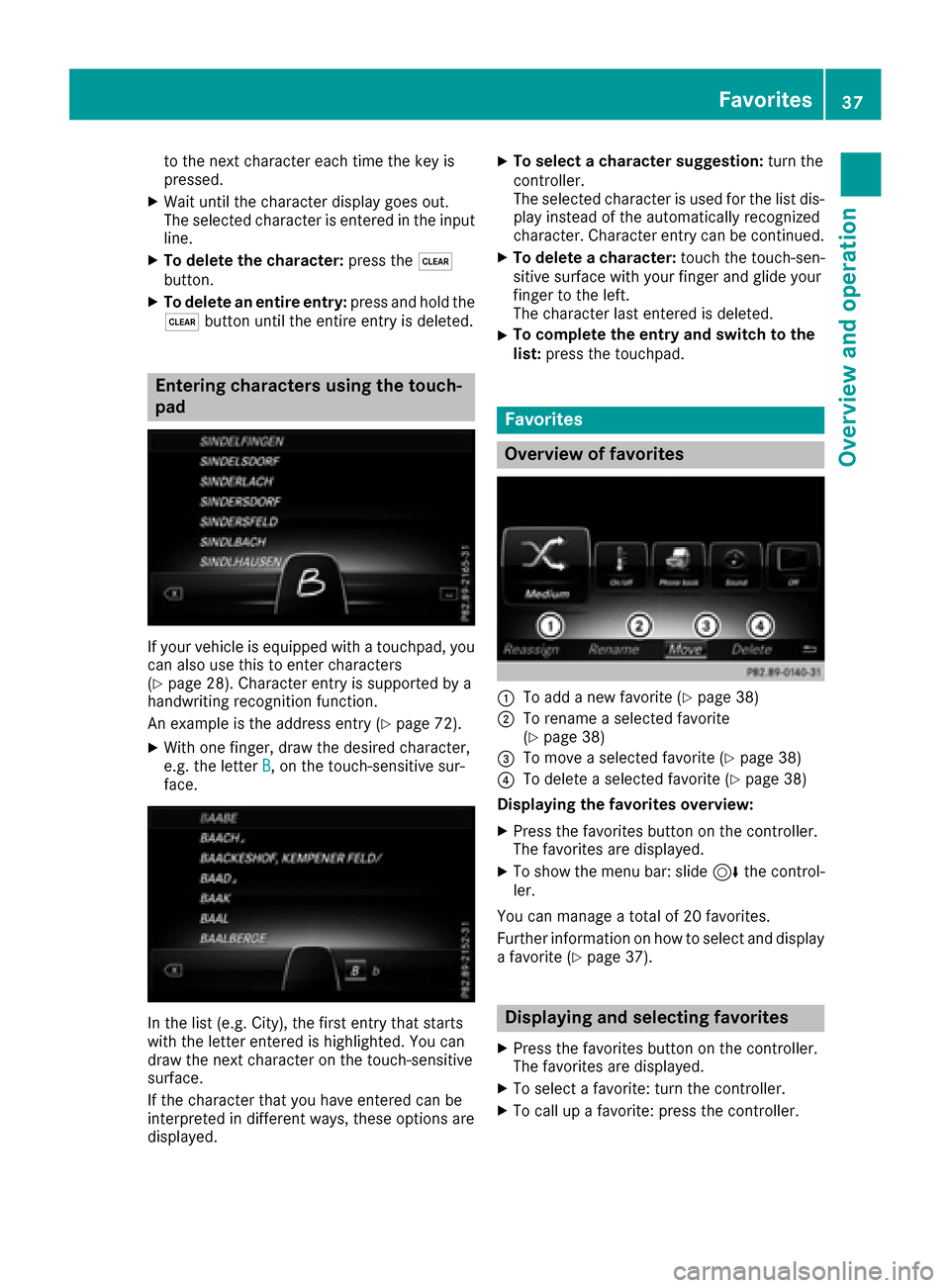
If your vehicle is equipped with a touchpad, you
can also use this to enter characters
(
Ypage 28). Character entry is supported by a
handwriting recognition function.
An example is the address entry (
Ypage 72).
XWith one finger, draw the desired character,
e.g. the letter B, on the touch-sensitive sur-
face.
In the list (e.g. City), the first entry that starts
with the letter entered is highlighted. You can
draw the next character on the touch-sensitive
surface.
If the character that you have entered can be
interpreted in different ways, these options are
displayed.
XTo select a character suggestion: turn the
controller.
The selected character is used for the list dis-
play instead of the automatically recognized
character. Character entry can be continued.
XTo delete a character: touch the touch-sen-
sitive surface with your finger and glide your
finger to the left.
The character last entered is deleted.
XTo complete the entry and switch to the
list: press the touchpad.
Favorites
Overview of favorites
:To add a new favorite (Ypage 38)
;To rename a selected favorite
(Ypage 38)
=To move a selected favorite (Ypage 38)
?To delete a selected favorite (Ypage 38)
Displaying the favorites overview:
XPress the favorites button on the controller.
The favorites are displayed.
XTo show the menu bar: slide 6the control-
ler.
You can manage a total of 20 favorites.
Further information on how to select and display
a favorite (
Ypage 37).
Displaying and selecting favorites
XPress the favorites button on the controller.
The favorites are displayed.
XTo select a favorite: turn the controller.
XTo call up a favorite: press the controller.
Favorites37
Overview and operation
Page 46 of 230
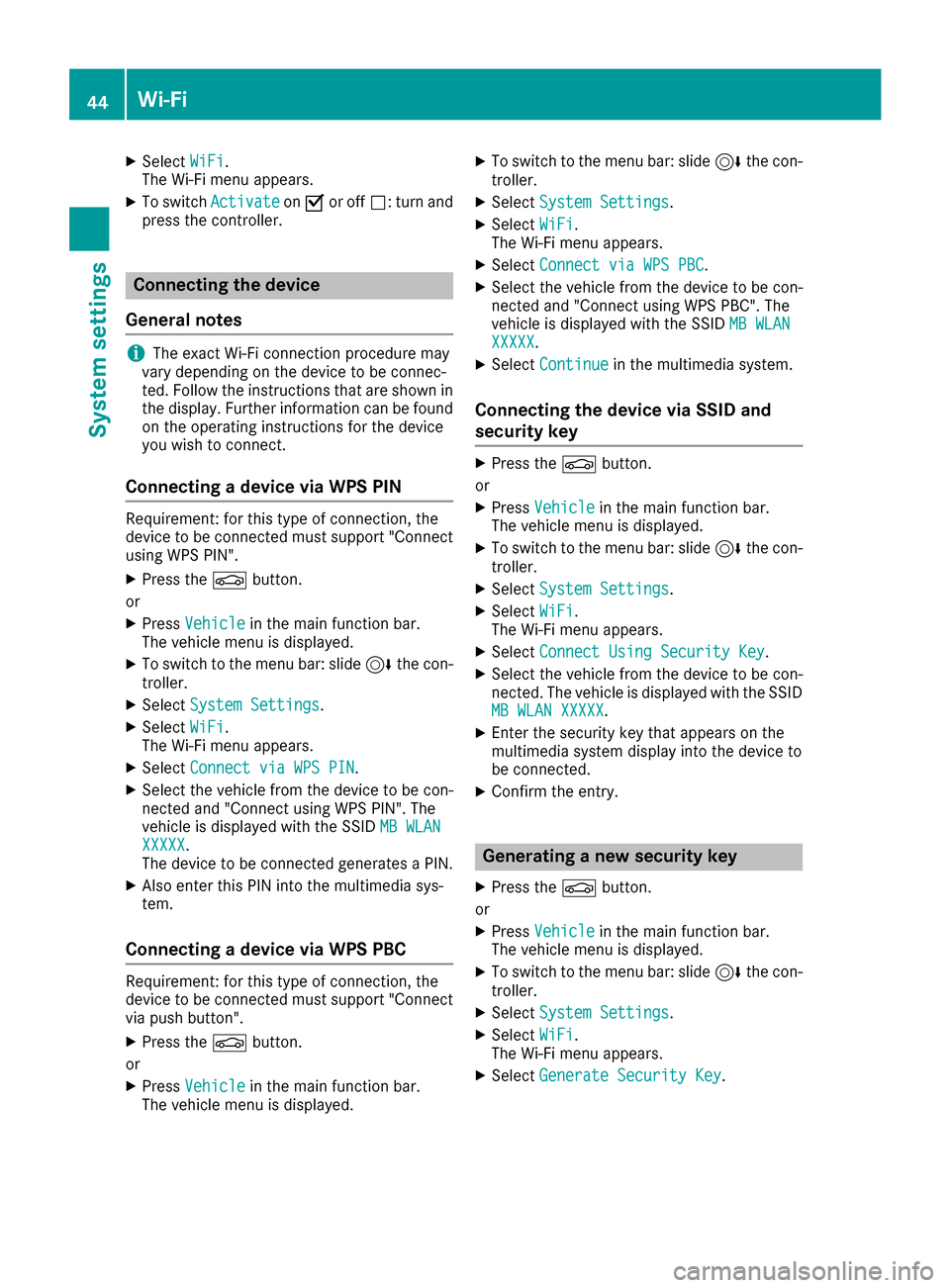
XSelectWiFi.
The Wi-Fi menu appears.
XTo switch ActivateonO or off ª: turn and
press the controller.
Connecting the device
General notes
iThe exact Wi-Fi connection procedure may
vary depending on the device to be connec-
ted. Follow the instructions that are shown in
the display. Further information can be found
on the operating instructions for the device
you wish to connect.
Connecting a device via WPS PIN
Requirement: for this type of connection, the
device to be connected must support "Connect
using WPS PIN".
XPress the Øbutton.
or
XPress Vehiclein the main function bar.
The vehicle menu is displayed.
XTo switch to the menu bar: slide 6the con-
troller.
XSelect System Settings.
XSelectWiFi.
The Wi-Fi menu appears.
XSelect Connect via WPS PIN.
XSelect the vehicle from the device to be con-
nected and "Connect using WPS PIN". The
vehicle is displayed with the SSID MB WLAN
XXXXX.
The device to be connected generates a PIN.
XAlso enter this PIN into the multimedia sys-
tem.
Connecting a device via WPS PBC
Requirement: for this type of connection, the
device to be connected must support "Connect
via push button".
XPress the Øbutton.
or
XPress Vehiclein the main function bar.
The vehicle menu is displayed.
XTo switch to the menu bar: slide 6the con-
troller.
XSelect System Settings.
XSelectWiFi.
The Wi-Fi menu appears.
XSelect Connect via WPS PBC.
XSelect the vehicle from the device to be con-
nected and "Connect using WPS PBC". The
vehicle is displayed with the SSID MB WLAN
XXXXX.
XSelectContinuein the multimedia system.
Connecting the device via SSID and
security key
XPress the Øbutton.
or
XPress Vehiclein the main function bar.
The vehicle menu is displayed.
XTo switch to the menu bar: slide 6the con-
troller.
XSelect System Settings.
XSelectWiFi.
The Wi-Fi menu appears.
XSelect Connect Using Security Key.
XSelect the vehicle from the device to be con-
nected. The vehicle is displayed with the SSID
MB WLAN XXXXX
.
XEnter the security key that appears on the
multimedia system display into the device to
be connected.
XConfirm the entry.
Generating a new security key
XPress the Øbutton.
or
XPress Vehiclein the main function bar.
The vehicle menu is displayed.
XTo switch to the menu bar: slide 6the con-
troller.
XSelect System Settings.
XSelectWiFi.
The Wi-Fi menu appears.
XSelect Generate Security Key.
44Wi-Fi
System settings
Page 47 of 230
XSelectRegenerate.
A new security key is generated.
XTo save the security key: turn the controller
and select Save.
The Wi-Fi menu appears. The new security key
will now be displayed and verified when a
connection is established via the security key.
The connection must be re-established with
the newly created security key.
iDevice connections established using the
previous security key will no longer work after
the security key is changed. You have to
reconnect these devices (
Ypage 44).
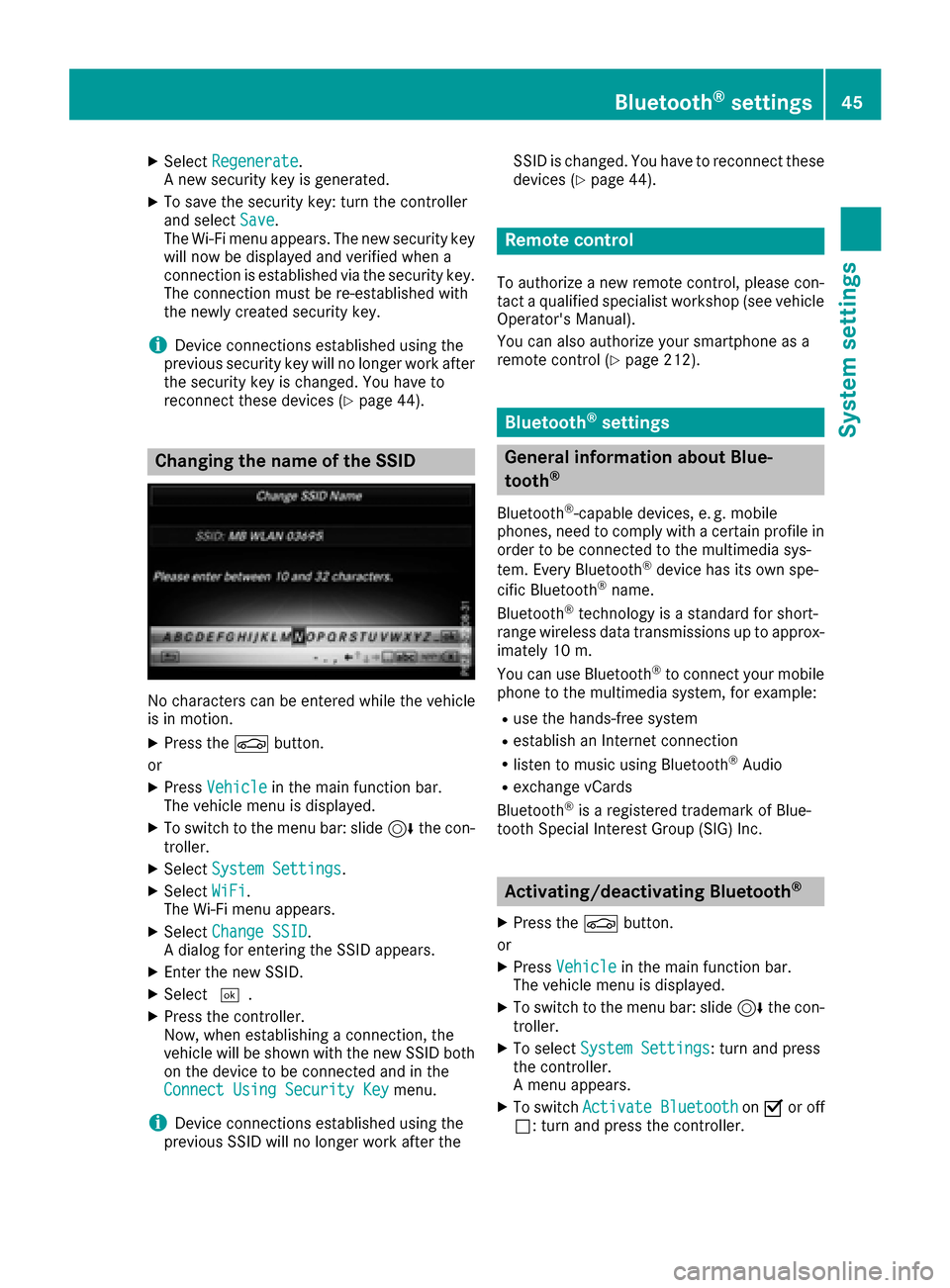
Changing the name of the SSID
No characters can be entered while the vehicle
is in motion.
XPress the Øbutton.
or
XPress Vehiclein the main function bar.
The vehicle menu is displayed.
XTo switch to the menu bar: slide 6the con-
troller.
XSelect System Settings.
XSelectWiFi.
The Wi-Fi menu appears.
XSelect Change SSID.
A dialog for entering the SSID appears.
XEnter the new SSID.
XSelect ¬.
XPress the controller.
Now, when establishing a connection, the
vehicle will be shown with the new SSID both
on the device to be connected and in the
Connect Using Security Key
menu.
iDevice connections established using the
previous SSID will no longer work after the SSID is changed. You have to reconnect these
devices (
Ypage 44).
Remote control
To authorize a new remote control, please con-
tact a qualified specialist workshop (see vehicle
Operator's Manual).
You can also authorize your smartphone as a
remote control (
Ypage 212).
Bluetooth®settings
General information about Blue-
tooth®
Bluetooth®-capable devices, e. g. mobile
phones, need to comply with a certain profile in
order to be connected to the multimedia sys-
tem. Every Bluetooth
®device has its own spe-
cific Bluetooth®name.
Bluetooth®technology is a standard for short-
range wireless data transmissions up to approx-
imately 10 m.
You can use Bluetooth
®to connect your mobile
phone to the multimedia system, for example:
Ruse the hands-free system
Restablish an Internet connection
Rlisten to music using Bluetooth®Audio
Rexchange vCards
Bluetooth®is a registered trademark of Blue-
tooth Special Interest Group (SIG) Inc.
Activating/deactivating Bluetooth®
X
Press the Øbutton.
or
XPress Vehiclein the main function bar.
The vehicle menu is displayed.
XTo switch to the menu bar: slide 6the con-
troller.
XTo select System Settings: turn and press
the controller.
A menu appears.
XTo switch Activate BluetoothonO or off
ª: turn and press the controller.
Bluetooth®settings45
System settings
Z
Page 49 of 230
XTo switch to the menu bar: slide6the con-
troller.
XTo select System Settings: turn and press
the controller.
A menu appears.
XTo select Favorite Functions: press the
controller.
The favorites are displayed.
XTo select the desired function, for example
Phonebook: turn and press the controller.
Calling up the Favorites function via the
touchpad
XPress the favorites button on the touchpad.
The favorites are displayed.
XTo select the desired function, e.g. Phone‐book: turn and press the controller.
Exiting the Favorites function
XPress the Favorites button again.
or
XPress the %button.
Further information on favorites (
Ypage 37).
On vehicles with a telephone keypad, favorites
can be displayed by pressing the gbutton.
Favorites can be edited via the Favorite
Func‐tionsfunction in the system menu.
Assigning a favorites function to a button
XPress the Øbutton.
or
XPress Vehiclein the main function bar.
The vehicle menu is displayed.
XTo switch to the menu bar: slide 6the con-
troller.
XTo select System Settings: turn and press
the controller.
A menu appears.
XTo select Favorite Functions: press the
controller.
A menu appears.
XTo select Assign Function: press the con-
troller.
The list of predefined functions appears.
XTo select the desired function, e.g. Enter‐tainment: turn and press the controller.
A menu appears.
XSelect the desired function, e.g. Play MoreLike This.
A menu appears with the prompt Please
select a favorites button:.
XTo select the desired button, e.g. m: turn
and press the controller.
A message appears stating that the button
has been assigned the selected function.
iFor certain functions, e.g. Assign Chan‐nel/StationorMediaSource, a message
appears. This explains how you can save the
desired station/channel directly from the
respective function menu in three steps.
Overview of all current favorites:
XPress the Øbutton.
or
XPress Vehiclein the main function bar.
The vehicle menu is displayed.
XTo switch to the menu bar: slide 6the con-
troller.
XTo select System Settings: turn and press
the controller.
A menu appears.
XTo select Favorite Functions: press the
controller.
A menu appears.
XSelect Overview of Current Favorites.
An overview of all the current favorites
appears.
Changing the alias:
XTo switch to the menu bar: slide 6the con-
troller.
XTo select System Settings: turn and press
the controller.
A menu appears.
XTo select Favorite Functions: press the
controller.
A menu appears.
XSelect Change Alias.
A menu appears with the prompt Please
select a favorites button:.
XTo select the desired favorite, e.g. n: turn
and press the controller.
XEnter the desired alias and select b.
The alias is changed.
iUp to six characters are available for the
alias. An entry with fewer characters is also
possible.
Assigning a favorites button47
System settings
Z
Page 56 of 230
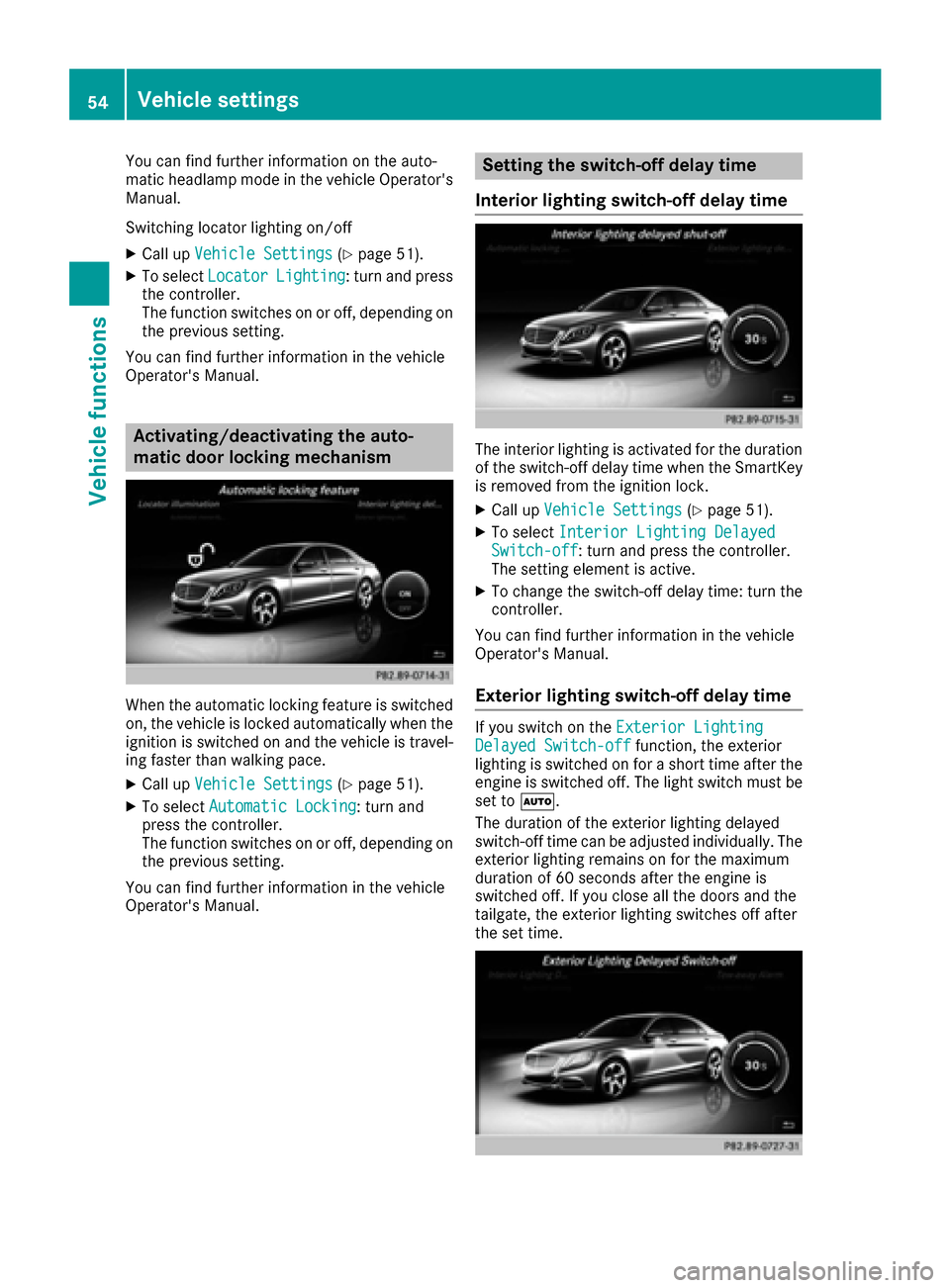
You can find further information on the auto-
matic headlamp mode in the vehicle Operator's
Manual.
Switching locator lighting on/off
XCall upVehicle Settings(Ypage 51).
XTo select LocatorLighting: turn and press
the controller.
The function switches on or off, depending on
the previous setting.
You can find further information in the vehicle
Operator's Manual.
Activating/deactivating the auto-
matic door locking mechanism
When the automatic locking feature is switched
on, the vehicle is locked automatically when the
ignition is switched on and the vehicle is travel-
ing faster than walking pace.
XCall up Vehicle Settings(Ypage 51).
XTo select Automatic Locking: turn and
press the controller.
The function switches on or off, depending on
the previous setting.
You can find further information in the vehicle
Operator's Manual.
Setting the switch-off delay time
Interior lighting switch-off delay time
The interior lighting is activated for the duration
of the switch-off delay time when the SmartKey
is removed from the ignition lock.
XCall up Vehicle Settings(Ypage 51).
XTo select Interior Lighting DelayedSwitch-off: turn and press the controller.
The setting element is active.
XTo change the switch-off delay time: turn the
controller.
You can find further information in the vehicle
Operator's Manual.
Exterior lighting switch-off delay time
If you switch on the Exterior LightingDelayed Switch-offfunction, the exterior
lighting is switched on for a short time after the
engine is switched off. The light switch must be
set to Ã.
The duration of the exterior lighting delayed
switch-off time can be adjusted individually. The
exterior lighting remains on for the maximum
duration of 60 seconds after the engine is
switched off. If you close all the doors and the
tailgate, the exterior lighting switches off after
the set time.
54Vehicle settings
Vehicle functions
Page 65 of 230
Pre-entry climate control via SmartKey
This function is only available for
PLUG‑IN HYBRID vehicles.
When you unlock the vehicle, the driver's seat
and the vehicle interior:
Ris briefly pre-heated
Ris briefly pre-ventilated
XCall up the climate control menu (Ypage 60).
XTo selectPre-entry Climate Control
via Key: turn and press the controller.
XTo switch on or off: turn and press the con-
troller.
XTo exit the menu: press the %button.
Further information on pre-entry climate control
via SmartKey (see the vehicle Operator's Man-
ual).
Pre-entry climate control at time of
departure
This function is only available for
PLUG‑IN HYBRID vehicles.
The driver's seat and the vehicle interior are
heated or cooled prior to the set departure time.
XCall up the climate control menu (Ypage 60).
XTo select Pre-entry Climate Ctrl. at
DepartureTime: turn and press the control-
ler.
A rotary menu appears.
XTo select the setting: turn the controller.
The menu symbol, text and image show the
selected setting.
XTo exit the menu: press the %button.
Further information on pre-entry climate control
(see the vehicle Operator's Manual).
Child-proof locks
Switching the rear compartment dis-
plays on/off
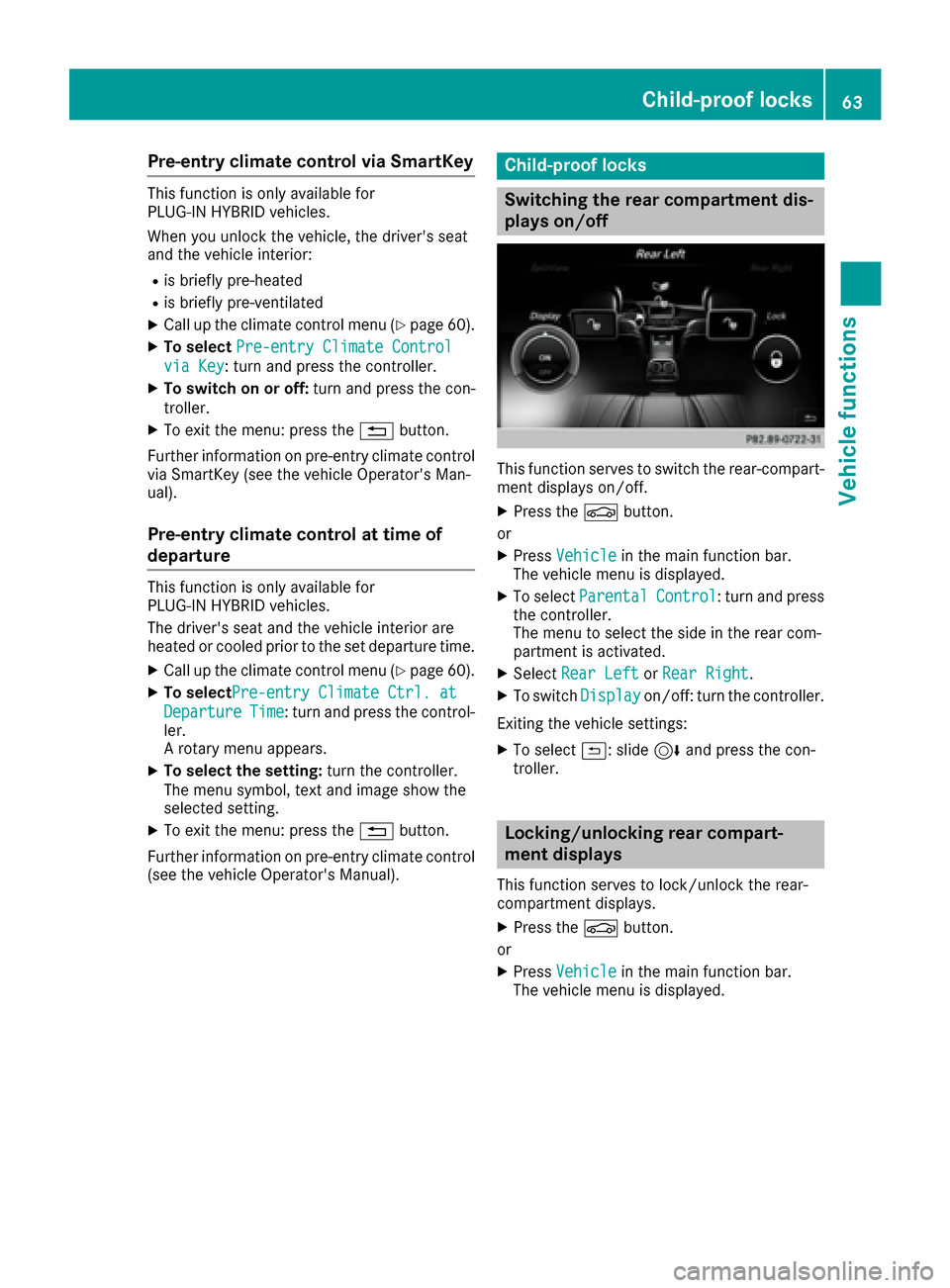
This function serves to switch the rear-compart-
ment displays on/off.
XPress the Øbutton.
or
XPress Vehiclein the main function bar.
The vehicle menu is displayed.
XTo select ParentalControl: turn and press
the controller.
The menu to select the side in the rear com-
partment is activated.
XSelect Rear LeftorRear Right.
XTo switch Displayon/off: turn the controller.
Exiting the vehicle settings:
XTo select &: slide 6and press the con-
troller.
Locking/unlocking rear compart-
ment displays
This function serves to lock/unlock the rear-
compartment displays.
XPress the Øbutton.
or
XPress Vehiclein the main function bar.
The vehicle menu is displayed.
Child-proof locks63
Vehicle functions
Z