wheel MERCEDES-BENZ SPRINTER 2011 MY11 Operator’s Manual
[x] Cancel search | Manufacturer: MERCEDES-BENZ, Model Year: 2011, Model line: SPRINTER, Model: MERCEDES-BENZ SPRINTER 2011Pages: 292, PDF Size: 6.75 MB
Page 87 of 292
Convenience submenu
Key-dependent settings
The
Key function allows
you to define whether
settings for the following submenus are
stored with a key dependence:
R Inst. cluster (instrument cluster)
R Lighting
R Vehicle
Using the steering wheel buttons
X Press the 0059 or 0058 button repeatedly
until the Settings menu appears in the
display.
X Press 005A or 005B to select the
Convenience submenu.
X Press the 0029 button to select the Key
function.
The selection marker is on the current
setting. X
Press 005A or 005B to activate or
deactivate key dependency.
i For safety
reasons,
it is not possible to set
the Key function while the vehicle is in
motion. You will see the following message
in the display: Setting only possible
at standstill Trip computer menu
You can call
up or reset statistical data for the
vehicle in the Trip computer menu.
Consumption statistics after start Using the steering wheel buttons
i
When you call
up the trip computer again,
it displays the last function called up. The units of the statistical information
displayed are set permanently for each
specific country, and are therefore
independent of the units selected in the
Settings menu.
X Press the 0059 or 0058 button repeatedly
until the display shows the After start
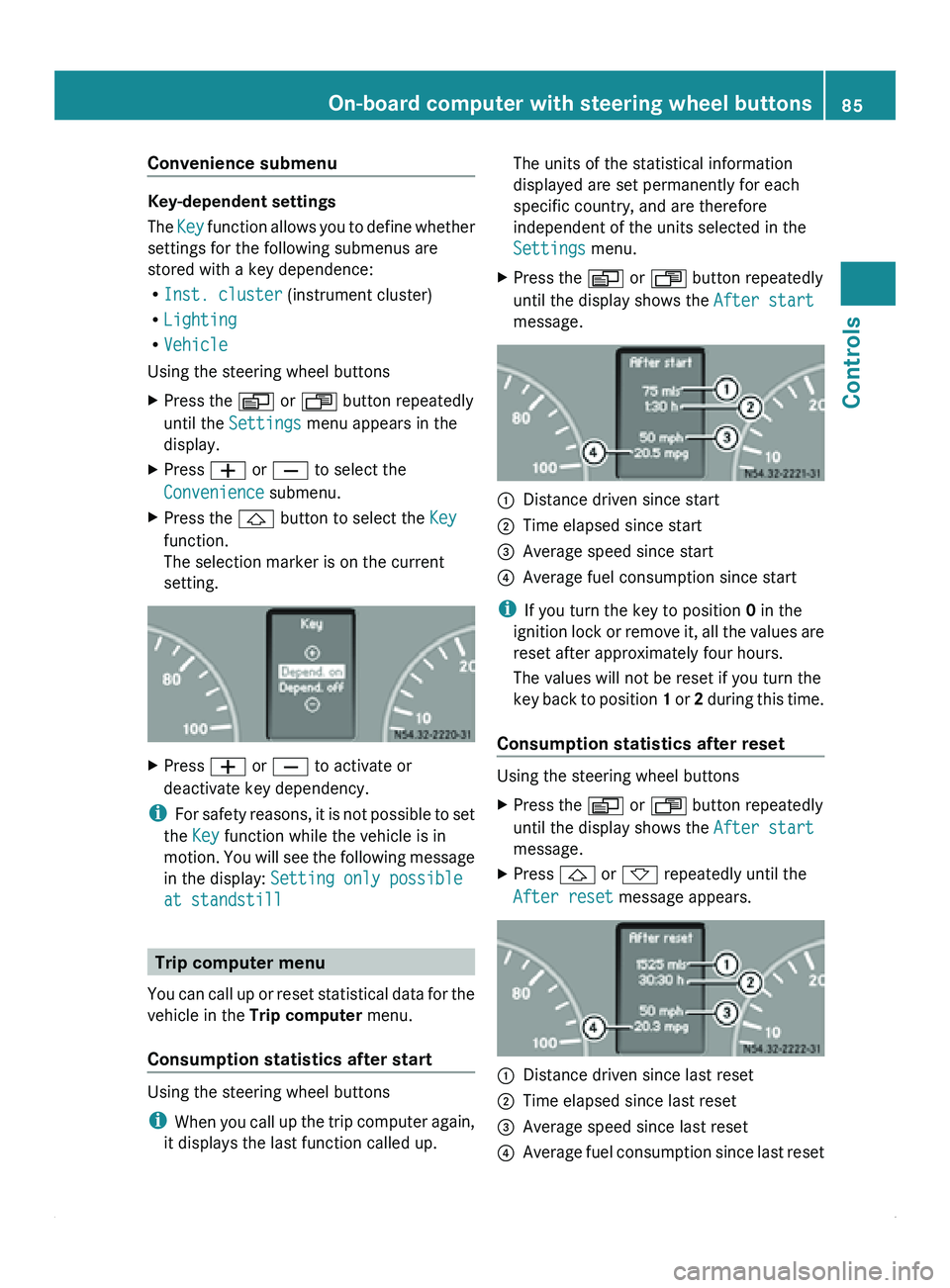
message. 0046
Distance driven since start
0047 Time elapsed since start
008A Average speed since start
0088 Average fuel consumption since start
i If you turn the key to position 0 in the
ignition lock
or
remove it, all the values are
reset after approximately four hours.
The values will not be reset if you turn the
key back to position 1 or 2 during this time.
Consumption statistics after reset Using the steering wheel buttons
X
Press the 0059 or 0058 button repeatedly
until the display shows the After start
message.
X Press 0029 or 002D repeatedly until the
After reset message appears. 0046
Distance driven since last reset
0047 Time elapsed since last reset
008A Average speed since last reset
0088 Average fuel consumption since last reset On-board computer with steering wheel buttons
85
Controls Z
Page 88 of 292
Calling up the range
Using the steering wheel buttons
X
Press the 0059 or 0058 button repeatedly
until the display shows the After start
message.
X Press the 0029 or 002D button repeatedly
until the Range message appears.
The approximate distance which can be
covered with the tank's current contents
and your current style of driving is shown.
i If the fuel tank is almost empty, the
00B7 Please refuel message is shown
instead of the range.
Resetting the consumption statistics Using the steering wheel buttons
X
Press the 0059 or 0058 button repeatedly
until the display shows the After start
message.
X Press 0029 or 002D to select the function
you would like to reset.
X Press and hold the 0048 reset
button until the
values are reset to "0".
i The consumption statistics After
start are automatically reset after 999
hours or 9,999 miles (kilometers).
The consumption statistics After Reset
are automatically reset after 9,999 hours
or 99,999 miles (kilometers). Telephone menu
You can operate the mobile phone using the
functions in the TEL menu, provided it is
connected to the
Sprinter hands-free system.G
Warning
A driver's attention to the road must always
be his/her primary focus when driving. For
your safety and the safety of others, we
recommend that you pull over to a safe
location and stop before placing or taking a
telephone call. If you choose to use the telephone while driving, please use the hands-
free device and only use the telephone when
weather, road and traffic conditions permit.
Some jurisdictions prohibit the driver from
using a mobile phone while driving a vehicle.
Bear in mind that at a speed of just 30 mph
(approximately 50 km/h
), your vehicle is
covering
a distance of 44 feet (approximately
14 m) every second.
Switching the mobile phone on Using the steering wheel buttons
X
Switch on the mobile phone and the audio
system; see the separate operating
instructions.
X Press the 0059 or 0058 button repeatedly
until the TEL menu appears in the display.
The information in the display depends on
the status of the mobile phone:
R
Mobile phone off:
the display shows the
TEL off (Audio 20) message.
R PIN not entered: the display shows the
TEL PIN (Audio 20) message.
X Enter the PIN code using the mobile phone
or audio system.
The mobile phone searches for a network.
The display
remains
blank during this time.
You will see the operational readiness
display as soon as the mobile phone has
found a network.
Once the operational readiness symbol is
shown, you can operate the mobile phone
using the steering wheel buttons.
i If the operational readiness symbol goes
out, your vehicle is outside the
transmission/reception range.
Accepting a call You can accept a call at any time, provided
the mobile phone is ready to receive calls.
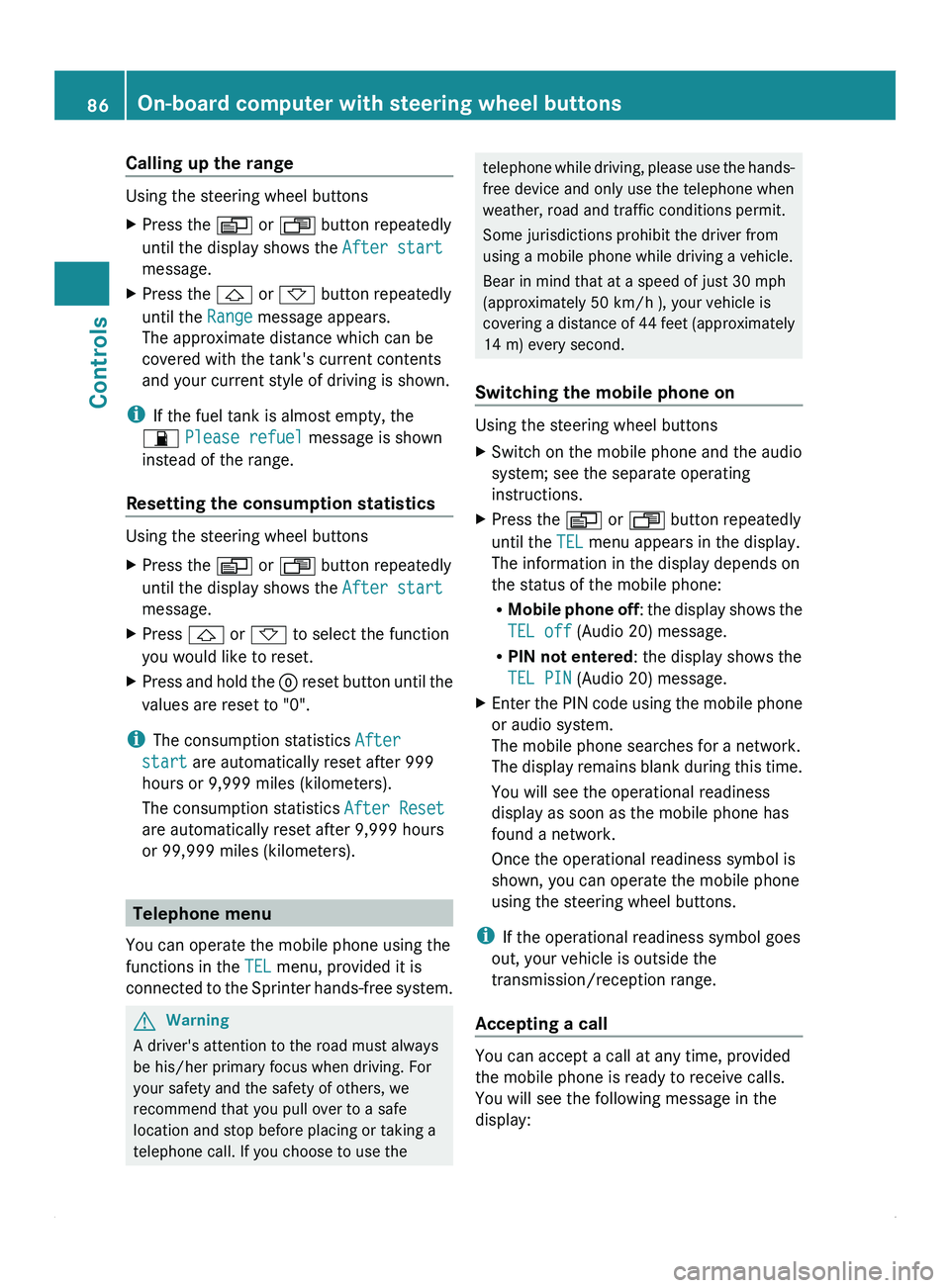
You will see the following message in the
display:86
On-board computer with steering wheel buttons
Controls
Page 91 of 292
Lamp failure indicator
The bulb failure indicator monitors all lamps
of the exterior lighting with the exception of
the front position lamps and the trailer
lighting. If a bulb fails, either the
0055( Y page
197)
indicator lamp lights up or
a corresponding message is shown in the
display ( Y page 209).
i Depending on the equipment, the bulb
failure indicator can be omitted for all
lamps with the exception of the turn signal
lamps. G
Warning
The bulb failure indicator is only an aid. You
are responsible for the proper functioning of
the vehicle lighting. Insufficient or non-
functioning vehicle lighting
puts the operating
safety of the vehicle at risk. You could cause
an accident and injure yourself or others.
Therefore, check the lighting equipment of
the vehicle before each journey and, if
necessary, check the operation and condition
of the trailer lighting equipment. Light switch
Configuration You can switch the vehicle lighting on or off
using the light switch.
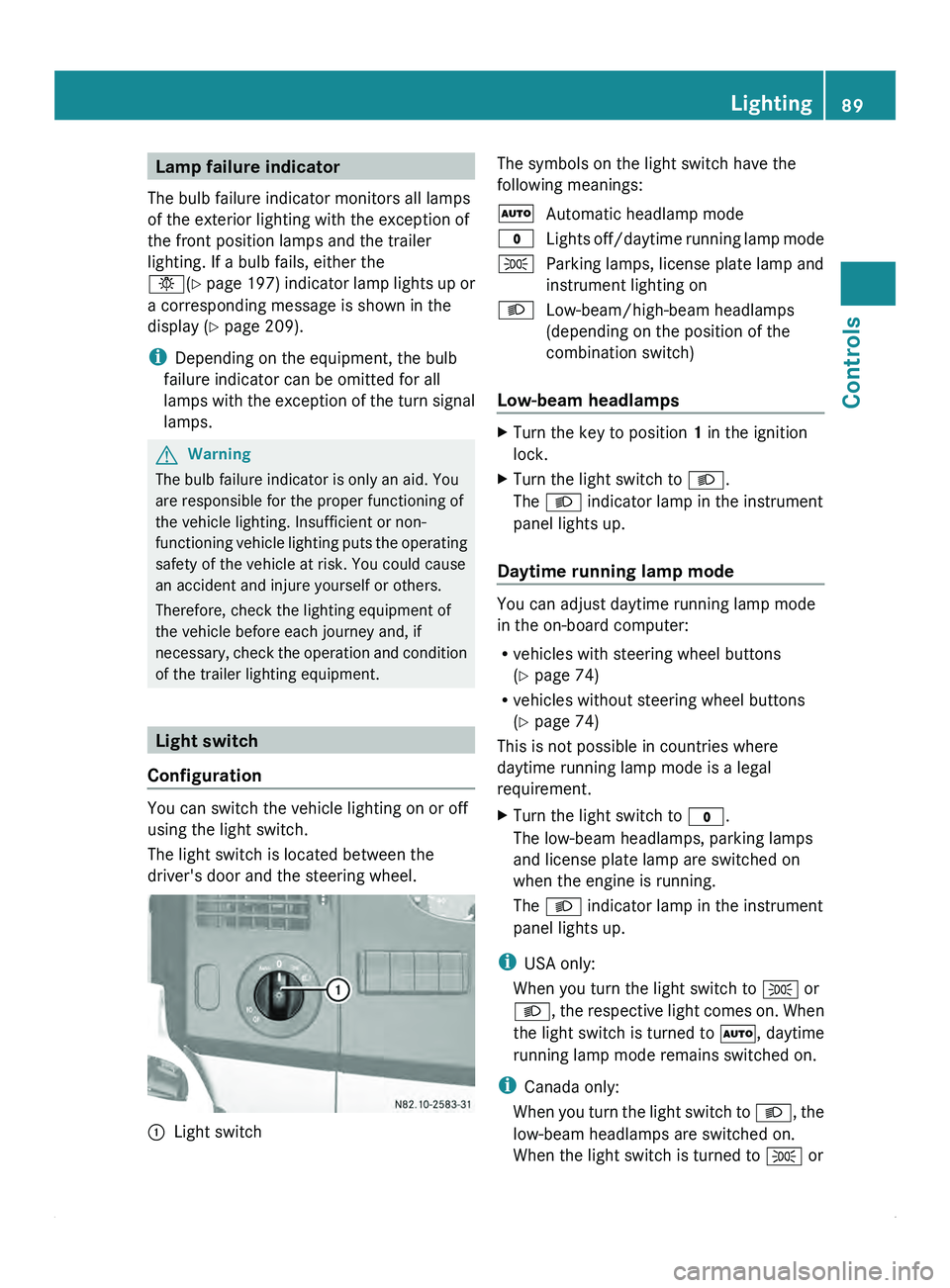
The light switch is located between the
driver's door and the steering wheel.
0046
Light switch The symbols on the light switch have the
following meanings:
005A
Automatic headlamp mode
0027 Lights off/daytime
running lamp mode
006C Parking lamps, license plate lamp and
instrument lighting on
0064 Low-beam/high-beam headlamps
(depending on the position of the
combination switch)
Low-beam headlamps X
Turn the key to position 1 in the ignition
lock.
X Turn the light switch to 0064.
The 0064 indicator lamp in the instrument
panel lights up.
Daytime running lamp mode You can adjust daytime running lamp mode
in the on-board computer:
R
vehicles with steering wheel buttons
(Y page 74)
R vehicles without steering wheel buttons
(Y page 74)
This is not possible in countries where
daytime running lamp mode is a legal
requirement.
X Turn the light switch to 0027.
The low-beam headlamps, parking lamps
and license plate lamp are switched on
when the engine is running.
The 0064 indicator lamp in the instrument
panel lights up.
i USA only:
When you turn the light switch to 006C or
0064, the respective
light comes on. When
the light switch is turned to 005A, daytime
running lamp mode remains switched on.
i Canada only:
When you turn the light switch to 0064, the
low-beam headlamps are switched on.
When the light switch is turned to 006C or Lighting
89
Controls Z
Page 93 of 292
X
To indicate: press the combination switch
in desired direction 0046 or 0047, until it
engages.
The combination switch automatically
returns to its original position after large
steering movements.
X To indicate briefly: press the
combination
switch briefly in desired direction 0046
or 0047.
The corresponding turn signal flashes three
times. Cornering light function (vehicles
with Bi-Xenon headlamps)
When the low-beam
headlamps are switched
on, the cornering light function improves the
illumination of the road in the direction you
are turning.
The cornering light function switches on
automatically, if:
R you are traveling at a speed of less than
25 mph (40 km/h) and you switch on the
indicator lamp or turn the steering wheel.
R you are traveling at a speed of between
25 mph (40 km/h) and 43 mph
(70 km/h) and you turn the steering wheel.
The cornering light may continue to be lit for
a short time, but is deactivated automatically
after a maximum of three minutes. Hazard warning lamps
The hazard warning lamps work even when
the ignition is
switched off. They are activated
automatically when an air bag is deployed or
after heavy brake application from a speed of
more than 43 mph (70 km/h) that brings the
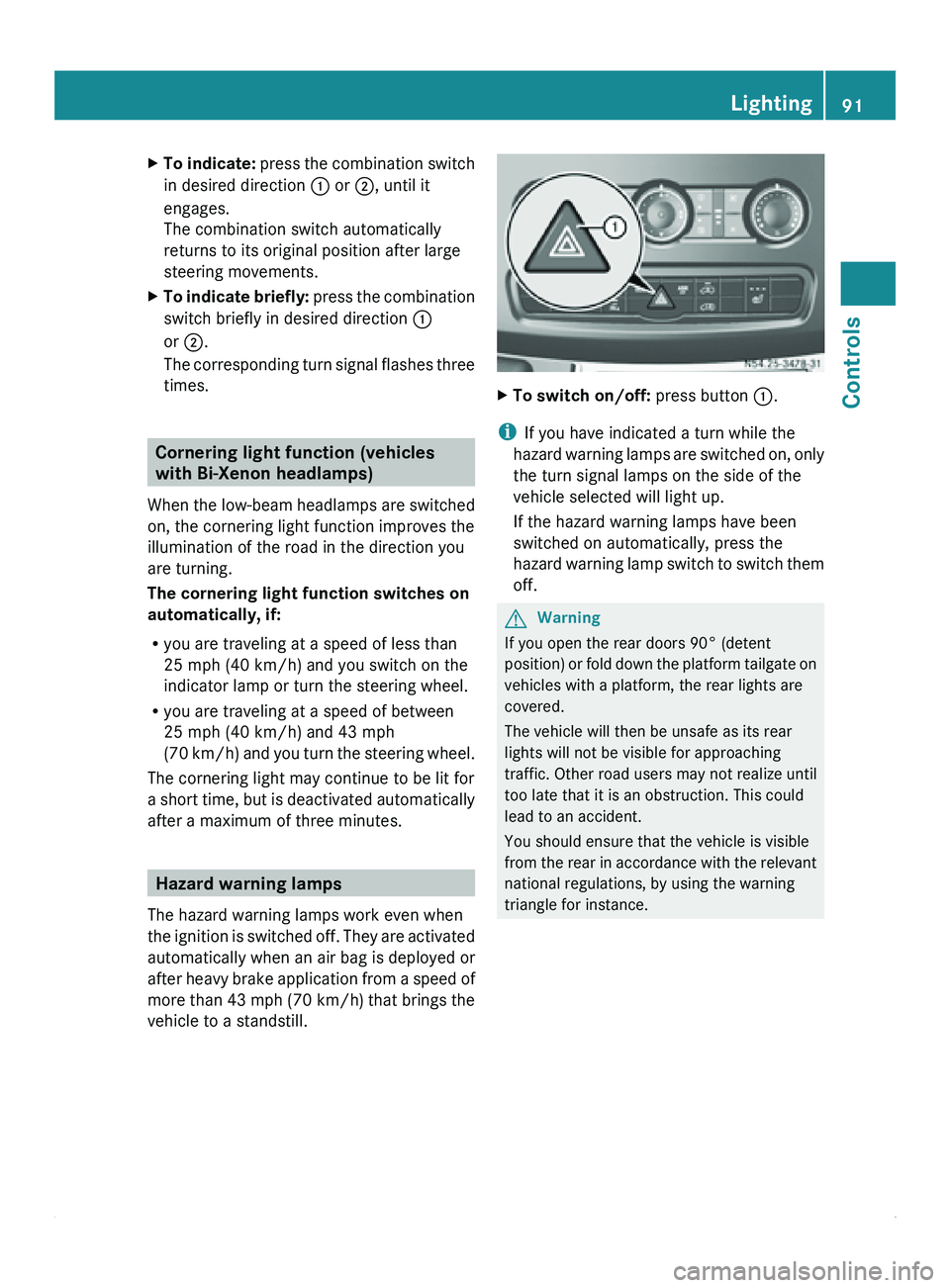
vehicle to a standstill. X
To switch on/off: press button 0046.
i If you have indicated a turn while the
hazard warning lamps
are switched on, only
the turn signal lamps on the side of the
vehicle selected will light up.
If the hazard warning lamps have been
switched on automatically, press the
hazard warning lamp switch to switch them
off. G
Warning
If you open the rear doors 90° (detent
position) or fold
down the platform tailgate on
vehicles with a platform, the rear lights are
covered.
The vehicle will then be unsafe as its rear
lights will not be visible for approaching
traffic. Other road users may not realize until
too late that it is an obstruction. This could
lead to an accident.
You should ensure that the vehicle is visible
from the rear in accordance with the relevant
national regulations, by using the warning
triangle for instance. Lighting
91
Controls Z
Page 94 of 292
Front interior lighting
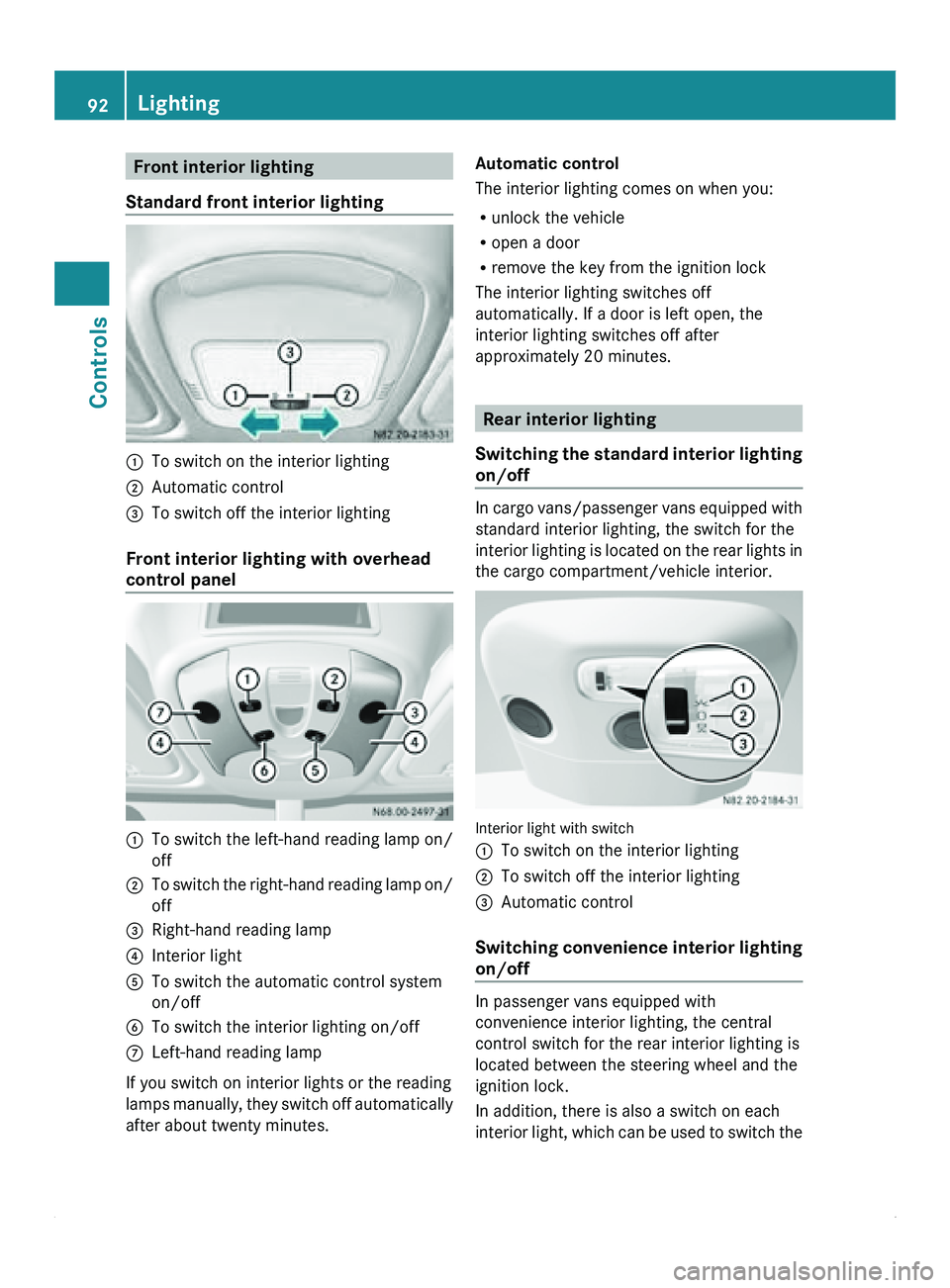
Standard front interior lighting 0046
To switch on the interior lighting
0047 Automatic control
008A To switch off the interior lighting
Front interior lighting with overhead
control panel 0046
To switch the left-hand reading lamp on/
off
0047 To switch the right-hand reading lamp on/
off
008A Right-hand reading lamp
0088 Interior light
0086 To switch the automatic control system
on/off
0087 To switch the interior lighting on/off
006E Left-hand reading lamp
If you switch on interior lights or the reading
lamps manually,
they
switch off automatically
after about twenty minutes. Automatic control
The interior lighting comes on when you:
R
unlock the vehicle
R open a door
R remove the key from the ignition lock
The interior lighting switches off
automatically. If a door is left open, the
interior lighting switches off after
approximately 20 minutes. Rear interior lighting
Switching the standard
interior lighting
on/off In cargo
vans/passenger vans equipped with
standard interior lighting, the switch for the
interior lighting is
located on the rear lights in
the cargo compartment/vehicle interior. Interior light with switch
0046
To switch on the interior lighting
0047 To switch off the interior lighting
008A Automatic control
Switching convenience
interior lighting
on/off In passenger vans equipped with
convenience interior lighting, the central
control switch for the rear interior lighting is
located between the steering wheel and the
ignition lock.
In addition, there is also a switch on each
interior light,
which
can be used to switch the92
Lighting
Controls
Page 103 of 292
Rear-compartment heating/rear-
compartment air conditioning
X
Make sure that the rear-compartment
climate control (rear-compartment
heating/air conditioning) is switched on
(Y page 100).
X Turn rear-compartment heating
temperature control 008A(
Y page 99) or rear-
compartment air conditioning temperature
control 0047(Y page 100) clockwise to
increase or counterclockwise to reduce the
temperature. Only change the temperature
in small increments.
i Your vehicle may be equipped with rear-
compartment heating and rear-
compartment air conditioning.
If you set the temperature control to the
center position,
only
one of the two climate
control systems is activated in the rear
compartment and set to air-recirculation
mode ( Y page 104). Setting the air vents
General notes G
Warning
Air flowing out of the air vents may be very hot
or very cold. Therefore, there is a risk of
frostbite or burns to exposed skin in the
immediate proximity of these air vents. Keep
exposed parts of the body away from these
air vents. If necessary, direct the airflow to a
different area of the vehicle interior.
You can set
the center and side air vents. The
entire vehicle interior is ventilated via the air
vents. Observe the following instructions so air can
flow freely through the air vents:
R
keep the air
inlet on the hood free from ice
and snow.
R never cover the vents or air inlet and outlet
grilles in the vehicle interior.
R for virtually draft-free ventilation, move the
sliders on the center air vents to the central
position.
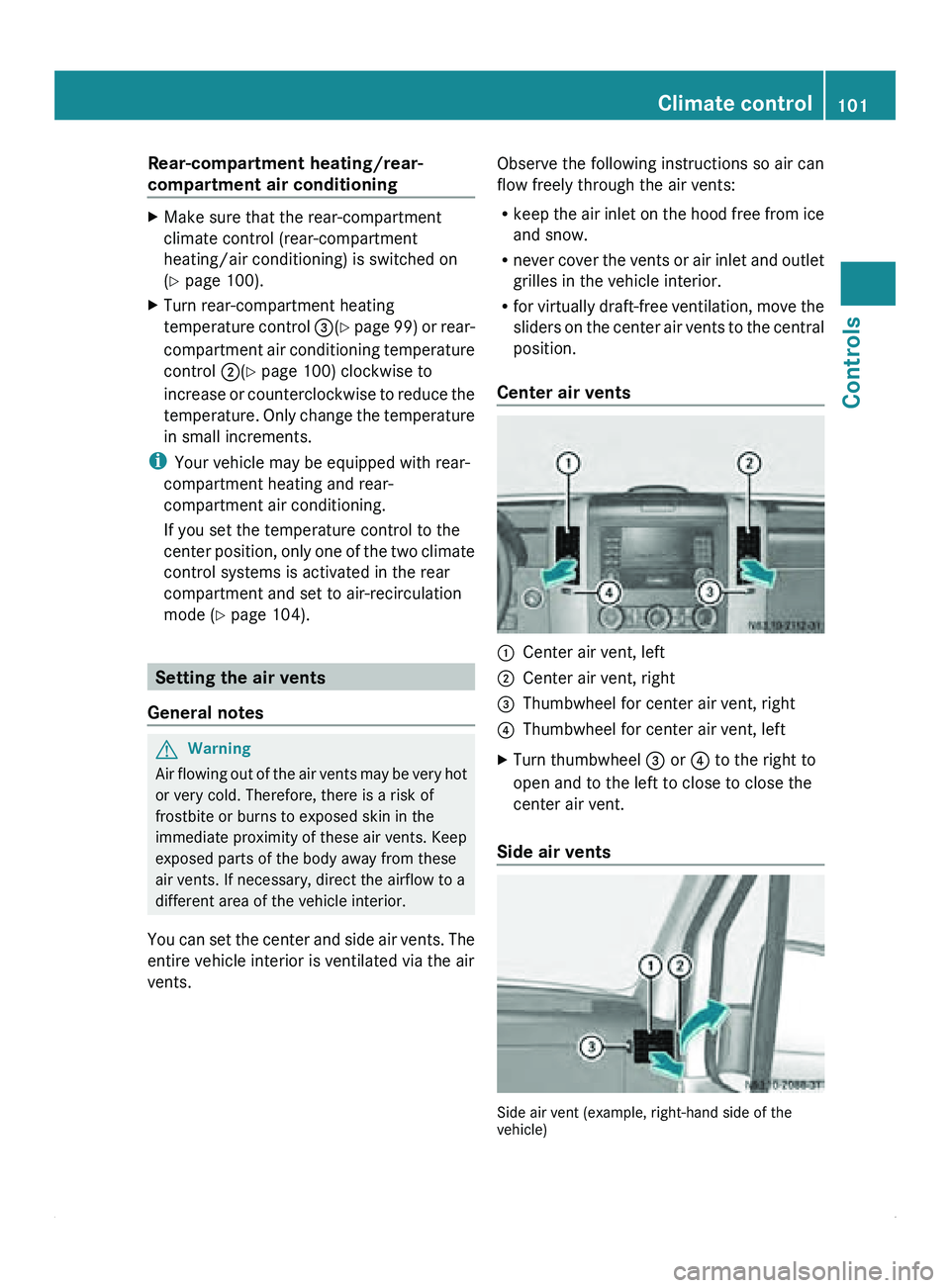
Center air vents 0046
Center air vent, left
0047 Center air vent, right
008A Thumbwheel for center air vent, right
0088 Thumbwheel for center air vent, left
X Turn thumbwheel 008A or 0088 to the right to
open and to the left to close to close the
center air vent.
Side air vents Side air vent (example, right-hand side of the
vehicle) Climate control
101
Controls Z
Page 104 of 292
X
Turn thumbwheel 008A up to open and down
to close side air vent 0046.
If the 0062 symbol can be seen on
thumbwheel 008A, defroster vent 0047 is open.
Air vents You can use the air vents to ventilate the
vehicle interior
on
the left and right, in the rear
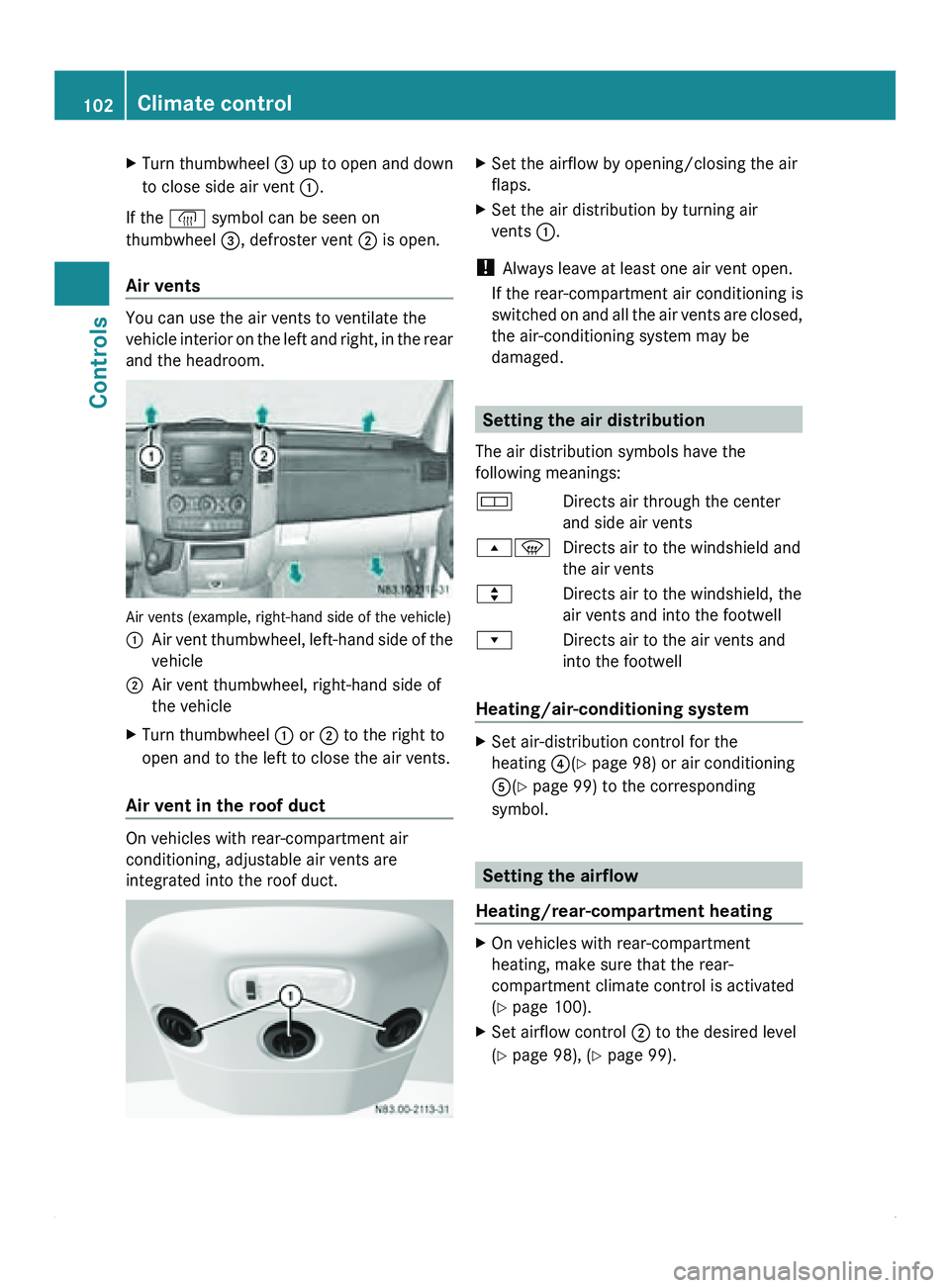
and the headroom. Air vents (example, right-hand side of the vehicle)
0046
Air vent thumbwheel, left-hand side of the
vehicle
0047 Air vent thumbwheel, right-hand side of
the vehicle
X Turn thumbwheel 0046 or 0047 to the right to
open and to the left to close the air vents.
Air vent in the roof duct On vehicles with rear-compartment air
conditioning, adjustable air vents are
integrated into the roof duct. X
Set the airflow by opening/closing the air
flaps.
X Set the air distribution by turning air
vents 0046.
! Always leave at least one air vent open.
If the rear-compartment air conditioning is
switched on and
all the air vents are closed,
the air-conditioning system may be
damaged. Setting the air distribution
The air distribution symbols have the
following meanings:
007A Directs air through the center
and side air vents
00800087 Directs air to the windshield and
the air vents
007E Directs air to the windshield, the
air vents and into the footwell
007F Directs air to the air vents and
into the footwell
Heating/air-conditioning system X
Set air-distribution control for the
heating 0088(Y page 98) or air conditioning
0086(Y page 99) to the corresponding
symbol. Setting the airflow
Heating/rear-compartment heating X
On vehicles with rear-compartment
heating, make sure that the rear-
compartment climate control is activated
(Y page 100).
X Set airflow control 0047 to the desired level
(Y page 98), ( Y page 99).102
Climate control
Controls
Page 108 of 292
X
To switch off the auxiliary heating: press
the 0086
switch.
or
X Turn the key to position 0 in the ignition
lock.
The red indicator lamp in the switch goes
out.
The auxiliary heating operates for about
another two minutes
and then switches off
automatically.
Selecting a switch-on time You can use the on-board computer to define
up to
three
switch-on times, one of which can
be selected.
On-board computer without steering
wheel buttons
X Turn the SmartKey to position 2 in the
ignition lock.
X Press the 0086 switch.
The 0086 symbol in the display flashes.
or
X Press the 007B menu button on the
instrument cluster repeatedly until the
0086 symbol flashes in the display.
X Use the 0069 or 006A
buttons on the instrument
cluster to select switch-on time 1 to 3
The switch-on time selected is displayed.
X Wait 10 seconds for the standard display to
appear.
The switch-on time is selected. The yellow
indicator lamp in the 0086 switch comes
on.
If you have not preselected a switch-on time
and --:-- is
shown
in the display, this means
that automatic switch-on mode is
deactivated. The yellow indicator lamp in the
0086 switch goes out.
i If you turn the key to position 0 in the
ignition lock, the yellow indicator lamp in
the 0086 switch goes off after 30 minutes. The red indicator lamp in the
0086 switch
comes on when the auxiliary heating
switches on.
On-board computer with steering wheel
buttons
X Turn the SmartKey to position 2 in the
ignition lock.
X Press the 0086 switch.
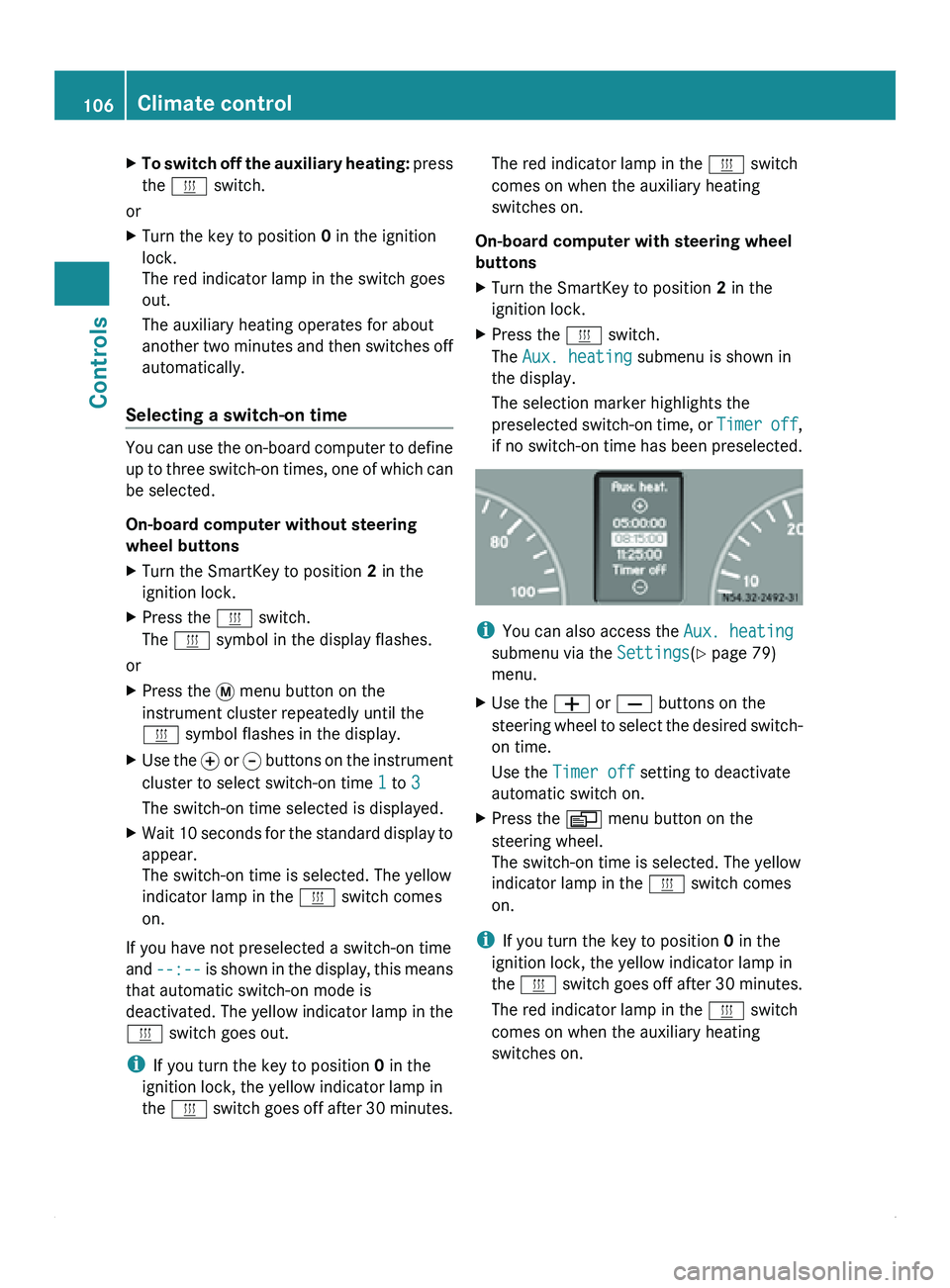
The Aux. heating submenu is shown in
the display.
The selection marker highlights the
preselected switch-on
time,
or Timer off,
if no switch-on time has been preselected. i
You can also access the Aux. heating
submenu via the Settings(Y page 79)
menu.
X Use the 005A or 005B buttons on the
steering wheel
to
select the desired switch-
on time.
Use the Timer off setting to deactivate
automatic switch on.
X Press the 0059 menu button on the
steering wheel.
The switch-on time is selected. The yellow
indicator lamp in the 0086 switch comes
on.
i If you turn the key to position 0 in the
ignition lock, the yellow indicator lamp in
the 0086 switch goes
off after 30 minutes.
The red indicator lamp in the 0086 switch
comes on when the auxiliary heating
switches on. 106
Climate control
Controls
Page 109 of 292
Setting the switch-on time
On-board computer without steering
wheel buttons
X
Use the same method to select a switch-on
time as described in the "Preselecting a
switch-on time" section.
X Press the 0048 reset button on the
instrument cluster to set the desired
switch-on time.
The hour display flashes.
X Use the 0069 and 006A buttons on the
instrument cluster to set the hours.
X Press the 0048 reset button.
The minute display flashes.
X Use the 0069 and 006A buttons to set the
minutes.
On-board computer with steering wheel
buttons
X Use the same method to select a switch-on
time as described in the "Preselecting a
switch-on time" section.
X Press the 0029 menu button on the
steering wheel.
The Hours submenu is shown in the
display.
X Press the 005A or 005B button on the
steering wheel to set the hours.
X Press the 0029 button.
The Minutes submenu is shown in the
display.
X Press the 005A or 005B button to set the
minutes.
X Press the 0059 button.
The switch-on time is set and selected.
Heater booster function If the outside temperature is lower than
39 ‡ (4 †), the fuel-operated auxiliary
heating heats the vehicle as quickly as
possible when the engine is running. The auxiliary heating automatically switches
to heater booster mode after the engine is
started.
i
If the outside temperature rises above
39 ‡ (4 †),
the auxiliary heating and heater
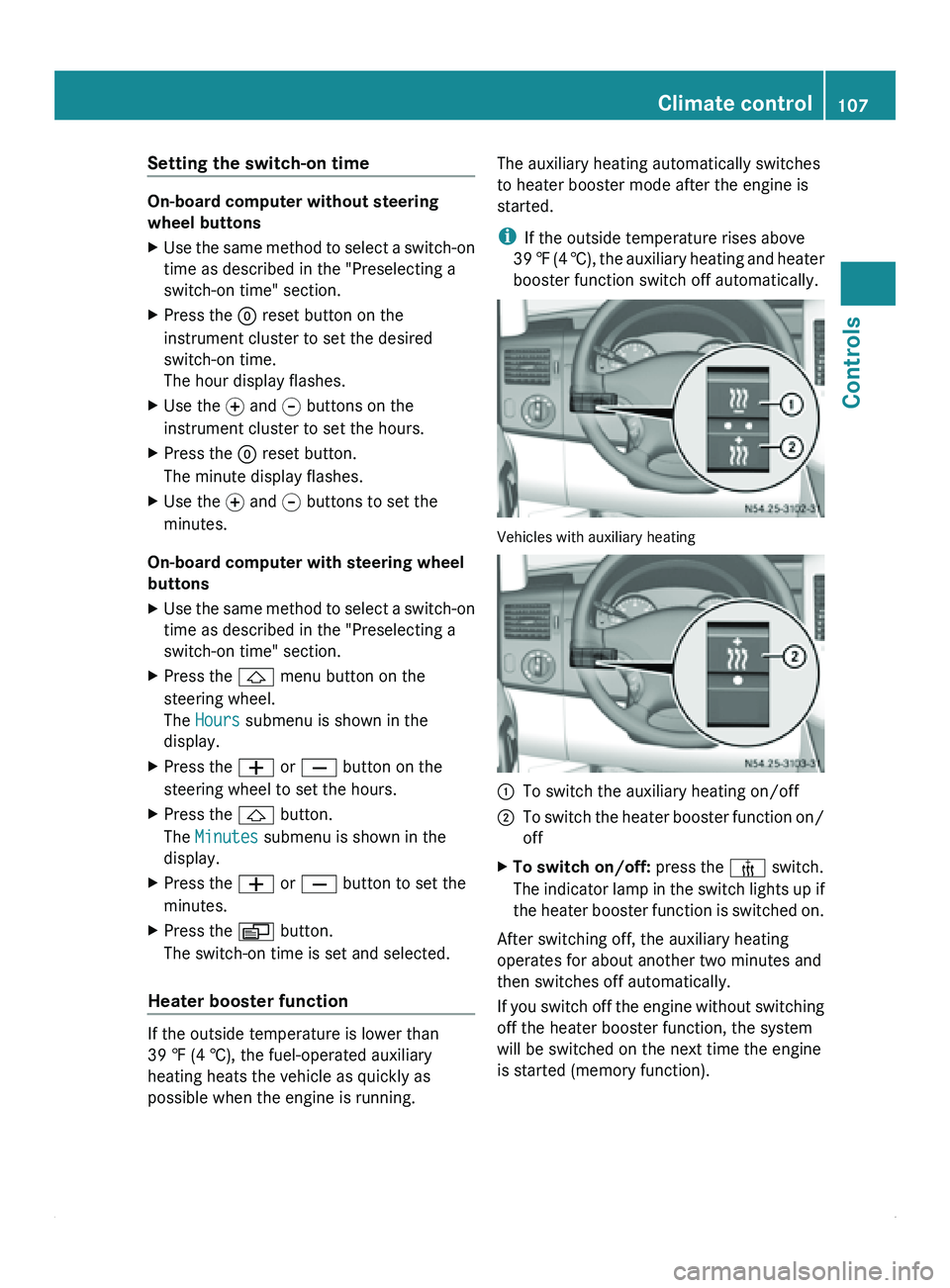
booster function switch off automatically. Vehicles with auxiliary heating
0046
To switch the auxiliary heating on/off
0047 To switch the heater booster function on/
off
X To switch on/off: press the 006C switch.
The indicator lamp
in the switch lights up if
the heater booster function is switched on.
After switching off, the auxiliary heating
operates for about another two minutes and
then switches off automatically.
If you switch
off the engine without switching
off the heater booster function, the system
will be switched on the next time the engine
is started (memory function). Climate control
107
Controls Z
Page 110 of 292
Roof ventilator in the cargo
compartment
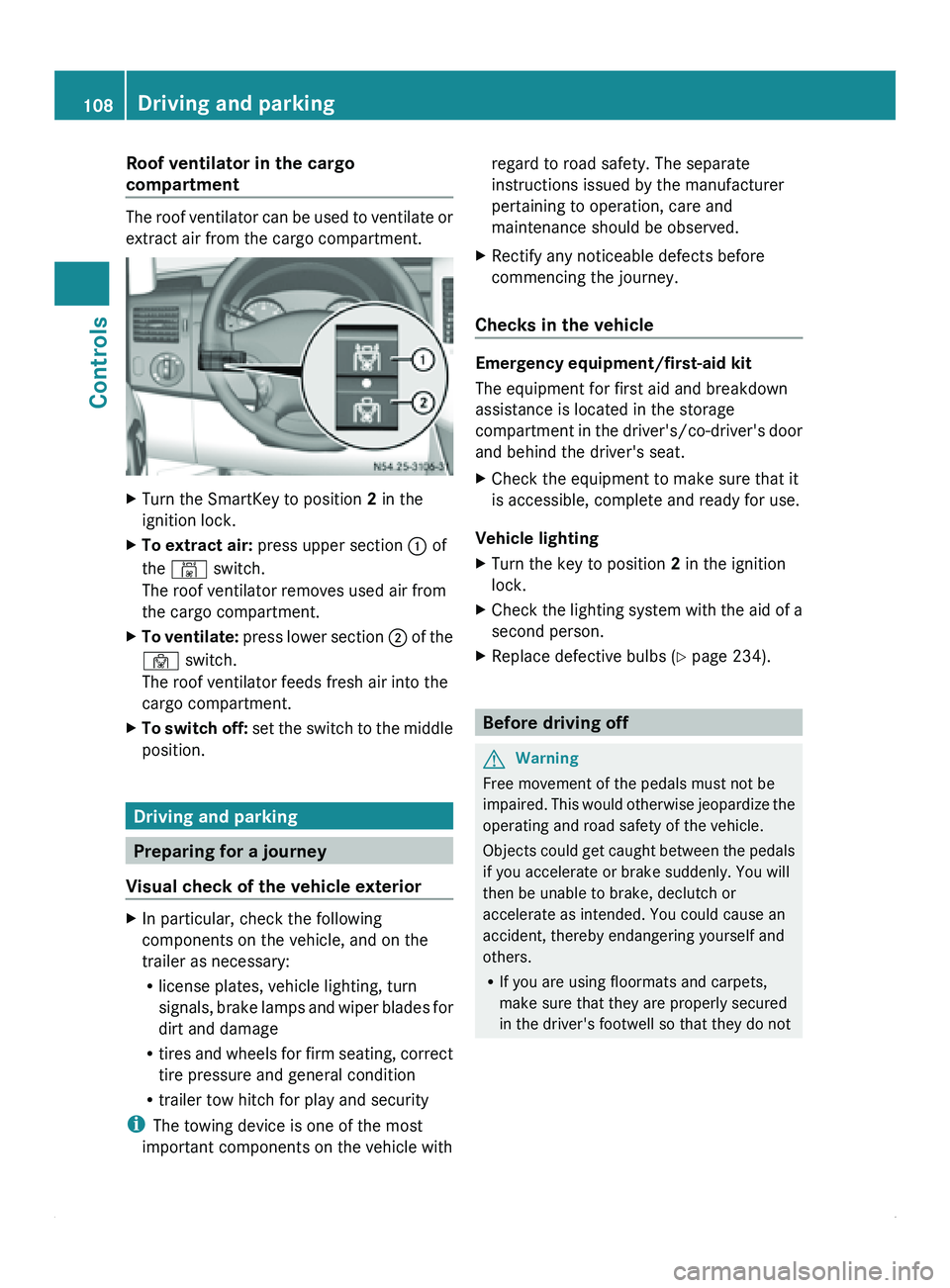
The roof ventilator can be used to ventilate or
extract air from the cargo compartment.
X
Turn the SmartKey to position 2 in the
ignition lock.
X To extract air: press upper section 0046 of
the 00B4 switch.
The roof ventilator removes used air from
the cargo compartment.
X To ventilate: press lower section 0047 of the
00B3 switch.
The roof ventilator feeds fresh air into the
cargo compartment.
X To switch off: set the
switch to the middle
position. Driving and parking
Preparing for a journey
Visual check of the vehicle exterior X
In particular, check the following
components on the vehicle, and on the
trailer as necessary:
R
license plates, vehicle lighting, turn
signals, brake lamps
and wiper blades for
dirt and damage
R tires and wheels for firm seating, correct
tire pressure and general condition
R trailer tow hitch for play and security
i The towing device is one of the most
important components on the vehicle with regard to road safety. The separate
instructions issued by the manufacturer
pertaining to operation, care and
maintenance should be observed.
X Rectify any noticeable defects before
commencing the journey.
Checks in the vehicle Emergency equipment/first-aid kit
The equipment for first aid and breakdown
assistance is located in the storage
compartment in
the
driver's/co-driver's door
and behind the driver's seat.
X Check the equipment to make sure that it
is accessible, complete and ready for use.
Vehicle lighting
X Turn the key to position 2 in the ignition
lock.
X Check the lighting system with the aid of a
second person.
X Replace defective bulbs ( Y page 234). Before driving off
G
Warning
Free movement of the pedals must not be
impaired. This would
otherwise jeopardize the
operating and road safety of the vehicle.
Objects could get caught between the pedals
if you accelerate or brake suddenly. You will
then be unable to brake, declutch or
accelerate as intended. You could cause an
accident, thereby endangering yourself and
others.
R If you are using floormats and carpets,
make sure that they are properly secured
in the driver's footwell so that they do not108
Driving and parking
Controls