reset MERCEDES-BENZ SPRINTER 2013 MY13 Operator’s Manual
[x] Cancel search | Manufacturer: MERCEDES-BENZ, Model Year: 2013, Model line: SPRINTER, Model: MERCEDES-BENZ SPRINTER 2013Pages: 334, PDF Size: 3.88 MB
Page 152 of 334
cross the border, bu
tas close to it as
possible.
When you return from your journey, and as
close to the border as possible, you will need
to:
R remove the adhesive surfaces from your
halogen headlamps and clean the glass of
the headlamps if necessary
R have the Bi-Xenon headlamps reset to
asymmetrical low beam at aqualified
specialist workshop Transport by rail
Transporting your vehicle by rail may be
subject to certain restrictions or require
special measures to be taken in some
countries due to varying tunnel heights and
loading standards.
You can obtain further information from any
authorized Sprinte rdealer. Braking
Important safety notes G
WARNING
If you shift down on a slippery road surface in
an attempt to increase the engine's braking
effect, the drive wheels could lose their grip.
There is an increased danger of skidding and
accidents.
Do not shift down for additional engine
braking on a slippery road surface.
Downhill gradients !
Depressing the brake pedal constantly
results in excessive and premature wear to
the brake pads.
On long and steep downhill gradients, you
should change down to shift range 0009or0008
in good time. This should be observed in
particular when driving with a laden vehicle
and when towing a trailer. i
You must also change the shift range in
good time when cruise control is switched
on.
You thereby make use of the braking effec tof
the engine and do not have to brake as often
to maintain the speed. This relieves the load
on the service brake and prevents the brakes
fro mo verheating and wearing too quickly.
Heavy and light loads G
WARNING
If you rest yourf oot on the brake pedal while
driving, the braking system can overheat. This
increases the stopping distance and can even
cause the braking system to fail. There is a
risk of an accident.
Never use the brake pedal as a footrest .Never
depress the brake pedal and the accelerator
pedal at the same time.
! Depressing the brake pedal constantly
results in excessive and premature wear to
the brake pads.
If the brakes have been subjected to a heavy
load, do not stop the vehicle immediately.
Drive on for a short while. The brakes are
cooled down more quickly in the airflow.
Wet road surfaces If you have been driving for a long time in
heavy rain without braking
,there may be a
delayed response when you first apply the
brakes. This may also occur after driving
through a car wash or deep water.
You must depress the brake pedal more
firmly. Maintain a longer distance to the
vehicle in front.
While paying attention to the traffic
conditions, you should brake the vehicle
firmly after driving on a wet road surface or
through a car wash. This heats the brake
discs, so that they dry more quickly, which
protects them against corrosion. 150
Driving tipsDriving and parking
Page 168 of 334
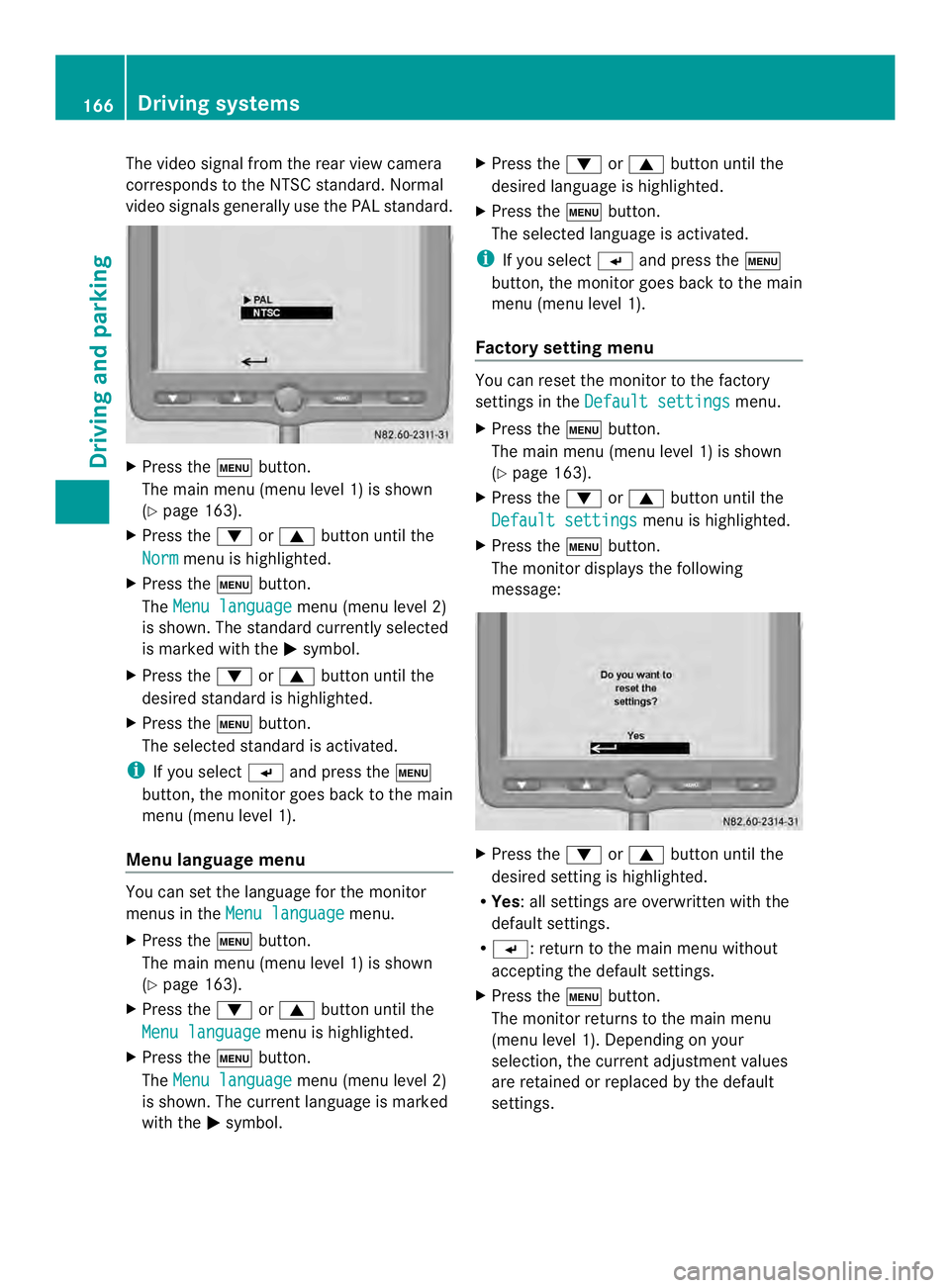
The video signal from the rear view camera
corresponds to the NTSC standard. Normal
video signals generally use the PAL standard. X
Press the 0003button.
The main menu (menu level 1) is shown
(Y page 163).
X Press the 0008or0006 button until the
Norm menu is highlighted.
X Press the 0003button.
The Menu language menu (menu level 2)
is shown. The standard currently selected
is marked with the 0004symbol.
X Press the 0008or0006 button until the
desired standard is highlighted.
X Press the 0003button.
The selected standard is activated.
i If you select 0005and press the 0003
button, the monitor goes back to the main
menu (menu level 1).
Menu language menu You can set the language for the monitor
menus in the
Menu language menu.
X Press the 0003button.
The main menu (menu level 1) is shown
(Y page 163).
X Press the 0008or0006 button until the
Menu language menu is highlighted.
X Press the 0003button.
The Menu language menu (menu level 2)
is shown. The curren tlanguage is marked
with the 0004symbol. X
Press the 0008or0006 button until the
desired language is highlighted.
X Press the 0003button.
The selected language is activated.
i If you select 0005and press the 0003
button, the monito rgoes back to the main
menu (menu level 1).
Factory setting menu You can reset the monitor to the factory
settings in the
Default settings menu.
X Press the 0003button.
The main menu (menu level 1) is shown
(Y page 163).
X Press the 0008or0006 button until the
Default settings menu is highlighted.
X Press the 0003button.
The monitor displays the following
message: X
Press the 0008or0006 button until the
desired setting is highlighted.
R Yes:a ll settings are overwritten with the
default settings.
R 0005: return to the main menu without
accepting the default settings.
X Press the 0003button.
The monitor returns to the main menu
(menu level 1). Depending on your
selection, the current adjustmen tvalues
are retained or replaced by the default
settings. 166
Driving systemsDriving and parking
Page 169 of 334
Problems with the rear view camera
Problem Possible causes/consequences and
0004 Solutions
After reverse gear is
selected, white lines
appear on the monitor
or the picture flickers. The rear view camera is exposed to very bright white light or
fluorescent light.
X
Check whether the rear view camera works at another location. The rear view camera is
functioning incorrectly
or not at all. R
The surrounding area is very dark.
R The outside temperature has changed rapidly or is very high.
R The camera lens is dirty or obstructed.
X Check the rear view camera and clean the camera lens if
necessary (Y page 259). Working mode
ADR (working speed governor)
General notes When activated, ADR automatically increases
the engine speed to a preset speed or a speed
you have set.
i After a cold start, the idling speed of the
engine is increased automatically. If the
preset working speed is lower than the
increased idling speed, the working speed
is only reached once the engine has
completed the warm-up phase.
It is only possible to activate ADR with the
vehicle stationary and the parking brake
applied.
The selector lever of the automatic
transmission must be in position P.Activating/deactivating ADR X
To activate: press the upper section of the
0023 switch while the engine is running.
The indicator lamp in the switch comes on.
The 0004 indicator lamp in the instrument
cluster lights up or the display shows the
following message: Operating speed governor active .
X To deactivate: press lower section of the
0023 switch while the engine is running.
The indicator lamp in the switch goes out.
ADR is automatically deactivated if:
R you release the parking brake.
R the brake pedal is depressed.
R the vehicle moves.
R the control unit detects a malfunction. Working mode
167Driving and parking Z
Page 178 of 334
Useful information
This Operator's Manual describes all models
as well as standard and optional equipment
of your vehicle that were available at the time
of going to print. Country-specific variations
are possible. Note that your vehicle may not
be equipped with all of the described
functions. This also applies to systems and
functions relevant to safety.
Read the information on qualified specialist
workshops (Y page 26). Important safety notes
G
WARNING
If you are driving and reach through the
steering wheel to operate the adjustment
knob, you could lose control of the vehicle.
There is a risk of an accident and injury.
Only operate the adjustment knobs when the
vehicle is stationary. Do not reach through the
steering wheel when driving. G
WARNING
If you operate information systems and
communication equipment integrated in the
vehicle while driving, you will be distracted
from traffic conditions. You could also lose
control of the vehicle. There is a risk of an
accident.
Only operate the equipment when the traffic
situatio npermits .Ifyou are not sure that this
is possible, park the vehicle paying attention
to traffic conditions and operate the
equipment when the vehicle is stationary. G
WARNING
If the instrument cluster has failed or
malfunctioned, you may not recognize
function restrictions in systems relevant to
safety. The operating safety of your vehicle
may be impaired. There is a risk of an
accident. Drive on carefully. Have the vehicle checked
at a qualified specialist workshop
immediately.
If uncertainties regarding the operating safety
of the vehicle arise when continuing the
journey, stop the vehicle, paying attention to
road and traffic conditions.
You must observe the legal requirements for
the country in which you are currently driving
when operating COMAND. Instrument cluster
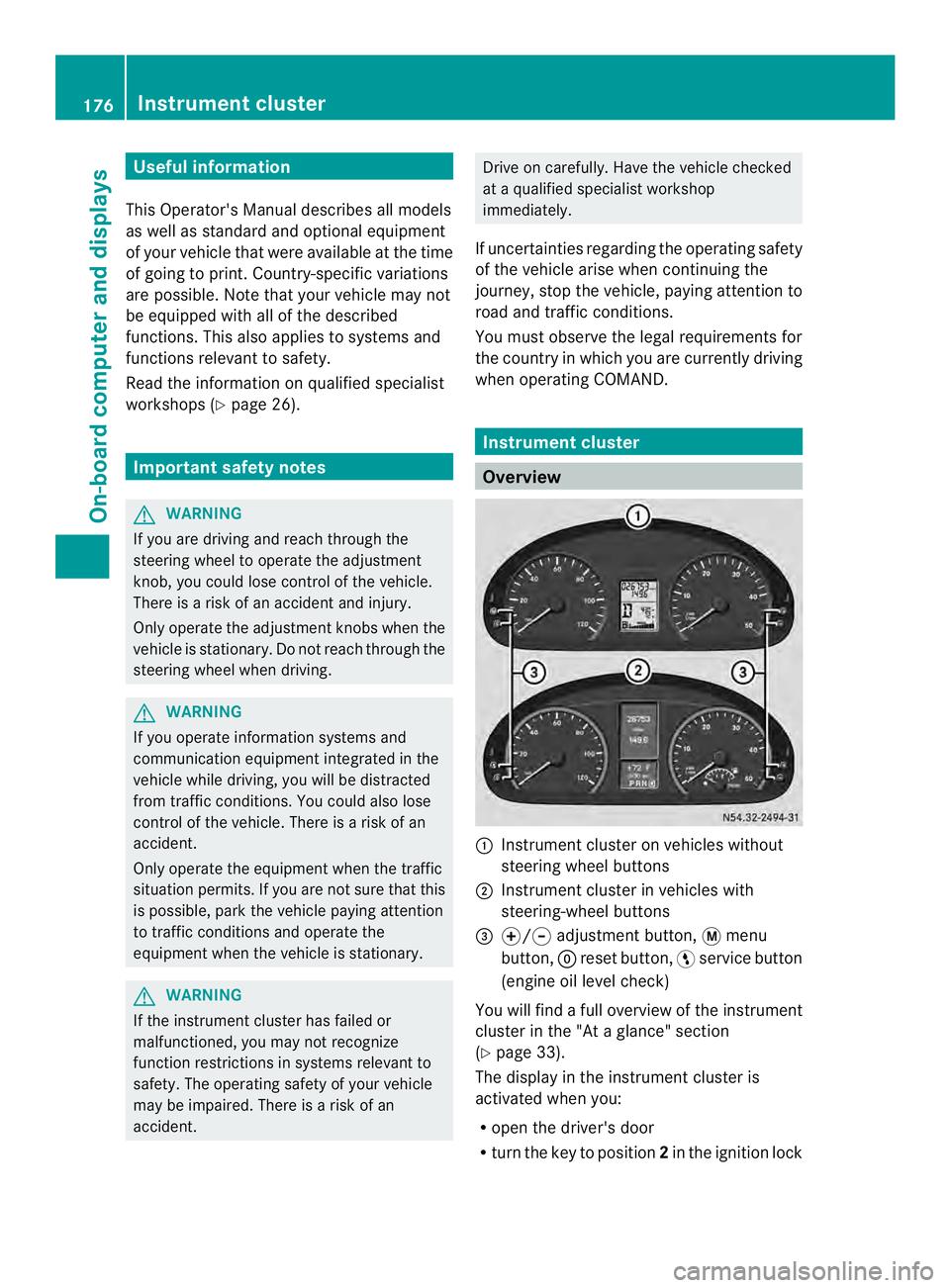
Overview
0005
Instrument cluster on vehicles without
steering wheel buttons
0006 Instrument cluster in vehicles with
steering-wheel buttons
0026 000E/000F adjustment button, 0004menu
button, 0007reset button, 0012service button
(engine oil level check)
You will find a full overview of the instrument
cluster in the "At a glance" section
(Y page 33).
The display in the instrument cluster is
activated when you:
R open the driver's door
R turn the key to position 2in the ignition lock 176
Instrument clusterOn-board computer and displays
Page 179 of 334
R
press the 0007reset button
R switch on the lights
The display switches off automatically after
approximately 30 seconds if:
R the vehicle lighting is not switched on.
R the key is in position 0in the ignition lock. Instrument lighting
When the lights are switched on, you can
adjust the brightness of the instrument
cluster lighting using the 000Eand 000Fbuttons.
X To brighten: press the000Ebutton.
X To dim: press the 000Fbutton.
i Vehicles with automatic headlamp mode:
the instrument lighting also adapts to
automatic headlamp mode. Tachometer
! Do not drive in the overrevving range, as
this could damage the engine. H
Environmental note
Avoid driving at high engine speeds. This
unnecessarily increases the fuel consumption
of your vehicle and harms the environmen tas
a result of increased emissions.
The red band in the tachometer indicates the
engine's overrevving range.
To protect the engine, the fuel supply is
interrupted when the red band is reached. Outside temperature
You should pay special attention to road
conditions when temperatures are around
the freezing point.
On vehicles without steering wheel buttons
(Y page 178) and on vehicles with steering
wheel buttons (Y page 182), the outside
temperature display is in the display. Changes in the outside temperature are
displayed after a shor
tdelay. Speedometer
The speed can also be shown in the display.
You can find information on the digital
speedometer for vehicles without steering
wheel buttons under (Y page 178) and for
vehicles with steering wheel buttons under
(Y page 182).
i In some countries, a warning sounds
when the vehicle reaches the maximum
speed limit, e.g. at 75 mph ( 120 km/h). Trip odometer
X To reset: make sure that the display is
showing the trip odometer if you have a
vehicle with steering wheel buttons
(Y page 182).
X Press and hold the 0007reset button until the
trip odometer is reset to 0.0 .
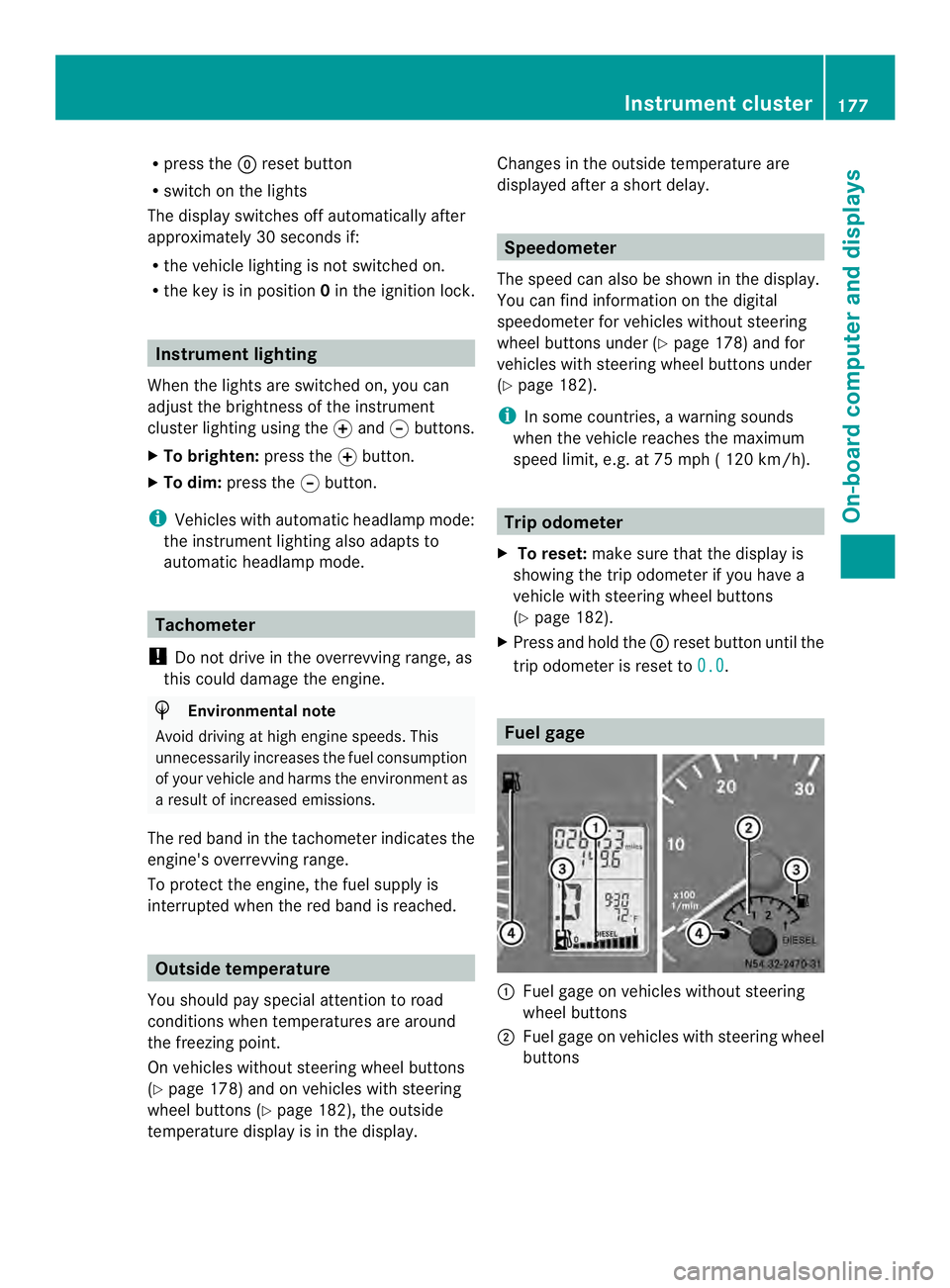
Fuel gage
0005
Fuel gage on vehicles without steering
wheel buttons
0006 Fuel gage on vehicles with steering wheel
buttons Instrument cluster
177On-board computer and displays Z
Page 181 of 334
Menus in the on-board computer
Overview If you wish to exit a menu and go to the
standard display:
X Press the 0004menu button for longer than
one second.
Or
X Do not press any button for 10 seconds.
The display accepts the changed settings.
Using the 000E,000F,0004or0007 adjustment
buttons, you can select the following
functions:
R Calling up the service due date
(Y page 249)
R Checking the oil level (Y page 242)
R Preselecting/setting the auxiliary heating
switch-on time ( Ypage 119)
R Tire pressure monitor (Y page 281)
R Setting the time (Y page 179)
R Setting daytime running lamp mode
(Y page 179)
Setting the time X
Turn the key to position 2in the ignition
lock.
X Press the 0004menu button repeatedly until
the hours figure flashes.
X Press the 000Eor000F button to set the hour.
X Press the 0007reset button.
The minute display flashes.
X Press the 000Eor000F button to set the minute.
i If you keep the 000Eor000F button pressed,
the value will change continuously.
Setting daytime running lamp mode For safety reasons, it is only possible to
change this setting when the vehicle is
stationary. The factory setting is
On in
countries in which daytime running lamp
mode is mandatory. X
Turn the key to position 2in the ignition
lock.
X Press the 0004menu button repeatedly until
the 0004 indicator lamp flashes and the
on or
OFF message appears in the display.
X Press the 000Eor000F button to activate or
deactivate daytime running lamp mode.
If you have activated daytime running lamp
mode and the light switch is set to 000C, the
following light up automatically when the
engine is running:
R Parking lamps
R Low-beam headlamps
R Tail lamps
R License plate lamp
i USA only:
If you turn the light switch to 000Bor
0004, the corresponding light switches on.
If you turn the light switch to 0007, daytime
running lamp mode stays switched on.
Canada only:
If you turn the light switch to 0004, the low-
beamh eadlamps switch on. If you turn the
light switch to 000Bor0007, daytime
running lamp mode stays switched on. On-boar
dcomputer (vehicles without steering wheel buttons)
179On-board computer and displays Z
Page 185 of 334
Using the steering wheel buttons
X
Switch on the audio equipment (see the
separate operating instructions).
X Press the 0010or0007 button repeatedly
until the station selected appears in the
display.
The kind of search depends on the setting
for radio station selection (Y page 188).
The nearest stored station will be selected
or the station search starts (except on
Audio 20).
X Press the 0001or0009 button to select the
desired station.
i You can only store new stations on the
audio system itself. See the separate
operating instructions.
You can also operate the audioe quipment
in the same way as usual.
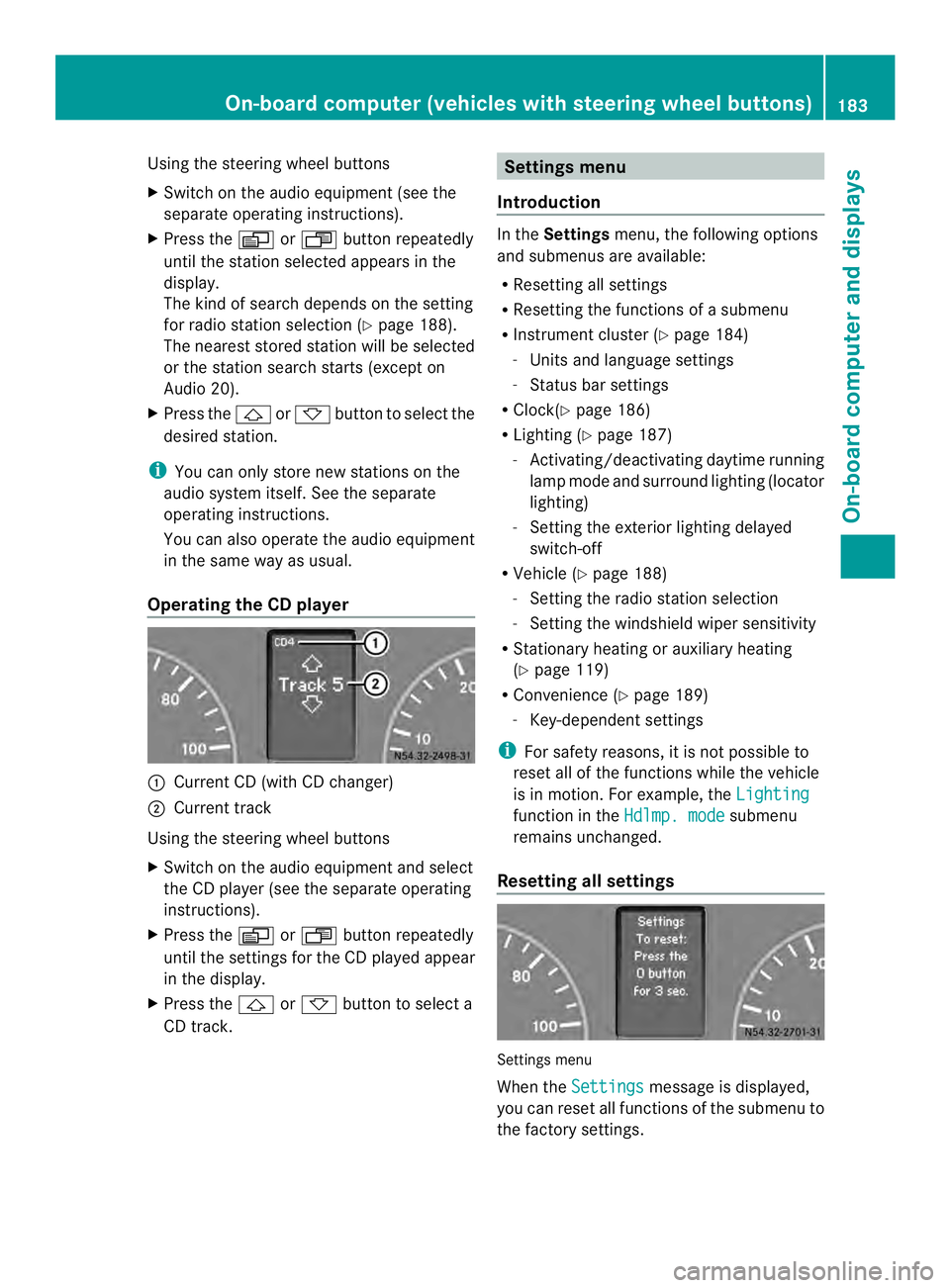
Operating the CD player 0005
Current CD (with CD changer)
0006 Current track
Using the steering wheel buttons
X Switch on the audio equipment and select
the CD player (see the separate operating
instructions).
X Press the 0010or0007 button repeatedly
until the settings for the CD played appear
in the display.
X Press the 0001or0009 button to select a
CD track. Settings menu
Introduction In the
Settings menu, the following options
and submenus are available:
R Resetting all settings
R Resetting the functions of a submenu
R Instrument cluster (Y page 184)
- Units and language settings
- Status bar settings
R Clock( Ypage 186)
R Lighting (Y page 187)
- Activating/deactivating daytime running
lamp mode and surround lighting (locator
lighting)
- Setting the exterior lighting delayed
switch-off
R Vehicle (Y page 188)
- Setting the radio station selection
- Setting the windshield wiper sensitivity
R Stationary heating or auxiliary heating
(Y page 119)
R Convenience (Y page 189)
- Key-dependent settings
i For safety reasons, it is not possible to
reset all of the functions while the vehicle
is in motion. For example, the Lighting function in the
Hdlmp. mode submenu
remains unchanged.
Resetting all settings Settings menu
When the
Settings message is displayed,
you can reset all functions of the submenu to
the factory settings. On-boar
dcomputer (vehicles with steering wheel buttons)
183On-board computer and displays Z
Page 186 of 334
Using the steering wheel buttons
X
Press the 0010or0007 button repeatedly
until the Settings menu appears in the
display.
X Press and hold the 0007reset button for
approximately 3seconds.
You will see a message in the display
prompting you to press reset button 0007
again to confirm.
X Press the 0007reset button again.
The functions in all submenus are reset to
the factory settings.
i If you want to retain the settings, do not
press the 0007reset button a second time.
The Settings menu appears again after
approximately five seconds.
Resetting the functions of asubmenu You can individually reset the functions of
each submenu to the factory settings.
Using the steering wheel buttons
X
Press the 0010or0007 button repeatedly
until the Settings menu appears in the
display.
X Press the 0001button to switch to the
submenu selection.
X Press the 0011or0012 button to select a
submenu.
X Press and hold reset button 0007for
approximately 3seconds.
You will see a message in the display
prompting you to press reset button 0007
again to confirm.
X Press reset button 0007again.
All functions in the submenu are reset to
the factory settings.
i If you want to retain the settings, do not
press reset button 0007a second time. The
Settings menu appears again after
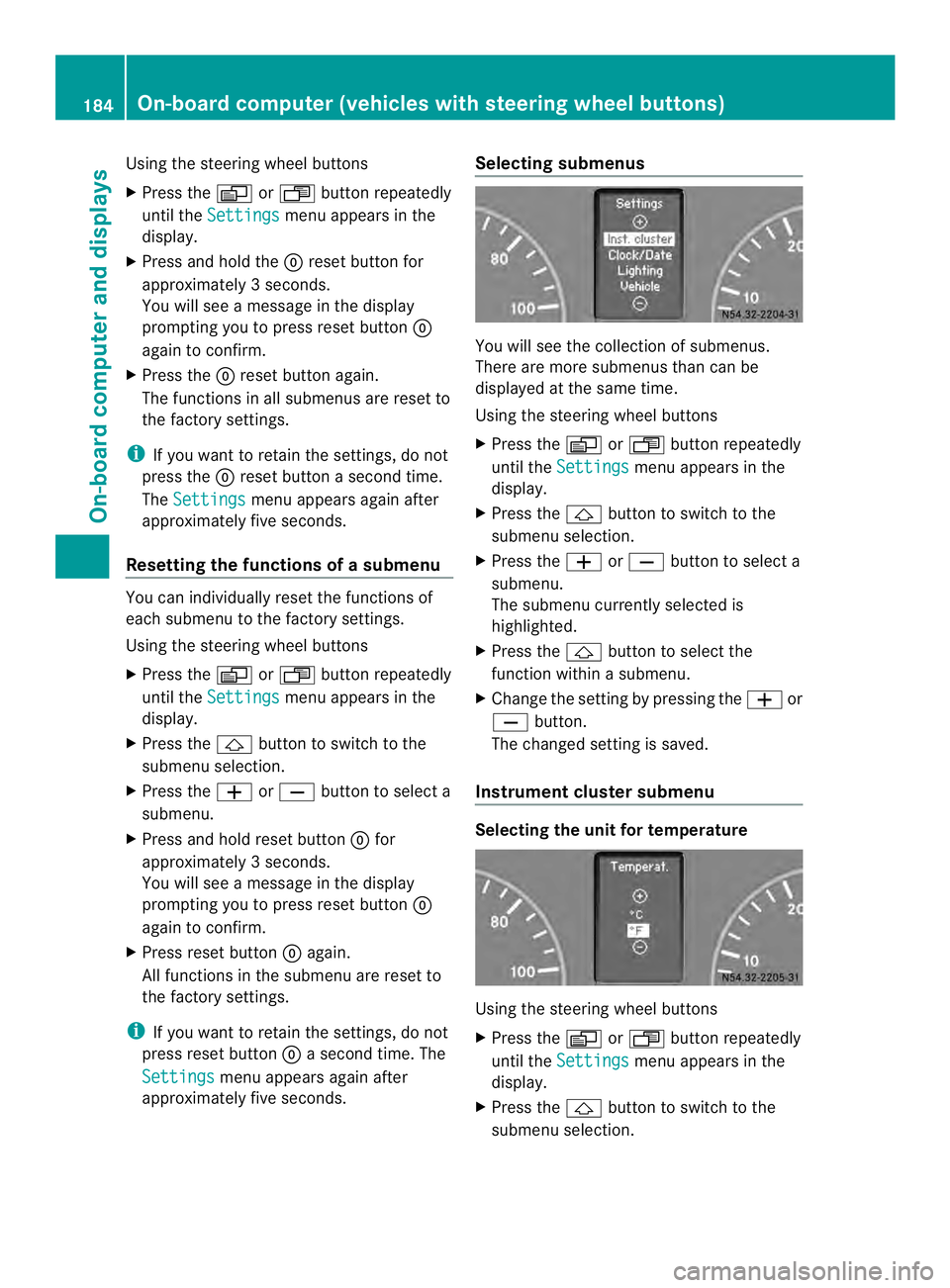
approximately five seconds. Selecting submenus You will see the collection of submenus.
There are more submenus than can be
displayed at the same time.
Using the steering wheel buttons
X Press the 0010or0007 button repeatedly
until the Settings menu appears in the
display.
X Press the 0001button to switch to the
submenu selection.
X Press the 0011or0012 button to select a
submenu.
The submenu currently selected is
highlighted.
X Press the 0001button to select the
function within a submenu.
X Change the setting by pressing the 0011or
0012 button.
The changed setting is saved.
Instrument cluster submenu Selecting the unit for temperature
Using the steering wheel buttons
X
Press the 0010or0007 button repeatedly
until the Settings menu appears in the
display.
X Press the 0001button to switch to the
submenu selection. 184
On-boar
dcomputer (vehicles with steering wheel buttons)On-board computer and displays
Page 189 of 334
Using the steering wheel buttons
X
Press the 0010or0007 button repeatedly
until the Settings menu appears in the
display.
X Press the 0001button to switch to the
submenu selection.
X Press the 0011or0012 button to select the
Clock submenu.
X Press the 0001button to select the
12/24 h function.
The selection marker is on the current
setting.
X Press the 0011or0012 button to select the
12 h or
24 h clock format.
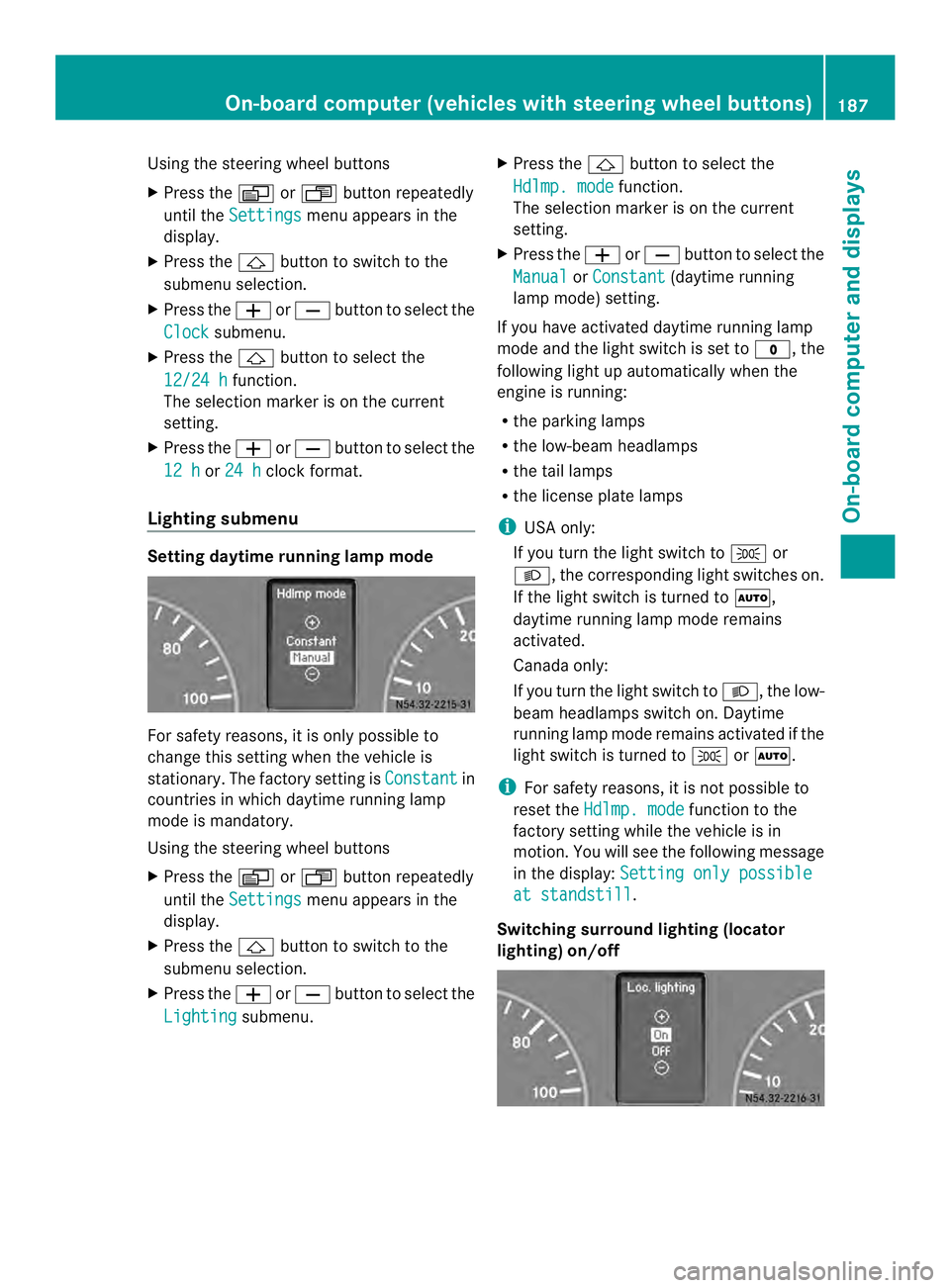
Lighting submenu Setting daytime running lamp mode
For safety reasons, it is only possible to
change this setting when the vehicle is
stationary. The factory setting is
Constant in
countries in which daytime running lamp
mode is mandatory.
Using the steering wheel buttons
X Press the 0010or0007 button repeatedly
until the Settings menu appears in the
display.
X Press the 0001button to switch to the
submenu selection.
X Press the 0011or0012 button to select the
Lighting submenu. X
Press the 0001button to select the
Hdlmp. mode function.
The selection marker is on the current
setting.
X Press the 0011or0012 button to select the
Manual or
Constant (daytime running
lamp mode) setting.
If you have activated daytime running lamp
mode and the light switch is set to 000C, the
following light up automaticallyw hen the
engine is running:
R the parking lamps
R the low-beam headlamps
R the tail lamps
R the license plate lamps
i USA only:
If you turn the light switch to 000Bor
0004, the corresponding light switches on.
If the light switch is turned to 0007,
daytime running lamp mode remains
activated.
Canada only:
If you turn the light switch to 0004, the low-
beam headlamps switch on. Daytime
running lamp mode remains activated if the
light switch is turned to 000Bor0007.
i For safety reasons, it is not possible to
reset the Hdlmp. mode function to the
factory setting while the vehicle is in
motion. You will see the following message
in the display: Setting only possible at standstill .
Switching surround lighting (locator
lighting) on/off On-board computer (vehicles with steering wheel buttons)
187On-board computer and displays Z
Page 191 of 334
The
Frequency setting starts the station
search. The Memory setting selects the next
stored station.
Using the steering wheel buttons
X Press the 0010or0007 button repeatedly
until the Settings menu appears in the
display.
X Press the 0001button to switch to the
submenu selection.
X Press 0011or0012 to select the Vehicle submenu.
X Press the 0001button to select the
Search function.
The selection marker is on the current
setting.
X Press the 0011or0012 button to select the
station search mode.
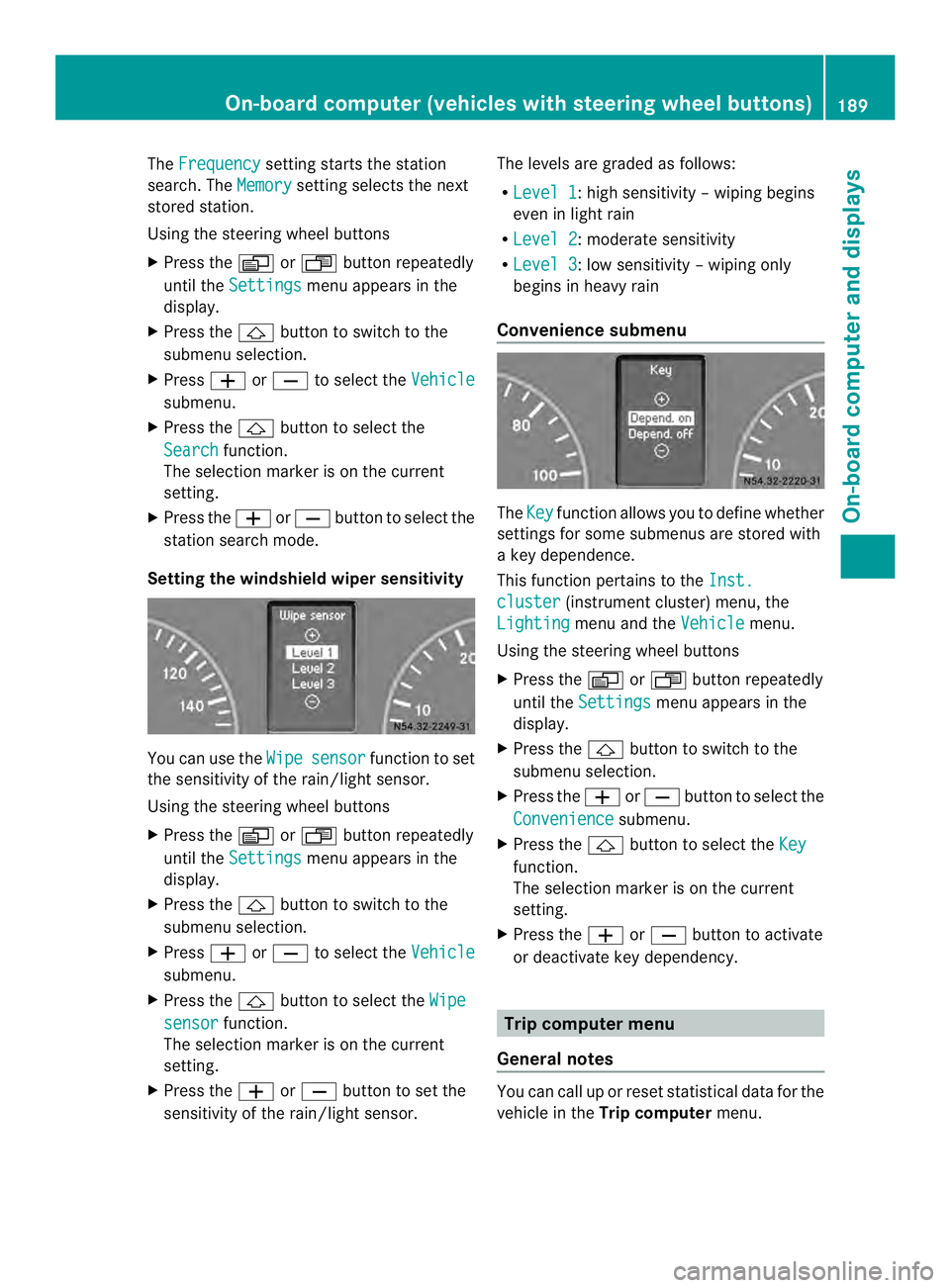
Setting the windshield wiper sensitivity You can use the
Wipe sensor function to set
the sensitivity of the rain/light sensor.
Using the steering wheel buttons
X Press the 0010or0007 button repeatedly
until the Settings menu appears in the
display.
X Press the 0001button to switch to the
submenu selection.
X Press 0011or0012 to select the Vehicle submenu.
X Press the 0001button to select the Wipe sensor function.
The selection marker is on the current
setting.
X Press the 0011or0012 button to set the
sensitivity of the rain/light sensor. The levels are graded as follows:
R
Level 1 :h
igh sensitivity –wiping begins
even in light rain
R Level 2 :m
oderate sensitivity
R Level 3 :l
ow sensitivity –wiping only
begins in heavy rain
Convenience submenu The
Key function allows you to define whether
settings for some submenus are stored with
a key dependence.
This function pertains to the Inst. cluster (instrument cluster) menu, the
Lighting menu and the
Vehicle menu.
Using the steering wheel buttons
X Press the 0010or0007 button repeatedly
until the Settings menu appears in the
display.
X Press the 0001button to switch to the
submenu selection.
X Press the 0011or0012 button to selec tthe
Convenience submenu.
X Press the 0001button to select the Key function.
The selection marker is on the current
setting.
X Press the 0011or0012 button to activate
or deactivate key dependency. Trip computer menu
General notes You can call up or reset statistical data for the
vehicle in the
Trip computer menu. On-board computer (vehicles with steering wheel buttons)
189On-board computer and displays Z