instrument cluster MERCEDES-BENZ SPRINTER 2013 MY13 Operator’s Manual
[x] Cancel search | Manufacturer: MERCEDES-BENZ, Model Year: 2013, Model line: SPRINTER, Model: MERCEDES-BENZ SPRINTER 2013Pages: 334, PDF Size: 3.88 MB
Page 158 of 334
LIM indicator lamp
0024shows you which
function you have selected:
R LIM indicator lamp off: cruise control is
selected.
R LIM indicator lamp lit: variable
SPEEDTRONIC is selected.
Activation conditions To activate cruise control, all of the following
activation conditions must be fulfilled:
R the parking brake must be released. The
000B indicator lamp in the instrument
cluster is off
R you are driving faster than 20 mph
(30 km/h)
R the brake pedal is depressed
i Other drive and brake systems not
described in this Operator's Manual, such
as a retarder, may affect cruise control. You
can find information on this in the separate
operating instructions provided by the
body manufacturer.
Storing and maintaining the current
speed X
Accelerate the vehicle to the desired speed
above 20 mph (30 km/h).
X Briefly push the cruise control lever up 0005
or down 0026.
X Release the accelerator pedal.
Cruise control is activated. The current
speed is stored.
Resuming the stored speed G
WARNING
If you call up the stored speed and it differs
from the current speed, the vehicle
accelerates or decelerates. If you do not know
the stored speed, the vehicle could accelerate
or brake unexpectedly .There is a risk of an
accident. Pay attention to the road and traffic
conditions before calling up the stored speed.
If you do not know the stored speed, store the
desired speed again.
X Briefly pull the cruise control lever towards
you 0006.
X Release the accelerator pedal.
Cruise control is activated and resumes the
vehicle's speed to the last speed stored.
i When you pull the cruise control level
towards you for the first time after starting
the engine, cruise control adopts the
current speed.
Setting the speed It may be a moment before the vehicle starts
to accelerate or brake to the set speed. Take
this delay into account when setting the
speed.
X
Briefly push the cruise control lever
upwards 0005to increase the speed or
downwards 0026to reduce the speed.
The last speed stored is increased/
reduced in increments of 1 mph (1 km/h).
Or
X Press and hold the cruise control lever
up 0005 or down 0026until the desired speed
has been reached.
X Release the cruise control lever.
The current speed is stored.
i Cruise control is not deactivated if you
depress the accelerator pedal. If you
accelerate briefly to overtake, for example,
cruise control resumes the vehicle’s speed
to the last speed stored after you have
finished overtaking. 156
Driving systemsDriving and parking
Page 159 of 334
Deactivating cruise control
There are various ways to deactivate cruise
control:
X Briefly press the cruise control lever
forwards 0025.
Or
X Apply the brakes.
The last speed set remains stored. The last
speed stored is deleted when you switch off
the engine.
Cruise control is deactivated automatically
when:
R you apply the brakes
R you apply the parking brake and the 000B
indicator lamp in the instrument cluster
lights up
R you are driving slower than 20 mph
(30 km/h)
R you shift the automatic transmissio nto
neutral position Nwhile the vehicle is in
motion
R ESP ®
or ASR intervenes
R there is a malfunction in the ESP ®
, ASR or
ABS system
Problems with cruise control On vehicles with steering wheel buttons, the
speed canno
tbe set when cruise control is
activated.
The display is showing a message of high
priority and cannot therefore show a change
in speed.
X Proceed as instructed by the message in
the display.
X Deactivate cruise control PARKTRONIC
Important safety notes PARKTRONIC is only an aid. It cannot replace
your own awareness of the immediate
surroundings. You are responsible for safe maneuvering, parking and pulling away. When
maneuvering, parking and pulling away, make
sure that there are no persons, animals or
objects in the maneuverin
garea.
PARKTRONIC does not account for obstacles
that are:
R beneath its detection range, e.g. persons,
animals or objects
R above its detection range, e.g. overhanging
loads, overhangs or truck loading ramps
PARKTRONIC is an electronic parking aid with
ultrasonic sensors. It indicates the distance
between yourv ehicle and an objec tvisually
and audibly.
Your vehicle features two separate sound
emitters with different frequencies for the
warning tones. The warning ranges in front of
and behind the vehicle are indicated by
different warning tones.
PARKTRONIC is activated automatically when
you:
R tur nthe key to position 2in the ignition lock
R release the parking brake and
R move the selector lever to D,Nor R.
PARKTRONIC is deactivated at speeds above
11 mph (18 km/h). PARKTRONIC is
reactivated at speeds below 10 mph
(16 km/h).
PARKTRONIC monitors the area around your
vehicle with sensors in the front and rear
bumpers.
Range of the sensors !
Pay particular attention to obstacles
above or below the sensors when parking,
such as flower pots or trailer towbars.
PARKTRONIC does not recognize such
objects when they are in the immediate
vicinity of the vehicle. You could damage
the vehicle or objects. Driving systems
157Driving and parking Z
Page 169 of 334
Problems with the rear view camera
Problem Possible causes/consequences and
0004 Solutions
After reverse gear is
selected, white lines
appear on the monitor
or the picture flickers. The rear view camera is exposed to very bright white light or
fluorescent light.
X
Check whether the rear view camera works at another location. The rear view camera is
functioning incorrectly
or not at all. R
The surrounding area is very dark.
R The outside temperature has changed rapidly or is very high.
R The camera lens is dirty or obstructed.
X Check the rear view camera and clean the camera lens if
necessary (Y page 259). Working mode
ADR (working speed governor)
General notes When activated, ADR automatically increases
the engine speed to a preset speed or a speed
you have set.
i After a cold start, the idling speed of the
engine is increased automatically. If the
preset working speed is lower than the
increased idling speed, the working speed
is only reached once the engine has
completed the warm-up phase.
It is only possible to activate ADR with the
vehicle stationary and the parking brake
applied.
The selector lever of the automatic
transmission must be in position P.Activating/deactivating ADR X
To activate: press the upper section of the
0023 switch while the engine is running.
The indicator lamp in the switch comes on.
The 0004 indicator lamp in the instrument
cluster lights up or the display shows the
following message: Operating speed governor active .
X To deactivate: press lower section of the
0023 switch while the engine is running.
The indicator lamp in the switch goes out.
ADR is automatically deactivated if:
R you release the parking brake.
R the brake pedal is depressed.
R the vehicle moves.
R the control unit detects a malfunction. Working mode
167Driving and parking Z
Page 177 of 334
Useful information
............................176
Important safety notes ....................176
Instrument cluster ............................176
On-boar dcomputer (vehicles with-
out steering wheel buttons) ............178
On-boar dcomputer (vehicles with
steering wheel buttons) ...................180
Display messages ............................. 192
Indicator and warning lamps in the
instrument cluster ............................209 175On-board computer and displays
Page 178 of 334
Useful information
This Operator's Manual describes all models
as well as standard and optional equipment
of your vehicle that were available at the time
of going to print. Country-specific variations
are possible. Note that your vehicle may not
be equipped with all of the described
functions. This also applies to systems and
functions relevant to safety.
Read the information on qualified specialist
workshops (Y page 26). Important safety notes
G
WARNING
If you are driving and reach through the
steering wheel to operate the adjustment
knob, you could lose control of the vehicle.
There is a risk of an accident and injury.
Only operate the adjustment knobs when the
vehicle is stationary. Do not reach through the
steering wheel when driving. G
WARNING
If you operate information systems and
communication equipment integrated in the
vehicle while driving, you will be distracted
from traffic conditions. You could also lose
control of the vehicle. There is a risk of an
accident.
Only operate the equipment when the traffic
situatio npermits .Ifyou are not sure that this
is possible, park the vehicle paying attention
to traffic conditions and operate the
equipment when the vehicle is stationary. G
WARNING
If the instrument cluster has failed or
malfunctioned, you may not recognize
function restrictions in systems relevant to
safety. The operating safety of your vehicle
may be impaired. There is a risk of an
accident. Drive on carefully. Have the vehicle checked
at a qualified specialist workshop
immediately.
If uncertainties regarding the operating safety
of the vehicle arise when continuing the
journey, stop the vehicle, paying attention to
road and traffic conditions.
You must observe the legal requirements for
the country in which you are currently driving
when operating COMAND. Instrument cluster
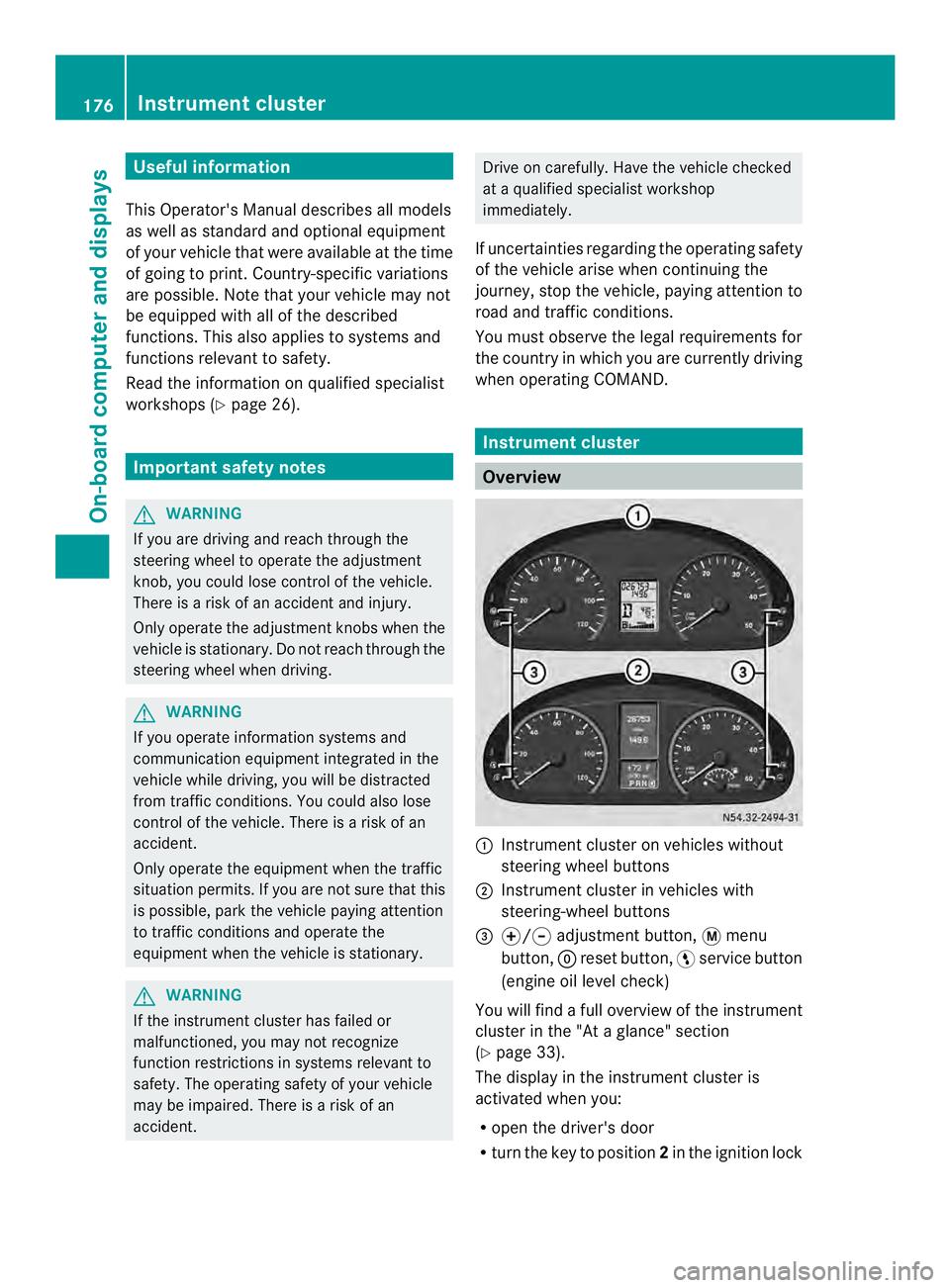
Overview
0005
Instrument cluster on vehicles without
steering wheel buttons
0006 Instrument cluster in vehicles with
steering-wheel buttons
0026 000E/000F adjustment button, 0004menu
button, 0007reset button, 0012service button
(engine oil level check)
You will find a full overview of the instrument
cluster in the "At a glance" section
(Y page 33).
The display in the instrument cluster is
activated when you:
R open the driver's door
R turn the key to position 2in the ignition lock 176
Instrument clusterOn-board computer and displays
Page 179 of 334
R
press the 0007reset button
R switch on the lights
The display switches off automatically after
approximately 30 seconds if:
R the vehicle lighting is not switched on.
R the key is in position 0in the ignition lock. Instrument lighting
When the lights are switched on, you can
adjust the brightness of the instrument
cluster lighting using the 000Eand 000Fbuttons.
X To brighten: press the000Ebutton.
X To dim: press the 000Fbutton.
i Vehicles with automatic headlamp mode:
the instrument lighting also adapts to
automatic headlamp mode. Tachometer
! Do not drive in the overrevving range, as
this could damage the engine. H
Environmental note
Avoid driving at high engine speeds. This
unnecessarily increases the fuel consumption
of your vehicle and harms the environmen tas
a result of increased emissions.
The red band in the tachometer indicates the
engine's overrevving range.
To protect the engine, the fuel supply is
interrupted when the red band is reached. Outside temperature
You should pay special attention to road
conditions when temperatures are around
the freezing point.
On vehicles without steering wheel buttons
(Y page 178) and on vehicles with steering
wheel buttons (Y page 182), the outside
temperature display is in the display. Changes in the outside temperature are
displayed after a shor
tdelay. Speedometer
The speed can also be shown in the display.
You can find information on the digital
speedometer for vehicles without steering
wheel buttons under (Y page 178) and for
vehicles with steering wheel buttons under
(Y page 182).
i In some countries, a warning sounds
when the vehicle reaches the maximum
speed limit, e.g. at 75 mph ( 120 km/h). Trip odometer
X To reset: make sure that the display is
showing the trip odometer if you have a
vehicle with steering wheel buttons
(Y page 182).
X Press and hold the 0007reset button until the
trip odometer is reset to 0.0 .
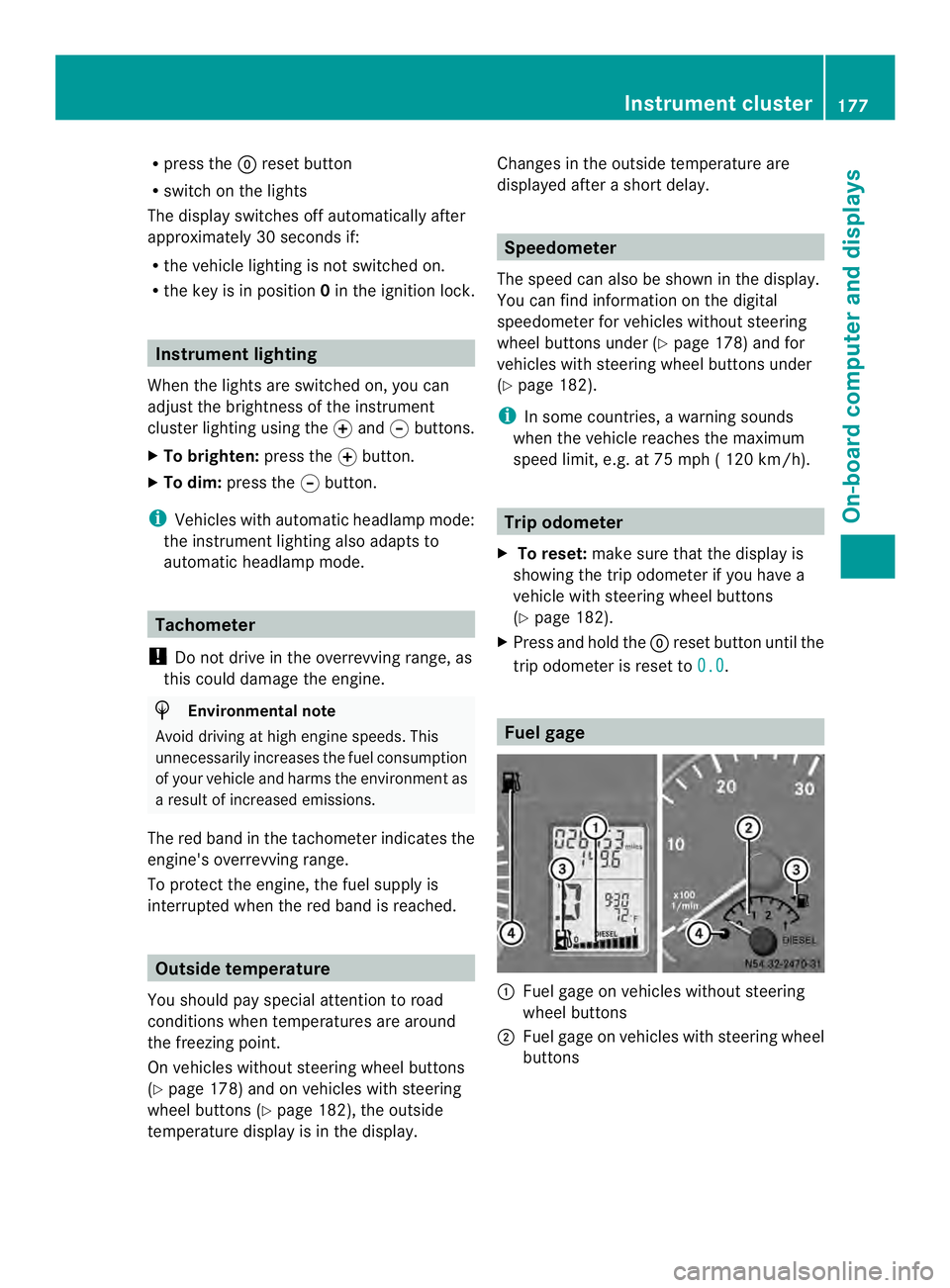
Fuel gage
0005
Fuel gage on vehicles without steering
wheel buttons
0006 Fuel gage on vehicles with steering wheel
buttons Instrument cluster
177On-board computer and displays Z
Page 180 of 334
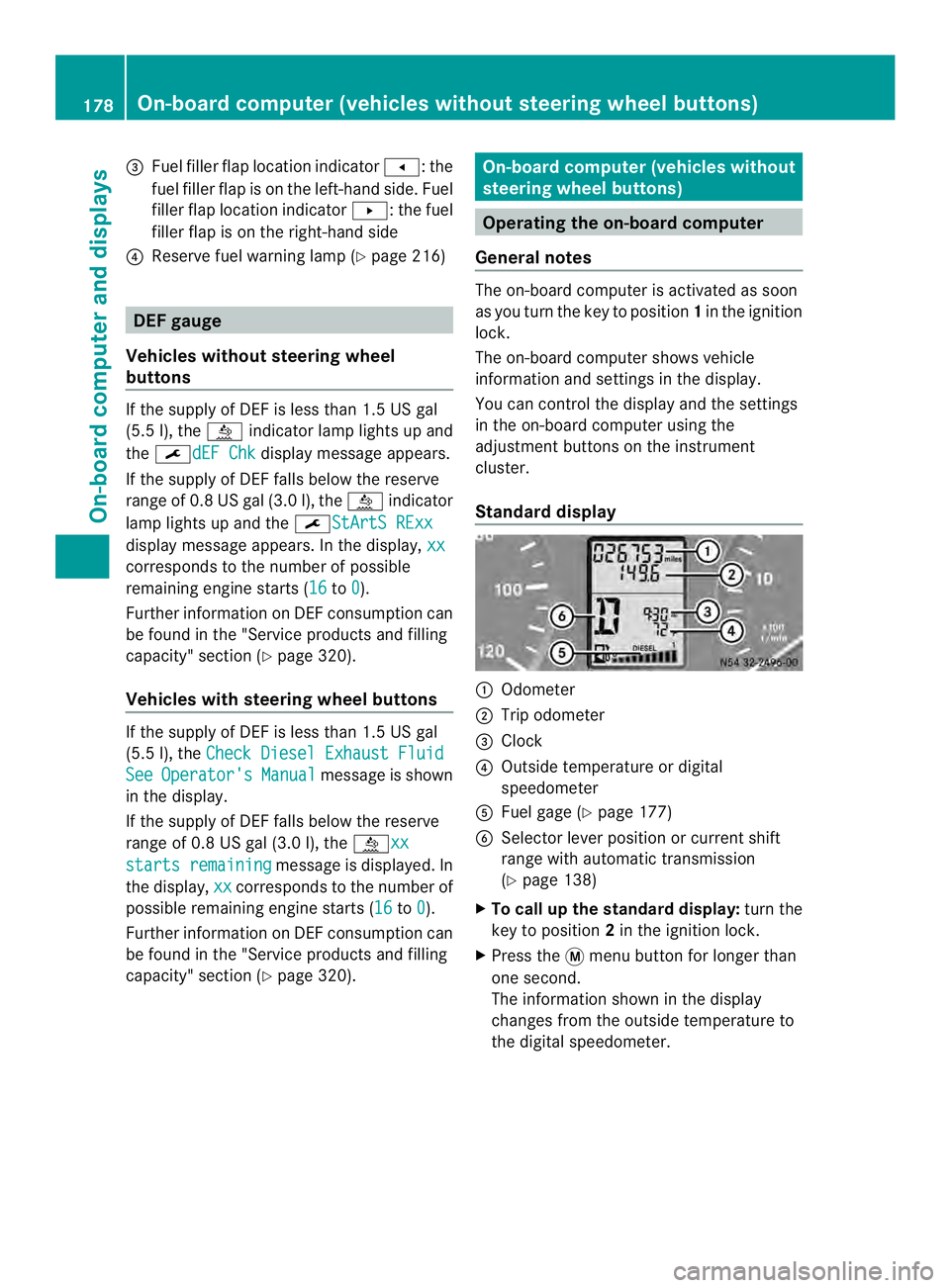
0026
Fuel fille rflap location indicator 000F: the
fuel filler flap is on the left-hand side. Fuel
filler flap location indicator 001E:the fuel
filler flap is on the right-hand side
0025 Reserve fuel warning lamp (Y page 216)DEF gauge
Vehicles without steering wheel
buttons If the supply of DEF is less than 1.5 US gal
(5.5 l), the 0009indicator lamp lights up and
the 0002dEF Chk display message appears.
If the supply of DEF falls below the reserve
range of 0.8 US gal (3.0 l), the 0009indicator
lamp lights up and the 0002StArtS RExxdisplay message appears. In the display,
xxcorresponds to the number of possible
remaining engine starts (16
to
0 ).
Further information on DEF consumption can
be found in the "Service products and filling
capacity" section (Y page 320).
Vehicles with steering wheel buttons If the supply of DEF is less than 1.5 US gal
(5.5 l), the Check Diesel Exhaust Fluid See Operator's Manual message is shown
in the display.
If the supply of DEF falls below the reserve
range of 0.8 US gal (3.0 l), the 0009xxstarts remaining message is displayed. In
the display, xx corresponds to the number of
possible remaining engine starts (16 to
0 ).
Further information on DEF consumption can
be found in the "Service products and filling
capacity" section (Y page 320). On-board computer (vehicles without
steering wheel buttons)
Operating the on-board computer
General notes The on-board computer is activated as soon
as you turn the key to position
1in the ignition
lock.
The on-board computer shows vehicle
information and settings in the display.
You can control the displaya nd the settings
in the on-board compute rusing the
adjustment buttons on the instrument
cluster.
Standard display 0005
Odometer
0006 Trip odometer
0026 Clock
0025 Outside temperature or digital
speedometer
0023 Fuel gage (Y page 177)
0024 Selector lever position or current shift
range with automatic transmission
(Ypage 138)
X To call up the standard display: turn the
key to position 2in the ignition lock.
X Press the 0004menu button for longer than
one second.
The information shown in the display
changes from the outside temperature to
the digital speedometer. 178
On-board computer (vehicles without steering wheel buttons)On-board computer and displays
Page 185 of 334
Using the steering wheel buttons
X
Switch on the audio equipment (see the
separate operating instructions).
X Press the 0010or0007 button repeatedly
until the station selected appears in the
display.
The kind of search depends on the setting
for radio station selection (Y page 188).
The nearest stored station will be selected
or the station search starts (except on
Audio 20).
X Press the 0001or0009 button to select the
desired station.
i You can only store new stations on the
audio system itself. See the separate
operating instructions.
You can also operate the audioe quipment
in the same way as usual.
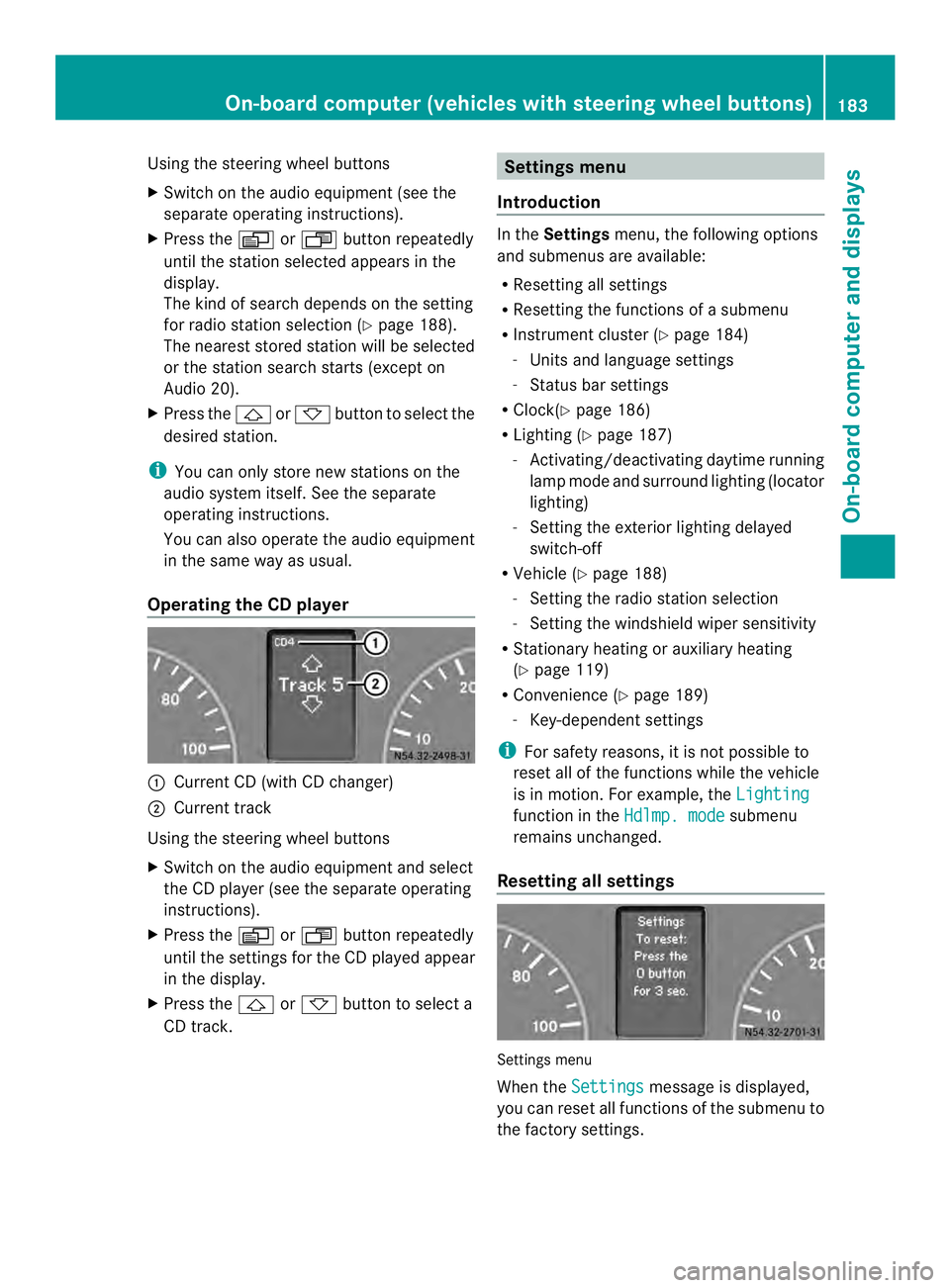
Operating the CD player 0005
Current CD (with CD changer)
0006 Current track
Using the steering wheel buttons
X Switch on the audio equipment and select
the CD player (see the separate operating
instructions).
X Press the 0010or0007 button repeatedly
until the settings for the CD played appear
in the display.
X Press the 0001or0009 button to select a
CD track. Settings menu
Introduction In the
Settings menu, the following options
and submenus are available:
R Resetting all settings
R Resetting the functions of a submenu
R Instrument cluster (Y page 184)
- Units and language settings
- Status bar settings
R Clock( Ypage 186)
R Lighting (Y page 187)
- Activating/deactivating daytime running
lamp mode and surround lighting (locator
lighting)
- Setting the exterior lighting delayed
switch-off
R Vehicle (Y page 188)
- Setting the radio station selection
- Setting the windshield wiper sensitivity
R Stationary heating or auxiliary heating
(Y page 119)
R Convenience (Y page 189)
- Key-dependent settings
i For safety reasons, it is not possible to
reset all of the functions while the vehicle
is in motion. For example, the Lighting function in the
Hdlmp. mode submenu
remains unchanged.
Resetting all settings Settings menu
When the
Settings message is displayed,
you can reset all functions of the submenu to
the factory settings. On-boar
dcomputer (vehicles with steering wheel buttons)
183On-board computer and displays Z
Page 186 of 334
Using the steering wheel buttons
X
Press the 0010or0007 button repeatedly
until the Settings menu appears in the
display.
X Press and hold the 0007reset button for
approximately 3seconds.
You will see a message in the display
prompting you to press reset button 0007
again to confirm.
X Press the 0007reset button again.
The functions in all submenus are reset to
the factory settings.
i If you want to retain the settings, do not
press the 0007reset button a second time.
The Settings menu appears again after
approximately five seconds.
Resetting the functions of asubmenu You can individually reset the functions of
each submenu to the factory settings.
Using the steering wheel buttons
X
Press the 0010or0007 button repeatedly
until the Settings menu appears in the
display.
X Press the 0001button to switch to the
submenu selection.
X Press the 0011or0012 button to select a
submenu.
X Press and hold reset button 0007for
approximately 3seconds.
You will see a message in the display
prompting you to press reset button 0007
again to confirm.
X Press reset button 0007again.
All functions in the submenu are reset to
the factory settings.
i If you want to retain the settings, do not
press reset button 0007a second time. The
Settings menu appears again after
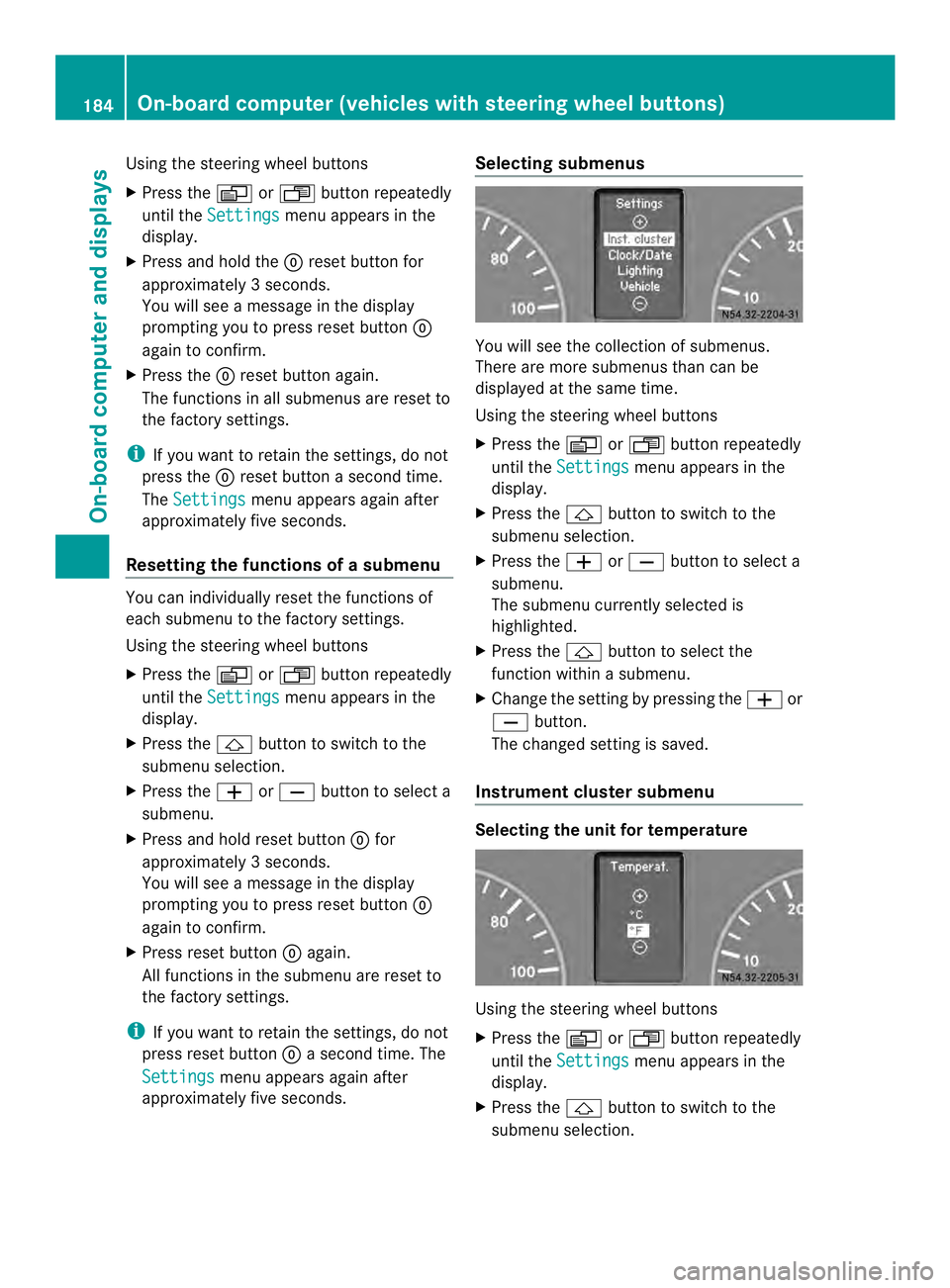
approximately five seconds. Selecting submenus You will see the collection of submenus.
There are more submenus than can be
displayed at the same time.
Using the steering wheel buttons
X Press the 0010or0007 button repeatedly
until the Settings menu appears in the
display.
X Press the 0001button to switch to the
submenu selection.
X Press the 0011or0012 button to select a
submenu.
The submenu currently selected is
highlighted.
X Press the 0001button to select the
function within a submenu.
X Change the setting by pressing the 0011or
0012 button.
The changed setting is saved.
Instrument cluster submenu Selecting the unit for temperature
Using the steering wheel buttons
X
Press the 0010or0007 button repeatedly
until the Settings menu appears in the
display.
X Press the 0001button to switch to the
submenu selection. 184
On-boar
dcomputer (vehicles with steering wheel buttons)On-board computer and displays
Page 191 of 334
The
Frequency setting starts the station
search. The Memory setting selects the next
stored station.
Using the steering wheel buttons
X Press the 0010or0007 button repeatedly
until the Settings menu appears in the
display.
X Press the 0001button to switch to the
submenu selection.
X Press 0011or0012 to select the Vehicle submenu.
X Press the 0001button to select the
Search function.
The selection marker is on the current
setting.
X Press the 0011or0012 button to select the
station search mode.
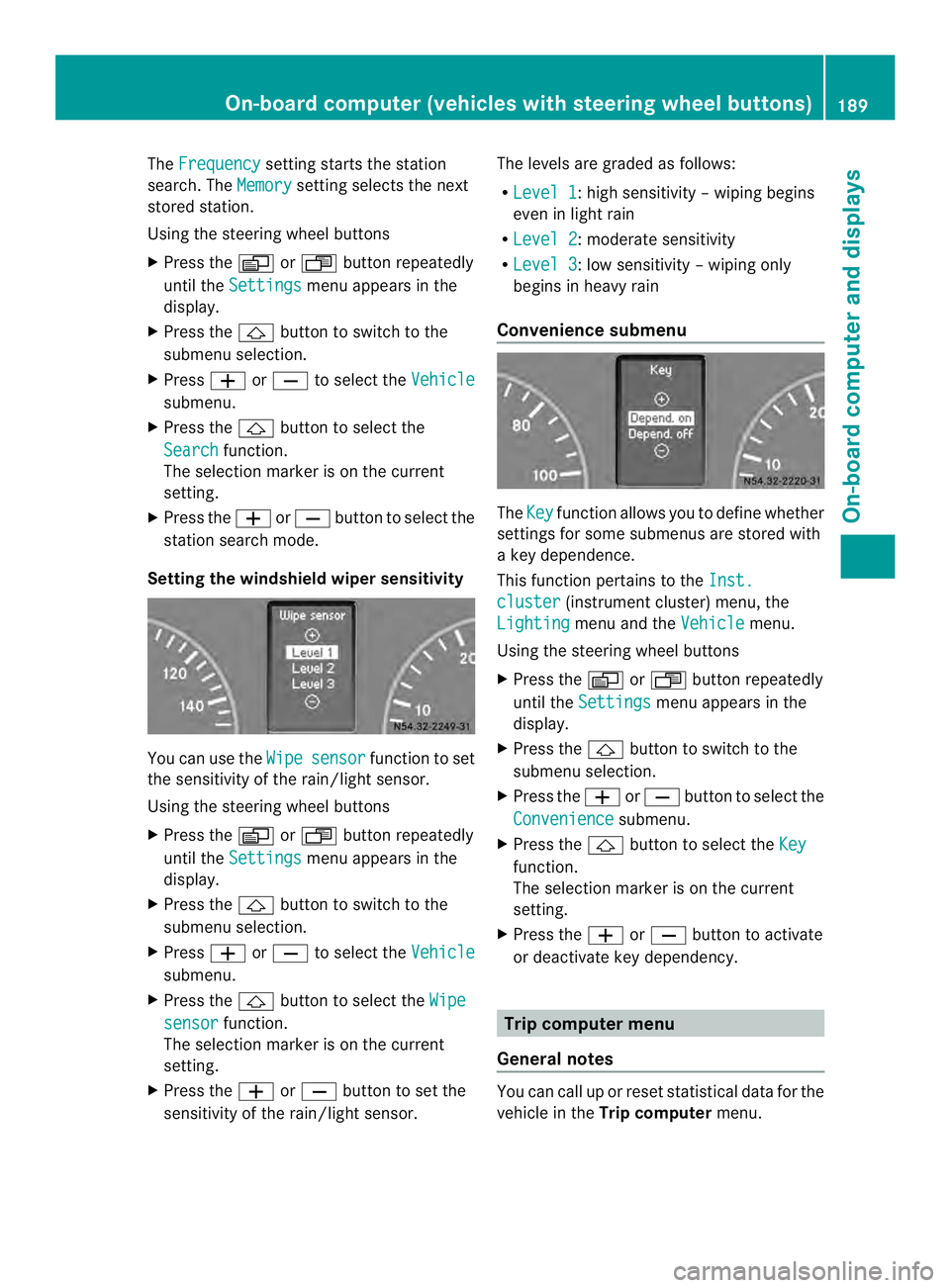
Setting the windshield wiper sensitivity You can use the
Wipe sensor function to set
the sensitivity of the rain/light sensor.
Using the steering wheel buttons
X Press the 0010or0007 button repeatedly
until the Settings menu appears in the
display.
X Press the 0001button to switch to the
submenu selection.
X Press 0011or0012 to select the Vehicle submenu.
X Press the 0001button to select the Wipe sensor function.
The selection marker is on the current
setting.
X Press the 0011or0012 button to set the
sensitivity of the rain/light sensor. The levels are graded as follows:
R
Level 1 :h
igh sensitivity –wiping begins
even in light rain
R Level 2 :m
oderate sensitivity
R Level 3 :l
ow sensitivity –wiping only
begins in heavy rain
Convenience submenu The
Key function allows you to define whether
settings for some submenus are stored with
a key dependence.
This function pertains to the Inst. cluster (instrument cluster) menu, the
Lighting menu and the
Vehicle menu.
Using the steering wheel buttons
X Press the 0010or0007 button repeatedly
until the Settings menu appears in the
display.
X Press the 0001button to switch to the
submenu selection.
X Press the 0011or0012 button to selec tthe
Convenience submenu.
X Press the 0001button to select the Key function.
The selection marker is on the current
setting.
X Press the 0011or0012 button to activate
or deactivate key dependency. Trip computer menu
General notes You can call up or reset statistical data for the
vehicle in the
Trip computer menu. On-board computer (vehicles with steering wheel buttons)
189On-board computer and displays Z