heater MERCEDES-BENZ SPRINTER 2013 MY13 Operator’s Manual
[x] Cancel search | Manufacturer: MERCEDES-BENZ, Model Year: 2013, Model line: SPRINTER, Model: MERCEDES-BENZ SPRINTER 2013Pages: 334, PDF Size: 3.88 MB
Page 7 of 334
Automatic transmission
emergency mode
...............................141
Auxiliary heating Activating/deactivating heater
booster mode ................................ 125
Conditions for switching on ...........119
Important safety notes ..................118
Operating with the button (control
panel) ............................................ 119
Operation with the remote control .121
Operation with the timer ................122
Problem (malfunction) ...................128
Selecting a switch-on time ............. 119
Setting the switch-on time .............120
see Auxiliary heating
Axle load, permissible (trailer
towing) ............................................... 329B
Backup lamps Changing bulbs ........................ 99, 101
Backup lamps (Chassis Cab)
Changing bulbs .............................. 100
BAS (Brake Assist System)
Display message ............................ 198
Function/notes ................................ 56
Indicator lamp ................................ 210
Basic settings
see Settings
Battery
Isolating switch .............................. 132
Replacing (SmartKey) ................66, 67
Battery (SmartKey)
Checking .......................................... 66
Important safety notes ....................66
Replacing ................................... 66, 67
Battery (vehicle)
Care ............................................... 255
Charge indicator lamp ...................214
Charging ........................................ 254
Disconnecting and connecting
(driver's footwell) ........................... 251
Disconnecting and connecting
(engine compartment) ...................253
Display message ............................ 208
Important safety notes ..................250Installing/removing (driver's
footwell) ......................................... 252
Installing/removing (engine
compartment)
................................ 254
Jump starting ................................. 267
Location ......................................... 250
Removing/installing the floor
covering (driver's footwell) ............251
Belt
see Seat belts
Bio-diesel ........................................... 317
Bleeding the fuel system ..................137
Bodies Body/equipment mounting
directives for trucks .........................28
Bottle holder ...................................... 227
see Cuph older
Brake
EBD .................................................. 57
Brake Assist System
see BAS (Brake Assist System)
Brake fluid
Checking the level .........................245
Display message ............................ 199
Notes .................................... .245, 324
Warning lamp ................................. 211
Brake force distribution,
electronic
see EBD (electronic brake force
distribution)
Brake lamps
Changing bulbs ........................ 99, 101
Brake lamps (Chassis Cab)
Changing bulbs .............................. 100
Brake linings
Display message ............................ 199
Indicator lamp ................................ 214
Brakes
ABS .................................................. 56
Applying the parking brake ............146
BAS .................................................. 56
Brake fluid (notes) .................245, 324
Checking brake fluid leve l.............. 245
Display messages ..........................199
Driving tips .................................... 150
Important safety notes ..................150
Maintenance .................................. 210
Parking brake (notes) ..................... 151 Index
5
Page 19 of 334
Important safety notes
....................64
Loss ................................................. 68
Problem (malfunction) .....................68
SmartKey positions (ignition lock) ..133
Snow chains ...................................... 277
Sockets .............................................. 228
Spare wheel General notes ................................ 309
Important safety notes ..................308
Removing/mounting ..................... .309
Specialist workshop ............................ 26
Special seat bel tretractor .................. 54
Speed ,controlling
see Cruise control
Speedometer
Digital (vehicles without steering
wheel buttons )............................... 178
Digital (vehicles with steering
wheel buttons) ............................... 186
Selecting display unit (vehicles
with steering- wheel buttons) ........185
see Instrument cluster
Sprinter Dealer
see Qualified specialist workshop
SRS (Supplemental Restraint
System)
Display message ............................ 201
Introduction ..................................... 42
Warning lamp ................................. 214
Warning lamp (function) ................... 42
Standing lamps
Changing bulbs (front) .....................98
Changing bulbs (rear) ..............99, 101
Standing lamps (Chassis Cab)
Changing bulbs (rear) ....................100
Starting (engine) ................................ 134
Start-off assist Display message ............................ 198
Steering wheel
Adjusting ......................................... 85
Button overview ............................... 36
Cleaning ......................................... 260
Step
see Electrical step
Sticker
Warning notes .................................. 26 Stowage spaces
see Stowage spaces and stowage
compartments
Stowage spaces and stowage
compartments
Eyeglasses compartment ...............223
Glove box ...................................... .222
Important safety notes ..................222
Paper holder .................................. 225
Stowage compartment above the
windshield ..................................... 224
Stowage compartment in the
center console ............................... 223
Stowage compartment in the
dashboard ...................................... 223
Stowage space above the
headliner ........................................ 224
Stowage space unde rthe rear
bench seat ..................................... 224
Stowage space unde rthe twin co-
driver's seat ................................... 224
Summer tires ..................................... 276
Supplemental Restraint System see SRS (Supplemental Restraint
System)
Switching off the alarm (ATA) ............60
Switching the heater booster
function on/off .................................. 125
Switching the surround lighting
on/off (on-board computer) .............187
Switch unit see Control panel
Swivel seat .......................................... .81 T
Tachometer ........................................ 177
Tail lamps Changing bulb s........................ 99, 101
see Lights
Tail lamps (Chassis Cab)
Changing bulbs .............................. 100
Tank
see Fuel tank Index
17
Page 40 of 334
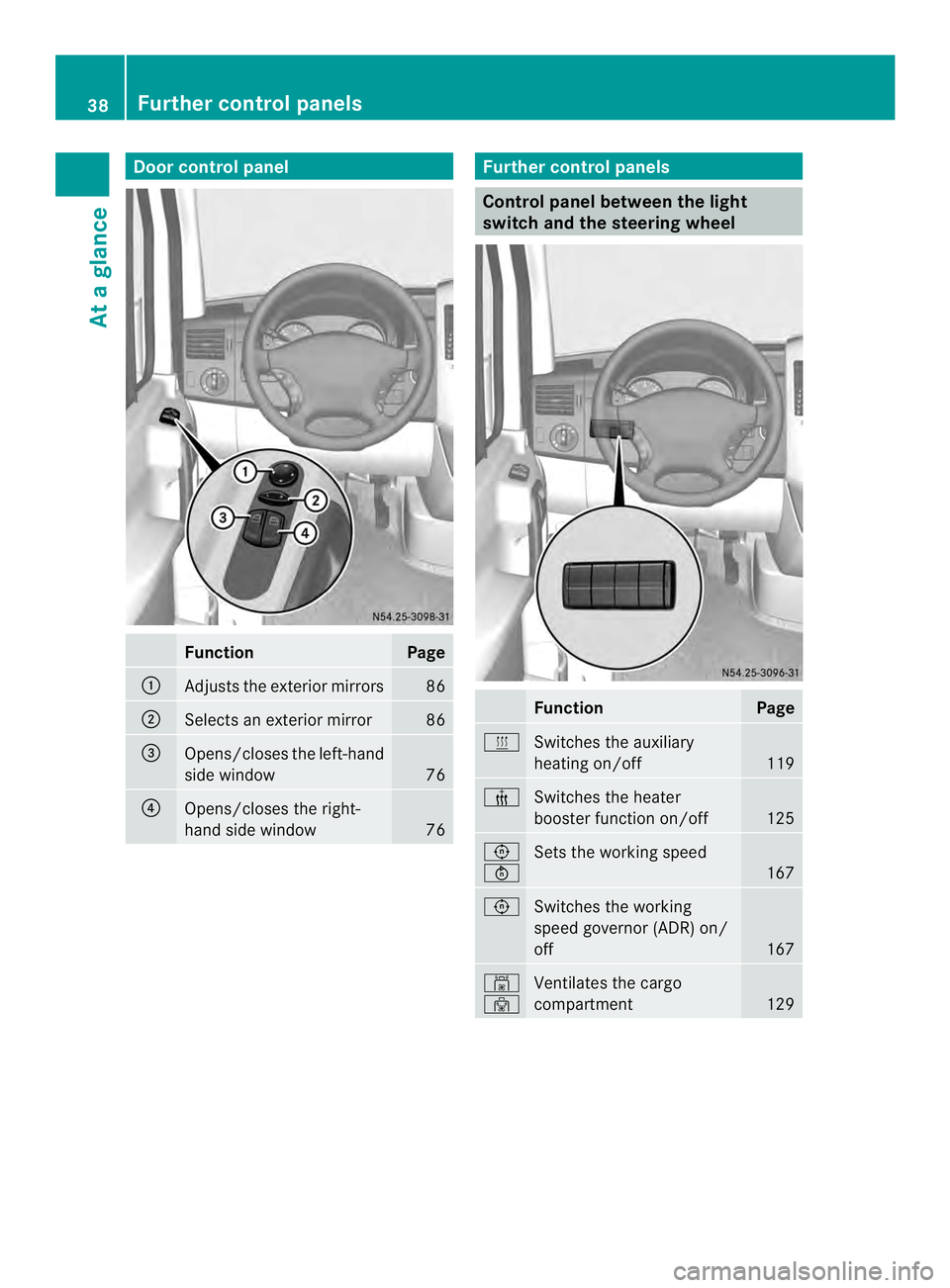
Door control panel
Function Page
0005
Adjusts the exterio
rmirrors 86
0006
Selects an exterior mirror 86
0026
Opens/closes the left-hand
side window
76
0025
Opens/closes the right-
hand side window
76 Further control panels
Control panel between the light
switch and the steering wheel
Function Page
0020
Switches the auxiliary
heating on/off
119
000C
Switches the heater
booster function on/off
125
0023
0024
Sets the working speed
167
0023
Switches the working
speed governor (ADR) on/
off
167
0009
0010
Ventilates the cargo
compartment
12938
Further control panelsAt a glance
Page 117 of 334
Vehicle with heating
X
Set temperature control 0005to a higher
temperature (Y page 109).
X Set airflow control 0006to a highe rblower
setting. It should be set at least to level two
(Y page 109).
X Set air-distribution control 0025to
000B0021(Y page 109).
i If the windows still fog up, set the control
as described for defrosting (Y page 114).
Vehicle with air conditioning
X Activate cooling with air dehumidification
(Y page 113).
X Press the 0011button (Y page 110).
The reheat function is switched on. The
indicator lamp in the switch lights up.
To switch off the reheat function, press the
0011 button again. The indicator lamp in
the button goes out.
Windows fogged up on the outside You should only selec
tthis setting until the
windshield is clear again.
X Switch on the windshield wipers
(Y page 103).
X Switch on climate control (Y page 112).
X Adjust air distribution to the footwell
(Y page 113).
X Close the air vents (Y page 117). Windshield defroster
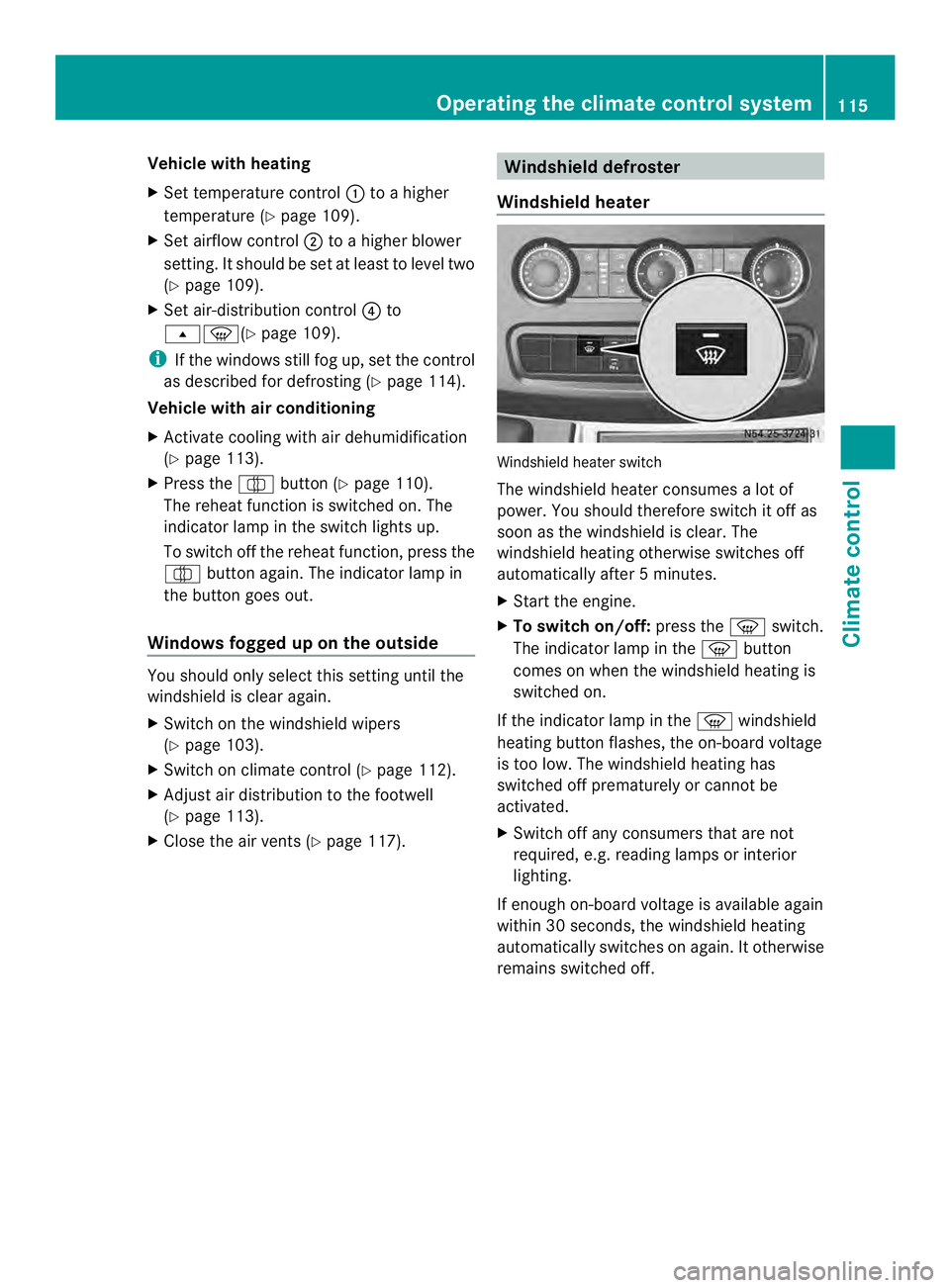
Windshield heater Windshield heater switch
The windshield heater consumes
alot of
power. You should therefore switch it off as
soon as the windshield is clear. The
windshield heating otherwise switches off
automatically after 5minutes.
X Start the engine.
X To switch on/off: press the0021switch.
The indicator lamp in the 0021button
comes on when the windshield heating is
switched on.
If the indicator lamp in the 0021windshield
heating button flashes, the on-board voltage
is too low. The windshield heating has
switched off prematurely or cannot be
activated.
X Switch off any consumers that are not
required, e.g. reading lamps or interior
lighting.
If enough on-board voltage is available again
within 30 seconds, the windshield heating
automatically switches on again. It otherwise
remains switched off. Operating the climate control system
115Climate control
Page 120 of 334
X
To open: for the left-hand side of the
vehicle, tur nthumbwheel 0005or for the
right-hand side of the vehicle,
thumbwheel 0006of the air vents clockwise.
X To close: for the left-hand side of the
vehicle, turn thumbwheel 0005or for the
right-hand side of the vehicle,
thumbwheel 0006of the air vents counter-
clockwise. Adjusting the air vents in the roof duct
! Always leave at least one air vent open.
If the rear-compartment air conditioning is
switched on and all the air vents are closed,
the air-conditioning system may be
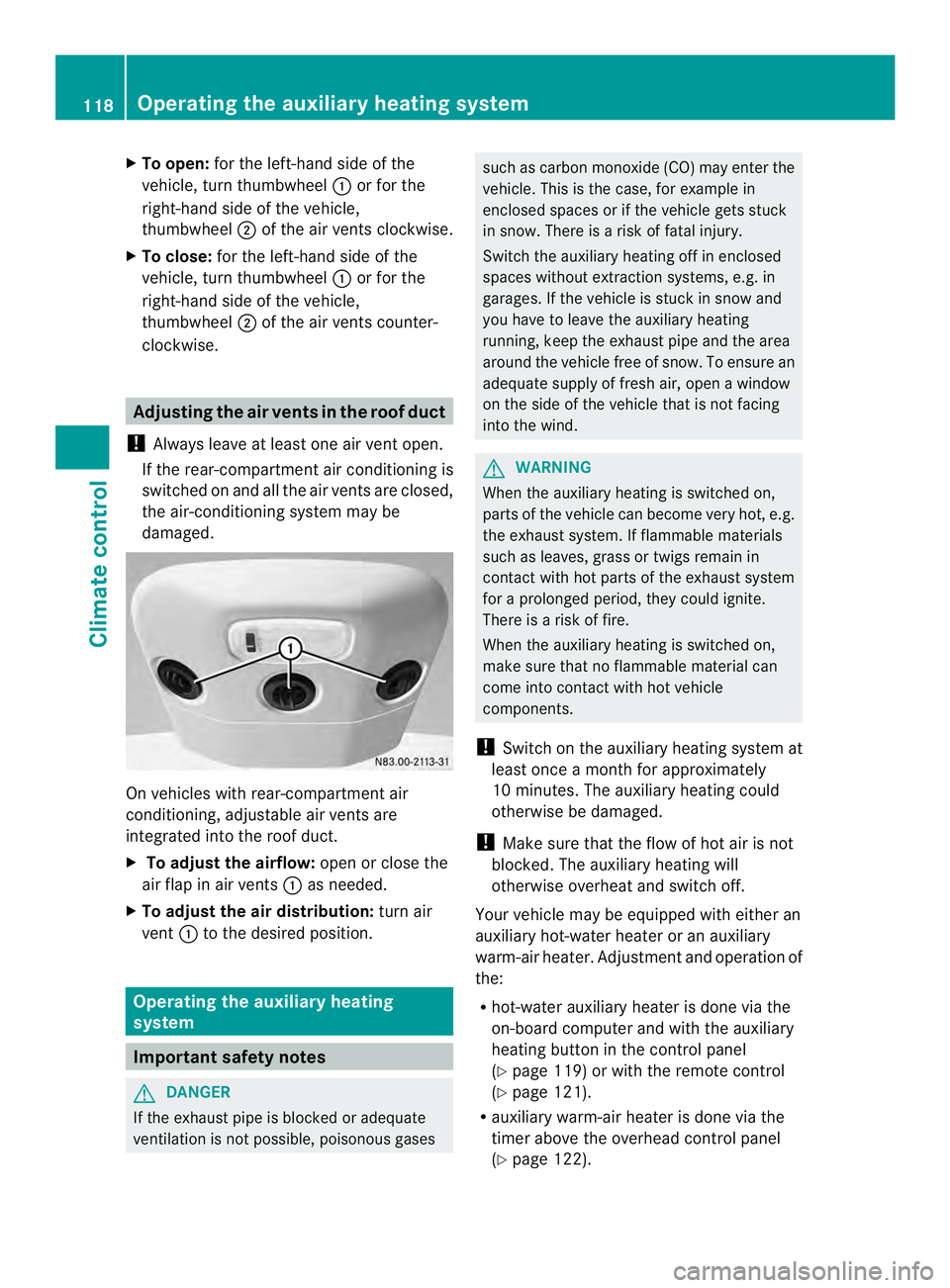
damaged. On vehicles with rear-compartment air
conditioning, adjustable air vents are
integrated into the roof duct.
X
To adjust the airflow: open or close the
air flap in air vents 0005as needed.
X To adjust the air distribution: turn air
vent 0005to the desired position. Operating the auxiliary heating
system
Important safety notes
G
DANGER
If the exhaust pipe is blocked or adequate
ventilation is not possible, poisonous gases such as carbon monoxide (CO) may enter the
vehicle. This is the case, for example in
enclosed spaces or if the vehicle gets stuck
in snow. There is a risk of fatal injury.
Switch the auxiliary heating off in enclosed
spaces without extraction systems, e.g. in
garages. If the vehicle is stuck in snow and
you have to leave the auxiliary heating
running, keep the exhaust pipe and the area
around the vehicle free of snow. To ensure an
adequate supply of fresh air, open a window
on the side of the vehicle that is not facing
into the wind. G
WARNING
When the auxiliary heating is switched on,
parts of the vehicle can become very hot, e.g.
the exhaust system. If flammable materials
such as leaves, grass or twigs remain in
contact with hot parts of the exhaust system
for a prolonged period, they could ignite.
There is a risk of fire.
When the auxiliary heating is switched on,
make sure that no flammable material can
come into contact with hot vehicle
components.
! Switch on the auxiliary heating system at
least once a month for approximately
10 minutes. The auxiliary heating could
otherwise be damaged.
! Make sure that the flow of hot air is not
blocked. The auxiliary heating will
otherwise overheat and switch off.
Your vehicle may be equipped with either an
auxiliary hot-water heater or an auxiliary
warm-air heater. Adjustment and operation of
the:
R hot-water auxiliary heater is done via the
on-board computer and with the auxiliary
heating button in the control panel
(Y page 119) or with the remote control
(Y page 121).
R auxiliary warm-air heater is done via the
timer above the overhead control panel
(Y page 122). 118
Operating the auxiliary heating systemClimate control
Page 121 of 334
The auxiliary heating works independently of
the engine and supplements the climate
control system in the vehicle. The auxiliary
heating heats the air in the vehicle interior to
the temperature set.
If your vehicle is equipped with a hot-water
auxiliary heater, the auxiliary heating also
keeps the coolant warm. This way, the load
on the engine is minimized and fuel is saved.
The heater booster function of the auxiliary
heating supports the climate control system
when the engine is runnin gand the outside
temperature is low.
You can use the auxiliary heating at an
outside temperature of up to 39 ‡ (4 †). At
an outside temperature above 39 ‡(4† ) the
auxiliary heating system and the heater
booster function switch off automatically.
i If the interior motion sensor (Y page 61)
is armed and the auxiliary heating is
switched on, it is possible that the interior
temperature monitoring may cause a false
alarm. In this case, either deactivate the
interior motion sensor or switch off the
auxiliary heating. Before switching on
X Check the fuel level and top up if necessary.
The auxiliary heating is operated directly
using the vehicle's fuel. The tan kmust be
at least a quarter full to ensure that the
auxiliary heating functions.
X Switch on climate control (Y page 112).
X Se tthe temperature control to the desired
temperature (Y page 113).
X Set the air distribution as required
(Y page 113).
X Open the center (Y page 117) and side air
vents (Y page 117) and set them to the
middle position.
i The auxiliary heating automatically
switches to heater booster mode after the
engine is started. Operating with the button (control
panel)
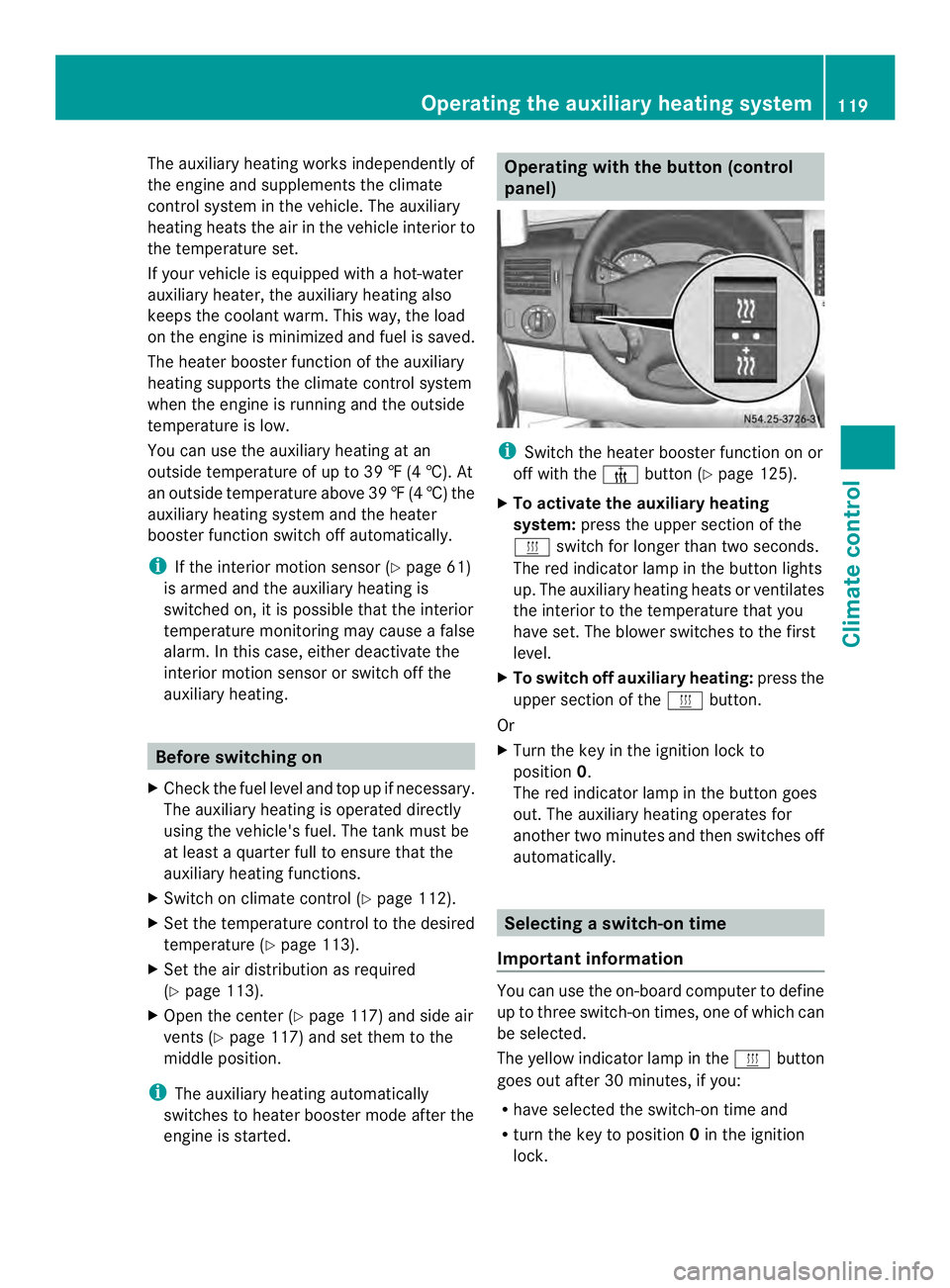
i
Switch the heater booster function on or
off with the 0013button (Y page 125).
X To activate the auxiliary heating
system: press the upper section of the
0020 switch for longer than two seconds.
The red indicator lamp in the button lights
up. The auxiliary heating heats or ventilates
the interior to the temperature that you
have set. The blower switches to the first
level.
X To switch off auxiliary heating: press the
upper section of the 0020button.
Or
X Turn the key in the ignition lock to
position 0.
The red indicator lamp in the button goes
out. The auxiliary heating operates for
another two minutes and then switches off
automatically. Selecting
aswitch-on time
Important information You can use the on-boar
dcomputer to define
up to three switch-on times, one of which can
be selected.
The yellow indicator lamp in the 0020button
goes out after 30 minutes, if you:
R have selected the switch-on time and
R turn the key to position 0in the ignition
lock. Operating the auxiliary heating system
119Climate control Z
Page 124 of 334
When indicato
rlamp 0005lights up green, the
auxiliary heating is switched on.
X To switch off: when indicator lamp 0005
lights up green, press the 000Abutton.
During data transmission, indicator
lamp 0005lights up red.
When indicator lamp 0005flashes red, the
auxiliary heating is switched off.
Changing the operating duration X
Switch on the remote control.
X When indicator lamp 0005flashes red, press
0002 and000A simultaneously.
Indicato rlamp 0005flashes green.
X Press the 0002buttonrepeatedly until the
desired operating duration is shown.
R 20 minutes
Indicator lamp 0005flashes green twice.
R 30 minutes
Indicator lamp 0005flashes green three
times.
R 40 minutes
Indicator lamp 0005flashes green four
times.
R 60 minutes
Indicator lamp 0005flashes green six
times.
X Press the 000Abutton.
During data transmission, indicator
lamp 0005lights up red.
If indicator lamp 0005emits two long, green
flashes, the selected operatin gduration is
stored.
i If no adjustmen tis made, indicator
lamp 0005flashes six times and the remote
control goes into standby mode. Synchronizing the remote control X
Press the 0020auxiliary heating button in
the control panel (Y page 119) for longer
than 10 seconds.
When you press and hold the 0020button,
the red indicator lamp lights up in the
button.
When the red indicator lamp in the 0020
button flashes, the receiver in the vehicle
is ready for synchronizing.
X Press and hold the 0002remote control
button until indicator lamp 0005lights up red.
If there is an active connection between the
remote control and the receiver, indicator
lamp 0005flashes alternately red and green.
The remote control is in synchronizing
mode.
i If you press the 0002button againont he
remote control after starting
synchronization, you will only synchronize
this remote control unit with the receiver.
Any other remote control units that were
synchronized will be cleared. Indicator
lamp 0005flashes alternately red and green
(very slowly).
X Press the 000Abutton on the remote
control.
During data transmission, indicator
lamp 0005lights up red.
When remote control indicator lamp 0005
emits two long green flashes, the selected
operating time is synchronized. The
indicator lamp in the 0020auxiliary heating
button goes out. Operation with the timer
Important safety notes This is only for vehicles with a hot-water
auxiliary heater.
G
DANGER
If a switch-on time has been selected, the
auxiliary heating switches on automatically. 122
Operating the auxiliary heating systemClimate control
Page 127 of 334
Example:
For a planned departur etime of
7:00 a.m., you should also set the
preselection time to 7:00 a.m. If the operating
duration is prese tto 40 minutes, for example,
the auxiliary heating startsu p at 6:20a.m.
If an identical time (time and day) is set in the
preselection memory, onl ythe last time set is
saved.
After a malfunction or if the battery has been
disconnected, you must set the preselection
times again. You can find further information
on malfunctions in the "Problems with the
auxiliary heating" section (Y page 128).
X Press the 0003or0006 button until the
0002 symbol in the menu bar flashes.
X Press the 000Abutton.
In the program column, the 0001
preselection memory numbers appear. The
selected preselection memory flashes.
X Press the 0003or0006 button to select the
desired preselection memory.
X Press the 000Abutton.
The preselection memory is selected. The
days are shown.
X Set the day and time as described in the
"Setting the day, time and operating
duration" section (Y page 123).
The preselection time is stored. The
program column disappears. In the display
panel, the on message and the
0020
symbol appear.
X Press the 000Abutton.
The operating duration flashes.
X Press the 0003or0006 button to set the
minute value (10 – 120).
X Press the 000Abutton.
The operating duration for the preselection
time is saved. The time and number of the
selected preselection memory are shown.
i The preselection memory that will be
activated next is underlined. Additionally,
the day that is set appears. Deactivating the preselection time X
Carry out the steps as described in the
"Setting the preselection time" section.
If the 0020 symbol in the status bar is shown:
X Press the 0003or0006 button until the
off message in the display panel is shown.
X Press the 000Abutton.
The preselection time is deactivated. The
time is shown.
Setting the heating level You can set the heating level to a range
between 10 and 30.
The heating level corresponds to a
preselection temperature for the vehicle
interior. This is a guide value and may,
depending on the outside temperature, differ
from the actual vehicle interior temperature.
X
Press the 0003or0006 button until the
0004 symbol in the menu bar flashes.
X Press the 000Abutton.
The heating level display flashes.
X Using the 0003and0006 buttons, set the
desired heating level to a range between 10
and 30.
X Press the 000Abutton.
The heating level is set and the 0020
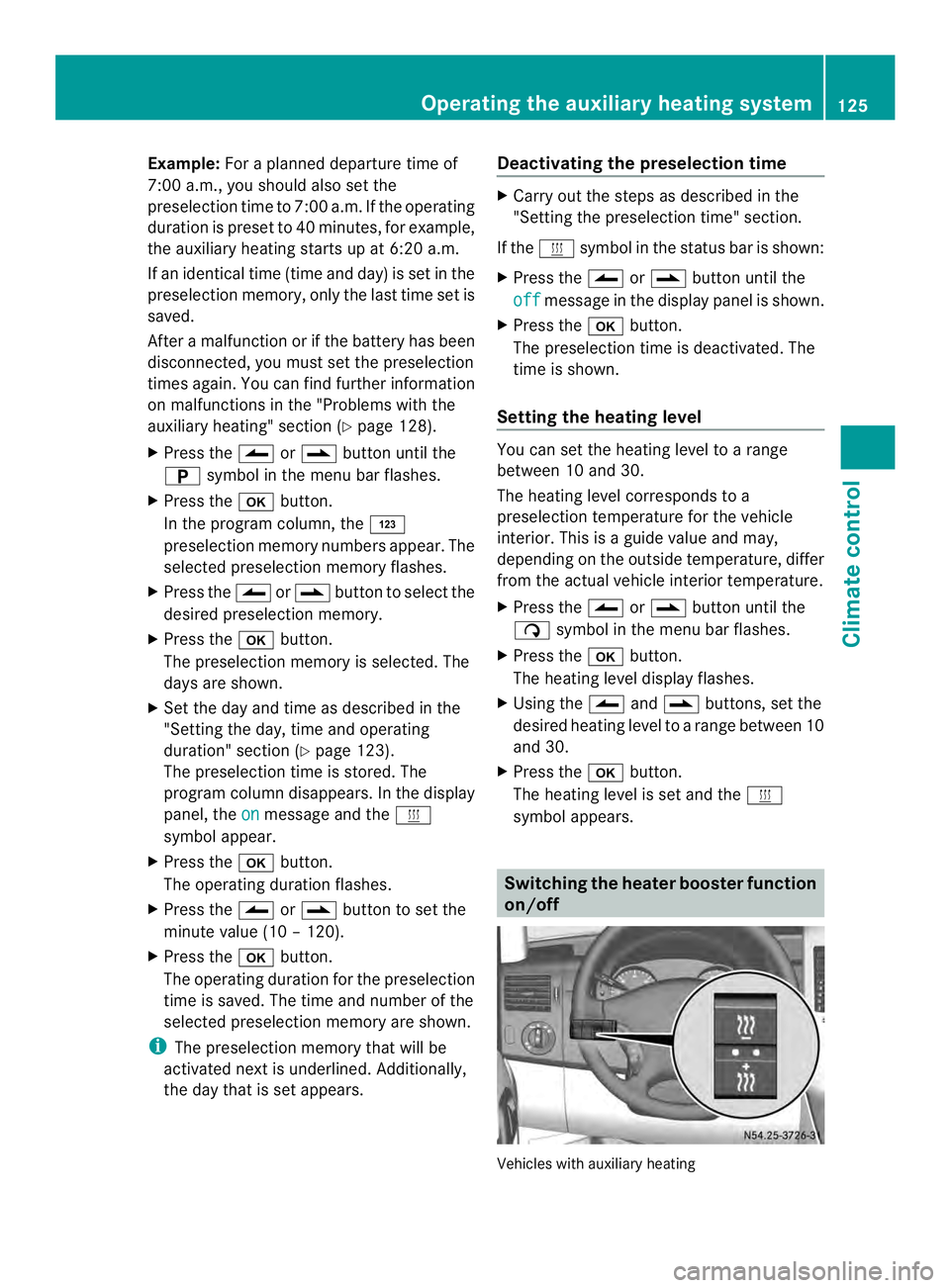
symbol appears. Switching the heater booster function
on/off
Vehicles with auxiliary heatingOperating the auxiliary heating system
125Climate control Z
Page 128 of 334
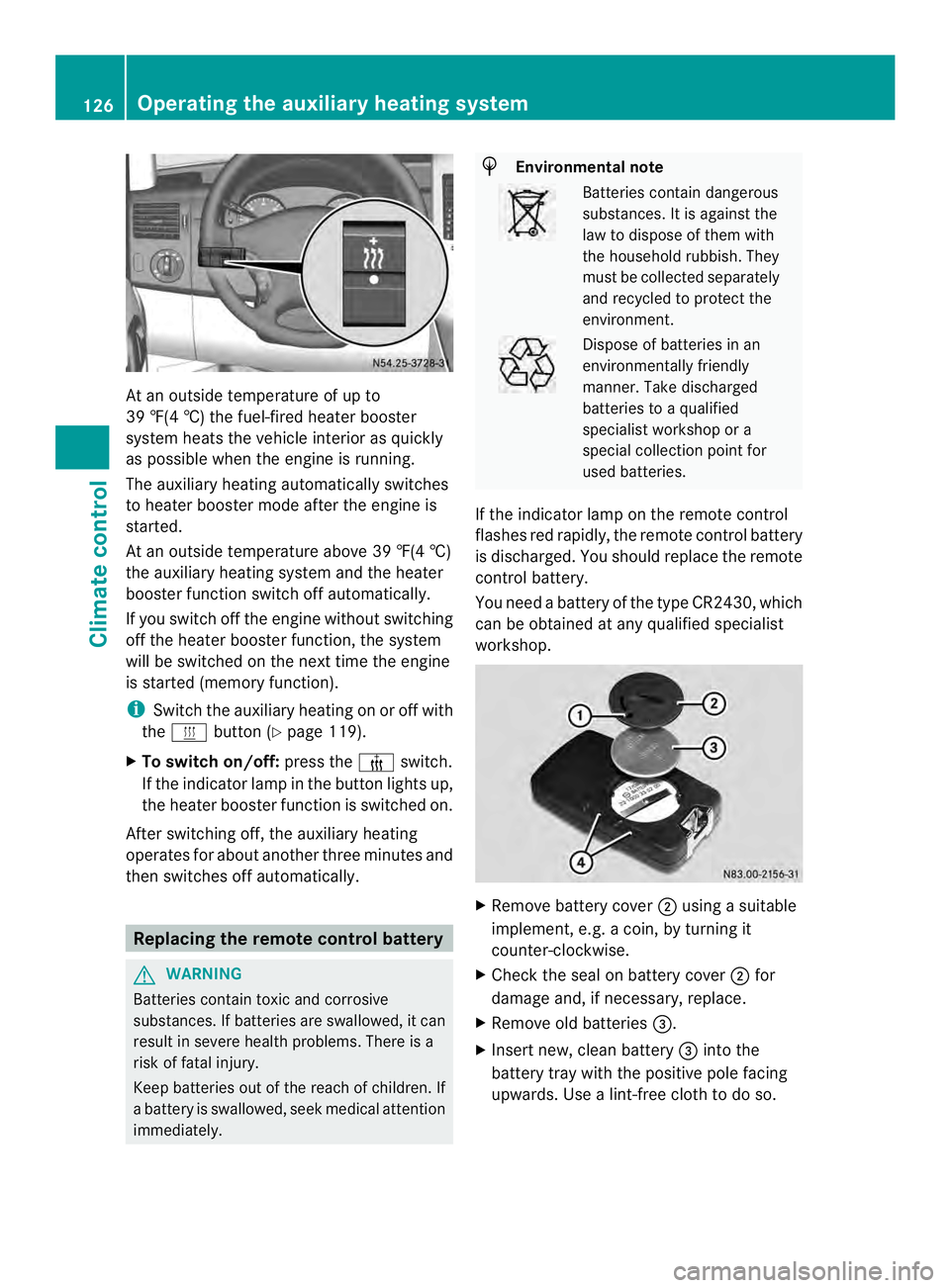
At an outside temperature of up to
39 ‡(4 †) the fuel-fired heate
rbooster
system heats the vehicle interior as quickly
as possible when the engine is running.
The auxiliary heating automatically switches
to heater booster mode after the engine is
started.
At an outside temperature above 39 ‡(4 †)
the auxiliary heating system and the heater
booster function switch off automatically.
If you switch off the engine without switching
off the heater booster function, the system
will be switched on the next time the engine
is started (memory function).
i Switch the auxiliary heating on or off with
the 0020 button (Y page 119).
X To switch on/off: press the0013switch.
If the indicator lamp in the button lights up,
the heater booster function is switched on.
After switching off, the auxiliary heating
operates for about another three minutes and
then switches off automatically. Replacing the remote control battery
G
WARNING
Batteries contain toxic and corrosive
substances. If batteries are swallowed, it can
result in severe health problems. There is a
risk of fatal injury.
Keep batteries out of the reach of children. If
a battery is swallowed, seek medical attention
immediately. H
Environmental note Batteries contain dangerous
substances. It is against the
law to dispose of them with
the household rubbish. They
must be collected separately
and recycled to protect the
environment.
Dispose of batteries in an
environmentally friendly
manner
.Take discharged
batteries to a qualified
specialist workshop or a
special collectio npoint for
used batteries.
If the indicator lamp on the remote control
flashes red rapidly, the remote control battery
is discharged. You should replace the remote
control battery.
You need a battery of the type CR2430, which
can be obtained at any qualified specialist
workshop. X
Remove battery cover 0006using a suitable
implement, e.g. a coin, by turning it
counter-clockwise.
X Check the seal on battery cover 0006for
damage and, if necessary, replace.
X Remove old batteries 0026.
X Insert new, clean battery 0026into the
battery tray with the positive pole facing
upwards. Use a lint-free cloth to do so. 126
Operating the auxiliary heating systemClimate control
Page 174 of 334
available from the police and local
authorities.
Observe the following when towing a trailer:
R
Practice driving around bends, stopping
and backing up at a place where there is no
traffic. This enables you to gain experience
and get used to the new handling
characteristics.
R Before driving, check:
-that the trailer tow hitch and ball
coupling are secure
- that the safety switch for a braked trailer
is functioning properly
- that the safety chains are secure and not
damaged
- that the electrical connections are
secure
- that the lights are working
- that the wheels are in good order and the
tire pressure is correct
R Adjust the exterior mirrors to provide an
unobstructed view of the rear sectio nofthe
trailer.
R If the trailer has electronically controlled
brakes, pull the vehicle/trailer
combination away carefully. Brake
manually using the brake controller and
check that the brakes are working.
R Secure the load on the trailer according to
the applicable specifications and current
standards on securing loads
(Y page 234).
R When driving with a trailer, check at regular
intervals that the load is secured and that
the brakes and lights are working.
R Bear in mind that the handling will be less
stable when towing a trailer than when
driving without one. Avoid sudden steering
movements.
R The vehicle/trailer combination is heavier,
accelerates more slowly and has a
decreased gradient climbing capability and
a longer braking distance.
It is more susceptible to crosswinds and
requires cautious steering. R
If possible, do not brake suddenly, but
rather moderately at first so that the trailer
can activate its brakes. Then increase the
force on the brake pedal.
R If the automatic transmission repeatedly
shifts between gears when driving on
inclines, restrict the shift range. Select shift
range 4,3,2or 1.
Driving in a low gear and at a low speed
reduces the risk of damaging the engine.
R When driving on a downhill gradient, shift
to a low gear and take advantage of the
engine's braking effect.
Avoid continuous brake application as this
may overheat the vehicle brakes and, if
installed, the trailer brakes.
R If the coolant temperature increases
dramatically while the air-conditioning
system is switched on, switch off the air-
conditioning system.
Coolant heat can also be dissipated by
switching the airflow and the temperature
of the heater/air conditioning to the
maximum level. Open the windows if
necessary.
R When overtaking, pay particular attention
to the extended length of your vehicle/
trailer combination.
Due to the length of your vehicle/trailer
combination you need an additional
distance before you can return to your
original lane. Uncoupling
atrailer G
WARNING
If you uncouple a trailer with the overrun
brake engaged, you could trap your hand
between the vehicle and the trailer drawbar.
There is a risk of injury.
Do not uncouple a trailer if the overru nbrake
is engaged.
! Do not disconnect a trailer with an
engaged overru nbrake. Otherwise, your 172
Towing
atrailerDriving an d parking