maintenance MERCEDES-BENZ SPRINTER 2013 MY13 Operator’s Manual
[x] Cancel search | Manufacturer: MERCEDES-BENZ, Model Year: 2013, Model line: SPRINTER, Model: MERCEDES-BENZ SPRINTER 2013Pages: 334, PDF Size: 3.88 MB
Page 3 of 334
Welcome to the world of Mercedes-Benz
Before you first drive off, read this Operator's
Manual carefully and familiarize yourself with
yourv ehicle. Please adhere to the information
and warning notes in this Operator's Manual
for your own safety and to ensure a longer
operating duration of the vehicle. Failure to
observe the instructions may lead to damage
to the vehicle or personal injury.
Vehicle damage caused by a failure to
observe the instructions is not covered by the
New Vehicle Limited Warranty.
These Operating Instructions provides
information on the most important functions
of your vehicle.
Your vehicle's equipment or product
designation may vary, depending on the
following:
R model
R order
R country specification
R availability
Individual warning and indicator lamps may
not be functional.
We reserve the right to make modifications in
the following areas:
R design
R equipment
R technology
Therefore, the descriptions provided may
occasionally differ from your own vehicle.
The following are integral components of the
vehicle:
R Operator's Manual
R Maintenance Booklet
R service and warranty information
R equipment-dependen toperating
instructions
Keep these documents in the vehicle at all
times .Should you sell the vehicle, always
pass the documents on to the new owner.
We wish you pleasant motoring at all times.
9065841197É90658411979ËÍ
Page 5 of 334
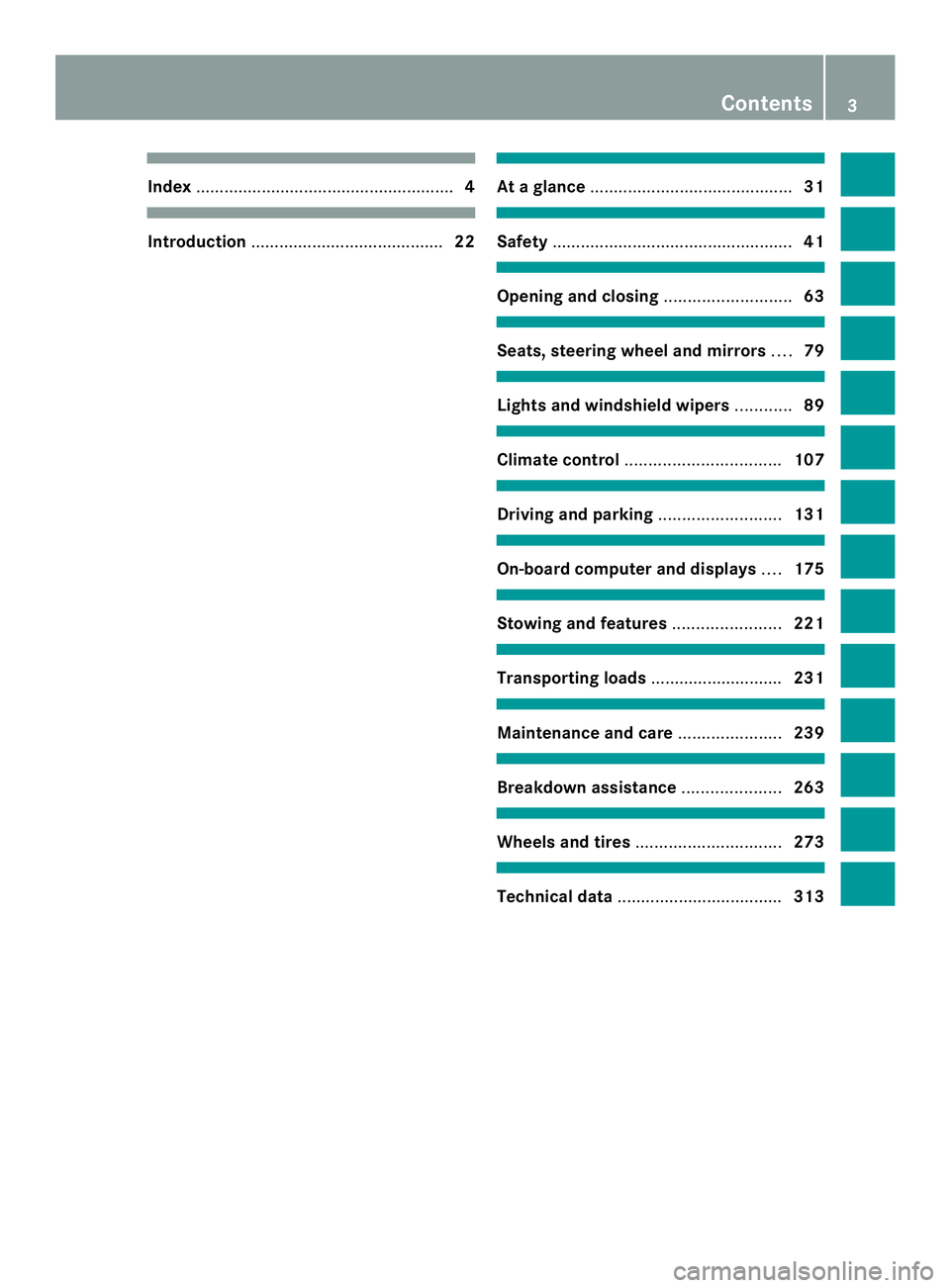
Index
....................................................... 4Introduction
......................................... 22 At
ag lance ........................................... 31 Safety
................................................... 41 Opening and closing
...........................63 Seats, steering wheel and mirrors
....79 Lights and windshield wipers
............89 Climate control
................................. 107 Driving and parking
..........................131 On-board computer and displays
....175 Stowing and features
.......................221 Transporting loads
............................231 Maintenance and care
......................239 Breakdown assistance
.....................263 Wheels and tires
............................... 273 Technical data
................................... 313 Contents
3
Page 7 of 334
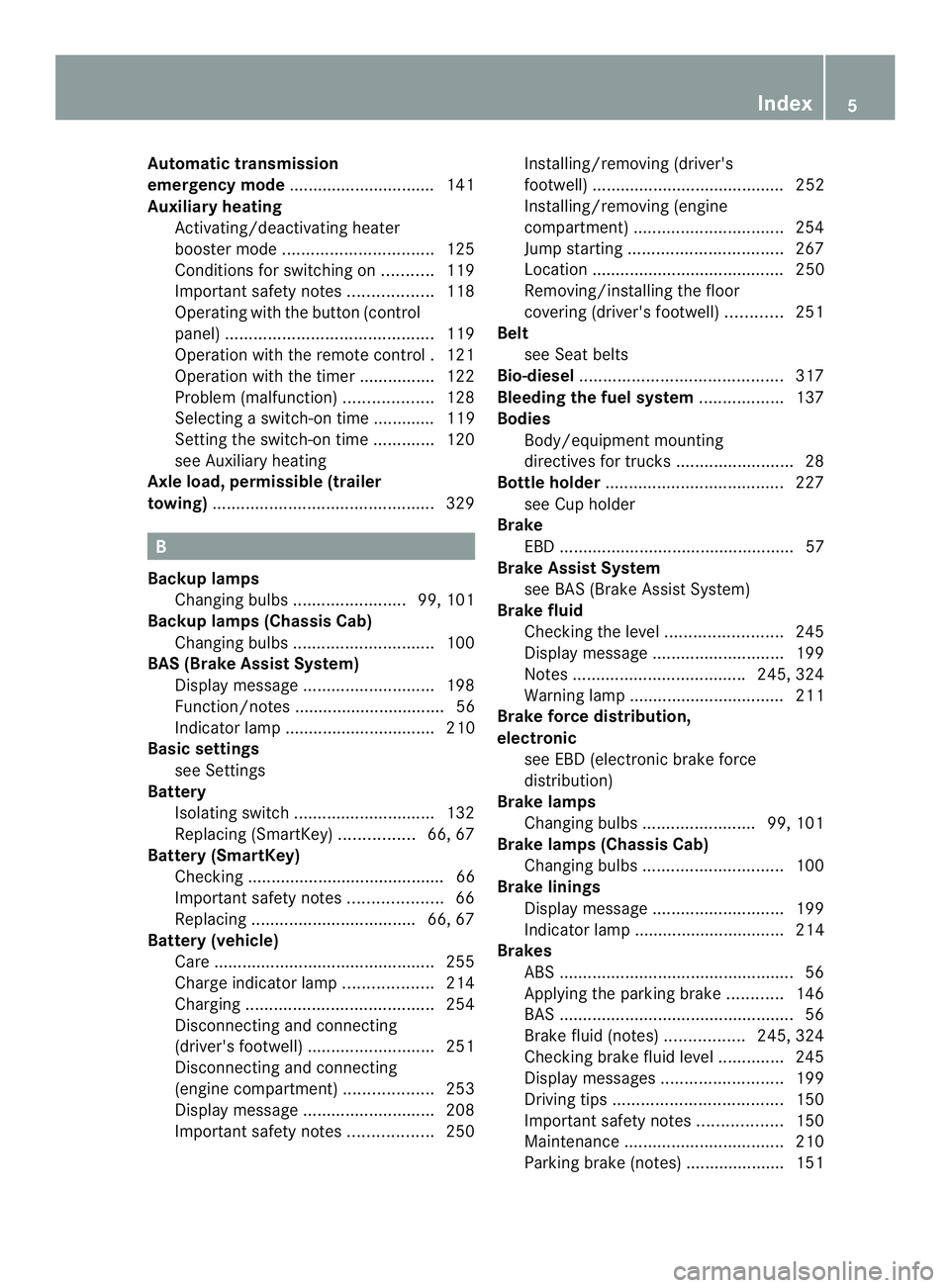
Automatic transmission
emergency mode
...............................141
Auxiliary heating Activating/deactivating heater
booster mode ................................ 125
Conditions for switching on ...........119
Important safety notes ..................118
Operating with the button (control
panel) ............................................ 119
Operation with the remote control .121
Operation with the timer ................122
Problem (malfunction) ...................128
Selecting a switch-on time ............. 119
Setting the switch-on time .............120
see Auxiliary heating
Axle load, permissible (trailer
towing) ............................................... 329B
Backup lamps Changing bulbs ........................ 99, 101
Backup lamps (Chassis Cab)
Changing bulbs .............................. 100
BAS (Brake Assist System)
Display message ............................ 198
Function/notes ................................ 56
Indicator lamp ................................ 210
Basic settings
see Settings
Battery
Isolating switch .............................. 132
Replacing (SmartKey) ................66, 67
Battery (SmartKey)
Checking .......................................... 66
Important safety notes ....................66
Replacing ................................... 66, 67
Battery (vehicle)
Care ............................................... 255
Charge indicator lamp ...................214
Charging ........................................ 254
Disconnecting and connecting
(driver's footwell) ........................... 251
Disconnecting and connecting
(engine compartment) ...................253
Display message ............................ 208
Important safety notes ..................250Installing/removing (driver's
footwell) ......................................... 252
Installing/removing (engine
compartment)
................................ 254
Jump starting ................................. 267
Location ......................................... 250
Removing/installing the floor
covering (driver's footwell) ............251
Belt
see Seat belts
Bio-diesel ........................................... 317
Bleeding the fuel system ..................137
Bodies Body/equipment mounting
directives for trucks .........................28
Bottle holder ...................................... 227
see Cuph older
Brake
EBD .................................................. 57
Brake Assist System
see BAS (Brake Assist System)
Brake fluid
Checking the level .........................245
Display message ............................ 199
Notes .................................... .245, 324
Warning lamp ................................. 211
Brake force distribution,
electronic
see EBD (electronic brake force
distribution)
Brake lamps
Changing bulbs ........................ 99, 101
Brake lamps (Chassis Cab)
Changing bulbs .............................. 100
Brake linings
Display message ............................ 199
Indicator lamp ................................ 214
Brakes
ABS .................................................. 56
Applying the parking brake ............146
BAS .................................................. 56
Brake fluid (notes) .................245, 324
Checking brake fluid leve l.............. 245
Display messages ..........................199
Driving tips .................................... 150
Important safety notes ..................150
Maintenance .................................. 210
Parking brake (notes) ..................... 151 Index
5
Page 15 of 334
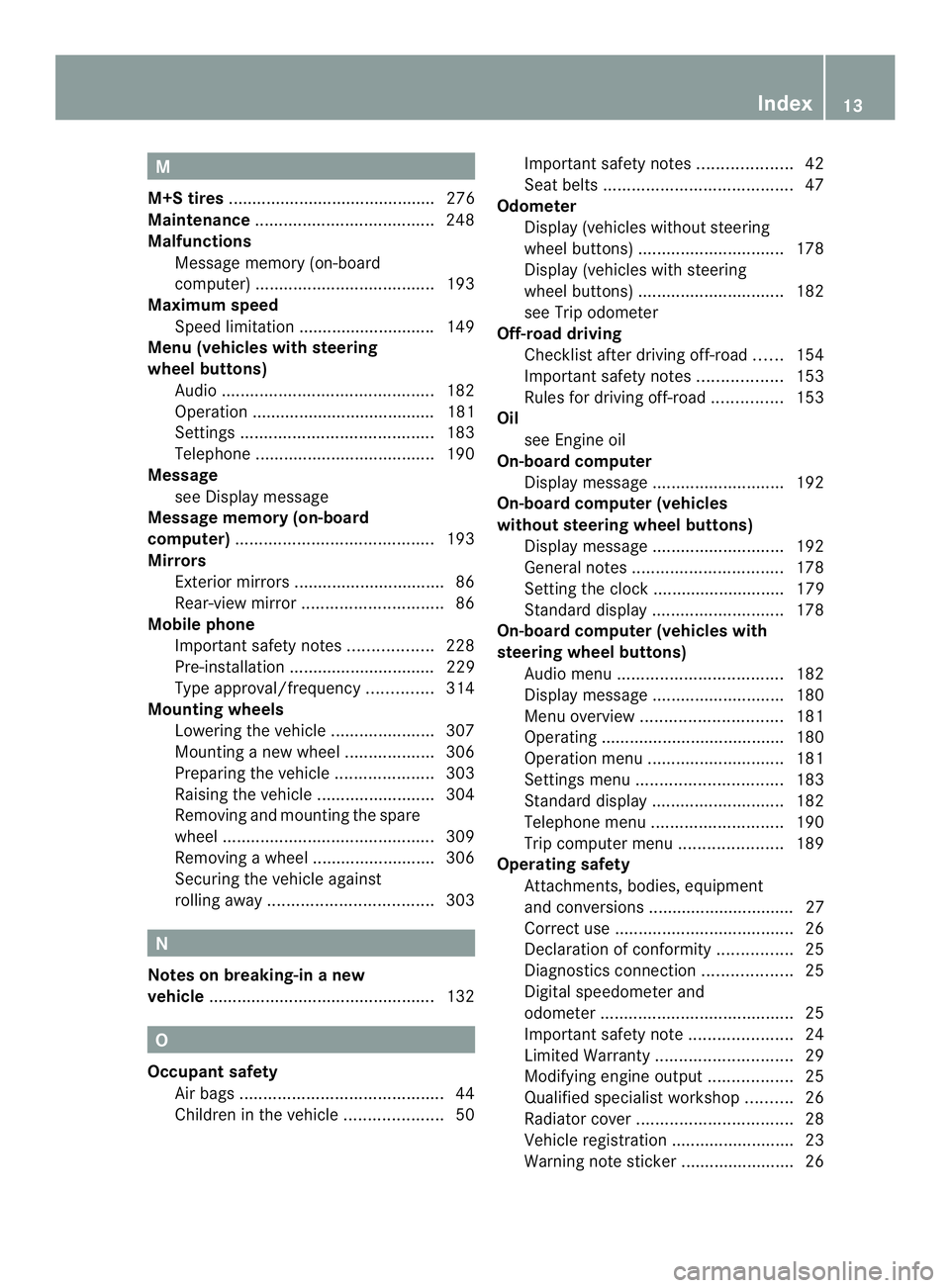
M
M+S tires ............................................ 276
Maintenance ...................................... 248
Malfunctions Message memory (on-board
computer) ...................................... 193
Maximum speed
Speed limitation ............................ .149
Menu (vehicles with steering
wheel buttons)
Audi o............................................. 182
Operation ....................................... 181
Settings ......................................... 183
Telephone ...................................... 190
Message
see Display message
Message memory (on-board
computer) .......................................... 193
Mirrors Exterior mirrors ................................ 86
Rear-view mirror .............................. 86
Mobile phone
Important safety notes ..................228
Pre-installation ............................... 229
Type approval/frequency ..............314
Mounting wheels
Lowering the vehicle ......................307
Mounting anew wheel ................... 306
Preparing the vehicle .....................303
Raising the vehicle .........................304
Removing and mounting the spare
wheel ............................................. 309
Removing awheel .......................... 306
Securing the vehicle against
rolling away ................................... 303N
Notes on breaking-in anew
vehicle ................................................ 132O
Occupant safety Air bag s........................................... 44
Childre ninthe vehicle ..................... 50Important safety notes
....................42
Seat belts ........................................ 47
Odometer
Display (vehicles without steering
wheel buttons) ............................... 178
Display (vehicles with steering
wheel buttons) ............................... 182
see Trip odometer
Off-road driving
Checklist after driving off-roa d...... 154
Important safety notes ..................153
Rules for driving off-road ...............153
Oil
see Engine oil
On-board computer
Display message ............................ 192
On-board computer (vehicles
without steering wheel buttons)
Display message ............................ 192
General notes ................................ 178
Setting the clock ............................ 179
Standard displa y............................ 178
On-board computer (vehicles with
steering wheel buttons) Audi omenu ................................... 182
Display message ............................ 180
Menu overview .............................. 181
Operating ...................................... .180
Operation menu ............................. 181
Settings menu ............................... 183
Standard displa y............................ 182
Telephone menu ............................ 190
Trip computer menu ......................189
Operating safety
Attachments, bodies, equipment
and conversions ............................... 27
Correct use ...................................... 26
Declaratio nofconformity ................ 25
Diagnostics connection ...................25
Digital speedometer and
odometer ......................................... 25
Important safety note ......................24
Limited Warranty ............................. 29
Modifying engine output ..................25
Qualified specialist workshop ..........26
Radiator cover ................................. 28
Vehicle registratio n.......................... 23
Warning note sticker ........................26 Index
13
Page 22 of 334
Trailer loads and drawbar
noseweights
...................................... 173
Trailer towing PARKTRONI C................................. 160
Permissible trailer loads and
drawba rnoseweights ............169, 173
Transmission
see Automatic transmission
Transmission oil ................................ 323
Transport Loading guidelines .........................232
Vehicle .......................................... .271
Transportation
Rail ................................................ 150
Transport by rail ................................ 150
Transporting Load distribution ............................ 234
Securing aload .............................. 234
Trim pieces (cleaning instructions) .260
Trip computer (on-board
computer) .......................................... 189
Trip meter see Trip odometer
Trip odometer
Display (vehicles without steering
wheel buttons) ............................... 178
Display (vehicles with steering
wheel buttons) ............................... 182
Resetting ....................................... 177
see Trip computer (on-board computer)
Turn signals
Changing bulbs (front) .....................98
Changing bulbs (rear) ..............99, 101
Switching on/off .............................. 92
Turn signals (Chassis Cab)
Changing bulbs (rear) ....................100
Twin co-driver's seat
Folding tabl e.................................. 225
Stowag ecompartmen t.................. 224
Two-way radios
Type approval/frequency ..............314
TWR (Tongue Weight Rating)
(definition) ......................................... 295 U
Unlocking From inside the vehicle (central
unlocking button) ............................. 69 V
Vehicle Correct use ...................................... 26
Data acquisition ............................... 29
Display message ............................ 208
Electronics ..................................... 314
Equipment ....................................... 23
Individual settings (vehicles with
steering wheel buttons) .................183
Limited Warranty ............................. 29
Loading .......................................... 286
Locking (SmartKey) .......................... 64
Lowering ........................................ 307
Maintenance .................................... 23
Operating safety .............................. 24
Parking for a long period ................ 147
Pulling away ................................... 135
Raising ........................................... 304
Registration ..................................... 23
Reporting problems .........................28
Securing from rolling away ............145
Towing away .................................. 268
Transporting .................................. 271
Unlocking (SmartKey) ......................64
Vehicle battery
see Battery (vehicle)
Vehicle bodies
General notes .................................. 27
Vehicle data ....................................... 326
Vehicle identification number .......... 315
Vehicle identification plate ..............315
Vehicle tool kit .................................. 264
Voltage supply Fuse s............................................. 271 W
Warning and indicator lamps Brakes ........................................... 211
Check Engine ................................. 216
Coolant .......................................... 215
Diesel Exhaus tFluid (DEF) .............213 20
Index
Page 25 of 334
Operator's Manual
General notes
Before you first drive off, read this Operator's
Manual carefully and familiarize yourself with
your vehicle.
Please adhere to the information and warning
notes in this Operator's Manual for your own
safety and to ensure a longer operating
duration of the vehicle. Failure to observe the
instructions may lead to damage to the
vehicle or personal injury.
Damage to the vehicle, caused by not
adhering to the instructions, is not covered by
the New Vehicle Limited Warranty . Vehicle equipment
The Operator's Manual describes all models
and standard and optional equipment of your
vehicle that were available at the time of
going to print .Country-specific variations are
possible. Note that your vehicle may not be
equipped with all of the described functions.
This also applies to systems and functions
relevant to safety. The equipment in your
vehicle may therefore differ from that shown
in the descriptions and illustrations. The
original purchase contract documentation for
your vehicle contains a list of all of the
systems in your vehicle.
If you have questions about equipment and
operation, consult any authorized Sprinter
Dealer.
The Operator's Manual, the Maintenance
Booklet and the equipment-dependent
operating instructions are important
documents and should be kept in the vehicle. Service and vehicle operation
Maintenance and literature
The Service and Warranty Information
Booklet contains detailed information on the
types of warranty that your Sprinter is
covered by, including:
R New Vehicle Limited Warranty
R Diesel Engine Limited Warranty
R Anti-Perforation Warranty
R Limited Warranty for Restraint Systems
(only vehicles that have been sold and
registered in the state of Kansas)
R Legally required Emission Performance
Warranty
Replacement parts and accessories are
subject to the Replacement Part and
Accessory Warranty of the dealer mentioned
on the inside cover. You can obtain these
from any authorized Sprinter dealer. Maintenance
The Maintenance Booklet and the Service and
Warranty Information Booklet describe all
necessary maintenance work that should be
carried out at regular intervals.
When you take the vehicle to an authorized
Sprinter dealer, always be sure to bring the
Maintenance/Service/Warranty Information
Booklet .Your customer service advisor
enters each maintenance service into the
Maintenance Booklet for you. Registering your vehicle
We may ask our authorized Sprinter Dealers
to carry out technical inspections on certain
vehicles to improve their quality or safety.
We can only inform you about vehicle checks
if we have your registration data. Introduction
23 Z
Page 26 of 334
Your registratio
ndata is no tstored if:
R you did not purchase your vehicle at an
authorized Sprinte rDealer.
R your vehicle has never been inspected at
an authorized Sprinter Dealer.
It is advisable to register your vehicle with an
authorized Sprinter Dealer. Please infor mus
as soon as possible about any change of
address or vehicle ownership. Operating safety
Important safety notes
G
WARNING
Exhaust fumes, some of its constituents, and
certain vehicle components contain or emit
chemicals known to the State of California to
cause cancer and birth defects or other
heritable genetic damage.
In addition, certain fluid scontained in
vehicles, and certain products that are used
as components, contain chemicals known to
the State of California to cause cancer and
birth defects or other heritable genetic
damage.
Air bags and pyrotechnic Emergency
Tensioning Devices (ETDs) and remote
control batteries contain perchlorate
material, which may require special handling
and regard for the environment. Check with
your local government's disposal guidelines.
In California, see www.dtsc.ca.gov/
HazardousWaste/Perchlorate/ index.cfm. G
WARNING
If you do not have the prescribed service/
maintenance work or any required repairs
carried out, this can result in malfunctions or
system failures. There is a risk of an accident.
Always have the prescribed service/
maintenance work as well as any required
repairs carried out at a qualified specialist
workshop. G
WARNING
Modifications to electronic components, their
software as well as wiring can impair their
function and/or the function of other
networked components. In particular,
systems relevant to safety could also be
affected. As a result, these may no longer
function as intended and/or jeopardize the
operating safety of the vehicle. There is an
increased risk of an accident and injury.
Never tamper with the wiring as well as
electronic components or their software. You
should have all work to electrical and
electronic equipment carried out at a qualified
specialist workshop. G
WARNING
Flammable materials, e.g. leaves, grass or
branches, may ignite if they come into contact
with hot parts of the exhaust system for
extended periods. There is arisk of fire.
When driving off-road or on unpaved surfaces,
chec kthe underside of the vehicle at regular
intervals. In particular, remove any trapped
parts of plants or other flammable material. If
there is any damage, inform a qualified
specialist workshop.
The general operating permit for your vehicle
could be rendered invalid If you carry out
modifications to electronic components,
their software as well as wiring.
Driving off-road or on construction sites
increases the possibility of vehicle damage
which may in turn lead to the failure of certain
assemblies and systems.
There is a risk of damage to the vehicle if:
R the vehicle makes contact with the ground,
e.g. on a high curb or a loose road surface
R you drive too quickly over an obstacle, e.g.
a curb or a pothole
R a heavy object hits the underbody or
chassis component
In these or similar situations, the vehicle
body, the underbody, chassis components,
wheels or tires could be damaged even if this 24
Introduction
Page 28 of 334
G
WARNING
Objects in the driver's footwell can restrict the
pedal travel or obstruct adepressed pedal.
The operating and road safety of the vehicle
is jeopardized. There is a risk of an accident.
Make sure that all objects in the vehicle are
stowed correctly, and that they cannot enter
the driver's footwell. Install the floormats
securely and as specified in order to ensure
sufficien tclearance for the pedals. Do not use
loose floormats.
! If the engine is switched off and a device
which is connected to the on-board
diagnostics connection is being used, the
battery may discharge.
Connecting equipmen tto the diagnostics
connections can lead to emissions
monitoring information being reset. The
possible outcome may be that the vehicle no
longer fulfills the emissions laws and
regulations. This may be acriminal offense or
breach of road traffic regulations in certain
countries. Qualified specialist workshops
An authorized Sprinter Deale ris a qualified
specialist workshop. Aqualified specialist
workshop has the necessary specialist
knowledge, tools and qualifications to
correctly carry out the work required on the
vehicle. This is especially the case for work
relevan tto safety.
Observe the information in the Maintenance
Booklet.
The following work should always be carried
out at qualified specialist workshop:
R work relevant to safety
R service and maintenance work
R repair work
R modifications as well as installations and
alterations
R work on electronic components For this reason, we recommend an authorized
Sprinter Dealer. Proper use
G
WARNING
Gases and fluids from substances that
constitute a health hazard or react
aggressively can escape even from securely
closed containers. When transporting such
substances in the vehicle interior, your ability
to concentrate or your health could be
affected during the journey. Malfunctions,
short circuits or electrical componen tsystem
failures may also result .There is a risk of an
accident and fire.
Do not store or transport any substances in
the vehicle interior which are hazardous to
health or react aggressively.
Do not store or transport any substances in
the vehicle interior which are hazardous to
health or react aggressively.
These include:
R solvents
R fuel
R oils and greases
R cleaning agents
R acids
There are various warning stickers affixed to
your vehicle. If you remove warning stickers,
others may fail to recognize the dangers.
Leave the warning stickers in their original
position.
Observe the following information when
operating your vehicle:
R the safety information in these instructions
R the “Technical data“ section in this
Operator's Manual
R traffic rules and regulations
R motor vehicle laws and safety standards 26
Introduction
Page 96 of 334
signal lamps on the side of the vehicle
selected will light up.
The hazard warning lamps switch on
automatically if:
R
an air bag is deployed.
R you brake sharply and bring the vehicle to
a halt from a speed of more than 45 mph
(70 km/h).
If the hazard warning lamps have been
switched on automatically, press the 0011
hazard warning lamp switch to switch them
off.
i The hazard warning lamps work even
when the ignition is switched off. Headlamp cleaning system
The headlamps are cleaned automatically
with a high-pressure water jet if the "Wipe
with washer fluid" function is activated
(Y page 103) while the low-beam headlamps
are on and the engine is running.
Information on checking the washer fluid
level can be found in the "Maintenance and
care" (Y page 246) section. Headlamps fogged up on the inside
The headlamps may fog up on the inside if
there is high atmospheric humidity.
X Switch on the low-beam headlamps and
drive off.
The level of moisture diminishes,
depending on the length of the journey and
the weather conditions (humidity and
temperature).
If the level of moisture does not diminish:
X Have the headlamps checked at a qualified
specialist workshop. Interior lighting
Switching the dashboard lighting on/
off
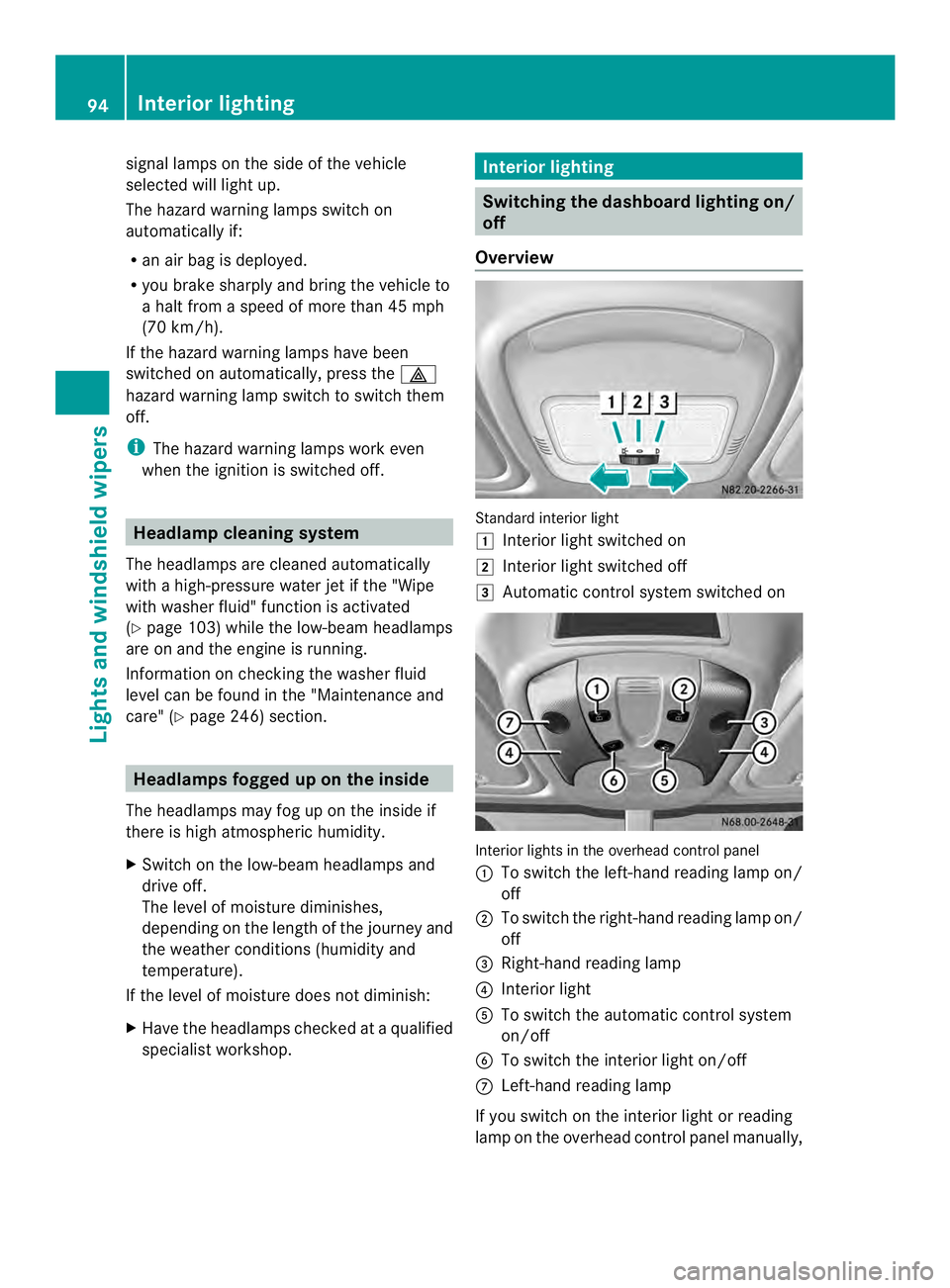
Overview Standard interior light
0008
Interior light switched on
0009 Interior light switched off
000A Automatic control system switched on Interior lights in the overhead control panel
0005 To switch the left-hand reading lamp on/
off
0006 To switch the right-hand reading lamp on/
off
0026 Right-hand reading lamp
0025 Interior light
0023 To switch the automatic control system
on/off
0024 To switch the interior light on/off
0018 Left-hand reading lamp
If you switch on the interior light or reading
lamp on the overhead control panel manually, 94
Interior lightingLights and windshield wipers
Page 106 of 334
X
Turn the key to position 1or 2in the
ignition lock.
X Turn the combination switch in the
direction of arrow 0005to the appropriate
setting depending on the intensity of the
rain.
X Single wipe: push the combination switch
briefly up to the pressure point in the
direction of arrow 0006.
X To wipe with washer fluid: press the
combination switch beyond the pressure
point in the direction of arrow 0006.
i Wipe the windshield using washer fluid
even if it is raining. By doing so, you will
prevent smears on the windshield.
The detent positions of the combination
switch correspond to the following wiper
speeds:
0W indshield wipers off
II ntermittent wipe
II Normal wipe
III Rapid wipe
i Canada only:
If the windshield wipers are switched on
and you stop the vehicle, the windshield
wipe rspeed is reduced. For example, if you
have selected level IIand stop the vehicle,
wiping continues with intermitten twipe
while the vehicle is stationary. If
intermitten twipe is selected, the intervals
become longer.
Vehicles with arain and light sensor:
you can use level Ias the universal setting.
The rai nand light sensor sets the
appropriate wiping frequency
automatically, according to the intensity of
the rain. Whe nyou stop the vehicle, levels
III and IIare switched down to level I
automatically.
The windshield wiper will return to the
original level when you drive faster than
5 mph (8 km/h) again. You can adjust the sensitivity of the rain and
light sensor using the on-board computer
(Y
page 189).
Information on checking the washer fluid
level can be found in the "Maintenance and
care" (Y page 246) section. Switching the rear window wiper on/
off
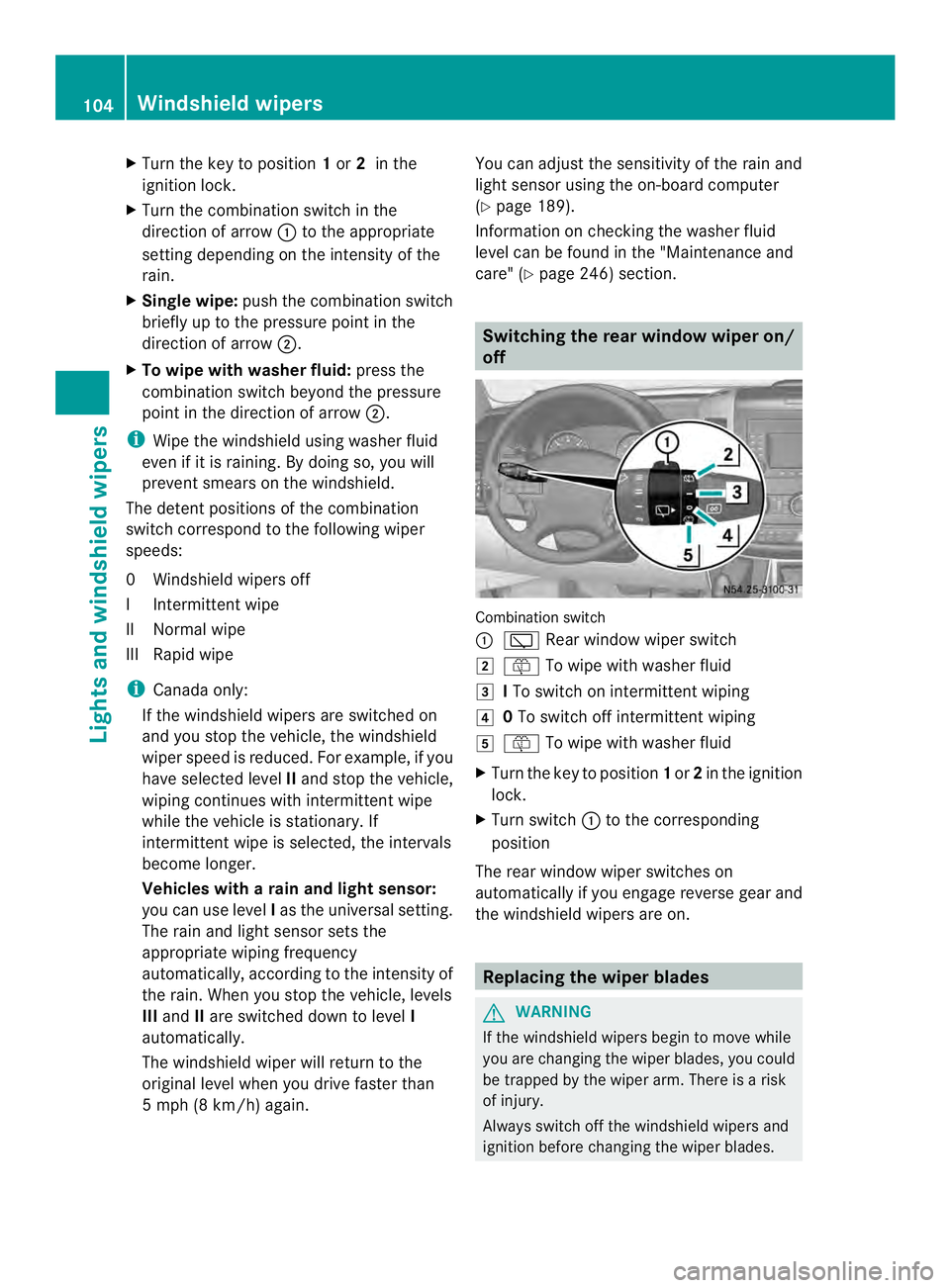
Combination switch
0005
0001 Rear window wiper switch
0009 0006 To wipe with washer fluid
000A ITo switch on intermittent wiping
000E 0To switch off intermittent wiping
000F 0006 To wipe with washer fluid
X Turn the key to position 1or 2in the ignition
lock.
X Turn switch 0005to the corresponding
position
The rear window wiper switches on
automatically if you engage reverse gear and
the windshield wipers are on. Replacing the wiper blades
G
WARNING
If the windshield wipers begin to move while
you are changing the wiper blades, you could
be trapped by the wiper arm. There is a risk
of injury.
Always switch off the windshield wipers and
ignition before changing the wiper blades. 104
Windshield wipersLights and windshiel
dwipers