light MERCEDES-BENZ SPRINTER 2015 MY15 Operator’s Manual
[x] Cancel search | Manufacturer: MERCEDES-BENZ, Model Year: 2015, Model line: SPRINTER, Model: MERCEDES-BENZ SPRINTER 2015Pages: 334, PDF Size: 5.94 MB
Page 185 of 334
Menus in the on-board computer
Overview If you wish to exit a menu and go to the stand-
ard display:
X Press the 0079menu button for longer than
1 second.
or
X Do not press any button for 10 seconds.
The display accepts the changed settings.
Using the 0074,0075,0079or0045 adjustment but-
tons, you can select the following functions:
R Calling up the service due date
(Y page 258)
R Checking the oil level (Y page 250)
R Checking the DEF supply (Y page 182)
R Preselecting/setting the auxiliary heating
switch-on time (Y page 124)
R Tire pressure monitor (Y page 291)
R Setting the time (Y page 183)
R Activating/deactivating Highbeam Assist
(Y page 192)
R Setting the daytime running lamps
(Y page 92)
Setting the time X
Turn the key to position 2in the ignition
lock.
X Press the 0079menu button repeatedly until
the hours figure flashes.
X Press the 0074or0075 button to set the hour.
X Press the 0045reset button.
The minute display flashes.
X Press the 0074or0075 button to set the minute.
i If you keep the
0074or0075 button pressed,
the value will change continuously. Activating/deactivating Highbeam
Assist X
Turn the key to position 2in the ignition
lock.
X Press the 0079menu button repeatedly until
the 00CE indicator lamp flashes and the on on
or OFF
OFF message appears in the display.
X Use the 0074or0075 button to switch High-
beam Assist on/off.
Switching the daytime running lamps
on/off If you switch the daytime running lamps
on on,
the daytime running lamps will automatically
light up when the engine is running.
For safety reasons, it is only possible to
change this setting when the vehicle is sta-
tionary. The factory setting is on onin countries
in which daytime running lamp mode or day-
time running lamps are mandatory.
X Turn the key to position 2in the ignition
lock.
X Press the 0079menu button repeatedly until
the 0058 indicator lamp flashes and the on on
or OFF
OFF message appears in the display.
X Press the 0074or0075 button to activate or
deactivate the daytime running lamps.
i USA only:
If you turn the light switch to 0060or0058,
the corresponding light switches on. If you
turn the light switch to 0058, the daytime
running lamps remain switched on.
Canada only:
If you turn the light switch to 0058, the low-
beam headlamps switch on. If you turn the light switch to 0060or0058, the daytime
running lamps remain switched on. On-board computer (vehicles without steering wheel buttons)
183On-board computer and displays Z
Page 190 of 334
Using the steering wheel buttons
X Switch on the audio equipment (see the
separate operating instructions).
X Press the 0080or007F button repeatedly
until the station selected appears in the
display.
X Press the 0063or0064 button to select the
desired station.
i You can only store new stations on the
audio system itself. See the separate oper- ating instructions.
You can also operate the audio equipment
in the same way as usual.
Operating the CD player 0043
Current CD (with CD changer)
0044 Current track
Using the steering wheel buttons X Switch on the audio equipment and select
the CD player (see the separate operating
instructions).
X Press the 0080or007F button repeatedly
until the settings for the current CD appear
in the display.
X Press the 0063or0064 button to select a
CD track. Settings menu
Introduction In the
Settings menu, the following options
and submenus are available:
R Resetting all settings
R Resetting the functions of a submenu R
Instrument cluster (Y page 189)
- Units and language settings
- Status bar settings
R Time(Y page 191)
R Lighting (Y page 192)
- Switching surround lighting on/off
- Switching the daytime running lamps
on/off
- Setting the exterior lighting delayed
switch-off
- Activating/deactivating Highbeam
Assist
R Vehicle
- Setting the radio station selection
- Setting the windshield wiper sensitivity
R Stationary heating or auxiliary heating
(Y page 124)
R Convenience (Y page 194)
- Key-dependent settings
i For safety reasons, it is not possible to
reset all of the functions while the vehicle is
in motion. For example, in the Lighting
Lighting
submenu, the Daytime runn. lamps Daytime runn. lamps
function remains unchanged.
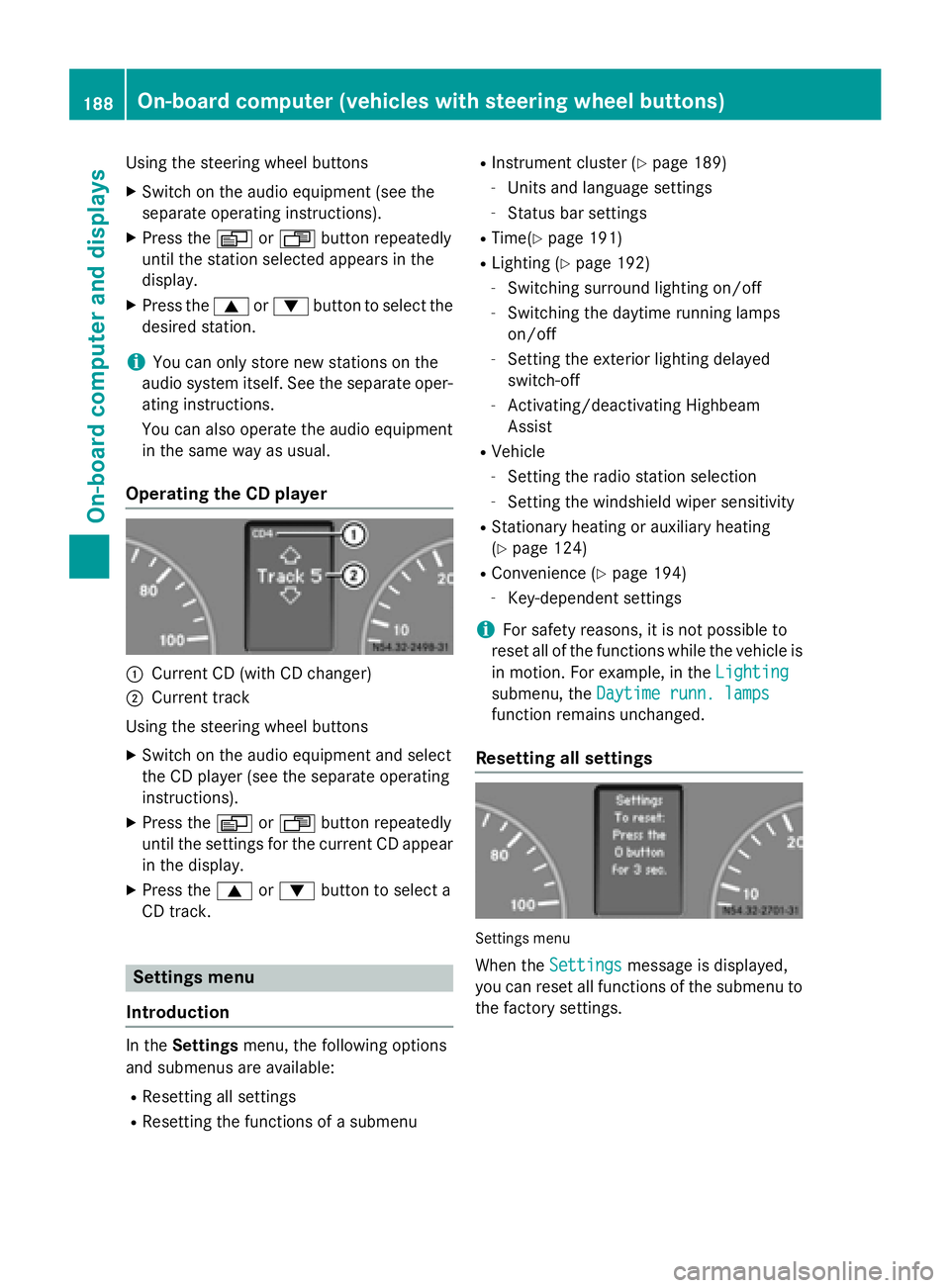
Resetting all settings Settings menu
When the Settings
Settings message is displayed,
you can reset all functions of the submenu to the factory settings. 188
On-board computer (vehicles with steering wheel buttons)On-board computer and displays
Page 191 of 334
Using the steering wheel buttons
X Press the 0080or007F button repeatedly
until the Settings
Settings menu appears in the
display.
X Press and hold the 0045reset button for
approximately 3 seconds.
You will see a message in the display
prompting you to press the 0045reset button
again to confirm.
X Press the 0045reset button again.
The functions in all submenus are reset to
the factory settings.
i If you want to retain the settings, do not
press the 0045reset button a second time.
The Settings
Settings menu appears again after
approximately 5 seconds.
Resetting the functions of a submenu You can individually reset the functions of
each submenu to the factory settings.
Using the steering wheel buttons
X Press the 0080or007F button repeatedly
until the Settings
Settings menu appears in the
display.
X Press the 0063button to switch to the sub-
menu selection.
X Press the 0081or0082 button to select a
submenu.
X Press and hold the 0045reset button for
approximately 3 seconds.
You will see a message in the display
prompting you to press the 0045reset button
again to confirm.
X Press the 0045reset button again.
All functions in the submenu are reset to
the factory settings.
i If you want to retain the settings, do not
press the 0045reset button a second time.
The Settings Settings menu appears again after
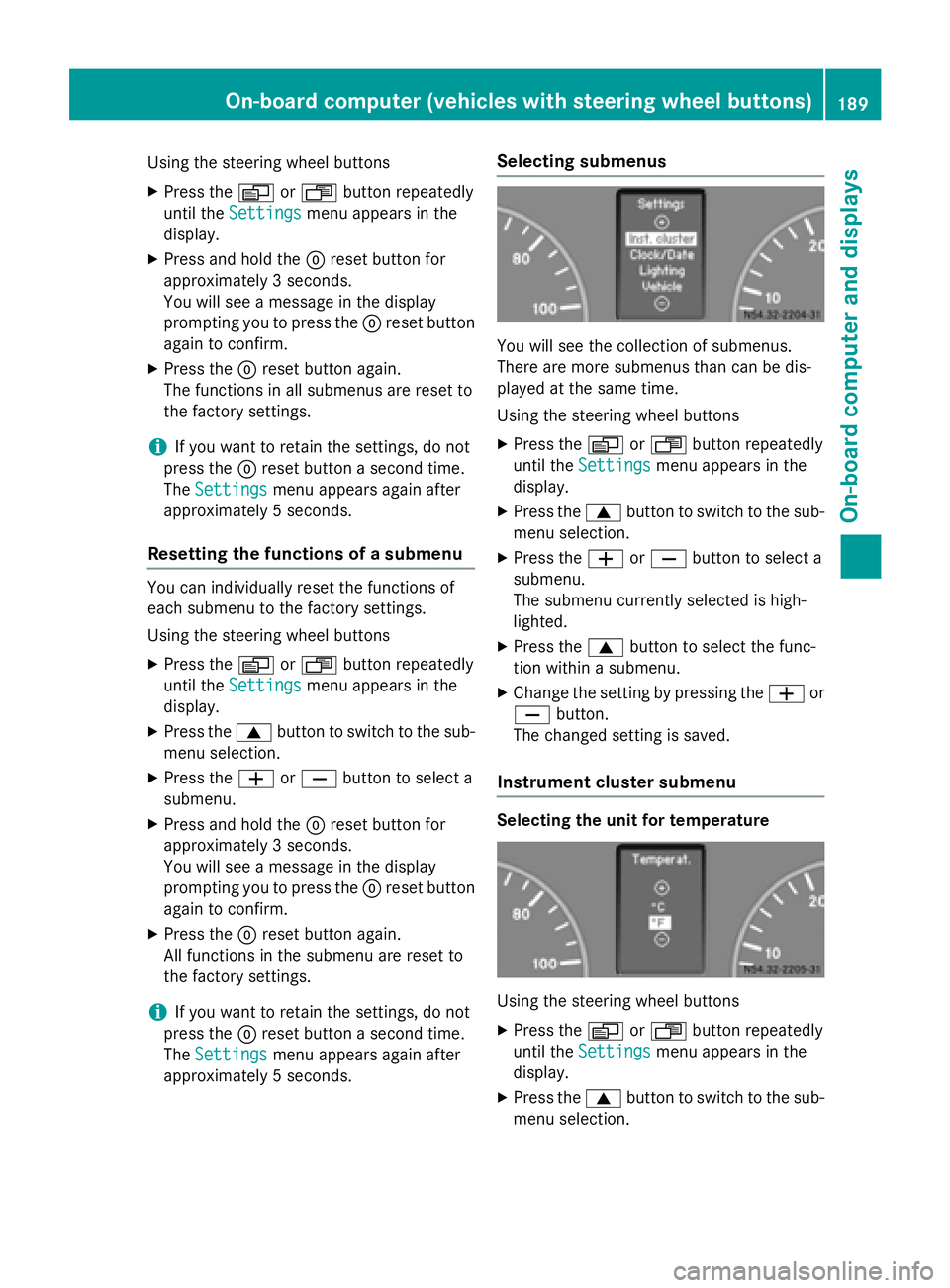
approximately 5 seconds. Selecting submenus You will see the collection of submenus.
There are more submenus than can be dis-
played at the same time.
Using the steering wheel buttons
X Press the 0080or007F button repeatedly
until the Settings
Settings menu appears in the
display.
X Press the 0063button to switch to the sub-
menu selection.
X Press the 0081or0082 button to select a
submenu.
The submenu currently selected is high-
lighted.
X Press the 0063button to select the func-
tion within a submenu.
X Change the setting by pressing the 0081or
0082 button.
The changed setting is saved.
Instrument cluster submenu Selecting the unit for temperature
Using the steering wheel buttons
X Press the 0080or007F button repeatedly
until the Settings Settings menu appears in the
display.
X Press the 0063button to switch to the sub-
menu selection. On-board computer (vehicles with steering wheel buttons)
189On-board computer and displays Z
Page 194 of 334
X
Press the 0081or0082 button to select the
Clock/Date
Clock/Date submenu.
X Press the 0063button to select the
12/24 h
12/24 h function.
The selection marker is on the current set-
ting.
X Press the 0081or0082 button to select the
12 h
12 h or24 h
24 h clock format.
Lighting submenu Activating/deactivating Highbeam Assist
Using the steering wheel buttons
X Press the 0080or007F button repeatedly
until the Settings
Settings menu appears in the
display.
X Press the 0063button to switch to the sub-
menu selection.
X Press the 0081or0082 button to select the
Lighting
Lighting submenu.
X Press the 0063button to select the High‐
High‐
beam Assist
beam Assist function.
The selection marker is on the current set-
ting.
X Press the 0081or0082 button to switch
Highbeam Assist On
OnorOff
Off .
i For safety reasons, it is not possible to
reset the Highbeam
Highbeam Assist
Assistfunction to the
factory settings during a journey. You will
see the following message in the display:
Setting only possible at stand‐
Setting only possible at stand‐
still still.
For further information about Highbeam
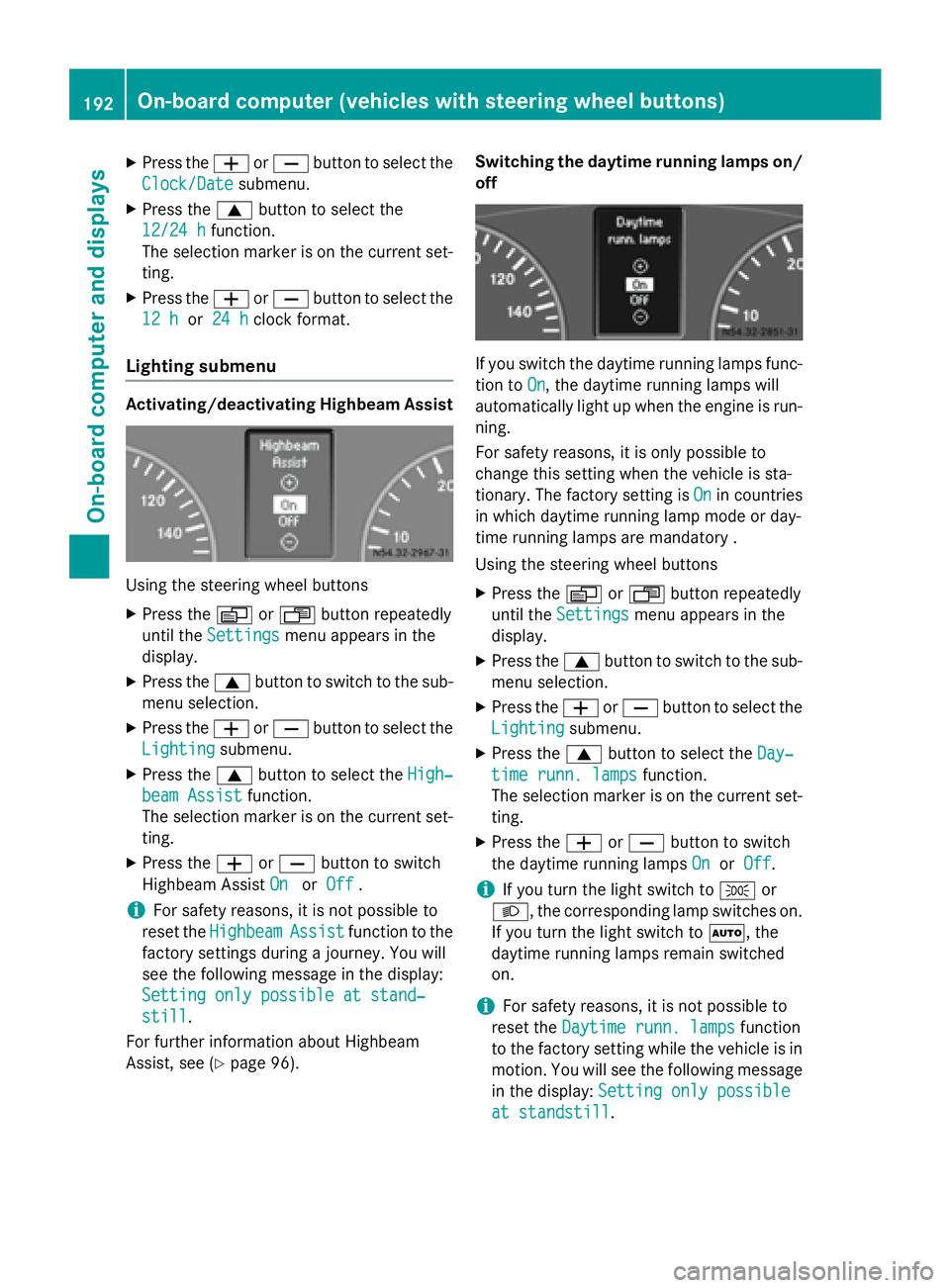
Assist, see (Y page 96). Switching the daytime running lamps on/
off If you switch the daytime running lamps func-
tion to On
On, the daytime running lamps will
automatically light up when the engine is run- ning.
For safety reasons, it is only possible to
change this setting when the vehicle is sta-
tionary. The factory setting is On Onin countries
in which daytime running lamp mode or day-
time running lamps are mandatory .
Using the steering wheel buttons
X Press the 0080or007F button repeatedly
until the Settings Settings menu appears in the
display.
X Press the 0063button to switch to the sub-
menu selection.
X Press the 0081or0082 button to select the
Lighting
Lighting submenu.
X Press the 0063button to select the Day‐
Day‐
time runn. lamps
time runn. lamps function.
The selection marker is on the current set- ting.
X Press the 0081or0082 button to switch
the daytime running lamps On
OnorOff
Off.
i If you turn the light switch to
0060or
0058, the corresponding lamp switches on. If you turn the light switch to 0058, the
daytime running lamps remain switched
on.
i For safety reasons, it is not possible to
reset the Daytime runn. lamps Daytime runn. lamps function
to the factory setting while the vehicle is in
motion. You will see the following message
in the display: Setting only possible
Setting only possible
at standstill
at standstill. 192
On-board computer (vehicles with steering wheel buttons)On-board computer and displays
Page 195 of 334
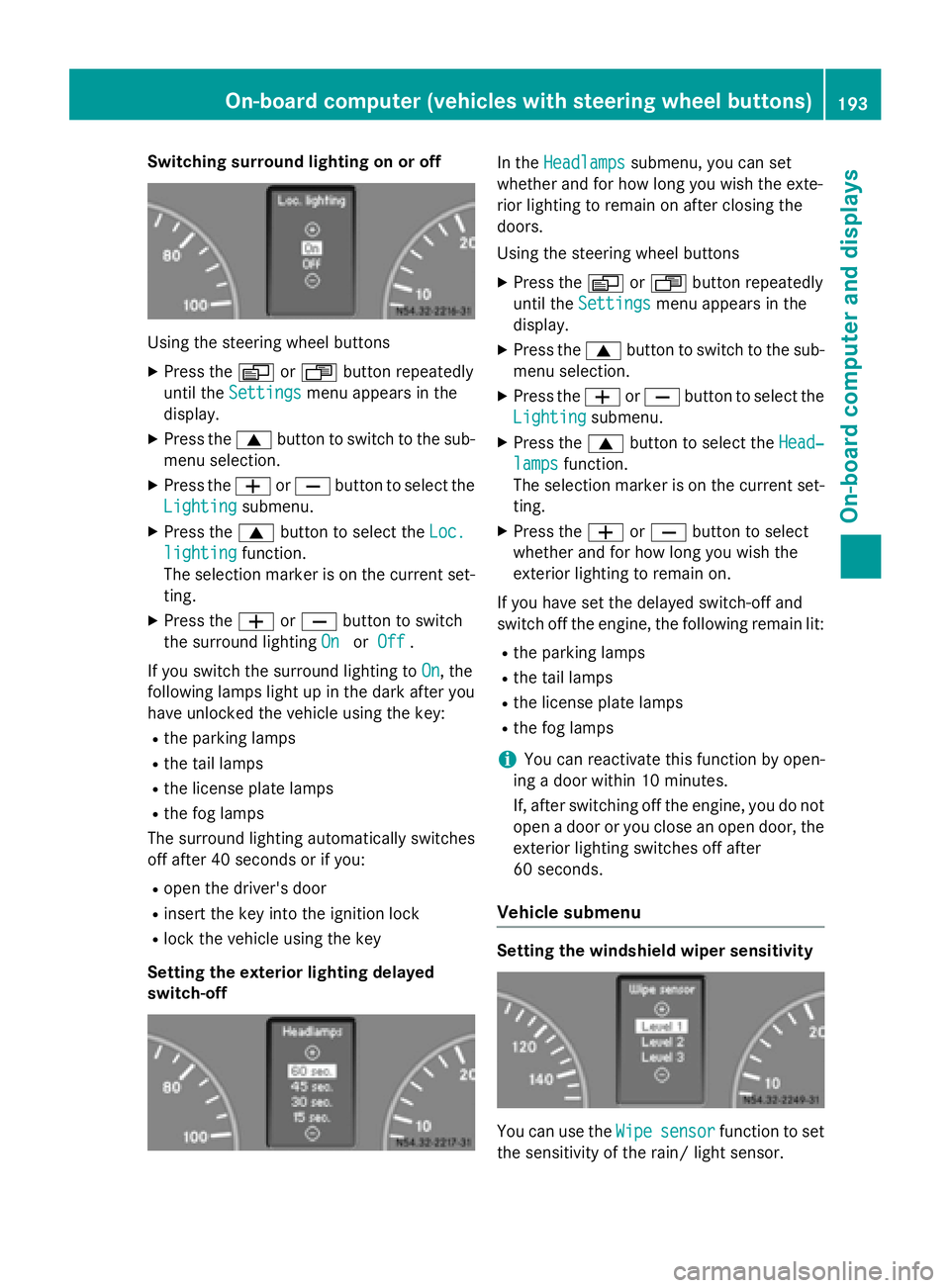
Switching surround lighting on or off
Using the steering wheel buttons
X Press the 0080or007F button repeatedly
until the Settings
Settings menu appears in the
display.
X Press the 0063button to switch to the sub-
menu selection.
X Press the 0081or0082 button to select the
Lighting
Lighting submenu.
X Press the 0063button to select the Loc.
Loc.
lighting
lighting function.
The selection marker is on the current set-
ting.
X Press the 0081or0082 button to switch
the surround lighting On
OnorOff
Off .
If you switch the surround lighting to On
On, the
following lamps light up in the dark after you
have unlocked the vehicle using the key:
R the parking lamps
R the tail lamps
R the license plate lamps
R the fog lamps
The surround lighting automatically switches
off after 40 seconds or if you:
R open the driver's door
R insert the key into the ignition lock
R lock the vehicle using the key
Setting the exterior lighting delayed
switch-off In the
Headlamps Headlamps submenu, you can set
whether and for how long you wish the exte-
rior lighting to remain on after closing the
doors.
Using the steering wheel buttons
X Press the 0080or007F button repeatedly
until the Settings Settings menu appears in the
display.
X Press the 0063button to switch to the sub-
menu selection.
X Press the 0081or0082 button to select the
Lighting
Lighting submenu.
X Press the 0063button to select the Head‐
Head‐
lamps
lamps function.
The selection marker is on the current set-
ting.
X Press the 0081or0082 button to select
whether and for how long you wish the
exterior lighting to remain on.
If you have set the delayed switch-off and
switch off the engine, the following remain lit:
R the parking lamps
R the tail lamps
R the license plate lamps
R the fog lamps
i You can reactivate this function by open-
ing a door within 10 minutes.
If, after switching off the engine, you do not open a door or you close an open door, the
exterior lighting switches off after
60 seconds.
Vehicle submenu Setting the windshield wiper sensitivity
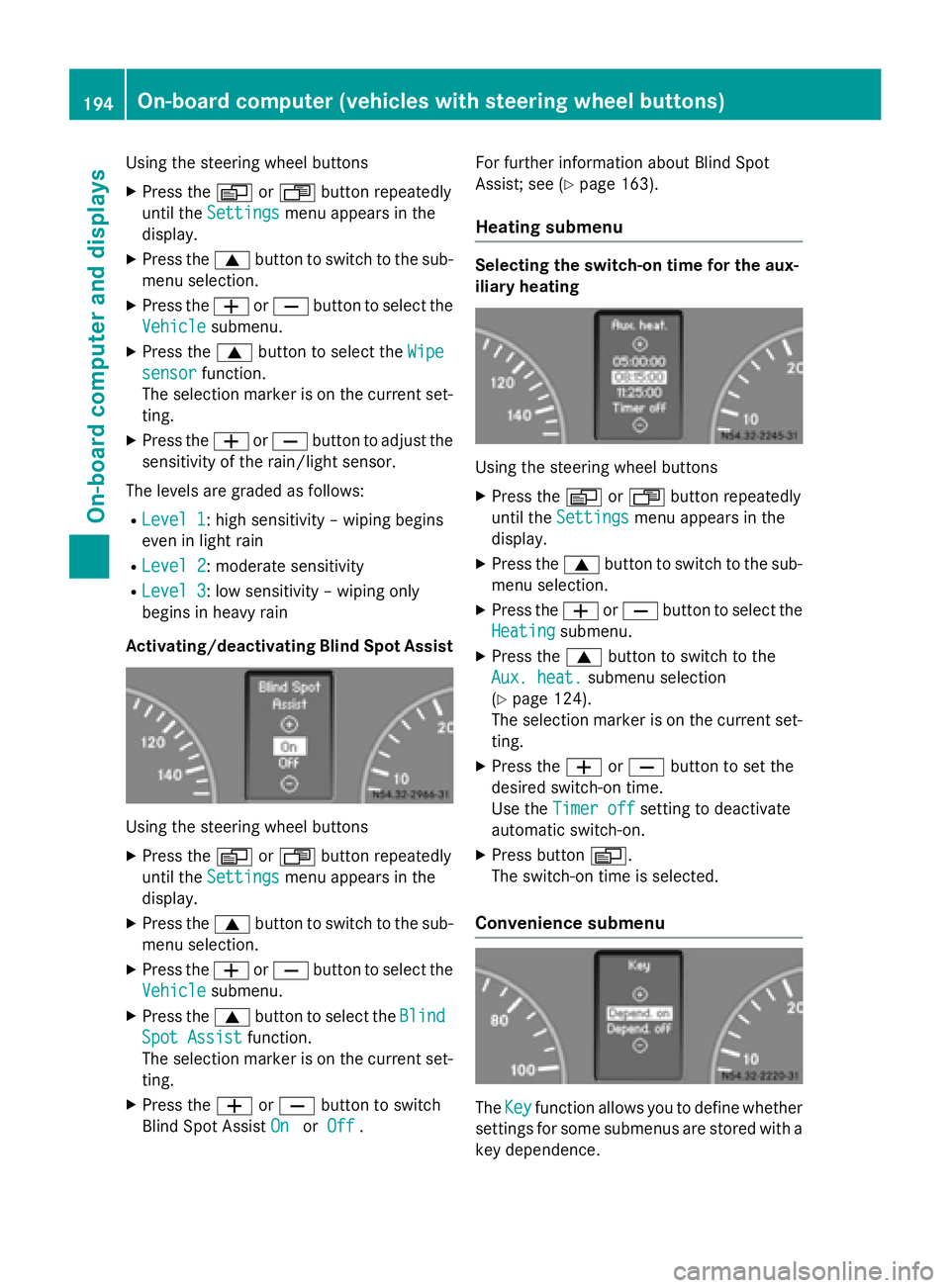
You can use the
Wipe Wipesensor
sensor function to set
the sensitivity of the rain/ light sensor. On-board computer (vehicles with steering wheel buttons)
193On-board computer and displays Z
Page 196 of 334
Using the steering wheel buttons
X Press the 0080or007F button repeatedly
until the Settings
Settings menu appears in the
display.
X Press the 0063button to switch to the sub-
menu selection.
X Press the 0081or0082 button to select the
Vehicle
Vehicle submenu.
X Press the 0063button to select the Wipe
Wipe
sensor
sensor function.
The selection marker is on the current set-
ting.
X Press the 0081or0082 button to adjust the
sensitivity of the rain/light sensor.
The levels are graded as follows:
R Level 1
Level 1: high sensitivity – wiping begins
even in light rain
R Level 2
Level 2: moderate sensitivity
R Level 3 Level 3: low sensitivity – wiping only
begins in heavy rain
Activating/deactivating Blind Spot Assist Using the steering wheel buttons
X Press the 0080or007F button repeatedly
until the Settings Settings menu appears in the
display.
X Press the 0063button to switch to the sub-
menu selection.
X Press the 0081or0082 button to select the
Vehicle
Vehicle submenu.
X Press the 0063button to select the Blind Blind
Spot Assist Spot Assist function.
The selection marker is on the current set-
ting.
X Press the 0081or0082 button to switch
Blind Spot Assist On
On orOff
Off . For further information about Blind Spot
Assist; see (Y
page 163).
Heating submenu Selecting the switch-on time for the aux-
iliary heating
Using the steering wheel buttons
X Press the 0080or007F button repeatedly
until the Settings Settings menu appears in the
display.
X Press the 0063button to switch to the sub-
menu selection.
X Press the 0081or0082 button to select the
Heating
Heating submenu.
X Press the 0063button to switch to the
Aux. heat.
Aux. heat. submenu selection
(Y page 124).
The selection marker is on the current set-
ting.
X Press the 0081or0082 button to set the
desired switch-on time.
Use the Timer off Timer off setting to deactivate
automatic switch-on.
X Press button 0080.
The switch-on time is selected.
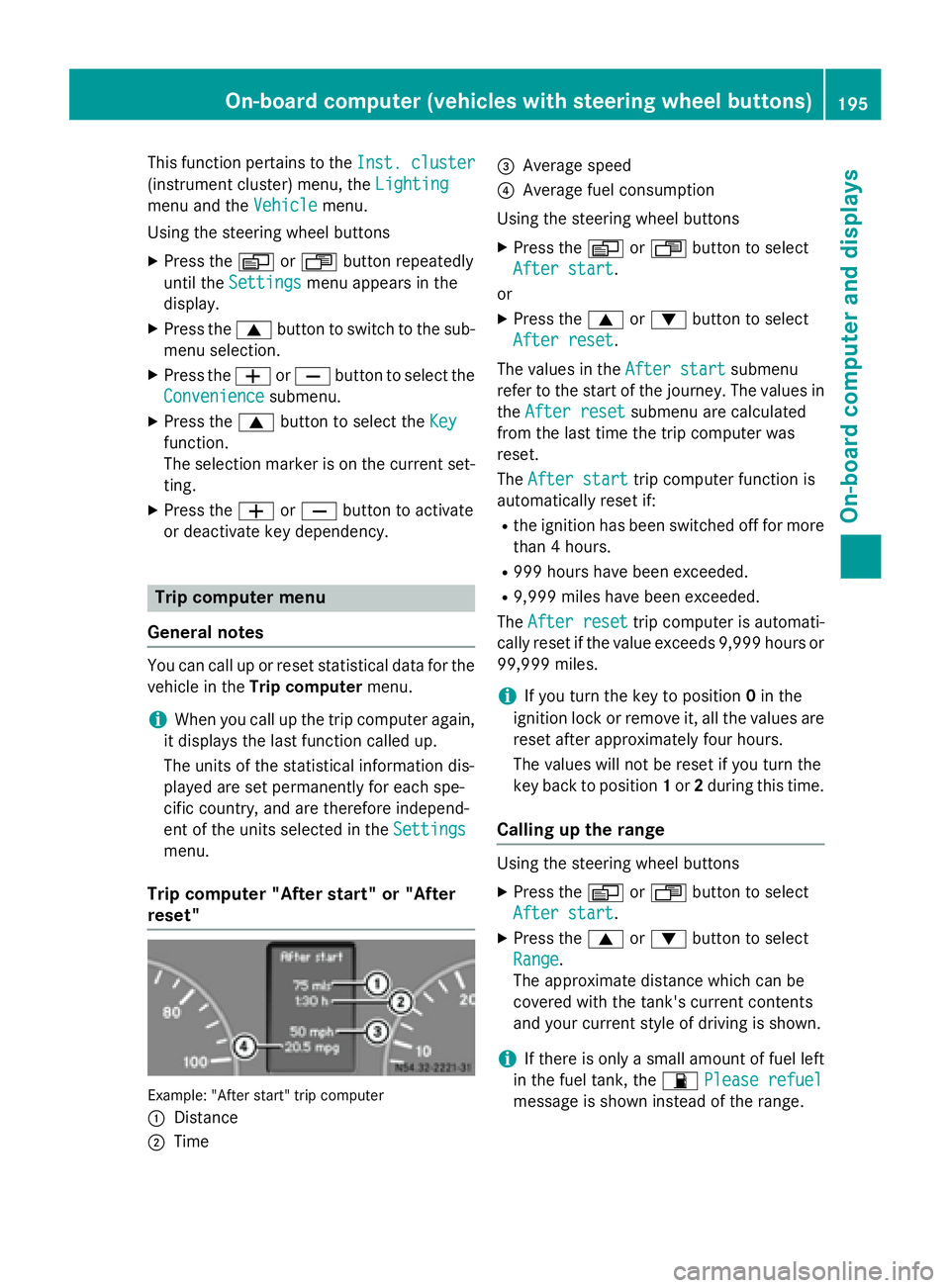
Convenience submenu The
Key Key function allows you to define whether
settings for some submenus are stored with a
key dependence. 194
On-board computer (vehicles with steering wheel buttons)On-board computer and displays
Page 197 of 334
This function pertains to the
Inst. cluster
Inst. cluster
(instrument cluster) menu, the Lighting
Lighting
menu and the Vehicle
Vehiclemenu.
Using the steering wheel buttons
X Press the 0080or007F button repeatedly
until the Settings
Settings menu appears in the
display.
X Press the 0063button to switch to the sub-
menu selection.
X Press the 0081or0082 button to select the
Convenience
Convenience submenu.
X Press the 0063button to select the Key
Key
function.
The selection marker is on the current set-
ting.
X Press the 0081or0082 button to activate
or deactivate key dependency. Trip computer menu
General notes You can call up or reset statistical data for the
vehicle in the Trip computer menu.
i When you call up the trip computer again,
it displays the last function called up.
The units of the statistical information dis-
played are set permanently for each spe-
cific country, and are therefore independ-
ent of the units selected in the Settings
Settings
menu.
Trip computer "After start" or "After
reset" Example: "After start" trip computer
0043 Distance
0044 Time 0087
Average speed
0085 Average fuel consumption
Using the steering wheel buttons
X Press the 0080or007F button to select
After start After start.
or X Press the 0063or0064 button to select
After reset After reset.
The values in the After start
After startsubmenu
refer to the start of the journey. The values in
the After reset
After reset submenu are calculated
from the last time the trip computer was
reset.
The After start After start trip computer function is
automatically reset if:
R the ignition has been switched off for more
than 4 hours.
R 999 hours have been exceeded.
R 9,999 miles have been exceeded.
The After reset
After reset trip computer is automati-
cally reset if the value exceeds 9,999 hours or 99,999 miles.
i If you turn the key to position
0in the
ignition lock or remove it, all the values are
reset after approximately four hours.
The values will not be reset if you turn the
key back to position 1or 2during this time.
Calling up the range Using the steering wheel buttons
X Press the 0080or007F button to select
After start After start.
X Press the 0063or0064 button to select
Range
Range.
The approximate distance which can be
covered with the tank's current contents
and your current style of driving is shown.
i If there is only a small amount of fuel left
in the fuel tank, the 00B5Please refuel Please refuel
message is shown instead of the range. On-board computer (vehicles with steering wheel buttons)
195On-board computer and displays Z
Page 202 of 334
Display messages
Possible causes/consequences and
0050
0050Solutions Err
Err flashes for 5 seconds, the
00B0indicator lamp also flashes and
then lights up constantly.
Lane Keeping Assist is deactivated and temporarily inoperative.
Possible causes are:
R There are no lane markings present.
R The camera's functionality is impaired due to heavy rain, snow or
fog.
R The camera cannot recognize the road markings:
- It is too dark.
- The lane markings are worn or are covered, for example, by
dirt or snow.
R The windshield is dirty in the camera's field of vision.
X Stop the vehicle paying attention to road and traffic conditions.
X Secure the vehicle to prevent it from rolling away (Y page 149).
X Clean the windshield (Y page 267), particularly in the camera's
field of vision.
If the 00B0 indicator lamp goes out, Lane Keeping Assist is
operational again.
If the problem persists, visit a qualified specialist workshop. 0099
dEF Chk dEF Chk In addition, the yellow
00B9Check Engine indicator lamp and the
yellow 00E2DEF indicator lamp light up and a warning tone
sounds.
The DEF reducing agent is contaminated, diluted or is not compli-
ant with ISO 2224 1.
After the first message and under normal operating conditions,
you can drive on for up to approximately 50 miles (80 km). Then a warning tone sequence sounds and the engine can only be started
another 10 times.
X Have the DEF tank cleaned and refilled at a qualified specialist
workshop as soon as possible. 200
Display messagesOn-board computer and displays
Page 203 of 334
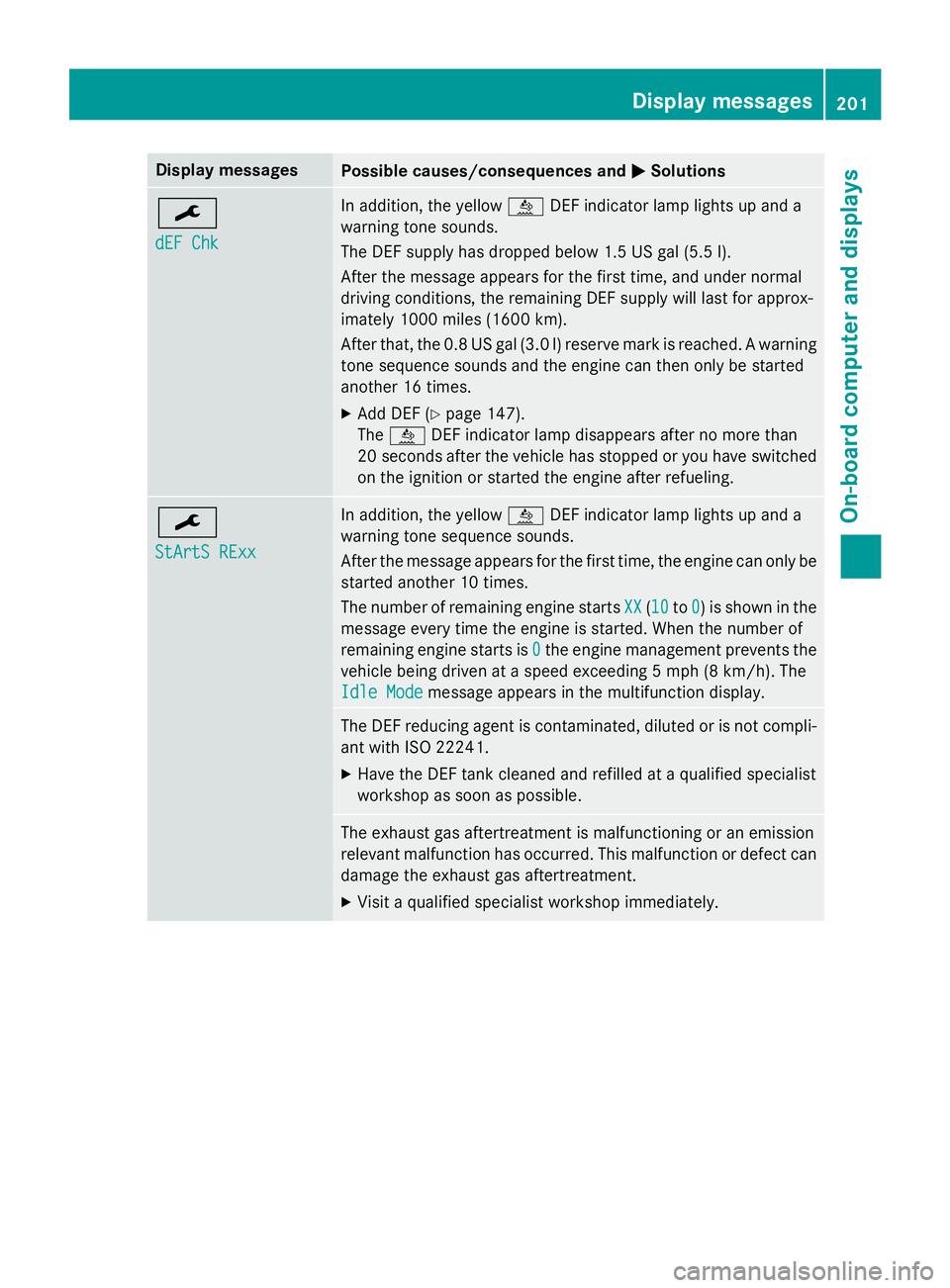
Display messages
Possible causes/consequences and
0050
0050Solutions 0099
dEF Chk dEF Chk In addition, the yellow
00E2DEF indicator lamp lights up and a
warning tone sounds.
The DEF supply has dropped below 1.5 US gal (5.5 l).
After the message appears for the first time, and under normal
driving conditions, the remaining DEF supply will last for approx-
imately 1000 miles (1600 km).
After that, the 0.8 US gal (3.0 l) reserve mark is reached. A warning tone sequence sounds and the engine can then only be started
another 16 times.
X Add DEF (Y page 147).
The 00E2 DEF indicator lamp disappears after no more than
20 seconds after the vehicle has stopped or you have switched
on the ignition or started the engine after refueling. 0099
StArtS RExx StArtS RExx In addition, the yellow
00E2DEF indicator lamp lights up and a
warning tone sequence sounds.
After the message appears for the first time, the engine can only be started another 10 times.
The number of remaining engine starts XX
XX (1010 to0 0) is shown in the
message every time the engine is started. When the number of
remaining engine starts is 0 0the engine management prevents the
vehicle being driven at a speed exceeding 5 mph (8 km/h). The
Idle Mode
Idle Mode message appears in the multifunction display. The DEF reducing agent is contaminated, diluted or is not compli-
ant with ISO 22241.
X Have the DEF tank cleaned and refilled at a qualified specialist
workshop as soon as possible. The exhaust gas aftertreatment is malfunctioning or an emission
relevant malfunction has occurred. This malfunction or defect can
damage the exhaust gas aftertreatment.
X Visit a qualified specialist workshop immediately. Display messages
201On-board computer and displays Z
Page 204 of 334
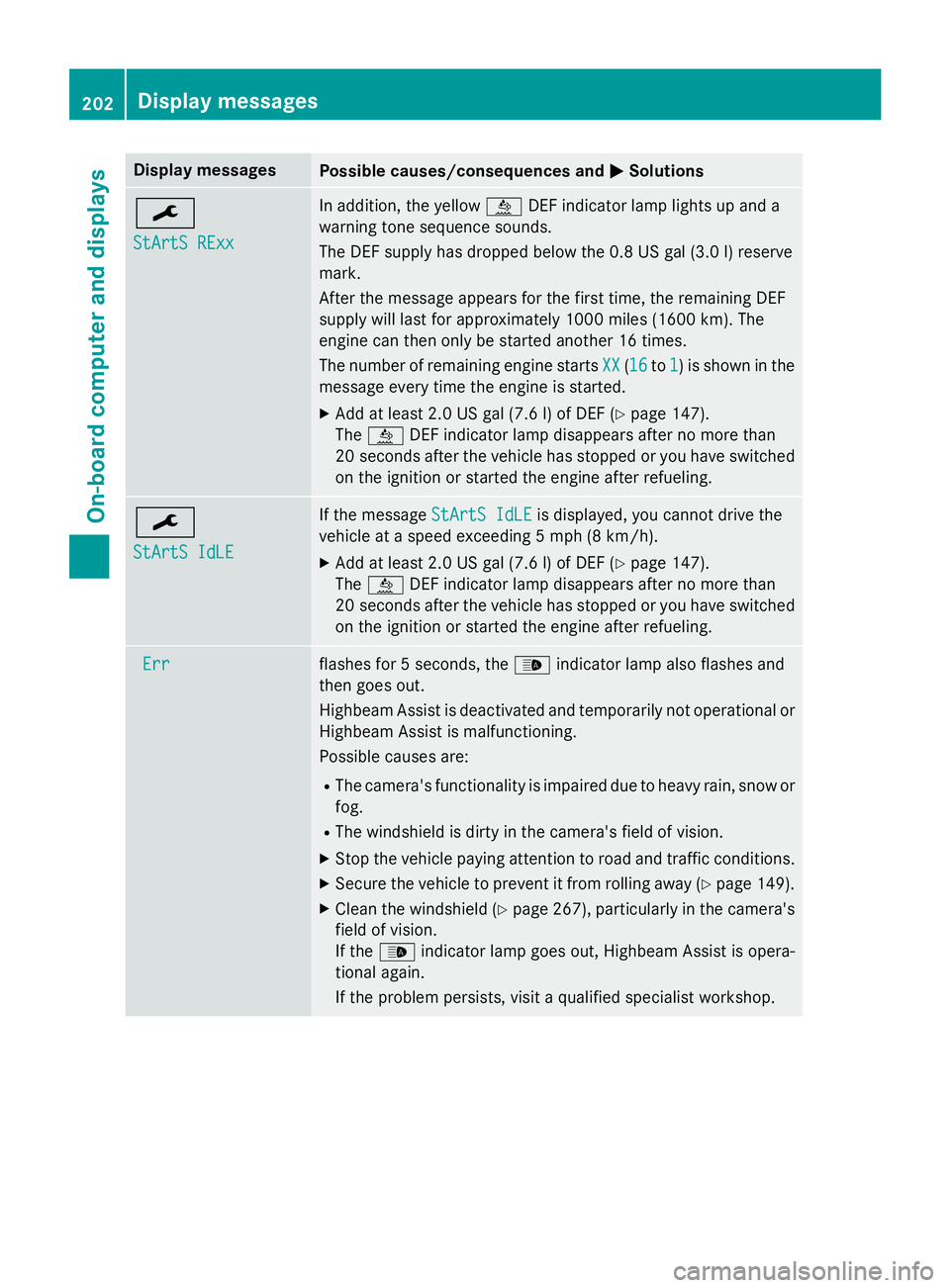
Display messages
Possible causes/consequences and
0050
0050Solutions 0099
StArtS RExx StArtS RExx In addition, the yellow
00E2DEF indicator lamp lights up and a
warning tone sequence sounds.
The DEF supply has dropped below the 0.8 US gal (3.0 l) reserve
mark.
After the message appears for the first time, the remaining DEF
supply will last for approximately 1000 miles (1600 km). The
engine can then only be started another 16 times.
The number of remaining engine starts XX XX(1616 to1
1) is shown in the
message every time the engine is started.
X Add at least 2.0 US gal (7.6 l) of DEF (Y page 147).
The 00E2 DEF indicator lamp disappears after no more than
20 seconds after the vehicle has stopped or you have switched
on the ignition or started the engine after refueling. 0099
StArtS IdLE StArtS IdLE If the message
StArtS IdLE
StArtS IdLEis displayed, you cannot drive the
vehicle at a speed exceeding 5 mph (8 km/h).
X Add at least 2.0 US gal (7.6 l) of DEF (Y page 147).
The 00E2 DEF indicator lamp disappears after no more than
20 second safter the vehicle has stopped or you have switched
on the ignition or started the engine after refueling. Err
Err flashes for 5 seconds, the
00CEindicator lamp also flashes and
then goes out.
Highbeam Assist is deactivated and temporarily not operational or
Highbeam Assist is malfunctioning.
Possible causes are:
R The camera's functionality is impaired due to heavy rain, snow or
fog.
R The windshield is dirty in the camera's field of vision.
X Stop the vehicle paying attention to road and traffic conditions.
X Secure the vehicle to prevent it from rolling away (Y page 149).
X Clean the windshield (Y page 267), particularly in the camera's
field of vision.
If the 00CE indicator lamp goes out, Highbeam Assist is opera-
tional again.
If the problem persists, visit a qualified specialist workshop. 202
Display messagesOn-board computer and displays