speed MERCEDES-BENZ SPRINTER 2015 MY15 Operator’s Manual
[x] Cancel search | Manufacturer: MERCEDES-BENZ, Model Year: 2015, Model line: SPRINTER, Model: MERCEDES-BENZ SPRINTER 2015Pages: 334, PDF Size: 5.94 MB
Page 192 of 334
X
Press the 0081or0082 button to select the
Inst. cluster
Inst. cluster submenu.
X Press the 0063button to select the Tem‐
Tem‐
perat.
perat. function.
The selection marker is on the current set-
ting.
X Press the 0081or0082 button to select the
unit for all messages in the display: °C
°C
(degrees Celsius) or °F
°F (degrees Fahren-
heit).
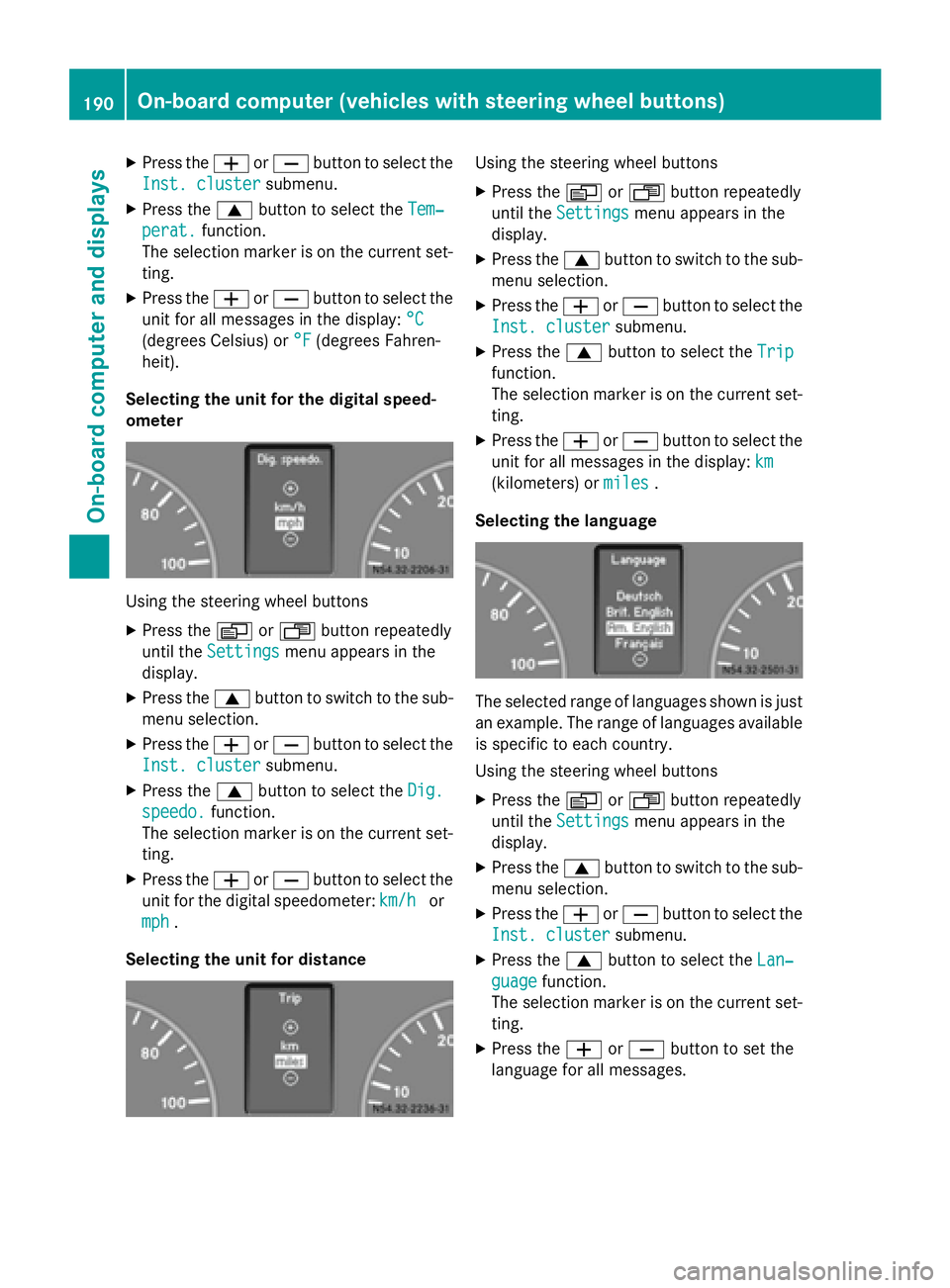
Selecting the unit for the digital speed-
ometer Using the steering wheel buttons
X Press the 0080or007F button repeatedly
until the Settings Settings menu appears in the
display.
X Press the 0063button to switch to the sub-
menu selection.
X Press the 0081or0082 button to select the
Inst. cluster
Inst. cluster submenu.
X Press the 0063button to select the Dig.
Dig.
speedo.
speedo. function.
The selection marker is on the current set-
ting.
X Press the 0081or0082 button to select the
unit for the digital speedometer: km/h
km/h or
mph
mph .
Selecting the unit for distance Using the steering wheel buttons
X Press the 0080or007F button repeatedly
until the Settings
Settings menu appears in the
display.
X Press the 0063button to switch to the sub-
menu selection.
X Press the 0081or0082 button to select the
Inst. cluster
Inst. cluster submenu.
X Press the 0063button to select the Trip
Trip
function.
The selection marker is on the current set-
ting.
X Press the 0081or0082 button to select the
unit for all messages in the display: km km
(kilometers) or miles
miles.
Selecting the language The selected range of languages shown is just
an example. The range of languages available is specific to each country.
Using the steering wheel buttons
X Press the 0080or007F button repeatedly
until the Settings
Settings menu appears in the
display.
X Press the 0063button to switch to the sub-
menu selection.
X Press the 0081or0082 button to select the
Inst. cluster
Inst. cluster submenu.
X Press the 0063button to select the Lan‐
Lan‐
guage
guage function.
The selection marker is on the current set-
ting.
X Press the 0081or0082 button to set the
language for all messages. 190
On-board computer (vehicles with steering wheel buttons)On-board computer and displays
Page 193 of 334
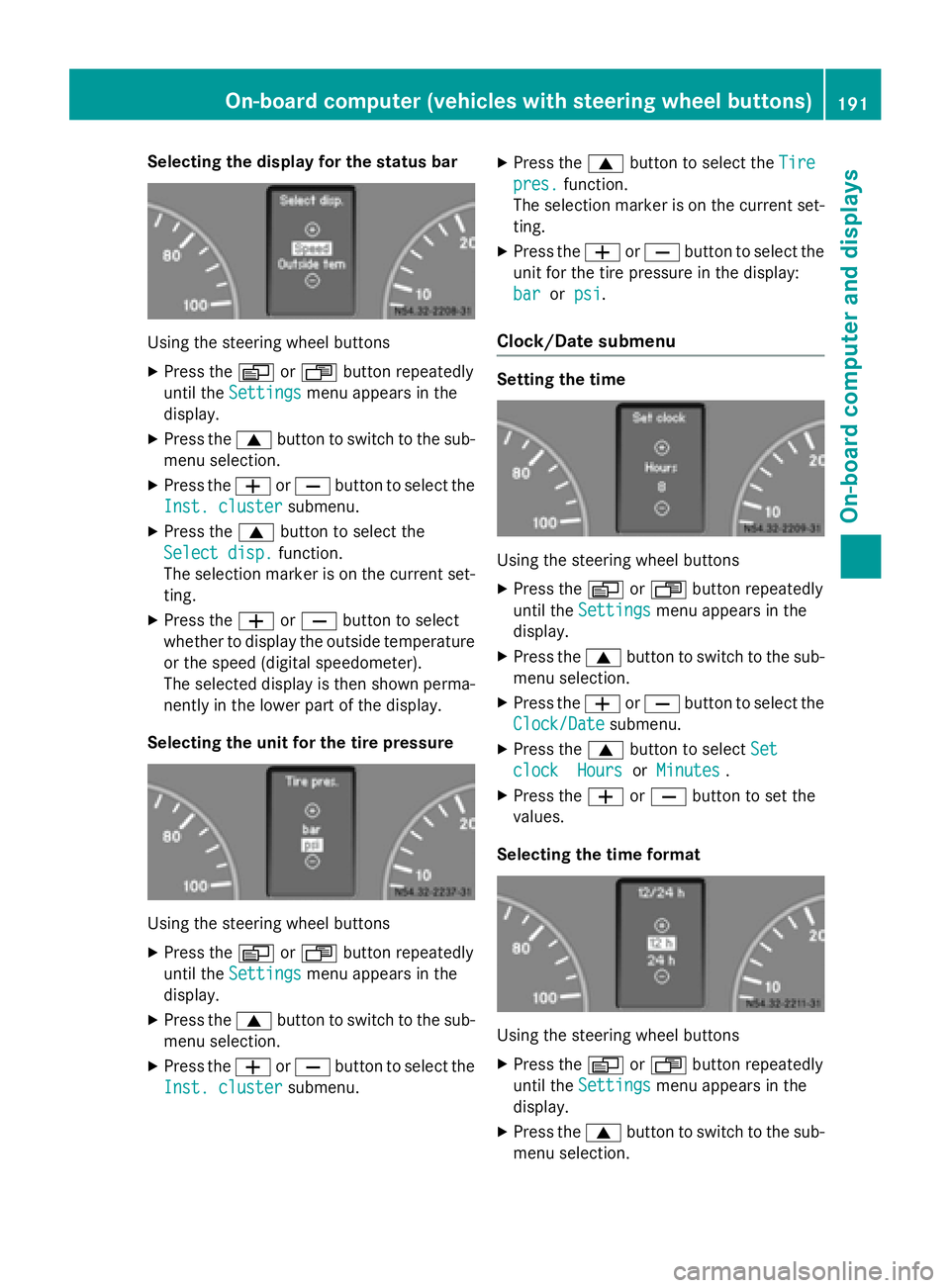
Selecting the display for the status bar
Using the steering wheel buttons
X Press the 0080or007F button repeatedly
until the Settings
Settings menu appears in the
display.
X Press the 0063button to switch to the sub-
menu selection.
X Press the 0081or0082 button to select the
Inst. cluster
Inst. cluster submenu.
X Press the 0063button to select the
Select disp.
Select disp. function.
The selection marker is on the current set-
ting.
X Press the 0081or0082 button to select
whether to display the outside temperature or the speed (digital speedometer).
The selected display is then shown perma-
nently in the lower part of the display.
Selecting the unit for the tire pressure Using the steering wheel buttons
X Press the 0080or007F button repeatedly
until the Settings Settings menu appears in the
display.
X Press the 0063button to switch to the sub-
menu selection.
X Press the 0081or0082 button to select the
Inst. cluster Inst. cluster submenu. X
Press the 0063button to select the Tire Tire
pres. pres. function.
The selection marker is on the current set-
ting.
X Press the 0081or0082 button to select the
unit for the tire pressure in the display:
bar
bar orpsi
psi.
Clock/Date submenu Setting the time
Using the steering wheel buttons
X Press the 0080or007F button repeatedly
until the Settings
Settings menu appears in the
display.
X Press the 0063button to switch to the sub-
menu selection.
X Press the 0081or0082 button to select the
Clock/Date
Clock/Date submenu.
X Press the 0063button to select Set
Set
clock
clock Hours
HoursorMinutes
Minutes .
X Press the 0081or0082 button to set the
values.
Selecting the time format Using the steering wheel buttons
X Press the 0080or007F button repeatedly
until the Settings
Settings menu appears in the
display.
X Press the 0063button to switch to the sub-
menu selection. On-board computer (vehicles with steering wheel buttons)
191On-board computer and displays Z
Page 197 of 334
This function pertains to the
Inst. cluster
Inst. cluster
(instrument cluster) menu, the Lighting
Lighting
menu and the Vehicle
Vehiclemenu.
Using the steering wheel buttons
X Press the 0080or007F button repeatedly
until the Settings
Settings menu appears in the
display.
X Press the 0063button to switch to the sub-
menu selection.
X Press the 0081or0082 button to select the
Convenience
Convenience submenu.
X Press the 0063button to select the Key
Key
function.
The selection marker is on the current set-
ting.
X Press the 0081or0082 button to activate
or deactivate key dependency. Trip computer menu
General notes You can call up or reset statistical data for the
vehicle in the Trip computer menu.
i When you call up the trip computer again,
it displays the last function called up.
The units of the statistical information dis-
played are set permanently for each spe-
cific country, and are therefore independ-
ent of the units selected in the Settings
Settings
menu.
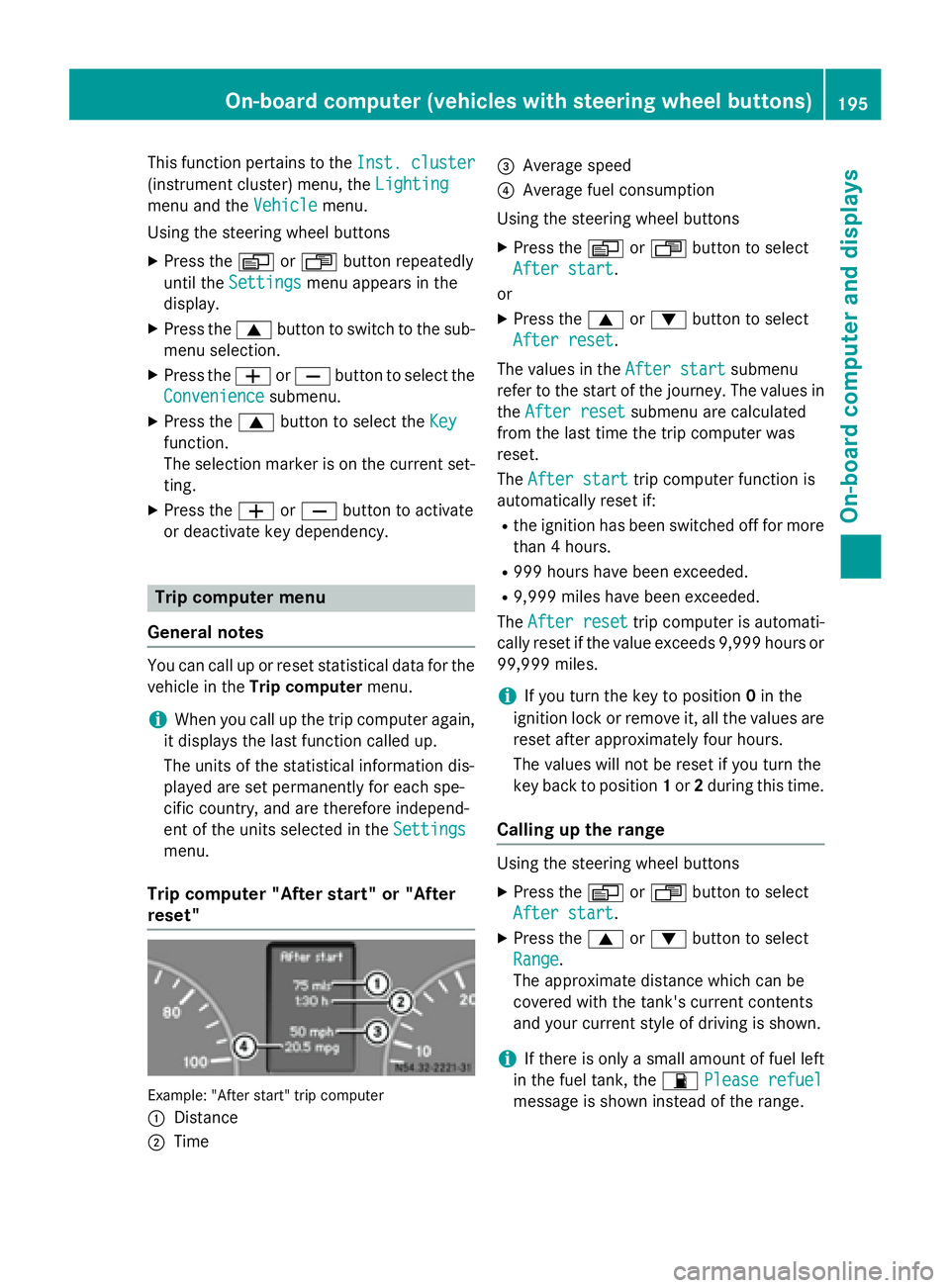
Trip computer "After start" or "After
reset" Example: "After start" trip computer
0043 Distance
0044 Time 0087
Average speed
0085 Average fuel consumption
Using the steering wheel buttons
X Press the 0080or007F button to select
After start After start.
or X Press the 0063or0064 button to select
After reset After reset.
The values in the After start
After startsubmenu
refer to the start of the journey. The values in
the After reset
After reset submenu are calculated
from the last time the trip computer was
reset.
The After start After start trip computer function is
automatically reset if:
R the ignition has been switched off for more
than 4 hours.
R 999 hours have been exceeded.
R 9,999 miles have been exceeded.
The After reset
After reset trip computer is automati-
cally reset if the value exceeds 9,999 hours or 99,999 miles.
i If you turn the key to position
0in the
ignition lock or remove it, all the values are
reset after approximately four hours.
The values will not be reset if you turn the
key back to position 1or 2during this time.
Calling up the range Using the steering wheel buttons
X Press the 0080or007F button to select
After start After start.
X Press the 0063or0064 button to select
Range
Range.
The approximate distance which can be
covered with the tank's current contents
and your current style of driving is shown.
i If there is only a small amount of fuel left
in the fuel tank, the 00B5Please refuel Please refuel
message is shown instead of the range. On-board computer (vehicles with steering wheel buttons)
195On-board computer and displays Z
Page 199 of 334
Using the steering wheel buttons
X Use the 0080or007F button to select the
TEL
TEL menu.
The display shows the mobile phone opera- tional readiness symbol.
X Press the 0063or0064 button to switch to
the phone book.
The on-board computer reads the phone
book stored on the SIM card or in the
mobile phone. This may take more than a
minute.
When the message is no longer displayed,
reading has ended.
X Press the 0063or0064 button to select the
desired name.
or X To start rapid scrolling: press and hold
the 0063 or0064 button longer than 1 sec-
ond.
Rapid scrolling stops when you release the button or reach the end of the list.
Using the steering wheel buttons X To start dialing: press the0061button.
The on-board computer dials the corre-
sponding phone number.
When a connection is established, the
name of the other person and/or the call
duration appear in the display.
X To exit the phone book: press the0076
button.
Redialing The on-board computer saves the last names
or numbers dialed in the redial memory. Using the steering wheel buttons
X Use the 0080or007F button to select the
TEL TEL menu.
The display shows the mobile phone opera-
tional readiness symbol.
X Press the 0061button.
The display shows the most recently dialed
numbers or names in the redial memory.
X Press the 0063or0064 button to select the
desired name or number.
X To start dialing: press the0061button.
The on-board computer dials the corre-
sponding phone number.
When a connection is established, the
name of the other person and/or the call
duration appear in the display.
or X To exit the redial memory: press the
0076 button. Display messages
Notes on display messages
Important safety notes G
WARNING
No information will be displayed if either the
instrument cluster or the display is inopera-
tive.
As a result, you will not be able to see warning and indicator lamps or information about the
driving conditions, such as speed or outside
temperature. Driving characteristics may be
impaired. Adjust your driving style and vehiclespeed accordingly.
Contact a qualified specialist workshop
immediately. G
WARNING
If service work is not carried out correctly, the operating safety of your vehicle may be affec-
ted. This could cause you to lose control of
your vehicle and cause an accident. More-
over, the safety systems may no longer be Display messages
197On-board computer and displays
Z
Page 203 of 334
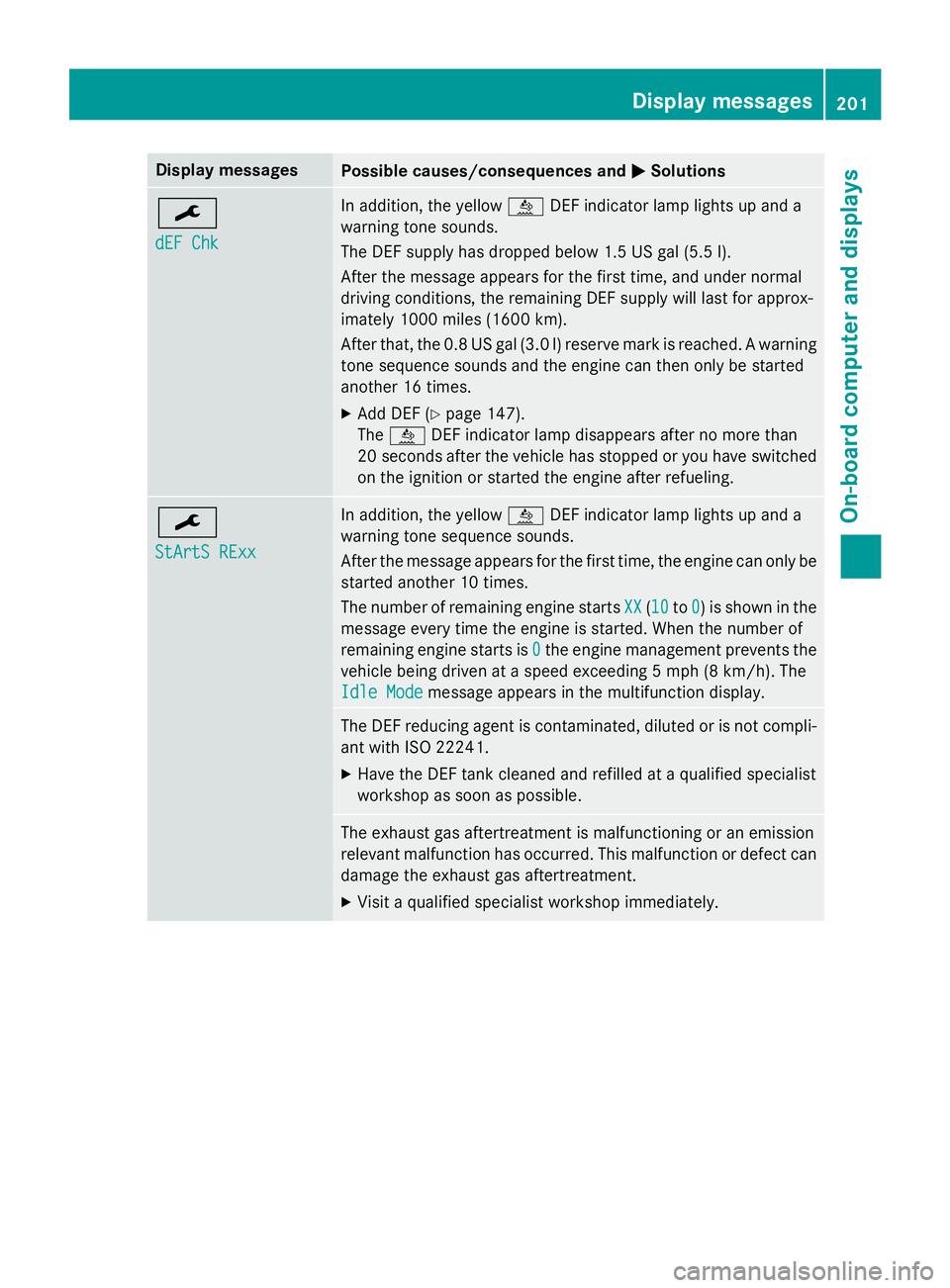
Display messages
Possible causes/consequences and
0050
0050Solutions 0099
dEF Chk dEF Chk In addition, the yellow
00E2DEF indicator lamp lights up and a
warning tone sounds.
The DEF supply has dropped below 1.5 US gal (5.5 l).
After the message appears for the first time, and under normal
driving conditions, the remaining DEF supply will last for approx-
imately 1000 miles (1600 km).
After that, the 0.8 US gal (3.0 l) reserve mark is reached. A warning tone sequence sounds and the engine can then only be started
another 16 times.
X Add DEF (Y page 147).
The 00E2 DEF indicator lamp disappears after no more than
20 seconds after the vehicle has stopped or you have switched
on the ignition or started the engine after refueling. 0099
StArtS RExx StArtS RExx In addition, the yellow
00E2DEF indicator lamp lights up and a
warning tone sequence sounds.
After the message appears for the first time, the engine can only be started another 10 times.
The number of remaining engine starts XX
XX (1010 to0 0) is shown in the
message every time the engine is started. When the number of
remaining engine starts is 0 0the engine management prevents the
vehicle being driven at a speed exceeding 5 mph (8 km/h). The
Idle Mode
Idle Mode message appears in the multifunction display. The DEF reducing agent is contaminated, diluted or is not compli-
ant with ISO 22241.
X Have the DEF tank cleaned and refilled at a qualified specialist
workshop as soon as possible. The exhaust gas aftertreatment is malfunctioning or an emission
relevant malfunction has occurred. This malfunction or defect can
damage the exhaust gas aftertreatment.
X Visit a qualified specialist workshop immediately. Display messages
201On-board computer and displays Z
Page 204 of 334
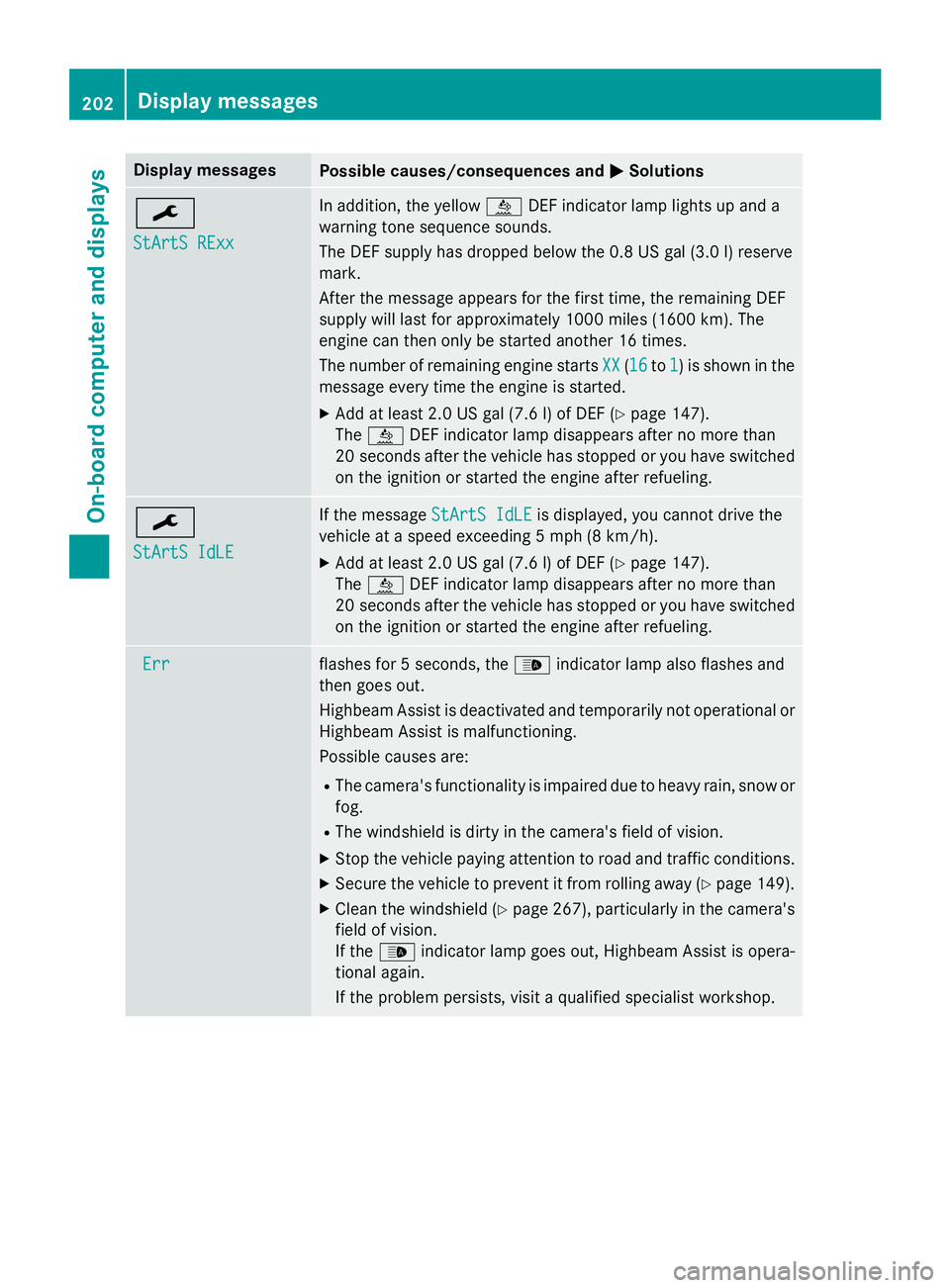
Display messages
Possible causes/consequences and
0050
0050Solutions 0099
StArtS RExx StArtS RExx In addition, the yellow
00E2DEF indicator lamp lights up and a
warning tone sequence sounds.
The DEF supply has dropped below the 0.8 US gal (3.0 l) reserve
mark.
After the message appears for the first time, the remaining DEF
supply will last for approximately 1000 miles (1600 km). The
engine can then only be started another 16 times.
The number of remaining engine starts XX XX(1616 to1
1) is shown in the
message every time the engine is started.
X Add at least 2.0 US gal (7.6 l) of DEF (Y page 147).
The 00E2 DEF indicator lamp disappears after no more than
20 seconds after the vehicle has stopped or you have switched
on the ignition or started the engine after refueling. 0099
StArtS IdLE StArtS IdLE If the message
StArtS IdLE
StArtS IdLEis displayed, you cannot drive the
vehicle at a speed exceeding 5 mph (8 km/h).
X Add at least 2.0 US gal (7.6 l) of DEF (Y page 147).
The 00E2 DEF indicator lamp disappears after no more than
20 second safter the vehicle has stopped or you have switched
on the ignition or started the engine after refueling. Err
Err flashes for 5 seconds, the
00CEindicator lamp also flashes and
then goes out.
Highbeam Assist is deactivated and temporarily not operational or
Highbeam Assist is malfunctioning.
Possible causes are:
R The camera's functionality is impaired due to heavy rain, snow or
fog.
R The windshield is dirty in the camera's field of vision.
X Stop the vehicle paying attention to road and traffic conditions.
X Secure the vehicle to prevent it from rolling away (Y page 149).
X Clean the windshield (Y page 267), particularly in the camera's
field of vision.
If the 00CE indicator lamp goes out, Highbeam Assist is opera-
tional again.
If the problem persists, visit a qualified specialist workshop. 202
Display messagesOn-board computer and displays
Page 206 of 334
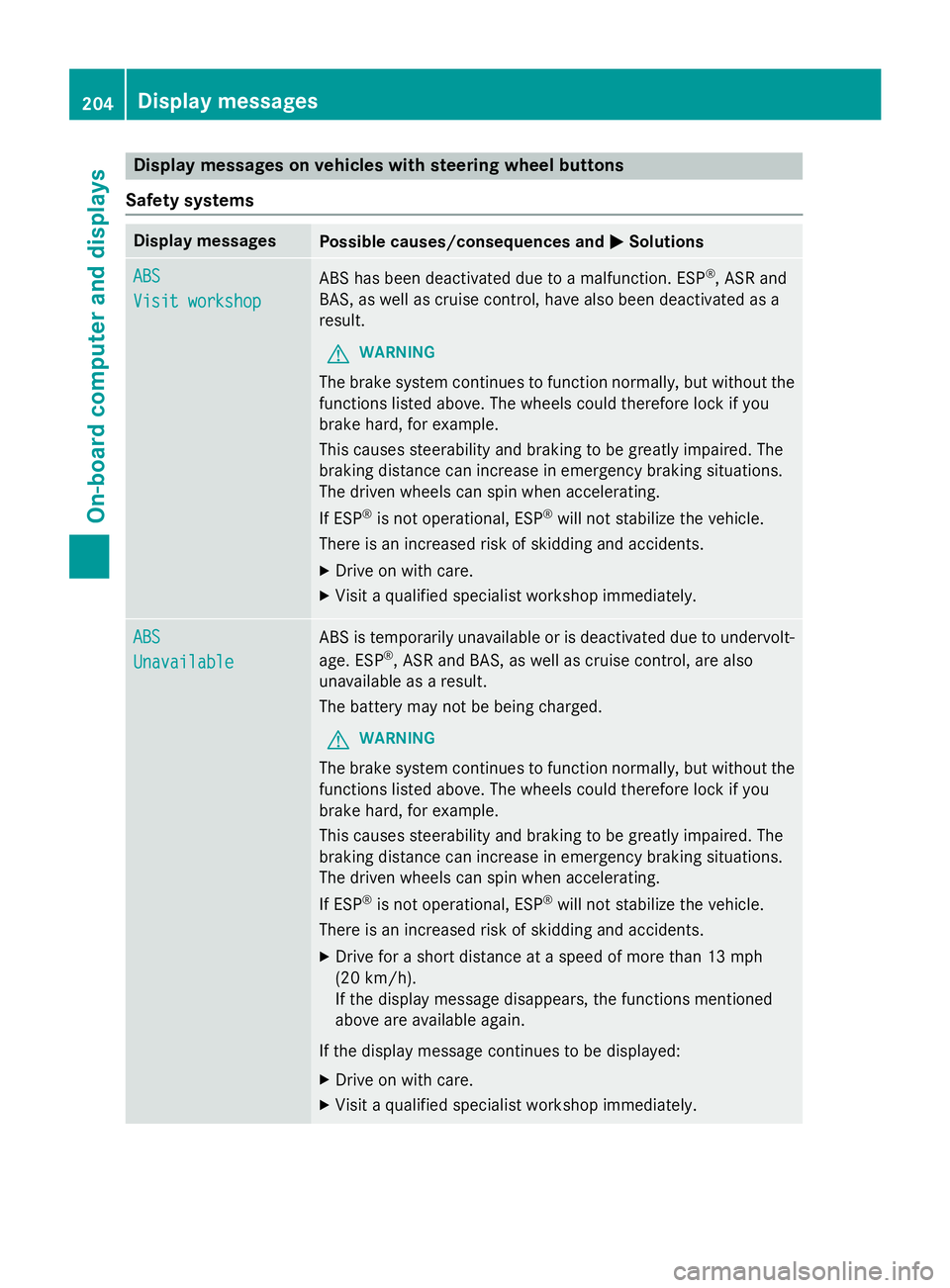
Display messages on vehicles with steering wheel buttons
Safety systems Display messages
Possible causes/consequences and
0050
0050Solutions ABS
ABS
Visit workshop Visit workshop
ABS has been deactivated due to a malfunction. ESP
®
, ASR and
BAS, as well as cruise control, have also been deactivated as a
result.
G WARNING
The brake system continues to function normally, but without the functions listed above. The wheels could therefore lock if you
brake hard, for example.
This causes steerability and braking to be greatly impaired. The
braking distance can increase in emergency braking situations.
The driven wheels can spin when accelerating.
If ESP ®
is not operational, ESP ®
will not stabilize the vehicle.
There is an increased risk of skidding and accidents.
X Drive on with care.
X Visit a qualified specialist workshop immediately. ABS ABS
Unavailable Unavailable ABS is temporarily unavailable or is deactivated due to undervolt-
age. ESP ®
, ASR and BAS, as well as cruise control, are also
unavailable as a result.
The battery may not be being charged.
G WARNING
The brake system continues to function normally, but without the functions listed above. The wheels could therefore lock if you
brake hard, for example.
This causes steerability and braking to be greatly impaired. The
braking distance can increase in emergency braking situations.
The driven wheels can spin when accelerating.
If ESP ®
is not operational, ESP ®
will not stabilize the vehicle.
There is an increased risk of skidding and accidents.
X Drive for a short distance at a speed of more than 13 mph
(20 km/ h).
If the display message disappears, the functions mentioned
above are available again.
If the display message continues to be displayed:
X Drive on with care.
X Visit a qualified specialist workshop immediately. 204
Display messagesOn-board computer and displays
Page 213 of 334
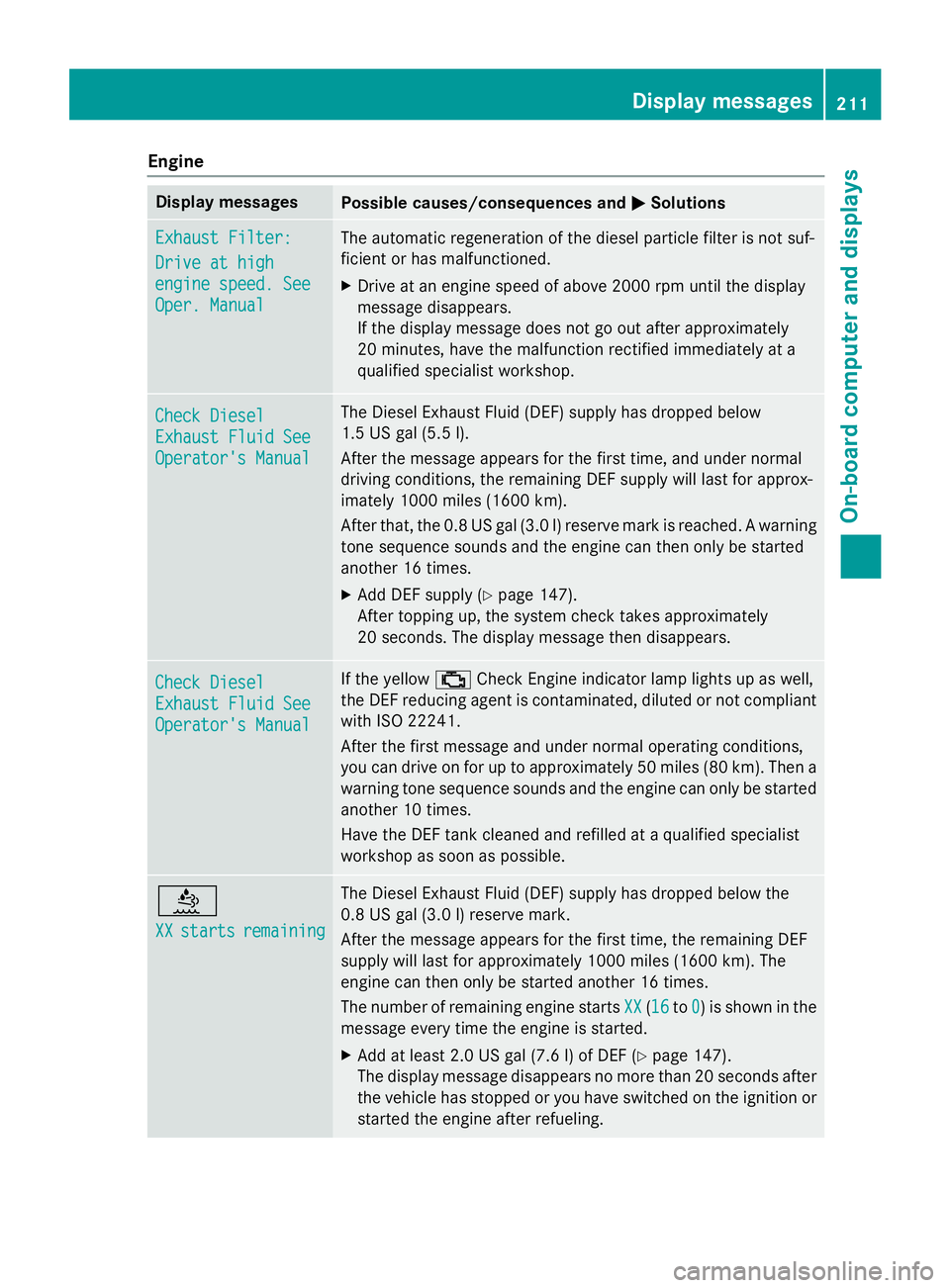
Engine
Display messages
Possible causes/consequences and
0050
0050Solutions Exhaust Filter:
Exhaust Filter:
Drive at high Drive at high
engine speed. See engine speed. See
Oper. Manual Oper. Manual The automatic regeneration of the diesel particle filter is not suf-
ficient or has malfunctioned.
X Drive at an engine speed of above 2000 rpm until the display
message disappears.
If the display message does not go out after approximately
20 minutes, have the malfunction rectified immediately at a
qualified specialist workshop. Check Diesel Check Diesel
Exhaust Fluid See Exhaust Fluid See
Operator's Manual Operator's Manual The Diesel Exhaust Fluid (DEF) supply has dropped below
1.5 US gal (5.5 l).
After the message appears for the first time, and under normal
driving conditions, the remaining DEF supply will last for approx-
imately 1000 miles (1600 km).
After that, the 0.8 US gal (3.0 l) reserve mark is reached. A warning
tone sequence sounds and the engine can then only be started
another 16 times.
X Add DEF supply (Y page 147).
After topping up, the system check takes approximately
20 seconds. The display message then disappears. Check Diesel Check Diesel
Exhaust Fluid See Exhaust Fluid See
Operator's Manual Operator's Manual If the yellow
00B9Check Engine indicator lamp lights up as well,
the DEF reducing agent is contaminated, diluted or not compliant
with ISO 22241.
After the first message and under normal operating conditions,
you can drive on for up to approximately 50 miles (80 km). Then a
warning tone sequence sounds and the engine can only be started
another 10 times.
Have the DEF tank cleaned and refilled at a qualified specialist
workshop as soon as possible. 00E2
XX XX
starts
starts remaining
remaining The Diesel Exhaust Fluid (DEF) supply has dropped below the
0.8 US gal (3.0 l) reserve mark.
After the message appears for the first time, the remaining DEF
supply will last for approximately 1000 miles (1600 km). The
engine can then only be started another 16 times.
The number of remaining engine starts
XX
XX (1616 to0 0) is shown in the
message every time the engine is started.
X Add at least 2.0 US gal (7.6 l) of DEF (Y page 147).
The display message disappears no more than 20 seconds after
the vehicle has stopped or you have switched on the ignition or started the engine after refueling. Display messages
211On-board computer and displays Z
Page 214 of 334
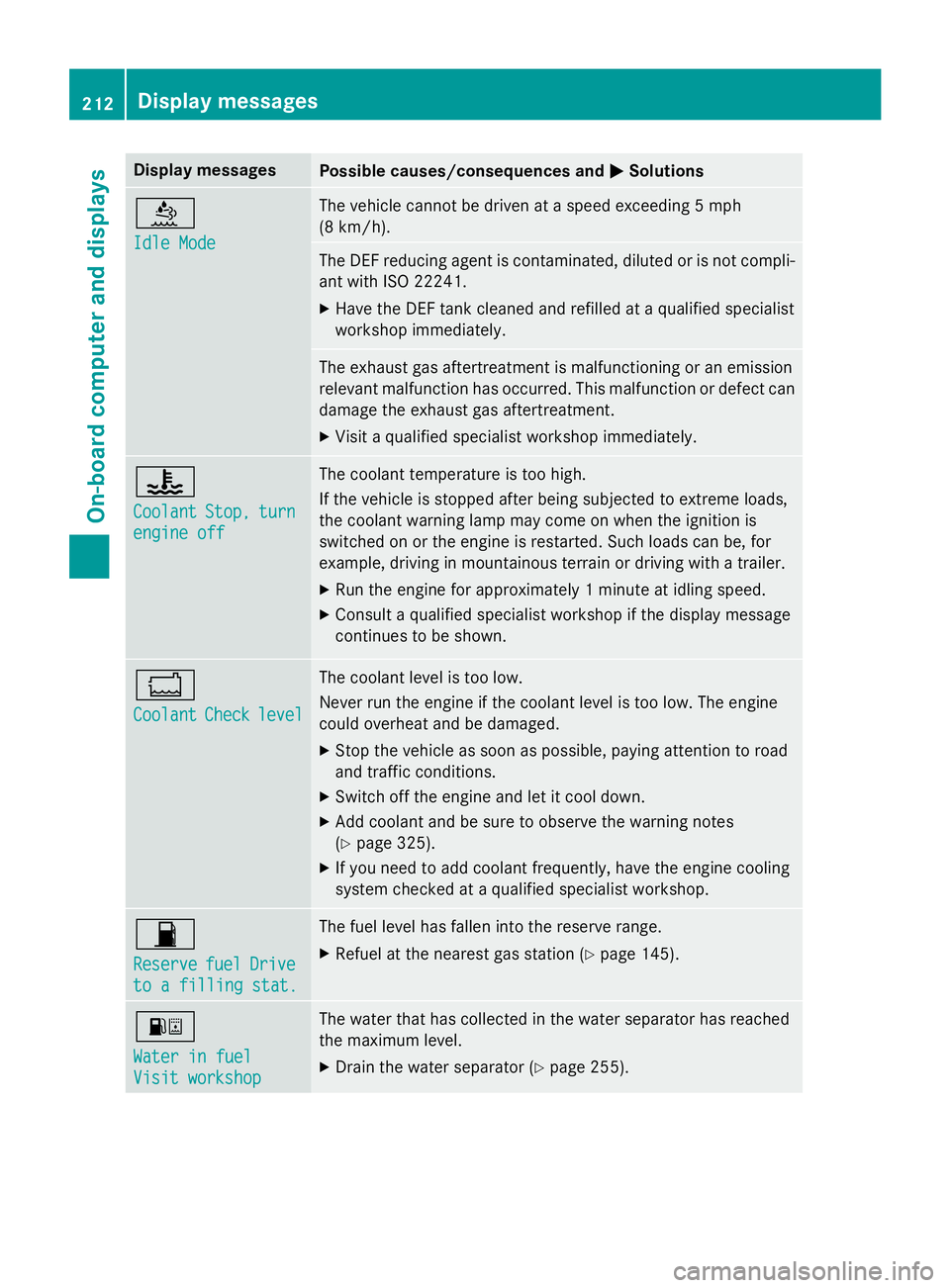
Display messages
Possible causes/consequences and
0050
0050Solutions 00E2
Idle Mode Idle Mode The vehicle cannot be driven at a speed exceeding 5 mph
(8 km/h).
The DEF reducing agent is contaminated, diluted or is not compli-
ant with ISO 2224 1.
X Have the DEF tank cleaned and refilled at a qualified specialist
workshop immediately. The exhaust gas aftertreatment is malfunctioning or an emission
relevant malfunction has occurred. This malfunction or defect can
damage the exhaust gas aftertreatment.
X Visit a qualified specialist workshop immediately. 00AC
Coolant Coolant
Stop,
Stop,turn
turn
engine off
engine off The coolant temperature is too high.
If the vehicle is stopped after being subjected to extreme loads,
the coolant warning lamp may come on when the ignition is
switched on or the engine is restarted. Such loads can be, for
example, driving in mountainous terrain or driving with a trailer.
X Run the engine for approximately 1 minute at idling speed.
X Consult a qualified specialist workshop if the display message
continues to be shown. 00BC
Coolant Coolant
Check
Checklevel
level The coolant level is too low.
Never run the engine if the coolant level is too low. The engine
could overheat and be damaged.
X Stop the vehicle as soon as possible, paying attention to road
and traffic conditions.
X Switch off the engine and let it cool down.
X Add coolant and be sure to observe the warning notes
(Y page 325).
X If you need to add coolant frequently, have the engine cooling
system checked at a qualified specialist workshop. 00B5
Reserve Reserve
fuel
fuelDrive
Drive
to a filling stat.
to a filling stat. The fuel level has fallen into the reserve range.
X Refuel at the nearest gas station (Y page 145).00B8
Water in fuel Water in fuel
Visit workshop Visit workshop The water that has collected in the water separator has reached
the maximum level.
X Drain the water separator (Y page 255).212
Display messagesOn-board computer and displays
Page 223 of 334
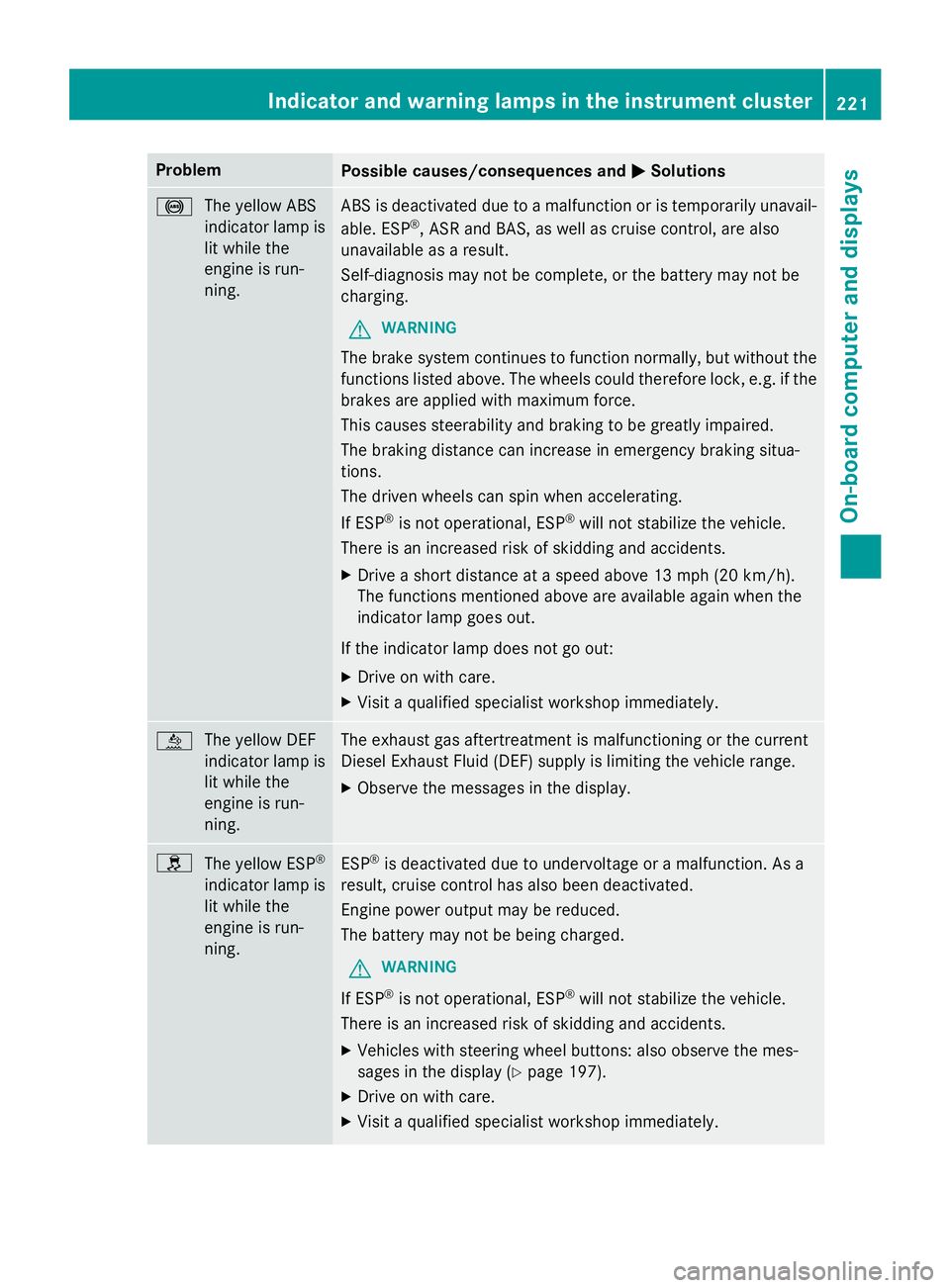
Problem
Possible causes/consequences and
0050
0050Solutions 0025
The yellow ABS
indicator lamp is
lit while the
engine is run-
ning. ABS is deactivated due to a malfunction or is temporarily unavail-
able. ESP ®
, ASR and BAS, as well as cruise control, are also
unavailable as a result.
Self-diagnosis may not be complete, or the battery may not be
charging.
G WARNING
The brake system continues to function normally, but without the functions listed above. The wheels could therefore lock, e.g. if thebrakes are applied with maximum force.
This causes steerability and braking to be greatly impaired.
The braking distance can increase in emergency braking situa-
tions.
The driven wheels can spin when accelerating.
If ESP ®
is not operational, ESP ®
will not stabilize the vehicle.
There is an increased risk of skidding and accidents.
X Drive a short distance at a speed above 13 mph (20 km/h).
The functions mentioned above are available again when the
indicator lamp goes out.
If the indicator lamp does not go out: X Drive on with care.
X Visit a qualified specialist workshop immediately. 00E2
The yellow DEF
indicator lamp is
lit while the
engine is run-
ning. The exhaust gas aftertreatment is malfunctioning or the current
Diesel Exhaust Fluid (DEF) supply is limiting the vehicle range.
X Observe the messages in the display. 0089
The yellow ESP ®
indicator lamp is lit while the
engine is run-
ning. ESP
®
is deactivated due to undervoltage or a malfunction. As a
result, cruise control has also been deactivated.
Engine power output may be reduced.
The battery may not be being charged.
G WARNING
If ESP ®
is not operational, ESP ®
will not stabilize the vehicle.
There is an increased risk of skidding and accidents.
X Vehicles with steering wheel buttons: also observe the mes-
sages in the display (Y page 197).
X Drive on with care.
X Visit a qualified specialist workshop immediately. Indicator and warning lamps in the instrument cluster
221On-board computer and displays Z