buttons MERCEDES-BENZ SPRINTER 2018 MY18 Operator’s Manual
[x] Cancel search | Manufacturer: MERCEDES-BENZ, Model Year: 2018, Model line: SPRINTER, Model: MERCEDES-BENZ SPRINTER 2018Pages: 294, PDF Size: 4.36 MB
Page 176 of 294
permitted to operate a mobile phone while the
vehicle is in motion, only operate it when road
and traffic conditions permit.
If you have connected a mobile phone to the
Sprinter hands-free system, you can operate it
using the functions in theTEL
menu.
XSwitch on the mobile phone (see the separate
operating instructions).
XSwitch on the audio equipment (see the sep-
arate operating instructions).
XEstablish a Bluetooth®connection between
the mobile phone and the audio equipment
(see the separate operating instructions).
XPress the VorU button on the steering
wheel to select the TELmenu.
XWhenPlease enter PIN:appears in the
display, enter the PIN using the mobile phone
or audio equipment.
The mobile phone will search for a network.
The display remains blank during this time.
You will see the mobile phone operational
readiness display once the mobile phone has
found a network.
iYou can obtain further information about
suitable mobile phones and connecting
mobile phones via Bluetooth
®at any qualified
specialist workshop.
iIf the mobile phone operational readiness
symbol goes out, your vehicle is outside of the
transmission and reception range.
Accepting a call
XPress the 6button on the steering wheel
to accept an incoming call.
The display shows the call duration.
Rejecting or ending a call
XPress ~button on the steering wheel to
reject or end a call.
The caller then hears the engaged tone.
The display shows the mobile phone opera-
tional readiness symbol again.
Dialing a number from the phone book
You can enter new telephone numbers into the
phone book via the mobile phone (see the sep-
arate operating instructions). If your mobile phone is able to receive calls, you can search for
and dial a number from the phone book.
Using the steering wheel buttons
XUse the
VorU button to select the TELmenu.
The display shows the mobile phone opera-
tional readiness symbol.
XPress the9or: button to switch to
the phone book.
The on-board computer reads the phone book
stored on the SIM card or in the mobile phone.
This may take more than a minute.
When the message is no longer displayed,
reading has ended.
XPress the 9or: button to select the
desired name.
or
XTo start rapid scrolling: press and hold the
9 or: button longer than 1 second.
Rapid scrolling stops when you release the
button or reach the end of the list.
Using the steering wheel buttons
XTo start dialing: press the6button.
The on-board computer dials the correspond-
ing phone number.
When a connection is established, the name
of the other person and/or the call duration
appear in the display.
XTo exit the phone book: press the~but-
ton.
Redialing
The on-board computer saves the last names or
numbers dialed in the redial memory.
Using the steering wheel buttons
XUse the VorU button to select the TELmenu.
The display shows the mobile phone opera-
tional readiness symbol.
XPress the6button.
The display shows the most recently dialed
numbers or names in the redial memory.
XPress the 9or: button to select the
desired name or number.
XTo start dialing: press the6button.
The on-board computer dials the correspond-
ing phone number.
174On-board computer (vehicles with steering wheel buttons)
On-board computer and displays
Page 177 of 294
When a connection is established, the name
of the other person and/or the call duration
appear in the display.
or
XTo exit the redial memory: press the~
button.
Display messages
Notes on display messages
Important safety notes
GWARNING
If the instrument display fails or is malfunc-
tioning, you may not recognize limitations in
the functions of systems relevant to safety.
The operating safety of your vehicle could be
affected. There is a risk of an accident.
Drive on carefully. Have the vehicle checked
at a qualified specialist workshop immedi-
ately.
iIf you turn the key to position 2in the igni-
tion, a display check is performed. All warning
and indicator lamps (except the turn signal
indicator lamps) and the display are activa-
ted. Before starting the journey, check that
the warning and indicator lamps are operating
correctly.
Vehicles without steering wheel but-
tons
Warnings, malfunctions or additional informa-
tion may also be shown in the display. The fol-
lowing tables show all the display messages. A
warning tone sounds with certain display mes-
sages.
Vehicles with steering wheel buttons
The on-board computer shows warnings, mal-
functions or additional information in the dis- play. A warning tone sounds with certain display
messages. Display messages of a high priority
are shown in red.
Please respond in accordance with the display
messages and follow the additional notes in this
Operator's Manual.
You can hide low-priority display messages by
pressing the
V,U,9or: button
on the steering wheel or the 9reset button.
You cannot hide display messages of the highest
priority. These messages will continue to be
shown in the display until their cause has been
eliminated.
The on-board computer stores certain display
messages in the message memory
(
Ypage 175).
Message memory
The on-board computer only records and shows
malfunctions and warnings from certain sys-
tems. Therefore, make sure that your vehicle is
safe to use. You could otherwise cause an acci-
dent by driving an unsafe vehicle.
The on-board computer stores certain display
messages. In the Message memory menu, you
can call up stored display messages.
Using the steering wheel buttons
XPress the VorU button repeatedly
until the number of stored display messages,
e.g. 2 messages
, appears in the display.
If no malfunctions have occurred, the No
messagesmessage appears.
XScroll through the stored display messages
with the9or: button.
XTo exit the message memory menu: press
the V orU button.
When you switch off the ignition, all display mes-
sages are deleted from the message memory.
You can only remove the key when it is in the
basic position.
Display messages175
On-board computer and displays
Z
Page 178 of 294
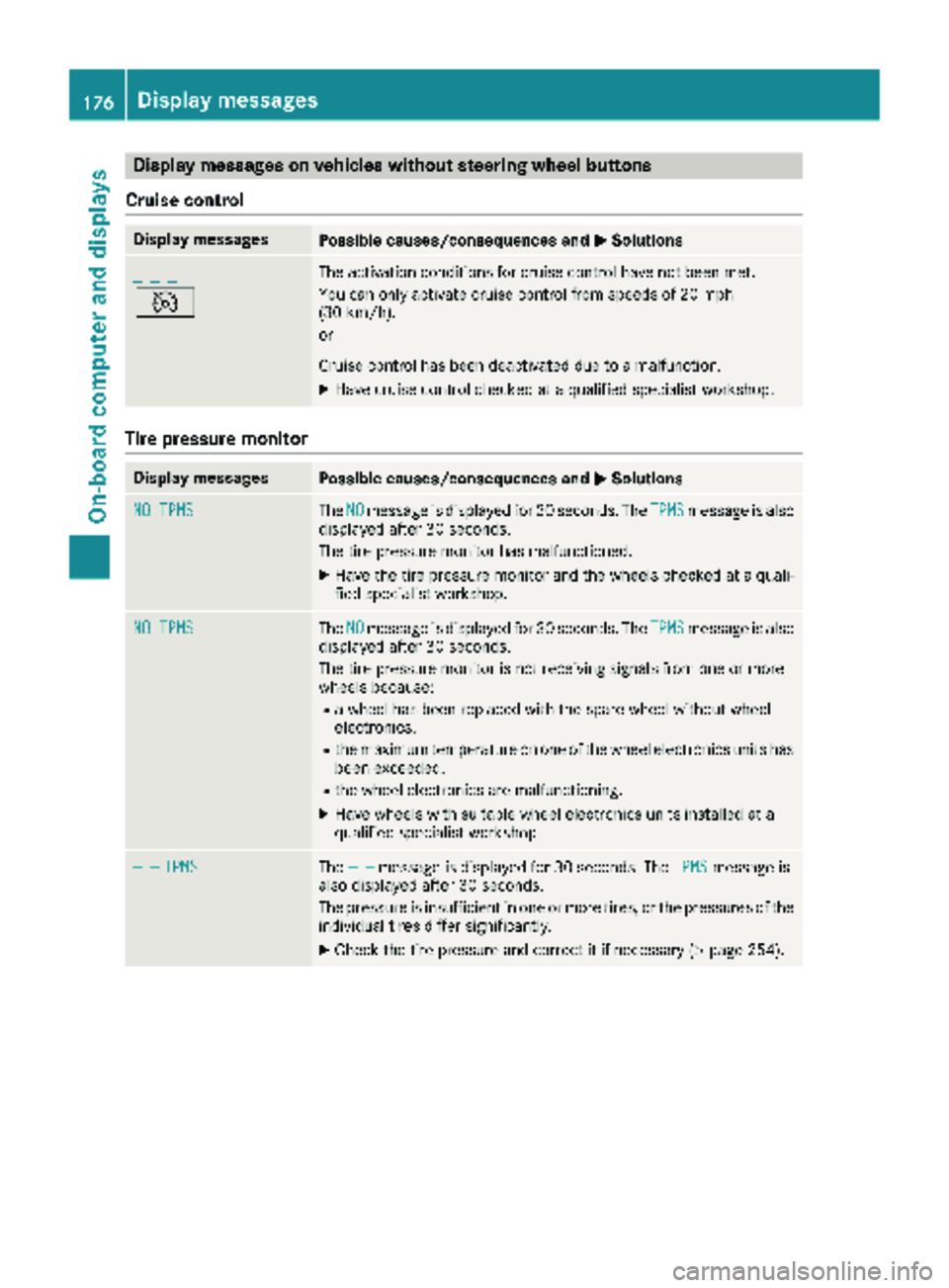
Display messages on vehicles withoutsteering wheel buttons
Cruis econtro l
Display messagesPossible causes/consequences an dMSolutions
_ _ _
V
The activation condition sfo rcruise contro lhav eno tbee nmet .
You can only activat ecruise contro lfrom speeds of 20 mph
(30 km/h).
or
Cruise contro lhas bee ndeactivated due to amalfunction .
XHavecruise contro lchecke dat aqualified specialis tworkshop .
Tire pressure monitor
Display messagesPossible causes/consequences an dMSolutions
NO TPM STheNOmessag eis displaye dfo r30 seconds. The TPMSmessag eis also
displaye dafter 30 seconds.
The tire pressure monito rhas malfunctioned.
XHav eth etire pressure monito rand th ewheels checke dat aquali-
fie dspecialis tworkshop .
NO TPMSTheNOmessag eis displaye dfo r30 seconds. The TPMSmessag eis also
displaye dafter 30 seconds.
The tire pressure monito ris no treceivin gsignal sfrom on eor more
wheels because :
Rawhee lhas bee nreplaced wit hth espar ewhee lwithout whee l
electronics.
Rth emaximum temperature on on eof th ewhee lelectronic sunits has
bee nexceeded.
Rth ewhee lelectronic sare malfunctioning.
XHav ewheels wit hsuitable whee lelectronic sunits installed at a
qualified specialis tworkshop .
— —TPMSThe — —messag eis displaye dfo r30 seconds. The TPMSmessag eis
also displaye dafter 30 seconds.
The pressure is insufficien tin on eor more tires ,or th epressures of th e
individual tires diffe rsignificantly.
XChec kth etire pressure and correc tit if necessary (Ypage 254).
176Display messages
On-board computer and displays
Page 183 of 294
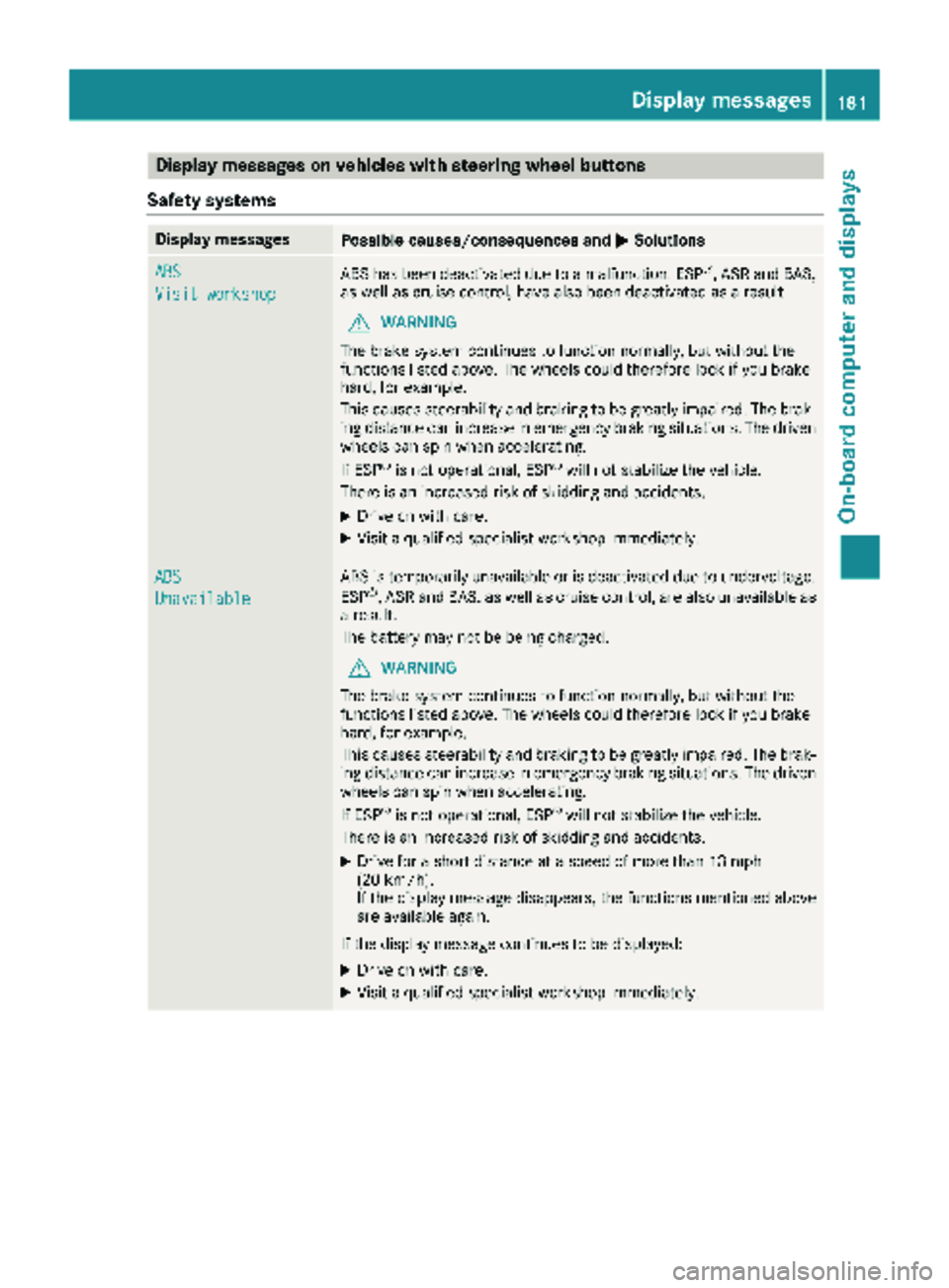
Display messages on vehicles withsteering wheel buttons
Safet ysystems
Display messagesPossible causes/consequences an dMSolutions
ABS
Visit workshop
AB Shas bee ndeactivated due to amalfunction .ES P®,AS Rand BAS,
as well as cruise control, hav ealso bee ndeactivated as aresult .
GWARNING
The brake syste mcontinues to function normally, but without th e
function slisted above. The wheels could therefore loc kif you brake
hard, fo rexample.
Thi scauses steerability and braking to be greatly impaired. The brak-
in gdistanc ecan increase in emergency braking situations. The driven
wheels can spi nwhen accelerating.
If ES P
®is no toperational, ES P®will notstabilize th evehicle.
There is an increase dris kof skidding and accidents .
XDrive on withcare.
XVisit aqualified specialis tworkshop immediately.
ABS
Unavailable
AB Sis temporarily unavailable or is deactivated due to undervoltage.
ES P®,AS Rand BAS, as well as cruise control, are also unavailable as
a result .
The battery may no tbe bein gcharged.
GWARNING
The brake syste mcontinues to function normally, but without th e
function slisted above. The wheels could therefore loc kif you brake
hard, fo rexample.
Thi scauses steerability and braking to be greatly impaired. The brak-
in gdistanc ecan increase in emergency braking situations. The driven
wheels can spi nwhen accelerating.
If ES P
®is no toperational, ES P®will notstabilize th evehicle.
There is an increase dris kof skidding and accidents .
XDrive for ashort distanc eat aspeed of more than 13 mph
(20 km/h).
If th edisplay messag edisappears ,th efunction smentioned abov e
are available again .
If th edisplay messag econtinues to be displayed:
XDrive on wit hcare.
XVisit aqualified specialis tworkshop immediately.
Display messages18 1
On-board computer and displays
Z
Page 198 of 294
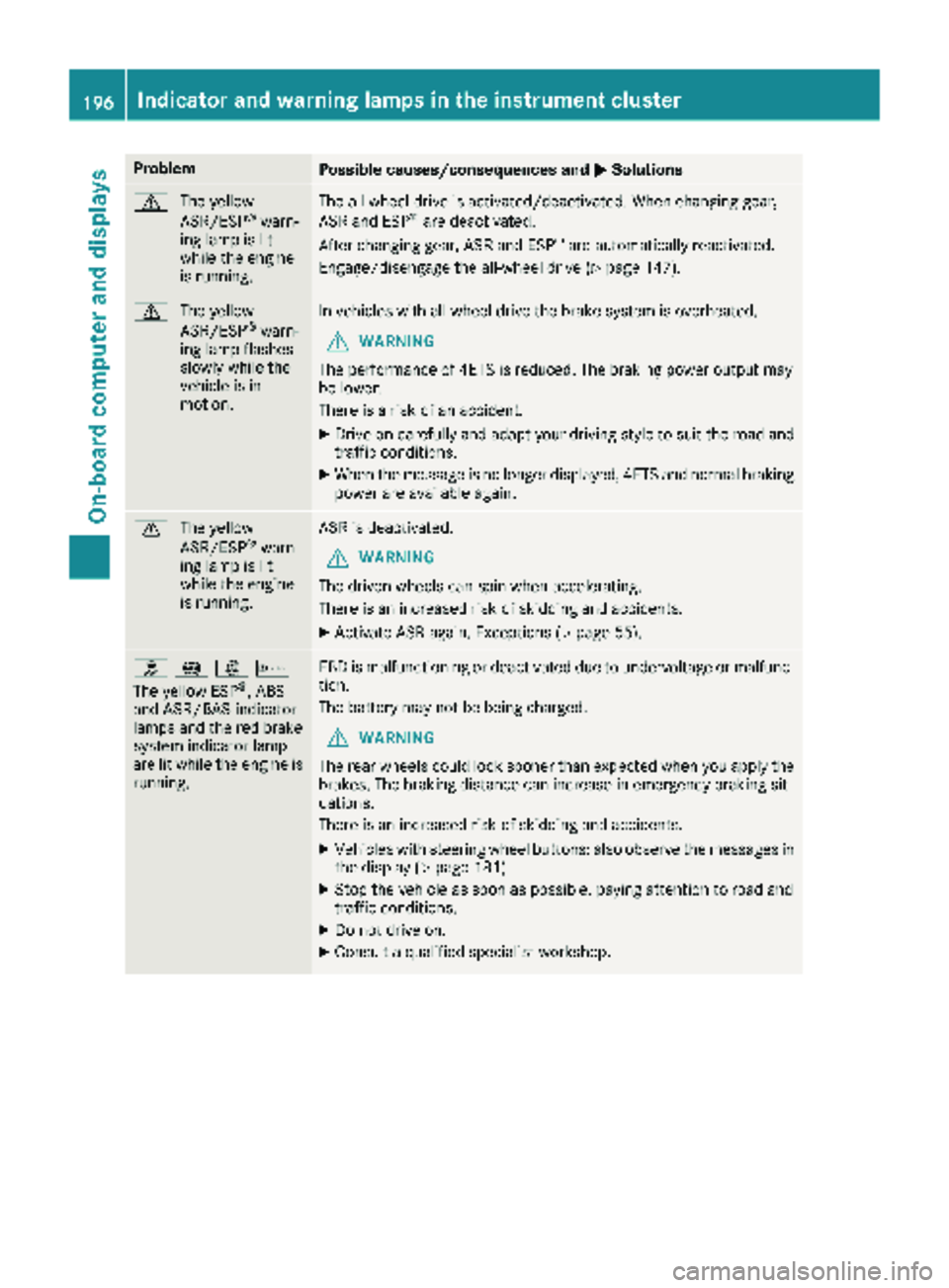
ProblemPossible causes/consequences andMSolutions
d
The yellow
ASR/ESP®warn-
ing lamp is lit
while the engine
is running.
The all-wheel drive is activated/deactivated. When changing gear,
ASR and ESP®are deactivated.
After changing gear, ASR and ESP®are automatically reactivated.
Engage/disengage the all-wheel drive (
Ypage 147).
d The yellow
ASR/ESP®warn-
ing lamp flashes
slowly while the
vehicle is in
motion.
In vehicles with all-wheel drive the brake system is overheated.
GWARNING
The performance of 4ETS is reduced. The braking power output may
be lower.
There is a risk of an accident.
XDrive on carefully and adapt your driving style to suit the road and
traffic conditions.
XWhen the message is no longer displayed, 4ETS and normal braking
power are available again.
d The yellow
ASR/ESP®warn-
ing lamp is lit
while the engine
is running.
ASR is deactivated.
GWARNING
The driven wheels can spin when accelerating.
There is an increased risk of skidding and accidents.
XActivate ASR again. Exceptions (Ypage 55).
h !:b
The yellow ESP®, ABS
and ASR/BAS indicator
lamps and the red brake
system indicator lamp
are lit while the engine is
running.
EBD is malfunctioning or deactivated due to undervoltage or malfunc-
tion.
The battery may not be being charged.
GWARNING
The rear wheels could lock sooner than expected when you apply the
brakes. The braking distance can increase in emergency braking sit-
uations.
There is an increased risk of skidding and accidents.
XVehicles with steering wheel buttons: also observe the messages in
the display (Ypage 181).
XStop the vehicle as soon as possible, paying attention to road and
traffic conditions.
XDo not drive on.
XConsult a qualified specialist workshop.
196Indicator and warning lamps in the instrument cluster
On-board computer and displays
Page 199 of 294
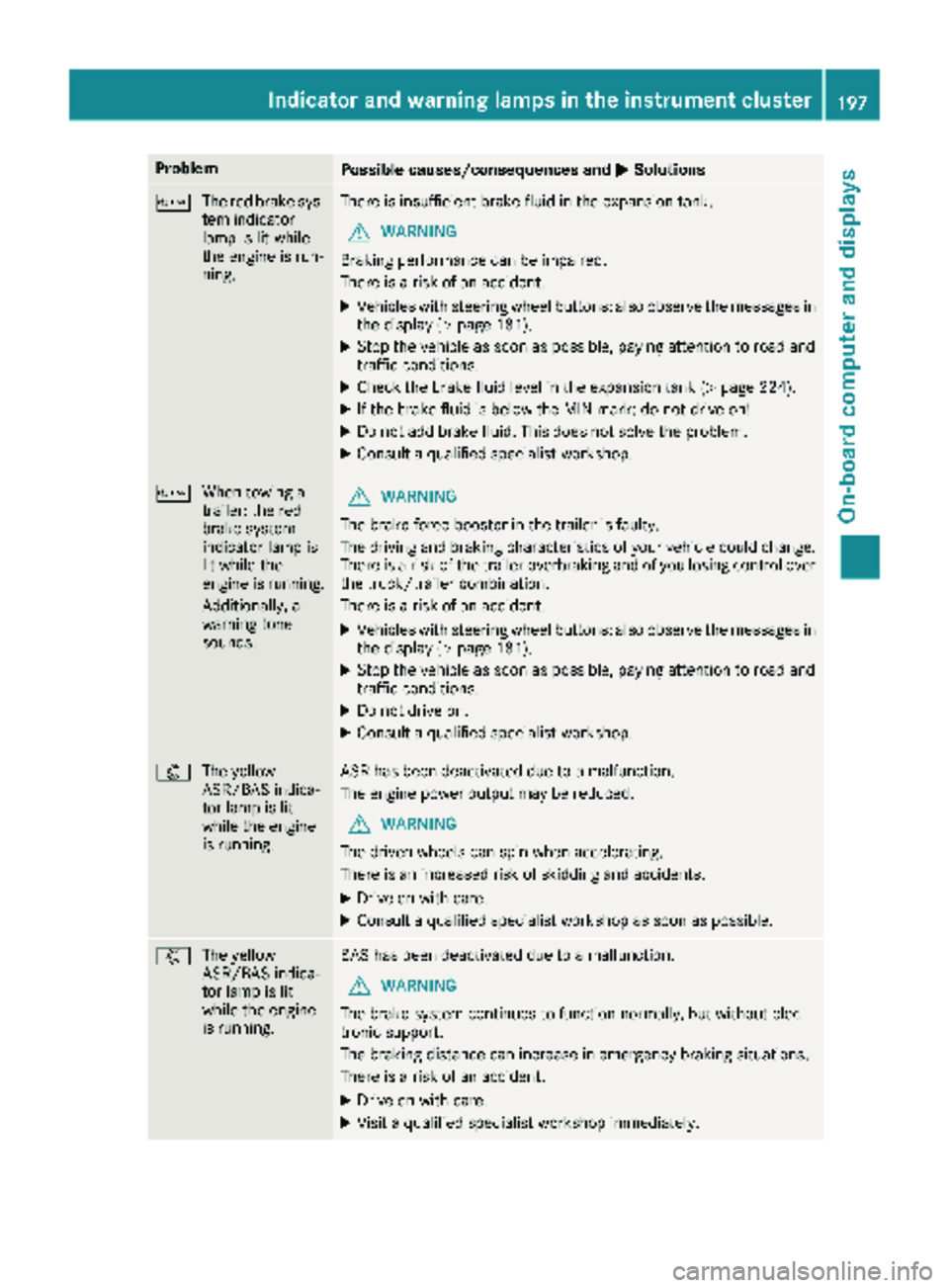
ProblemPossible causes/consequences andMSolutions
b
The red brake sys-
tem indicator
lamp is lit while
the engine is run-
ning.There is insufficient brake fluid in the expansion tank.
GWARNING
Braking performance can be impaired.
There is a risk of an accident.
XVehicles with steering wheel buttons: also observe the messages in
the display (Ypage 181).
XStop the vehicle as soon as possible, paying attention to road and
traffic conditions.
XCheck the brake fluid level in the expansion tank (Ypage 224).
XIf the brake fluid is below the MIN mark: do not drive on!
XDo not add brake fluid. This does not solve the problem.
XConsult a qualified specialist workshop.
b When towing a
trailer: the red
brake system
indicator lamp is
lit while the
engine is running.
Additionally, a
warning tone
sounds.GWARNING
The brake force booster in the trailer is faulty.
The driving and braking characteristics of your vehicle could change.
There is a risk of the trailer overbraking and of you losing control over
the truck/trailer combination.
There is a risk of an accident.
XVehicles with steering wheel buttons: also observe the messages in
the display (Ypage 181).
XStop the vehicle as soon as possible, paying attention to road and
traffic conditions.
XDo not drive on.
XConsult a qualified specialist workshop.
: The yellow
ASR/BAS indica-
tor lamp is lit
while the engine
is running.ASR has been deactivated due to a malfunction.
The engine power output may be reduced.
GWARNING
The driven wheels can spin when accelerating.
There is an increased risk of skidding and accidents.
XDrive on with care.
XConsult a qualified specialist workshop as soon as possible.
: The yellow
ASR/BAS indica-
tor lamp is lit
while the engine
is running.BAS has been deactivated due to a malfunction.
GWARNING
The brake system continues to function normally, but without elec-
tronic support.
The braking distance can increase in emergency braking situations.
There is a risk of an accident.
XDrive on with care.
XVisit a qualified specialist workshop immediately.
Indicator and warning lamps in the instrument cluster197
On-board computer and displays
Z
Page 201 of 294
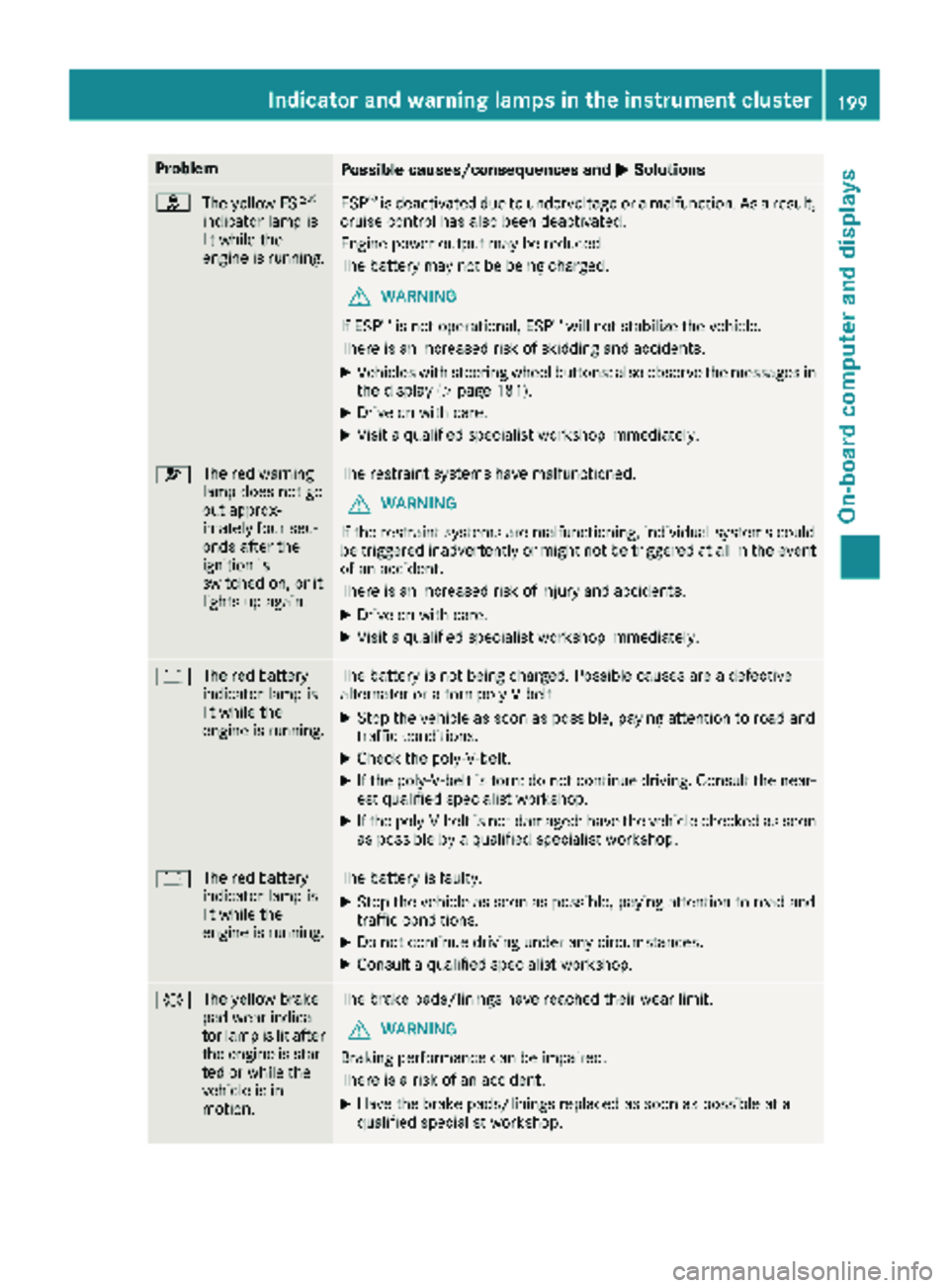
ProblemPossible causes/consequences andMSolutions
h
The yellow ESP®
indicator lamp is
lit while the
engine is running.ESP®is deactivated due to undervoltage or a malfunction. As a result,
cruise control has also been deactivated.
Engine power output may be reduced.
The battery may not be being charged.
GWARNING
If ESP
®is not operational, ESP®will not stabilize the vehicle.
There is an increased risk of skidding and accidents.
XVehicles with steering wheel buttons: also observe the messages in the display (Ypage 181).
XDrive on with care.
XVisit a qualified specialist workshop immediately.
6 The red warning
lamp does not go
out approx-
imately four sec-
onds after the
ignition is
switched on, or it
lights up again.The restraint systems have malfunctioned.
GWARNING
If the restraint systems are malfunctioning, individual systems could
be triggered inadvertently or might not be triggered at all in the event
of an accident.
There is an increased risk of injury and accidents.
XDrive on with care.
XVisit a qualified specialist workshop immediately.
# The red battery
indicator lamp is
lit while the
engine is running.The battery is not being charged. Possible causes are a defective
alternator or a torn poly-V-belt.
XStop the vehicle as soon as possible, paying attention to road and
traffic conditions.
XCheck the poly-V-belt.
XIf the poly-V-belt is torn: do not continue driving. Consult the near-
est qualified specialist workshop.
XIf the poly-V-belt is not damaged: have the vehicle checked as soon
as possible by a qualified specialist workshop.
#The red battery
indicator lamp is
lit while the
engine is running.The battery is faulty.
XStop the vehicle as soon as possible, paying attention to road and
traffic conditions.
XDo not continue driving under any circumstances.
XConsult a qualified specialist workshop.
#The yellow brake
pad wear indica-
tor lamp is lit after
the engine is star-
ted or while the
vehicle is in
motion.The brake pads/linings have reached their wear limit.
GWARNING
Braking performance can be impaired.
There is a risk of an accident.
XHave the brake pads/linings replaced as soon as possible at a
qualified specialist workshop.
Indicator and warning lamps in the instrument cluster199
On-board computer and displays
Z
Page 204 of 294
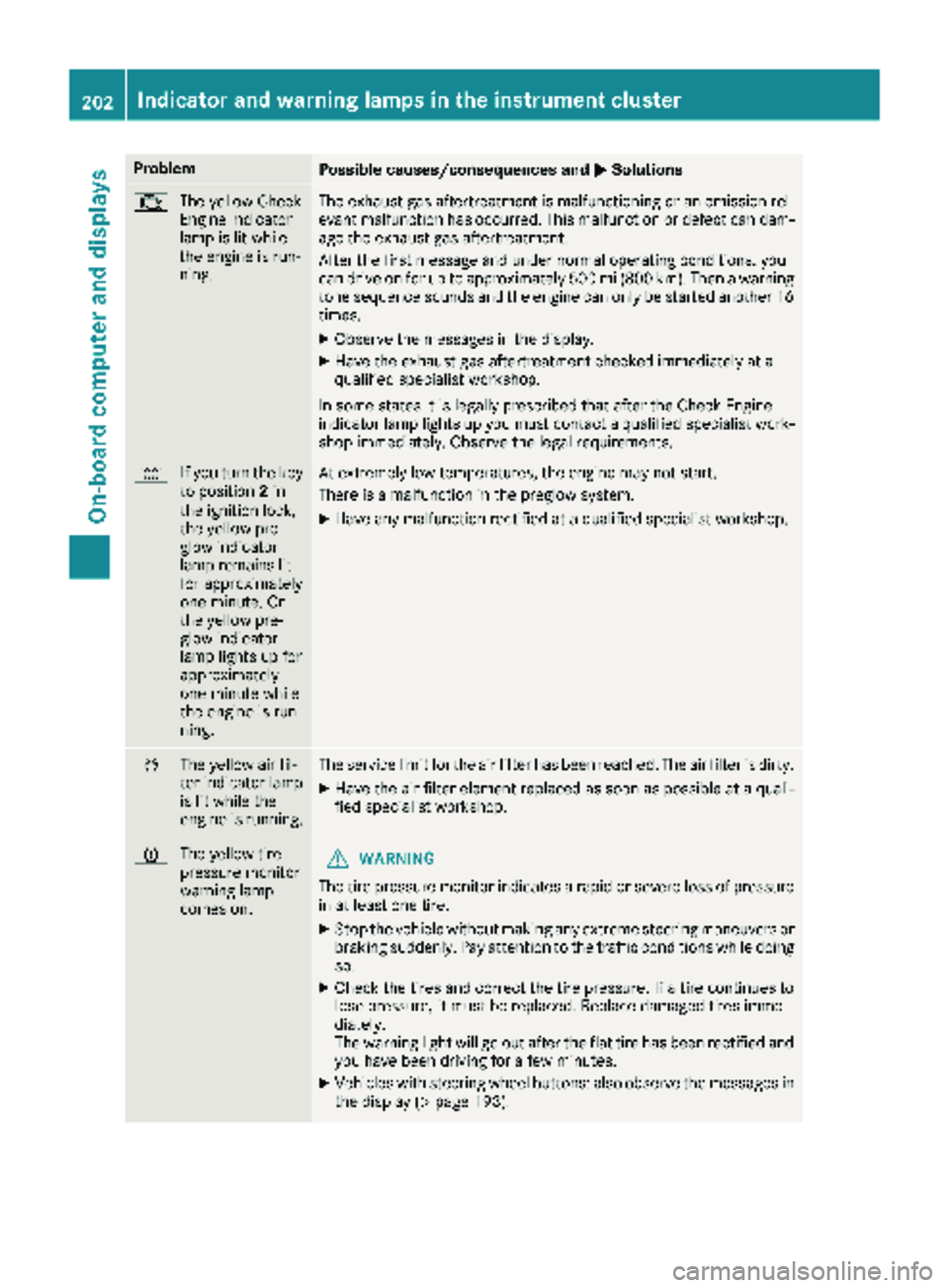
ProblemPossible causes/consequences andMSolutions
;
The yellow Check
Engine indicator
lamp is lit while
the engine is run-
ning.The exhaust gas aftertreatment is malfunctioning or an emission rel-
evant malfunction has occurred. This malfunction or defect can dam-
age the exhaust gas aftertreatment.
After the first message and under normal operating conditions, you
can drive on for up to approximately 500 mi (800 km). Then a warning
tone sequence sounds and the engine can only be started another 16
times.
XObserve the messages in the display.
XHave the exhaust gas aftertreatment checked immediately at a
qualified specialist workshop.
In some states it is legally prescribed that after the Check Engine
indicator lamp lights up you must contact a qualified specialist work-
shop immediately. Observe the legal requirements.
% If you turn the key
to position 2in
the ignition lock,
the yellow pre-
glow indicator
lamp remains lit
for approximately
one minute. Or
the yellow pre-
glow indicator
lamp lights up for
approximately
one minute while
the engine is run-
ning.At extremely low temperatures, the engine may not start.
There is a malfunction in the preglow system.
XHave any malfunction rectified at a qualified specialist workshop.
È The yellow air fil-
ter indicator lamp
is lit while the
engine is running.The service limit for the air filter has been reached. The air filter is dirty.
XHave the air filter element replaced as soon as possible at a quali-
fied specialist workshop.
hThe yellow tire
pressure monitor
warning lamp
comes on.GWARNING
The tire pressure monitor indicates a rapid or severe loss of pressure
in at least one tire.
XStop the vehicle without making any extreme steering maneuvers or
braking suddenly. Pay attention to the traffic conditions while doing
so.
XCheck the tires and correct the tire pressure. If a tire continues to
lose pressure, it must be replaced. Replace damaged tires imme-
diately.
The warning light will go out after the flat tire has been rectified and
you have been driving for a few minutes.
XVehicles with steering wheel buttons: also observe the messages in the display (Ypage 193).
202Indicator and warning lamps in the instrument cluster
On-board computer and displays
Page 223 of 294
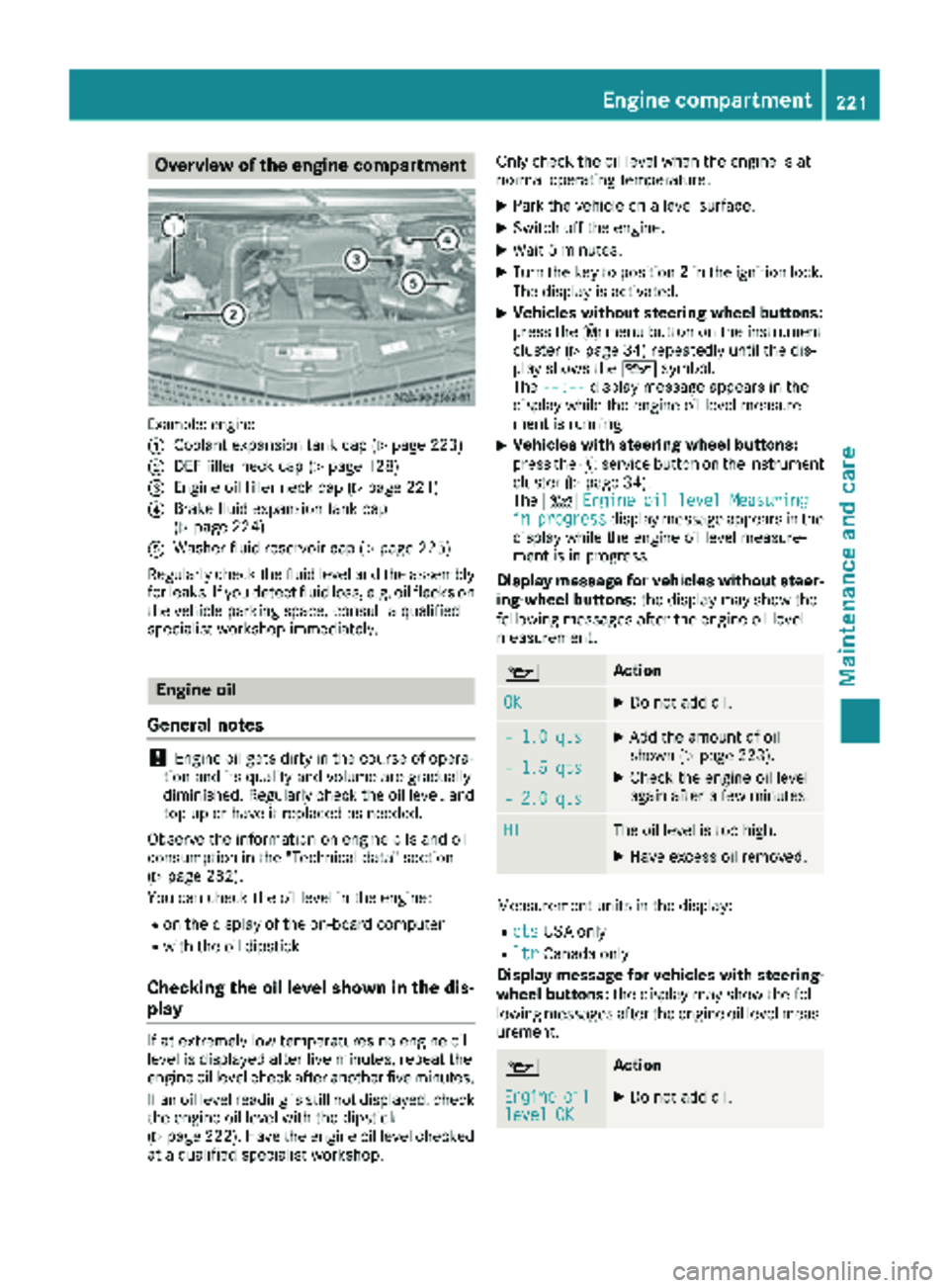
Overview of the engine compartment
Example: engine
:
Coolant expansion tank cap (Ypage 223)
;DEF filler neck cap (Ypage 128)
=Engine oil filler neck cap (Ypage 221)
?Brake fluid expansion tank cap
(Ypage 224)
AWasher fluid reservoir cap (Ypage 225)
Regularly check the fluid level and the assembly
for leaks. If you detect fluid loss, e.g. oil flecks on
the vehicle parking space, consult a qualified
specialist workshop immediately.
Engine oil
General notes
!Engine oil gets dirty in the course of opera-
tion and its quality and volume are gradually
diminished. Regularly check the oil level, and
top up or have it replaced as needed.
Observe the information on engine oils and oil
consumption in the "Technical data" section
(
Ypage 282).
You can check the oil level in the engine:
Ron the display of the on-board computer
Rwith the oil dipstick
Checking the oil level shown in the dis-
play
If at extremely low temperatures no engine oil
level is displayed after five minutes, repeat the
engine oil level check after another five minutes.
If an oil level reading is still not displayed, check
the engine oil level with the dipstick
(
Ypage 222). Have the engine oil level checked
at a qualified specialist workshop. Only check the oil level when the engine is at
normal operating temperature.
XPark the vehicle on a level surface.
XSwitch off the engine.
XWait 5 minutes.
XTurn the key to position
2in the ignition lock.
The display is activated.
XVehicles without steering wheel buttons:
press the 4menu button on the instrument
cluster (
Ypage 34) repeatedly until the dis-
play shows the 1symbol.
The --:--
display message appears in the
display while the engine oil level measure-
ment is running.
XVehicles with steering wheel buttons:
press the Ëservice button on the instrument
cluster (
Ypage 34).
The 4 Engine oil level Measuring
inprogressdisplay message appears in the
display while the engine oil level measure-
ment is in progress.
Display message for vehicles without steer-
ing-wheel buttons: the display may show the
following messages after the engine oil level
measurement.
1Action
OKXDo not add oil.
– 1.0 qtsXAdd the amount of oil
shown (Ypage 223).
XCheck the engine oil level
again after a few minutes.– 1.5 qts
– 2.0 qts
HIThe oil level is too high.
XHave excess oil removed.
Measurement units in the display:
RqtsUSA only
RltrCanada only
Display message for vehicles with steering- wheel buttons: the display may show the fol-
lowing messages after the engine oil level meas-
urement.
1Action
Engineoillevel OKXDo not add oil.
Engine compartment221
Maintenance and care
Z
Page 229 of 294
Do not run the engine for longer than neces-
sary when the vehicle is stationary.
Before having maintenance and repairs per-
formed, it is essential to read the materials rela-
ted to the maintenance and repairs:
Rthe applicable sections of the technical doc-
umentation, e.g. the Operator's Manual and
workshop information.
Rregulations such as industrial safety regula-
tions and accident prevention regulations.
While working under the vehicle, you must
secure the vehicle on jack stands with sufficient load capacity.
Never use the jack as a substitute. The vehicle's
jack is intended only to raise the vehicle for a
short time when changing a wheel. It is not
suited for performing maintenance work under
the vehicle.
Please also refer to the notes about qualified
specialist workshops (
Ypage 27).
The scope and regularity of the inspection and
maintenance work primarily depend on the
often diverse operating conditions. Specialist
knowledge beyond the scope of this Operator's
Manual is required when carrying out testing
and maintenance work. This work should only be
carried out by trained staff.
The vehicle Maintenance Booklet describes the scope and fre que
ncy of maintenance work and
contains additional notes on the New Vehicle
Limited Warranty and on service products.
Maintenance services must be carried out in
accordance with the provisions and recommen-
dations in the Maintenance Booklet. Not doing
so could void the warranty claim and lead to
refusal of goodwill gestures after the manufac-
turer has submitted a damage report.
iObserve the notes on genuine Sprinter parts
(Ypage 29).
Service interval display
General notes
A service that is due is displayed in the service
interval display about one month in advance. A
message is then displayed while the vehicle is in
motion or when the ignition is switched on.
iThe service interval display does not provide
information about the engine oil level. The service interval display should therefore not
be confused with the
5engine oil level
display.
The service due date is displayed in days or
miles (kilometers), depending on the total dis-
tance driven.
The symbols or letters on the service display
show the type of service that is due.
¯ orA
for a minor service
° orB
for a major service
Service due date display
Vehicles with steering wheel buttons: the
following messages may be displayed.
R¯ Service A due in ... days
R¯Service A due in ... mi(km)
R¯ Service A Carry out now
Vehicles without steering wheel buttons:
the following messages may be displayed.
R¯for service A
R°for Service B
Additionally, you will see the remaining distance
in miles ( mi
) or kilometers ( km) or the remaining
time in days ( d).
Service due date has been exceeded
Vehicles with steering wheel buttons: if you
have missed the service due date, one of the
following messages appears in the display and
warning tone also sounds.
R¯ Service A overdue by ... days
R¯Service A overdue by ... km(km)
Vehicles without steering wheel buttons: if
you have missed the service due date, the ¯
or ° symbol for the service flashes for ten
seconds after the ignition is switched on. A
minus sign also appears in front of the service
due date.
Calling up the service due date
XTurn the key to position 2in the ignition lock.
The display is activated.
Vehicles without steering wheel buttons
XPress the 4menu button on the instrument
cluster repeatedly until the ¯or°
symbol for the service appears in the display.
Maintenance227
Maintenance and care
Z