display MERCEDES-BENZ SPRINTER 2019 MY19 with 7” screen
[x] Cancel search | Manufacturer: MERCEDES-BENZ, Model Year: 2019, Model line: SPRINTER, Model: MERCEDES-BENZ SPRINTER 2019Pages: 354, PDF Size: 6.15 MB
Page 205 of 354
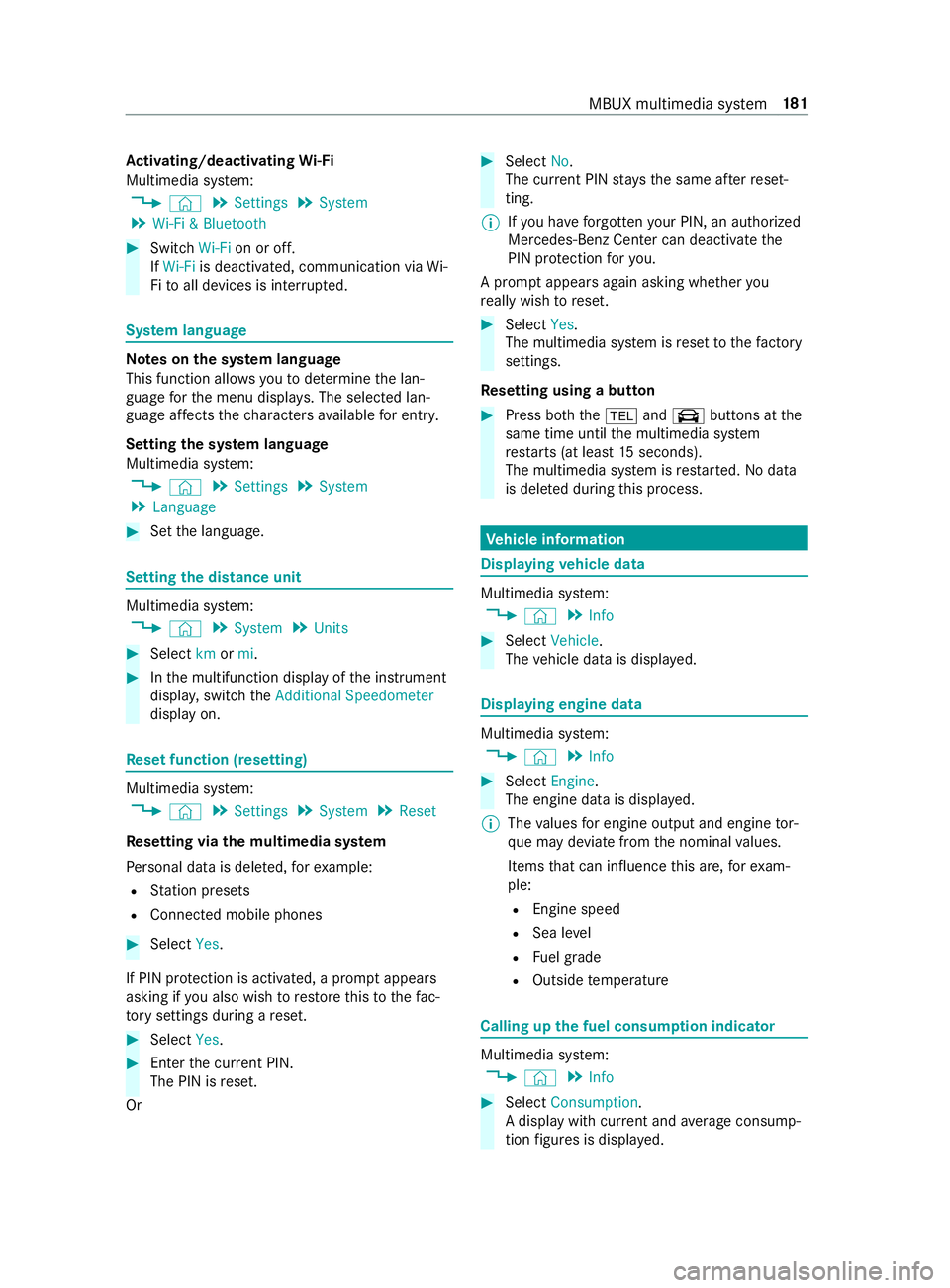
Ac
tivating/deactivating Wi-Fi
Multimedia sy stem:
4 © 5
Settings 5
System
5 Wi-Fi & Bluetooth #
Switch Wi-Fion or off.
If Wi-Fi is deactivated, communication via Wi-
Fi to all devices is inter rupte d. Sy
stem language Note
s onthe sy stem language
This function allo wsyouto determ ine the lan‐
guage forth e menu displa ys. The selected lan‐
guage af fects thech aracters available for entr y.
Setting the sy stem language
Multimedia sy stem:
4 © 5
Settings 5
System
5 Language #
Set the language. Setting
the distance unit Multimedia sy
stem:
4 © 5
System 5
Units #
Select kmormi. #
Inthe multifunction display of the instrument
displa y,switch theAdditional Speedometer
display on. Re
set function (resetting) Multimedia sy
stem:
4 © 5
Settings 5
System 5
Reset
Re setting via the multimedia sy stem
Pe rsonal data is dele ted, forex ample:
R Station presets
R Connected mobile phones #
Select Yes.
If PIN pr otection is activated, a prom ptappears
asking if you also wish torestore this to thefa c‐
to ry settings during a reset. #
Select Yes. #
Enter the cur rent PIN.
The PIN is reset.
Or #
Select No.
The cur rent PIN stay sth e same af terre set‐
ting.
% If
yo u ha veforg ottenyo ur PIN, an authorized
Mercedes-Benz Center can deactivate the
PIN pr otection foryo u.
A prom ptappears again asking whe ther you
re ally wish toreset. #
Select Yes.
The multimedia sy stem is reset tothefa ctory
settings.
Re setting using a button #
Press bo th the002B and\ buttons at the
same time until the multimedia sy stem
re starts (at least 15seconds).
The multimedia sy stem is restar ted. No data
is dele ted during this process. Ve
hicle information Displaying
vehicle data Multimedia sy
stem:
4 © 5
Info #
Select Vehicle .
The vehicle data is displa yed. Displaying engine data
Multimedia sy
stem:
4 © 5
Info #
Select Engine.
The engine data is displa yed.
% The
values for engine output and engine tor‐
qu e may deviate from the nominal values.
Items that can influence this are, forex am‐
ple:
R Engine speed
R Sea le vel
R Fuel grade
R Outside temp erature Calling up
the fuel consum ption indicator Multimedia sy
stem:
4 © 5
Info #
Select Consumption .
A display with cur rent and average consu mp‐
tion figures is displa yed. MBUX multimedia sy
stem 181
Page 207 of 354
Multimedia sy
stem:
4 © 5
Phone 5
00A5
Sear ching for a mobile phone #
Select Connect New Device.
Connecting a mobile phone (authorization
using Secure Si mplePa iring) #
Select a mobile phone. #
A code is displa yed in the multimedia sy stem
and on the mobile phone. #
Ifth e codes match: confirm the code on the
mobile phone.
% Fo
r older mobile phone models, enter a one
to sixteen-digit number code on the mobile
phone and on the multimedia sy stem for
authorization.
% Up
to15 mobile phones can be authorized on
th e multimedia sy stem.
Auth orized mobile phones are reconnected
au tomatical ly.
% The connected mobile phone can also be
used as Blue tooth®
audio equipment
(/ page 190).
Re placing a mobile phone
Multimedia sy stem:
4 Phone 5
00A5 #
Noauthorized mobile phone available:
select Connect New Device .#
Select a mobile phone. #
Newly authorized mobile phone: confirm
th e number code on the mobile phone.
Switching mobile phones #
Select an authorized mobile phone.
The selected mobile phone is connected to
th e multimedia sy stem.
% For iPhone ®
:yo u can swit chbetween the
Apple CarPl ay™ and Blu etoo th®
equipment
connection variants.
De-authorizing a mobile phone
Multimedia sy stem:
4 © 5
Phone 5
00A5 #
Select 0062inthe line of the mobile phone. #
Select Deauthorize . Information on
NearField Communication
(NFC)
NFC enables short- range wi reless data transfer
or (re)connection of a mobile phone with the mul‐
timedia sy stem.
Fu rther information can be obtained at: http://
www.mercedes-benz.com/connect
Using the mobile phone with NearField Com‐
munication (NFC)
Re quirements:
R NFC is activated on the mobile phone (see
th e manufacturer's operating instructions)
R The mobile phone's screen is switched on
and unloc ked (see the manufacturer's operat‐
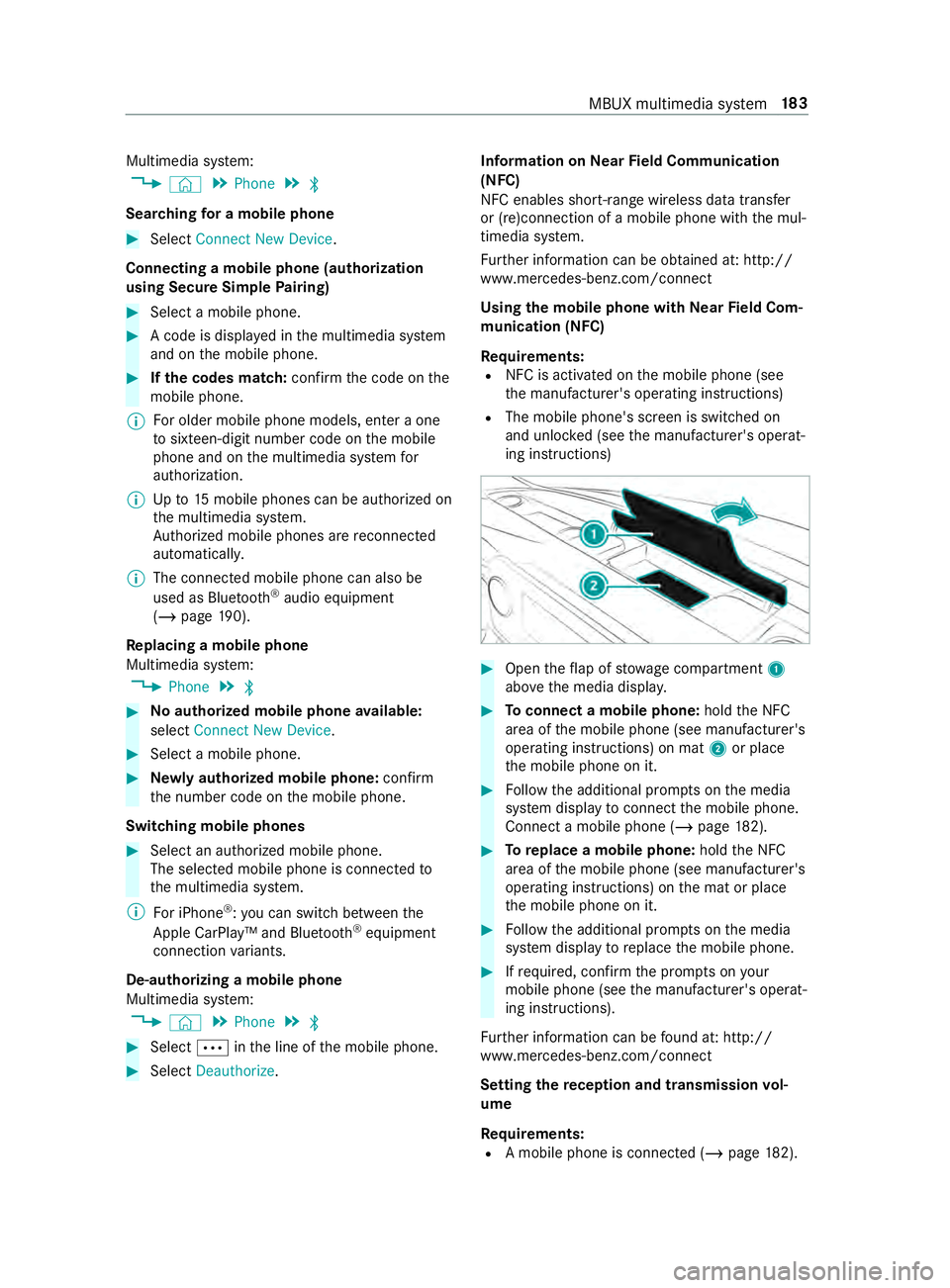
ing instructions) #
Open theflap of stowage compartment 1
abo vethe media displa y. #
Toconnect a mobile phone: holdthe NFC
area of the mobile phone (see manufacturer's
operating instructions) on mat 2or place
th e mobile phone on it. #
Follow the additional prom pts on the media
sy stem display toconnect the mobile phone.
Connect a mobile phone (/ page182). #
Toreplace a mobile phone: holdthe NFC
area of the mobile phone (see manufacturer's
operating instructions) on the mat or place
th e mobile phone on it. #
Follow the additional prom pts on the media
sy stem display toreplace the mobile phone. #
Ifre qu ired, con firm the prom pts on your
mobile phone (see the manufacturer's operat‐
ing instructions).
Fu rther information can be found at: http://
www.mercedes-benz.com/connect
Setting there ception and transmission vol‐
ume
Re quirements:
R A mobile phone is connec ted (/ page182). MBUX multimedia sy
stem 18 3
Page 216 of 354
R
Podcasts (Apple®
devices)
R Audiobooks (Apple®
devices)
% The categories are
available as soon as the
entire media content has been read in and
analyzed.
St arting a sear chin categories
Multimedia sy stem:
4 © 5
Media 5
5 #
Select a categor y.
The media files are shown cor responding to
th e selected categor y,e.g. all albums will be
shown forth eAlbums category.
Sorting results shown or playing back all
media found #
Select 0062. #
Toplay back all results found in the cate‐
gor y:select Play All.
If, forex ample, the album category is active,
all albums found bythe desired artist will be
pla yed bac k. #
Tosort results alphabeticall y:select Sort
from A-Z. #
Tosort results in reve rse alphab etical
order: selectSort from Z-A.
% The
available options depend on the selected
category and the connected device.
Using theke yword sear ch
Multimedia sy stem:
4 © 5
Media 5
5
In the categories under 5you can use the
ke yword sear chwith free text input tolook for
content. #
Select a catego ry. #
Select Search.
A ke yboard forch aracter ent ryappears. #
Enterth ete rm sear ched for.
% The sear
chbegins with thefirs tch aracter
entered. The more characters entered the
more concr eteth e sear chresults become. #
Select the desired entry fromthere sult list.
If th e selected result is an album, song or a
playback list then playback is star ted. If the
selected result is a new category then this is
opened in the sear ch. Ra
dio Switching on the
radio Multimedia sy
stem:
4 © 5
Radio #
Alternatively: press the| button.
The radio display appears. You will hear the
last station pla yed on the last frequency band
selected. Ra
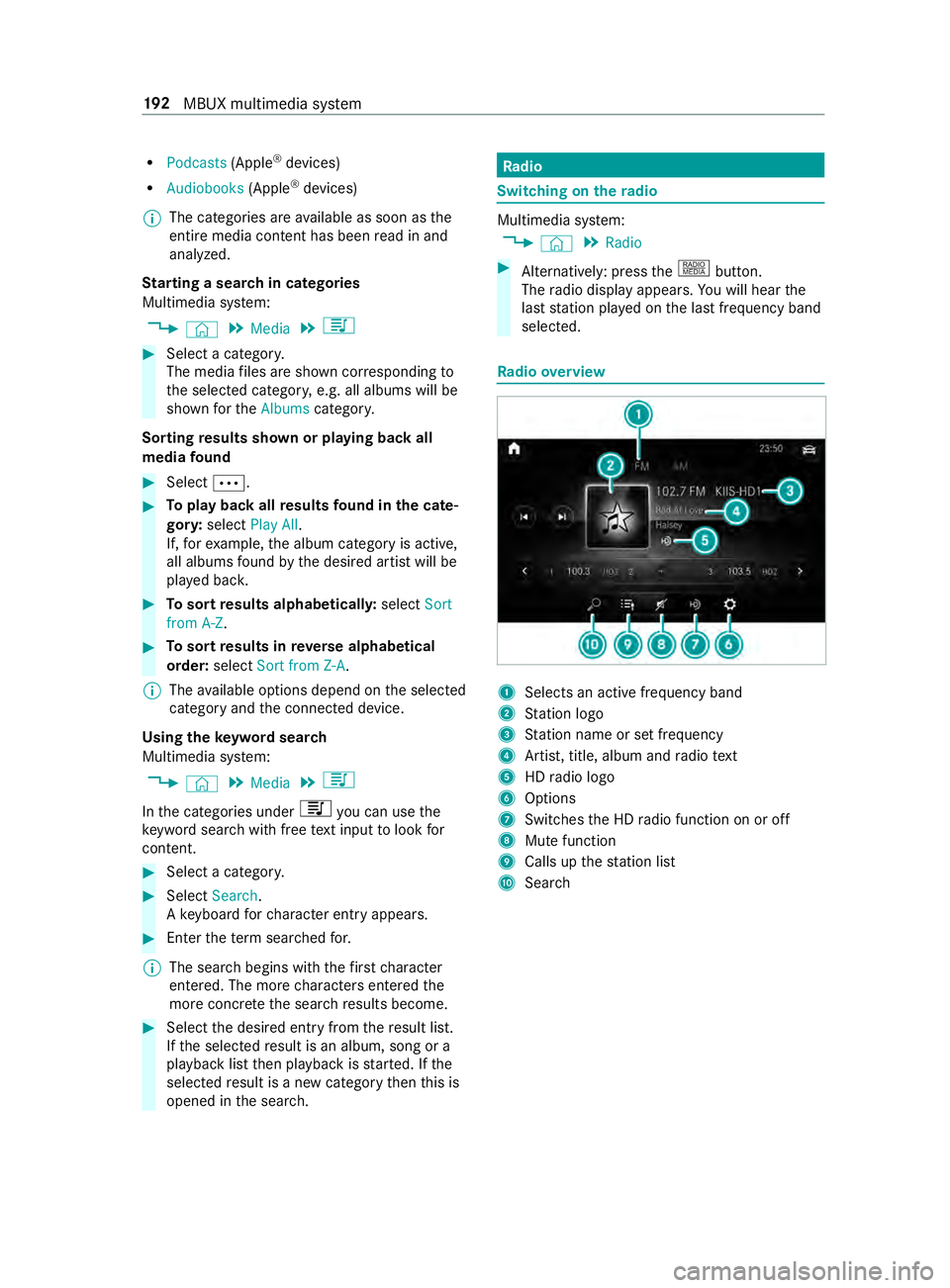
dio overview 1
Selects an active frequency band
2 Station logo
3 Station name or set frequency
4 Artist, title, album and radio text
5 HDradio logo
6 Options
7 Switches the HD radio function on or off
8 Mute function
9 Calls up thest ation list
A Sear ch 19 2
MBUX multimedia sy stem
Page 218 of 354
Showing accident
reports Multimedia sy
stem:
4 © 5
Radio 5
Z
% The
availability of the function is dependent
on the count ry. #
Switch Display Emergency Warnings on or
off. Displaying
radio text Multimedia sy
stem:
4 © 5
Radio 5
Z #
Switch Display Radio Text Information on or
off. Sound
Sound settings
Information about
the sound sy stem
The sound sy stem is available for all functions in
th era dio and media modes. The settings, for
ex ample forth e equalizer, ef fect the playback of
all media sources.
Calling up the sound menu
Multimedia sy stem:
4 © 5
Media 5
Z 5
Sound
The following functions are available:
R Equalizer
R Balance and Fader
R Autom. Volume Adjustment #
Select a sound menu.
Ad justing treble, mid-range and bass settings
Multimedia sy stem:
4 © 5
Media 5
Z 5
Sound #
Set TREBLE, MIDorBASS .
Ac tivating/deactivating automatic volume
adjustment
Multimedia sy stem:
4 © 5
Media 5
Z 5
Sound
Au tomatic volume adjustment compensates for
dif fering volumes when changing between audio
sources. #
Swit chAutom. Volume Adjustment on or off.
Ad justing the balance/ fader
The availability of this function depends on the
ve hicle equipment. Multimedia sy
stem:
4 © 5
Media 5
Z 5
Sound #
Adjust the balance and fader. 194
MBUX multimedia sy stem
Page 226 of 354
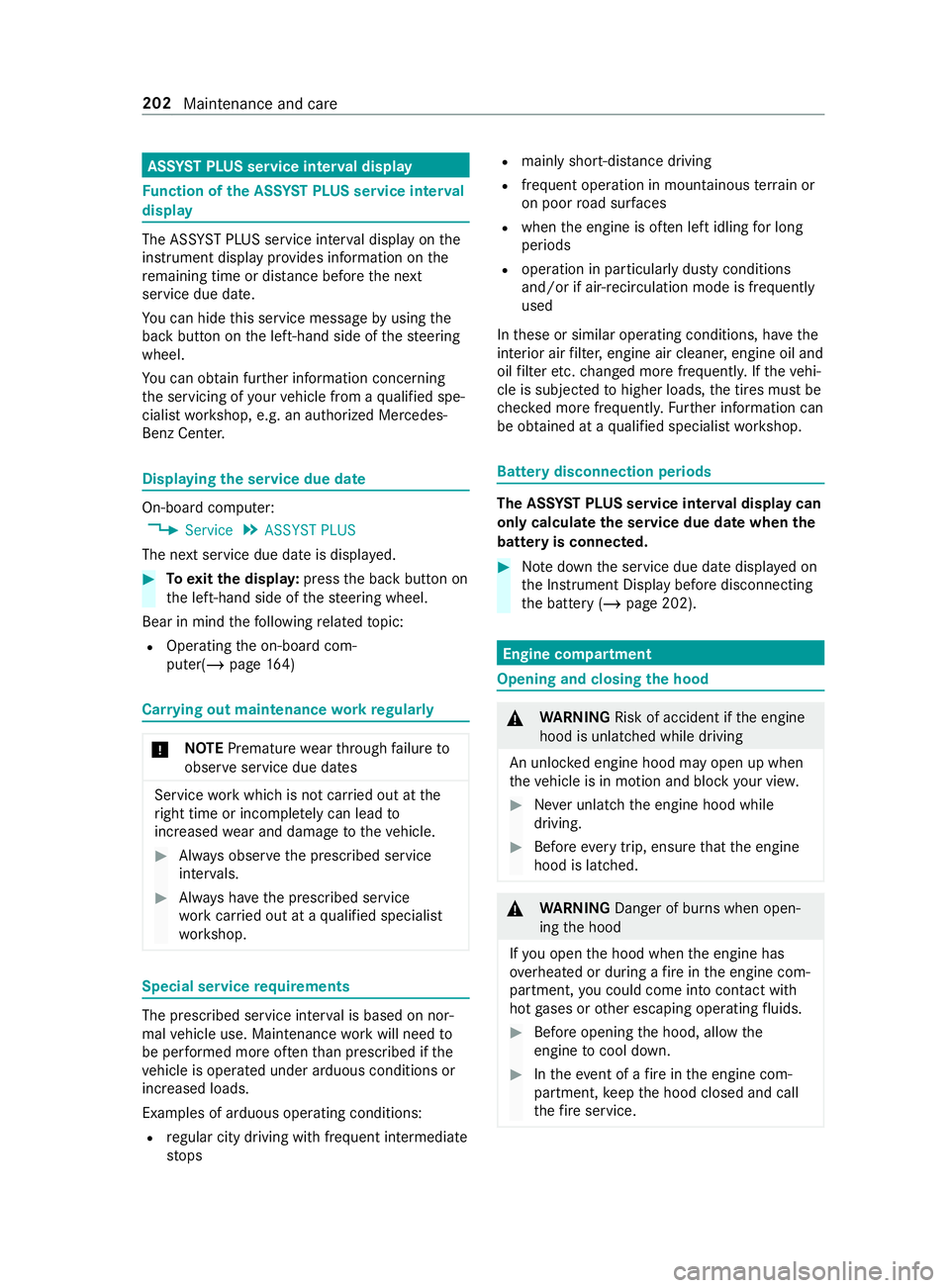
ASS
YST PLUS se rvice inter val display Fu
nction of the ASS YST PLUS se rvice inter val
displ ay The ASS
YST PLUS service inter val display on the
instrument display pr ovides information on the
re maining time or dis tance be fore the next
service due date.
Yo u can hide this service message byusing the
back button on the left-hand side of thesteering
wheel.
Yo u can obtain fur ther information concerning
th e servicing of your vehicle from a qualified spe‐
cialist workshop, e.g. an authorized Mercedes-
Benz Center. Displaying
the service due da te On-board computer:
4 Service 5
ASSYST PLUS
The next service due date is displa yed. #
Toexitth e displa y:press the back button on
th e left-hand side of thesteering wheel.
Bear in mind thefo llowing related topic:
R Operating the on-board com‐
puter(/ page164) Ca
rrying out maintenance workregular ly *
NO
TEPremature wearthro ugh failure to
obser veservice due dates Service
workwhich is not car ried out at the
ri ght time or incomple tely can lead to
inc reased wear and damage totheve hicle. #
Always obser vethe prescribed service
inter vals. #
Always ha vethe prescribed service
wo rkcar ried out at a qualified specialist
wo rkshop. Special service
requ irements The prescribed service inter
val is based on nor‐
mal vehicle use. Maintenance workwill need to
be per form ed more of tenth an presc ribed if the
ve hicle is operated under arduous conditions or
increased loads.
Examples of arduous operating conditions:
R regular city driving with frequent intermediate
st ops R
mainly short-dis tance driving
R frequent ope ration in mountainous terrain or
on poor road sur faces
R when the engine is of ten le ftidling for long
periods
R operation in particula rly dusty conditions
and/or if air-reci rculation mode is frequently
used
In these or similar operating conditions, ha vethe
interior air filter, engine air cleaner, engine oil and
oil filter etc. changed more frequently. If theve hi‐
cle is subjected tohigher loads, the tires must be
ch ecked more frequentl y.Fu rther information can
be obtained at a qualified specialist workshop. Battery disconnection periods
The ASS
YST PLUS se rvice inter val display can
only calculate the service due da tewhen the
battery is connected. #
Notedown the service due date displa yed on
th e Instrument Display before disconnecting
th e battery (/ page 202). Engine compartment
Opening and closing
the hood &
WARNING Risk of accident if the engine
hood is unlatched while driving
An unloc ked engine hood may open up when
th eve hicle is in motion and block your vie w. #
Never unlatch the engine hood while
driving. #
Before every trip, ensure that the engine
hood is latched. &
WARNING Danger of bu rns when open‐
ing the hood
If yo u open the hood when the engine has
ove rheated or during a fire inthe engine com‐
partment, you could come into con tact wi th
hot gases or other escaping operating fluids. #
Before opening the hood, allow the
engine tocool down. #
Intheeve nt of a fire inthe engine com‐
partment, keep the hood closed and call
th efire service. 202
Maintenance and care
Page 229 of 354
#
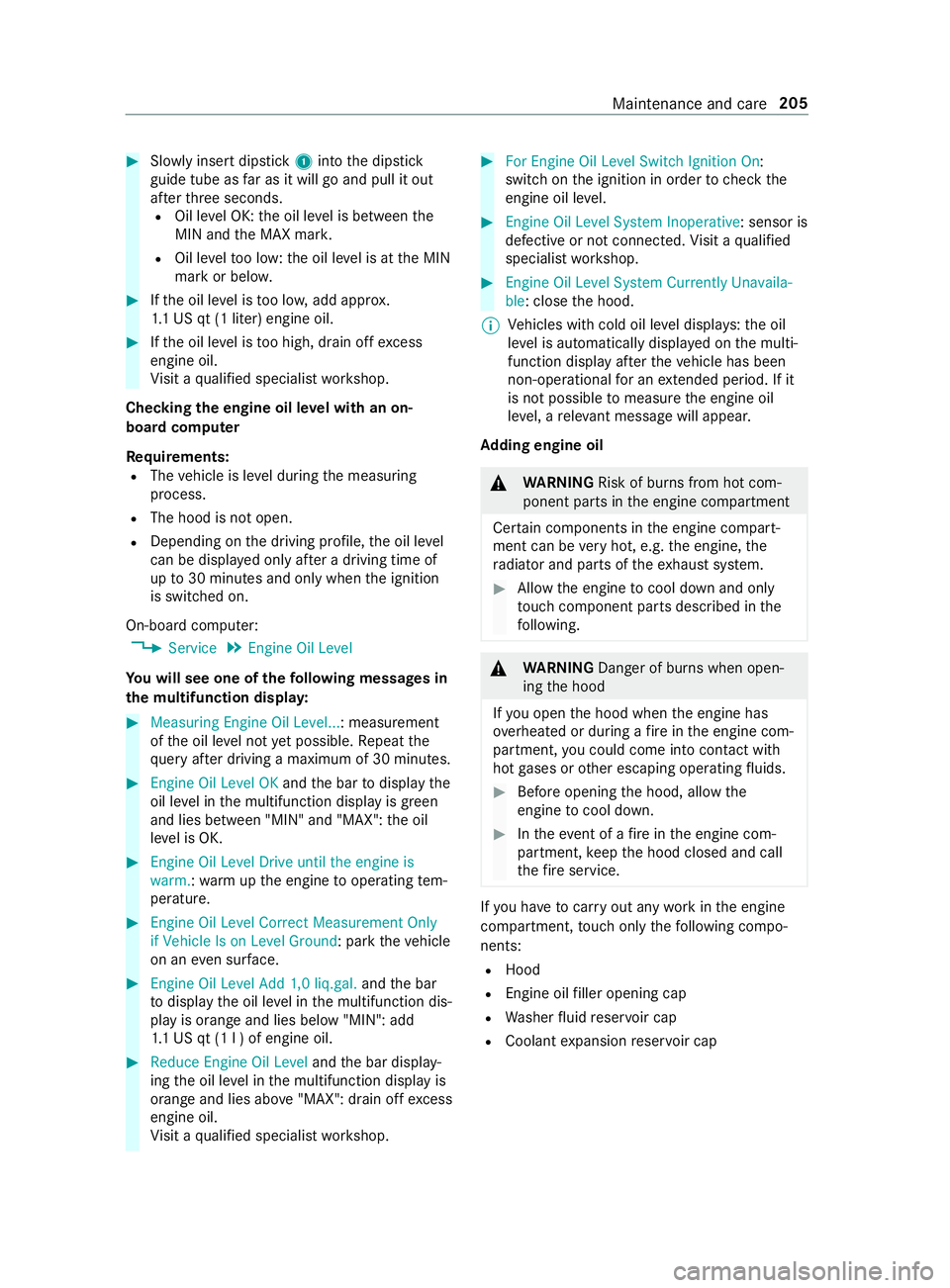
Slowly inse rtdipstick 1into the dipstick
guide tube as far as it will go and pull it out
af te rth re e seconds.
R Oil le vel OK: the oil le vel is between the
MIN and the MAX mar k.
R Oil le velto o low: the oil le vel is at the MIN
mark or belo w. #
Ifth e oil le vel is too lo w,add appr ox.
1. 1 US qt (1 liter) engine oil. #
Ifth e oil le vel is too high, drain off excess
engine oil.
Vi sit a qualified specialist workshop.
Checking the engine oil le vel with an on-
board computer
Re quirements:
R The vehicle is le vel during the measuring
process.
R The hood is not open.
R Depending on the driving profile, the oil le vel
can be displa yed only af ter a driving time of
up to30 minutes and only when the ignition
is switched on.
On-board computer: 4 Service 5
Engine Oil Level
Yo u will see one of thefo llowing messa ges in
th e multifunction displa y:#
Measuring Engine Oil Level...: measurement
ofthe oil le vel not yet possible. Repeat the
qu ery af ter driving a maximum of 30 minutes. #
Engine Oil Level OK andthe bar todisplay the
oil le vel in the multifunction display is green
and lies between "MIN" and "MAX": the oil
le ve l is OK. #
Engine Oil Level Drive until the engine is
warm. :wa rm upthe engine tooperating tem‐
perature. #
Engine Oil Level Correct Measurement Only
if Vehicle Is on Level Ground: park theve hicle
on an even su rface. #
Engine Oil Level Add 1,0 liq.gal. andthe bar
to display the oil le vel in the multifunction dis‐
play is orange and lies below "MIN": add
1. 1 US qt (1 l ) of engine oil. #
Reduce Engine Oil Level andthe bar display‐
ing the oil le vel in the multifunction display is
orange and lies abo ve"MAX": drain off excess
engine oil.
Vi sit a qualified specialist workshop. #
For Engine Oil Level Switch Ignition On :
switch on the ignition in order tocheck the
engine oil le vel. #
Engine Oil Level System Inoperative: sensor is
defective or not connec ted. Visit a qualified
specialist workshop. #
Engine Oil Level System Currently Unavaila-
ble: close the hood.
% Ve
hicles with cold oil le vel displa ys:th e oil
le ve l is automatically displa yed on the multi‐
function display af terth eve hicle has been
non-operational for an extended pe riod. If it
is not possible tomeasu rethe engine oil
le ve l, a releva nt messa gewill appear.
Ad ding engine oil &
WARNING Risk of bu rns from hot com‐
ponent parts in the engine compartment
Cer tain components in the engine compart‐
ment can be very hot, e.g. the engine, the
ra diator and parts of theex haust sy stem. #
Allow the engine tocool down and only
to uch component parts desc ribed in the
fo llowing. &
WARNING Danger of bu rns when open‐
ing the hood
If yo u open the hood when the engine has
ove rheated or during a fire inthe engine com‐
partment, you could come into con tact wi th
hot gases or other escaping operating fluids. #
Before opening the hood, allow the
engine tocool down. #
Intheeve nt of a fire inthe engine com‐
partment, keep the hood closed and call
th efire service. If
yo u ha vetocar ryout any workinthe engine
compartment, touch only thefo llowing compo‐
nents:
R Hood
R Engine oil filler opening cap
R Washer fluid reser voir cap
R Coolant expansion reser voir cap Maintenance and care
205
Page 230 of 354
&
WARNING Risk offire and injury from
engine oil
If engine oil comes into con tact wi thhot com‐
ponent parts in the engine compartment, it
may ignite. #
Make sure that no engine oil is spilled
next tothefiller opening. #
Allow the engine tocool off and thor‐
oughly clean the engine oil from compo‐
nent parts before starting theve hicle. *
NO
TEEngine damage due toincor rect oil
fi lter, incor rect oil or additi ve #
Do not use engine oil or an oil filter with
specifications deviating from those
re qu ired forth e prescribed service
inter vals.
Mercedes-Benz recommends using original or
te sted replacement and service parts. #
Do not change the engine oil or oil filter
in order toset change inter vals longer
th an those prescribed. #
Do not use any additive. #
Follow the instructions on the service
inter val display forch anging the engine
oil. *
NO
TEDama gecaused byadding too
much engine oil To
o much engine oil can damage the engine
or the catalytic con verter. #
Have excess engine oil remo ved at a
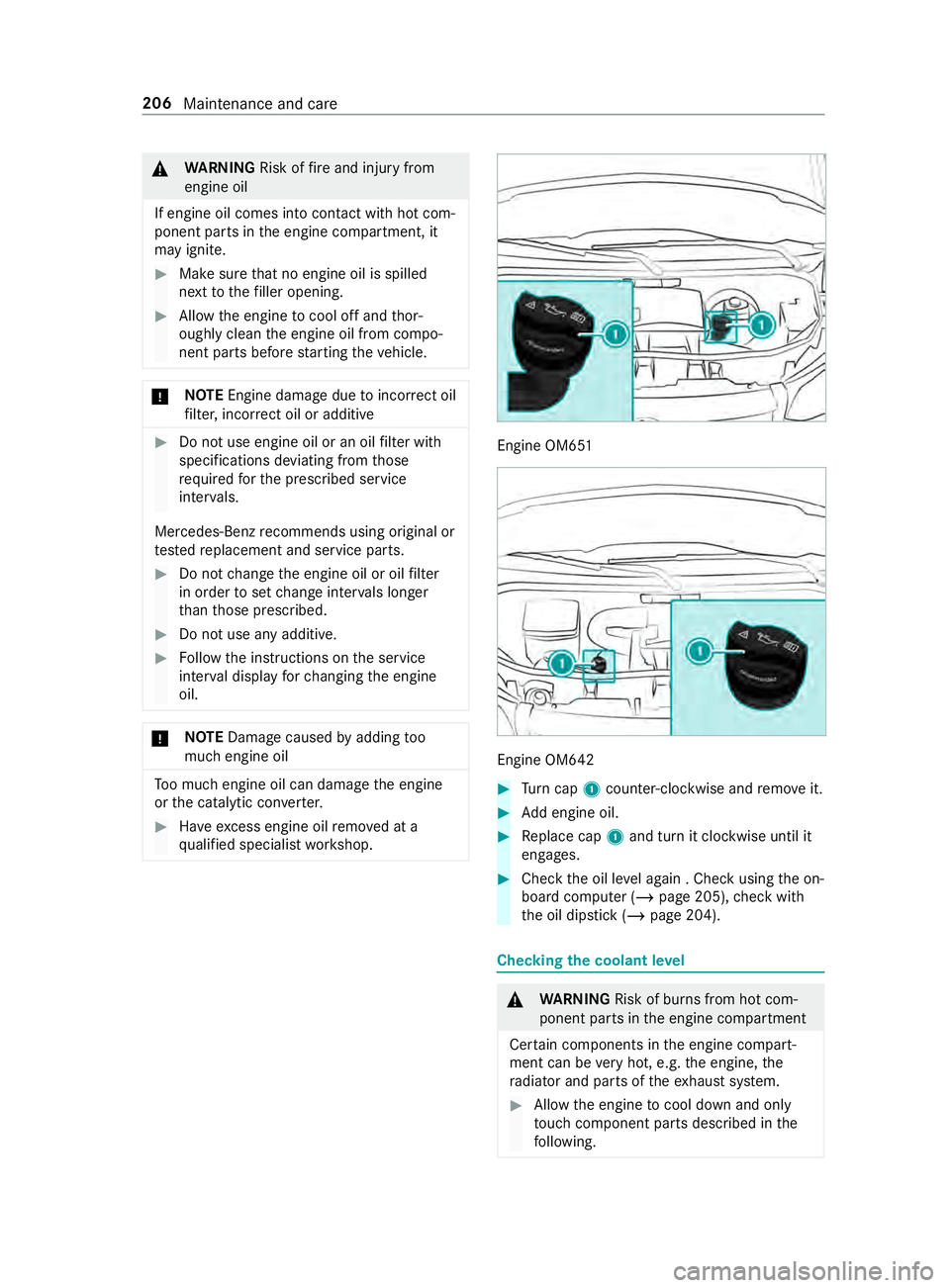
qu alified specialist workshop. Engine OM651
Engine OM642
#
Turn cap 1counter-clockwise and remo veit. #
Add engine oil. #
Replace cap 1and turn it clockwise until it
engages. #
Check the oil le vel again . Check using the on-
board computer (/ page 205),check with
th e oil dipstick (/ page 204). Checking
the coolant le vel &
WARNING Risk of bu rns from hot com‐
ponent parts in the engine compartment
Cer tain components in the engine compart‐
ment can be very hot, e.g. the engine, the
ra diator and parts of theex haust sy stem. #
Allow the engine tocool down and only
to uch component parts desc ribed in the
fo llowing. 206
Maintenance and care
Page 238 of 354
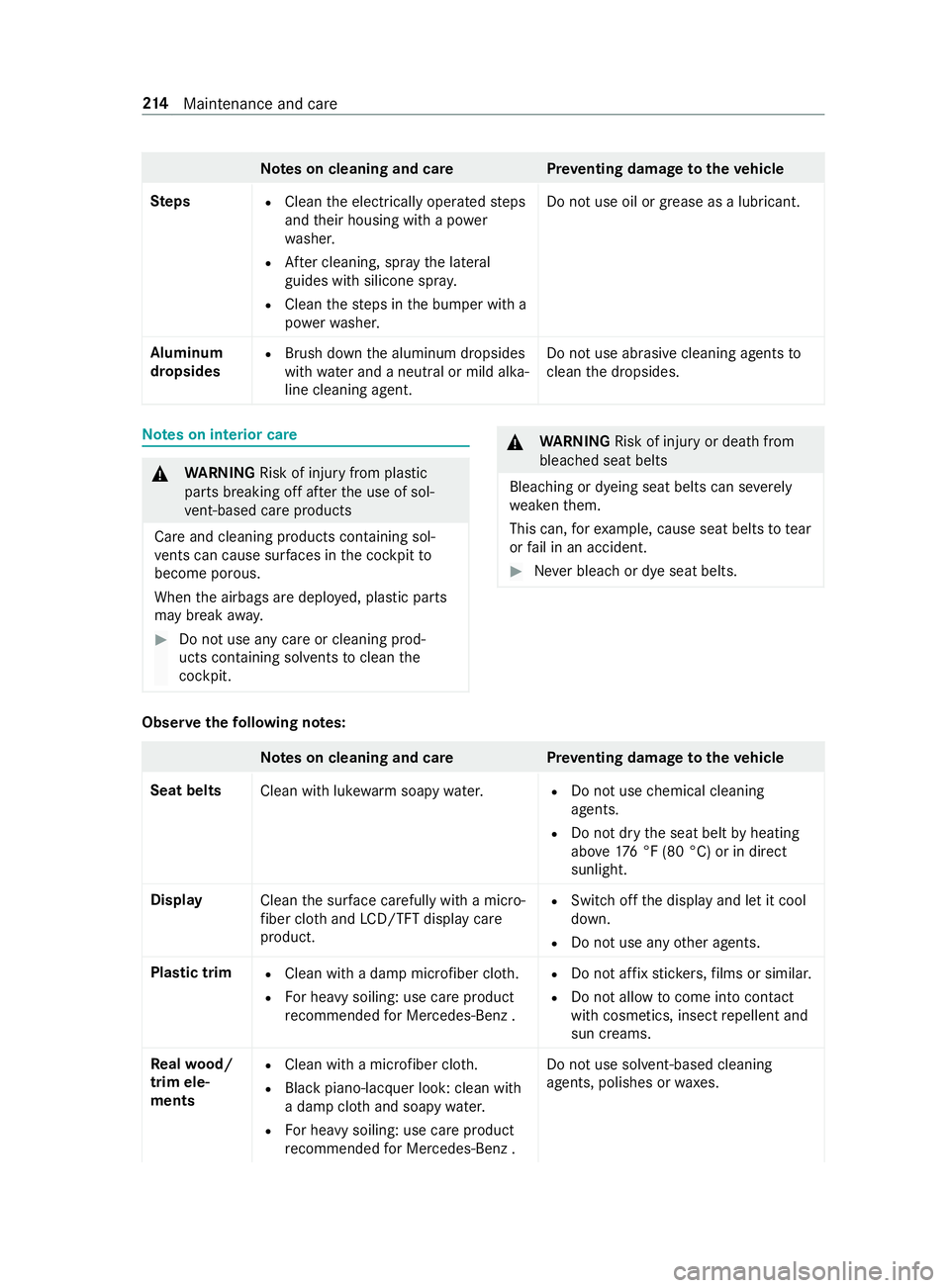
Note
s on cleaning and car ePreve nting damage totheve hicle
Ste ps
R
Clean the electrically operated steps
and their housing with a po wer
wa sher.
R After cleaning, spr aythe lateral
guides with silicone spr ay.
R Clean thesteps in the bumper with a
po we rwa sher. Do not use oil or grease as a lubricant.
Aluminum
dropsides R
Brush down the aluminum dropsides
with water and a neutral or mild alka‐
line cleaning agent. Do not use abrasive cleaning agents
to
clean the dropsides. Note
s on interior care &
WARNING Risk of inju ryfrom pla stic
parts breaking off af terth e use of sol‐
ve nt-based care products
Ca reand cleaning products con taining sol‐
ve nts can cause su rfaces in the cockpit to
become porous.
When the airbags are deplo yed, plastic parts
may break away. #
Do not use any care or cleaning prod‐
ucts containing sol vents toclean the
cockpit. &
WARNING Risk of inju ryor death from
bleached seat belts
Bleaching or dyeing seat belts can se verely
we aken them.
This can, forex ample, cause seat belts totear
or fail in an accident. #
Never blea chor dye seat belts. Obser
vethefo llowing no tes: Note
s on cleaning and car ePreve nting damage totheve hicle
Seat belts Clean with lukewarmsoapy water. R
Do not use chemical cleaning
agents.
R Do not dry the seat belt byheating
abo ve176 °F (80 °C) or in direct
sunlight.
Display Cleanthe sur face carefully wi tha mic ro‐
fi ber clo thand LCD/TFT displ aycare
product. R
Switch off the display and let it cool
down.
R Do not use any other agents.
Plastic trim R
Clean with a damp microfiber clo th.
R For heavy soiling: use care product
re commended for Mercedes-Benz . R
Do not af fix st icke rs,fi lms or similar.
R Do not allow tocome into contact
wi th cosmetics, insect repellent and
sun creams.
Re alwo od/
trim ele‐
ments R
Clean with a mic rofiber clo th.
R Blackpiano-lacquer look: clean with
a damp clo thand soapy water.
R For heavy soiling: use care product
re commended for Mercedes-Benz . Do not use sol
vent-based cleaning
agents, polishes or waxes. 214
Maintenance and care
Page 241 of 354
Message in
the media displa y:
SOS NOT READY :th e ignition is not on or eCall is
not available.
During an active emer gency call, 0053appears in
th e displa y.
Yo u can find more information on there gional
av ailability of eCall at: http://www.mercedes-
benz.com/connect_ecall
% If an emer
gency call is una vailable or mal‐
functioning, a message tothis ef fect also
appea rsinthe multifunction display of the
instrument clus ter. Tr
iggering an automatic emer gency call Re
quirements:
R The ignition is switched on.
R The star ter battery has suf ficient charge.
If re stra int sy stems such as airbags or Emer gency
Te nsioning Devices ha vebeen activated af ter an
accident, eCall may automatically initia tean
emer gency call.
The eme rgency call has been made:
R Avo ice connection is made tothe Mercedes-
Benz emer gency call center.
R A messa gewith accident data is transmitted
to the Mercedes-Benz emer gency call center.
The Mercedes-Benz emergency call center
can transmit theve hicle position data toone
of the emer gency call centers.
The SOS button in theove rhead cont rol panel
fl ashes until the emer gency call is finished.
It is not possible toimmediately end an auto‐
matic emer gency call.
If no connection can be made tothe emer gency
services ei ther, a cor responding message
appears inthe media displa y. #
Dial the local emer gency number on your
mobile phone.
If an emer gency call has been initia ted:
R Remain in theve hicle if thero ad and traf fic
conditions permit youto do so until a voice
connection is es tablished with the emer gency
call center service pr ovider.
R Based on the call, the operator decides
whe ther it is necessary tocall rescue teams
and/or the police tothe accident site.
R If no vehicle occupant answers, an ambu‐
lance is sent totheve hicle immediately. Tr
iggering a manual emer gency call #
Using the SOS but ton in theove rhead con‐
trol panel: pressthe SOS button at least one
second long.
The emer gency call has been made:
R Avo ice connection is made tothe Mercedes-
Benz emer gency call center.
R A messa gewith accident data is transmitted
to the Mercedes-Benz emer gency call center.
The Mercedes-Benz emergency call center
can transmit theve hicle position data toone
of the emer gency call centers.
R Remain in theve hicle if thero ad and traf fic
conditions permit youto do so until a voice
connection is es tablished with the emer gency
call center service pr ovider.
If no connection can be made tothe emer gency
services ei ther, a cor responding message
appears inthe media displa y. #
Dial the local emer gency number on your
mobile phone.
Ending an unin tentional emer gency call #
Select 0076onthe multifunction steering
wheel. Depress the button for se veral sec‐
onds. Tr
ansmitted data with the emer gency call Data transmit
tedby the eCall includes but is not
limited to:
R Vehicle's GPS position data
R GPS position data on thero ute (a few hun‐
dred me ters before the incident)
R Direction of tra vel
R Vehicle identification number
R Vehicle drive type
R Estimated number of people in theve hicle
R Whe ther Mercedes PRO connect is available
or not
R Whe ther the emer gency call was initiated
manually or automatically
R Time of the accident
R Language setting on the multimedia sy stem
Data transmit ted is vehicle information. For any
qu estions about the collection, use and sharing
of the eCall sy stem data, please contact MBU‐ Breakdown assis
tance 217
Page 244 of 354
&
WARNING Risk ofexplosion from hydro‐
ge nga s igniting
A battery generates hydrogen gas during the
ch arging process. If there is a short circuit or
spar ksstart toform ,th ere is a danger of the
hy drogen gas igniting. #
Make sure that the positive term inal of
th e connected battery does not come
into contact with vehicle parts. #
Never place me tal objects or tools on a
batter y. #
When connecting and disconnecting the
batter y,yo u must obse rveth e described
order forth e battery clamps. #
When giving starting assistance, alw ays
make sure that you on lyconnect battery
te rm inals with identical polarity. #
During starting assis tance, you must
obse rveth e described order for con‐
necting and disconnecting the jumper
cables. #
Do not connect or disconnect the bat‐
te ry cla mp s while the engine is running. &
WARNING Risk ofexplosion during
ch arging process and starting assis tance
During thech arging process and starting
assis tance, the battery may release an explo‐
sive gas mixture. #
Avoid fire , open flames, creating spar ks
and smoking. #
Make sure that there is suf ficient venti‐
lation du ring thech arging process and
during starting assis tance. #
Do not lean over a batter y. &
WARNING Risk ofexplosion from a fro‐
zen battery
A dischar ged battery may freeze at temp era‐
tures slightly abo veor below freezing point.
During starting assis tance or battery charg‐
ing, battery gas may be released. #
Alwaysth aw a frozen battery out first
before charging it or per form ing starting
assis tance. If
th ewa rning/indicator lamps do not light up in
th e instrument display around or below freezing point, it is
very likely that the discharged battery
has frozen.
In this case, obser vethefo llowing points:
R do not give theve hicle starting assis tance or
ch arge the battery
R the service life of a battery that has been
th awe d may be reduced drastically
R thest art-up behavior may de teriorate, partic‐
ularly at low temp eratures
R it is recommended that you ha veath awed
battery checked at a qualified specialist work‐
shop
* NO
TEDama gecaused bynume rous or
ex tended attempts tostart the engine Nume
rous or extended attempts tostart the
engine may damage the catalytic con verter
due tonon-combu sted fuel. #
Avoid numerous and extended attem pts
to start the engine. Obser
vethefo llowing points during starting
assis tance and when charging the battery:
R only use undamaged jumper cables/charging
cables with a suf ficient cross-section and
insula tedte rm inal clamps
R non-insulated parts of thete rm inal clamps
must not come into con tact wi thother me tal
parts while the jumper cables/charging
cables are connected tothe battery/jump-
st art connection point
R the jumper cables/charging cable must not
come into contact with any parts which may
mo vewhen the engine is running
R alwa ys make sure that nei ther you nor the
battery is electros tatically charged
R alwayske ep away from fire and open flames
R do not lean over a battery
R when charging: only use a battery charger
th at has been tested and appr ovedby
Mercedes-Benz and read the operating
instructions foryo ur charge r before charging
th e batter y.
Obser vethe additional following points during
st arting assis tance:
R starting assis tance may only be pr ovided
using batteries with a nominal voltage of 12 V
R theve hicles must not touch each other 220
Breakdown assis tance