ESP MITSUBISHI LANCER SPORTBACK 2014 8.G Owner's Manual
[x] Cancel search | Manufacturer: MITSUBISHI, Model Year: 2014, Model line: LANCER SPORTBACK, Model: MITSUBISHI LANCER SPORTBACK 2014 8.GPages: 422, PDF Size: 55.11 MB
Page 152 of 422
Limited-slip differential (if so equipped)
Features and controls 5-85
5
N00517400085
A limited-slip differential is applied for rear wheel differential. The features of this lim- ited-slip differential are described below: Just as with a conventional differential, the wheel on one side is allowed to turn at a dif- ferent speed from the wheel on the other side when the vehicle is cornering. The differencebetween the limited-slip differential and a conventional differential is that if the wheel on one side of the vehicle loses traction, agreater amount of torque
is applied to the
wheel on the other side to improve traction.
N00517500262
Overuse of the brake can cause poor brake response and premature wear of the brakepads and linings. When driving down a long or steep hill, use engine braking by downshifting.
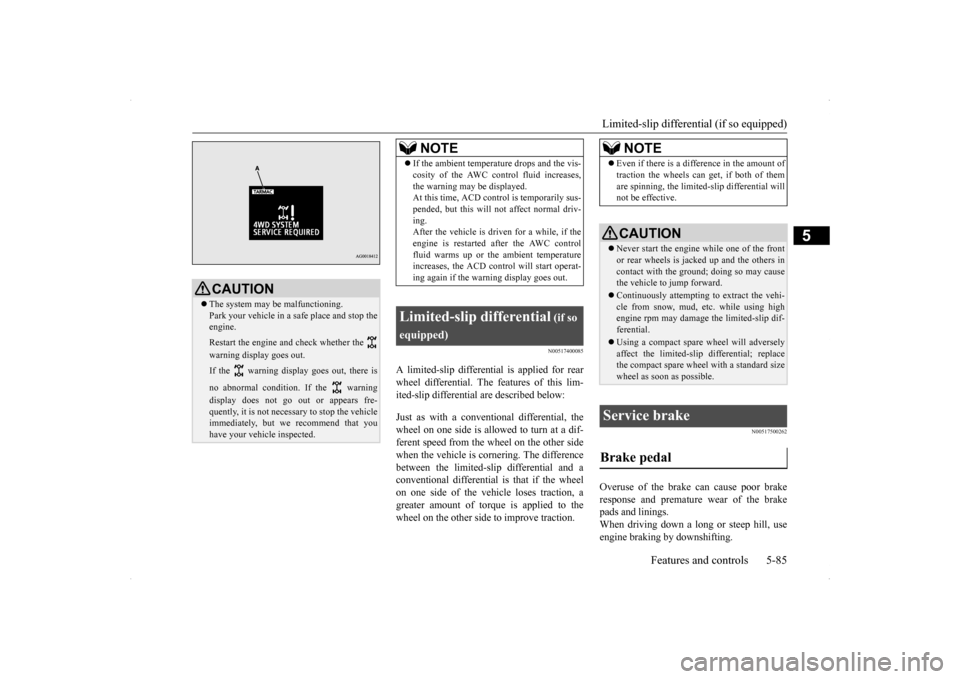
CAUTION The system may be malfunctioning. Park your vehicle in a safe place and stop the engine. Restart the engine and check whether the warning display goes out. If the warning display goes out, there is no abnormal condition. If the warning display does not go out or appears fre- quently, it is not necessary to stop the vehicle immediately, but we recommend that youhave your vehicle inspected.
NOTE
If the ambient temperature drops and the vis- cosity of the AWC control fluid increases, the warning may be displayed. At this time, ACD cont
rol is temporarily sus-
pended, but this will not affect normal driv-ing. After the vehicle is driven for a while, if the engine is restarted after the AWC controlfluid warms up or the ambient temperature increases, the ACD control will start operat- ing again if the warning display goes out.
Limited-slip differential
(if so
equipped)
NOTE
Even if there is a difference in the amount of traction the wheels can get, if both of them are spinning, the limited-slip differential will not be effective.CAUTION Never start the engine while one of the front or rear wheels is jacked up and the others in contact with the ground; doing so may cause the vehicle to jump forward. Continuously attempting to extract the vehi- cle from snow, mud, etc. while using highengine rpm may damage the limited-slip dif- ferential. Using a compact spare wheel will adversely affect the limited-slip differential; replace the compact spare wheel with a standard sizewheel as soon as possible.
Service brake Brake pedal
BK0200700US.bo
ok 85 ページ 2013年2月15日 金曜日 午後12時17分
Page 155 of 422
Anti-lock braking system 5-88 Features and controls
5
N00517900282
The anti-lock braking system helps prevent the wheels from lockin
g up when braking.
This helps you keep control of your vehicle and its direction.
When using the anti-lock brakes (sudden braking), steering is slightly different from normal driving conditions. Use thesteering wheel carefully. Always keep a safe distance from the vehicle in front of you. Even if your vehi-cle is equipped with the anti-lock braking system, leave a greater braking distance when:• Driving on gravel or snow-coveredroads. • Driving on uneven road surfaces. Operation of anti-lock braking system is not restricted to situations where brakes are applied suddenly. This system may also prevent the wheels from lockingwhen you drive over manholes, steel roadwork plates, road markings, or any uneven road surface. When the anti-lock braking system is in use, you may feel the brake pedal vibrat- ing and hear a unique sound. You mayalso feel as if the pedal resists being pressed. In this situation, simply hold the brakepedal down firmly. Do not pump the brake, which will result in reduced braking performance.
NOTE
Once the brake assist system is operational, it maintains great braking force even if the brake pedal is lightly released. To stop its operation, completely remove your foot from the brake pedal. The brake assist system may become opera- tional when the brake pedal is fullydepressed even if it has not been depressed suddenly. When the brake assist system is in use while driving, you may feel as if the depressed brake pedal is soft, the pedal moves in smallmotions in conjunction with the operation noise, or the vehicle body and the steering wheel vibrate. This occurs when the brakeassist system is operating normally and does not indicate faulty operation. Continue to depress the brake pedal. You may hear an operation noise when the brake pedal is suddenly or fully depressedwhile stationary. This does not indicate a malfunction and the brake assist system is operating normally.
Anti-lock braking system
Driving hints
CAUTION The anti-lock braking system cannot prevent accidents. It is your responsibility to take safety precautions and to drive carefully. To prevent failure of the anti-lock braking system, be sure all four wheels and tires are the same size and the same type. Never install a limited-slip differential as the anti-lock braking system may not function normally.Please consult an authorized Mitsubishi Motors dealer.NOTE
After your vehicle is driven a short distance after starting the engine, you will hear the sound coming from the engine compartment. These are the normal sounds the anti-lockbraking system makes when performing a self-check. It does not indicate a malfunc- tion. The anti-lock braking system can be used after the vehicle has reached a speed overapproximately 6 mph (10 km/h). It stops working when the vehicle slows below approximately 3 mph (5 km/h).
BK0200700US.bo
ok 88 ページ 2013年2月15日 金曜日 午後12時17分
Page 159 of 422
Active stability control (ASC) 5-92 Features and controls
5
Anti-lock braking system
P.5-88
Traction control function
P.5-92
Skid control function
P.5-92
N00559200047
On slippery surfaces, the traction control function prevents the drive wheels from spin-ning excessive, thus helping the vehicle to start moving from a stop
ped condition. It also
provides sufficient driving force and steeringperformance as the vehicle turns while press- ing the acceleration pedal.
N00546800023
The skid control function is designed to help the driver maintain control of the vehicle on
slippery roads or during rapid steering maneuvers. It works by controlling the engine output and the brake on each wheel.
N00559400212
The ASC is automatically activated when the ignition switch is turned to the “ON” posi-tion. You can deactivate the system by press- ing down the “ASC OFF” switch for 3 seconds or longer. When the ASC is deactivated, the dis- play/indicator will turn on. To reactivate the ASC, momentarily press the “ASC OFF” switch ; the display/indicator is turned off.
CAUTION Do not over-rely on the ASC. Even the ASC cannot prevent the natural laws of physics from acting on the vehicl
e. This system, like
any other system, has limits and cannot helpyou to maintain traction and control of the vehicle in all circumstances. Reckless driv- ing can lead to accidents. It is the driver’sresponsibillty to drive carefully, This means taking into account the traffic, road and envi- ronmental conditions. Be sure to use the same specified type and size of tire on all four wheels. Otherwise, theASC may not work properly. Do not install any aftermarket limited-slip differential (LSD) on your vehicle. The ASC may stop functioning properly.NOTE
An operation noise may be emitted from the engine compartment in the following situa- tions. The sound is associated with checking the operations of the ASC. At this time, you may feel a shock from the brake pedal if you depress it. These do not indicate a malfunc-tion. • When the ignition switch is set to the “ON” position.
• When the vehicle is driven for a while after the engine is turned on.
When the ASC is activated, you may feel a vibration in the vehicle body or hear a whin-ing sound from the engine compartment. This indicates that the system is operating normally. It does not indicate a malfunction. When the anti-lock braking system warning light is illuminated, the ASC is not active.
Traction control function
CAUTION When driving a vehicle on a snowy or icy road, be sure to install snow tires and drive the vehicle at moderate speeds.
Skid control function
NOTE
NOTE
The skid control function operates at speeds of about 9 mph (15 km/h) or higher.
“ASC OFF” switch
BK0200700US.bo
ok 92 ページ 2013年2月15日 金曜日 午後12時17分
Page 169 of 422
Tire pressure monitoring system 5-102 Features and controls
5
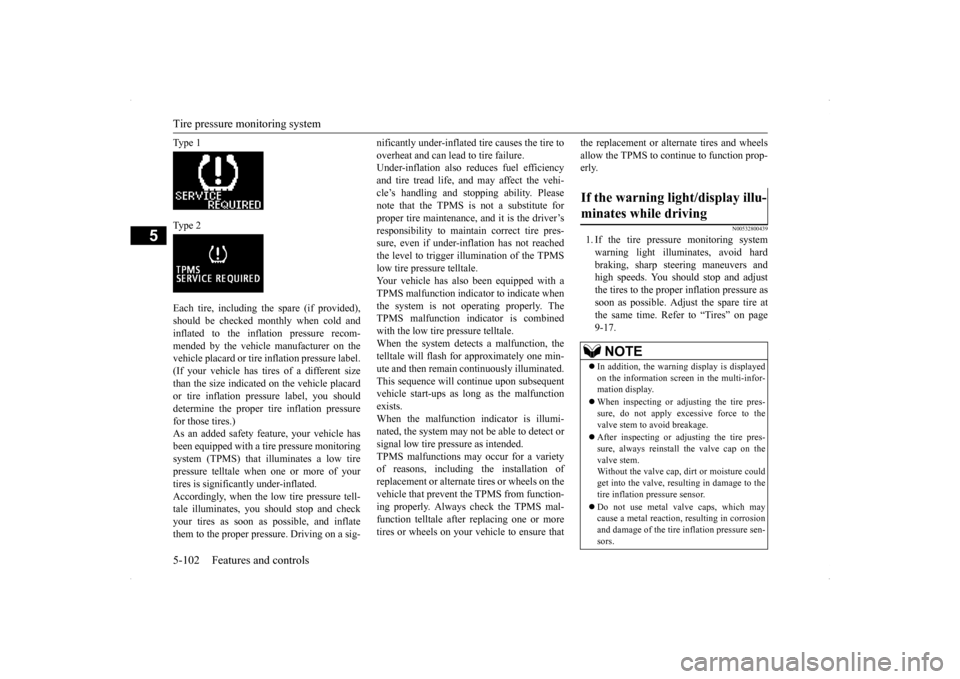
Ty p e 1 Ty p e 2 Each tire, including the spare (if provided), should be checked monthly when cold and inflated to the inflation pressure recom- mended by the vehicle manufacturer on thevehicle placard or tire inflation pressure label. (If your vehicle has tires of a different size than the size indicated on the vehicle placardor tire inflation pressure label, you shoulddetermine the proper tire inflation pressure for those tires.) As an added safety feature, your vehicle hasbeen equipped with a tire pressure monitoring system (TPMS) that illuminates a low tire pressure telltale when one or more of yourtires is significantly under-inflated. Accordingly, when the low tire pressure tell- tale illuminates, you should stop and checkyour tires as soon as possible, and inflate them to the proper pressure. Driving on a sig-
nificantly under-inflated tire causes the tire to overheat and can lead to tire failure. Under-inflation also reduces fuel efficiency and tire tread life, and may affect the vehi-cle’s handling and stopping ability. Please note that the TPMS is not a substitute for proper tire maintenance, and it is the driver’sresponsibility to maintain correct tire pres- sure, even if under-inflation has not reached the level to trigger illumination of the TPMSlow tire pressure telltale.Your vehicle has also been equipped with a TPMS malfunction indicator to indicate when the system is not operating properly. TheTPMS malfunction indicator is combined with the low tire pressure telltale. When the system detects a malfunction, thetelltale will flash for approximately one min- ute and then remain continuously illuminated. This sequence will continue upon subsequentvehicle start-ups as long as the malfunction exists. When the malfunction indicator is illumi-nated, the system may not be able to detect or signal low tire pressure as intended. TPMS malfunctions may occur for a varietyof reasons, including the installation of replacement or alternate tires or wheels on the vehicle that prevent the TPMS from function-ing properly. Always check the TPMS mal- function telltale after replacing one or more tires or wheels on your vehicle to ensure that
the replacement or alternate tires and wheels allow the TPMS to continue to function prop- erly.
N00532800439
1. If the tire pressure monitoring system warning light illuminates, avoid hardbraking, sharp steering maneuvers andhigh speeds. You should stop and adjust the tires to the proper inflation pressure as soon as possible. Adjust the spare tire atthe same time. Refer to “Tires” on page 9-17.
If the warning light/display illu- minates while driving
NOTE
In addition, the warning display is displayed on the information screen in the multi-infor- mation display. When inspecting or adjusting the tire pres- sure, do not apply excessive force to the valve stem to avoid breakage. After inspecting or adjusting the tire pres- sure, always reinstall the valve cap on the valve stem. Without the valve cap, dirt or moisture couldget into the valve, resulting in damage to the tire inflation pressure sensor. Do not use metal valve caps, which may cause a metal reaction, resulting in corrosion and damage of the tire inflation pressure sen-sors.
BK0200700US.book
102 ページ 2013年2月15日 金曜日 午後12時17分
Page 174 of 422
Instrument cluster
Features and controls 5-107
5
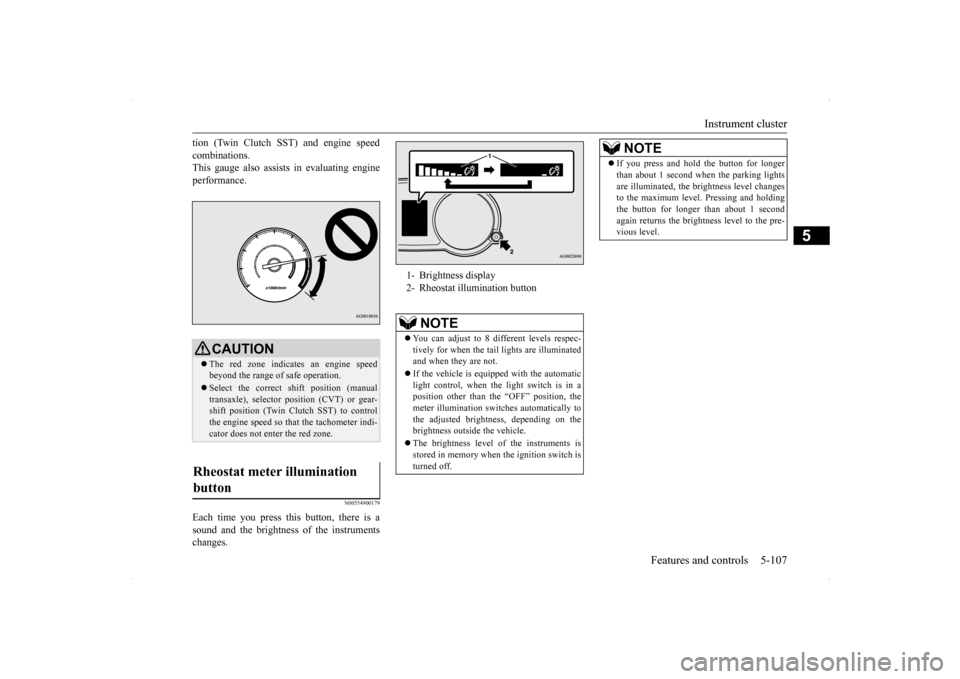
tion (Twin Clutch SST) and engine speed combinations. This gauge also assists in evaluating engine performance.
N00554900179
Each time you press this button, there is asound and the brightness of the instrumentschanges.
CAUTION The red zone indicates an engine speed beyond the range of safe operation. Select the correct shift position (manual transaxle), selector position (CVT) or gear- shift position (Twin Clutch SST) to controlthe engine speed so that the tachometer indi- cator does not enter the red zone.
Rheostat meter illumination button
1- Brightness display 2- Rheostat illumination button
NOTE
You can adjust to 8 different levels respec- tively for when the tail
lights are illuminated
and when they are not. If the vehicle is equipped with the automatic light control, when the light switch is in aposition other than the “OFF” position, the meter illumination switches automatically to the adjusted brightness, depending on thebrightness outside the vehicle. The brightness level of the instruments is stored in memory when the ignition switch is turned off.
If you press and hold the button for longer than about 1 second when the parking lights are illuminated, the brightness level changes to the maximum level. Pressing and holding the button for longer than about 1 secondagain returns the brightness level to the pre- vious level.NOTE
BK0200700US.book
107 ページ 2013年2月15日 金曜日 午後12時17分
Page 188 of 422
Multi-information display
Features and controls 5-121
5
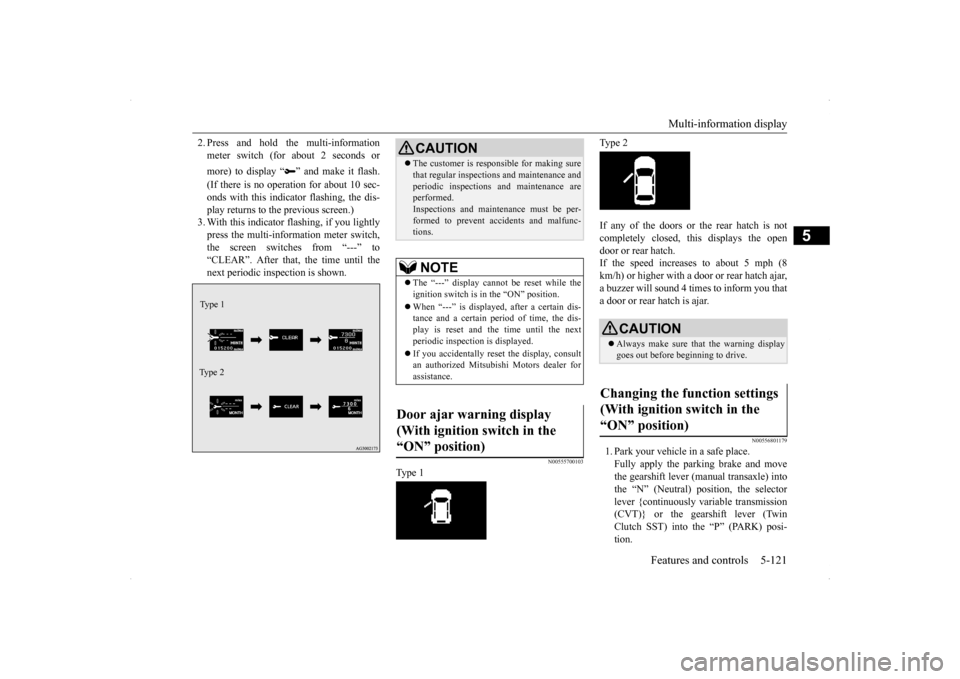
2. Press and hold the multi-information meter switch (for about 2 seconds or more) to display “ ” and make it flash. (If there is no operation for about 10 sec- onds with this indicator flashing, the dis-play returns to the previous screen.) 3. With this indicator flashing, if you lightly press the multi-information meter switch,the screen switches from “---” to “CLEAR”. After that, the time until the next periodic inspection is shown.
N00555700103
Type 1
Type 2 If any of the doors or the rear hatch is not completely closed, this displays the open door or rear hatch.If the speed increases to about 5 mph (8 km/h) or higher with a door or rear hatch ajar, a buzzer will sound 4 times to inform you thata door or rear hatch is ajar.
N00556801179
1. Park your vehicle in a safe place. Fully apply the parking brake and move the gearshift lever (manual transaxle) intothe “N” (Neutral) position, the selectorlever {continuously variable transmission (CVT)} or the gearshift lever (Twin Clutch SST) into the “P” (PARK) posi-tion.
Type 1 Type 2
CAUTION The customer is responsible for making sure that regular inspections and maintenance and periodic inspections and maintenance are performed. Inspections and maintenance must be per-formed to prevent accidents and malfunc- tions.NOTE
The “---” display cannot be reset while the ignition switch is in the “ON” position. When “---” is displayed, after a certain dis- tance and a certain period of time, the dis- play is reset and the time until the next periodic inspection is displayed. If you accidentally reset the display, consult an authorized Mitsubishi Motors dealer forassistance.
Door ajar warning display (With ignition switch in the “ON” position)
CAUTION Always make sure that the warning display goes out before beginning to drive.
Changing the function settings (With ignition switch in the “ON” position)
BK0200700US.book
121 ページ 2013年2月15日 金曜日 午後12時17分
Page 189 of 422
Multi-information display 5-122 Features and controls
5
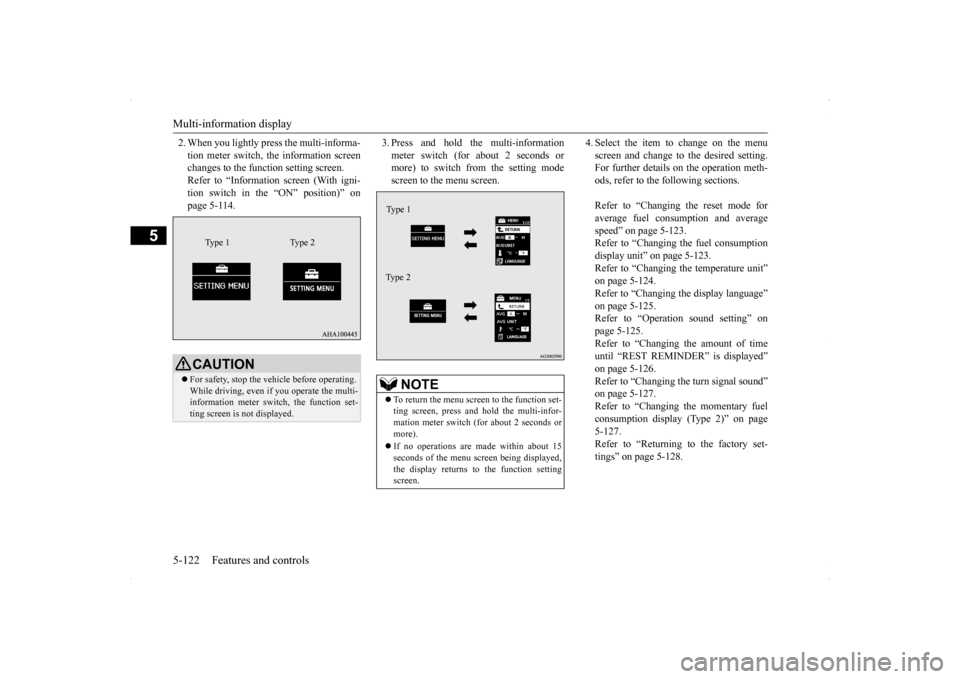
2. When you lightly press the multi-informa- tion meter switch, the information screen changes to the function setting screen. Refer to “Information screen (With igni-tion switch in the “ON” position)” on page 5-114.
3. Press and hold the multi-information meter switch (for about 2 seconds or more) to switch from the setting mode screen to the menu screen.
4. Select the item to change on the menu screen and change to the desired setting. For further details on the operation meth- ods, refer to the following sections. Refer to “Changing the reset mode for average fuel consumption and averagespeed” on page 5-123. Refer to “Changing the fuel consumption display unit” on page 5-123.Refer to “Changing the temperature unit”on page 5-124. Refer to “Changing the display language” on page 5-125.Refer to “Operation sound setting” on page 5-125. Refer to “Changing the amount of timeuntil “REST REMINDER” is displayed” on page 5-126. Refer to “Changing the turn signal sound”on page 5-127. Refer to “Changing the momentary fuel consumption display (Type 2)” on page5-127. Refer to “Returning to the factory set- tings” on page 5-128.
CAUTION For safety, stop the vehicle before operating. While driving, even if you operate the multi- information meter switch, the function set-ting screen is not displayed.
Type 1 Type 2
NOTE
To return the menu screen to the function set- ting screen, press and hold the multi-infor- mation meter switch (for about 2 seconds or more). If no operations are made within about 15 seconds of the menu screen being displayed,the display returns to the function setting screen.Ty p e 1 Type 2
BK0200700US.book
122 ページ 2013年2月15日 金曜日 午後12時17分
Page 210 of 422
Information screen display
Features and controls 5-143
5
N00520600296
This light comes on in the event of a malfunc- tion in the charging system or when the igni- tion switch is turned to the “ON” position (engine off). A warning is also displayed inthe multi-information display. When the engine is started,
the light should go out.
Check to make sure that the light has goneout before driving.
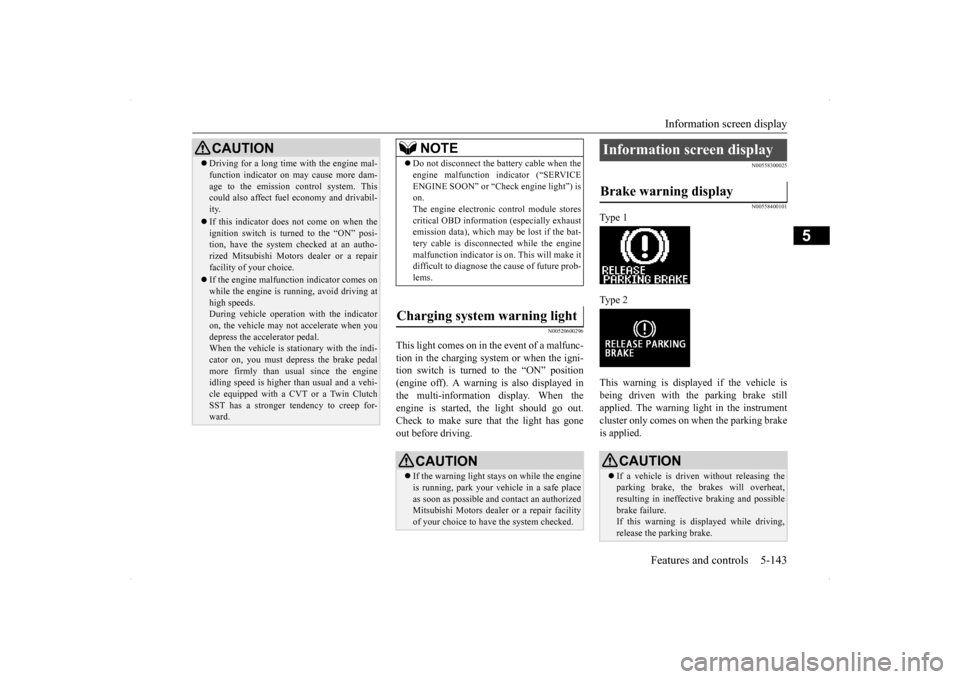
N00558300025 N00558400101
Type 1 Type 2 This warning is displayed if the vehicle is being driven with the parking brake still applied. The warning light in the instrumentcluster only comes on when the parking brake is applied.
CAUTION Driving for a long time with the engine mal- function indicator on may cause more dam- age to the emission control system. This could also affect fuel economy and drivabil- ity. If this indicator does not come on when the ignition switch is turned to the “ON” posi-tion, have the system checked at an autho- rized Mitsubishi Motors dealer or a repair facility of your choice. If the engine malfunction indicator comes on while the engine is running, avoid driving athigh speeds. During vehicle operation with the indicator on, the vehicle may not accelerate when youdepress the accelerator pedal. When the vehicle is stationary with the indi- cator on, you must depress the brake pedalmore firmly than usual since the engine idling speed is higher than usual and a vehi- cle equipped with a CVT or a Twin ClutchSST has a stronger tendency to creep for- ward.
NOTE
Do not disconnect the battery cable when the engine malfunction indicator (“SERVICE ENGINE SOON” or “Check engine light”) is on. The engine electronic control module storescritical OBD information (especially exhaust emission data), which may be lost if the bat- tery cable is disconnected while the enginemalfunction indicator is on. This will make it difficult to diagnose the cause of future prob- lems.
Charging system warning light
CAUTION If the warning light stays on while the engine is running, park your vehicle in a safe place as soon as possible and contact an authorizedMitsubishi Motors dealer or a repair facility of your choice to have the system checked.
Information screen display Brake warning display
CAUTION If a vehicle is driven without releasing the parking brake, the brakes will overheat, resulting in ineffective braking and possible brake failure.If this warning is displayed while driving, release the parking brake.
BK0200700US.book
143 ページ 2013年2月15日 金曜日 午後12時17分
Page 221 of 422
Wiper and washer switch 5-154 Features and controls
5
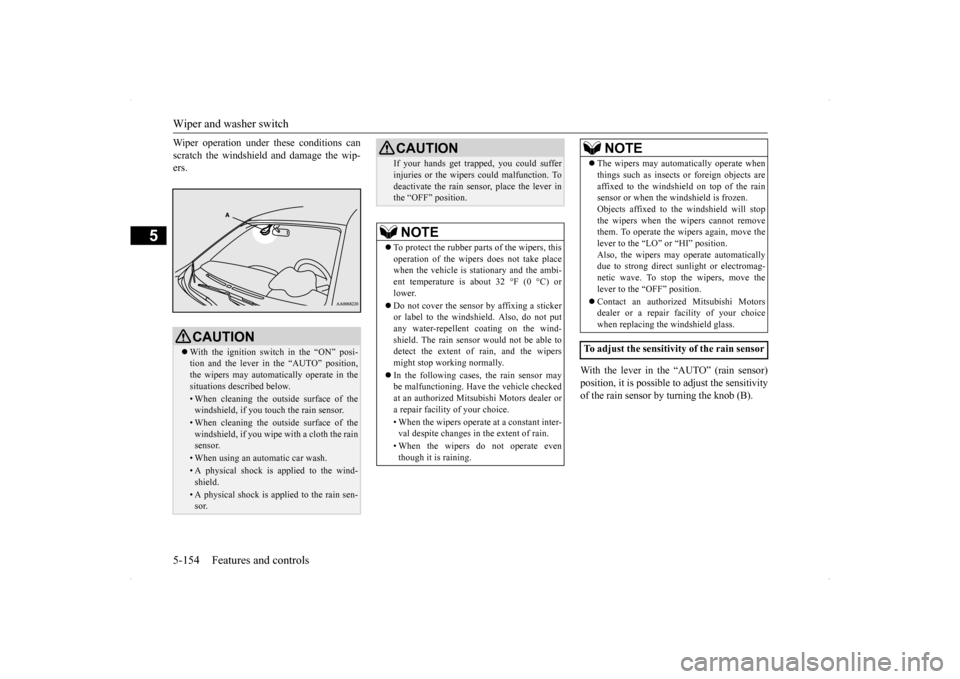
Wiper operation under these conditions can scratch the windshield and damage the wip- ers.
With the lever in the “AUTO” (rain sensor) position, it is possible to adjust the sensitivityof the rain sensor by turning the knob (B).
CAUTION With the ignition switch in the “ON” posi- tion and the lever in the “AUTO” position, the wipers may automatically operate in the situations described below.• When cleaning the outside surface of thewindshield, if you touch the rain sensor.• When cleaning the outside surface of thewindshield, if you wipe with a cloth the rainsensor.• When using an automatic car wash.• A physical shock is applied to the wind-shield.• A physical shock is applied to the rain sen-sor.
If your hands get trapped, you could suffer injuries or the wipers could malfunction. To deactivate the rain sensor, place the lever in the “OFF” position.NOTE
To protect the rubber parts of the wipers, this operation of the wipers does not take placewhen the vehicle is stationary and the ambi- ent temperature is about 32 °F (0 °C) or lower. Do not cover the sensor by affixing a sticker or label to the windshield. Also, do not putany water-repellent coating on the wind- shield. The rain sensor would not be able to detect the extent of rain, and the wipersmight stop working normally. In the following cases, the rain sensor may be malfunctioning. Have the vehicle checked at an authorized Mitsubishi Motors dealer or a repair facility of your choice. • When the wipers operate at a constant inter- val despite changes in the extent of rain. • When the wipers do not operate even though it is raining.CAUTION
The wipers may automatically operate when things such as insects or foreign objects are affixed to the windshield on top of the rain sensor or when the windshield is frozen. Objects affixed to the windshield will stopthe wipers when the wipers cannot remove them. To operate the wipers again, move the lever to the “LO” or “HI” position.Also, the wipers may operate automatically due to strong direct sunlight or electromag- netic wave. To stop the wipers, move thelever to the “OFF” position. Contact an authorized Mitsubishi Motors dealer or a repair
facility of your choice
when replacing the windshield glass.
To adjust the sensitivity of the rain sensor
NOTE
BK0200700US.book
154 ページ 2013年2月15日 金曜日 午後12時17分
Page 227 of 422

Bluetooth® 2.0 interface (if so equipped) 5-160 Features and controls
5
Press this button to decrease the volume. Press this button to change to voice recog- nition mode. While the system is in voice recognition mode, “Listening” will appear on theaudio display. If you press the button briefly while in voice recognition mode, it will interrupt prompting and allow voice command input.Pressing the button longer will deactivatethe voice recognition mode. Pressing this button briefly during a call will enable voice recognition and allowvoice command input.
Press this button when an incoming call is received to answer the telephone. When another call is received during a call, press this button to put the first calleron hold and talk to the new caller. • In such circumstances, you can press the button briefly to switch between callers.You will switch to the first caller and the other caller will be put on hold. • To establish a three-way call in such situ-ations, press the SPEECH button to enter voice recognition mode and then say “Join calls.”
Press this button when an incoming call is received to refuse the call.
Press this button during a call to end the current call. When another call is on hold, you will switch to that call. If this button is pressed in the voice recog- nition mode, the voice recognition mode will be deactivated.
N00575800025
Your voice will be recognized by a micro-phone in the overhead console, allowing you to make hands-free calls with voice com- mands.
Volume down button
SPEECH button
NOTE
On a vehicle equipped with a Mitsubishi Multi-Communication System, pressing theSPEECH button will beep and activated the voice recognition mode of Mitsubishi Multi- Communication System. When you use the voice recognition of the Bluetooth
® 2.0
interface, press the PICK-UP button.
PICK-UP button
NOTE
On a vehicle equipped with a Mitsubishi Multi-Communication System, pressing the PICK-UP button except when an incomingcall is received to answer the telephone will activate the voice recognition of the Blue- tooth
® 2.0 interface.
HANG-UP button
NOTE
When you press the SPEECH button to enter voice recognition mode with a cellular phonepaired to the system, current information on the cellular phone, such as “remaining bat- tery life,” “signal strength” or “roaming,”will be displayed on the audio display.
*
* : Some cellular phones will not send this information to the Bluetooth
® 2.0 interface.
Call waiting and three-way calls can be used by the Bluetooth
® 2.0 interface, only if it is
possible to use those services with your cel- lular phone.
Microphone
BK0200700US.book
160 ページ 2013年2月15日 金曜日 午後12時17分