tow MITSUBISHI OUTLANDER 2014 3.G Owner's Manual
[x] Cancel search | Manufacturer: MITSUBISHI, Model Year: 2014, Model line: OUTLANDER, Model: MITSUBISHI OUTLANDER 2014 3.GPages: 451, PDF Size: 49.08 MB
Page 179 of 451
Adaptive Cruise Control System (ACC) (if so equipped)
Features and controls 5-101
5
N00576900023
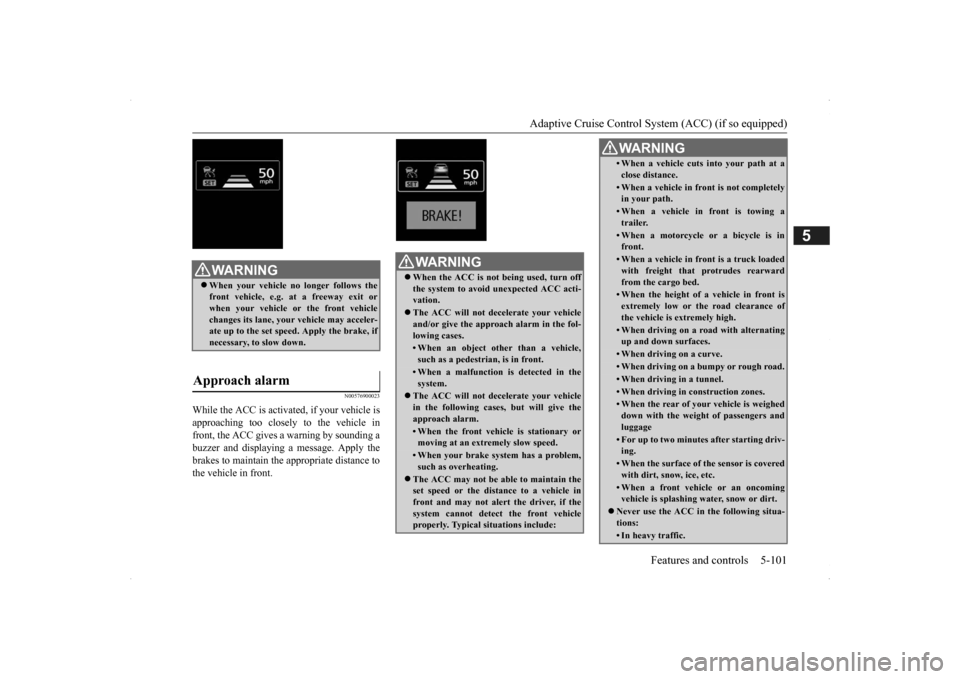
While the ACC is activa
ted, if your vehicle is
approaching too closely to the vehicle in front, the ACC gives a warning by sounding abuzzer and displaying a message. Apply the brakes to maintain the appropriate distance to the vehicle in front.
WA R N I N G When your vehicle no longer follows the front vehicle, e.g.
at a freeway exit or
when your vehicle or the front vehiclechanges its lane, your
vehicle may acceler-
ate up to the set speed. Apply the brake, if necessary, to slow down.
Approach alarm
WA R N I N G When the ACC is not being used, turn off the system to avoid
unexpected
ACC acti-
vation. The ACC will not decelerate your vehicle and/or give the appr
oach alarm in the fol-
lowing cases.• When an object other than a vehicle,such as a pedestri
an, is in front.
• When a malfunction is detected in the system.
The ACC will not decelerate your vehicle in the following cases,
but will give the
approach alarm.• When the front vehicle is stationary ormoving at an extremely slow speed.• When your brake system has a problem,such as overheating.
The ACC may not be ab
le to maintain the
set speed or the dist
ance to a vehicle in
front and may not alert the driver, if thesystem cannot detect the front vehicle properly. Typical situations include:
• When a vehicle cuts
into your path at a
close distance.• When a vehicle in front is not completely in your path.• When a vehicle in front is towing atrailer.• When a motorcycle or a bicycle is infront.• When a vehicle in fr
ont is a truck loaded
with freight that protrudes rearward from the cargo bed.• When the height of a vehicle in front isextremely low or the road clearance ofthe vehicle is extremely high.• When driving on a r
oad with alternating
up and down surfaces.• When driving on a curve.• When driving on a bumpy or rough road.• When driving in a tunnel.• When driving in construction zones.• When the rear of your vehicle is weigheddown with the weight of passengers andluggage• For up to two minute
s after starting driv-
ing.• When the surface of th
e sensor is covered
with dirt, snow, ice, etc.• When a front vehicl
e or an oncoming
vehicle is splashing wa
ter, snow or dirt.
Never use the ACC in the following situa- tions:• In heavy traffic.WA R N I N G
SC00000500-3.fm 101 ページ 2013年2月13日 水曜日 午前9時48分
Page 180 of 451
Adaptive Cruise Control System (ACC) (if so equipped) 5-102 Features and controls
5
N00581500027
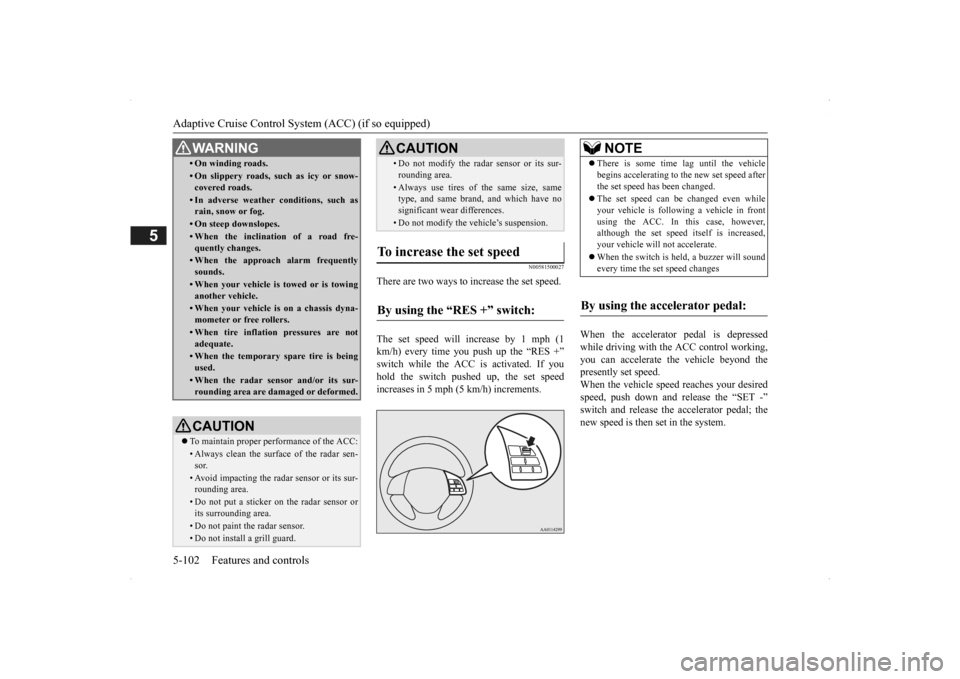
There are two ways to increase the set speed. The set speed will increase by 1 mph (1 km/h) every time you push up the “RES +” switch while the ACC is activated. If you hold the switch pushed up, the set speedincreases in 5 mph (5 km/h) increments.
When the accelerator
pedal is depressed
while driving with the ACC control working, you can accelerate th
e vehicle beyond the
presently set speed. When the vehicle spee
d reaches your desired
speed, push down and
release the “SET -”
switch and release the accelerator pedal; the new speed is then set in the system.
• On winding roads.• On slippery roads, su
ch as icy or snow-
covered roads.• In adverse weather
conditions, such as
rain, snow or fog.• On steep downslopes.• When the inclination of a road fre-quently changes.• When the approach alarm frequentlysounds.• When your vehicle is towed or is towinganother vehicle.• When your vehicle is on a chassis dyna-mometer or free rollers.• When tire inflation pressures are notadequate.• When the temporary spare tire is beingused.• When the radar sensor and/or its sur-rounding area are damaged or deformed.CAUTION To maintain proper performance of the ACC:• Always clean the surface of the radar sen- sor.• Avoid impacting the radar sensor or its sur-rounding area.• Do not put a sticker on the radar sensor orits surrounding area.• Do not paint the radar sensor.• Do not install a grill guard.WA R N I N G
• Do not modify the radar sensor or its sur-rounding area.• Always use tires of the same size, same type, and same brand,
and which have no
significant wear differences.• Do not modify the vehicle’s suspension.
To increase the set speed
By using the “RES +” switch:
CAUTION
NOTE
There is some time lag until the vehicle begins accelera
ting to the new set speed after
the set speed has been changed. The set speed can be changed even while your vehicle is follow
ing a vehicle in front
using the ACC. In this case, however, although the set speed it
self is increased,
your vehicle will
not accelerate.
When the switch is held, a buzzer will sound every time the set speed changes
By using the accelerator pedal:
BK0200500US.book 102 ページ 2013年2月12日 火曜日 午前9時46分
Page 187 of 451
Forward Collision Mitigation System (FCM) (if so equipped)
Features and controls 5-109
5
N00577800029
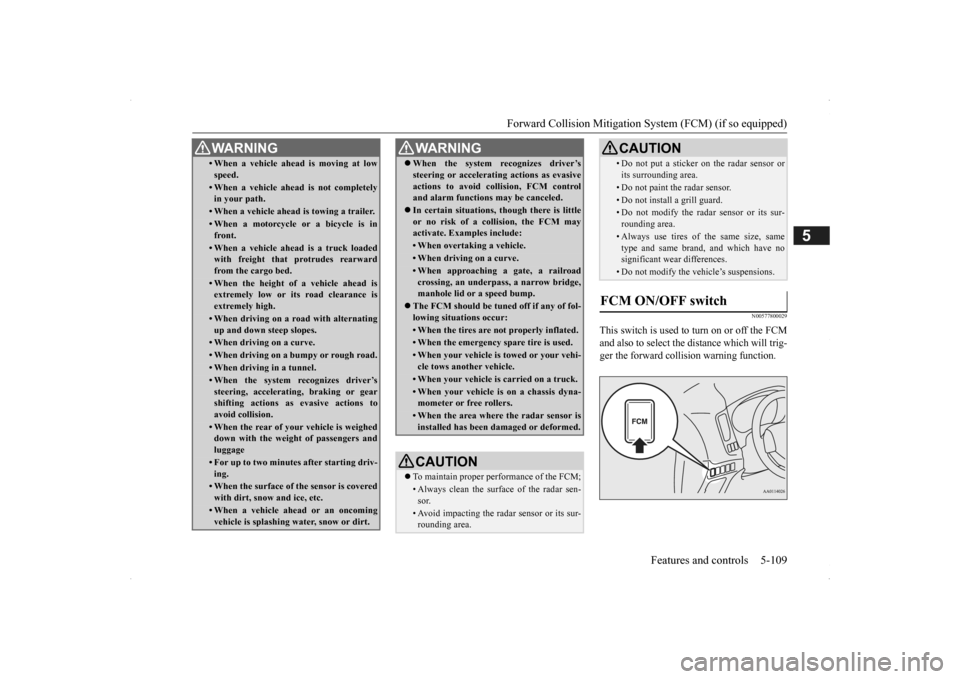
This switch is used to turn on or off the FCM and also to select the distance which will trig- ger the forward collision warning function.
• When a vehicle ahead is moving at low speed.• When a vehicle ahead is not completely in your path.• When a vehicle ahead
is towing a trailer.
• When a motorcycle or a bicycle is in front.• When a vehicle ahea
d is a truck loaded
with freight that protrudes rearward from the cargo bed.• When the height of a vehicle ahead isextremely low or its road clearance is extremely high.• When driving on a r
oad with alternating
up and down steep slopes.• When driving on a curve.• When driving on a bumpy or rough road.• When driving in a tunnel.• When the system recognizes driver’ssteering, accelerati
ng, braking or gear
shifting actions as
evasive actions to
avoid collision.• When the rear of your vehicle is weigheddown with the weight of passengers and luggage• For up to two minute
s after starting driv-
ing.• When the surface of the sensor is coveredwith dirt, snow and ice, etc.• When a vehicle ahea
d or an oncoming
vehicle is splashing wa
ter, snow or dirt.
WA R N I N G
When the system recognizes driver’s steering or accelerati
ng actions as evasive
actions to avoid colli
sion, FCM control
and alarm functions
may be canceled.
In certain situations, though there is little or no risk of a collision, the FCM may activate. Examples include: • When overtaking a vehicle.• When driving on a curve.• When approaching
a gate, a railroad
crossing, an underpass, a narrow bridge,manhole lid or
a speed bump.
The FCM should be tuned off if any of fol- lowing situations occur:• When the tires are not properly inflated. • When the emergency spare tire is used.• When your vehicle is
towed or your vehi-
cle tows another vehicle.• When your vehicle is carried on a truck.• When your vehicle is on a chassis dyna- mometer or free rollers.• When the area where the radar sensor isinstalled has been damaged or deformed.CAUTION To maintain proper performance of the FCM;• Always clean the surface of the radar sen- sor.• Avoid impacting the radar sensor or its sur-rounding area.WA R N I N G
• Do not put a sticker on the radar sensor or its surrounding area.• Do not paint the radar sensor.• Do not install a grill guard.• Do not modify the radar sensor or its sur-rounding area.• Always use tires of the same size, sametype and same brand,
and which have no
significant wear differences.• Do not modify the vehicle’s suspensions.
FCM ON/OFF switch
CAUTION
BK0200500US.book 109 ページ 2013年2月12日 火曜日 午前9時46分
Page 252 of 451
Combination headlights and dimmer switch 5-174 Features and controls
5
If the following operation is performed with the combination headlights and dim- mer switch in the “ ” or “ ” position, the lights automatically turn off afterabout 3 minutes. [Except for vehicles
equipped with the
F. A . S . T. - k e y ] The ignition switch is turned to the “OFF”or “ACC” position or the key is removed from the ignition switch and the driver’s door is not opened. [For vehicles equipped
with the F.A.S.T.-
key] The operation mode is changed to OFF or ACC and the driver’s door is not opened.
If the combination
headlights and dimmer
switch is turned to the “ ” or “ ” posi- tion again after the engine is turned off, theabout 3-minute auto
-cutout function
described above will not
work. The lights (the
parking lights, tail lig
hts and license plate
lights) will stay on and will not turn off auto- matically.
N00549801236
[When using a key to start the engine]If the driver’s door is opened with the key in the “OFF” or “LOCK” or “ACC” position orremoved from the ignition switch while the lights are on, the tone will sound to remind you to turn off the lights. [When using the F.A.S.T.-key to start the engine] If the driver’s door is opened with the opera- tion mode is put in OFF or ACC, or if theoperation mode is changed to OFF while the lights are on, the tone will sound to remind you to turn off the lights. In either case, the lights will turn off automat- ically and so will the tone. Or you can turn
the light switch to the “OFF” position to stop the tone.
N00549901178
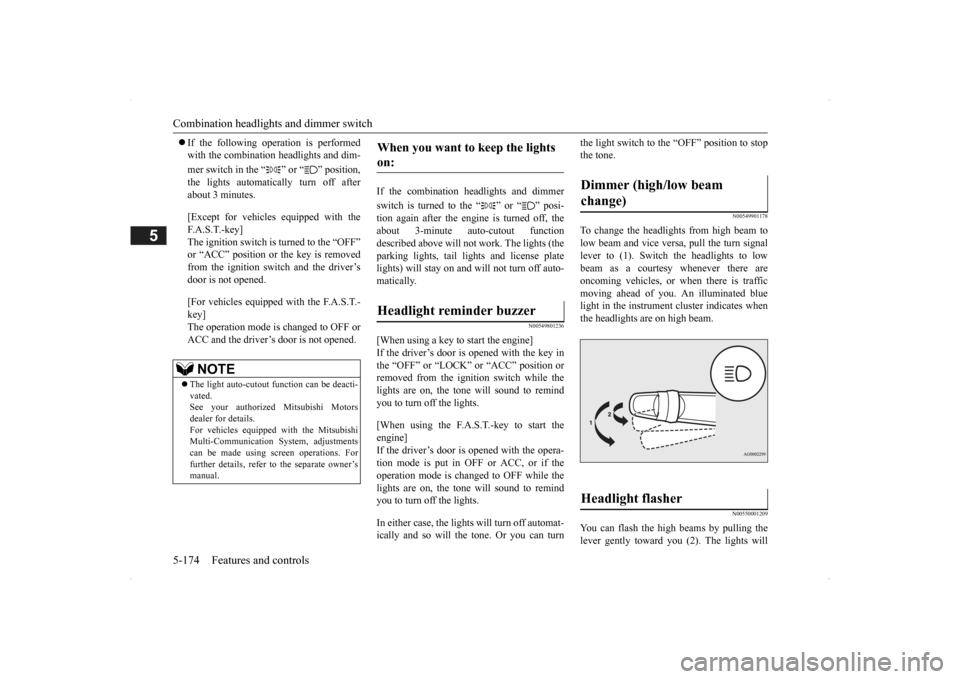
To change the headlights from high beam tolow beam and vice vers
a, pull the turn signal
lever to (1). Switch the headlights to low beam as a courtesy whenever there are oncoming vehicles, or when there is traffic moving ahead of you. An illuminated bluelight in the instrument
cluster indicates when
the headlights are on high beam.
N00550001209
You can flash the high beams by pulling the lever gently toward you (2). The lights will
NOTE
The light auto-cutout
function can be deacti-
vated. See your authorized Mitsubishi Motorsdealer for details. For vehicles equipped
with the Mitsubishi
Multi-Communication System, adjustmentscan be made using sc
reen operations. For
further details, refer to the separate owner’s manual.
When you want to keep the lights on: Headlight reminder buzzer
Dimmer (high/low beam change) Headlight flasher
BK0200500US.book 174 ページ 2013年2月12日 火曜日 午前9時46分
Page 253 of 451
Combination headlights and dimmer switch
Features and controls 5-175
5
go back to normal when you let go. While the high beam is on, you will see a blue light onthe instrument panel.
N00563201117
This function turns on
the front side-marker
and parking lights for
about 30 seconds after
the UNLOCK button on the remote controltransmitter is pressed when the combination headlights and dimmer switch is in the “OFF” or “AUTO” position (f
or vehicles equipped
with the automatic light control). On vehicles equipped with the automatic light control (except for vehicles e
quipped with LDW), the
welcome light functi
on will operate only
when it is dark outside the vehicle.
N00547301110
This function turns on the headlights in thelow beam setting for a
bout 30 seconds after
the ignition switch is turned to the “OFF” or“LOCK” position or the operation mode is put in OFF.
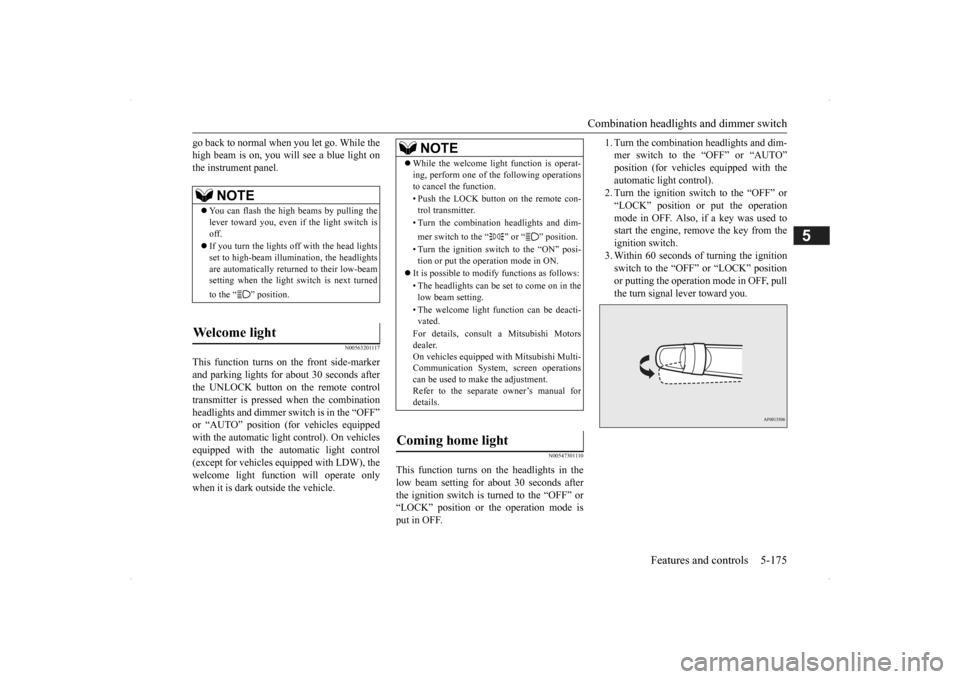
1. Turn the combination headlights and dim- mer switch to the “OFF” or “AUTO”position (for vehicles
equipped with the
automatic light control). 2. Turn the ignition switch to the “OFF” or“LOCK” position or put the operation mode in OFF. Also, if a key was used to start the engine, rem
ove the key from the
ignition switch. 3. Within 60 seconds of turning the ignition switch to the “OFF” or “LOCK” position or putting the operation mode in OFF, pull the turn signal lever toward you.
NOTE
You can flash the high beams by pulling the lever toward you, even if the light switch isoff. If you turn the lights off with the head lights set to high-beam illumi
nation, the headlights
are automatically returned to their low-beam setting when the light
switch is next turned
to the “ ” position.
Welcome light
NOTE
While the welcome light function is operat- ing, perform one of
the following operations
to cancel the function. • Push the LOCK button on the remote con- trol transmitter. • Turn the combination headlights and dim- mer switch to the “ ” or “ ” position. • Turn the ignition switch to the “ON” posi- tion or put the operation mode in ON.
It is possible to modify functions as follows: • The headlights can be set to come on in the low beam setting. • The welcome light f
unction can be deacti-
vated. For details, consult a Mitsubishi Motors dealer. On vehicles equipped
with Mitsubishi Multi-
Communication System, screen operationscan be used to ma
ke the adjustment.
Refer to the separate
owner’s manual for
details.
Coming home light
BK0200500US.book 175 ページ 2013年2月12日 火曜日 午前9時46分
Page 254 of 451
Headlight leveling swit
ch (if so equipped)
5-176 Features and controls
5
4. The headlights will come on in the low beam setting for about
30 seconds. After
the headlights go off, the headlights can be turned on again in the low beam setting for about 30 seconds by pulling the turnsignal lever toward you within 60 seconds of turning the ignition switch to the “OFF” or “LOCK” pos
ition or putting the
operation mode in OFF. To turn on the headlights again after 60 seconds of turn- ing the ignition switch to the “OFF” or “LOCK” position or putting the operation mode in OFF, repeat the process from step1.
N00537101115
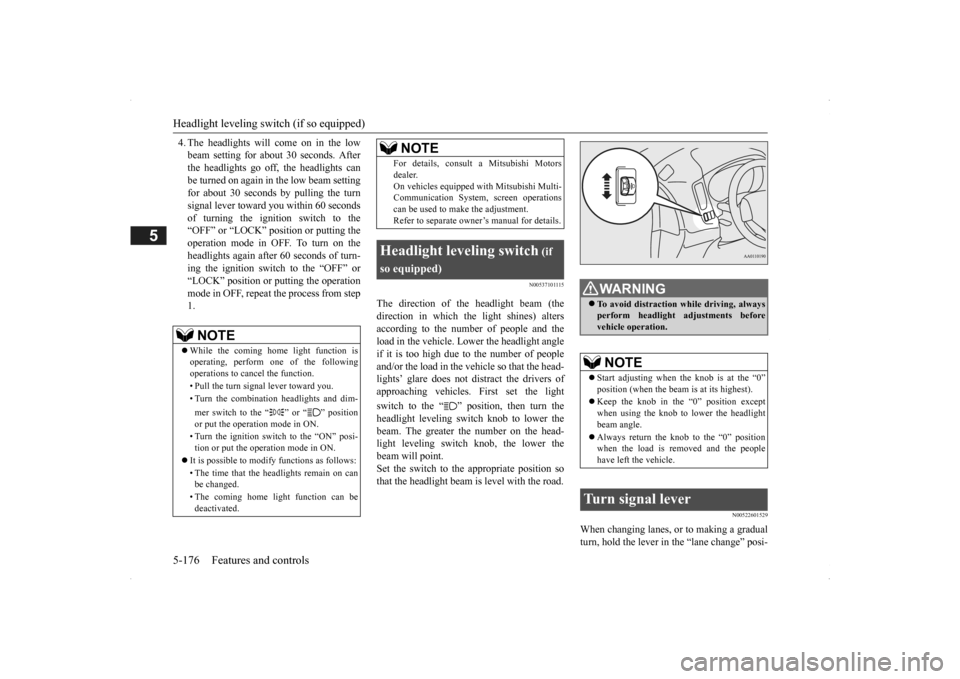
The direction of the headlight beam (the direction in which th
e light shines) alters
according to the number of people and theload in the vehicle. Lo
wer the headlight angle
if it is too high due to the number of people and/or the load in the vehicle so that the head-lights’ glare does not distract the drivers of approaching vehicles
. First set the light
switch to the “ ” position, then turn the headlight leveling switch knob to lower the beam. The greater the number on the head-light leveling switch knob, the lower the beam will point. Set the switch to the appropriate position sothat the headlight beam is level with the road.
N00522601529
When changing lanes, or to making a gradual turn, hold the lever in the “lane change” posi-
NOTE
While the coming home light function is operating, perform one of the following operations to cancel the function. • Pull the turn signal lever toward you. • Turn the combination headlights and dim- mer switch to the “ ” or “ ” position or put the operation mode in ON. • Turn the ignition switch to the “ON” posi- tion or put the operation mode in ON.
It is possible to modify functions as follows: • The time that the he
adlights remain on can
be changed. • The coming home light function can be deactivated.
For details, consult a Mitsubishi Motorsdealer.On vehicles equipped
with Mitsubishi Multi-
Communication System,
screen operations
can be used to make the adjustment. Refer to separate owne
r’s manual for details.
Headlight leveling switch
(if
so equipped)
NOTE
WA R N I N G To avoid distraction wh
ile driving, always
perform headlight adjustments beforevehicle operation.NOTE
Start adjusting when the knob is at the “0” position (when the beam
is at its highest).
Keep the knob in the “0” position except when using the knob to lower the headlight beam angle. Always return the knob to the “0” position when the load is removed and the people have left the vehicle.
Turn signal lever
BK0200500US.book 176 ページ 2013年2月12日 火曜日 午前9時46分
Page 260 of 451
Wiper and washer switch 5-182 Features and controls
5
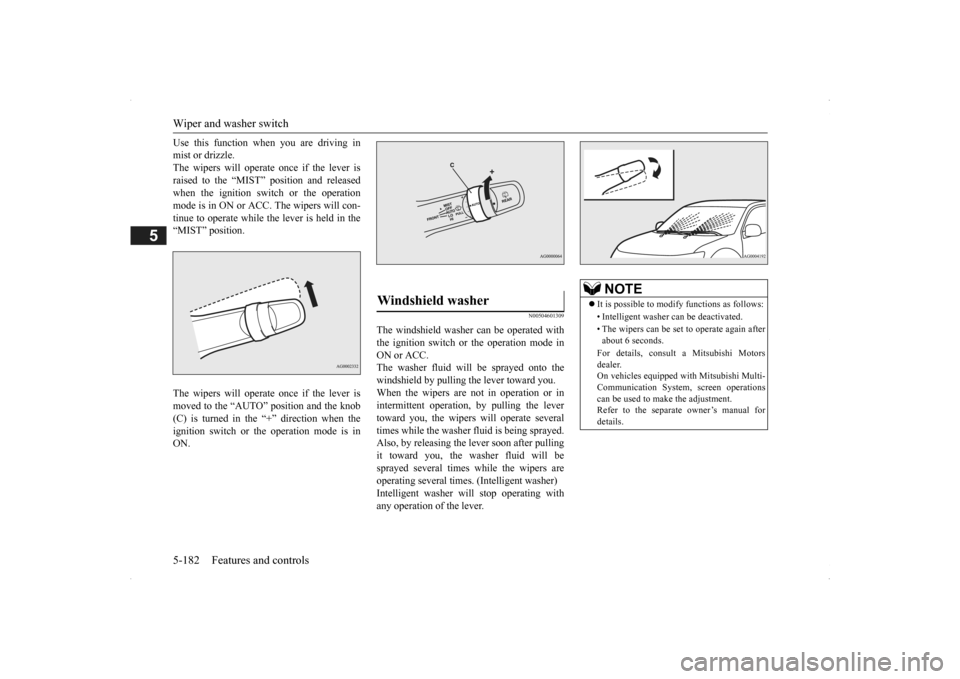
Use this function when you are driving in mist or drizzle.The wipers will operate once if the lever is raised to the “MIST” position and released when the ignition switch or the operationmode is in ON or ACC. The wipers will con- tinue to operate while the lever is held in the “MIST” position. The wipers will operate once if the lever is moved to the “AUTO” position and the knob (C) is turned in the “+” direction when the ignition switch or the operation mode is inON.
N00504601309
The windshield washer
can be operated with
the ignition switch or the operation mode in ON or ACC. The washer fluid will be sprayed onto thewindshield by pulling th
e lever toward you.
When the wipers are not in operation or in intermittent operation,
by pulling the lever
toward you, the wipers will operate several times while the washer
fluid is being sprayed.
Also, by releasing the lever soon after pullingit toward you, the washer fluid will be sprayed several times while the wipers are operating several times. (Intelligent washer)Intelligent washer will stop operating with any operation of the lever.Windshield washer
NOTE
It is possible to modify functions as follows: • Intelligent washer
can be deactivated.
• The wipers can be set
to operate again after
about 6 seconds. For details, consult a Mitsubishi Motors dealer. On vehicles e
quipped with Mitsubishi Multi-
Communication System, screen operationscan be used to ma
ke the adjustment.
Refer to the separate
owner’s manual for
details.
BK0200500US.book 182 ページ 2013年2月12日 火曜日 午前9時46分
Page 298 of 451
Cargo area cover (if so equipped) 5-220 Features and controls
5
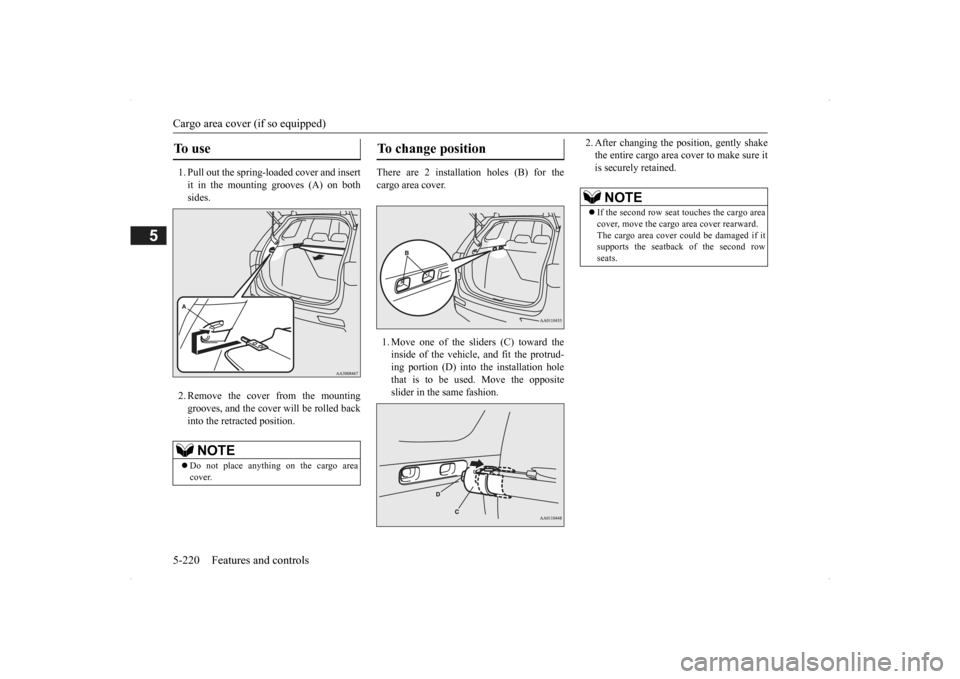
1. Pull out the spring-loaded cover and insert it in the mounting grooves (A) on both sides. 2. Remove the cover from the mounting grooves, and the cover will be rolled back into the retracted position.
There are 2 installation holes (B) for the cargo area cover. 1. Move one of the sliders (C) toward the inside of the vehicle, and fit the protrud- ing portion (D) into the installation hole that is to be used. Move the oppositeslider in the same fashion.
2. After changing the position, gently shake the entire cargo area cover to make sure itis securely retained.
To u s e
NOTE
Do not place anything on the cargo area cover.
To change position
NOTE
If the second row seat
touches the cargo area
cover, move the cargo
area cover rearward.
The cargo area cover co
uld be damaged if it
supports the seatback of the second row seats.
BK0200500US.book 220 ページ 2013年2月12日 火曜日 午前9時46分
Page 299 of 451
Assist grips
Features and controls 5-221
5
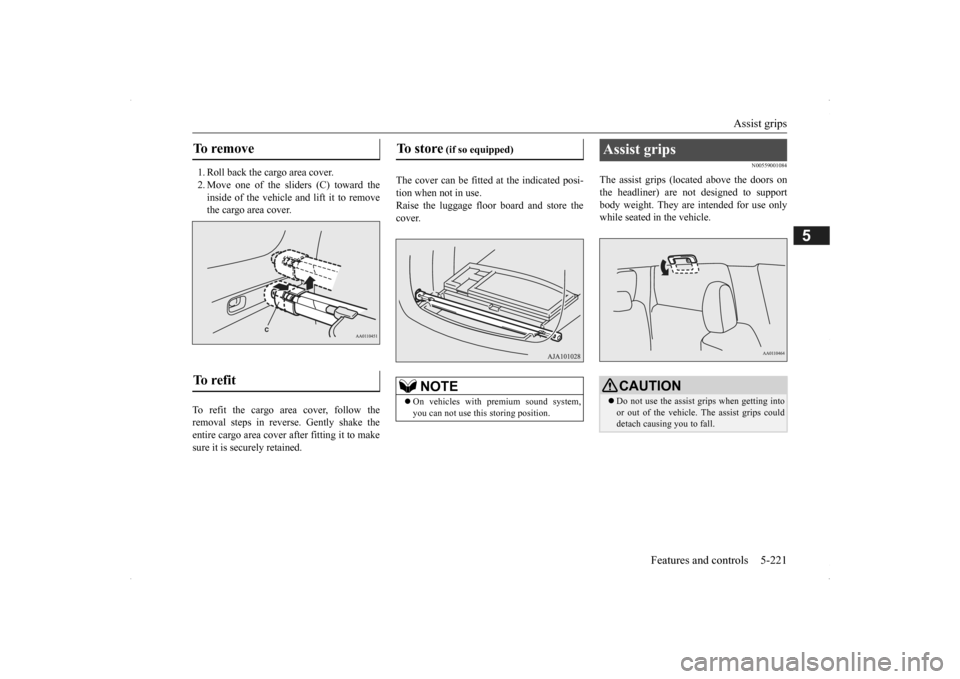
1. Roll back the cargo area cover. 2. Move one of the sliders (C) toward the inside of the vehicle and lift it to remove the cargo area cover.
To refit the cargo area cover, follow the removal steps in reverse. Gently shake theentire cargo area cover after fitting it to make sure it is securely retained.
The cover can be fitted
at the indicated posi-
tion when not in use.Raise the luggage floor board and store the cover.
N00559001084
The assist grips (located above the doors onthe headliner) are not designed to support body weight. They are intended for use onlywhile seated in the vehicle.
To remove To refit
To store
(if so equipped)
NOTE
On vehicles with premium sound system, you can not use this storing position.
Assist grips
CAUTION Do not use the assist grips when getting into or out of the vehicle.
The assist grips could
detach causing you to fall.
BK0200500US.book 221 ページ 2013年2月12日 火曜日 午前9時46分
Page 301 of 451
6
Driving safetyDriving precaution ............................................................................6-2 Fuel economy........
...........
...........
............
...........
.........
........
.........
.....6-2
Driving, alcohol and drugs ...
...........
...........
...........
...........
...........
.....6-2
Floor mat...........................................................................................6-3 Vehicle preparation before driving ...................................................6-4 Safe driving techniques.....................................................................6-4Driving during cold weather .............................................................6-5 Braking .............................................................................................6-5 Parking ..............................................................................................6-6Loading information .........................................................................6-6 Cargo loads .....................................................................................6-10 Trailer towing ................................................................................. 6-11
BK0200500US.book 1 ページ 2013年2月12日 火曜日 午前9時46分