Lock control MITSUBISHI OUTLANDER SPORT 2014 3.G Service Manual
[x] Cancel search | Manufacturer: MITSUBISHI, Model Year: 2014, Model line: OUTLANDER SPORT, Model: MITSUBISHI OUTLANDER SPORT 2014 3.GPages: 384, PDF Size: 46.94 MB
Page 113 of 384
Continuously variable transmis
sion (CVT) (if so equipped)
5-50 Features and controls
5
2. Move the selector lever to the desired position.
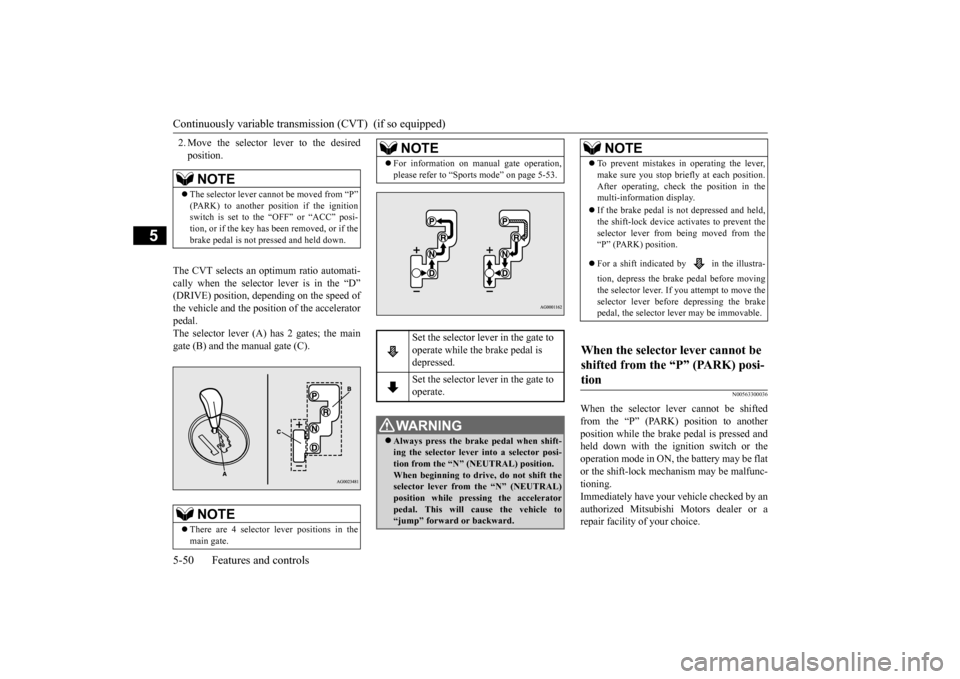
The CVT selects an optimum ratio automati- cally when the selector lever is in the “D” (DRIVE) position, depending on the speed ofthe vehicle and the position of the accelerator pedal. The selector lever (A) has 2 gates; the maingate (B) and the manual gate (C).
N00563300036
When the selector lever cannot be shiftedfrom the “P” (PARK) position to anotherposition while the brake pedal is pressed and held down with the ignition switch or the operation mode in ON, the battery may be flator the shift-lock mechanism may be malfunc- tioning. Immediately have your vehicle checked by anauthorized Mitsubishi Motors dealer or a repair facility of your choice.
NOTE
The selector lever cannot be moved from “P” (PARK) to another position if the ignitionswitch is set to the “OFF” or “ACC” posi- tion, or if the key has been removed, or if the brake pedal is not pressed and held down.NOTE
There are 4 selector lever positions in the main gate.
For information on manual gate operation, please refer to “Sports mode” on page 5-53.
Set the selector lever in the gate to operate while the brake pedal is depressed. Set the selector lever in the gate to operate.
WA R N I N G Always press the brake pedal when shift- ing the selector lever into a selector posi-tion from the “N” (NEUTRAL) position. When beginning to driv
e, do not shift the
selector lever from the “N” (NEUTRAL)position while pressing the accelerator pedal. This will cause the vehicle to “jump” forward or backward.NOTE
NOTE
To prevent mistakes in operating the lever, make sure you stop briefly at each position. After operating, check the position in the multi-information display. If the brake pedal is not depressed and held, the shift-lock device activates to prevent the selector lever from being moved from the“P” (PARK) position. For a shift indicated by in the illustra- tion, depress the brake pedal before moving the selector lever. If
you attempt to move the
selector lever before depressing the brake pedal, the selector lever may be immovable.
When the selector lever cannot be shifted from the “P” (PARK) posi- tion
BK0202700US.bo
ok 50 ページ 2013年3月28日 木曜日 午前11時54分
Page 114 of 384
Continuously variable transmission (CVT) (if so equipped)
Features and controls 5-51
5
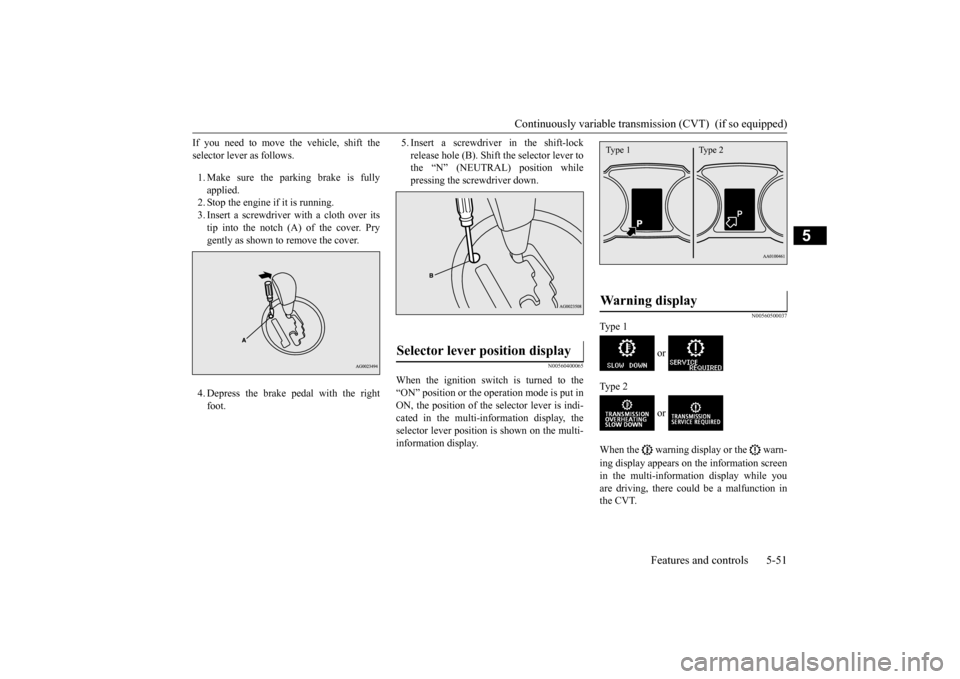
If you need to move the vehicle, shift the selector lever as follows. 1. Make sure the parking brake is fully applied. 2. Stop the engine if it is running.3. Insert a screwdriver with a cloth over its tip into the notch (A) of the cover. Pry gently as shown to remove the cover. 4. Depress the brake pedal with the right foot.
5. Insert a screwdriver in the shift-lock release hole (B). Shift the selector lever to the “N” (NEUTRAL) position while pressing the screwdriver down.
N00560400065
When the ignition switch is turned to the“ON” position or the operation mode is put inON, the position of the selector lever is indi- cated in the multi-information display, the selector lever position
is shown on the multi-
information display.
N00560500037
Type 1
or
Type 2
or
When the warning display or the warn- ing display appears on the information screen in the multi-information display while you are driving, there could be a malfunction in the CVT.
Selector lever position display
Warning display
Type 1 Type 2
BK0202700US.bo
ok 51 ページ 2013年3月28日 木曜日 午前11時54分
Page 115 of 384
Continuously variable transmis
sion (CVT) (if so equipped)
5-52 Features and controls
5
N00560600054
This position locks the transmission to pre- vent the vehicle from moving. The engine can be started from the “P” (PARK) position.
Move the lever to this position only after the vehicle has come to a complete stop. At this position, the transmission is disen- gaged. It is the same as the neutral position ona manual transaxle and should be used when the vehicle is not moving for an extended length of time during driving, such as in atraffic jam.
CAUTION If a malfunction occurs in the CVT while driving, the warning display or the warning display will appear on the informa- tion screen in the multi-information display. In this case, follow these procedures: [When warning display is showing] The continuously variable transmission (CVT) fluid is overheating. The engine con- trol may activate to lower the CVT fluid tem-perature, causing the engine revolutions and vehicle speed to decrease, In this case, take one of the following procedures.• Slow down your vehicle.• Stop your vehicle in a safe place, put the selectorlever in the “P” (PARK) position, and open the engine hood with the enginerunning to allow the engine to cool down.
After a while, confirm that the warning display is no longer showing. It is safe to continue driving if the display is no longer showing. If the warning display remains orflashes frequently, have your vehicle inspected by an authorized Mitsubishi Motors dealer or a repair facility of yourchoice. [When warning display is showing] It may be that there is something unusual happening in the CVT, causing a safety device to activate. Have your vehicleinspected by an authorized Mitsubishi Motors dealer or a repair facility of your choice as soon as possible.
Selector lever positions (Main gate)
“P” PARK
CAUTION
“R” REVERSE
CAUTION Never shift into the “P” (PARK) or “R” (REVERSE) position whil
e the vehicle is in
motion. If the lever is shifted into the “P” (PARK) or “R” (REVERSE) position while the vehicle is in motion, the transmissionmay be damaged.
“N” NEUTRAL
WA R N I N G Never move the selector lever to the “N” (NEUTRAL) position while driving since you could accidentally slip it into the “P”(PARK) or “R” (REVERSE) position, damaging the transmission.
BK0202700US.bo
ok 52 ページ 2013年3月28日 木曜日 午前11時54分
Page 119 of 384
Electronically controlled 4WD system (if so equipped) 5-56 Features and controls
5
4-wheel drive operation requires special driv- ing skills.Carefully read the “4-wheel drive operation” section on page 5-58
and take care to drive
safely.
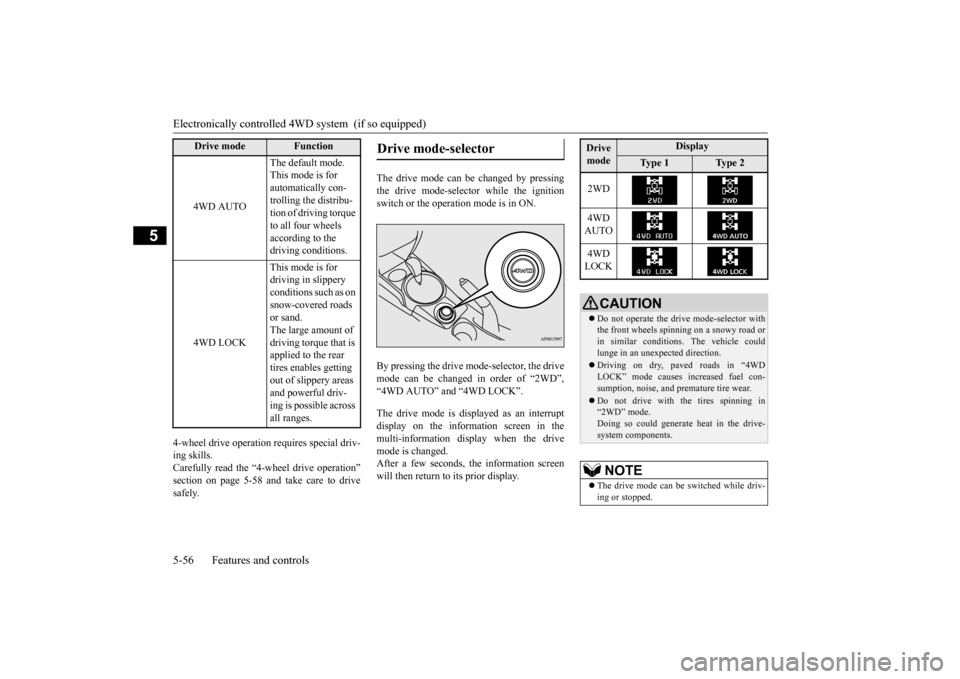
The drive mode can be changed by pressing the drive mode-selector while the ignitionswitch or the operation mode is in ON. By pressing the drive mode-selector, the drive mode can be changed in order of “2WD”,“4WD AUTO” and “4WD LOCK”. The drive mode is displayed as an interrupt display on the information screen in the multi-information display when the drivemode is changed. After a few seconds, the information screen will then return to its prior display.
4WD AUTO
The default mode. This mode is for automatically con-trolling the distribu- tion of driving torque to all four wheels according to the driving conditions.
4WD LOCK
This mode is for driving in slippery conditions such as on snow-covered roads or sand.The large amount of driving torque that is applied to the rear tires enables getting out of slippery areas and powerful driv-ing is possible across all ranges.
Drive mode
Function
Drive mode-selector
Drive mode
Display
Ty p e 1
Ty p e 2
2WD 4WD AUTO 4WD LOCK
CAUTION Do not operate the drive mode-selector with the front wheels spinning on a snowy road or in similar conditions. The vehicle could lunge in an unexpected direction. Driving on dry, paved roads in “4WD LOCK” mode causes increased fuel con- sumption, noise, and premature tire wear. Do not drive with the tires spinning in “2WD” mode. Doing so could generate heat in the drive-system components.NOTE
The drive mode can be switched while driv- ing or stopped.
BK0202700US.bo
ok 56 ページ 2013年3月28日 木曜日 午前11時54分
Page 120 of 384
Electronically controlled 4WD system (if so equipped)
Features and controls 5-57
5
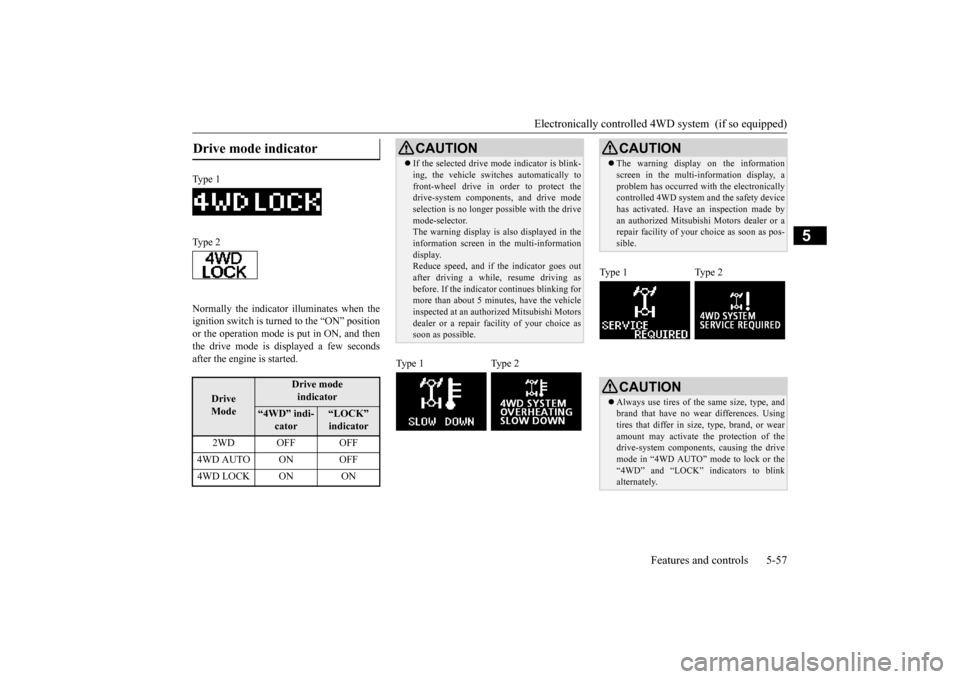
Normally the indicator illuminates when the ignition switch is turned to the “ON” position or the operation mode is put in ON, and then the drive mode is displayed a few secondsafter the engine is started.Drive mode indicator
Type 1 Type 2
Drive Mode
Drive modeindicator
“4WD” indi-
cator
“LOCK” indicator
2WD OFF OFF
4WD AUTO ON OFF4WD LOCK ON ON
CAUTION If the selected drive m
ode indicator is blink-
ing, the vehicle switches automatically to front-wheel drive in order to protect the drive-system components, and drive mode selection is no longer pos
sible with the drive
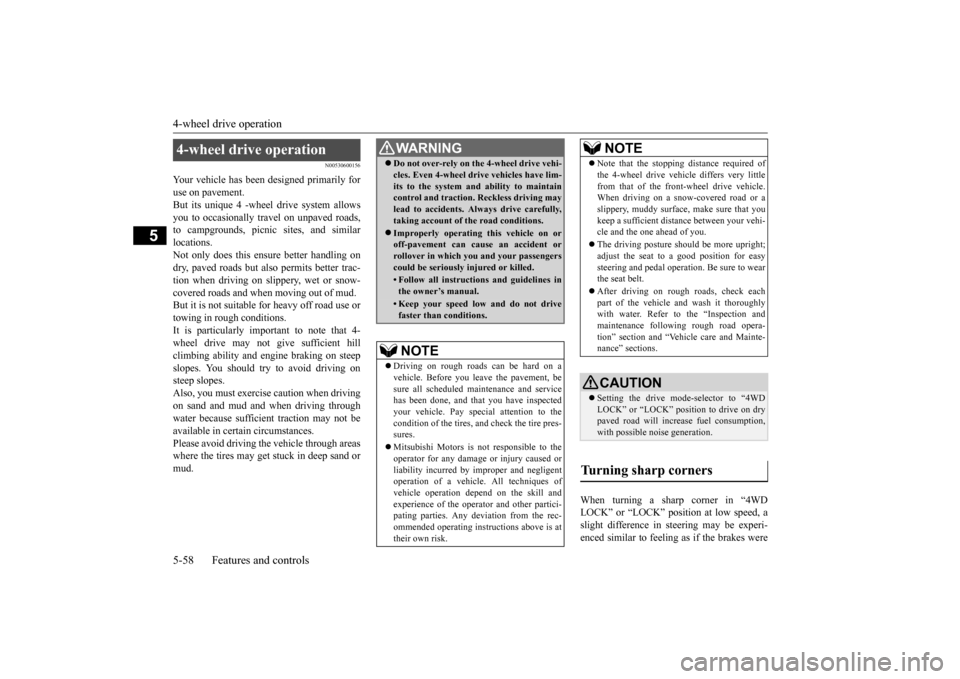
mode-selector. The warning display is also displayed in the information screen in the multi-informationdisplay. Reduce speed, and if the indicator goes out after driving a while, resume driving asbefore. If the indicator continues blinking for more than about 5 minutes, have the vehicle inspected at an authorized Mitsubishi Motorsdealer or a repair facility of your choice as soon as possible.
Type 1 Type 2
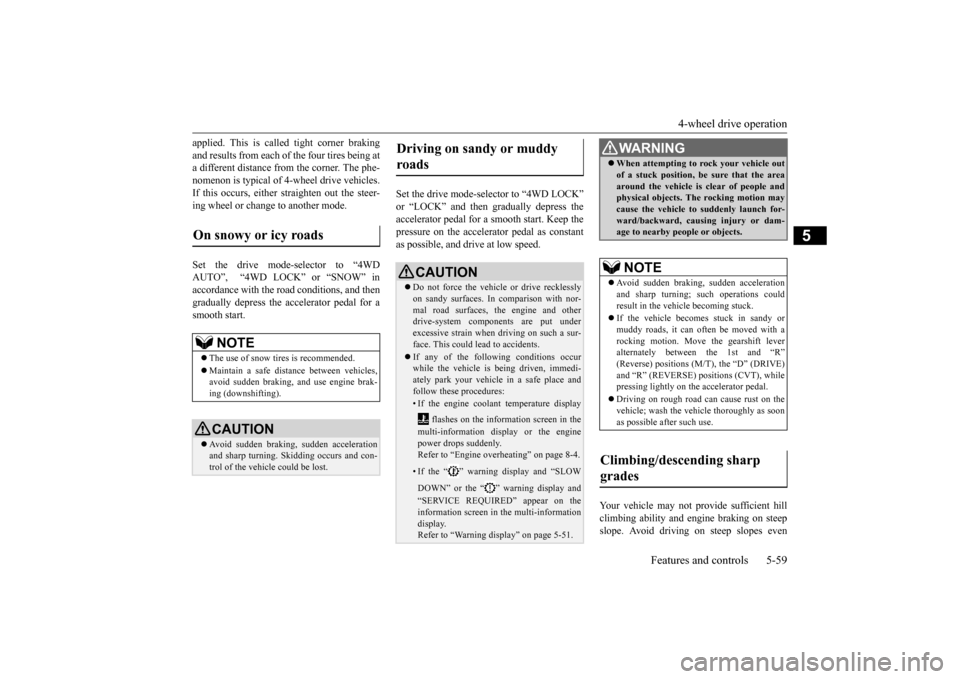
CAUTION The warning display on the information screen in the multi-information display, a problem has occurred with the electronically controlled 4WD system and the safety device has activated. Have an inspection made byan authorized Mitsubishi Motors dealer or a repair facility of your
choice as soon as pos-
sible.
Type 1 Type 2
CAUTION Always use tires of the same size, type, and brand that have no wear differences. Using tires that differ in size, type, brand, or wearamount may activate the protection of the drive-system components, causing the drive mode in “4WD AUTO” mode to lock or the“4WD” and “LOCK” indicators to blink alternately.
BK0202700US.bo
ok 57 ページ 2013年3月28日 木曜日 午前11時54分
Page 121 of 384
4-wheel drive operation 5-58 Features and controls
5
N00530600156
Your vehicle has been designed primarily for use on pavement.But its unique 4 -wheel drive system allows you to occasionally travel on unpaved roads, to campgrounds, picnic sites, and similarlocations. Not only does this ensure better handling on dry, paved roads but also permits better trac-tion when driving on slippery, wet or snow-covered roads and when moving out of mud. But it is not suitable for heavy off road use or towing in rough conditions.It is particularly important to note that 4- wheel drive may not give sufficient hill climbing ability and engine braking on steepslopes. You should try to avoid driving on steep slopes. Also, you must exercise caution when drivingon sand and mud and when driving through water because sufficient traction may not be available in certain circumstances.Please avoid driving the vehicle through areas where the tires may get stuck in deep sand or mud.
When turning a sharp corner in “4WD LOCK” or “LOCK” position at low speed, a slight difference in steering may be experi-enced similar to feeling
as if the brakes were
4-wheel drive operation
WA R N I N GDo not over-rely on the 4-wheel drive vehi- cles. Even 4-wheel drive vehicles have lim- its to the system and ability to maintain control and traction. Reckless driving may lead to accidents. Always drive carefully,taking account of the road conditions. Improperly operating this vehicle on or off-pavement can cause an accident or rollover in which you and your passengers could be seriously injured or killed.• Follow all instructions and guidelines inthe owner’s manual.• Keep your speed low and do not drivefaster than conditions.NOTE
Driving on rough roads can be hard on a vehicle. Before you leave the pavement, be sure all scheduled maintenance and servicehas been done, and that you have inspected your vehicle. Pay special attention to the condition of the tires, and check the tire pres-sures. Mitsubishi Motors is not responsible to the operator for any damage or injury caused or liability incurred by improper and negligentoperation of a vehicle. All techniques of vehicle operation depend on the skill and experience of the operator and other partici-pating parties. Any deviation from the rec- ommended operating instructions above is at their own risk.
Note that the stopping distance required of the 4-wheel drive vehicle differs very little from that of the front-wheel drive vehicle. When driving on a snow-covered road or a slippery, muddy surface, make sure that youkeep a sufficient distance between your vehi- cle and the one ahead of you. The driving posture should be more upright; adjust the seat to a good position for easy steering and pedal operation. Be sure to wearthe seat belt. After driving on rough roads, check each part of the vehicle and wash it thoroughly with water. Refer to the “Inspection and maintenance following rough road opera-tion” section and “Vehicle care and Mainte- nance” sections.CAUTION Setting the drive mode-selector to “4WD LOCK” or “LOCK” position to drive on drypaved road will increase fuel consumption, with possible noise generation.
Turning sharp corners
NOTE
BK0202700US.bo
ok 58 ページ 2013年3月28日 木曜日 午前11時54分
Page 122 of 384
4-wheel drive operation
Features and controls 5-59
5
applied. This is called tight corner braking and results from each of the four tires being at a different distance from the corner. The phe- nomenon is typical of 4-wheel drive vehicles.If this occurs, either straighten out the steer- ing wheel or change to another mode. Set the drive mode-selector to “4WD AUTO”, “4WD LOCK” or “SNOW” in accordance with the road conditions, and then gradually depress the accelerator pedal for asmooth start.
Set the drive mode-selector to “4WD LOCK” or “LOCK” and then gradually depress the accelerator pedal for a smooth start. Keep the pressure on the accelerator pedal as constantas possible, and drive at low speed.
Your vehicle may not provide sufficient hill climbing ability and engine braking on steepslope. Avoid driving on
steep slopes even
On snowy or icy roads
NOTE
The use of snow tires is recommended. Maintain a safe distance between vehicles, avoid sudden braking, and use engine brak-ing (downshifting).CAUTION Avoid sudden braking, sudden acceleration and sharp turning. Skidding occurs and con- trol of the vehicle could be lost.
Driving on sandy or muddy roads
CAUTION Do not force the vehicle or drive recklessly on sandy surfaces. In comparison with nor- mal road surfaces, the engine and otherdrive-system components are put under excessive strain when driving on such a sur- face. This could lead to accidents. If any of the following conditions occur while the vehicle is being driven, immedi-ately park your vehicle in a safe place and follow these procedures:• If the engine coolant temperature display
flashes on the information screen in the multi-information display or the engine power drops suddenly. Refer to “Engine overheating” on page 8-4.• If the “ ” warning display and “SLOW DOWN” or the “ ” warning display and “SERVICE REQUIRED” appear on the information screen in the multi-information display.Refer to “Warning display” on page 5-51.
WA R N I N G When attempting to rock your vehicle out of a stuck position, be sure that the area around the vehicle is clear of people and physical objects. The rocking motion may cause the vehicle to suddenly launch for-ward/backward, causing injury or dam- age to nearby people or objects.NOTE
Avoid sudden braking, sudden acceleration and sharp turning; such operations could result in the vehicle becoming stuck. If the vehicle becomes stuck in sandy or muddy roads, it can often be moved with a rocking motion. Move the gearshift leveralternately between the 1st and “R” (Reverse) positions (M/T), the “D” (DRIVE) and “R” (REVERSE) positions (CVT), whilepressing lightly on the accelerator pedal. Driving on rough road can cause rust on the vehicle; wash the vehicle thoroughly as soon as possible after such use.
Climbing/descending sharp grades
BK0202700US.bo
ok 59 ページ 2013年3月28日 木曜日 午前11時54分
Page 127 of 384
Brake assist system 5-64 Features and controls
5
N00567301103
The brake assist system is a device assisting drivers who cannot depress the brake pedalfirmly such as in emergency stop situations and provides greater braking force. If the brake pedal is depressed suddenly, the brakes will be applied with more force thanusual.
N00517900240
The anti-lock braking system helps preventthe wheels from locking up when braking. This helps maintain vehicle drivability and steering wheel handling.
When using the anti-lock brakes (sudden braking), steering is slightly different from normal driving conditions. Use thesteering wheel carefully. Always keep a safe distance from the vehicle in front of you. Even if your vehi-cle is equipped with the anti-lock braking system, leave a greater braking distance when:• Driving on gravel or snow-coveredroads. • Driving on uneven road surfaces. Operation of anti-lock braking system is not restricted situations where brakes are applied suddenly. This system may also prevent the wheels from locking whenyou drive over manholes, steel roadwork plates, road markings, or any uneven road surface. When the anti-lock braking system is in use, you may feel the brake pedal vibrat- ing and hear a unique sound. It may alsofeel as if the pedal resists being pressed. In this situation, simply hold the brake pedal down firmly. Do not pump thebrake, which will result in reduced braking performance.
Park your vehicle in a safe place and stop the engine. Restart the engine and check whether the indicator/display goes out, in which case the hill start assist is again working normally. If they remain displayed or reappear fre- quently, it is not necessary to stop the vehicle immediately, but the vehicle should beinspected by an authorized Mitsubishi Motors dealer or a repair facility of your choice as soon as possible.
Brake assist system
CAUTION The brake assist system is not a device designed to exercise braking force greater than its capacity. Make sure to always keep asufficient distance between vehicles in front of you without relying too much on the brake assist system.CAUTION
NOTE
Once the brake assist system is operational, it maintains great braking force even if the brake pedal is lightly released. To stop its operation, completely remove your foot from the brake pedal. When the brake assist system is in use while driving, you may feel as if the depressedbrake pedal is soft, the pedal moves in small motions in conjunction with the operation noise, or the vehicle body and the steeringwheel vibrate. This occurs when the brake assist system is operating normally and does not indicate faulty operation. Continue todepress the brake pedal. You may hear an operation noise when the brake pedal is suddenly or fully depressed while stationary. This does not indicate a malfunction and the brake assist system isoperating normally. When the anti-lock brake system warning light/display or only ASC warning display illuminate, the brake assist system in not functioning.
Anti-lock braking system
Driving hints
BK0202700US.bo
ok 64 ページ 2013年3月28日 木曜日 午前11時54分
Page 128 of 384
Anti-lock braking system
Features and controls 5-65
5
N00531600645
Warning light
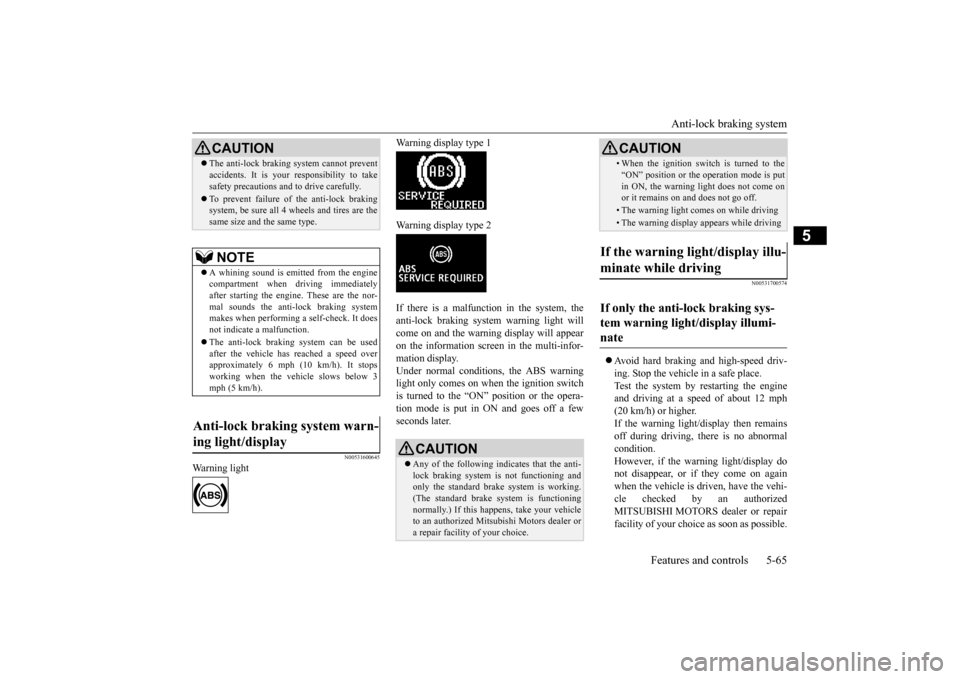
Warning display type 1 Warning display type 2 If there is a malfunction in the system, the anti-lock braking system warning light willcome on and the warning display will appear on the information screen in the multi-infor- mation display.Under normal conditions, the ABS warning light only comes on when the ignition switch is turned to the “ON” position or the opera-tion mode is put in ON and goes off a few seconds later.
N00531700574
Avoid hard braking and high-speed driv- ing. Stop the vehicle in a safe place. Test the system by restarting the engine and driving at a speed of about 12 mph(20 km/h) or higher. If the warning light/display then remains off during driving, there is no abnormalcondition. However, if the warning light/display do not disappear, or if they come on againwhen the vehicle is driven, have the vehi- cle checked by an authorized MITSUBISHI MOTORS dealer or repairfacility of your choice as soon as possible.
CAUTION The anti-lock braking system cannot prevent accidents. It is your responsibility to take safety precautions and to drive carefully. To prevent failure of the anti-lock braking system, be sure all 4 wheels and tires are the same size and the same type.NOTE
A whining sound is emitted from the engine compartment when dr
iving immediately
after starting the engine. These are the nor- mal sounds the anti-lock braking systemmakes when performing a self-check. It does not indicate a malfunction. The anti-lock braking system can be used after the vehicle has reached a speed over approximately 6 mph (10 km/h). It stopsworking when the vehicle slows below 3 mph (5 km/h).
Anti-lock braking system warn- ing light/display
CAUTION Any of the following indicates that the anti- lock braking system is not functioning and only the standard brak
e system is working.
(The standard brake system is functioningnormally.) If this happens, take your vehicle to an authorized Mitsubishi Motors dealer or a repair facility of your choice.
• When the ignition switch is turned to the “ON” position or the operation mode is put in ON, the warning light does not come on or it remains on and does not go off.• The warning light comes on while driving• The warning display appears while driving
If the warning light/display illu- minate while driving If only the anti-lock braking sys- tem warning light/display illumi-nate
CAUTION
BK0202700US.bo
ok 65 ページ 2013年3月28日 木曜日 午前11時54分
Page 129 of 384
Electric power steering system (EPS) 5-66 Features and controls
5
Warning light
Warning display type 1 Warning display type 2
The anti-lock braking system and brake force distribution function may not work, so hard braking could make the vehicle unstable. Avoid hard braking and high-speed driving.Stop the vehicle in a safe place and contact an authorized MITSUBISHI MOTORS dealer or repair facility of your choice.
N00529200077
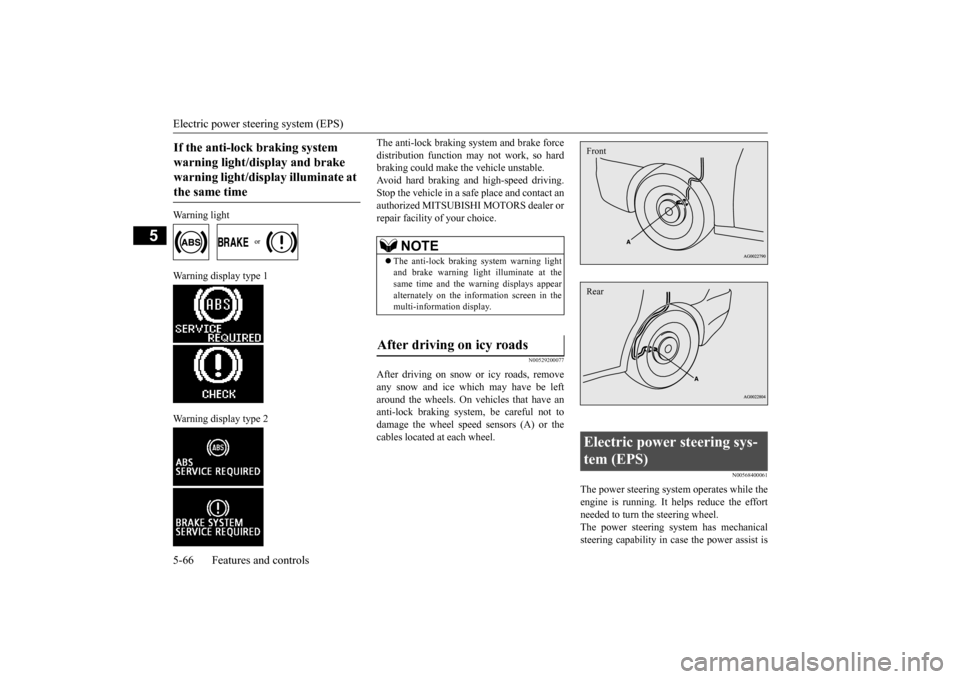
After driving on snow or icy roads, removeany snow and ice which may have be left around the wheels. On vehicles that have an anti-lock braking system, be careful not todamage the wheel speed sensors (A) or the cables located at each wheel.
N00568400061
The power steering system operates while the engine is running. It helps reduce the effortneeded to turn the steering wheel. The power steering system has mechanical steering capability in case the power assist is
If the anti-lock braking system warning light/display and brake warning light/display illuminate at the same time
NOTE
The anti-lock braking system warning light and brake warning light illuminate at thesame time and the warning displays appear alternately on the information screen in the multi-information display.
After driving on icy roads
Electric power steering sys- tem (EPS) FrontRear
BK0202700US.bo
ok 66 ページ 2013年3月28日 木曜日 午前11時54分