engine MITSUBISHI SHOGUN 2017 (in English) Workshop Manual
[x] Cancel search | Manufacturer: MITSUBISHI, Model Year: 2017, Model line: SHOGUN, Model: MITSUBISHI SHOGUN 2017Pages: 394, PDF Size: 19 MB
Page 180 of 394
Active stability control func-tion
E00613900097
The Active Stability Control function is de-
signed to help maintain the vehicle’s control
in slippery conditions, or during rapid steer- ing manoeuvres. It works by controlling theengine output and brake on each wheel.
NOTEl The Active Stability Control function does
not operate when the transfer shift lever is inthe “4LLc” position.
When the Active Stability Control function
is operating with the transfer shift lever in the “2H”, “4H” or “4HLc” position, moving
the shift lever to the “4LLc” position makes
the Active Stability Control function deacti- vate automatically.
l On vehicles with rear differential lock, the
Active Stability Control function does not operate when the rear differential lock is ac-
tivated.Active stability control function
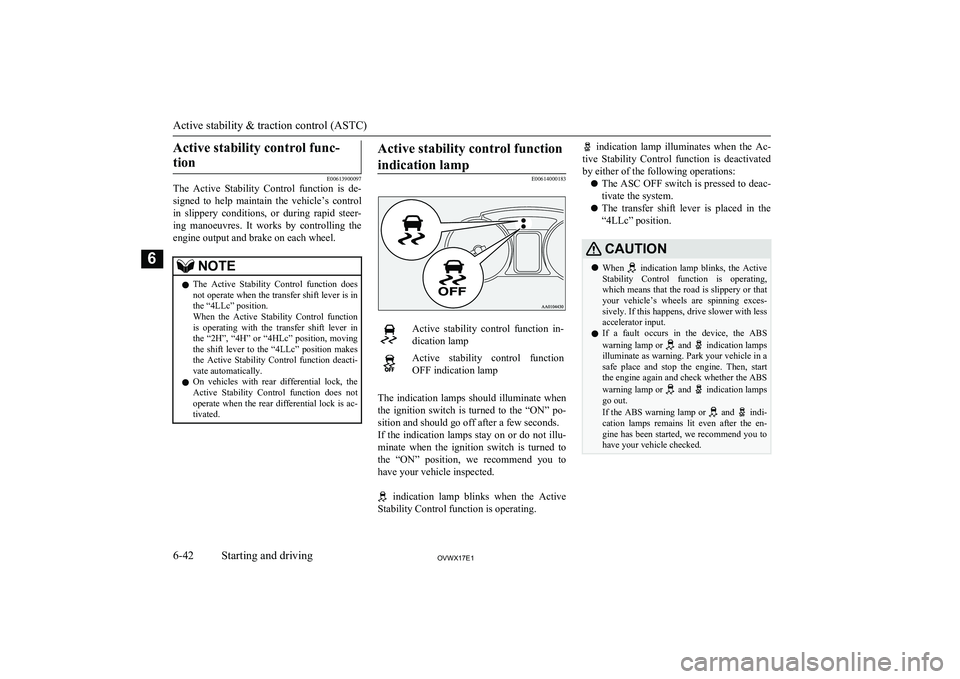
indication lamp
E00614000183
Active stability control function in- dication lampActive stability control function
OFF indication lamp
The indication lamps should illuminate when
the ignition switch is turned to the “ON” po- sition and should go off after a few seconds.
If the indication lamps stay on or do not illu-
minate when the ignition switch is turned to the “ON” position, we recommend you to
have your vehicle inspected.
indication lamp blinks when the Active
Stability Control function is operating.
indication lamp illuminates when the Ac-
tive Stability Control function is deactivated by either of the following operations:
l The ASC OFF switch is pressed to deac-
tivate the system.
l The transfer shift lever is placed in the
“4LLc” position.CAUTIONl When indication lamp blinks, the Active
Stability Control function is operating,
which means that the road is slippery or that your vehicle’s wheels are spinning exces- sively. If this happens, drive slower with lessaccelerator input.
l If a fault occurs in the device, the ABS
warning lamp or
and indication lamps
illuminate as warning. Park your vehicle in a
safe place and stop the engine. Then, start the engine again and check whether the ABS
warning lamp or
and indication lamps
go out.
If the ABS warning lamp or
and indi-
cation lamps remains lit even after the en- gine has been started, we recommend you tohave your vehicle checked.
Active stability & traction control (ASTC)
6-42OVWX17E1Starting and driving6
Page 181 of 394
NOTElImmediately after reconnection of the bat-
tery cable, the indication lamp will illu-
minate and the Active Stability Control
function will stop operating. If the vehicle is
driven and the
indication lamp goes off,
the Active Stability Control function will
again start operating.
If the indication lamp illuminates again or il-
luminates even though the battery has not been disconnected, an insufficient battery
voltage or other problems may be the reason.
We recommend you to have your vehicle in- spected.
Active traction control function
E00614100041
The active traction control function maintains
traction on slippery road surfaces by auto-
matically controlling the engine output and applying the brakes so the driving wheels are prevented from spinning.
The active traction control function automati-
cally turns ON when the ignition switch is
turned to the “ON” position.
CAUTIONl If the temperature in the braking system in-
creases excessively due to continuous brake
control on a slippery road surface, a warning
buzzer will sound intermittently to warn the driver. If driving continues in spite of the
buzzer and the temperature in the braking
system increases further, the
indication
lamp will illuminate, the warning buzzer will sound continuously for approximately
3 seconds, and active traction control func- tion operation will be suspended to protectthe braking system. (Normal operation of thevehicle will not be affected.) If the vehicle is
stopped and the
indication lamp goes off,
the active traction control function will start
operating again.
Active traction control function
indication lamp
E00614200127
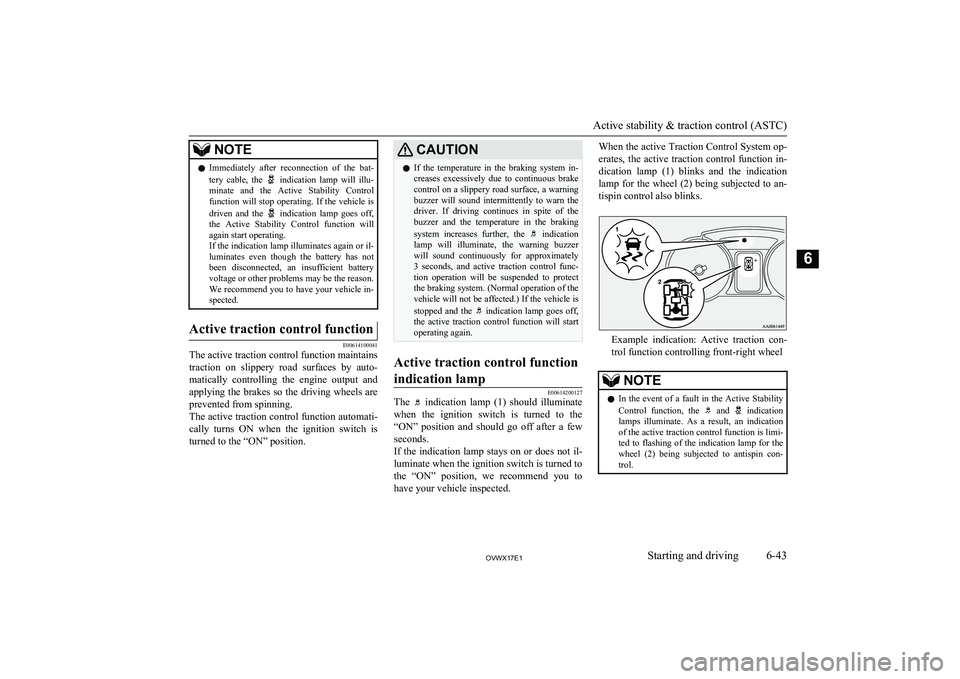
The indication lamp (1) should illuminate
when the ignition switch is turned to the
“ON” position and should go off after a few seconds.
If the indication lamp stays on or does not il-
luminate when the ignition switch is turned to
the “ON” position, we recommend you to
have your vehicle inspected.
When the active Traction Control System op-
erates, the active traction control function in-dication lamp (1) blinks and the indication
lamp for the wheel (2) being subjected to an- tispin control also blinks.
Example indication: Active traction con- trol function controlling front-right wheel
NOTEl In the event of a fault in the Active Stability
Control function, the and indication
lamps illuminate. As a result, an indication
of the active traction control function is limi- ted to flashing of the indication lamp for the
wheel (2) being subjected to antispin con- trol.
Active stability & traction control (ASTC)
6-43OVWX17E1Starting and driving6
Page 183 of 394
NOTElWhen operating the cruise control switches,
press the cruise control switches correctly.
The set speed driving may be deactivated automatically if two or more switches of the
cruise control are pressed at the same time.To activate
E00609300553
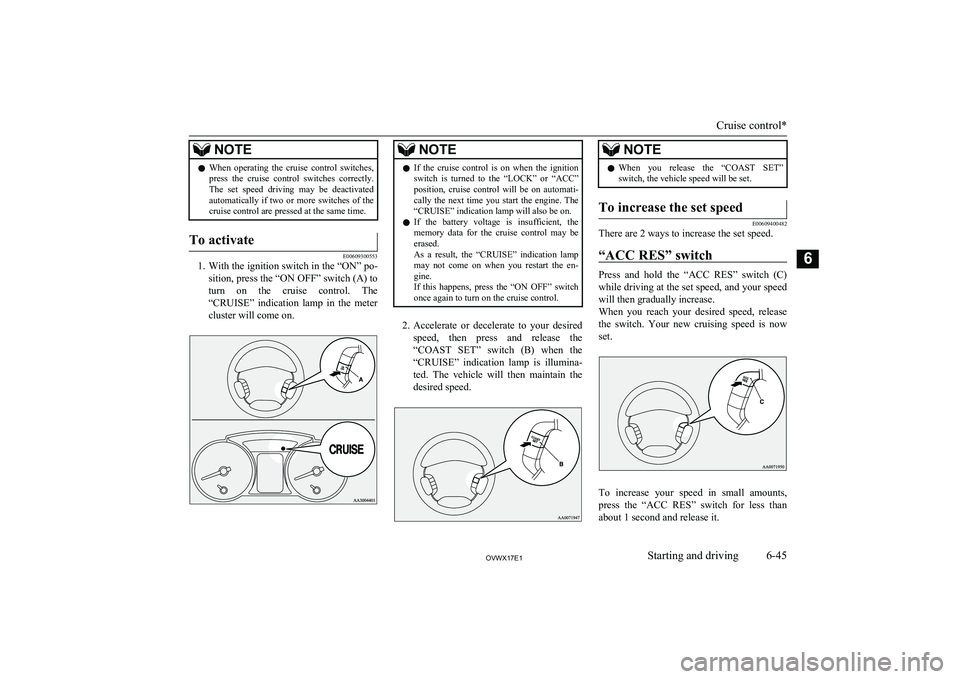
1. With the ignition switch in the “ON” po-
sition, press the “ON OFF” switch (A) to turn on the cruise control. The
“CRUISE” indication lamp in the meter cluster will come on.
NOTEl If the cruise control is on when the ignition
switch is turned to the “LOCK” or “ACC” position, cruise control will be on automati- cally the next time you start the engine. The
“CRUISE” indication lamp will also be on.
l If the battery voltage is insufficient, the
memory data for the cruise control may be erased.
As a result, the “CRUISE” indication lamp may not come on when you restart the en-
gine.
If this happens, press the “ON OFF” switch once again to turn on the cruise control.
2. Accelerate or decelerate to your desired
speed, then press and release the “COAST SET” switch (B) when the
“CRUISE” indication lamp is illumina- ted. The vehicle will then maintain the
desired speed.
NOTEl When you release the “COAST SET”
switch, the vehicle speed will be set.To increase the set speed
E00609400482
There are 2 ways to increase the set speed.
“ACC RES” switch
Press and hold the “ACC RES” switch (C)while driving at the set speed, and your speed
will then gradually increase.
When you reach your desired speed, release
the switch. Your new cruising speed is now set.
To increase your speed in small amounts,
press the “ACC RES” switch for less than about 1 second and release it.
Cruise control*
6-45OVWX17E1Starting and driving6
Page 186 of 394
WARNINGlAlthough the set speed driving will be de-
activated when shifting to the “N” (NEU-
TRAL) position, never move the selector lever to the “N” (NEUTRAL) position
while driving.
You would have no engine braking and
could cause a serious accident.
Also, the set speed driving may be deactiva-
ted as follows:
l When the engine speed rises and ap-
proaches the tachometer’s red zone (the red-coloured part of the tachometer di-
al).
CAUTIONl When the set speed driving is deactivated
automatically in any situation other thanthose listed above, there may be a system
malfunction.
Press the “ON-OFF” switch to turn off the cruise control and have your vehicle inspec- ted by a MITSUBISHI MOTORS Author-
ized Service Point.To resume the set speed
E00609800460
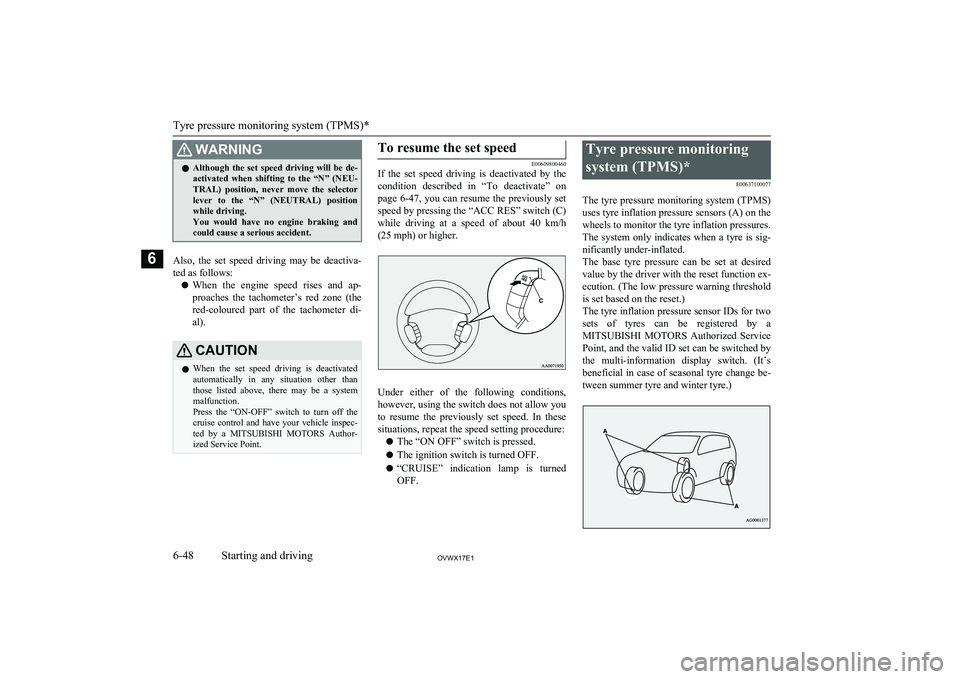
If the set speed driving is deactivated by the
condition described in “To deactivate” on
page 6-47, you can resume the previously set
speed by pressing the “ACC RES” switch (C)
while driving at a speed of about 40 km/h (25 mph) or higher.
Under either of the following conditions,however, using the switch does not allow you
to resume the previously set speed. In these
situations, repeat the speed setting procedure:
l The “ON OFF” switch is pressed.
l The ignition switch is turned OFF.
l “CRUISE” indication lamp is turned
OFF.
Tyre pressure monitoring
system (TPMS)* E00637100077
The tyre pressure monitoring system (TPMS)
uses tyre inflation pressure sensors (A) on the wheels to monitor the tyre inflation pressures.
The system only indicates when a tyre is sig-
nificantly under-inflated.
The base tyre pressure can be set at desired value by the driver with the reset function ex-
ecution. (The low pressure warning threshold is set based on the reset.)
The tyre inflation pressure sensor IDs for two sets of tyres can be registered by aMITSUBISHI MOTORS Authorized Service
Point, and the valid ID set can be switched by the multi-information display switch. (It’s
beneficial in case of seasonal tyre change be-
tween summer tyre and winter tyre.)
Tyre pressure monitoring system (TPMS)*
6-48OVWX17E1Starting and driving6
Page 187 of 394
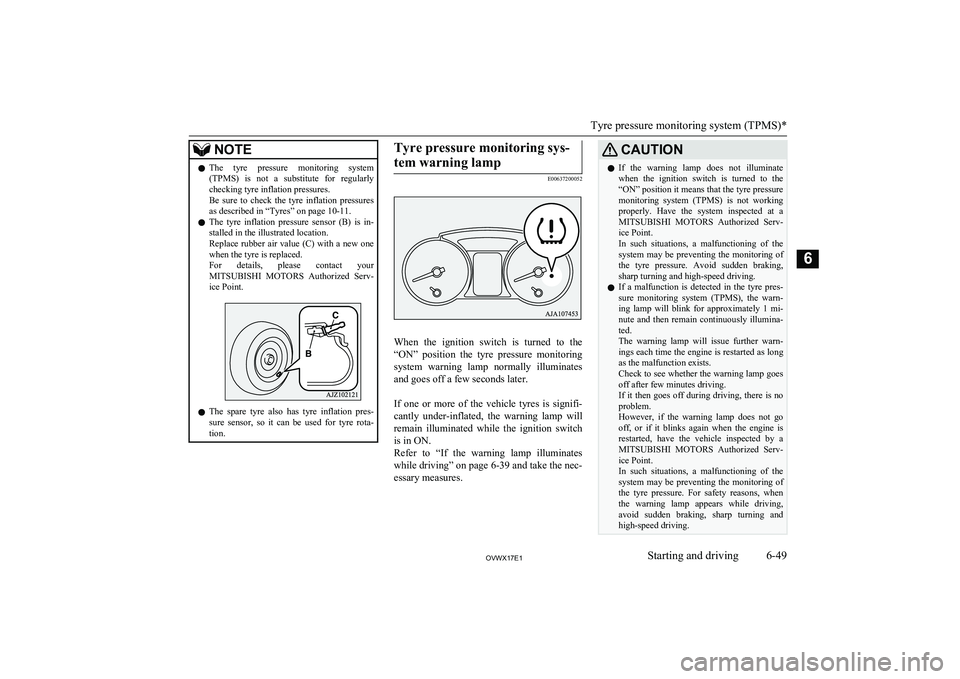
NOTElThe tyre pressure monitoring system
(TPMS) is not a substitute for regularlychecking tyre inflation pressures.
Be sure to check the tyre inflation pressures as described in “Tyres” on page 10-11.
l The tyre inflation pressure sensor (B) is in-
stalled in the illustrated location.
Replace rubber air value (C) with a new one when the tyre is replaced.
For details, please contact your
MITSUBISHI MOTORS Authorized Serv-
ice Point.
l The spare tyre also has tyre inflation pres-
sure sensor, so it can be used for tyre rota- tion.
Tyre pressure monitoring sys-
tem warning lamp
E00637200052
When the ignition switch is turned to the
“ON” position the tyre pressure monitoring system warning lamp normally illuminates
and goes off a few seconds later.
If one or more of the vehicle tyres is signifi- cantly under-inflated, the warning lamp will
remain illuminated while the ignition switch is in ON.
Refer to “If the warning lamp illuminates while driving” on page 6-39 and take the nec-essary measures.
CAUTIONl If the warning lamp does not illuminate
when the ignition switch is turned to the
“ON” position it means that the tyre pressure monitoring system (TPMS) is not working
properly. Have the system inspected at a MITSUBISHI MOTORS Authorized Serv-
ice Point.
In such situations, a malfunctioning of the system may be preventing the monitoring of the tyre pressure. Avoid sudden braking,
sharp turning and high-speed driving.
l If a malfunction is detected in the tyre pres-
sure monitoring system (TPMS), the warn-
ing lamp will blink for approximately 1 mi-
nute and then remain continuously illumina- ted.
The warning lamp will issue further warn-
ings each time the engine is restarted as long
as the malfunction exists.
Check to see whether the warning lamp goes
off after few minutes driving.
If it then goes off during driving, there is no problem.
However, if the warning lamp does not go off, or if it blinks again when the engine is
restarted, have the vehicle inspected by a
MITSUBISHI MOTORS Authorized Serv-
ice Point.
In such situations, a malfunctioning of the system may be preventing the monitoring of
the tyre pressure. For safety reasons, when the warning lamp appears while driving,
avoid sudden braking, sharp turning and high-speed driving.
Tyre pressure monitoring system (TPMS)*
6-49OVWX17E1Starting and driving6
Page 192 of 394
NOTElIf the rear bumper or the spare wheel garnish
has been exposed to an impact, the corner orback sensors may fail and prevent the sys-
tem from functioning properly. We recom- mend you to have your vehicle inspected.
l The sensors do not detect objects located in
the area directly below or near the bumper. If the height of an object is lower than themounted position of the corner or back sen-
sors, the sensors may not continue detecting
it even if they detected it initially.
For information on how to change the detec-
tion areas, please refer to “Changing the de- tection areas” on page 6-56.
CAUTIONl The reversing sensor system may not operate
properly under the following conditions:
• The sensors or surroundings are covered
with ice, snow, or mud.
• The sensors are frozen.
• The system receives ultrasonic noise from
other sources (the horns of other vehicles, motorcycle engines, brakes, radios, pour-
ing rain, splashing water, tyre chains, etc.).
• The sensors are extremely hot or cold
(while the vehicle is parked for a long pe- riod of time under a blazing sun or in coldweather).
• The vehicle tilts significantly.CAUTION•The vehicle is driven on a rough road
(with a bumpy, gravel, hilly, or grassy surface).
• The vehicle is too close to an obstacle.
• The sensors or surroundings have been
wiped by hand, or stickers or accessorieshave been attached.
l The reversing sensor system may not proper-
ly detect the following:
• Objects that are thin, such as wire nets or
ropes.
• Objects that absorb sound waves, such as
snow.
• Objects that are shaped with a sharp an-
gle.
• Objects with a smooth surface, such as
glass.
• Objects that are low, such as kerbstones.NOTEl The buzzer may sound lower than the nor-
mal warning sound when the reversing sen-sor system is receiving ultrasonic noise from
other sources, but this is not a malfunction.
The buzzer will stop sounding and the sys- tem will return to normal operation after thenoise is no longer received.To operate
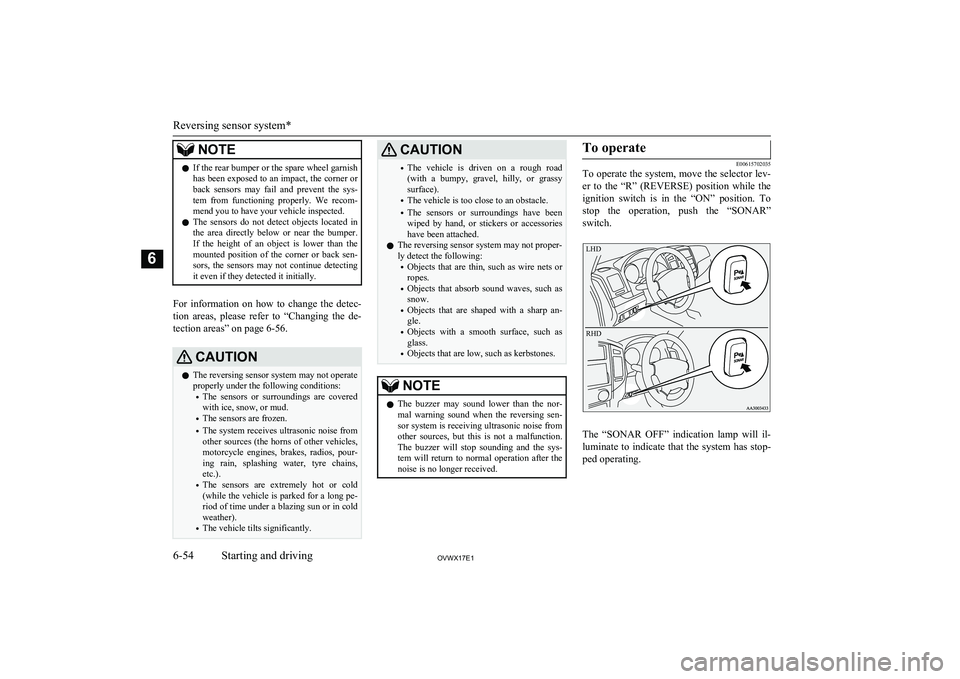
E00615702035
To operate the system, move the selector lev-
er to the “R” (REVERSE) position while the
ignition switch is in the “ON” position. To
stop the operation, push the “SONAR” switch.
LHDRHD
The “SONAR OFF” indication lamp will il-luminate to indicate that the system has stop-
ped operating.
Reversing sensor system*
6-54OVWX17E1Starting and driving6
Page 193 of 394
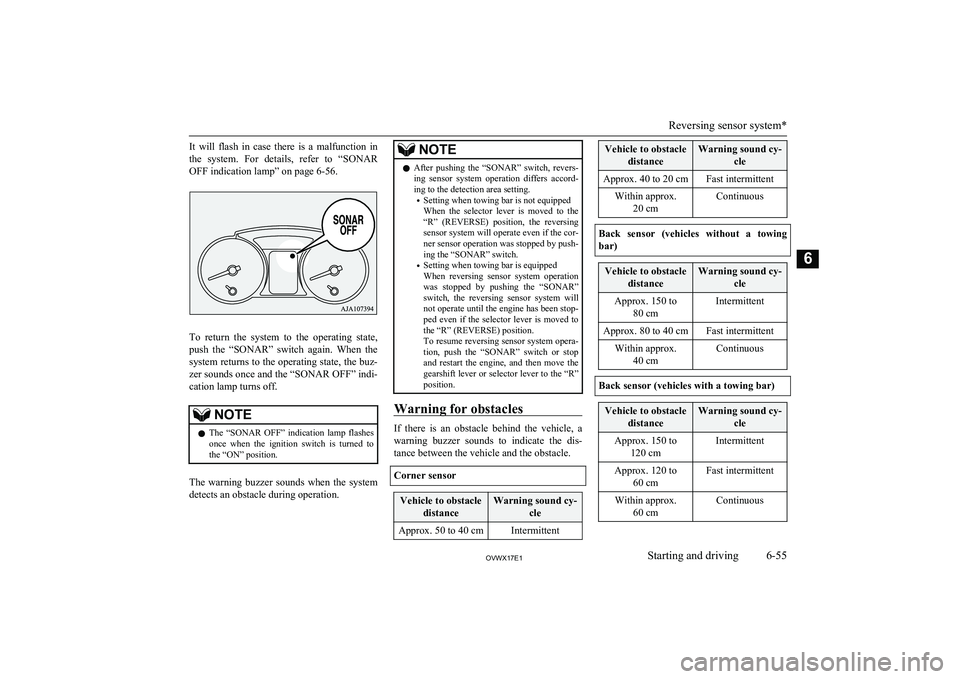
It will flash in case there is a malfunction in
the system. For details, refer to “SONAR
OFF indication lamp” on page 6-56.
To return the system to the operating state, push the “SONAR” switch again. When the
system returns to the operating state, the buz- zer sounds once and the “SONAR OFF” indi-
cation lamp turns off.
NOTEl The “SONAR OFF” indication lamp flashes
once when the ignition switch is turned to
the “ON” position.
The warning buzzer sounds when the system
detects an obstacle during operation.
NOTEl After pushing the “SONAR” switch, revers-
ing sensor system operation differs accord-ing to the detection area setting.
• Setting when towing bar is not equipped
When the selector lever is moved to the
“R” (REVERSE) position, the reversing sensor system will operate even if the cor-
ner sensor operation was stopped by push-
ing the “SONAR” switch.
• Setting when towing bar is equipped
When reversing sensor system operation was stopped by pushing the “SONAR”
switch, the reversing sensor system will not operate until the engine has been stop- ped even if the selector lever is moved to
the “R” (REVERSE) position.
To resume reversing sensor system opera- tion, push the “SONAR” switch or stop and restart the engine, and then move the
gearshift lever or selector lever to the “R” position.
Warning for obstacles
If there is an obstacle behind the vehicle, a
warning buzzer sounds to indicate the dis- tance between the vehicle and the obstacle.
Corner sensor
Vehicle to obstacle distanceWarning sound cy- cleApprox. 50 to 40 cmIntermittentVehicle to obstacledistanceWarning sound cy- cleApprox. 40 to 20 cmFast intermittentWithin approx.20 cmContinuous
Back sensor (vehicles without a towing
bar)
Vehicle to obstacle distanceWarning sound cy- cleApprox. 150 to80 cmIntermittentApprox. 80 to 40 cmFast intermittentWithin approx.40 cmContinuous
Back sensor (vehicles with a towing bar)
Vehicle to obstacle distanceWarning sound cy- cleApprox. 150 to120 cmIntermittentApprox. 120 to 60 cmFast intermittentWithin approx.60 cmContinuous
Reversing sensor system*
6-55OVWX17E1Starting and driving6
Page 198 of 394
Roof carrier precautionCAUTIONlMake sure that the weight of the luggage
does not exceed the allowable roof load.
If the allowable roof load is exceeded, this may cause damage to the vehicle.
The roof load is the total allowable load on
the roof (the weight of the roof carrier plus
the weight of luggage placed on the roof car- rier).
For specific figures, please refer to “Maxi-
mum roof load” on page 11-06 .
l When luggage is loaded onto the vehicle,
please make sure to drive slowly and avoid
excessive manoeuvres such as sudden brak- ing or quick turning.
In addition, place the luggage on the carrier
so that its weight is distributed evenly with the heaviest items on the bottom. Do not load items that are wider than the roof carri-
er.
The additional weight on the roof could raise
the vehicle’s centre of gravity and affect ve- hicle handling characteristics.
As a result, driving errors or emergency ma-
noeuvres could lead to a loss of control and
result in an accident.
l Before driving and after travelling a short
distance, always check the load to make sure it is securely fastened to the roof carrier.
Check periodically during your travel that
the load remains secure.NOTEl To prevent wind noise or reduction in fuel
economy, remove the roof carrier when not
in use.
l Before using an automatic car wash, remove
the roof carrier.
l Be sure that adequate clearance is main-
tained for raising the sunroof (if so equip-
ped) when installing a roof carrier.Trailer towing
E00610001850
In order to tow a trailer with your vehicle,
when having a trailer towing device mounted that meets all relevant regulations in your
area, consult a MITSUBISHI MOTORS Au-
thorized Service Point.
The regulations concerning the towing of a
trailer may differ from country to country. You are advised to obey the regulations in
each area.
CAUTIONl Danger of Accident!
A towing bar should be fitted according to MITSUBISHI MOTORS guidelines.
When you are going to tow a trailer, move
the transfer shift lever to “4H” position.
Selecting the “2H” drive may increase the differential oil temperature, resulting in pos-sible damage to the driving system.
Further, the drive train will be subjected to
excessive loading possibly leading to oil leakage, component seizure, or other serious faults.
Maximum towable weight with
brake and maximum trailer- nose weight
Never exceed the maximum towable weight
with brake and the maximum trailer-nose weight as listed in the specifications. (Referto “Vehicle weight” on page 11-06 .)
If you tow a trailer at an altitude of more than
1,000 m above sea-level, reduce your weight
by 10 % of the gross combination weight for
every increase of 1,000 m above sea-level, as the engine output is lowered owing to de-
crease in atmospheric pressure.
Trailer towing
6-60OVWX17E1Starting and driving6
Page 201 of 394
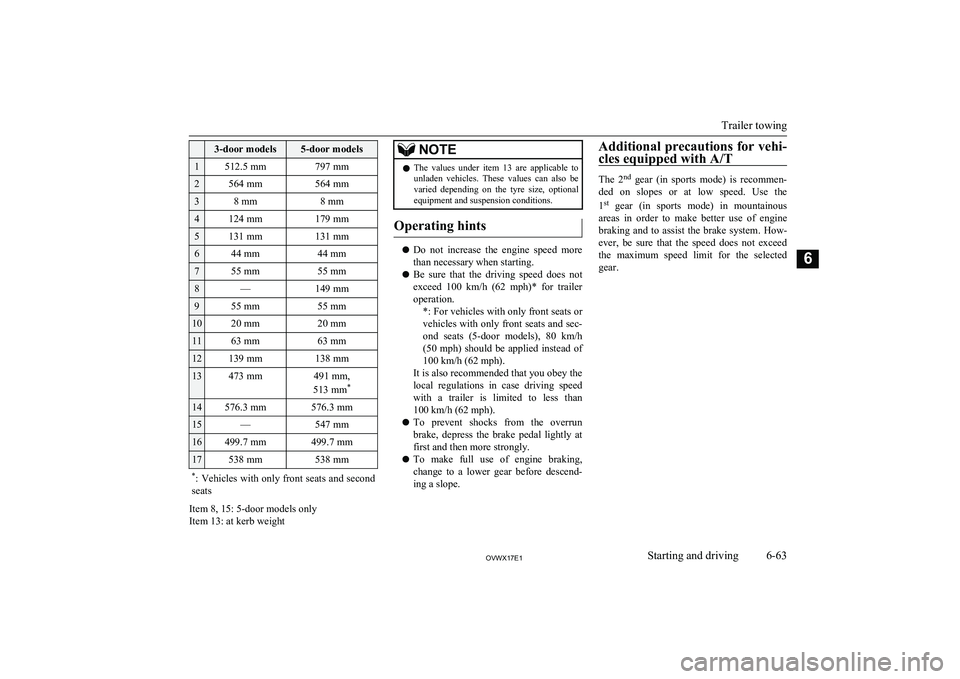
3-door models5-door models1512.5 mm797 mm2564 mm564 mm38 mm8 mm4124 mm179 mm5131 mm131 mm644 mm44 mm755 mm55 mm8—149 mm955 mm55 mm1020 mm20 mm1163 mm63 mm12139 mm138 mm13473 mm491 mm,
513 mm *14576.3 mm576.3 mm15—547 mm16499.7 mm499.7 mm17538 mm538 mm*
: Vehicles with only front seats and second
seats
Item 8, 15: 5-door models only
Item 13: at kerb weight
NOTEl The values under item 13 are applicable to
unladen vehicles. These values can also be
varied depending on the tyre size, optional equipment and suspension conditions.
Operating hints
l Do not increase the engine speed more
than necessary when starting.
l Be sure that the driving speed does not
exceed 100 km/h (62 mph)* for trailer
operation. *: For vehicles with only front seats orvehicles with only front seats and sec-
ond seats (5-door models), 80 km/h
(50 mph) should be applied instead of 100 km/h (62 mph).
It is also recommended that you obey the
local regulations in case driving speed with a trailer is limited to less than
100 km/h (62 mph).
l To prevent shocks from the overrun
brake, depress the brake pedal lightly at first and then more strongly.
l To make full use of engine braking,
change to a lower gear before descend-
ing a slope.
Additional precautions for vehi-
cles equipped with A/T
The 2nd
gear (in sports mode) is recommen-
ded on slopes or at low speed. Use the
1 st
gear (in sports mode) in mountainous
areas in order to make better use of engine braking and to assist the brake system. How-
ever, be sure that the speed does not exceed
the maximum speed limit for the selected
gear.Trailer towing
6-63OVWX17E1Starting and driving6
Page 205 of 394
NOTElThe cool air from the ventilators may appear
as a mist.
This is due to moist air being suddenly
cooled by the air conditioning. This will
clear after a few moments.Front automatic air
conditioning E00702400165
The front air conditioning can only be used
while the engine is running.Control panel
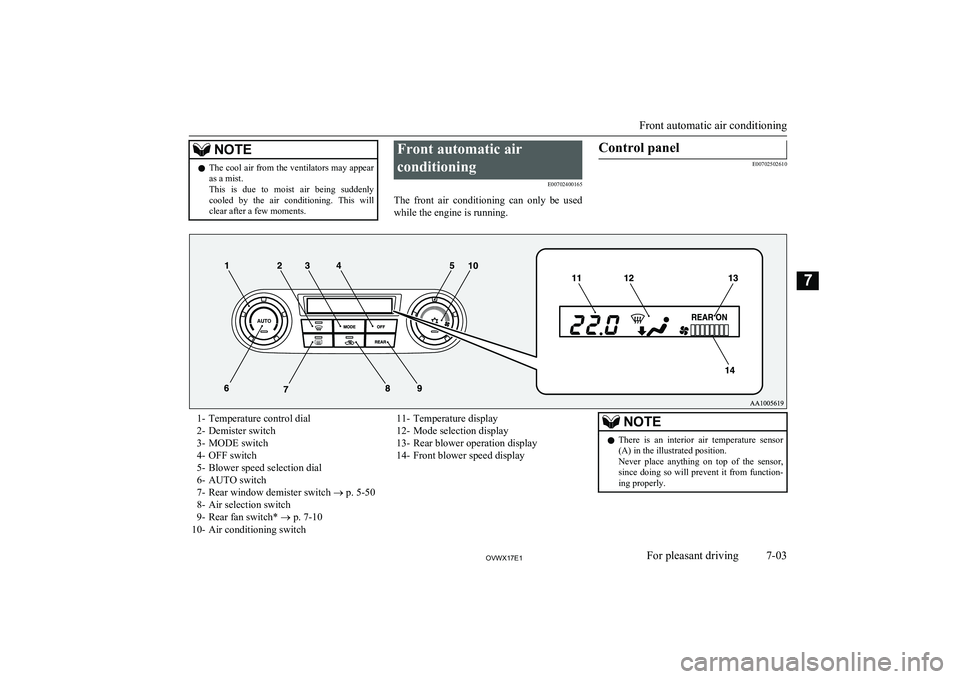
E00702502610
1- Temperature control dial
2- Demister switch
3- MODE switch
4- OFF switch
5- Blower speed selection dial
6- AUTO switch
7- Rear window demister switch ® p. 5-50
8- Air selection switch
9- Rear fan switch* ® p. 7-10
10- Air conditioning switch11- Temperature display
12- Mode selection display
13- Rear blower operation display
14- Front blower speed displayNOTEl There is an interior air temperature sensor
(A) in the illustrated position.
Never place anything on top of the sensor,
since doing so will prevent it from function- ing properly.
Front automatic air conditioning
7-03OVWX17E1For pleasant driving7