low NISSAN GT-R 2017 R35 Multi Function Display Owners Manual
[x] Cancel search | Manufacturer: NISSAN, Model Year: 2017, Model line: GT-R, Model: NISSAN GT-R 2017 R35Pages: 248, PDF Size: 1.72 MB
Page 3 of 248
FOREWORD
Thank you for purchasing a NISSAN vehicle.
This user’s manual is for NissanConnectSMwith
Navigation, Mobile Apps and Services offered in
your NISSAN vehicle.
Operation instructions for the following systems
are included in this manual.
. Audio
. Hands-Free Phone
. NissanConnect
SMMobile Apps
. NissanConnect
SMServices
. Navigation
. Voice recognition
. Information and settings viewable on Nis-
sanConnect
SM
.Multi function meter
Please read this manual carefully to ensure safe
operation of NissanConnect
SMwith Navigation,
Mobile Apps and Services.
. Because of possible specification changes
and optional equipment, some sections of
this manual may not apply to your vehicle. .
All information, specifications and illustra-
tions in this manual are those in effect at the
time of printing. NISSAN reserves the right to
change specifications or design at any time
without notice.
. Do not remove this manual from the vehicle
when selling this vehicle. The next user of the
system may need the manual.
Page 8 of 248
1. Introduction
HOW TO USE THIS MANUAL
This manual uses special words, symbols, icons
and illustrations organized by function.
Please refer to the following items and familiarize
yourself with them.
FOR SAFE OPERATION
WARNING
This is used to indicate a hazard that
could cause death or serious personal
injury. To avoid or reduce the risk, follow
the information and instructions exactly.
CAUTION
This is used to indicate a hazard that
could cause minor or moderate personal
injury. To avoid or reduce the risk, follow
the information and instructions care-
fully.
NOTICE
This is used to indicate a hazard that
could cause damage to your vehicle. To
avoid or reduce the risk, follow the
information and instructions.
NOTE:
Indicates items that help you understand
and maximize the performance of your
vehicle. If ignored, they may lead to a
malfunction or poor performance.
REFERENCE SYMBOLS
INFO:
This indicates information that is necessary for
efficient use of your vehicle or accessories.
Reference page:
This indicates the title and page that you should
refer to.
<> :
Indicates a button on the control panel.
[]:
This indicates a key/item displayed on the
screen.
Voice Command:
This indicates an operation by voice command.
SCREEN ILLUSTRATIONS
. The illustrations in this manual are represen-
tatives of various models and may not be
identical with the design and specifications
of your vehicle.
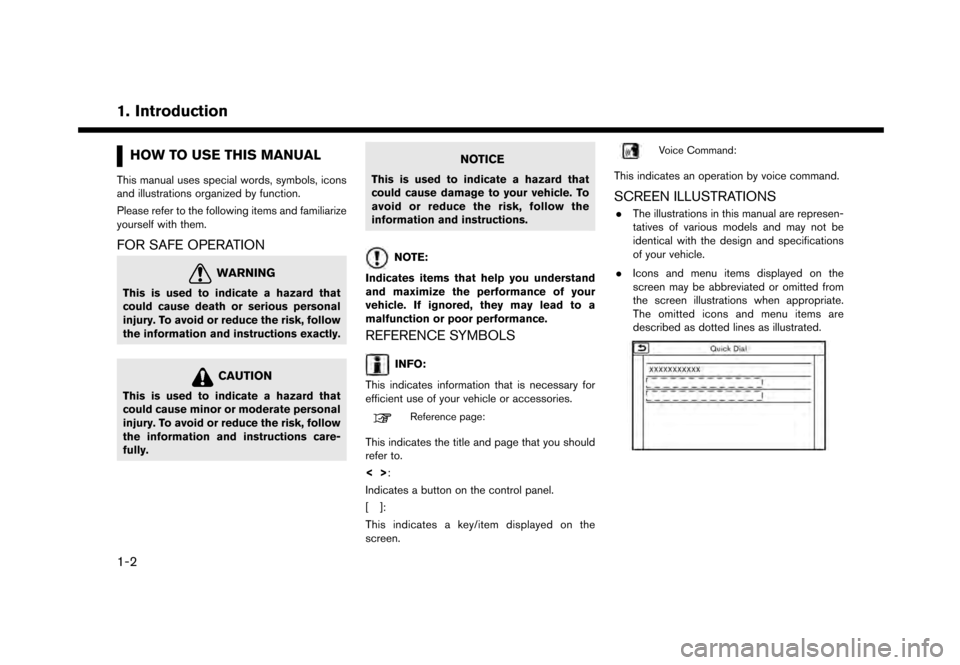
. Icons and menu items displayed on the
screen may be abbreviated or omitted from
the screen illustrations when appropriate.
The omitted icons and menu items are
described as dotted lines as illustrated.
1-2
Page 9 of 248
SAFETY INFORMATION
This system is primarily designed to help you
support pleasant driving as outlined in this
manual. However, you, the driver, must use the
system safely and properly. Information and the
availability of services may not always be up to
date. The system is not a substitute for safe,
proper and legal driving.
Before using the system, please read the
following safety information. Always use the
system as outlined in this manual.
WARNING
.To operate the system, first park the
vehicle in a safe location and set the
parking brake. Operating the system
while driving can distract the driver
and may result in a serious accident.
. Exercise extreme caution at all times
so full attention may be given to
vehicle operation. If the system
doesn’t respond immediately, please
be patient and keep your eyes on the
road. Inattentive driving may lead to a
crash resulting in serious injuries or
death. .
Do not rely on route guidance alone.
Always be sure that all driving man-
euvers are legal and safe in order to
avoid accidents.
. Do not disassemble or modify this
system. If you do, it may result in
accidents, fire or electrical shock.
. If you notice any foreign objects in
the system hardware, spill liquid on
the system or notice smoke or a smell
coming from it, stop using the system
immediately and it is recommended
you contact a GT-R certified NISSAN
dealer. Ignoring such conditions may
lead to accidents, fire or electrical
shock.
CAUTION
.Some jurisdictions may have laws
limiting the use of video screens
while driving. Use this system only
where it is legal to do so.
. Extreme temperature conditions [be-
low í48F( í208C) and above 1588F
(708C)] could affect the performance
of the system.
1. Introduction
1-3
Page 12 of 248
1. Introduction
BLUETOOTHŠDEVICES
FCC Regulatory information (for U.S.)
FCC ID: WY2QY8050
NOTE
This device compiles with part 15 of the FCC
Rules. Operation is subject to the following two
conditions: (1) This device may not cause
harmful interference, and (2) this device must
accept any interference received, including
interference that may cause undesired operation.
FCC WARNING
Changes or modifications not expressly ap-
proved by the party responsible for compliance
could void the user’s authority to operate the
equipment.
CAUTION: Radio Frequency Radiation Expo-
sure
This equipment complies with FCC radiation
exposure limits set forth for uncontrolled envir-
onment and meets the FCC radio frequency (RF)
Exposure Guidelines in Supplement C to
OET65. This equipment has very low levels of
RF energy that it deemed to comply without
maximum permissive exposure evaluation (MPE) .
But it is desirable that it should be installed and
operated with at least 20 cm and more between
the radiator and person’s body (excluding extremities: hands, wrists, feet and ankles) .
Co-location:
This transmitter must not be co-
located or operated in conjunction with any other
antenna or transmitter.
IC Regulatory information (for Canada)
The antenna cannot be removed (and changed)
by user.
This device complies with Industry Canada
license-exempt RSS standard(s) . Operation is
subject to the following two conditions: (1) This
device may not cause interference, and (2) this
device must accept any interference, including
interference that may cause undesired operation
of the device.
CAUTION: Radio Frequency Radiation Expo-
sure
This equipment complies with IC radiation
exposure limits set forth for uncontrolled envir-
onment and meets RSS-102 of the IC radio
frequency (RF) Exposure rules. This equipment
has very low levels of RF energy that it deemed to
comply without maximum permissive exposure
evaluation (MPE) . But it is desirable that it should
be installed and operated with at least 20 cm and
more between the radiator and person’s body
(excluding extremities: hands, wrists, feet and
ankles.) Co-location:
This transmitter must not be co-
located or operated in conjunction with any other
antenna or transmitter.
This Class B digital apparatus meets all require-
ments of the Canadian Interference-Causing
Equipment Regulations.
For Quebec :
L’antenne ne peut e ˆ
tre enleve ´
e (et modifie ´
) par
l’utilisateur.
NOTE
Le pre ´
sent appareil est conforme aux CNR
d’Industrie Canada applicables aux appareils
radio exempts de licence. L’exploitation est
autorise ´
e aux deux conditions suivantes : (1)
l’appareil ne doit pas produire de brouillage, et
(2) l’utilisateur de l’appareil doit accepter tout
brouillage radioe ´
lectrique subi, me ˆ
me si le
brouillage est susceptible d’en compromettre le
fonctionnement.
ATTENTION : l‘exposition aux rayonnements
radiofre ´
quence
Cet e ´
quipement est conforme aux limites d’ex-
position aux radiations IC de ´
finies pour un
environnement non contro ˆ
le´
et satisfait RSS-
102 de la fre ´
quence radio (RF) IC re `
gles
d‘exposition. Cet e ´
quipement pre ´
sente des
1-6
Page 21 of 248
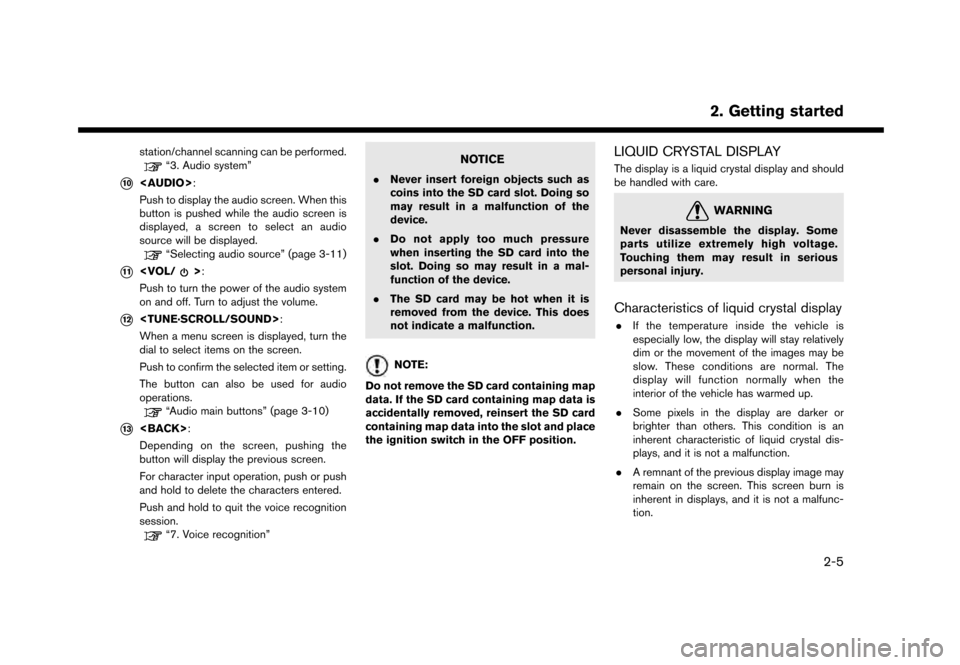
station/channel scanning can be performed.“3. Audio system”
*10
Page 25 of 248
NOTE:
Do not keep the system running with the
engine stopped. Doing so may discharge
the vehicle battery. When you use the
system, always keep the engine running.
INFO:
. After the engine is started, the operation
instructions will only be displayed the first
time the screen is displayed.
.The system saves the screen displayed at
the time the engine is turned off.
. “Clarion” logo is a registered trademark of
Clarion Co., Ltd. and the “POLYPHONY
DIGITAL” logo is a registered trademark of
Polyphony Digital Corporation.
. The operation instruction screen will disap-
pear automatically after a few seconds or
when you start to operate the screen.
BASIC OPERATION
The system can be operated with the touch panel
as well as switches on the control panel, steering
wheel and the Display Commander.
This manual mainly describes the touch panel
operation.
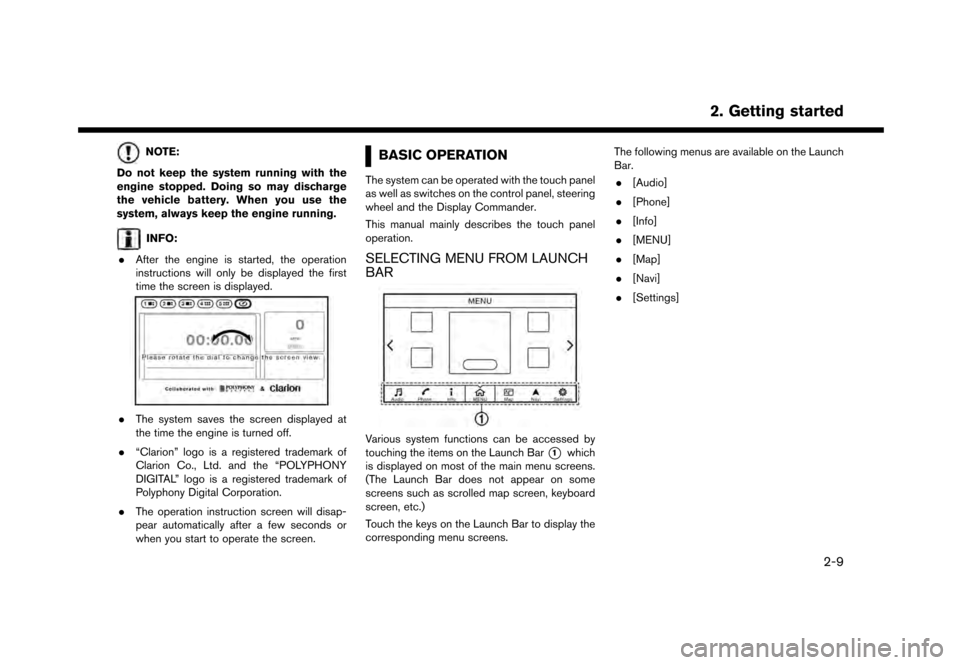
SELECTING MENU FROM LAUNCH
BAR
Various system functions can be accessed by
touching the items on the Launch Bar
*1which
is displayed on most of the main menu screens.
(The Launch Bar does not appear on some
screens such as scrolled map screen, keyboard
screen, etc.)
Touch the keys on the Launch Bar to display the
corresponding menu screens. The following menus are available on the Launch
Bar.
. [Audio]
. [Phone]
. [Info]
. [MENU]
. [Map]
. [Navi]
. [Settings]
2. Getting started
2-9
Page 30 of 248
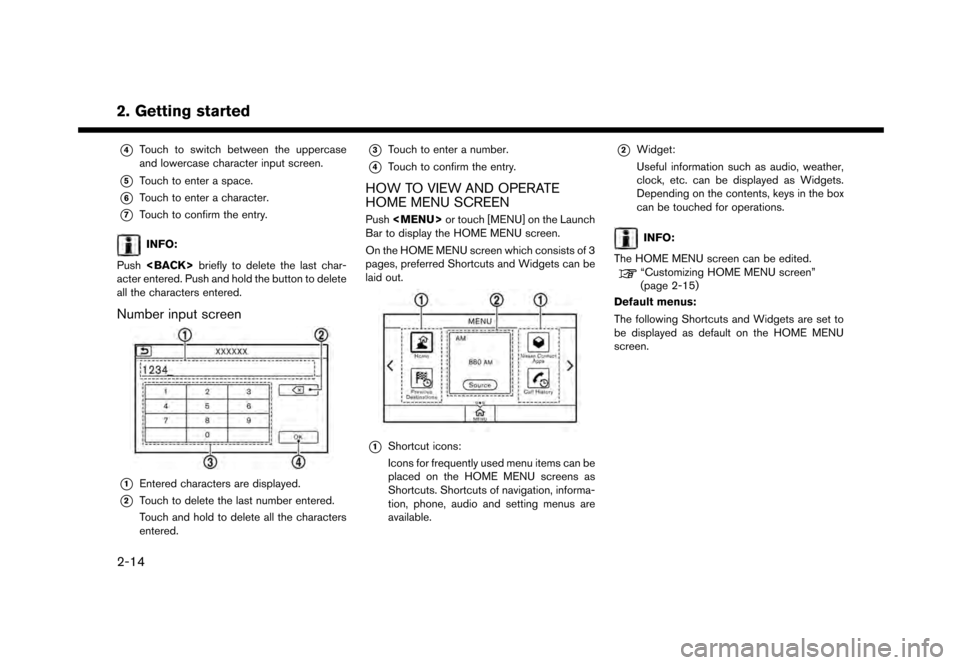
2. Getting started*
4Touch to switch between the uppercase
and lowercase character input screen.
*5Touch to enter a space.
*6Touch to enter a character.
*7Touch to confirm the entry.
INFO:
Push
acter entered. Push and hold the button to delete
all the characters entered.
Number input screen
*1Entered characters are displayed.
*2Touch to delete the last number entered.
Touch and hold to delete all the characters
entered.
*3Touch to enter a number.
*4Touch to confirm the entry.
HOW TO VIEW AND OPERATE
HOME MENU SCREEN
Push
Page 31 of 248
![NISSAN GT-R 2017 R35 Multi Function Display Owners Manual Shortcuts/Widgets Content
[Home]Page 6-20
[NissanConnect Apps] Page 5-7
[Previous Destinations] Page 6-21
[Call History] Page 4-4
[Audio Information] Page 3-1
[SXM Traffic] Page 5-2
[SXM Fuel Prices]](/img/5/524/w960_524-30.png "NISSAN GT-R 2017 R35 Multi Function Display Owners Manual Shortcuts/Widgets Content
[Home]Page 6-20
[NissanConnect Apps] Page 5-7
[Previous Destinations] Page 6-21
[Call History] Page 4-4
[Audio Information] Page 3-1
[SXM Traffic] Page 5-2
[SXM Fuel Prices]")
Shortcuts/Widgets Content
[Home]Page 6-20
[NissanConnect Apps] Page 5-7
[Previous Destinations] Page 6-21
[Call History] Page 4-4
[Audio Information] Page 3-1
[SXM Traffic] Page 5-2
[SXM Fuel Prices] Page 5-2
[SXM Sports] Page 5-2
[SXM Stocks] Page 5-2
[SXM Weather] Page 5-2
[Edit Menu] Page 2-15
[Digital Clock] Digital clock is dis-
played.
INFO:
. Default menus on the HOME MENU screen
are subject to change without notice.
. A SiriusXM Travel Link or SiriusXM Traffic
subscription is necessary to receive SXM
information services.
Customizing HOME MENU screen
The HOME MENU screen can be personalized
by selecting which Shortcuts and Widgets to be
displayed and where to place them on the
screen.
1. Push and hold
Page 40 of 248
3. Audio system
AUDIO OPERATION PRECAU-
TIONS
NOTICE
.Operate the audio system only when
the vehicle engine is running. Oper-
ating the audio system for extended
periods of time with the engine
turned off can discharge the vehicle
battery.
. Do not allow the system to get wet.
Excessive moisture such as spilled
liquids may cause the system to
malfunction.
RADIO
Place the ignition switch in the ACC or ON
position before turning on the radio. If you listen
to the radio with the engine not running, the
ignition switch should be placed in the ACC
position.
Radio reception is affected by station signal
strength, distance from radio transmitter, build-
ings, bridges, mountains and other external
influences. Intermittent changes in reception
quality normally are caused by these external
influences. Using a cellular phone in or near the vehicle
may influence radio reception quality.
Radio reception
Your radio system is equipped with state-of-the-
art electronic circuits to enhance radio reception.
These circuits are designed to extend reception
range, and to enhance the quality of that
reception.
However there are some general characteristics
of both FM and AM radio signals that can affect
radio reception quality in a moving vehicle, even
when the finest equipment is used. These
characteristics are completely normal in a given
reception area, and do not indicate any malfunc-
tion in your radio system.
Reception conditions will constantly change
because of vehicle movement. Buildings, terrain,
signal distance and interference from other
vehicles can work against ideal reception.
Described below are some of the factors that
can affect your radio reception.
Some cellular phones or other devices may
cause interference or a buzzing noise to come
from the audio system speakers. Storing the
device in a different location may reduce or
eliminate the noise.
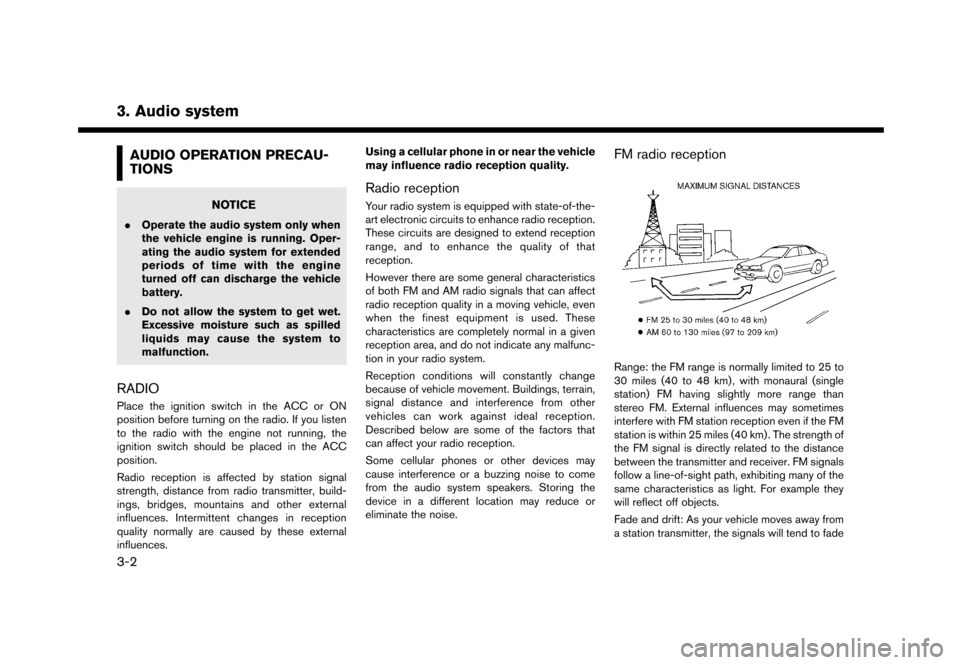
FM radio reception
Range: the FM range is normally limited to 25 to
30 miles (40 to 48 km) , with monaural (single
station) FM having slightly more range than
stereo FM. External influences may sometimes
interfere with FM station reception even if the FM
station is within 25 miles (40 km) . The strength of
the FM signal is directly related to the distance
between the transmitter and receiver. FM signals
follow a line-of-sight path, exhibiting many of the
same characteristics as light. For example they
will reflect off objects.
Fade and drift: As your vehicle moves away from
a station transmitter, the signals will tend to fade
3-2
Page 41 of 248
and/or drift.
Static and flutter: During signal interference from
buildings, large hills or due to antenna position,
usually in conjunction with increased distance
from the station transmitter, static or flutter can
be heard. This can be reduced by lowering the
treble setting to reduce the treble response.
Multipath reception: Because of the reflective
characteristics of FM signals, direct and re-
flected signals reach the receiver at the same
time. The signals may cancel each other,
resulting in momentary flutter or loss of sound.
AM radio reception
AM signals, because of their low frequency, can
bend around objects and skip along the ground.
In addition, the signals can bounce off the
ionosphere and be bent back to earth. Because
of these characteristics, AM signals are also
subject to interference as they travel from
transmitter to receiver.
Fading: Occurs while the vehicle is passing
through freeway underpasses or in areas with
many tall buildings. It can also occur for several
seconds during ionospheric turbulence even in
areas where no obstacles exist.
Static: Caused by thunderstorms, electrical
power lines, electric signs and even traffic lights.
HD RadioTMTechnology reception (for
U.S.)
HD Radio Technology reception needs to be
activated to receive HD Radio broadcasts.
“Radio Menu” (page 3-14)
This enables you to receive radio broadcasts
digitally (where available) , providing a better
quality sound with clear reception. When this
feature is not activated or HD Radio broadcasts
are not available, you will receive analog radio
(AM/FM) broadcasts.
Satellite radio reception
When the satellite radio is used for the first time
or the vehicle battery has been replaced, the
satellite radio may not work properly. This is not a
malfunction. Wait more than 10 minutes with the
satellite radio ON and the vehicle outside of any
metal or large building for the satellite radio to
receive all of the necessary data.
SiriusXM services require a subscription after
trial period and are sold separately or as a
package. The satellite service is available only in
the 48 contiguous USA and DC. SiriusXM
satellite service is also available in Canada; see
www.siriusxm.ca.
The satellite radio performance may be affected
if cargo carried on the roof blocks the satellite radio signal.
If possible, do not put cargo near the satellite
antenna.
A buildup of ice on the satellite radio antenna can
affect satellite radio performance. Remove the
ice to restore satellite radio reception.
3. Audio system
3-3