display NISSAN MURANO 2010 Owner´s Manual
[x] Cancel search | Manufacturer: NISSAN, Model Year: 2010, Model line: MURANO, Model: NISSAN MURANO 2010Pages: 425, PDF Size: 3.62 MB
Page 272 of 425
Black plate (268,1)
Model "Z51-D" EDITED: 2009/ 8/ 3
SAA1917
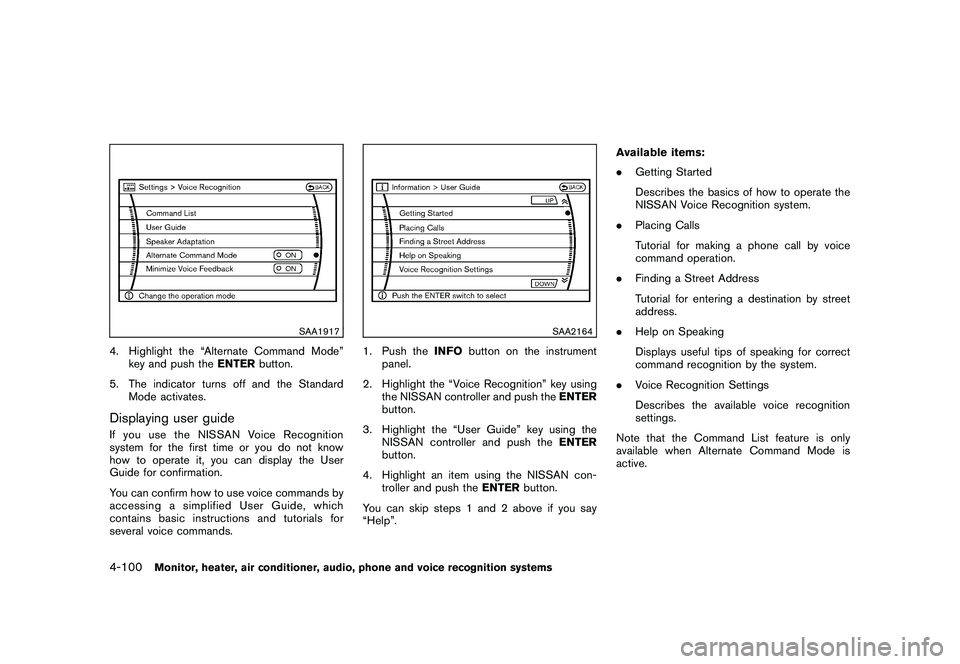
4. Highlight the “Alternate Command Mode”key and push the ENTERbutton.
5. The indicator turns off and the Standard Mode activates.Displaying user guideIfyouusetheNISSANVoiceRecognition
system for the first time or you do not know
how to operate it, you can display the User
Guide for confirmation.
You can confirm how to use voice commands by
accessing a simplified User Guide, which
contains basic instructions and tutorials for
several voice commands.
SAA2164
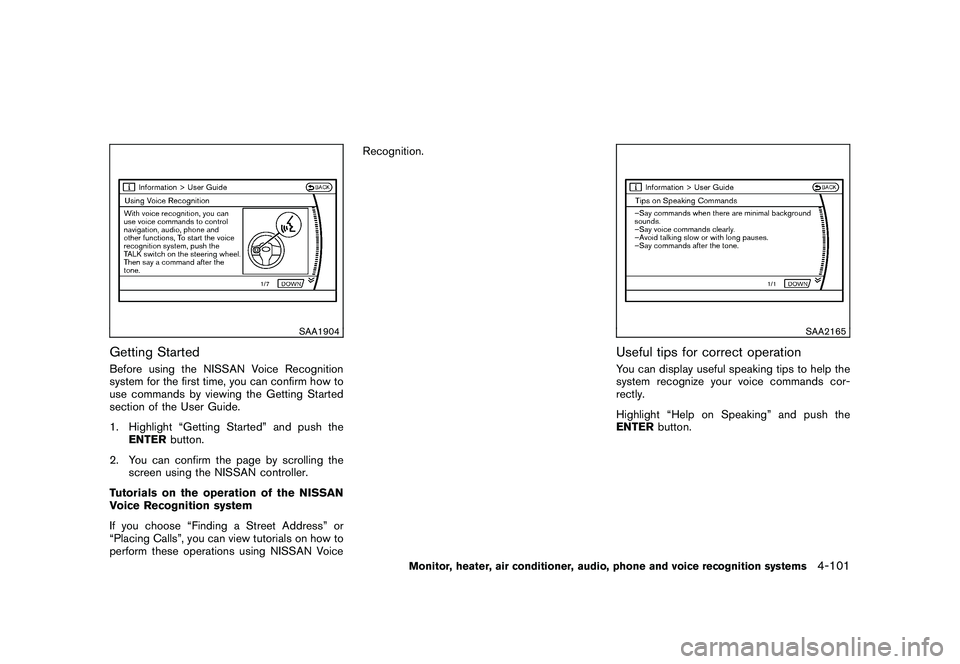
1. Push the INFObutton on the instrument
panel.
2. Highlight the “Voice Recognition” key using the NISSAN controller and push the ENTER
button.
3. Highlight the “User Guide” key using the NISSAN controller and push the ENTER
button.
4. Highlight an item using the NISSAN con- troller and push the ENTERbutton.
You can skip steps 1 and 2 above if you say
“Help”. Available items:
.
Getting Started
Describes the basics of how to operate the
NISSAN Voice Recognition system.
. Placing Calls
Tutorial for making a phone call by voice
command operation.
. Finding a Street Address
Tutorial for entering a destination by street
address.
. Help on Speaking
Displays useful tips of speaking for correct
command recognition by the system.
. Voice Recognition Settings
Describes the available voice recognition
settings.
Note that the Command List feature is only
available when Alternate Command Mode is
active.
4-100
Monitor, heater, air conditioner, audio, phone and voice recognition systems
Page 273 of 425
Black plate (269,1)
Model "Z51-D" EDITED: 2009/ 8/ 3
SAA1904
Getting StartedBefore using the NISSAN Voice Recognition
system for the first time, you can confirm how to
use commands by viewing the Getting Started
section of the User Guide.
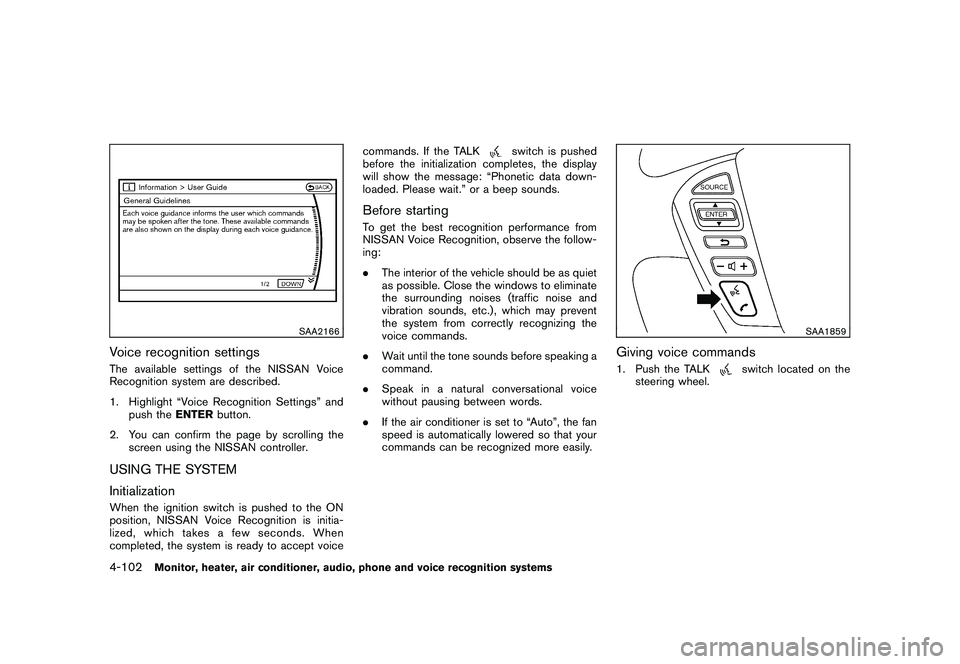
1. Highlight “Getting Started” and push theENTER button.
2. You can confirm the page by scrolling the screen using the NISSAN controller.
Tutorials on the operation of the NISSAN
Voice Recognition system
If you choose “Finding a Street Address” or
“Placing Calls”, you can view tutorials on how to
perform these operations using NISSAN Voice Recognition.
SAA2165
Useful tips for correct operationYou can display useful speaking tips to help the
system recognize your voice commands cor-
rectly.
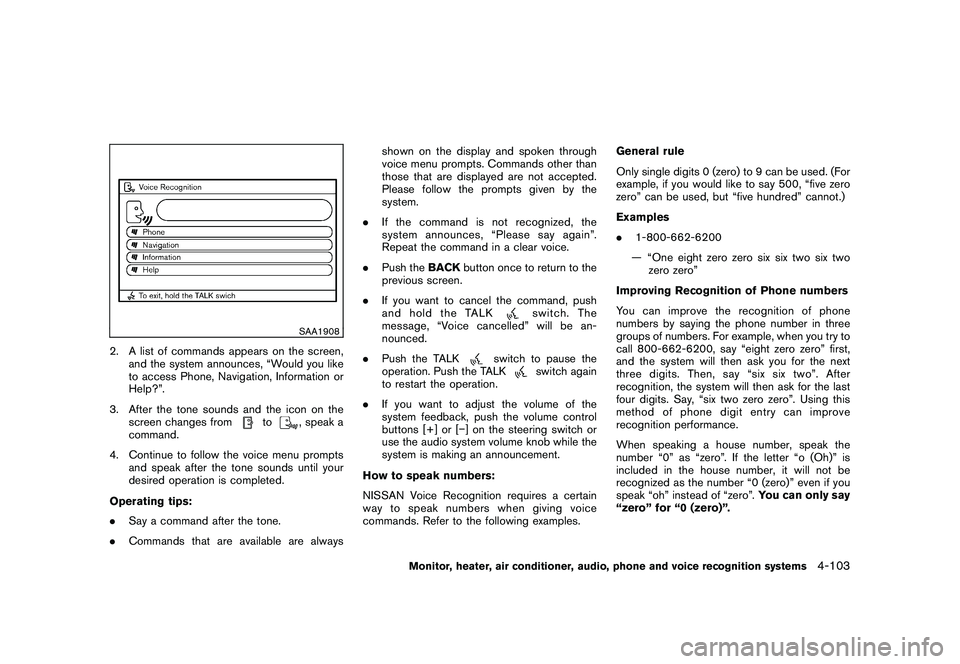
Highlight “Help on Speaking” and push the
ENTER
button.
Monitor, heater, air conditioner, audio, phone and voice recognition systems
4-101
Page 274 of 425
Black plate (270,1)
Model "Z51-D" EDITED: 2009/ 8/ 3
SAA2166
Voice recognition settingsThe available settings of the NISSAN Voice
Recognition system are described.
1. Highlight “Voice Recognition Settings” andpush the ENTERbutton.
2. You can confirm the page by scrolling the screen using the NISSAN controller.USING THE SYSTEM
InitializationWhen the ignition switch is pushed to the ON
position, NISSAN Voice Recognition is initia-
lized, which takes a few seconds. When
completed, the system is ready to accept voice commands. If the TALK
switch is pushed
before the initialization completes, the display
will show the message: “Phonetic data down-
loaded. Please wait.” or a beep sounds.
Before startingTo get the best recognition performance from
NISSAN Voice Recognition, observe the follow-
ing:
. The interior of the vehicle should be as quiet
as possible. Close the windows to eliminate
the surrounding noises (traffic noise and
vibration sounds, etc.) , which may prevent
the system from correctly recognizing the
voice commands.
. Wait until the tone sounds before speaking a
command.
. Speak in a natural conversational voice
without pausing between words.
. If the air conditioner is set to “Auto”, the fan
speed is automatically lowered so that your
commands can be recognized more easily.
SAA1859
Giving voice commands1. Push the TALK
switch located on the
steering wheel.
4-102
Monitor, heater, air conditioner, audio, phone and voice recognition systems
Page 275 of 425
Black plate (271,1)
Model "Z51-D" EDITED: 2009/ 8/ 3
SAA1908
2. A list of commands appears on the screen,and the system announces, “Would you like
to access Phone, Navigation, Information or
Help?”.
3. After the tone sounds and the icon on the screen changes from
to
, speak a
command.
4. Continue to follow the voice menu prompts and speak after the tone sounds until your
desired operation is completed.
Operating tips:
. Say a command after the tone.
. Commands that are available are always shown on the display and spoken through
voice menu prompts. Commands other than
those that are displayed are not accepted.
Please follow the prompts given by the
system.
. If the command is not recognized, the
system announces, “Please say again”.
Repeat the command in a clear voice.
. Push the BACKbutton once to return to the
previous screen.
. If you want to cancel the command, push
and hold the TALK
switch. The
message, “Voice cancelled” will be an-
nounced.
. Push the TALK
switch to pause the
operation. Push the TALK
switch again
to restart the operation.
. If you want to adjust the volume of the
system feedback, push the volume control
buttons [+] or [ ] on the steering switch or
use the audio system volume knob while the
system is making an announcement.
How to speak numbers:
NISSAN Voice Recognition requires a certain
way to speak numbers when giving voice
commands. Refer to the following examples. General rule
Only single digits 0 (zero) to 9 can be used. (For
example, if you would like to say 500, “five zero
zero” can be used, but “five hundred” cannot.)
Examples
.
1-800-662-6200
— “One eight zero zero six six two six two zero zero”
Improving Recognition of Phone numbers
You can improve the recognition of phone
numbers by saying the phone number in three
groups of numbers. For example, when you try to
call 800-662-6200, say “eight zero zero” first,
and the system will then ask you for the next
three digits. Then, say “six six two”. After
recognition, the system will then ask for the last
four digits. Say, “six two zero zero”. Using this
method of phone digit entry can improve
recognition performance.
When speaking a house number, speak the
number “0” as “zero”. If the letter “o (Oh)” is
included in the house number, it will not be
recognized as the number “0 (zero)” even if you
speak “oh” instead of “zero”. You can only say
“zero” for “0 (zero)”.
Monitor, heater, air conditioner, audio, phone and voice recognition systems
4-103
Page 276 of 425
Black plate (272,1)
Model "Z51-D" EDITED: 2009/ 8/ 3
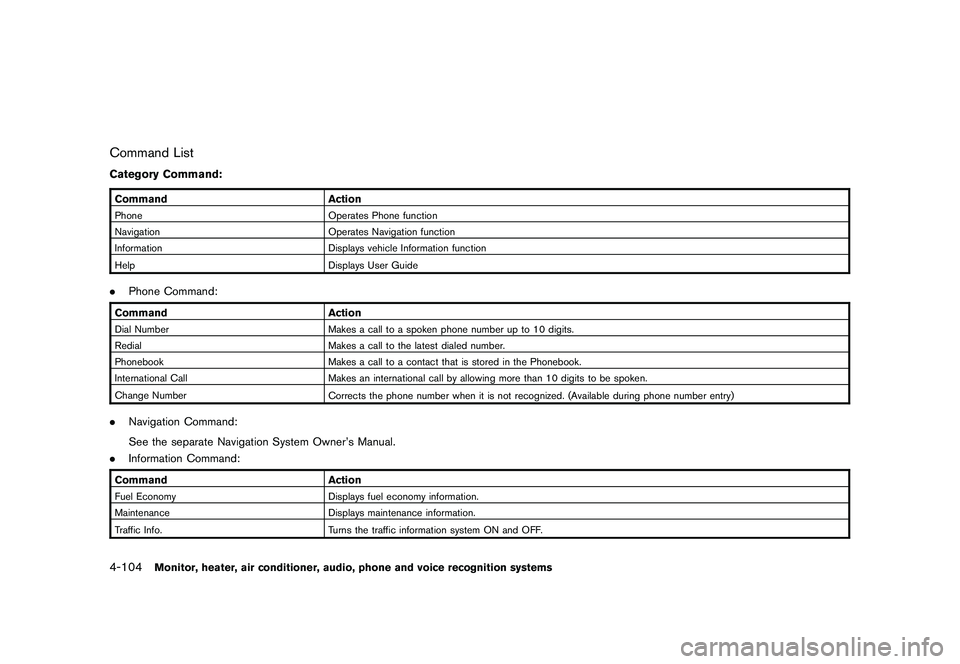
Command ListCategory Command:CommandActionPhone Operates Phone function
Navigation Operates Navigation function
Information Displays vehicle Information function
Help Displays User Guide.Phone Command:Command ActionDial Number Makes a call to a spoken phone number up to 10 digits.
Redial Makes a call to the latest dialed number.
Phonebook Makes a call to a contact that is stored in the Phonebook.
International Call Makes an international call by allowing more than 10 digits to be spoken.
Change Number Corrects the phone number when it is not recognized. (Available during phone number entry).Navigation Command:
See the separate Navigation System Owner’s Manual.
. Information Command:Command ActionFuel Economy Displays fuel economy information.
Maintenance Displays maintenance information.
Traffic Info. Turns the traffic information system ON and OFF.4-104
Monitor, heater, air conditioner, audio, phone and voice recognition systems
Page 281 of 425
Black plate (277,1)
Model "Z51-D" EDITED: 2009/ 8/ 3
SAA1914
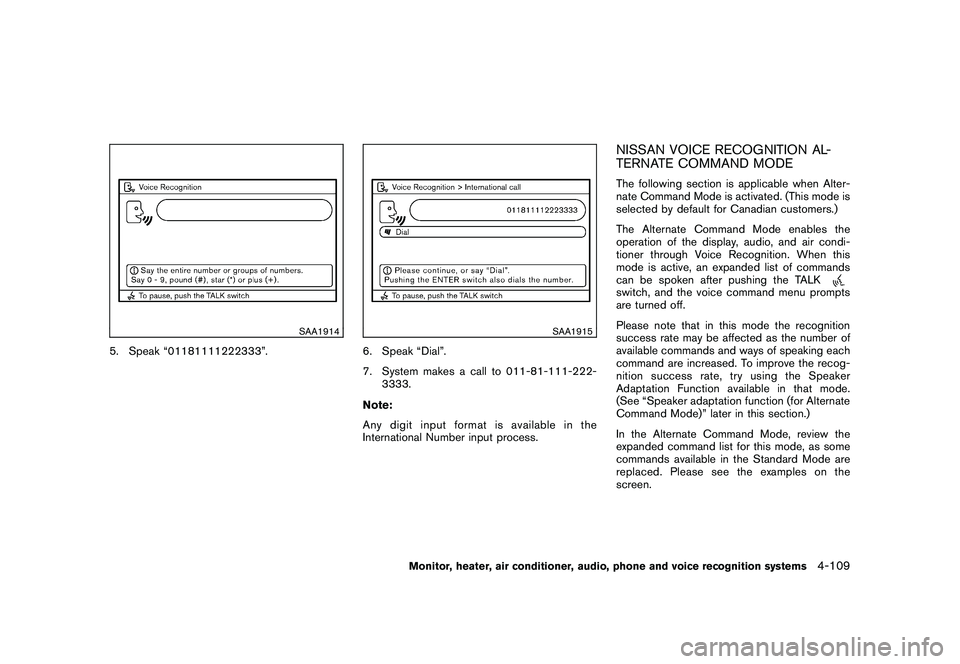
5. Speak “01181111222333”.
SAA1915
6. Speak “Dial”.
7. System makes a call to 011-81-111-222-3333.
Note:
Any digit input format is available in the
International Number input process.
NISSAN VOICE RECOGNITION AL-
TERNATE COMMAND MODEThe following section is applicable when Alter-
nate Command Mode is activated. (This mode is
selected by default for Canadian customers.)
The Alternate Command Mode enables the
operation of the display, audio, and air condi-
tioner through Voice Recognition. When this
mode is active, an expanded list of commands
can be spoken after pushing the TALKswitch, and the voice command menu prompts
are turned off.
Please note that in this mode the recognition
success rate may be affected as the number of
available commands and ways of speaking each
command are increased. To improve the recog-
nition success rate, try using the Speaker
Adaptation Function available in that mode.
(See “Speaker adaptation function (for Alternate
Command Mode)” later in this section.)
In the Alternate Command Mode, review the
expanded command list for this mode, as some
commands available in the Standard Mode are
replaced. Please see the examples on the
screen.
Monitor, heater, air conditioner, audio, phone and voice recognition systems
4-109
Page 282 of 425
Black plate (278,1)
Model "Z51-D" EDITED: 2009/ 8/ 3
SAA1566
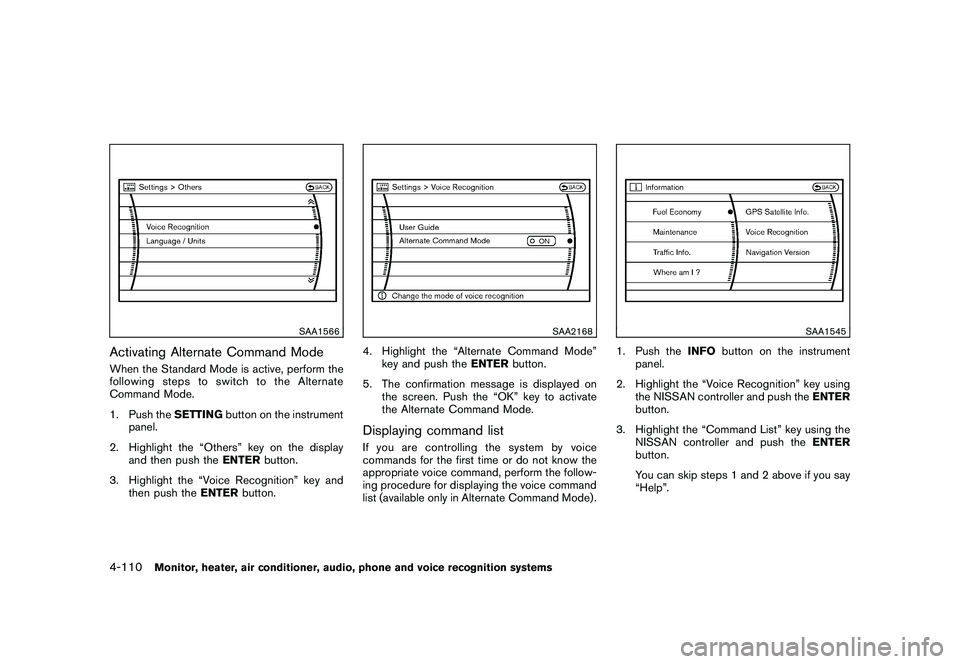
Activating Alternate Command ModeWhen the Standard Mode is active, perform the
following steps to switch to the Alternate
Command Mode.
1. Push theSETTINGbutton on the instrument
panel.
2. Highlight the “Others” key on the display and then push the ENTERbutton.
3. Highlight the “Voice Recognition” key and then push the ENTERbutton.
SAA2168
4. Highlight the “Alternate Command Mode”
key and push the ENTERbutton.
5. The confirmation message is displayed on the screen. Push the “OK” key to activate
the Alternate Command Mode.Displaying command listIf you are controlling the system by voice
commands for the first time or do not know the
appropriate voice command, perform the follow-
ing procedure for displaying the voice command
list (available only in Alternate Command Mode) .
SAA1545
1. Push the INFObutton on the instrument
panel.
2. Highlight the “Voice Recognition” key using the NISSAN controller and push the ENTER
button.
3. Highlight the “Command List” key using the NISSAN controller and push the ENTER
button.
You can skip steps 1 and 2 above if you say
“Help”.
4-110
Monitor, heater, air conditioner, audio, phone and voice recognition systems
Page 285 of 425
Black plate (281,1)
Model "Z51-D" EDITED: 2009/ 8/ 3
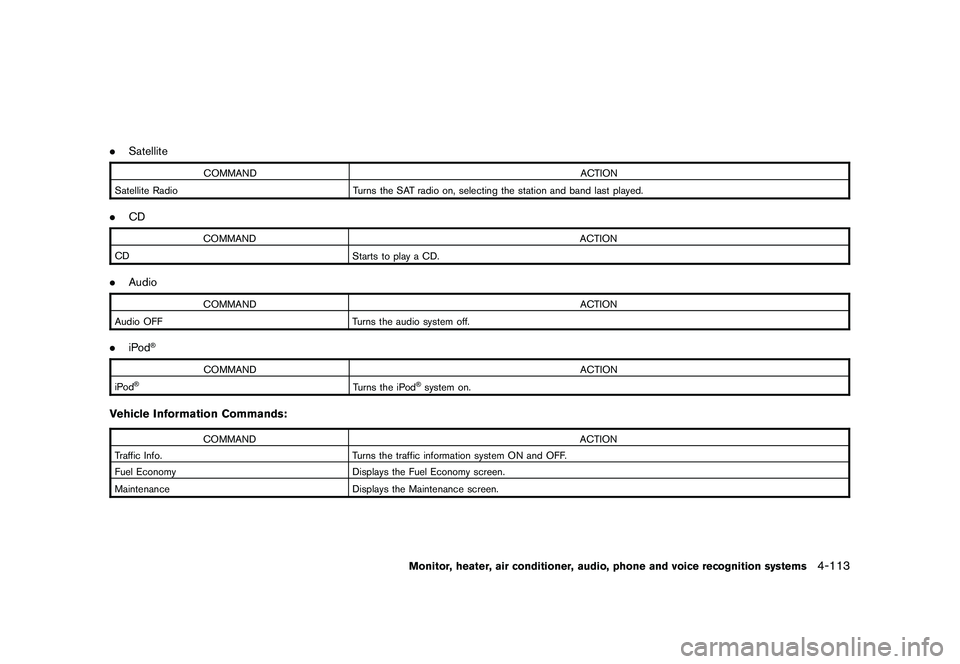
.Satellite
COMMAND ACTION
Satellite Radio Turns the SAT radio on, selecting the station and band last played.
.CD
COMMAND ACTION
CD Starts to play a CD.
.Audio
COMMAND ACTION
Audio OFF Turns the audio system off.
.iPod
®
COMMAND ACTION
iPod
®
Turns the iPod
®system on.
Vehicle Information Commands:
COMMAND ACTION
Traffic Info. Turns the traffic information system ON and OFF.
Fuel Economy Displays the Fuel Economy screen.
Maintenance Displays the Maintenance screen.
Monitor, heater, air conditioner, audio, phone and voice recognition systems
4-113
Page 287 of 425
Black plate (283,1)
Model "Z51-D" EDITED: 2009/ 8/ 3
SAA1783
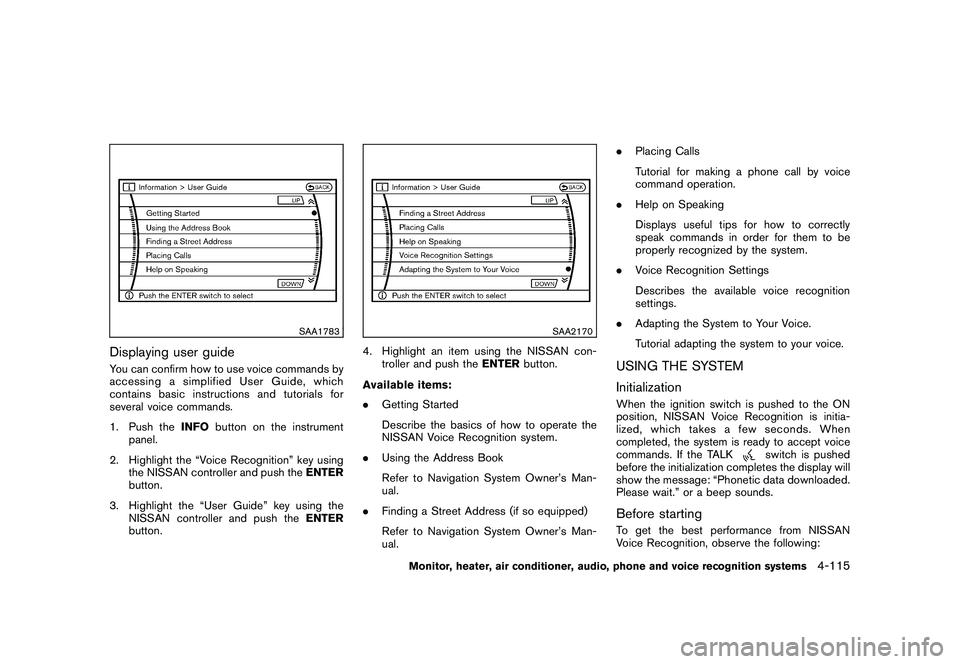
Displaying user guideYou can confirm how to use voice commands by
accessing a simplified User Guide, which
contains basic instructions and tutorials for
several voice commands.
1. Push theINFObutton on the instrument
panel.
2. Highlight the “Voice Recognition” key using the NISSAN controller and push the ENTER
button.
3. Highlight the “User Guide” key using the NISSAN controller and push the ENTER
button.
SAA2170
4. Highlight an item using the NISSAN con- troller and push the ENTERbutton.
Available items:
. Getting Started
Describe the basics of how to operate the
NISSAN Voice Recognition system.
. Using the Address Book
Refer to Navigation System Owner’s Man-
ual.
. Finding a Street Address (if so equipped)
Refer to Navigation System Owner’s Man-
ual. .
Placing Calls
Tutorial for making a phone call by voice
command operation.
. Help on Speaking
Displays useful tips for how to correctly
speak commands in order for them to be
properly recognized by the system.
. Voice Recognition Settings
Describes the available voice recognition
settings.
. Adapting the System to Your Voice.
Tutorial adapting the system to your voice.
USING THE SYSTEM
InitializationWhen the ignition switch is pushed to the ON
position, NISSAN Voice Recognition is initia-
lized, which takes a few seconds. When
completed, the system is ready to accept voice
commands. If the TALK
switch is pushed
before the initialization completes the display will
show the message: “Phonetic data downloaded.
Please wait.” or a beep sounds.
Before startingTo get the best performance from NISSAN
Voice Recognition, observe the following:
Monitor, heater, air conditioner, audio, phone and voice recognition systems
4-115
Page 288 of 425
Black plate (284,1)
Model "Z51-D" EDITED: 2009/ 8/ 3
.Keep the interior of the vehicle as quiet as
possible. Close the windows to eliminate the
surrounding noises (traffic noises, vibration
sounds, etc.) , which may prevent the system
from recognizing the voice commands cor-
rectly.
. When the air conditioner is in the AUTO
mode, the fan speed decreases automati-
cally for easy recognition.
. Wait until a tone sounds before speaking a
command.
. Speak in a natural voice without pausing
between words.
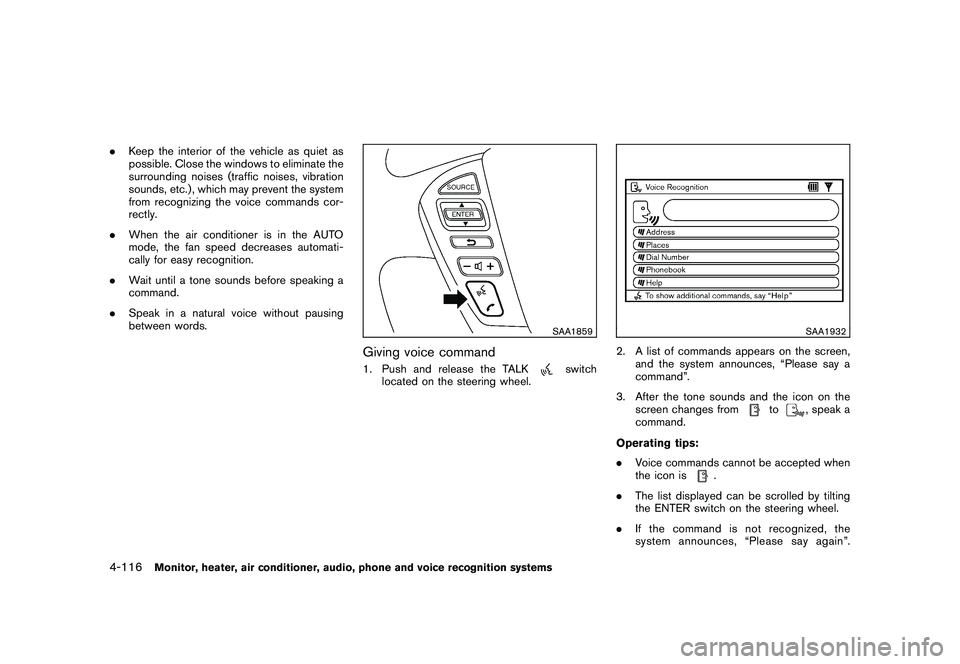
SAA1859
Giving voice command1. Push and release the TALK
switch
located on the steering wheel.
SAA1932
2. A list of commands appears on the screen, and the system announces, “Please say a
command”.
3. After the tone sounds and the icon on the screen changes from
to
, speak a
command.
Operating tips:
. Voice commands cannot be accepted when
the icon is
.
. The list displayed can be scrolled by tilting
the ENTER switch on the steering wheel.
. If the command is not recognized, the
system announces, “Please say again”.
4-116
Monitor, heater, air conditioner, audio, phone and voice recognition systems