ABS NISSAN NAVARA 2005 Repair Workshop Manual
[x] Cancel search | Manufacturer: NISSAN, Model Year: 2005, Model line: NAVARA, Model: NISSAN NAVARA 2005Pages: 3171, PDF Size: 49.59 MB
Page 1778 of 3171
LAN-1
LAN SYSTEM
K ELECTRICAL
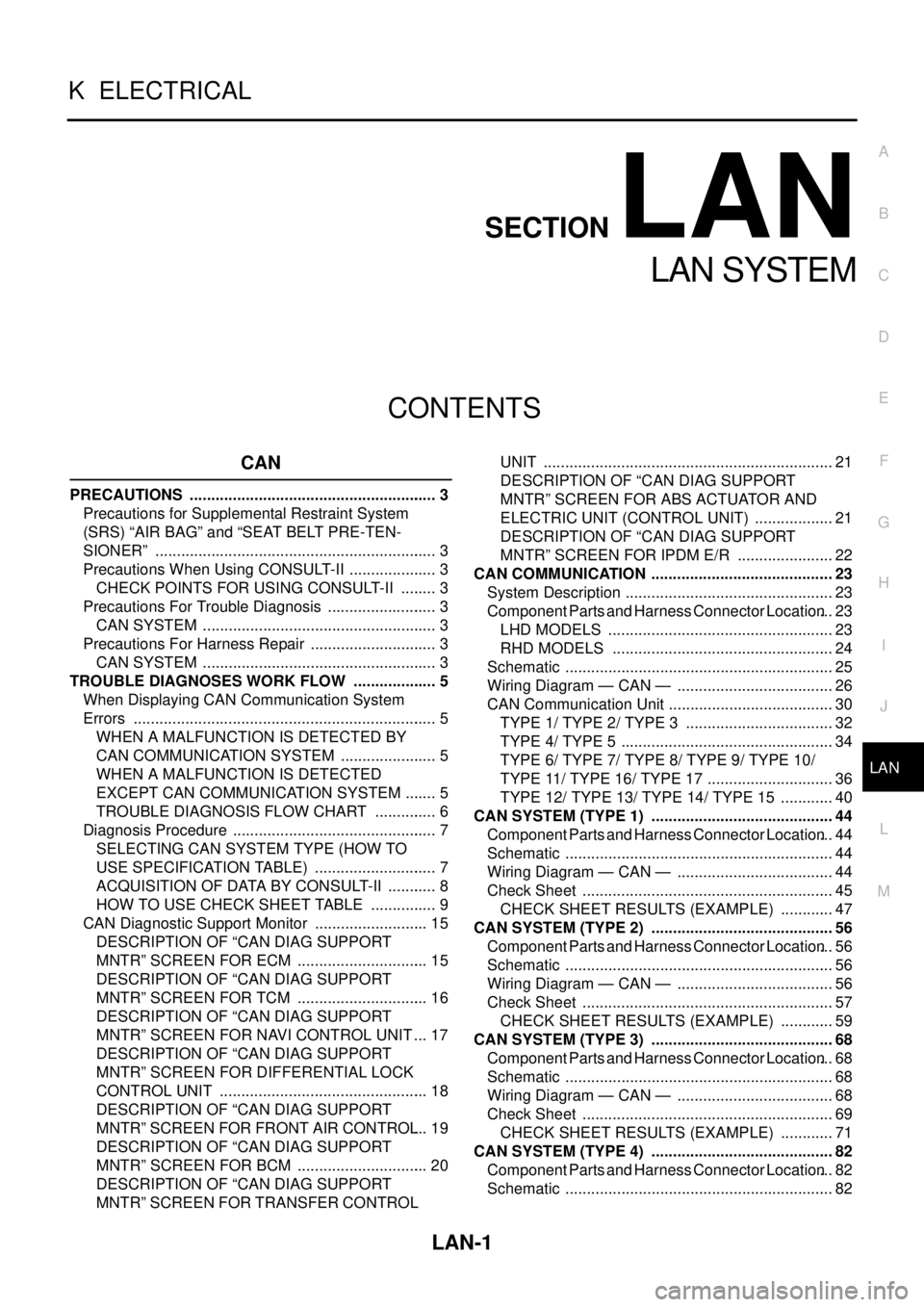
CONTENTS
C
D
E
F
G
H
I
J
L
M
SECTIONLAN
A
B
LAN
LAN SYSTEM
CAN
PRECAUTIONS .......................................................... 3
Precautions for Supplemental Restraint System
(SRS)“AIRBAG”and“SEATBELTPRE-TEN-
SIONER” .................................................................. 3
Precautions When Using CONSULT-II ..................... 3
CHECK POINTS FOR USING CONSULT-II ......... 3
Precautions For Trouble Diagnosis .......................... 3
CAN SYSTEM ....................................................... 3
Precautions For Harness Repair .............................. 3
CAN SYSTEM ....................................................... 3
TROUBLE DIAGNOSES WORK FLOW .................... 5
When Displaying CAN Communication System
Errors ....................................................................... 5
WHEN A MALFUNCTION IS DETECTED BY
CAN COMMUNICATION SYSTEM ....................... 5
WHEN A MALFUNCTION IS DETECTED
EXCEPT CAN COMMUNICATION SYSTEM ........ 5
TROUBLE DIAGNOSIS FLOW CHART ............... 6
Diagnosis Procedure ................................................ 7
SELECTING CAN SYSTEM TYPE (HOW TO
USE SPECIFICATION TABLE) ............................. 7
ACQUISITION OF DATA BY CONSULT-II ............ 8
HOW TO USE CHECK SHEET TABLE ................ 9
CAN Diagnostic Support Monitor ........................... 15
DESCRIPTION OF “CAN DIAG SUPPORT
MNTR” SCREEN FOR ECM ............................... 15
DESCRIPTION OF “CAN DIAG SUPPORT
MNTR” SCREEN FOR TCM ............................... 16
DESCRIPTION OF “CAN DIAG SUPPORT
MNTR” SCREEN FOR NAVI CONTROL UNIT ... 17
DESCRIPTION OF “CAN DIAG SUPPORT
MNTR” SCREEN FOR DIFFERENTIAL LOCK
CONTROL UNIT ................................................. 18
DESCRIPTION OF “CAN DIAG SUPPORT
MNTR” SCREEN FOR FRONT AIR CONTROL... 19
DESCRIPTION OF “CAN DIAG SUPPORT
MNTR” SCREEN FOR BCM ............................... 20
DESCRIPTION OF “CAN DIAG SUPPORT
MNTR” SCREEN FOR TRANSFER CONTROLUNIT .................................................................... 21
DESCRIPTION OF “CAN DIAG SUPPORT
MNTR” SCREEN FOR ABS ACTUATOR AND
ELECTRIC UNIT (CONTROL UNIT) ................... 21
DESCRIPTION OF “CAN DIAG SUPPORT
MNTR” SCREEN FOR IPDM E/R ....................... 22
CAN COMMUNICATION ........................................... 23
System Description ................................................. 23
Component Parts and Harness Connector Location... 23
LHD MODELS ..................................................... 23
RHD MODELS .................................................... 24
Schematic ............................................................... 25
Wiring Diagram — CAN — ..................................... 26
CAN Communication Unit ....................................... 30
TYPE 1/ TYPE 2/ TYPE 3 ................................... 32
TYPE 4/ TYPE 5 .................................................. 34
TYPE 6/ TYPE 7/ TYPE 8/ TYPE 9/ TYPE 10/
TYPE 11/ TYPE 16/ TYPE 17 .............................. 36
TYPE 12/ TYPE 13/ TYPE 14/ TYPE 15 ............. 40
CAN SYSTEM (TYPE 1) ........................................... 44
Component Parts and Harness Connector Location... 44
Schematic ............................................................... 44
Wiring Diagram — CAN — ..................................... 44
Check Sheet ........................................................... 45
CHECK SHEET RESULTS (EXAMPLE) ............. 47
CAN SYSTEM (TYPE 2) ........................................... 56
Component Parts and Harness Connector Location... 56
Schematic ............................................................... 56
Wiring Diagram — CAN — ..................................... 56
Check Sheet ........................................................... 57
CHECK SHEET RESULTS (EXAMPLE) ............. 59
CAN SYSTEM (TYPE 3) ........................................... 68
Component Parts and Harness Connector Location... 68
Schematic ............................................................... 68
Wiring Diagram — CAN — ..................................... 68
Check Sheet ........................................................... 69
CHECK SHEET RESULTS (EXAMPLE) ............. 71
CAN SYSTEM (TYPE 4) ........................................... 82
Component Parts and Harness Connector Location... 82
Schematic ............................................................... 82
Page 1779 of 3171

LAN-2
Wiring Diagram — CAN — ..................................... 82
Check Sheet ........................................................... 83
CHECK SHEET RESULTS (EXAMPLE) ............. 85
CAN SYSTEM (TYPE 5) ........................................... 96
Component Parts and Harness Connector Location... 96
Schematic ............................................................... 96
Wiring Diagram — CAN — ..................................... 96
Check Sheet ........................................................... 97
CHECK SHEET RESULTS (EXAMPLE) ............. 99
CAN SYSTEM (TYPE 6) .........................................112
Component Parts and Harness Connector Location.112
Schematic .............................................................112
Wiring Diagram — CAN — ...................................112
Check Sheet .........................................................113
CHECK SHEET RESULTS (EXAMPLE) ...........115
CAN SYSTEM (TYPE 7) .........................................125
Component Parts and Harness Connector Location.125
Schematic .............................................................125
Wiring Diagram — CAN — ...................................125
Check Sheet .........................................................126
CHECK SHEET RESULTS (EXAMPLE) ...........128
CAN SYSTEM (TYPE 8) .........................................139
Component Parts and Harness Connector Location.139
Schematic .............................................................139
Wiring Diagram — CAN — ...................................139
Check Sheet .........................................................140
CHECK SHEET RESULTS (EXAMPLE) ...........142
CAN SYSTEM (TYPE 9) .........................................152
Component Parts and Harness Connector Location.152
Schematic .............................................................152
Wiring Diagram — CAN — ...................................152
Check Sheet .........................................................153
CHECK SHEET RESULTS (EXAMPLE) ...........155
CAN SYSTEM (TYPE 10) .......................................166
Component Parts and Harness Connector Location.166
Schematic .............................................................166
Wiring Diagram — CAN — ...................................166
Check Sheet .........................................................167
CHECK SHEET RESULTS (EXAMPLE) ...........169
CAN SYSTEM (TYPE 11) ........................................181
Component Parts and Harness Connector Location.181
Schematic .............................................................181
Wiring Diagram — CAN — ...................................181
Check Sheet .........................................................182
CHECK SHEET RESULTS (EXAMPLE) ...........185
CAN SYSTEM (TYPE 12) .......................................198
Component Parts and Harness Connector Location.198
Schematic .............................................................198
Wiring Diagram — CAN — ...................................198
Check Sheet .........................................................199
CHECK SHEET RESULTS (EXAMPLE) ...........201
CAN SYSTEM (TYPE 13) .......................................213
Component Parts and Harness Connector Location.213Schematic .............................................................213
Wiring Diagram — CAN — ...................................213
Check Sheet .........................................................214
CHECK SHEET RESULTS (EXAMPLE) ............217
CAN SYSTEM (TYPE 14) ........................................230
Component Parts and Harness Connector Location.230
Schematic .............................................................230
Wiring Diagram — CAN — ...................................230
Check Sheet .........................................................231
CHECK SHEET RESULTS (EXAMPLE) ............234
CAN SYSTEM (TYPE 15) ........................................248
Component Parts and Harness Connector Location.248
Schematic .............................................................248
Wiring Diagram — CAN — ...................................248
Check Sheet .........................................................249
CHECK SHEET RESULTS (EXAMPLE) ............252
CAN SYSTEM (TYPE 16) ........................................267
Component Parts and Harness Connector Location.267
Schematic .............................................................267
Wiring Diagram — CAN — ...................................267
Check Sheet .........................................................268
CHECK SHEET RESULTS (EXAMPLE) ............270
CAN SYSTEM (TYPE 17) ........................................279
Component Parts and Harness Connector Location.279
Schematic .............................................................279
Wiring Diagram — CAN — ...................................279
Check Sheet .........................................................280
CHECK SHEET RESULTS (EXAMPLE) ............282
TROUBLE DIAGNOSIS FOR SYSTEM ..................292
Inspection Between TCM and Data Link Connector
Circuit ....................................................................292
Inspection Between TCM and NAVI Control Unit Cir-
cuit ........................................................................293
Inspection Between NAVI Control Unit and Data
Link Connector Circuit ...........................................295
Inspection Between Data Link Connector and ABS
Actuator and Electric Unit (Control Unit) Circuit ....296
ECM Circuit Inspection for M/T Models ................297
ECM Circuit Inspection for A/T Models .................298
TCM Circuit Inspection ..........................................298
NAVI Control Unit Circuit Inspection .....................299
Differential Lock Control Unit Circuit Inspection ....299
Front Air Control Circuit Inspection .......................300
Data Link Connector Circuit Inspection .................300
BCM Circuit Inspection .........................................301
Combination Meter Circuit Inspection ...................301
Transfer Control Unit Circuit Inspection ................302
ABS Actuator and Electric Unit (Control Unit) Circuit
Inspection ..............................................................302
IPDM E/R Circuit Inspection .................................303
CAN Communication Circuit Inspection ................303
IPDM E/R Ignition Relay Circuit Inspection ...........304
Page 1788 of 3171
![NISSAN NAVARA 2005 Repair Workshop Manual TROUBLE DIAGNOSES WORK FLOW
LAN-11
[CAN]
C
D
E
F
G
H
I
J
L
MA
B
LAN
3. Confirm the unit name that “UNKWN” is displayed on the copy of “CAN DIAG SUPPORT MNTR” screen
of “A/T”, “HVAC”, â](/img/5/57362/w960_57362-1787.png "NISSAN NAVARA 2005 Repair Workshop Manual TROUBLE DIAGNOSES WORK FLOW
LAN-11
[CAN]
C
D
E
F
G
H
I
J
L
MA
B
LAN
3. Confirm the unit name that “UNKWN” is displayed on the copy of “CAN DIAG SUPPORT MNTR” screen
of “A/T”, “HVAC”, â")
TROUBLE DIAGNOSES WORK FLOW
LAN-11
[CAN]
C
D
E
F
G
H
I
J
L
MA
B
LAN
3. Confirm the unit name that “UNKWN” is displayed on the copy of “CAN DIAG SUPPORT MNTR” screen
of “A/T”, “HVAC”, “BCM”, “ABS” and “IPDM E/R” as well as “ENGINE”. And then, put a check mark to the
check sheet table.
NOTE:
lFor “A/T”, “UNKWN” is displayed on “METER/M&A”, “ICC/e4WD” and “AWD/4WD”. But put a check
mark to “METER/M&A” because “UNKWN” is listed on the column of reception diagnosis of the check
sheet table.
lFor “HVAC”, “UNKWN” is not displayed. Do not put a check mark to it.
lFor “BCM”, “UNKWN” is displayed on “METER/M&A” and “I-KEY”. But put a check mark to “METER/
M&A” because “UNKWN” is listed on the column of reception diagnosis of the check sheet table.
lFor “ABS”, “UNKWN” is not displayed. Do not put a check mark to it.
lFor “IPDM E/R”, “UNKWN” is not displayed. Do not put a check mark to it.
PKIC2527E
Page 1790 of 3171
![NISSAN NAVARA 2005 Repair Workshop Manual TROUBLE DIAGNOSES WORK FLOW
LAN-13
[CAN]
C
D
E
F
G
H
I
J
L
MA
B
LAN
Example of Filling in Check Sheet When Initial Conditions Are Not Reproduced
1. See “SELF-DIAG RESULTS” of all units attached to](/img/5/57362/w960_57362-1789.png "NISSAN NAVARA 2005 Repair Workshop Manual TROUBLE DIAGNOSES WORK FLOW
LAN-13
[CAN]
C
D
E
F
G
H
I
J
L
MA
B
LAN
Example of Filling in Check Sheet When Initial Conditions Are Not Reproduced
1. See “SELF-DIAG RESULTS” of all units attached to")
TROUBLE DIAGNOSES WORK FLOW
LAN-13
[CAN]
C
D
E
F
G
H
I
J
L
MA
B
LAN
Example of Filling in Check Sheet When Initial Conditions Are Not Reproduced
1. See “SELF-DIAG RESULTS” of all units attached to the check sheet. If “CAN COMM CIRCUIT” or “CAN
COMM CIRCUIT [U1000]” is displayed, put a check mark to the applicable column of self-diagnostic
results of the check sheet table.
NOTE:
lFor “ENGINE”, “CAN COMM CIRCUIT [U1000]” is displayed. Put a check mark to it.
lFor “A/T”, “CAN COMM CIRCUIT [U1000]” is displayed. Put a check mark to it.
lFor “HVAC”, “NO DTC IS DETECTED” is displayed. Do not put a check mark to it.
lFor “BCM”, “NO DTC IS DETECTED” is displayed. Do not put a check mark to it.
lFor “METER”, “CAN COMM CIRCUIT [U1000]” is displayed. Put a check mark to it.
lFor “ABS”, “NO DTC IS DETECTED” is displayed. Do not put a check mark to it.
lFor “IPDM E/R”, “NO DTC IS DETECTED” is displayed. Do not put a check mark to it.
PKIC2529E
Page 1792 of 3171
![NISSAN NAVARA 2005 Repair Workshop Manual TROUBLE DIAGNOSES WORK FLOW
LAN-15
[CAN]
C
D
E
F
G
H
I
J
L
MA
B
LAN
CAN Diagnostic Support MonitorEKS00LBJ
DESCRIPTION OF “CAN DIAG SUPPORT MNTR” SCREEN
FOR ECM
Display Results (Present)
lOK: Norm](/img/5/57362/w960_57362-1791.png "NISSAN NAVARA 2005 Repair Workshop Manual TROUBLE DIAGNOSES WORK FLOW
LAN-15
[CAN]
C
D
E
F
G
H
I
J
L
MA
B
LAN
CAN Diagnostic Support MonitorEKS00LBJ
DESCRIPTION OF “CAN DIAG SUPPORT MNTR” SCREEN
FOR ECM
Display Results (Present)
lOK: Norm")
TROUBLE DIAGNOSES WORK FLOW
LAN-15
[CAN]
C
D
E
F
G
H
I
J
L
MA
B
LAN
CAN Diagnostic Support MonitorEKS00LBJ
DESCRIPTION OF “CAN DIAG SUPPORT MNTR” SCREEN
FOR ECM
Display Results (Present)
lOK: Normal
lNG: Malfunction
lUNKWN: The diagnosed unit does not transmit or receive the applicable data normally.
SKIB4863E
“SELECT SYSTEM”
screen“CAN DIAG SUPPORT
MNTR” screenDescription Present
ENGINEINITIAL DIAG Make sure that microcomputer in ECU works normally. OK/NG
TRANSMIT DIAG Make sure of normal transmission. OK/UNKWN
TCM Make sure of normal reception from TCM. OK/UNKWN
VDC/TCS/ABS VDC/TCS/ABS is not diagnosed. OK
METER/M&A Make sure of normal reception from combination meter. OK/UNKWN
BCM/SEC Make sure of normal reception from BCM. OK/UNKWN
HVACMake sure of normal reception from HVAC.
(Not available for CAN system diagnosis.)OK/UNKWN
Page 1793 of 3171
![NISSAN NAVARA 2005 Repair Workshop Manual LAN-16
[CAN]
TROUBLE DIAGNOSES WORK FLOW
DESCRIPTION OF “CAN DIAG SUPPORT MNTR” SCREEN
FOR TCM
Display Results (Present)
lOK: Normal
lNG: Malfunction
lUNKWN: The diagnosed unit does not transmit o](/img/5/57362/w960_57362-1792.png "NISSAN NAVARA 2005 Repair Workshop Manual LAN-16
[CAN]
TROUBLE DIAGNOSES WORK FLOW
DESCRIPTION OF “CAN DIAG SUPPORT MNTR” SCREEN
FOR TCM
Display Results (Present)
lOK: Normal
lNG: Malfunction
lUNKWN: The diagnosed unit does not transmit o")
LAN-16
[CAN]
TROUBLE DIAGNOSES WORK FLOW
DESCRIPTION OF “CAN DIAG SUPPORT MNTR” SCREEN
FOR TCM
Display Results (Present)
lOK: Normal
lNG: Malfunction
lUNKWN: The diagnosed unit does not transmit or receive the applicable data normally.
SKIB2335E
“SELECT SYSTEM”
screen“CAN DIAG SUPPORT
MNTR” screenDescription Present
A/TINITIAL DIAG Make sure that microcomputer in ECU works normally. OK/NG
TRANSMIT DIAG Make sure of normal transmission. OK/UNKWN
ECM Make sure of normal reception from ECM. OK/UNKWN
VDC/TCS/ABS VDC/TCS/ABS is not diagnosed. OK
METER/M&A Make sure of normal reception from combination meter. OK/UNKWN
ICC/e4WD ICC/e4WD is not diagnosed. UNKWN
AWD/4WD Make sure of normal reception from transfer control unit. OK/UNKWN
Page 1795 of 3171
![NISSAN NAVARA 2005 Repair Workshop Manual LAN-18
[CAN]
TROUBLE DIAGNOSES WORK FLOW
DESCRIPTION OF “CAN DIAG SUPPORT MNTR” SCREEN
FOR DIFFERENTIAL LOCK CONTROL UNIT
Display Results (Present)
lOK: Normal
lNG: Malfunction
lUNKWN: The diagnos](/img/5/57362/w960_57362-1794.png "NISSAN NAVARA 2005 Repair Workshop Manual LAN-18
[CAN]
TROUBLE DIAGNOSES WORK FLOW
DESCRIPTION OF “CAN DIAG SUPPORT MNTR” SCREEN
FOR DIFFERENTIAL LOCK CONTROL UNIT
Display Results (Present)
lOK: Normal
lNG: Malfunction
lUNKWN: The diagnos")
LAN-18
[CAN]
TROUBLE DIAGNOSES WORK FLOW
DESCRIPTION OF “CAN DIAG SUPPORT MNTR” SCREEN
FOR DIFFERENTIAL LOCK CONTROL UNIT
Display Results (Present)
lOK: Normal
lNG: Malfunction
lUNKWN: The diagnosed unit does not transmit or receive the applicable data normally.
PKIB7196E
“SELECT SYSTEM”
screen“CAN DIAG SUPPORT
MNTR” screenDescription Present
DIFF LOCKINITIAL DIAG Make sure that microcomputer in ECU works normally. OK/NG
TRANSMIT DIAG Make sure of normal transmission. OK/UNKWN
ECM Make sure of normal reception from ECM. OK/UNKWN
VDC/TCS/ABSMake sure of normal reception from ABS actuator and electric unit
(control unit).OK/UNKWN
AWD/4WD Make sure of normal reception from transfer control unit. OK/UNKWN
Page 1796 of 3171
![NISSAN NAVARA 2005 Repair Workshop Manual TROUBLE DIAGNOSES WORK FLOW
LAN-19
[CAN]
C
D
E
F
G
H
I
J
L
MA
B
LAN
DESCRIPTION OF “CAN DIAG SUPPORT MNTR” SCREEN FOR FRONT AIR CONTROL
Display Results (Present)
lOK: Normal
lUNKWN: The diagnosed](/img/5/57362/w960_57362-1795.png "NISSAN NAVARA 2005 Repair Workshop Manual TROUBLE DIAGNOSES WORK FLOW
LAN-19
[CAN]
C
D
E
F
G
H
I
J
L
MA
B
LAN
DESCRIPTION OF “CAN DIAG SUPPORT MNTR” SCREEN FOR FRONT AIR CONTROL
Display Results (Present)
lOK: Normal
lUNKWN: The diagnosed")
TROUBLE DIAGNOSES WORK FLOW
LAN-19
[CAN]
C
D
E
F
G
H
I
J
L
MA
B
LAN
DESCRIPTION OF “CAN DIAG SUPPORT MNTR” SCREEN FOR FRONT AIR CONTROL
Display Results (Present)
lOK: Normal
lUNKWN: The diagnosed unit does not transmit or receive the applicable data normally.
l–: There is no received unit or the unit is not in the condition that reception diagnosis is performed.
Display Results (Past)
lOK: Normal
l0: There is malfunction now.
l1 ~ 39: Displays when it is normal at present and finds malfunction in the past. It increases like 0®1®2...38®39 after returning to the
normal condition whenever IGN OFF®ON. If it is over 39, it is fixed to 39 until the self-diagnostic results are erased. It returns to 0
when malfunction is detected again in the process.
l–: Undiagnosed
PKIC2531E
“SELECT SYSTEM”
screen“CAN DIAG SUPPORT
MNTR” screenDescription Present Past
HVACTRANSMIT DIAG Make sure of normal transmission. OK/UNKWN/–
OK/0/1~39/– ECM Make sure of normal reception from ECM. OK/UNKWN/–
TCM TCM is not diagnosed. –
BCM/SEC Make sure of normal reception from BCM. OK/UNKWN/–
VDC/TCS/ABSMake sure of normal reception from ABS actua-
tor and electric unit (control unit).OK/UNKWN/–
IPDM E/R Make sure of normal reception from IPDM E/R. OK/UNKWN/–
DISPLAY DISPLAY is not diagnosed. –
I-KEY I-KEY is not diagnosed. –
EPS EPS is not diagnosed. –
AWD/4WD AWD/4WD is not diagnosed. –
e4WD e4WD is not diagnosed. –
ICC ICC is not diagnosed. –
LANE KEEP LANE KEEP is not diagnosed. –
TIRE-P TIRE-P is not diagnosed. –
Page 1798 of 3171
![NISSAN NAVARA 2005 Repair Workshop Manual TROUBLE DIAGNOSES WORK FLOW
LAN-21
[CAN]
C
D
E
F
G
H
I
J
L
MA
B
LAN
DESCRIPTION OF “CAN DIAG SUPPORT MNTR” SCREEN
FOR TRANSFER CONTROL UNIT
Display Results (Present)
lOK: Normal
lNG: Malfunction
l](/img/5/57362/w960_57362-1797.png "NISSAN NAVARA 2005 Repair Workshop Manual TROUBLE DIAGNOSES WORK FLOW
LAN-21
[CAN]
C
D
E
F
G
H
I
J
L
MA
B
LAN
DESCRIPTION OF “CAN DIAG SUPPORT MNTR” SCREEN
FOR TRANSFER CONTROL UNIT
Display Results (Present)
lOK: Normal
lNG: Malfunction
l")
TROUBLE DIAGNOSES WORK FLOW
LAN-21
[CAN]
C
D
E
F
G
H
I
J
L
MA
B
LAN
DESCRIPTION OF “CAN DIAG SUPPORT MNTR” SCREEN
FOR TRANSFER CONTROL UNIT
Display Results (Present)
lOK: Normal
lNG: Malfunction
lUNKWN: The diagnosed unit does not transmit or receive the applicable data normally.
DESCRIPTION OF “CAN DIAG SUPPORT MNTR” SCREEN
FOR ABS ACTUATOR AND ELECTRIC UNIT (CONTROL
UNIT)
Display Results (Present)
lOK: Normal
lNG: Malfunction
lUNKWN: The diagnosed unit does not transmit or receive the applicable data normally.
PKIC2594E
“SELECT SYSTEM”
screen“CAN DIAG SUPPORT
MNTR” screenDescription Present
ALL MODE AWD/
4WDINITIAL DIAG Make sure that microcomputer in ECU works normally. OK/NG
TRANSMIT DIAG Make sure of normal transmission. OK/UNKWN
ECM Make sure of normal reception from ECM. OK/UNKWN
VDC/TCS/ABSMake sure of normal reception from ABS actuator and electric unit
(control unit).OK/UNKWN
TCM Make sure of normal reception from TCM. OK/UNKWN
METER/M&A Make sure of normal reception from combination meter. OK/UNKWN
PKIC2533E
“SELECT SYSTEM”
screen“CAN DIAG SUPPORT
MNTR” screenDescription Present
ABSINITIAL DIAG Make sure that microcomputer in ECU works normally. OK/NG
TRANSMIT DIAG Make sure of normal transmission. OK/UNKWN
ECM Make sure of normal reception from ECM. OK/UNKWN
DIFF LOCK DIFF LOCK is not diagnosed. OK
Page 1807 of 3171
![NISSAN NAVARA 2005 Repair Workshop Manual LAN-30
[CAN]
CAN COMMUNICATION
CAN Communication Unit
EKS00PDT
Go to CAN system, when selecting your CAN system type from the following table.
´: Applicable
NOTE:
Confirming the presence of the follo](/img/5/57362/w960_57362-1806.png "NISSAN NAVARA 2005 Repair Workshop Manual LAN-30
[CAN]
CAN COMMUNICATION
CAN Communication Unit
EKS00PDT
Go to CAN system, when selecting your CAN system type from the following table.
´: Applicable
NOTE:
Confirming the presence of the follo")
LAN-30
[CAN]
CAN COMMUNICATION
CAN Communication Unit
EKS00PDT
Go to CAN system, when selecting your CAN system type from the following table.
´: Applicable
NOTE:
Confirming the presence of the following items helps to identify CAN system type.
lWith automatic air conditioner
lWith electronic locking rear differential
Body type Truck
Axle 2WD 4WD
Engine YD25DDTi
Transmission M/T A/T M/T A/T
Brake control ABS
Automatic air conditioner´´´´ ´´´´´´´´
Electronic locking rear
differential´´´´´
Navigation system´´ ´´ ´´
CAN system
typeLHD1234567
8 9 10 11 12 13 14 15
RHD–––––1617
CAN system
trouble diagnosisLHDLAN
-44
LAN
-56
LAN
-68
LAN
-82
LAN
-96
LAN
-112
LAN
-125LAN
-139
LAN
-152
LAN
-166
LAN
-181
LAN
-198
LAN
-213
LAN
-230
LAN
-248RHD–––––LAN-267
LAN
-279
PKIC2534E
PKIC2535E