display NISSAN PATHFINDER 2014 R52 / 4.G User Guide
[x] Cancel search | Manufacturer: NISSAN, Model Year: 2014, Model line: PATHFINDER, Model: NISSAN PATHFINDER 2014 R52 / 4.GPages: 492, PDF Size: 4.62 MB
Page 96 of 492
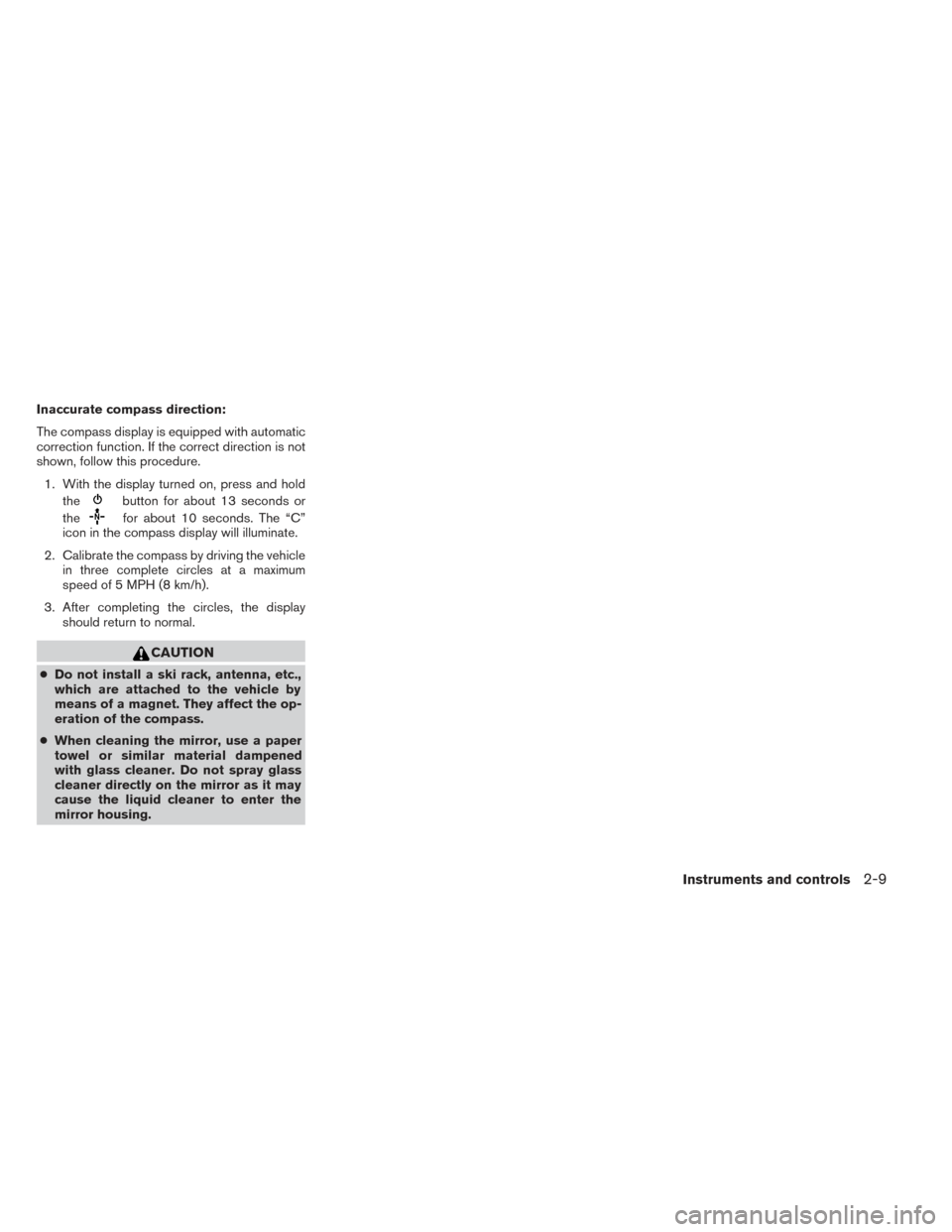
Inaccurate compass direction:
The compass display is equipped with automatic
correction function. If the correct direction is not
shown, follow this procedure.1. With the display turned on, press and hold the
button for about 13 seconds or
the
for about 10 seconds. The “C”
icon in the compass display will illuminate.
2. Calibrate the compass by driving the vehicle in three complete circles at a maximum
speed of 5 MPH (8 km/h).
3. After completing the circles, the display should return to normal.
CAUTION
●Do not install a ski rack, antenna, etc.,
which are attached to the vehicle by
means of a magnet. They affect the op-
eration of the compass.
● When cleaning the mirror, use a paper
towel or similar material dampened
with glass cleaner. Do not spray glass
cleaner directly on the mirror as it may
cause the liquid cleaner to enter the
mirror housing.
Instruments and controls2-9
Page 97 of 492
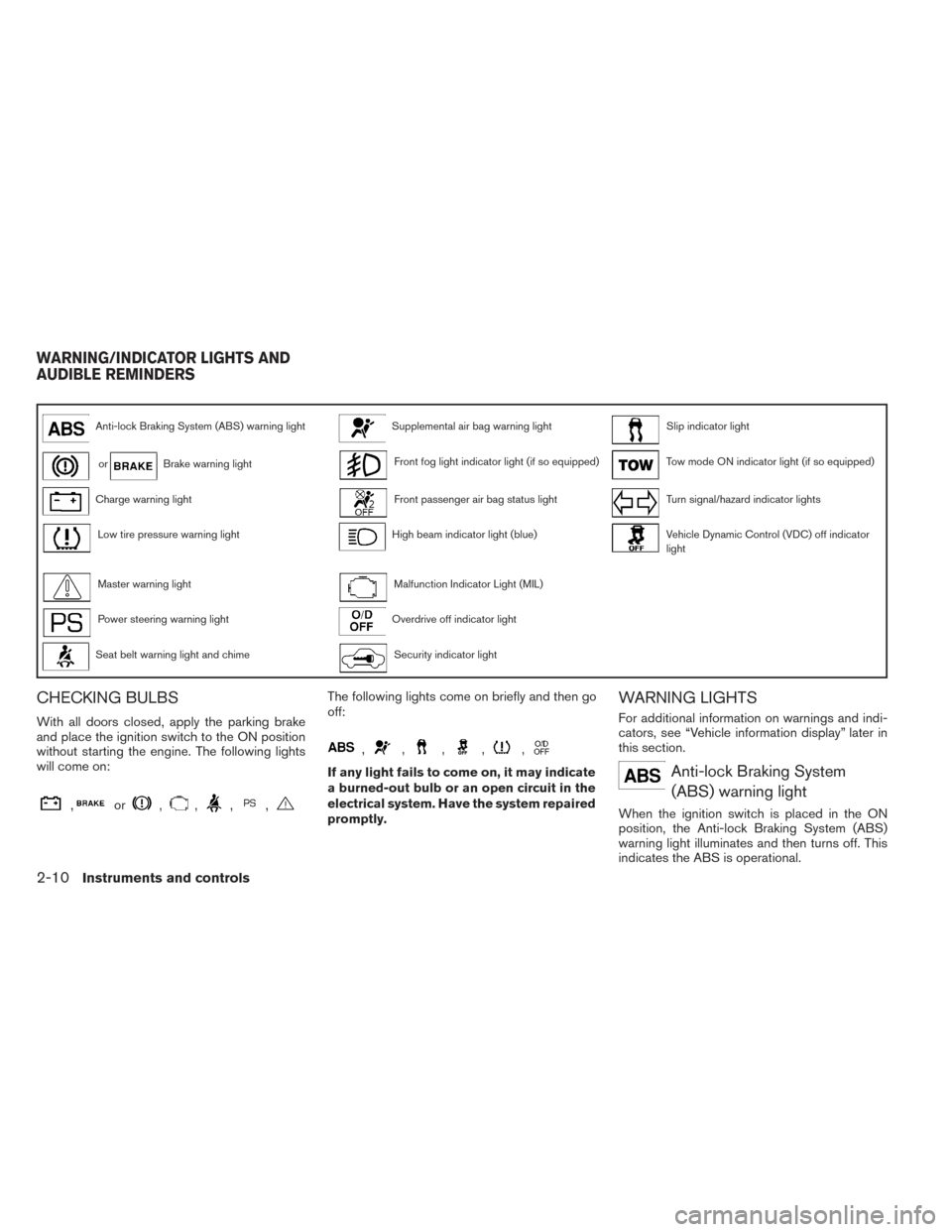
Anti-lock Braking System (ABS) warning lightSupplemental air bag warning lightSlip indicator light
orBrake warning lightFront fog light indicator light (if so equipped)Tow mode ON indicator light (if so equipped)
Charge warning lightFront passenger air bag status lightTurn signal/hazard indicator lights
Low tire pressure warning lightHigh beam indicator light (blue)Vehicle Dynamic Control (VDC) off indicator
light
Master warning lightMalfunction Indicator Light (MIL)
Power steering warning lightOverdrive off indicator light
Seat belt warning light and chimeSecurity indicator light
CHECKING BULBS
With all doors closed, apply the parking brake
and place the ignition switch to the ON position
without starting the engine. The following lights
will come on:
,or,,,,
The following lights come on briefly and then go
off:
,,,,,
If any light fails to come on, it may indicate
a burned-out bulb or an open circuit in the
electrical system. Have the system repaired
promptly.
WARNING LIGHTS
For additional information on warnings and indi-
cators, see “Vehicle information display” later in
this section.
Anti-lock Braking System(ABS) warning light
When the ignition switch is placed in the ON
position, the Anti-lock Braking System (ABS)
warning light illuminates and then turns off. This
indicates the ABS is operational.
WARNING/INDICATOR LIGHTS AND
AUDIBLE REMINDERS
2-10Instruments and controls
Page 99 of 492
The low tire pressure warning light warns of low
tire pressure or indicates that the TPMS is not
functioning properly.
After the ignition switch is placed in the ON
position, this light illuminates for about 1 second
and turns off.
Low tire pressure warning:
If the vehicle is being driven with low tire
pressure, the warning light will illuminate.
A “Tire Press Low - Add Air” warning also
appears in the vehicle information display.
When the low tire pressure warning light
illuminates, you should stop and adjust the
tire pressure of all 4 tires to the recom-
mended COLD tire pressure shown on the
Tire and Loading Information label located
in the driver’s door opening. The low tire
pressure warning light does not automati-
cally turn off when the tire pressure is ad-
justed. After the tire is inflated to the rec-
ommended pressure, the vehicle must be
driven at speeds above 16 MPH (25 km/h)
to activate the TPMS and turn off the low
tire pressure warning light. Use a tire pres-
sure gauge to check the tire pressure.The “Tire Press Low - Add Air” warning appears
each time the ignition switch is placed in the ON
position as long as the low tire pressure warning
light remains illuminated.
For additional information, see “Vehicle informa-
tion display” in the “Instruments and controls”
section and “Tire Pressure Monitoring System
(TPMS)” in the “Starting and driving” section and
in the “In case of emergency” section.
TPMS malfunction:
If the TPMS is not functioning properly, the low
tire pressure warning light will flash for approxi-
mately 1 minute when the ignition switch is
placed in the ON position. The light will remain on
after the 1 minute. Have the system checked by a
NISSAN dealer. The “Tire Pressure Low - Add
Air” warning does not appear if the low tire pres-
sure warning light illuminates to indicate a TPMS
malfunction.
For additional information, see “Tire Pressure
Monitoring System (TPMS)” in the “Starting and
driving” section and “Tire pressure” in the “Main-
tenance and do-it-yourself” section.WARNING
●Radio waves could adversely affect elec-
tric medical equipment. Those who use a
pacemaker should contact the electric
medical equipment manufacturer for the
possible influences before use.
● If the light does not illuminate with the
ignition switch placed in the ON posi-
tion, have the vehicle checked by a
NISSAN dealer as soon as possible.
●
If the light illuminates while driving, avoid
sudden steering maneuvers or abrupt
braking, reduce vehicle speed, pull off the
road to a safe location and stop the ve-
hicle as soon as possible. Driving with
under-inflated tires may permanently
damage the tires and increase the likeli-
hood of tire failure. Serious vehicle dam-
age could occur and may lead to an acci-
dent and could result in serious personal
injury. Check the tire pressure for all four
tires. Adjust the tire pressure to the rec-
ommended COLD tire pressure shown on
the Tire and Loading Information label lo-
cated in the driver’s door opening to turn
the low tire pressure warning light OFF. If
the light still illuminates while driving af-
ter adjusting the tire pressure, a tire may
be flat. If you have a flat tire, replace it with
a spare tire as soon as possible.
2-12Instruments and controls
Page 100 of 492
●When a spare tire is mounted or a wheel is
replaced tire pressure will not be indi-
cated, the TPMS will not function and the
low tire pressure warning light will flash
for approximately 1 minute. The light will
remain on after 1 minute. Contact your
NISSAN dealer as soon as possible for
tire replacement and/or system resetting.
● Replacing tires with those not originally
specified by NISSAN could affect the
proper operation of the TPMS.
CAUTION
● The TPMS is not a substitute for the
regular tire pressure check. Be sure to
check the tire pressure regularly.
● If the vehicle is being driven at speeds
of less than 16 MPH (25 km/h), the
TPMS may not operate correctly.
● Be sure to install the specified size of
tires to the 4 wheels correctly.
Master warning light
When the ignition switch is in the ON position, the
master warning light illuminates if any of the follow-
ing are displayed on the vehicle information display:
● No key warning ●
Low fuel warning
● Low washer fluid warning
● Parking brake release warning
● Door open warning
● Loose fuel cap warning (if so equipped)
● Check tire pressure warning (if so equipped)
See “Vehicle Information Display” later in this
section.
Power steering warning light
WARNING
● If the engine is not running or is turned
off while driving, the power assist for
the steering will not work. Steering will
be harder to operate.
● When the power steering warning light
illuminates with the engine running,
there will be no power assist for the
steering. You will still have control of
the vehicle, but the steering will be
much harder to operate. Have the
power steering system checked by a
NISSAN dealer. When the ignition switch is in the ON position,
the power steering warning light illuminates. After
starting the engine, the power steering warning
light turns off. This indicates that the electric
power steering system is operational. If the
power steering warning light illuminates while the
engine is running, it may indicate the power
steering system is not functioning properly and
may need servicing. Have the hydraulic pump
electric power steering system checked by a
NISSAN dealer. See “Power steering system” in
the “Starting and driving” section.
Seat belt warning light and
chime
The light and chime remind you to fasten your
seat belts. The light illuminates whenever the
ignition switch is placed in the ON or START
position and remains illuminated until the driver’s
seat belt is fastened. At the same time, the chime
sounds for about 6 seconds unless the driver’s
seat belt is securely fastened.
The seat belt warning light may also illuminate if
the front passenger’s seat belt is not fastened
when the front passenger’s seat is occupied . For
7 seconds after the ignition switch is placed in
the ON position, the system does not activate the
warning light for the front passenger.
Instruments and controls2-13
Page 101 of 492
Refer to “Seat belts” in the “Safety—Seats, seat
belts and supplemental restraint system” section
for precautions on seat belt usage.
Supplemental air bag warninglight
When the ignition switch is placed in the ON or
START position, the supplemental air bag warn-
ing light illuminates for about 7 seconds and then
turns off. This means the system is operational.
If any of the following conditions occur, the front
air bag, side air bag, curtain air bag, and preten-
sioner systems need servicing and your vehicle
must be taken to a NISSAN dealer:
● The supplemental air bag warning light re-
mains on after approximately 7 seconds.
● The supplemental air bag warning light
flashes intermittently.
● The supplemental air bag warning light does
not come on at all.
Unless checked and repaired, the supplemental
restraint system (air bag system) and/or the seat
belts with pretensioner system may not function
properly. For additional details see “Supplemen-
tal restraint system” in the “Safety—Seats, seat
belts and supplemental restraint system” section
of this manual.
WARNING
If the supplemental air bag warning light
is on, it could mean that the front air bag,
side air bag, curtain air bag and/or preten-
sioner systems will not operate in an ac-
cident. To help avoid injury to yourself or
others, have your vehicle checked by a
NISSAN dealer as soon as possible.
INDICATOR LIGHTS
For additional information on warnings and indi-
cators, see “Vehicle information display” later in
this section.
Front fog light indicator light (if so equipped)
The front fog light indicator light illuminates when
the front fog lights are ON. See “Fog light switch”
later in this section.
Front passenger air bag statuslight
The front passenger air bag status light will be lit
and the passenger front air bag will be OFF
depending on how the front passenger seat is
being used. For front passenger air bag status light operation,
see “Front passenger air bag and status light” in
the “Safety — Seats, seat belts and supplemental
restraint system” section of this manual.
High beam indicator light
(blue)
This blue light comes on when the headlight high
beams are on and goes out when the low beams
are selected.
The high beam indicator light also comes on
when the passing signal is activated.
Malfunction Indicator Light(MIL)
If this indicator light comes on steady or blinks
while the engine is running, it may indicate a
potential emission control malfunction.
The Malfunction Indicator Light may also come
on steady if the fuel-filler cap is loose or missing,
or if the vehicle runs out of fuel. Check to make
sure the fuel-filler cap is installed and closed
tightly, and that the vehicle has at least 3 gallons
(11.4 liters) of fuel in the fuel tank.
After a few driving trips, the
light should
turn off if no other potential emission control
system malfunction exists.
2-14Instruments and controls
Page 102 of 492
If this indicator light comes on steady for 20 sec-
onds and then blinks for 10 seconds when the
engine is not running, it indicates that the vehicle
is not ready for an emission control system
inspection/maintenance test. See “Readiness for
inspection/maintenance (I/M) test” in the “Tech-
nical and consumer information” section of this
manual.
Operation
The Malfunction Indicator Light will come on in
one of two ways:● Malfunction Indicator Light on steady — An
emission control system malfunction has
been detected. Check the fuel-filler cap if
the LOOSE FUEL CAP warning appears in
the vehicle information display. If the fuel-
filler cap is loose or missing, tighten or install
the cap and continue to drive the vehicle.
The
light should turn off after a few
driving trips. If the
light does not turn
off after a few driving trips, have the vehicle
inspected by a NISSAN dealer. You do not
need to have your vehicle towed to the
dealer. ●
Malfunction Indicator Light blinking — An
engine misfire has been detected which may
damage the emission control system. To re-
duce or avoid emission control system dam-
age:
– do not drive at speeds above 45 MPH (72 km/h).
– avoid hard acceleration or deceleration.
– avoid steep uphill grades.
– if possible, reduce the amount of cargo being hauled or towed.
The Malfunction Indicator Light may stop blinking
and come on steady. Have the vehicle inspected
by a NISSAN dealer. You do not need to have
your vehicle towed to the dealer.
CAUTION
Continued vehicle operation without hav-
ing the emission control system checked
and repaired as necessary could lead to
poor driveability, reduced fuel economy,
and possible damage to the emission con-
trol system.
Overdrive OFF indicator light
The overdrive off indicator light illuminates when
the overdrive off mode is selected.
For additional information, see “Continuously
Variable Transmission (CVT)” in the “Starting and
driving” section of this manual.
Security indicator light
This light blinks when the ignition switch is
placed in the OFF, LOCK or ACC position.
The blinking security indicator light indicates that
the security systems equipped on the vehicle are
operational.
For additional information, see “Security sys-
tems” later in this section.
Slip indicator light
This indicator will blink when the VDC system is
operating, thus alerting the driver to the fact that
the road surface is slippery and the vehicle is
nearing its traction limits.
You may feel or hear the system working; this is
normal.
Instruments and controls2-15
Page 104 of 492
The vehicle information display is located to the
left of the speedometer. It displays such items as:● Vehicle settings
● Trip computer information
● Drive system warnings and settings (if so
equipped)
● Cruise control system information
● NISSAN Intelligent Key® operation informa-
tion
● Indicators and warnings (if so equipped)
● Tire Pressure information (if so equipped)HOW TO USE THE VEHICLE
INFORMATION DISPLAY
The vehicle information display can be changed
using the buttons
and ENTER located on
the steering wheel.
1.
— select/enter the Vehicle informa-
tion menu items or to change from one dis-
play screen to the next (i.e. trip, TPMS, Fuel
economy)
2.
— navigate through the items in ve-
hicle information
ENTER — change or select an item in the
vehicle information display 3.
— go back to the previous menu
The ENTER and
buttons also control audio
and control panel functions. For additional infor-
mation see, “Steering wheel switch for audio
control” in “Monitor, climate, audio, phone and
voice recognition systems” section.
STARTUP DISPLAY
When the vehicle in placed in the ON or ACC
position the screens that display in the vehicle
information include:
● Active system status (if so equipped)
● Trip computer
● Tire pressure information (if so equipped)
● 4 x 4 (if so equipped)
● Fuel economy
● Warnings
Warnings will only display if there are any pres-
ent, for more information on warnings and indica-
tors see, “Vehicle information display warnings
and indicators” in this section.
To control what items display in the vehicle infor-
mation display, see “Main menu selection” in this
section.
LIC2205LIC2245
VEHICLE INFORMATION DISPLAY
Instruments and controls2-17
Page 105 of 492
SETTINGS
The setting mode allows you to change the infor-
mation displayed in the vehicle information dis-
play:● Parking Aids (if so equipped)
● Vehicle Settings
● Main Menu Selection
● Body Color
● Maintenance
● Alarms
● Language
● Unit
● Welcome Effects
● Factory Reset
Parking Aids (if so equipped)
To turn on or off the system displayed in the
“Parking Aids” menu use the
button to
select and the ENTER button.
For additional information, see
“RearView/Around View® Monitor (If So
Equipped)” in the “Monitor, climate, audio, phone
and voice recognition systems” section.
Vehicle Settings
The vehicle settings allows the customer to
change settings for interior lights, intelligent key
settings, unlock settings and other vehicle set-
tings.
The vehicle settings can be changed using
the
,, and the ENTER buttons.
Welcome light (if so equipped)
The welcome light can be set to be ON or OFF.
From the Vehicle Settings menu, select “Wel-
come Light”. Use the ENTER button to turn this
feature ON or OFF.
Auto Room Lamp
The interior lights can be set to be ON or OFF if
any door is unlocked. From the Vehicle Settings
menu, select “Auto Room Light”. Use the ENTER
button to turn this feature ON or OFF.
Light Sensitivity (if so equipped)
The light sensitivity can be set to illuminate earlier
based on the brightness outside the vehicle.
From the Vehicle Settings menu, select “Light
Sensitivity”. Use the ENTER button to change the
sensitivity. Light Off Delay (if so equipped)
The duration of the automatic headlights can be
changed from 0 to 180 seconds. From the Ve-
hicle Settings menu, select “Light Off Delay”. Use
the ENTER button to change the duration.
Wiper with Speed
The wiper with speed can be set to be ON or
OFF. From the Vehicle Settings menu, select
“Wiper with Speed”. Use the ENTER button to
turn this feature ON or OFF.
I-Key Door Lock (if so equipped)
From the Vehicle Settings menu, select “I-Key
Door Lock”. When this item is turned on, the
request switch on the door is activated. When
this item is turned off, the request switch on the
door is deactivated. Use the ENTER button to
activate this function.
Selective-Unlock
When this item is turned on, only the driver’s door
is unlocked first after the door unlock operation.
When the door handle request switch on the
driver’s or front passenger’s side door is pushed
to be unlocked, only the corresponding door is
unlocked first. All the doors can be unlocked if the
door unlock operation is performed again within
1 minute. When this item is turned to off, all the
doors will be unlocked after the door unlock
2-18Instruments and controls
Page 106 of 492
operation is performed once. From the Vehicle
Settings menu, select “Selective Unlock”. Use
the ENTER button to activate this function.
Auto Door Unlock
The auto door unlock function automatically un-
locks all the doors when the shift lever is placed in
the P (Park) position. From the Vehicle Settings
menu, select “Auto Door Unlock”. Use the EN-
TER button to enable/disable this function.
Answer back horn
When the answer back horn is on the horn will
chirp and the hazard indicators will flash once
when locking the vehicle with the Intelligent Key.
Remote Start (if so equipped)
The remote start function can be turned on or off.
If the setting is OFF the vehicle cannot be started
using the intelligent key. From the Vehicle Set-
tings menu, select “Remote Start”. Use the EN-
TER button to enable/disable.
Battery Saver
The battery saver automatically turns off the igni-
tion after a period of time when the ignition switch
is left in the ACC or ON position.Exit Seat Slide (if so equipped)
When the Exit seat slide is ON the driver’s seat
will move backward for easy exit when the ignition
switch is placed in the OFF position and the
driver’s door is opened.
After getting into the vehicle and placing the
ignition switch in the ACC position, the driver’s
seat will move to the previous set position. For
more information for setting the seat position see
“Automatic drive positioner” in the “Pre-driving
checks and adjustments” section. Use the EN-
TER button to enable/disable this function.
Exit steering up (if so equipped)
When the exit steering up is turned ON, the
steering wheel moving upward for easy exit when
the ignition switch is in the OFF position and the
driver’s door is opened.
After getting into the vehicle and placing the
ignition switch in the ACC position, the steering
wheel moves to the previous position. For more
information for setting the steering wheel posi-
tion, see “Tilt and telescopic operation” in the
“Pre-driving checks and adjustments” section.
Use the ENTER button to enable/disable this
function.Main Menu Selection
The items that display can be enabled/disabled
when the ignition switch is placed in the ON
position. To change the items that display.
Use the
button to select and the ENTER
button to change a menu item:
● Trip Computer
● Fuel Economy
● Tire Pressures (if so equipped)
● 4WD (if so equipped)
Trip Computer
The trip computer can be enabled/disabled to
display in the vehicle information display when
the ignition switch is placed in the ON position.
From the “Main Menu Selection” select “Trip
Computer” to display in the vehicle information
display when the ignition is placed in the ON
position.
Fuel Economy
The fuel economy can be enabled/disabled to
display in the vehicle information display when
the ignition switch is placed in the ON position.
Instruments and controls2-19
Page 107 of 492
From the “Main Menu Selection” select “Fuel
Economy” to display in the vehicle information
display when the ignition is placed in the ON
position.
Tire Pressures
The tire pressures can be enabled/disabled to
display in the vehicle information display when
the ignition switch is placed in the ON position.
From the “Main Menu Selection” select “Tire
Pressures” to display in the vehicle information
display when the ignition is placed in the ON
position.
4WD (if so equipped)
The 4WD can be enabled/disabled to display in
the vehicle information display when the ignition
switch is placed in the ON position.
From the “Main Menu Selection” select “4WD” to
display the 4WD information when the ignition
switch is placed in the ON position.
Body Color
The color of the vehicle that displays in the ve-
hicle information display when the ignition switch
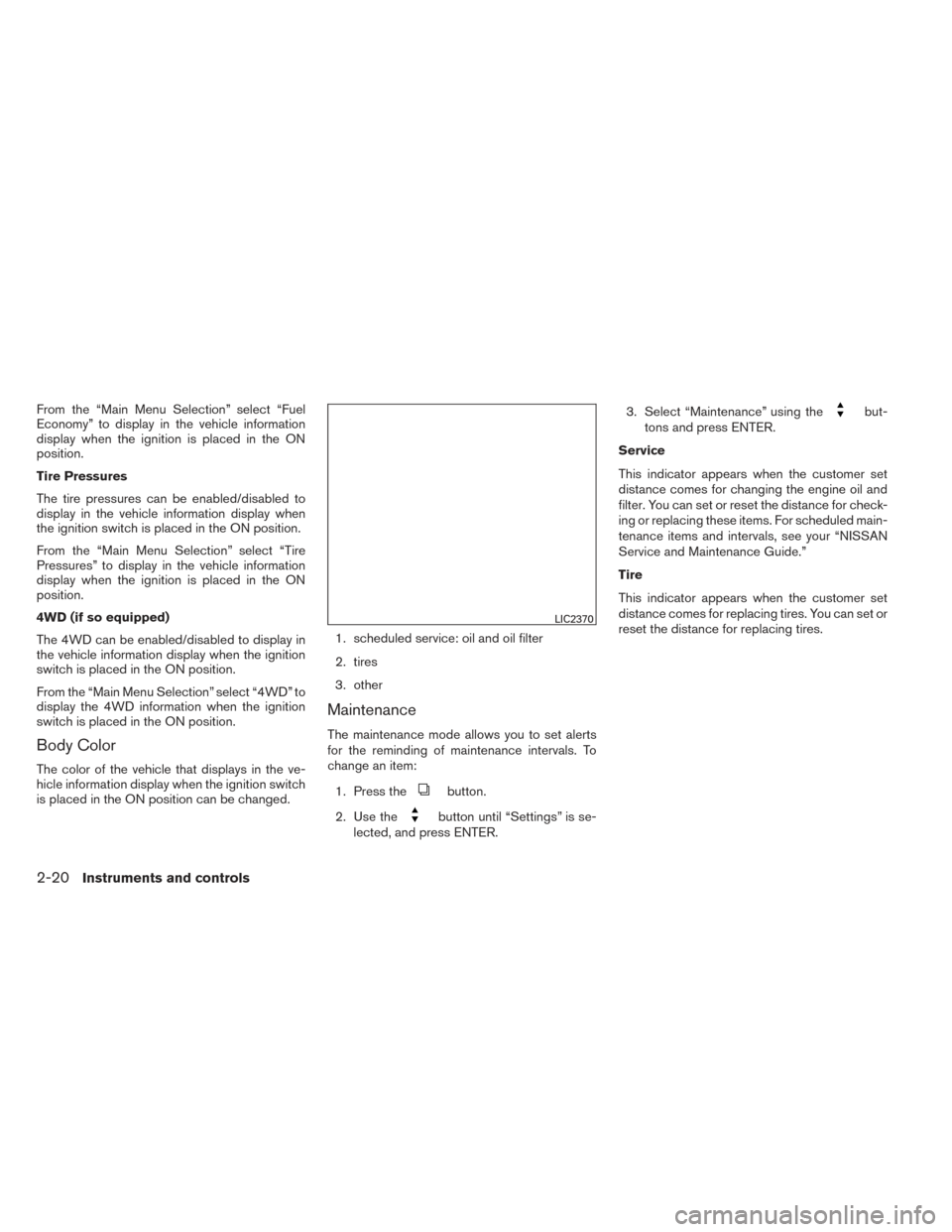
is placed in the ON position can be changed.1. scheduled service: oil and oil filter
2. tires
3. other
Maintenance
The maintenance mode allows you to set alerts
for the reminding of maintenance intervals. To
change an item:
1. Press the
button.
2. Use the
button until “Settings” is se-
lected, and press ENTER. 3. Select “Maintenance” using the
but-
tons and press ENTER.
Service
This indicator appears when the customer set
distance comes for changing the engine oil and
filter. You can set or reset the distance for check-
ing or replacing these items. For scheduled main-
tenance items and intervals, see your “NISSAN
Service and Maintenance Guide.”
Tire
This indicator appears when the customer set
distance comes for replacing tires. You can set or
reset the distance for replacing tires.
LIC2370
2-20Instruments and controls