display NISSAN QASHQAI 2017 Owner´s Manual
[x] Cancel search | Manufacturer: NISSAN, Model Year: 2017, Model line: QASHQAI, Model: NISSAN QASHQAI 2017Pages: 508, PDF Size: 2.68 MB
Page 381 of 508
5-96Starting and driving
fuel and reduces emissions.
8. Buy an automated pass for toll roads.
.Automated passes permit drivers to use
special lanes to maintain cruising speed
through the toll and avoid stopping and
starting.
9. Winter warm up.
.Limit idling time to minimize impact to fuel
economy.
.Vehicles typically need no more than 30
seconds of idling at start-up to effectively
circulate the engine oil before driving.
.Your vehicle will reach its ideal operating
temperature more quickly while driving
versus idling.
10. Keeping your vehicle cool.
.Park your vehicle in a covered parking
area or in the shade whenever possible.
.When entering a hot vehicle, opening the
windows will help to reduce the inside
temperature faster, resulting in reduced
demand on your A/C system..Keep your engine tuned up.
.Follow the recommended scheduled main-
tenance.
.Keep the tires inflated to the correct
pressure. Low tire pressure increases tire
wear and lowers fuel economy.
.Keep the wheels in correct alignment.
Improper alignment increases tire wear and
lowers fuel economy.
.Use the recommended viscosity engine oil.
(See “Engine oil and oil filter recommenda-
tion” (P.10-5) .)If any malfunction occurs in the AWD system
while the engine is running, warning messages
appear in the vehicle information display.
INCREASING FUEL ECONOMYALL-WHEEL DRIVE (AWD) (if so
equipped)
Page 382 of 508
JVS1120X
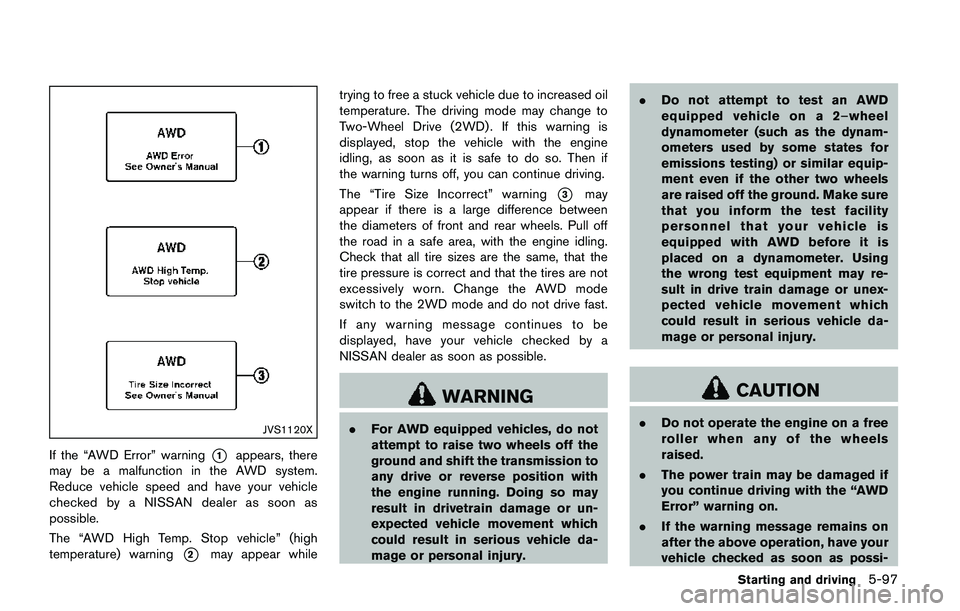
If the “AWD Error” warning*1appears, there
may be a malfunction in the AWD system.
Reduce vehicle speed and have your vehicle
checked by a NISSAN dealer as soon as
possible.
The “AWD High Temp. Stop vehicle” (high
temperature) warning
*2may appear whiletrying to free a stuck vehicle due to increased oil
temperature. The driving mode may change to
Two-Wheel Drive (2WD) . If this warning is
displayed, stop the vehicle with the engine
idling, as soon as it is safe to do so. Then if
the warning turns off, you can continue driving.
The “Tire Size Incorrect” warning
*3may
appear if there is a large difference between
the diameters of front and rear wheels. Pull off
the road in a safe area, with the engine idling.
Check that all tire sizes are the same, that the
tire pressure is correct and that the tires are not
excessively worn. Change the AWD mode
switch to the 2WD mode and do not drive fast.
If any warning message continues to be
displayed, have your vehicle checked by a
NISSAN dealer as soon as possible.
WARNING
.For AWD equipped vehicles, do not
attempt to raise two wheels off the
ground and shift the transmission to
any drive or reverse position with
the engine running. Doing so may
result in drivetrain damage or un-
expected vehicle movement which
could result in serious vehicle da-
mage or personal injury..Do not attempt to test an AWD
equipped vehicle on a 2–wheel
dynamometer (such as the dynam-
ometers used by some states for
emissions testing) or similar equip-
ment even if the other two wheels
are raised off the ground. Make sure
that you inform the test facility
personnel that your vehicle is
equipped with AWD before it is
placed on a dynamometer. Using
the wrong test equipment may re-
sult in drive train damage or unex-
pected vehicle movement which
could result in serious vehicle da-
mage or personal injury.
CAUTION
.Do not operate the engine on a free
roller when any of the wheels
raised.
.The power train may be damaged if
you continue driving with the “AWD
Error” warning on.
.If the warning message remains on
after the above operation, have your
vehicle checked as soon as possi-
Starting and driving5-97
Page 384 of 508
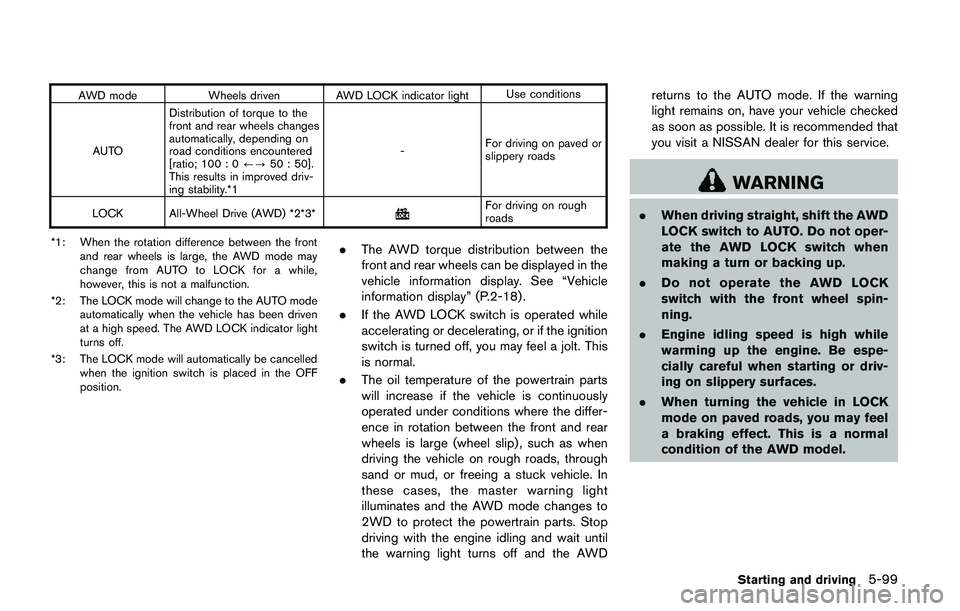
AWD mode Wheels driven AWD LOCK indicator lightUse conditions
AUTODistribution of torque to the
front and rear wheels changes
automatically, depending on
road conditions encountered
[ratio; 100 : 0/?50 : 50].
This results in improved driv-
ing stability.*1-For driving on paved or
slippery roads
LOCK All-Wheel Drive (AWD) *2*3*
For driving on rough
roads
*1: When the rotation difference between the front
and rear wheels is large, the AWD mode may
change from AUTO to LOCK for a while,
however, this is not a malfunction.
*2: The LOCK mode will change to the AUTO mode
automatically when the vehicle has been driven
at a high speed. The AWD LOCK indicator light
turns off.
*3: The LOCK mode will automatically be cancelled
when the ignition switch is placed in the OFF
position.
.The AWD torque distribution between the
front and rear wheels can be displayed in the
vehicle information display. See “Vehicle
information display” (P.2-18) .
.If the AWD LOCK switch is operated while
accelerating or decelerating, or if the ignition
switch is turned off, you may feel a jolt. This
is normal.
.The oil temperature of the powertrain parts
will increase if the vehicle is continuously
operated under conditions where the differ-
ence in rotation between the front and rear
wheels is large (wheel slip) , such as when
driving the vehicle on rough roads, through
sand or mud, or freeing a stuck vehicle. In
these cases, the master warning light
illuminates and the AWD mode changes to
2WD to protect the powertrain parts. Stop
driving with the engine idling and wait until
the warning light turns off and the AWDreturns to the AUTO mode. If the warning
light remains on, have your vehicle checked
as soon as possible. It is recommended that
you visit a NISSAN dealer for this service.
WARNING
.When driving straight, shift the AWD
LOCK switch to AUTO. Do not oper-
ate the AWD LOCK switch when
making a turn or backing up.
.Do not operate the AWD LOCK
switch with the front wheel spin-
ning.
.Engine idling speed is high while
warming up the engine. Be espe-
cially careful when starting or driv-
ing on slippery surfaces.
.When turning the vehicle in LOCK
mode on paved roads, you may feel
a braking effect. This is a normal
condition of the AWD model.
Starting and driving5-99
Page 386 of 508
wheel gently touches the curb.
.HEADED UPHILL WITH CURB:*2
Turn the wheels away from the curb and
move the vehicle back until the curb side
wheel gently touches the curb.
.HEADED UPHILL OR DOWNHILL, NO
CURB:
*3
Turn the wheels toward the side of the
road so the vehicle will move away from
the center of the road if it moves.
4.Models with Intelligent Key system:
Place the ignition switch in the OFF position.
Models without Intelligent Key system:
Place the ignition switch in the LOCK
position and remove the key.
WARNING
.If the engine is not running or is
turned off while driving, the power
assist for the steering will not work.
Steering will be harder to operate.
.When the electric power steering
warning light illuminates with the
engine running, the power assist for
the steering will cease operation.
You will still have control of the
vehicle but the steering will be
harder to operate.
The electric power steering is designed to
provide power assist while driving to operate
the steering wheel with light force.
When the steering wheel is operated repeatedly
or continuously while parking or driving at a very
low speed, the power assist for the steering
wheel will be reduced. This is to prevent
overheating of the electric power steering and
protect it from getting damaged. While the
power assist is reduced, steering wheel opera-
tion will become heavy. When the temperature
of the electric power steering goes down, the
power assist level will return to normal. Avoid
repeating such steering wheel operations thatcould cause the electric power steering to
overheat.
You may hear a noise when the steering wheel is
operated quickly. However, this is not a mal-
function.
If the electric power steering warning light
illuminates while the engine is running, it may
indicate the electric power steering is not
functioning properly and may need servicing.
Have the electric power steering checked. It is
recommended that you visit a NISSAN dealer for
this service. (See “Electric power steering
warning light” (P.2-12).)
When the electric power steering warning light
illuminates with the engine running, the power
assist for the steering will cease operation. You
will still have control of the vehicle. However,
greater steering effort is needed, especially in
sharp turns and at low speeds.
The mode of the Power Steering can be
changed to:
.NORMAL
.SPORT
For more information, see “Vehicle information
display” (P.2-18) .
Starting and driving5-101
ELECTRIC POWER STEERING
Page 391 of 508
5-106Starting and driving
The chassis control is an electric control module
that includes the following functions:
.Active Trace Control
.Active Engine Brake
.Active Ride Control
ACTIVE TRACE CONTROL
This system senses driving based on the driver’s
steering and acceleration/braking patterns, and
controls brake pressure at individual wheels to
aid tracing at corners and help smooth vehicle
response.
The Active Trace Control can be set to ON
(enabled) or OFF (disabled) through the Vehicle
Information Display “Settings” page. See “Ve-
hicle information display” (P.2-18) for more
information.
When the Vehicle Dynamic Control (VDC) OFF
switch is used to turn off the VDC system, the
Active Trace Control is also turned off.
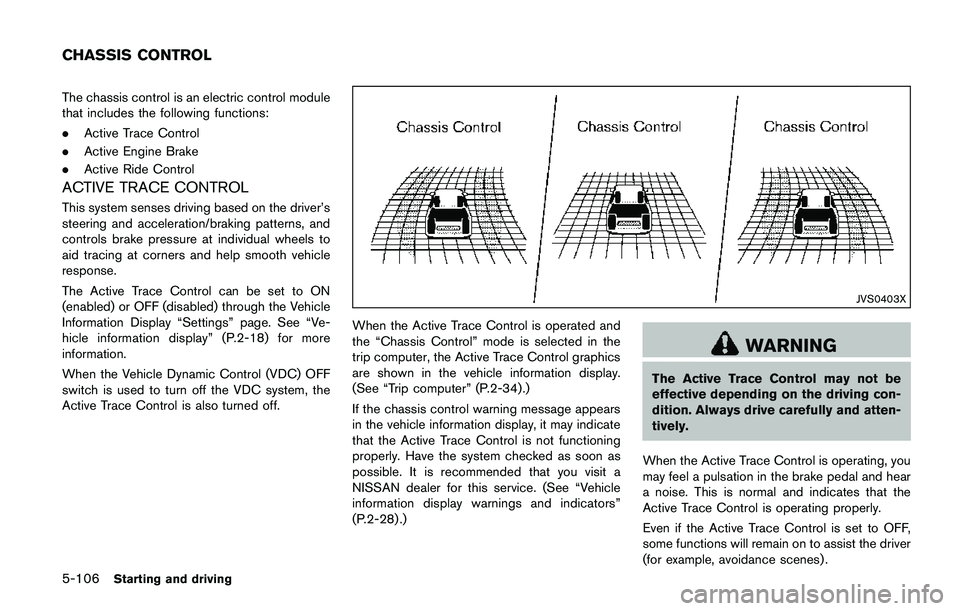
JVS0403X
When the Active Trace Control is operated and
the “Chassis Control” mode is selected in the
trip computer, the Active Trace Control graphics
are shown in the vehicle information display.
(See “Trip computer” (P.2-34).)
If the chassis control warning message appears
in the vehicle information display, it may indicate
that the Active Trace Control is not functioning
properly. Have the system checked as soon as
possible. It is recommended that you visit a
NISSAN dealer for this service. (See “Vehicle
information display warnings and indicators”
(P.2-28) .)
WARNING
The Active Trace Control may not be
effective depending on the driving con-
dition. Always drive carefully and atten-
tively.
When the Active Trace Control is operating, you
may feel a pulsation in the brake pedal and hear
a noise. This is normal and indicates that the
Active Trace Control is operating properly.
Even if the Active Trace Control is set to OFF,
some functions will remain on to assist the driver
(for example, avoidance scenes) .
CHASSIS CONTROL
Page 392 of 508
ACTIVE ENGINE BRAKE (Continuously
Variable Transmission (CVT) models)
The Active Engine Brake function adds subtle
deceleration by controlling CVT gear ratio,
depending on the cornering condition calculated
from driver’s steering input and plural sensors.
This benefit to easier traceability and less
workload of adjusting speed with braking at
corners.
The Active Engine Brake also adds subtle
deceleration with gear ratio control according
to driver’s brake pedal operation.
The Active Engine Brake can be set to ON
(enabled) or OFF (disabled) through the Vehicle
Information Display “Settings” page. See “Ve-
hicle information display” (P.2-18) for more
information.
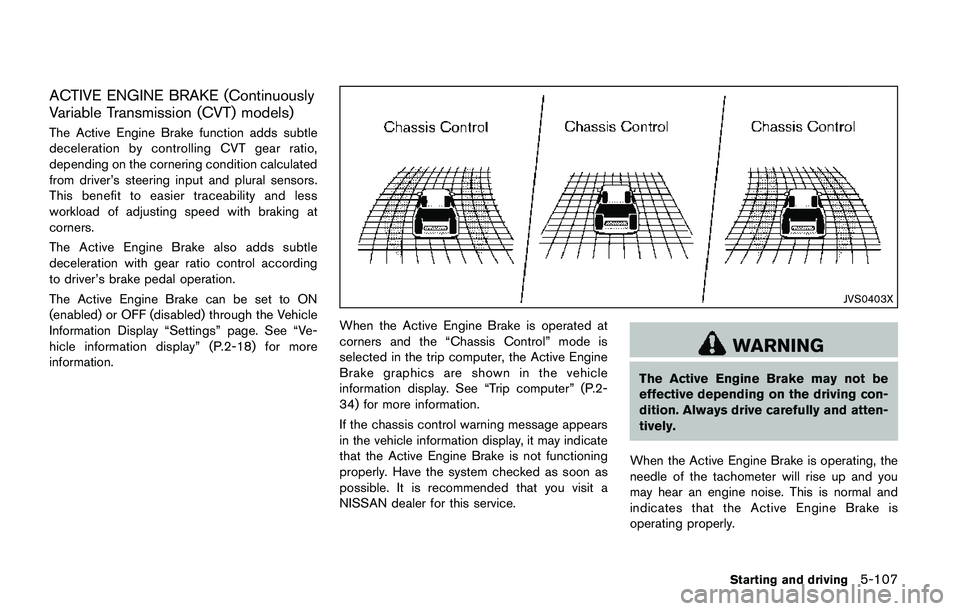
JVS0403X
When the Active Engine Brake is operated at
corners and the “Chassis Control” mode is
selected in the trip computer, the Active Engine
Brake graphics are shown in the vehicle
information display. See “Trip computer” (P.2-
34) for more information.
If the chassis control warning message appears
in the vehicle information display, it may indicate
that the Active Engine Brake is not functioning
properly. Have the system checked as soon as
possible. It is recommended that you visit a
NISSAN dealer for this service.
WARNING
The Active Engine Brake may not be
effective depending on the driving con-
dition. Always drive carefully and atten-
tively.
When the Active Engine Brake is operating, the
needle of the tachometer will rise up and you
may hear an engine noise. This is normal and
indicates that the Active Engine Brake is
operating properly.
Starting and driving5-107
Page 393 of 508
5-108Starting and driving
ACTIVE RIDE CONTROL
This system senses upper body motion based
on wheel speed information and controls engine
torque and four wheel brake pressure to
enhance ride comfort in effort to restrain
uncomfortable upper body movement. This
system come into effect above 25 MPH (40
km/h) . When the VDC OFF switch is used to
turn off the VDC system, the Active Ride Control
is also turned off.
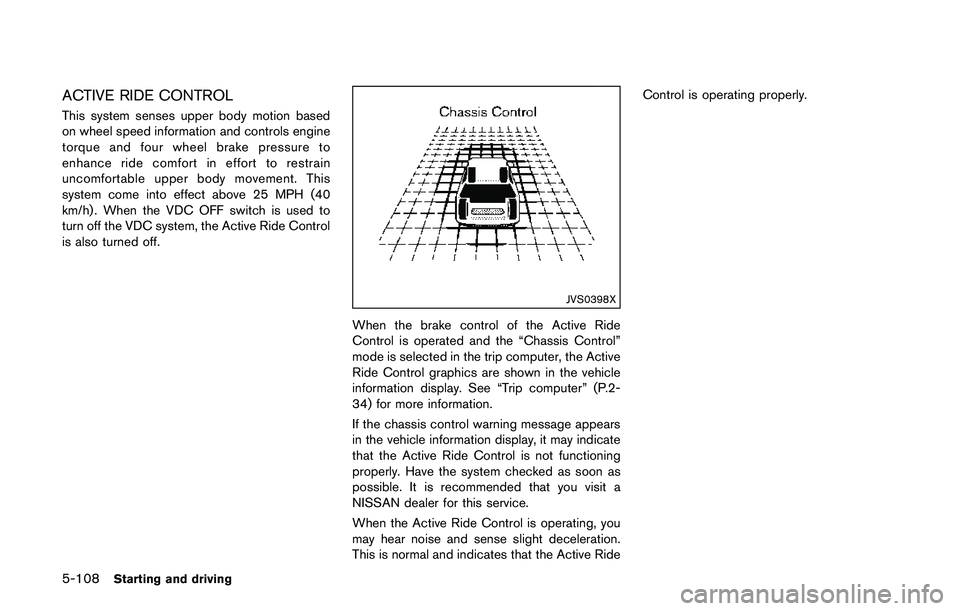
JVS0398X
When the brake control of the Active Ride
Control is operated and the “Chassis Control”
mode is selected in the trip computer, the Active
Ride Control graphics are shown in the vehicle
information display. See “Trip computer” (P.2-
34) for more information.
If the chassis control warning message appears
in the vehicle information display, it may indicate
that the Active Ride Control is not functioning
properly. Have the system checked as soon as
possible. It is recommended that you visit a
NISSAN dealer for this service.
When the Active Ride Control is operating, you
may hear noise and sense slight deceleration.
This is normal and indicates that the Active RideControl is operating properly.
Page 400 of 508
To shut off the engine in an emergency situation
while driving, perform the following procedure:
.Rapidly push the push-button ignition switch
3 consecutive times in less than 1.5
seconds, or
.Push and hold the push-button ignition
switch for more than 2 seconds.TIRE PRESSURE MONITORING SYS-
TEM (TPMS)
This vehicle is equipped with the Tire Pressure
Monitoring System (TPMS) . It monitors tire
pressure of all tires except the spare. When
the low tire pressure warning light is lit, and the
“Tire Pressure Low - Add Air” warning message
is displayed in the vehicle information display,
one or more of your tires is significantly under-
inflated. If the vehicle is being driven with low tire
pressure, the TPMS will activate and warn you of
it by the low tire pressure warning light. This
system will activate only when the vehicle is
driven at speeds above 16 MPH (25 km/h) . For
more details, see “Warning lights, indicator
lights and audible reminders” (P.2-10) and “Tire
Pressure Monitoring System (TPMS)” (P.5-5) .
WARNING
.If the low tire pressure warning light
illuminates while driving, avoid sud-
den steering maneuvers or abrupt
braking, reduce vehicle speed, pull
off the road to a safe location and
stop the vehicle as soon as possi-
ble. Driving with under-inflated tires
may permanently damage the tires
and increase the likelihood of tirefailure. Serious vehicle damage
could occur and may lead to an
accident and could result in serious
personal injury. Check the tire pres-
sure for all four tires. Adjust the tire
pressure to the recommended COLD
tire pressure shown on the Tire and
Loading Information label to turn
the low tire pressure warning light
OFF. If the light still illuminates
while driving after adjusting the tire
pressure, a tire may be flat. If you
have a flat tire, replace it with a
spare tire as soon as possible.
.Since the spare tire is not equipped
with the TPMS, when a spare tire is
mounted or a wheel is replaced, the
TPMS will not function and the low
tire pressure warning light will flash
for approximately 1 minute. The
light will remain on after 1 minute.
Have your tires replaced and/or
TPMS system reset as soon as
possible. It is recommended you
visit a NISSAN dealer for these
services.
.Replacing tires with those not ori-
ginally specified by NISSAN could
affect the proper operation of the
In case of emergency6-3
EMERGENCY ENGINE SHUT OFF
(models with push-button ignition
switch)FLAT TIRE
Page 444 of 508
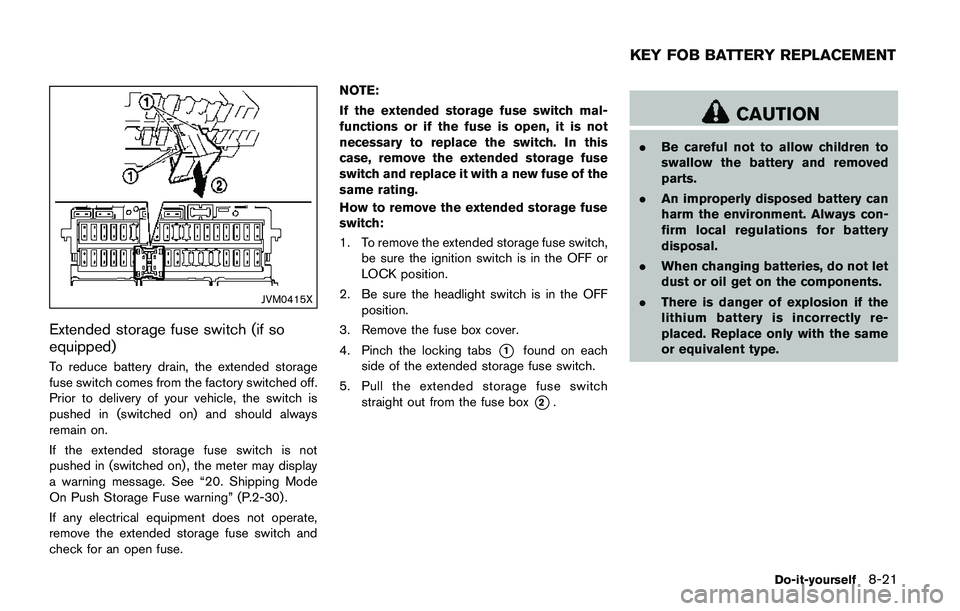
JVM0415X
Extended storage fuse switch (if so
equipped)
To reduce battery drain, the extended storage
fuse switch comes from the factory switched off.
Prior to delivery of your vehicle, the switch is
pushed in (switched on) and should always
remain on.
If the extended storage fuse switch is not
pushed in (switched on) , the meter may display
a warning message. See “20. Shipping Mode
On Push Storage Fuse warning” (P.2-30) .
If any electrical equipment does not operate,
remove the extended storage fuse switch and
check for an open fuse.NOTE:
If the extended storage fuse switch mal-
functions or if the fuse is open, it is not
necessary to replace the switch. In this
case, remove the extended storage fuse
switch and replace it with a new fuse of the
same rating.
How to remove the extended storage fuse
switch:
1. To remove the extended storage fuse switch,
be sure the ignition switch is in the OFF or
LOCK position.
2. Be sure the headlight switch is in the OFF
position.
3. Remove the fuse box cover.
4. Pinch the locking tabs*1found on each
side of the extended storage fuse switch.
5. Pull the extended storage fuse switch
straight out from the fuse box
*2.
CAUTION
.Be careful not to allow children to
swallow the battery and removed
parts.
.An improperly disposed battery can
harm the environment. Always con-
firm local regulations for battery
disposal.
.When changing batteries, do not let
dust or oil get on the components.
.There is danger of explosion if the
lithium battery is incorrectly re-
placed. Replace only with the same
or equivalent type.
Do-it-yourself8-21
KEY FOB BATTERY REPLACEMENT
Page 452 of 508
If you have a flat tire, see “Flat tire” (P.6-3) .
TIRE PRESSURE
Tire Pressure Monitoring System (TPMS)
This vehicle is equipped with the Tire Pressure
Monitoring System (TPMS) . It monitors tire
pressure of all tires except the spare. When
the low tire pressure warning light is lit, and the
“Tire Pressure Low - Add Air” warning message
is displayed in the vehicle information display,
one or more of your tires is significantly under-
inflated.
The TPMS will activate only when the vehicle is
driven at speeds above 16 MPH (25 km/h) .
Also, this system may not detect a sudden drop
in tire pressure (for example a flat tire while
driving) .
For more details, see “Low tire pressure warning
light” (P.2-13) , “Tire Pressure Monitoring Sys-
tem (TPMS)” (P.5-5) and “Tire Pressure Mon-
itoring System (TPMS)” (P.6-3) .
Tire inflation pressure
Check the pressure of the tires (including
the spare) often and always prior to long
distance trips. The recommended tire
pressure specifications are shown on the
Tire and Loading Information label underthe “Cold Tire Pressure” heading. The
Tire and Loading Information label is
affixed to the driver side center pillar.
Tire pressures should be checked reg-
ularly because:
.Most tires naturally lose air over time.
.Tires can lose air suddenly when
driven over potholes or other objects
or if the vehicle strikes a curb while
parking.
The tire pressures should be checked
when the tires are cold. The tires are
considered COLD after the vehicle has
been parked for 3 or more hours, or
driven less than 1 mile (1.6 km) at
moderate speeds.
TPMS with Easy Fill Tire Alert provides
visual and audible signals outside the
vehicle for inflating the tires to the
recommended COLD tire pressure.
(See “TPMS with Easy Fill Tire Alert”
(P.5-7) .)
Incorrect tire pressure, including
under inflation, may adversely affect
tire life and vehicle handling.
WARNING
.Improperly inflated tires can
fail suddenly and cause an
accident.
.The Gross Vehicle Weight rat-
ing (GVWR) is located on the F.
M.V.S.S./C.M.V.S.S. certifica-
tion label. The vehicle weight
capacity is indicated on the
Tire and Loading Information
label. Do not load your vehicle
beyond this capacity. Over-
loading your vehicle may re-
sult in reduced tire life, unsafe
operating conditions due to
premature tire failure, or un-
favorable handling character-
istics and could also lead to a
serious accident. Loading be-
yond the specified capacity
may also result in failure of
other vehicle components.
.Before taking a long trip, or
whenever you heavily load
Do-it-yourself8-29
WHEELS AND TIRES