steering NISSAN ROGUE 2021 Owner´s Manual
[x] Cancel search | Manufacturer: NISSAN, Model Year: 2021, Model line: ROGUE, Model: NISSAN ROGUE 2021Pages: 556, PDF Size: 2.7 MB
Page 117 of 556
.Alert Only
When selected, only the alert is dis-
played.
. OFF
When selected, no alert or horn will be
active.
(See “Rear Door Alert” (P.2-65).)
Maintenance
The maintenance mode allows user to set
alerts for the reminding of maintenance
intervals. To change an item:
Select “Maintenance” using the scroll dial
and push it.
. Oil Control System (if so equipped)
. Oil and Filter
. Tire
. Other
Oil Control System (if so equipped):
The Oil Control System can be accessed
in the Maintenance portion of the vehicle
information display settings.
Engine oil information informs the dis-
tance to oil change. Never exceed one
year or 10,000 miles (16,000 km) between
oil change intervals for the PR25DD en-
gine.
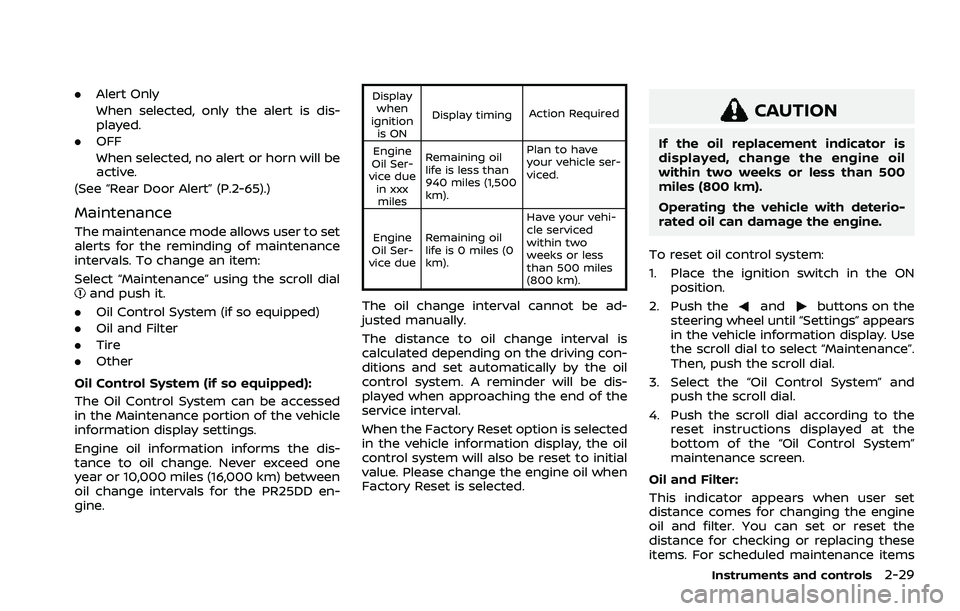
Display when
ignition is ON Display timing
Action Required
Engine
Oil Ser-
vice due in xxxmiles Remaining oil
life is less than
940 miles (1,500
km). Plan to have
your vehicle ser-
viced.
Engine
Oil Ser-
vice due Remaining oil
life is 0 miles (0
km). Have your vehi-
cle serviced
within two
weeks or less
than 500 miles
(800 km).
The oil change interval cannot be ad-
justed manually.
The distance to oil change interval is
calculated depending on the driving con-
ditions and set automatically by the oil
control system. A reminder will be dis-
played when approaching the end of the
service interval.
When the Factory Reset option is selected
in the vehicle information display, the oil
control system will also be reset to initial
value. Please change the engine oil when
Factory Reset is selected.
CAUTION
If the oil replacement indicator is
displayed, change the engine oil
within two weeks or less than 500
miles (800 km).
Operating the vehicle with deterio-
rated oil can damage the engine.
To reset oil control system:
1. Place the ignition switch in the ON position.
2. Push the
andbuttons on the
steering wheel until “Settings” appears
in the vehicle information display. Use
the scroll dial to select “Maintenance”.
Then, push the scroll dial.
3. Select the “Oil Control System” and push the scroll dial.
4. Push the scroll dial according to the reset instructions displayed at the
bottom of the “Oil Control System”
maintenance screen.
Oil and Filter:
This indicator appears when user set
distance comes for changing the engine
oil and filter. You can set or reset the
distance for checking or replacing these
items. For scheduled maintenance items
Instruments and controls2-29
Page 125 of 556
26. Power turned off to save the
battery warning
Under the specific conditions, this warn-
ing may appear after the ignition switch is
automatically turned OFF to save the
battery.
27. Reminder Turn OFF Headlights
warning
This warning appears when the driver
side door is opened with the headlight
switch is left ON and the ignition switch is
placed in the OFF position. Place the
headlight switch in OFF (if so equipped)
or AUTO position. For additional informa-
tion, (See “Headlight and turn signal
switch” (P.2-55).)
28. Headlight System Error: See
Owner’s Manual warning
This warning appears if the LED head-
lights are malfunctioning. Have the sys-
tem checked. It is recommended that you
visit a NISSAN dealer for this service.
29. Time for a break? indicator
This indicator appears when the set
Timer Alert activates. You can set the
time for up to 6 hours.
30. Chassis Control System Error:
See Owner’s Manual warning
This warning appears if the chassis con-
trol module detects a malfunction in the
chassis control system. Have the system
checked. It is recommended that you visit
a NISSAN dealer for this service. (See
“Chassis control” (P.5-160).)
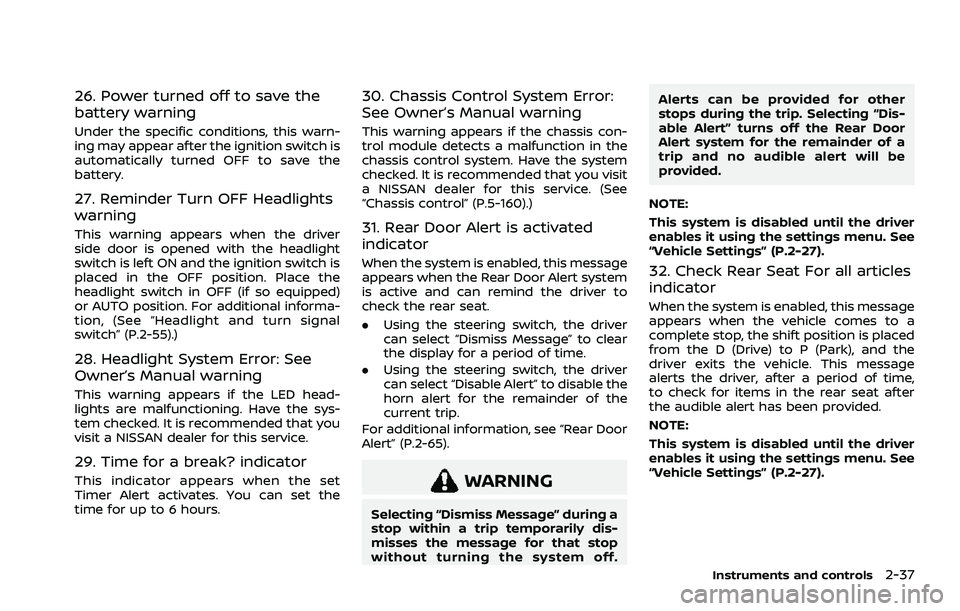
31. Rear Door Alert is activated
indicator
When the system is enabled, this message
appears when the Rear Door Alert system
is active and can remind the driver to
check the rear seat.
.Using the steering switch, the driver
can select “Dismiss Message” to clear
the display for a period of time.
. Using the steering switch, the driver
can select “Disable Alert” to disable the
horn alert for the remainder of the
current trip.
For additional information, see “Rear Door
Alert” (P.2-65).
WARNING
Selecting “Dismiss Message” during a
stop within a trip temporarily dis-
misses the message for that stop
without turning the system off. Alerts can be provided for other
stops during the trip. Selecting “Dis-
able Alert” turns off the Rear Door
Alert system for the remainder of a
trip and no audible alert will be
provided.
NOTE:
This system is disabled until the driver
enables it using the settings menu. See
“Vehicle Settings” (P.2-27).
32. Check Rear Seat For all articles
indicator
When the system is enabled, this message
appears when the vehicle comes to a
complete stop, the shift position is placed
from the D (Drive) to P (Park), and the
driver exits the vehicle. This message
alerts the driver, after a period of time,
to check for items in the rear seat after
the audible alert has been provided.
NOTE:
This system is disabled until the driver
enables it using the settings menu. See
“Vehicle Settings” (P.2-27).
Instruments and controls2-37
Page 128 of 556
2-40Instruments and controls
44. Unavailable Side Radar Ob-
struction warning
This warning appears when the following
systems become unavailable because a
radar blockage is detected.
.Blind Spot Warning (BSW)
. Intelligent Blind Spot Intervention (I-
BSI) (if so equipped)
. Rear Cross Traffic Alert (RCTA)
(See “Blind Spot Warning (BSW)” (P.5-57),
“Intelligent Blind Spot Intervention (I-BSI)”
(P.5-65) or “Rear Cross Traffic Alert (RCTA)”
(P.5-76).)
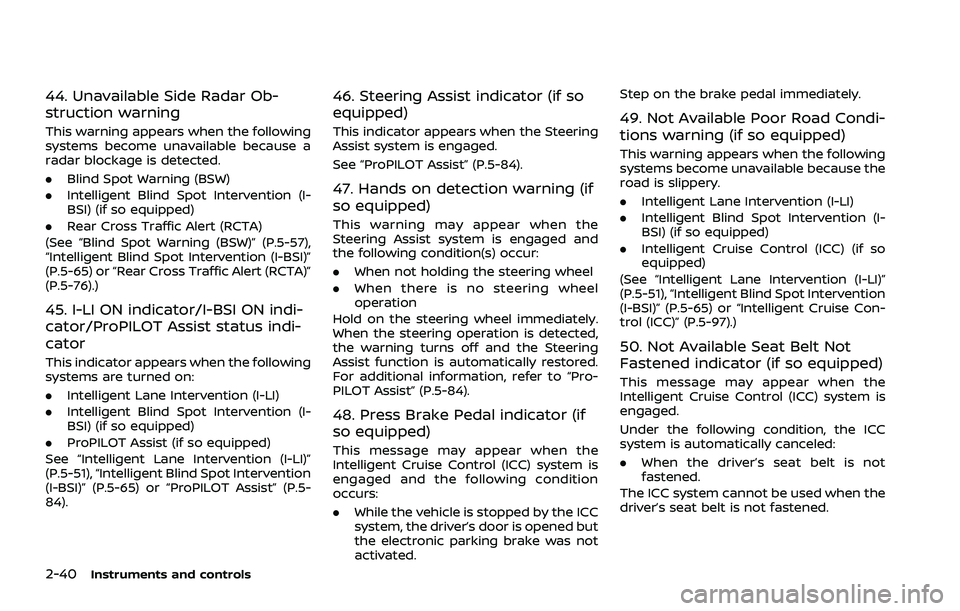
45. I-LI ON indicator/I-BSI ON indi-
cator/ProPILOT Assist status indi-
cator
This indicator appears when the following
systems are turned on:
. Intelligent Lane Intervention (I-LI)
. Intelligent Blind Spot Intervention (I-
BSI) (if so equipped)
. ProPILOT Assist (if so equipped)
See “Intelligent Lane Intervention (I-LI)”
(P.5-51), “Intelligent Blind Spot Intervention
(I-BSI)” (P.5-65) or “ProPILOT Assist” (P.5-
84).
46. Steering Assist indicator (if so
equipped)
This indicator appears when the Steering
Assist system is engaged.
See “ProPILOT Assist” (P.5-84).
47. Hands on detection warning (if
so equipped)
This warning may appear when the
Steering Assist system is engaged and
the following condition(s) occur:
. When not holding the steering wheel
. When there is no steering wheel
operation
Hold on the steering wheel immediately.
When the steering operation is detected,
the warning turns off and the Steering
Assist function is automatically restored.
For additional information, refer to “Pro-
PILOT Assist” (P.5-84).
48. Press Brake Pedal indicator (if
so equipped)
This message may appear when the
Intelligent Cruise Control (ICC) system is
engaged and the following condition
occurs:
. While the vehicle is stopped by the ICC
system, the driver’s door is opened but
the electronic parking brake was not
activated. Step on the brake pedal immediately.
49. Not Available Poor Road Condi-
tions warning (if so equipped)
This warning appears when the following
systems become unavailable because the
road is slippery.
.
Intelligent Lane Intervention (I-LI)
. Intelligent Blind Spot Intervention (I-
BSI) (if so equipped)
. Intelligent Cruise Control (ICC) (if so
equipped)
(See “Intelligent Lane Intervention (I-LI)”
(P.5-51), “Intelligent Blind Spot Intervention
(I-BSI)” (P.5-65) or “Intelligent Cruise Con-
trol (ICC)” (P.5-97).)
50. Not Available Seat Belt Not
Fastened indicator (if so equipped)
This message may appear when the
Intelligent Cruise Control (ICC) system is
engaged.
Under the following condition, the ICC
system is automatically canceled:
. When the driver’s seat belt is not
fastened.
The ICC system cannot be used when the
driver’s seat belt is not fastened.
Page 129 of 556
51. Not Available Bad Weather in-
dicator (if so equipped)
This message may appear when the
Steering Assist system is engaged.
Under the following conditions, the Steer-
ing Assist system is automatically can-
celed:
.When the wiper (HI) operates.
. When lane markers in the traveling
lane cannot be correctly detected for
a period of time due to such items as a
snow rut, reflection of light on a rainy
day or several unclear lane markers
are present.
If you want to use the Steering Assist
system again, cancel the ProPILOT Assist
system and set it again when lane
markers are clearly visible.
52. Not Available Front Camera
Obstructed indicator (if so
equipped)
This message may appear when the
Steering Assist system is engaged.
Under the following conditions, the Steer-
ing Assist system is automatically can-
celed:
. The camera area of the windshield is
fogged up or covered with dirt, water,
drops, ice, snow, etc. .
Strong light, such as sunlight or high
beams from oncoming vehicles, enter
the front camera
53. Steering Assist Not Available
Cannot Detect Lane indicator (if so
equipped)
This indicator may appear when the
Steering Assist system is engaged. The
Steering Assist system is automatically
canceled when the lane markers in the
traveling lane cannot be correctly de-
tected for a period of time due to such
items as a snow rut, reflection of light on
a rainy day or several unclear lane mar-
kers are present.
If you want to use the Steering Assist
system again, cancel the ProPILOT sys-
tem and set it again when lane markers
are clearly visible.
54. Not Available Parking Brake On
indicator (if so equipped)
This message may appear when the
Intelligent Cruise Control (ICC) system is
engaged.
Under the following condition, the ICC
system is automatically canceled:
.The electronic parking brake is ap-
plied.
The above system cannot be used when the electronic parking brake is activated.
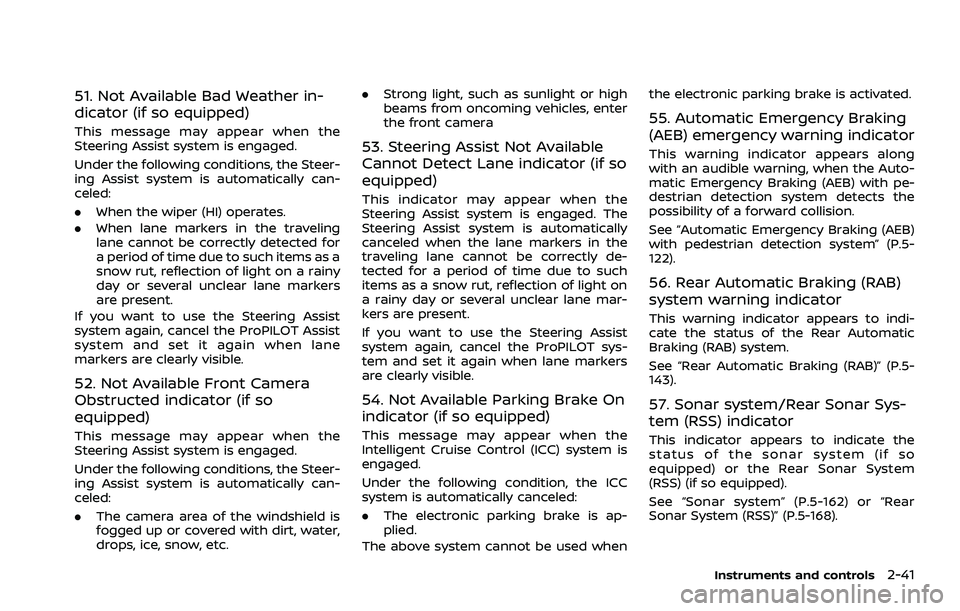
55. Automatic Emergency Braking
(AEB) emergency warning indicator
This warning indicator appears along
with an audible warning, when the Auto-
matic Emergency Braking (AEB) with pe-
destrian detection system detects the
possibility of a forward collision.
See “Automatic Emergency Braking (AEB)
with pedestrian detection system” (P.5-
122).
56. Rear Automatic Braking (RAB)
system warning indicator
This warning indicator appears to indi-
cate the status of the Rear Automatic
Braking (RAB) system.
See “Rear Automatic Braking (RAB)” (P.5-
143).
57. Sonar system/Rear Sonar Sys-
tem (RSS) indicator
This indicator appears to indicate the
status of the sonar system (if so
equipped) or the Rear Sonar System
(RSS) (if so equipped).
See “Sonar system” (P.5-162) or “Rear
Sonar System (RSS)” (P.5-168).
Instruments and controls2-41
Page 132 of 556
2-44Instruments and controls
WAC0313X
TRIP COMPUTER
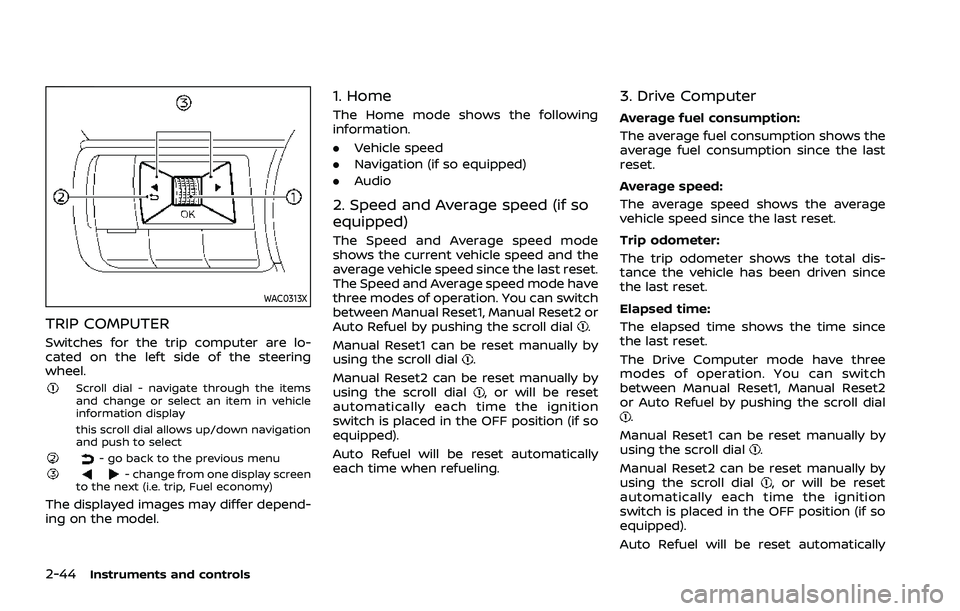
Switches for the trip computer are lo-
cated on the left side of the steering
wheel.
Scroll dial - navigate through the items
and change or select an item in vehicle
information display
this scroll dial allows up/down navigation
and push to select
- go back to the previous menu- change from one display screen
to the next (i.e. trip, Fuel economy)
The displayed images may differ depend-
ing on the model.
1. Home
The Home mode shows the following
information.
. Vehicle speed
. Navigation (if so equipped)
. Audio
2. Speed and Average speed (if so
equipped)
The Speed and Average speed mode
shows the current vehicle speed and the
average vehicle speed since the last reset.
The Speed and Average speed mode have
three modes of operation. You can switch
between Manual Reset1, Manual Reset2 or
Auto Refuel by pushing the scroll dial
.
Manual Reset1 can be reset manually by
using the scroll dial
.
Manual Reset2 can be reset manually by
using the scroll dial
, or will be reset
automatically each time the ignition
switch is placed in the OFF position (if so
equipped).
Auto Refuel will be reset automatically
each time when refueling.
3. Drive Computer
Average fuel consumption:
The average fuel consumption shows the
average fuel consumption since the last
reset.
Average speed:
The average speed shows the average
vehicle speed since the last reset.
Trip odometer:
The trip odometer shows the total dis-
tance the vehicle has been driven since
the last reset.
Elapsed time:
The elapsed time shows the time since
the last reset.
The Drive Computer mode have three
modes of operation. You can switch
between Manual Reset1, Manual Reset2
or Auto Refuel by pushing the scroll dial
.
Manual Reset1 can be reset manually by
using the scroll dial
.
Manual Reset2 can be reset manually by
using the scroll dial
, or will be reset
automatically each time the ignition
switch is placed in the OFF position (if so
equipped).
Auto Refuel will be reset automatically
Page 134 of 556
2-46Instruments and controls
11. Driver Assistance
The Driver Assistance mode shows the
operating condition for the following
systems.
.Forward:
— Automatic Emergency Braking
(AEB) with pedestrian detection
system
— Intelligent Forward Collision Warn- ing (I-FCW)
. Lane:
— Lane Departure Warning (LDW)
— Intelligent Lane Intervention (I-LI)
. Blind Spot:
— Blind Spot Warning (BSW)
— Intelligent Blind Spot Intervention
(I-BSI) (if so equipped)
For more details, see “Automatic Emer-
gency Braking (AEB) with pedestrian de-
tection system” (P.5-122), “Lane Departure
Warning (LDW)” (P.5-46), “Intelligent Lane
Intervention (I-LI)” (P.5-51), “Blind Spot
Warning (BSW)” (P.5-57) or “Intelligent
Blind Spot Intervention (I-BSI)” (P.5-65).
12. ProPILOT Assist (if so equipped)
The ProPILOT Assist mode shows the
operating conditions for the following
systems:
. Intelligent Cruise Control (ICC)
. Steering Assist
The display will also be shown when the
ProPILOT Assist is turned on. For addi-
tional information, see “ProPILOT Assist”
(P.5-84).
13. Traffic Sign Recognition (if so
equipped)
The Traffic Sign Recognition (TSR) system
provides the driver with information
about the most recently detected speed
limit. See “Traffic Sign Recognition (TSR)”
(P.5-43) for more details.WAC0521X
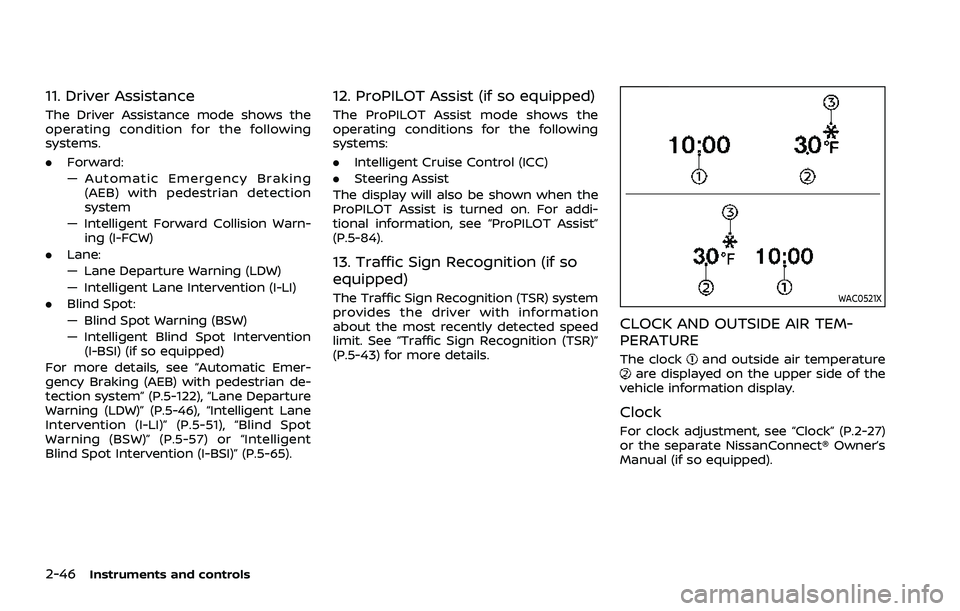
CLOCK AND OUTSIDE AIR TEM-
PERATURE
The clockand outside air temperatureare displayed on the upper side of the
vehicle information display.
Clock
For clock adjustment, see “Clock” (P.2-27)
or the separate NissanConnect® Owner’s
Manual (if so equipped).
Page 151 of 556
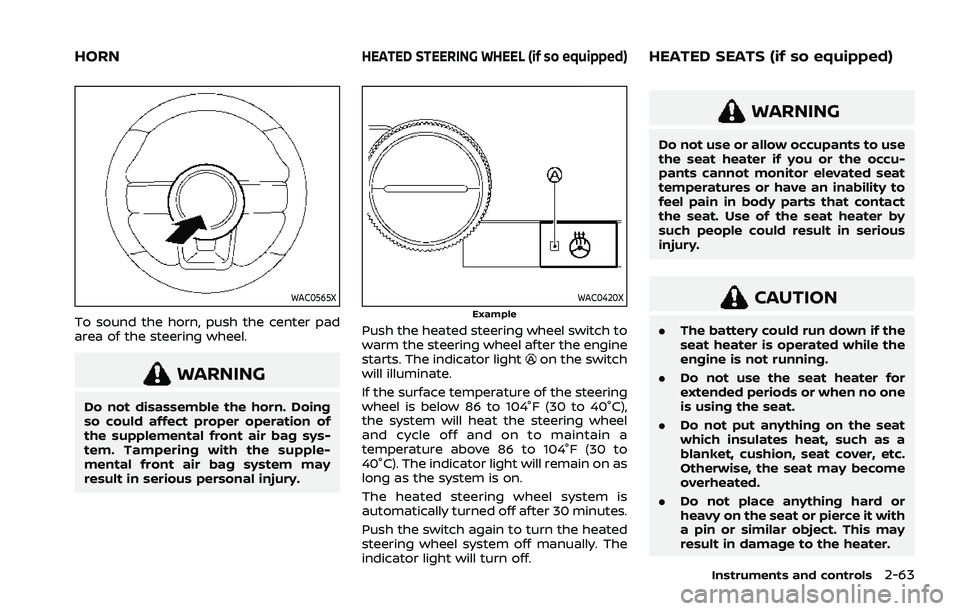
WAC0565X
To sound the horn, push the center pad
area of the steering wheel.
WARNING
Do not disassemble the horn. Doing
so could affect proper operation of
the supplemental front air bag sys-
tem. Tampering with the supple-
mental front air bag system may
result in serious personal injury.
WAC0420XExample
Push the heated steering wheel switch to
warm the steering wheel after the engine
starts. The indicator light
on the switch
will illuminate.
If the surface temperature of the steering
wheel is below 86 to 104°F (30 to 40°C),
the system will heat the steering wheel
and cycle off and on to maintain a
temperature above 86 to 104°F (30 to
40°C). The indicator light will remain on as
long as the system is on.
The heated steering wheel system is
automatically turned off after 30 minutes.
Push the switch again to turn the heated
steering wheel system off manually. The
indicator light will turn off.
WARNING
Do not use or allow occupants to use
the seat heater if you or the occu-
pants cannot monitor elevated seat
temperatures or have an inability to
feel pain in body parts that contact
the seat. Use of the seat heater by
such people could result in serious
injury.
CAUTION
. The battery could run down if the
seat heater is operated while the
engine is not running.
. Do not use the seat heater for
extended periods or when no one
is using the seat.
. Do not put anything on the seat
which insulates heat, such as a
blanket, cushion, seat cover, etc.
Otherwise, the seat may become
overheated.
. Do not place anything hard or
heavy on the seat or pierce it with
a pin or similar object. This may
result in damage to the heater.
Instruments and controls2-63
HORNHEATED STEERING WHEEL (if so equipped)HEATED SEATS (if so equipped)
Page 153 of 556
WAF0222X
The Steering Assist switch is used to
temporarily turn on and off the Steering
Assist system.
You can also use the “Driver Assistance”
menu in the vehicle information display to
turn on and off the Steering Assist
system. (See “How to enable/disable the
Steering Assist” (P.5-96).)
The Steering Assist system controls the
steering system to help keep your vehicle
near the center of the lane when driving.
(See “ProPILOT Assist” (P.5-84).)
The Rear Door Alert system functions
under certain conditions to indicate there
may be an object or passenger in the rear
seat(s). Check the seat(s) before exiting
the vehicle.
The Rear Door Alert system is initially
disabled. The driver can enable the sys-
tem using the vehicle information display.
(See “Vehicle Settings” (P.2-27).)
When the system is enabled:
.The system is activated when a rear
door is opened and closed. When the
vehicle is started and the system is
activated, a visual message appears in
the vehicle information display. (See
“31. Rear Door Alert is activated indi-
cator” (P.2-37).)
. If a rear door is opened and closed but
the vehicle is not driven, the system
will not be activated. A rear door must
be opened and closed and the car
driven for the system to activate.
. The time interval to activate the
system between when the rear door
is opened and closed and the vehicle
is started is about 10 minutes. A longer
interval does not indicate a malfunc-
tion.
When the Rear Door Alert system is
activated: .
When the driver puts the vehicle in the
P (Park) position, a notification mes-
sage appears in the vehicle informa-
tion display with the options to
“Dismiss Message” or “Disable Alert” if
desired.
— Select “Disable Alert” to temporarily
disable for that stop.
— No selection or ‘Dismiss Message” will keep the alert enabled for that
stop.
. If the alert is enabled when a driver
exits the vehicle, a message will ap-
pear in the vehicle information display
that states “Check Rear Seat for All
Articles.”
If “Horn & Alert” setting is selected:
— An audible horn sound will occur
after a short time unless a rear
door is opened and closed within a
short time to deactivate the alert.
— If the doors are locked before the alert is deactivated by opening a
rear door, the horn will sound.
— If the liftgate is opened before a rear door is opened, the horn will be
delayed until after the liftgate is
closed.
NOTE:
If “Alert Only” setting is selected, the
message alert will still be shown in the
Instruments and controls2-65
STEERING ASSIST SWITCH (models
with ProPILOT Assist) REAR DOOR ALERT
Page 177 of 556

3 Pre-driving checks and adjustments
Keys ........................................................................\
................................. 3-3Intelligent Key ........................................................................\
... 3-3
Doors ........................................................................\
.............................. 3-5
Locking with key .................................................................... 3-5
Locking with inside lock knob ..................................... 3-6
Locking with power door lock switch ................... 3-6
Automatic door locks ......................................................... 3-7
Child safety rear door lock ............................................. 3-7
Intelligent Key system .............................................................. 3-7 Intelligent Key operating range (models with
request switch) ........................................................................\
3-9
Door locks/unlocks precaution (models with
request switch) ..................................................................... 3-10
Intelligent Key operation (models with
request switch) ..................................................................... 3-11
Battery saver system ....................................................... 3-12
Warning lights and audible reminders .............. 3-12
Troubleshooting guide ................................................... 3-13
How to use remote keyless entry function ...... 3-15
Remote engine start (if so equipped) ....................... 3-19
Remote engine start operating range ............... 3-20
Remote starting the engine ....................................... 3-20
Extending engine run time ......................................... 3-20
Canceling a remote engine start ........................... 3-21
Conditions the remote engine start will
not work ........................................................................\
............. 3-21 Hood ........................................................................\
............................ 3-22
Liftgate ........................................................................\
...................... 3-23
Operating manual liftgate (if
so equipped) ........................................................................\
. 3-23
Operating power liftgate (if so equipped) ...... 3-24
Motion-activated liftgate (if
so equipped) ........................................................................\
. 3-26
Garage mode system (if so equipped) ............ 3-27
Auto closure (if so equipped) .................................. 3-28
liftgate release lever ....................................................... 3-28
Fuel-filler door ........................................................................\
..... 3-29 Opening the fuel-filler door ...................................... 3-29
How to refuel ....................................................................... 3-29
When refueling from a portable
fuel container ...................................................................... 3-30
Tilt/telescopic steering ........................................................ 3-31
Tilt and telescopic operation .................................. 3-31
Sun visors ........................................................................\
................ 3-32
Rear sunshade (if so equipped) .................................... 3-32
Mirrors ........................................................................\
...................... 3-33
Inside mirror ........................................................................\
. 3-33
Outside mirrors .................................................................. 3-34
Vanity mirror ........................................................................\
3-36
Memory seat (if so equipped) ......................................... 3-36 Memory storage function .......................................... 3-36
Page 189 of 556
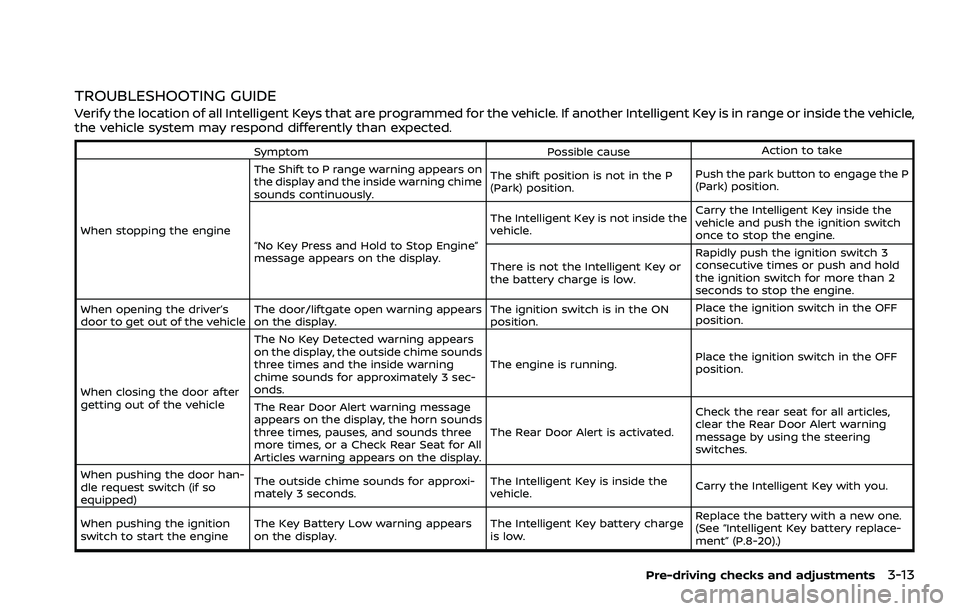
TROUBLESHOOTING GUIDE
Verify the location of all Intelligent Keys that are programmed for the vehicle. If another Intelligent Key is in range or inside the vehicle,
the vehicle system may respond differently than expected.
SymptomPossible causeAction to take
When stopping the engine The Shift to P range warning appears on
the display and the inside warning chime
sounds continuously.
The shift position is not in the P
(Park) position.
Push the park button to engage the P
(Park) position.
“No Key Press and Hold to Stop Engine”
message appears on the display. The Intelligent Key is not inside the
vehicle.
Carry the Intelligent Key inside the
vehicle and push the ignition switch
once to stop the engine.
There is not the Intelligent Key or
the battery charge is low. Rapidly push the ignition switch 3
consecutive times or push and hold
the ignition switch for more than 2
seconds to stop the engine.
When opening the driver’s
door to get out of the vehicle The door/liftgate open warning appears
on the display. The ignition switch is in the ON
position.Place the ignition switch in the OFF
position.
When closing the door after
getting out of the vehicle The No Key Detected warning appears
on the display, the outside chime sounds
three times and the inside warning
chime sounds for approximately 3 sec-
onds.
The engine is running.
Place the ignition switch in the OFF
position.
The Rear Door Alert warning message
appears on the display, the horn sounds
three times, pauses, and sounds three
more times, or a Check Rear Seat for All
Articles warning appears on the display. The Rear Door Alert is activated.
Check the rear seat for all articles,
clear the Rear Door Alert warning
message by using the steering
switches.
When pushing the door han-
dle request switch (if so
equipped) The outside chime sounds for approxi-
mately 3 seconds.
The Intelligent Key is inside the
vehicle.
Carry the Intelligent Key with you.
When pushing the ignition
switch to start the engine The Key Battery Low warning appears
on the display. The Intelligent Key battery charge
is low.Replace the battery with a new one.
(See “Intelligent Key battery replace-
ment” (P.8-20).)
Pre-driving checks and adjustments3-13