check engine NISSAN TEANA 2008 Service Manual
[x] Cancel search | Manufacturer: NISSAN, Model Year: 2008, Model line: TEANA, Model: NISSAN TEANA 2008Pages: 5121, PDF Size: 69.03 MB
Page 4806 of 5121
![NISSAN TEANA 2008 Service Manual TRANSAXLE ASSEMBLY
TM-333
< REMOVAL AND INSTALLATION >[CVT: RE0F10A]
C
E
F
G
H
I
J
K
L
MA
B
TM
N
O
P
7. Remove rear plate. Refer to EM-38, "Exploded View".
8. Turn crankshaft, and remove the four tigh](/img/5/57391/w960_57391-4805.png "NISSAN TEANA 2008 Service Manual TRANSAXLE ASSEMBLY
TM-333
< REMOVAL AND INSTALLATION >[CVT: RE0F10A]
C
E
F
G
H
I
J
K
L
MA
B
TM
N
O
P
7. Remove rear plate. Refer to EM-38, \"Exploded View\".
8. Turn crankshaft, and remove the four tigh")
TRANSAXLE ASSEMBLY
TM-333
< REMOVAL AND INSTALLATION >[CVT: RE0F10A]
C
E
F
G
H
I
J
K
L
MA
B
TM
N
O
P
7. Remove rear plate. Refer to EM-38, "Exploded View".
8. Turn crankshaft, and remove the four tightening bolts ( ) for
drive plate and torque converter.
CAUTION:
When turning crankshaft, turn it clockwise as viewed from
the front of the engine.
9. Remove transaxle assembly fixing bolts with power tool.
10. Remove transaxle assembly from engine assembly with a hoist.
11. Remove CVT fluid cooler tube from transaxle assembly. Refer to
TM-329, "
Exploded View".
INSTALLATION
Note following, and install in the reverse order of removal.
CAUTION:
Never reuse O-ring.
Apply petroleum jelly to O-ring.
Check fitting of dowel pin ( ) when installing transaxle
assembly to engine assembly.
When installing transaxle assembly to the engine assembly, attach
the fixing bolts in accordance with the following.
SCIA1861E
JPDIA0598ZZ
JPDIA0602ZZ
JPDIA0737ZZ
Page 4807 of 5121
![NISSAN TEANA 2008 Service Manual TM-334
< REMOVAL AND INSTALLATION >[CVT: RE0F10A]
TRANSAXLE ASSEMBLY
Align the position of tightening bolts ( ) for drive plate with those
of the torque converter, and temporarily tighten the bolts.](/img/5/57391/w960_57391-4806.png "NISSAN TEANA 2008 Service Manual TM-334
< REMOVAL AND INSTALLATION >[CVT: RE0F10A]
TRANSAXLE ASSEMBLY
Align the position of tightening bolts ( ) for drive plate with those
of the torque converter, and temporarily tighten the bolts.")
TM-334
< REMOVAL AND INSTALLATION >[CVT: RE0F10A]
TRANSAXLE ASSEMBLY
Align the position of tightening bolts ( ) for drive plate with those
of the torque converter, and temporarily tighten the bolts. Then,
tighten the bolts to the specified torque.
CAUTION:
When turning crankshaft, turn it clockwise as viewed from the
front of the engine.
When tightening the tightening bolts for the torque converter
after fixing the crankshaft pulley bolts, confirm the tightening
torque of the crankshaft pulley mounting bolts. Refer to EM-
53, "Removal and Installation".
After converter is installed to drive plate, rotate crankshaft
several turns and check that transaxle rotates freely without
binding.
InspectionINFOID:0000000003806553
INSPECTION BE FORE INSTALLATION
After inserting a torque converter to the CVT, check that distance
(A) within the reference value limit.
INSPECTION AFTER INSTALLATION
After completing installation, check the following item.
- CVT fluid leakage and CVT fluid level. Refer to TM-304, "
Inspection".
- CVT position. Refer to TM-314, "
Inspection and Adjustment".
Insertion direction Transaxle assembly to engine assembly Engine assembly to transaxle assembly
Bolt position A B C D
Number of bolts 2 1 1 4
Bolt length mm (in) 55 (2.17) 35 (1.38) 55 (2.17) 40 (1.57)
Tightening torque N·m (kg-m, ft-lb) 75 (7.7, 55) 50 (5.1, 37)
SCIA1861E
B: Scale
C : Straightedge
Distance A : Refer to TM-338, "Torque Converter".
JPDIA0740ZZ
Page 4825 of 5121
![NISSAN TEANA 2008 Service Manual VTL-14
< PRECAUTION >[WITHOUT 7 INCH DISPLAY]
COMPRESSOR
COMPRESSOR
General PrecautionsINFOID:0000000003802525
CAUTION:
Plug all openings to prevent moisture and foreign matter from entering.
Stor](/img/5/57391/w960_57391-4824.png "NISSAN TEANA 2008 Service Manual VTL-14
< PRECAUTION >[WITHOUT 7 INCH DISPLAY]
COMPRESSOR
COMPRESSOR
General PrecautionsINFOID:0000000003802525
CAUTION:
Plug all openings to prevent moisture and foreign matter from entering.
Stor")
VTL-14
< PRECAUTION >[WITHOUT 7 INCH DISPLAY]
COMPRESSOR
COMPRESSOR
General PrecautionsINFOID:0000000003802525
CAUTION:
Plug all openings to prevent moisture and foreign matter from entering.
Store it in the same way at it is when mounted on the car when the compressor is removed.
Follow “Maintenance of Lubricant Quantity in Compressor” exactly when replacing or repairing
compressor. Refer to HA-28, "
Maintenance of Lubricant Quantity".
Keep friction surfaces between clutch and pulley clean. Wipe it off by using a clean waste cloth
moistened with thinner if the surface is contaminated with lubricant.
Turn the compressor shaft by hand more than five turns in both directions after compressor service
operation. This distributes equally lubricant inside the compressor. Let the engine idle and operate
the compressor for one hour after the compressor is installed.
Apply voltage to the new one and check for normal operation after replacing the compressor magnet
clutch.
Page 4850 of 5121
![NISSAN TEANA 2008 Service Manual HEATER & COOLING UNIT ASSEMBLY
VTL-39
< ON-VEHICLE REPAIR >[WITHOUT 7 INCH DISPLAY]
C
D
E
F
G
H
J
K
L
MA
B
VTL
N
O
P
16. Remove floor duct 1 (left and right) (1) and rear ventilator duct 1
(2), and th](/img/5/57391/w960_57391-4849.png "NISSAN TEANA 2008 Service Manual HEATER & COOLING UNIT ASSEMBLY
VTL-39
< ON-VEHICLE REPAIR >[WITHOUT 7 INCH DISPLAY]
C
D
E
F
G
H
J
K
L
MA
B
VTL
N
O
P
16. Remove floor duct 1 (left and right) (1) and rear ventilator duct 1
(2), and th")
HEATER & COOLING UNIT ASSEMBLY
VTL-39
< ON-VEHICLE REPAIR >[WITHOUT 7 INCH DISPLAY]
C
D
E
F
G
H
J
K
L
MA
B
VTL
N
O
P
16. Remove floor duct 1 (left and right) (1) and rear ventilator duct 1
(2), and then remove heater & cooling unit assembly (3).
INSTALLATION
Installation is basically the reverse order of removal.
CAUTION:
Replace O-rings with new ones. Then apply compressor oil to them when installing.
Check for leakages when recharging refrigerant.
NOTE:
Refer to CO-9, "
Refilling" when filling radiator with engine coolant.
Charge the refrigerant.
JPIIA0921ZZ
Page 4855 of 5121
![NISSAN TEANA 2008 Service Manual VTL-44
< ON-VEHICLE REPAIR >[WITHOUT 7 INCH DISPLAY]
HEATER CORE
Removal and Installation
INFOID:0000000003774686
REMOVAL
1. Remove heater & cooling unit assembly. Refer to VTL-35, "Exploded View".
2.](/img/5/57391/w960_57391-4854.png "NISSAN TEANA 2008 Service Manual VTL-44
< ON-VEHICLE REPAIR >[WITHOUT 7 INCH DISPLAY]
HEATER CORE
Removal and Installation
INFOID:0000000003774686
REMOVAL
1. Remove heater & cooling unit assembly. Refer to VTL-35, \"Exploded View\".
2.")
VTL-44
< ON-VEHICLE REPAIR >[WITHOUT 7 INCH DISPLAY]
HEATER CORE
Removal and Installation
INFOID:0000000003774686
REMOVAL
1. Remove heater & cooling unit assembly. Refer to VTL-35, "Exploded View".
2. Remove mounting screws (A), and then remove foot duct (left)
(1).
3. Remove heater pipe grommet (1).
4. Remove mounting screw (A), and then remove heater pipe sup-
port (2).
5. Remove mounting screws (B), and then remove heater pipe
cover (3).
6. Slide heater core (1) to leftward (as shown in the figure).
INSTALLATION
Installation is basically the reverse order of removal.
CAUTION:
Replace O-rings with new ones. Then apply compressor oil to them when installing.
Check for refrigerant leakage when charging refrigerant.
NOTE:
Refer to CO-9, "
Refilling" when filling radiator with engine coolant.
Charge the refrigerant.
37. Defroster door link 38. Foot door link 39. Max. cool door lever
40. Foot door lever 41. Defroster door lever 42. Adapter case
43. Distributor lower case 44. Ventilator door 45. Intake sensor
46. Intake sensor bracket 47. Foot door 48. Max. cool door
49. Defroster door 50. Air mix door (Slide door)
Refer to GI-4, "
Components" for symbols in the figure.
JPIIA0925ZZ
JPIIA0926ZZ
JPIIA0927ZZ
Page 4882 of 5121
![NISSAN TEANA 2008 Service Manual COMPRESSOR
VTL-71
< PRECAUTION >[WITH 7 INCH DISPLAY]
C
D
E
F
G
H
J
K
L
MA
B
VTL
N
O
P
COMPRESSOR
General PrecautionsINFOID:0000000003894453
CAUTION:
Plug all openings to prevent moisture and foreig](/img/5/57391/w960_57391-4881.png "NISSAN TEANA 2008 Service Manual COMPRESSOR
VTL-71
< PRECAUTION >[WITH 7 INCH DISPLAY]
C
D
E
F
G
H
J
K
L
MA
B
VTL
N
O
P
COMPRESSOR
General PrecautionsINFOID:0000000003894453
CAUTION:
Plug all openings to prevent moisture and foreig")
COMPRESSOR
VTL-71
< PRECAUTION >[WITH 7 INCH DISPLAY]
C
D
E
F
G
H
J
K
L
MA
B
VTL
N
O
P
COMPRESSOR
General PrecautionsINFOID:0000000003894453
CAUTION:
Plug all openings to prevent moisture and foreign matter from entering.
Store it in the same way at it is when mounted on the car when the compressor is removed.
Follow “Maintenance of Lubricant Quantity in Compressor” exactly when replacing or repairing
compressor. Refer to HA-28, "
Maintenance of Lubricant Quantity".
Keep friction surfaces between clutch and pulley clean. Wipe it off by using a clean waste cloth
moistened with thinner if the surface is contaminated with lubricant.
Turn the compressor shaft by hand more than five turns in both directions after compressor service
operation. This distributes equally lubricant inside the compressor. Let the engine idle and operate
the compressor for one hour after the compressor is installed.
Apply voltage to the new one and check for normal operation after replacing the compressor magnet
clutch.
Page 4908 of 5121
![NISSAN TEANA 2008 Service Manual HEATER & COOLING UNIT ASSEMBLY
VTL-97
< ON-VEHICLE REPAIR >[WITH 7 INCH DISPLAY]
C
D
E
F
G
H
J
K
L
MA
B
VTL
N
O
P
16. Remove floor duct 1 (left and right) (1) and rear ventilator duct 1
(2), and then](/img/5/57391/w960_57391-4907.png "NISSAN TEANA 2008 Service Manual HEATER & COOLING UNIT ASSEMBLY
VTL-97
< ON-VEHICLE REPAIR >[WITH 7 INCH DISPLAY]
C
D
E
F
G
H
J
K
L
MA
B
VTL
N
O
P
16. Remove floor duct 1 (left and right) (1) and rear ventilator duct 1
(2), and then")
HEATER & COOLING UNIT ASSEMBLY
VTL-97
< ON-VEHICLE REPAIR >[WITH 7 INCH DISPLAY]
C
D
E
F
G
H
J
K
L
MA
B
VTL
N
O
P
16. Remove floor duct 1 (left and right) (1) and rear ventilator duct 1
(2), and then remove heater & cooling unit assembly (3).
INSTALLATION
Installation is basically the reverse order of removal.
CAUTION:
Replace O-rings with new ones. Then apply compressor oil to them when installing.
Check for leakages when recharging refrigerant.
NOTE:
Refer to CO-9, "
Refilling" when filling radiator with engine coolant.
Charge the refrigerant.
JPIIA0921ZZ
Page 4913 of 5121
![NISSAN TEANA 2008 Service Manual VTL-102
< ON-VEHICLE REPAIR >[WITH 7 INCH DISPLAY]
HEATER CORE
Removal and Installation
INFOID:0000000003894516
REMOVAL
1. Remove heater & cooling unit assembly. Refer to VTL-93, "Exploded View".
2. R](/img/5/57391/w960_57391-4912.png "NISSAN TEANA 2008 Service Manual VTL-102
< ON-VEHICLE REPAIR >[WITH 7 INCH DISPLAY]
HEATER CORE
Removal and Installation
INFOID:0000000003894516
REMOVAL
1. Remove heater & cooling unit assembly. Refer to VTL-93, \"Exploded View\".
2. R")
VTL-102
< ON-VEHICLE REPAIR >[WITH 7 INCH DISPLAY]
HEATER CORE
Removal and Installation
INFOID:0000000003894516
REMOVAL
1. Remove heater & cooling unit assembly. Refer to VTL-93, "Exploded View".
2. Remove mounting screws (A), and then remove foot duct (left)
(1).
3. Remove heater pipe grommet (1).
4. Remove mounting screw (A), and then remove heater pipe sup-
port (2).
5. Remove mounting screws (B), and then remove heater pipe
cover (3).
6. Slide heater core (1) to leftward (as shown in the figure).
INSTALLATION
Installation is basically the reverse order of removal.
CAUTION:
Replace O-rings with new ones. Then apply compressor oil to them when installing.
Check for refrigerant leakage when charging refrigerant.
NOTE:
Refer to CO-9, "
Refilling" when filling radiator with engine coolant.
Charge the refrigerant.
37. Defroster door link 38. Foot door link 39. Max. cool door lever
40. Foot door lever 41. Defroster door lever 42. Adapter case
43. Distributor lower case 44. Ventilator door 45. Intake sensor
46. Intake sensor bracket 47. Foot door 48. Max. cool door
49. Defroster door 50. Air mix door (Slide door)
Refer to GI-4, "
Components" for symbols in the figure.
JPIIA0925ZZ
JPIIA0926ZZ
JPIIA0927ZZ
Page 4942 of 5121
WCS-12
< FUNCTION DIAGNOSIS >
DIAGNOSIS SYSTEM (METER)
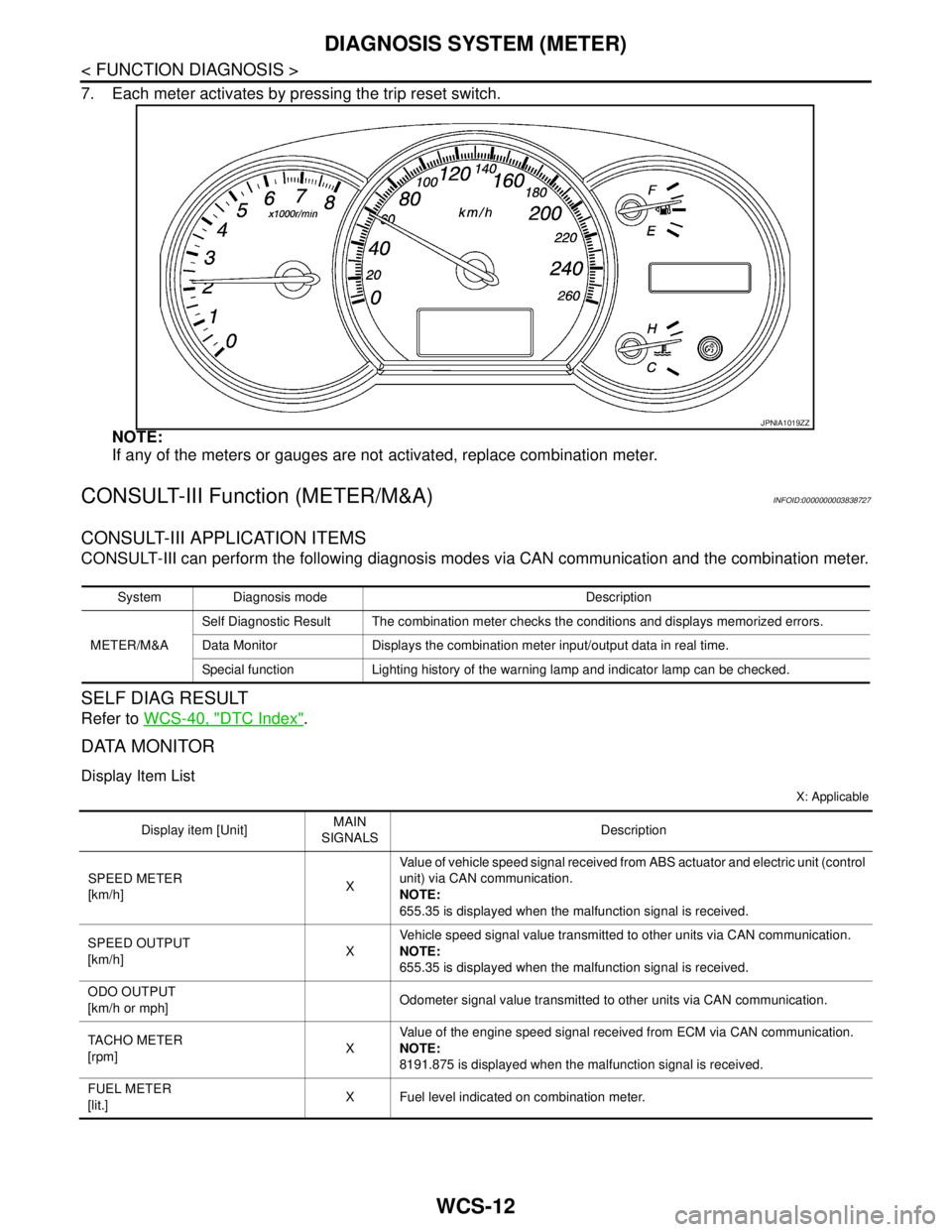
7. Each meter activates by pressing the trip reset switch.
NOTE:
If any of the meters or gauges are not activated, replace combination meter.
CONSULT-III Function (METER/M&A)INFOID:0000000003838727
CONSULT-III APPLICATION ITEMS
CONSULT-III can perform the following diagnosis modes via CAN communication and the combination meter.
SELF DIAG RESULT
Refer to WCS-40, "DTC Index".
DATA MONITOR
Display Item List
X: Applicable
JPNIA1019ZZ
System Diagnosis mode Description
METER/M&ASelf Diagnostic Result The combination meter checks the conditions and displays memorized errors.
Data Monitor Displays the combination meter input/output data in real time.
Special function Lighting history of the warning lamp and indicator lamp can be checked.
Display item [Unit]MAIN
SIGNALSDescription
SPEED METER
[km/h]XValue of vehicle speed signal received from ABS actuator and electric unit (control
unit) via CAN communication.
NOTE:
655.35 is displayed when the malfunction signal is received.
SPEED OUTPUT
[km/h]XVehicle speed signal value transmitted to other units via CAN communication.
NOTE:
655.35 is displayed when the malfunction signal is received.
ODO OUTPUT
[km/h or mph]Odometer signal value transmitted to other units via CAN communication.
TACHO METER
[rpm]XValue of the engine speed signal received from ECM via CAN communication.
NOTE:
8191.875 is displayed when the malfunction signal is received.
FUEL METER
[lit.]X Fuel level indicated on combination meter.
Page 4943 of 5121
![NISSAN TEANA 2008 Service Manual WCS
DIAGNOSIS SYSTEM (METER)
WCS-13
< FUNCTION DIAGNOSIS >
C
D
E
F
G
H
I
J
K
L
MB A
O
P
W TEMP METER
[°C] XValue of engine coolant temperature signal is received from ECM via CAN com-
munication.
NO](/img/5/57391/w960_57391-4942.png "NISSAN TEANA 2008 Service Manual WCS
DIAGNOSIS SYSTEM (METER)
WCS-13
< FUNCTION DIAGNOSIS >
C
D
E
F
G
H
I
J
K
L
MB A
O
P
W TEMP METER
[°C] XValue of engine coolant temperature signal is received from ECM via CAN com-
munication.
NO")
WCS
DIAGNOSIS SYSTEM (METER)
WCS-13
< FUNCTION DIAGNOSIS >
C
D
E
F
G
H
I
J
K
L
MB A
O
P
W TEMP METER
[°C] XValue of engine coolant temperature signal is received from ECM via CAN com-
munication.
NOTE:
215 is displayed when the malfunction signal is input.
ABS W/L
[On/Off]Status of ABS warning lamp detected from ABS warning lamp signal is received
from ABS actuator and electric unit (control unit) via CAN communication.
VDC/TCS IND
[On/Off]Status of VDC OFF indicator lamp detected from VDC OFF indicator lamp signal
is received from ABS actuator and electric unit (control unit) via CAN communica-
tion.
SLIP IND
[On/Off]Status of SLIP indicator lamp detected from slip indicator lamp signal received
from ABS actuator and electric unit (control unit) via CAN communication.
BRAKE W/L
[On/Off]Status of brake warning lamp detected from brake warning lamp signal is received
from ABS actuator and electric unit (control unit) via CAN communication.
NOTE:
Displays “Off” if the brake warning lamp is illuminated when the valve check starts,
the parking brake switch is turned ON or the brake fluid level switch is turned ON.
DOOR W/L
[On/Off]Status of door warning detected from door switch signal received from BCM via
CAN communication.
TRUNK/GLAS-H
[On/Off]Status of trunk warning detected from trunk switch signal received from BCM via
CAN communication.
HI-BEAM IND
[On/Off]Status of high beam indicator lamp detected from high beam request signal is re-
ceived from BCM via CAN communication.
TURN IND
[On/Off]Status of turn indicator lamp detected from turn indicator signal is received from
BCM via CAN communication.
FR FOG IND
[On/Off]Status of front fog light indicator lamp detected from front fog light request signal
is received from BCM via CAN communication.
RR FOG IND
[On/Off]Status of rear fog light indicator lamp detected from rear fog light request signal is
received from BCM via CAN communication.
LIGHT IND
[On/Off]Status of light indicator lamp detected from position light request signal is received
from BCM via CAN communication.
OIL W/L
[On/Off]Status of oil pressure warning lamp detected from oil pressure switch signal is re-
ceived from BCM via CAN communication.
MIL
[On/Off] Status of malfunction indicator lamp detected from malfunctioning indicator lamp
signal is received from ECM via CAN communication.
CRUISE IND
[On/Off]Status of CRUISE indicator detected from ASCD status signal is received from
ECM via CAN communication.
SPORT IND
[On/Off]Status of SPORT indicator detected from sport mode switch signal is received
from control device.
4WD W/L
[On/Off]This item is displayed, but cannot be monitored.
4WD LOCK IND
[On/Off]This item is displayed, but cannot be monitored.
FUEL W/L
[On/Off]Low-fuel warning lamp status detected by the identified fuel level.
WASHER W/L
[On/Off]This item is displayed, but cannot be monitored.
KEY G/Y W/L
[On/Off]Status of key warning lamp (G/Y) detected from key warning signal is received
from BCM via CAN communication.
AFS OFF IND
[On/Off]This item is displayed, but cannot be monitored.
LCD
[B&P N, B&P I, ID NG, ROTAT, SFT
P, INSRT, BATT, NO KY,OUTKY, LK
WN]Displays status of Intelligent Key system warning detected from meter display sig-
nal is received from BCM via CAN communication.
Display item [Unit]MAIN
SIGNALSDescription